5 best ChatGPT plugins to build apps in 2026


If you’ve ever used any of the scores of AI app builders out there, you know the drill: type out a prompt, hit enter, and watch your app come to life. But in my experience, it’s never quite as simple as that. Fine-tuning features, tweaking layouts, and configuring user permissions can still take time and a degree of technical know-how, depending on the builder you’re using.
But there’s a simpler way to build apps, and it starts right inside ChatGPT. Existing tools like Softr, Adalo, and Base44 offer their own plugins inside ChatGPT’s plugin directory, meaning you can go from planning your app to building it without leaving the conversation.
If you want to know which ones are worth their salt, keep reading for a breakdown of the top ChatGPT builders, what they can do, and where they fall short.
What is a ChatGPT plugin?
A ChatGPT plugin lets you create and manage applications through ChatGPT, using an external app-building platform like Softr, Adalo, or Base44.
Instead of planning your app in ChatGPT, then copying your requirements into the AI builder of your choice, you can connect the platform and start building from the same conversation.
But how does ChatGPT actually communicate with these tools?
Plugins are installable packages that can include two things: skills, which tell ChatGPT how to carry out specific tasks, and Model Context Protocol (MCP) servers, which connect ChatGPT to external services so it can access data and perform actions.
Here's how they differ:
Think of the plugin as the package, MCP as the connection, and skills as the instructions.
You don't need to set up an MCP server or understand how skills work to get started. Just install the plugin, connect your account if prompted, and describe what you want to build.
👉 If you're curious about the technology behind these connections, we've covered it in more detail in our guide to MCP.
Which are the best ChatGPT plugins in 2026?
1.Softr
Best for: Building secure, enterprise-ready business apps
Using ChatGPT to brainstorm ideas for business applications? If your company needs secure, production-ready client portals, internal tools, CRMs, or dashboards, your best bet is tapping into the Softr plugin.
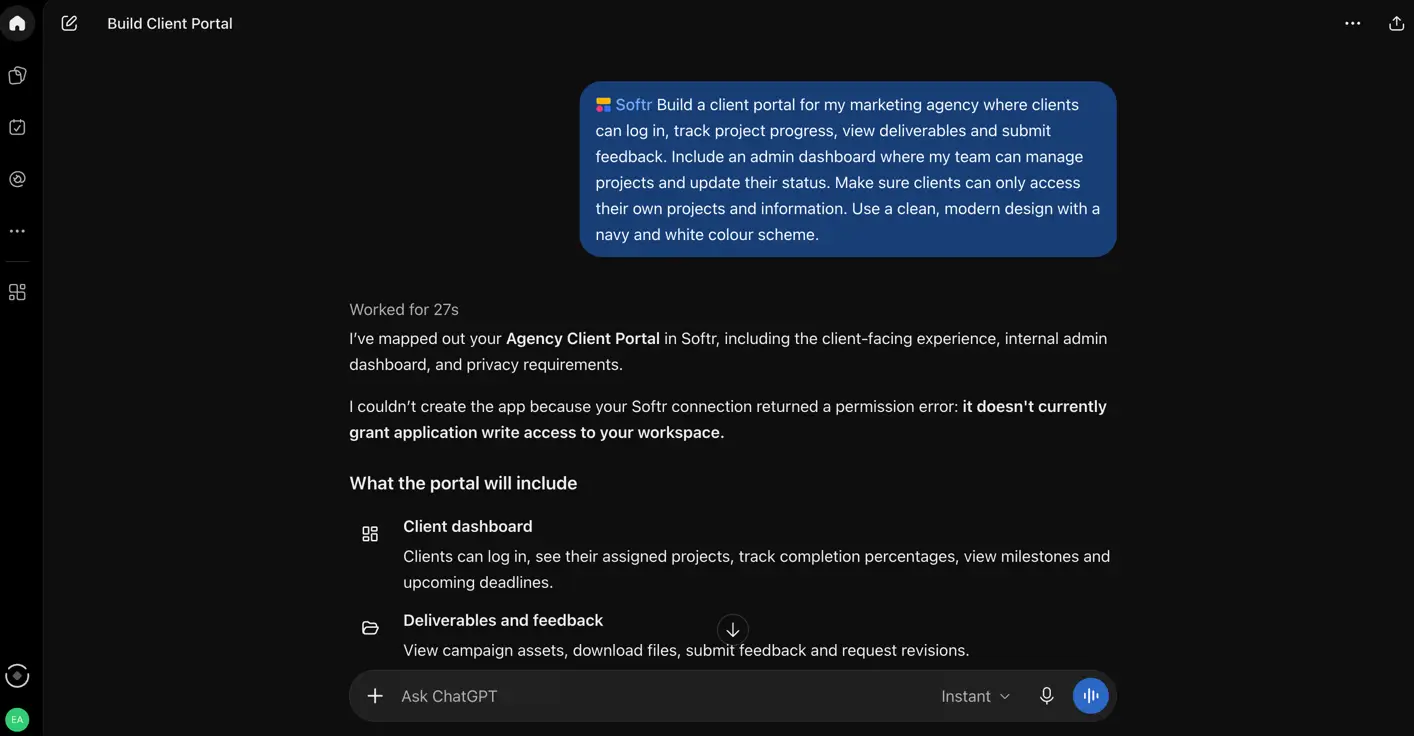
Say you’ve spent some time in ChatGPT planning a client portal for your agency. You’ve worked out which pages you need, what information clients should see, and how different users should access the app. Rather than digging through your convos and piecing together a new prompt for Softr’s AI builder, you can simply mention @Softr in your existing conversation to get the ball rolling.
The plugin builds the app directly in your Softr workspace, taking care of everything from the interface and underlying database to user authentication, permissions, and workflows, based on your requirements. You can even ask it to test your app from different users’ perspectives to check that they can only access the information they’re supposed to see.
And it’s not just for building apps from scratch. You can use the plugin to update existing Softr apps, tweak layouts, add features, manage users, modify database records, and create automations—all through natural language prompts.
When you’re happy with your app, you can preview and publish it from ChatGPT or head over to Softr Studio to continue working on it.
Key features
- Build complete applications: Create pages, interfaces, databases and connect data sources.
- Configure authentication and permissions: Set up sign-in methods, custom user groups and record-level and field-level data restrictions.
- Manage databases: Create tables, add fields, and add or update records.
- Build automations: Create workflows, configure triggers and actions, and test them.
- Manage existing applications: Make design changes, manage users, configure custom domains and update functionality.
- Test and publish apps: Check for errors, test functionality, preview apps from different users' perspectives, and publish with approval.
Pros
- Builds business apps with databases, pages, logins, permissions, and automations.
- Particularly useful for client portals, CRMs, internal tools, and dashboards.
- Works with existing data sources as well as Softr's own databases.
- Continue customizing the application in Softr at any time.
Cons
- Focused on business applications rather than native iOS or Android apps.
2. Adalo
Best for: Building native mobile apps
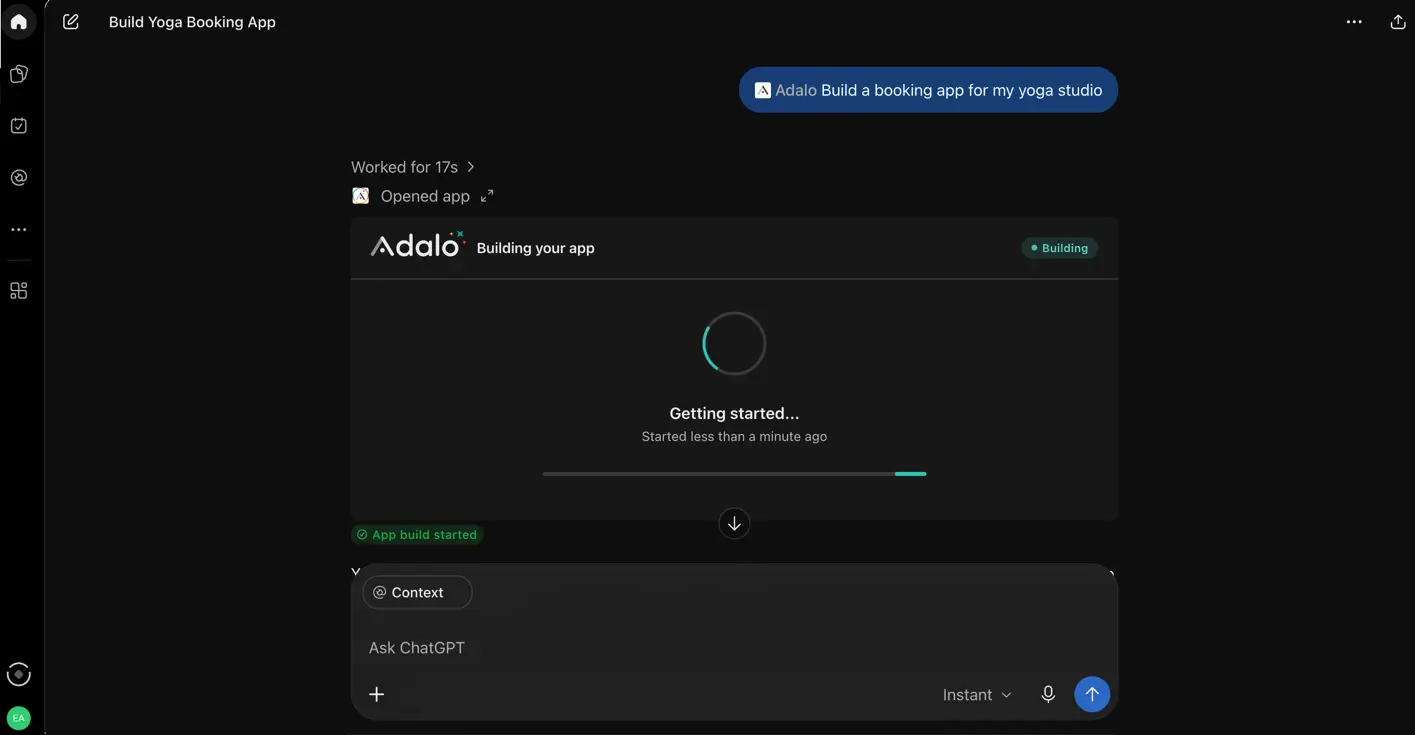
Want people to easily download your app from the Apple App Store or Google Play? Adalo’s ChatGPT plugin is probably the safest move on this list.
You can create a simple app from a simple description, then make changes to its screens, components, branding, and database structure directly through your convos. You can also add, update, and delete records in your app's database, so it’s easy to manage your existing apps (and data) on the fly.
But the main appeal here is mobile development. Softr focuses on secure, production-grade business apps and internal tools, while Adalo is worth considering if you're building something designed primarily for smartphone users. Think booking apps, community platforms, or customer-facing services.
Key features
- App creation: Generate a mobile-friendly app from a natural-language description, with a preview that tracks the build's progress.
- App editing: Add or modify screens, components, branding, collections, and fields through ChatGPT.
- Database management: Search, create, update, and delete records in your app's collections.
- App and data discovery: List your existing Adalo apps, browse their collections, and search records with filters.
- Interactive previews: See the affected screen when you make changes to an existing app.
Pros
- Particularly well suited to native mobile apps.
- Supports both creating and modifying apps through ChatGPT.
- Lets you search and manage existing app data without opening Adalo.
- Provides interactive previews when editing apps.
Cons
- Publishing to app stores still requires using Adalo's publishing process.
- More detailed visual customization is easier in Adalo's editor.
3. Base44
Best for: Quickly spinning up MVPs and testing app ideas
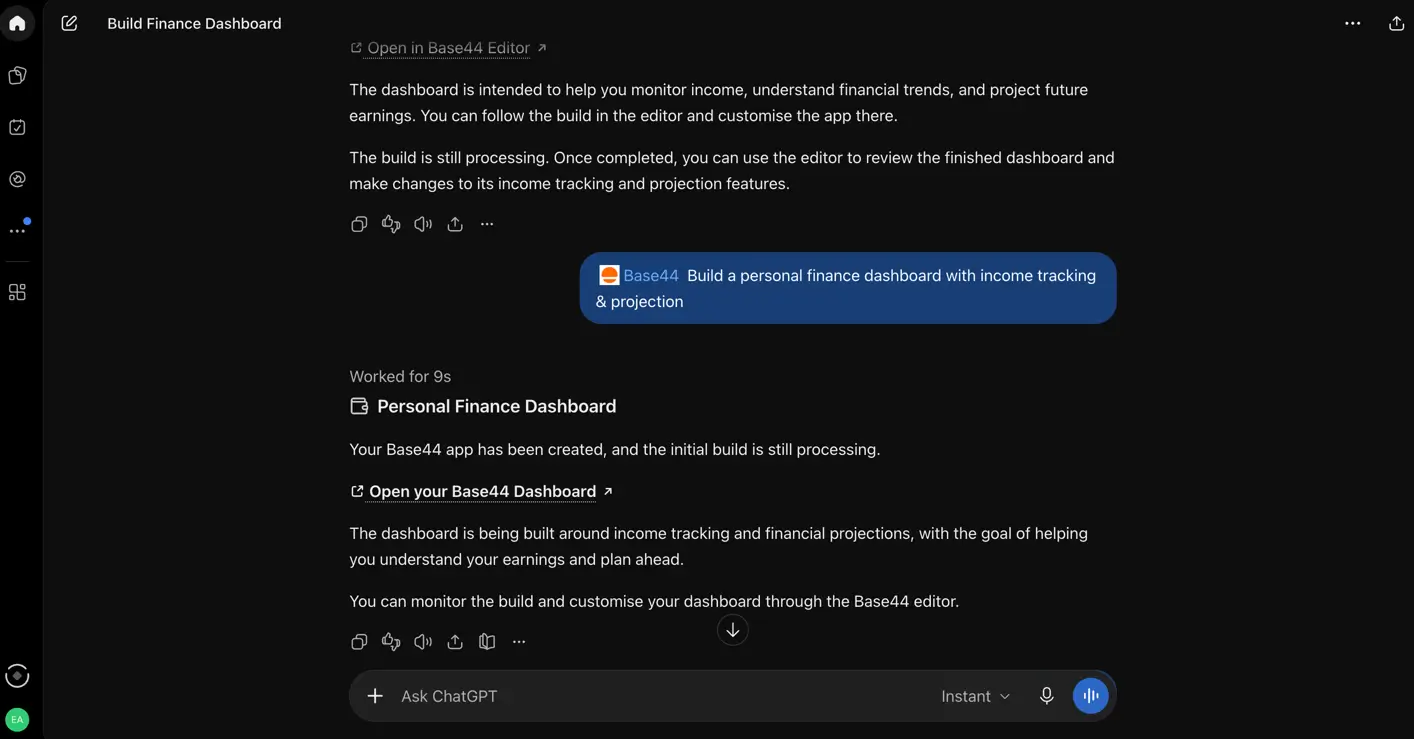
Base44 is another strong option when you want to get an app off the ground quickly, from testing new business ideas to putting together an MVP for stakeholders.
Its ChatGPT plugin can work directly with your app's code in a sandbox (essentially an isolated development workspace). That means you can ask ChatGPT to find a file, make a specific change, run a command, and save a checkpoint you can roll back to if things don't go to plan.
You can also manage your app's database, import existing websites or designs, and preview changes without leaving ChatGPT.
So while Base44 is great for getting that first version out quickly, the plugin also gives you the tools to keep building on it, rather than starting over once your prototype gets more ambitious.
Key features
- App creation and editing: Generate web apps from prompts and add or change features through ChatGPT.
- Direct code editing: Read, write, and modify app files, or run commands for more precise changes.
- Database management: Create and update data models, query records, and add or edit data.
- Design and website imports: Turn an existing design or website into an editable Base44 app.
- Live previews: Open and interact with your app's preview directly in ChatGPT.
- Version checkpoints: Save restore points so you can roll back changes.
Pros
- Great for quickly building MVPs and testing ideas.
- Supports both AI-powered development and direct code editing.
- Lets you manage app data and refine functionality through ChatGPT.
- Offers live previews and restore points as you iterate.
Cons
- Focused on web apps rather than native mobile apps.
- Direct code editing requires more technical knowledge than prompt-based changes.
4. Lovable
Best for: Apps that share AI instructions and design systems
Lovable’s ChatGPT plugin is a good option for turning early-stage product ideas into working prototypes that you can build on over time.
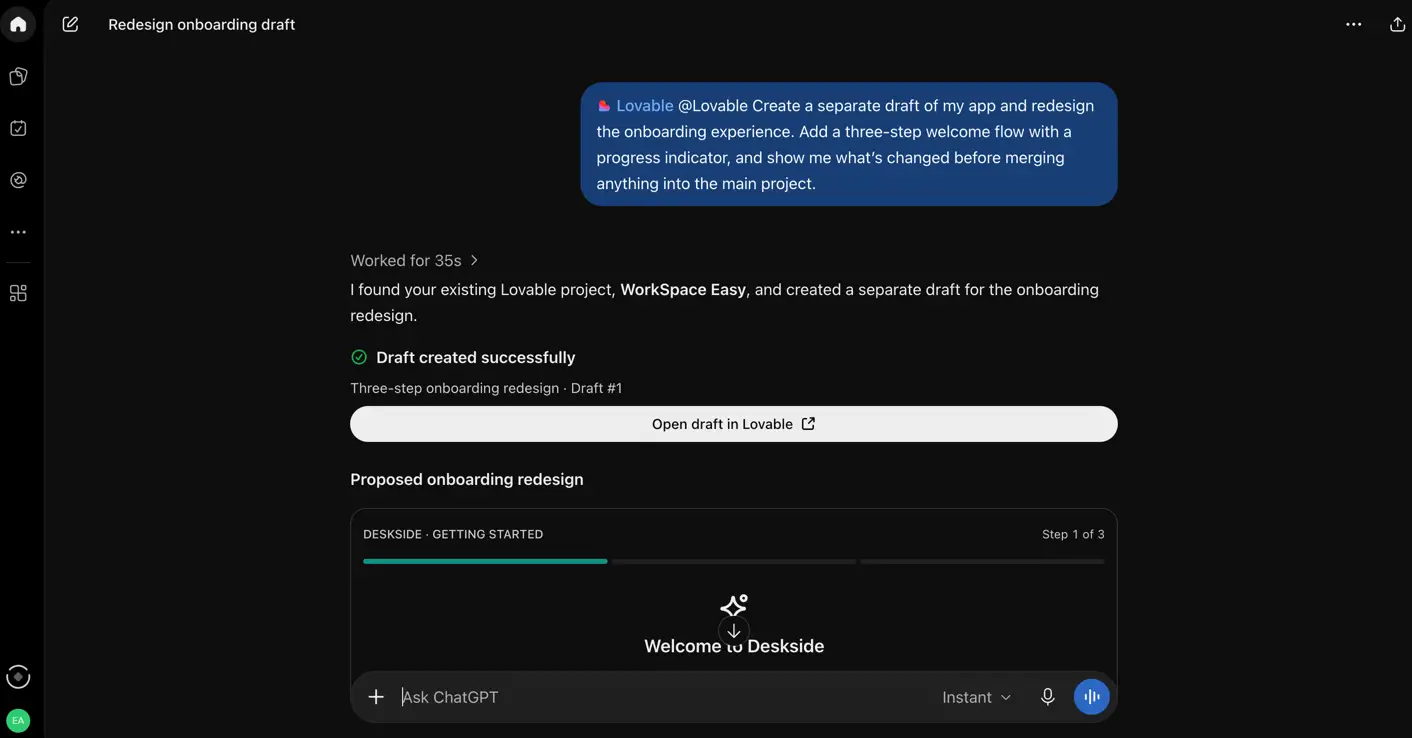
You can also work on changes in separate drafts. Say you want to redesign your app’s onboarding experience. You can ask Lovable to make the changes in a draft, inspect what’s changed in the underlying code, and decide whether to merge those changes into your main project.
If you’re juggling multiple apps, you can also build from shared design systems, save workspace-wide instructions covering everything from brand guidelines to coding conventions, and create reusable AI skills for recurring tasks.
The plugin comes in handy post-launch, too. You can pull up your app’s analytics in ChatGPT, dig into traffic sources and visitor behaviour, and use those insights to inform your next round of improvements.
Key features
- App creation and editing: Generate full-stack web apps and refine pages, components, and functionality through natural-language prompts.
- Code inspection: Read project files, review edit history, and inspect code changes with diffs.
- Database management: Set up a PostgreSQL database and run SQL queries to retrieve or update data.
- Draft reviews: Test changes in a separate draft before accepting them into the main project.
- Project knowledge and skills: Save coding conventions, design preferences, and reusable instructions for future builds.
- Preview and publishing: View your app's preview and deploy it to a public Lovable URL.
Pros
- Generates a codebase that developers can extend.
- Offers more flexibility for custom web app development.
- Supports ongoing app editing through ChatGPT.
Cons
- Doesn't build native iOS or Android apps.
- Advanced customization may still require coding knowledge or developers.
5. Noloco
Best for: Building operational tools around data
Once exclusively built for Airtable users, Noloco is an app builder that helps teams turn their existing data into business apps. Think the usual: simple CRMs and project trackers to client portals and internal workflows.
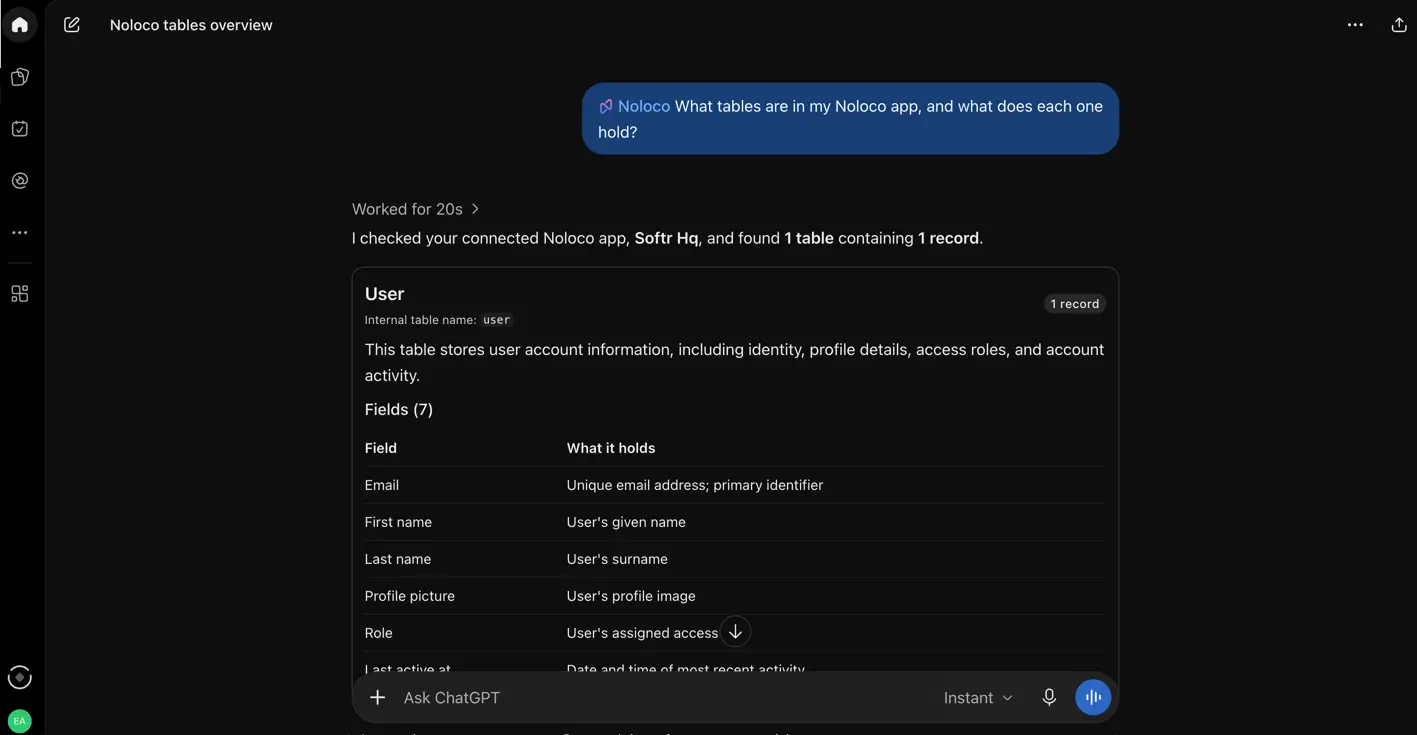
Its ChatGPT plugin connects directly to the Noloco apps in your base, letting you explore tables, search records, and update data without switching between tools. If you have builder access, you can also create tables, add pages, configure workflows, and manage permissions through conversation.
Key features
- Data discovery: Explore connected apps, tables, fields, formulas, and relationships.
- Record management: Search, filter, create, update, and delete records through ChatGPT.
- App building: Create tables and fields, add pages, and choose views such as tables, boards, calendars, and timelines.
- Forms and workflows: Configure forms, record pages, action buttons, and automations.
- Roles and permissions: Manage who can access different parts of an app.
- Drafts and publishing: Make app changes as drafts and publish them when ready.
Pros
- Great for building operational apps around existing business data.
- Lets you explore and update records without opening Noloco.
- Supports both app building and ongoing data management.
- Offers granular control over which apps ChatGPT can access.
Cons
- Requires an existing Noloco account and appropriate app permissions.
- App-building actions require builder access, not just data admin access.
- Data changes take effect immediately, so updates and deletions need care.
How to add and use plugins in ChatGPT
You don't need any technical know-how to connect a plugin to ChatGPT. Here's how to get started:
1. Open the ChatGPT plugin directory or select Plugins from the sidebar.
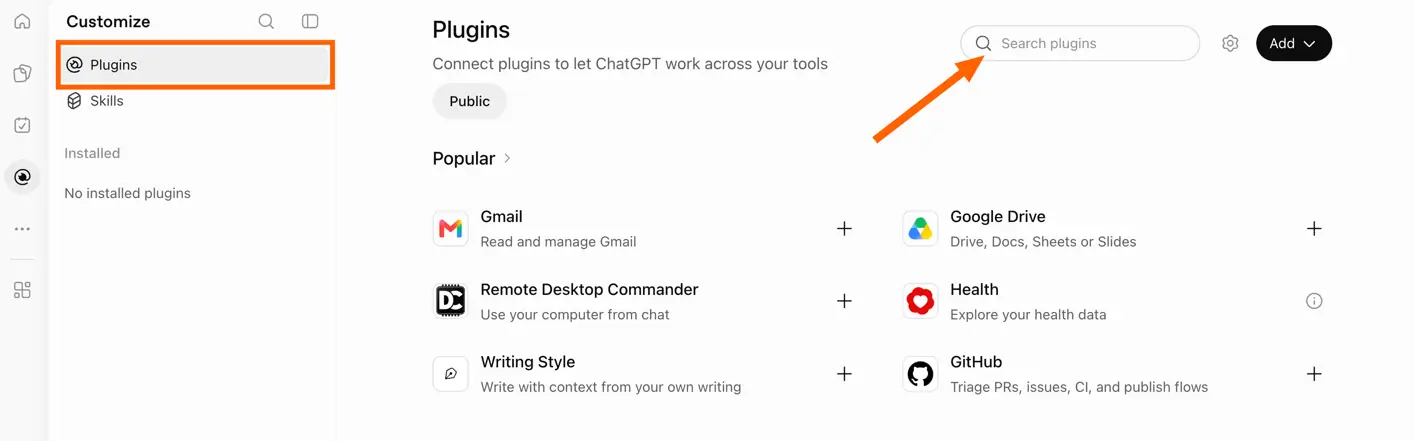
2. Search for the AI app builder you'd like to use (Softr, for example).
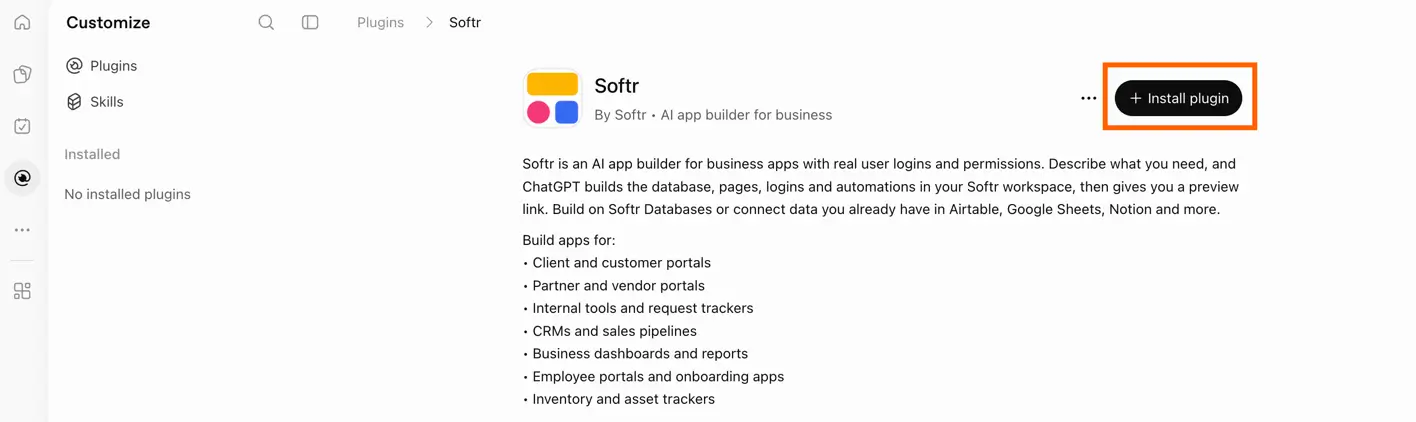
3. Select Install plugin and connect your AI app builder account if prompted.
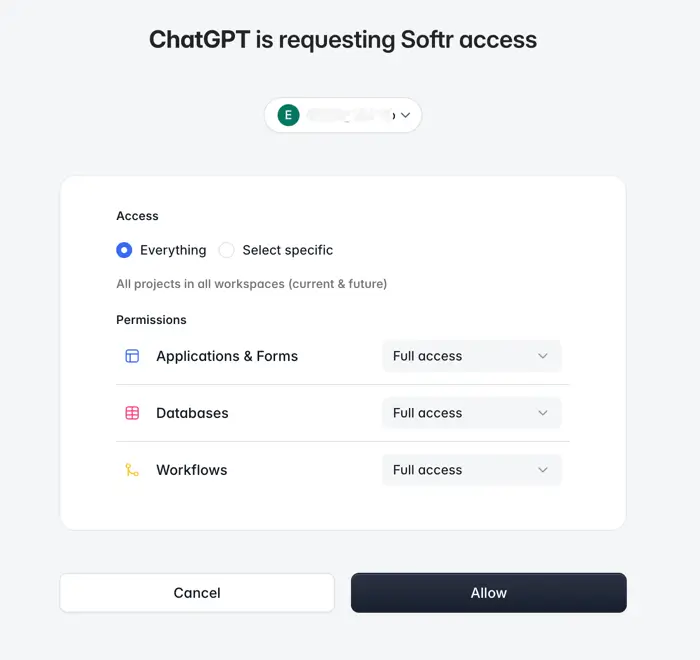
4. Review the requested permissions and authorise the connection.
5. Open a new or existing conversation, type @ followed by the plugin's name, and describe what you'd like to build.
If you've already spent time fleshing out your app idea in ChatGPT, you can bring the plugin into that same conversation rather than starting from scratch.
Keep in mind that plugin availability and functionality may vary depending on your ChatGPT plan, your app builder subscription, and your workspace permissions.
Why use a ChatGPT plugin instead of an AI app builder?
Most of the platforms we'll cover already have their own AI app builders. So why bother using them through ChatGPT?
There are a few good reasons:
- Go from planning to building without switching tools. Say you've spent 20 minutes with ChatGPT figuring out the structure of a client portal, including the pages, user roles, and features you need. Rather than copying everything into Softr's AI builder and explaining your requirements all over again, you can connect Softr and start creating the app from that conversation.
- Draw on ChatGPT's broader capabilities while building. You can use ChatGPT to research your target users, draft content for your app, analyze requirements, or work through business decisions. And when you're ready to build, you can bring that context into the conversation with your connected app builder.
- Manage existing apps conversationally. Depending on the integration, you may be able to update databases, change app settings, or manage workflows through ChatGPT, rather than navigating the platform's interface.
- Use a familiar interface. If you're already comfortable with ChatGPT, there's less friction in getting started with a new app builder.
Is using a ChatGPT plugin better than using the app builder directly?
Not necessarily. While ChatGPT can be convenient for planning, building, and making supported changes through conversation, there are times when opening the app builder itself makes more sense.
💡 You don't necessarily have to choose one or the other. With platforms like Softr, you can start building in ChatGPT and then switch to your Softr workspace whenever you want more hands-on control.
How to choose the best ChatGPT plugin
The best ChatGPT plugin depends on what you're trying to build, but also on what you want ChatGPT to do after your app is up and running.
Before picking a tool, consider a few things:
- What kind of app are you building? Softr is the best fit for business apps and internal tools, while Adalo focuses on native mobile apps. Base44 and Lovable are worth exploring only if you're looking to build lightweight prototypes and MVPs.
- How hands-on do you want to be? If you'd rather avoid code, look for a builder that handles the database, permissions, and hosting (like Softr). If you're already a developer that wants to inspect and modify code, Softr, Base44, and Lovable can offer technical control.
- Are you starting from scratch? Some plugins are geared toward generating new apps, while others, like Noloco, are especially useful for working with existing Airtable data.
- What about pricing? What you can do through ChatGPT depends on both your app builder's subscription and your ChatGPT plan. Each provider may have its own feature restrictions, credits, and AI usage limits, while ChatGPT's plan and usage limits can also affect access. Softr has a free plan that lets you build apps, databases, workflows, and forms, so you can get started without paying for a Softr subscription.
And don't forget to check what happens after the first build. Creating an app is one thing; managing users, updating records, and publishing changes are just as important if you plan to use it long-term.
Act in Softr through ChatGPT
Connecting Softr to your AI takes just a couple of minutes, whether you’re building an app or managing existing ones. Security is built in, with OAuth or personal access tokens, too.
And once your app is live, each user who connects only sees what their permissions allow. Ready to expand what you can do through ChatGPT? Try Softr for free and connect it to your favorite AI today.
Frequently asked questions
What is the best ChatGPT app builder for business apps and internal tools?
Can you build an app with ChatGPT without coding?
Is the Softr ChatGPT plugin free to use?
Can I build and publish an app directly from ChatGPT?
Which ChatGPT app builder includes secure hosting?
Can I build an app with ChatGPT using my existing business data?