[.blog-callout]
TL;DR
- Short, zero-friction forms plus AI enrichment beat long forms: ask for an email, let AI fill in the rest.
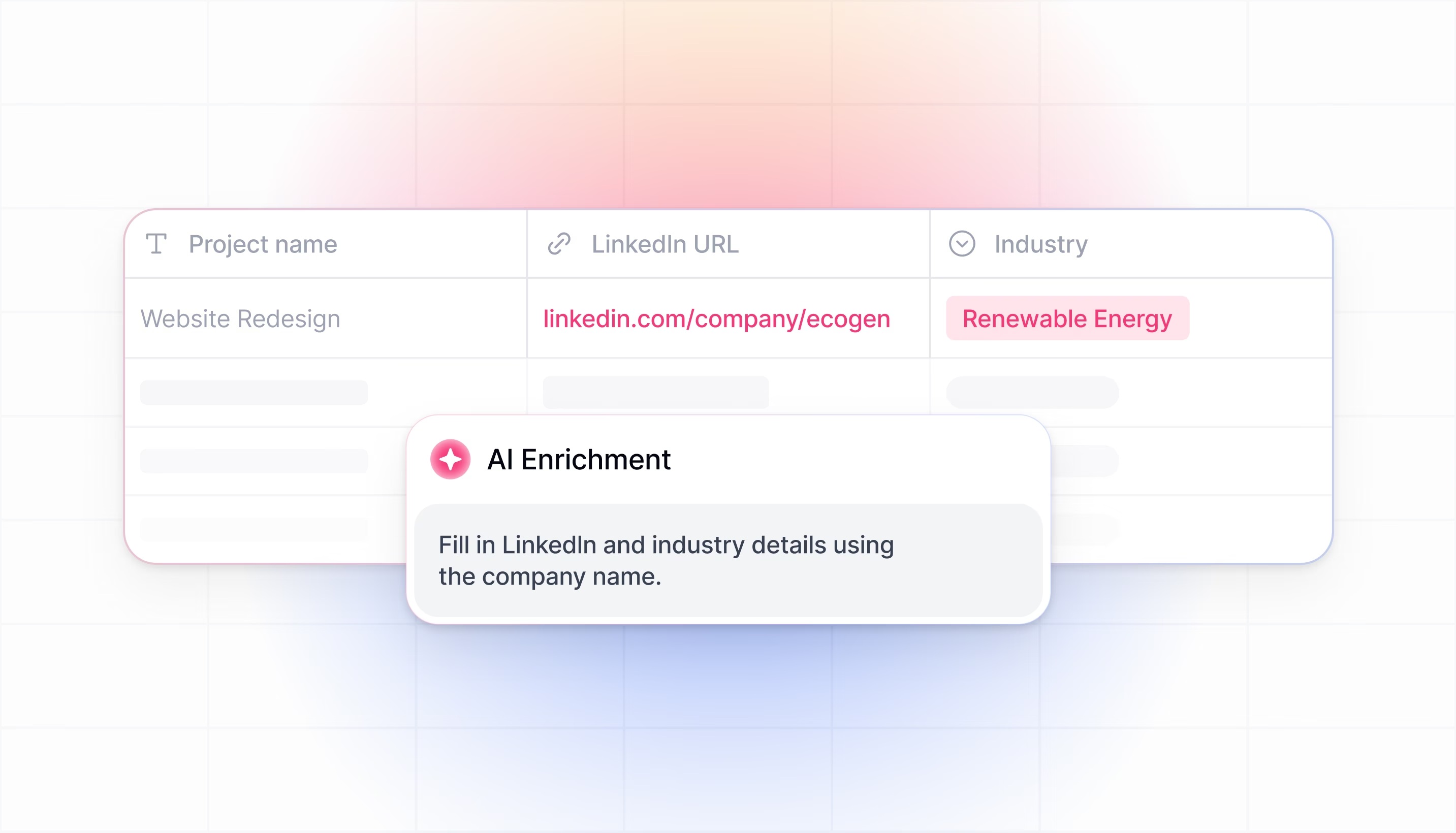
- Softr Database AI Agents can research a company from its domain and auto-populate industry, headcount, and description fields the moment a record is created.
- Softr Workflows turn a single action button into an instant deal summary, pulling every linked interaction into a three-bullet briefing.
- "Human-in-the-loop" setups let AI draft outreach while a rep still reviews and sends, so speed never comes at the cost of trust.
- You can copy the free AI CRM template and adapt it instead of building from scratch. [.blog-callout]
Your CRM should be an engine that drives revenue, not a graveyard where data goes to die.
For years, sales teams have faced a painful trade-off. You either force your prospects to fill out long, friction-heavy forms to get good data (killing your conversion rates), or you ask for very little and force your sales reps to spend hours manually researching company sizes, industries, and job titles (killing their productivity).
AI enrichment changes this equation entirely.
By building an AI-enabled CRM, you can capture more leads with shorter forms while simultaneously arming your sales team with deeper insights than they've ever had before. This isn't a niche use case either: agentic AI adoption is set to jump from 23% to 74% of companies within two years, and 88% of early adopters already report positive ROI.
In this guide, we will explore the three pillars of CRM enrichment and show you exactly how to build them using Softr. We will look at how to automate prospect research, generate instant deal summaries, and even implement advanced "human-in-the-loop" workflows for personalized outreach.
You can start this build by describing your CRM to the AI Co-Builder and letting it scaffold the database and interface for you, or skip the build entirely and copy our AI CRM template here.
The 3 pillars of CRM and prospects enrichment
True enrichment isn't just about finding an email address. It’s about answering three fundamental questions for your sales team automatically:
- Who are they? (Public data enrichment): Finding objective facts without asking.
- Examples: Company industry, headcount, funding status, location, or a contact's job title and LinkedIn bio.
- Why us? (Strategic fit enrichment): Matching public data with your value proposition to create actionable insights.
- Examples: "They use HubSpot, so pitch our native integration," or "They are in the healthcare sector, so highlight our HIPAA compliance." This turns raw data into a sales angle. Lead scoring is another example.
- What happened? (Interaction intelligence): Mining your own history to surface context.
- Examples: Automatically summarizing a 30-email thread into three bullet points, identifying blockers from past meetings, or surfacing "dead" leads that should be reactivated based on previous timing objections.
"AI agents live right in your database to improve the efficiency of the app, ongoingly working to refine, clean, and enrich your data." - Guillaume Duvernay, Builder at Softr
Building the foundation: the relational database
Before we layer on the AI, we need a structure that can handle it. AI works best when data is organized.
Using Softr Databases, we can build a relational structure where objects talk to each other. For this CRM, we utilize six core tables:
- Users: (Admins & Sales Reps)
- Companies: (Enriched with Industry, Size, Description)
- Contacts: (Linked to Companies)
- Deals: (The commercial opportunities)
- Interactions: (Every email, call, and note)
- Tasks: (To-dos for the team)
You can build this schema by hand in the database editor, or describe your tables to the Database AI Co-Builder and let it generate the fields and relationships for you.
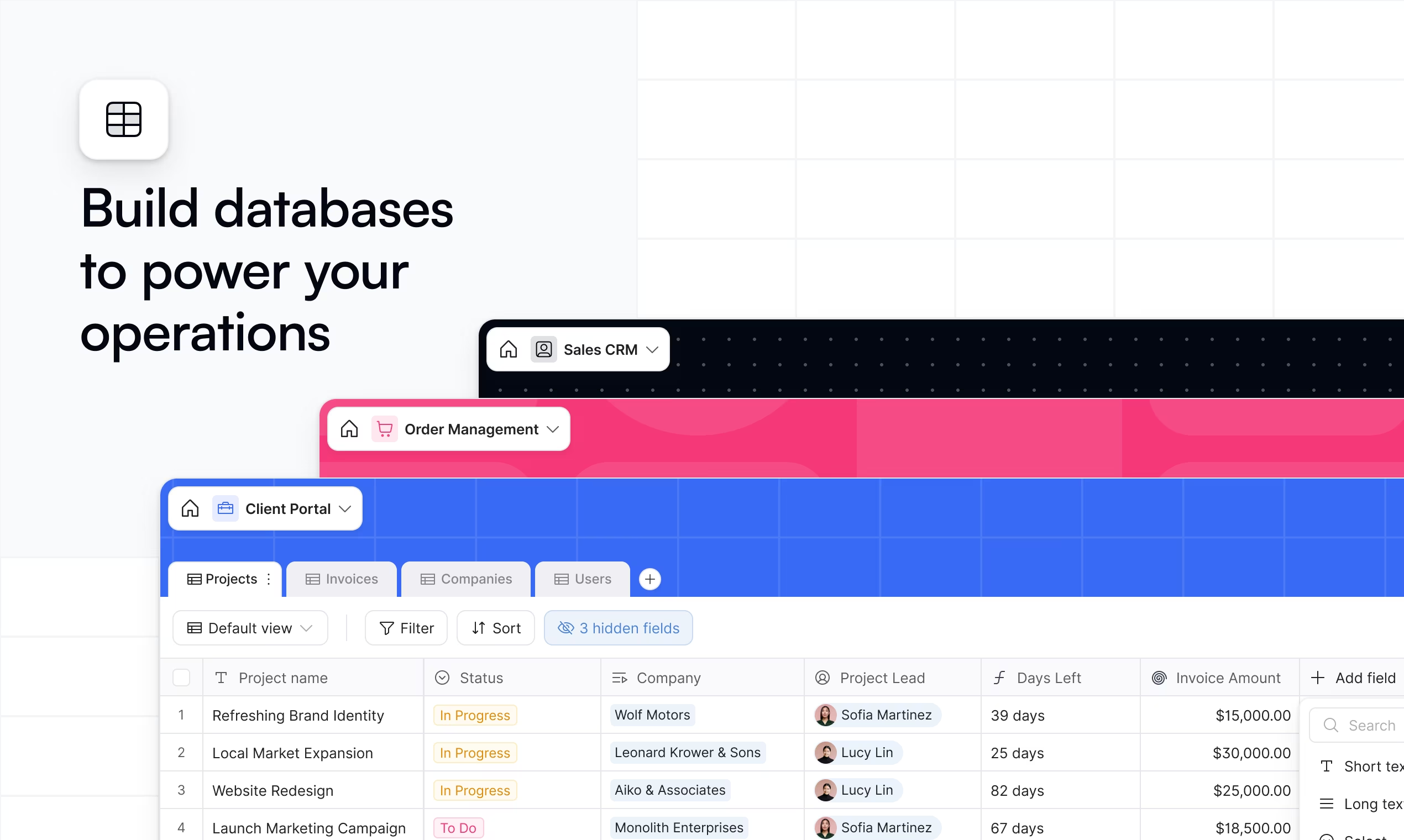
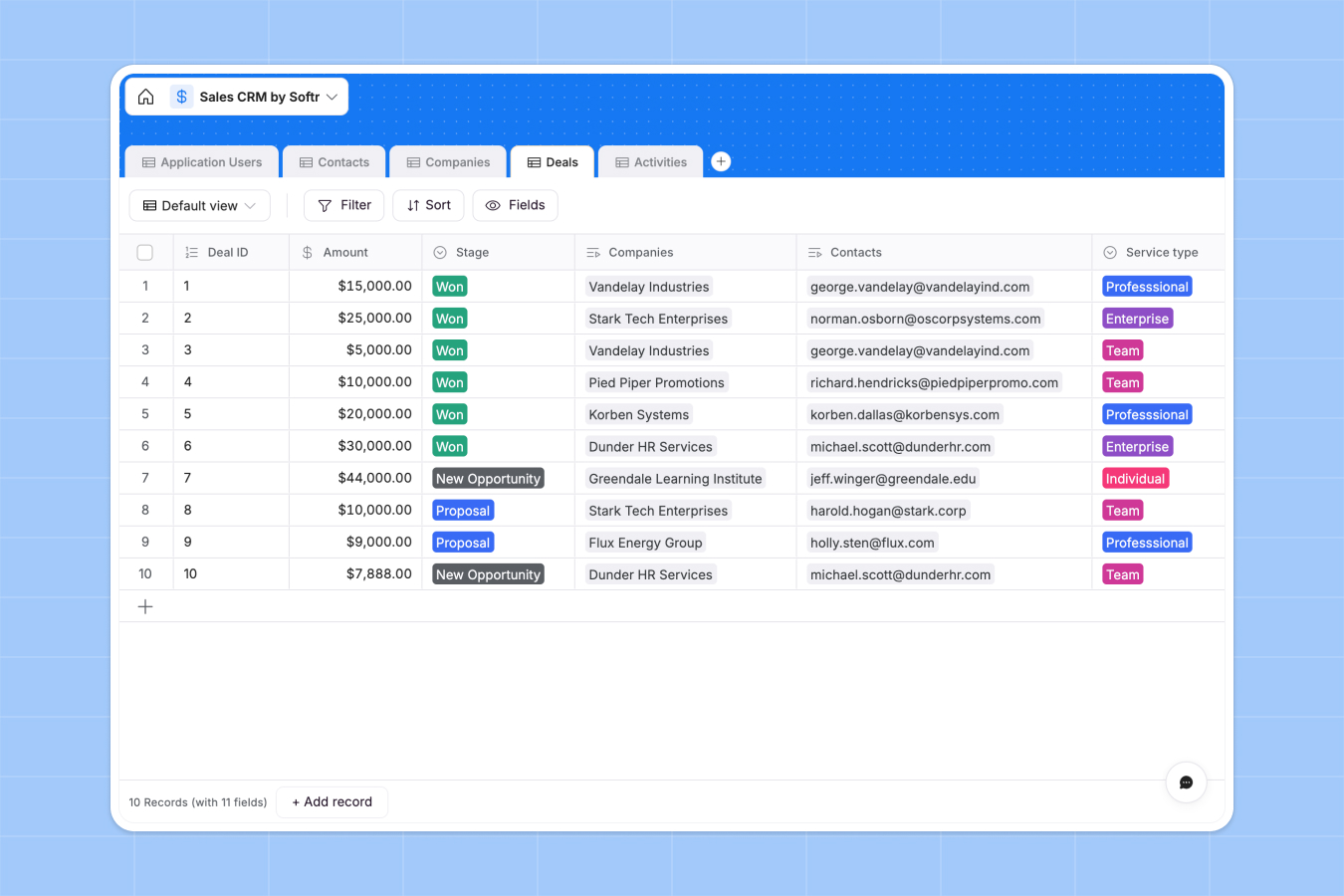
By using a relational database rather than a flat spreadsheet, we enable the AI to "connect the dots." For example, reading all Interactions related to a specific Deal to generate a summary.
Step 1: the zero-friction form (enrichment type 1)
The quickest win for any sales team is increasing the conversion rate of your "Request a Demo" form.
The old way:
You ask for Name, Email, Company Name, Company Size, Industry, and Budget. The prospect sees 6+ fields and bounces.
The AI-enriched way:
You ask for Email and Message.
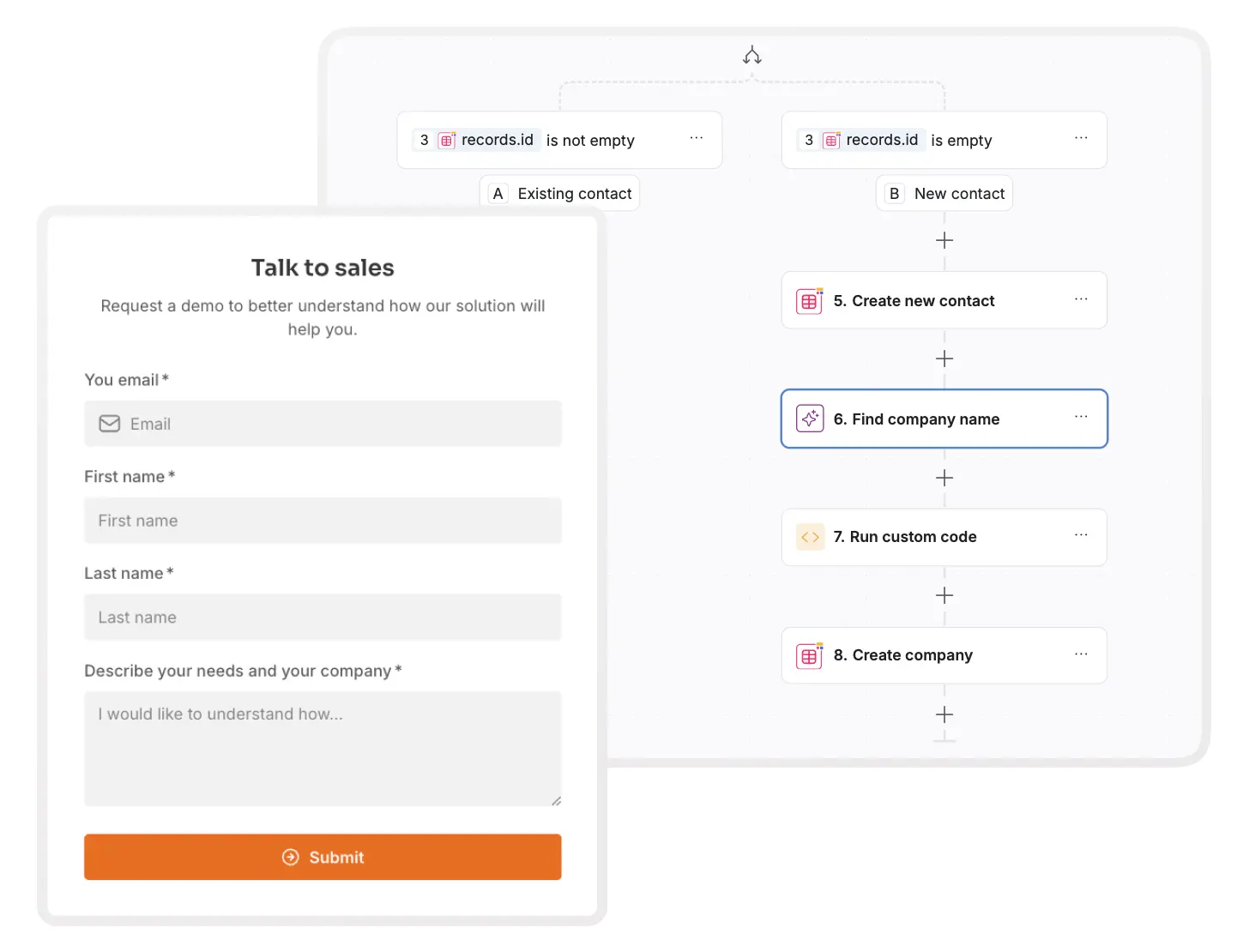
Here is how we build the automation in Softr to do the rest:
- The trigger: A prospect fills out the public Softr form with just their email (e.g.,
jane@acme.corp). - The extraction: A Custom Workflow triggers. It uses AI to extract the domain (
acme.corp) from the email address. - The research: An AI action runs a web search on that domain with the prompt: "Strictly return the exact Company Name associated with this domain."
- The routing: The workflow checks your
Companiestable.- If the company exists: It links the new lead to the existing account.
- If it’s new: It creates a new Company record automatically.
The result: Your rep receives a Slack notification saying "New Demo Request from Jane at Acme Corp," and the CRM is already populated with the company record, without the prospect lifting a finger.
Step 2: the self-filling database (enrichment type 2)
Now that the company record is created, we don't want our reps Googling "Acme Corp" to figure out what they do. We want the database to do that work for them.
We can use Softr Database AI Agents to put our data entry on autopilot.
- Setup: In your
Companiestable, add a field forActivity Description. - The agent: Select AI Agent Field and enable Web Search.
- The prompt: "Based on the website [Website URL], generate 3 concise bullet points in markdown format describing the company's activity."
- The trigger: Set it to run whenever the
Websitefield is not empty.

You can repeat this for Headcount, Industry, or even Tech Stack. Now, whenever a lead comes in, the database "wakes up," browses the internet, and enriches the profile. When the sales rep opens the deal 5 minutes later, they already know exactly who the prospect is and how big they are.
Step 3: interaction intelligence (enrichment type 3)
One of the biggest time-sinks in sales is "getting up to speed." If a deal has been open for 3 months, reviewing it requires reading dozens of emails and notes.
We can build two features to solve this using Softr’s AI integration.
A. The "Summarize deal" button
We can give our reps a "Summarize" button right on the Deal Detail page.
- How it works: This button triggers a Custom Workflow.
- The logic: The workflow fetches the Deal ID, finds all
Interactionrecords linked to that deal’s company, and passes them to an AI model. - The prompt: "Summarize the deal status, potential blockers, and next steps based on these interactions: [List of Interactions]. also take into account the initial demo request."
- The output: The workflow updates a
Digesttext field in the Deal record and reloads the page.
You can build this workflow step by step in the workflow editor, or describe the automation to the Workflow AI Co-Builder and have it assemble the trigger, AI step, and update action for you.
"A single action button can trigger a custom workflow that runs AI analysis over past interactions, giving sales reps an instant history briefing." - Guillaume Duvernay, Builder at Softr
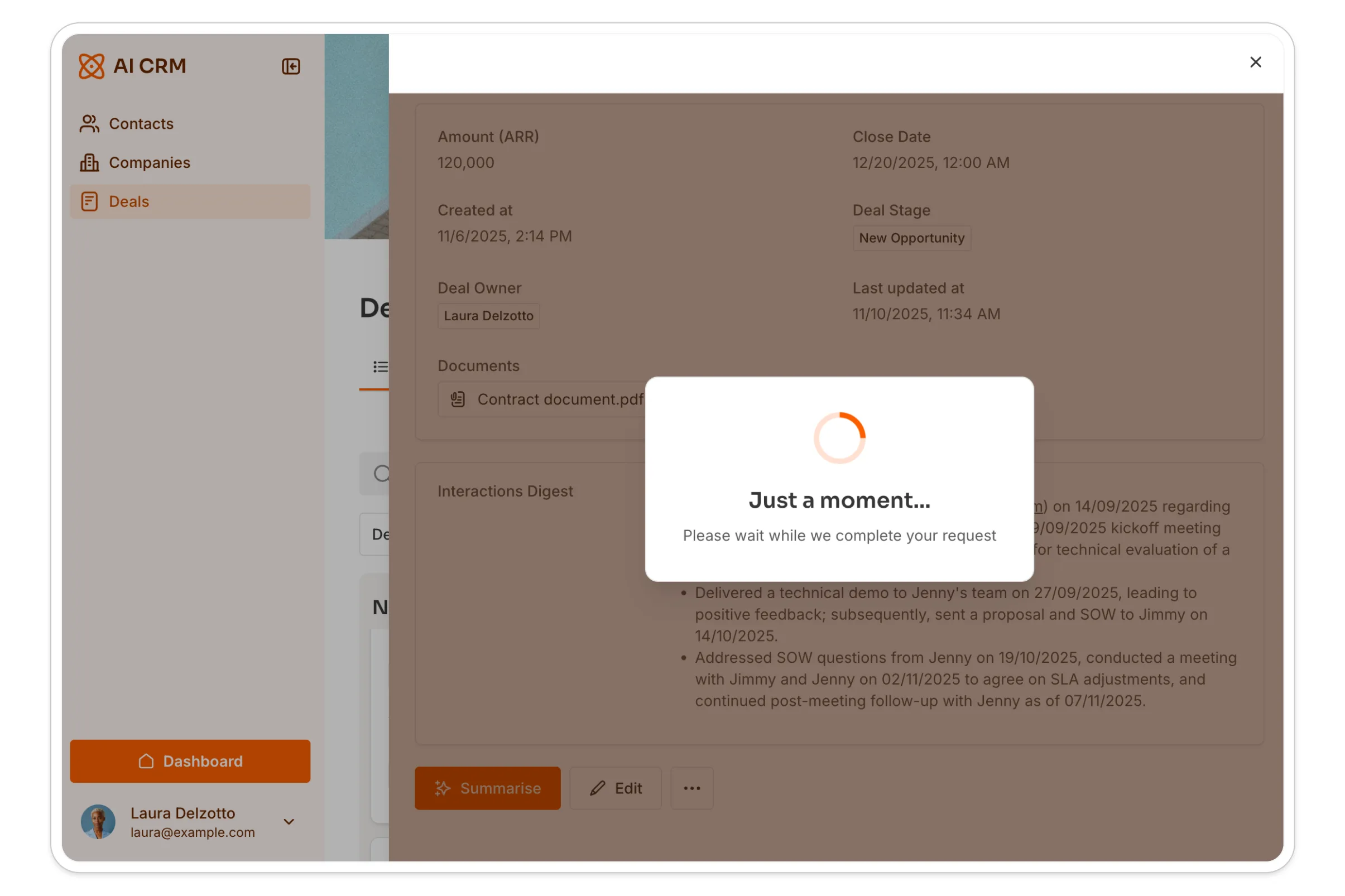
The rep gets an instant, 3-bullet executive summary of a complex deal history.
B. Chatting with your data (Ask AI)
Sometimes a summary isn't enough. A rep might need to know, "Who was the decision maker mentioned in the email last week?" or "What was their objection regarding pricing?"

By enabling the Ask AI feature on your Interactions list block:
- Toggle on Ask AI in the block settings.
- Set the instructions: "You answer questions based on the list of interactions we have had with this prospect."
Your reps now have a chatbot that has "read" every email and note in that specific deal history and can answer specific questions instantly.
Step 4: advanced workflows (human-in-the-loop)
For teams running sophisticated outbound campaigns, you can combine Softr’s frontend interface with powerful backend data tools like Clay.
This setup creates a "Human-in-the-loop" workflow where AI does the heavy lifting, but the human controls the final output.
The workflow:
- Ingestion (Clay): You feed leads into Clay. It scrapes signals (news, hiring, revenue) and scores them.
- The cockpit (Softr): High-priority leads are pushed to your Softr CRM. The sales rep logs in and sees a dashboard of "Tier 1 Leads" with all the enriched data visible.
- The AI draft: The rep types a simple custom instruction into Softr, like "Mention we are both from Paris." and clicks "Draft Email."
- Generation: A workflow sends the context + instruction to an AI model, which writes the personalized email.
- The review: Crucially, the email is not sent yet. It appears as a draft in Softr. The rep reviews it, tweaks the tone to ensure it sounds human, and then clicks "Send."
If the standard form or table blocks aren't enough for this kind of drafting cockpit (say, you want a split-screen view with the lead's enriched profile on one side and an editable draft on the other), you can build it with the Vibe Coding block. It generates the custom UI from a plain-language description, and can trigger a workflow through a webhook and display the returned draft directly in the interface, so the AI-generation and human-review steps stay in the same screen.
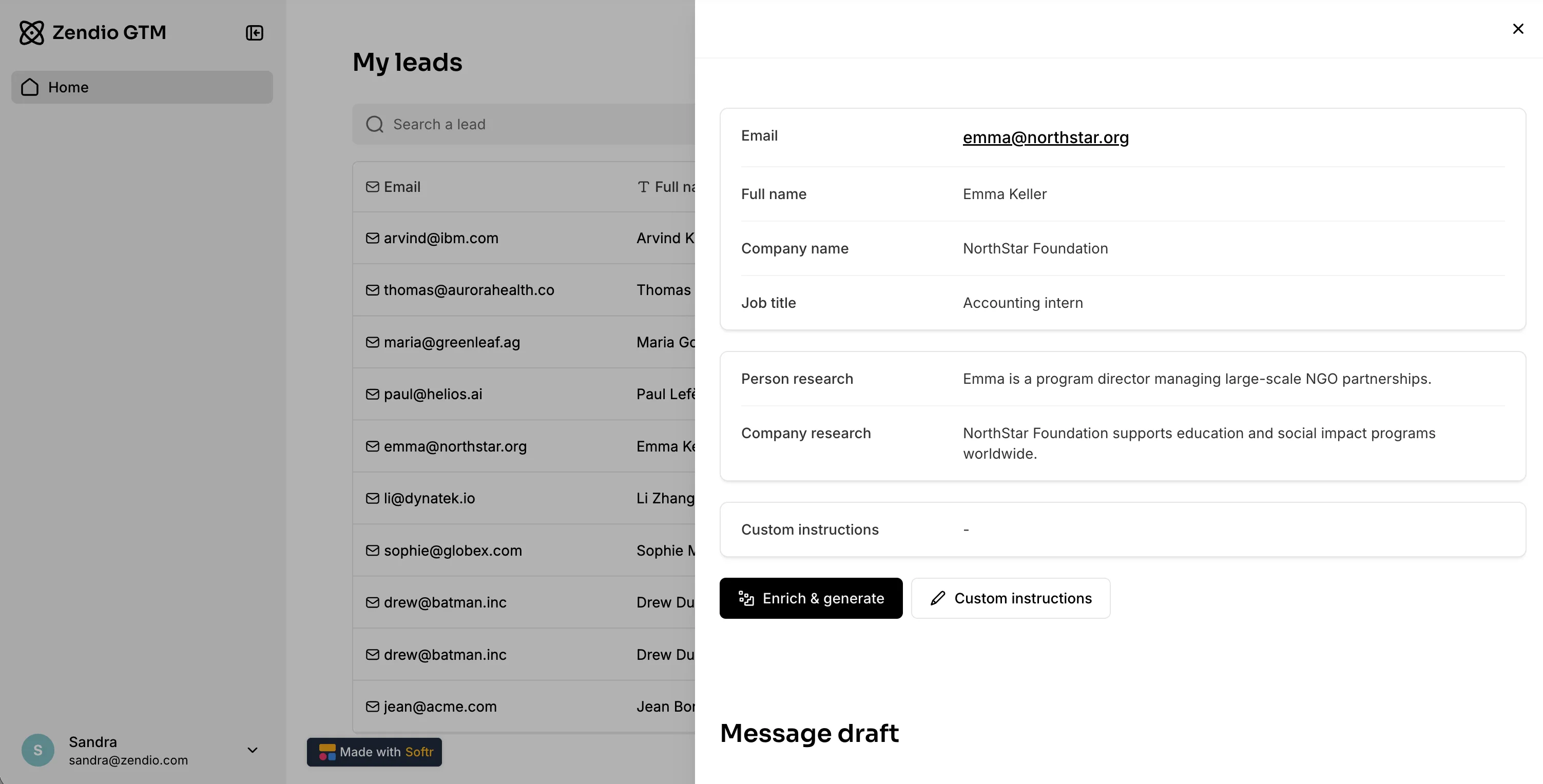
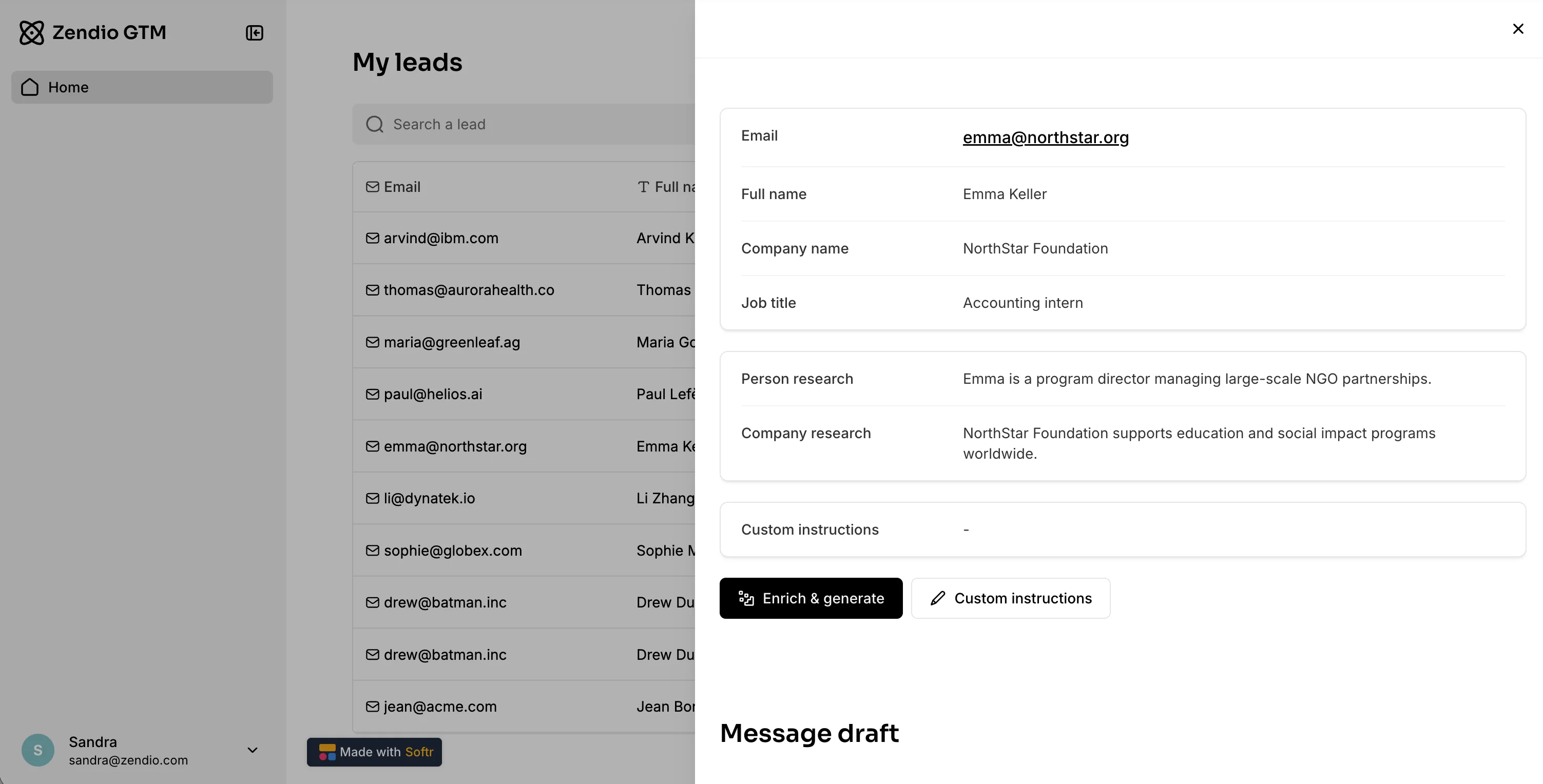
This approach solves the "Trust Gap" in AI sales. You get the speed of automation but maintain the quality control of a human sender. It's the same principle behind Softr's AI agent workflows: let AI summarize, classify, and draft, but keep a human in the loop for anything customer-facing.
If you want to see this pattern applied outside of sales, Elite Retirement Alliance used the same combination of Softr, Airtable, and Zapier to launch white-label CRMs for 140+ users across three client projects, in hours instead of weeks.
The future of sales is structured AI-ready data + smart apps
The sales teams that win in 2026 won't necessarily be the ones with the most aggressive closers; they will be the ones with the best data infrastructure.
By building on a platform like Softr, you gain full control over your data and your user experience.
- For your prospects: You offer a seamless, modern experience with short forms and fast responses.
- For your reps: You eliminate the "admin tax" of data entry and research, empowering them with instant intelligence.
- For your business: You build on a scalable, relational database that is ready for the next generation of AI agents.
Don't settle for a rigid, empty CRM. Build one that works for you. If you want more ways to put AI agents to work across your pipeline, see our guide on AI agents for your CRM.
Ready to build?
Frequently asked questions
Why should I automate my CRM with AI?
What is CRM data enrichment and how does it improve conversion?
How does Softr differ from traditional CRMs like Salesforce or HubSpot?
Can I use Softr to enrich my existing prospect data automatically?
Do I need coding skills to build an AI-powered CRM with Softr?