


You probably started with Google Sheets because it’s free, easy to set up, and works right in your browser. But as your business grows, spreadsheets start to show their limits. Performance slows down with larger datasets, simultaneous edits lead to conflicts, and access control can’t restrict specific rows or fields. Here are five Google Sheets alternatives built on databases, for growing teams and more complex workflows.
Best alternatives to Google Sheets at a glance
| Tool | Best for | Key features | Pricing | |
|---|---|---|---|---|
| Softr | All-in-one data management with workflows and interfaces | Built-in relational database, no-code app builder, granular permissions, AI agents, templates, workflow automations | Free plan available; paid plans start at $19/month | |
| Microsoft Excel | Advanced data analysis and offline work | Hundreds of functions, PivotTables, Power Query, charting, macros/VBA scripting, integration with Microsoft 365 apps | One-time license from $179.99 Microsoft 365 plans for business from $6/user/month for teams Microsoft 365 plans for individuals from $99.99/year per person | |
| Airtable | Building custom, no-code databases with multiple views | Relational tables, grid/calendar/Kanban views, automations, AI field agents, and integrations with popular apps | Free plan available; paid plans from $20/user/month | |
| Zoho Sheet | Cloud-based spreadsheet collaboration with data cleaning | Real-time collaboration, AI assistant (Zia), data validation tools, charting, version history, seamless Zoho integration | Free; part of Zoho Workplace Suite starting at $3/user/month | |
| LibreOffice Calc | Privacy-conscious and offline spreadsheet work | Free desktop app, macros, PivotTables, offline access, Excel-compatible file support, open-source | Free forever; open-source license |
What to look for in a Google Sheets alternative
A good spreadsheet alternative should meet your current needs and support your team as you grow. Here are the key features to prioritize:
- Full-stack functionality: Most spreadsheet or database apps are used to power and create apps on other platforms, which leads to tool sprawl and higher costs. You should look for a tool that lets you build apps and interfaces on top of that data in just one, full-stack platform.
- Integration capabilities: Make sure the tool connects easily to the rest of your tech stack (CRMs, client portals, and other apps) so that whenever data does change in another app, it’s reflected in your spreadsheet or database tool.
- Workflow automation: Look for tools that let you set up triggers, actions, and notifications directly within the platform so you can move data, update records, or alert teammates automatically without writing code.
- Authentication and access control: You’ll need built-in logins, user roles, and permissions so you can control exactly who sees and edits what and protect sensitive data.
- Fast, non-technical setup: If you don’t have in-house developers, choose a platform that supports no-code or low-code. You should be able to build spreadsheets or full-stack databases without technical help.
- Scalability: Your tool should scale with your company as you grow. Avoid platforms that slow down with more records or users.
- Transparent pricing: Choose a platform with clear, predictable pricing. Look for plans that scale fairly as you add users, records, or storage.
- Granular permissions: Look for tools that let you manage access at a granular level so each user sees only what’s relevant to them.
1. Softr Databases — best for managing structured data in a relational database and turning it into full-stack business apps
.webp)
Unlike most spreadsheet or database tools, Softr Databases let you both manage your data and build apps on top of it in the same platform. You can structure, organize, and connect your data in a flexible way (without writing any code) and then turn it into usable interfaces for your team or customers.
Create relational databases, link related records, and set up filtered views to keep information organized and easy to work with. The spreadsheet-style experience makes it familiar, while the underlying structure gives you far more control than Google Sheets.
Softr can work as a standalone data system, or you can use that data to build apps, dashboards, and client portals that update in real time. Workflow automation lets you handle routine tasks automatically (like updating records, sending notifications, or moving data between tables) so your processes keep running without manual work. AI-powered agents can also help clean, enrich, and classify data, reducing time spent on repetitive data tasks.
For teams that have outgrown spreadsheets, this means less risk of errors, better performance at scale, and clearer ownership over data. By bringing data, interfaces, automation, and AI together in one platform, Softr offers a more structured and scalable alternative to Google Sheets, all the while remaining accessible to teams without developers.
Pros
- Built for speed and scale: Softr can handle thousands of records per base without lagging, unlike Google Sheets.
- Extremely user-friendly interface: It has a minimal learning curve and is easy for people who don’t live in spreadsheets to navigate.
- Affordable plans: Generous free tier and scalable pricing. No per-seat pricing like other spreadsheet tools.
- 24/7 support & community: Access live chat support and a thriving community of builders.
- Tool consolidation: All-in-one platform that reduces the need for multiple tools or integrations.
- Custom role-based access: Set specific permissions so employees, clients, or external users only see and interact with the data that’s relevant to them.
Cons
- Softr isn’t designed for teams that need complex developer logic, server-side scripting or custom queries.
- Unlike Google Sheets, Softr isn’t part of the Google Workspace ecosystem, so it doesn’t have the same native, out-of-the-box integration with tools like Gmail, Docs, Slides, and Calendar. However, these connections are available in Softr through Zapier or Make instead.
Key features
- Relational database: Create fast, scalable databases with linked records, lookup fields, formulas, and attachments. Customize views with filters, sorting, and field visibility tailored to different teams or workflows.
- Full-stack functionality: Manage your data, logic, and front-end in one place—so you can launch faster, simplify your stack, and make changes without jumping between platforms.
- Ready-made database templates: Choose from templates for CRMs, inventory, onboarding, project management, etc.
- Granular access control: Define roles and permissions and control who can view or edit specific pages, records, or fields.
- Multi-source data support: Connect 15+ data sources to unify and manage scattered information in one place.
- Database AI Agents: Create AI agents that auto-fill fields, tag records, extract insights, or clean data in seconds.
- Workflow automation: Trigger actions like emails, record updates, and notifications with built-in workflows.
- No-code app builder: Build internal tools and portals on top of your databases—no coding required. Use drag-and-drop blocks to create user interfaces.
- Security: SOC2 and GDPR-compliant, with SSO, visibility rules, ReCAPTCHA, and more.
Pricing
Softr offers flexible pricing and a generous free plan. Softr Databases are available on all Softr plans with some record limits.
- Free plan: Unlimited apps, with access to Softr Workflows and Softr Databases, 5 app users, 5,000 database records, and 5 AI credits.
- Basic plan: $19/month (billed annually) for unlimited apps with 42+ integrations, Team: 5 + Client: 5 app users, 50,000 database records, and 10 AI credits.
- Pro plan: $99/month (billed annually) for unlimited apps with 45+ integrations and custom code, Team: 10 + Client: 50 app users, 500,000 database records, and 50 AI credits.
- Business plan: $329/month (billed annually) for unlimited apps with 52+ integrations, Team: 30 + Client: 100 app users, 1M database records, and 100 AI credits.
- Enterprise plan: For enterprise customers. custom pricing, contact sales.
Why it’s better than Google Sheets pricing
Google Sheets is free, but Softr’s free plan includes more powerful features, like a built-in relational database, workflow automation, and app-building capabilities, that go far beyond what Sheets offers.
Who Softr is best for
Softr is great for teams that have outgrown spreadsheets and are looking for an option that has more advanced features and can handle large datasets without slowing down.
A real example is the United Football League who replaced Google Sheets with Softr to manage 400+ athlete profiles and brand partnerships. They automated 5+ workflows, eliminated follow-ups, and now use a central portal for showcasing talent and managing inquiries.
“Using Softr Databases gave us structure on the backend, and the frontend design flexibility to match UFL’s bold aesthetic,” says Softr Partner, Shenal Harakh.
2. Microsoft Excel — best for advanced data analysis and offline spreadsheet work
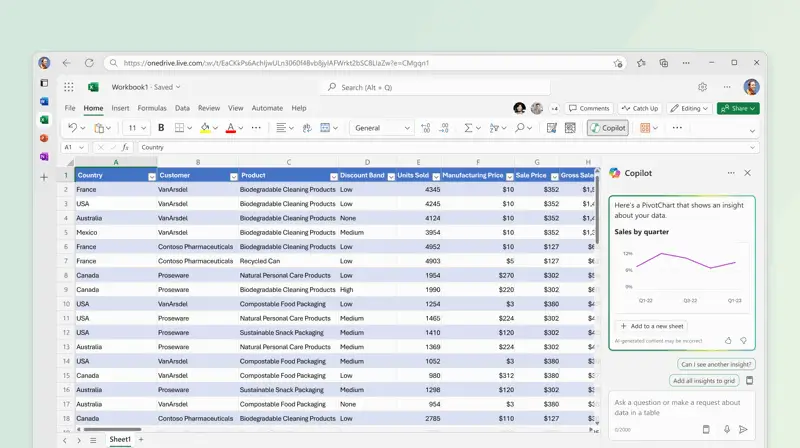
Microsoft Excel is part of the Microsoft 365 productivity suite and is one of the most widely used spreadsheet applications in the world. Excel has deep analytical capabilities, advanced formulas, and rich visualization tools, making it a great choice for data work and reporting.
You can use Excel for everything from basic lists and tables to complex financial models with large datasets and automation through macros or scripting.
Pros
- Excel’s formula and charting capabilities are more advanced than most spreadsheet tools, including Google Sheets.
- Desktop performance means heavy workloads won’t slow down as quickly as cloud‑only sheets.
- Integrates with other Microsoft 365 apps like Teams, Word, PowerPoint, Outlook, OneDrive, etc.
- You can work with files offline. You don’t need an internet connection.
Cons
- The UI, though familiar, is less modern than some newer alternatives
- Real-time collaboration is limited compared to Google Sheets unless fully integrated with Microsoft 365.
- Excel has a steeper learning curve than Sheets.
Key features
- Extensive formula and function library: Excel offers hundreds of built-in functions across categories like math, logic, text, lookup, statistical, and financial functions.
- Advanced data analysis tools: Use PivotTables, slicers, and Power Query to summarize and explore large datasets without writing code. For deeper analysis, Excel’s Power Pivot lets you build data models and perform advanced calculations using DAX.
- Rich visualization options: Wide range of charts and graphs, including advanced types like waterfall and sunburst charts.
- Desktop and web spreadsheet program: Work offline on Windows or Mac with the full Excel application, and sync changes via OneDrive or SharePoint. The web version also supports viewing and collaborative editing in the browser.
- Macros and automation: Excel supports automation with VBA (Visual Basic for Applications) macros, letting users automate repetitive tasks and build custom functions or workflows inside spreadsheets.
Pricing
- Standalone Excel license: $179.99 (one-time).
- Microsoft 365 for Business: Starting from $6.00/user/month (billed annually) for teams, and $4.40/user/month (billed annually) for plans without teams. All plans come with web and mobile versions of Word, Excel, PowerPoint, and Outlook, and phone and web support.
- Microsoft 365 for Individuals: Starting from $99.99/year for one person, $129.99/year for a family of up to 6 people, and $199.99/year for a family with select Copilot features.
- Microsoft 365 for Enterprise: Starting from $8.00/user/month, billed annually for plans with teams, and $6.93/user/month, billed annually for no teams. All plans come with web and mobile versions of Word, Excel, PowerPoint, and Outlook, and phone and web support.
Who Microsoft Excel is best for
Best suited for users who are either already in the Microsoft ecosystem, want offline access, or need an advanced spreadsheet for heavy data analysis. Excel is ideal for finance professionals, analysts, or anyone requiring advanced computations, but who doesn’t need a lot of multi-user real-time collaboration or relational database capabilities.
3. Airtable — best for building structured, no-code databases with flexible workflows
.webp)
Airtable combines spreadsheet and database capabilities to allow teams to organize information in a more structured way than a plain sheet. It looks like a spreadsheet but behaves like a database, allowing you to link records, use rich field types (attachments, checkboxes, etc.), and create custom views for different workflows. In practice, Airtable is used to build everything from content calendars and CRM pipelines to project trackers, without any coding.
Tip: While Airtable helps you structure your data, Softr helps you do more with it. Softr connects directly to Airtable and lets you build secure apps like client portals, CRMs, or dashboards on top of your Airtable base.
Pros
- Airtable gives teams the familiarity of a spreadsheet with the structure and relational power of a database, making data easier to scale and organize than in Sheets
- Switching between grid, calendar, Kanban, Gantt, and gallery views makes Airtable adaptable to different workflows and team roles.
- Airtable integrates with many popular apps and services, helping centralize workflows across tools.
- It offers templates across different use cases and industries, making it easier to get started immediately.
Cons
- The cost rises quickly as you add users or need higher record bases and automation runs.
- Airtable is primarily cloud-based, so if your team needs to work without internet or prefers desktop software, this could be a drawback.
- While it supports workspace roles, Airtable’s native permissioning isn’t as granular as platforms like Softr.
Key features
- Relational tables: Link records across tables to maintain data relationships without duplicates.
- Airtable Automations: Set triggers and actions to automate tasks like updating records or sending notifications.
- Collaboration and permissions: Real-time collaboration with edit, comment, and read-only permissions. Revision history is also maintained, and everyone sees updates instantly, whether on the web or the mobile app.
- Multiple view types: Besides the default grid view, Airtable offers calendars, Kanban boards, Gantt, Timeline, and Gallery to visualize the same data in different ways.
- AI assistance: Use Omni and Field Agents to generate tables, research companies, analyze documents, create content, etc.
Pricing
Airtable’s pricing is tiered and charged per seat, with increasing features and limits at higher tiers:
- Free: $0 — 1,000 records per base, 500 AI credits/editor/month, 1 GB attachment per base, 100 automation runs, and up to 5 editors.
- Team: $20 per user/month (billed annually) — 50,000 records per base, 15,000 AI credits/paid user/month, 20 GB attachments per base, 25,000 automation runs, Gantt & timeline views.
- Business: $45 per user/month (billed annually) — 125,000 records per base, 20,000 AI credits/paid user/month, 100 GB attachments per base, 100,000 automation runs, two-way sync, roadmap view, exec summary cards, and AI admin controls.
- Enterprise: Custom pricing — 500,000 records per base, 25,000 AI credits/paid user/month, 1,000 GB attachments per base, 500,000 automation runs, enhanced security and admin controls, and extension and integration management.
Who Airtable is best for
Airtable is ideal for small to mid‑sized teams that need more structure and flexibility than a traditional spreadsheet but aren’t ready for a full custom database. It works well for operations, marketing, product, project management, and other cross‑functional teams that want to automate workflows and structure complex data without writing SQL.
4. Zoho Sheet — best for spreadsheet collaboration and data cleaning
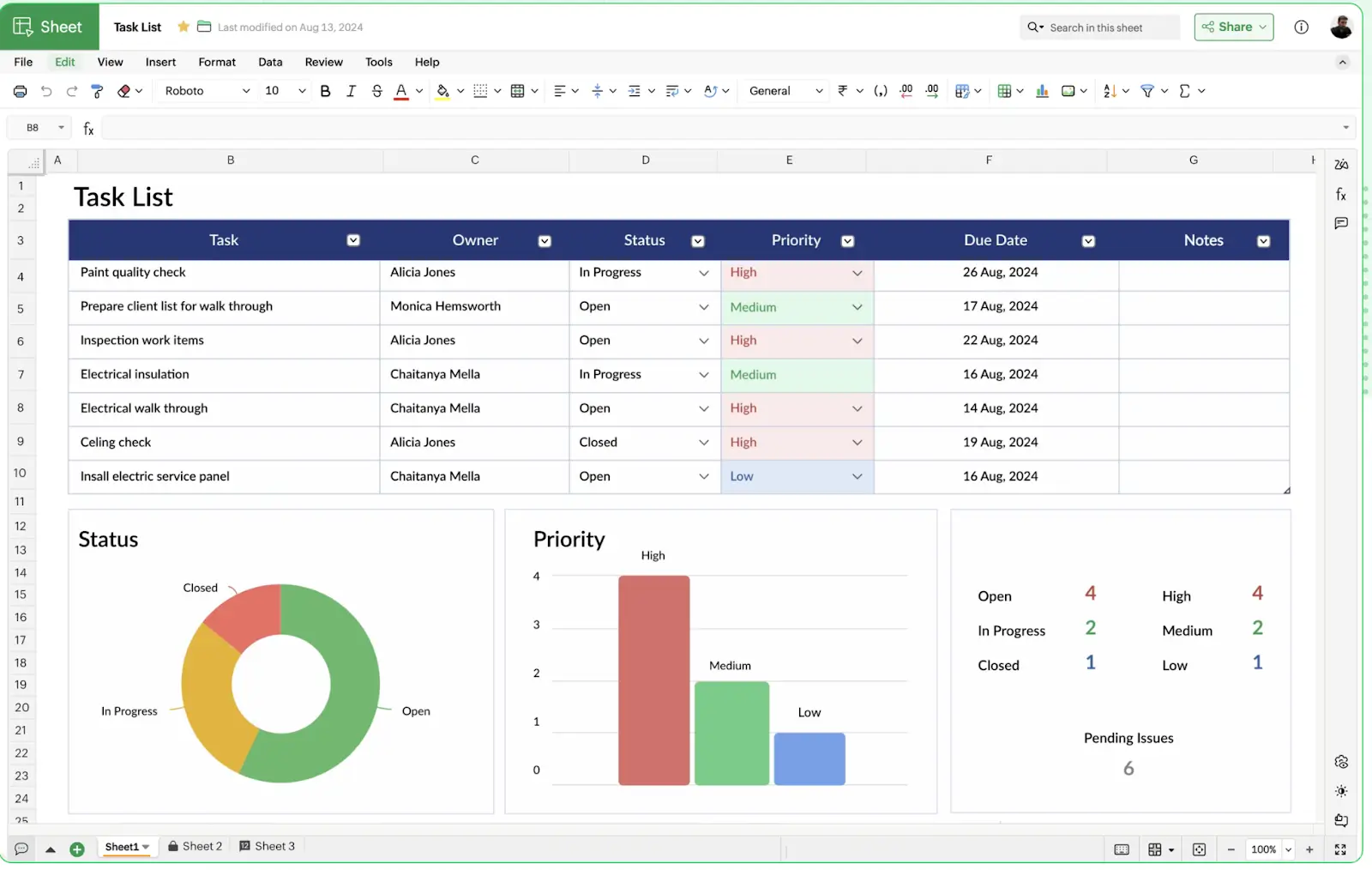
Zoho Sheet is a cloud-based spreadsheet application from Zoho’s Workplace suite that lets teams create, edit, and collaborate on spreadsheets in real time. As part of the broader Zoho ecosystem, it integrates seamlessly with other Zoho apps and is completely free to use.
Zoho Sheet offers many standard spreadsheet functions along with features for data analysis, automation, and collaboration, making it a great alternative to Google Sheets.
Pros
- You can lock specific cells or ranges, view detailed change logs, and revert versions, giving you extra control over shared data.
- Zoho Sheet works well within the broader Zoho ecosystem and can connect to other apps (e.g., Zoho Forms, Zoho CRM).
- Ready‑made spreadsheet templates and compatibility with common file formats (like XLSX) help teams get started quickly.
Cons
- While Zoho Sheet covers most spreadsheet needs, very advanced analytics or extremely large datasets may still be better suited to other spreadsheet tools.
- Because it’s primarily web‑based, offline work isn’t as seamless as desktop apps.
Key features
- Real‑time collaboration: Multiple users can edit the same spreadsheet simultaneously, see live changes, comment on cells, and @mention collaborators to coordinate work.
- Data cleaning and validation tools: Data cleaning tool that detects and fixes inconsistencies, duplicates, and missing values, helping keep data accurate.
- AI‑assisted insights and analytics: Zoho’s AI assistant, Zia, can generate insights, charts, pivot tables, or summaries automatically and respond to natural‑language questions about your data.
- Change tracking and version history: Audit Trail lets you filter changes by user or range, while automatic versioning helps you revert to earlier states of your sheets.
- Data visualization: Over thirty-five different chart types available to visualize data.
Pricing
Zoho Sheet is available as part of the Zoho Workplace or broader Zoho Office Suite, often with free and paid tiers.
- Free tier: Basic access with collaborative editing and core features (availability depends on Zoho plan).
- Workplace Standard: $3/user/month billed annually. Includes Zoho Sheet and other Zoho products, and 100GB/team file storage.
- Workplace Professional: $6/user/month billed annually. Includes Zoho Sheet and other Zoho products, mobile access management, and 1TB/team file storage.
Who Zoho Sheet is best for
Zoho Sheet is especially ideal for small to midsize teams already using (or planning to use) other Zoho tools like CRM or Mail, and want a collaborative spreadsheet tool. If you’re looking for a free or low-cost Google Sheets alternative with features like data cleaning, Zoho Sheet is worth considering.
5. LibreOffice Calc — best for privacy-conscious and offline spreadsheet work
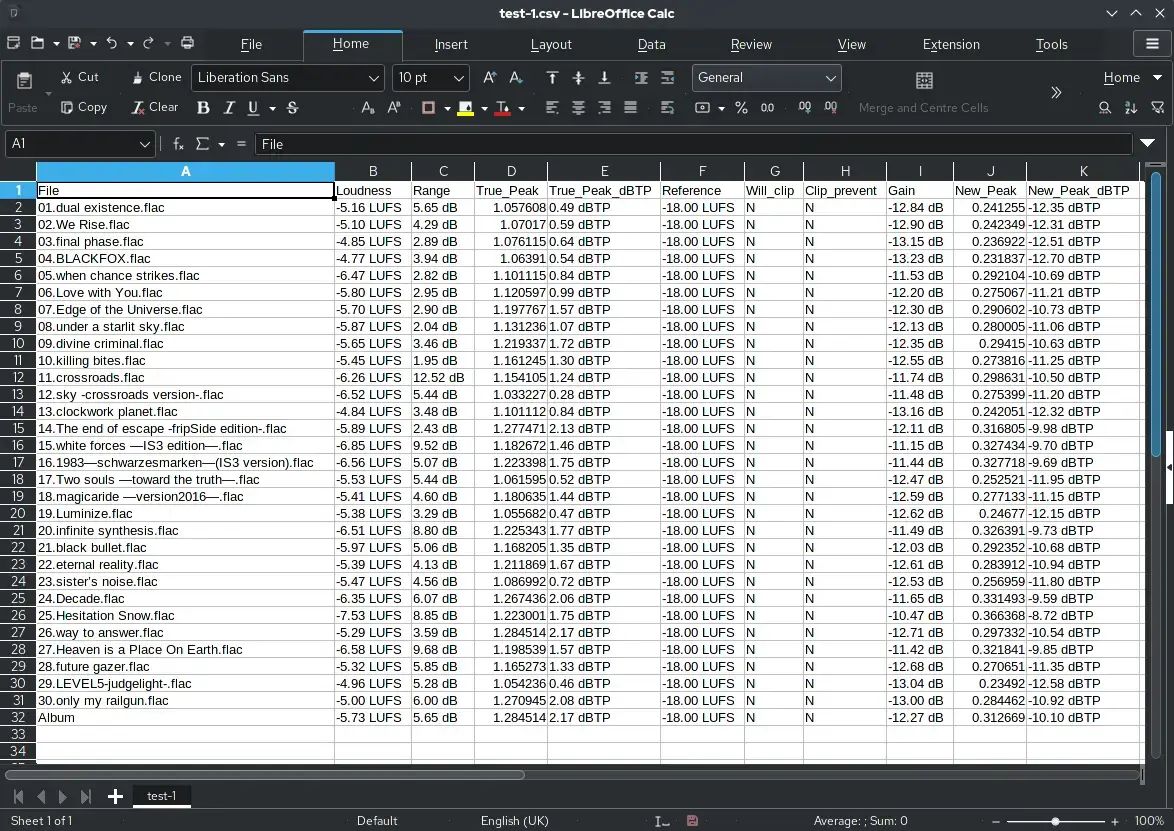
LibreOffice Calc is the free, open‑source spreadsheet tool that’s part of the LibreOffice office suite. It offers many of the core spreadsheet capabilities you’d expect—functions, charts, pivot tables, slide‑in analysis tools—and can open and save files in Microsoft Excel formats like XLSX and XLS.
Unlike cloud-based tools, Calc runs entirely on your desktop, making it ideal for offline work or teams handling sensitive data. It’s available for Windows, macOS, and Linux.
Pros
- No subscription or license fees, and you can use it on as many devices as you want.
- Because everything runs locally, your data stays on your device unless you choose to share it.
- Can open and save Excel files and many other formats, making it flexible for file exchange
- Works across major operating systems, including Linux.
Cons
- No native real-time collaboration. You’d need external services or hosting layers like Collabora Online for simultaneous multi‑user editing.
- The UI can feel more dated or less intuitive than other modern competitors.
- Calc’s development is community-driven and can lag in implementing new spreadsheet innovations.
Key features
- Macros and scripting: You can automate tasks in Calc using LibreOffice Basic (similar to VBA) or even Python/JavaScript. It’s highly flexible for power users who want to script repetitive operations or create custom functions.
- Local storage: Calc is installed on your Windows/Mac/Linux machine. All data is stored locally by default, which is beneficial for sensitive data that can’t be uploaded to cloud servers.
- Cost and licensing: Completely free to use for any purpose. The open-source license also means an active community continuously improves it, and there are no ads or usage tracking by the developers
- Pivot tables and charts: You can create PivotTables to summarize large data sets and generate a variety of chart types for visualization.
- Compatibility and import/export: Calc can open and save in multiple formats, including Excel’s .xls/.xlsx and CSV, with good fidelity.
Pricing
- Free: LibreOffice Calc is 100% free with no subscriptions or usage tiers. It’s distributed under an open‑source license, and you can install it on unlimited machines at no cost.
- No paid tier: There’s no commercial tier for just Calc. Some organizations choose to pay for third‑party support, but the software itself is free.
Who LibreOffice Calc is best for
LibreOffice Calc is best for teams or individuals who need a free spreadsheet, mostly work offline, or don’t need real-time cloud collaboration. It’s also great for those who are privacy-conscious, as there’s no data on a third-party server since everything is local.
Which Google Sheets Alternative is right for your team?
Google Sheets works well when you're just starting out or need a simple way to track data and collaborate. But as your workflows get more complex and your data grows, you may run into limits around performance, structure, and control.
The right Google Sheets alternatives depend on your needs:
- If you want a spreadsheet with more advanced data analysis, Microsoft Excel is a strong option.
- If you want a more structured, relational system, look at Airtable.
- If you want a lower-cost spreadsheet alternative, Zoho Sheet or LibreOffice Calc may work.
- If you’re privacy-focused and would prefer to work offline, go for LibreOffice Calc.
- And if you want to move beyond spreadsheets into a relational database that offers more control, try Softr.
Softr is built for teams that have outgrown spreadsheets and want to turn structured data into full internal tools, without coding. Unlike traditional spreadsheet tools, Softr includes a built-in relational database that lets you link related records (like clients ↔ projects ↔ invoices), create filtered views, and manage larger datasets without performance issues.
Frequently asked questions
What is a good alternative to Google Sheets?
What can I use instead of a spreadsheet?
What is the disadvantage of Google Sheets?