For a long time, you had to either be a developer or hire one if you wanted to build an app. Then no-code app builders came along, giving Joe Business Operator the means to create his own custom tools. And now, AI has pretty much blown the world of software development wide open. It’s a real Pandora’s box situation.
But just because anyone can make an app, doesn’t mean every app that gets made actually works. When it comes to putting a piece of software in front of users, you need to be able to trust that (a) it won’t instantly break, and (b) that it won’t leak sensitive data or expose security risks.
In this guide, we’ll cover the ins and outs of AI app builders: how they work, how they compare to vibe coding tools, and how to generate a complete, secure app from a prompt.
What is an AI app builder?
An AI app builder is a platform that uses AI to generate working web applications from plain-language prompts. You tell an AI model what kind of app you want—its primary use case, features, and visual layout—and it outputs software that matches your specifications.
What you do or don’t get out of an AI app builder depends on a few factors: how detailed you are in your prompt(s), how many times you iterate by re-prompting, and how powerful the AI app builder you’re using is.
Some platforms excel at generating lightweight personal apps and prototypes, while others (like Softr’s) output working business software you can share with actual users. Either way, the basic workflow remains the same: prompts go in → software comes out.
AI app builder vs. vibe coding
If you read the previous section and thought, “Huh, that sounds a lot like vibe coding,” you’re not wrong. Generally speaking, AI app building follows the same core principles as vibe coding. You prompt an AI assistant to generate code instead of writing it yourself, and iterate rapidly with further prompts to refine and debug.
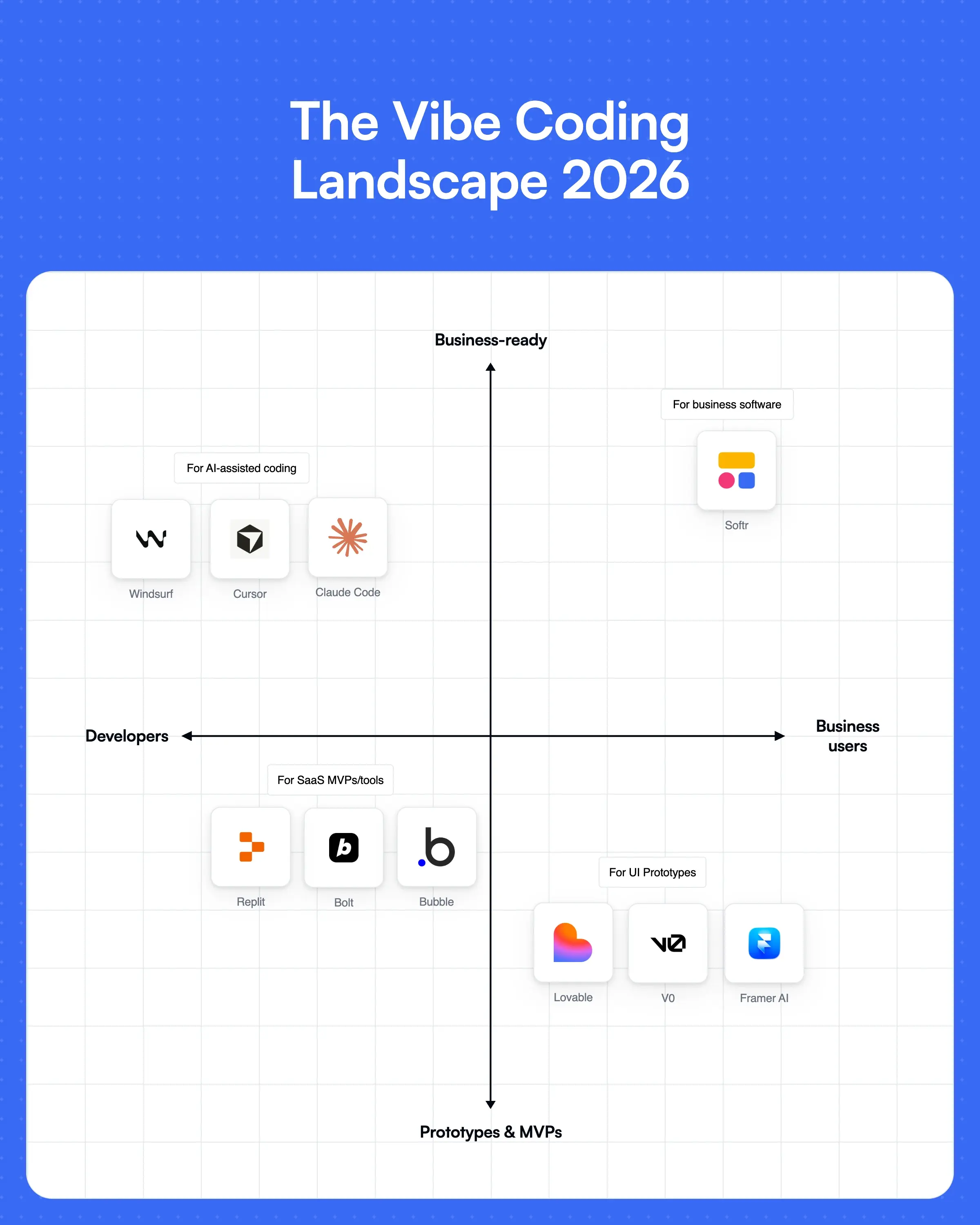
But while AI app builders are geared toward non-technical business operators, pure vibe coding tools require technical skill if you want to make an app you can push to real users. You’ll have to configure security, permissions, and infrastructure yourself, which usually means diving into and maintaining AI-generated code.
The best AI app builders manage things like infrastructure, data security, and hosting on your behalf. If a platform claims to be an AI app builder but doesn’t generate fully-functional software without technical debt, it’s really just a glorified vibe coding platform.
Why use an AI app builder?
Plain and simple, you should use an AI app builder if you’re a business operator who wants to create custom software without bringing in developers or writing code.
Pure vibe coding tools are fast, but they break down when you bring in real users and data. Off-the-shelf software can look great on paper, but it forces you to pay for features you don’t need and change your workflows to match the tool. And hiring a dev team requires you to, well, hire a dev team.
With an AI app builder like Softr, you can make software tailored to your specific business processes — and get it up and running in a matter of minutes. Here’s how it compares to vibe coding tools and traditional development:
| AI app builder | Vibe coding | Traditional development | |
|---|---|---|---|
| Speed | App in minutes | Prototype in minutes | Weeks to months |
| Technical skill required | None | Medium | High |
| Infrastructure | Managed by default | AI helps, but you manage it | Fully custom |
| Security guardrails | Built-in | Not guaranteed | Developer-dependent |
| Production-ready | Yes | Requires technical skill | Requires technical skill |
| Iteration | Fast (prompting and visual edits) | Fast (prompting and manual code edits) | Slow feedback loops |
How does an AI app builder work?
We’ve already covered the core mechanism of AI app building platforms (prompt → app), but the best way to understand how they work is to see one in action. Let’s take a look at Softr’s AI app builder for an example.
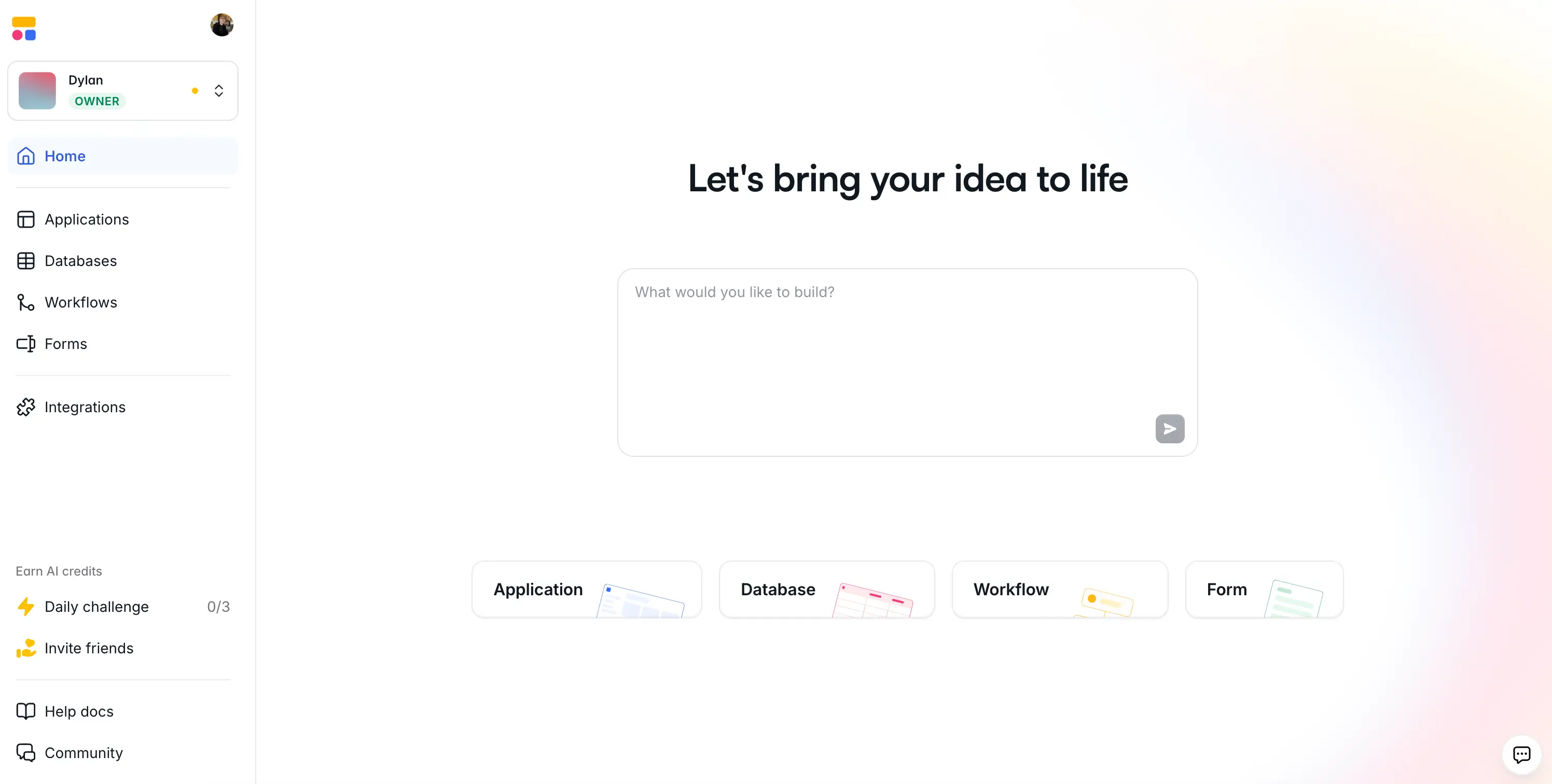
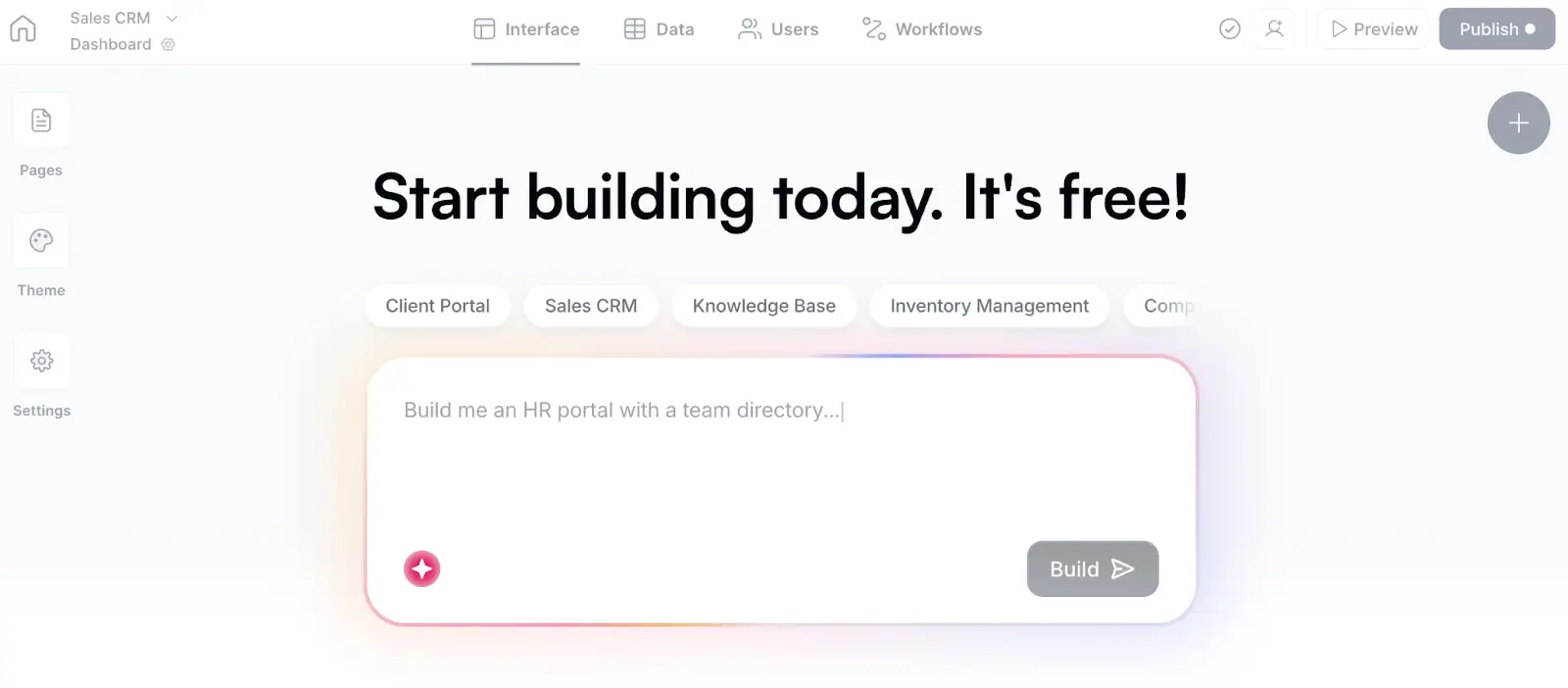
When you open Softr, you’ll be greeted with a prompt box that asks you a simple question: “What would you like to build?” This is how you interact with the AI Co-Builder, which generates secure business software—database, app, and business logic—from natural language prompts.
Once you describe the app you want to create, hit enter. The Co-Builder will then ask a few follow-up questions relevant to your use case, and offer you some choices for SSO settings, navigation layout, and theme.
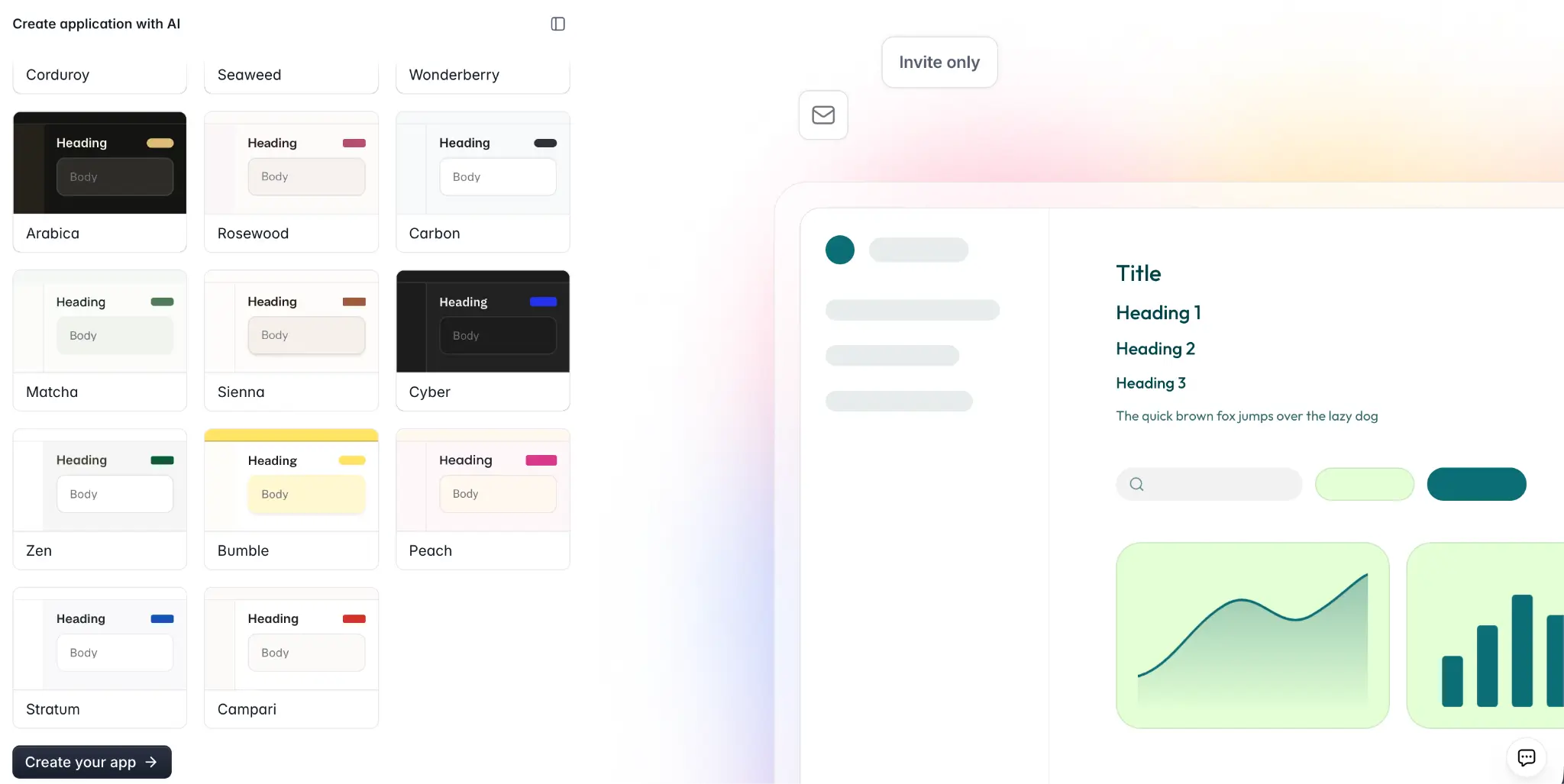
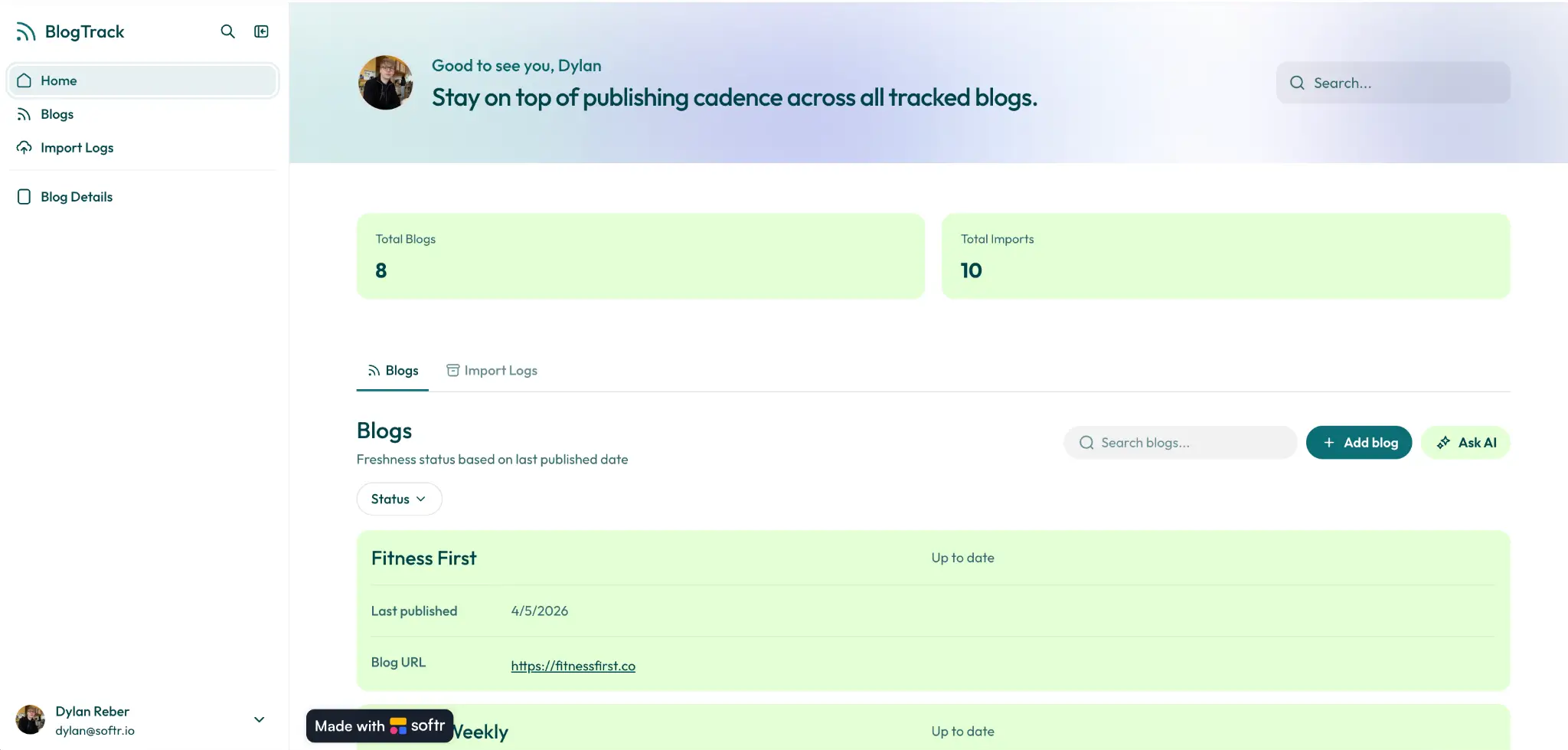
When you’re ready to proceed, click Create your app and watch Softr’s AI generate the database structure, pages, and user logic in real-time. For this example, I asked for a blog update tracker with a master list of articles ordered by freshness, an import log and CSV uploader, and detail pages for individual blogs.
Once the Co-Builder finishes your app, you can test it out in a live preview mode. Below, each of the pages I requested is accounted for, and key features like action buttons, a built-in AI assistant, and role-specific views have all been included automatically.
In Edit mode, I can add additional pages and blocks, or check out the database, user groups, and workflow automation settings. And even though I built the app with AI, Softr doesn’t force me to re-prompt whenever I want to make changes. You get a choice: iterate with the Co-Builder, refine with the no-code visual editor, or switch back and forth between modes at any time. Or, connect Claude or ChatGPT through the Softr MCP and make those changes from your AI chat.
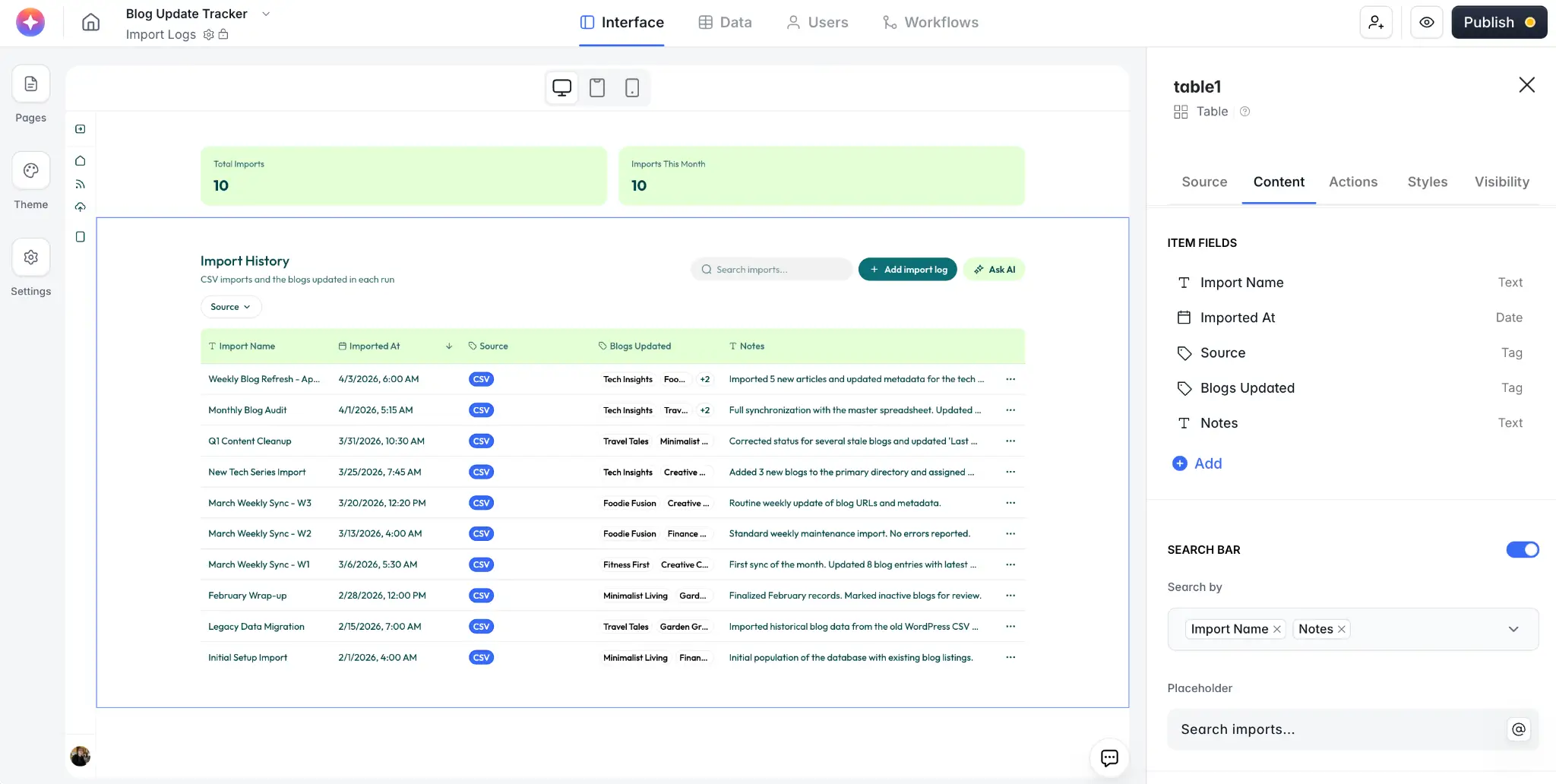
I timed myself as I generated this app, and from prompt to finished product it took just 3 and a half minutes. Now, speed is one thing, but what’s even more impressive is that I could publish this portal and share it with real users immediately. All I have to do is replace the dummy data with my own CSV import and invite my team (or external freelancers) to collaborate. This is something you just can’t do with your average vibe-coded prototype.
In Softr, the proper security guardrails and permissions come pre-configured, so I know my AI-generated app is ready for business use — and that’s without writing or even looking at a single line of code.
AI app builder use cases
While you can’t build anything you want with an AI app builder—sorry, no Elden Ring sequel—the possibilities are vast. And with a platform like Softr, you aren’t limited to generating mini-apps like personal workout logs or landing pages. Instead, you can build real business software like the blog update portal above.
Here are some other example use cases to get your wheels turning:
- Client and vendor portals: Dedicated spaces for clients communication, billing and payment, reporting, account management, and onboarding.
- CRMs: Custom software for tracking leads, deals, and customer relationships built around your sales process (not someone else’s).
- Internal tools: Custom tools built on your company's data and designed to integrate with your workflows.
- Project trackers: Bring scattered tasks and project data together with a shared view of timelines, due dates, approval workflows, and document management.
- Inventory management systems: Track inventory across locations to avoid overstocking or backorders and manage supplier details and product catalogs — all in real time.
- Knowledge bases: Help team members and clients quickly find information and training materials, with built-in AI assistants that pull answers directly from live content.
Build working business software with Softr’s AI Co-Builder
Each of the apps listed above can be generated in minutes using Softr’s AI Co-Builder, and I’m really only scratching the surface of what’s possible. I’m also not talking about prototypes here. If you build a CRM or client portal or even a form in Softr, it’s secure, connected, and ready for real users by default.
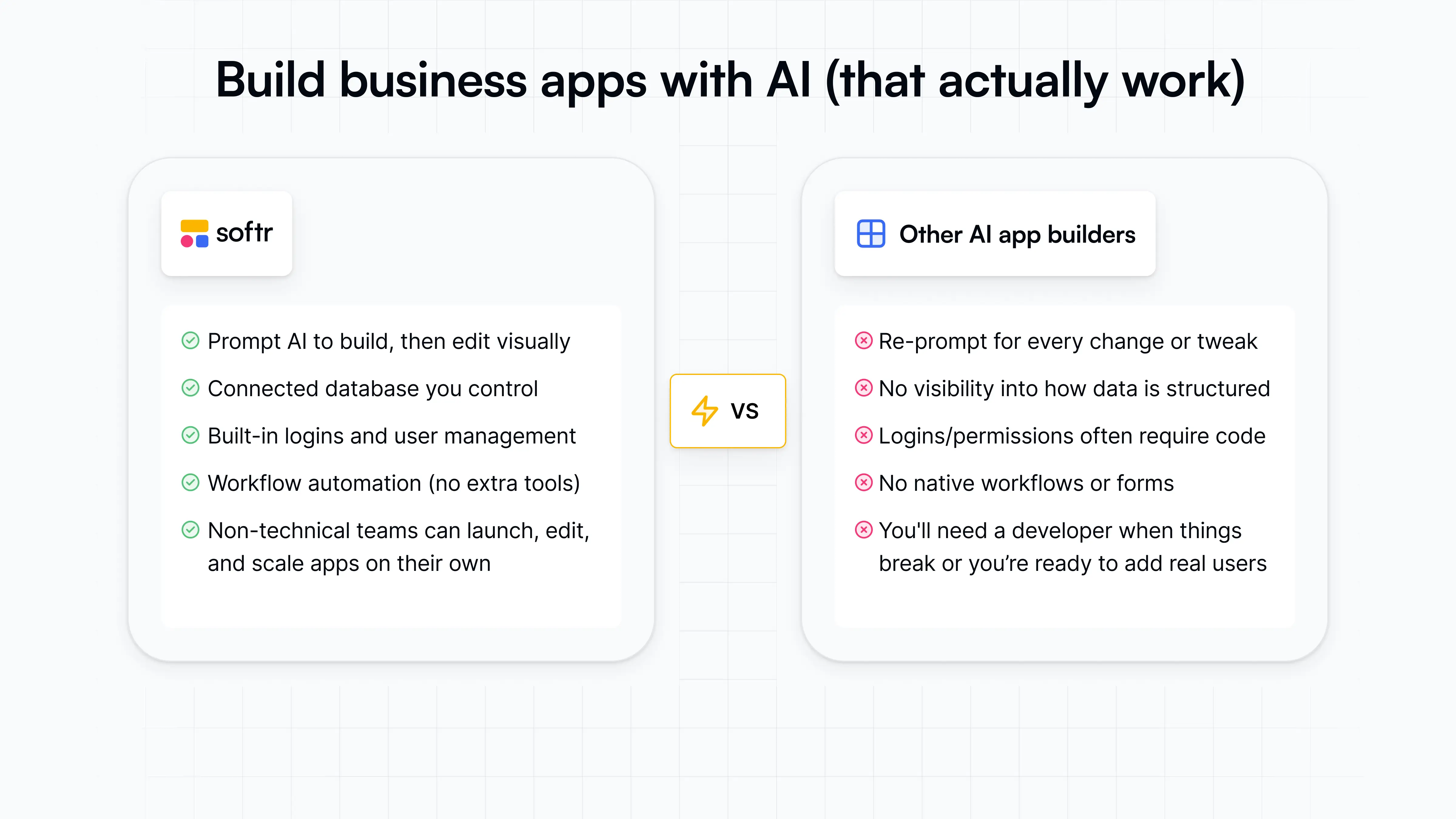
You’re pairing the speed and time-to-value of AI with the reliability and infrastructure of no-code, and that’s something most vibe coding and AI tools just can’t offer. Databases, authentication, user management, permissions, hosting, and security — these are all built into Softr, so you don’t have to architect them yourself.
Want to see it in action? Try the Co-Builder free and create a custom, secure app in minutes from a single prompt.
Frequently asked questions
Do I need to know how to code to use an AI app builder?
How long does it take to build an app with AI?
Can I edit an AI-built app after it's been generated?