

Asana is good at tasks, due dates, and accountability. Teams outgrow it when the work needs custom fields it won't bend to or a more expansive process than task assignment. These five Asana alternatives track work and adapt to how your team actually runs day-to-day.
Best Asana alternatives at a glance
| Tool | Best for | Standout feature | Starting price |
|---|---|---|---|
| Softr | Building your own internal project tool with AI | Build custom client portals and project apps with virtually no restrictions | Free for 5 users, then starts at $19/month |
| monday.com | Easiest to create and use project boards | Visual drag-and-drop boards and simple automation deployment | Free for 2 users then $9/seat/month |
| Wrike | Complex, multiphase, multi-team projects | Resource management, enterprise permissions, and project planning features | 14-day free trial available then $10/user/month |
| Smartsheet | Hefty data management lifts | Feels like a spreadsheet, acts like a project management system | $9/user/month but offers 30-day free trial |
| ClickUp | Customizing for unique workloads for free | Unlimited customization, all-in-one | Free for up to 5 workspaces then $7/user/month |
Limitations of Asana
Asana is a quality project management tool. It's super straightforward when you need task assignment, deadline tracking, workflow automation, and the other basics. But it’s not perfect for everyone.
Here are the most common reasons teams start shopping for an Asana alternative:
| Limitation | Why it matters for users |
|---|---|
| Limited flexibility for complex workflows | Asana's task to subtask to project structure works fine for simple projects. But once you need nested hierarchies, cross-project dependencies, or custom logic beyond basic automation, Asana can feel like forcing a square peg into a round hole. |
| When you’re managing more than just task data | Asana is great for tasks. But what if your projects are tied to client records? Or inventory tracking? Or some sort of financial data? Because of this limitation, teams often end up maintaining separate spreadsheets alongside Asana, creating unnecessary duplicate work. |
| External users can only be guests | Asana's guest access is basic with viewing privileges. In other words, you wouldn’t be able to build branded client portals if you wanted clients to track progress or work alongside you. This forces teams to use separate tools for client collaboration. |
| Reliance on multiple tools or workarounds | Asana doesn’t have native time tracking, robust reporting, and custom app-building. So teams end up stitching together different tools to make projects run, which means more places an automation or such can break. |
What to look for in an Asana alternative
Asana makes a lot of sense when deadlines are clear, and tasks are obvious. Its problems stem more from “pockets” of feature limitations and super-specific use cases. Here’s what you should look for in your alternatives to Asana:
- Pricing similarity: Asana isn’t all that expensive, even as a free plan. Your alternative should be the same.
- Comparable user-friendliness: Don’t trade product ease of use for more power. Keep the learning curve gentle while filling in feature gaps.
- Also offers the basics: Task assignment, due dates, project views (list, board, calendar), stage customization, and file attachments should be table stakes.
- More workflow flexibility: Don’t settle for a rigid hierarchy. Look for platforms that let you design custom fields, statuses, and structures that match exactly how your team works.
- Data management that goes beyond tasks: Your project tool should handle client records, asset inventories, operational metrics, and any other data you need tracked (not just to-do lists).
- Native automation that reduces tool sprawl: The best Asana alternatives let you automate directly within the platform, so you don’t rely heavily on external tools.
- External sharing; client portal options: If you work with clients or contractors, you need granular permission controls and the ability to build branded portals.
1. Softr — best for building your own internal, branded project tool (that also automates)
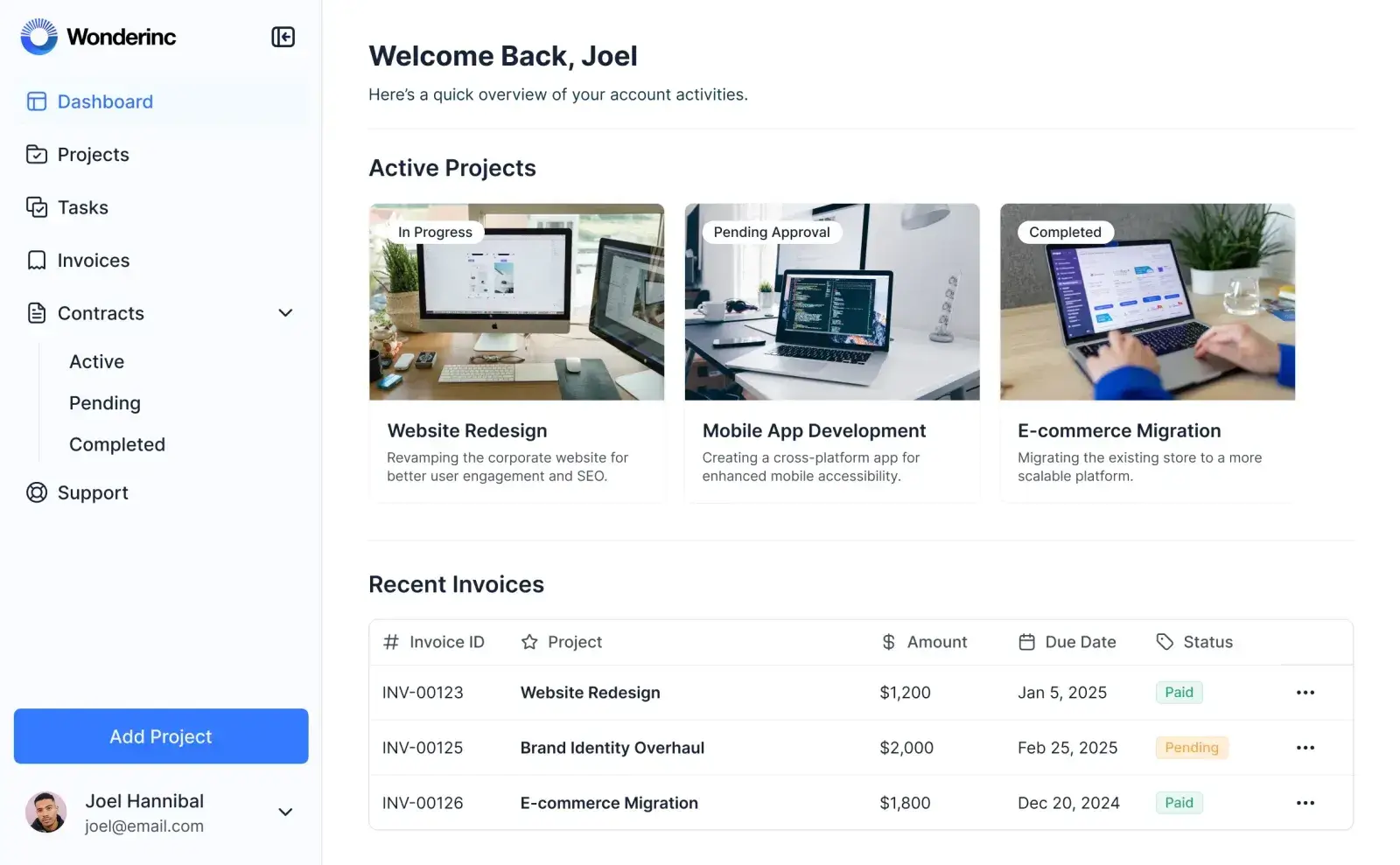
Softr can step in for three areas where Asana falls short:
- Custom app development (for branded client portals)
- Data management (with a built-in relational database)
- Native automations (to streamline workflows and reduce manual work)
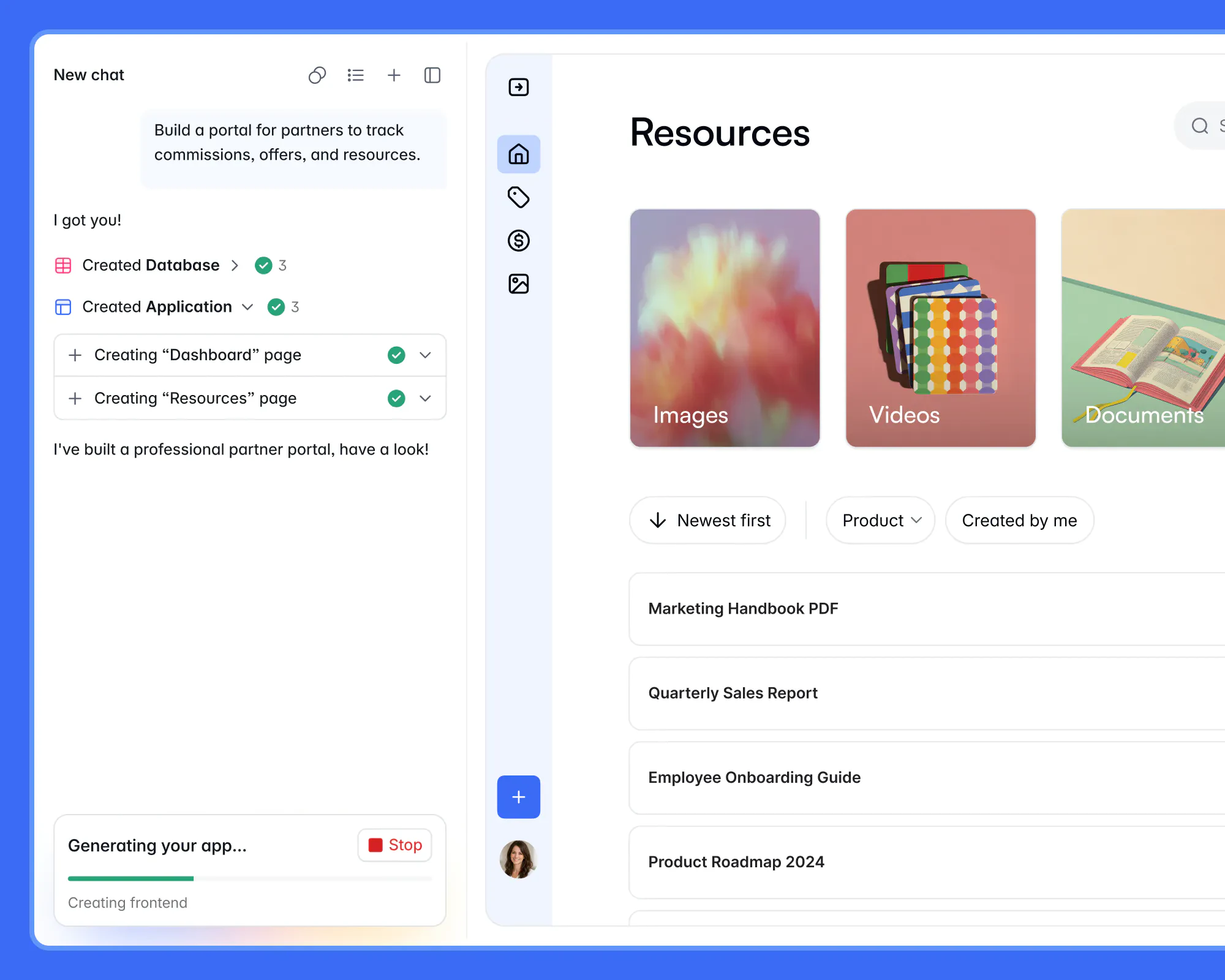
With Sotfr’s AI Co-Builder, teams can create a custom project management app within minutes—no coding required. All you need to do is tell the AI what you want generated, and it will output the entire system (including app interfaces, supporting database, and app logic) in one place. Once your app is generated, you can refine it further either by re-prompting the AI or by using drag-and-drop blocks with the visual editor. Either way, you’re not locked into any one method.
There’s no limit on what your project management tool can do, who can access it (like clients or team members), or how it looks (branded or generic). You can structure it around your actual workflows (not just task lists) and include any data your team needs.
With built-in workflow automation, you can automate actions across your app and other tools in your tech stack directly within Softr. No more worrying about whether Slack will get your project update, or if the Google Spreadsheet was changed upon a milestone hit.
Pros and cons of using Softr
Pros
- Build a fully custom system with AI: Create your own project management tool end-to-end, reducing tool sprawl and adapting it to your exact workflow.
- Easy to use: Combine the AI Co-Builder with a visual drag-and-drop builder to create apps, portals, and workflows using plain English.
- Native automations: Run workflows directly within your app, without relying on multiple third-party tools.
- Search, filters, and AI insights: Quickly find projects, tasks, documents, or requests using advanced filters or natural-language search. You can also ask AI questions like “What’s the status of my task?” and get instant answers.
- Client and partner collaboration: Give clients and partners controlled access to updates, tasks, and files through secure, role-based portals—without exposing your internal workspace.
- Flexible pricing: Free and affordable plans make it accessible for teams of different sizes.
Cons
- The third-party, native integration library is relatively small. But you can use REST APIs and webhooks to fill the gaps.
Softr key features
- AI Co-Builder. Describe what you want in plain English and let AI build the tool for you.
- Client portals in minutes: Quickly create your custom app with AI or connect a database with client data, choose a “Client Portal” template, configure permissions, and publish.
- Data management: You don’t have to copy data between tools. Instead, store and manage information in Softr's native database, or connect to your data sources (like Airtable or Notion) with real-time, two-way sync.
- App-native triggers: Kick off project management workflows directly inside your project management system when a client submits a form, task status changes, or when a new project record gets created.
- Granular permissions. Create different user groups for internal team members, SMEs, project leads, and even clients.
Softr pricing
Whether you’re creating a project system with AI App Builder, bringing data to a portal via Databases, or setting project automations through Workflows, Softr keeps its pricing consistent and simple:
- Free: Unlimited apps, with access to Softr Workflows and Softr Databases, 5 app users, 5 AI credits, 5,000 database records, and 500 workflow actions
- Basic: $19/month for unlimited apps with 42+ integrations, Team: 5 + Client: 5 app users, 10 AI credits, 50K records, 2.5K workflow actions
- Pro: $99/month for unlimited apps with 45+ integrations and custom code, Team: 10 + Client: 50 app users, 50 AI credits, 500K records, and 10K workflow actions
- Business: $329/month for unlimited apps with 52+ integrations, Team: 30 + Client: 100 app users, 100 AI credits, 1M records, and 25K workflow actions
- Enterprise (custom pricing, contact sales)
Why it's a great Asana alternative
Asana forces you to play by its rules. Softr lets you create the rules and build your own system. With Softr, you're not stuck with rigid task hierarchies or basic guest access that don’t let clients or outside contractors into the collaboration process. You can create a fully branded, custom project management system with client portals, native automations, and any data you want to track, all without writing a line of code.
Verdict: Softr vs. Asana
Any team requiring solid collaboration with one another and with clients, including marketing agencies, consultants, DevOps teams, or service-based businesses, can get tons of value from Softr. It's a massive step up from spreadsheets or tracking projects in templated databases where you can’t share information externally.
2. monday.com — easiest to use; great for solos and small teams
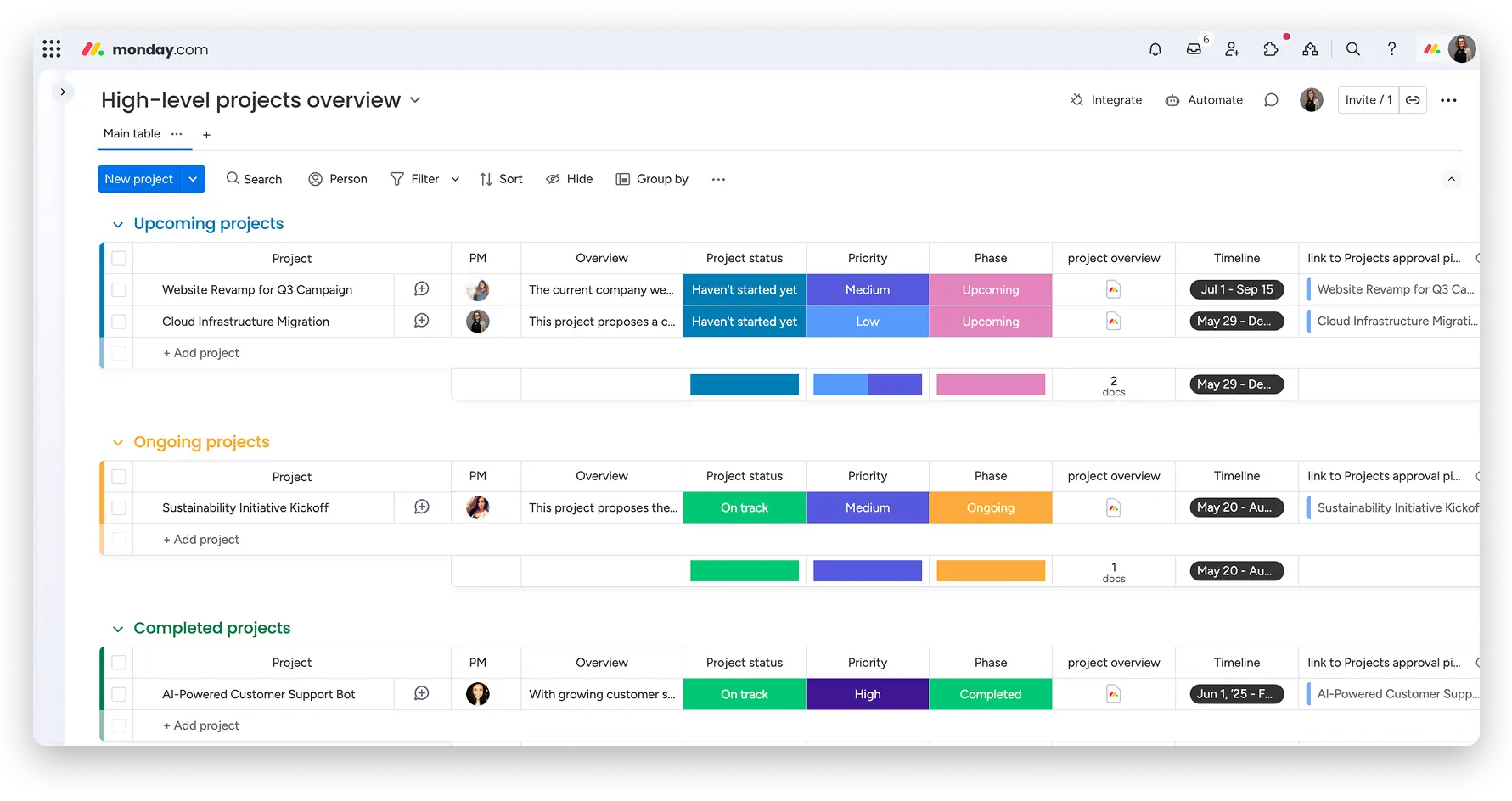
If you want a project management tool that feels intuitive from day one, monday.com is the clear winner. It replaces Asana’s (sometimes-cluttered) interface with a colorful, visual board system that anyone can build and understand in minutes.
Every task, status, item owner, and assignment is mapped out on what looks like a digital whiteboard. And you can quickly change views to calendar, kanban, list, etc., with the click of a button. Adding items is easy, and creating automations on your boards doesn’t feel overwhelming.
Pros and cons of using monday.com
Pros
- Visual-first, user-friendly design that makes statuses, assignees, and deadlines immediately visible and clear, plus drag-and-drop simplicity so you can move tasks between columns, reassign owners, adjust deadlines, and convert information into widgets or reports.
- No-code automation builder for simple “When this happens, do that” rules.
- Templates for almost everything, including marketing campaigns, proposal projects, HR onboarding, software development, and many more.
Cons
- Can run slowly and get messy once the interface becomes cluttered with very many or large, complex projects.
- Limited guest permissions and lacks robust project system governance, especially when compared to Softr or Wrike.
Key features of monday.com
- Multiple, switchable board views and premade templates: Toggle between Table, Kanban, Timeline (Gantt), Calendar, and Chart views depending on what you're managing today. Each template comes pre-configured with columns, statuses, and automations, letting you launch a marketing campaign or client project in seconds.
- Built-in automation: Configure simple automations that trigger when statuses change or tasks are moved.
- Time and resource tracking: Monitor time spent on tasks and projects, see who's overcapacity, and track productivity across your team. You can also log hours manually or use the built-in timer for reporting.
- Project collaboration: Tag teammates in comments, attach files directly to tasks, and use Work Docs that pull data from your boards.
monday.com pricing
Like the other alternatives to Asana on this list, monday.com is relatively affordable and a great budget-friendly option:
- Free: 2 users, 3 boards, 200+ templates
- Basic: $9/seat/month for unlimited items and projects
- Standard: $12/seat/month for extra views plus automations
- Pro: $19/seat/month for time tracking, 25,000 automations, and integrations
- Enterprise: Custom pricing for robust reporting and permission settings
Who monday.com is best for
Solo creators, freelancers, and small teams who don’t want their project management tool to feel like a chore. It’s great for managing client deliverables or tracking tasks without the headache of complex setup or steep learning curves.
Verdict: Monday.com vs. Asana
While similar in usability and price, monday.com just edges out Asana in both categories. It's also better for being able to run simple automations directly inside the project system.
3. Wrike — best for the intense project-heavy folks
Wrike was built for complexity. When your projects span multiple departments, involve dozens of stakeholders, and require rigorous resource planning, Wrike provides the structure and visibility that Asana lacks.
It comes with project planning features that let you visualize project timelines, dependencies, and find bottlenecks before they become a problem. Plus, Wrike's in-depth permission settings give external users project-level functionality, making it better than Asana for client portals or situations where multiple subcontractors are on a project.
Pros and cons of using Wrike
Pros
- Advanced project hierarchy to organize work across Spaces, Folders, Projects, and Tasks, then build approval workflows directly into each level for manager signoffs.
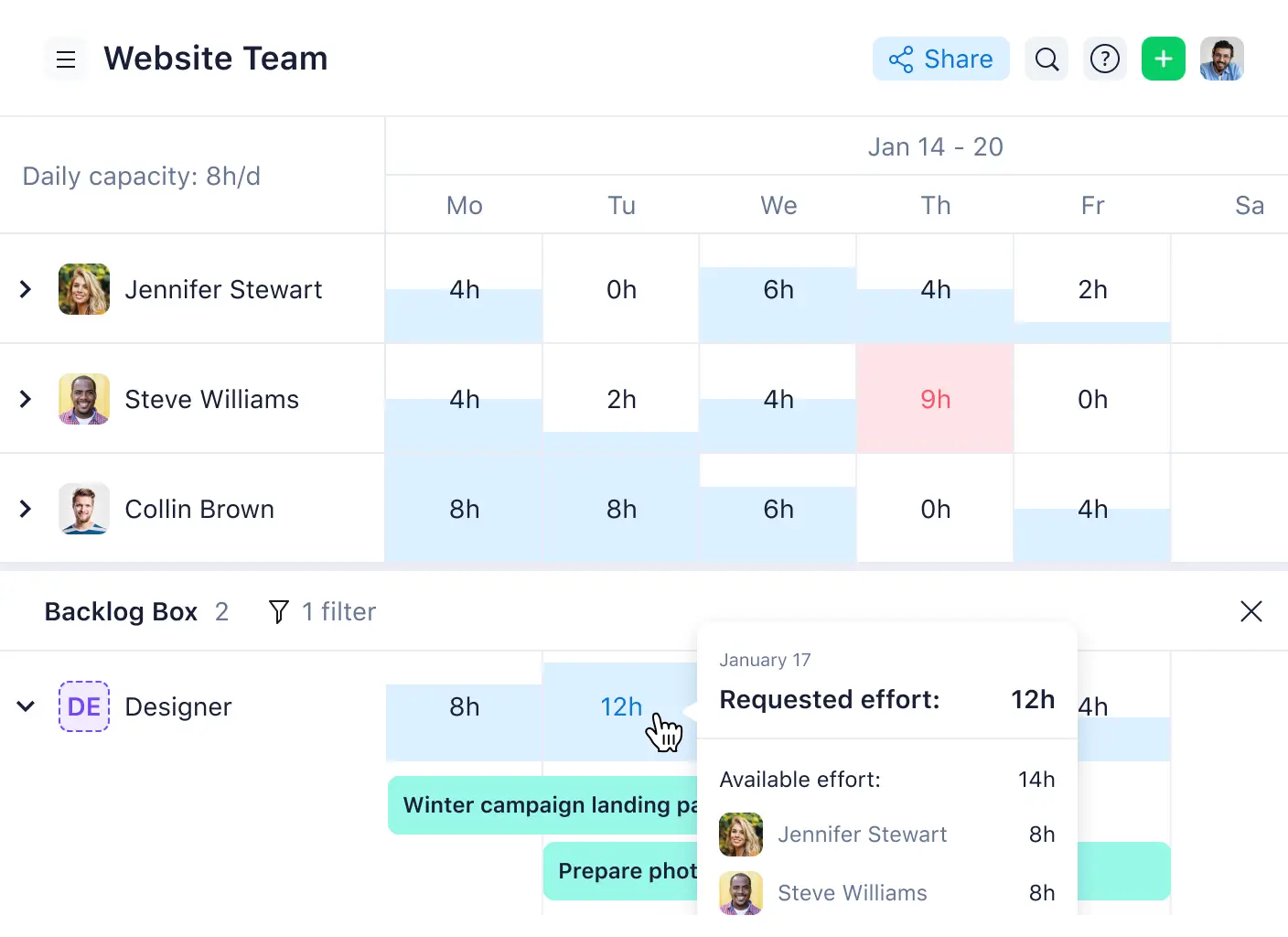
- Resource management & workload charts, letting you see exactly how much work each team member has, find overcapacity, and reassign tasks with drag-and-drop.
- Permission settings to control what guests, clients, and partners can do or see, and let folks submit project requests that automatically create tasks.
Cons
- Lots of features; takes time to learn.
- No free plan, and it quickly gets expensive.
Key features of Wrike
- Workload charts & resource view: See team capacity, spot burnout and overcapacity risks, reassign tasks, and one-click approve project decisions. The workload chart shows every team member's scheduled tasks across a timeline, and immediately reveals who has more work scheduled than available capacity allows.
- Project planning: Use interactive Gantt charts to add lead or lag time for realistic scheduling, automatically recalculate every dependent task in the chain, and highlight your critical path.
- Dynamic request forms: Customizable intake forms that automatically create tasks or projects, even external (client or partner) requests.
Wrike pricing
Wrike offers a 14-day free trial, then users can select different paid plans:
- Team: $10/user/month for 2-15 users and interactive Gantt charts
- Business: $25/user/month for better AI features, templated work, and resource planning
- Pinnacle: Custom pricing with more advanced tools like budgeting and reporting
- Apex: Custom pricing for extra add-ons from the Pinnacle plan
Who Wrike is best for
Larger companies and product teams that are managing multiphase projects with dependencies and resource constraints. It’s also solid if many partners, contractors, or stakeholders are involved in the workflows.
Verdict: Wrike vs. Asana
Asana works fine when your projects are straightforward and your team is small. But once you need resource planning, dependency tracking across dozens of tasks, or approval workflows involving external partners, Asana can’t match Wrike's advanced features.
4. Smartsheet — best for hefty data management lifts
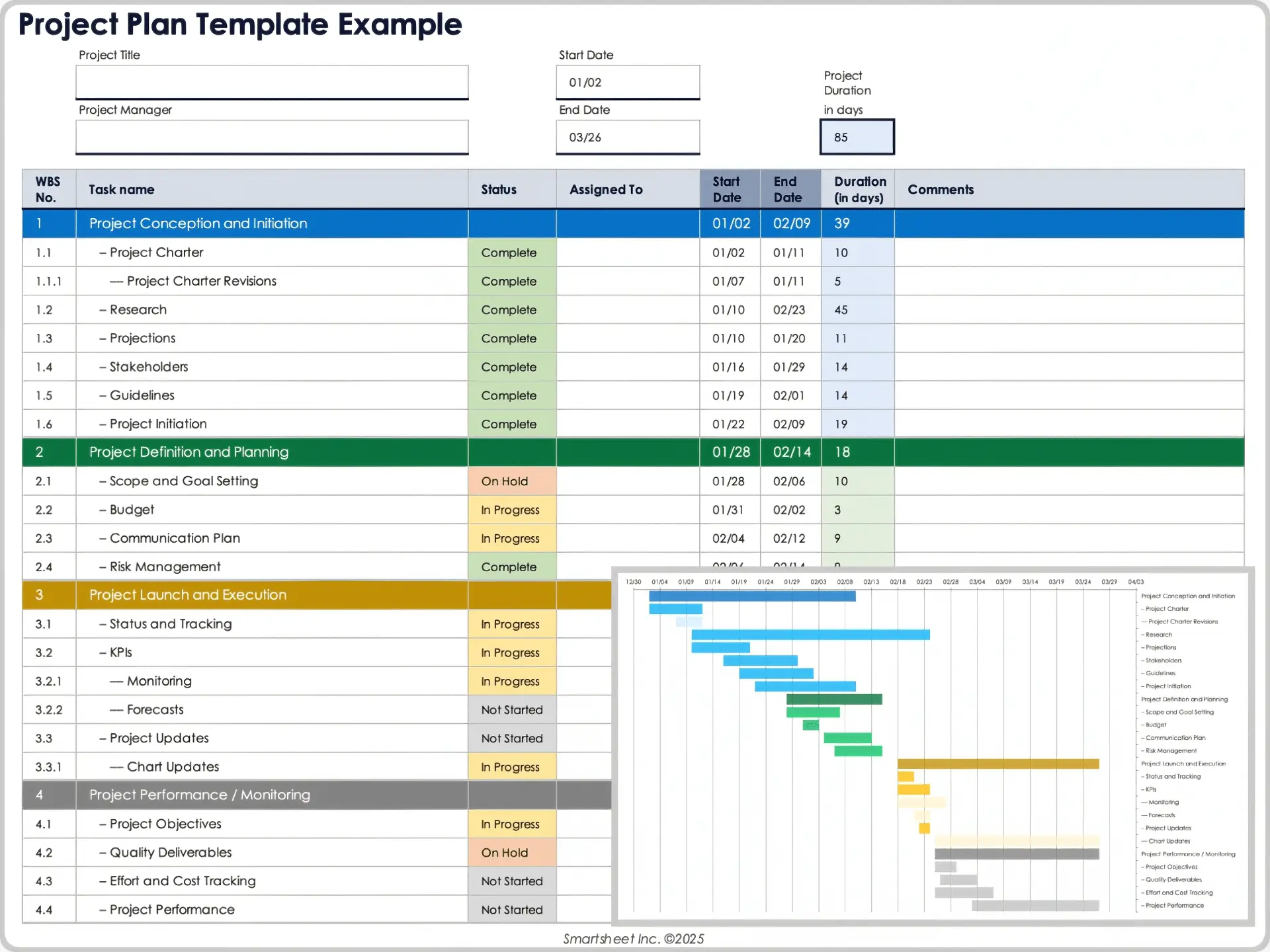
Where are my spreadsheet lovers at? Smartsheet is awesome for bridging the gap between Excel sheets and project management. Once you input information into a table style, you can view it as a calendar, Gantt chart, grid, or cards. You can also use formulas and conditional formatting like you would with a Google Sheet.
Because it's so data-centric, it's the best alternative to Asana for managing data-heavy projects, such as inventory tracking across a warehouse network or building projects with hundreds of line items.
Pros and cons of using Smartsheet
Pros
- Familiar grid interface for managing project data (if you know spreadsheets, you already know most of Smartsheet)
- Good for pulling data from multiple sheets into a single dashboard or getting reports.
- You can build proofing and approval workflows directly inside your sheets.
Cons
- Has an outdated interface and not as visually appealing as tools like monday.com.
- Most advanced features are locked behind higher plans or upgrades.
- Lacks native tools for tracking task duration or team workload, requiring add-ons
- No free plan.
Key features
- Spreadsheet-to-view project-tracking: Transform spreadsheet data into any visualization your team needs (grid, card, Gantt, calendar, task list, etc.).
- Smart data organization: Use conditional formatting, formulas, and advanced columns and hierarchies to control your data.
- Automation and proofing: Build internal trigger-action rules for alerts, approvals, and record changes, plus review and approve attachments or tasks with version tracking.
Smartsheet pricing
While there’s no free plan, you do get some options from Smartsheet:
- Pro: $9/user/month for unlimited sheets, 250 automations/month, simple project views.
- Business: $19/user/month for 3 members, unlimited guests, and expanded views and work tracking.
- Enterprise: Custom pricing to give more controls, insights, and AI tools.
- Advanced Work Management: Custom pricing for larger organizations and advanced features.
Who Smartsheet is best for
Data-heavy teams (operations, supply chain, finance, logistics, construction, etc.) that need to manage, report on, and automate workflows around large datasets and love the spreadsheet feel.
Verdict: Smartsheet vs. Asana
Asana might offer more visual appeal and layout options. But it can't touch Smartsheet when it comes to handling real data. Smartsheet gives you spreadsheet power and project management features in one place. You also don’t need to juggle multiple tools to manage projects or automate.
5. ClickUp — best custom option and freemium plan
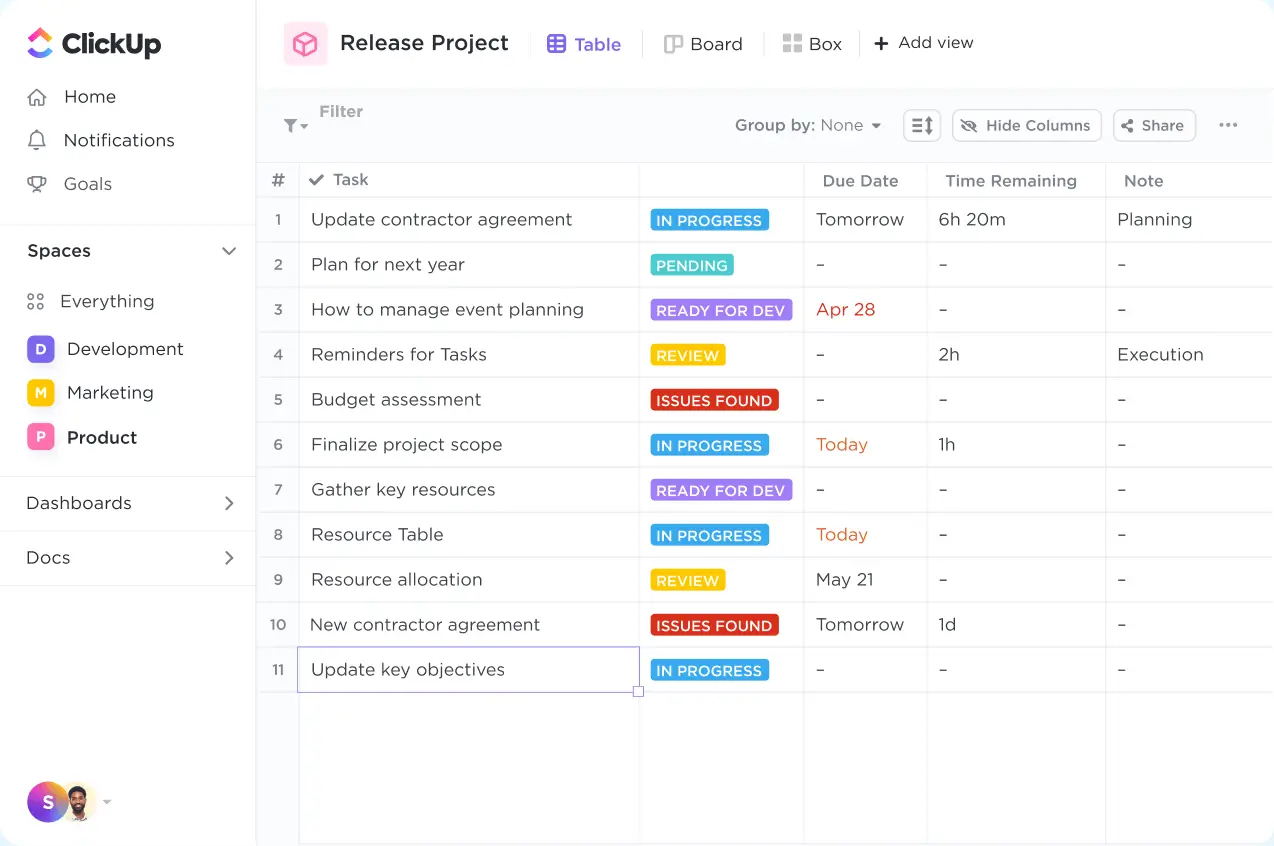
If you like a bargain, you’ll love ClickUp. There’s arguably no better free Asana alternative. But it's the customization that makes ClickUp appealing to its users.
If your team has a workflow that doesn’t fit neatly into a standard project management tool, ClickUp gives you the ability to adapt the system to match it. You can define your own task structures, create custom statuses, add fields to track specific data, and organize work across different views like lists, boards, or timelines.
Hence, the tool’s tagline is “software to replace all software.”
Pros and cons of ClickUp:
Pros
- Customization in terms of task items, statuses, custom fields, role permissions, dashboards, workflows, and views.
- Tons of use cases; if you can think of it, you can create it in ClickUp.
- Free plan that lets you track unlimited tasks for unlimited users.
Cons
- Intimidating interface for new users and requires building workspaces from scratch.
- Performance can slow down with larger datasets or more complex projects.
- Mobile app has limited features and poorer synchronization than the desktop version.
Key features of ClickUp:
- Customizable hierarchy and lots of view options: Run from Workspace down to Spaces, Folders, Lists, and Tasks, and choose from over 15 view types.
- ClickUp AI Brain: Summarize long task threads, generate subtasks from descriptions, and ask AI questions about project status. You can also ideate and analyze time-tracking data, plus draft content and task descriptions automatically.
- Native time tracking and automation: Track project time and individual inputs in tasks and build trigger-based automations (”when X changes, do Y”) directly in ClickUp.
ClickUp pricing
Compared to the other Asana alternatives on this list, no product surpasses the pricing quite like ClickUp:
- Free: $0 for unlimited tasks and users.
- Unlimited: $7/user/month for more chart options and time tracking.
- Business: $12/user/month for more advanced views and automations.
- Enterprise: Custom pricing with permission setting and governance.
Who is ClickUp best for
Startups, growing teams, or companies focusing on innovations that need granular control over their project management setup and are willing to invest some time to do it.
Verdict: ClickUp vs. Asana
ClickUp mainly outperforms Asana in freemium options and overall customization. Asana might be a bit easier to use, but if you want a project management option that can bring every detail of your imagination to life, ClickUp is a solid alternative to Asana.
Choose the right Asana alternative for your team
Asana still makes tons of sense for the small team with straightforward projects (like content calendars and new client onboarding) or basic task tracking needs. It’s cheap and fairly intuitive. But once you need client portals, data management beyond tasks, or complex approval chains, Asana no longer becomes enough.
Softr is for teams that have outgrown basic project management. It’s an AI platform for building client portals, project trackers, complex task lists, and more. All you have to do is tell AI what you need, and it’ll develop and connect the database, app, and business logic for you.
Try Softr for free and quickly turn your data into a polished project system with native automations, granular permissions, and a custom interface. No developers needed. No coding required.
Frequently asked questions
What is the best alternative to Asana?
Why do teams switch from Asana?
Which Asana alternative is best for client collaboration?