


5 best Zoho Creator alternatives & competitors [2026]


Zoho Creator helps businesses build low-code applications around their particular processes. But as those processes evolve, your Zoho Creator apps may not evolve with them. Advanced workflows often require more technical setup than expected, and teams sharing apps with clients or non-technical staff need more flexibility in how those apps look and behave.
Zoho Creator alternatives at a glance
| Tool | Best for | Standout features | Pricing |
|---|---|---|---|
| Softr | Building custom business software with AI and no-code | • AI Co-builder • Native relational database • Visual editor • Built-in workflow automation • AI assistants • 21+ native integrations • Role-based access & permissions | Free plan available; paid plans start at $19/month |
| Caspio | Secure, database-driven operational apps and compliance-focused systems | • Built-in relational database • Secure hosting • Reporting tools | From $100/month |
| Quickbase | Managing complex operational workflows across teams | • Relational database structure • Workflow automation • Operational dashboards | From $35/user/month |
| Airtable | Organizing structured operational data with a flexible database | • Spreadsheet-style interface • Relational linking • Interface Designer | Free plan available; paid plans start at $20/user/month |
| OutSystems | Enterprise teams building large custom applications | • Visual full-stack development platform • Enterprise integrations • Automated DevOps pipeline | Developer Cloud starts at $36,300/year |
| Clappia | Building workflow automation apps and field operations tools | • Mobile-first app builder • Offline data collection • Workflow automation & approvals • Built-in field data tools (GPS, barcode scanning, signatures) | Free plan available; paid plans start at $8/user/month |
Why look for a Zoho Creator alternative
Here are the most common reasons teams start exploring alternatives.
| Reason | What it means in practice |
|---|---|
| 1. The learning curve becomes steeper than expected. | Zoho Creator is a low-code platform, so more advanced apps often require writing logic in its scripting language. |
| 2. Limited UI flexibility for front-end apps | Many users note that layout customization options and user experience are narrower than in newer app builders—noticeable when creating portals, dashboards, or external-facing apps. |
| 3. Apps can become harder to manage as they grow | Works well for smaller operational tools, but managing large or complex applications can become challenging. |
| 4. The platform works best inside the Zoho ecosystem | Integrates deeply with other Zoho products like Zoho CRM or Zoho Books. For teams using a mix of different software, integrations may require more setup through APIs or third-party tools. |
| 5. Support and troubleshooting can take time | Some users report inconsistent support experiences when running into technical issues, which can slow down projects. |
What to look for in a Zoho Creator alternative
Here are the key factors to consider.
- Ease of use: If your team doesn’t have developers, look for no-code tools that keep app building visual and intuitive for non-technical users.
- Database flexibility: Many operational tools revolve around structured data. Make sure the platform lets you create and manage databases easily without complex setup.
- UI and layout customization: If your apps will be used by clients, partners, or multiple teams, design flexibility becomes important. Look for tools that let you control how data, workflows, and even branding appear.
- Automation and workflow logic: The right tool should support conditional logic, triggers, and automated processes so teams spend less time on manual coordination.
- Integration capabilities: Your system should connect with the tools you already rely on: CRMs, spreadsheets, communication tools, data sources, and other apps through API.
- Scalability: As your operations grow, the platform should remain responsive even when working with larger datasets or more users.
- Permission controls: Operational systems often involve sensitive information. Flexible, role-based access control ensures the right people see the right data.
- Pricing and usage limits: Some tools limit records, automations, or collaborators. Make sure costs stay predictable as your system and team expand.
- Support and learning resources: Helpful documentation, templates, and active user communities can make a big difference when building, maintaining, and troubleshooting apps.
1. Softr — best for building custom business software with AI and no-code

Teams usually turn to platforms like Zoho Creator for a reason. Maybe their operations have outgrown spreadsheets or pre-built tools, but creating custom software still feels like too heavy a load. They need a way to organize data, manage workflows, and give different people access to the same system without relying on engineering support.
But many low-code platforms still become highly technical over time. Advanced workflows often require scripting, front-end customization can feel limited, and maintaining larger apps can start to depend on specialized knowledge.
Softr, in contrast, lets teams build internal tools, portals, dashboards, CRMs, and other apps with AI and visual, no-code blocks. You can set up your structured data in Softr’s native relational database or connect directly to 21+ external sources with real-time sync. From there, you can configure user roles and advanced permissions and publish the app. You launch in a matter of hours and make changes as your business scales. You get real business apps your team and customers can use without waiting for months for development, with workflow automation built in.
Softr pros and cons
Pros
- Fast to build and easy to maintain: Build apps in minutes with the AI Co-builder or start from a pre-made template.
- True no-code editing: Unlike app builders that require re-prompting or code edits to make changes, Softr's visual editor lets you update, extend, and maintain apps without spending AI credits or tagging in developers.
- Centralized internal workspace: Bring company knowledge, processes, and tools into a single system where employees can access documents, files, and operational resources without switching platforms.
- Customizable UI and layouts: Apps can be styled and structured to match real workflows rather than forcing teams into rigid fixed interfaces.
- Built-in workflow automation and AI assistants: Database AI agents and native workflow automation help teams reduce manual work and manage processes more efficiently.
- Adapt as systems grow: Add new workflows, data, teams, or user roles without rebuilding your apps, integrating new tools, or restructuring the entire system.
- Predictable pricing: Flat-rate subscription tiers offer cost certainty, so you can dodge the surprise charges that come with infrastructure overages and API calls.
Cons
- Limited control over underlying code: Softr focuses on visual app building, so developers who need full control over backend logic or custom code may find it less flexible than traditional development frameworks.
Softr best features
- Native database + flexible integrations: Use Softr Databases to replace spreadsheets and manage data and apps in one platform — or build apps on top of existing data sources (like Airtable, Notion, HubSpot, SQL databases, and more).
- User authentication and permissions: Control who can see or do what with user groups, global data restrictions, and role-based permissions. This makes it easy to build secure internal tools or external portals.
- Native workflow automation: Automate operational processes such as request handling, approvals, task assignments, and data updates. Workflows can trigger when records change or when users submit forms, so teams can keep processes moving and data consistent across the system.
- Custom UI components: Build interfaces using lists, dashboards, forms, charts, and interactive blocks. Choose from a wide variety of battle-tested blocks or create your own with the Vibe Coding block.
- AI assistants: Softr’s built-in AI is there whenever you’re unsure how to structure data or a workflow — or when you want to do things like summarize content and enrich records. Use Ask AI to query your system in plain English (like, “Which training guides haven’t been updated for more than 2 years?”) and get instant, accurate, and permission-aware answers.
- Custom onboarding workflows: Build structured onboarding experiences where new hires can submit required information, access training materials, and follow step-by-step onboarding processes through one centralized portal.
- Internal communication spaces: Create structured discussion areas where teams can share updates, ask questions, and collaborate around projects or company initiatives without relying solely on chat tools.
- Extendable beyond an intranet: Add event apps, external portals, CRMs, or community spaces in the same system without introducing new tools or subscription costs.
Softr pricing
With Softr’s predictable pricing tiers, it’s easy to start small and scale as you grow.
- Free: Unlimited apps for up to 3 builders, with access to Softr Workflows and Softr Databases, 5 app users, 5,000 database records, 5 AI credits, and more
- Basic: $19/month, unlimited apps with 42+ integrations, includes 50,000 database records per workspace, 2,500 workflow actions, Team: 5 + Client: 5 app users, default user groups, and 10 AI credits per month
- Pro: $99/month, unlimited apps with 45+ integrations and custom code, for 500,000 database records per workspace, Team: 10 + Client: 50 app users, 3 custom user groups, and 50 AI credits per month
- Business: $329/month, unlimited apps with 52+ integrations, for Team: 30 + Client: 100 app users, 1M database records, 25,000 workflow actions, custom user groups (up to 10), and 100 AI credits
- Enterprise (custom pricing, contact sales): including optional SSO, custom agreements and SLAs, dedicated success manager, and priority support
Why it’s better than Zoho Creator pricing
Zoho Creator pricing often scales based on users and application complexity. Softr’s plans focus more on the application layer and user access, which can make costs easier to predict for teams building portals or operational tools around existing data sources.
Who Softr is best for
Teams in operations, marketing, sales, HR, finance, or customer success that need to build and run the systems behind their day-to-day work without relying on engineering.
It’s especially useful for organizations that want to replace spreadsheets, manual handoffs, or disconnected tools with a single operational system they can launch quickly and evolve as their workflows change.
Verdict: Softr vs Zoho Creator
Softr is a better fit for teams that want a fully visual, no-code way to build operational apps and portals around their existing data. Zoho Creator may offer deeper customization through scripting, but Softr is way easier for non-technical teams to build and maintain.
[.blog-callout]
See how Virtuous built an internal portal with Softr, turning its Notion data into a partner management system. It gave teams one place to manage relationships, resources, and collaboration workflows. Staff could access structured information, processes, and updates from a single platform, making collaboration a breeze and cutting time spent navigating disconnected apps.
[.blog-callout]
2. Caspio — best for building database-driven business applications with strong compliance needs
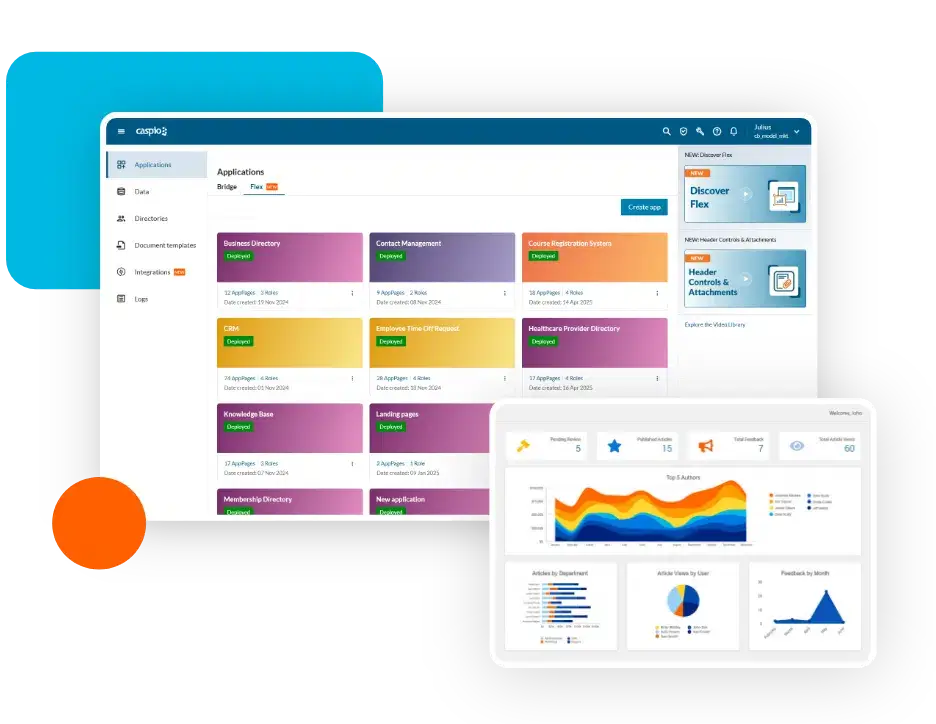
Caspio is a low-code platform designed to help organizations build database-driven web applications without developing them from scratch. At its core, the platform provides a managed cloud database and tools for creating forms, reports, and interfaces that sit on top of that data. Teams typically use Caspio to manage structured operational records and build systems like case management tools, internal databases, and reporting portals — with security, compliance, and centralized data control as priorities.
Caspio pros and cons of using
Pros:
- Strong database foundation: Caspio includes a built-in relational database designed for structured data and operational workflows.
- Unlimited app users: Pricing is based on platform resources rather than user seats, making it practical for customer portals or public apps.
- Secure application environment: The platform supports enterprise security and compliance requirements such as HIPAA.
- Reliable data management: Built-in querying, reporting, and record management tools support complex operational datasets.
- Cloud hosting included: Applications are hosted and managed within Caspio’s infrastructure.
Cons:
- Creating modern, highly customized interfaces often requires adding custom HTML, CSS, or JavaScript.
- More complex workflows and custom logic frequently require SQL queries or scripting knowledge.
- Record limits, logs, storage, and email quotas can push teams to higher tiers or paid capacity as apps and datasets grow.
Caspio best features
- Built-in relational database: Store structured business data directly within the platform without relying on an external source.
- DataPages app framework: Publish forms, search tools, reports, and dashboards as modular components inside web applications.
- Workflow automation: Trigger actions such as notifications, record updates, or approvals when data changes.
- Identity and access management: Control user authentication, permissions, and role-based access for secure portals.
- Document generation: Automatically generate PDFs and documents from stored application data.
Caspio pricing
- Lite: $100/month
- Plus: $300/month
- Business: $600/month
- Enterprise: Custom pricing via sales
Who Caspio is best for:
Organizations that need secure, database-driven operational systems—such as case management platforms, portals, reporting dashboards, or compliance workflows—especially when structured data and governance are more important than visual interface design.
Verdict: Caspio vs Zoho Creator
Caspio is a better fit for organizations that need secure, database-driven applications with strong compliance and centralized data management. Zoho Creator offers broader flexibility for building operational apps and workflows, but more advanced implementations often require scripting and technical configuration. Caspio, by contrast, focuses on structured data systems with built-in governance, although it offers less flexibility when customizing app interfaces.
3. Quickbase — best for managing complex operational workflows with custom internal apps
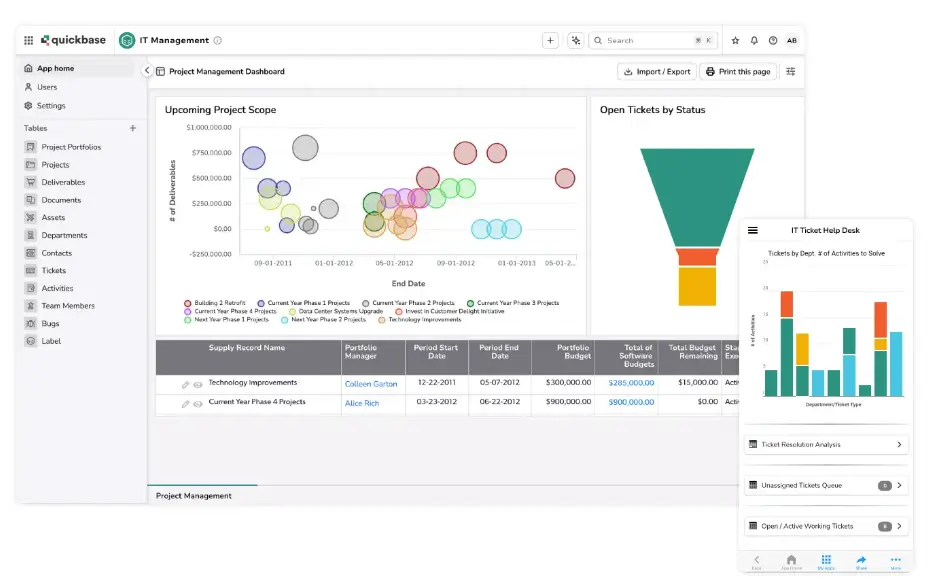
Quickbase is a cloud-based low-code platform designed to help organizations manage complex operational processes with custom applications. Companies use it to build systems that track work across multiple teams, such as project coordination tools, compliance tracking systems, field service workflows, or asset management databases. These applications typically bring together operational data, process steps, and reporting into a single environment.
The platform is often adopted in industries where projects involve many stakeholders, approvals, and moving parts, such as construction, manufacturing, logistics, and energy.
Quickbase pros and cons
Pros:
- Flexible app builder: Teams can create internal systems tailored to operational processes such as project tracking, compliance management, or asset tracking.
- Strong workflow automation: Automated triggers and rules help reduce manual work in processes like approvals, status updates, and task assignments.
- Centralized operational data: Quickbase lets companies organize project, process, and operational data in one structured system instead of scattered spreadsheets.
- Granular user permissions: Role-based access controls help teams manage who can view, edit, or manage specific records and apps.
- Integration and API support: REST APIs and integrations allow Quickbase to connect with other business systems and bring operational data together.
Cons:
- Costs can rise quickly as more users need access, since pricing is primarily per user rather than per application.
- Some users report that navigation and app design tools are less intuitive than newer platforms.
Quickbase best features
- Visual workflow automation: Workflow rules trigger actions such as notifications, approvals, or record updates when data changes.
- Relational database structure: Apps organize data across linked tables so teams can track relationships between projects, assets, tasks, or processes.
- Forms and data collection tools: Web and mobile forms allow teams to capture operational data directly into apps from employees or field teams.
- Operational dashboards and reporting: Built-in reporting tools help teams monitor workflows, project status, and operational metrics.
- API and integration capabilities: REST APIs allow Quickbase to connect with other systems and synchronize operational data across tools.
Quickbase pricing
Pricing shown reflects annual billing.
- Free trial: Available for 30 days
- Team: $35/user/month
- Business: $55/user/month
- Enterprise: Custom pricing
Who Quickbase is best for:
Operations-heavy teams in industries like construction, manufacturing, field services, or logistics that need custom systems to track projects, workflows, and processes.
Verdict: Quickbase vs Softr
Zoho Creator offers flexible app building but often requires scripting for more advanced workflows. Quickbase focuses more on structured operational systems built around relational data and automation. It can be a better fit for businesses managing complex processes, though its learning curve and per-user pricing may be blockers for smaller teams.
3. Airtable — best for teams that need a flexible database to organize workflows and operational data
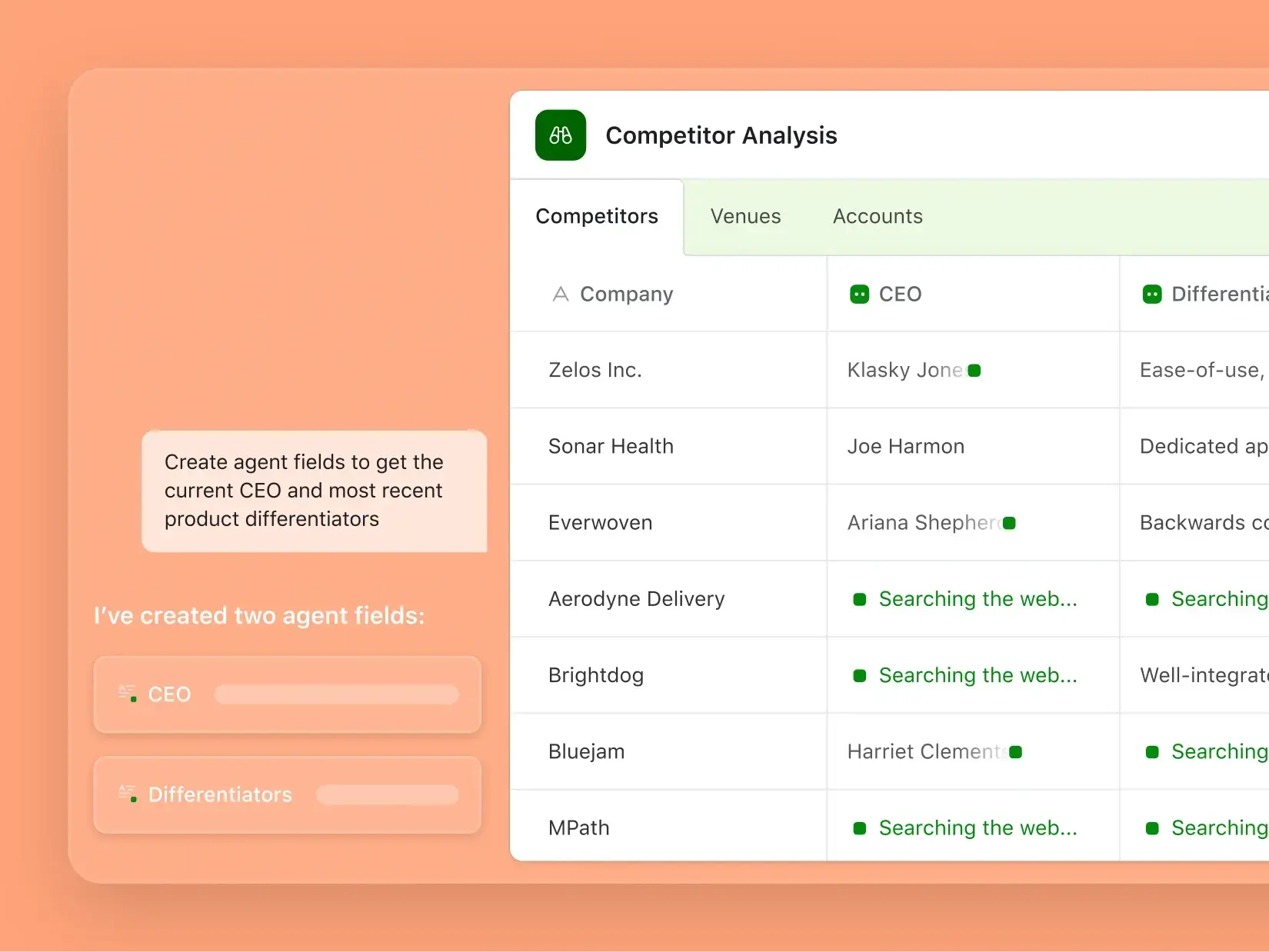
Airtable is a cloud platform that combines a spreadsheet interface with a relational database. Teams use it to structure information and build lightweight systems around that data, such as project trackers, marketing calendars, CRMs, inventory lists, and product planning tools. Instead of managing basic spreadsheets, teams can link related records, create multiple views of the same dataset, and automate record updates. Airtable works well for organizing structured information and collaborating around it, though larger operations may run into scaling limits when datasets and teams grow.
[.blog-callout]
Dive deeper into how Softr and Airtable compare in our full breakdown.
[.blog-callout]
Airtable pros and cons
Pros:
- Flexible relational database: Airtable lets teams link records across tables so related information can stay connected and organized without writing database queries.
- Spreadsheet-style interface: The familiar grid layout makes it easy for non-technical users to manage relational data without learning SQL.
- Multiple ways to view the same data: Teams can switch between grid, Kanban, calendar, gallery, timeline, or dashboard views depending on how they want to track work or view records.
- Automation capabilities: Built-in automation rules can trigger actions like notifications, record updates, or integrations when data is added or updated.
- Interface Designer for dashboards: Airtable allows teams to create lightweight interfaces and dashboards on top of their data, with templates geared toward different roles.
- Large integration ecosystem: The platform connects with a wide variety business tools through integrations and APIs, allowing teams to sync operational data across systems.
Cons:
- Airtable databases have row and attachment limits depending on the pricing tier.
- Pricing is seat-based, so adding collaborators or upgrading limits can significantly raise costs for larger teams.
- Large datasets with many fields and relationships can make Airtable structures harder to maintain over time.
Airtable best features
- Flexible data field types: Teams can store many types of information in one system, including attachments, formulas, links, dropdowns, collaborators, and computed fields.
- Linked record relationships: Tables can reference records from other tables, making it possible to model relationships such as clients, projects, tasks, or inventory items within a single base.
- Forms for structured data collection: Airtable lets teams create forms directly from tables so information from clients, partners, or internal teams can be collected and automatically stored as structured records.
- AI features: Airtable includes AI capabilities such as AI field generation and agents that help analyze, summarize, or enrich records.
Airtable pricing
Pricing below reflects annual billing.
- Free: Unlimited bases, 1,000 records per base, up to 5 editors
- Team: $20/seat/month
- Business: $45/seat/month
- Enterprise Scale: Custom pricing
Who Airtable is best for
Airtable works well for teams moving beyond spreadsheets and looking for a more structured way to track information across projects, records, or internal workflows.
It’s commonly used by marketing teams managing campaign calendars or content planning, product teams tracking features and feedback, and operations teams maintaining shared datasets such as vendor lists, internal trackers, or resource planning tables.
Verdict: Airtable vs Zoho Creator
Airtable and Zoho Creator both help teams organize operational data and build systems around it, but they serve different levels of application complexity. Airtable focuses on flexible data organization through a spreadsheet-style interface, making it easy for teams to structure workflows, track projects, or manage operational datasets.
By comparison, Zoho Creator lets users build business software with forms, workflows, and app logic. Airtable is typically easier for teams that mainly need a flexible database, while Zoho Creator is better suited for teams building structured internal tools.
[.blog-callout]
Use Airtable as the data layer for your apps →
Import your Airtable bases directly into Softr in seconds. Turn them into secure portals, dashboards, or internal tools with real-time two-way sync.
[.blog-callout]
4. OutSystems — best for enterprises building complex internal applications fast
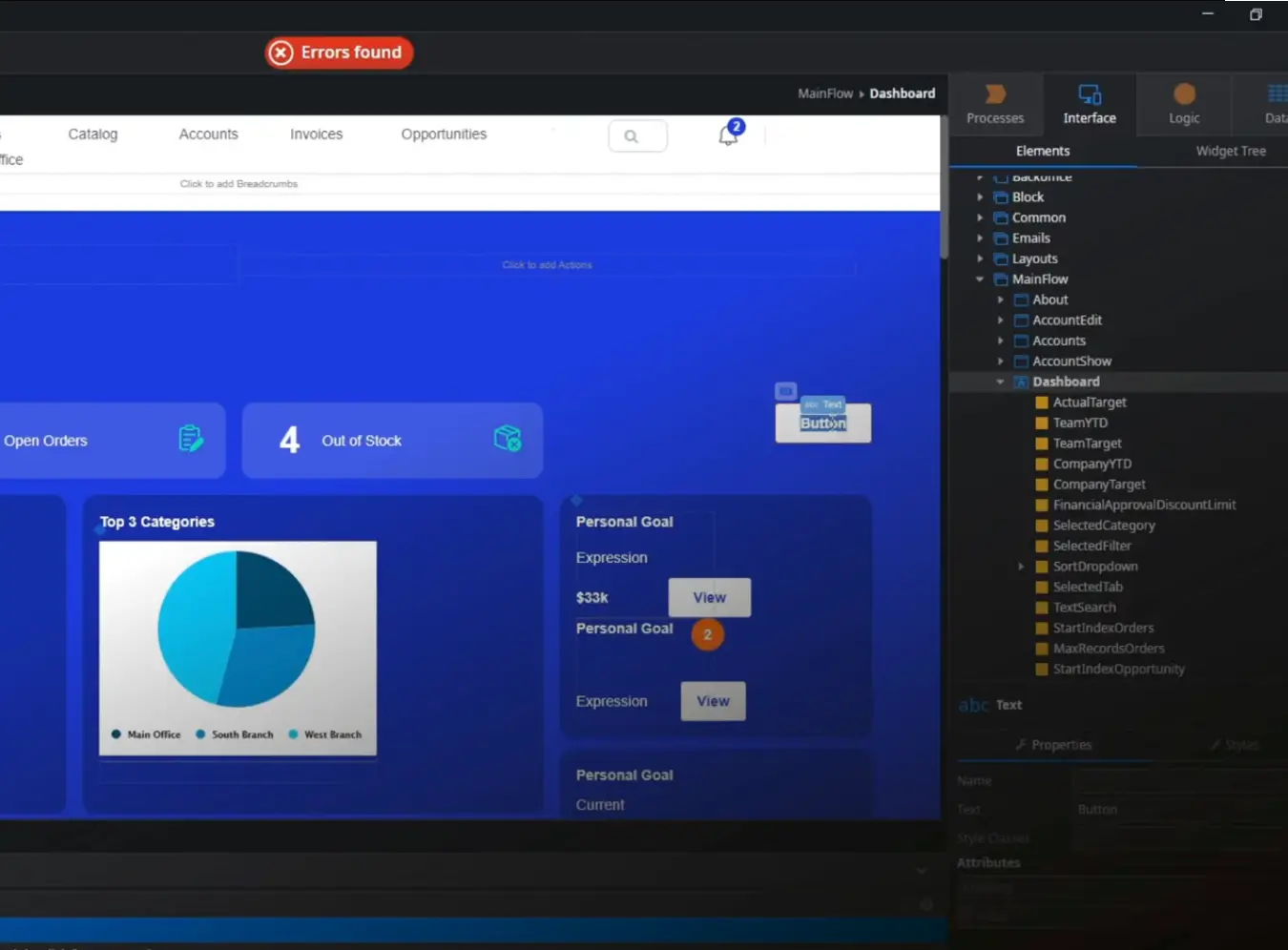
OutSystems is an enterprise low-code platform for teams that are replacing or extending important business systems, not just spinning up simple internal tools. Companies use it when applications need to connect with existing databases, services, and workflows, while still meeting stricter requirements around scale, governance, and reliability.
The platform combines a visual development environment with built-in deployment, monitoring, and integration tools, which helps development teams manage large applications across multiple environments while maintaining performance and governance requirements.
OutSystems pros and cons
Pros:
- Rapid enterprise app development: Visual development tools and reusable components help teams build complex business applications significantly faster than traditional coding.
- Full application lifecycle tools: The platform includes built-in testing, deployment, monitoring, and DevOps capabilities for managing apps in production.
- Enterprise-grade scalability: Applications built with OutSystems can support large datasets, high user volumes, and complex operational systems.
- Strong integration capabilities: Teams can connect apps to external APIs, enterprise databases, and legacy systems already used inside the organization.
- AI-assisted development tools: Recent versions include AI features that help generate application structures and accelerate development workflows.
- Security and compliance options: The platform includes governance tools and compliance support needed for regulated enterprise environments.
Cons:
- Pricing starts at enterprise levels and often becomes expensive as applications, environments, and users scale.
- Teams usually need trained developers to use the platform effectively.
- Applications built inside the proprietary platform can be difficult to migrate elsewhere later.
OutSystems best features
- Visual application builder: Developers design user interfaces, workflows, and data models in a graphical environment instead of writing code manually.
- Full-stack development environment: The platform supports frontend, backend logic, database modeling, and integrations within one system.
- Automated DevOps pipeline: Built-in tools handle testing, deployment, versioning, and monitoring without requiring separate DevOps infrastructure.
- Reusable component architecture: Teams can create modules and components that can be reused across multiple applications.
- Application monitoring and governance: Built-in monitoring tools track performance, dependencies, and system health across deployed apps.
OutSystems pricing
Pricing shown reflects annual billing.
- OutSystems Personal Edition: Free for development and testing environments (not for production use).
- OutSystems Developer Cloud (ODC): Starts at $36,300 per year for building and running production applications with internal users.
- Advanced add-ons: Available for additional runtimes, higher uptime SLAs, and expanded compliance certifications.
Who OutSystems is best for
Large organizations that need to build and maintain complex internal systems quickly. It’s most frequently used by enterprise IT teams creating operational platforms, workflow automation tools, and customer-facing applications that must integrate with existing enterprise infrastructure.
Verdict: OutSystems vs Zoho Creator
OutSystems and Zoho Creator both help teams build custom business apps faster than traditional development, but they serve different levels of complexity. Zoho Creator focuses on apps and internal workflows for business teams. OutSystems targets enterprise environments where apps must support large systems, high user volumes, and complex integrations.
5. Clappia — best for building workflow automation apps and field operations tools
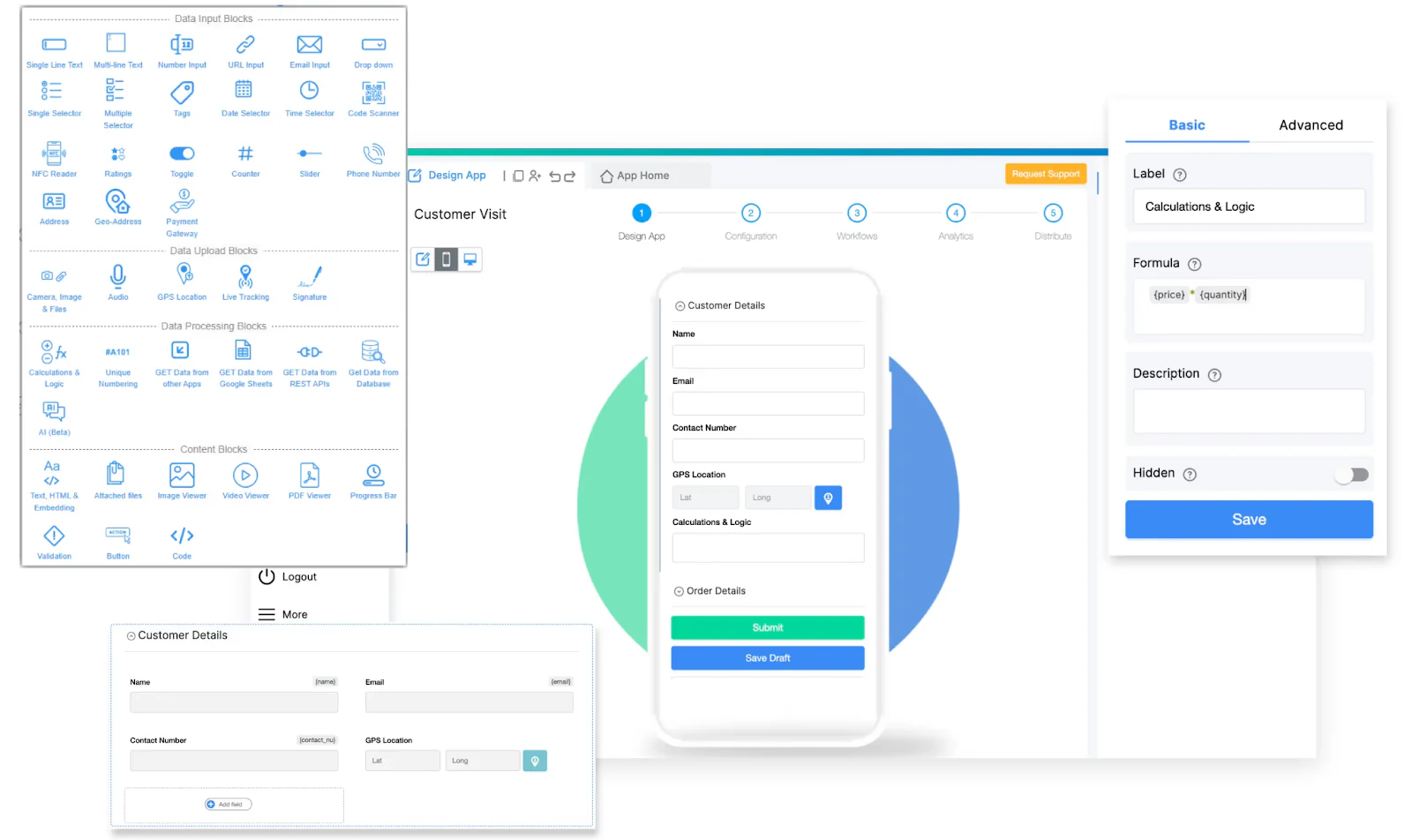
Clappia is an AI-powered no-code platform that helps teams build business apps, automate workflows, and collect operational data without writing code. While platforms like Zoho Creator allow extensive customization through scripting, Clappia focuses on making it easy for teams to create internal tools, inspection apps, approval workflows, and operational dashboards using a visual app builder.
Many organizations use Clappia to replace spreadsheets, manual processes, and disconnected tools with structured apps that handle data collection, approvals, and reporting in one place. Teams can quickly build apps for use cases such as inspections, service reports, inventory tracking, compliance checklists, and field operations.
One of Clappia’s biggest strengths is its mobile-first architecture. Apps built on the platform work seamlessly across web and mobile devices and support offline data capture. Field teams can collect information even in remote locations without internet connectivity and automatically sync their data once they reconnect.
Clappia also includes built-in tools designed for operational workflows, including GPS location capture, barcode and QR code scanning, digital signatures, image uploads, and automated PDF reports. Combined with workflow automation and real-time dashboards, this allows businesses to turn simple forms into complete operational systems.
Clappia pros and cons
Pros
- Easy no-code app builder: Create internal tools, inspection apps, and workflow systems without coding.
- Offline mobile data collection: Capture data in remote locations and sync automatically when internet is available.
- Built-in field data tools: GPS capture, barcode scanning, digital signatures, and photo uploads.
- Workflow automation: Automate approvals, task routing, and notifications across teams.
- Generous free plan: Teams can build and test apps before scaling with paid plans.
Cons
- Learning curve for advanced automation features.
- Best suited for operational workflows rather than simple surveys.
Clappia best features
- Offline mobile apps: Collect field data without internet connectivity and automatically sync when back online.
- Workflow automation and approvals: Create multi-step approval workflows with automated notifications and routing.
- Field-ready data capture: Capture GPS location, scan barcodes or QR codes, collect digital signatures, and upload photos directly from mobile devices.
- Real-time dashboards and reporting: Monitor operational performance with dashboards that update automatically as data is submitted.
- AI-powered automation: Extract information from documents, analyze images, and automate data processing using built-in AI tools.
Clappia pricing
- Free plan: Includes core features for building and testing operational apps.
- Starter: $6 per user/month
- Professional: $8 per user/month
Who Clappia is best for
Operations teams, field service teams, logistics companies, construction teams, and compliance teams that need to build workflow automation apps, collect field data, and manage operational processes without writing code.
Verdict: Clappia vs Zoho Creator
Clappia is a strong Zoho Creator alternative for teams that want a simpler way to build operational apps with workflow automation and mobile data collection. While Zoho Creator offers deeper developer-level customization, Clappia focuses on speed, ease of use, and ready-to-use operational features for teams without engineering resources.
Choose the right Zoho Creator alternative for your team
Choosing a Zoho Creator alternative usually comes down to how complex we want our systems to be, and who we have on hand to maintain them.
Some teams are managing larger operational workflows across projects, assets, or approvals and may need a platform like Quickbase or Caspio. And for large enterprises building full internal platforms, OutSystems has the requisite scalability and development infrastructure. For teams that need workflow automation and mobile data collection without the complexity of traditional low-code platforms, Clappia is another Zoho Creator alternative.
Many teams fall somewhere in between. They need real working business apps—internal tools, dashboards, portals, CRMs, asset managers, and more—without the complexity of scripting or the overhead of software development. As a Zoho Creator alternative, Softr focuses on just that fine line, helping teams turn structured data into full-stack apps that evolve with your business.
Start with one of Softr’s ready-to-use templates and build your first internal tool or portal in minutes.


