This free template from Softr helps you build a custom freelancer management system, fast, with no coding required.
Data sources supported





.svg)


Resources


Overview
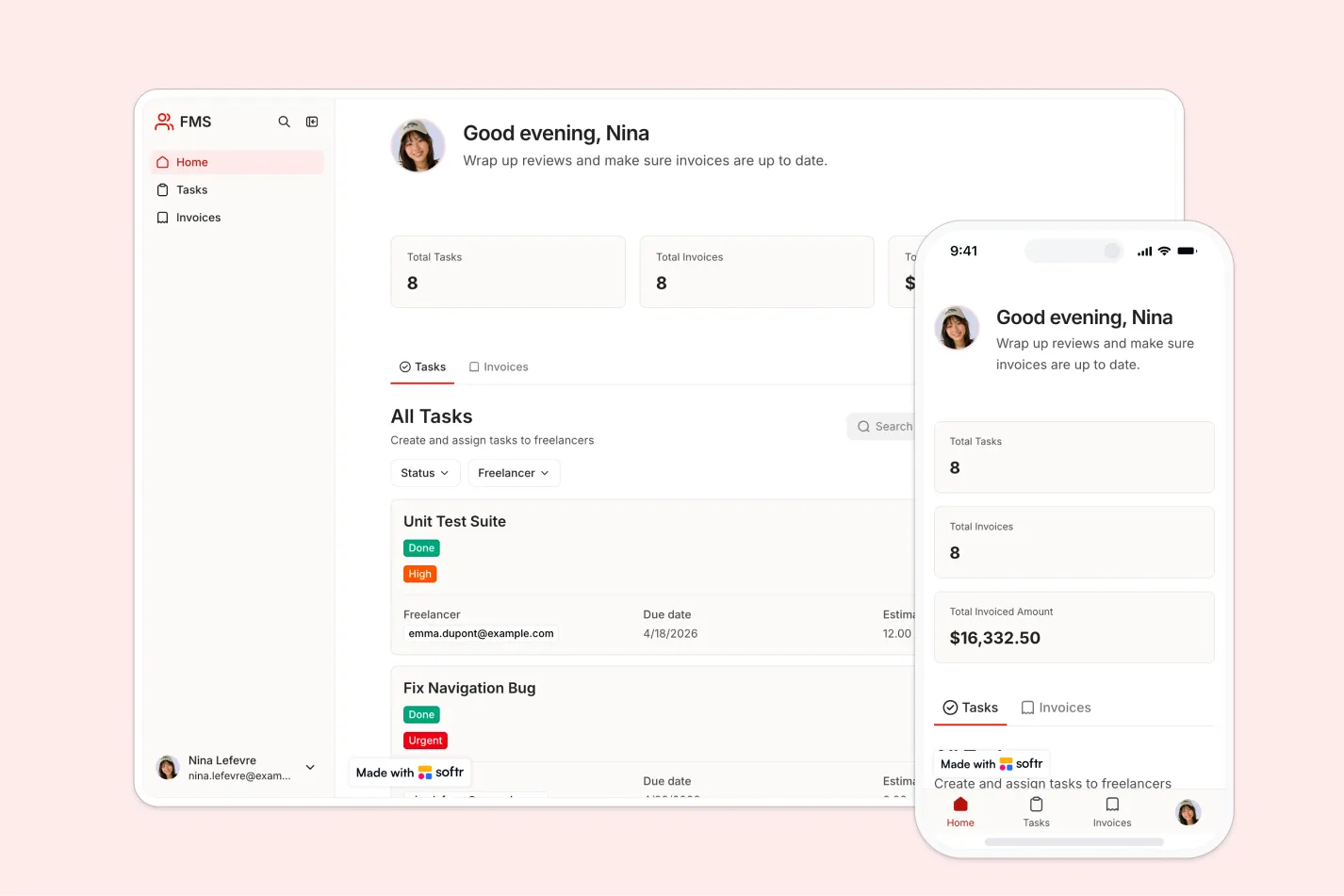
This free template helps you build a freelancer management system using your existing data, so you can organize freelancer profiles, assigned tasks, and invoices in one secure portal.
It includes a sample database to show how to structure freelancer records, tasks, invoices, and user access. You can also connect to any Softr-supported source like Airtable, Google Sheets, Notion, monday.com, HubSpot, and more.
Why use this freelancer management system template
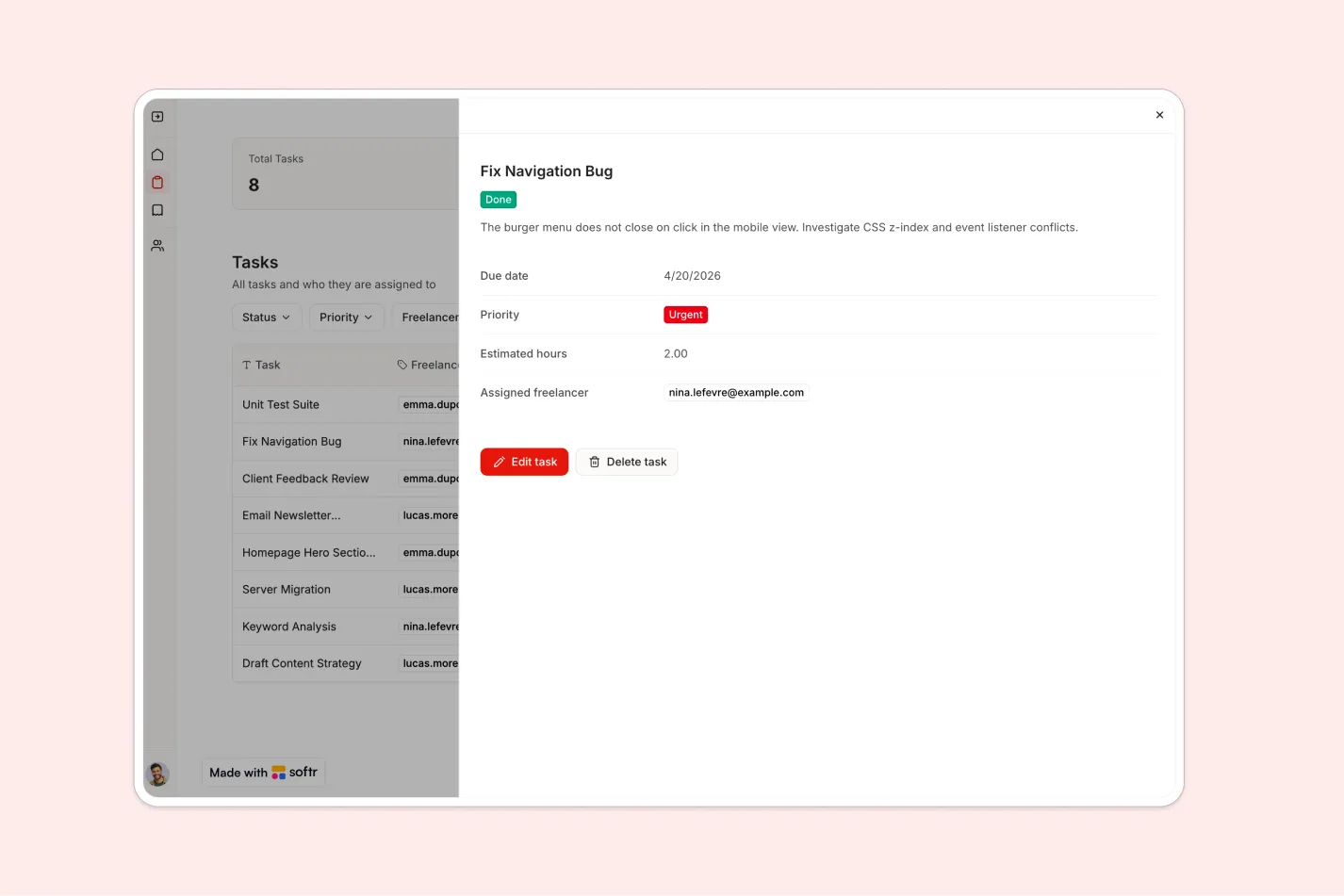
- Centralize freelancer operations: Keep freelancer profiles, task assignments, and invoice records in one organized workspace.
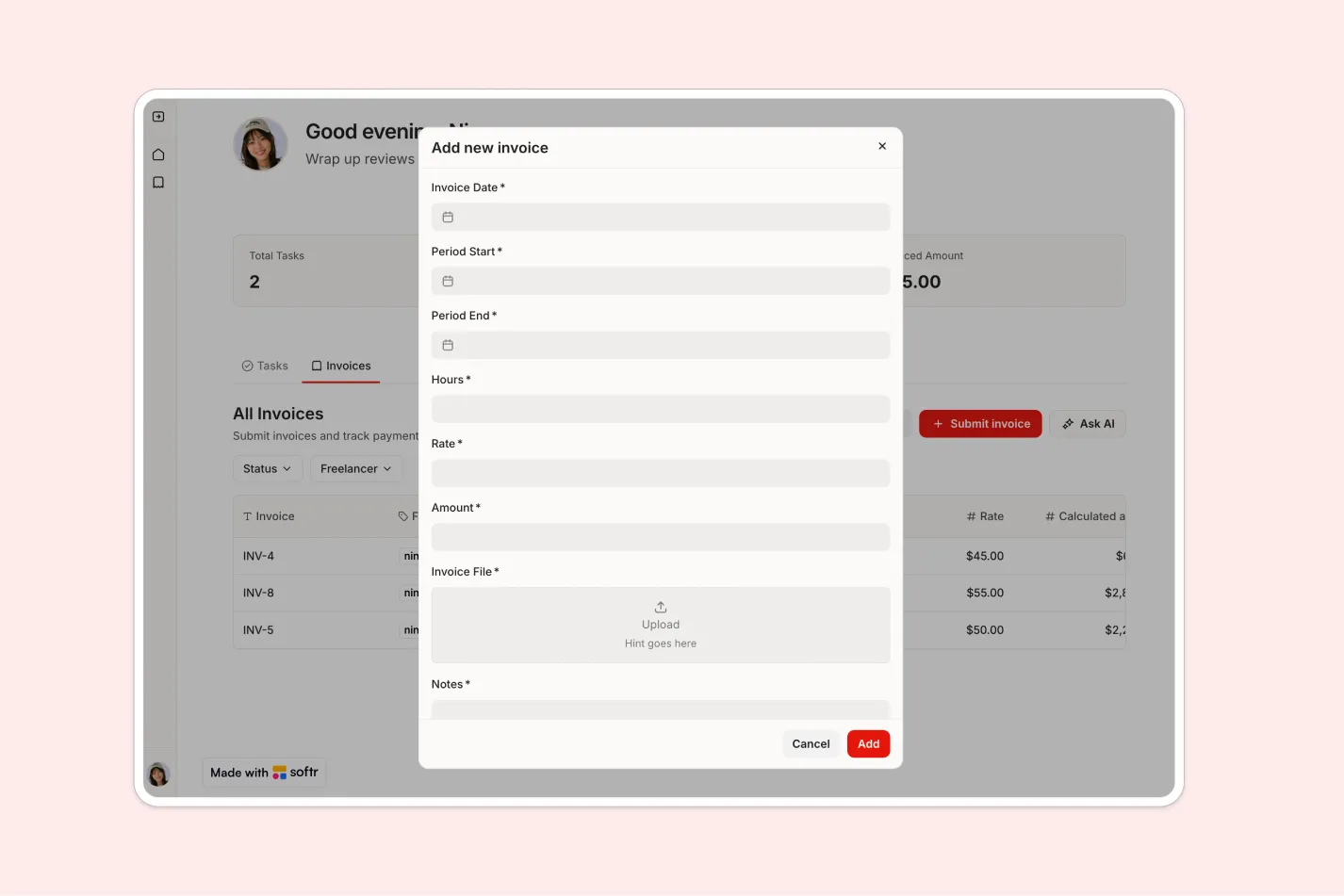
- Give freelancers secure self-service access: Freelancers can log in to manage their own profile, view assigned tasks, and submit invoices without seeing other freelancers’ data.
- Simplify task and invoice workflows: Internal teams can assign work, review submitted invoices, and mark invoices as paid from a single portal.
Template features:
- Freelancer profiles
- Task management
- Freelancer task view
- Invoice submission
- Invoice review
- Role-based access
- Internal admin dashboard
- Customizable data structure
Who is this freelancer management system template for?
This template is built for teams that work with independent contractors and need a simple way to manage profiles, tasks, and invoices. It's a great fit for:
- Agencies and creative studios: Assign projects to freelancers, track task ownership, and collect invoices in one shared system.
- Operations and HR teams: Maintain an up-to-date directory of freelancers, including profile details and work assignments.
- Startups and growing businesses: Manage contractor workflows without building a custom tool from scratch or relying on scattered spreadsheets.
- Consulting and professional services firms: Coordinate external specialists, monitor deliverables, and keep invoice payment status visible to internal teams.

“What we love most about Softr is the instantaneous, customizable power a no-code platform allows.”

- 1
- 2
- 3
- 4
Frequently asked questions
What is a freelancer management system?
Why use a freelancer management portal?
Can freelancers submit invoices through this template?
How do I edit or customize this template?
What data sources does this freelancer management system integrate with?
Is Softr secure enough for freelancer and invoice data?