Plan your entire content production process with creators from start to finish.
Data sources supported





.svg)


Resources



No items found.
Overview
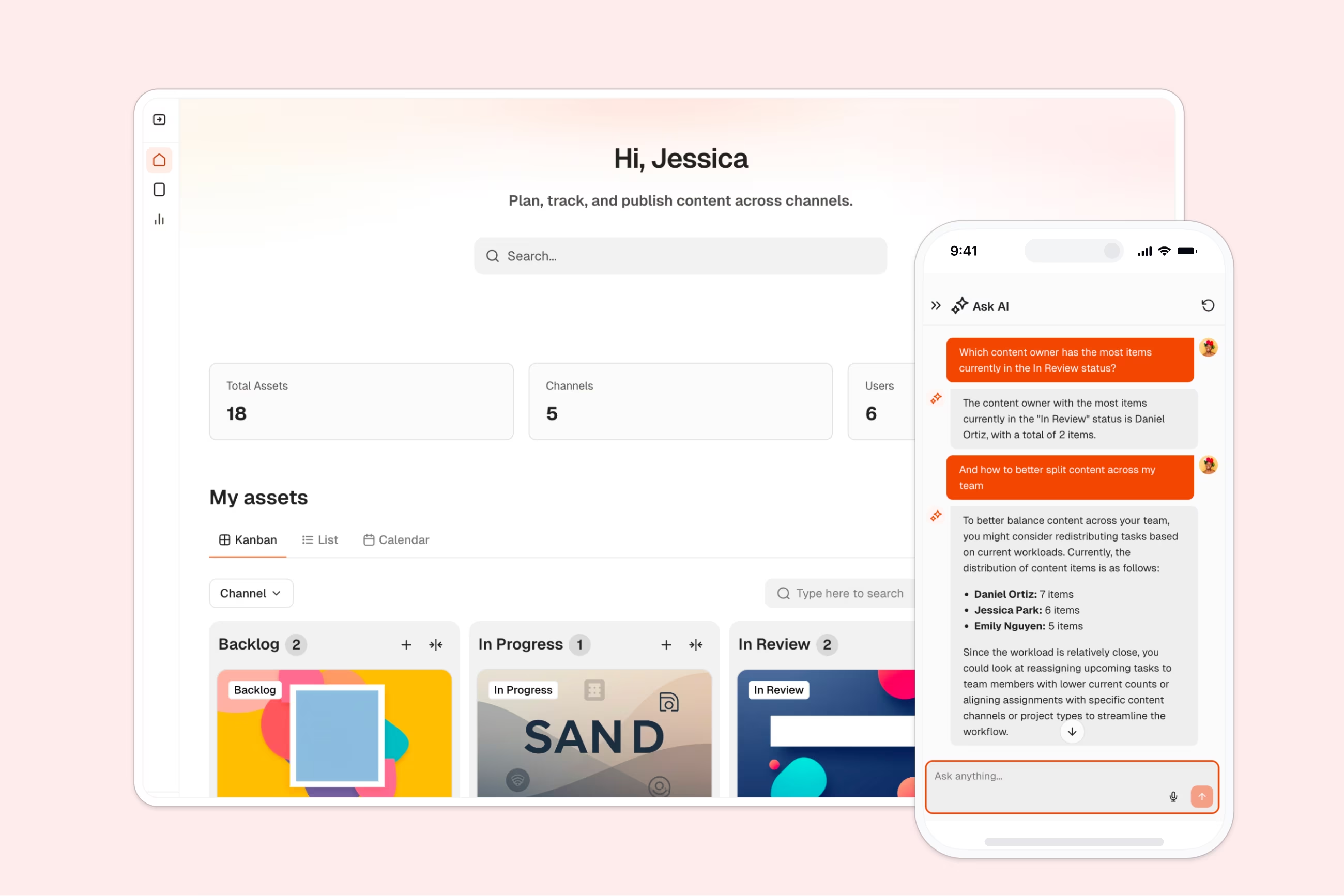
This free template helps you build a custom content calendar on top of your existing data, so you can plan, schedule, and track content across all your publishing channels in one place.
It includes a sample database to show you how to structure your content planning data, but you can connect it to any Softr-supported data source like Airtable, Google Sheets, Notion, monday.com, and more.
Why use this content calendar template
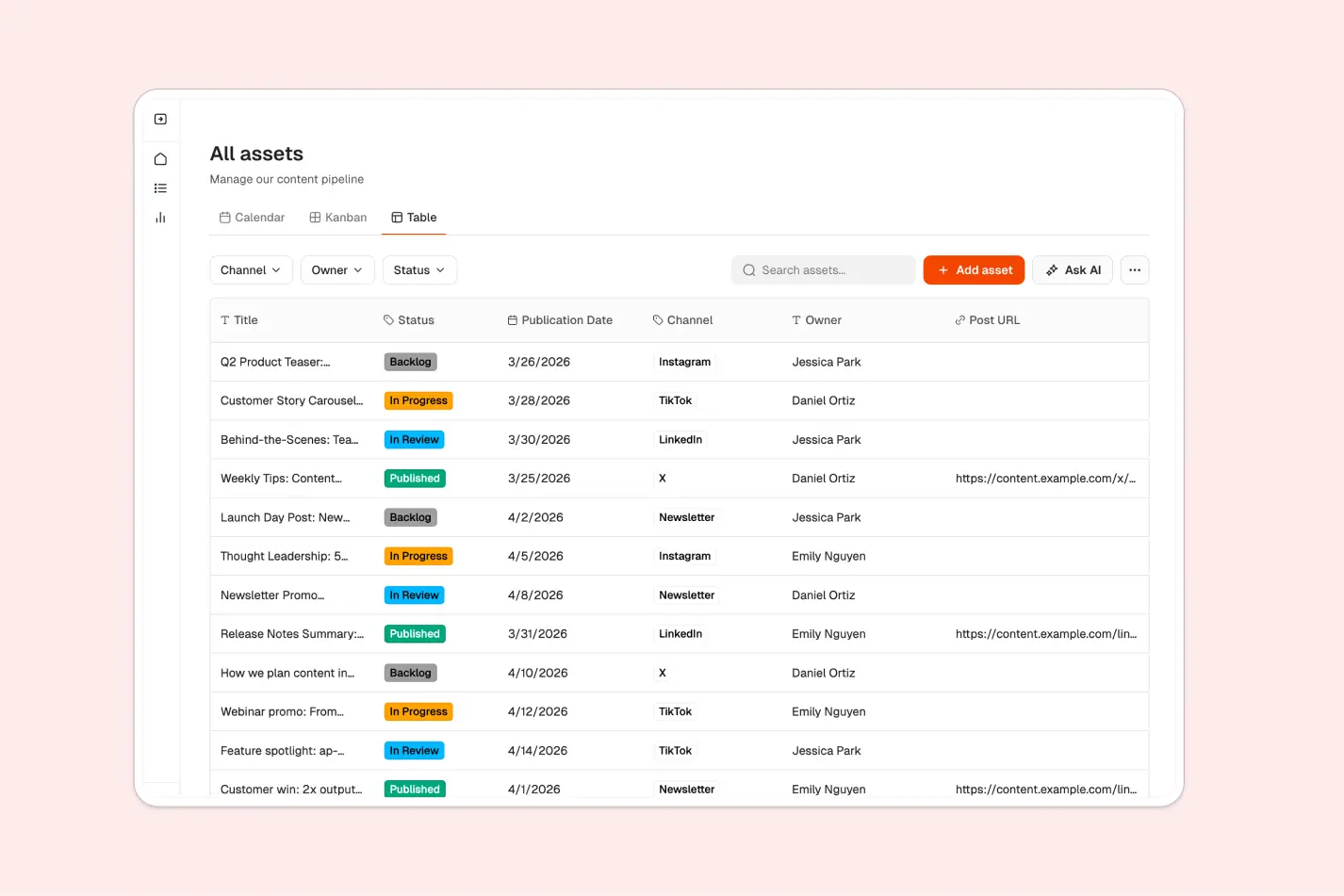
- See your entire content pipeline at a glance: Switch between Kanban, Calendar, and Table views to visualize your content in the way that works best for your workflow.
- Give creators the right level of access: Content Creators see only their own assets, while Managers get full visibility across all content and channels.
- Stop juggling multiple tools: Replace scattered spreadsheets, shared docs, and calendar apps with one unified content planning hub.
Template features:
- Multiple content views
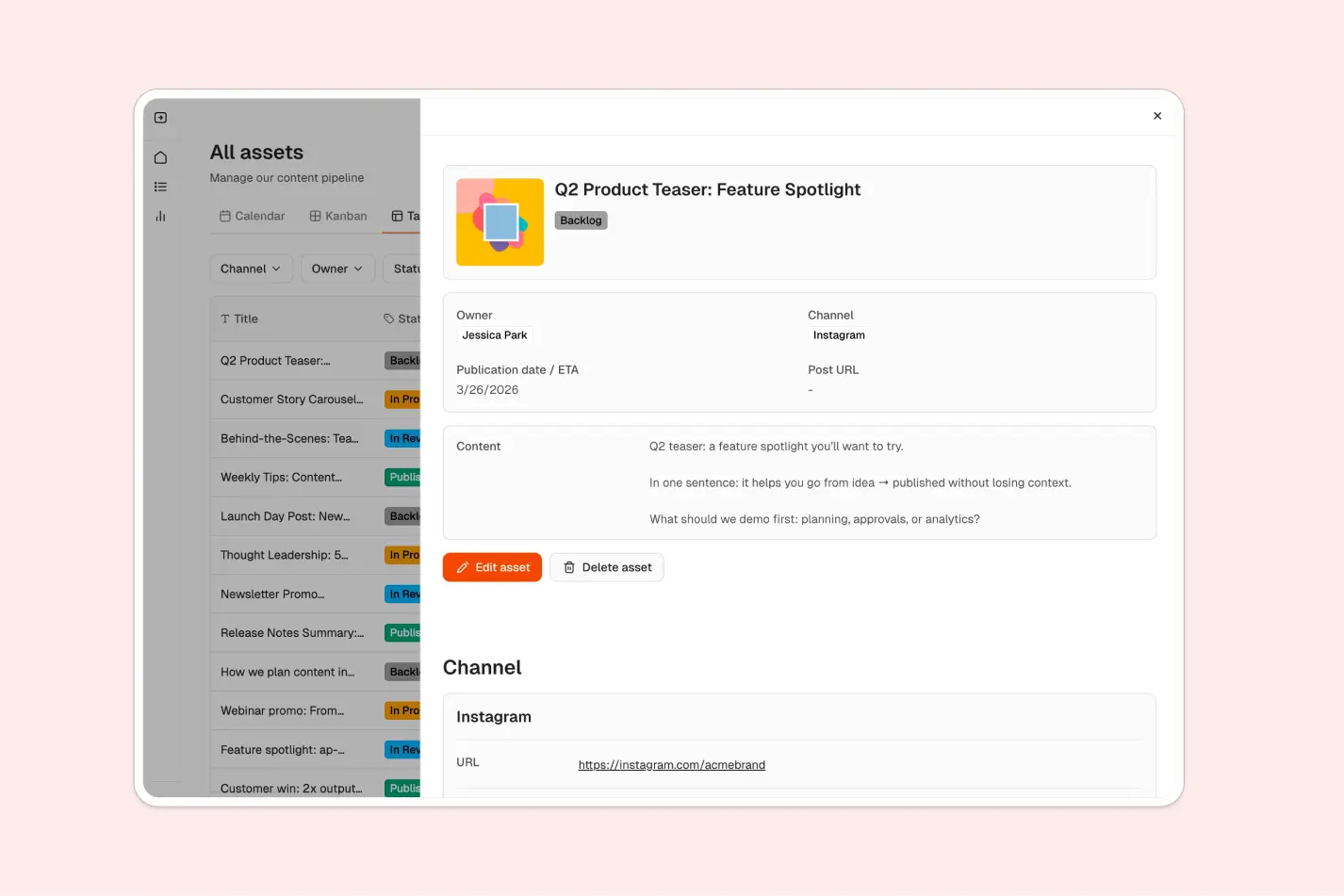
- Asset details page
- Role-based access control
- Channel-based organization
- Drag-and-drop scheduling
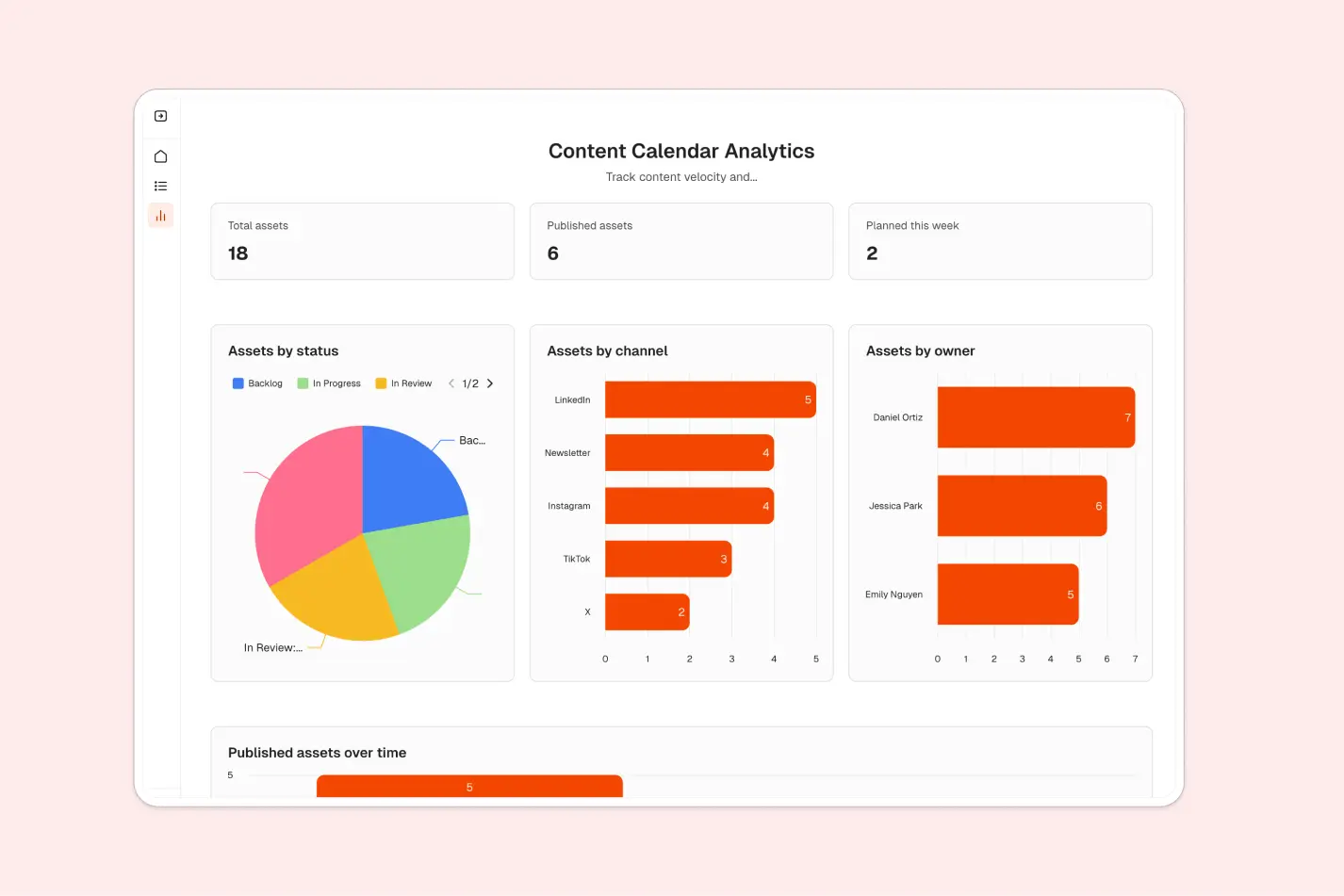
- Simple performance tracking
- Filter and sort capabilities
- Works on any device
Who is this content calendar template for?
This template is ideal for teams that manage content across multiple channels and need a simple way to coordinate planning and publishing. It's a great fit for:
- Small marketing teams: Coordinate blog posts, social media, emails, and newsletters across channels.
- Social media managers: Plan and schedule posts for Instagram, LinkedIn, Twitter, and other platforms.
- Content agencies: Collaborate with freelance writers and creators on client campaigns.
- Editorial and blogging teams: Organize your editorial calendar and track article status from draft to published.
- Solo entrepreneurs and creators: Manage your own content pipeline without paying for enterprise software.
- Startups building content marketing: Launch and scale your content strategy with clear visibility into what's planned, in progress, and published.
- Nonprofit communications teams: Coordinate announcements, campaigns, and updates across multiple platforms.

“What we love most about Softr is the instantaneous, customizable power a no-code platform allows.”

- 1
- 2
- 3
- 4
Frequently asked questions
What is a content calendar?
Can I customize the content statuses and channels?
How does role-based access work in this template?
What data sources does this template integrate with?
Can I track performance metrics for my content?
How do I customize this template for my team?