7 best AI app builders with database in 2026


A good app needs more than a user interface — it needs a database to manage the information behind the scenes. I tested five AI app builders to see which ones make it easiest to build and scale business applications.
Best AI app builders with database at a glance
| Tool | Best for | Key features | Pricing |
|---|---|---|---|
| Softr | Working business software with a native database built for scale | • AI app building from natural-language prompts • Built-in relational database • User logic, authentication, utility pages, and permissions • Softr Databases, Airtable import, and 17+ connected data sources • Native workflow automation • Ask AI, Database AI Agents, Softr MCP | Free plan available Basic: $19/month |
| Base44 | Fast AI-built MVPs with a built-in backend | • Prompt-based app generation • Built-in entity database with CRUD operations • Backend functions, custom domains, GitHub integration, and AI model selection on paid plans | Free plan available Starter: $16/month |
| Bolt | Fast code-based app prototypes with a real backend | • Prompt-to-app generation with real code output • Bolt Database • Supabase integration for external database, auth, and edge functions | Free plan available Pro: $18/month |
| Glide | Mobile-friendly internal apps | • Turns structured data from Glide Tables, spreadsheets, Airtable, and Excel into apps • Strong mobile-friendly experience for field teams and internal operations • Glide AI | Free plan available Business: starts at $199/month |
| Replit | Technical builders and teams creating full-stack prototypes | • AI Agent for building and editing apps from prompts • Built-in database, publishing, and browser-based collaboration • Code access for debugging | Starter: Free Replit Core: $18/month |
| Lovable Cloud | Full-stack app prototypes with a built-in backend | • Prompt-generated frontend, database, authentication, storage, and backend logic • Lovable Cloud with database, edge functions, AI, logs, and usage tracking • GitHub sync and external hosting options | Free plan available Pro: $21/month |
| Airtable | Database-first, AI-assisted app building | • Flexible relational database • Interfaces, forms, automations, and multiple work views • Omni AI app builder and Field Agents for AI-assisted data work | Free plan available Team: $20 per seat/month |
How I test AI app builders with databases
Before choosing a tool, look past the generated first draft and check how well it can support the app once real people and records are moving through it. Here's are the criteria I considered in my testing:
- Database control: You should be able to create, edit, relate, filter, and export records without needing a developer.
- Role-based permissions: Clients, vendors, partners, and internal teams should only see the data and pages meant for them.
- Useful AI generation: The AI should create more than a pretty screen. Look for database tables, forms, roles, workflows, and sample data.
- Simple editing: Your team should be able to update fields, pages, logic, and permissions without rebuilding the app.
- Workflow automation: Look for triggers, approvals, notifications, scheduled actions, and automatic record updates.
- Integrations: The tool should connect to the systems you already use, like CRMs, spreadsheets, project tools, SQL databases, or APIs.
- Security basics: Check authentication, hosting, access controls, and compliance needs before using it for client, HR, finance, or vendor data.
- Scalable limits: Review user limits, record limits, performance, and pricing before your app has real users.
- Transparent pricing: Watch for credit, token, seat, usage, and database limits that can make costs hard to predict.
1. Softr — best AI app builder for working business software with a native database built for scale
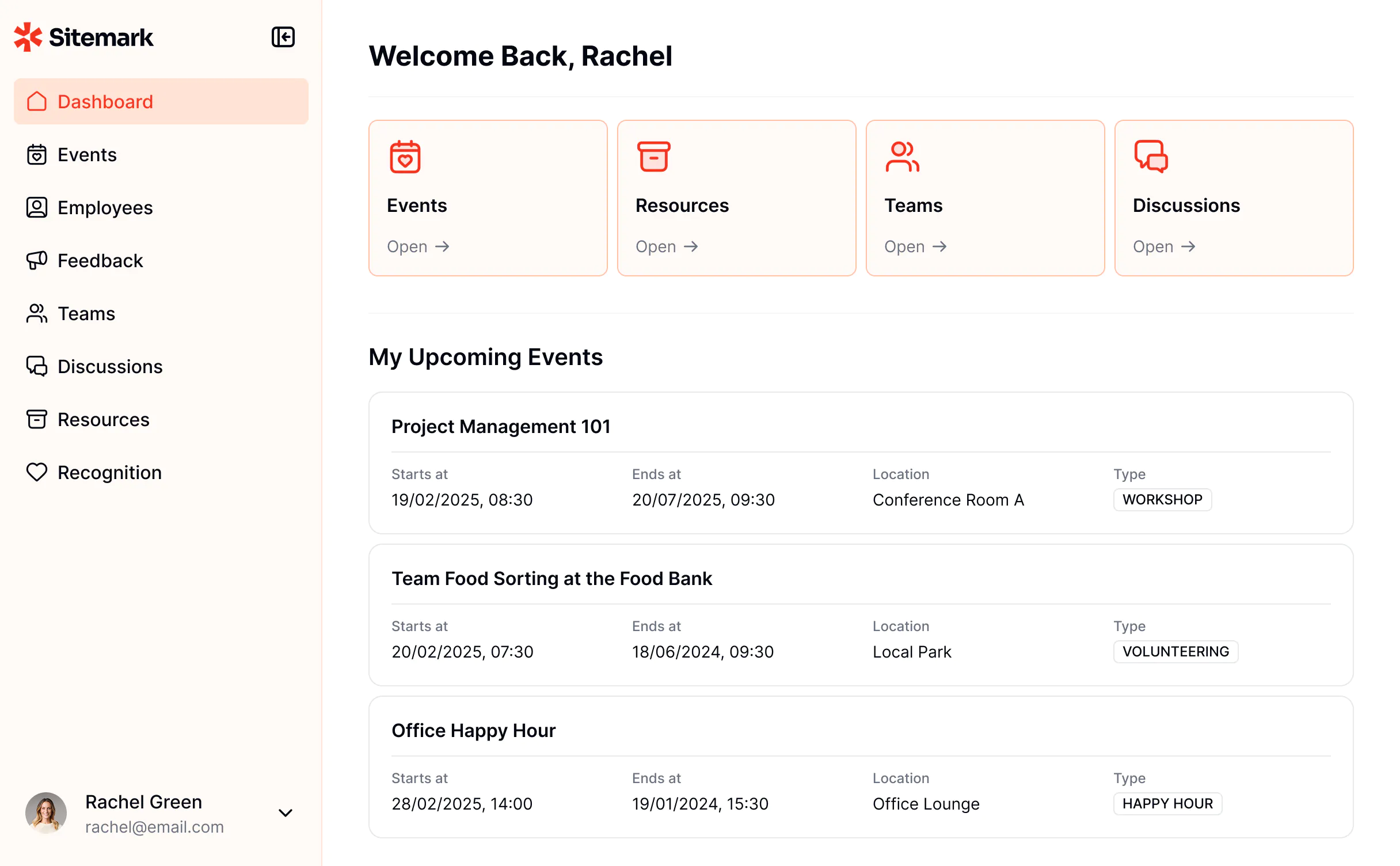
Softr is an AI app builder with a built-in relational database, so when you generate an app, you're also creating the data structure that powers it. Softr Databases supports linked records, formulas, lookups, multi-select fields, attachments, and up to 1M+ records, making it suitable for everything from simple directories to more complex business apps.
That database becomes especially important when you're building apps that need to manage information over time. Take a client portal, for example. You'll need to store client profiles, project details, files, invoices, requests, and status updates—and keep all of that connected so clients and internal teams can access the information they need.
With Softr AI, you can generate both the portal and the underlying database from a prompt. For example:
"Build a secure client portal where clients can log in to view their own projects, files, invoices, updates, and requests, while my internal team can manage everything from one place."
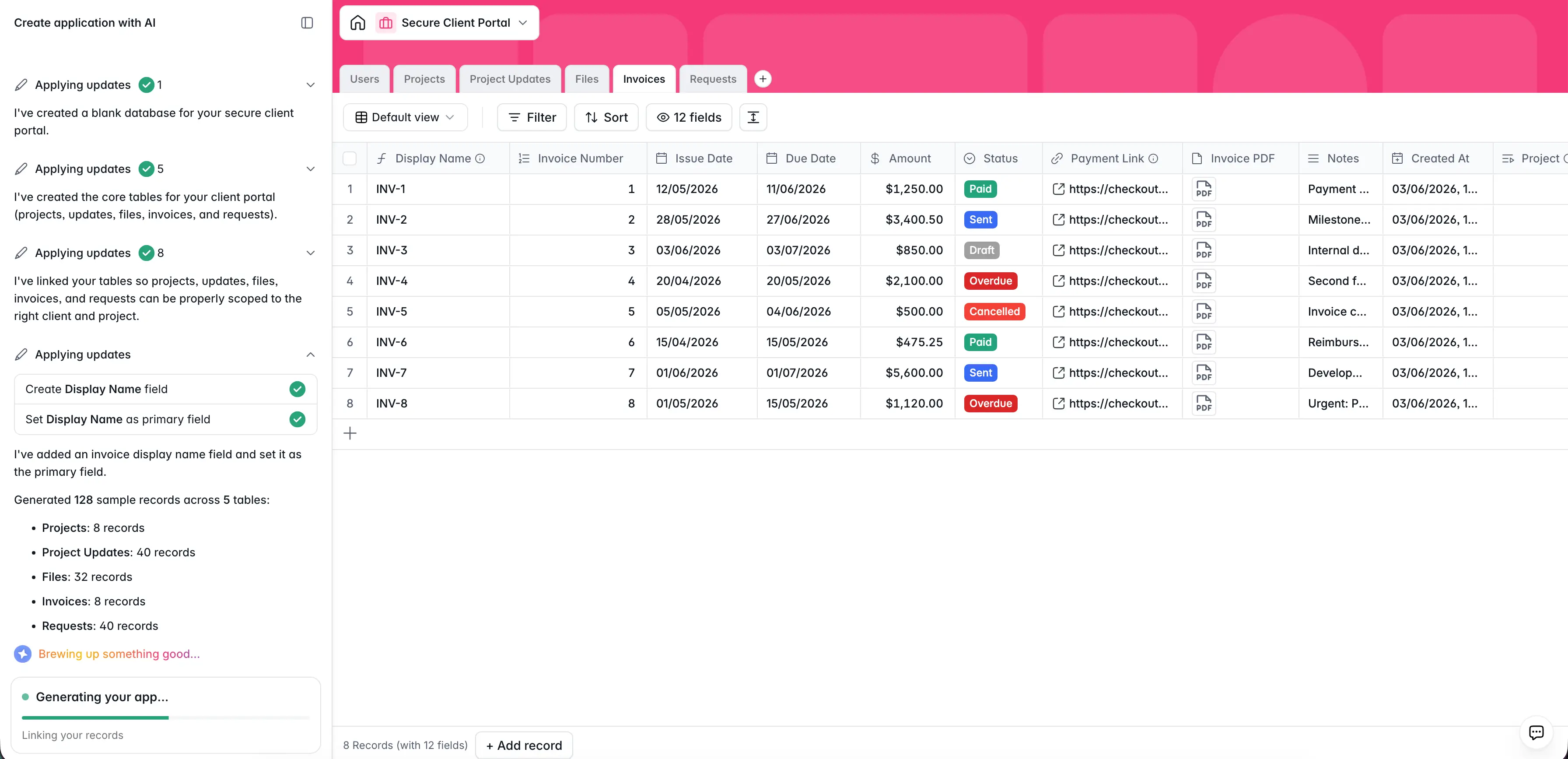
Then, the builder creates the app interface, which you can continue refining with AI or customize using Softr's visual no-code editor.
Behind the scenes, Softr's AI Co-Builder generates the database structure based on your app type and populates it with sample data that you can easily replace with your own. For a client portal, that means creating the records, fields, and relationships needed to manage clients, projects, files, invoices, and requests from day one.
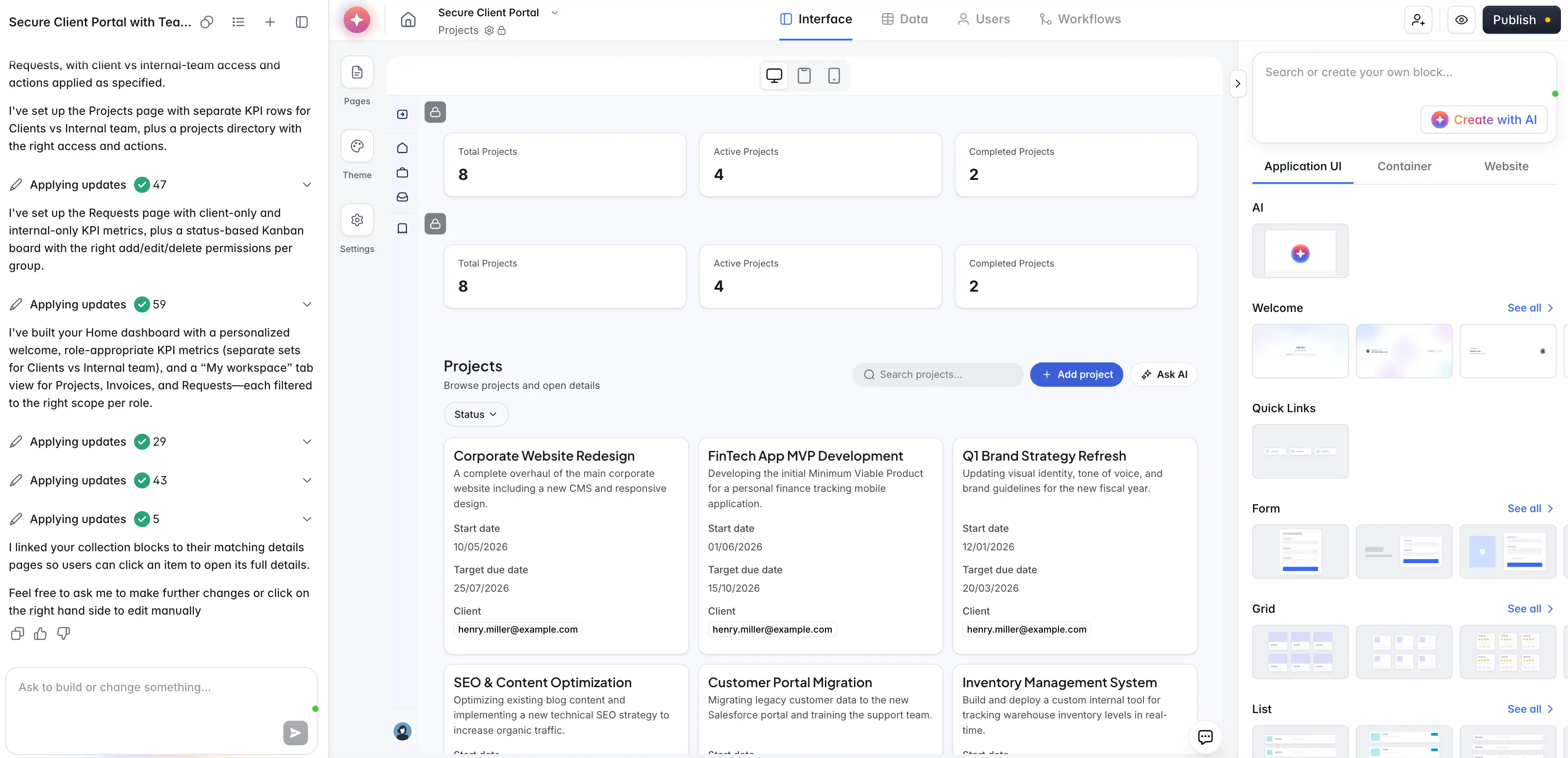
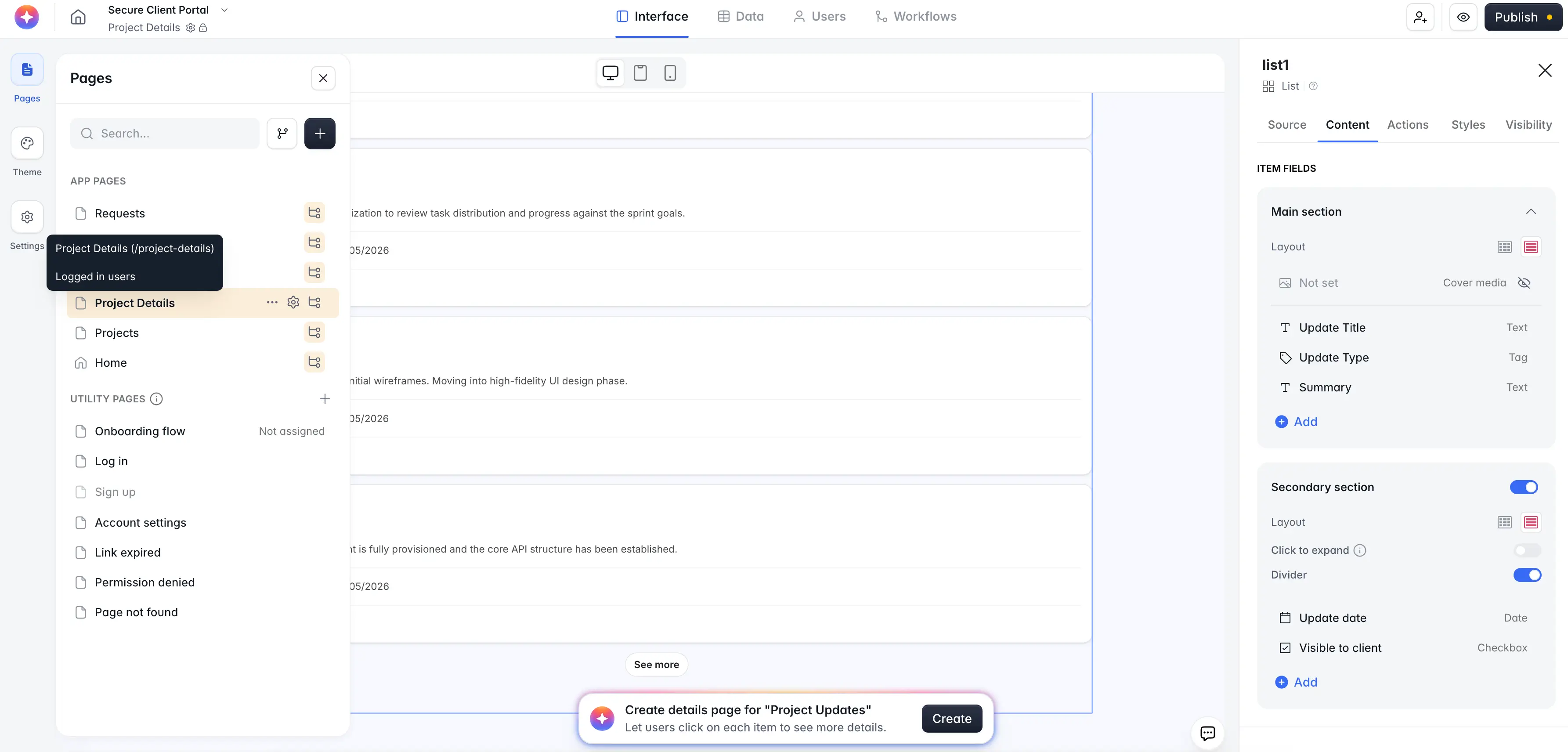
Instead of piecing together separate tools for your frontend, database, users, and workflows, you can manage everything in one place. Permissions, hosting, and user access are built in, so you can focus on tailoring the experience to your business rather than setting up the underlying infrastructure.
By the time you're done customizing, you'll have a working client portal that's ready for real users—not just a prototype.
And through the Softr MCP, you can build and manage apps, databases, and workflows directly from assistants like Claude, ChatGPT, or Cursor.
💡 Real-world example: THE BOARD replaced four disconnected tools with one Softr platform for membership, CRM, forms, and workflows. Now, 270+ members are managed in one branded system, with searchable member profiles, opportunity boards, events, and 6+ automated workflows. For the team, Softr became the operational backbone: one place to manage members, clients, applications, and growth without custom development.
Softr pros and cons
Pros:
- Flexible data setup: Teams can use Softr Databases as the backend for their business data or connect to existing tools like Airtable, Google Sheets, Notion, HubSpot, ClickUp, monday.com, SQL databases, and more.
- All-in-one platform for business ops: Build portals, CRMs, dashboards, project trackers, and internal tools, all powered by a connected database and workflow engine.
- AI features beyond app generation: Softr includes AI features like Ask AI that help you query live app data and Database AI Agents that allow you to do things lke enrich records and automate data management.
- Security and access control: Softr is enterprise-ready with built-in GDPR and SOC-2 compliance to protect customer data and keep you audit-ready.
- Business-ready and full-stack from the start: Softr builds apps with the relational database, user logic, and core structure (including utility pages like login, sign-up, and password reset) already connected, so teams can move to production rapidly (literally, with one “Publish” click).
- Built for non-technical teams: Your non-technical teammate can describe what they need, then edit layouts, data, permissions, and workflows visually without wasting AI credits or waiting on developers.
- Predictable pricing model: Softr’s plans include user, database, workflow, and AI allowances, making it easier to predict costs than tools that rely on open-ended usage or token-based pricing.
Cons:
- Softr is a hosted platform and doesn't generate exportable code.
Softr best features
- AI Co-Builder: Describe the app you need and get a fully functional app back—database, logic, and UI—without writing a single line of code.
- Softr MCP: Connect AI assistants like Claude, ChatGPT, and Cursor to manage databases, apps, and workflows in your workspace.
- Ask AI and Database AI Agents: Add AI directly into your app; Ask AI lets users ask questions, like “Which client requests are still waiting on approval?” with natural language. And Database AI Agents handle data tasks automatically in the background.
- Airtable import: Easily migrate data from Airtable into Softr Databases in a few clicks—relational fields included!
- Native workflow automation: Softr Workflows lets teams automate tasks like approvals, notifications, assignments, updates, and follow-ups directly inside the platform.
- Powerful field types in the database: From short text and currency to linked records, rollups, and lookups, it is designed for managing structured data at scale.
- Vibe coding block: When you need a custom, functional UI component, AI can generate it inside your app without putting the rest of your build at risk.
- Custom user groups and permissions (starting from the Free plan): Build role-based access at the app, page, block, and record level. Different teams, clients, or partners see only what they should.
- Embeddable forms or standalone pages: Publish forms as standalone pages with custom URLs, embed them into existing websites, or integrate them directly into the business apps you build in Softr.
Softr pricing
Softr offers a generous free plan and four paid plans. Every plan comes with a monthly AI credit allowance you can use for AI features. All prices shown are annual billing.
- Free: Unlimited apps, with access to Softr Workflows, Softr Databases, Softr MCP, 5 app users, 5 AI credits, custom domains, and 5,000 records per app
- Basic: $19/month. Unlimited apps with 42+ integrations, Team: 5 + Client: 5 app users, 10 AI credits with the option to purchase more, 50K records per app, a custom domain, conditional section visibility on forms, and 2 form-logic branches
- Pro: $99/month. Unlimited apps with 45+ integrations and custom code, Team: 10 + Client: 50 app users (expandable), 50 AI credits, 500K records per app, and calling external APIs
- Business: $329/month. Unlimited apps with 52+ integrations, Team: 30 + Client: 100 app users (expandable), 100 AI credits, 1,000,000 records per app, and advanced data sources like HubSpot and BigQuery
- Enterprise: Custom pricing. Everything in Business, plus SSO, SOC 2 reporting, audit logging, custom usage limits, priority support, and advanced app security
💡 Want to build an AI-powered business app that works in production? Try Softr’s AI Co-Builder for free.
2. Base44 — best for fast AI-built MVPs with a built-in backend
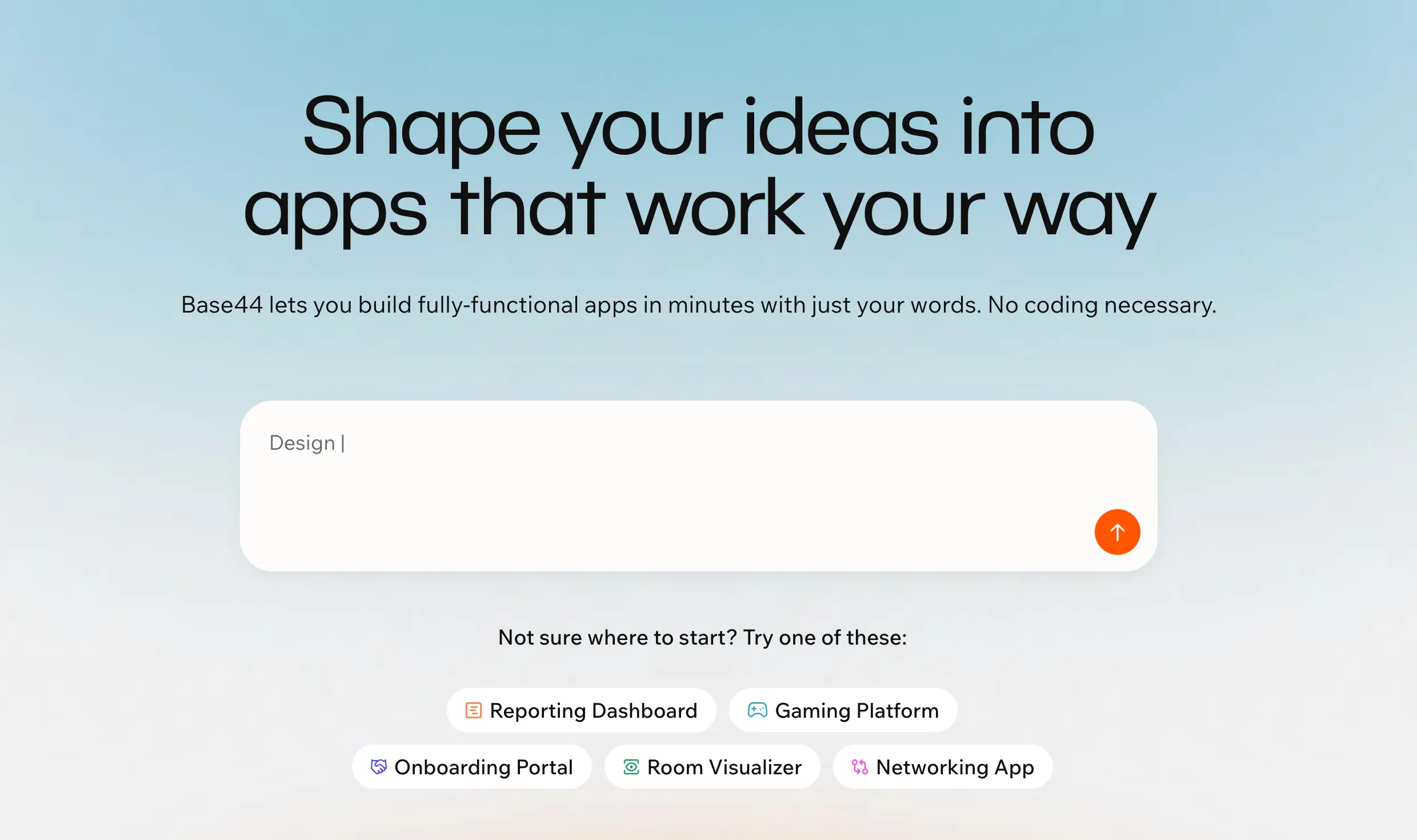
Base44 is an AI app builder for turning plain-language prompts into working apps with a database, authentication, user roles, hosting, and backend logic included. That database lives inside Base44’s own managed environment, where app data is organized as “entities” rather than requiring you to connect something like Airtable, Supabase, or Google Sheets first.
It’s best for non-technical founders, operators, or small teams that want to build a first version quickly, especially for simple dashboards, trackers, request forms, client-facing prototypes, or lightweight internal tools. Compared to more developer-oriented AI builders, Base44 feels more all-in-one and less technical, but users often complain about credits, debugging loops, and limited control once apps become more complex.
Base44 pros and cons
Pros:
- Fast app generation: Base44 can turn a prompt into a working app with screens, data, authentication, and basic logic without forcing users to set up separate infrastructure.
- Built-in backend: Its entity system gives each app a database layer with CRUD operations, so users can store and manage real app data from the start.
- Good for first versions: It works well for MVPs, demos, and simple internal tools where speed matters more than deep technical control.
- Lower setup work: Users don’t need to separately configure hosting, login, database tables, or basic app structure before they can test an idea.
- Useful paid-tier controls: Builder and higher plans include backend functions, custom domains, GitHub integration, and AI model selection, which makes Base44 more flexible for serious prototypes.
Cons:
- Users often complain that they spend credits fixing bugs or regressions introduced during the build process.
- Base44 is better for straightforward workflows than apps with heavy logic, advanced permissions, or multi-tenant structures.
- Because the backend, database, and hosting sit inside Base44’s managed environment, it may not be the best fit for teams that need full ownership or clean portability.
My verdict: Softr is the best option if you're building a real business app rather than a prototype. The AI builder creates both the app and the database behind it, while built-in permissions, workflows, and user management make it easier to launch client portals, internal tools, CRMs, and dashboards without stitching together multiple services. It's less flexible than a code-first platform, but much easier to maintain once real users start using it.
Base44 best features
- Prompt-based app building: Users can describe the app they want, then refine pages, workflows, data, and behavior through AI prompts.
- Entities database: Base44 stores app data as entities in a NoSQL, MongoDB-compatible database, which makes it easier to build apps without connecting an external data source first.
- Authentication and access control: Base44 includes login, user roles, row-level security, and field-level security, which helps users control who can see or edit different parts of an app.
- Backend functions: Paid plans can use backend functions to handle server-side logic, API calls, and more advanced app behavior.
- Integration credits: Base44 includes monthly integration credits for connecting apps to external services and running integration-based actions.
- In-app code edits: Paid plans support code edits inside the app, which gives more technical users a way to adjust parts of the generated build.
Base44 pricing
Listed pricing is annual.
- Free plan available
- Starter: $16/month
- Builder: $40/month
- Pro: $80/month
- Elite: $160/month
My verdict: Base44 is impressive for quickly turning an idea into a working app with a built-in backend. It's a strong choice for MVPs and internal tools, but I found it better suited to simple workflows than business-critical applications with complex permissions, automations, or data relationships.
3. Bolt — best for fast code-based app prototypes with a real backend

Bolt.new is an AI app builder for turning prompts into websites and web apps. It’s best for builders who want to move fast, generate real code, connect a database, and deploy without setting up the full stack manually. Compared with more guided AI app builders, Bolt feels closer to an AI coding workspace: you get more flexibility and code control, but you also need to be more careful when the app gets complex.
Its newer Bolt Cloud setup makes it more complete than a simple prompt-to-UI tool. Projects can include hosting, built-in Bolt databases, authentication, file storage, server functions, secrets, and user management. Bolt also still supports Supabase as an alternative database and backend option. That makes it a good fit for MVPs, SaaS-style prototypes, directories, dashboards, and database-backed apps, but less ideal for non-technical teams that mainly need clean permissions, workflows, and long-term operational control.
Bolt.new pros and cons
Pros:
- Fast app generation: Bolt can turn a plain-language prompt into a working app structure quickly, which makes it useful for early prototypes, demos, and first versions.
- Real code output: Bolt is a better fit than fully closed no-code tools if you want more control over the generated app and the option to keep working with the code.
- Built-in backend options: Bolt Database gives projects built-in databases, authentication, user management, file storage, secrets, and server functions without requiring a separate backend setup.
- Supabase support: Teams that prefer Supabase can use it for database, authentication, and edge functions instead of Bolt Database.
- Built-in hosting: Bolt includes website hosting, web requests, custom domains on paid plans, and deployment support, so users can publish earlier without stitching together multiple tools.
- Good fit for technical builders: It works well for founders, freelancers, product teams, and developers who want speed but can still review, debug, and adjust the generated app.
Cons:
- Token usage can become unpredictable when the project gets larger or Bolt gets stuck fixing bugs, because larger projects require more files to be read and processed per message.
- Backend issues can still require technical troubleshooting, especially around authentication, Supabase, database migrations, and permission logic.
- Bolt can make broader code changes than expected during edits, so users need to review changes carefully before shipping.
Bolt.new best features
- Bolt Database: Built-in databases let users add backend data to apps without setting up database hosting manually.
- Authentication and user management: Bolt’s backend layer can support signups, user accounts, and app access flows inside the project setup.
- Server and edge functions: Builders can add backend logic for actions that need to run outside the front end, such as processing data or handling app events.
- Supabase integration: Users can connect Supabase when they want an external database, auth, or edge-function setup instead of Bolt Database.
- Hosting and custom domains: Bolt supports publishing sites and apps, with custom domain support on paid plans.
- Token-based AI editing: Users can keep prompting Bolt to add features, fix issues, and update the app, though costs depend on how much context and code Bolt needs to process.
Bolt.new pricing
Pricing shown is billed yearly.
- Free plan available
- Pro: $18/month
- Teams: $27/month/member
- Enterprise: Custom pricing
My verdict: Bolt is one of the fastest ways to generate a full-stack application with real code. If you're comfortable reviewing code and handling occasional debugging, it's a great option for SaaS prototypes and custom projects. For non-technical teams, though, managing the backend and ongoing maintenance can become a challenge.
4. Glide — best for mobile-friendly internal apps

Glide is a no-code app builder for turning structured business data into clean internal tools and mobile-friendly apps. It works best when your team already has data in spreadsheets, Airtable, Excel, Glide Tables, or similar sources and needs a safer, easier interface for people to use day to day.
Compared to AI app builders that generate more custom apps from prompts, Glide is less about “build anything with AI” and more about creating tools around existing data. It’s a strong fit for field teams, operations dashboards, work order apps, internal CRMs, lightweight portals, and spreadsheet replacement projects where speed and usability matter more than deep customization.
Glide pros and cons
Pros:
- Fast app setup: Glide makes it easy to turn spreadsheets and structured data into usable apps without starting from a blank canvas.
- Strong mobile experience: Glide is a good fit for field teams, reps, and deskless workers who need to submit forms, check records, or update statuses from their phones.
- Flexible data source options: Glide can work with native Glide Tables, Google Sheets, Airtable, Excel, and higher-scale sources depending on the plan.
- Good for internal operations: It works well for tools like work order apps, inventory trackers, employee directories, approval apps, and team dashboards.
- Built-in AI for data tasks: Glide AI can help summarize, classify, extract, or generate information inside existing workflows.
Cons:
- Glide’s pre-built components make app creation fast, but they can feel restrictive when you need a highly custom interface or more control over user flows.
- Usage costs can be hard to predict. Apps connected to external sources may consume updates through syncs, actions, and row changes, so costs can rise as usage grows.
- Glide apps are mobile-friendly web apps/PWAs, so they’re not ideal if you need full App Store or Google Play distribution.
💡Explore alternatives in this detailed comparison guide on Glide alternatives→
Glide best features
- Glide Tables: Glide’s native database lets teams store and manage app data directly inside Glide instead of relying only on spreadsheets.
- Data source syncing: Teams can connect business data from sources like Google Sheets, Airtable, and Excel to build apps on top of existing workflows.
- Workflows: Glide lets teams automate actions inside apps, such as updating records, triggering steps, or connecting app activity to business processes.
- Glide AI: AI actions can summarize text, extract information, classify data, and help users work with records faster inside the app.
- Permissions and user-specific data: Glide supports role-based access and user-specific views, which helps teams control who can see or edit different records, although these may cost more than predicted.
Glide pricing
Listed pricing is for Glide Classic, billed annually. GlideOS, Glide’s newer AI platform, is a separate subscription from $25/month.
- Free plan available
- Business: Starts at $199/month
- Enterprise: Custom pricing
My verdict: Glide shines when you already have structured data and need a mobile-friendly app around it. It's ideal for operational tools, field teams, and spreadsheet replacement projects, but it's less compelling if you want to generate highly customized apps from scratch.
5. Replit — best for technical builders and teams creating full-stack prototypes
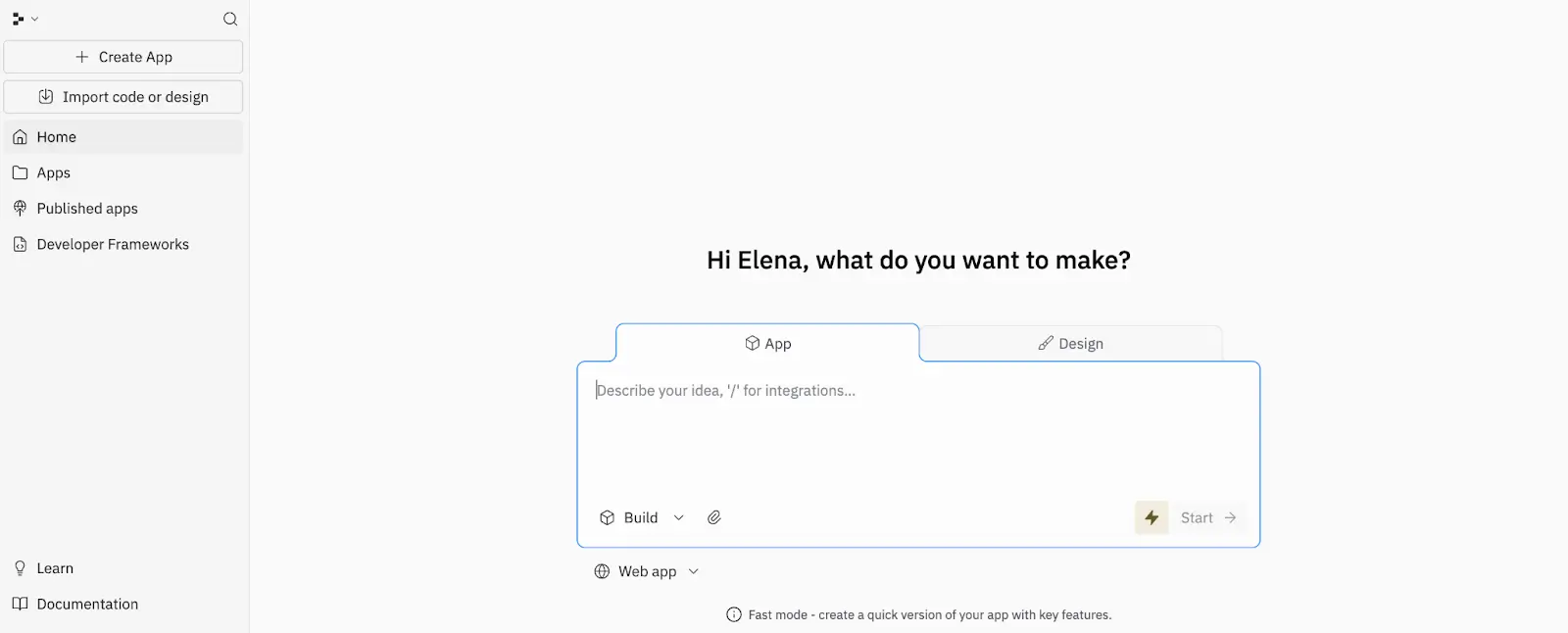
Replit is an AI-powered app builder and cloud development workspace for people who want to go from an idea to a working product quickly, without giving up access to the code underneath. You can prompt its AI Agent to generate an app, connect it to a built-in database, and publish it from the same environment, which makes it a practical fit for prototypes, internal tools, lightweight SaaS apps, and custom utilities.
Compared to more no-code AI app builders with databases, Replit leans more developer-friendly. It’s a better fit for semi-technical founders, developers, and product teams that want AI speed but still need to inspect logic, shape the backend, and keep more control over how the app is built. It’s less suited to users who want a purely visual, beginner-first builder for business apps.
Replit pros and cons
Pros:
- More control than typical AI app builders: Replit gives you AI-generated output, but you can still inspect, edit, and manage the underlying code and app structure.
- Good fit for full-stack prototypes: It works well for building web apps that need frontend, backend, database, and deployment in one place.
- Strong for technical and semi-technical users: Teams that are comfortable reviewing code or working closely with developers can move faster without losing flexibility.
- Useful for iterative product work: It’s well suited to testing ideas, refining features, and turning rough concepts into working apps quickly.
- Supports real development workflows: Replit is better than simpler prompt-only builders when a project needs debugging, customization, and ongoing changes.
- Built for browser-based collaboration: Multiple collaborators can work in the same environment, which helps small teams move faster.
Cons:
- Costs can become hard to predict because Agent usage is credit-based, and users often complain that credits run out quickly.
- The AI can still make mistakes, miss instructions, or create bugs, so outputs usually need review before you trust them.
- It is not the easiest option for non-technical users, especially once database changes, deployments, or production issues come into play.
Replit best features
- AI Agent: Replit’s AI Agent can generate apps from prompts and help with building, editing, and extending projects inside the workspace.
- Built-in database: Replit includes a built-in database for full-stack apps, so users can create and connect data-backed applications without setting up a separate service first.
- App publishing: You can publish projects directly from Replit, including private or password-protected deployments on the Starter plan.
- Parallel Agent work: Paid plans let users work with multiple agents in parallel, which helps speed up larger or more active builds.
- Replit AI Integrations: Core and higher plans include Replit AI integrations for connecting AI capabilities into projects more directly.
- Database rollbacks: Pro includes database rollbacks for up to 28 days, which adds a useful recovery layer for more serious builds.
Replit pricing
Listed pricing below reflects annual billing.
- Starter: Free
- Replit Core: $18/month
- Replit Pro: $90/month
- Enterprise: Custom
My verdict: Replit offers one of the best balances between AI-assisted development and developer control. It's excellent for technical founders and product teams who want to move fast without losing access to the code. Non-technical users may find the learning curve steeper than more guided no-code platforms.
6. Lovable Cloud — best for full-stack app prototypes with a built-in backend
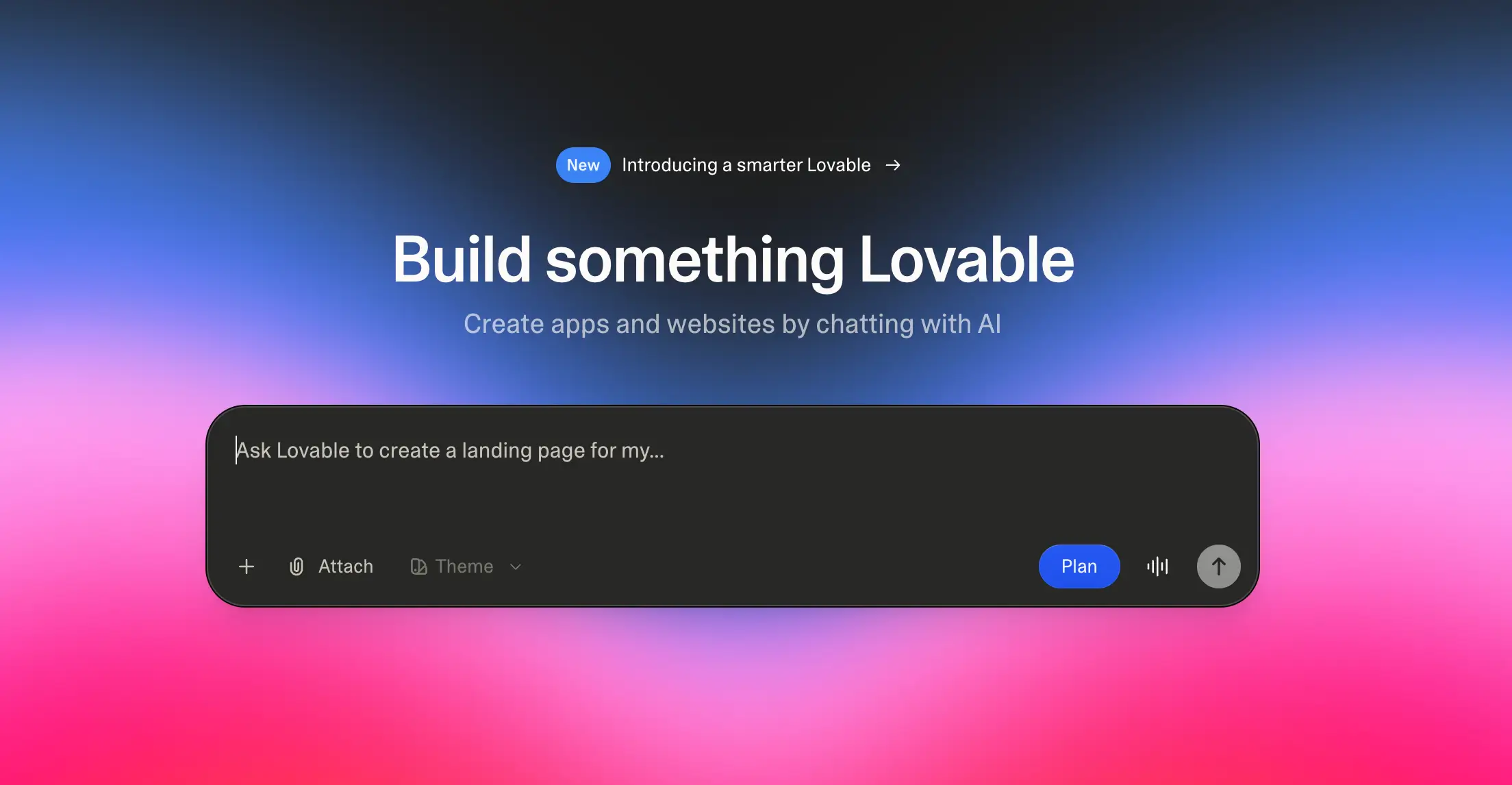
Lovable is an AI app builder that turns plain-language prompts into full-stack apps with a frontend, database, authentication, storage, edge functions, and hosting. Its newer Lovable Cloud layer is the main difference: instead of asking users to connect Supabase manually, Lovable can generate and manage the backend inside the same workspace. Lovable says Cloud is built on Supabase’s open-source foundation, so it’s closer to a managed Postgres-style backend than a simple spreadsheet database.
It’s best for founders, product teams, and semi-technical builders who want to test a working app quickly, especially apps with user accounts, saved data, files, AI features, or simple internal workflows. It’s less ideal once the app needs clean backend ownership, predictable runtime costs, or developer-grade control over infrastructure. Users often praise the speed but complain about credit usage, debugging loops, cloud migration, and support when projects get more serious.
Lovable pros and cons
Pros:
- Fast full-stack generation: Lovable can create the app interface, database structure, auth, storage, and backend logic from prompts, which makes it useful for getting a real first version live quickly.
- Built-in backend through Lovable Cloud: Users can build apps with saved data, login, file storage, edge functions, and AI features without setting up a separate backend dashboard.
- Good fit for AI-native apps: Lovable Cloud supports AI features inside apps, so teams can build tools that summarize, classify, generate, or respond using app data.
- Code ownership options: Lovable projects use standard Vite and React, with GitHub sync and external hosting options for teams that want more control later.
- Useful for relational app ideas: Since Lovable Cloud is built around Supabase/Postgres foundations, it’s better suited to multi-table apps than basic form-to-spreadsheet builders.
Cons:
- Credit usage can become frustrating because failed fixes, repeated prompts, and debugging loops still consume credits.
- Lovable Cloud may create backend control and migration friction if teams later want direct database access or a cleaner move to their own Supabase setup.
- Cloud and AI usage are billed separately from the subscription, so real app costs can become harder to predict as traffic, storage, compute, or AI usage grows.
Lovable best features
- Lovable Cloud: The built-in backend includes a database, authentication, storage, edge functions, AI, logs, and usage tracking in one place.
- Prompt-generated database: Users can describe the data model they need, and Lovable can create the backend structure for apps with users, projects, records, files, or workflows.
- Authentication and user management: Lovable can add sign-up, login, and user-based access flows without requiring a separate auth setup.
- Edge functions: Teams can add backend logic for tasks like payments, API calls, email, scheduled jobs, and custom workflows.
- GitHub sync and external hosting: Builders can keep working in Lovable while also syncing code to GitHub or deploying the frontend outside Lovable.
- Usage tracking: Lovable Cloud shows backend usage, which helps teams monitor database, storage, compute, and AI activity before costs grow.
Lovable pricing
Listed pricing is annual.
- Free plan available
- Pro: $21/month
- Business: $42/month,
- Enterprise: Custom platform fee
My verdict: Lovable is one of the strongest AI-first builders for creating full-stack prototypes quickly. The built-in backend makes it easier to get started, but costs and backend ownership can become concerns as projects grow. I'd recommend it for validation and early-stage products rather than long-term operational systems.
7. Airtable — best for database-first, AI-assisted app building
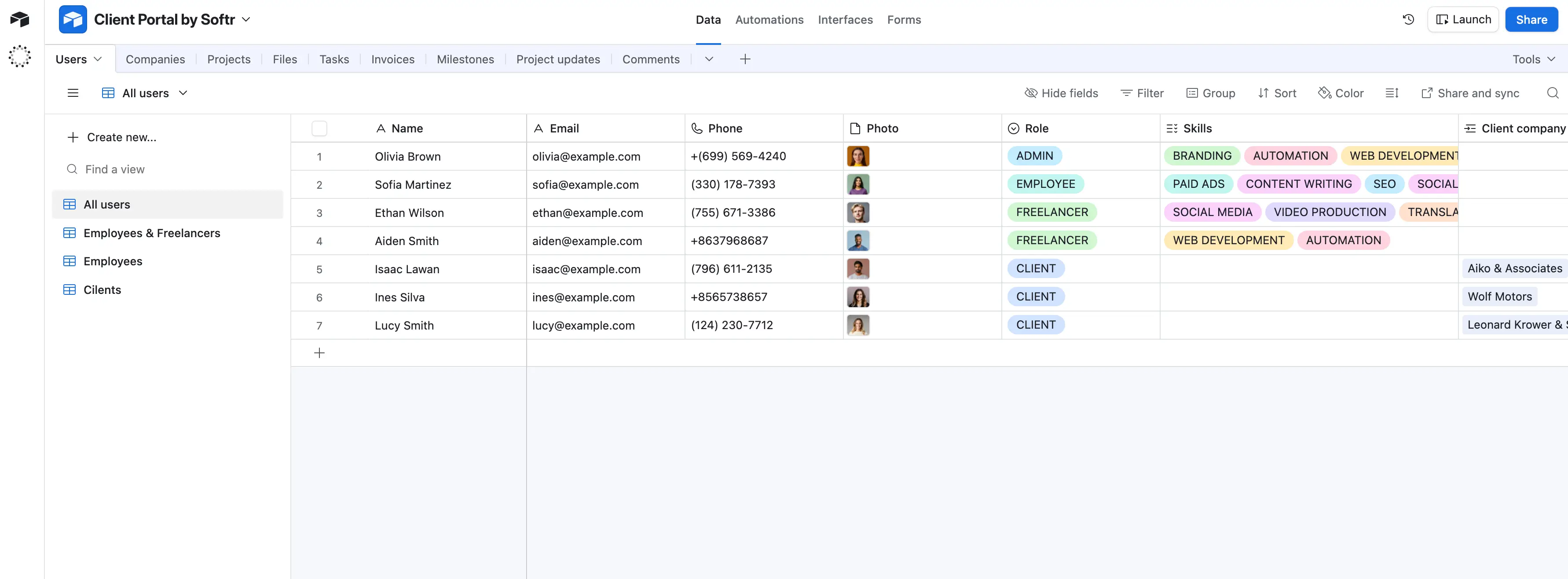
Airtable is a no-code work platform for teams that need to organize structured business data and turn it into useful internal workflows. It works best when the database is the center of the system, like a content calendar, campaign tracker, product catalog, lightweight CRM, inventory tracker, or project operations hub.
Compared with AI app builders like Softr, Lovable, Base44, Bolt, or Replit, Airtable is less about generating a standalone app from scratch. It helps teams manage real records, views, approvals, automations, and AI tasks in one shared workspace. Its newer AI features, including Omni and Field Agents, make it more capable as an app-building tool, but its strongest use case is still operational data management, not custom full-stack product development.
Airtable pros and cons
Pros:
- Flexible database structure: Airtable lets teams connect records, create custom fields, and organize operational data without forcing everything into a fixed CRM, project tool, or spreadsheet format.
- Multiple work views: Teams can switch between grid, calendar, Kanban, timeline, Gantt, forms, and interfaces depending on how different users need to work with the same data.
- Strong fit for business operations: Airtable works especially well for campaign planning, content production, product catalogs, lightweight CRMs, inventory-style tracking, and cross-functional project workflows.
- AI inside the database: Field Agents and Omni help teams summarize, classify, enrich, research, and generate content directly from records instead of moving data into a separate AI tool.
- Good collaboration layer: Teams can assign ownership, collect updates through forms, comment on records, and build shared workflows around one source of truth.
- Useful integration ecosystem: Airtable connects with common business tools and supports API access, making it easier to fit into existing workflows.
Cons:
- Airtable charges by billable collaborators, so teams with many editors or commenters can outgrow the lower-cost plans fast.
- Performance and maintenance can become an issue when bases have many records, linked tables, views, rollups, automations, and dependencies.
- Airtable Interfaces are useful for internal screens, but they’re less flexible than dedicated app builders when you need custom UX, complex logic, or a polished external-facing app.
💡 Softr turns your Airtable data into secure, polished portals and internal tools for clients, partners, and teams. Connect your bases with real-time, 2-way sync, then add logins, granular permissions, forms, dashboards, and automations without code. It’s a fit for teams that want to keep Airtable as the backend but give users a cleaner, branded app experience without paying for extra collaborator seats. Learn more →
Airtable best features
- Omni AI app builder: Omni lets users describe what they need in plain language and generate Airtable apps with tables, interfaces, and automations that can still be edited manually.
- Field Agents: Airtable’s AI fields can analyze, summarize, classify, or enrich records in the background, which is useful for repetitive data work across large tables.
- Relational records: Linked records, lookups, rollups, and formulas help teams build more structured systems than they could with a traditional spreadsheet.
- Interfaces: Teams can create cleaner working screens for different users, so people don’t have to work directly inside the full database.
- Automations: Airtable can trigger actions like notifications, record updates, approvals, and handoffs when data changes.
- Forms and data collection: Built-in forms make it easy to collect requests, submissions, updates, and intake details directly into the right base.
Airtable pricing
Listed pricing is billed annually.
- Free plan available
- Team: $20 per seat/month
- Business: $45 per seat/month
- Enterprise Scale: Custom pricing
My verdict: Airtable remains one of the best database-first platforms available. If your priority is managing records, workflows, and operational data, it's a fantastic foundation. However, its interfaces are still more limited than dedicated app builders when you need a polished external-facing application.
Find an AI app builder with database that fits your needs
The best platform depends on what you’re actually building, not which one generates the fastest first draft. Before you choose, ask:
- Do you need a business app your team will use every day, or a quick prototype?
- Will clients, vendors, partners, or internal teams need different access levels?
- Do you want a built-in database, or do you need to connect tools you already use?
- Will non-technical teammates need to update the app after it’s live?
- Can you predict the cost once users, records, AI credits, and workflows grow?
If you’re testing a product idea, tools like Lovable, Bolt, Base44, or Replit can help you move fast. If you’re building around existing operational data, Airtable or Glide may be enough. But if you need a secure client portal, internal tool, CRM, dashboard, or workflow app with a native database and permissions built in, Softr is designed for that kind of work.
You can generate working software with AI, refine it visually or with prompts, manage data through Softr Databases and MCP, and keep improving and scaling the app once it goes live.
Next step: Start by mapping the workflow you want to turn into an app. Then, read our how-to guide on building a business app (in ten minutes), or try out your first prompt today for free.
Frequently asked questions
What is an AI app builder with a database?
Do I need a database to build an app?
Which AI app builder is best for business applications?