The 5 best AI app builders for portals in 2026: Tested and reviewed



Scattered data isn't the end of the world for a fledgling business. But at some point, you should decide that your data needs to stop looking like my bedroom from when I was fourteen: things spread out everywhere, with no rhyme or reason to any of it.
Organizing data and workflows in a portal is a smart solution. And the good news is you can build yourself a portal with an AI app builder. You just want to make sure you pick the right platform. To help you in that regard, I tested a bunch of them and put together a list of the strongest options on the market right now. Keep scrolling for my top recommendations.
The best AI app builders for portals at a glance
| Tool | Best for | Top features | Price |
|---|---|---|---|
| Softr | Building secure client, vendor, and membership portals with AI | AI App Builder, built-in authentication and permissions, native databases, workflows, SOC 2 and GDPR | Free plan available. Paid plans start at $19/month. |
| Lovable | Prototypes that come with code you own and configure yourself | Prompt-to-app generation, Supabase backend with auth, GitHub code ownership, Stripe customer portal | Free plan available. Paid plans start at $21/month. |
| Bubble | Deeply customized portals with complex logic | Visual logic builder, built-in user accounts, SQL and API connectors, hosting and scaling included | Free plan available. Paid plans start at $29/month. |
| Retool | Data-heavy internal portals | AI-native builder, granular RBAC, self-hosting, deep database and API connectivity | Free plan available. Paid plans start at $10/month per builder, plus $5/month per internal user. |
| Cursor | Code-built portals extended with AI inside your editor | AI code editor, deep codebase awareness, agent mode, works with any auth or framework you code | Free plan available. Paid plans start at $16/month. |
Note: Prices listed in this piece reflect annual subscriptions.
How I evaluated the tools on this list
I write about AI tools for a living, so knowing the landscape and tinkering with AI app builders directly is a part of my job. For this article, I tested several to check that I was up to date on their latest features, then narrowed down the list to the ones that ship all or most of the features I mentioned above. I also leaned on community threads and a few pointed recommendations from coworkers who've created real portals themselves.
My top priority was picking tools that produce portals that are functional the moment you publish them, so you're not just shipping a slick but ineffectual prototype.
1. Softr — best for building secure client, vendor, and membership portals with AI
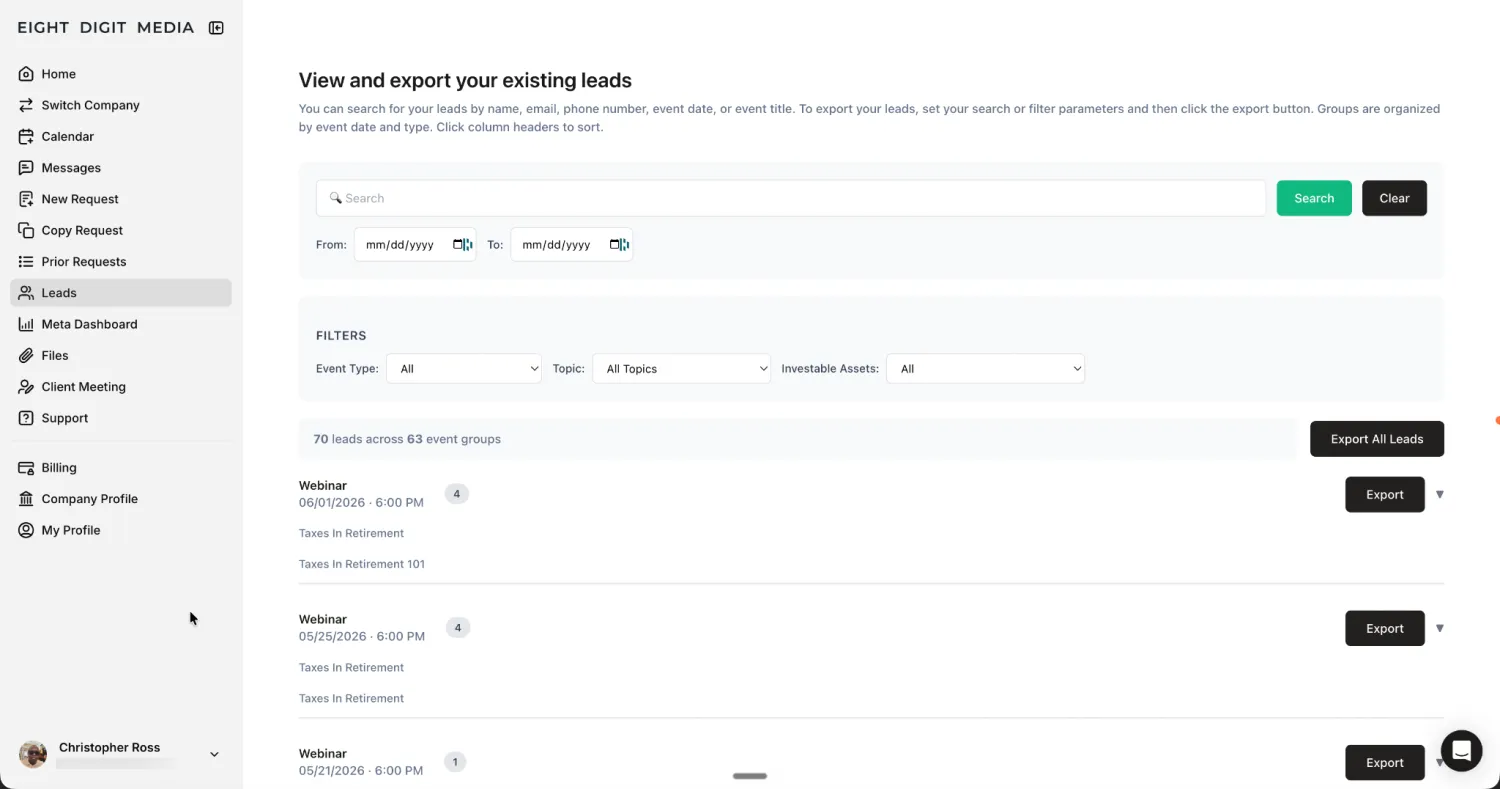
There's a reason customers like Eight Digit Media turn to Softr to build portals. The star of the show, Softr's AI Co-Builder, makes it easy to spin up a portal equipped with every component you'd need for business ops: the interface, the database powering it, permissions, and workflows. Builders can also update apps, pages, and permissions from their own AI assistant through the Softr MCP.
All you have to do is type in your request. The Co-Builder will ask you a few clarifying questions, then generate the whole kit and kaboodle. From there, if you want to change a detail, you don't have to submit a new prompt. To adjust a field, permission, or workflow, you can just switch into the visual editor and make those changes directly.
Having that option quells the fear I have that, when I use AI tools, I'm going to rack up a huge bill spending AI credits. I also love knowing that if I need something a native block can't produce—like a highly specific behavior or non-standard UI element—I can use the Vibe Coding block to create components that blend right in with the rest of my portal.
Softr pros and cons
Pros:
- Portals are a core use case: They're one of Softr's main offerings, so features that portals need were designed in from the start rather than bolted on as an afterthought.
- Your portal works the moment you publish it: Softr takes care of the invisible infrastructure that a portal runs on. There's nothing for you to stand up before launch and nothing to maintain after it.
- You're never locked into prompting: Submitting a whole new prompt risks your entire project. In Softr, you can drop into visual editing and change specific elements directly, preserving the features you like.
- It's trusted at scale: More than a million people already build on Softr, including teams from Netflix, Google, Stripe, UPS, and Clay.
- You're not maintaining a patchwork of tools: A Softr-built portal doesn't need a separate stack stitched together behind it. That means there's less to integrate, less to pay for, and less that can break.
Cons:
- Softr is fully hosted. It doesn't give you exportable code, which may get in the way if you plan on moving your portal off the platform.
Softr key features
- Control access with custom user groups: Set role-based permissions at the app, page, block, and record level.
- Extend anything with the Vibe Coding block: Add a custom component through a prompt, and it inherits your portal's data, theme, and permissions. Plus, a single block can pull from multiple data sources at once, each with its own filter and sort control.
- Connect your data in real time: Easily hook up Softr's native databases to your apps. Or, if you're already set up on an external tool, connect to other apps, including Airtable, Google Sheets, and Notion.
- Build automations inside your Softr portal: Trigger emails, Slack alerts, approvals, and data updates with built-in workflows. You don't need a third-party automation tool.
- Create a progressive web app (PWA): Just one click turns any portal into an app someone can install on Apple and Android devices.
- Open your portal's data to AI assistants: Turn any Softr portal into an MCP server, so tools like Claude and ChatGPT can securely connect over OAuth and work with its data.
- Trust the security layer: Softr is SOC 2 and GDPR compliant, with single sign-on available on Enterprise plans.
Softr pricing
- Free: Unlimited apps, with access to Softr Workflows and Softr Databases, 5 app users, 5,000 Softr Database records, 5 AI credits
- Basic: $19/month. Unlimited apps with 42+ integrations, Team: 5 + Client: 5 app users, 50,000 records, 10 AI credits
- Pro: $99/month. Unlimited apps with 45+ integrations and custom code, Team: 10 + Client: 50 app users, 500,000 records, 50 AI credits
- Business: $329/month. Unlimited apps with 52+ integrations, Team: 30 + Client: 100 app users, 1M records, 100 AI credits
- Enterprise: Custom pricing. Includes SSO, SOC 2 reporting, advanced security, and dedicated support
Tip: Need more AI credits? On any Softr plan, you can always buy AI credit add-ons. If you end up not using them, they'll roll over for one additional month.
2. Lovable — for prototypes that come with code you own and configure yourself
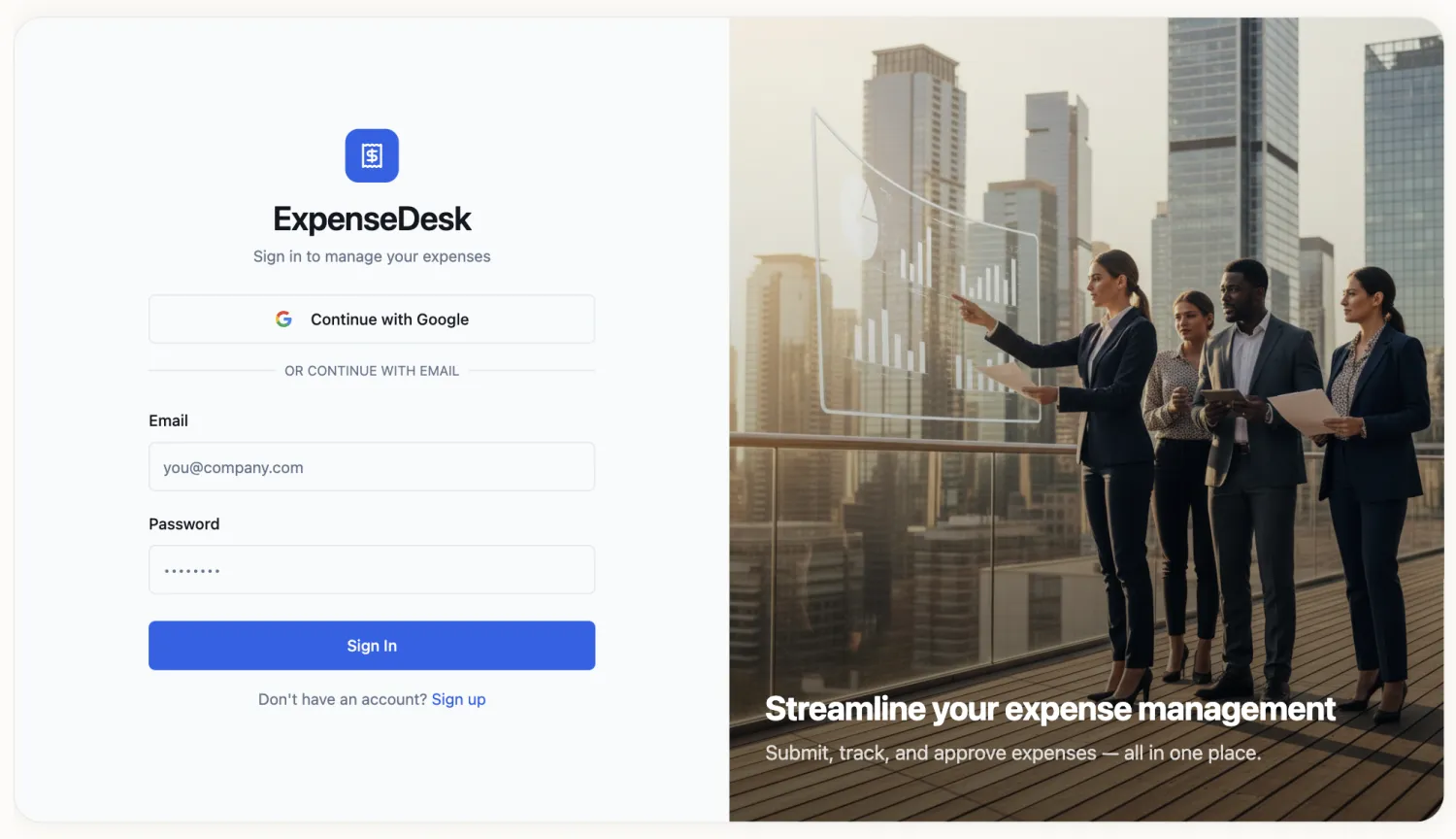
Though I'm a writer, sometimes nebulous ideas can be hard to translate into words. So the fact that you can start with plain-English prompts or attach files or screenshots in Lovable rocks. If you and a bunch of stakeholders want to reduce a long iterative process to creating an MVP, it's perfect for that since you can just toss in all your tickets, docs, and wireframes into a working prototype with some attachments.
I'd consider it for a paid membership or subscription portal at a startup or founder-led company. A portal like that needs two things above all: a way to charge members, and a way for them to log in. Lovable sets up both, through Stripe for billing and Supabase for authentication.
Lovable pros and cons
Pros:
- It's fast for building a v1 of a portal that's pretty (read: adheres to UI and UX best practices).
- You own the code, so you or a developer can take your portal as far as they want to push it.
- As you're planning or building your portal, you can point Lovable at your other workspace projects, so the new portal matches their look and feel.
Cons:
- It won't reliably set up end-user access controls with role tiers.
- Its built-in security scanners can catch basic code vulnerabilities, but you have to set up rate limiting and conduct advanced security checks yourself.
Lovable features
- Generate a full-stack app from a prompt: Lovable builds the interface and a Supabase backend together.
- Own your code through GitHub sync: Every change lands in a connected repo you control.
- Plan before you build: Map out features and structure before generating anything in Plan Mode.
- Edit the UI visually: Adjust the portal without touching the code underneath, so you're not blowing AI credits (just don't expect deep customization).
Lovable pricing
- Free: 5 daily credits used for building (up to 30/month), workspace-private projects, and unlimited collaborators.
- Pro: Starts at $21/month and goes up if you choose to get more than 100 monthly credits. Everything in Free, plus, custom domains, user roles (collaborators in your workspace, not end users), and branding removal.
- Business: Starts at $42/month. Everything in Pro, plus SSO, a team workspace, and a security center.
- Enterprise: Custom pricing
3. Bubble — for customized portals with complex logic
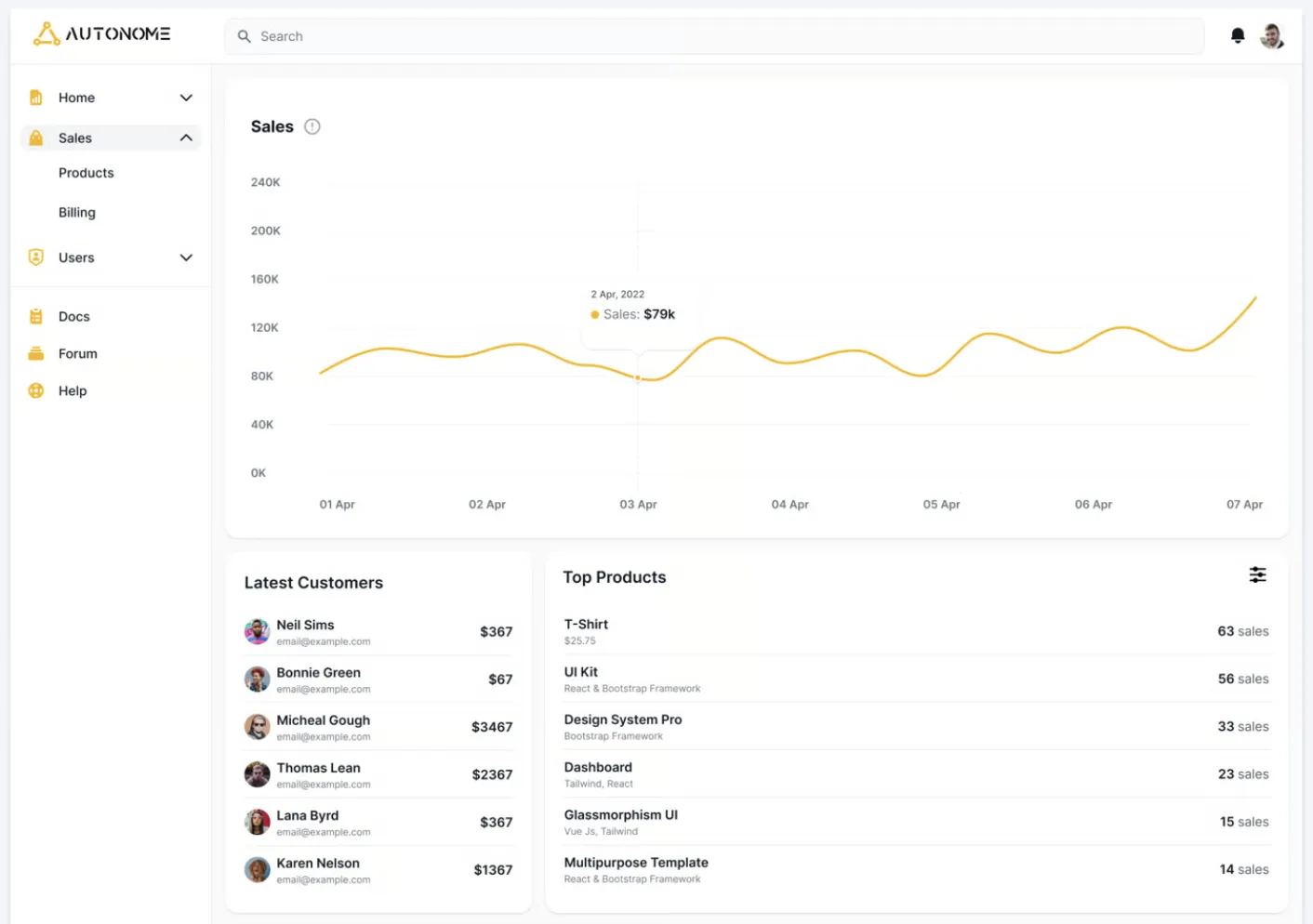
If your portal needs unusual logic or complex multi-step workflows, Bubble lets you build all of that visually or through AI prompts. You get built-in user accounts for logins, privacy rules for controlling who sees which data, an API connector, an SQL connector, and a marketplace with plugins. Bubble handles hosting and scaling for you, too. It shines for agencies and SaaS builders running a separate instance per client, and for intricate partner portals with logic no template could anticipate. For your standard client portal, though, it's probably overkill.
Bubble pros and cons
Pros:
- It's a mature platform with a large community, so templates, tutorials, and someone who's hit your exact problem are all easy to find.
- It's the tool to reach for when your portal idea is genuinely one-of-a-kind, where a simpler builder would make you compromise.
- There's a deep pool of Bubble developers and agencies you can hire if you'd rather not build on your own.
Cons:
- Even with AI prompting, the learning curve is still steep; non-technical teams will need time (or help) to actually ship.
- Usage is billed in what they call "workload units," and every search, workflow, and API call spends some, which can make monthly costs hard to predict.
- AI gives you a starting point, but most of the real build still happens through manual configuration.
- There's no code export, so you're committed to Bubble once you build on it.
Bubble features
- Extend with 3,000+ plugins: Pull in elements, actions, and data sources from a huge marketplace.
- Link separate apps with the App Connector: Share data between two Bubble apps and let users log in across them with OAuth.
- Serve each client with sub-apps: Run a separate, isolated app instance per client from one main app.
- Build in complicated, custom behaviors: Set up recursive actions, scheduled background workflows, and deep conditional branching.
- Expose your app as an API: Turn its data and workflows into endpoints other systems can call, so your portal can anchor a wider stack.
Bubble pricing
- Free: Build and test, with no publishing
- Starter: Starts at $59/month with 175K workload units, with more available for purchase; everything in Free, along with publishability and white labeling
- Growth: Starts at $209/month with 250K workload units, recurring workflows, two-factor authentication, premium version control
- Team: Starts at $549/month with 500K workload units, sub-apps, and more editors and branches
- Enterprise: Custom pricing
Note: These prices reflect Bubble's web and mobile plans. Less expensive plans are available if you're building for just web or just mobile.
4. Retool — for data-heavy internal portals
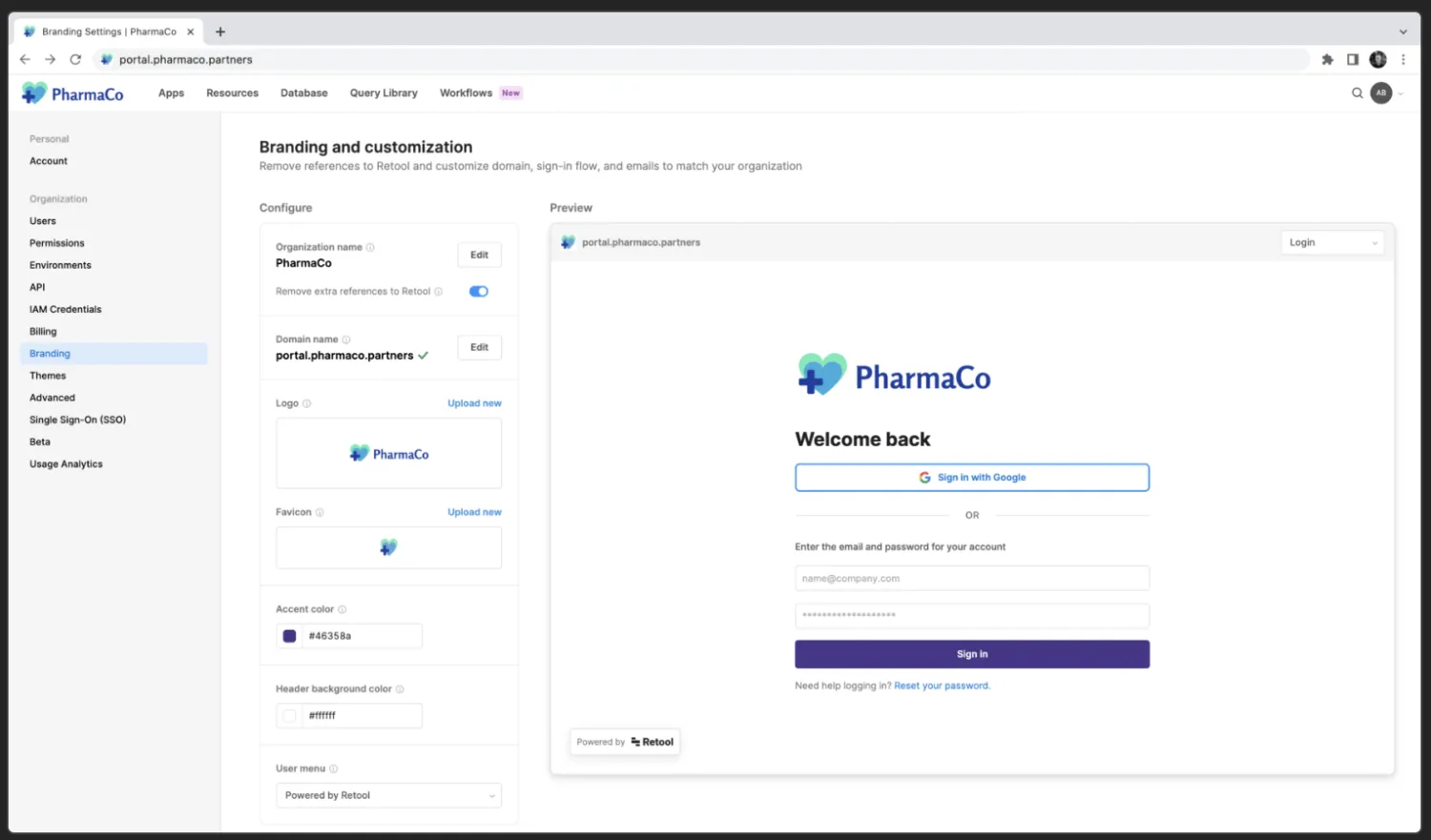
If you're spinning something up for your own team, Retool is worth a look considering it was made first and foremost as an internal tool builder. It connects to a database or API, and you can run it self-hosted inside your own private cloud (VPC), so sensitive data never leaves your infrastructure. You might pick this to build portals your own team will log into daily, like ops dashboards, admin panels, support consoles, and internal CRMs, especially if they're pulling in a lot of data.
💡 A VPC is a private slice of cloud infrastructure that your company controls. Self-hosting Retool there keeps your data contained in your own environment rather than a vendor's, which some security teams require.
Retool pros and cons
Pros:
- It's SOC 2 Type II and ISO 27001 certified, and HIPAA-eligible, which is important if you're in a regulated industry.
- Big engineering orgs run on Retool, so it's proven at scale.
- You can manage your Retool setup programmatically through its MCP server, or build and edit apps straight from whatever AI agent you're already working in, like Claude Code or Cursor.
Cons:
- You'll want developers on the build team, since the real work still requires SQL and JavaScript.
- Per-user pricing splits builders, internal users, and external users, and it climbs fast at scale.
- To open a portal to people outside your organization, you'll need the Business plan.
- SSO and source control are locked behind the top tiers, too.
Retool features
- Generate apps with the AI-native builder: Describe the tool you want, then refine the generated app with code.
- Wire up any data source: Connect databases and APIs, and run queries against your own data.
- Self-host in your own cloud: Deploy inside your VPC via Docker.
- Enforce governance: Set role-based permissions, audit logs, and SSO on higher tiers.
Retool pricing
- Free: Up to 5 users, unlimited apps, 500 workflow runs/month
- Team: $10/month per builder plus $5/month per internal user. Everything in Free, plus staging, version control, and custom branding.
- Business: $50/month per builder plus $15/month per internal user. Everything in Team, plus audit logs, permissions, external users, and portals.
- Enterprise: Custom pricing
5. Cursor — for building portals with code, with AI built into the code editor
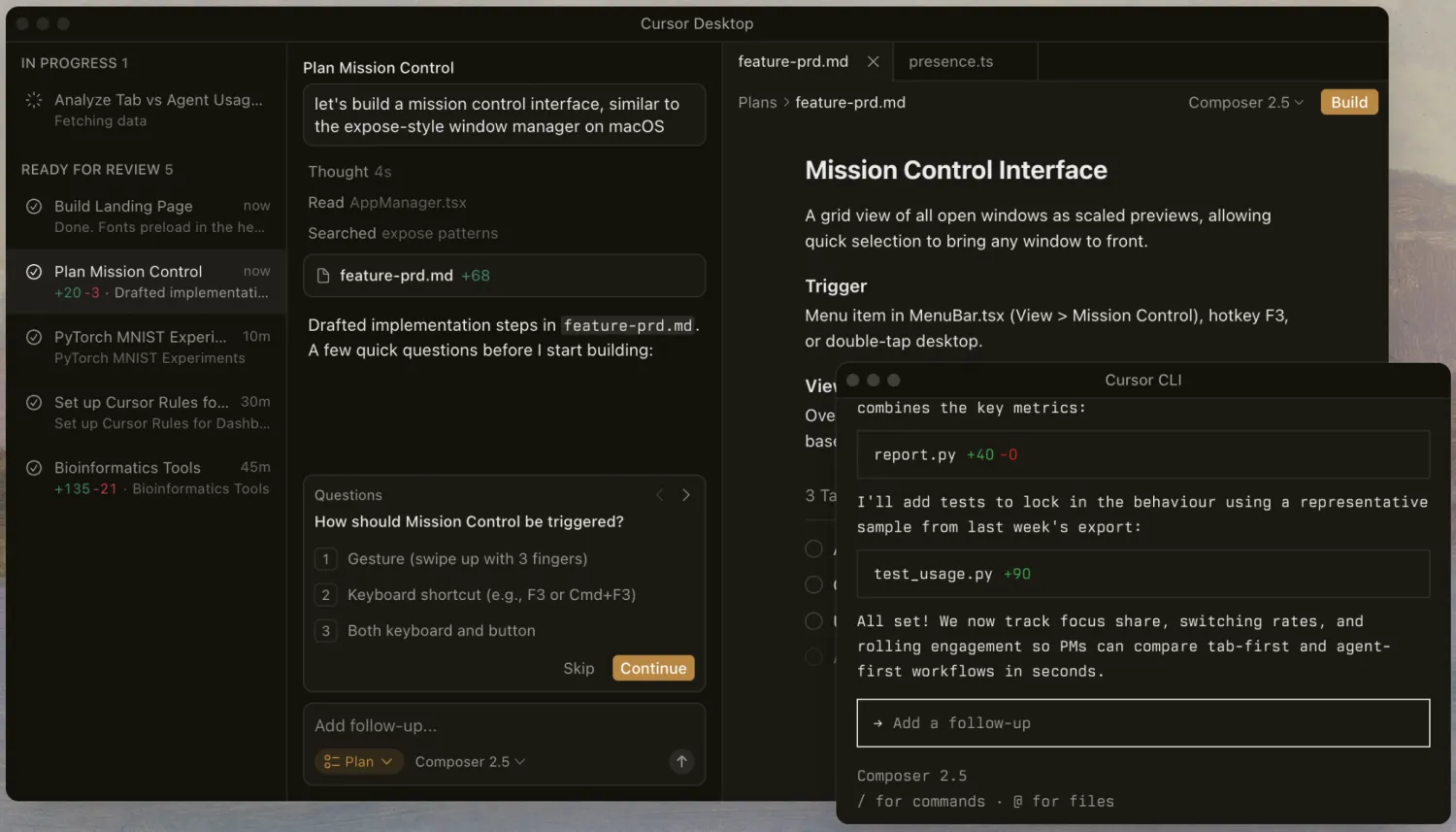
Now, Cursor isn't a true AI app builder. It's an AI-powered integrated development environment, or IDE, built on VS Code. The portals it builds don't come with ready-made logins, permissions, a database, or hosting. But I'm including it anyway in case your team already has engineers and your portal has very specific requirements — like an unusual auth setup (say, logging in against your company's existing identity system), a specific compliance requirement, or a custom integration. With Cursor, you get an AI that reads your entire codebase to understand how everything connects, which is the real draw: it gives you total control over the portal you build and the stack it runs on.
Cursor pros and cons
Pros:
- Engineers can take advantage of adding AI to the editor they already use instead of being forced to build on a new platform.
- Because your team is writing real code, a Cursor-built portal can do anything a hand-coded one can, with no platform ceiling.
- It's one of the most widely adopted AI coding tools, so there's a big community to lean on if you get stuck.
- For a working dev team, the productivity bump is real enough that the per-seat cost tends to pay for itself.
Cons:
- There's no built-in authentication, permissions, database, or hosting; your team codes and owns all of it.
- The learning curve will be steep if you've never used something like VS Code.
- Each plan includes a set monthly budget for your AI usage, and leaning on the priciest models burns through it fast; after that, you're paying overage fees.
Cursor features
- Build in any framework: Cursor writes and edits real code, so your portal isn't boxed into a template.
- Read the whole codebase: Deep indexing helps the AI understand large projects.
- Delegate to an agent: Let Cursor implement features and refactor across files.
- Lock down privacy: Enforce zero data retention across your whole organization.
- Audit AI usage: Track activity and enforce model and repo controls on higher tiers.
Cursor pricing
- Hobby: Free. Limited agent requests and completions
- Individual: Starts at $16/month and includes a set monthly budget for AI usage. Heavier users can move up to Individual Pro+ or Individual Ultra for a bigger budget.
- Teams: $32/month per user. Everything in Individual, plus internal marketplace for rules, skills, and plugins, SSO, org-wide privacy mode, and usage analytics
- Enterprise: Custom pricing
What is an AI portal builder?
A portal is a login-protected space where specific people like clients, vendors, partners, employees, or members can see data and take actions on it (but only the actions you allow them to). A portal builder lets you generate one of these. And if that builder is powered by AI, the build process involves describing what you want in plain language instead of configuring every screen and setting by hand.
From there, some AI portal builders let you edit your portal visually—by clicking and configuring changes manually—while others require you to edit their code. Still others give you the option to continue submitting prompts until your portal looks just right. And some have flexible creation options.
What features should come with an AI app builder for portals?
For a portal to work, you need a few key features beyond pretty-looking screens. Before you commit to a builder, check whether it lets you easily ship the following:
- Secure authentication, so only the right people can log in
- Role-based permissions (RBAC), so each user sees only their own data
- User management for people both inside and outside your company
- Data access controls down to the individual record
- Workflows and approvals to enable automated tasks
- Native integrations with tools and databases you already use
- Managed hosting, so you don't have to run or maintain servers yourself
Which AI portal builder should you choose?
I'd love to create a portal into the future, one where clients can read my mind, every project runs itself, and I know precisely which initiatives will succeed. But until that comes along, the tools on this list are the next best thing.
Luckily, for non-technical teams, there's a standout winner that gives you the power to build secure, production-ready portals quickly, and that's Softr. Try it for free today to spin up portals that aren't just sleek (they are!) but also function fully from day one.
Frequently asked questions
What's the best AI app builder for client portals?
Can AI build a secure customer portal?