Best AI app builders for internal tools: Tested and reviewed in 2026



AI app builders can help you launch an internal tool fast, but a good first draft doesn’t always hold up once real users, permissions, data, workflows, and updates come in. I reviewed seven tools through that lens: how quickly they get you started, how much control they give you after launch, and where teams are most likely to hit limits.
Best AI app builders for internal tools at a glance
| Tool | Best for | Key features | Pricing |
|---|---|---|---|
| Softr | Internal tools that work for real users | • AI Co-Builder + visual building • Built-in Vibe Coding block • Native relational database • 21+ external data source integrations • User groups and granular permissions • Native workflows • Custom branding | Free plan available Basic: $19/month |
| Bubble | Complex apps and SaaS-style products | • Visual app builder • Workflow engine • Built-in database and privacy rules | Free plan available Starter: $59/month |
| Glide | Spreadsheet-based internal tools for small teams | • Spreadsheet-to-app setup • Mobile-friendly internal tools • Workflow automation | Free plan available Business: $199/month |
| WeWeb | Technical teams building custom internal tool frontends | • Visual drag-and-drop editor • API and data integrations • Code export and self-hosting | Free plan available Essential: $20/month |
| Retool | Developer-led internal tools on top of databases and APIs | • Database and API connections • AI app generation • Workflows and native mobile apps | Free plan available Team: $10/month per builder + $5/month per internal user |
| Appsmith | Developer-led internal tools on top of databases and APIs | • Visual app builder • Datasource connections • JavaScript and Git support | Free plan available Business: $15/month per user |
| Base44 | Early-stage internal tool experiments | • Prompt-based app generation • Built-in backend functions • In-app code edits on paid plans | Free plan available Starter: $16/month |
What I look for in AI app builders for internal tools
- Real app generation: It should create more than a mockup, including pages, data, logic, and workflows you can edit.
- Ease of use: Choose a tool your actual builder can maintain, whether that’s an operator or an IT admin.
- Data connections and integrations: Look for support for the tools your team already uses, like spreadsheets, databases, CRMs, and APIs.
- Permissions: Make sure you can control who can view, edit, create, or delete data.
- Workflow automation: The tool should support approvals, notifications, record updates, and task routing.
- Post-launch control: You should be able to update the app without starting over or relying on AI for every small change.
- Scalability: Check whether the tool can handle more users, data, and workflows as adoption grows.
- Pricing clarity: Watch for extra costs around users, AI credits, workflows, integrations, and advanced controls.
- Ownership limits: Check whether the platform is hosted, self-hosted, or supports code export before you build something critical.
1. Softr — best AI app builder for internal tools that work for real users
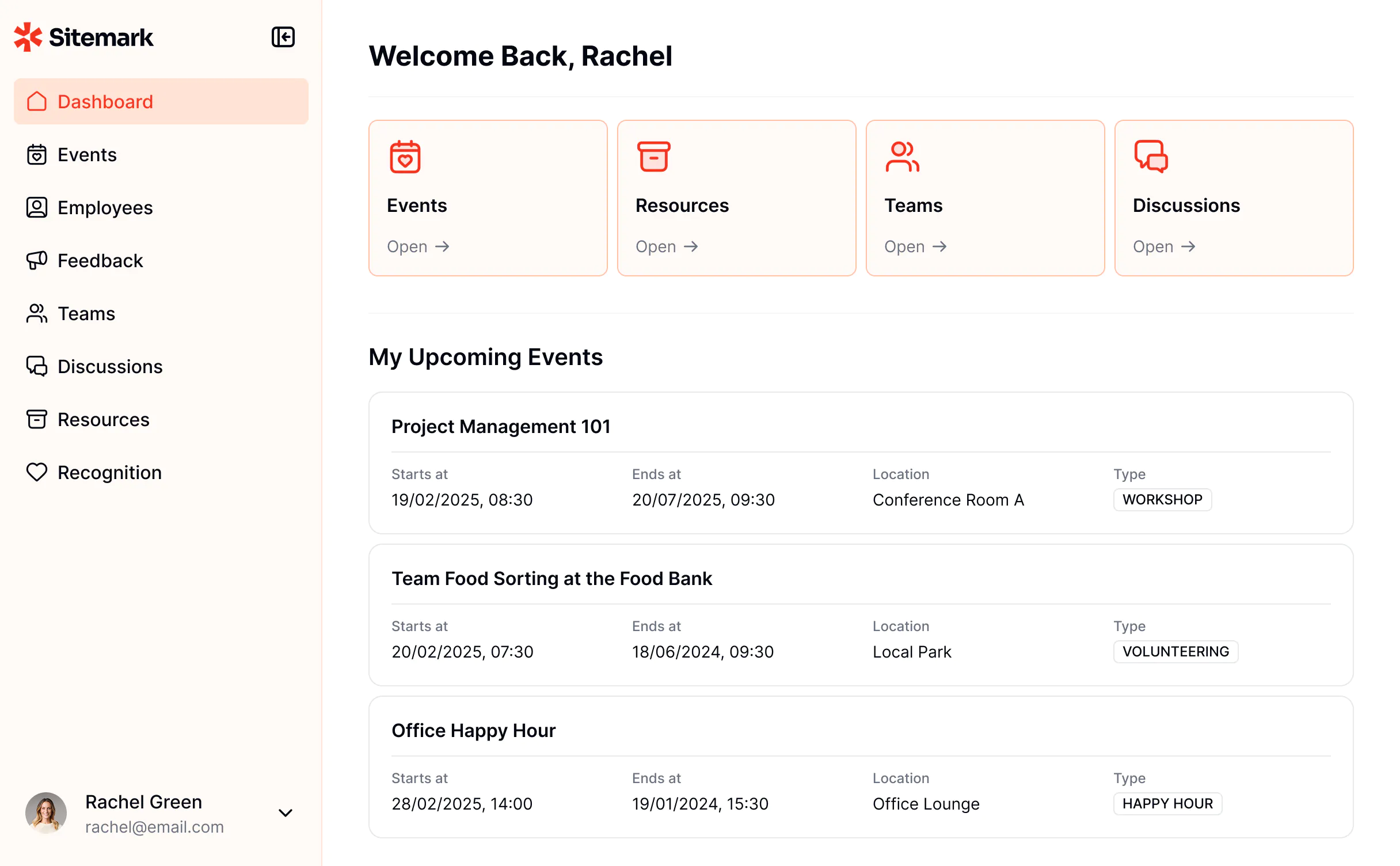
Compared to many other tools in this category, Softr lets you build secure and production-ready internal apps from day one — without any code or developer help. You only need to prompt the AI Co-Builder, and it builds the database, app, and business logic connected and ready for real users. You can edit and customize your app’s look and feel based on your preference — visually with building blocks or with the AI. And you can switch back and forth between the two modes at any time.
You also don’t have to stitch together a stack just to make the app usable. Softr gives you the core layers most internal tools need: a connected, native database, user management, workflows, forms, and AI features that work with your live business data. That’s the main difference from tools that either give you a fast prototype but weak long-term control or strong developer control but too much setup for an operations team.
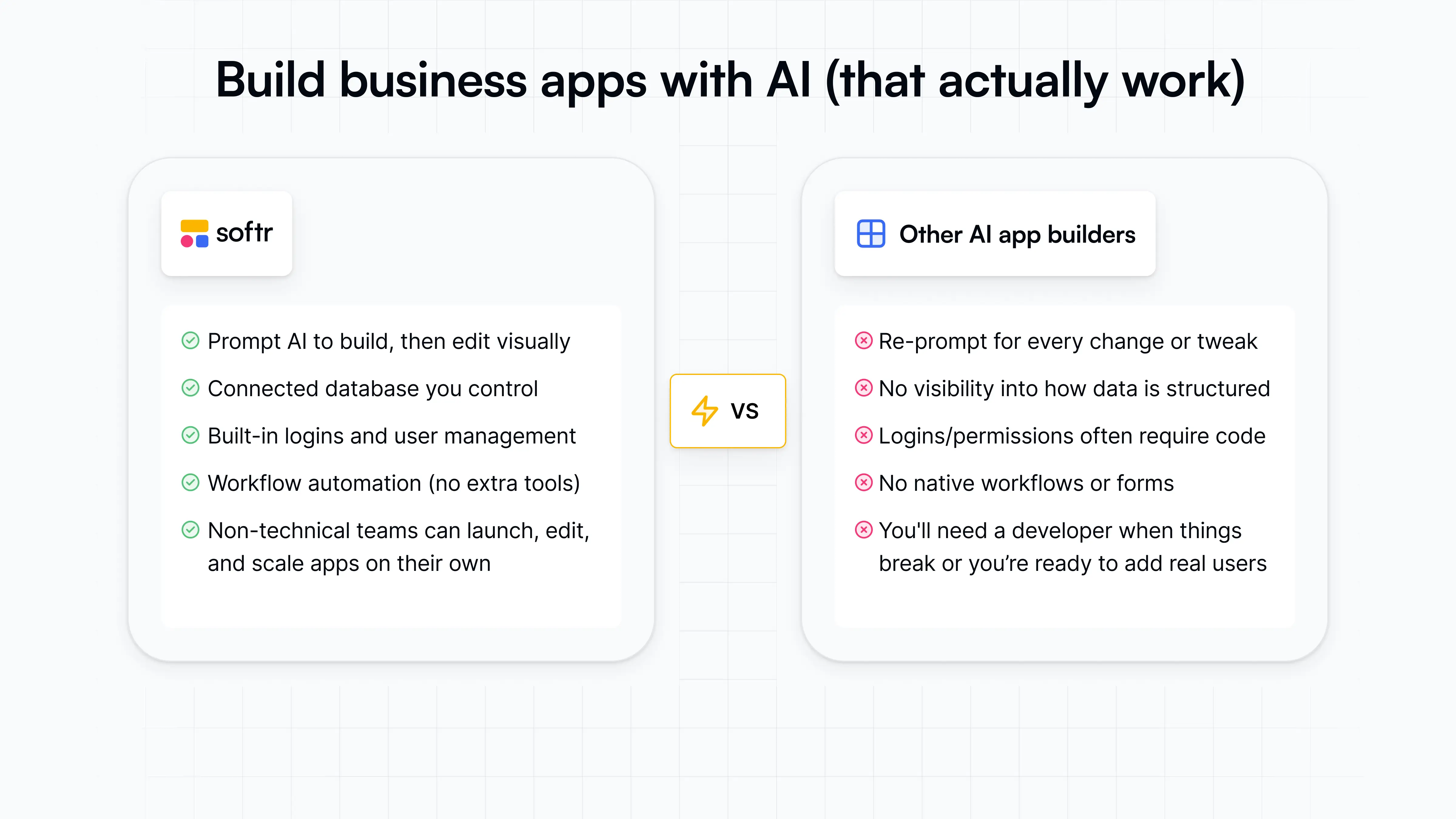
Softr is especially useful when the app needs to be used by real people across roles. You get to decide how each of your users experiences the app and what they’ll see/edit via user groups and granular permissions. Project trackers, custom intranets, CRMs, inventory trackers, approval workflows, onboarding portals, and dashboards need more than a nice first screen. They need clean data, safe access, clear user journeys, smart automations, and a way for non-technical teams to keep improving it after launch.
Softr pros and cons
Pros:
- Employee self-service: With Softr, make sure your employees can manage their personal information, submit time off and equipment requests, and access the tools they need at any time.
- Document and knowledge management: Softr gives you the tools to create a centralized repository of company news, documents, and internal team information that employees can self-serve.
- AI app building with no-code control: Softr lets you generate full-stack apps with AI, then refine layouts, logic, branding, and permissions visually.
- Built for non-technical teams: Operators can describe what they need, then edit layouts, data, permissions, and workflows visually without wasting AI credits or waiting on developers.
- Flexible data setup: Softr has built-in Softr Databases and strong integrations with 17+ native data sources, so teams can build on top of existing systems like Airtable, Google Sheets, HubSpot, Notion, and SQL databases.
- Reliable permission control for business apps: Softr makes it easy to set up custom user groups with granular permissions, so you can build secure apps your team and clients can trust.
- Enterprise-grade security from day one: SOC2 and GDPR compliance, SSO on Enterprise, and battle-tested infrastructure make Softr one of the most secure AI app builders.
- Predictable pricing: Softr’s predictable, flat pricing helps you calculate costs in advance. The free forever plan allows for 5 app users, role-based permissions, AI credits, and unlimited collaborators and apps.
- Native workflow automation: Set up automations that connect your Softr apps, Softr Databases, and any other tool in your stack, including Airtable, Google Sheets, Slack, Gmail, and more.
Cons:
- Softr is a hosted platform, so it’s not the best fit for teams that need exportable code, GitHub sync, or full control over their app stack; moving off the platform is possible, but it would require planning.
Softr best features
- AI Co-Builder: Softr’s AI Co-Builder turns a plain-language prompt into a working business app with the app structure, database, and logic connected, secure, and ready for users.
- Built-in Vibe Coding block: Build custom UI elements and tools with vibe coding built directly into Softr’s no-code builder. Anything that you vibe code inherits your app’s permissions, data sources, and theme.
- Softr Databases: Softr’s AI builder automatically creates a database with the right fields, relationships, and schema in place.
- API & Webhook connectors: Connect your apps to any external data source or tool with REST API, and use Webhooks to trigger additional actions or receive events in real time.
- Advanced conditional forms: Create forms for time-off requests, onboarding, IT tickets, or employee feedback that adapt based on conditions you set up, in other words, based on what users select when using the app.
- Dynamic filtering & search: Let employees quickly find resources, policies, or team contacts using structured filters and search.
- Ask AI: App users can query live internal data in plain English, with answers limited by their existing permissions, like “which open tasks are overdue this week?”
- Custom branding: Match your company’s look by adding your own logo, colors, and layouts to your internal tool.
- 24/7 support & active community: Get live chat support and join a community of thousands of Softr builders.
Softr pricing
Softr offers flat, predictable pricing plans. Listed prices reflect annual billing.
- Free: Unlimited apps, with access to Softr Workflows and Softr Databases, 5 app users, 5 AI credits, 5,000 database records, and 500 workflow actions
- Basic: $19/month for unlimited apps with 42+ integrations, Team: 5 + Client: 5 app users, 10 AI credits, 50K records, 2.5K workflow actions
- Pro: $99/month for unlimited apps with 45+ integrations and custom code, Team: 10 + Client: 50 app users, 50 AI credits, 500K records, and 10K workflow actions
- Business: $329/month for unlimited apps with 52+ integrations, Team: 30 + Client: 100 app users, 100 AI credits, 1M records, and 25K workflow actions
- Enterprise: Custom pricing
Every plan includes a monthly AI credit allowance, so you can try the AI Co-Builder and Vibe Coding block at no cost.
My final verdict: Softr is the best choice when your goal isn’t just to build an app fast, but to launch an internal tool your team can safely use, maintain, and expand.
2. Bubble — best for complex apps and SaaS-style products

Bubble is best for teams building a custom app that goes beyond a typical internal tool. It makes sense when the product has complex user flows, custom logic, payments, marketplace-style interactions, or workflows that need to be built almost from the ground up. I’d choose Bubble when the app behaves more like custom software and the team has time to learn the platform, test carefully, and manage performance as it grows.
For everyday business tools like client portals, internal CRMs, trackers, approval dashboards, or apps built around existing company data, Bubble is usually more work than needed. In those cases, teams are often better served by a tool that gets them from data to a secure, usable app faster, without making them design every layer themselves. For those use cases, Bubble also often adds more pricing complexity than an operations team actually needs.
Bubble pros and cons
Pros:
- Custom app logic: Bubble is a good choice when your app needs conditional workflows, role-based experiences, user accounts, and more than basic form-to-database functionality.
- Built-in database control: You can structure data types, fields, relationships, and privacy rules inside Bubble instead of relying only on a spreadsheet or external database.
- More editable than AI-generated code: Bubble makes it easy to keep adjusting the app visually after the first build.
- Better fit for product-like apps: Bubble makes sense for founders or technical operators building SaaS-style products, marketplaces, booking tools, or complex client-facing apps.
Cons:
- Bubble is no-code, but users often complain that building well still requires learning workflows, data structure, privacy rules, performance basics, and Bubble-specific logic.
- Bubble’s workload-unit model can be hard to estimate, especially for database-heavy apps, dashboards, backend workflows, and frequent API calls.
- If you need a CRM, tracker, portal, or approval dashboard fast, Bubble can feel like building custom software from scratch.
Bubble best features
- Visual app builder: Bubble lets teams design custom interfaces and user flows without writing traditional code.
- Workflow engine: You can build app logic around user actions, database changes, approvals, notifications, and backend processes.
- Database and privacy rules: Bubble includes a built-in database and lets builders define what different users can view, edit, or access.
- API Connector: Teams can connect Bubble apps to external tools and services through REST APIs, although setup can require technical thinking.
- Version control and collaboration: Higher plans add more control for teams working on complex apps, including versioning and multiple editors.
Bubble pricing
Listed pricing is for Web & Mobile plans billed annually.
- Free plan available with a development version, API connector, 1 app editor, and 50K workload units/month.
- Starter: $59/month; adds recurring workflows, basic version control, custom domain, live website, and 175K workload units/month.
- Growth: $209/month; adds premium version control, two-factor authentication, 2 app editors, 10 custom branches, and 250K workload units/month.
- Team: $549/month; adds sub apps, 5 app editors, 25 custom branches, and 500K workload units/month.
- Enterprise: Custom pricing; adds custom workload units, hosting location options, customizable server, dedicated support, and invoice/ACH payment.
My final verdict: I’d choose Bubble when I need an app to behave like custom software, with complex logic, payments, or marketplace-style interactions. For building business-style tools like portals, trackers, CRMs, or approval dashboards, it can be more work than most ops teams need.
3. Glide — best for spreadsheet-based internal tools for small teams
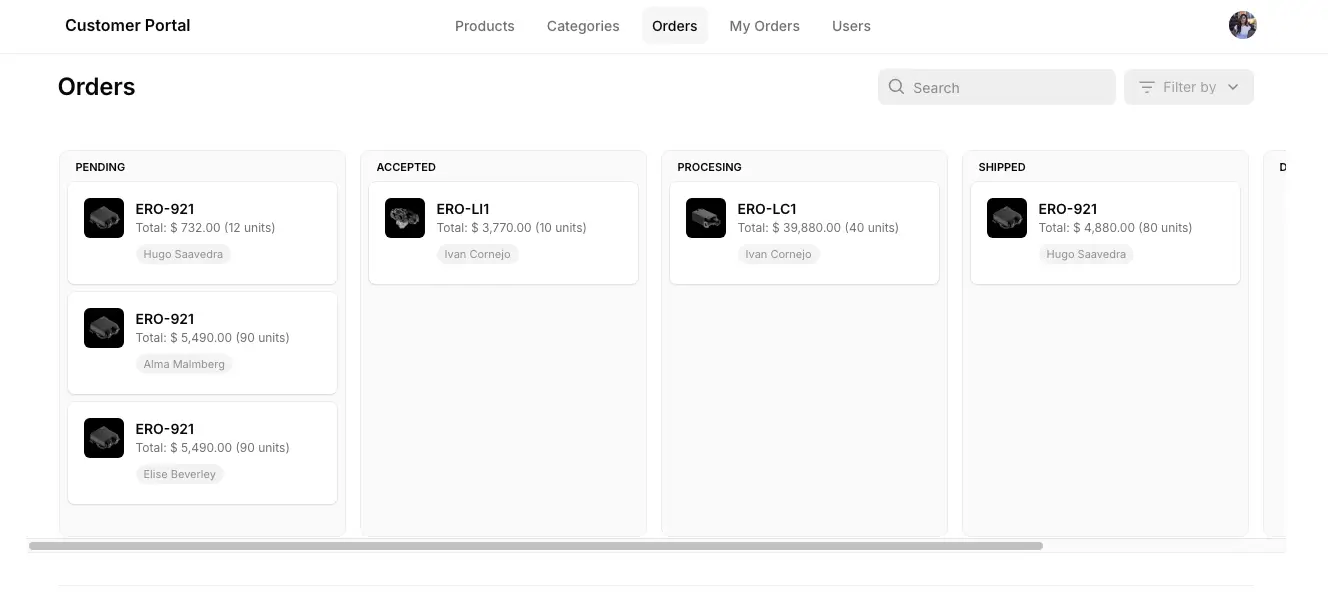
Glide is a good fit for teams that already have their operations mapped out in spreadsheets and need a cleaner, easier way for people to work with that data. It feels less like an open-ended AI app builder and more like a practical front end for existing processes, which is exactly where it’s useful. I’d choose it for straightforward internal tools that need to be live quickly and used on desktop or mobile, but not for complex portals, highly custom workflows, or apps where pricing and user limits could become a problem as adoption grows.
Glide pros and cons
Pros:
- Fast spreadsheet-to-app setup: Glide makes sense when your data already lives in Google Sheets, Airtable, Excel, or Glide Tables and you need a usable internal app quickly.
- Good fit for mobile internal workflows: It works well for field teams that need simple forms, checklists, directories, or task views on their phones.
- Approachable for non-technical teams: Operators can build and update apps without relying on developers for every small change.
- Useful for structured business apps: It’s strongest when the app follows a clear data model, such as records, users, statuses, forms, and approvals.
Cons:
- Glide can feel restrictive when you need a very specific interface, unusual workflows, or more control over how the app behaves.
- Business users, updates, and higher data needs can make Glide expensive for growing teams or external-facing apps.
- It’s not ideal for complex or public-facing products. It’s better for internal tools than SaaS apps, marketplaces, or highly scalable customer portals.
Glide best features
- Multiple data source options: Glide connects to Glide Tables, Google Sheets, Airtable, Excel, and, on higher plans, larger business data sources like SQL and BigQuery.
- Big Tables for larger datasets: Teams can use Big Tables when spreadsheet-style sources become too limited for higher-volume internal tools.
- Workflow automation: Business teams can automate app actions and connect workflows to operational processes instead of managing every update manually.
- API access on Business: The Business plan includes Call API and Glide API, which helps teams connect Glide apps to other tools when native options aren’t enough.
- AI-assisted data handling: Glide AI can extract text from documents and structure data with tools like Document to Text and Text to JSON.
Glide pricing
The pricing shown is for annual billing.
- Free: Includes unlimited draft apps, 1 editor, no updates needed, up to 25k rows, 40+ components, and community support.
- Business: Starts at $199/month, with 30 users included, 5,000 updates, up to 100k rows, workflows, Call API, Glide API, and Glide Express Support. Extra users cost $5/user/month, and extra updates cost $0.02/update.
- Enterprise: Custom pricing for teams that need custom users, custom updates, custom rows, SSO, data backups, enterprise integrations, an account manager, and priority support.
My final verdict: I’d choose Glide when the team already runs work from spreadsheets and needs a cleaner internal app quickly. It’s a good fit for simple, structured tools, but less ideal when workflows, portals, or customization needs start getting more complex.
4. WeWeb — best for technical teams building custom internal tool frontends
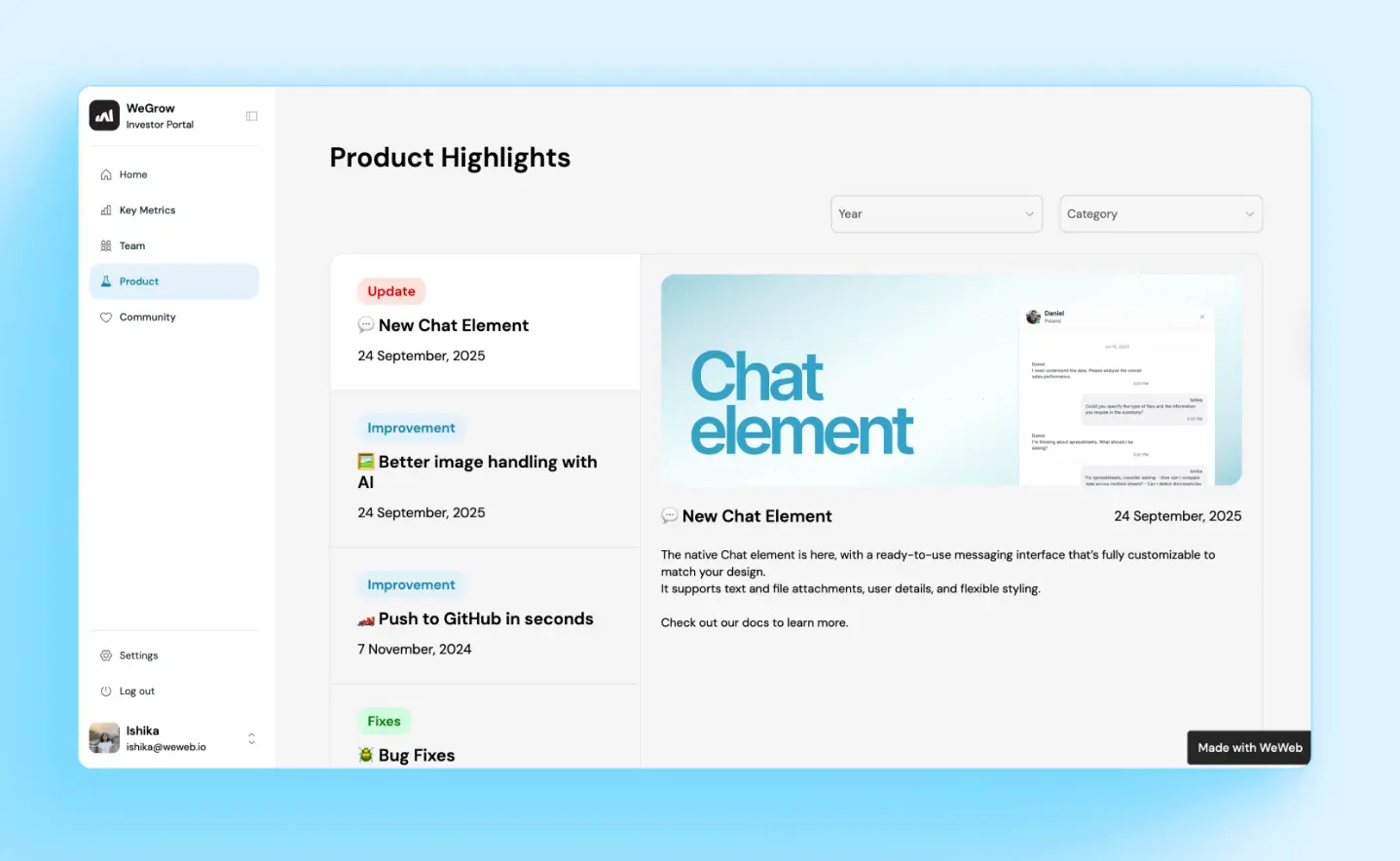
WeWeb is best for teams that want more frontend control but don’t want to code the whole interface from scratch. It makes the most sense when you’re building a custom internal tool, admin panel, or portal on top of Supabase, Xano, REST APIs, GraphQL, or WeWeb’s own backend. The tradeoff is that WeWeb asks more from the builder: you’ll need to think through data structure, API logic, auth, permissions, and app state more carefully than with simpler business app builders. It positions itself around visual development, backend/API connections, code export, and self-hosting, while user discussions often point to editor performance and setup complexity as the main pain points.
WeWeb pros and cons
Pros:
- Strong frontend flexibility: WeWeb gives teams more control over layout, logic, and user experience than most template-driven internal tool builders.
- Backend-agnostic setup: You can connect WeWeb to tools like Supabase, Xano, REST APIs, GraphQL, or use WeWeb’s own backend when the project doesn’t need a separate stack.
- Better fit for technical builders: It works well for teams that want visual development speed but still need room for custom logic, APIs, and advanced app behavior.
- Code export and self-hosting: Paid plans support exporting the app code, which helps teams that care about portability and avoiding full platform lock-in.
Cons:
- The editor can get slow on larger projects, which users say can make ongoing app maintenance harder.
- It has a steeper learning curve than simpler tools, especially if you’re managing APIs, auth, user roles, and conditional logic yourself.
- Some users have raised concerns about production-breaking changes and support speed when apps are already live.
WeWeb best features
- Visual drag-and-drop editor: Build custom interfaces visually while still keeping control over structure, responsive behavior, and frontend logic.
- API and data integrations: Connect apps to external databases, APIs, and backend tools instead of forcing all data into one built-in system.
- Built-in backend capabilities: Create data tables, expose APIs, and run server-side logic inside WeWeb when you don’t want to manage a separate backend.
- AI-assisted building: Use WeWeb AI to help generate layouts, workflows, formulas, tables, APIs, and components, then refine the app manually.
- GitHub sync and backups: Paid plans add versioning and backup options that matter when multiple people are working on a serious internal tool.
WeWeb pricing
The pricing shown is for annual billing.
- Free: $0/month, with 1 million AI tokens, visual editor, API/data integration, responsive app bilding, and limited WeWeb Cloud deployment.
- Essential: $20/month, with 10 million AI tokens, code export, self-hosting, GitHub sync, WeWeb Cloud deployment, and daily editor auto-backups.
- Pro: $50/month per developer, with 25 million AI tokens, seats and collaboration, hourly editor auto-backups, and unlimited manual backups.
My final verdict: I’d choose WeWeb if my technical team wanted more frontend control without coding everything from scratch. It’s a good fit when the backend is already planned, but it asks more from the builder than most no-code tools.
5. Retool — best for developer-led internal tools on top of databases and APIs
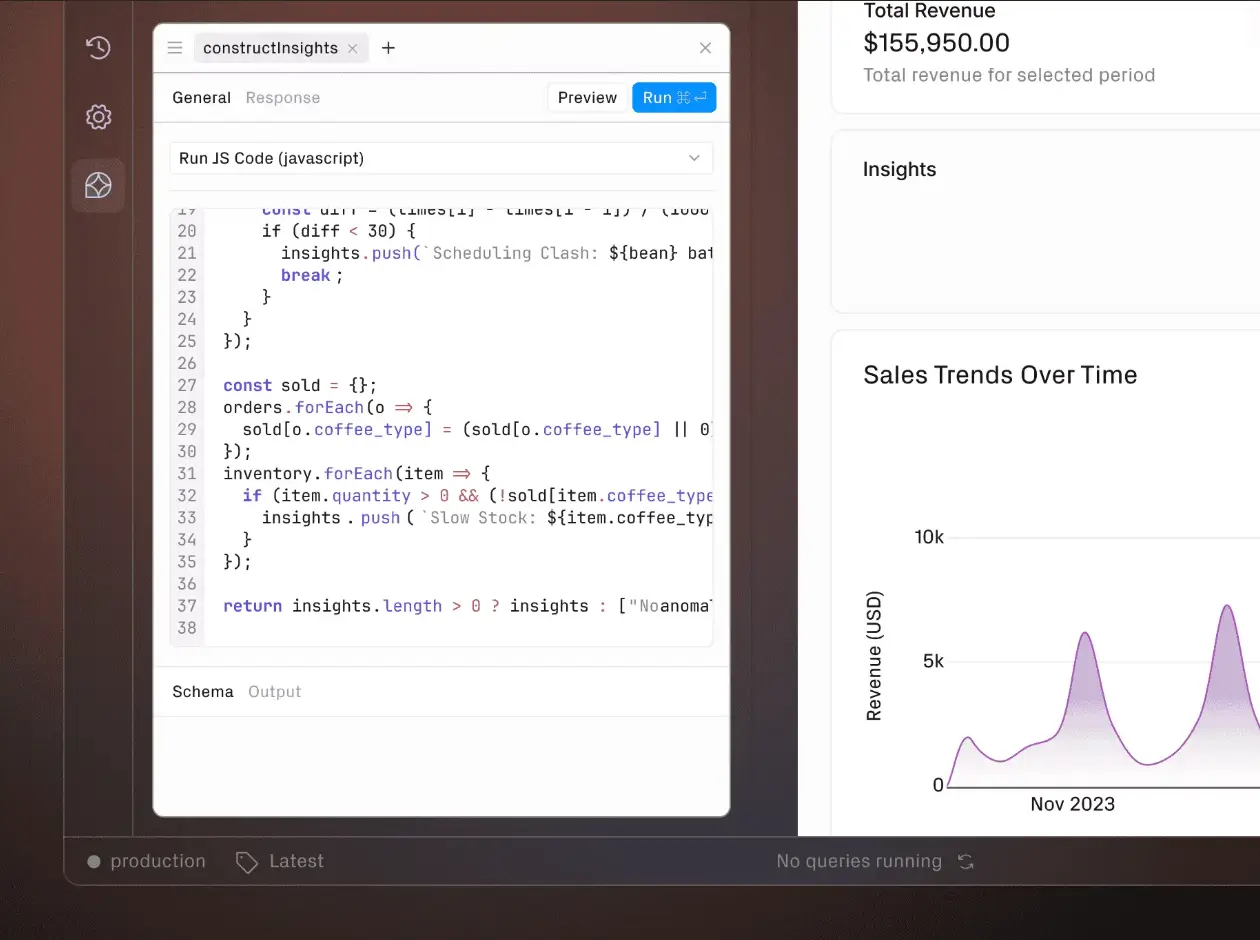
Retool is a strong choice when your team has developers or technical operators who need to turn existing databases, APIs, and backend systems into usable internal tools quickly. It’s not the easiest option for a business team building a simple portal, and it’s not trying to be a fully code-owned app builder either. Retool sits in the middle: faster than custom development but technical enough for teams that need control over queries, logic, permissions, and deployment. I’d choose it for admin panels, ops consoles, approval tools, and AI-assisted workflows where reliability matters more than drag-and-drop simplicity.
Retool pros and cons
Pros:
- Built for technical control: Retool works well when teams need to connect directly to databases, APIs, and internal systems instead of working only inside preset templates.
- Strong fit for operational apps: It’s especially useful for admin panels, review queues, approval workflows, support tools, and dashboards that need users to take action on live data.
- Governance for serious internal software: Higher tiers support the kind of controls larger teams need, including richer permissions, audit logs, environments, source control, and observability.
- More flexible than simpler no-code builders: Developers can move faster without giving up SQL, JavaScript, custom queries, or API-based logic.
Cons:
- Steeper learning curve than it first appears, especially once teams need SQL, JavaScript, state logic, permissions, or debugging.
- Pricing can climb as more builders, internal users, external users, AI usage, or advanced controls are added.
- Some production-ready features, including source control, observability, SSO, and platform APIs, are locked behind Enterprise.
Retool best features
- Database and API connections: Teams can build tools on top of existing data sources instead of moving operational data into a separate app builder.
- AI app generation: Retool can generate and modify internal apps from prompts, but teams can still inspect, edit, and control the logic behind the app.
- Workflows: Teams can automate backend processes such as approvals, notifications, data updates, and scheduled jobs alongside the apps they build.
- Native mobile apps: Retool supports internal mobile apps for field, warehouse, inspection, and on-the-go operational workflows.
- Permissions and environments: Business and Enterprise teams can manage access, releases, environments, and governance more carefully as internal tools become mission-critical.
Retool pricing
Listed pricing is annual.
- Free plan is available with unlimited web and mobile apps, 500 workflow runs/month, 5GB database capacity, up to 5 users, and 250 AI credits/month.
- Team: $10/month per builder + $5/month per internal user; adds 5,000 workflow runs/month, staging resource environment, app release versions, more than 5 users, and 1,000 AI credits/month.
- Business: $50/month per builder + $15/month per internal user; adds rich permissions, portals and embedded apps, unlimited resource environments, and 3,000 AI credits/month.
- Enterprise: Custom pricing; adds SAML/OIDC SSO, source control, error monitoring and observability, full white-labeling, independent workspaces, platform APIs, workflow triggers, volume discounts, dedicated support, and 10,000 AI credits/month.
My final verdict: I’d choose Retool if my team’s developers or technical operators needed to build reliable internal tools on top of existing databases and APIs. It’s not the easiest choice for non-technical business users who want a simple portal or project tracker.
6. Appsmith — best for developer-led internal tools on top of databases and APIs
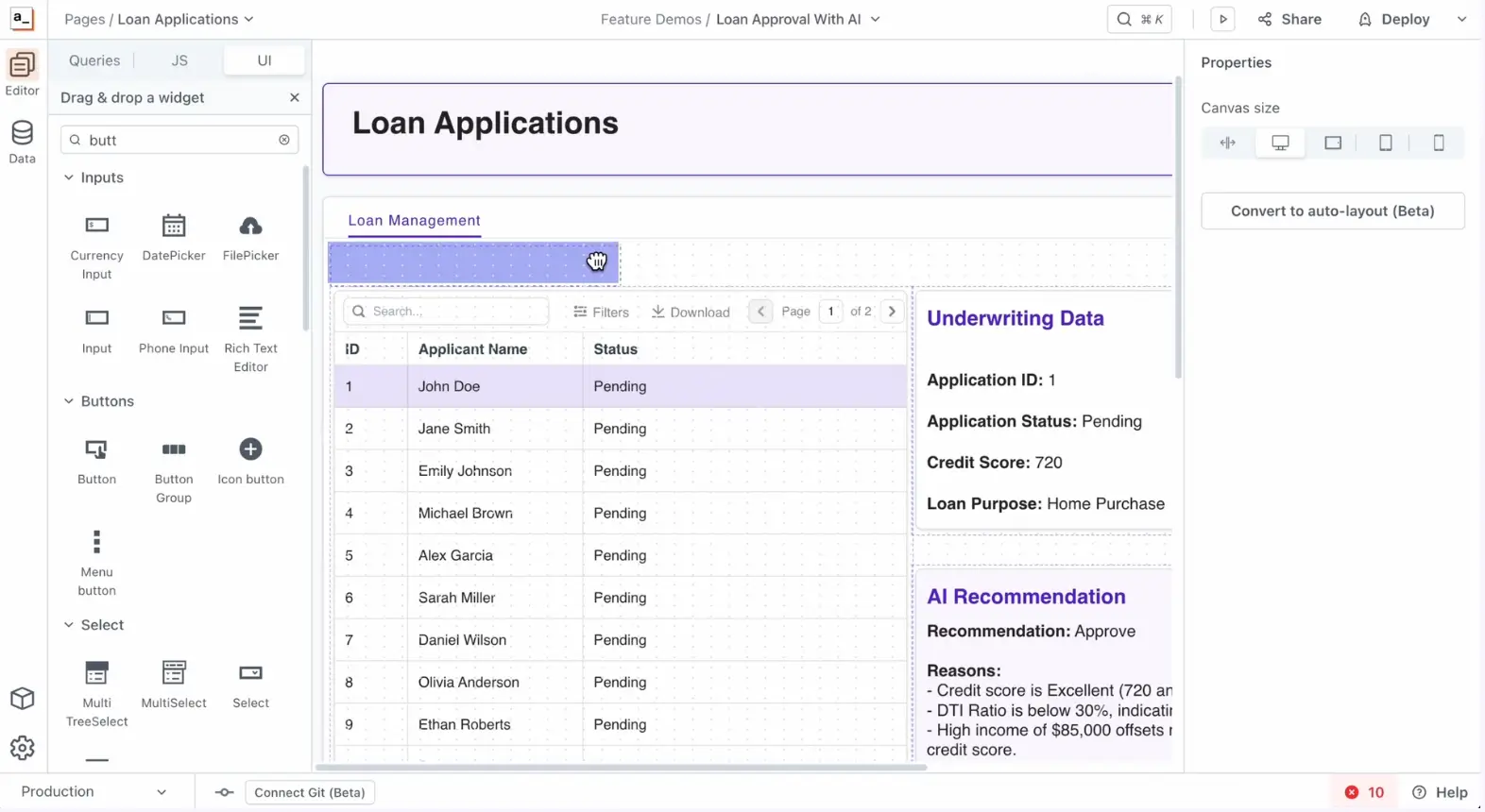
Appsmith is a good fit for technical teams that need to build internal admin panels, CRUD apps, dashboards, and approval tools without starting from scratch. It’s more developer-friendly than business-user-friendly: teams get control over queries, JavaScript logic, Git, self-hosting, and custom data connections, but they also need the skills to set it up and maintain it. I’d choose Appsmith when engineers or technical ops teams need fast internal interfaces over real business systems. I wouldn’t choose it when non-technical teams want a polished AI app builder that works mostly from prompts.
Appsmith pros and cons
Pros:
- Developer control: Appsmith gives technical teams room to work with queries, APIs, JavaScript, and Git instead of locking them into a fully abstracted no-code layer.
- Strong database and API fit: It works well for internal tools that need to read, update, and manage operational data across existing systems.
- Open-source and self-hostable: Teams that care about infrastructure control can self-host Appsmith instead of relying only on a closed SaaS setup.
- Useful for functional internal apps: It’s a practical choice for admin panels, support dashboards, data review workflows, and internal management tools.
Cons:
- Not ideal for non-technical teams, since meaningful apps often require query logic, bindings, JavaScript, and backend thinking.
- Apps can slow down with large datasets if teams don’t design pagination, filtering, and queries carefully.
- UI customization is limited compared to custom frontend development, especially for polished, mobile-first, or customer-facing apps.
Appsmith best features
- Visual app builder: Teams can assemble internal tools with pre-built UI components instead of coding every screen from scratch.
- Datasource connections: Appsmith connects to databases and APIs, making it useful for tools that sit on top of existing business systems.
- JavaScript support: Developers can add custom logic where the visual builder is not enough.
- Git version control: Technical teams can manage changes more safely across internal tool projects.
- Appsmith AI: Teams can add AI-assisted actions like text generation, classification, or support-style workflows inside internal tools.
Appsmith pricing
Listed prices show monthly pricing.
- Free plan available with up to 5 cloud users, 5 workspaces, Git version control for 3 repos, Google SSO, public apps, and community support.
- Business: $15/month per user, with up to 99 users, unlimited environments, Git repos, workspaces, workflows, reusable packages, premium integrations, custom roles, audit logs, branding removal, and email/chat support.
- Enterprise: $2,500/month for 100 users, with SAML/OIDC SSO, SCIM, CI/CD, private app embedding, airgapped edition as an add-on, managed hosting, custom integrations, dedicated support, and SLAs.
My final verdict: I’d choose Appsmith when the team has enough technical skill to build and maintain its own internal tools. It’s flexible and cost-conscious, but not the smoothest path for business users who want something polished from a prompt.
7. Base44 — best for early-stage internal tool experiments
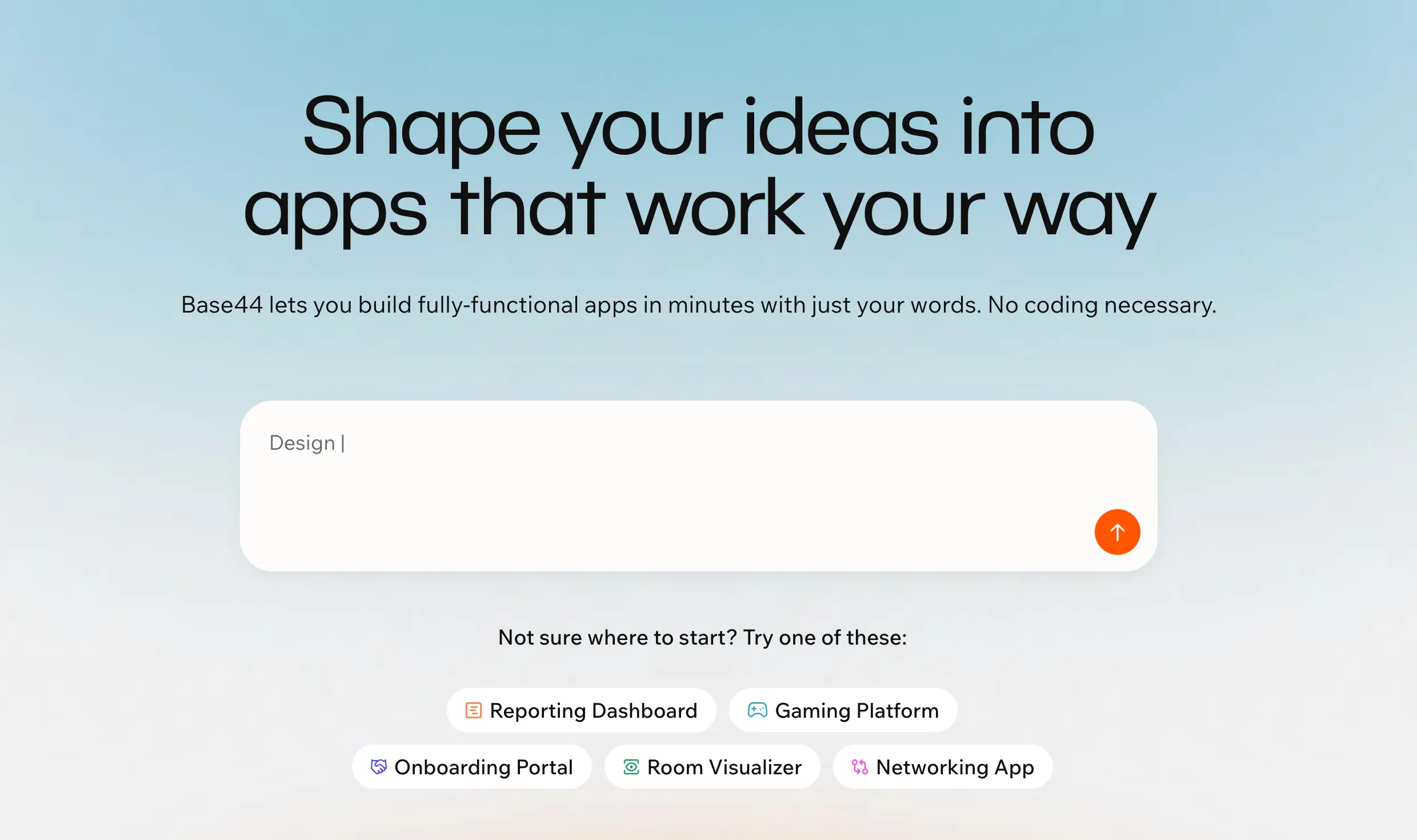
Base44 makes the most sense when a nontechnical team wants to turn a rough idea into a working app quickly, without setting up separate tools for the database, authentication, backend logic, and deployment. It’s stronger than many AI app builders at producing a functional first version, especially for simple dashboards, trackers, and CRUD-style tools. But it’s less convincing once the app becomes business-critical: it often means credit-heavy debugging, unstable fixes, and weak support when the AI can’t solve a problem. I’d choose it for early-stage internal tool experiments, not for operational systems that need reliable permissions, complex workflows, or long-term control.
Base44 pros and cons
Pros:
- Fast first builds: Base44 is good at turning a plain-language prompt into a usable first version of an app, which makes it useful for testing internal workflows before committing to a full build.
- All-in-one setup: The platform includes core pieces like authentication, database functionality, backend functions, and integrations, so teams don’t have to assemble a separate stack from day one.
- Useful for non-technical operators: It can help business users create simple internal tools without waiting on engineering for every early idea or process improvement.
- More credible than many AI builders: Wix’s acquisition gives Base44 stronger company backing, distribution, and resources than most small vibe-coding tools.
Cons:
- Users often complain that fixing bugs can burn through message credits quickly, especially when the AI repeats mistakes or fails to resolve a problem.
- Base44 works best for simple apps, but users report more friction when apps need custom logic, edge cases, or dependable daily operations.
- Public user complaints mention delayed support, broken functionality, and difficulty getting unstuck when the AI can’t fix the issue.
Base44 best features
- Prompt-based app generation: Users can describe the app they want, and Base44 generates the core structure, interface, and logic instead of starting from a blank builder.
- Built-in backend functions: Teams can add server-side logic for tasks like exports, API calls, and custom actions without leaving the platform.
- In-app code edits: Paid plans let users edit code inside the app, which helps when the AI-generated version needs more precise changes.
- GitHub integration: Higher plans include GitHub integration, which makes Base44 more workable for teams that want some developer handoff or code visibility.
- AI model selection: Advanced plans include AI model selection, which gives builders more control when working on more complex app behavior.
Base44 pricing
Pricing below is based on annual billing, with the yearly toggle showing 20% savings.
- Free plan available with 25 message credits and 100 integration credits per month.
- Starter: $16/month, with 100 message credits and 2,000 integration credits per month.
- Builder: $40/month, with 250 message credits, 10,000 integration credits, backend functions, domain connection, and GitHub integration.
- Pro: $80/month, with 500 message credits, 20,000 integration credits, AI model selection, GitHub integration, and early access to beta features.
- Elite: $160/month, with 1,200 message credits, 50,000 integration credits, early beta access, and premium support.
My final verdict: I’d choose Base44 when you want to test an internal tool idea quickly and see if the workflow is worth building out. It’s good for fast first drafts, but I’d be careful using it for daily operations where reliability, permissions, and long-term control matter.
Find the best AI app builder for internal tools that fits your needs
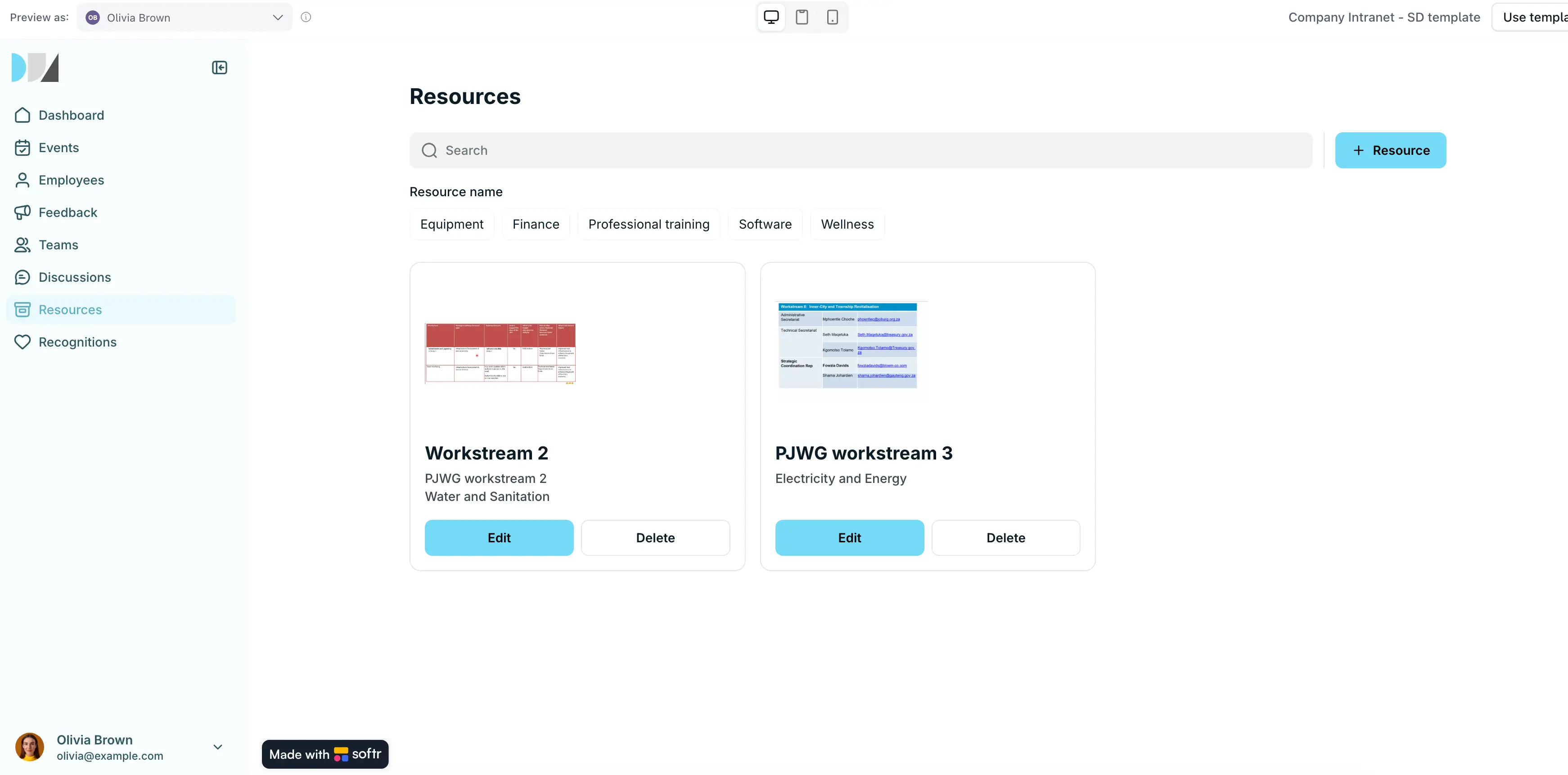
The right AI app builder depends on what your team needs after the first version is live. Are you building a quick prototype, a spreadsheet-based app, a developer-led admin panel, or a tool your team will rely on every day?
If you need deep technical control, tools like Retool, Appsmith, or WeWeb may fit better. If you’re testing an early idea, Base44 or Bubble can help you move fast. But if you want to build a secure internal tool, portal, CRM, tracker, dashboard, or approval workflow without relying on developers, Softr gives you the best balance of AI speed, no-code control, permissions, data, and workflows.
Start for free and build your first internal tool today.