Stacker pricing: A complete guide to plans in 2026


[.blog-callout]
✨TL;DR:
- Stacker pricing is split across two products: Stacker AI (from $50/month for 250 shared credits) and portal plans (from $9/month to $199/month, plus a custom Business tier).
- Credits are the main cost driver for Stacker AI. They reset monthly, don't roll over, and agents pause when they run out.
- Portal plans scale by customer limits, branding, support, and security features, so the cheapest plan is rarely the one you'll stay on.
[.blog-callout]
Stacker pricing is easy to parse, but the right plan fit depends on your use case. For simple tools and portals or basic workflow apps, the basic tier and credit allowance may be enough. But costs change once you need additional portal users, AI usage, support, or security features.
For this guide, I dug into Stacker's pricing and broke down what you're really paying for, where costs can climb, and when the platform still makes sense compared to an AI app builder like Softr.
Stacker pricing at a glance
| Plan | Price | Best for | What to know |
|---|---|---|---|
| Standard | $50/mo, 250 credits | AI-assisted internal tools, CRMs, and workflow apps | Shared credit pool, no per-seat fees. Credits reset monthly and agents pause if they run out. |
| Enterprise | Custom | High-volume AI usage with enterprise controls | Custom credits, support, and security review. No public price. |
| Portal: Personal | $9/mo | Testing a light portal idea | One admin, up to 20 customers, Stacker branding stays on. |
| Portal: Starter | $49/mo | Simple client or customer portals | Adds integrations and custom branding. Capped at 100 customers, no custom domain. |
| Portal: Plus | $99/mo | Growing portals needing a custom domain | More credits and top-ups. Capped at 200 customers, no white labeling. |
| Portal: Pro | $199/mo | Polished customer-facing portals | White labeling, backups, priority support, up to 1,000 customers. |
| Portal: Business | Custom | Security and governance needs | SSO, audit trails, bring-your-own LLM, dedicated support. No public price. |
How Stacker's pricing works
Stacker's pricing is best understood as a usage-and-scale model. Stacker AI charges by shared monthly credits, while portal plans scale around customer limits, AI credits, cloud credits, branding, support, and security needs. This means you shouldn't judge Stacker only by the lowest monthly price.
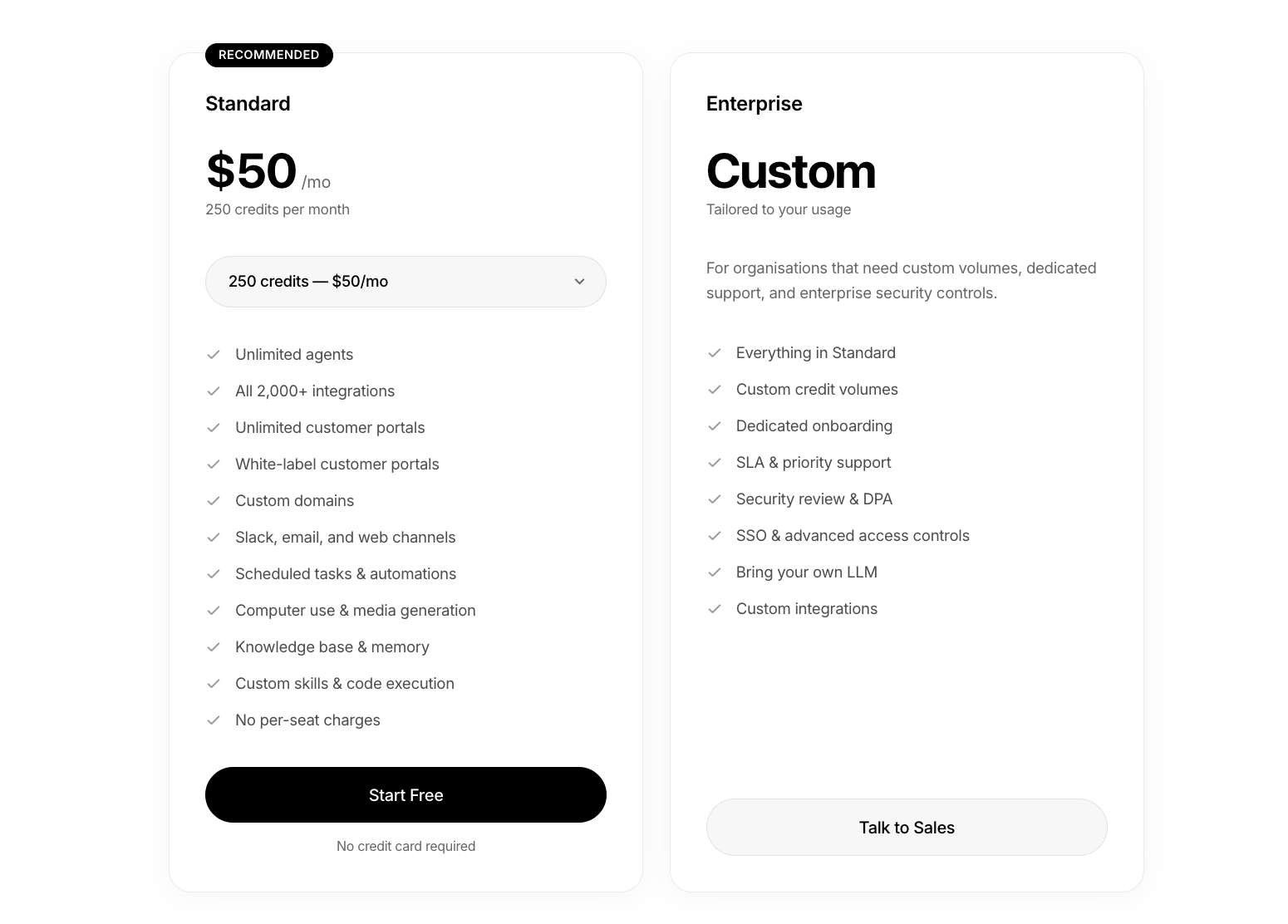
For Stacker AI, the main cost driver is credits. The Standard plan starts at $50/month for 250 credits, with no per-seat charges. Those credits are used when agents do work, such as updating records, running automations, generating reports, researching, or acting across connected tools. If the team uses agents often, they'll likely need more credits. But if usage stays light, the entry plan may be enough.
Portal pricing works differently. Plans start smaller and move up based on how many customers the portal supports, how many AI and cloud credits are included, and whether you need things like custom branding and domain, white labeling, backup/restore, SSO, audit trails, or dedicated support.
If it wasn't already clear, Stacker pricing is split across products. Stacker AI is separate (and billed separately) from Stacker Classic and Astra, so older Stacker pricing references don't always apply to the current AI-first product.
Stacker pricing breakdown
Stacker AI Standard: $50/month for 250 credits
Standard is the main self-serve plan for Stacker's AI product. Instead of per-seat pricing, the whole team shares a monthly credit pool, and those credits are used when agents complete tasks and run workflows. Overall usage will be determined by how complex or resource-intensive those tasks and workflows are.
Best for: Teams that want to use Stacker AI for light internal tools, CRM workflows, reports, automations, and AI-assisted operations without paying per seat.
Features
- Starts with 250 credits per month, with higher credit bundles available if usage grows.
- Lets teams create unlimited agents for different workflows, teams, or business tasks.
- Includes Stacker's 2,000+ integrations, so core connectors are not locked behind a higher self-serve tier.
- Supports Slack, email, and web channels, which makes agents easier to use inside existing tools.
- Includes scheduled tasks and automations for recurring work, not just one-off prompts.
Pros
- No per-seat charges, so adding teammates doesn't automatically increase the subscription cost.
- All Stacker AI features are included in the Standard plan, which makes its value easier to evaluate.
- Works well for light internal workflows, CRM updates, reports, automations, and AI-assisted business tasks.
- The credit model can be practical if agent usage is controlled or occasional.
Cons
- Monthly credits reset each cycle, so unused credits don't roll over.
- If credits run out, agents pause until the next cycle or until the plan is upgraded.
- Costs can increase if agents are used heavily for research, media generation, multi-step automations, or larger projects.
- It can be hard to estimate the real monthly cost before you know how often agents will run.
My verdict
I'd treat Standard as the clearest starting point for Stacker AI. The price is simple, but usage limits can be a blocker. However, if your agents only handle light, repeatable work, 250 credits may be enough to start.
Stacker AI Enterprise: Custom pricing
Stacker AI Enterprise is the custom plan for organizations that need more usage, more support, and stronger security controls than the Standard plan. It includes everything in Standard, but pricing is tailored around custom credit volumes, onboarding, service expectations, and enterprise requirements.
Best for: Larger teams or organizations that need higher AI usage, stronger security controls, dedicated support, custom integrations, or bring-your-own LLM options.
Features
- Builds on the Standard plan, so it includes agents, integrations, channels, scheduled tasks, automations, a knowledge base, memory, custom skills, and code execution.
- Replaces the fixed 250-credit setup with custom credit volumes, which makes it better suited for heavier or less predictable AI usage.
- Adds dedicated onboarding, so larger teams don't have to figure out setup, workflow design, and rollout alone.
- Includes SLA and priority support, which matters more when agents support business-critical workflows.
- Adds security review, DPA, SSO, and advanced access controls for teams with stricter internal requirements.
Pros
- Better fit for teams that expect heavier agent usage than the Standard plan can comfortably cover.
- Adds enterprise support and onboarding, which can reduce rollout risk.
- Includes security and access controls that are not listed on the Standard plan.
- Gives more flexibility around AI model choice and custom integrations.
Cons
- No public price, so you'll need to talk to sales before you can compare real costs.
- It's likely too much for light internal tools, small workflow apps, or early testing.
- The value depends on how clearly your team can define usage needs, security requirements, and rollout scope.
- Custom pricing makes budgeting less straightforward than the fixed $50/month Standard plan.
My verdict
I see Enterprise as the plan for teams that already know Stacker AI will sit inside important workflows. It isn't the natural starting point for testing the platform: it makes more sense when usage, support, security, and integration needs are expansive enough that the fixed Standard plan is just too limited.
The caveat is cost visibility. Since pricing is custom, you can't judge this tier from the public page alone. You'll need a sales quote to know whether the added credits, support, and enterprise controls justify the move.
Stacker pricing: What users are saying on Reddit
Users tend to bring up Stacker as a tool for simple, structured portals, client dashboards, and Airtable or Google Sheets front ends.
Across recent Reddit discussions, it's clear that Stacker's pricing can feel steep even for small projects. In one thread, a user tested Glide, Softr, Retool, Stacker, and Notion/Super for a consulting side project. Their issue with Stacker was value-fit. Another Redditor suggested Softr instead for its lower learning curve, scalability, affordability, and non-dependence on Airtable.
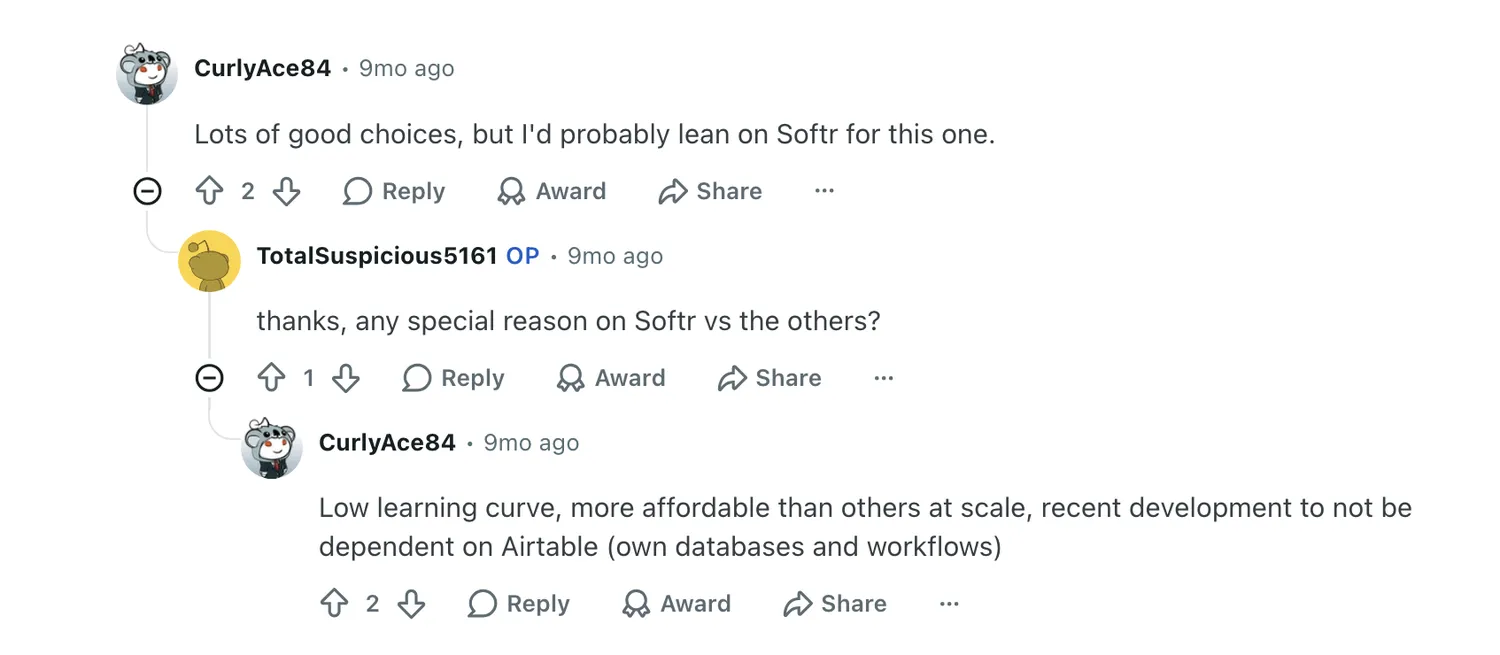
Stacker still fits when you need a lean portal with Airtable, RBAC, per-partner pages, files, PDFs, and notifications. But the OP pushed back on a more feature-heavy option being too expensive for what they needed. This shows the broader buying tension: users want portal functionality, not a bloated tool or plan built for a bigger operation than theirs.
Which Stacker plan should you choose?
Choose Stacker AI Standard if you want the main Stacker AI product and your usage is still predictable. At $50/month for 250 credits, it works best for light internal tools, CRM updates, recurring reports, simple automations, and AI-assisted workflows where you don't want per-seat pricing. The main thing to watch is credit usage, since agents pause if the monthly credits run out.
Choose Stacker AI Enterprise if Stacker AI will support more important or higher-volume workflows. This is the better fit when you need custom credit volumes, onboarding, SLA and priority support, SSO, advanced access controls, security review, a DPA, custom integrations, or bring-your-own LLM. It's not the plan I'd start with for testing, since pricing is custom and depends on your setup.
For portals, choose Personal if you're testing a small idea with up to 20 customers and don't mind Stacker branding. Choose Starter if you need a basic client or customer portal with data integrations and custom branding. Choose Plus if you need a custom domain. Choose Pro if the portal needs white labeling, backups, priority support, and a high user limit. Choose Business if you need SSO, audit trail, bring-your-own LLM, and dedicated account support.
In other words, choose a plan based on the job you need done, not price alone. For AI workflows, look at credits. For portals, look at customer limits, branding, support, and security needs.
Is Stacker worth it?
Stacker is worth considering if you need AI-assisted tools or simple portals around business data. It's best when your use case is clear: agents handling repeatable work or clients or teams accessing data through a portal.
The value is harder to judge for smaller projects, heavy external usage, or cases where you need more design control than Stacker can give you.
Consider Stacker if you:
- Want to build AI-assisted internal tools, reports, CRM workflows, or automations without paying per seat (beware of credit usage)
- Need portals with controlled access to data
- Have structured data in tools like Airtable, Google Sheets, or other connected systems
- Care more about permissions, workflows, and speed to launch than full design control
- Know your expected usage well enough to estimate credits, customers, and support needs
Pass on Stacker if you:
- Need a low-cost tool for one small app or side project
- Want deep visual customization or highly custom product logic
- Expect heavy AI usage but don't want to manage credit-based pricing
- Need a simple portal for many external users and want predictable low costs
- Don't want to deal with separate pricing paths for Stacker AI and portal apps
Stacker vs Softr pricing: Which is better?
Stacker's pricing is split across two paths. Stacker AI starts at $50/month for 250 credits, with custom Enterprise pricing for higher usage and security needs. Its portal plans are separate, starting at $9/month and scaling by customers, AI credits, cloud credits, and other features. That structure can work well if you know exactly what you're building, but it also means you need to choose the right pricing track from the get-go.
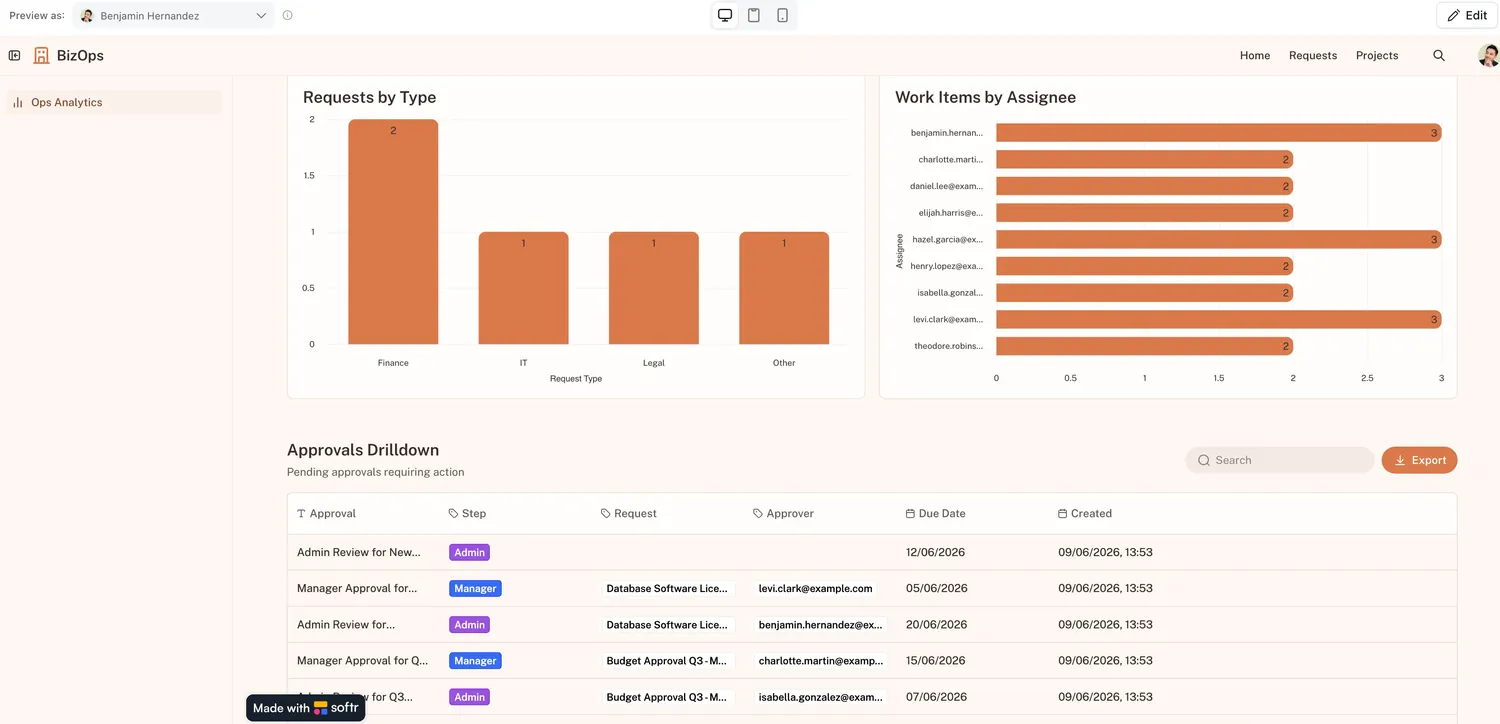
Softr's pricing is much easier to map to a full business app (or multiple apps). Instead of separating AI workflows from portals, Softr plans scale around app users, database records, workflow actions, data sources, AI credits, and user groups. This makes pricing clearer if you're building a client or partner portal, an internal tool, a CRM, or a dashboard.
Stacker may be enough for a light portal or focused AI agent use case. But Softr is the better option when you need a production-ready business app with data, permissions, forms, workflows, AI, and user access managed in one place.
💡 Read more about how to reduce your software build expenses in our in-depth app development cost guide →
Softr pricing overview
| Softr plan | Price | What you get |
|---|---|---|
| Free | $0 | 5 users, unlimited apps, up to 3 builders, 5 AI credits, 5,000 database records, 500 workflow actions |
| Basic | $19/month | Team: 5 + Client: 5 app users, 10 AI credits, 50K records, 2.5K workflow actions |
| Pro | $99/month | Team: 10 + Client: 50 app users, 50 AI credits, 500K records, 10K workflow actions |
| Business | $329/month | Team: 30 + Client: 100 app users, 100 AI credits, 1M records, 25K workflow actions |
| Enterprise | Custom | SSO, audit logs, SOC2 reporting, IP blocking, SLAs, dedicated success manager, priority support |
Softr also lets teams add AI credits in fixed bundles, starting at 100 credits for $10/month. Pro plan subscribers can add extra users at $10 per 10 users.
What you get with Softr
- A full app stack: Softr isn't only priced around a portal or an AI agent. Each plan gives you room to build apps with databases, forms, workflows, permissions, AI, and connected data sources. That matters when your "simple portal" also needs intake forms, approval flows, dashboards, CRM records, or internal team views.
- A free plan that can actually test the app: Softr's free plan includes 5 app users, 5,000 database records, 500 workflow actions, unlimited apps, up to 3 builders, and unlimited building blocks. That gives teams more room to test a real workflow before moving to a paid plan.
- Clearer growth limits: With Softr, you can see how each plan changes: more users, more records, more workflow actions, more user groups, more data sources, and stronger security. You also don't depend on AI credits, since you can always customize your apps visually in addition to prompting.
- More flexibility for operational apps: Softr is stronger when the app is tied to a real process, not just a login screen. You can build client portals, partner portals, CRMs, intranets, inventory tools, project trackers, dashboards, and approval systems on top of Softr Databases or connected data sources.
- Integration with your existing business data: On top of its native relational database, Softr connects to 20+ data sources, including Airtable, Google Sheets, HubSpot, Notion, SQL databases, and Supabase. With the Softr MCP, builders can create and manage apps, databases, and workflows directly from assistants like Claude, ChatGPT, or Cursor.
- Enterprise-grade security from the very start: SOC2 and GDPR compliance, SSO on Enterprise, and battle-tested infrastructure make Softr one of the most secure AI app builders.
Why teams choose Softr over Stacker
- Pricing is easier to connect to the actual app: Stacker's current pricing is split between AI credits and portal plans. Softr's pricing follows the app itself: users, records, workflows, forms, AI credits, permissions, and security. That's easier to reason about when you're building a business tool that needs more than one feature.
- The free and lower tiers give more room to validate: Stacker's lowest portal plan is useful for testing, but it stays small: 20 customers, one admin, limited credits, and Stacker branding. Softr's free plan gives teams more practical app-building capacity upfront, including users, database records, workflow actions, unlimited apps, and up to 3 builders.
- Softr is better for apps that grow into systems: If your client portal eventually needs a CRM, approval flow, internal dashboard, project tracker, or reporting view, Softr gives you more of the stack in one place. Stacker can still work for focused portals or agent workflows, but Softr is better suited when the app becomes part of daily operations.
Stacker vs Softr: Which should you choose?
I'd choose Stacker if you need a focused AI agent setup or a lightweight customer-facing portal. It makes the most sense when your usage is easy to estimate, you're comfortable with credit-based AI pricing, and your portal fits within Stacker's customer, branding, and support limits.
I'd choose Softr if you're building a fully functional business app that needs to support real workflows. It's the stronger fit for client portals, partner portals, internal tools, CRMs, and project trackers where users, records, permissions, forms, workflows, and AI all need to work together.
Try Softr for free and build your first production-ready business app with AI.
Frequently asked questions
How much does Stacker cost?
What are Stacker credits and how do they work?
Does Stacker charge per seat?
Which Stacker plan is best for a client portal?
Is Softr cheaper than Stacker?