6 best membership management software in 2026


As a membership grows, spreadsheets and email threads start to strain: records scatter, renewals slip through the cracks, and admin eats the hours you’d rather spend on members. Membership management software puts all of it in one system. Here are the best options for 2026, what each is good at, and where each falls short.
Best membership management software at a glance
| Tool | Best for | Key features | Pricing |
|---|---|---|---|
| Softr | Teams that need a flexible, custom membership system with portals, workflows, and built-in AI assistance | • Custom member portals and dashboards • Granular role-based access control • Native workflow automation and AI on live data • Works with your existing data | Free plan available; paid plans from $19/month (billed annually) |
| Memberstack | Adding memberships and gated content to an existing website | • Fast authentication and login flows • Gated pages and paid memberships • Stripe-based subscription management • Strong Webflow integration | Free plan available; paid plans start at launch and scale by usage |
| Outseta | Bootstrapped teams running subscriptions, CRM, and billing in one system | • All-in-one CRM, billing, email, and support • Flexible subscription and pricing models • Self-serve member portal • Contact-based segmentation | From $37/month + transaction fees (billed annually) |
| Wild Apricot | Nonprofits, clubs, and associations needing an all-in-one member suite | • Membership database with renewals • Event registration and payments • Website builder and member portal • Built-in email tools | From ~$56.70/month for 100 contacts (billed annually) |
| GroupApp | Creators and small teams running paid communities and courses | • Community discussions + courses in one space • Native mobile apps and push notifications • Membership monetization with 0% platform fees • Engagement-focused workflows | From $18/month (billed annually) |
| MemberClicks | Associations and nonprofits with traditional AMS requirements | • Full AMS with dues, events, and reporting • Relational member records and renewals • Built-in email and websites • Structured onboarding and support | Quote-based, starts at ~$3,500-$4,500/year |
What is membership management software?
Membership management software helps you manage members, automate billing and renewals, run events, and track engagement in one system. You need it when you run any program with a recurring or subscription model: fitness studios, gyms, event clubs, social clubs, non-profits, or a small business with a paid community or digital membership.
For members, good software means they can log in, manage their account, update payment details, access exclusive content, register for events, and connect with your community, all from one branded, secure place.
That makes the platform you choose more than an admin tool. It directly shapes member satisfaction, retention, and long-term revenue.
What to look for in membership management software
Here’s what to evaluate when choosing the best software for membership management for your business.
- Access control and permissions: Look for granular roles so different members, admins, and internal users can access only what’s relevant to them.
- Centralized member database: Store all member records in one structured database that powers your apps. This should include contact details, membership type, start and end dates, renewal status, and any custom fields your organization relies on.
- Ability to build multiple member-facing and internal apps: Strong membership software should let you power portals, event registrations, dashboards, or community spaces from the same member data. You shouldn’t need separate tools just to manage events, communication, or internal workflows.
- Automation for renewals and workflows: Look for tools that move work forward on their own. Automated renewals, reminders, status changes, and notifications cut manual work and prevent errors.
- Self-service portals: Members should be able to log in to their member dashboards, update details, access gated content, book spots for events and activities, and manage their membership without technical difficulties.
- Ease of setup: Your team shouldn’t need developers or weeks of onboarding to get started. The software should be easy to start with and easy to grow, so you can add features as your needs change.
- Customization and branding: Your membership experience must feel like your product, not a generic platform with limited UI control.
- Scalability without complexity: The best software for membership management should support more members, tiers, and workflows without becoming harder to manage.
- Built-in security and infrastructure: Hosting, authentication, and data security should be handled for you, so you can focus on operations, not maintenance.
1. Softr — best for custom, AI-powered membership portals and workflows
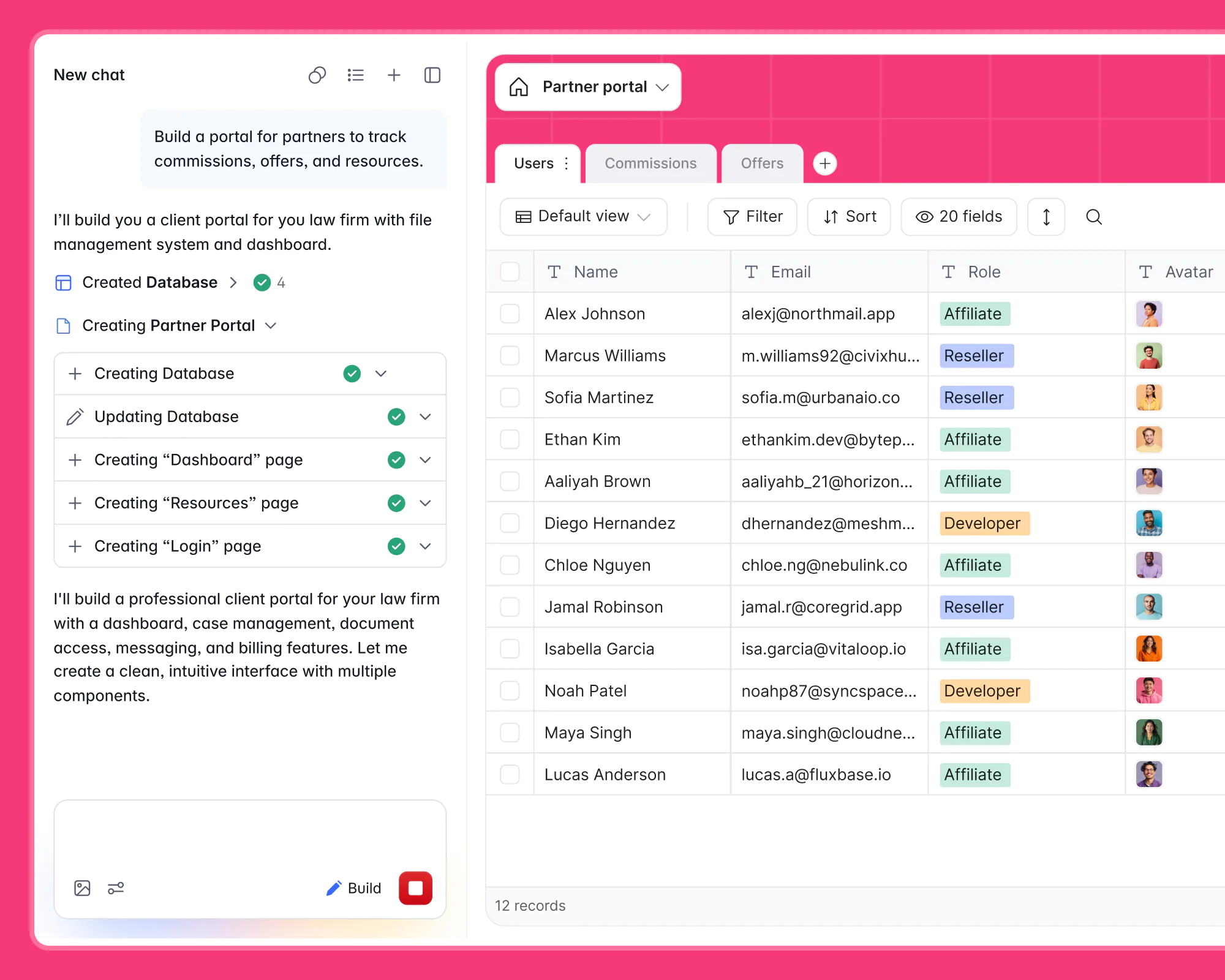
Most membership and event platforms either cost a fortune or take weeks to learn. You pay for features you don’t use, or get stuck bending a rigid system that almost fits. Softr works the other way around: you build the exact membership system your organization needs, on top of your own data, without writing code.
The fastest way in is the AI Co-Builder. Describe what you want in plain language, like "a member portal with gated content, a directory, and event sign-ups", and it scaffolds the whole thing: the database structure, sample records, user groups, and app pages. From there you refine visually with pre-built blocks, or reach for the Vibe Coding block when you need something fully custom. You can still start from a template or a blank canvas if you prefer.
"If you use the AI Co-Builder to generate the database, you can trust that you are in the top 10% of database design already." — Mariam Hakobyan, CEO and Co-founder of Softr
Once the app exists, you manage members, control access by role or tier, automate renewals, and give members self-serve portals. Permissions and views are fully customizable, so each person sees only what’s relevant to them. A member sees their gated content and invoices, while an admin monitors renewals, engagement, and usage in real time.

Behind the scenes, Softr Workflows keep everything moving: onboarding new members, sending renewal reminders, or changing access when a tier changes, all automatically. You can build these by hand or describe them to the workflow AI Co-Builder. And with database AI agents, fields can enrich themselves (summarizing member activity, categorizing records, or drafting messages) so your team spends less time on data entry.
Softr pros and cons
Pros:
- Fast to build and easy to maintain: Start quickly with the AI Co-Builder or from a pre-made template with your business data that makes app setup accessible for non-technical teams.
- Advanced permissions: Control exactly what members, admins, and moderators can see or manage down to individual pages or blocks.
- Member portals and dashboards: Build clean, branded portals on top of your business data so members can manage profiles, access content, view dashboards, track programs, or join discussions.
- Workflow automation without code: Automate onboarding, renewals, notifications, and status changes using built-in workflows or integrations.
- Built-in AI where work happens: AI agents and Ask AI run directly inside your databases, apps, and workflows, not in a separate system or interface.
Cons:
- Not a plug-and-play membership platform: Softr isn’t a pre-packaged membership product, so it needs some upfront data and layout setup.
Softr best features
- Advanced permissions and user groups: Create custom user groups for members, admins, moderators, and partners with granular access control. Show content, programs, or resources based on membership tier, role, or status.
- Multi-source data support: Build apps and interfaces on top of your data in Softr Databases or connect multiple external data sources into a single system of record.
- Workflow automation: Onboard members, send reminders and billing updates, or get instant notifications automatically so you and your team spend less time on manual tasks.
- Feedback and sign-up forms: Collect member data, receive feedback, and manage registrations with built-in conditional forms.
- Payment processing integrations: Enable members to securely pay through integrated payment options such as Stripe or PayPal.
- Community and engagement tools: Add forums, discussions, surveys, and feedback loops directly into your membership platform.
- Ask AI: Let admins query membership data in plain language to quickly answer questions like “Which memberships expire this month?” or “Which members haven’t logged in recently?” without digging through tables, filters, or reports.
- Mobile-ready experience: Member portals work on any device and can be turned into installable web apps.
- Extend beyond a membership site: Add event apps, internal tools and portals, or community spaces in the same system without introducing new tools or subscription costs.
Softr pricing
Softr offers predictable pricing and a generous free plan. Every tier includes unlimited published apps, so your cost scales with usage (members, records, and workflow actions), not with how many apps you build.
- Free: Unlimited apps, with access to Softr Workflows and Softr Databases, 5 app users, 5,000 records, and 5 AI credits.
- Basic ($19/month): Unlimited apps with 42+ integrations, Team: 5 + Client: 5 app users, 50,000 records, and a custom domain.
- Pro ($99/month): Unlimited apps with 45+ integrations and custom code, Team: 10 + Client: 50 app users, 500,000 records, custom user groups (up to 3), and advanced permissions.
- Business ($329/month): Unlimited apps with 52+ integrations, Team: 30 + Client: 100 app users, 1M records, custom user groups (up to 10), and two-factor authentication.
- Enterprise: Custom pricing, SSO, a dedicated success manager, and tailored onboarding.
THE BOARD, a collective of 270+ senior experts, replaced four separate tools with a single Softr platform. Members now browse a searchable directory, discover fractional opportunities, and register for events, while the internal team runs applications, onboarding, and its client pipeline from the same system with 6+ automated workflows. One platform now covers what used to take a member directory app, a CRM, and scattered intake forms.
2. Memberstack — best for adding memberships to an existing website
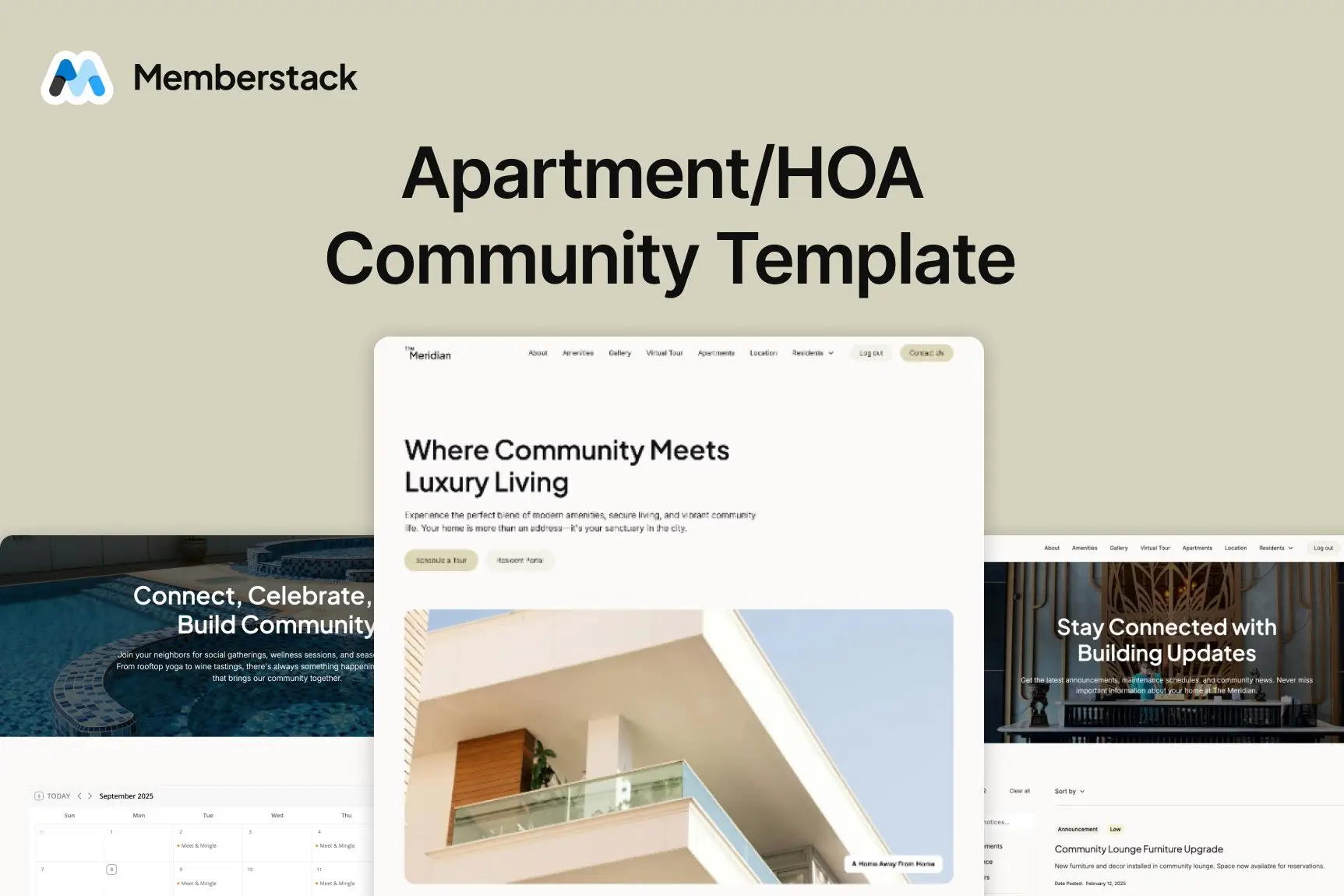
Memberstack is a membership and authentication layer designed for teams that already have a website and want to add logins, gated content, and paid memberships without building a backend. It’s most commonly used with Webflow, but also works with custom sites and some CMS setups, making it a practical option for creators and small teams launching subscription content or member-only areas.
Memberstack pros and cons
Pros:
- Quick setup on existing sites: Add authentication and memberships without rebuilding your site or database.
- Strong Webflow integration: Well suited for Webflow-based sites and front-end-first builds.
- Built-in Stripe subscriptions: Supports recurring payments, plans, and member billing through Stripe.
- Clean member authentication: Handles sign-up, login, password recovery, and member states out of the box.
Cons:
- Limited backend logic: Not designed for complex workflows, operational automations, or multi-step processes.
- Stripe-only payments: No native support for PayPal or other payment processors.
- Front-end-focused access control: Advanced data-level permissions require additional tooling or custom setup.
Memberstack best features
- Member authentication and logins: Secure sign-up and login flows with hosted or embedded components.
- Gated pages and content: Restrict access to pages or sections based on membership status or plan.
- Stripe subscription management: Create paid plans, manage renewals, and handle billing logic.
- Custom member fields: Store basic member attributes for personalization and access rules.
- Integrations and webhooks: Connect Memberstack to tools like Zapier, Make, or custom APIs.
Memberstack pricing
Exact pricing and limits vary by plan and may change.
- Free to build and test before launch
- Paid plans start once you go live and scale based on features and usage
3. Outseta — best for bootstrapped teams running subscriptions, CRM, and billing in one place
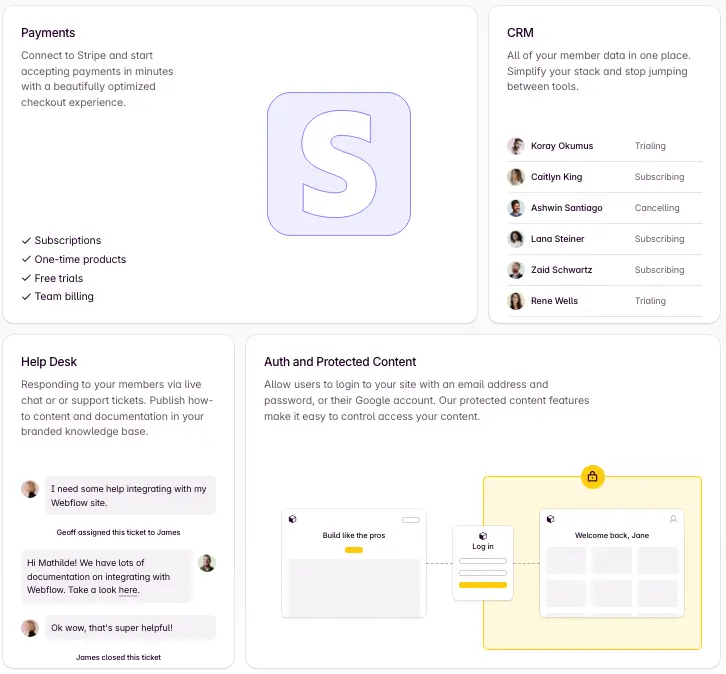
Outseta is an all-in-one membership and subscription platform that combines authentication, billing, CRM, email marketing, and support tools into a single system. It’s designed for founders, SaaS start-ups, and membership sites that want core tools like gated content, subscriber management, and member lifecycle workflows without custom backend development. Outseta works with existing website frameworks (Webflow, WordPress, custom sites) and gives you one login to manage members, payments, communications, and support all together.
Outseta pros and cons
Pros:
- Integrated member lifecycle tools: CRM, authentication, billing, email, and help desk in one platform.
- Flexible subscription models: Supports recurring, one-time, trials, add-ons, discounts, and setup fees.
- Member database with segmentation: Track member behavior, lifetime value, and custom properties.
- Self-serve membership portal: Members can update profiles, billing, and subscriptions without support tickets.
Cons:
- Not as deep in advanced CRM features: SMB-focused CRM can be less customizable than dedicated enterprise CRMs.
- Email marketing more basic: Lacks the full automation depth of standalone tools like ActiveCampaign.
- Pricing based on contacts: Plans scale with contacts rather than flat seats, which can be tricky to forecast for large lists.
Outseta best features
- Subscription billing & flexible pricing models: Monthly, quarterly, annual, add-ons, setup fees, one-time products.
- Authentication & gated content: Secure logins, password rules, SSO, and content protection by plan.
- Unified CRM & member database: Track leads, members, segments, CLTV, and customer touchpoints.
- Email and automation: Broadcasts and drip sequences tied to member activity.
- Help desk and support tools: Ticketing, knowledge base, and customer communication.
Outseta pricing
All prices shown are per month, billed annually.
- Founder: $37/month + 2% transaction fee, up to 1,000 contacts
- Start-Up: $67/month + 1% transaction fee, up to 5,000 contacts
- Growth: $97/month + 1% transaction fee, up to 10,000 contacts
- 50K: $397/month + 1% transaction fee, up to 50,000 contacts
4. Wild Apricot — best for nonprofits, clubs, and associations that need all-in-one member management
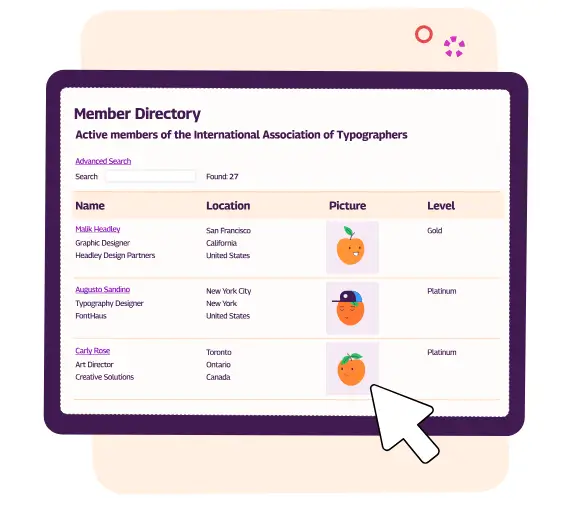
Wild Apricot is cloud-based membership management software. It’s built to centralize member data, event registration, payments, communications, and website tools for small to mid-sized organizations like nonprofits, clubs, and associations. It provides a unified platform where teams can store member records, automate renewals and dues, run event sign-ups, and manage email outreach without juggling spreadsheets and several separate apps. While it’s longstanding in membership circles, its website builder and member portal features make it suitable when you need both operational tools and member engagement capabilities in one system.
Wild Apricot pros and cons
Pros:
- All-in-one membership suite: Combines member database, event management, payments, and communications in a single platform.
- Centralized member portal: Members can update profiles, register for events, and view dues or activities.
- Automated membership & renewal workflows: Reduce manual admin work with built-in automation.
- Website and email tools included: Build membership sites and run newsletters without separate apps.
Cons:
- Design flexibility can be limited: Some users find customization and branding tools restrictive.
- Support and learning curve vary: Support responsiveness and onboarding experiences reported inconsistently.
- Pricing jumps with contacts: Costs rise significantly as contact lists grow.
Wild Apricot best features
- Membership database: Store, segment, and manage member records in one secure system.
- Event and registration management: Create event pages, handle sign-ups, and process payments.
- Website builder & member portal: Build a public website and private member area without coding.
- Automated payments & renewals: Collect dues, donations, and recurring payments with automation.
- Email and communication tools: Send newsletters and segmented emails directly through the platform.
Wild Apricot pricing
60-day free trial included, no credit card required.
Per month pricing varies based on the number of contacts. Below is an example for 100 contacts.
- Monthly billing: $63.00/month
- Annual billing (pre-pay 1 year): $56.70/month (save 10%)
- Biannual billing (pre-pay 2 years): $53.55/month (save 15%)
5. GroupApp — best for creators and small teams building paid communities with courses
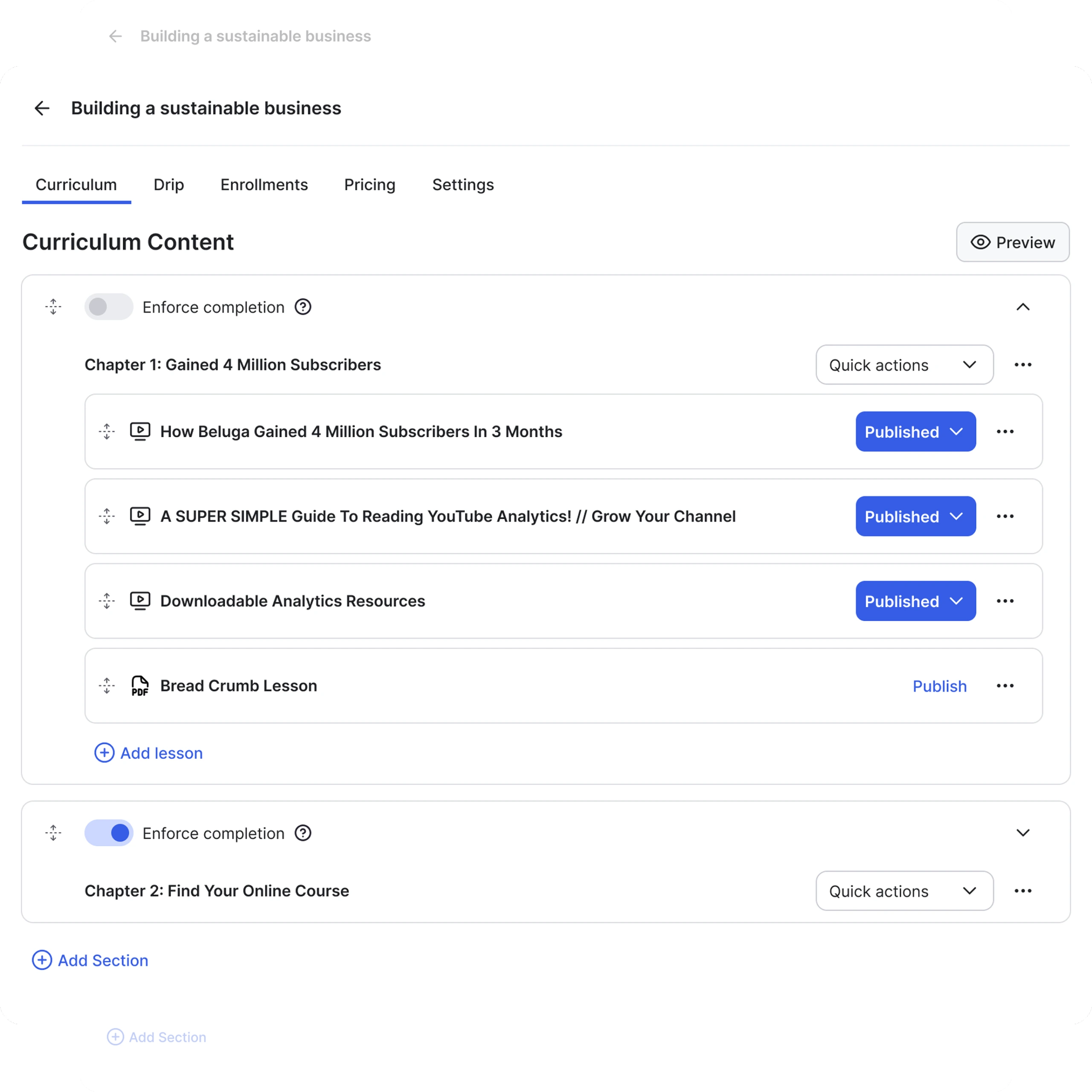
GroupApp is an all-in-one community platform built for creators, educators, and small teams who want to manage paid memberships, online courses, discussions, and engagement in one place. It brings together community channels, structured discussions, content libraries, course delivery, and membership monetization so members don’t have to jump between tools to join conversations or access content. Unlike tools that separate courses and community, GroupApp tightly integrates them, making it easier to run structured programs where learning and connection happen together.
GroupApp pros and cons
Pros:
- Built for community + courses: Combines member engagement, learning content, and monetization in one experience.
- 0% platform transaction fees: You keep all revenue from paid plans, courses, and digital products.
- Unlimited members and content: Most plans support unlimited members and unlimited courses.
- Mobile apps and push notifications: Native iOS and Android apps strengthen engagement.
Cons:
- No built-in livestreaming: Live video requires third-party tools (like Zoom).
- Limited multi-language support: Content must be created and managed manually for international audiences.
- Stripe-only payments: Only Stripe is supported for payment processing.
GroupApp best features
- Community channels & discussions: Organize conversations, topics, and threads for member interaction.
- Structured courses and content delivery: Built-in course creation with content libraries alongside community spaces.
- Membership plans & monetization: Create recurring membership tiers, standalone products, upsells, and coupons under your brand.
- Native mobile apps: Members can engage, view content, and participate via branded iOS/Android apps.
- Automations & engagement tools: Native workflows automate onboarding, notifications, and member communications.
- Branding and custom domain: Use your own branding and domain to make the experience feel native to your community.
GroupApp pricing
Prices shown are per month, billed annually. All plans include 0% transaction fees and a 14-day free trial.
- Launch: $18/month
- Grow: $48/month
- Scale (recommended): $108/month
- Organization: $288/month
6. MemberClicks — best for associations and nonprofits with traditional AMS needs
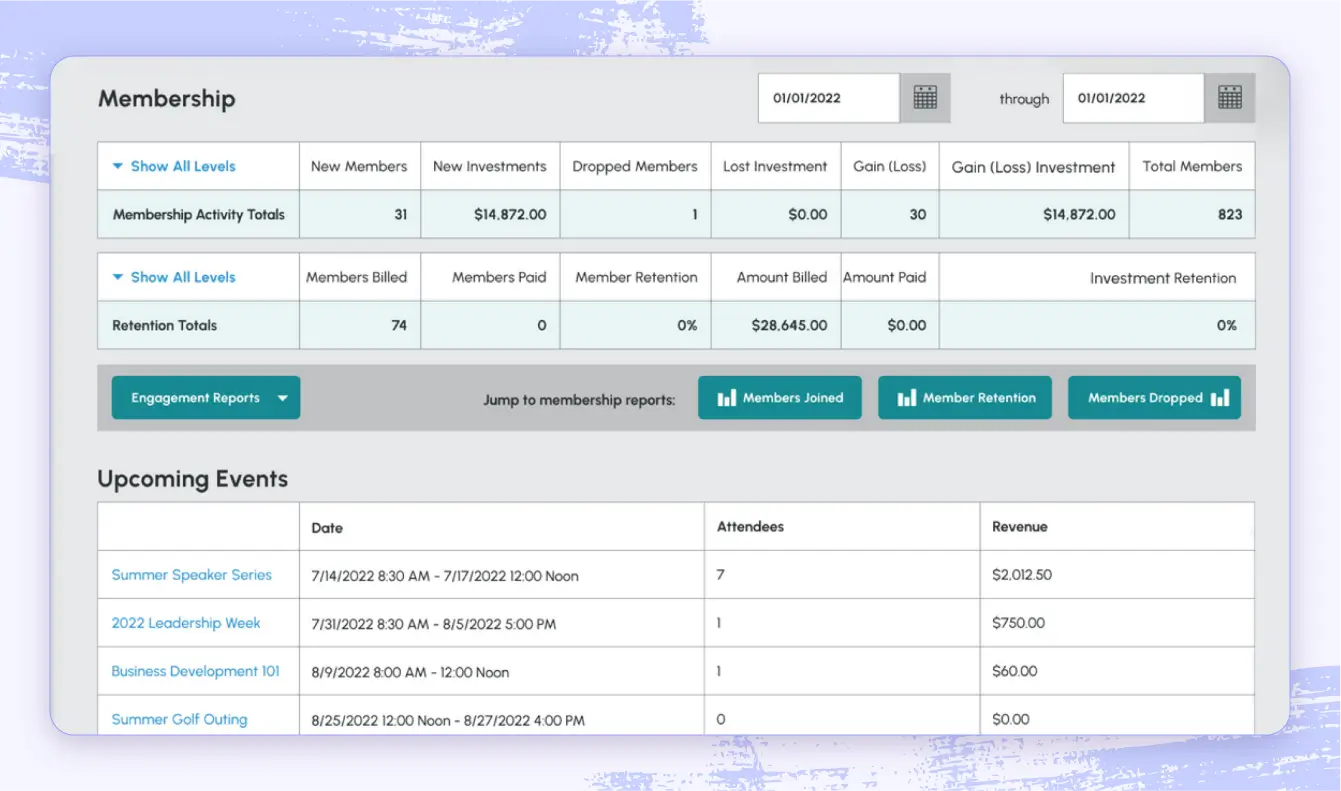
MemberClicks is a purpose-built membership and association management software used by professional associations, trade groups, chambers, and nonprofit organizations to handle member data, dues, events, communications, and reporting in one system. It combines member database, event registration, automated renewals, email marketing, and website tools into a single backend. MemberClicks also supports relational member structures, custom sites, and advanced dues logic tailored to the needs of member-based organizations of varying sizes.
MemberClicks pros and cons
Pros:
- Comprehensive AMS features: Central member database, automated dues, event management, and reporting all in one place.
- Member communications and marketing: Built-in email segmentation and automation for renewal campaigns and outreach.
- Integrated websites and portals: Member-facing sites and directories included in the platform.
- Strong support and training ecosystem: Many organizations value responsive support and onboarding resources.
Cons:
- Higher cost and commitment: Pricing is typically at a significant annual amount, with no free trial or free plan.
- Steeper learning curve: The breadth of features and customization can feel complex for teams new to AMS.
- Not as specialized for modern community features: Lacks some advanced community engagement and deeper automated workflows found in newer platforms.
MemberClicks best features
- Membership database & CRM-style records: Track individual and organization member profiles, relationships, and history.
- Dues, renewals & automated billing: Automated renewal reminders and dues collection help reduce manual admin work.
- Event management & registration: Promote events, manage attendee registration, and collect payments online.
- Email marketing & automation: Campaigns, segmentation, and member communications built into the platform.
- Reporting & analytics: Real-time dashboards and reports to monitor membership trends and finances.
MemberClicks pricing
MemberClicks pricing is quote-based and depends on organization type and functionality needs. Plans are billed annually.
- MC Professional: Starts at $4,500/year
- MC Trade: Starts at $3,500/year
Both plans require a sales conversation to finalize pricing based on member count, data structure, and feature requirements.
How to build your own membership app with Softr
If none of the tools above fit exactly, you can build your own membership system in an afternoon. Here’s the path most teams follow.
- Start with your data. Membership apps live or die on their data structure. Keep every member in a single table with a
Rolefield (member, admin, moderator) and aStatusfield (pending, active). Use Softr Databases, or connect data you already keep in Airtable, Google Sheets, HubSpot, and 21+ other sources. Describe your data to the AI Co-Builder and it generates the tables, fields, and sample records for you. - Set up users and permissions first. Sync that member table to Softr’s user system, then create user groups by role or tier. Add data restrictions so each member only ever sees their own records, and gate login behind the
Statusfield so people can apply or be invited but can’t get in until an admin approves them. - Build the member-facing pages. Start with a dashboard homepage (key actions and stats), then add list and record detail pages for content, events, or resources. Pre-built blocks cover most of it. For anything custom, like a booking widget or a progress tracker, generate it from a description with the Vibe Coding block.
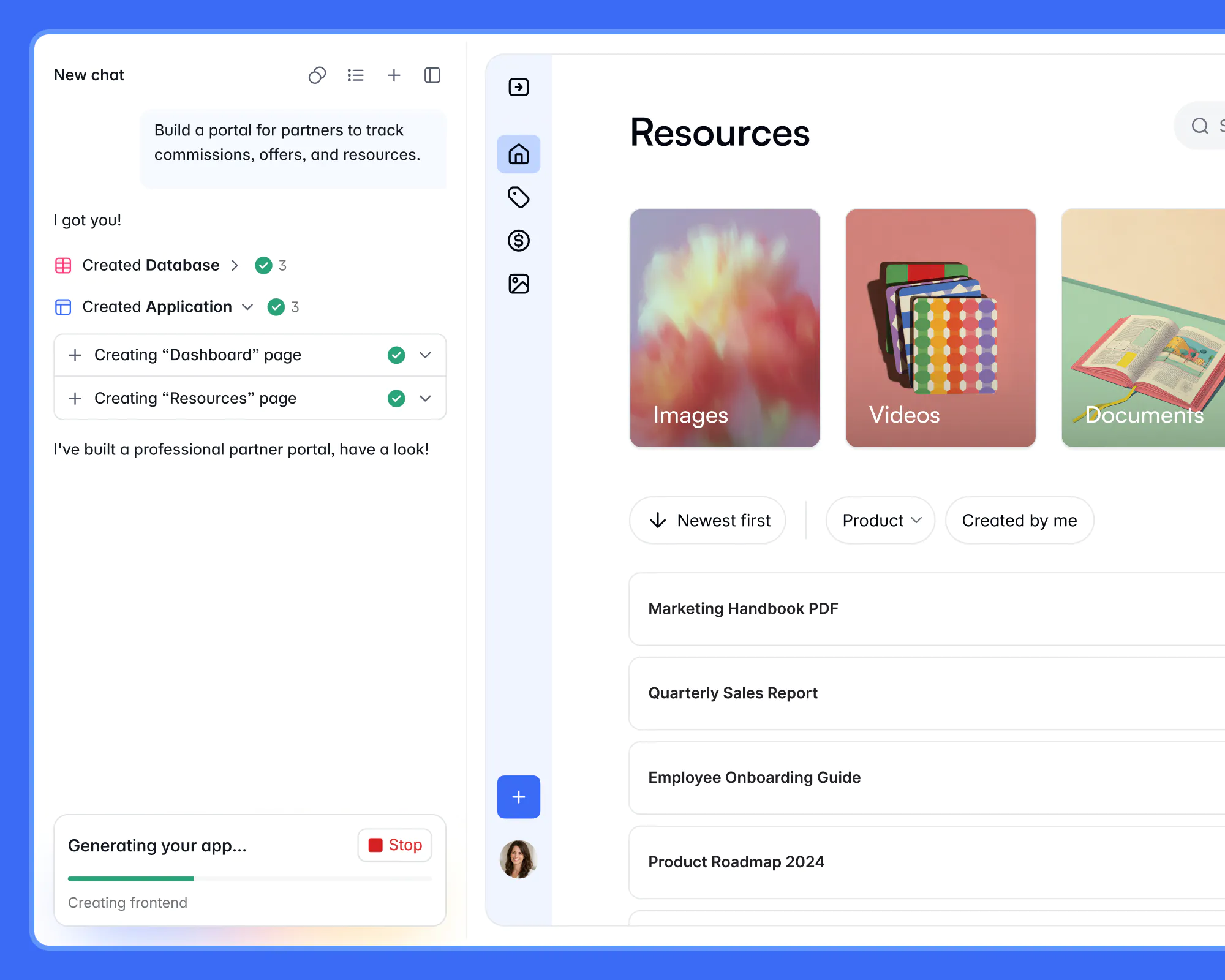
4. Automate the busywork. Use Softr Workflows to onboard new members, send renewal reminders, and change access when a tier changes. Build each workflow by hand, or describe the automation you need and let the workflow AI Co-Builder assemble the logic.
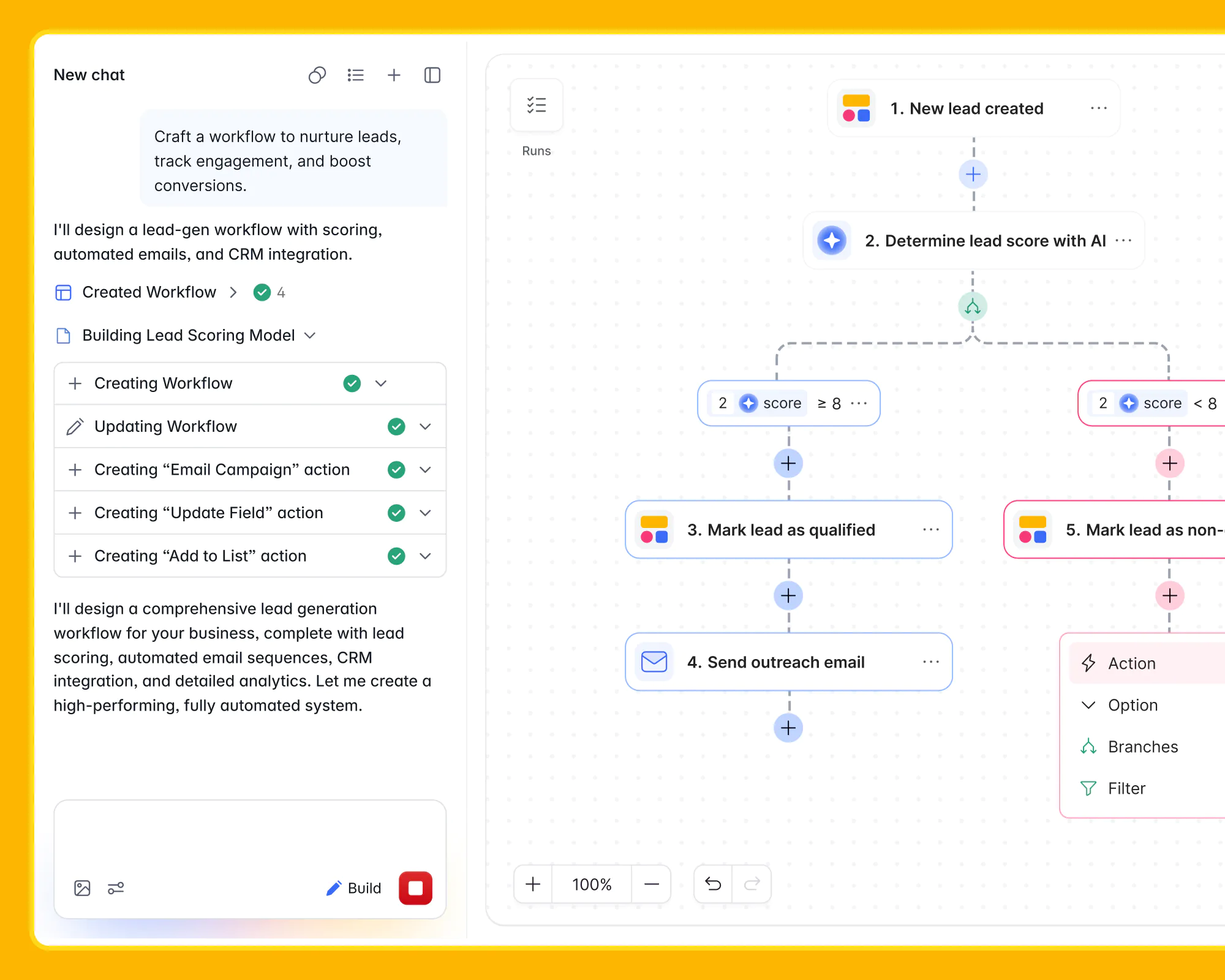
5. Put AI to work on your data. Add database AI agents to enrich records automatically, such as summarizing member activity or categorizing sign-ups, and turn on Ask AI so admins can ask questions like "which memberships expire this month?" in plain language.
6. Preview, test, and publish. Use preview mode and user impersonation to confirm exactly what each member group can see before you go live. When it looks right, publish to a Softr subdomain or map it to your own custom domain.
Find the membership management software that fits your needs
There’s no single “best” membership management software for everyone. Some teams need flexibility and room to adapt. Others want something simple that works out of the box. What matters is picking a tool that reduces manual work, keeps member data organized, and doesn’t become harder to manage as your membership grows.
Start with how your team actually operates today, think about where you’re headed next, and choose the software that supports that path without adding unnecessary complexity.
If you need a membership setup that adapts as you grow without developers, rigid templates, or tool sprawl, Softr gives you that flexibility from day one. You can start small, build more features and pages on the data you already have, and evolve your member portal as your needs change.
👉 Try Softr for free and build a membership portal that aligns with your workflows.
Frequently asked questions
What is the best membership management software?
How much does membership management software cost?
Can I build a membership site without coding?
What's the difference between membership management software and a CRM?
Can one platform handle members, events, payments, and community together?