Claude Code vs Cursor: Which AI coding tool is right for you? [2026]

[.blog-callout]
✨ TL;DR:
- Cursor is an AI-native code editor built for hands-on developers who want inline suggestions and tight control, while Claude Code is more agentic, handling complex multi-step tasks autonomously with minimal supervision.
- Both can dramatically speed up software development, but both still generate raw code that needs testing, security review, deployment, and maintenance.
- For teams or non-technical builders who want production-ready software without managing infrastructure or reviewing code, Softr offers a different approach: AI-generated business apps with authentication, permissions, hosting, and workflows already built in.
[.blog-callout]
Two years ago, if you'd told me that I—a creative writing major with no fluency in programming languages—could build an app in 30 minutes just by typing a few sentences, I would've raised a very skeptical eyebrow at you. Yet here we are. AI-assisted coding tools have made app-building accessible to everyone, even me. And if you're already a developer, these tools can be a force multiplier for you.
Of the AI coding tools out there, Claude Code and Cursor are two of the more popular choices. In this guide, I'll cover them both: where each one shines and falls short, which to choose, and when signing up for Softr might be the best option.
Claude Code vs. Cursor at a glance
What is Claude Code?
.webp)
Claude Code is an agentic coding tool from Anthropic that can build apps, tools, websites, automation scripts, and internal dashboards for you. It's accessible from a terminal, VS Code, or JetBrains—or, if you're non-technical and were hoping for a friendlier entry point, right from the web or the desktop app (pictured above).
Developers can ask Claude Code to implement a feature, fix a bug, or write tests for a module, then watch it autonomously read files, write and edit code, run commands, and commit changes to GitHub without someone managing every step. Not a developer? It may take a moment to find your sea legs on Claude Code, but you, too, can build real working software just by telling it what you want in plain English.
One feature that makes Claude Code particularly useful for teams is its memory system, called CLAUDE.md. It's a plain text file that lives in your project folder and tells Claude how to behave across every session. You can use it to set rules like coding style preferences, project context, or things Claude should never do.
Coming from Anthropic, it's no surprise Claude Code runs on Claude's newest flagship models: Sonnet 4.6 and Opus 4.6. The latter has a particularly impressive context window—that's how much info Claude can hold at once during a session—of up to 1 million tokens, which is basically the length of the first five Harry Potter books. That means Claude can read your whole codebase—all the files, folders, and logic that make up a project—and give you suggestions that account for the full picture. In other words, it won't start suggesting things that contradict or break other parts of your project because it forgot what's in a file it looked at earlier.
Note: The 1M token context window is currently in beta and isn't enabled by default. To use it, you'll need an eligible Anthropic account and a specific beta header configured in your API calls. You can check your Anthropic Console and Claude API settings to confirm whether it's active for your account.
Claude Code is especially strong at tasks that need a lot of steps handled in sequence: overhauling how a project is structured, building out a new feature from a written spec, or starting something from scratch based on a description. It's also a surprisingly good tool for getting up to speed on a codebase you didn't write. Just point it at a repo and ask it to explain the architecture, map how the files connect, or walk you through the main code paths before you touch anything.
That kind of open-ended exploration is useful. But keep in mind it draws more from your usage allowance than a specific, targeted task would. If you're on a subscription plan, that means you might have to endure a pause until your usage limit resets. On pay-per-use API pricing, you won’t encounter hard stops, but open-ended sessions can get expensive fast.
Finally, Claude Code generates…raw code. Traditionally, you'd want a human to review that for bugs, security holes, and unintended side effects before it gets shipped. Claude Code does have a new Code Review feature, with reviews running around $15–$25 per pull request. But it’s new enough that there’s limited real-world data on how reliably it catches issues as of this writing. It’s also available only on Team and Enterprise plans for now.
Claude Code's key features
- Agentic task execution: Claude reads files, writes and edits code, runs terminal commands, and commits changes autonomously. You describe the task, it handles the execution.
- Large context window: If you have access to Opus 4.6's 1M token context window, you can load entire codebases into a single session without losing track of project structure.
- Multi-agent teams: Multiple agents can work on different parts of a project simultaneously, which can cut large codebase review time roughly in half.
- Extensibility: Claude Code connects with external tools through Model Context Protocol (MCP) servers, meaning it can interact with GitHub, databases, and other APIs as part of its workflow.
- Adaptive thinking: Opus 4.6 supports extended reasoning for particularly complex problems, letting Claude take more deliberate steps on hard tasks.
- Code Review: This feature automatically scans submitted code for logic errors, security vulnerabilities, and regressions (unintended breakage of things that used to work) before it goes live. Available on Team and Enterprise plans only.
Claude Code cons
- Steeper learning curve for non-developers: The desktop and web interfaces do lower the barrier to entry. But Claude Code still assumes some familiarity with how software projects are structured. Non-technical users can get started, but they might hit walls without a dev to review, test, and deploy what they build.
- Usage limits on subscription plans: Even at $200/month on the Max plan, you're buying more throttled access, not unlimited access. Heavy users can hit weekly rate limits, especially during intense sessions.
- Anthropic models only: Unlike Cursor, Claude Code runs on Anthropic's models by default. You can bring in other models like Gemini or GPT with MCP integrations, but it's not as seamless as Cursor's built-in model switcher.
Claude Code pricing
All paid Anthropic plans come with Claude Code. You can choose to work within set usage limits or pay as you go at API rates. To avoid any surprises, I recommend reading Anthropic's usage limit best practices before you commit to a plan, as pricing details can get pretty granular depending on the plan you choose.
- Pro: $17/month billed annually, or $20/month—includes 5x more usage per session than the free plan.
- Max: Starts at $100/month per person—includes either 5x or 20x more usage per session than Pro, depending on the Max tier you choose.
- Team: Starts at $20/month per seat billed annually, or $25/month per seat—includes either 1.25x or 6.25 more usage per session than Pro, depending on which Team tier you choose.
- Enterprise: $20/month per seat, with all usage billed at API rates.
- API (billed per token): Varies by model. See API rates for current pricing.
What is Cursor?
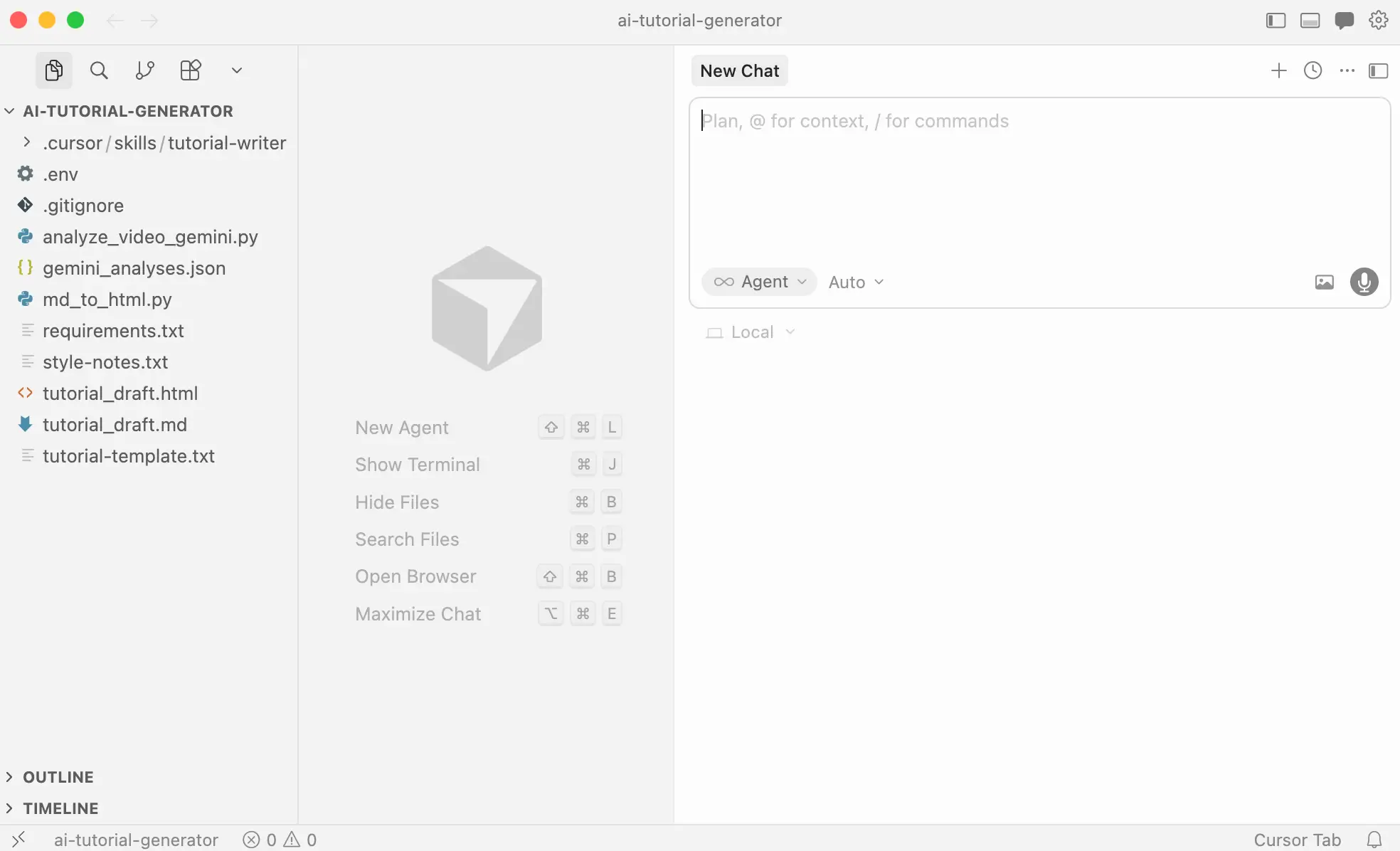
Cursor is an AI-native code editor, meaning it was designed with AI as a core part of the experience, not added as a plugin on top of an existing tool. It's built on VS Code's architecture, which means if you already use VS Code, switching is nearly frictionless. Your extensions, shortcuts, and settings carry over.
Cursor can handle most of the same coding tasks as Claude Code. The difference is in how you interact with these tools. With Cursor, instead of handing off a task and reviewing the results, you stay in the editor the whole time, with AI making suggestions and edits that you approve as you go. It's also model-agnostic, meaning you can choose which AI powers it—Claude, GPT, Gemini, or something else—depending on what you're working on. (That's something Claude Code doesn't support natively, though you can bring in other models through MCP integrations, if you're willing to set that up.)
Safety tip: If you're connecting Cursor to an external AI model, never paste API keys directly into your code. Instead, store them in a separate environment file (usually called .env) and add that file to your .gitignore—that tells your project to keep it out of version control, so it never gets shared publicly. If these terms don't mean anything to you, that's a signal to loop in a developer before proceeding. Otherwise, you could accidentally make your private API keys visible to anyone on the internet.
Maybe it's because I'm so used to working in Claude for writing tasks, but when I downloaded Cursor and opened it for the first time, I was a little lost. The first screen prompted me to open a project, clone a repo, or connect to a remote server—and if you're non-technical like me, all of that means diddly squat. But within a few minutes of doing light research on how Cursor works, I was up and running.
Once you're inside the editor, you're working with Tab and Agents. Tab is Cursor's always-on suggestion engine. It watches what you're typing and predicts what comes next, suggesting whole lines or blocks of code based on the context of what you're building. Agents are Cursor's task mode. You describe something you want done in plain English, and an agent executes it across multiple files at once, showing you every change before it's applied.
If you want fine-grained control over how Cursor behaves, there’s a rules and commands system similar to Claude's memory text file. You can set always-on instructions that live directly in your project folder and are version-controlled alongside your code. That means your team's AI behavior is explicit, consistent, and doesn't change unless someone deliberately updates it.
Cursor also offers a paid add-on called Bugbot, billed separately from your main Cursor subscription. It's an AI code reviewer that runs automatically in the background when you submit code for review. It flags logic bugs before they get merged, and it adapts to your team's coding standards over time. According to Cursor, it has a fix rate of roughly 70%, meaning it catches most issues, but not all.
Cursor's key features
- Codebase-wide context: Cursor indexes your entire project, so AI suggestions are informed by the full structure of your code.
- Tab completion: This context-aware behavior predicts multi-line completions based on what you're building—not just the current line.
- Multi-file editing: Composer is Cursor's way of making changes across your entire project at once. Describe what you want, and Cursor applies the changes across every relevant file simultaneously, showing you exactly what's changing before anything is saved.
- Agent mode: Natural language task delegation handles multi-step, multi-file tasks autonomously, including running test suites and implementing full features.
- Multi-model support: Choose between frontier models from Claude, GPT, Gemini, and others depending on your cost and task complexity needs.
- Background agents: On Pro+ and higher plans, agents can run tasks while you work on something else, like implementing features, running tests, or refactoring in parallel.
- VS Code compatibility: This imports your existing extensions and settings, making the transition from VS Code nearly instant.
Cursor cons
- Credit-based billing can surprise you: Your monthly credit pool depletes at different rates depending on which model you're using and how complex your tasks are. Heavy Agent use with premium models can exhaust a plan faster than you might expect.
- Team features require a higher tier: Collaboration features like shared chats, commands, and rules, plus centralized billing and org-wide controls, require the Teams plan at $40/user/month minimum.
- Steep learning curve for Agent mode: Cursor's IDE interface and project-based structure assume you already understand how code projects work. Tab is useful mainly if you're writing code. Getting meaningful results from Agent mode—and understanding which model to use when—can take time to figure out, especially if you're coming in without a technical background.
- Still generates raw code: Like Claude Code, Cursor writes code but doesn't handle the rest of the software lifecycle: deployment, security, user permissions, or maintenance. Bugbot can help you catch some errors before they ship, but it's a separate paid add-on, not part of the base plan.
Cursor pricing
Cursor offers a permanent free Hobby tier and a 14-day Pro trial, so you can test premium features before committing. Paid plans use a credit-based billing system, where your monthly subscription includes a dollar-equivalent credit pool for premium model usage.
- Hobby: Free — limited AI requests and autocomplete
- Pro: $20/month — extended Agent limits, unlimited autocomplete, Cloud Agents, and maximum context windows
- Pro+: $60/month — 3x usage on OpenAI, Claude, and Gemini models
- Ultra: $200/month — 20x usage on those same models, plus priority access to new features
- Teams: $40/user/month — shared commands, role-based access, SSO, and centralized billing
- Enterprise: Custom pricing
Claude Code vs. Cursor: Pricing
The paid plans for both tools start at around $20/month for individual users, but costs differ as you scale up. Claude Code's pricing is more predictable. It's bundled in with every paid Anthropic plan, so if you're already paying for Claude Pro or Max, you're not paying extra. The tradeoff is that subscription plans come with usage limits, and heavy users can hit rate limits even at the $200/month Max tier.
Cursor's pricing is less predictable because it's credit-based: your monthly subscription includes a dollar-denominated pool that depletes based on which model you're using and how complex your tasks are. And you can be billed for overages if you burn through that pool.
Key differences:
- Billing model: Claude Code uses subscription tiers (predictable monthly cost). Cursor uses a credit pool with potential overages (variable cost).
- High-end cost: Both top out around $200/month for maximum usage on individual plans.
- Overage risk: Once Cursor's monthly credit pool runs out, usage continues at standard API rates and gets billed automatically—meaning your actual monthly cost can exceed your subscription price without a separate warning. Claude Code subscription users hit a rate limit instead, which pauses usage rather than charging more.
The verdict: Claude Code is more cost-predictable for users already on Anthropic plans. Cursor offers a lower barrier to entry, but requires careful credit management to avoid billing surprises. For teams, both require premium plan upgrades for collaboration features—and neither is cheap at scale.
Claude Code vs. Cursor on Reddit
Developers who prefer Cursor tend to cite "control" as a major benefit.
.webp)
One user found that Cursor fixed a bug in a single prompt that took Claude Code five prompts and a lot of hand-holding. It is worth noting, though, that this comment was posted just before Code Review was launched, so that comparison might already be dated.
.webp)
Claude Code has its defenders too. One user said they'd pay for it even if someone gave them Cursor for free, citing Cursor's murky pricing and unclear product direction. Another switched after realizing Claude Code was just…better at coding.
.webp)
.webp)
But honestly, as I was reading through all these threads, it seemed to me that the choice comes down to personal preference. Where one user complains that Claude Code loses context and makes decisions on its own, another says it’s more intelligent than Cursor. Neither claims are universally agreed upon, and both tools are moving fast enough that opinions from a few months ago, or even a few weeks ago, might not hold.
Most of the comments above came from developers. In another thread, a Redditor with no coding experience asked whether it was a good idea for them to use Cursor. This response put it aptly, and I think it applies to non-devs considering Claude Code as well:

Claude Code vs. Cursor: A summary
Both Claude Code and Cursor are agentic coding platforms, meaning both can take a plain English description and execute real, multi-file coding work on your behalf. The difference is in how they do that work.
- Cursor is an IDE. It's a full code editor where you stay in the driver's seat and the AI assists you inline, showing you every change before it's applied. Cursor is more like working side-by-side with an AI that makes suggestions as you go.
- Claude Code is more agent-first. You describe a task, step back, and review the result. Claude Code is more like assigning a task to someone and checking their work when they're done.
Neither is strictly better. It comes down to how hands-on you want to be with your workflows. And if you can't decide between the two, you don't have to. You can run Claude Code as an extension inside Cursor, combining Cursor's editor environment with Claude Code's autonomous execution, which many developers do when they want the best of both worlds.
If you're not sure, trying both and seeing which fits your needs better might be a good move.
Softr: The best AI app builder for getting real software, not raw code
Claude Code and Cursor are both powerful tools, but ultimately, they share a fundamental limitation: they generate code. Their built-in code review tools are promising, but if you're flying solo, you're still responsible for testing, securing, and maintaining what gets built — which can put your customer and company data at risk.
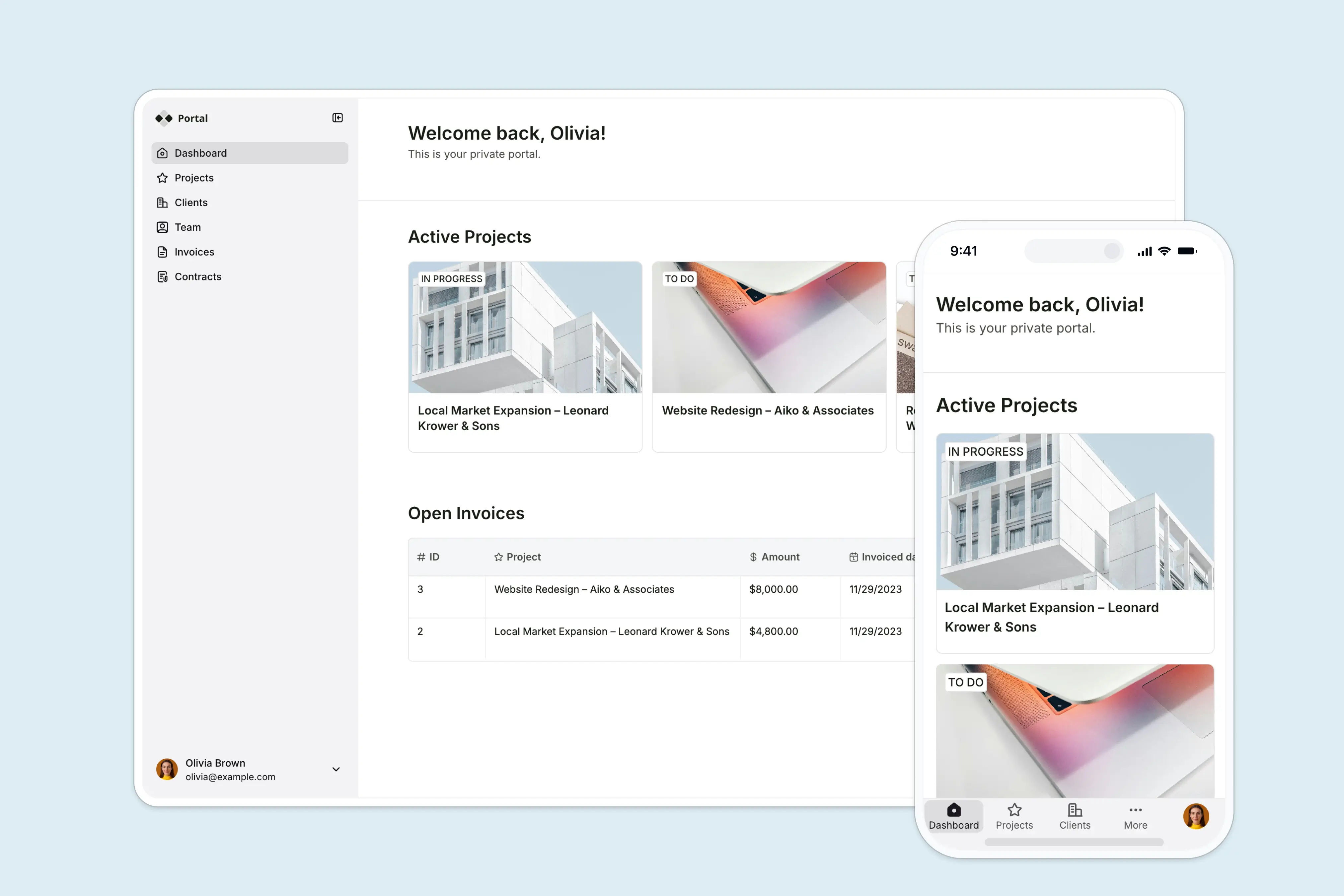
With Softr, you can build apps your customers and teammates can rely on from day one. It's a visual full-stack platform with no-code, AI-powered tools that generate a working app with a connected database from a single prompt. For example, you could spin up a client portal with login, role-based access, and structured data in minutes—without writing or reviewing any code.
Unlike vibe coding tools, Softr handles the parts most AI-generated apps leave unfinished: authentication, user permissions, hosting, and enterprise-grade security. With Claude Code or Cursor, you'd still need to wire those pieces together yourself. Softr removes that entire layer.
The platform is all-in-one: AI app builder, native relational database, and workflow automation, built to work together. You can create a CRM, internal tool, or project tracker—and automate the workflows around it—without leaving the platform.
Softr key features
- AI app building (not just code generation): Unlike AI coding tools that output raw code, Softr's Co-Builder generates complete applications with a frontend, backend, and database already connected. You can go from idea to a working product without assembling infrastructure or reviewing code.
- Built-in authentication and permissions: User login, role-based access, and data permissions are handled out of the box. That means you can safely share your app with clients or teammates without configuring complex access controls.
- Integrated database and data sources: Softr includes a native relational database and connects to tools like Airtable, Google Sheets, Notion, and SQL databases. Your app’s data layer is ready from the start and stays in sync with your workflows.
- Hosting and infrastructure handled for you: There’s no deployment process to manage. Apps are hosted within Softr, removing the need for servers, environments, or DevOps setup.
- Vibe Coding block: AI-generated interfaces inside a real app: The Vibe Coding block lets you create entirely custom features for your app using plain English prompts. Generate things like dashboards, booking systems, admin panels, or interactive tools—and connect them directly to your app’s live data.
- Workflow automation built in: You can automate actions like approvals, notifications, and data updates directly inside your app, without relying on external tools.
- Reusable and scalable building blocks: Vibe-coded components and native blocks can be reused across projects, making it easy to standardize patterns and scale what you build without starting over.
If you're a solo founder, ops lead, or non-technical builder trying to ship something reliable, this distinction matters. Claude Code and Cursor are excellent for prototypes and experimentation. But for software your customers and teammates depend on every day, Softr is the version that ships (and keeps working).
Final verdict: Claude Code vs Cursor vs Softr
Claude Code and Cursor both represent a major shift in how software gets built. Tasks that once required entire engineering teams can now start with a plain English prompt. But despite how powerful these tools have become, they still leave you responsible for turning generated code into reliable software.
That’s the real dividing line.
If you’re a developer who wants speed, flexibility, and deep control over the coding process, either tool can become an invaluable part of your workflow. Cursor shines when you want to stay close to the code; Claude Code excels when you want an autonomous agent that can tackle large, messy projects on your behalf.
But if your goal is simply to build and launch software people can actually use—without managing deployments, infrastructure, permissions, security, or maintenance—then an AI app builder like Softr may be the more practical option. Instead of generating raw code, it generates working software.
Ultimately, the best tool depends less on which AI is “smarter” and more on what you’re trying to ship, how technical you are, and how much responsibility you want to carry after the app is built.
Frequently asked questions
What's the difference between Claude Code and Cursor?
Do you need to know how to code to use Claude Code or Cursor?
Can you use Claude Code and Cursor together?