


[.blog-callout]
TL;DR
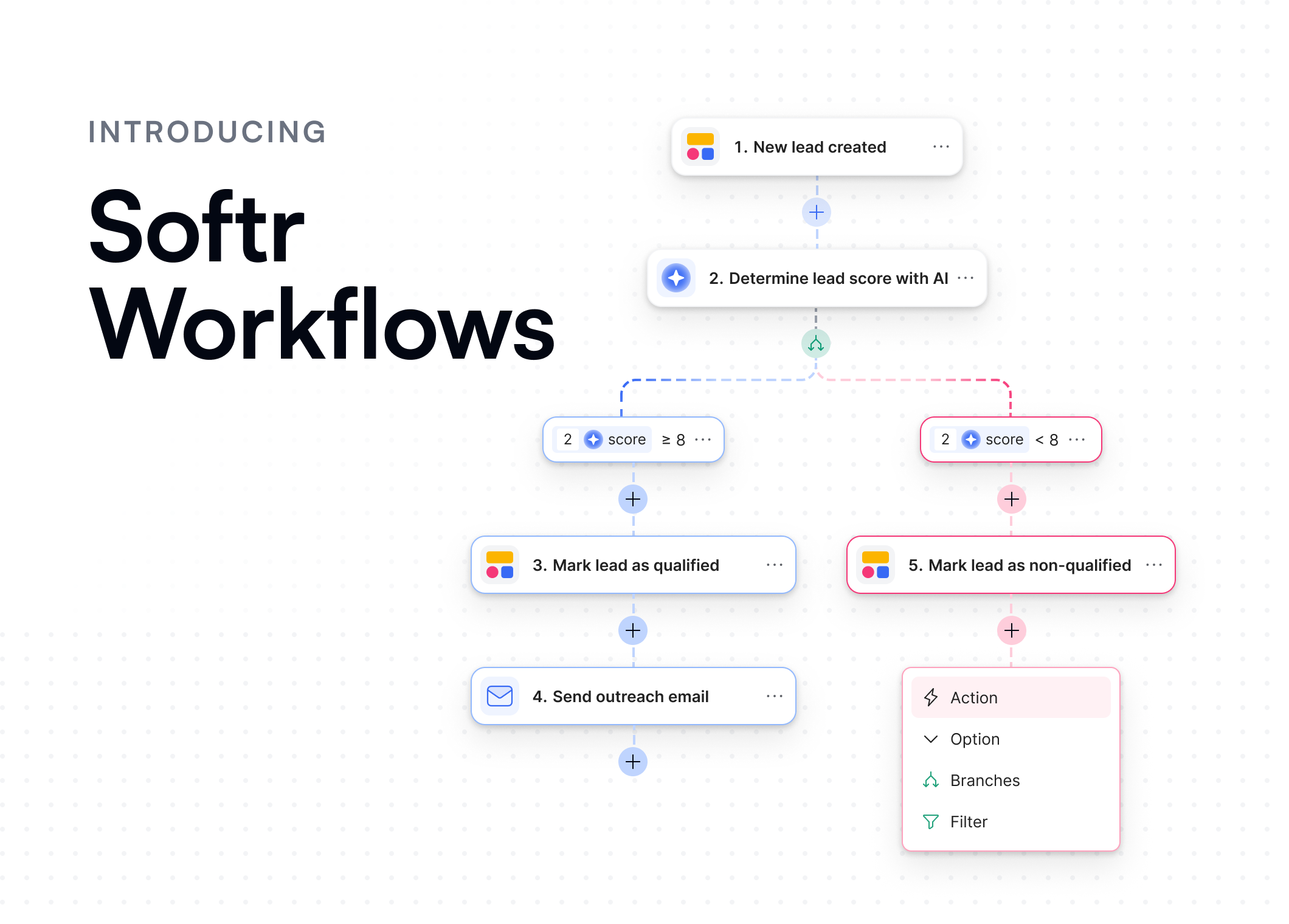
- Softr Workflows are now live for everyone. Build automations that run natively in Softr, from simple tasks to end-to-end processes.
- Trigger workflows from buttons in Softr apps, database updates, or third-party tools.
- Design powerful automations with conditions, filters, branches, loops, and wait times, all in one visual builder.
- Start from a template or describe what you need to the Workflow AI Co-Builder, or dive deep with webhooks, Call API, and custom code.
- Softr is now officially a full-stack platform, with apps, data, and automations in one place.
[.blog-callout]
For many operators and builders, automations are what turn business apps into systems that truly scale.
Until now, that meant relying on third-party automation tools. With Softr Workflows, you can bring it all together instead. Build automations, user interactions, and AI agents that handle everything from simple tasks to advanced multi-step processes, across your apps, databases, and connected tools, all inside Softr.
As Guillaume Duvernay, a Softr builder who has shipped more than 50 business apps, puts it: "When building business apps, I don't want to spend time and lose 5 prompts asking an AI to fix a broken navbar. I want to focus on building the actual workflows that solve my business problems, like enriching data or helping my team manage their tasks."
That's what makes Softr a complete full-stack platform:
- Interfaces and apps for end users
- Databases for your data
- Workflows for automations
Whether you're automating a single task or orchestrating a full business process, Workflows give you control and visibility across your entire stack, without ever leaving Softr.
Design automations visually
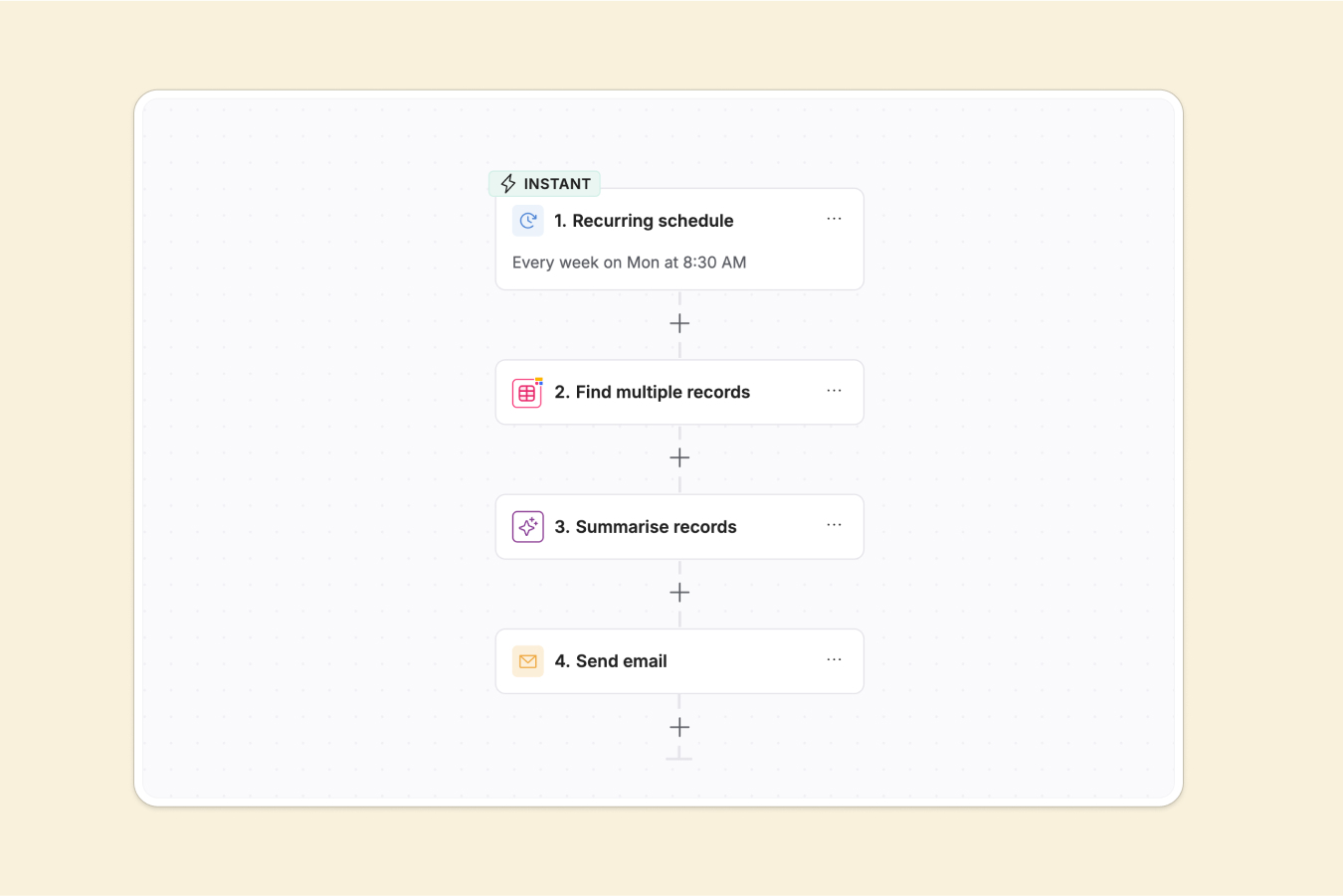
At the heart of Softr Workflows is a visual builder: a canvas where you can map out exactly what should happen, when, and how.
Start from a trigger like database record added, app button clicked (custom workflow), or email received, then add the actions you want: send a Slack message, update a record, call an API, or generate content using AI.
Add logic that fits your process:
- Conditions and filters to control when actions run
- Branches to handle different outcomes
- Loops to repeat actions across a list or dataset
- Wait steps and scheduling to time things perfectly
You can preview and test your workflow as you build, confirming that triggers, conditions, and actions work before you go live.
Trigger workflows from your Softr apps and databases
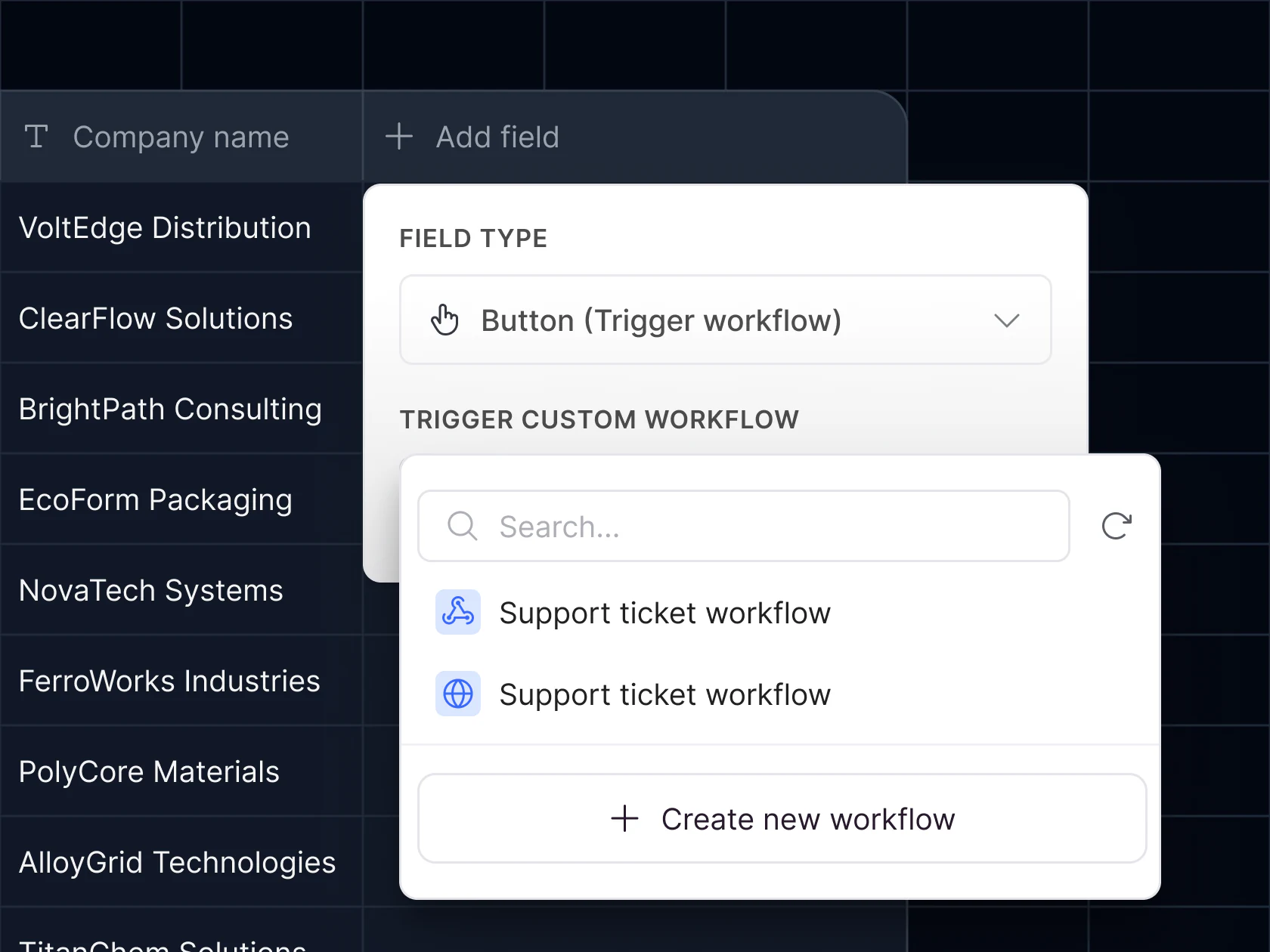
Workflows can run based on actions users take in your Softr apps, creating a smooth and responsive experience. Show wait or progress screens while a workflow runs, then display confirmation or success messages when it's complete.
You can also trigger workflows directly from your Softr Databases when a record is created, updated, or deleted. This lets you automate updates across your data, send notifications, or sync with other tools the moment something changes.
If you already use other platforms, you can trigger Softr Workflows from those too, either as native triggers (Airtable, Gmail, Google Sheets), or by using webhooks or API calls.
Together, your apps, databases, and external connections let you build end-to-end workflows that react in real time to user actions and data updates. If you want to go deeper on how triggers work, check out our guide on workflow triggers.
Add AI Agents when you need them
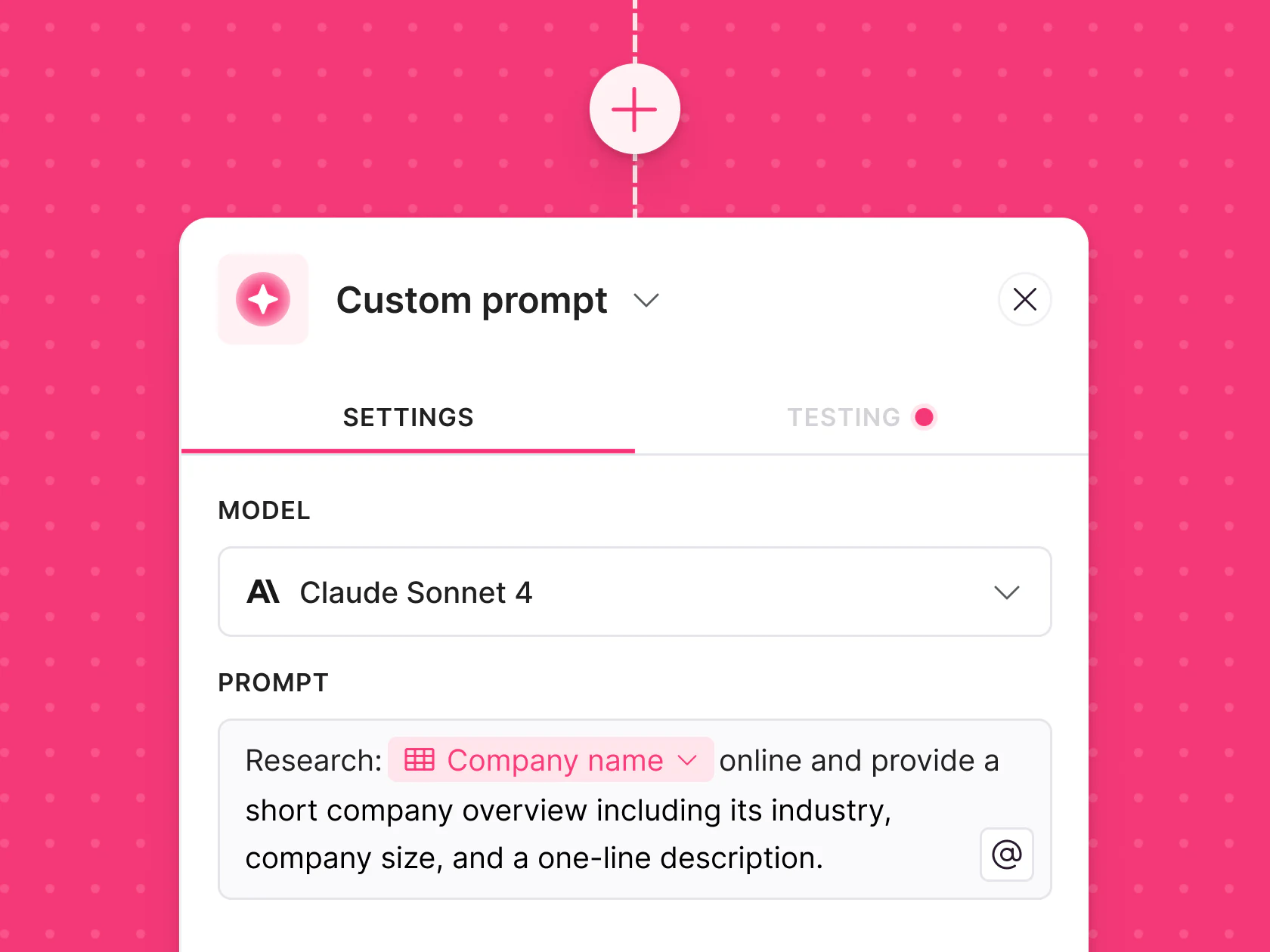
Sometimes automation alone isn't enough. You need AI to make decisions or handle judgment calls along the way.
With AI Agents in Workflows, you can combine automation and intelligence inside a single flow. Agents can analyze data, generate content, summarize information, or trigger follow-up actions automatically.
Use Softr's built-in AI tools or connect your own API key. For example, you can:
- Analyze incoming support tickets, detect urgency, and send an instant Slack alert to the right team.
- Summarize meeting notes or customer feedback, create follow-up actions, and update your database.
- Enrich records with up-to-date company or market information pulled from the web.
- Write and send automated responses or reports using the right tone and structure every time.
In short, AI Agents let your workflows go beyond static rules, so they can think, adapt, and act based on your data. This complements database AI agents, which run the same kind of enrichment directly on a table field, so you can choose whichever layer fits the task.
Go deeper with advanced tools
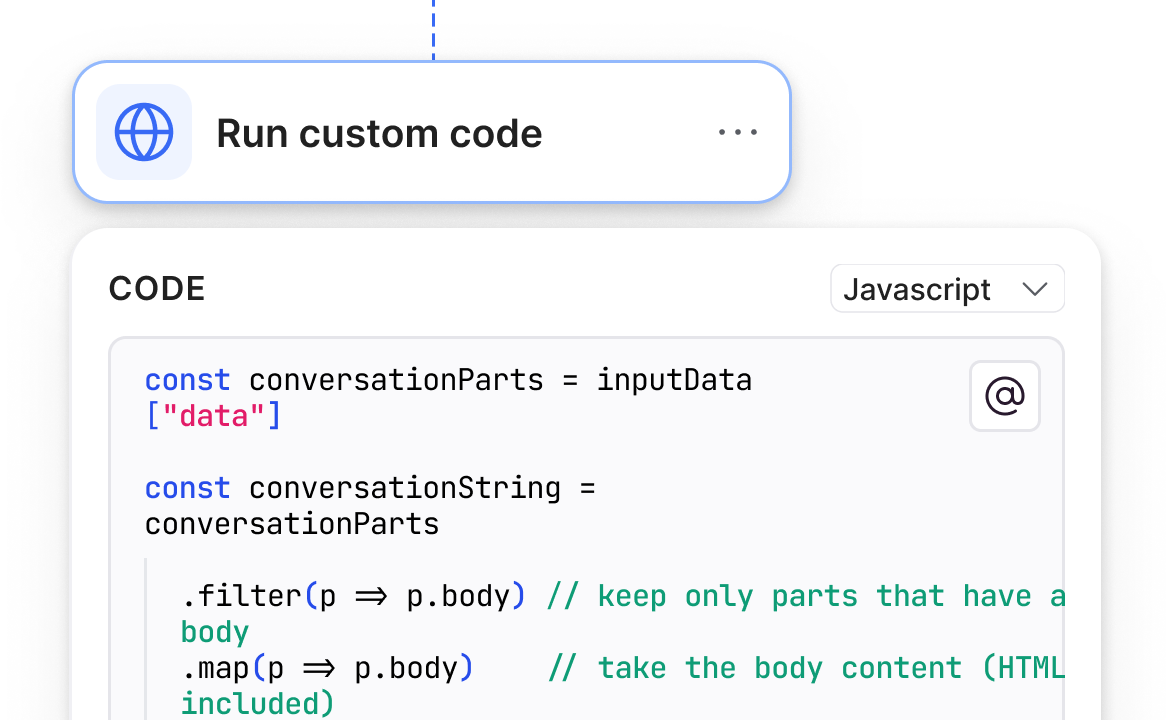
For automation power users, Workflows offer a full suite of advanced capabilities, including:
- Call API: Connect Softr to any external system with a REST API. Send or retrieve data instantly to keep your apps and tools in sync.
- Run custom code: Add JavaScript or Python code blocks for advanced logic.
- Webhooks: Trigger workflows instantly when events happen in your apps or external tools.
- Bring your own LLM API key: Connect with Softr's built-in LLM integrations like Anthropic or OpenAI, or bring your own API key for full control.
This combination of no-code simplicity and full control means you can start small and scale up as your systems grow, without having to switch platforms.
It also connects back to the interface layer: the Vibe Coding block can trigger a Softr Workflow through a webhook and wait for the response, so a custom component can hand off work (like drafting an email or transcribing a voice note) to a workflow and display the result once it's done.
How it works
Head to the Softr studio and click Workflows in the left sidebar to start building. Getting started is easy. You can browse workflow templates for common use cases like:
- Sending weekly email digests of app activity with AI summaries
- Scraping URLs, summarizing with AI, and saving to a database
- Sending Slack alerts when a new or important database record is added
- Auto-assigning an owner when a new database record is created
Or, if you have a workflow in mind, describe what you want in plain English and let the Workflow AI Co-Builder generate it for you to review and edit.
That means anyone can go from idea to automation in minutes, no technical setup required. As Guillaume Duvernay puts it: "If a task is recurring, time-consuming, and follows a pattern you could write down as a playbook, it's something you can automate."
Here are a few ways to dive in:
- Explore the help docs for step-by-step guidance
- Watch the launch video to see Workflows in action
What's next
Softr began as a way to build no-code apps, then expanded with Databases to store and connect data. With Workflows, Softr becomes a full-stack platform, where your apps, data, and automations live together.
This release was the foundation for everything that came next: more connectors, deeper integrations, richer AI actions, and the AI Co-Builder that now helps build workflows from a plain-language description.
Whether you're automating a single task or building end-to-end systems, Softr Workflows give you the control to do it all, no code required. Head to the Workflows page to see what you can build first.
Frequently asked questions
What are Softr Workflows?
Do I need to know how to code to build a workflow?
How many workflow actions do I get, and does it cost extra?
Can Softr Workflows connect to tools like Zapier, Make, or Airtable?
Can workflows use AI to make decisions, not just run fixed steps?


