The 7 best free online form builders in 2026


.jpeg)
Businesses need forms for any number of reasons: demo requests, lead intake, recruiting, event registration, customer feedback, support tickets — the list goes on and on. But the apps you can use to build these forms aren't all created equal, especially when it comes to free plans. In fact, many "free" tools have strict form and submission limits or gate essential features behind paywalls.
For some form builders, however, free really does mean free. So, if you're looking to get the absolute most out a no-cost form tool, this list of 7 top options is for you.
Best free online form builders at a glance
| Tool | Best for | Key features | Pricing |
|---|---|---|---|
| Softr | Acting on submissions | • Unlimited forms and submissions • Built-in relational database • Conditional logic • Workflow automation • Build apps from form data |
Free plan available; paid plans from $19/month |
| Google Forms | Simple surveys and data collection within Google Workspace | • Unlimited submissions • Live collaboration • Seamless Google Sheets integration |
Free with Google account |
| Jotform | Extensive form template library | • 20,000+ templates • 41 payment processors • Over 150 integrations |
Free plan available; paid plans from $34/month |
| Tally | Text-based form building | • Notion-style interface • Strong data security • Native Stripe payment integration |
Free plan available; paid plans from $29/month |
| Zoho Forms | Broad functionality through the Zoho ecosystem | • Zoho app integration • AI form builder • Support for 50+ languages |
Free plan available; paid plans from $12/month |
| Canva | Visual forms with design-first approach | • Intuitive visual customization • Embed forms in Canva designs and presentations • Canva Sheets integration |
Free plan available; paid plans from $18/month |
| Youform | Free Typeform alternative | • Sleek user interface • Unlimited forms and submissions • Powerful logic builder |
Free plan available; paid plans from $29/month |
What is an online form builder?
An online form builder is a web-based tool that lets you create custom forms, surveys, questionnaires, and other data collection tools without coding. Generally, these platforms come with a drag-and-drop editor, pre-built templates, and integrations with other software so businesses can collect, organize, and act on user submissions.
What to look for in free online form builders
When it comes to form tools, free doesn’t always mean limited. The best free online form builders should give you enough functionality to create useful forms now, without forcing you onto a paid plan as soon as submissions start coming in.
- Generous submission limits: Many platforms cap monthly responses at 100 or fewer on free plans. Look for tools with unlimited or high submission limits so increased usage doesn’t immediately mean increased costs.
- Conditional logic: Look for branching logic, dynamic sections, and validation rules that let you tailor questions based on previous answers.
- Custom branding: Your forms should feel like part of your business, with control over styling, branding, and ideally the ability to remove third-party logos.
- Data management: Think about what happens to responses after someone hits submit. A built-in database or strong data integrations make it easier to organize, filter, and use submissions instead of leaving them in disconnected spreadsheets or exports.
- Workflows and automation: The best form builders can trigger the next step automatically, whether that’s notifying a team member, updating a record, creating a task, or kicking off an approval process.
- Integrations and embedding: Look for connections to the tools you already use, such as Google Sheets, CRMs, databases, and automation platforms, plus the ability to embed forms into your website.
- Access control and security: For internal forms or sensitive data, look for controls over who can submit forms and access responses, along with appropriate security and compliance measures.
- Room to build beyond forms: If form submissions are the start of a larger process, consider whether the platform can turn that data into dashboards, portals, internal tools, or other business apps without requiring another tool.
1. Softr — best free form builder with built-in database and workflows
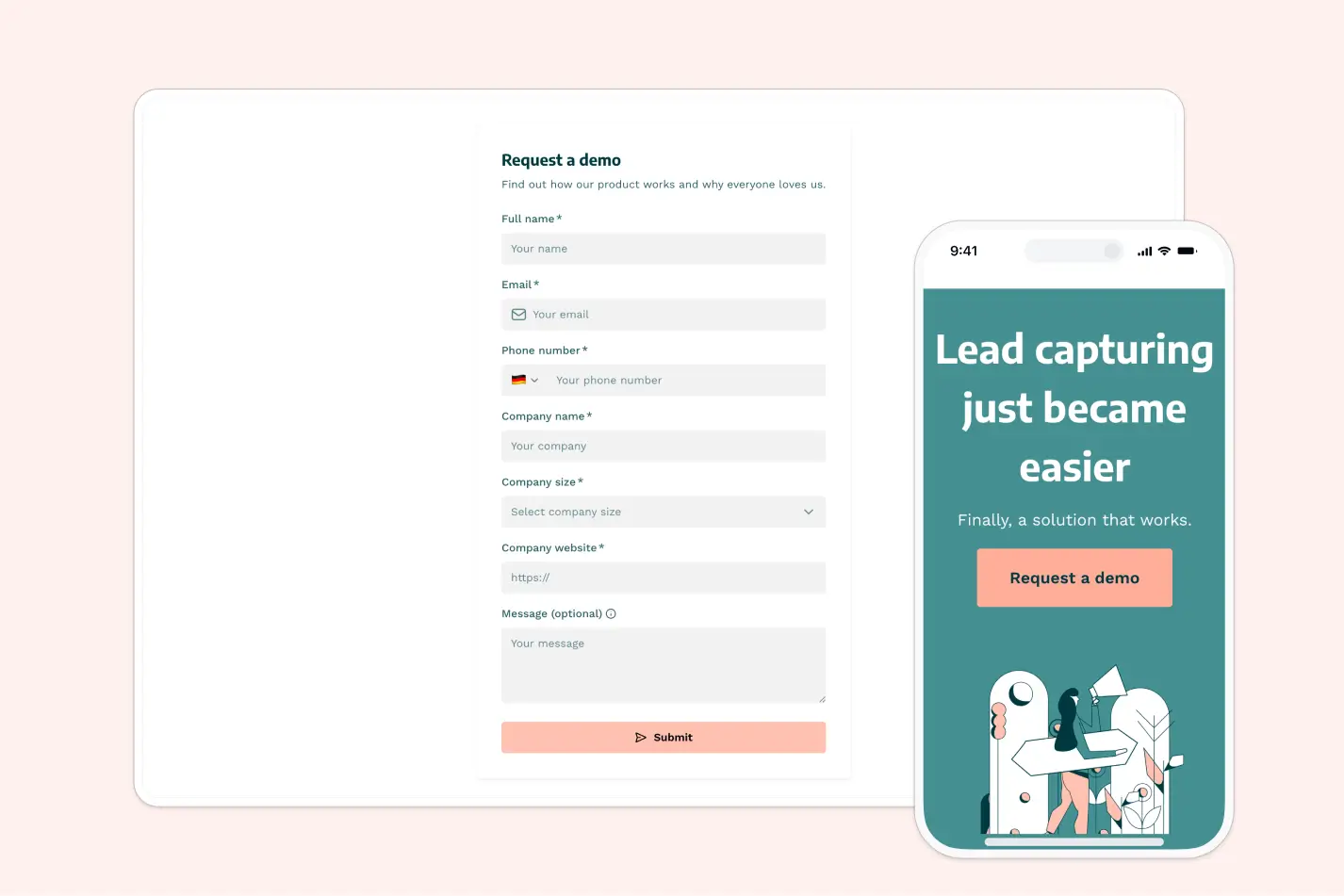
There’s often a catch when it comes to free form builders: strict submission limits, watermarks, and critical features gated behind paywalls. But Softr doesn’t make you choose between value and functionality. Its free plan has no submission or form limits, no styling restrictions, and a built-in relational database for organizing and acting on responses.
In addition to unlimited submissions, Softr supports multi-step forms with tailored logic, dynamic sections, hidden fields, and custom styling. Domain restrictions and email verification are built in so you can validate users and control form access.
Choose whether to publish your form as a standalone page with a free custom domain, embed it on an existing website, or include it in a custom business app made with Softr's AI Co-Builder. Where Softr earns first place on this list is what happens after someone submits a form. Responses can flow directly into Softr’s native database or an external app or spreadsheet, where you can organize and act on the data. From there, you can trigger workflows to automate calendar bookings, onboarding, task assignments, and portal invitations
Softr pros and cons
Pros:
- Unlimited forms and submissions: Softr’s free plan has no monthly caps or limits on forms or submissions.
- Built-in database: Every submission is automatically ingested as structured data in Softr's relational database, so there’s no need for external spreadsheets.
- Advanced conditional logic: You can create multi-step forms with branching logic, hidden fields, and dynamic sections — all on the free plan.
- Custom branding and design: Softr gives you full design control and custom styling at no additional charge.
- Workflow automation: Use Softr’s built-in workflow automation to configure actions that trigger when forms are submitted or specific conditions are met.
- Embeddable forms or standalone pages: Publish forms as standalone pages with custom URLs, embed them into existing websites, or integrate them directly into the business apps you build in Softr.
- Granular access control: Set domain restrictions, email verification rules, and role-based validation to ensure forms are secure and data comes from the right sources.
Cons:
- Fewer integrations than some dedicated form builders
Softr best features
- Database AI agents: If you store form submissions on Softr’s native database, you can configure AI agents to help answer questions about your data, enrich incomplete submissions with web research, or categorize responses for better organization.
- Intuitive visual editor: Whether you build your form with AI, a template, or from scratch, Softr’s visual editor makes it easy to customize fields, rearrange sections, adjust styling, and configure logic without writing code.
- Unified platform for full business apps: Softr works as a standalone form builder, but you can also use it to create end-to-end business systems across apps, databases, and workflows — all of which can be powered by form submissions.
- File uploads with structured storage: Let users attach documents, images, or PDFs directly through forms. Files are stored securely and linked to submission records in your database.
- Analytics dashboards: Track your form performance and completion rates and visualize response metrics with built-in charts and graphs for internal teams.
- External data source integrations: You can push form responses directly to Airtable, Hubspot, Google Sheets, Supabase, or another data source. Or, store responses in a Softr database and external tool at the same time with two-way sync.
Softr pricing
Softr offers unlimited forms, unlimited submissions, and premium features (like advanced logic and custom branding) on the free plan. But if you want to jump to a paid tier to get more users, AI credits, and workflow actions, pricing is flat and predictable.
- Free: Unlimited apps, with access to Softr Workflows and Softr Databases, No submission or form limits, 5 app users, 5 AI credits
- Basic: $19/month for unlimited apps with 42+ integrations, Team: 5 + Client: 5 app users, 10 AI credits, 50K records
- Pro: $99/month for unlimited apps with 45+ integrations and custom code, Team: 10 + Client: 50 app users, 50 AI credits, 500K records
- Business: $329/month for unlimited apps with 52+ integrations, Team: 30 + Client: 100 app users, 100 AI credits, 1M records
- Enterprise (custom pricing, contact sales)
2. Google Forms — for simple data collection within Google Workspace
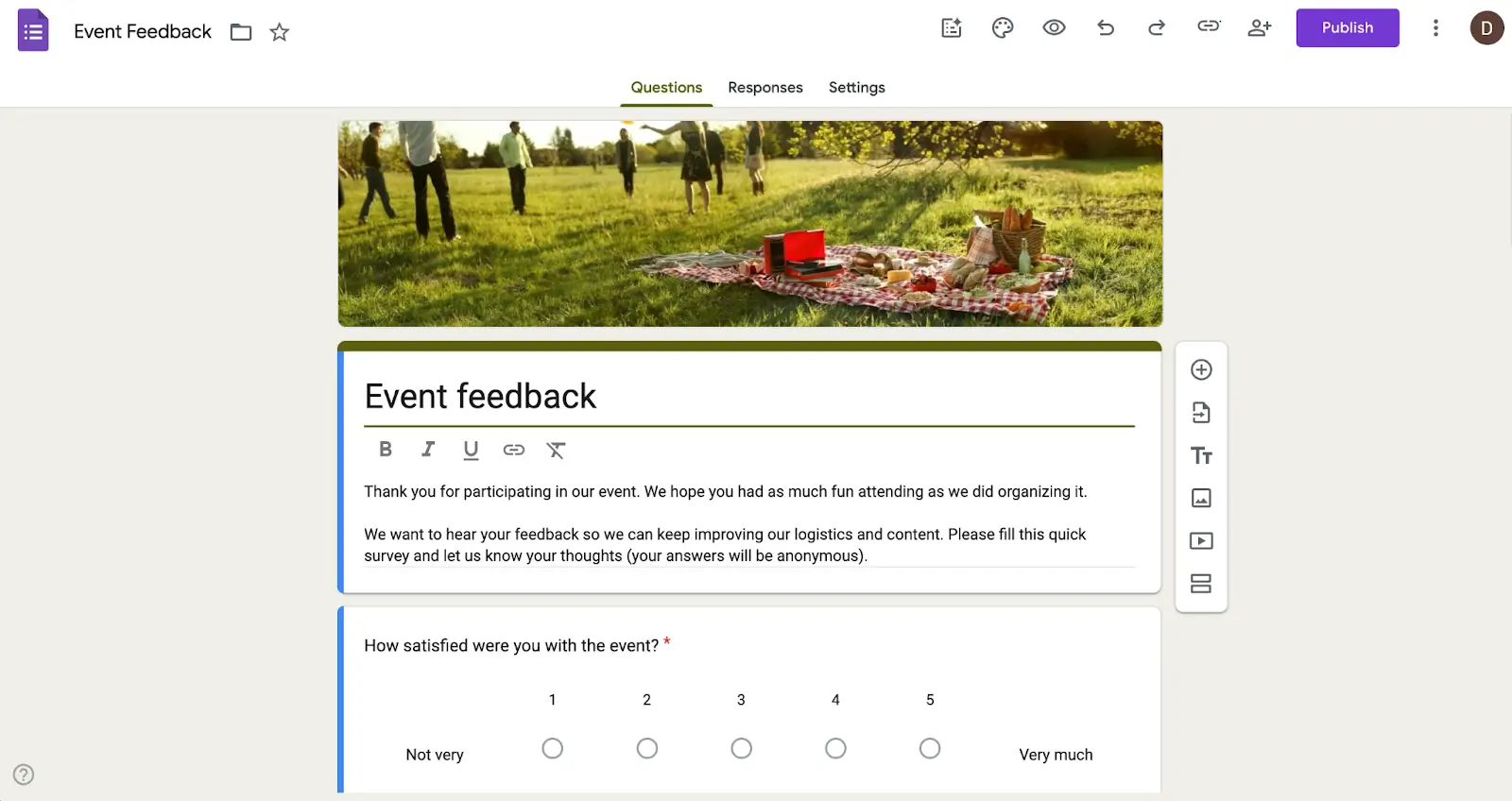
If you’ve filled out surveys online before, chances are you’ve used Google Forms at some point in your life. It’s a popular free form builder that comes bundled with every Google account. Setup is simple and there’s no hard submission limit besides the 10 million cell limit in Google Sheets. Speaking of Sheets, Forms connects seamlessly with that and other Google apps like Docs and Drive, making it a particularly useful tool for Google Workspace users.
Google Forms pros and cons
Pros:
- Completely free with unlimited submissions: No caps on forms or responses, making it accessible for any budget
- Native Google Workspace integration: Unsurprisingly, Google Forms automatically syncs with other Workspace apps like Google Sheets, Docs, and Drive.
- Real-time collaboration: Like Sheets and Docs, multiple team members can work on forms simultaneously.
- Minimal learning curve: The interface is clean, snappy, and will be familiar to anyone who's used Google products before.
Cons:
- Limited themes and styling options compared to other form builders
- Conditional logic and validation features are basic
- No native payment processing
Google Forms best features
- Google Sheets integration: Responses flow directly into Sheets for analysis, filtering, and sharing.
- Template library: Forms offers a range of handy templates for use cases like feedback surveys, time off requests, event registration, and more.
- Data visualization: Submission data is visualized automatically in the “Responses” tab for every form. You can also create charts and graphs in Google Sheets from raw form data.
- File uploading: Allow respondents to upload files directly to your Google Drive with configurable size and type restrictions.
- Encryption for every file: Any file created or submitted through Forms is automatically encrypted in transit and at rest.
Google Forms pricing
Google Forms is free to use. If you want to use it as part of a Google Workspace, plans for that start at $7/month/user.
3. Jotform — for an extensive form template library
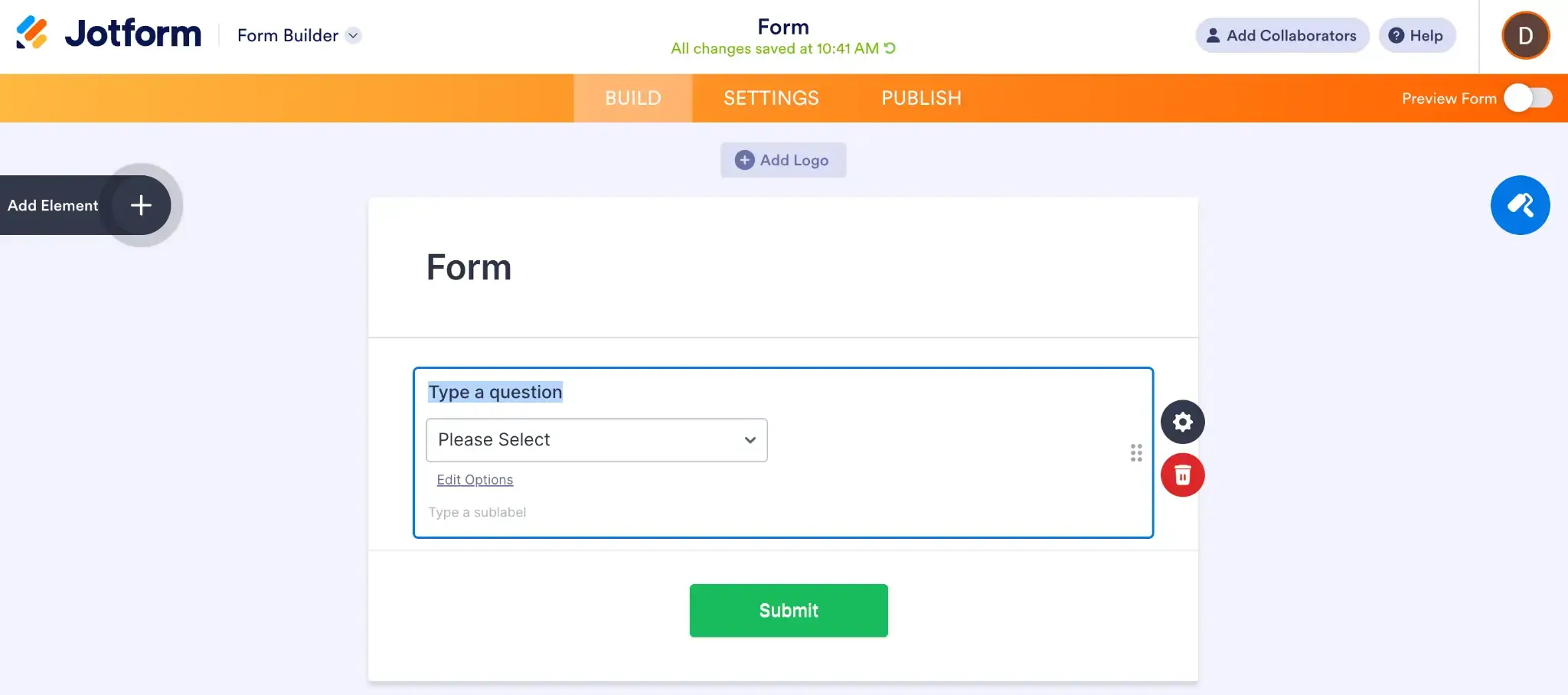
Jotform is an expansive form building platform with more than 20,000 templates and a host of features that let you do things like build basic apps, workflows, and kanban boards. You can use Jotform’s free plan to create up to five forms, but you’ll be limited to just 100 submissions per month. While this may be enough for some small teams or solopreneurs, you’ll have to jump to a paid plan to increase the form and submission limits.
Jotform pros and cons
Pros:
- 20,000+ templates: Whether you need a contact form, job application, event registration, or patient intake form, Jotform's template library covers pretty much every use case and industry.
- Extensive widget library: Jotform offers pre-built, embeddable elements for signatures, file uploads, calculations, calendars and more.
- Flexible form editor: Choose between one-question-per-page or traditional multi-question forms, then customize to suit your use case.
- Wide range of integrations: Jotform has over 150 integrations with tools like CRMs, spreadsheets, calendars, project management software, and email platforms.
Cons:
- Cluttered interface can feel overwhelming for new users
- Strict submission limits on the free plan
Jotform best features
- Drag-and-drop builder: Add question types, images, widgets, and other elements to your forms by dragging them into place.
- Payment processor integrations: Accept payments through PayPal, Stripe, Square, and nearly 40 other gateways.
- Built-in AI: Jotform AI can generate complete forms from text prompts. Once you're in the editor, the AI Copilot can create conditions, adjust styling, and make edits on request.
- Jotform Tables: You can view, manage, and collaborate on form submission data in a spreadsheet-style interface with filtering and task assignment.
Jotform pricing
All prices shown billed annually.
- Free: 100 submissions/month, 5 forms
- Bronze ($34/month): 1,000 submissions/month
- Silver ($39/month): 2,500 submissions/month
- Gold ($99/month): 10,000 submissions/month
- Enterprise: Custom pricing with unlimited seats and dedicated support
4. Tally — for text-based form building

Tally is unique in the form building space since it functions more like a text document than a drag-and-drop visual editor. You write questions by simply typing them in the page, and you can add blocks for elements like you would in Notion. In fact, the whole interface is modeled after Notion, so if you’ve used that app before you’ll feel right at home on Tally. The free plan comes with “unlimited” forms and submissions — although they ask that users stay below 50,000 submissions per month.
Tally pros and cons
Pros:
- Extensive feature set on free plan: While submissions aren’t truly unlimited, you do get payment processing, logic, redirects, and other valuable features for free.
- Document-style editor: Build forms by typing with slash commands and keyboard shortcuts, which can be better for creating text-heavy surveys and questionnaires
- Strong data security: Tally is GDPR compliant and stores all data in Europe with privacy protections and encryption.
- Lightweight and fast loading: Forms load quickly without heavy scripts or animations, which can boost completion rates.
Cons:
- Forms built on the free plan have Tally branding
- Fewer integrations and templates than Jotform or other competitors
Tally best features
- Notion-style interface: Build forms by typing, adding blocks, and using slash commands (/), just like on Notion.
- Stripe integration: Payment processing is available through Stripe even on Tally’s free plan.
- Form analytics: Free users can see how many visits their forms receive, where visitors are coming from, and how long they’re spending on your forms, along with other metrics.
- Self email notifications: Automated emails for new form submissions are built into Tally.
- Schedule close dates: Set response limits or schedule specific close dates when you want to set a form as inactive.
Tally pricing
- Free: Unlimited forms and submissions under Tally’s fair usage guidelines
- Pro ($29/month): Remove Tally branding, custom domains, partial submissions
- Business ($89/month): Control data retention, email verification, version history
5. Zoho Forms — for building forms in the Zoho ecosystem
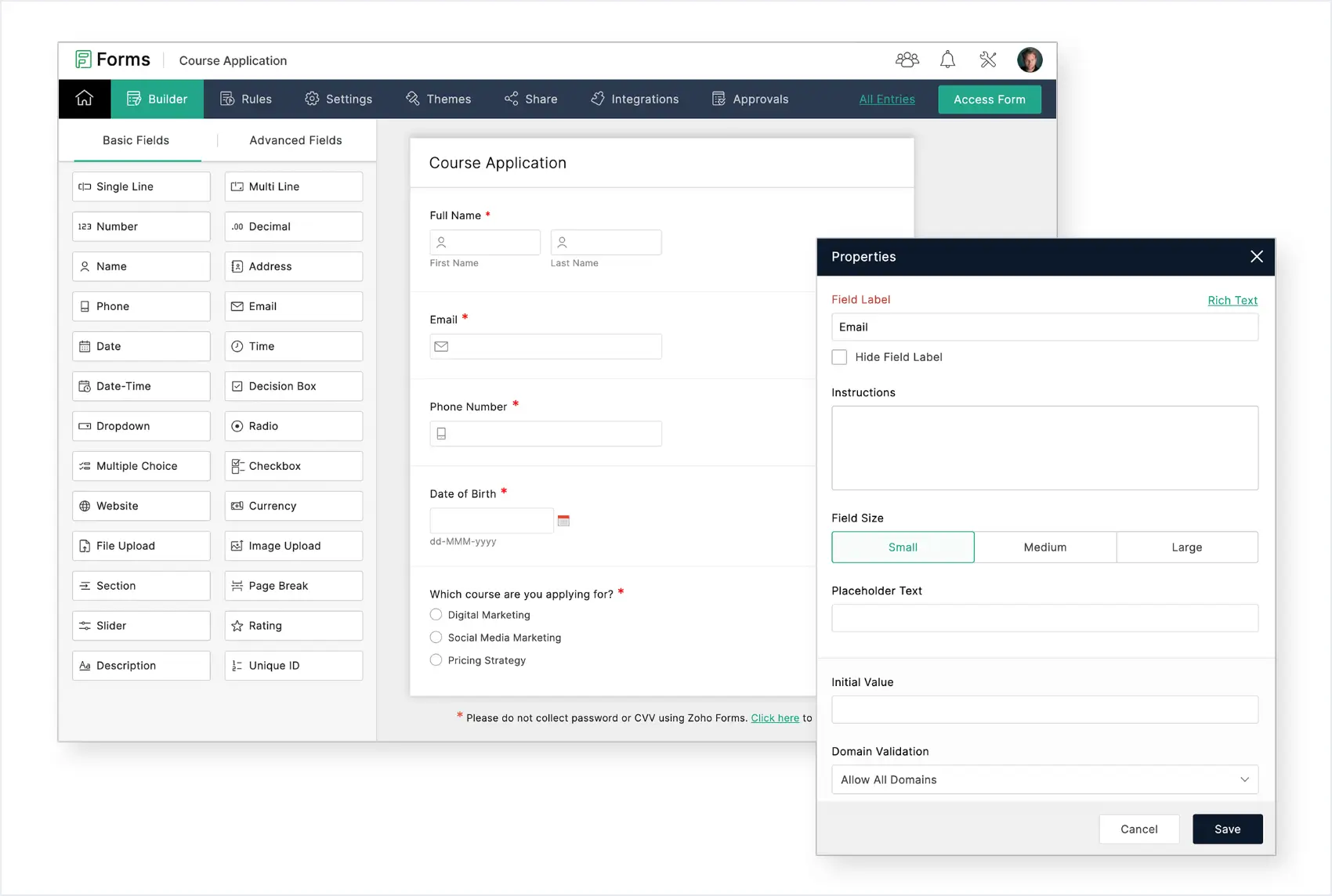
Zoho Forms falls under the big, 40+ app umbrella of the Zoho software suite. It's a form builder with a solid free plan (for up to 500 monthly submissions) and seamless integrations with a range of other Zoho (and third-party) apps. If you're not a Zoho user, its value may be limited, but it does offer some unique features like a mobile app with offline syncing, translation for global surveys, and a way to convert PDFs and other documents into working forms.
Zoho Forms pros and cons
Zoho Forms Pros:
- Seamless Zoho integration: Connect natively to Zoho CRM, Campaigns, Desk, Books, and 40+ other apps in the Zoho ecosystem.
- Solid free plan: Zoho’s free tier gets you 500 monthly submissions across three forms, plus the ability to receive payments and generate 50 custom PDFs from forms.
- Mobile app with offline mode: Collect data even without internet; syncs when reconnected
- Support for 50+ languages: Create forms in multiple languages for sharing with a global audience.
- Integrations with third party apps: For workflows that leave the Zoho ecosystem, Forms integrates natively with other 150 third-party apps.
Zoho Forms Cons:
- Works best if paired with other Zoho software, creating vendor lock-in
- Less flexibility in styling compared to Jotform or Canva
Zoho Forms best features
- AI-powered form builder: Describe what you need in plain language and Zoho Forms will generate a complete, tailored form.
- PDF and image conversion: Automatically convert uploaded documents, PDFs, or images into interactive online forms.
- Conditional logic: Show or hide fields, skip sections, and adapt form flows dynamically based on how respondents answer previous questions.
- Notifications and approval workflows: Trigger automated email notifications, multi-step approval chains, and other automation rules the moment a form is submitted.
Zoho Forms pricing
- Free: Up to 500 submissions/month, 3 forms, 1 user
- Basic ($12/month): 10,000 submissions/month, 1 user
- Standard ($30/month): 25,000 submissions/month, 10 users
- Professional ($60/month): 75,000 submissions/month, 25 users
- Premium ($110/month): 150,000 submissions/month, 100 User
- Enterprise: Custom pricing, SSO, dedicated success manager, and tailored onboarding
6. Canva — for visual forms with design-first approach
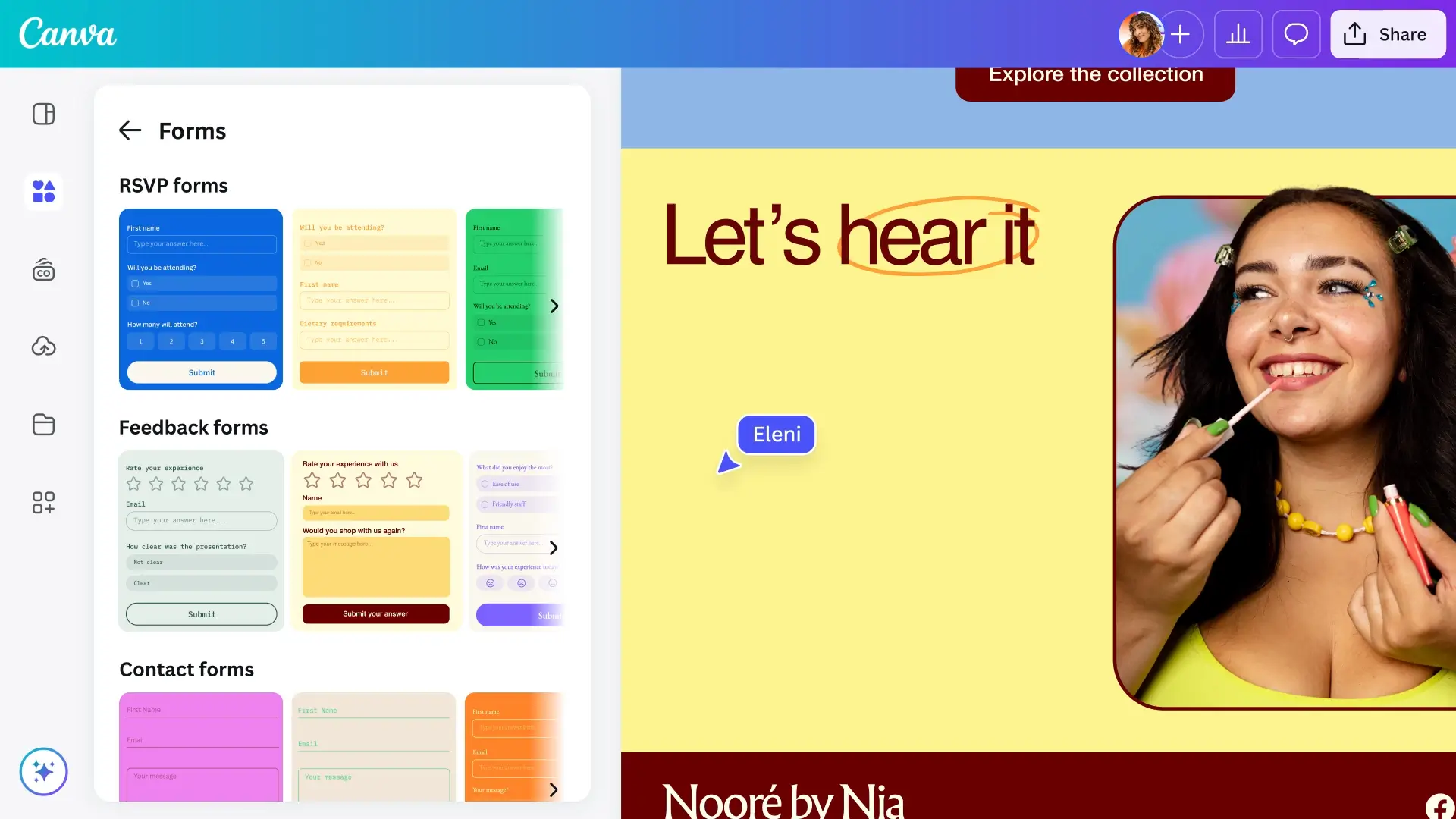
Canva may be known primarily as a graphic design platform, but it also lets you create free forms you can embed directly into your designs, presentations, or website. Because Canva is a user-friendly design tool, it’s great for building visually striking forms with styling, icons, and colors tied to your brand — or you can start from a template. Form submissions are stored in Canva’s spreadsheet-style tables, which can then be exported as a CSV file.
Canva pros and cons
Pros:
- Design-first approach: Create forms that match your brand with Canva's extensive design tools and templates
- Embed in Canva designs (or websites): Add forms directly to presentations, landing pages, and marketing materials built in Canva — or on an external website.
- Canva Sheets integration: Form responses flow directly into Canva Sheets—a visual spreadsheet-style interface—for real-time tracking and exportable data.
- Team collaboration: Multiple team members can design and edit forms simultaneously and share with a single link.
Cons:
- While there’s no form or submission limits, Canva does have a platform-wide cloud storage limit of 5GB on the free plan
- Fewer form-specific features like conditional logic
Canva best features
- Template library: On top of a wide range of form templates, Canva has a massive library of visual assets you can add to your designs.
- Built-in comments: Canva lets you leave comments directly in forms so team members can workshop and give feedback before publishing.
- Mobile form options: Canva offers made-for-mobile form templates so you don’t have to make manual adjustments for different device types.
- Intuitive drag-and-drop editor: Canva’s editor has little to no learning curve, allowing anyone to make professional forms in minutes.
Canva pricing
- Free: Includes basic features, form templates, sharing, collaboration, and more
- Pro ($18/user/month): Premium tools, templates, assets, and AI features
- Business ($25/user/month): Team admin, collaboration features, and integrations
- Enterprise: Custom pricing
7. Youform — free Typeform alternative

Typeform is a big name in the form building space, but its free plan leaves a lot to be desired. Youform is an alternative app that behaves like Typeform in all the ways that count. It lets you make conversational "one-question-per-page" forms, its interface is clean and free of clutter, and its logic features are quite complex. So, if you like the aesthetic of Typeform but want to go beyond its strict submission limits, Youform is an attractive option.
Youform pros and cons
Pros:
- Generous free plan: There are no caps on forms, responses, or number of questions per form.
- Sleek, modern UI: Youform has a similar aesthetic to Typeform with smooth transitions, clean design, and a one-question-per-page format.
- Logic builder: Configure forms with conditional logic, hidden fields, and information recall.
- Accessible customer support: Users can request features to be added to Youform and see a transparent roadmap of all planned updates.
Cons:
- Key features like custom branding and domains, team collaboration, and payment collection are excluded from the free plan
- Limited customization compared to platforms like Softr and Jotform
Youform best features
- Multiple endings per form: Direct respondents to different thank-you pages or completion messages based on their answers, making follow-ups more targeted and relevant.
- Score and calculations: Build quizzes, assessments, or price calculators that automatically compute results based on user input.
- Hidden fields and URL parameters: Capture UTM parameters, referral sources, user IDs, or other tracking data in the background without cluttering the form interface.
- E-signature collection: Collect digital signatures directly within forms without needing an external app.
Youform pricing
- Free: Unlimited forms and submissions
- Pro ($29/month): Custom branding, URL redirects, payment collection, and more
The best free form builder: Softr
The best free form builder depends on what you need to do with the information you collect. If you just need a simple survey or contact form, a lightweight tool may be enough. But if submissions are the start of a larger process, think about what needs to happen next: Do you need to trigger an approval, automate a task, manage responses in a database, or use that data in a client portal or internal tool?
For teams that need more than data collection, Softr combines unlimited forms and submissions with a built-in database, conditional logic, workflow automation, and the ability to build full business apps around the data you collect. You can start with a standalone form and expand it into a larger workflow or system as your needs grow.
👉 Try Softr free and start building forms that fit your workflows.
Frequently asked questions
What is the best free form builder?
Do free form builders have submission limits?
Can I collect payments through free form builders?