



Sales pipelines are supposed to bring order to your revenue process. In reality, many teams still run deals across spreadsheets, inboxes, and half-used CRMs. Reps forget follow-ups. Forecasts feel unreliable. And leaders lack a clear view of what’s actually going to close.
That’s what pipeline management software is meant to fix. It gives teams a clear, shared view of every opportunity, automates follow-ups, and shows what’s likely to close next.
But many tools fall short in different areas. Some are overpriced. Others are hard to customize or still require too much manual work. That’s why choosing the right platform matters. In this guide, we break down the best pipeline management software in 2026 to help you find a tool that fits how your team works.
What is pipeline management software?
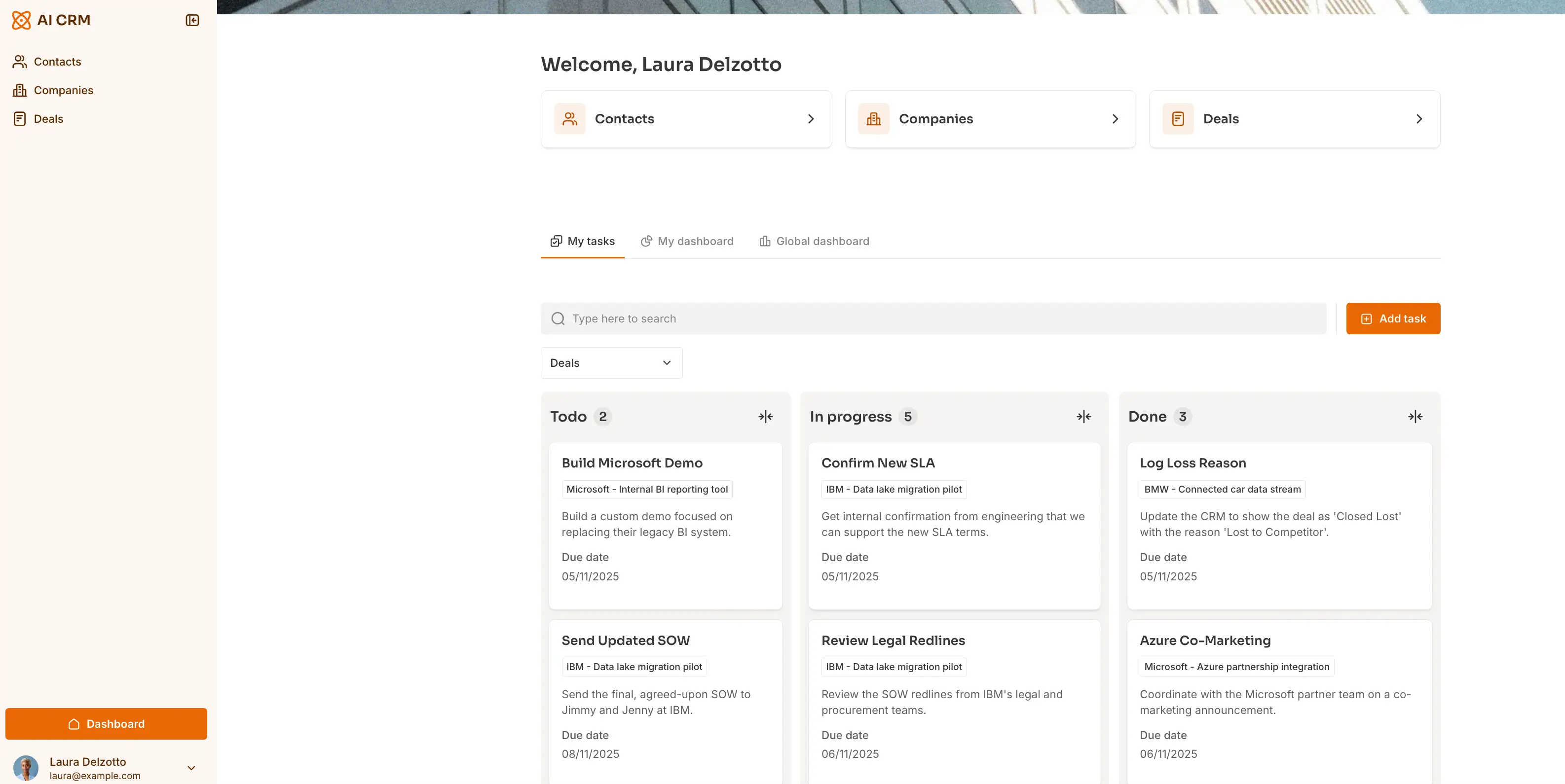
Pipeline management software helps teams track and manage opportunities as they move through defined stages, from first contact to closed deal. It shows where every deal stands, what needs to happen next, and where revenue is getting stuck.
What to look for in the best pipeline management software
Here’s what to evaluate when choosing the right software for your team.
- Clear pipeline visualization: You should see every deal’s stage at a glance, so reps and managers know what needs attention right now.
- Easy setup and customization: Look for a tool that lets you adapt stages & fields to your real sales process without complex configuration.
- Workflow automation: The best tools reduce manual work with automatic follow-ups, task creation, and stage updates, and more.
- Accurate forecasting and reporting: Reliable dashboards help you predict revenue and spot bottlenecks before they hurt results.
- Strong integrations: Your pipeline should sync smoothly with email, calendar, marketing, and data tools to avoid double entry.
- Scales without exploding costs: Many teams outgrow cheap plans fast. Pricing should stay reasonable as you add users and features.
- Team adoption and usability: A tool only works if reps actually use it. Simple, intuitive interfaces matter more than long feature lists.
- Data reliability: Look for platforms that keep pipeline data clean and consistent across systems, not fragmented.
- Support and onboarding quality: Fast, helpful support is critical when your revenue process depends on the system working correctly.
Best pipeline management software at a glance
1. Softr—best for custom, AI-assisted pipeline management that scales with your business
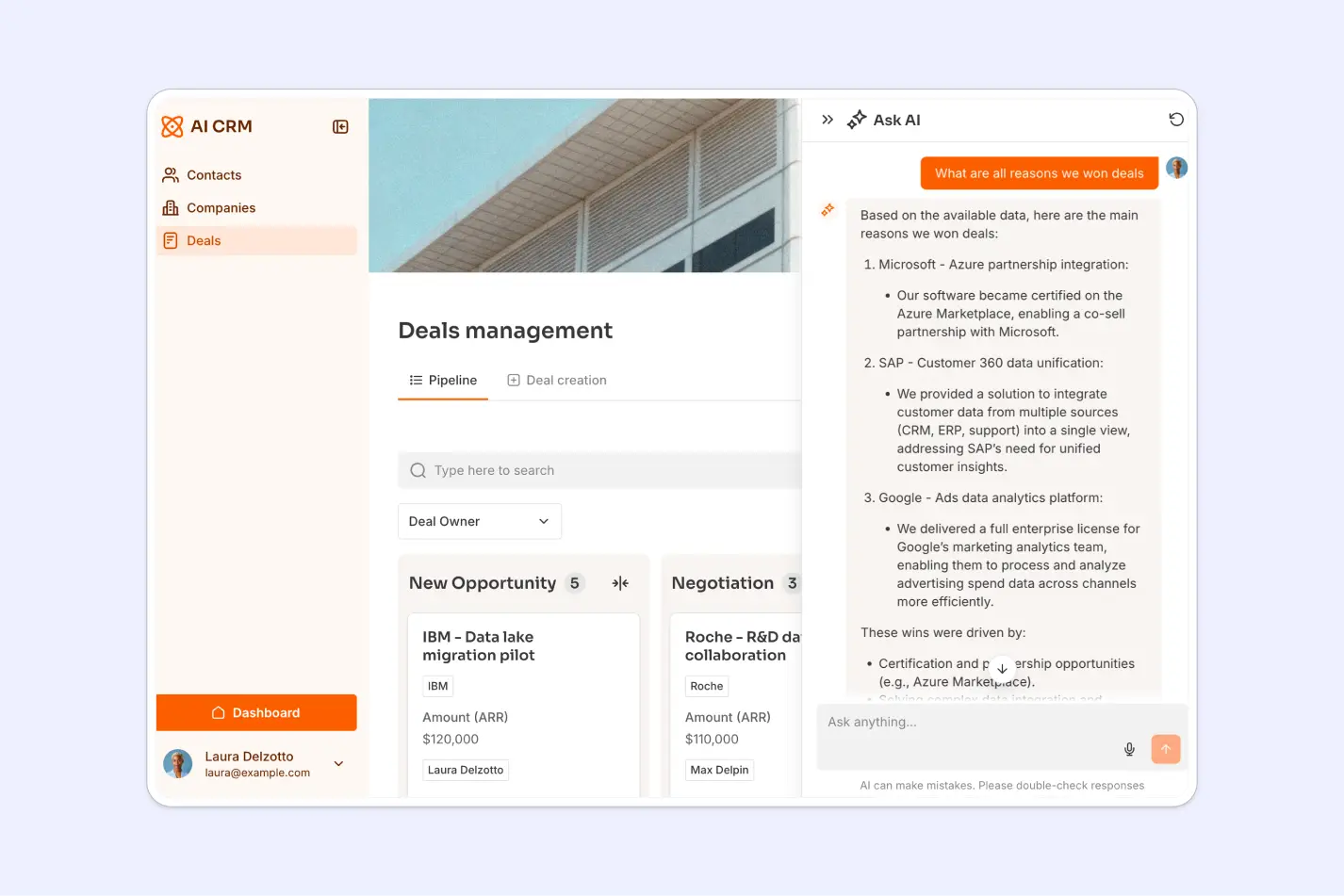
Softr is best for teams that need pipelines tailored to how deals actually move: not forced into fixed CRM stages. The B2B SaaS CRM template gives teams a ready-made foundation for managing deals. It centralizes accounts, contacts, and deals so teams track opportunities in one place, and includes forms that feed inbound leads straight into the sales funnel.
You can customize fields, views, and ownership rules to match your actual sales or delivery process, then automate follow-ups, task creation, and handoffs using workflows. Because pipelines, data, automation, and permissions run in one system, changes don’t break reporting or require add-ons.
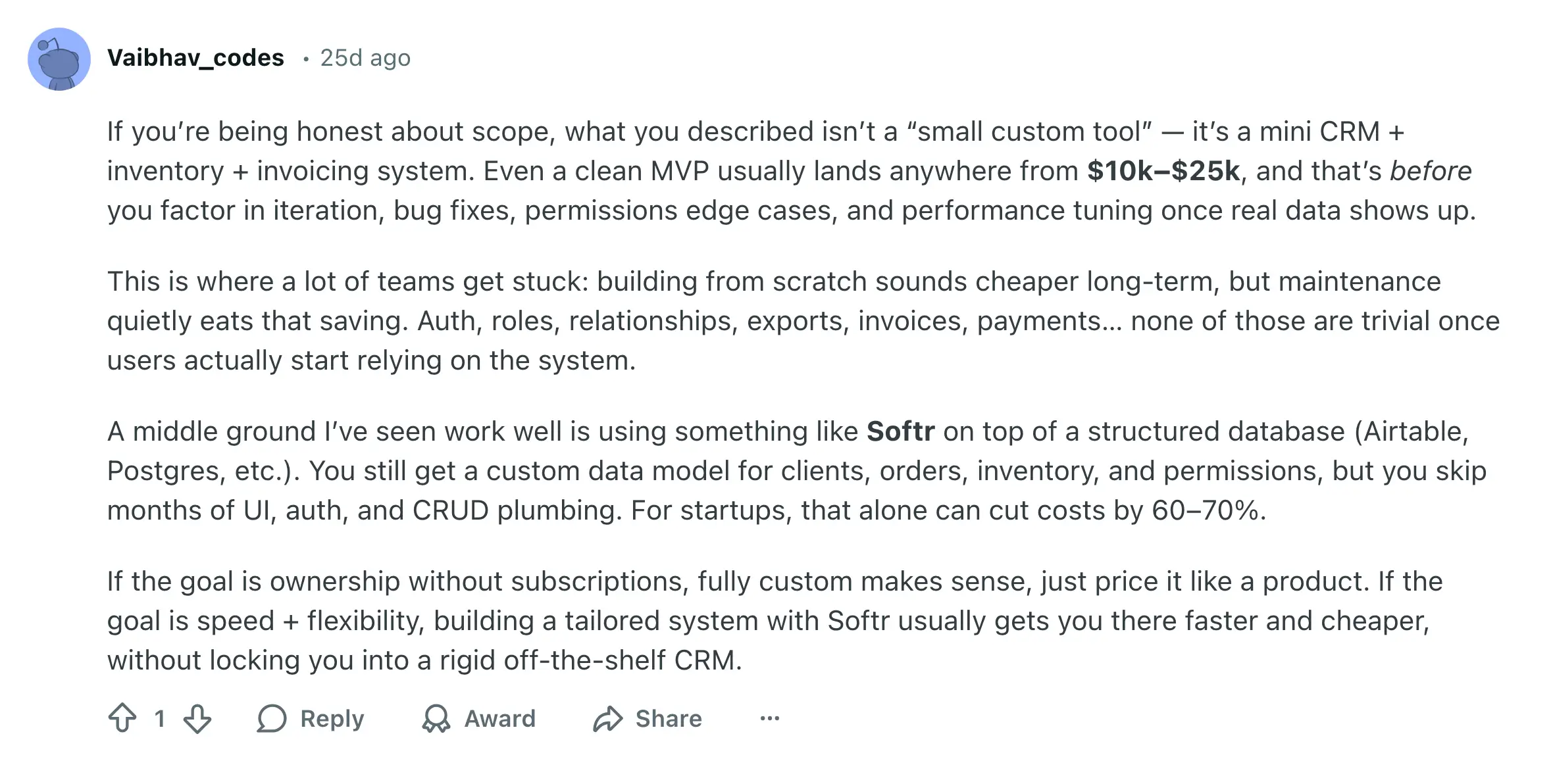
This makes Softr a strong fit for teams that want a flexible, centralized pipeline they can adapt over time without rebuilding their CRM or paying per-seat fees as they grow. Here’s what real users on Reddit say about how building a custom CRM on top of their data with Softr can cut costs by 70%.
Softr pros and cons
Pros:
- Fast to set up: Launch your CRM in minutes using a pre-built template and drag-and-drop builder; no dev work or complicated setup is needed.
- Works with your data: Use Softr Databases or connect Airtable, Google Sheets, HubSpot, SQL, and more.
- Easy to add AI to pipelines: Layer AI into your pipeline to enrich records, generate summaries, and surface insights using plain language—without extra tools or complex configuration.
- Has built-in workflow automation: Automate approvals, notifications, record updates, and handoffs directly inside your apps and databases without using external automation tools like Zapier or n8n for core processes. Softr Workflows also allow you to trigger emails you write and manage directly from the app.
- No per-seat pricing: Pricing is flat-tiered, making it easier to scale teams affordably. Ideal for small businesses on a budget.
- 24/7 support + active community: You get responsive live chat and a strong builder community for quick help and inspiration.
Cons:
- No built-in marketing automation: Softr doesn’t come with email marketing or campaign management, though it can integrate with marketing tools that have these features (and much of this can be handled with native workflows).
Softr best features
- Inbound lead capture: A demo request form that feeds straight into your pipeline, so new opportunities don’t start in someone’s inbox and get lost before the first follow-up.
- Centralized database for account-based selling: Start with a pre-structured template for companies, contacts, and deals, or define your own structure from scratch (with help from the co-builder). Keep accounts, relationships, and pipelines clean in one relational system, even when multiple people work on the same records.
- Account interaction tracking for deal context: Built-in logging for emails, discovery calls, notes, and touchpoints, so handoffs don’t break and reps don’t waste time relearning the story before a meeting.
- ARR + pipeline dashboards for complete visibility: Use chart blocks to create dashboards based on your real-time data, or embed data and reports from other tools to provide your team with key insights. This helps leaders track pipeline health and commercial performance without exporting to spreadsheets for every review.
- Database AI agents for account research and enrichment: AI agents can enrich company records with details like industry, employee count, and activity descriptions—saving SDRs hours of manual research per account.
- Ask AI to query deal history in plain language: Reps and managers can “chat” with account history and interaction logs to pull answers quickly, e.g. “What are the 3 deals the most likely to close this month?”. This is useful for prep, pipeline reviews, and fast context when ownership changes.
- Vibe Coding Block: Build your CRM structure, pipelines, dashboards, and views from scratch, and use AI prompts. This helps teams go from idea to working system faster, so they can start benefiting from automation and AI sooner.
- Integrated email outreach from inside the app: Send emails to prospects directly from the CRM interface and keep outreach connected to the account record, so pipeline activity stays visible and trackable.
Check out how you can build a custom AI-Powered CRM with Softr to manage pipelines more effectively 👇🏻
Softr pricing
Softr offers flat, transparent pricing with a generous free plan.
Pricing
- Free: 1 published app, up to 10 users, 500 Softr Workflow actions, and 5,000 records.
- Basic ($49/month): 3 apps, 20 users, 2,500 workflow actions, payments, custom code, and branding.
- Professional ($139/month): 100 users, 10,000 Softr Workflow actions, advanced forms, API access, and e-signatures.
- Business ($269/month): 500 users, 25,000 workflow actions, 1M records, and advanced data sources.
- Enterprise: Custom pricing, SSO, dedicated success manager, and tailored onboarding
[.blog-callout]
✨ For Minerva Network, Softr became the backbone of their CRM and engagement platform, centralizing athletes, mentors, and partners into a single system that cut administrative workload by 70% and drove a 50% increase in athlete registrations.
[.blog-callout]
2. Pipedrive — best for simple, visual pipeline management for sales teams
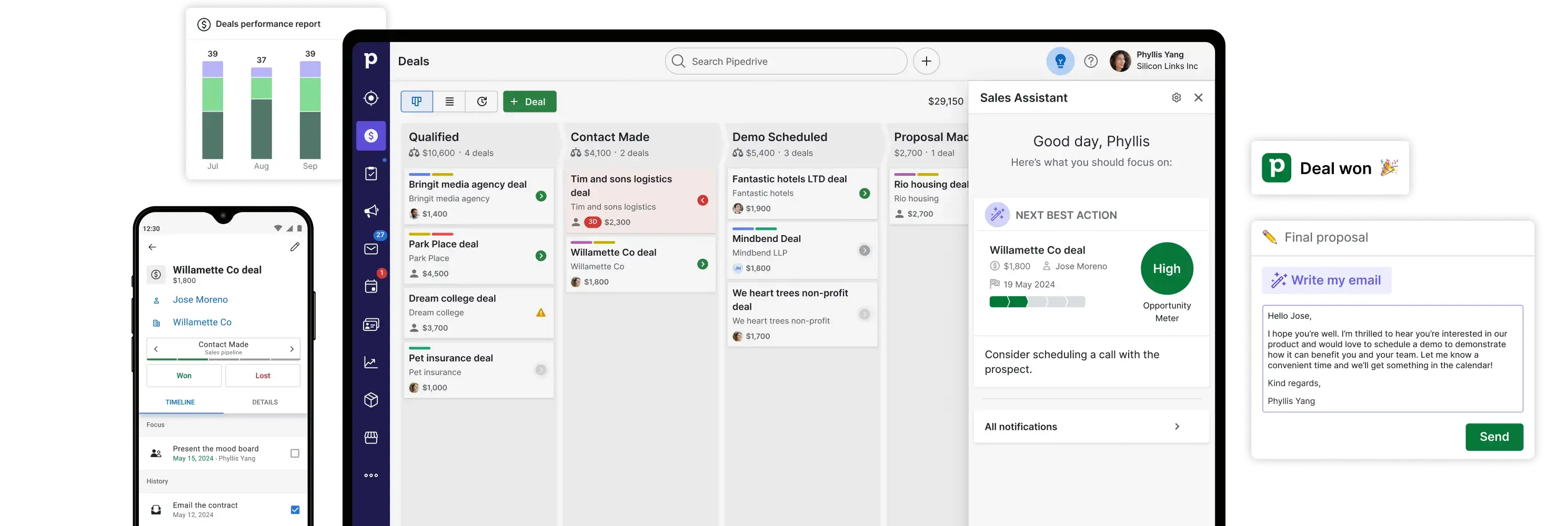
Pipedrive is a CRM built around visual deal pipelines that helps teams track opportunities with clarity and minimal setup. It’s designed for sales-first teams that want an intuitive interface where deals are organized in board and list views, and every rep can see what’s moving (and what’s stuck) without wrestling with configuration.
That simplicity comes with trade-offs: Pipedrive doesn’t offer deep post-sale workflows or full back-office logic out of the box, and more advanced reporting and automation usually require higher plans or paid add-ons.
Pipedrive pros and cons
Pros:
- Visual pipelines: Easy drag-and-drop pipeline views tailored to how your team sells.
- Straightforward setup: Quick to deploy for small sales teams, minimal training needed.
- Sales automation & AI assistant: Built-in sales assistant helps flag stale deals and suggest next steps.
- Activity-based selling: Focuses reps on the actions that move deals forward.
Cons:
- Costs can add up: Add-ons and higher tier plans often needed to unlock automation, lead generation, and reporting.
- Not full CRM suite: Limited beyond core sales pipeline management (e.g., marketing workflows).
Pipedrive best features
- Visual drag-and-drop pipeline: You see your deals as cards you can move between stages (like New → Contacted → Proposal → Won), so it’s easy to track what needs attention without hunting through lists or spreadsheets.
- Activity reminders: The system will prompt you to follow up on calls, emails, or tasks — helping you stay on top of activities that keep deals moving forward.
- Custom deal stages: You can define your own pipeline stages that match how your business actually sells, not someone else’s default process.
- Simple reporting: Basic dashboards show how many deals are in each stage and how your team is performing this period — no need to export to spreadsheets.
Pipedrive pricing
(billed annually, per seat)
- Lite: $14/month
- Growth: $24/month
- Premium: $49/month (most popular)
- Ultimate: $69/month
All plans include a 14-day free trial. Add-ons like LeadBooster, Campaigns, Web Visitors, Projects, and Smart Docs are available separately.
3. Zoho CRM — best for flexible pipeline management at a budget-friendly price
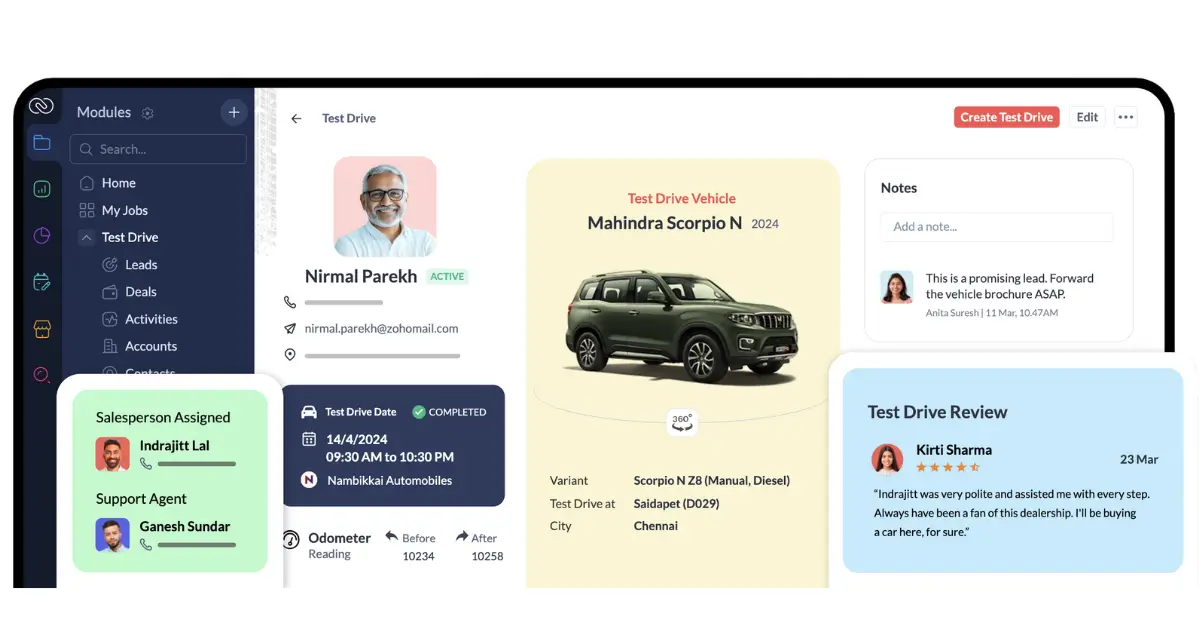
Zoho CRM gives teams a complete end-to-end pipeline management CRM that combines customization, automation, and analytics at prices that appeal to lean businesses. It lets you tailor your sales stages, automate processes, and generate real-time insight into pipeline health — ideal for teams that want structure without blowing the budget.
Its AI assistant, Zia, adds predictive scoring and trend analysis to help teams spot risks or promising opportunities ahead of time (though advanced AI features often require upper-tier plans).
Zoho CRM pros and cons
Pros:
- Customizable pipelines: Match the stages to your actual sales process.
- Budget-friendly tiers: Free plan for small teams and scalable paid options.
- Integrated analytics and AI insights: Forecast and optimize pipeline performance over time.
- Strong ecosystem: Works well with other Zoho apps and many third-party tools.
Cons:
- UI and support vary by plan: Some users find the interface dated and premium support inconsistent.
- Advanced AI limited to higher tiers: Zia insights and forecasting require upper-tier subscriptions.
Zoho CRM best features
- Custom pipeline stages: Build and label pipeline steps that reflect how your sales process works, so nothing forces your team into a mismatch.
- Workflow automation: Set up simple rules (like “when a deal moves to Proposal, send a follow-up email automatically”) so reps spend less time on admin.
- AI insights (Zia): Zoho’s AI assistant looks at patterns in your deals and suggests what’s likely to close or where bottlenecks are happening.
- Sales forecasting: The system projects likely revenue from your current pipeline so you can plan ahead with confidence.
Zoho CRM pricing
(billed annually):
- Free plan: up to 3 users, basic lead, contact, and deal management
- Standard: ~$14/user/month, core CRM and pipeline features
- Professional: ~$23/user/month, improved automation, workflows
- Enterprise: ~$40/user/month, advanced analytics, Zia AI insights
- Ultimate: ~$52/user/month highest tier insights and BI tools
All plans include a free trial.
4. HubSpot Sales Hub — best for scalable sales automation and pipeline visibility
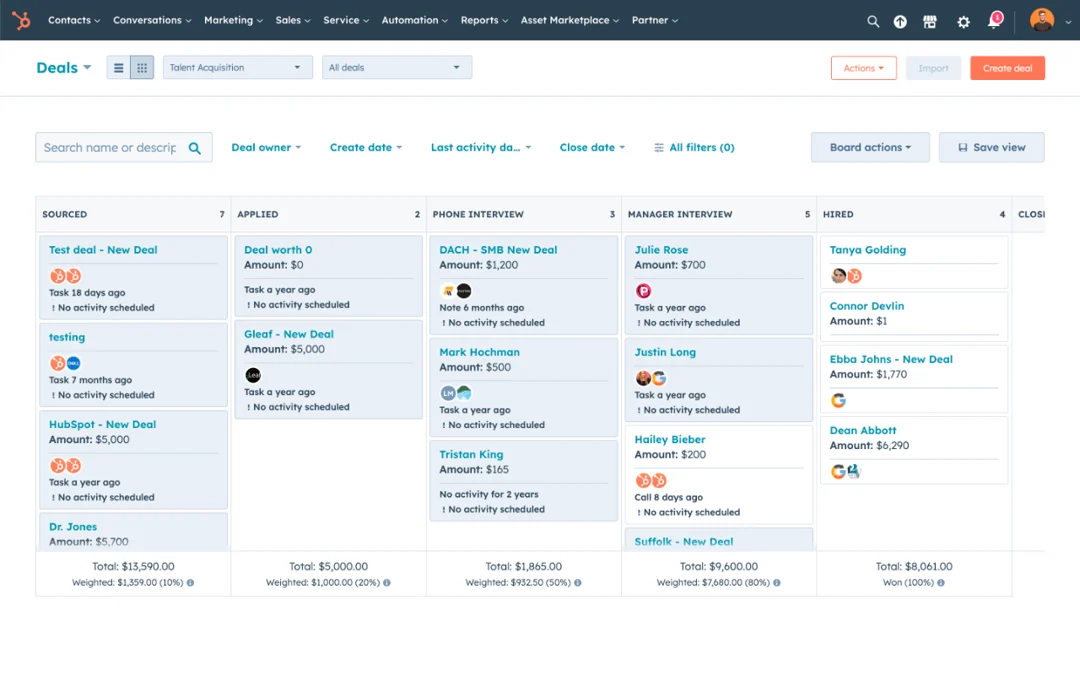
HubSpot Sales Hub is an advanced CRM built for teams that want deep automation, unified customer data, and a growth-oriented sales engine. It ties pipeline management to email tracking, workflow automation, engagement insights, and robust reporting in one polished platform.
Unlike simple pipeline tools, HubSpot Sales Hub blends contact and deal data with contextual engagement signals, so reps know not just where a deal sits, but how prospects are interacting with assets and outreach.
HubSpot Sales Hub pros and cons
Pros:
- Unified CRM foundation: Sales, contacts, and engagement history in one place.
- Advanced automation: Visual workflows cut manual steps and keep deals progressing.
- Real-time engagement tracking: Know when prospects open emails or interact with content.
- Scales with larger teams: From startups to mid-sized sales orgs.
Cons:
- Price climbs with scale: Advanced automation, workflows, and API access are gated behind higher-tier plans, increasing total cost as teams grow.
- Rigid app structure: The interface and core sales flows are largely predefined, making it harder to adapt pipelines and views to how individual teams prefer to work.
- Complexity for lean teams: Some setup and workflows may be overkill for very small pipelines.
HubSpot Sales Hub best features
- Visual deal tracking: Drag and drop deals through stages so everyone sees where each opportunity stands at a glance.
- Automated workflows: Use rules (e.g., “send a task when a deal reaches this stage”) to cut manual follow-ups and standardize handoffs.
- Email engagement tracking: HubSpot tells you when a prospect opens or clicks an email — so reps know when and how to engage.
- Forecasting dashboards: Customizable charts show projected revenue and pipeline health so leadership isn’t guessing.
HubSpot Sales Hub pricing
- Free CRM: $0 — contact, deal, task management, basic pipeline views
- Starter: ~$9/user/month (annual) or ~$15/user/month — basic workflows and deal tags
- Professional: ~$90–$100/user/month — automation workflows, custom reporting, up to hundreds of workflows
- Enterprise: ~$150/user/month — advanced automation, larger workflow limits
[.blog-callout]
✨ Bring your HubSpot data into Softr with real-time sync.
Build secure portals and tools on top of HubSpot without sharing full CRM access or paying for extra seats.
[.blog-callout]
5. Freshsales — a solid, straightforward CRM with helpful AI insights for deal management
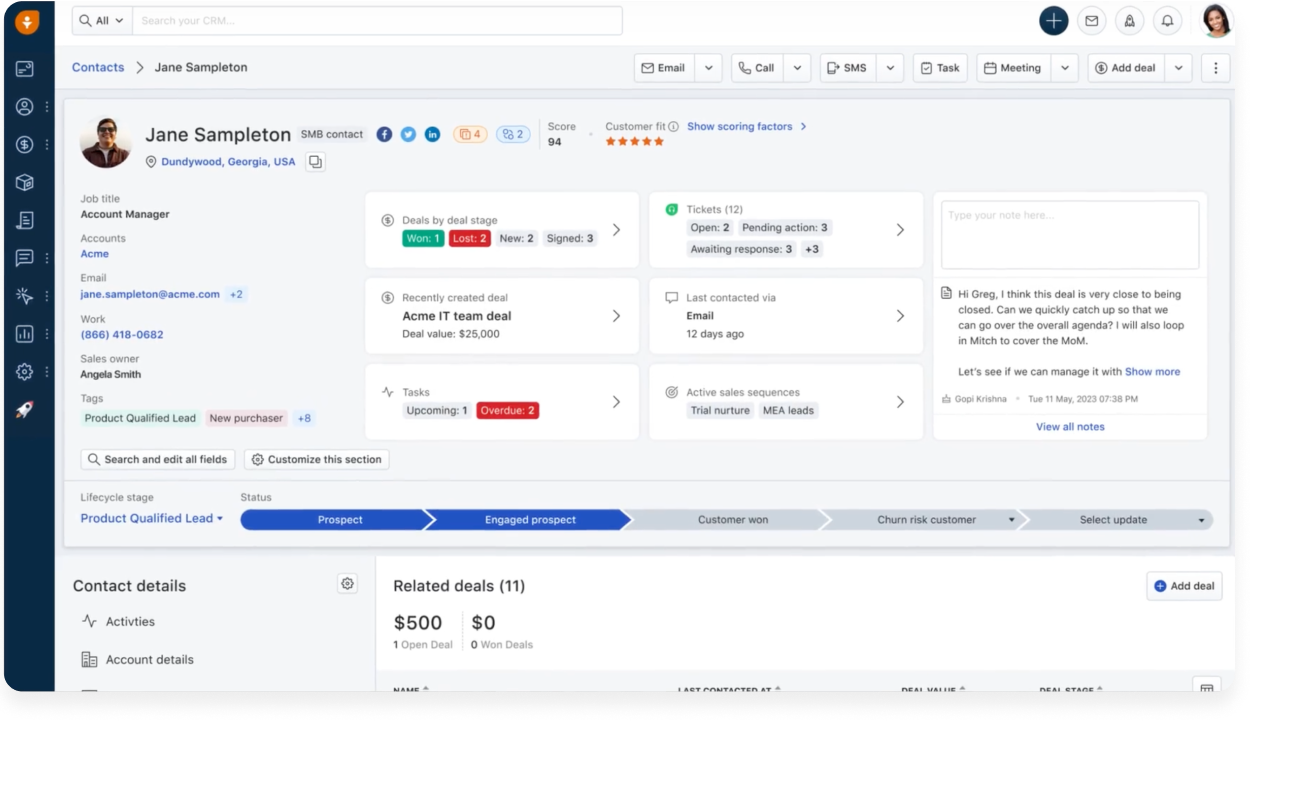
Freshsales, part of the Freshworks suite, is a sales-focused CRM that brings visual pipeline management together with integrated email, phone, and AI tools under one roof. Teams get pipeline views, lead scoring, activity tracking, and AI-assisted insights in a platform that’s affordable and relatively quick to adopt.
Small to mid-sized teams appreciate Freshsales for its multichannel communication features and Freddy AI, which helps prioritize leads and forecast likely wins. It’s not as complex as enterprise systems like Salesforce, but it delivers strong core pipeline management without a high cost or long implementation cycle.
Freshsales pros and cons
Pros:
- AI-driven lead scoring & insights: Freddy AI highlights the opportunities worth focusing on.
- Unified communication tools: Email, phone, chat in one system linked to pipeline stages.
- Visual deal tracking: Simple, intuitive pipeline views.
- Affordable entry pricing: Good value for small and growing teams.
Cons:
- Less customizable than enterprise CRMs: Limited deep workflow tailoring in lower tiers.
- Part of broader Freshworks ecosystem: Can feel less focused if you don’t use other Freshworks tools.
Freshsales best features
- Pipeline board with activities: See deals as cards across stages and track calls, emails, and activities tied to those deals in one place.
- Freddy AI recommendations: AI suggests which leads are most promising and what should happen next to advance deals.
- Unified communication tools: Emails, calls, and chats linked directly to deals so interaction history is always visible.
- Automated task creation: You can create rules like “when a new lead arrives, assign a follow-up task” so reps stay organized.
Freshsales pricing
- Free: $0 for up to 3 users(21 days), basic CRM, pipeline, email templates, built-in phone/chat
- Growth: $9 (paid annually), adds more sales features and automations
- Pro: $39 (paid annually), deeper CRM automation and analytics
- Enterprise: (top tier) — advanced customization and AI
6. Monday Sales CRM — best for collaborative, flexible pipeline workflows
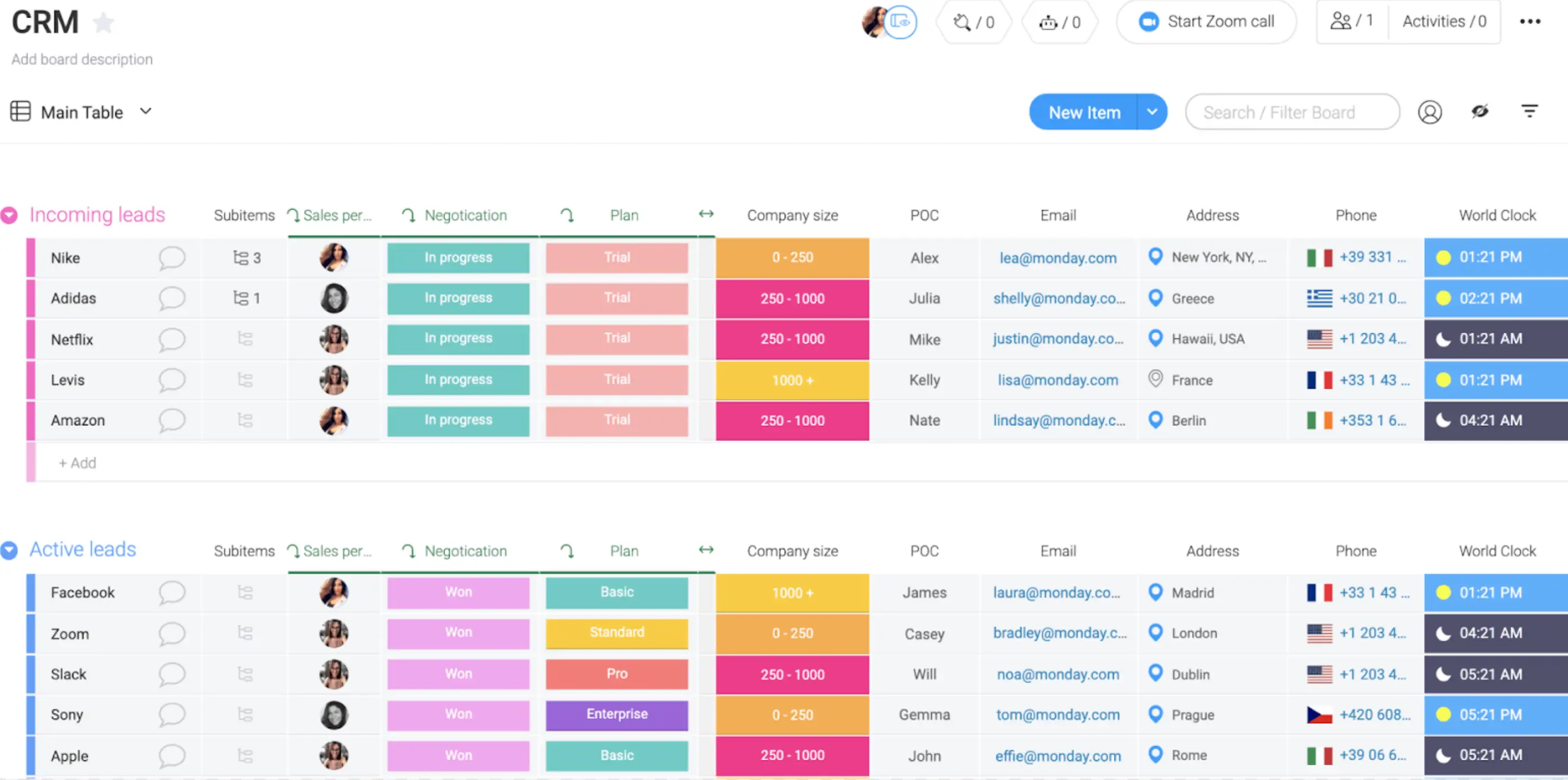
Monday CRM is a visual, customizable CRM layer built on the monday.com Work OS. It combines pipeline tracking with deep customization and cross-team visibility, letting operations, marketing, and sales work from the same data and workflows.
Unlike narrow pipeline tools, Monday CRM is great for teams that need contextual collaboration, especially when pipeline stages tie directly to other business workflows like project handoffs or marketing campaigns. The Deals board makes deal tracking straightforward, and you can tailor columns, stages, and dashboards to match your unique process.
Monday CRM pros and cons
Pros:
- Highly flexible pipeline views: Customize every aspect of your deal board.
- Built on a unified work platform: Sales data lives alongside projects and ops workflows.
- AI-powered automations: Trigger actions and communications based on deal movement (with higher tiers).
Cons:
- Can feel complex for simple use cases: Lots of customization options can overwhelm new users.
- Feature set varies by plan: Deep automation and advanced analytics usually require higher tiers.
Monday CRM best features
- Flexible pipeline boards: You can build deal stages and fields that match your workflow and adjust them without dev help.
- Unified data across teams: Sales records, pipeline stages, and related task details (like project work or handoffs) live on the same board.
- Automation rules: Trigger actions when pipelines change (e.g., “notify a manager when a deal hits Contract Review”).
- Custom dashboards: Visual summaries of pipeline health, activity, and progress help teams focus without manual reporting.
- Collaborative updates: Comments and status changes are visible across roles, so sales and ops stay aligned.
Monday CRM pricing
Official plans (billed annually) include:
- Free: $0, unlimited contacts and pipelines, basic CRM features, no credit card required.
- Basic ($12/seat/month): up to 1,000 active contacts & deals, 1 custom dashboard, 5 columns per board, 20 quotes & invoices/month, 1 workspace.
- Standard ($17/seat/month): up to 10,000 active contacts & deals, 5 dashboards, 15 columns per board, 50 quotes & invoices/month, 3 workspaces, 250 custom automations/month.
- Pro ($28/seat/month): unlimited contacts & deals, 50 dashboards, 75 columns per board, 250 quotes & invoices/month, 15 workspaces, 25,000 automations/month, plus AI features like AI writing and AI columns.
- Enterprise: Custom pricing, unlimited dashboards, columns, quotes, and workspaces, enterprise-scale automations, advanced permissions, security & governance, and dedicated support.
[.blog-callout]
✨ If monday.com is where your data lives, Softr helps you turn that data into secure client portals, dashboards, and internal tools without extra seats or workarounds.
[.blog-callout]
7. Salesforce — best for enterprise-grade pipeline management and extensibility

Salesforce Sales Cloud is the market’s most powerful and extensible pipeline CRM. It’s built to handle highly complex sales processes, deep automation, and rich forecasting across multiple teams and business units — capabilities rarely matched by smaller CRMs.
With native AI forecasting and deal insights, leaders get deep visibility into pipeline health and performance, and can adjust territories, quotas, and workflows across geographies. However, that power comes with complexity and cost: Salesforce typically requires implementation planning and specialized admin support, and its pricing scales with feature depth.
Salesforce pros and cons
Pros:
- Enterprise pipeline visibility: Advanced forecasting, deal scoring, and real-time dashboards.
- Rich automation & workflows: Customize processes with low-code tools and API integrations.
- Huge ecosystem (AppExchange): Integrates with thousands of apps and services.
Cons:
- High cost and complexity: Premium pricing and professional setup often required.
- Not ideal for very small teams alone: You may need to tailor the solution to avoid wasted features.
Salesforce best features
- Custom pipeline logic: Build highly specific deal stages, fields, and rules that reflect even the most complex processes.
- AI forecasting & insights: Salesforce’s AI analyzes your pipeline and predicts revenue outcomes and risk areas automatically.
- Advanced automation: You can automate complex sequences (task creation, alerts, updates) without writing code.
- Cross-team data integration: Sales, support, marketing, and finance data all feed into the same system so reporting reflects the whole customer lifecycle.
- Enterprise reporting & dashboards: Create custom charts that slice pipeline health and performance any way you need it.
Salesforce pricing
- Free CRM Suite: $0 — basic contact and lead management for up to 2 users
- Starter Suite: ~$25/user/month — basic sales tools and pipeline
- Pro Suite: ~$100/user/month — enhanced automation, forecasting, and apps
- Enterprise: ~$175/user/month — advanced automation, pipeline insights
- Unlimited: ~$350+/user/month — full platform access and premium support
Find the pipeline management software that fits your needs
With so many options, the best pipeline management software really comes down to how your team works day to day. Some teams need a simple, sales-only pipeline. Others need something flexible enough to connect deals to onboarding, delivery, or client work without adding more tools.
As you decide, think about where your pipeline lives now, how much manual work your team is doing, and what usually breaks when things scale. Look beyond features and pricing pages. Pay attention to how easy the tool is to adapt, maintain, and extend as your process changes.
If you want a sales pipeline that’s more adaptable than a traditional CRM, works on top of your existing data and gives you room to evolve without rebuilding everything later, exploring Softr’s CRM template is a practical place to start.
You can connect your existing data in Airtable, Google Sheets, Notion, SQL, and more, then use Softr’s building blocks (Lists, Tables, Charts, Kanbans) to design a CRM that fits the way your team actually works. You can even add a built-in automations with Softr Workflows, and an AI chat assistant to query your CRM data and get instant, permission-aware answers.


