Attio vs HubSpot: Which CRM should you choose in 2026?


[.blog-callout]
✨TL;DR:
- Choose Attio if you want a modern, flexible CRM with a clean UX and strong relationship context.
- Choose HubSpot if you want a mature, all-in-one sales and marketing platform with automation and reporting.
- Choose Softr if your team needs more than a CRM: client portals, internal tools, dashboards, approval workflows, and custom solutions.
[.blog-callout]
On paper, Attio and HubSpot both compete in the CRM space. But you only have to scratch the surface to find some major differences.
Attio is a clean, modern platform that offers flexible data models and strong AI features — the high-tech upstart, if you will. HubSpot is the well-established behemoth, providing a vast array of features for both sales and marketing teams.
To simplify your choice, I took a close look at each platform and compared them head-to-head based on features, use cases, usability, pricing, and feedback from real users.
Attio vs HubSpot at a glance
Let’s start with a summary of differences between the two apps.
| Attio | HubSpot | |
|---|---|---|
| Best for | Modern GTM teams that want a flexible CRM | Sales and marketing teams that want an all-in-one platform |
| Main strength | Flexible data model and clean design | Mature CRM suite, automation, reporting, and ecosystem |
| Data model | Custom objects, attributes, records, and lists | Standard CRM objects with customization options |
| Automation | GTM workflows and CRM process automation | Mature sales, marketing, service, and pipeline automation |
| Integrations | Growing ecosystem, modern API-first feel | Large integration marketplace and mature app ecosystem |
| Usability | Clean, fast, lightweight | Easy to start, but broader and more complex |
| Reporting | Useful, but less mature for sales management | Strong dashboards, forecasting, and sales analytics |
| Common praise | Modern, customizable, intuitive | All-in-one, powerful, scalable, easy for teams |
| Common complaints | Missing some mature CRM/outbound features | Pricing, complexity, support, contracts, feature gating |
What is Attio?
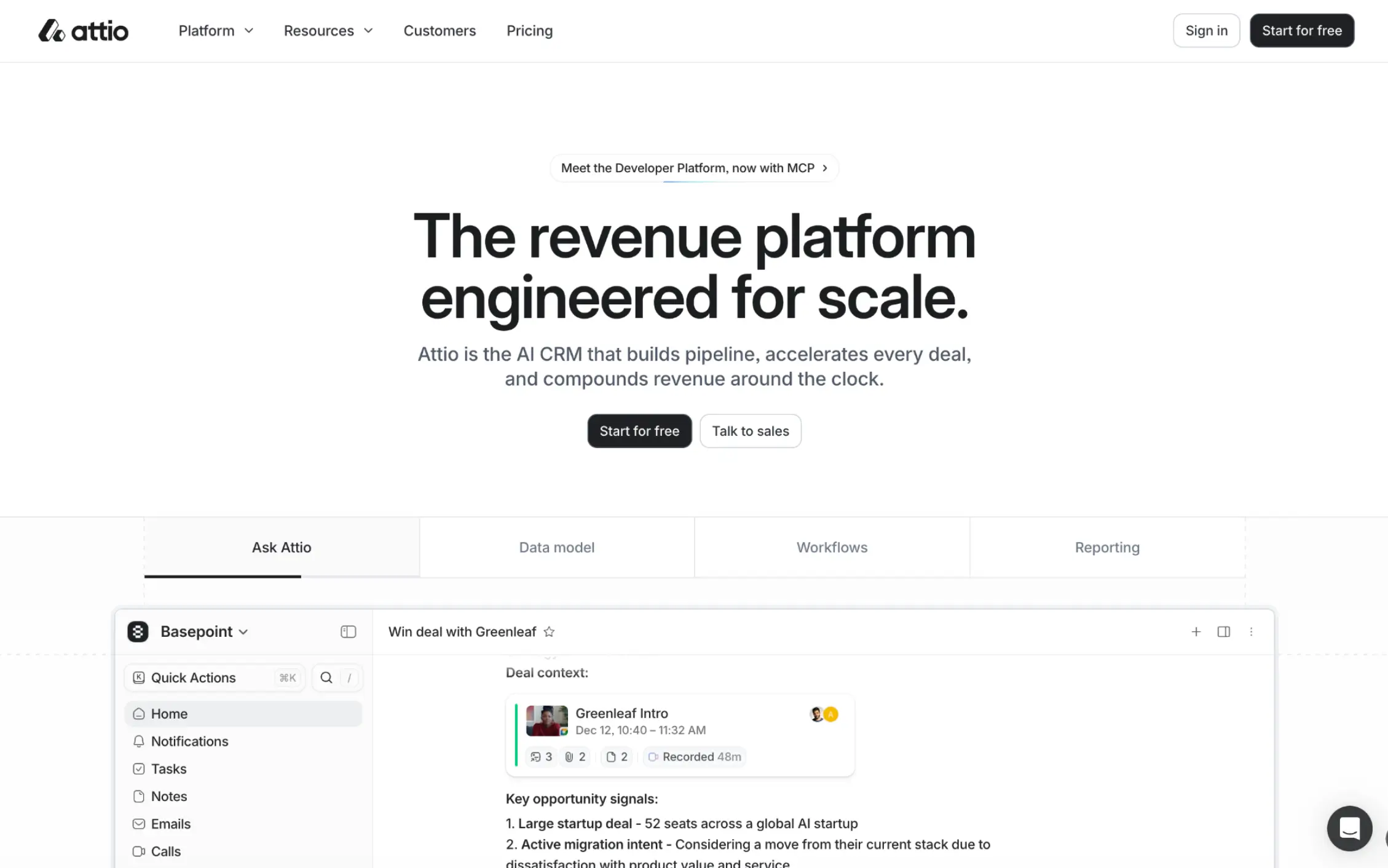
Attio is a sleek CRM that adapts to how your business operates. Rather than offering a fixed framework, this platform lets you work with custom objects, attributes, and records. You can also harness relationship intelligence, and build your own GTM automations.
Compared with other top CRMs, Attio feels very lightweight and easy to use. The feature list is also quite different; it’s closer to a database platform than a traditional, rigid CRM.
But Attio stays in one lane. You won’t find extensive marketing tools here, and you can’t build custom apps for your wider sales process. Attio primarily targets the sales process and customer data.
Who is Attio best for?
Teams that care about flexibility will like Attio. The feature list doesn’t cover as much ground as HubSpot, but you can build a GTM structure that matches your exact processes. Because of its CRM focus, Attio is also best for sales teams that already have solutions for prospecting, customer support, and operations (or teams willing to adopt multiple apps)
How Attio works
While most CRMs are based around contacts, Attio uses objects, records, and attributes. This is the first clue that Attio wants you to build your own system rather than simply adopt one.
Objects store data about people, companies, deals, investors, partners, and accounts. Records are the individual data entries, and Attributes are the details attached to each record, such as deal value, company size, and renewal dates. You can then organize all this data in custom lists. It definitely feels like a hybrid between CRM and database software.
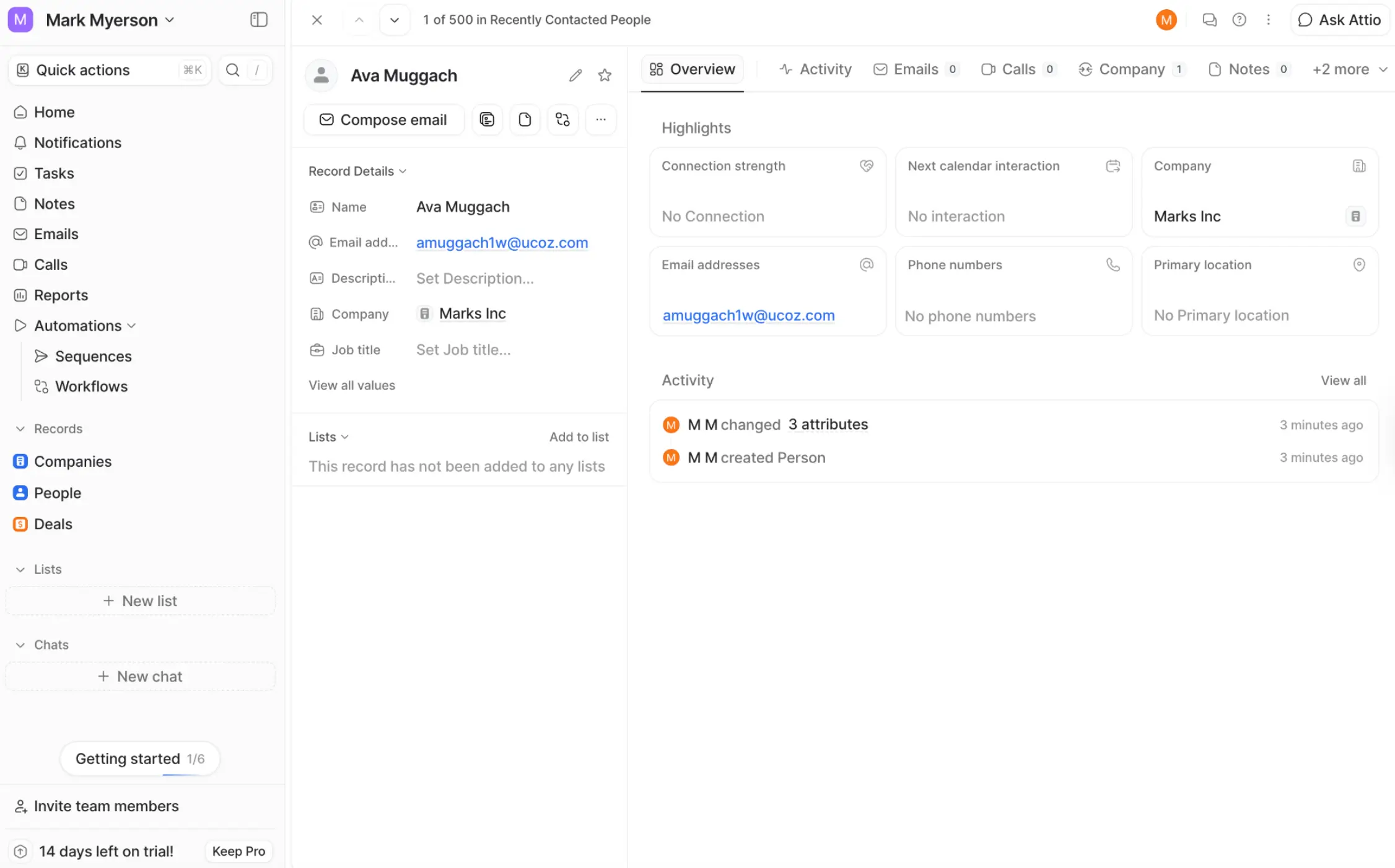
Attio also allows you to pull in additional context from emails and calendar activity and automate everyday admin tasks. But you won’t find tools for email, outreach, content marketing, or anything else outside the sales process.
This single-mindedness can be a blessing. If your sales process is clear, Attio helps you build a tailored CRM system that feels highly efficient. The downside is that you might need other platforms to support your sales workflow.
What is HubSpot?
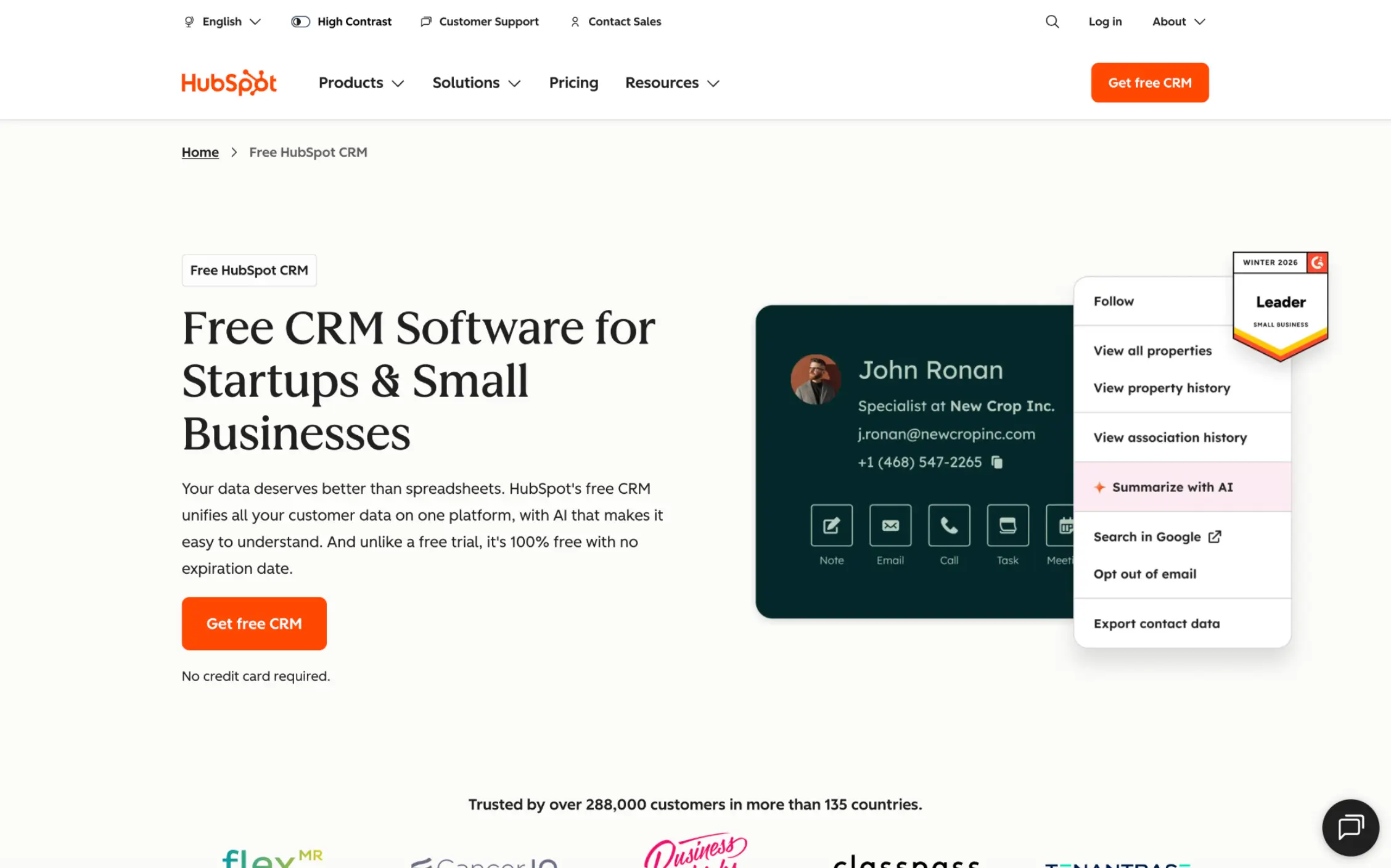
HubSpot is a customer management platform aimed at teams that want to combine sales, marketing, reporting, and automation in one system. The CRM features are just one piece of a broader, feature-rich suite.
HubSpot is more structured than Attio, meaning you have much less scope for custom data modeling. However, you get way more integrations. And with HubSpot, you can run campaigns, track your pipeline, automate follow-up, report on revenue, and manage customer interactions without leaving the app.
That does mean a lot of menus to navigate, and HubSpot isn’t cheap. But businesses that want deep links between different departments are often happy to overlook these downsides.
Who is HubSpot best for?
HubSpot tends to attract businesses that are willing to invest money in a proven CRM that lives in a full sales and marketing system.
It tends to work best when your teams use standard, structured processes for pipelines and sequences. This is not the product for teams that want to build their own systems.
The platform is also popular with marketing teams that want to harness CRM data for campaigns, lead scoring, and automated workflows.
How HubSpot works
HubSpot helps you import and format existing customer data, and provides a ready-made structure. This includes contacts, companies, deals, and tickets. The Contacts menu is where the most valuable data is stored: these objects hold people and provide access to associated companies, deal tracking data, opportunities, and linked service tickets.
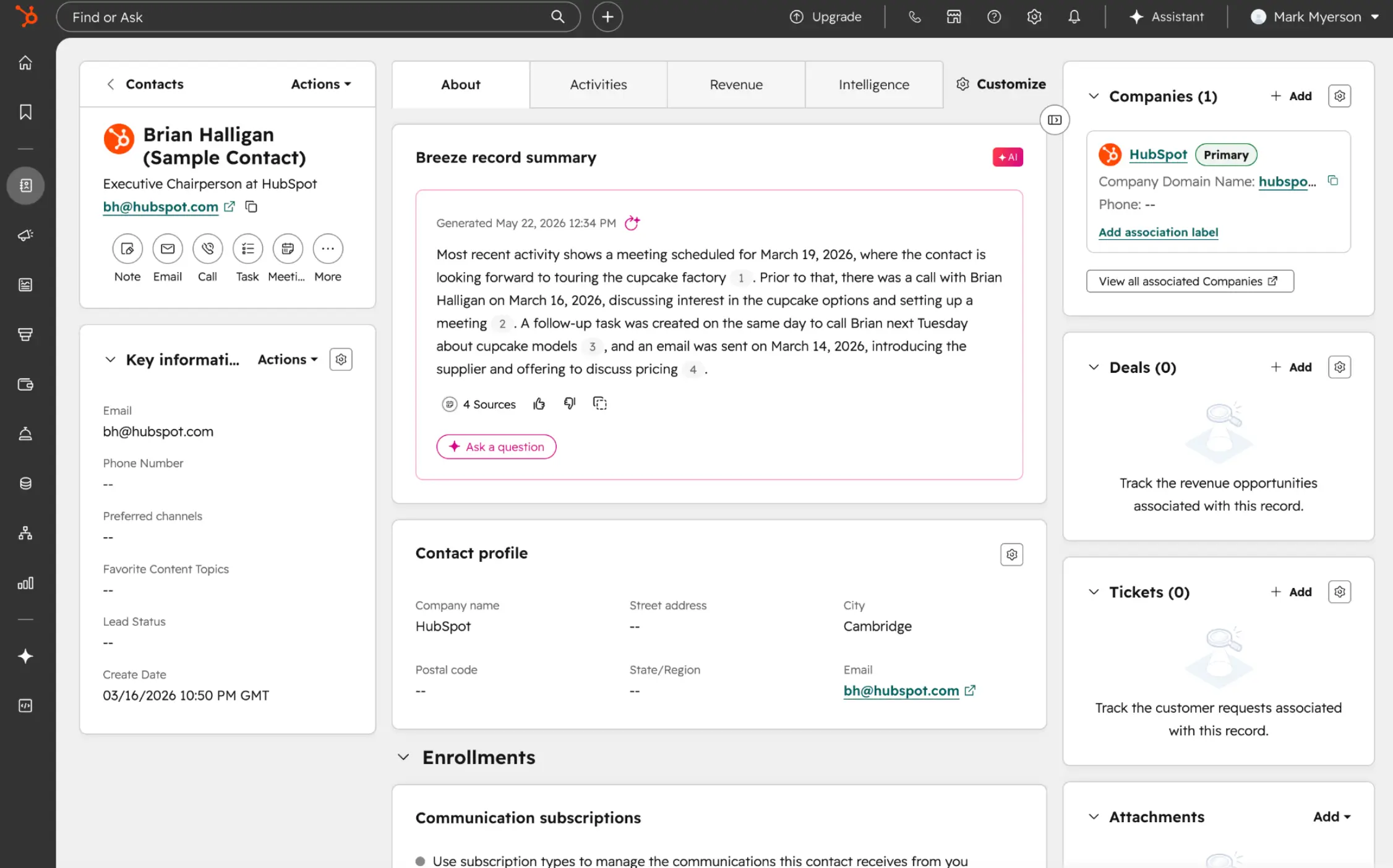
From there, you can start adding tools. Pipelines show where each deal stands. The Lists feature lets you group contacts or companies by industry, lead source, and recent activity. You can also set up workflows to handle repeat tasks, such as assigning new leads and updating records, and configure reports to get a high-level overview.
While HubSpot can be very simple, most teams end up using the additional features. As a result, the UX often becomes more cluttered over time, kind of like when you install too many apps on a phone.
Attio vs HubSpot: Features compared
Now that we’ve met both platforms, it’s time to get better acquainted. Here’s a head-to-head comparison of Attio and HubSpot across their core features:
Which CRM has the better data model?
It’s difficult to name an outright winner here. I see Attio as more flexible, while HubSpot is more standardized.
Attio’s data model is meant to be tailored to a specific workflow. You can set up custom objects, attributes, lists, and relationship mapping. Of course, many sales teams don’t need all these options. But for teams that deviate from the usual contact-company-deal template, Attio’s flexible model will be a breath of fresh air.
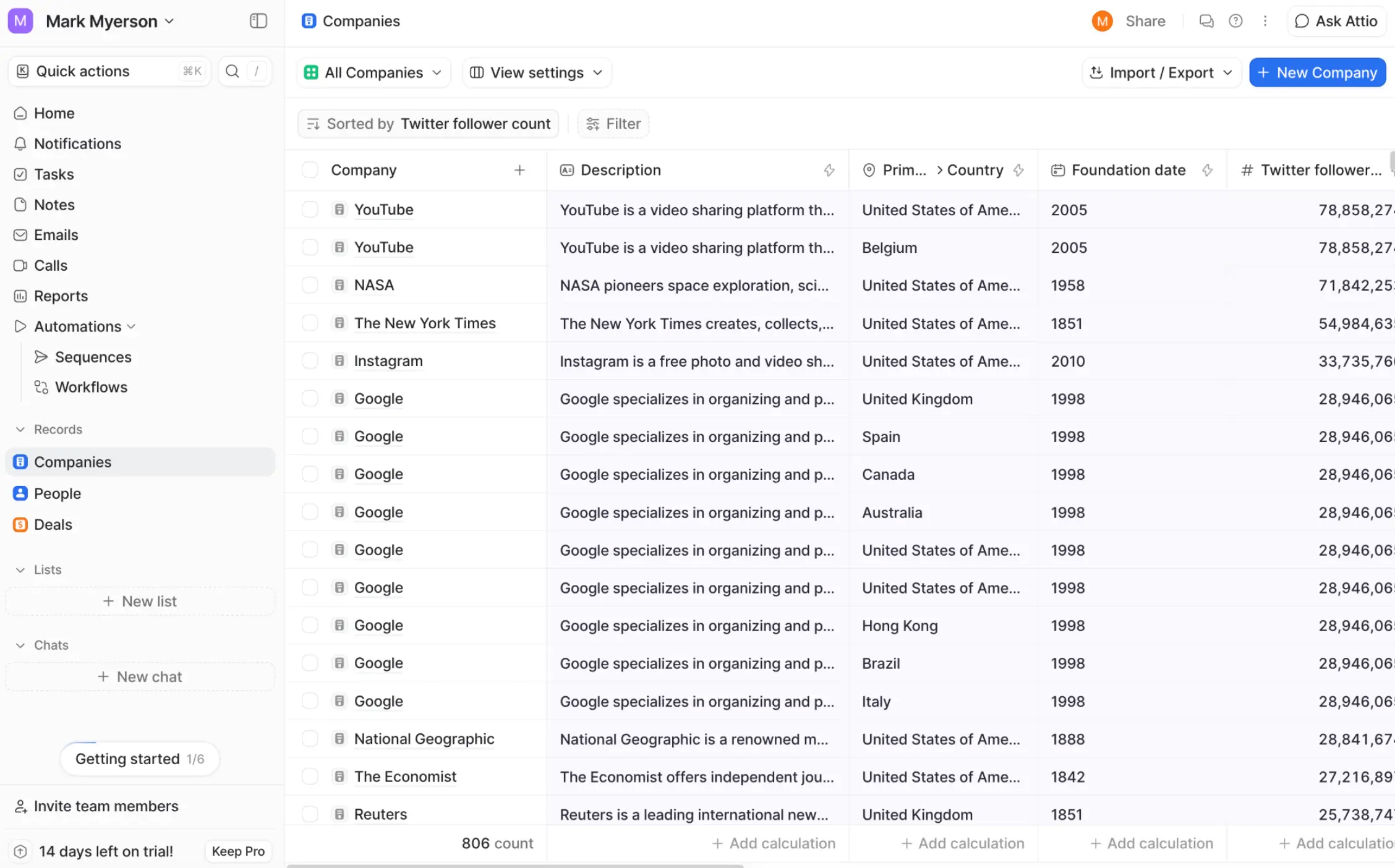
HubSpot lies at the other end of the spectrum. While the platform lets you customize your toolkit, the underlying CRM model is very generic.
This can be a benefit, however. Because there’s less to think about during setup, sales teams that follow conventions can get started very quickly on HubSpot. And you can make custom objects later if you’re willing to pay enterprise pricing. But the platform wasn’t really made for that.
Verdict: Both have solid data models, but Attio is more flexible.
Which CRM is easier to use?
For most sales tasks, Attio provides a cleaner workspace. In fact, most users cite usability as one of the key reasons they like the platform. The UI is legible, visually appealing, and easy to navigate.
Attio also provides strong AI features within the CRM, allowing reps to update records and query data through simple text messages — a big win for ease of use.
HubSpot isn’t the hardest CRM to use, by any means. The design is still quite tidy, and you can access a range of sales and marketing tools without leaving the platform. That said, the interface can start to feel crowded as you enable more tools, dashboards, and reports.
Verdict: Attio is generally cleaner and easier to navigate. But with HubSpot, you won’t have to switch platforms as often.
Which CRM has better automation?
In terms of volume of automation features, we think HubSpot is the clear winner.
The platform has built-in workflows for lead routing, follow-ups, sequences, pipeline updates, and reporting. You can also chain sales and marketing workflows together. Plus, with over 2,000 apps in the HubSpot Marketplace, you can build automations that link HubSpot with other tools in your tech stack.
The gaps users tend to highlight relate to email and outbound automations on lower tiers. But these aren’t exactly core CRM features.
Attio is no slouch in the automation department. The features are just more targeted: think CRM updates, GTM processes, and record changes. The platform also has a very nice visual workflow builder, and you can insert AI anywhere to summarize and reformat data.
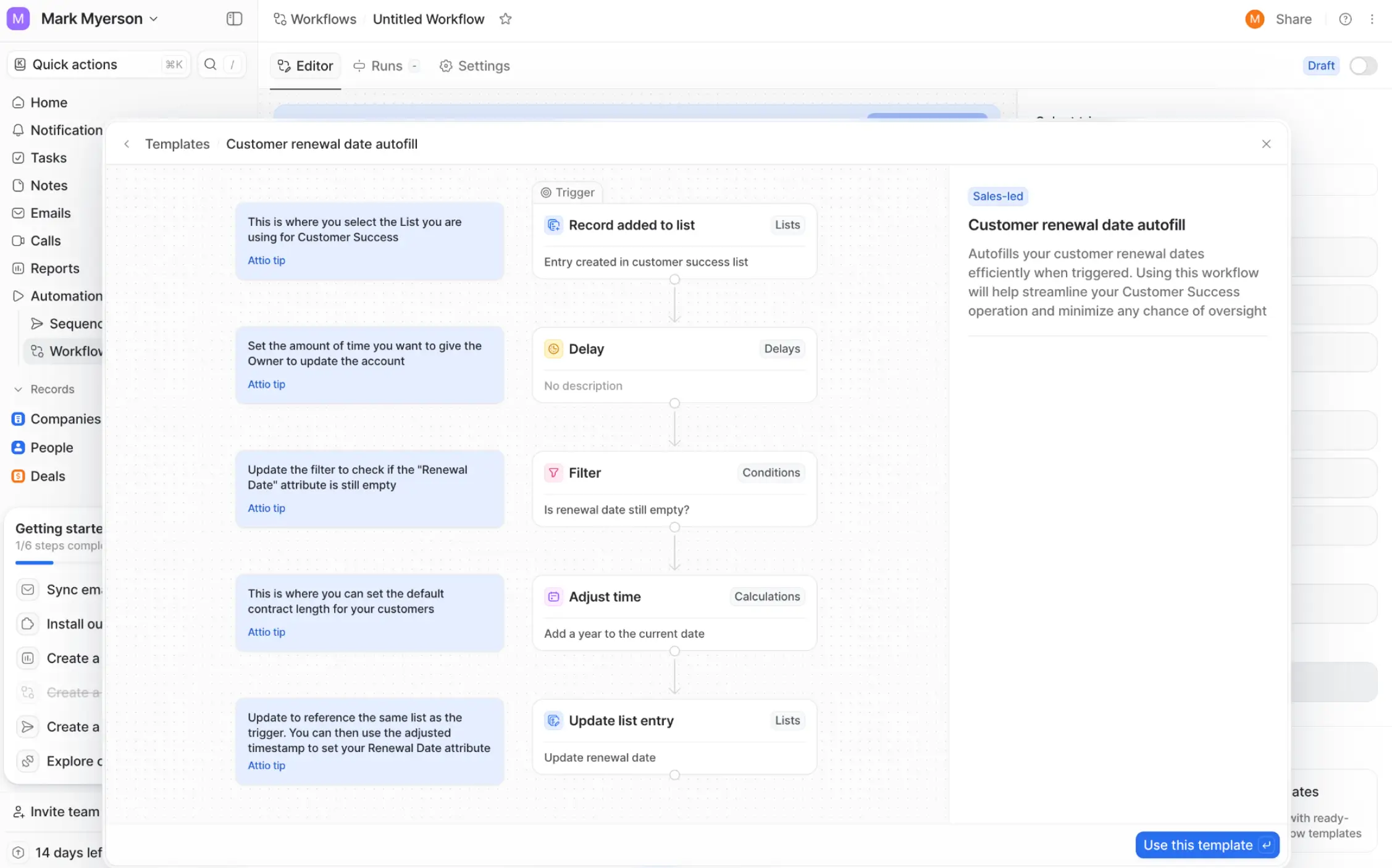
You can even get assistance with drafting outreach and follow-up. Just don’t expect as many marketing features.
Verdict: Both apps are strong. HubSpot offers more built-in automations, but Attio has great AI workflows.
Which CRM has better integrations?
On paper, HubSpot looks much stronger in terms of integrations. But the choice is actually more nuanced than it appears.
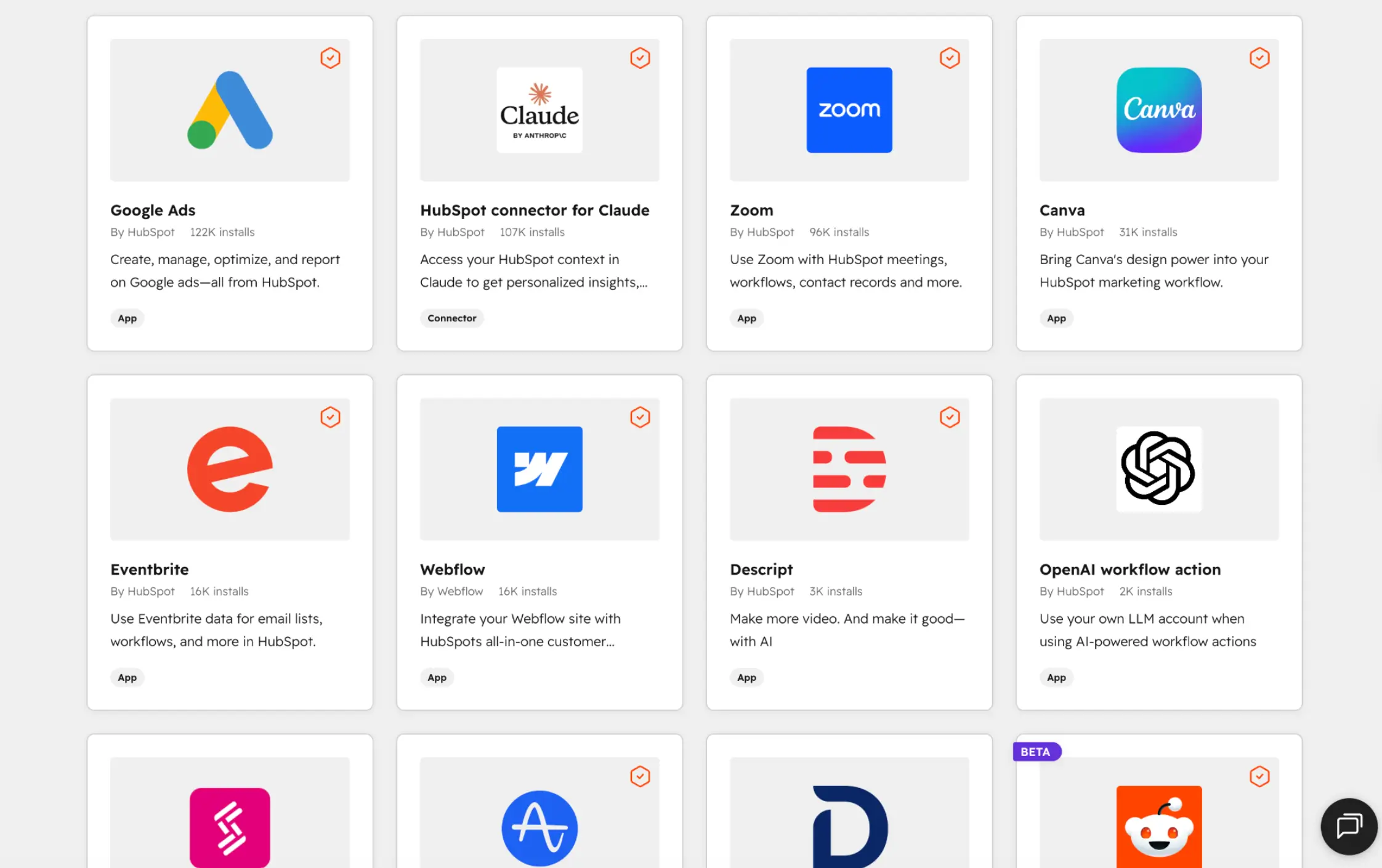
HubSpot has a vast marketplace, with apps helpfully grouped into collections. The library includes ecommerce platforms, LLM tools, spreadsheets and databases, and social media tools. You can even run some apps as a full page directly within HubSpot.
Attio has a much smaller list of native integrations. Where this platform fights back is through modern implementation: Attio uses API-first architecture and webhooks to offer real-time data syncing between your CRM and third-party apps. This makes it easier to configure custom integrations.
Verdict: For most teams, HubSpot is easier to handle and offers more choice. But Attio can be good if you want custom connections.
Which CRM has better reporting?
On balance, HubSpot has stronger reporting features. The platform helps you track analytics, attribution, forecasting, and team performance, and monitor live data through custom dashboards. For this reason, HubSpot works well for sales leaders managing multiple teams. That said, you might need some technical expertise to build more complex reports.
Attio has good reporting features, too. You can build sleek dashboards with live data or create spreadsheet-style reports based on custom views. These tools are pretty easy to use, but you won’t find the same depth as HubSpot across the board (like in attribution modeling, for example).
Verdict: HubSpot has the more mature reporting suite, although Attio is catching up.
Which CRM has better AI?
Both Attio and HubSpot have AI deeply embedded. The difference, once again, comes down to focus.
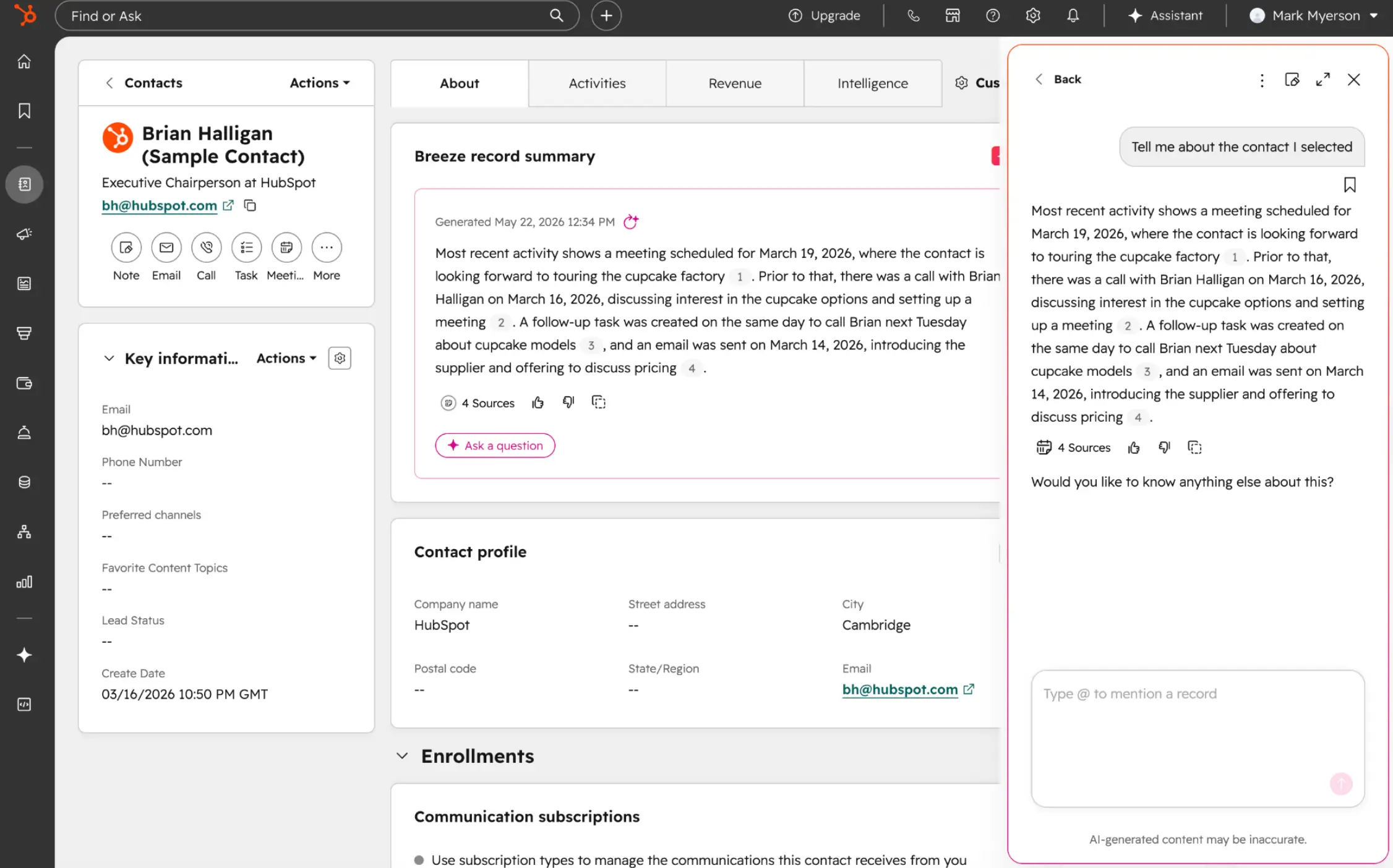
HubSpot’s Breeze AI assistant works as a sidebar chat, providing useful insights and quick actions related to your main workspace. It serves marketing, sales, and customer support, and HubSpot even provides ready-made agents that can handle common tasks.
Attio has its own chat-based assistant, which specializes in supporting sales tasks and providing customer insights. In addition, you can add AI to automated workflows you build within Attio, to summarize and reformat data. It feels like creating smart automations with a dedicated tool like Zapier.
Verdict: No clear winner. HubSpot covers more ground, while Attio deploys AI effectively for sales.
Attio vs HubSpot: Pros and cons
To clarify your choice, let’s summarize the upsides and drawbacks of the two platforms.
Attio pros
- Light, clean interface that’s easy to navigate
- Flexible data model
- Plenty of customization options
- Deep relationship intelligence
Attio cons
- Not optimized for combined sales and marketing efforts
- Smaller integration ecosystem
- Reporting may not satisfy sales leaders
- Can be quite DIY
HubSpot pros
- Mature CRM and sales platform, with marketing and customer support integrated
- Broad automation options
- Huge selection of pre-made integrations
- Strong reporting and forecasting
HubSpot cons
- Can become expensive as teams scale
- Advanced features are often gated behind higher-tier plans
- Navigating multiple Hubs in one app can be confusing
- Not that flexible if you want a custom CRM setup
Popular use cases for Attio vs HubSpot
Whether Attio or HubSpot is right for you really comes down to what you want to achieve. Here are some example use cases for each platform.
Best use cases for Attio
- Custom GTM CRM: Attio can work well for teams that need custom objects and relationship mapping.
- Investor, partner, or network management: Great when the “relationship” matters more than the pipeline stage.
- Early-stage sales teams: Attio is good for teams that want a lightweight CRM that evolves with their process.
- Data-first revenue teams: Clean CRM data, custom views, and workflow flexibility are all big pluses.
Best use cases for HubSpot
- Sales pipeline management: HubSpot helps you track deal stages, tasks, forecasting, and more.
- Sales and marketing alignment: Handle lead capture, nurturing, campaigns, and CRM reporting in a single platform.
- Customer lifecycle management: Useful when sales, marketing, support, and success teams need shared customer context.
- Scaling go-to-market teams: The defaults and ready-made options can help you scale faster.
Where both tools fall short
While Attio and HubSpot cover a lot of real world scenarios, there are some gaps. For example:
- Neither is ideal when you want to provide clients, partners, or internal teams with secure access to CRM data.
- Neither is made for building internal tools, project trackers, or operational dashboards.
For these use cases, Softr is a better fit.
Attio vs HubSpot on Reddit and user reviews
You’ve seen my thoughts, but what do other users think about how Attio measures up to HubSpot? Here’s a sample of reviews from Reddit and other platforms.
What users say about Attio
Flexibility is a word that appears frequently in positive reviews for Attio. Users like how they can adapt the CRM to their needs.
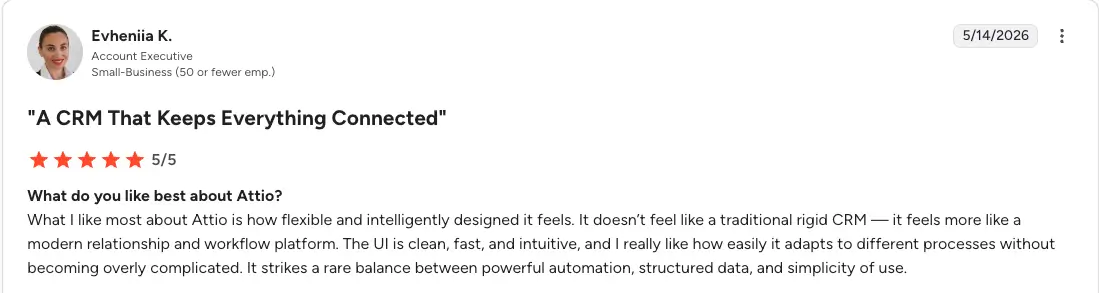

However, the flexibility can also be a negative. Some users find that Attio asks a lot in terms of setup.

What users say about HubSpot
Having the whole customer journey on one platform is something most HubSpot users like. Larger teams also appreciate the streamlined setup, with defaults that work for standard sales processes.
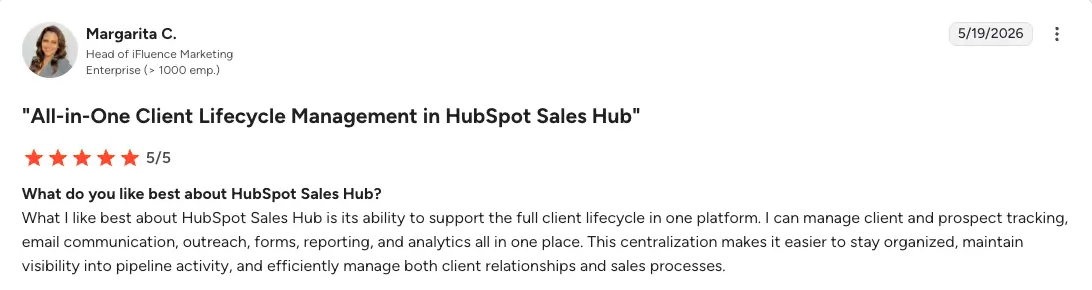
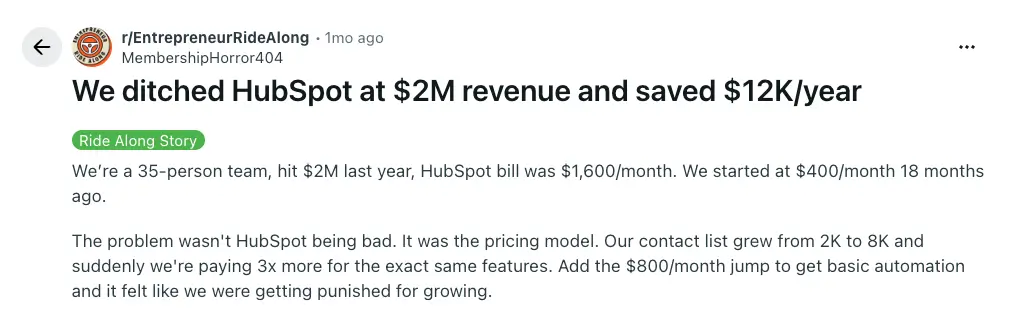
The reviews are split on usability: some users love the interface, while others find it clunky. But a recurring theme is a distaste for HubSpot’s pricing model.
Attio vs HubSpot: Pricing
Here’s how the two apps match up on costs. Unless stated otherwise, all prices listed below reflect monthly billing.
| Attio | HubSpot Sales Hub | |
|---|---|---|
| Free plan | 3 seats, 3 objects, 50,000 records, 100 credits/user, 3 reports | Limited free tools, with 2 seats, 1 deal pipeline, some integrations |
| Entry paid plan | Plus ($36/user/month): unlimited seats, 5 objects, 250,000 records | Sales Hub Starter ($10/seat/month): 2 deal pipelines, basic automation, custom properties |
| Mid-tier plan | Pro ($86/user/month): 12 objects, 1 million records, 1,000 seat credits/user/month, plus call intelligence and sequences | Sales Hub Professional ($100/seat/month + $1,500 onboarding fee): 300 workflows, sequences, forecasting, custom reporting |
| Top-tier plan | Enterprise: custom pricing, unlimited objects, unlimited teams, 100+ reports | Sales Hub Enterprise ($150/seat/month, billed annually + $3,500 onboarding fee): 1,000 workflows, custom objects, recurring revenue tracking |
Both platforms can become expensive over time, but smaller teams may get more value out of Attio. HubSpot is better suited for larger companies with budgets that match their size.
Why you should choose Softr over Attio and HubSpot
Attio and HubSpot are both solid CRM tools. But what if you want to create an entire business system tailored to your sales process? That’s where Softr can help.
Softr lets you build end-to-end sales and marketing systems
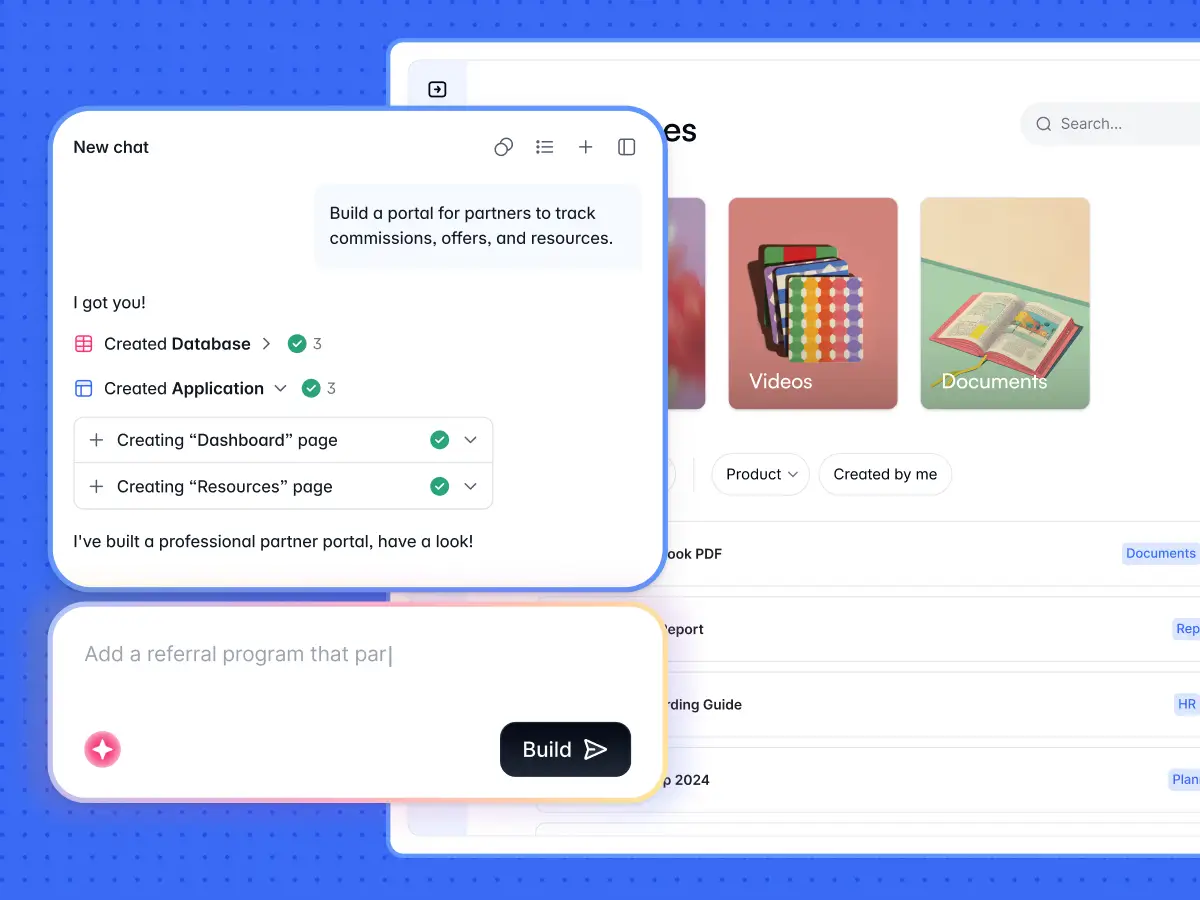
This AI-powered no-code platform lets you build custom apps for every part of the sales process (and the rest of your business, too). That means CRMs, portals, dashboards, intranets, project trackers, inventory systems, internal tools, and much more. You can create all of these apps in minutes using the AI Co-Builder. Workflow automation is built-in too.
Softr keeps your data and apps in one place
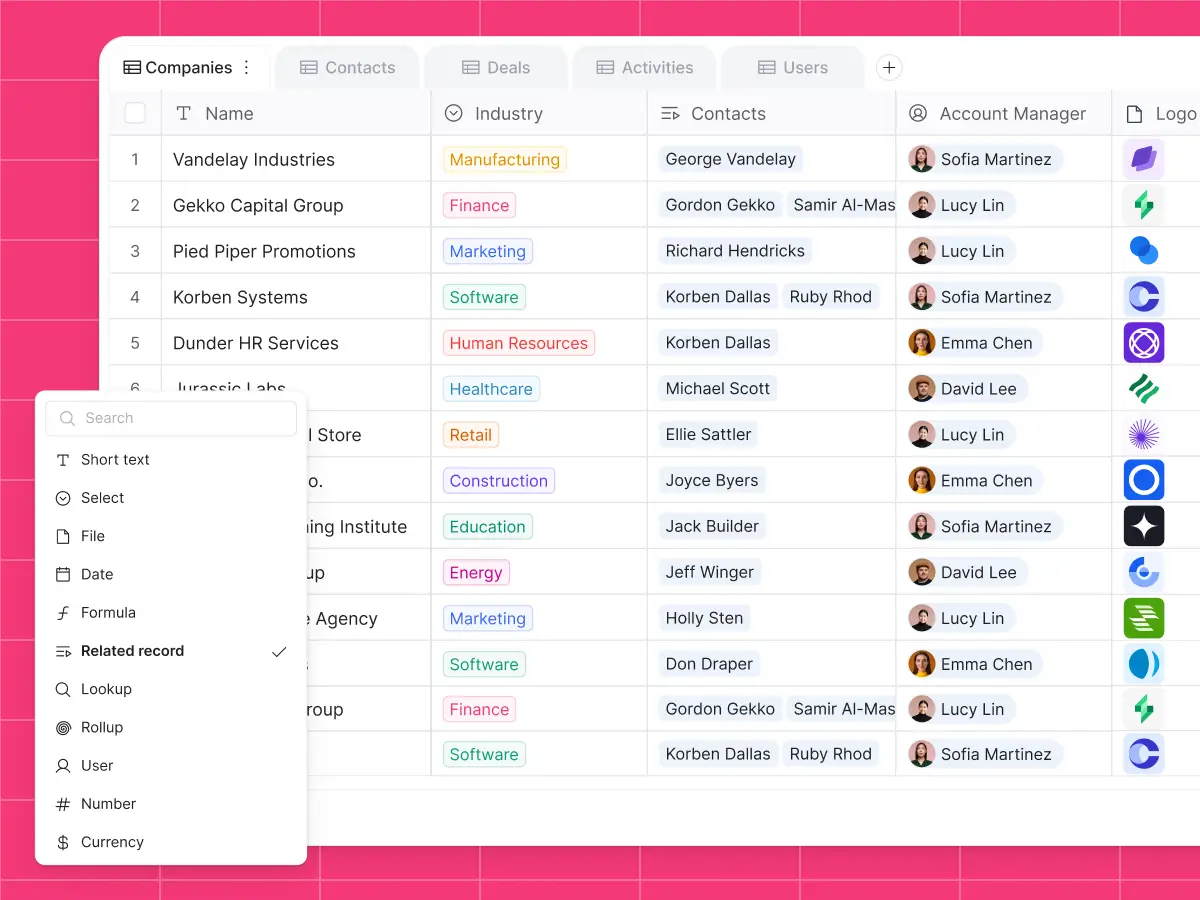
Softr inclues a built-in database, strong permissions, workflow automation, and a library of integrations. This means you can store and work with your customer data in one platform. And if you need to hook in data from somewhere else, Softr offers live two-way syncing with 21+ data sources (and more through REST API).
Softr is made for non-technical users
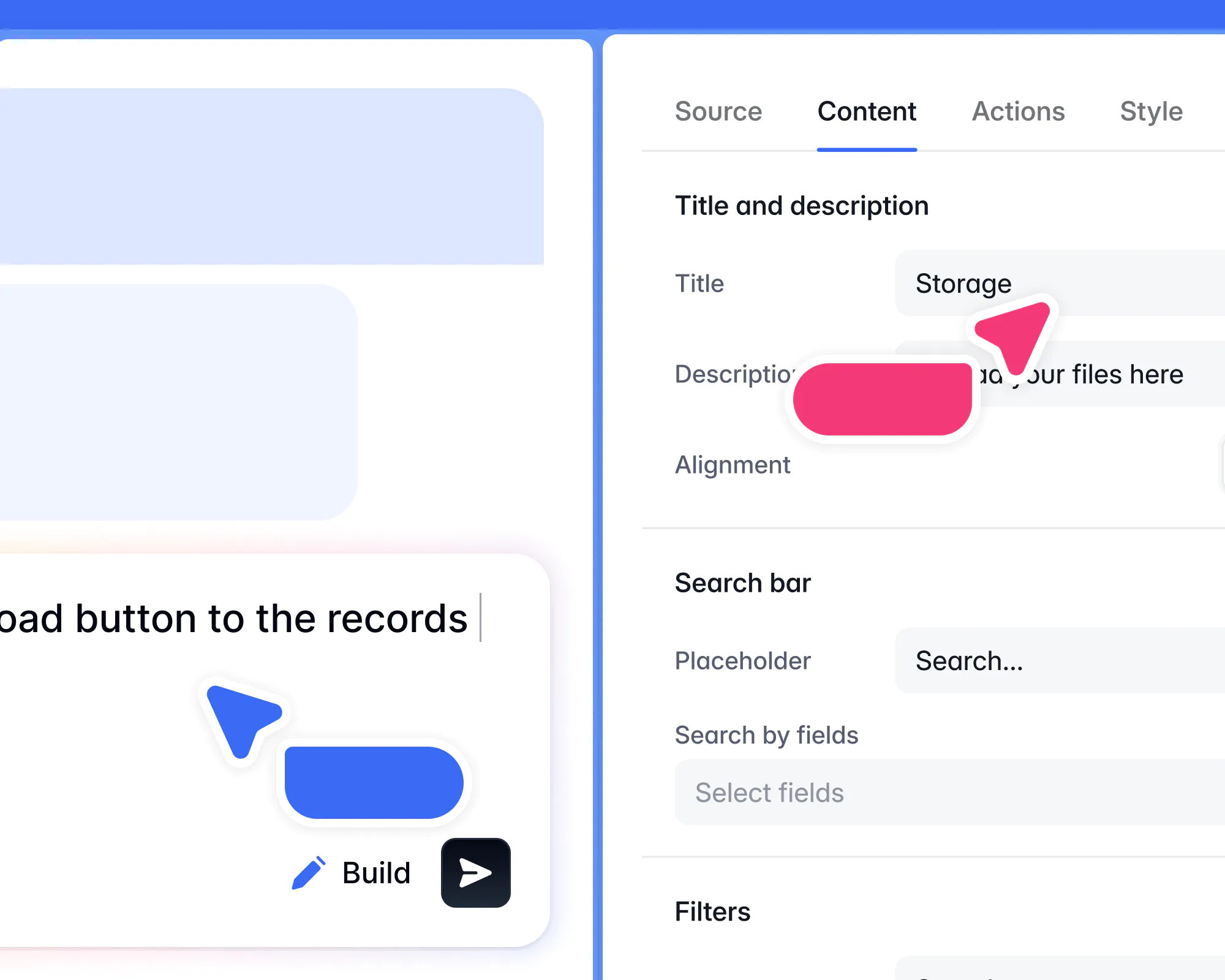
You won’t need any support from the tech department to build CRMs and other apps in Softr. It’s designed specifically to be used by non-developers, with AI app generation, a visual editor, and loads of ready-made templates. Anyone can use Softr to build an app, customize the interface, and share it with real users.
Attio vs HubSpot vs Softr: Which one should you choose?
You can study the reviews and crunch the numbers, but choosing between these platforms is ultimately about what you need:
- Need a flexible CRM that is focused on sales processes? Choose Attio.
- Want to keep sales, marketing, and customer support all in one place? Choose HubSpot.
- Want to build complete business apps tailored to your data and workflows? Choose Softr.
I don’t have to tell you that picking a CRM is a big decision. The app you choose will have a major impact on the way your team operates for the foreseeable future. With this in mind, it’s a good idea to choose something pliable enough to adapt to your needs.
Attio and HubSpot are both solid options for handling deep relationship data. But Softr gives you the flexibility to manage records, build custom apps, and automate workflows from a single platform. You can even connect Softr with HubSpot to build a portal on top of your CRM data. Sign up free today to get started.
Frequently asked questions
Is Attio better than HubSpot?
Is Attio cheaper than HubSpot?
When should I choose Softr instead of a traditional CRM?