Vibe coding vs no-code vs custom dev: Complete guide in 2026


It’s never been easier to turn an idea into software. The hard part is knowing which build path to take. Vibe coding, no-code, and custom development all have their place. This guide breaks down where each one works, where it gets messy, and how to choose the right approach when an app needs to hold up after the first version.
Vibe coding vs no-code vs custom dev at a glance
Vibe coding vs no-code vs custom development: 11 core differences
Vibe coding, no-code, and custom development can all help you build software. The difference is what happens after the first version exists: who can maintain it, how safely users can work with data, and how much control you need as the app becomes part of daily operations.
Let’s break down the key factors that matter here.
1. Speed
Speed is usually the first reason teams compare these options. But “fast” can mean different things: fast to generate, fast to launch, or fast to maintain after changes.
- Vibe coding is often the fastest way to get a first version on screen. You describe what you want, and the AI generates the app structure, interface, or code. That makes it useful for prototypes, demos, and small experiments. The tradeoff is that the first draft may not be the usable version. You still need to test the logic, fix bugs, clean up the UI, review security decisions, and figure out deployment.
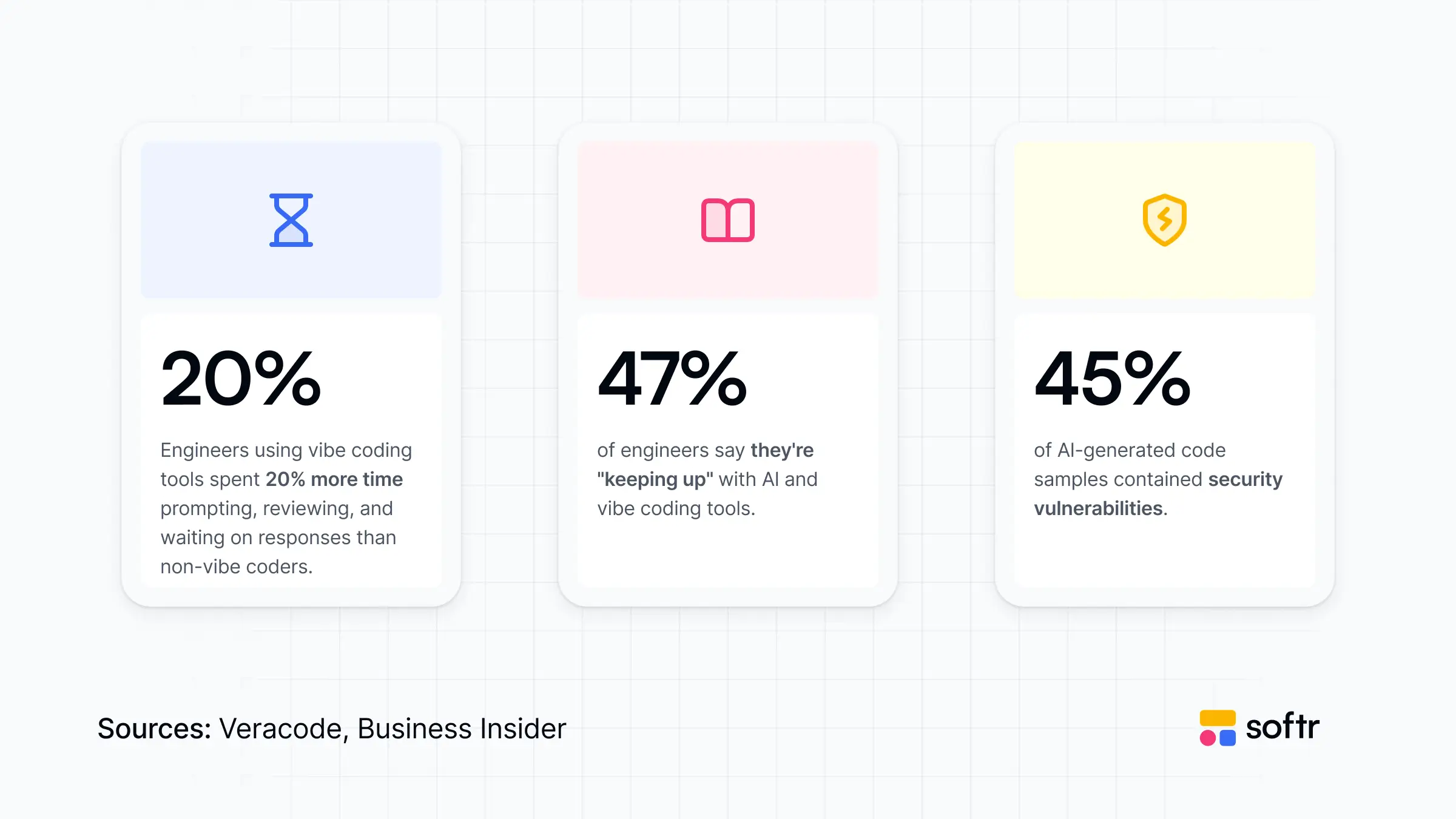
- No-code is usually faster when the goal is a working business app, not just a generated draft. You start with tested components, visual configuration, app templates, and publishing already built into the platform. This can be slower than one AI prompt but faster than debugging a fragile generated app.
- Custom development is typically the slowest path. Engineers need to plan the architecture, build the system, test it, deploy it, and maintain it. It pays off when the system is complex enough to require that level of control.
Final verdict: If you need to test an idea, vibe coding is usually fastest. If you need a usable operational app, no-code is often faster end-to-end. And if the system is core or complex, custom dev is worth the extra time.
2. Flexibility
Flexibility is about whether you can shape the app to fit your exact needs. This includes customizing the interface, business logic, data model, integrations, user roles, and more.
- Vibe coding feels flexible because you can ask the AI to build almost anything. That’s its appeal. You’re not limited to a fixed set of blocks or templates. But the flexibility can be uneven in practice. A change that sounds simple in a prompt can introduce bugs, break another part of the app, or create code that is hard to understand later.
- No-code gives you structured flexibility. You can build components, workflows, permissions, data views, and integrations without writing any code. It works well when your app fits common business patterns: portals, trackers, dashboards, forms, and internal tools. The limits show up when the app needs unusual UX or highly custom logic.
- Custom development gives the highest flexibility. A technical team can build the exact system, logic, infrastructure, and experience you need. However, every decision adds time, cost, and maintenance responsibility.
Final verdict: Choose vibe coding for open-ended exploration, no-code for configurable business apps, and custom dev when you need full control over how the system works.
3. Data safety
Data safety matters because business apps do more than display information. They let users create, update, delete, filter, export, and act on records. Once customer, client, vendor, employee, or sensitive financial data is involved, the app needs more than a nice interface.
- Vibe coding can connect to data, but the safety depends on how the generated code handles access, credentials, client-side exposure, validation, and database operations. This is where non-technical people can get into trouble with vibe coding.
- No-code platforms usually handle most of this structure for you. The best platforms give you controlled data connections, safe ways to perform CRUD actions, permission settings, and admin-level configuration without asking the builder to design an entire security model.
- Custom development gives full control over data safety but also full responsibility. Engineers can design secure access patterns, validation, logging, encryption, and backend rules. But the quality depends on the team, the architecture, and the review process.
Final verdict: If the app touches real business data, don’t judge the tool only by how fast it builds screens. Look at how it handles credentials, CRUD actions, backend rules, and user access. No-code and custom development are more secure than vibe coding in this regard.
4. Permissions
Permissions decide who can see, edit, delete, approve, or export information. This becomes critical as soon as your app has more than one user type: admins, managers, clients, vendors, field teams, contractors, or partners.
- Vibe coding can support permissions, but you usually need to define and verify the logic carefully. It may generate an auth flow or role checks, but you still need to confirm that the rules work everywhere they should. This is easy to underestimate because the app can look correct while the access logic is incomplete.
- No-code is often stronger for common permission needs because user roles and visibility rules are part of the app-building model. Instead of writing access logic from scratch, builders configure which users can access specific pages, blocks, records, actions, or data views.
- Custom development can support the most advanced permission models. It’s the right choice when access rules are highly specific, deeply tied to business logic, or subject to strict compliance requirements. But it also requires careful engineering, testing, and ongoing review.
Final verdict: For multi-user business apps, permissions should be evaluated early. If access rules are standard, no-code can save a lot of work. If they’re complex or regulated, custom dev may be safer.
5. UI consistency
Contrary to popular belief, UI consistency is not only about how the app looks. It affects whether users understand what to do, whether screens feel connected, and whether the app feels trustworthy enough for daily work.
- Vibe coding can produce sleek interfaces quickly. It can also produce inconsistent layouts, mismatched components, awkward spacing, or screens that behave differently from one another in the same app. You can re-prompt the AI to fix these issues, but that can turn into a long re-prompting loop.
- No-code platforms tend to give you more consistency by default. You build with battle-tested components, pre-made themes, layouts, and app-level styling. This makes the final product feel more stable across pages, especially for common business interfaces like tables, forms, and dashboards.
- Custom development gives you total design control. A product or engineering team can create a custom design system and interaction patterns for the exact experience they want. But that level of polish takes a lot of design, frontend, QA, and maintenance work.
Final verdict: If the app needs to look clean and predictable without a frontend team, no-code is often the safer option. If the experience itself is a competitive advantage, custom dev provides more room to design it fully.
6. Hosting/deployment
Hosting and deployment decide where your app runs, how it scales, how updates are shipped, how environment variables are managed, and what happens if something breaks.
- With vibe coding, deployment depends on the tool and the setup. Some tools include hosting or guided deployment, while others produce code that needs to be adapted to a hosting provider. Either way, the builder still needs to understand enough to manage releases, credentials, databases, and performance expectations.
- No-code usually removes most of that burden. The platform handles hosting, publishing, updates, and much of the infrastructure behind the app. This lets business teams focus on the workflow instead of comparing hosting providers or managing server resources.
- Custom development provides full deployment control. That’s valuable when you, as a developer, need a specific cloud architecture, strict security setup, custom environments, CI/CD pipelines, performance tuning, or infrastructure ownership. But it also means more engineering responsibility than you get with no-code.
Final verdict: If hosting is not part of your competitive advantage, no-code can save time and reduce operational drag. If infrastructure is strategic or regulated, custom dev gives you the control you need.
7. Integrations
Most business apps are only useful if they connect to the tools where work already happens: CRMs, calendars, databases, spreadsheets, project management tools, email, Slack, payment systems, or internal APIs.
- Vibe coding can create integrations, but the builder may need to set up developer apps, manage API keys, understand scopes, handle rate limits, and protect credentials. AI can help write the integration code, but it does not remove the need to understand what the integration is allowed to access and what data it exposes.
- No-code platforms make common integrations easier through native connectors, built-in data sources, workflow actions, and secure credential storage.
- Custom dev is best for regulated or unusual integrations. If the app needs to connect to legacy systems, private APIs, complex data pipelines, custom authentication flows, or multiple systems with strict logic between them, engineers can build exactly what’s needed.
Final verdict: Use no-code when the app mostly depends on popular business tools and standard data flows. Use custom dev when integrations are unique, brittle, or central to how the system works.
8. Scalability
Scalability is often misunderstood. It doesn't only refer to whether an app can handle a high volume of users. It's also about whether the app can absorb a growing number of records, workflows, permissions, and teams without becoming too messy for daily use.
- Vibe coding can scale if the generated app is well-architected, hosted properly, and maintained by someone who understands the code. But these are big “ifs.” A prototype that works for 20 records and one user may not behave well when you involve thousands of records, multiple roles, and real activity.
- No-code can scale well for common operational use cases when the platform is built to handle users, records, permissions, publishing, and performance. The limits appear when scale requires custom infrastructure, advanced backend optimization, or highly specific performance tuning.
- Custom development has the highest scalability ceiling. Engineers can design the system around expected usage, database load, caching, infrastructure, security, and long-term growth. But building that foundation takes significant time and expertise.
Final verdict: For most business apps, no-code is the right call. It scales across the dimensions that actually grow day to day—records, users, permissions, and teams—without making you manage infrastructure. Choose custom development only if you truly need a higher ceiling.
9. Maintenance
Maintenance is where many build decisions reveal their true costs. An app isn’t finished when it launches: workflows change, people ask for new fields, integrations break, permissions need updates, and bugs reveal themselves.
- Vibe coding can create a maintenance challenge if the team doesn’t understand the generated code. Each new change may require more prompting, testing, debugging, and cleanup. This is manageable for small tools, but risky for apps that become part of a team’s daily work.
- No-code apps are easier to maintain because most changes are visual and configuration-based. A non-engineer can update fields, pages, views, workflows, user groups, or forms without even opening a codebase.
- Custom development gives you maintainability when the codebase is well-built, documented, tested, and owned by a technical team. But it also creates a dependency on engineering capacity. Even small changes will need to go through planning, development, QA, and deployment.
Final verdict: Before choosing a build path, ask who will maintain the app six months from now. If you have a dedicated team, custom dev allows for the most granular updates. No-code is best for business users who need to make ongoing changes themselves.
10. Cost
Cost is more than just the price of the app building platform or the first draft you whip up. It includes setup, implementation, debugging, hosting, maintenance, training, security review, and the cost of waiting.
➡️ Read more on software costs in our AI app development cost guide.
- Vibe coding looks very cheap at the beginning. A small team can generate a prototype without hiring developers or buying a full platform, but hidden costs appear when the app needs cleanup, secure data handling, hosting, testing, or long-term maintenance.
- No-code usually has a clearer platform cost. You pay for the tool and get components, hosting, publishing, permissions, integrations, and maintenance features included. That can make it more cost-effective for standard business apps, especially when the alternative is a custom build.
- Custom development has the highest upfront cost. It requires engineering time, project management, design, QA, infrastructure, and ongoing support. The cost makes sense when the software is strategic, complex, or differentiated enough to justify full ownership.
Final verdict: Compare total cost, not just build cost. A fast prototype can become expensive if it needs engineering cleanup, while a platform fee can be cheaper than custom development for common operational systems.
11. Ownership
Ownership is about who controls the app, the code, the data model, the infrastructure, and the long-term roadmap. It also affects what happens if you outgrow the tool or need to change direction.
- With vibe coding, ownership can be mixed. If the tool gives you access to the generated code, you’ll have more control than with traditional no-code. But owning code is not the same as being able to maintain it. If no one understands the structure, dependencies, or security choices, the app can still be hard to own in practice.
- No-code usually gives you operational ownership rather than full technical ownership. Your team can manage workflows, interfaces, data views, and ongoing changes inside the platform. But the platform itself still controls the underlying infrastructure and product limits.
- Custom development offers the deepest level of ownership. You own the codebase, architecture, infrastructure, roadmap, and technical decisions. This is valuable for core products and strategic systems, but it also means you own the maintenance, security, hiring, and technical debt involved in development.
Final verdict: If you need full technical control, custom dev is the clearest path. If you need day-to-day control over a business workflow, no-code should be enough. If you only need to test an idea, vibe coding may give you the right level of ownership for now.
Use Softr to build business software with AI and no code
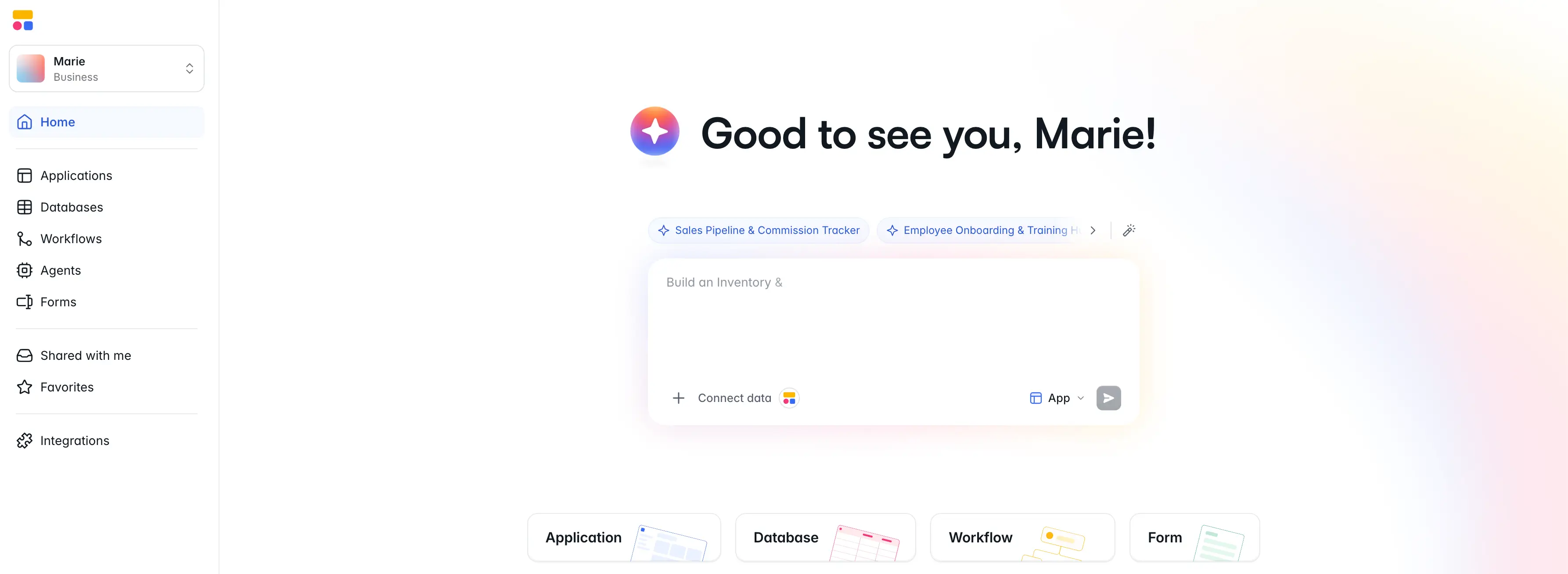
Softr is an AI platform for building the software your business runs on—portals, internal tools, and operational systems—without writing code. It sits somewhere between vibe coding, no-code, and custom development. It helps you get from idea to a fully functional app in minutes and doesn’t leave you with a fragile first draft that still needs a developer to make it usable.
With Softr’s AI Co-Builder, you prompt your build idea and get a working app, complete with a database, interface, and business logic.
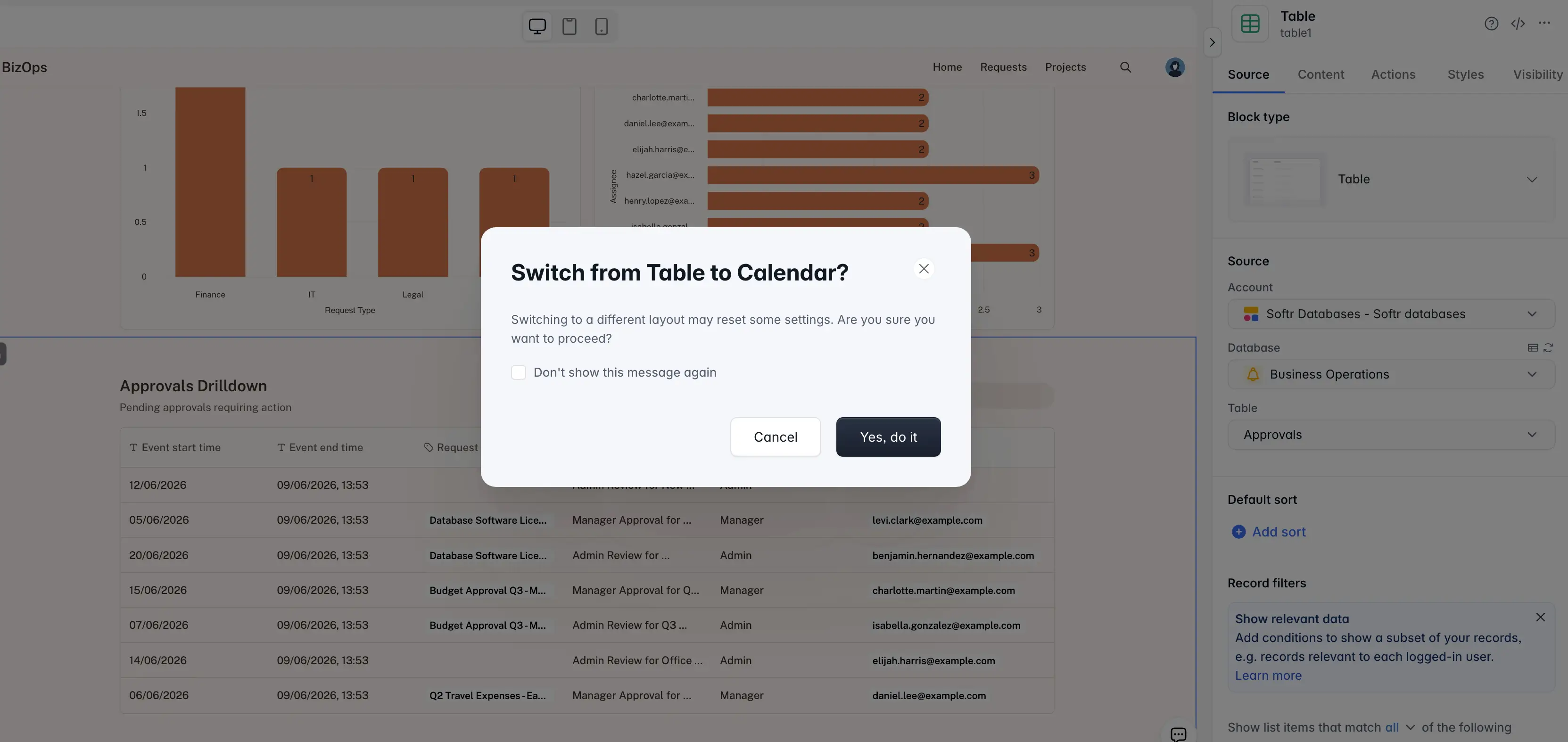
To iterate on your app, you’re not stuck in an endless re-prompting loop. You can refine any element with the visual editor (and switch back and forth between that and AI prompting at any time). You can even vibe-code fully functional UI elements with the Vibe Coding block directly inside Softr’s app builder.
Other AI and vibe coding tools can generate screens, forms, and logic fast. But they leave you out to dry for what comes next: connecting real data, setting up permissions, making sure users can only see what they should, publishing an app, and ensuring it’s easy to update down the line.
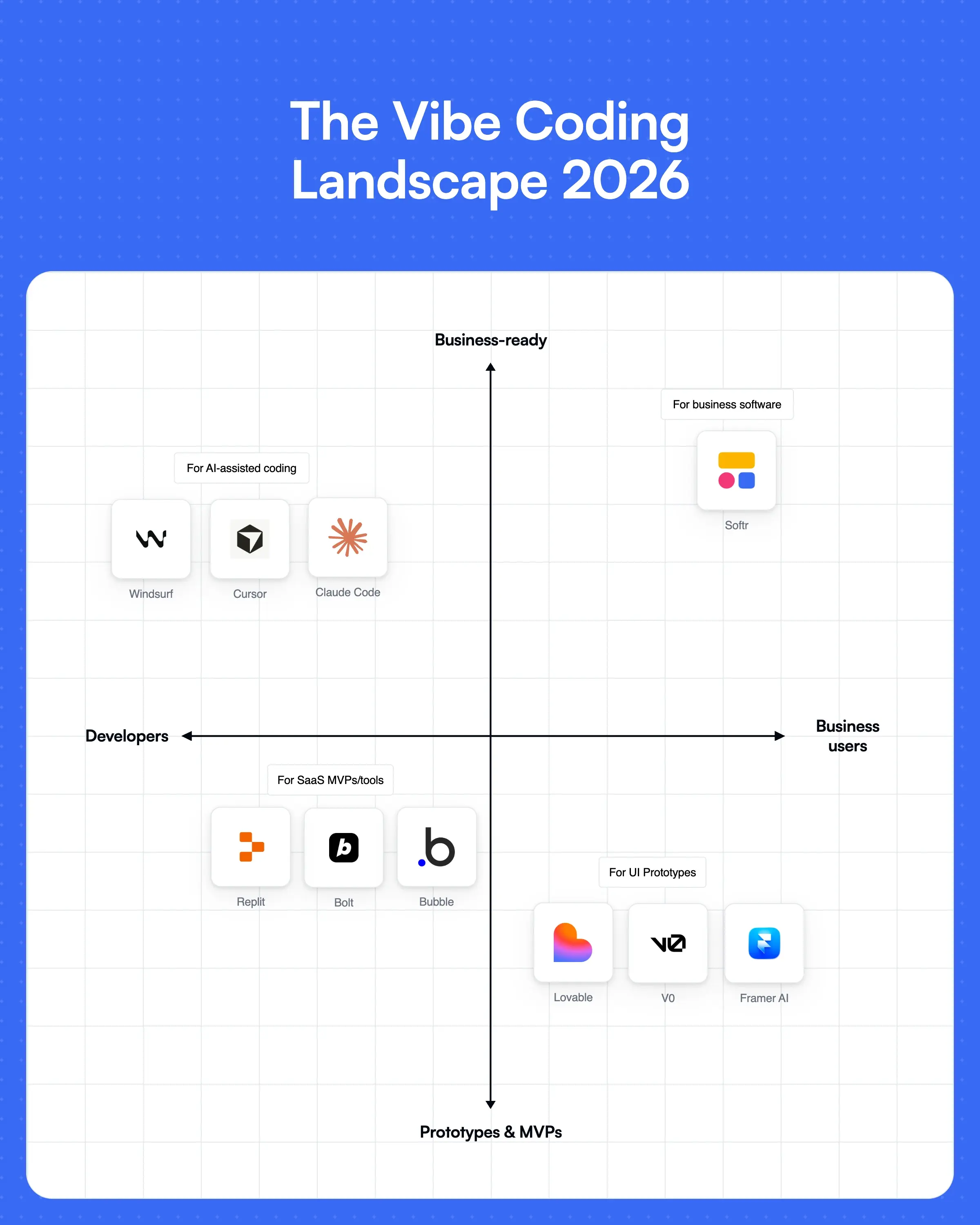
Final verdict: Vibe coding vs no-code vs custom dev
Vibe coding, no-code, and custom development aren’t competing answers to the same problem. They make sense at different stages.
Before you choose a path, ask yourself: Will real users rely on this? Will it touch customer, client, or vendor data? Do different users need different access? Can a non-technical person maintain it? What happens if the app breaks? Do you need full code ownership?
If you’re still testing an idea, vibe coding is enough for a basic prototype. If you need a reliable business app around a clear workflow, no-code is a better fit. If the system needs full technical ownership, consider custom development.
Softr gives you AI to create the first version of an app, then gives you the no-code layer needed to make the app practical: native blocks, data connections, user groups, permissions, workflows, integrations, hosting, and publishing. Instead of managing code, servers, and access logic from scratch, your team can focus on the process the app is meant to support.
Ready to build a portal, internal tool, CRM, dashboard, or workflow app without code? Start building with Softr and try your first prompt for free.
📖 Related reading:
Frequently asked questions
Is vibe coding the same as no-code?
When should you choose custom development over no-code?
Why should you use Softr instead of a vibe coding tool?