



When you’re running ops for a growing business, you don’t always have the time or budget to wait on custom development. You need tools that help you organize data, automate workflows, and keep projects moving without heavy engineering resources.
Some vibe coding tools are great for quick experiments, MVPs, and personal projects. Others are built to handle the real work of storing customer data, setting permissions, and supporting your team.
For this guide, I spent a week testing and validating the most popular tools for vibe coding available today, focusing on the strengths each brings to the table and how to match them to your needs.
Best vibe coding tools at a glance
| Best for | Standout features | Pricing | |
|---|---|---|---|
| Softr | Teams building secure, production-ready apps without coding | - AI app builder, - Built-in database, - Granular permissions, - 21+ data source integrations, - Pre-built templates, - Ask AI, | Free (5 users), Paid plans from $19/month |
| Lovable | Quickly prototyping AI-assisted apps | - AI-generated prototypes, - Live preview, - Pre-built layouts, - Exportable code | Free (5 generations/day), Pro ~$20/month |
| Replit | Collaborative prototyping & AI-assisted coding | - Cloud IDE, - Replit Agent, - Multiplayer editing, - Built-in hosting | Free starter, Paid plans from $20/month |
| Bubble | Building MVPs, SaaS apps, and marketplaces | - Visual editor, - Workflow automation, - Plugin marketplace, - Database & API support | Free, Paid plans from $29/month |
| Cursor | Developers wanting an AI-powered IDE | - Multi-file edits, - Agent mode, - Background agents, - Bugbot PR reviews | Free, Paid plans from $20/month |
| Bolt | Generating full-stack apps from prompts | - React/Node/Postgres generation, - GitHub sync, - One-click deploys, - Npm package support | Free, Paid plans from $20/month |
| V0 by Vercel | AI-assisted UI generation & deployment | - React + Tailwind components, - Multimodal inputs, - Git integration, - Vercel deploys | Free trial, Paid plans from $20/month |
| Framer AI | Startups & SMBs needing polished websites fast | - Prompt-to-site builder, - Built-in hosting, - CMS, SEO & analytics integrations | Free, Paid plans from $10/month |
| Windsurf | Agentic coding across your repo | - Cascade agent, - Project-wide context, - Terminal automation, - Live deploys | Free, Paid plans from $15/month |
| Claude Code | Terminal-first developers wanting an agentic assistant | - Issue-to-PR workflows, - Local execution, - GitHub/GitLab integration, - MCP & Actions support | Paid plans from $17/month |
What is a vibe coding tool?
Vibe coding tools are platforms that let you build apps, MVPs, or pages by describing what you want in plain words, instead of writing code. They turn short prompts into working outputs such as a quick prototype, a portal, or code inside your editor — without hiring developers or waiting months for custom software.
Types of vibe coding tools
Not all vibe coding tools serve the same purpose. Some are designed for quick mockups, others for production-ready apps, and some focus on helping developers work more efficiently within codebases. Here are the 5 main categories you’ll come across:
| Type | Description & Use Case | Who is it for? | Examples |
|---|---|---|---|
| 1. Prototype-focused vibe coding tools | Quickly turn prompts into screens or simple apps for demos or idea testing. | Small teams, product managers, and designers who need to share ideas fast. | Lovable, Bolt, Framer AI |
| 2. Business app builders with guardrails | Build secure, ready-to-use business tools, like client portals, CRMs, dashboards, or intranets, without needing developers. | SMBs and internal teams without much dev support who need safe, working tools. | Softr |
| 3. MVP & product-focused | Create full SaaS products or marketplaces from scratch. | Startups and founders testing MVPs or building customer-facing platforms. | Bubble |
| 4. Developer-focused vibe coding tools | Use AI inside the editor to generate, debug, or refactor while staying in control. | Engineering teams or leads who want faster coding without losing oversight. | Replit, Cursor, Windsurf, Claude Code |
| 5. Framework-based vibe coding tools | Work with existing frameworks to generate UI components or front-end layouts with prompts. | Startups, front-end developers, and design-heavy teams building web apps. | V0 by Vercel |
1. Softr — best for teams building secure business apps without coding
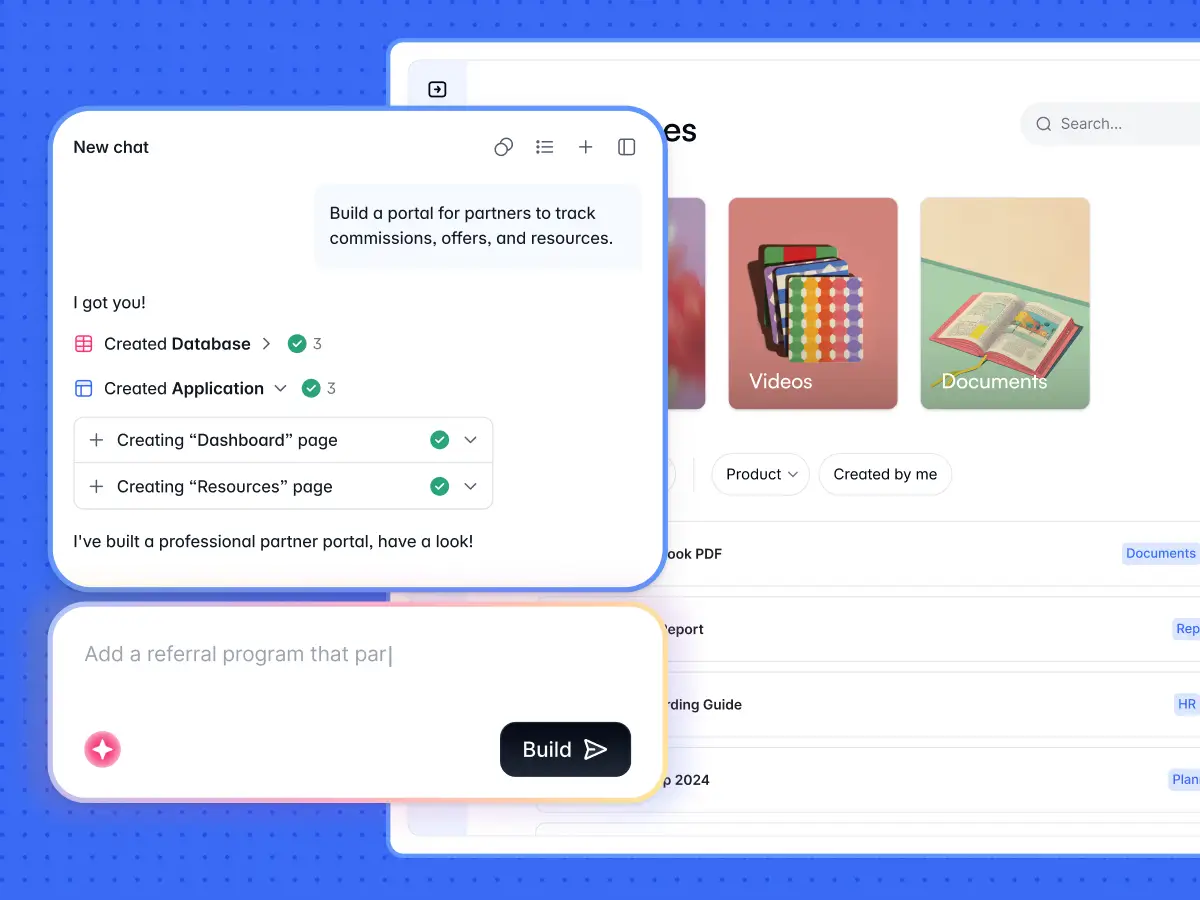
Softr is an AI no-code platform for businesses that need apps they can launch fast and rely on daily. Unlike vibe coding tools that stop at prototypes, Softr’s AI Co-Builder gives you working software: type a short description like “client portal” or “membership platform”, and it scaffolds a first version of your app with layouts, sample data, permissions, and basic user roles already in place.
A fully relational database is included, or you can connect to existing data sources like Airtable, Google Sheets, Notion, HubSpot, or SQ. Customize the design, preview live results, and publish without writing a single line of code. Prefer templates? Start from 90+ ready-to-use options such as CRMs, client portals, or project trackers. Either way, Softr avoids the problems that come with starting from a blank canvas.
You’ll get production-ready apps backed by SOC 2 and GDPR-compliant hosting, predictable pricing, and AI features built for real business needs. With Ask AI, you can query app data in plain English with permission rules intact, and with Database AI Agents, you’ll be able to enrich and autofill records directly in Softr Databases. There's also a Vibe Coding block you can use to generate fully custom components that inherit your app's theme and infrastructure.
Softr pros and cons
Pros:
- AI app generator that lets you go from a prompt to a customizable app in seconds
- Business-ready apps with secure logins, user management pages, and onboarding flows
- Drag-and-drop visual builder designed for non-technical teams
- Built-in database, plus 21+ data source integrations so you can build on top of tools you already use
- Custom user groups and granular permissions, with the ability to add SSO
- Predictable flat pricing with no per-seat surprises
Cons:
- Less suited to “blank canvas” prototyping compared to Lovable or Replit
- Large enterprises with heavy custom needs may still prefer in-house development
Softr best features
- Native data source integrations: Connect to 21+ data sources, like Airtable, Google Sheets, HubSpot, Notion, SQL, and more with real-time, two-way data sync with your apps. Or use Softr’s relational database to manage your data and power your apps.
- Vibe Coding Block: Vibe-code anything in Softr—tools, docs, dashboards, even apps that build apps—all built instantly using AI prompts. This helps teams go from idea to working system faster.
- Softr MCP: Connect external AI assistants like Claude, ChatGPT, or Cursor to build apps, manage databases, and create workflows directly from your chat.
- User management and permissions: Secure logins, SSO, and role-based access ensure the right people see or edit the right data.
- Custom forms with smart fields: Use forms with hidden fields, conditional logic, and file uploads to collect information directly in your apps.
- App templates: 90+ ready-to-use templates for portals, CRMs, intranets, and project trackers, and more (if you’d rather build from a template than a prompt)
- Secure hosting and compliance: Enterprise-grade security with SOC 2 and GDPR compliance.
- Ask AI: Allow end users to query your app’s data in plain English, respecting your visibility and permissions rules.
- Live chat support & active community: Access live chat and a community of builders.
- Workflows: Add automations into your apps quickly and easily.
Softr pricing
Softr offers flexible pricing plans, so you can build databases and publish apps at any tier:
- Free for unlimited apps, 5 AI credits, and up to 5 users per month
- Paid plans start at $19/month for Team: 5 + Client: 5 app users (when billed annually)
- Pro: Starts at $99/month for Team: 10 + Client: 50 app users (when billed annually)
- Business: Starting at $329/month for Team: 30 + Client: 100 app users (when billed annually)
- Enterprise (custom pricing, contact sales)
[.blog-callout]
EvenUp needed a better way to manage performance tracking for over 100 employees and contractors. Airtable was costly and hard to share securely, while Google Sheets couldn’t keep up with real-time updates.
With Softr and a BigQuery integration, EvenUp built a secure internal tool in just 24 hours—complete with role-based access, SSO, and self-serve performance metrics.
The switch improved transparency, empowered employees to track their own progress, and saved the company over $6,000 per month compared to Airtable.
[.blog-callout]
2. Lovable — best for quickly prototyping AI-assisted apps
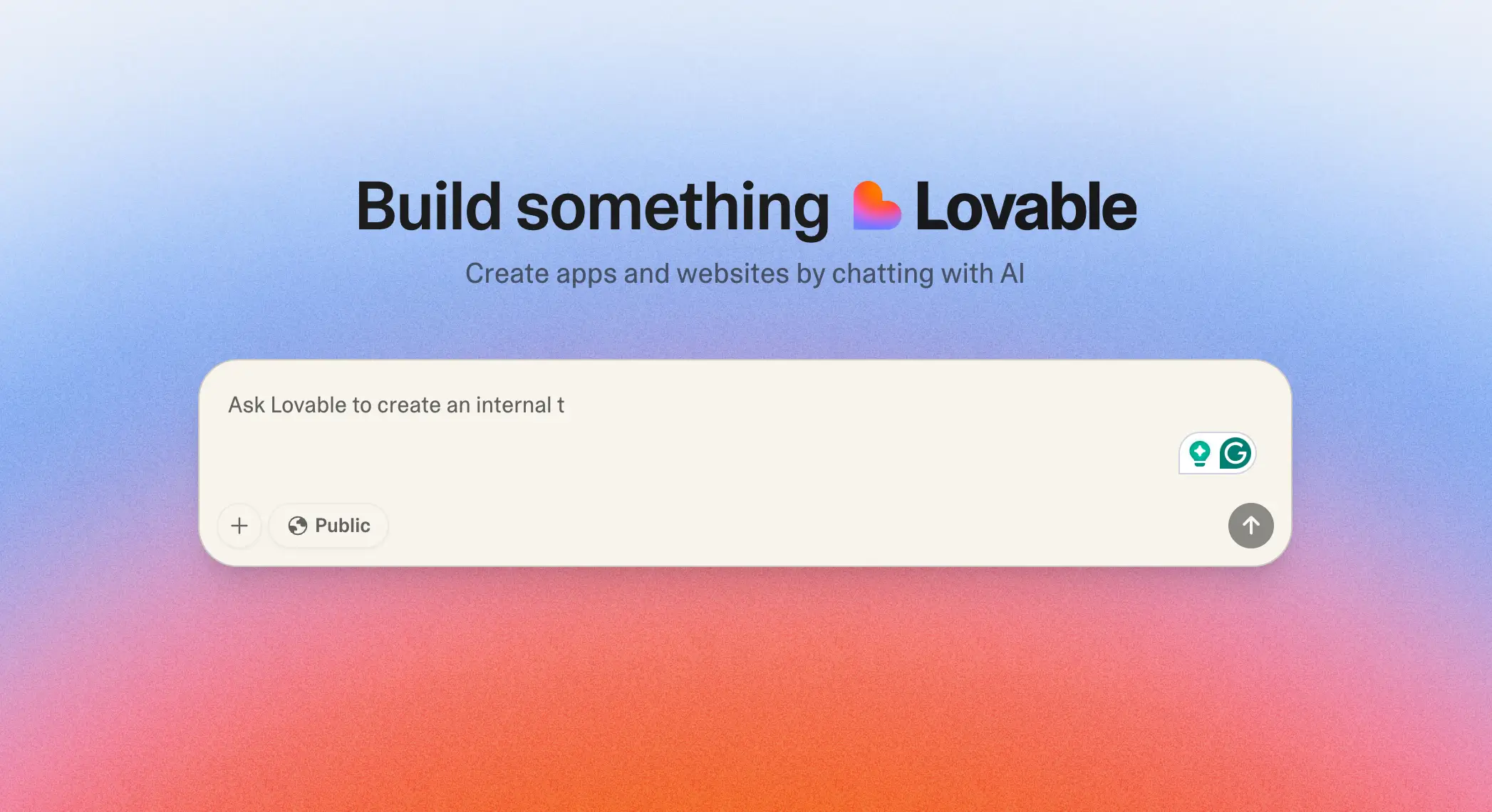
Lovable is an AI-powered app builder that transforms plain-language prompts into working prototypes. Instead of starting from a blank editor, you describe the app you want, and Lovable instantly generates the code along with a live preview you can adjust. This makes it easy to see ideas take shape in real time without needing developer support.
Where Lovable stands out is in early experimentation. It’s especially useful for hackathons, brainstorming sessions, or early-stage teams that need to test concepts quickly. By lowering the barrier to a first draft, it helps teams validate ideas before committing time or budget to full development.
Lovable pros and cons
Pros:
- Generate app prototypes quickly from natural language prompts
- Real-time previews make it easy to adjust and refine ideas
- Good for non-developers who want to experiment with concepts
- Saves time in workshops, pitches, and early validation
Cons:
- Apps are prototype-first and often need developer cleanup or migration
- Limited scalability for business use cases that require user management, permissions, integrations, or secure data handling
Consider exploring Lovable alternatives to find the vibe coding tool that matches your needs.
Lovable best features
- AI-generated prototypes: Quickly spin up working app demos from short text prompts.
- Editable code with live preview: Adjust the generated code and instantly see results.
- Pre-built layouts and UI components: Speed up ideation with ready-made elements like forms and navigation.
- Exportable code: Move prototypes into developer frameworks for long-term customization.
Lovable pricing
- Free plan: Limited credits (5 generations/day) with basic features
- Pro plan: Around $20/month with 100 generations/month and more project slots
- Team & Enterprise: Custom pricing for collaboration and higher usage needs
3. Replit — best for collaborative prototyping and AI-assisted coding

Replit is a browser-based Integrated Development Environment (IDE) that combines coding, AI support, and deployment in one place. Instead of setting up a local environment, you can start coding instantly in 50+ languages.
With Replit Agent built in, developers can scaffold apps, debug errors, and even generate full projects. Replit is particularly useful for developers, students, or teams who want to experiment, collaborate, and share working prototypes quickly.
Replit pros and cons
Pros:
- Zero-setup coding in the browser with support for 50+ languages
- AI tools (Replit Agent) for autocompletion, debugging, and generating apps
- Built-in deployment with live hosting, custom domains, and autoscaling
- Real-time multiplayer editing and live chat for team collaboration
Cons:
- Limited database features compared to alternative options
- No built-in roles or permissions (requires manual coding)
- Few native automations; workflows need external tools or custom code
Replit best features
- Cloud IDE: Start coding instantly in 50+ languages without downloads or installs.
- AI-powered coding: Replit Agent speeds up scaffolding, debugging, and documentation.
- Built-in hosting and deployment: Launch apps with autoscaling and custom domains directly from the editor.
- Collaboration tools: Work together in real time with multiplayer coding and integrated chat.
Replit pricing
- Starter: Free — daily Agent credits, a daily-capped Free Mode, and 1 published app for 30 days
- Core: $20/month ($18/month annually) — $20 in monthly credits, a Free Mode allowance, Full build, unlimited apps, up to 5 collaborators
- Pro: $100/month ($90/month annually) — $100 in monthly credits (higher tiers up to $2,050/month), 15 collaborators, 50 viewers, 10 parallel agents
- Enterprise: Custom pricing — SSO/SAML, SCIM, advanced privacy controls, unlimited seats, dedicated support
4. Bubble — best for building MVPs, SaaS apps, and marketplaces
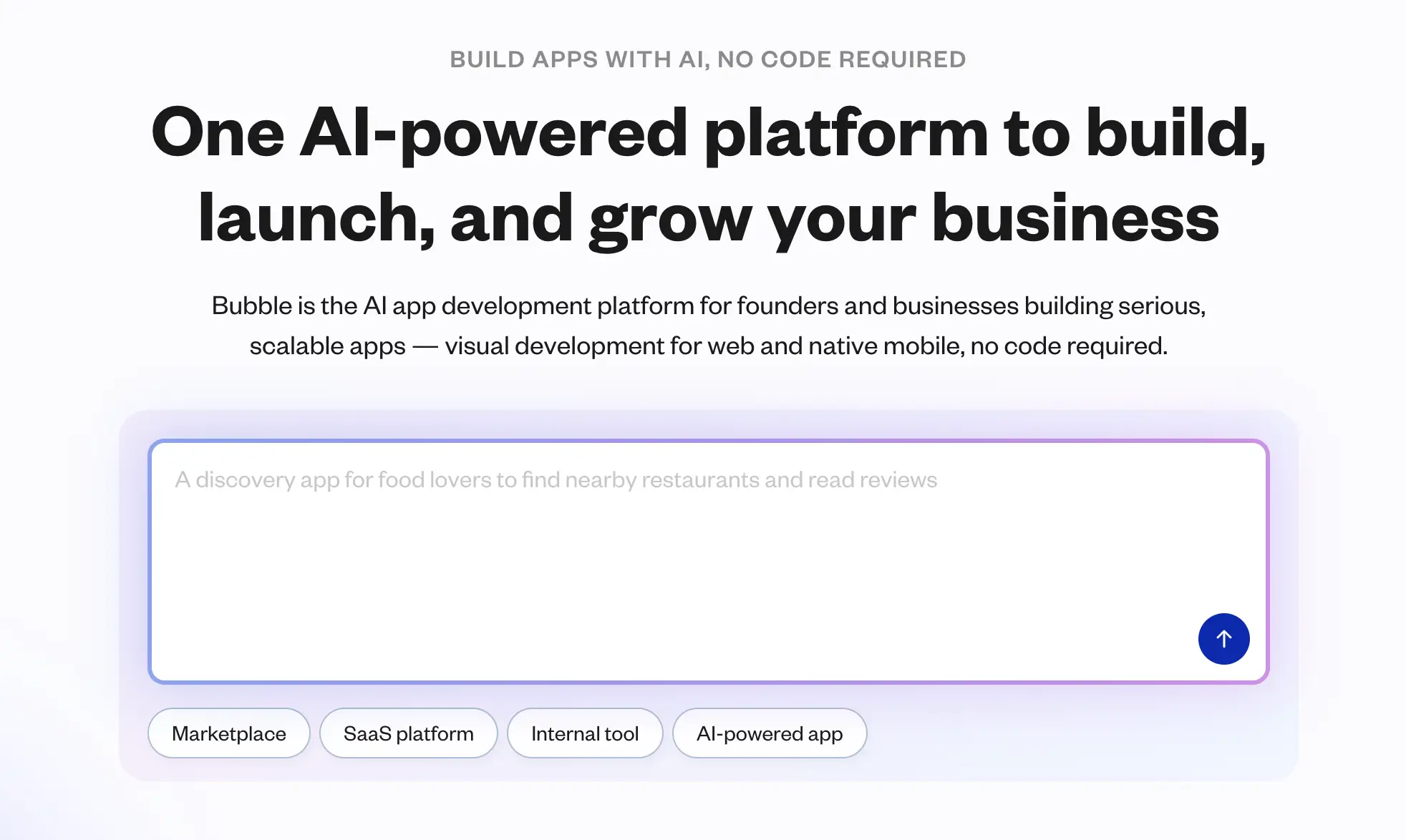
Bubble is a no-code development platform built for teams that want to launch full-scale web applications, like SaaS products, marketplaces, or MVPs, without relying on developers. Instead of coding from scratch, you design and manage apps through a visual editor, supported by workflows, plugins, and APIs.
Bubble is a go-to choice for startups and agencies that need more design flexibility and scalability than lightweight prototyping tools can offer.
Bubble pros and cons
Pros:
- Purpose-built for digital products: SaaS, marketplaces, and MVPs
- Large plugin marketplace to extend apps with payments, chat, analytics, and more
- Complete control over design and layouts
- Can support scaling with the right optimization
Cons:
- Steeper learning curve than tools focused on fast prototyping
- Performance can lag as apps grow in complexity
- Vendor lock-in, since all apps run on Bubble’s hosting infrastructure
Bubble best features
- Visual drag-and-drop editor: Build interactive apps without coding.
- Workflow automation: Manage user actions like sign-ups, approvals, or payments.
- Extensive plugin marketplace: Thousands of integrations to add new capabilities.
- Database and API support: Organize structured data or connect external services.
Bubble pricing
- Free plan: Limited features with Bubble branding
- Starter: $29/month for basic apps
- Growth: $119/month with advanced performance and scaling features
- Team: $349/month with collaboration and higher capacity
- Enterprise: Custom pricing with dedicated infrastructure and compliance options
5. Cursor — best for developers who want an AI-powered IDE
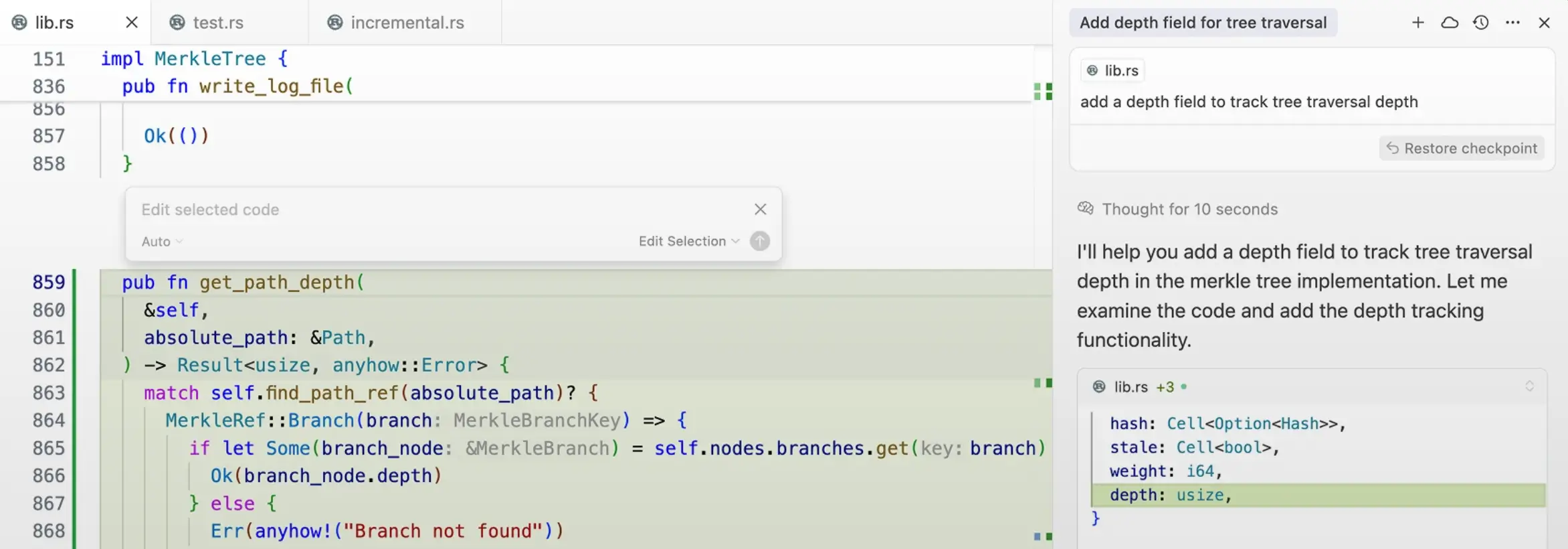
Cursor is an AI-first code editor built on top of VS Code. It combines advanced autocomplete, a code-aware chat, and an Agent that can apply edits across files. Instead of just suggesting snippets, Cursor drafts diffs you can review and merge, making it a strong fit for developers who want speed without giving up control.
Features like Background Agents (remote workers for long-running tasks) and Bugbot (AI-driven pull request reviews) help teams handle refactors, debugging, and repetitive work more efficiently.
Cursor pros and cons
Pros:
- Code-aware suggestions that understand project context and generate diffs
- Agentic workflows to automate changes with checkpoints for review
- Background Agents and Bugbot streamline long tasks and code reviews
Cons:
- Geared toward developers, not non-technical teams
- Usage limits apply depending on the plan, especially for heavy Agent use
Cursor best features
- Multi-file and tab edits: AI autocomplete that can apply consistent changes across files.
- Agent mode: Implements changes end-to-end while keeping developers in control.
- Context retrieval: Automatically references the right files, libraries, or symbols.
- Background Agents: Offload time-intensive tasks to remote machines.
- Bugbot: Automated PR review with one-click fixes integrated into workflows.
Cursor pricing
- Hobby: Free — limited Agent requests and autocomplete, includes a two-week Pro trial
- Pro: $20/month — unlimited autocomplete, extended Agent usage, Background Agents, Bugbot, larger context windows
- Ultra: $200/month — higher usage limits and early access to features
- Teams: $40/user/month — Privacy Mode, centralized billing, admin dashboard, SAML/OIDC SSO
- Enterprise: Custom pricing — SCIM, advanced controls, and priority support
6. Bolt — best for generating SaaS platforms and MVPs from prompts

Bolt is an AI-first builder that runs entirely in the browser. You describe what you need, and Bolt instantly generates a working React front end, Node backend, and database schema—ready to run in your tab.
Unlike many AI tools, Bolt gives you full ownership of the generated code, so you can export it, sync with GitHub, or deploy directly to platforms like Netlify. It’s ideal for dev teams that value speed but also want long-term flexibility with their codebase.
Bolt pros and cons
Pros:
- Generates full-stack applications (e.g. SaaS platforms, marketplaces, mobile apps) in minutes, including UI, backend, and database
- Code ownership with export and GitHub sync options
- One-click deploys to hosting providers like Netlify
- Browser-native environment with WebContainers for fast performance
Cons:
- Token-based pricing can be unpredictable and add up quickly for larger builds
- Optimized for React/Node; limited flexibility with other stacks
- Generated outputs often need refinement (by those with coding knowledge) before they’re production-ready
Bolt best features
- AI-generated full stack: Creates React, Node, and Postgres schemas in a single step
- Visual editing and live preview: Make changes and test them instantly in the browser
- Export and GitHub sync: Retain control of your code with versioning options
- Deployment options: Push directly to Netlify for hosting with one click
- Integrated npm packages: Install dependencies directly in-browser without local setup
Bolt pricing
- Free plan: Limited monthly credits for experimenting
- Pro: $20/month for ~10M tokens, hosting for ~1M monthly requests
- Higher tiers: Add more tokens, hosting capacity, and team features
- Enterprise: Custom pricing with advanced usage and dedicated support
7. V0 by Vercel — best for AI-assisted UI generation and deployment
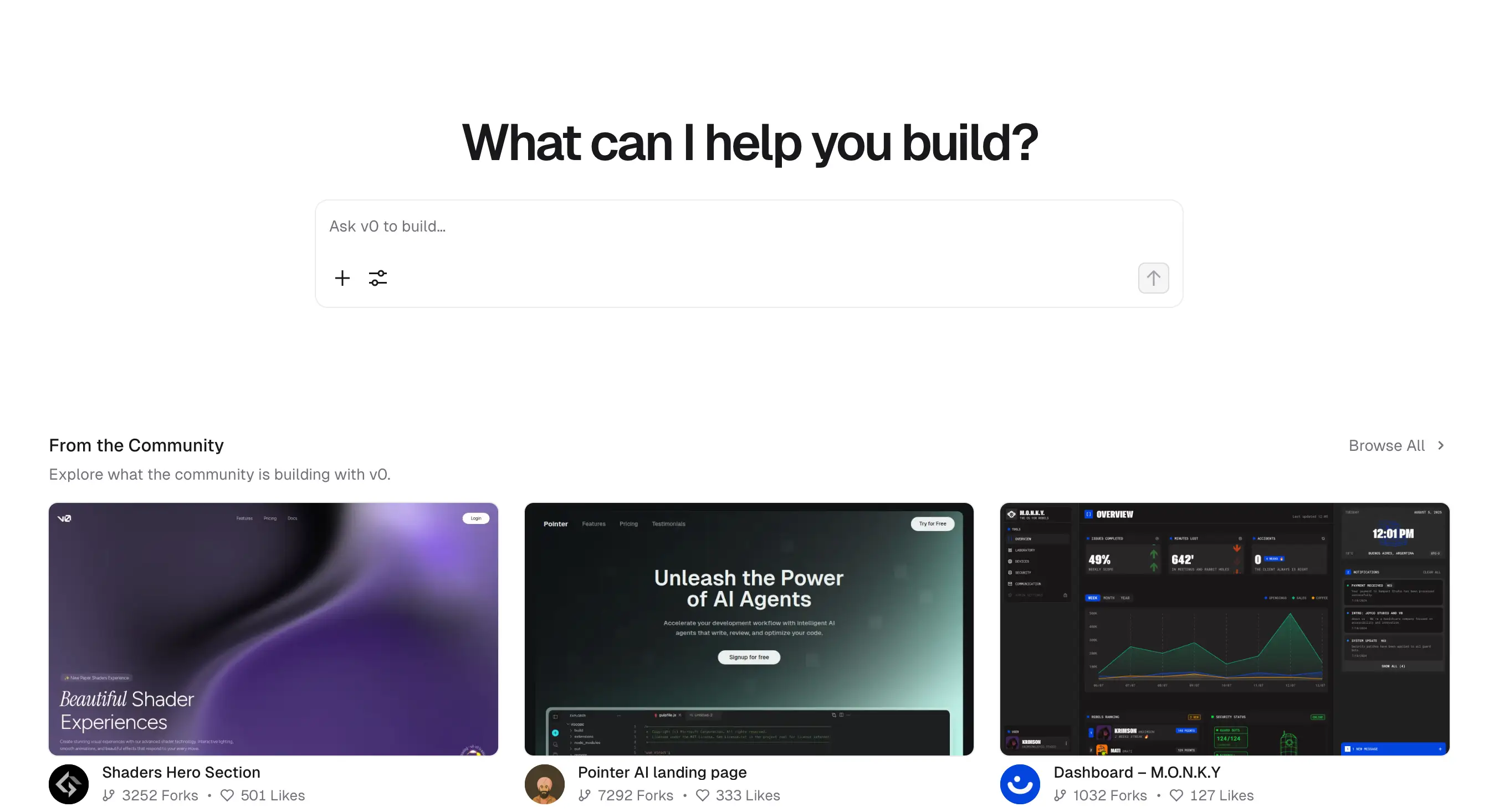
V0 is Vercel’s AI-powered builder focused on front-end creation. You can describe layouts in plain text, or even upload sketches and screenshots, and V0 generates React components styled with Tailwind CSS and the shadcn design system.
V0 is designed to give developers polished, consistent UIs that can be deployed to Vercel in one click, with Git workflows to keep code in sync.
V0 pros and cons
Pros:
- Generates clean, design-system–based UIs that look professional out of the box
- Seamless integration with Vercel for quick deployment
- Accepts multimodal inputs, including sketches and screenshots, not just text prompts
Cons:
- Token-based pricing means usage can add up quickly for active teams
- Primarily front-end focused; backend generation is still limited
- Requires coding knowledge to extend and maintain generated outputs
V0 best features
- AI-generated React components: Consistent designs built with shadcn and Tailwind CSS.
- Design Mode: Turn visual inputs like sketches or mockups into usable code.
- Git integration: Sync generated components directly with your repositories.
- Instant Vercel deploys: Push projects live with one click through Vercel hosting.
V0 pricing
- Free trial: Includes credits to test features
- Premium: $20/month — credit pool for AI generations plus Vercel integration
- Team: $30/user/month — higher usage and collaboration tools
- Enterprise: Custom pricing for advanced support and usage limits
8. Framer AI — best for startups and SMBs that need polished websites fast
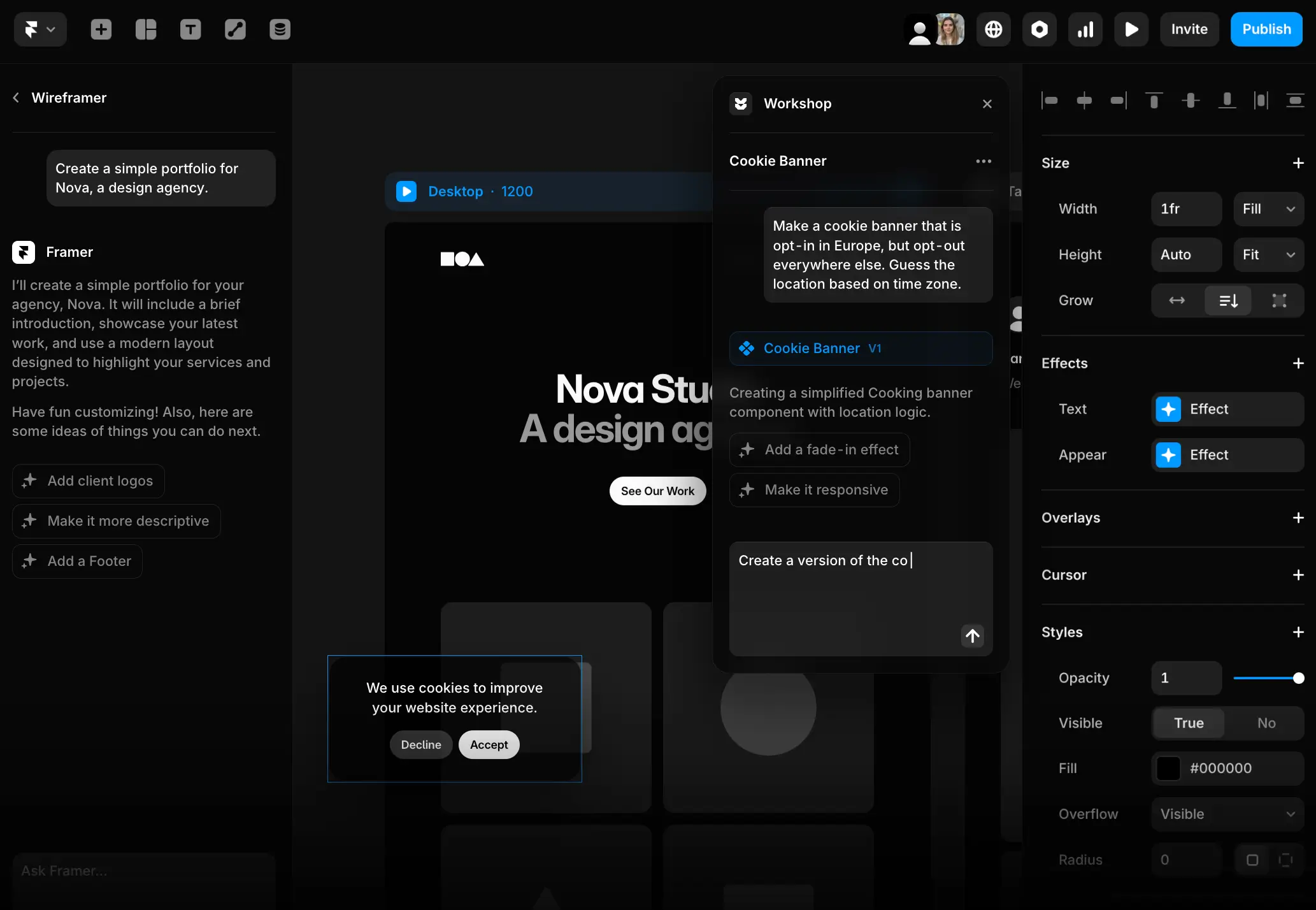
Framer AI combines a visual editor with AI that can generate a complete website from a single prompt. Whether it’s a landing page, a portfolio, or a product site, Framer creates responsive drafts with layouts, copy, and images included.
The output isn’t just aesthetic—it’s built with hosting, CMS support, and marketing integrations so teams can manage content and run live sites with minimal overhead.
Framer AI pros and cons
Pros:
- Generate full website drafts in minutes, complete with design and copy
- Clean, responsive layouts that often need little editing
- Built-in hosting with SSL, domains, and CDN for instant publishing
- SEO, analytics, and CMS tools make sites practical for daily use
Cons:
- Focused only on websites; not built for apps, CRMs, or workflows
- Premium features and higher traffic allowances require pricing upgrades
- Less customizable for developer-heavy teams that want deep code control
Framer AI best features
- Prompt-to-site builder: Create marketing sites, portfolios, or landing pages from natural language prompts.
- Visual editor: Refine AI drafts through drag-and-drop adjustments without coding.
- Built-in hosting and domains: Publish live sites instantly with global CDN and SSL.
- CMS support: Manage blogs, case studies, or product pages directly in Framer.
- Marketing integrations: Native SEO tools, analytics, and support for embeds and forms.
Framer AI pricing
- Free plan: 1 basic site on a Framer subdomain
- Mini: $10/month — personal projects with a custom domain
- Basic: $20/month — more CMS items and higher bandwidth
- Pro: $40/month — advanced CMS, analytics, and collaboration features
- Enterprise: Custom pricing for larger organizations
9. Windsurf — best for agentic coding across your whole codebase

Windsurf is an AI-powered IDE that brings an agentic approach to coding. Its built-in agent, Cascade, can read and edit code across your repo, run terminal commands safely, and even deploy live previews—all without leaving the editor.
Windsurf supports both its own IDE and plugins for VS Code or JetBrains, so developers can choose the environment that works best for them.
Windsurf pros and cons
Pros:
- Project-wide context for smarter autocomplete and code suggestions
- Cascade agent handles tasks, workflows, and terminal commands with guardrails
- Live previews and one-click deploys for fast iteration
Cons:
- More developer-focused and not ideal for non-technical teams
- Credit-based pricing can add up for heavy use
- App Deploys are designed for previews, not production-ready launches
Windsurf best features
- Cascade agent: Automates coding tasks and workflows while keeping you in control.
- Context engine: Local and remote indexing makes code suggestions more accurate.
- Previews & deploys: Test in the IDE and push live apps to Netlify in one click.
Windsurf pricing
- Free: 25 prompt credits/month, unlimited previews, 1 deploy/day
- Pro ($15/month): 500 credits, up to 5 deploys/day
- Teams ($30/user/month): Team indexing, shared knowledge base, advanced admin features
- Enterprise (from $60/user/month): Higher limits, SSO, RBAC, and dedicated support
10. Claude Code — best for terminal-first developers who want an agentic assistant
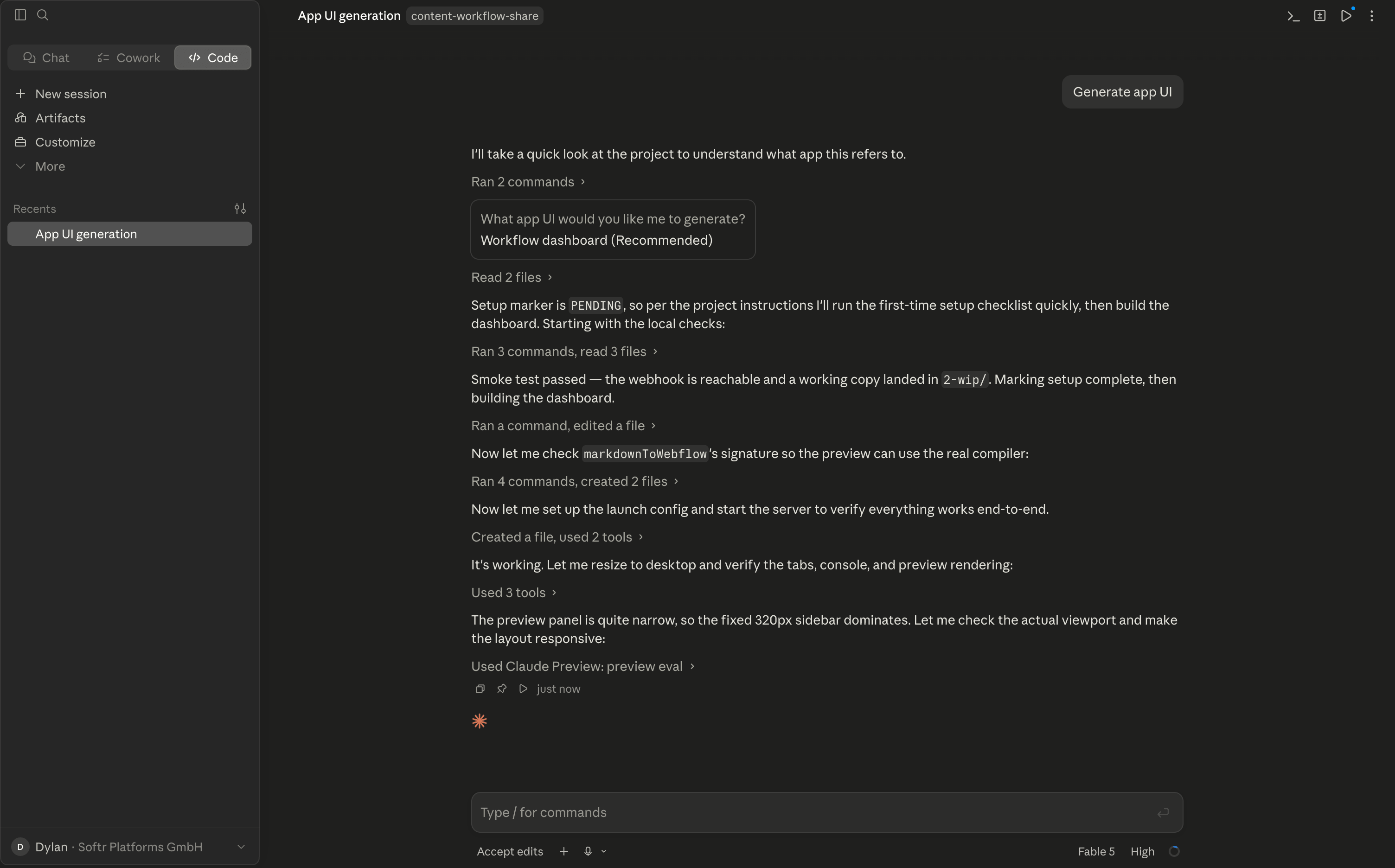
Claude Code is Anthropic’s command-line coding assistant built for developers who prefer to stay in their terminal or IDE. Instead of just suggesting snippets, it maps your entire codebase, runs commands locally, and can move a task from ticket to tested pull request with very little context switching.
Claude Code runs locally, plugs into GitHub or GitLab, and extends through MCP or GitHub Actions to fit into existing team workflows. For developers juggling multiple repos or complex issues, it can handle the heavy lifting while you stay focused on reviews and architecture.
Claude Code pros and cons
Pros:
- Works directly in the terminal or IDE (VS Code, JetBrains), so you never leave your normal workflow.
- Handles end-to-end flows: reads issues, edits across files, runs tests, and opens PRs.
- Extensible with MCP and GitHub Actions, making it easy to slot into larger org setups.
Cons:
- More developer-focused and not ideal for non-technical teams
- Weekly usage caps can cut off long sessions unless you’re on higher-tier plans
- Because it executes local commands, you still need to review changes carefully to avoid unwanted edits.
Claude Code best features
- Agentic codebase awareness: Understands your repo and coordinates multi-file edits intelligently.
- Issue-to-PR workflow: Turns tickets into commits and tested pull requests without manual context switching.
- Seamless integration: Works with GitHub/GitLab and extends via MCP or GitHub Actions to fit your existing stack.
Claude Code pricing
- Pro: $17/month billed annually ($20 month-to-month).
- Max 5×: $100/user/month.
- Max 20×: $200/user/month with the highest usage limits and access to Claude Opus.
- Team Premium: $1205/user/month (minimum 5 seats), with enterprise pricing available on request.
Find the best vibe coding tools that fit your needs
With so many vibe coding tools popping up, finding the right option depends on your goals and how your team works. Ask yourself:
- Do you need quick prototypes or business apps your team can rely on every day?
- Will non-technical teammates be the main builders, or do you have developers involved?
- Are secure logins, permissions, and integrations critical for your workflows?
- How predictable does pricing need to be as your usage grows?
If your focus is experimentation, tools like Lovable or Replit can help you validate ideas fast.
But once you’re running an operation, whether it’s client management, internal dashboards, or team portals, you’ll need something more stable. That’s where Softr comes in: a no-code platform for SMBs that need secure, business-ready apps without developer overhead.
You don’t have to start from scratch — simply prompt the AI app generator or pick a template (like CRM), connect your data, and customize in the visual editor to match your business needs.
Try Softr free and launch your first app in hours, not weeks.
Frequently asked questions
What are the best AI tools for vibe coding?
What are the best vibe coding tools for backend automation in enterprises?
Is ChatGPT good for vibe coding?


