Softr vs Zite: Which is best for building business apps in 2026?


Softr and Zite are both AI platforms for building internal business apps. If you’re deciding between them, the standard advice is usually this: try the free plan for both apps and see what you think. But hands-on testing, as useful as it is, usually tells you more about the onboarding and app generation experience than what it’s like to actually use your app in production. For that, you’d need to actually deploy your app to your team and field test it. That’s when the differences get more dramatic: when you’re editing your app visually, building workflows, customizing the experience for different user types, and connecting external data sources.
If you don’t have time for a weeklong hands-on testing showdown between Softr and Zite, this article is for you. I’ve tested both Softr and Zite extensively, so to get a better sense for which platform might make sense for you, read on.
Softr vs Zite at a glance
| Softr | Zite | |
|---|---|---|
| Best for | Multi-user business apps for use cases like client portals, CRMs, and operational tools | Lightweight internal tools that are mainly used by one type of user |
| App building and editing | AI generates your app, or choose from 90+ templates; iterate using AI, using Softr’s visual builder, or by switching back and forth at any time | AI generates your app, or choose from 100+ templates; Selective Edits handle simple changes, but structural changes require iteration via AI prompting |
| Permissions | Granular permissions for pages, blocks, and actions, plus custom user groups, available starting on Pro ($99/month) | Only Admin or Member permissions available on most plans; Team plan ($250/month) adds granular permissions and custom user groups |
| Data sources | 21+ data sources, including Airtable, HubSpot, Notion, Google Sheets, Salesforce, Supabase, and SQL, with two-way sync | Google Sheets, Airtable, Notion, and HubSpot; additional options like Snowflake are available on the Enterprise plan |
| Platform scope | Native database, app generation, workflows, AI agents, MCP server, forms | Native database, app generation, workflows, AI agents, MCP server; forms are integrated, but they’re a separately-billed product |
| AI capabilities | App generation, field-level database agents, vibe coding blocks; also includes Ask AI, an AI chatbot within your app for end users | App generation and field-level database agents |
| Pricing | Free plan available; paid plans start at $19/month | Free plan available; paid plans start at $15/month |
Note: Zite’s forms run through Fillout, a separate product from the same company. It’s free for the first 1,000 submissions per month, then $15–$75/month on its own subscription.
What is Softr?
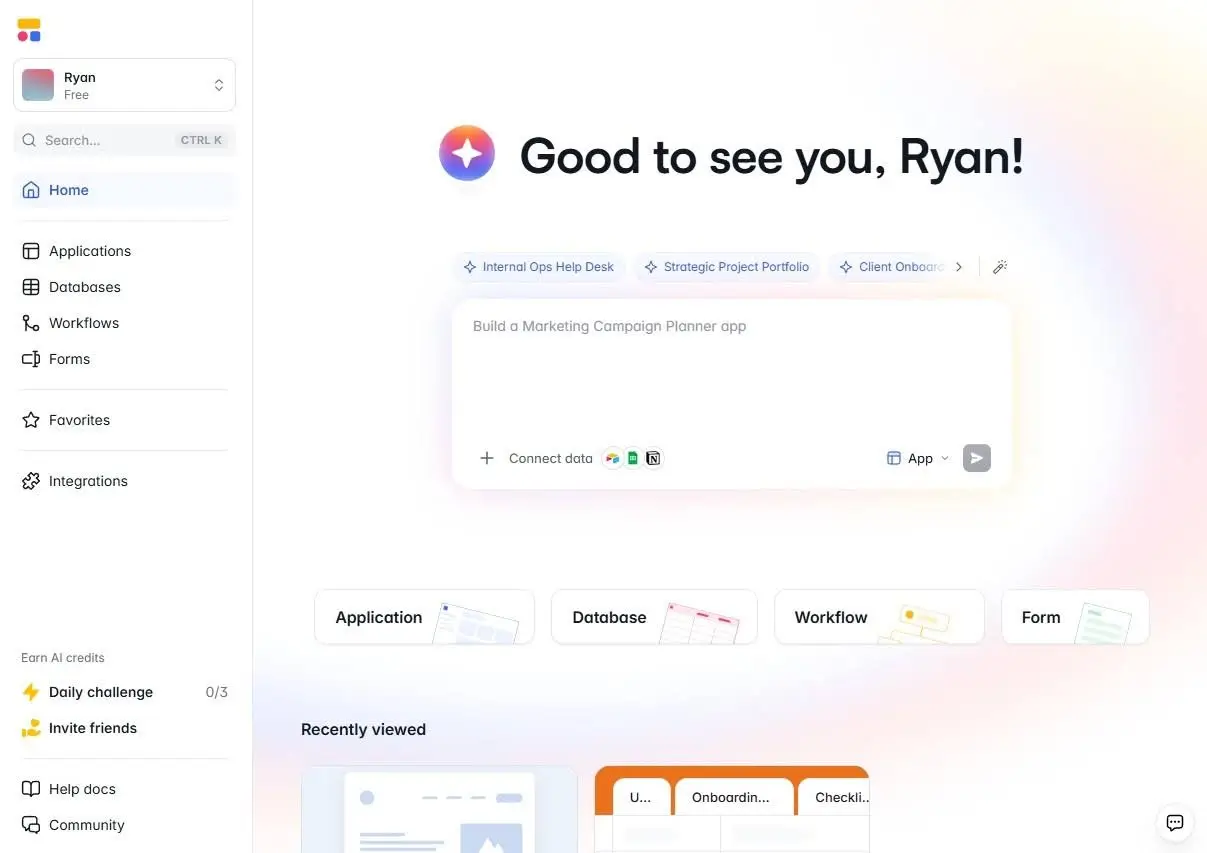
Softr is an AI app builder for creating real (production-worthy) business software. It’s designed for secure portals, CRMs, dashboards, and operational systems, and it’s stable enough that businesses can rely on it as a core part of their operations. (Adam Smartschan, who uses Softr for his business, Altitude Marketing, says: “I haven’t touched the core of this Softr portal in nine months, and it just works.”)
Unlike pure vibe coding systems, Softr’s AI-generated apps come with pages, data structure, auth, user permissions, and business logic already connected. Whenever you’re happy with the app you’ve built, you can deploy it to your team right away. There’s no security, hosting, or authentication to bolt on after the fact.
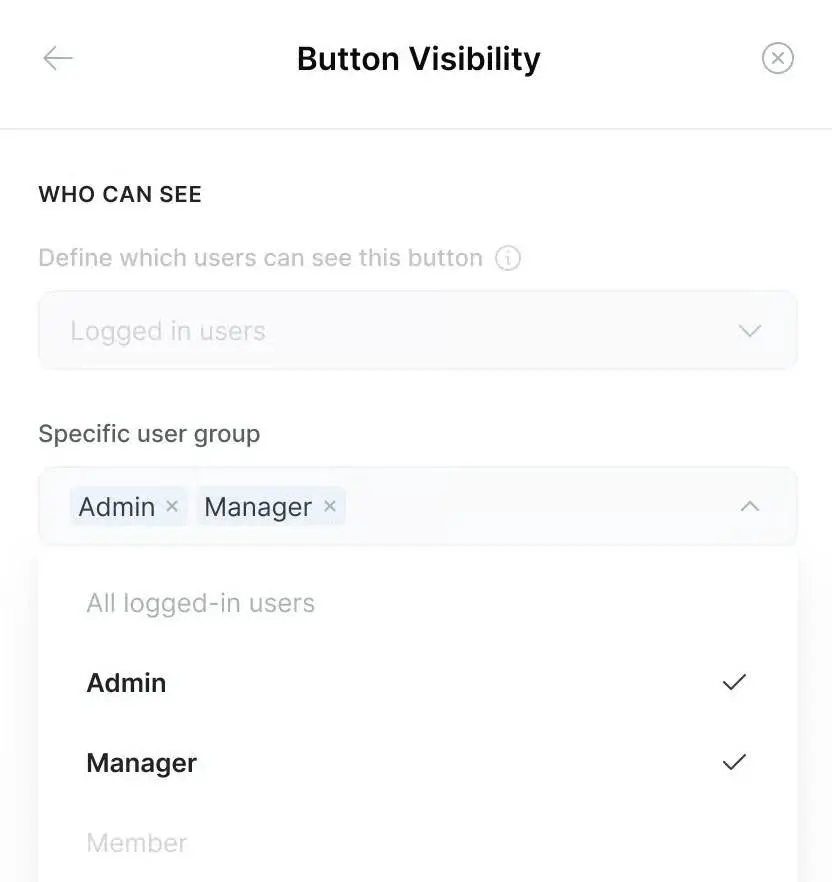
And unlike Zite, Softr offers permissions that are granular enough that the same app can look entirely different depending on the user accessing it. Take an order fulfillment app, for example: the warehouse team sees a simple app built for managing inventory; account managers can log in to follow up on orders for their clients (but not other clients); and team managers can see the whole thing, including revenue. Behind the scenes, it’s all the same app. Some UI elements are hidden, others are revealed, and data access is approved according to each user’s permissions.
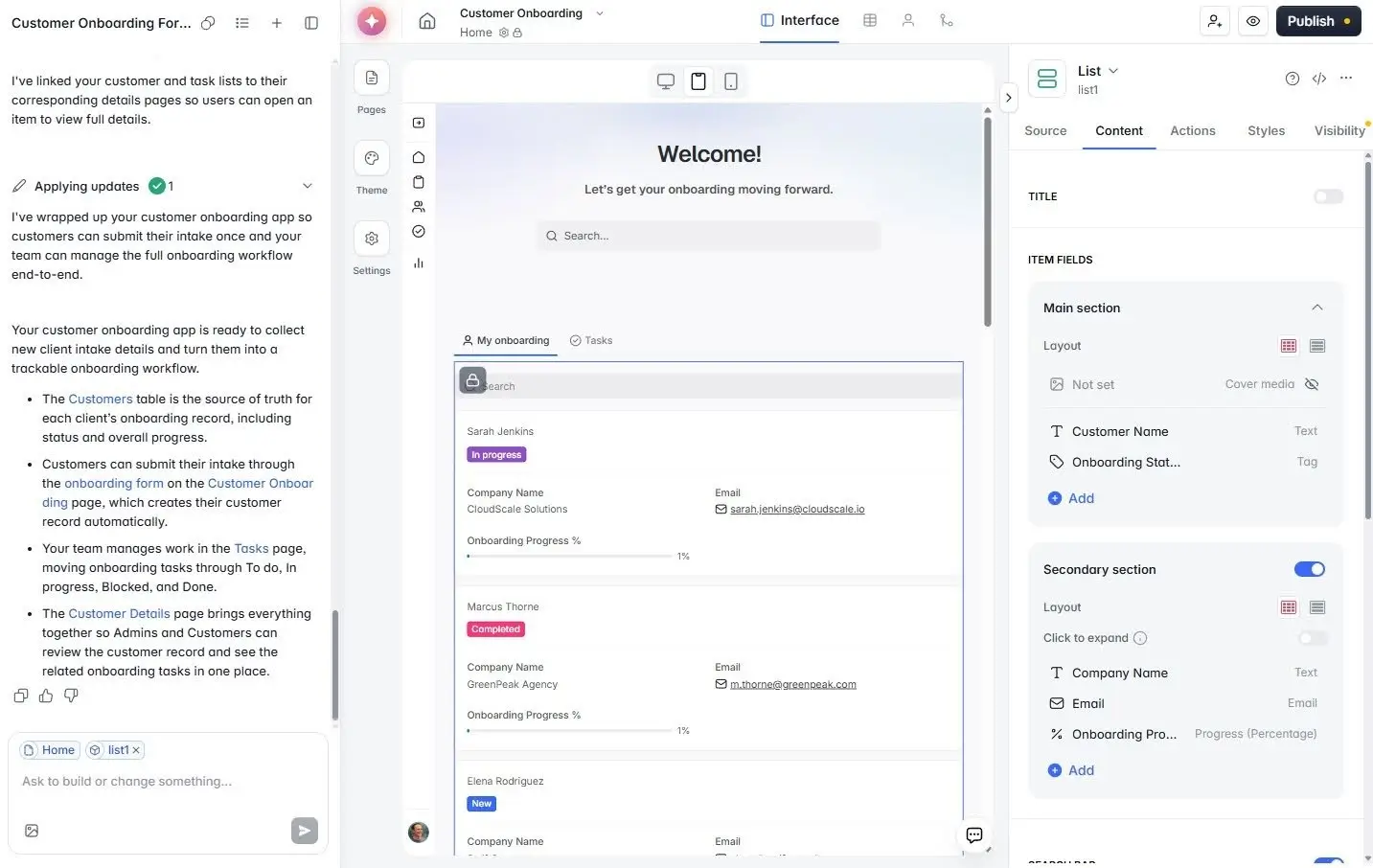
Another of Softr’s advantages is its ability to jump back and forth between AI and visual building. Everything Softr’s AI Co-Builder generates is something you also have the full power to create with the visual builder. As a result, you can quickly generate a prototype, then fine-tune your app by dragging and dropping elements around visually—rather than getting stuck in an endless loop of credit-heavy AI iteration.
Softr key features
- AI Co-Builder: Generates a working app from a prompt, including pages, user roles, sample data, and the database structure.
- Native relational database plus 21+ integrations: Build on Softr Databases, or connect to Airtable, Google Sheets, HubSpot, Notion, and SQL sources with real-time, two-way sync.
- Custom user groups and granular permissions: Set up custom user groups, manage Page and Block visibility, and control what each user can add, edit, and view.
- Vibe Coding block: Drop AI-generated code into a block that inherits the app’s existing permissions, data sources, and theme automatically.
- Workflow automation: Advanced visual workflow builder with triggers, actions, conditional logic, UI-triggered actions, and run history.
- Ask AI: A built-in AI chatbot that lets users ask questions about the data in your app and get instant answers; since users’ existing permissions are respected, the chatbot only offers information they’ve already been approved to see.
- Database AI Agents: Embed agents in your Softr Database that write descriptions, extract and format data, add tags, and enrich contacts.
- 90+ app templates: Instead of starting from a blank page, save time by choosing from hyper-specific templates like Recruitment Agency Portal and Visitor Management System.
- Softr MCP: Build apps, databases, and workflows directly from assistants like Claude, ChatGPT, Cursor, or Mistral AI.
Softr cons
- Larger teams may need to upgrade to accommodate extra users: Softr’s user limits range from five app users on the Free plan to 130 on the Business plan, split into separate allocations for team members and clients. If you have a large team, or a heavily-used client portal or vendor network, you may need to upgrade your plan or add new users on an a la carte basis.
Softr pricing
Softr uses flexible pricing that adjusts depending on the number of builders and app users you have, along with other factors like AI usage and the number of workflows you need to run. Rather than being forced to switch plans once you bump up against a seat limit, Softr lets you scale up gradually by adding builders or app users as needed. All prices are based on annual billing.
- Free: Unlimited apps, 3 builders, 5 app users, and access to workflows, databases, forms, and apps
- Basic ($19/month): Unlimited apps, 1 builder (additional builders $5/month), 10 app users (5 team members and 5 clients), 10 AI credits with the option to purchase more, 50K database records, and 2,500 workflow actions
- Pro ($99/month): Unlimited apps, 2 builders (additional builders $10/month), 60 app users (10 team members and 50 clients), 50 AI credits with the option to purchase more, 500K database records, and 10,000 workflow actions
- Business ($329/month): Unlimited apps, 3 builders (additional builders $20/month), 130 app users (30 team members and 100 clients), 100 AI credits with the option to purchase more, 1M database records, and 25,000 workflow actions
- Enterprise: Custom pricing. Everything in Business, plus SSO, SCIM, SOC 2 reporting, audit logging, custom usage limits, and custom integrations on request
✨ Softr includes granular permissions with the Pro plan, whereas Zite doesn’t include them until the $250/month Team plan. If you’re managing a client portal and need to control who sees what, Softr lets you get started at a lower price point.
What is Zite?
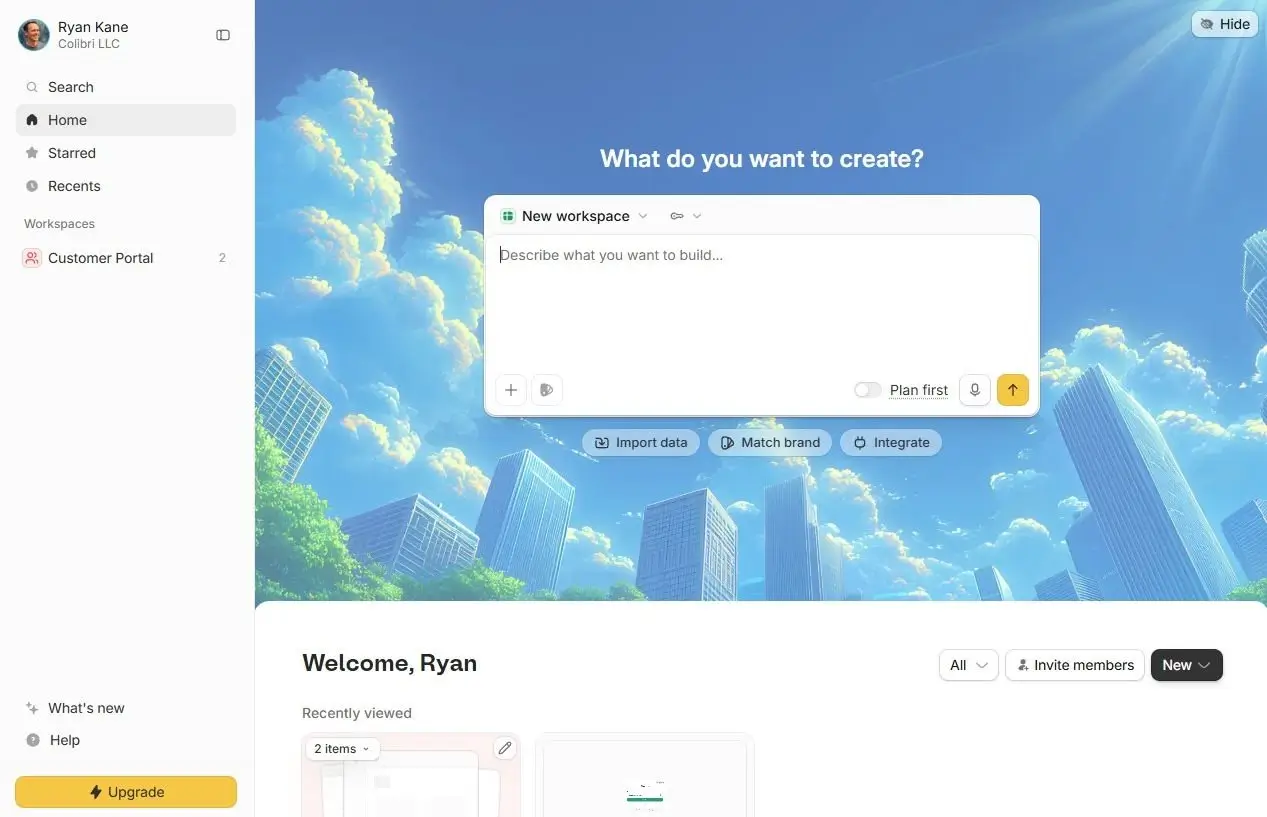
Zite is an AI-first app builder from the same team that launched Fillout, a forms app. It’s intended for internal business apps like dashboards, client portals, and CRMs, and it’s especially popular for teams looking for rapid prototypes. Design your app by choosing from among 100+ templates, or by describing what you want to Zite’s AI app builder. Then, Zite quickly generates the frontend, database, workflows, and user authentication in one shot.
Once your app is ready, you can use Zite’s Selective Edits to handle minor changes like text, colors, spacing, and section order. Those changes don’t use AI credits. But you’ll need to keep chatting with AI for bigger changes, like adding new pages or logic, which means that iteration can require a fair number of AI credits.
To integrate your Zite app with your existing business operations, you can choose from 30+ app connections. From there, you’re able to create multi-step workflows that trigger Slack notifications, send emails, run AI operations, process data, and connect to databases. Scaling can be challenging, though: Zite’s permissions options aren’t especially granular, so apps with multiple user types can face some growing pains.
Zite key features
- AI-prompt app generation: Describe the app you want, and Zite builds the frontend, backend, workflows, and authentication.
- Selective Edits: Click any component to adjust text, colors, section order, or your theme, without having to write a new prompt or use credits.
- Built-in database: Includes a native database at no extra cost, starting at 5,000 records on the Free plan and going up to 1M records on the Team plan, plus built-in user authentication.
- 100+ templates: Clone pre-built apps like CRMs, onboarding hubs, and bug trackers, then customize with AI.
- MCP integration: Connect Claude Desktop, Cursor, or any MCP-compatible client to your Zite database, so you can query and update records directly from your AI tools.
Zite cons
- Permissions are hard to manage unless you’re on the Team plan. If you’re not on the $250/month Team plan, you’ll need to give everyone either Admin or Member permissions—there’s nothing in between. On the Team plan, you get granular permissions and custom user groups, but no view-only permissions for databases. (With Softr, custom user groups and granular permissions start on the $99/month Pro plan.)
- Most app-building interactions use AI credits. If you’re just changing text, colors, or your theme, you won’t have to use AI credits. But for more in-depth changes, you’ll need to use AI, and the cost of those credits can add up quickly. Zite doesn’t have a mature equivalent to Softr’s Visual Builder, which lets you make complex changes with drag-and-drop functionality.
- Forms require a separate subscription. Zite doesn’t have a native form tool. Instead, it integrates with Fillout, a separate product run by the same company. You get unlimited forms and up to 1,000 responses per month for free. If you need more than that, you need to pay for a Fillout subscription (in addition to your Zite subscription).
- External data sources are limited: Google Sheets, Airtable, Notion, and HubSpot are your main options if you want to sync an external data source in real time. On the Enterprise plan, you can also access Databricks, Snowflake, and NetSuite.
Zite pricing
All prices are based on annual billing.
- Free: Unlimited users and editors, unlimited apps, 5,000 database records, 1,000 workflow runs
- Pro ($15/month): Unlimited users and editors, unlimited apps, 100,000 database records, 5,000 workflow runs, 100 credits, 1 custom domain, remove Zite branding
- Business ($55/month): Unlimited users and editors, unlimited apps, 250,000 database records, 50,000 workflow runs, 200 AI credits, unlimited custom domains
- Team ($250/month): Unlimited users and editors, unlimited apps, 1M database records, 250,000 workflow runs, 800 AI credits, granular permissions, data residency options
- Enterprise: Everything in Team, plus SSO, unlimited workflow runs, audit logs, and unlimited revision history
It’s worth paying special attention to Zite’s pricing if your use case involves lots of form submissions. After your first 1,000 submissions per month, which are free, you’ll need to pay between $15-$75/month for a separate subscription from Fillout, Zite’s sister product.
Softr vs Zite: on Reddit
Users say Zite is easy to use, has a polished user interface, and offers a good alternative to more enterprise-focused alternatives.

However, it has limitations. Users who deploy content-focused sites with Zite quickly find that it’s hard for search engines and AI bots to index, and its SEO controls are limited. (Softr includes more search engine optimization features and pre-renders static pages for better visibility.)

And some users on Reddit express frustration with Zite’s credit system. Because Zite relies more on AI for changes, with less emphasis on visual editing than tools like Softr, it’s easy to burn through your credits quickly.

Softr is known for being a stable, easily-maintained, reliable choice for internal apps.

Users say the Softr Co-Builder has a high likelihood of generating what they need on the first go, without endless refinements. You get a design, database, pages, user groups, and permissions all in one shot, ready to be used immediately.
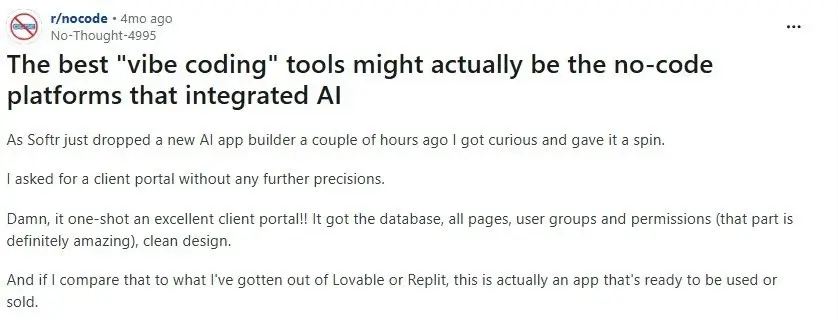
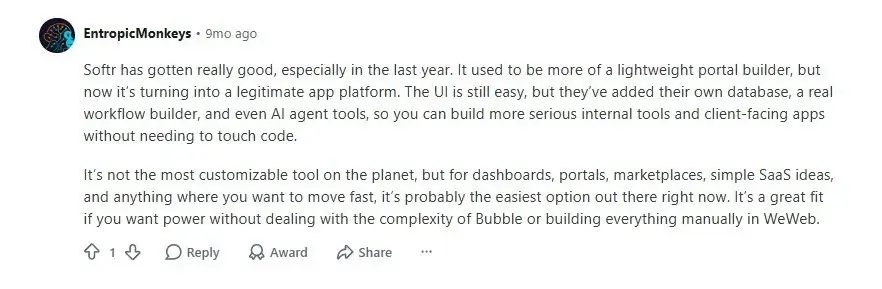
And Softr is evolving quickly. Users on Reddit mention Softr Databases and AI agents as adding lots of value, making Softr the “easiest option out there” for use cases like dashboards and portals.
Softr vs Zite: Which one should you choose?
Both Softr and Zite can help you build a working business app, like a CRM or a dashboard. But there are meaningful differences between them when it comes to permissions, databases, and visual iteration.
Choose Zite if you’re launching a lightweight internal app for one type of user, and you don’t need to manage separate permission levels or pull in data from outside Zite’s own database.
Choose Softr if you need to set permissions for a range of users, want to choose from 21+ external data sources, or would rather iterate with a visual builder that lets you make structural changes directly rather than reprompting with AI.
👉 Try Softr for free and start building internal apps for your business today.
Frequently asked questions
What’s the difference between Softr and Zite?
Is Softr or Zite easier to use for non-technical teams?
Does Zite support the same level of permissions as Softr?