The 5 best AI app generators in 2026: Tested and reviewed


AI app builders are everywhere in 2026. And they've completely democratized the development process. Whether it's a solopreneur creating a niche customer portal or a marketing team designing their very own branded campaign-tracking system, anyone can transform their entire business with a fresh app over the weekend.
While it sounds intriguing, there's a gap. Many tools can create apps and pages that look great on a demo. But the backend stuff? The authentication protocols, database setup, or simple bug fixes? You're probably handling those manually. Plus, not every provider lets you export the code if you want to host your app on your own infrastructure or hand it off to some programmers for granular customization.
Here, I compare the best AI app generators in 2026 based on what they actually build, whether permissions and authentication work, what happens after launch, pricing, and ownership.
The best AI app generators at a glance
| Tool | Best for | Features and build approach | Code export? | Pricing model |
|---|---|---|---|---|
| Softr | Building complete business apps with AI | • AI Co-Builder for complete app builds • Granular permissions enforced • Built-in automations • Vibe Coding block | No (data export only) | Free, then $19/month, with AI credits included on every plan |
| Bubble | Robust mobile app builds | • AI App Generation with Bubble AI Agent to help build and troubleshoot • Native development on mobile apps | No | Free (development only), then monthly plans based on workload units starting at $29/month |
| Lovable | App interface design | • Prompt-to-code generation • Full code ownership • Agent mode • Per-project memory | Yes (full React + Supabase codebase) | • Free (daily credits) • $25/month for Pro • $50/month for Business • Custom for Enterprise |
| Replit | Developer autonomy | • Replit Agent • GitHub sync • Full version control with advanced collaboration | Yes (full codebase with GitHub sync) | Free for daily credits, then $20 or $100 per month |
| Taskade Genesis | Total spending value | • Shared workspace memory across apps, agents, and automations | No | Free for 6,000 one-time credits, then tiered pricing |
What is an AI app generator?
An AI app generator builds an application from your own prompts. You could say, for example, "build me a client portal where my customers can see their project status and updates." Or "create a pipeline tracking system where I can monitor government RFPs and RFIs, and track where my team is with status updates." From there, AI takes care of the rest.
Even beyond prompt-to-app builders that we just described, AI generators can also include tools that aid with post-generation development. For instance, visual builders with AI assistance let you tweak every pixel and workflow visually after the AI spins up the foundation. So, you can keep refining the app without code.
Additionally, agent-supported platforms can build the initial shell and keep working on it via automated AI bots. These "digital experts" can handle updates, run scheduled tasks, and even debug issues post-launch.
What to look for in an AI app generator
Generally, the best AI app generators have a combination of these five attributes:
- Complete builds: Generates database, authentication, pages, modules, reporting systems, and permissions (not just a front-end shell). Permissions actually work when a real user logs in, and you don't have to worry about a security vulnerability that somehow lets clients become admins.
- Editability: You can make changes without relying on massive AI prompts for every tweak. Some platforms let you edit visually; others require you to read and edit generated code.
- Transparent pricing: Watch for credit or token-based models; advertised prices can double or triple during heavy-usage months without you realizing it.
- Code ownership: Prompt-to-app tools typically let you export the full codebase. But some keep the app on their platform, so you own your data but not the infrastructure.
- Post-launch support: Look for built-in automations, scheduled jobs, or AI agents that keep working on your live app after deployment.
1. Softr — best for complete business apps
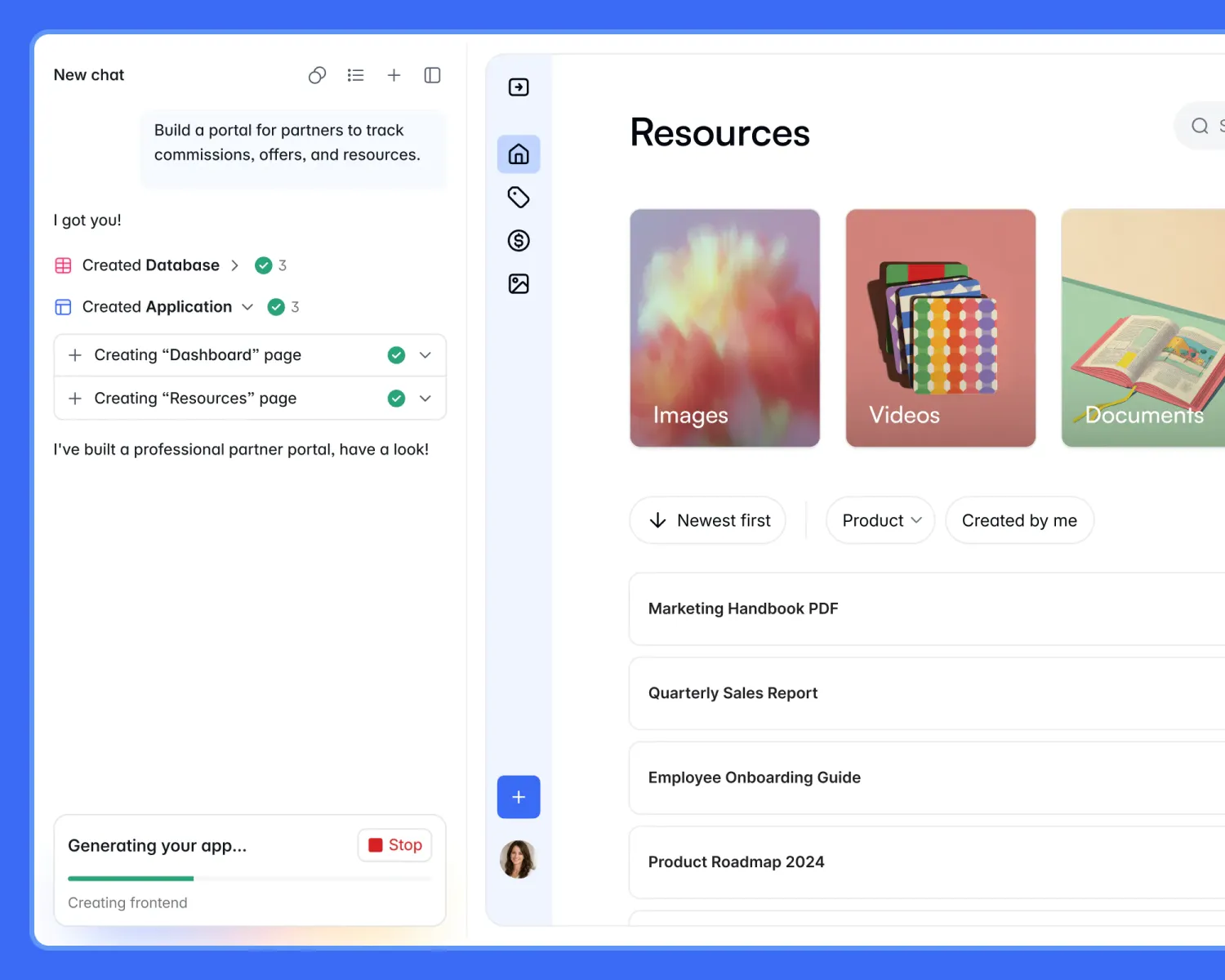
Softr builds complete business apps from a prompt, including the database, pages, authentication, permissions, and automations.
Its AI Co-Builder lets you create software in minutes, so agencies, ops teams, consultants, solopreneurs, and anyone with a vision can generate professional apps without developers. The database, pages, navigation system, permissions, and business logic are ready with that initial generation.
Whether you need a client portal, internal PM tool, CRM, or dashboards, it can be connected to live data on day one.
What sets Softr apart is that permissions are built first rather than added on later. The AI enforces rules at the page and record levels, so clients and users see only their data. Plus, Softr Workflows can automate emails and Slack notifications with conditions and API calls, and the Vibe Coding block generates custom components from prompts that respect your data and permissions.
Softr pros and cons
Pros:
- Complete app generation: Builds the database, pages, navigation, authentication, and permissions simultaneously.
- Permissions on day one: Set granular rules for who sees what, and they're enforced on the live app after the original generation.
- Fully editable after launch: Everything is visual and can be changed without AI prompts or coding.
- Automations with live data sync: Native workflow engine replaces third-party no-code automation tools, with connections to external data sources or Softr's native database.
Cons:
- No raw code export: Apps live on Softr's platform; you can export data, but not the full codebase.
Softr best features
- AI Co-Builder: Tells the AI what you need, answers follow-up questions, and gets a complete app in minutes, with key components built simultaneously.
- Granular permission settings: Set permissions at the record, page, and block level, with data restrictions that ensure users see what's allowed.
- Softr Workflows: Built-in automations that run on events like form submissions or record updates, with conditions, branching, delays, and API calls.
- Vibe Coding block: Generate custom interface components and production React components from prompts that still connect to your data and respect permissions
Softr pricing
Prices shown are billed annually:
- Free: 5 app users, up to 3 builders, 5 AI credits, and unlimited apps, databases, workflows, and forms
- Basic: $19/month for 5 team users plus 5 client users, 1 builder, 10 AI credits, and a custom domain
- Pro: $99/month for 10 team users plus 50 client users, 2 builders, 50 AI credits, granular permissions, and custom branding
- Business: $329/month for 30 team users plus 100 client users, 3 builders, 100 AI credits, two-factor authentication, and filtered user sync
- Enterprise: Custom pricing with priority support and advanced security
2. Bubble — best for creating mobile apps with complex requirements
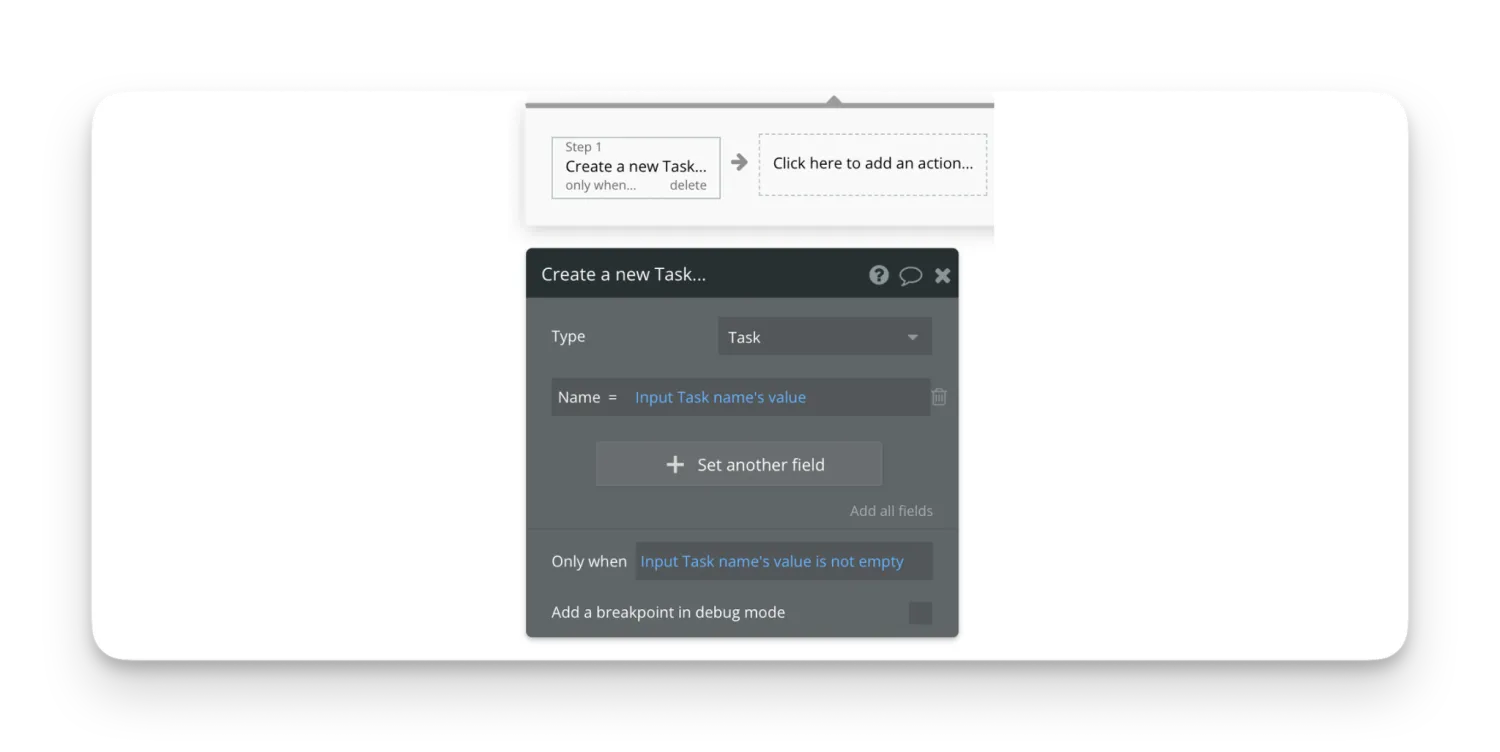
Bubble is a popular AI app generator that stands out by letting you create both web and mobile apps at the same time. The iOS and Android mobile apps can share a single backend and offer AI support for UI and dynamic expressions.
So, theoretically, a small business owner could build a mobile loyalty app for their coffee shop where customers earn points, track rewards, and receive push notifications, all without writing a line of code or hiring a mobile developer.
Bubble also generates everything visually for tailoring. The UI, database, workflows, and privacy rules are all easily customizable in the editor.
Bubble pros and cons
Pros:
- Complex app logic capabilities: Build sophisticated apps that can handle things like marketplace matching algorithms, multi-step approval processes, and dynamic pricing via logic control.
- Native mobile apps: Generate iOS and Android apps from the same editor, and can be published directly to the App stores.
- AI Agent for support: Real-time help building, troubleshooting, and understanding your app through conversation; the AI can explain what changed, suggest fixes, and walk you through complex logic step by step.
Cons:
- Steep learning curve on complex logic tasks: Mastering conditional workflows, custom states, and recursive data structures takes time for hands-on learning before you're building production-ready apps with complex logic.
- No code export: Apps live on Bubble's platform, and you can't take your app's source code elsewhere.
Bubble best features
- AI App Generation: Turns prompts into complete, editable Bubble apps.
- Bubble AI Agent: Helps you make step-by-step changes in the editor for debugging or adding a new feature.
- Native mobile app generation: iOS and Android apps from the same editor, sharing one backend.
- API integration and extensibility: Connect to any external service with Bubble's API connector and build workflows that react to incoming webhooks or trigger external actions.
Bubble pricing
- Free: Development and testing only; capped at 50,000 workload units
- Starter: $29/month for live deployment, core features, and 175,000 workload units
- Growth: $119/month for team collaboration and 250,000 workload units
- Team: $349/month for advanced tools and 500,000 workload units
- Enterprise: Custom pricing with max security and enterprise scaling needs
3. Lovable — best for AI-generated app interfaces
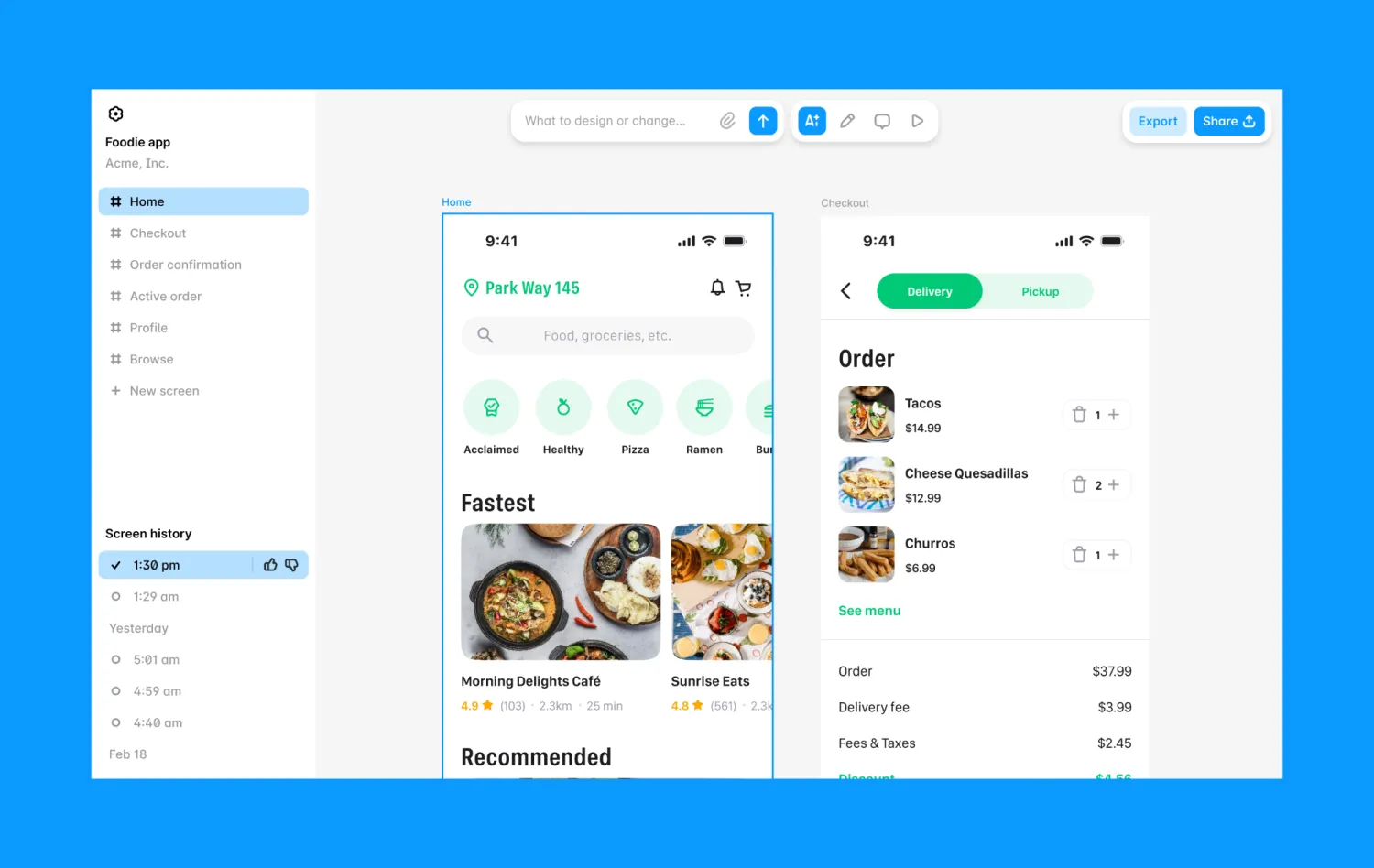
Lovable generates apps that genuinely look solid off the bat. You don't need design or coding skills to use it, but you can import the React and TypeScript code to your own GitHub repository, modify it locally, and deploy it anywhere you want.
So, a startup founder might build a polished SaaS landing page with authentication and a waitlist in a weekend, then export the code to GitHub and hand it off to a development team for further customization without losing momentum.
For both web apps and websites, Lovable operates in the "describe what you want, and watch it run" cycle. The full application with frontend, backend, database, and hosting is generated for you. It also has templates for landing pages, SaaS sites, portfolios, e-commerce, blogs, and service business websites available for inspiration.
And with Lovable Agent Mode, you can debug and refactor code across multiple files autonomously. Upkeep is yours, but you own the React + Supabase stack and patches and have Lovable's AI to assist when you need it.
Lovable pros and cons
Pros:
- Polished UI output: Many users like how the apps look after AI generation; it provides a great starting point.
- Code export and ownership: Full React + Supabase codebase you own; export to GitHub, modify, and deploy anywhere without getting locked in.
- Expansive resources and website capabilities: Large template library covering landing pages, SaaS sites, portfolios, e-commerce, blogs, and service business websites; plus active community and wide-ranging integrations including MCP server support.
Cons:
- Credit-based pricing: Costs scale with how much you build; credits expire after two months and can add up quickly.
- Debugging loops cost you: Users frequently report getting stuck in cycles where the AI fixes one bug but introduces another, consuming credits without resolving the issue.
- Upkeep is on you: You manage the Supabase stack and patches and handle database migrations, security updates, and performance optimization (Lovable builds the app, but you own the maintenance).
Lovable best features
- Prompt-to-app with one-click deployment: Describe what you want, and Lovable generates a full app with database, authentication, and hosting; then deploy it with one click and share it immediately.
- Per-project memory and security documents: Apps remember their own context and security requirements.
- Agent Mode: Helps you plan, write, debug, and refactor code across multiple files at once; plus, it can inspect the codebase and documentation to fix errors on its own.
- Scheduled jobs: Built-in support for back-end tasks and recurring development work like syncing data to external APIs or sending daily email reports to users.
Lovable pricing
Lovable pricing changes based on the number of credits you want:
- Free: Daily free credits for building (5 per day)
- Pro: $25/month for 100 credits and private projects that can be branded.
- Business: $50/month for the same 100 credits as Pro, but comes with team workspace, role-based access, SSO, security center, and design templates.
- Enterprise: Custom pricing for volume-based credit pricing, audit logs, and advanced support.
4. Replit — best for developer autonomy and collaboration
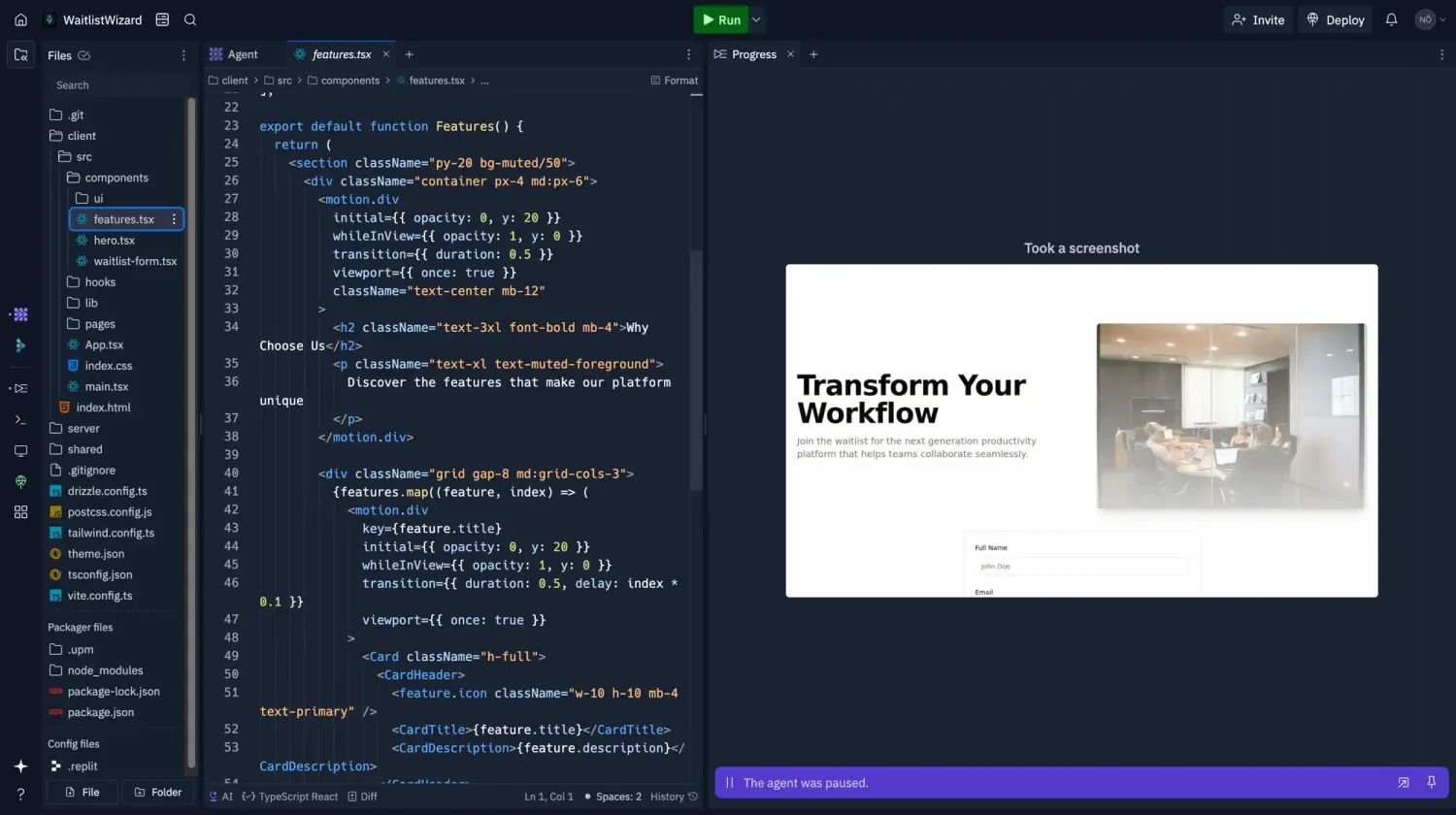
Replit is an efficiency hack for developers that doesn't compromise control. It generates apps from AI prompts while giving you real repositories, GitHub sync, and the freedom to host anywhere with no platform lock-in.
The Replit Agent plans, writes, tests, and deploys full-stack apps from a prompt within a single browser workspace. And Agent 4 introduced effort-based billing for long unattended runs, so the agent can work on multi-hour tasks while maintaining session and project context that keeps the build coherent.
The trade-off is that you own the maintenance, too. Database architecture, patches, and ongoing upkeep are on you. But for developers who prefer full control over the entire lifecycle, from initial build to deployment to maintenance, that's exactly the point.
Replit pros and cons
Pros:
- Full code ownership: Developer flexibility over app components and full tech stack. Teams get real repositories, GitHub sync, and can host anywhere they want.
- Agent builds, deploys, and manages from prompts: The Replit Agent creates, tests, and oversees full-stack apps from plain language, and Agent 4 lets bots run parallel project tasks on their own automatically.
- Collaboration and versioning control: Large teams can work together on shared projects, tracking updates, and the snapshot engine helps create versioned checkpoints that teams can roll back to.
Cons:
- Agent usage costs on top of subscription: With all the heavy autonomous runs being so powerful, users are often shocked by their bill and how many credits they burned through, not realizing how much they are charged.
- No hand-holding after launch: Control means responsibility for patching, migrating, and ensuring performance, so you own the maintenance post-launch.
- Not ideal for non-technical users: Built mainly for developers who want code and lifecycle control.
Replit best features
- Replit Agent: Plans, writes, tests, and deploys full-stack apps from a prompt, automatically testing its own work and fixing issues it finds as it builds.
- GitHub sync: Full code export and version control so developers can take their code anywhere and do anything with it.
- Instant AI integration: 300+ AI models available for your applications without API keys or setup required.
- Multi-output projects: You can build web apps, mobile apps, slides, documents, and data visualizations in one project.
Replit pricing
- Free (Starter): Daily free Agent credits for building, built-in database, publish up to 1 project, and create slides, videos, and animations.
- Replit Core: $20/month for personal projects, full Agent with Economy/Power modes, up to 5 collaborators, and 2 parallel agents.
- Replit Pro: $100/month for up to 15 collaborators, 10 parallel agents, 28-day database rollbacks, and priority support.
- Enterprise: Custom pricing for advanced security and compliance needs.
5. Taskade Genesis — best bang for your buck
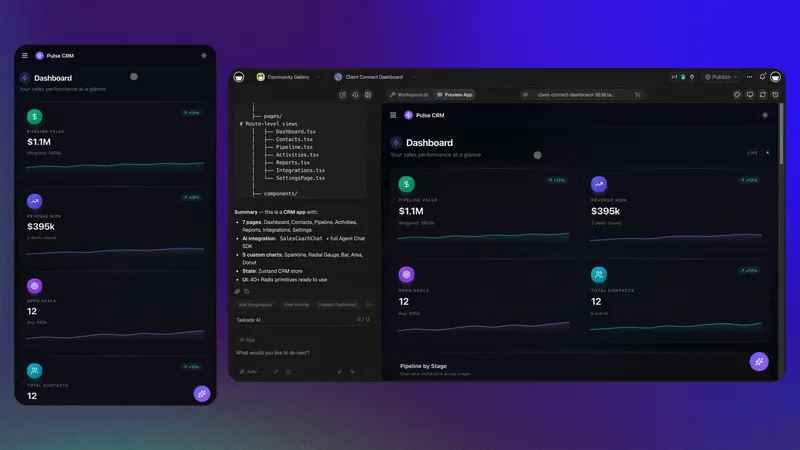
Aside from price, post-launch support is a key consideration when it comes to AI app generators — something Taskade Genesis thrives on. Teams don't have to babysit their app post-launch because the app, agents, and automations share one workspace memory. While projects serve as the database, agents reason over their context, and workflows execute against it in real-time.
Here's how it works: It takes a record your app writes and instantly makes it readable by a follow-up agent, triggering a scheduled automation. For instance, if a customer submits a support ticket through your app, the agent instantly reads that record, analyzes the sentiment, and automatically assigns it to the right team member while firing off a follow-up email. And you didn't even have to write that workflow. There's no need to export, sync, or redeploy, and the memory stays put.
Taskade Genesis pros and cons
Pros:
- Lowest price: Robust free plan plus relatively inexpensive paid options.
- Shared workspace memory: Everything (apps, agents, automations) talks to everything else in real time. An update in your app is instantly readable by an agent, which can then trigger an automation.
- Unlimited apps, AI agents, and workspaces: Paid plans remove all the limits. Build as many apps as you want, spin up as many agents as you need.
Cons:
- No raw code export: Apps run on the Taskade platform, and you can't host the code elsewhere.
- Prompt refinements are common: Genesis is text-only, so you'll likely find yourself tweaking prompts more than you'd like to get things looking right.
- Newer platform: Less established than tools like Bubble, Lovable, or Replit, leading to fewer third-party resources to lean on for support.
Taskade Genesis best features
- Living apps that evolve continuously: Apps keep getting smarter as you use them. So if a customer submits feedback, an agent reads it and learns for next time.
- TSK-1 system kernel: Routes work across 15+ frontier models, including OpenAI, Anthropic, Google, and more.
- Custom AI agents: Embed agents that reason over your data, trigger automations, and remember context across conversations.
- Workspace memory and one-loop execution: Projects are the database. Agents reason over that context. Workflows execute against it. A record your app writes is instantly readable by a follow-up agent and can trigger an automation.
Taskade Genesis pricing
- Free: 1 user, 3 published apps, 1 AI agent, 3 automations, and 6,000 one-time credits to get started.
- Pro: $10/month for 10 users, unlimited apps, unlimited agents, unlimited automations, 50,000 monthly credits, and access to GPT, Claude, and Gemini.
- Business: $25/month for unlimited users, 150,000 monthly credits, custom domains, and white-label branding.
- Max: $100/month for maximum AI capacity, autonomous agents, agentic AI workflows, and extended thinking modes.
- Enterprise: $250/month for SCIM user provisioning, custom SLA, and multi-workspace management.
Find the right AI app generator for your business
The best AI app generators address different needs and skill levels:
- Developers who prioritize code ownership and tech stack control? Go with Replit.
- Does design polish and interface matter most for your app? Lovable could work for simple use cases.
- Building a complex mobile app that needs to handle things like marketplace matching algorithms or multi-step approval workflows? Pick Bubble.
- Want the lowest entry price with shared memory across apps, agents, and automations? Try Taskade Genesis.
But when complete-build capabilities, app editability, and permissions matter most, Softr checks more boxes than any other platform. Tell the AI Co-Builder what you want and watch your app come to life in minutes. It's ready on day one with the logins, permissions, and automations built in.
Try Softr for free and start using the AI-powered app generator to create your first complete business system in minutes.
Frequently asked questions
What is the best AI app generator?
Can AI build a complete app, including the database and permissions?
Which AI app generators let you export the code?
How much do AI app generators cost?
Are AI-generated apps secure enough for business use?