



GoHighLevel is an all-in-one CRM and marketing automation platform built for marketing teams, agencies, and service-based businesses. It’s easy to see why many agencies choose it. But it’s not the perfect fit for every team. Maybe you want more specialized features or better branding options. Perhaps the pricing ramp is scaring you. We’ve hunted down the best alternatives for every use case.
Best alternatives to GoHighLevel at a glance
| Tool | Best for | Standout Features | Pricing |
|---|---|---|---|
| Softr | Building custom client portals, dashboards, and business apps with AI | AI app builder, built-in database, 21+ data integrations, granular permissions, white-label, native workflows | Free plan; from $19/month for Team: 5 + Client: 5 app users |
| HubSpot | All-in-one marketing, sales, and service platform | Comprehensive CRM, marketing automation, email campaigns, reporting, large app marketplace | Free tools; paid from $9/user/month |
| ActiveCampaign | Email marketing automation and CRM | Advanced email automation, segmentation, lead scoring, CRM integration | From $29/month |
| Keap | Small business automation and CRM | Automated follow-ups, lead capture, appointment scheduling, simple CRM | From $299/month |
| Pipedrive | Sales pipeline management | Visual pipeline, deal tracking, forecasting, mobile app | From $14/user/month |
| Zoho CRM | Budget-friendly CRM with automation | Lead management, workflow automation, analytics, customization | Free plan; from $14/user/month |
| Systeme.io | Affordable all-in-one marketing | Email marketing, sales funnels, course hosting, affiliate management | Free plan; from $17/month |
| ClickFunnels | Sales funnel building | Drag-and-drop funnel builder, templates, split testing, payment integration | From $81/month |
| monday.com | Project management and client collaboration | Visual project boards, automation, client portals, time tracking | Free plan; from $9/user/month |
Why look for GoHighLevel alternatives?
With over half a million users, GoHighLevel is a popular solution. You might be one of those users, or thinking about signing up. But GoHighLevel isn’t flawless.
Here are some of the key reasons why you might want to look elsewhere:
| Reason | Why it matters for agencies |
|---|---|
| You’ve outgrown snapshots | Snapshots work well in the early days, but as your client list diversifies, a single funnel/CRM layout can’t support different delivery models. You end up rebuilding pieces from scratch for every engagement. |
| Your clients want more than funnels | Most clients expect proper portals today: an organized place for assets, reports, briefs, invoices, approvals, and tasks. GHL can rebrand the interface, but it can’t give each client a true custom workspace. |
| You’re running more than campaigns | Agencies handle onboarding, fulfillment, subcontractors, content, operations, and reporting. GHL covers marketing workflows, but not the operational side of agency work, so you’re back to ClickUp, spreadsheets, and patchwork tools. |
| The platform feels heavy to maintain | GHL packs in phone, SMS, call tracking, funnels, CRM, scheduling, and more, but that also means more menus, more configuration, and more training whenever you hire a new virtual assistant or account manager. |
What to look for in GoHighLevel alternatives
If you’re considering a move away from GoHighLevel, it helps to know what actually matters for agency work. Most teams aren’t just comparing features. They’re looking for a tool that fits the way they deliver client results, manage fulfillment, and scale their services.
- A proper client-facing experience: Real client portals where clients can access briefs, assets, reports, invoices, files, and approvals, not just gated funnel pages.
- Operational flexibility: Support for your delivery workflows, including onboarding, tasks, documentation, and working with contractors or VAs(virtual assistants).
- Customization without cloning: The ability to adapt flows for different client types or services without relying on rigid snapshots or duplicated setups.
- Simple, intuitive UI: An interface that clients and internal team members understand quickly, without long training or complex menu structures.
- Reliable data structure: A native database or solid integrations that let you organize and manage structured data cleanly (tables, linked records, formulas, attachments).
- Useful automation: Built-in tools that help you streamline delivery work, updates, reminders, approvals, or data changes, not only marketing sequences.
- Stable performance as you grow: Consistent load speeds and reliability as your client list, data, and workflows increase.
- Responsive support and uptime: A platform you can count on, with quick help when something breaks or needs attention.
1. Softr — best for building full-stack client portals and branded business apps with AI

Softr is a powerful GoHighLevel alternative for teams needing more flexibility, more control, and the ability to generate complete apps in minutes. It’s a visual, AI-powered no-code platform that lets you create custom client portals, dashboards, CRMs, internal tools, and more.
Unlike GoHighLevel’s snapshot-driven model, where you reuse copies of an entire account for each client, Softr lets you design different workspaces for different client types without cloning funnel stacks or forcing a one-size-fits-all layout. But let’s see these things in more detail.
Softr pros and cons
Pros:
- No technical skills required to start with: You don’t have to touch a line of code, thanks to the AI Co-Builder, visual editor, and 90+ pre-built templates you can fully customize (templates include sample data to play with).
- Predictable pricing: With multiple tiers to choose from, you can upgrade gradually as your team grows without hidden costs and overages.
- Connects to multiple data sources: Pull from Airtable, Google Sheets, Notion, HubSpot, SQL, Supabase, Xano, and 21+ other sources (including Softr’s built-in database).
- Flexible white label options: Fully brand every app you build with custom domains, logos, colors, layouts, and navigation.
- AI features: Generate full-stack apps with the AI Co-Builder. Clients can pull accurate answers from their app database by asking AI plain-language questions that will also follow pre-set in-app permissions for sensitive data protection. Plus, you can get AI agents to update or enrich your data, as well as help you with building and many other manual tasks.
Have a look at this tutorial on how you can build a CRM with Softr (+ a free AI CRM template from Softr).
Cons:
- No built-in email/SMS: You’ll connect your external marketing tools for your campaigns.
Softr best features
- AI app builder and Vibe Coding block: Describe the app you need, and Softr’s AI Co-Builder instantly creates the database, interface, and business logic: connected, secure, and ready for real users. You can also vibe code custom components, tools, and visualizations directly inside your apps.
- Built-in relational database: Manage your data directly in Softr with linked records, lookups, formulas, attachments, and customizable views, so you keep all your data, users, and workflows in one secure place.
- 21+ native data integrations: Connect to external sources like Airtable, Google Sheets, Notion, BigQuery, SQL databases, Supabase, and Xano with real-time two-way sync.
- Native automations: Softr Workflows let you automate what happens across your apps, databases, and connected tools without needing a separate tool like Zapier or n8n. You can set up a workflow to update records in your Softr Databases or other data sources, and call external APIs to sync data with other systems.
- Custom user groups and permissions: Define who sees what with role-based access, field-level visibility, and data-based permissions.
- Multi-step conditional forms: Build complex forms with branching logic, dynamic fields, and file uploads.
- Reporting & dashboards: Create real-time dashboards with chart blocks to track leads, pipeline health, revenue, and team performance.
- Document & invoice handling: Upload contracts, attach files, manage documents, and collect payments using Stripe or PayPal.
- Live chat support & community: Access live chat support and a thriving community of builders.
Softr pricing
- Free: Unlimited apps, with access to Softr Workflows and Softr Databases, 5 app users, 5 AI credits, and 5,000 database records
- Basic: $19/month for unlimited apps with 42+ integrations, Team: 5 + Client: 5 app users, 10 AI credits, and 50K records
- Pro: $99/month for unlimited apps with 45+ integrations and custom code, Team: 10 + Client: 50 app users, 50 AI credits, and 500K records
- Business: $329/month for unlimited apps with 52+ integrations, Team: 30 + Client: 100 app users, 100 AI credits, and 1M records
- Enterprise: Enterprise (custom pricing, contact sales)
Why it's better than GoHighLevel pricing
Softr offers a generous free plan, meaning you have time to experiment with the platform without committing, making it more cost-efficient and flexible for small to mid-size agencies or service businesses. GoHighLevel, with its higher fixed tiers, tends to be more expensive
- The lowest-paid tier is half the price of GoHighLevel’s Starter plan.
Who Softr is best for
Softr is a great fit for agencies managing full client operations, not just marketing campaigns. If you handle onboarding, briefs, assets, approvals, dashboards, or file delivery for each client, Softr gives you the flexibility to design different workflows and workspaces.
It’s ideal for teams that want to pull data from tools like HubSpot, Airtable, or Google Sheets into one branded client portal. And because you control every page, permission, and interaction, it’s well-suited for agencies that need to offer a custom experience for every client they serve.
[.blog-callout]
Real-world example: Marketing agency, Strupek, used Softr to save 10 hours a week and reduce operational costs by 58%.
[.blog-callout]
Verdict: Softr vs GoHighLevel
GoHighLevel is strong when your agency delivers standardized marketing packages and wants to resell software-like services. But it becomes restrictive when clients expect a richer operational experience. Softr gives you the flexibility to generate tailored client portals and internal tools that match how your agency actually delivers work without forcing clients into the same funnel-based environment.
2. HubSpot — best for all-in-one sales, marketing, and service
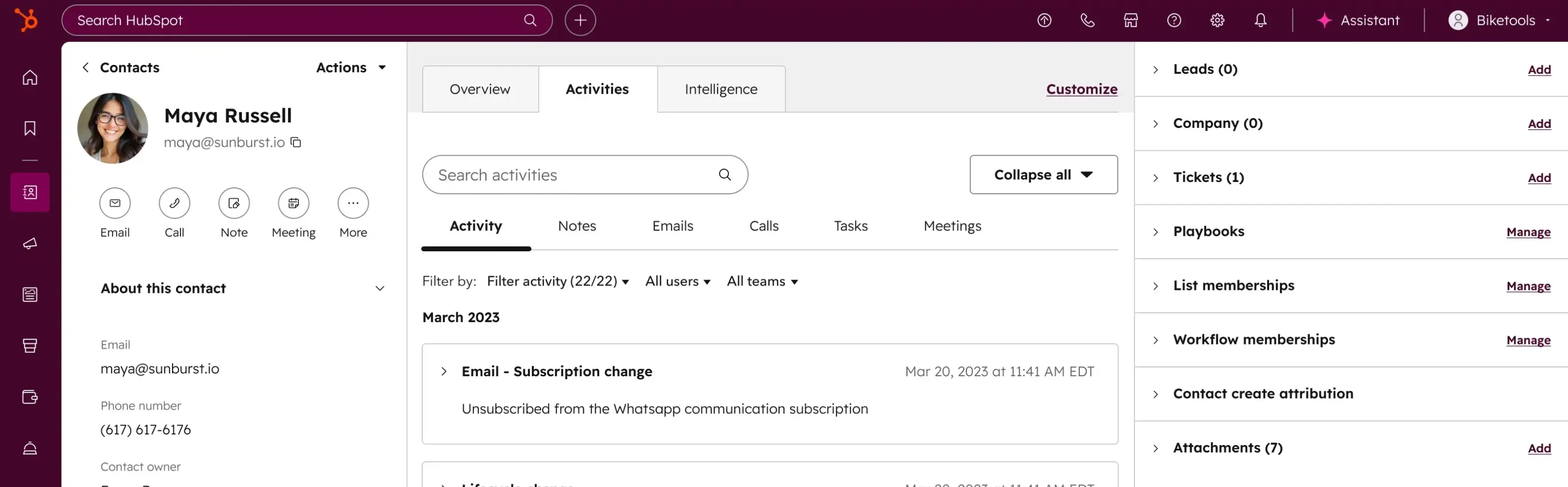
Mainly pitched at enterprise-level teams, HubSpot covers all bases, with tools for marketing, sales, and customer service in one platform. It also integrates with many other platforms, providing a central hub for many businesses.
Pros and cons of using HubSpot
Pros:
- Everything under one roof: Marketing, sales, and service teams can use the same platform.
- Extensive app marketplace: HubSpot has 1,000+ integrations.
- Strong analytics: Users find the reporting dashboards easy to read.
- Free to start: The free plan offers solid core features.
Cons:
- Steep pricing ramp: “HubSpot absolutely gets you with their free version, then asks for 10 pints of blood when you need to upgrade." (Firefly_Consulting on reddit)
- A lot to learn: HubSpot can feel overwhelming due to the sheer number of features.
- Templates are not super flexible: You don’t have much room for building custom client portals or branded experiences.
- Limited branding options: HubSpot is primarily designed for internal team use.
HubSpot best features
- Unified CRM: Centralize all contact, deal, and company data in one place.
- Marketing automation: Email sequences, workflows, and lead nurturing.
- Sales pipeline management: Visual deal stages and forecasting.
- Robust reporting: Custom dashboards and performance tracking.
HubSpot pricing
- Free plan available
- Paid plans start at $9/user/month (for basic features)
- Costs can reach $3,000+/month for growing teams, with full feature access
Who HubSpot is best for
Larger businesses that want to build an integrated workflow for inbound marketing, lead gen, and sales pipeline.
Verdict: HubSpot vs GoHighLevel
HubSpot is a more mature, feature-rich platform than GoHighLevel, especially for businesses focused on inbound marketing and sales operations. But if you need white-label client portals or apps, you’ll have to look elsewhere.
[.blog-callout]
💡 Bring your HubSpot data into Softr with real-time sync.
Build secure portals and tools on top of HubSpot without sharing full CRM access or paying for extra seats.
[.blog-callout]
3. ActiveCampaign — best for email marketing automation with CRM
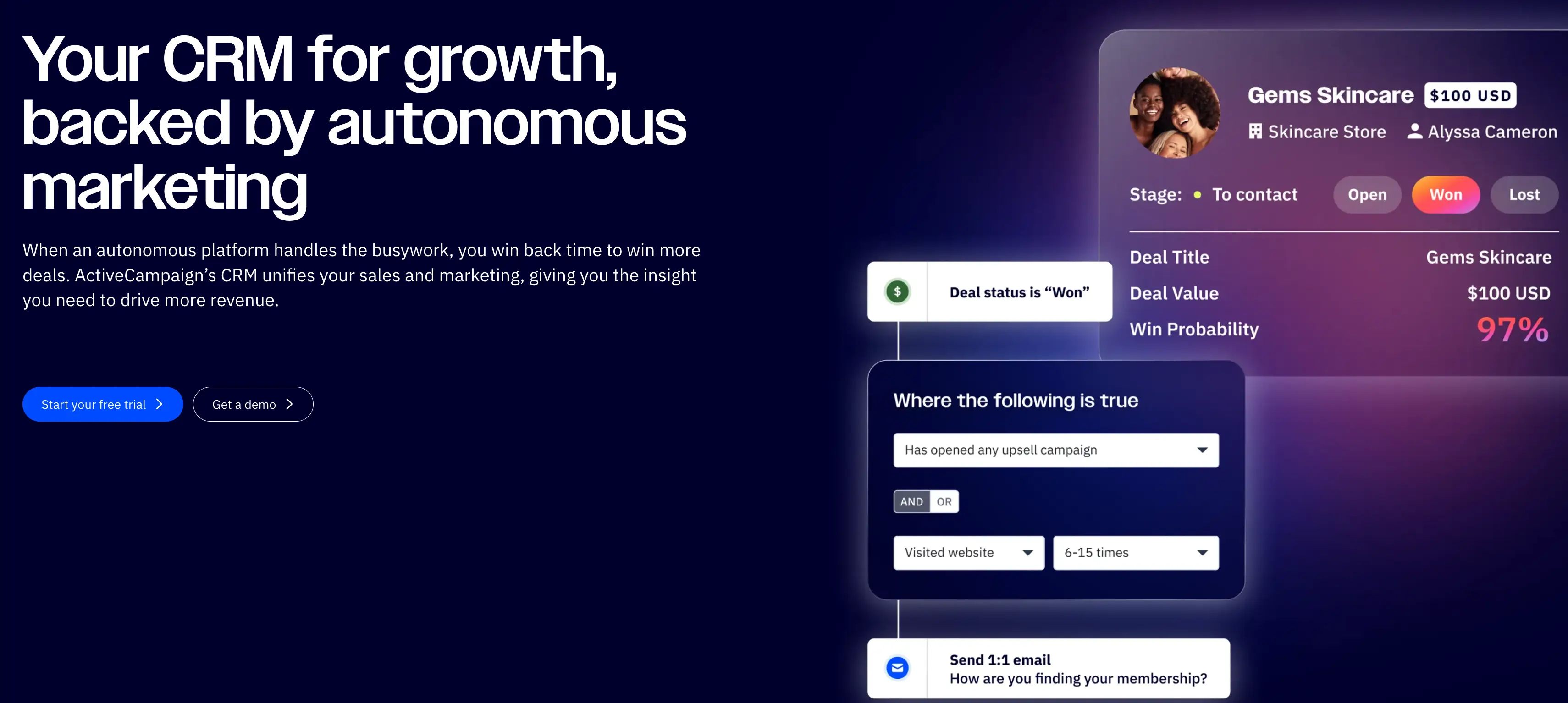
For agencies and marketing teams that rely on email, ActiveCampaign is a very capable tool. This platform specializes in email automation, with advanced segmentation and behavioral triggers, along with CRM features.
Pros and cons of using ActiveCampaignPros:
- Strong email automation features: Users like that they can build sophisticated campaigns with conditional logic and split testing.
- Built-in CRM: Track deals and sales pipelines.
- Affordable pricing: You can start very small and build up.
Cons:
- Only email and CRM: There’s no support for client portals, internal apps, landing pages, funnels, or appointment scheduling.
- Leans on integrations: You’ll need separate tools to build full-agency workflows.
- Not made for agencies: Only the most expensive plans include white labeling.
ActiveCampaign best features
- Email automation builder: Visual workflow builder with triggers, conditions, and actions.
- Lead scoring: Automatically prioritize hot leads based on engagement.
- CRM integration: Manage contacts, deals, and pipelines alongside email campaigns.
- Site tracking: Monitor visitor behavior and trigger campaigns based on activity.
ActiveCampaign pricing
- Plans range from $15/month to $145/month
Who ActiveCampaign is best for
Businesses and agencies focused on email marketing and lead nurturing that already use other tools for CRM and funnels.
Verdict: ActiveCampaign vs GoHighLevel
If email is your primary channel, ActiveCampaign offers more depth than GoHighLevel. But for landing pages, appointment booking, and client portals, you'll need to add other tools.
4. Keap — best for small business automation and CRM
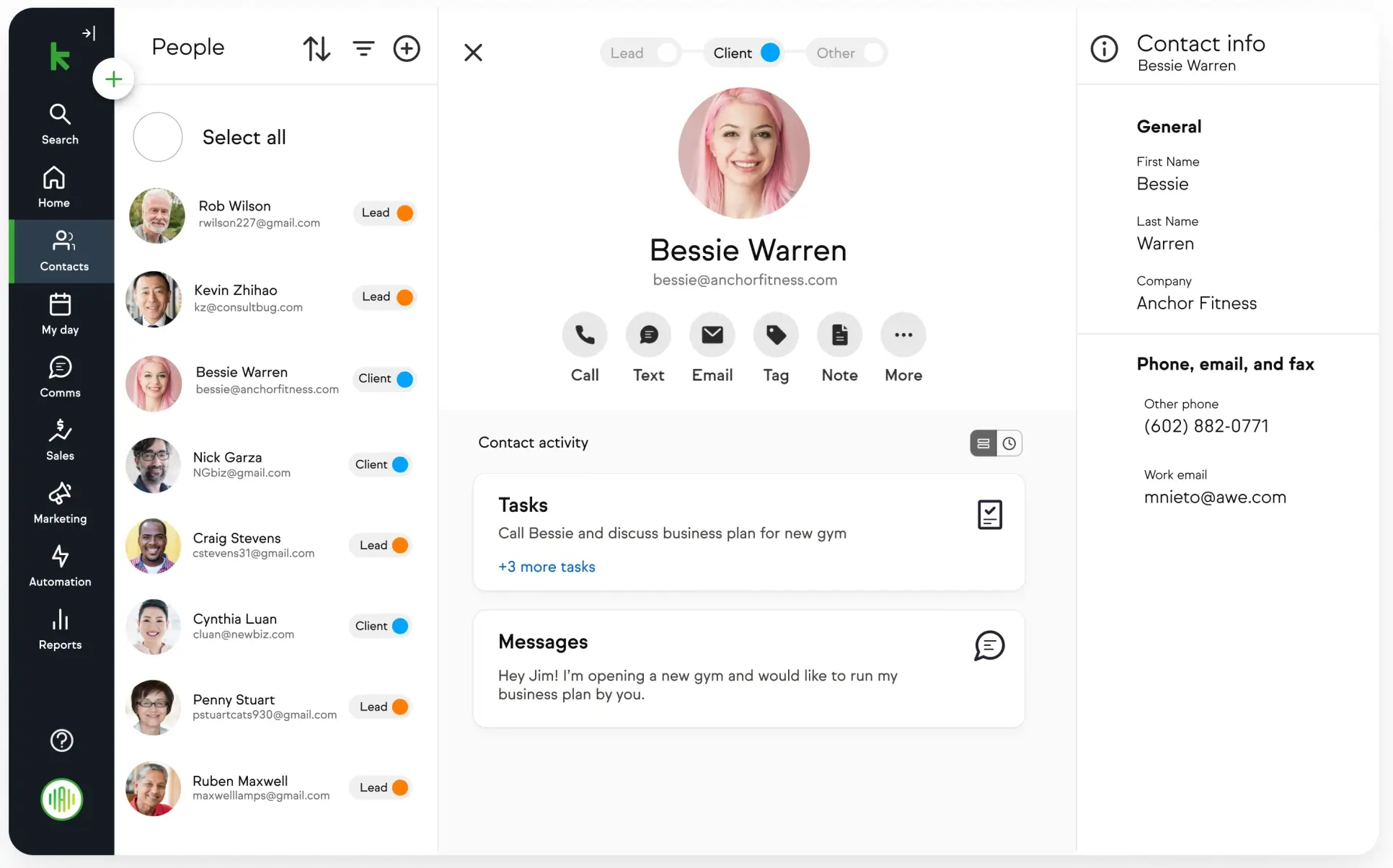
Built specifically for small businesses, Keap (formerly Infusionsoft) is a CRM and marketing automation platform. It’s a direct competitor to HubSpot, with tools for automated follow-ups, lead capture, appointment scheduling, and sales pipeline tracking.
Pros and cons of using Keap
Pros:
- Strong email automation: That includes follow-ups and lead nurturing.
- Useful extras for clients: You can set up appointment scheduling and payment processing.
- CRM and automation in one: While Keap is mainly about automation, it does cover CRM.
- Good customer support: You can speak to a human if you need help.
Cons:
- Not cheap: The base tier is a hefty $299 per month. Worse still, “The cancelation is more complex than canceling a cable TV." (Turbulent-Cup5211 on reddit)
- Limited customization: You have much less flexibility with Keap than with platforms like Softr.
- No white-labeling: Keap isn’t designed for agencies looking to offer branded services.
Keap best features
- CRM and pipeline management: Track leads, deals, and customer interactions.
- Automated follow-ups: Set up email and SMS sequences based on triggers.
- Appointment scheduling: Built-in calendar and booking system.
- Payment processing: Accept payments directly through Keap.
Keap pricing
- Plans start at $299/month for 1,500 contacts and 2 users
- Pricing increases with more contacts and users
Who Keap is best for
Small service-based businesses needing CRM, email automation, and scheduling in one place.
Verdict: Keap vs GoHighLevel
Keap can work well for small businesses that need CRM and automation, but it's pricier than GoHighLevel, and lacks agency-specific features like white-labeling and sub-accounts.
5. Pipedrive — best for sales pipeline management

Primarily aimed at sales teams, Pipedrive is more of a CRM first, automation platform second. It’s designed to help you get prospects across the line, rather than to run your entire marketing department.
Pros and cons of using Pipedrive
Pros:
- Easy to use: The interface is clean and intuitive.
- Cost effective: Smaller teams say they like the pricing.
- Mobile support: You can install the official app for access on the go.
- Strong integrations: Pipedrive connects with popular apps like Google Drive, Asana, and PandaDoc.
Cons:
- Limited marketing features: You can’t automate email sequences or build landing pages.
- No white label: Pipedrive isn’t designed for agencies.
- Doesn’t automate your full workflow: You’ll need to use other tools for that.
Pipedrive best features
- Visual sales pipeline: Drag-and-drop deal stages and easy tracking.
- Activity reminders: Automated reminders for follow-ups and tasks.
- Forecasting and reporting: Predict revenue and track performance.
- Email integration: Sync emails and track communication history.
Pipedrive pricing
- Plans start at $14/user/month
- Advanced plans with automation and more features from $39–$79/user/month
Who Pipedrive is best for
- Sales teams focused on pipeline management and deal tracking.
- Businesses that already have marketing tools and just need a CRM.
Verdict: Pipedrive vs GoHighLevel
Pipedrive is laser-focused on sales pipeline management, with some great automations. Just don’t expect the same marketing features (or branding options) as GoHighLevel.
[.blog-callout]
Browsing similar tools? Read our guide to Pipedrive alternatives →
[.blog-callout]
6. Zoho CRM — best budget-friendly CRM with automation

Part of a larger productivity suite, Zoho CRM is an affordable option for sales and marketing teams. The platform offers workflow automation and nicely dovetails with other Zoho products.
Pros and cons of using Zoho CRM
Pros:
- Very affordable pricing: There’s a free plan, and the paid plans aren’t expensive.
- It’s pretty flexible: Automation and customization features allow you to shape your workflow.
- Works well with other Zoho apps: You could technically run your whole business on Zoho.
- Useful extra tools: Process management and customer journey mapping are two examples that are popular with users.
Cons:
- Not the smoothest UI: One user said, “It feels overwhelming for a small team operating and setting up reminders, automations, and workflows.”
- Limited client-facing features: Not many white label options, and you can’t build client portals.
- Not the best customer support: Some users report slow and inconsistent support, even on paid plans.
Zoho CRM best features
- Lead and contact management: Organize and track customer data.
- Workflow automation: Automate tasks, notifications, and follow-ups.
- AI sales assistant: “Zia” provides insights and predictions.
- Customizable dashboards: Build reports and analytics views.
Zoho CRM pricing
- Free plan for up to 3 users
- Paid plans from $14/user/month (Standard) to $52/user/month (Ultimate)
Who Zoho CRM is best for
- Small to mid-sized businesses that need solid CRM on a tight budget.
- Teams already using Zoho ecosystem (Zoho Mail, Zoho Projects, etc.)
Verdict: Zoho CRM vs GoHighLevel
Zoho CRM is significantly more affordable than GoHighLevel, and it offers strong CRM features. That said, it lacks marketing automation, landing pages, and agency-specific tools.
7. Systeme.io — best affordable all-in-one marketing platform

With Systeme.io, you get email marketing, sales funnels, course hosting, affiliate management, and automation bundled in one subscription. It’s a simple tool, aimed at smaller teams and solopreneurs who want functional tools for the lowest possible price.
Pros and cons of using Systeme.io
Pros:
- Budget-friendly pricing: Free to start, and paid plans are affordable.
- Stacked with tools: Email marketing, funnels, course hosting, affiliate management, and even a website builder.
- Easy to learn: The interface isn’t super pretty, but users like the simplicity.
Cons:
- Limited customization: That includes no real white labeling.
- Not many integrations: The ecosystem is way smaller than with some platforms on this list.
- Slow support: Some users complain about response times.
Systeme.io best features
- Sales funnels: Build landing pages and funnel sequences.
- Email marketing: Automated campaigns and broadcasts.
- Course hosting: Create and sell online courses.
- Affiliate management: Run affiliate programs to grow sales.
Systeme.io pricing
- Free plan for up to 2,000 contacts
- Paid plans from $17/month to $97/month
Who Systeme.io is best for
Solopreneurs and small teams that need basic all-in-one marketing without enterprise features.
Verdict: Systeme.io vs GoHighLevel
Systeme.io is far more affordable than GoHighLevel and covers similar ground (i.e., email, funnels, automation), but with fewer advanced features.
8. ClickFunnels — best for sales funnel building
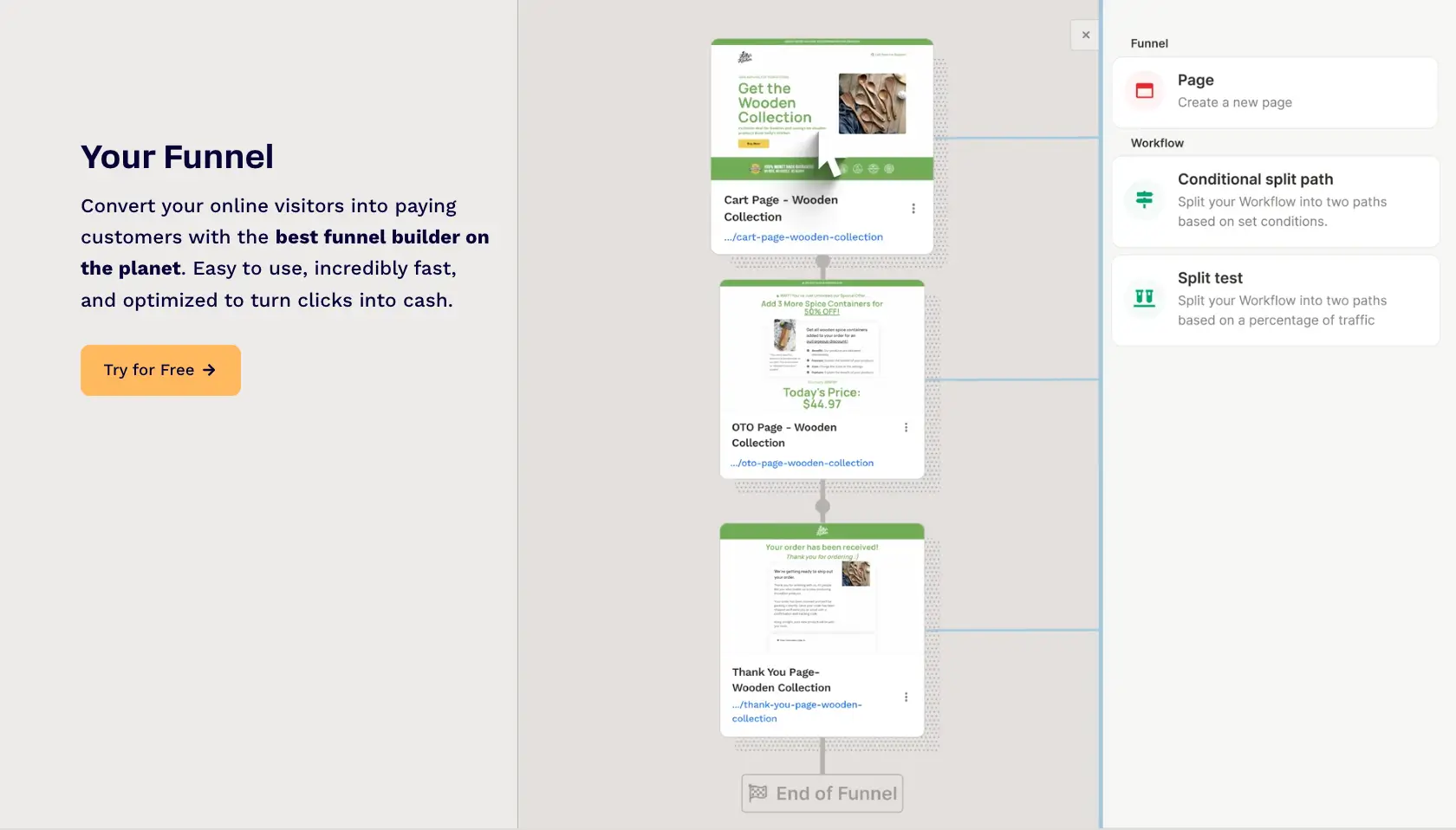
For agencies that mainly work converting traffic into sales, ClickFunnels provides a polished package of dedicated tools. This popular platform makes it easy to build funnels, right through to the purchase step.
Pros and cons of using ClickFunnels
Pros:
- Extensive template library: You can use ready-made funnels to get started faster.
- Really easy to use: ClickFunnels has a drag-and-drop editor.
- Good for optimization: The platform has built-in split testing and analytics.
- Handles payments: Gateway integration means you can sell products direct.
Cons:
- Expensive: Expect to pay $1,000 a year or more.
- Limited CRM and automation: You’ll need another tool for that.
- Narrow focus: You can’t build client portals or handle project management.
ClickFunnels best features
- Funnel templates: Pre-built funnels for sales, webinars, lead generation.
- Drag-and-drop editor: Customize pages without coding.
- A/B testing: Test variations to optimize conversions.
- Order forms and payments: Sell products directly through funnels.
ClickFunnels pricing
- Plans start at $81/month (Basic plan)
- Higher tiers unlock more funnels, pages, and features
Who ClickFunnels is best for
- Businesses focused on sales funnels and conversion optimization, particularly for e-commerce.
Verdict: ClickFunnels vs GoHighLevel
ClickFunnels is the gold standard for sales funnel building, whereas GoHighLevel offers a more comprehensive toolkit for agencies and marketing teams.
9. monday.com — best for project management and client collaboration
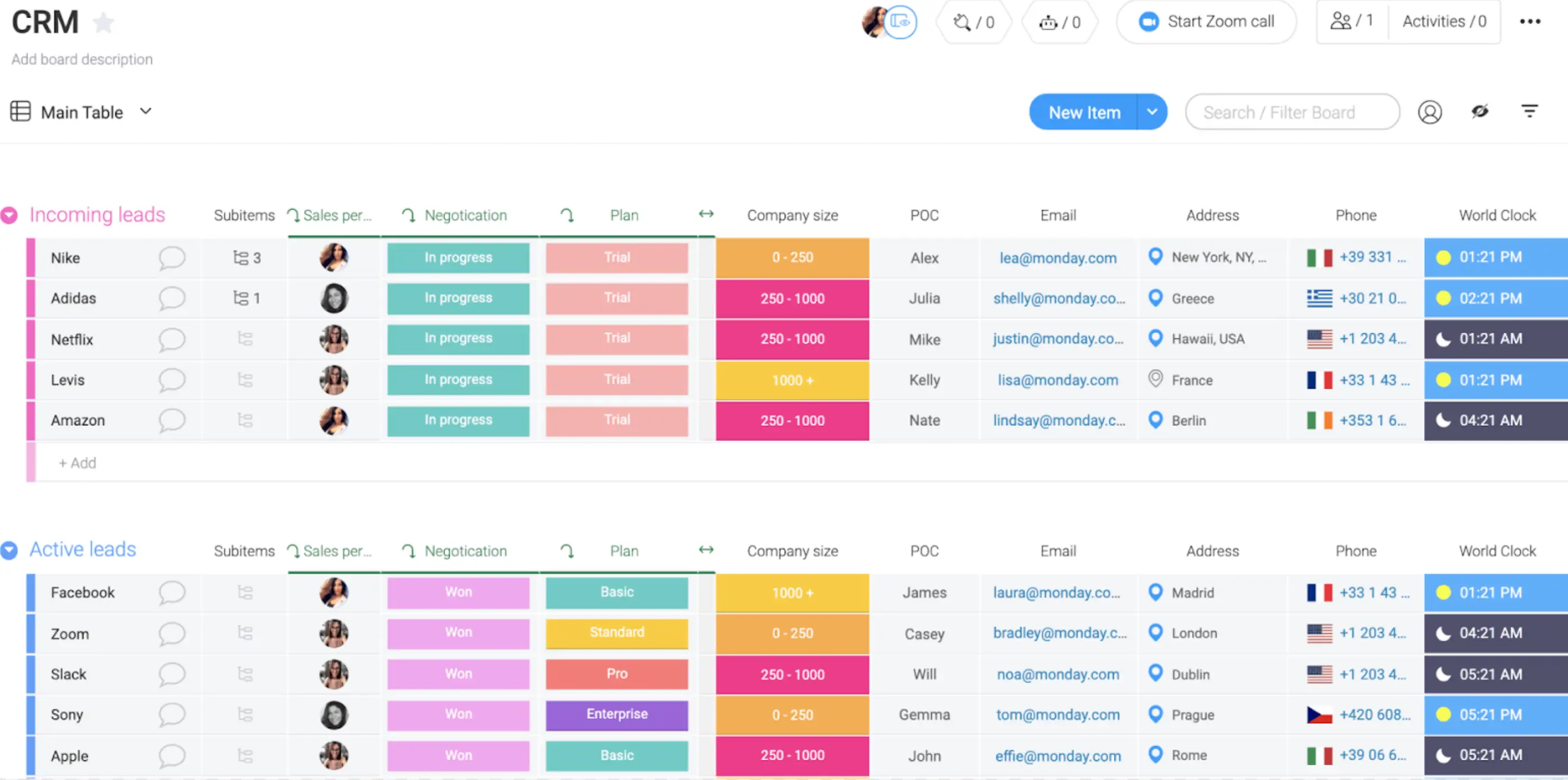
Strictly speaking, monday.com isn’t a marketing tool. But this project management platform is versatile enough to bend to the needs of your team, from CRM to client portals.
Pros and cons of using monday.com
Pros:
- Visual project tracking: Great for managing multiple clients at a glance.
- Good client-facing features: monday.com supports portals and dashboards.
- Loads of integrations: You can connect 200+ tools.
Cons:
- Not designed for marketing: So, you don’t get dedicated features.
- Per-user pricing scales quickly: If your team grows, so will your costs.
- Requires heavy setup: You’ll probably need to spend time configuring your workflow.
monday.com best features
- Visual project boards: Kanban, Gantt, timeline, and calendar views.
- Client portals: Share progress and updates with clients.
- Automation: Set up triggers for task assignments, notifications, status changes.
- Time tracking: Monitor hours spent on projects.
monday.com pricing
- Free plan for up to 2 users
- Paid plans from $9/user/month to $19/user/month
Who monday.com is best for
- Agencies and marketing teams managing client projects and deliverables.
Verdict: monday.com vs GoHighLevel
While monday.com and GoHighLevel serve different needs, there’s some overlap between them. monday.com is more for project and workflow management, while GoHighLevel is for marketing automation.
[.blog-callout]
If monday.com is where your data lives, Softr helps you turn that data into secure client portals, dashboards, and internal tools without extra seats or workarounds.
[.blog-callout]
Choose the right GoHighLevel alternative for your team
Choosing the right GoHighLevel alternative really comes down to how your agency works behind the scenes. If your day revolves around onboarding clients, sharing assets, keeping contractors aligned, and reporting on results (not just running funnels) you’ll need more than a marketing suite. You’ll need tools that help you deliver consistently, stay organized, and give every client a workspace that actually reflects your process.
That’s where platforms like Softr stand out. Instead of forcing your clients into preset funnel layouts or cloned snapshots, you can build the exact portals, dashboards, and workflows your services rely on. And because your data, permissions, and automations live in one place, scaling your delivery model becomes a lot simpler.
Frequently asked questions
Is GoHighLevel only for agencies?
What is better than GoHighLevel?
What is the most affordable white-label GoHighLevel alternative?
Can I migrate from GoHighLevel to another platform?
What's the best GoHighLevel alternative for building client portals?


