


10 best Pipedrive alternatives in 2026

Pipedrive is one of the most popular sales CRMs on the market, known for its clean visual pipelines, fast setup, and simple automation. But it isn’t perfect for every team. Maybe costs start rising as you add seats and essential add-ons. Maybe you need deeper reporting or marketing automation. Here are the best Pipedrive alternatives in 2026, covering both free and paid tools.
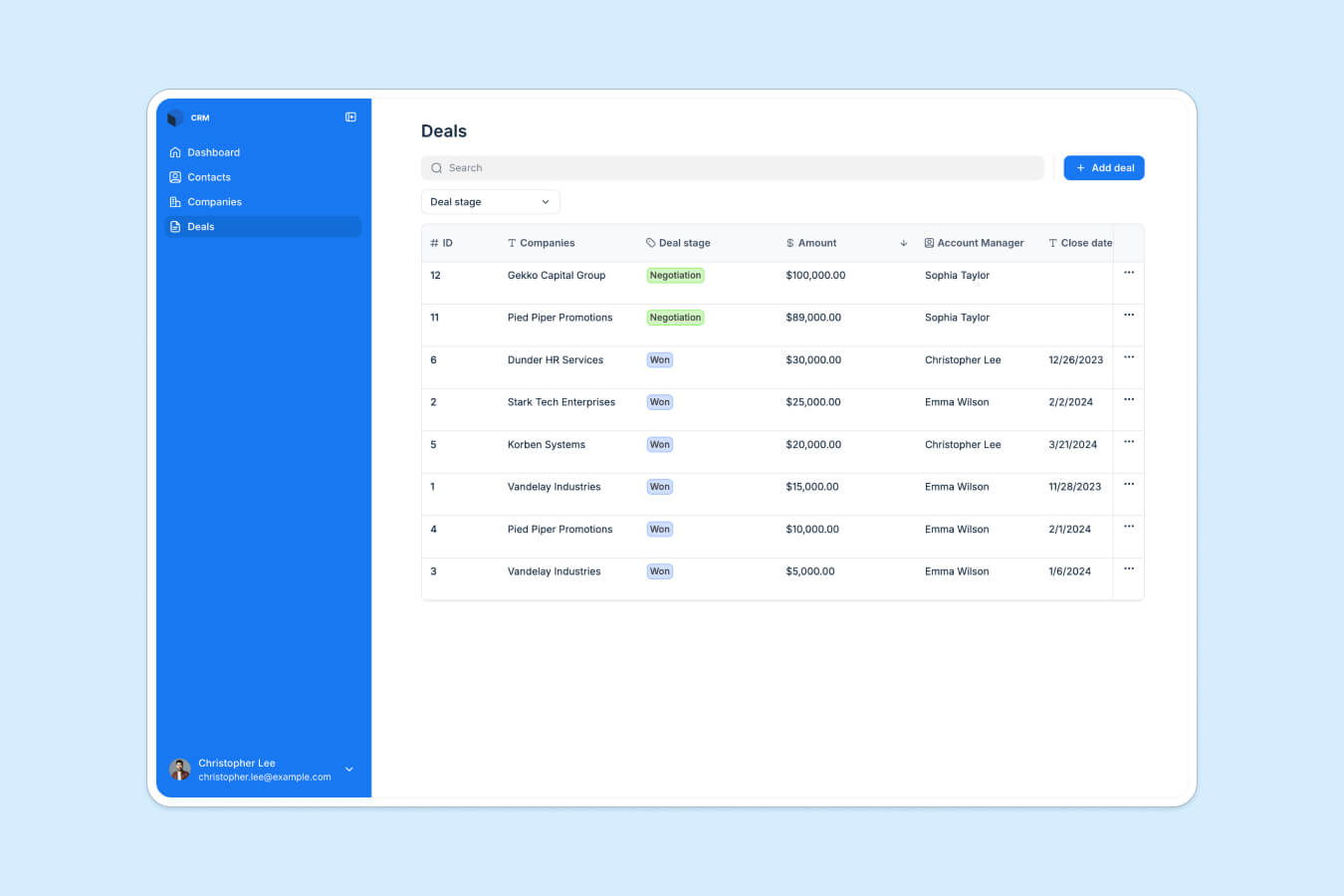
Best alternatives to Pipedrive at a glance
| Tool | Best for | Standout features | Pricing |
|---|---|---|---|
| Softr | Teams wanting a fully customizable, no-code CRM built on their existing data | • AI Co-Builder generates your CRM from a prompt • Build on Softr's native database, Airtable, Sheets, Notion, or SQL • Role-based permissions • Built-in AI and workflow automation • 90+ app templates (CRM, portal, workflows) | Free plan (up to 5 users) Paid from $19/mo |
| Salesforce Sales Cloud | Enterprise teams needing deep customization & large-scale automation | • Highly customizable objects & layouts • Advanced automation & approvals • Enterprise reporting & forecasting • Large AppExchange ecosystem | From ~$25/user/mo (Starter) Higher tiers for Pro/Enterprise |
| HubSpot CRM | Growing teams wanting sales + marketing tools in one platform | • Free CRM with contacts & deals • Email tracking & sequences • Sales, Marketing, Service & CMS Hubs • Large integration ecosystem | Free plan Paid Sales Hub from ~$20/user/mo |
| Zoho CRM | Cost-conscious teams wanting strong automation + multichannel outreach | • Zia AI assistant • Workflow automation & blueprints • Multichannel (email, phone, chat, social) • Highly customizable layouts/modules | Free for up to 3 users Paid from ~$14/user/mo |
| Close CRM | Outbound sales teams that rely on calling, SMS, and email sequences | • Built-in calling with power & predictive dialer • Native SMS + email sequences • Unified inbox for all outreach • Automated activity capture | No free plan From ~$49/user/mo Usage-based calling/SMS fees |
| Freshsales | Teams needing fast setup with built-in calling & email in one place | • Built-in phone, email & chat • Freddy AI lead scoring & insights • Visual deal pipelines • Simple automation & timelines | Free plan Paid from ~$12/user/mo |
| Copper CRM | Businesses operating entirely on Google Workspace | • Deep Gmail & Calendar integration • Automatic contact & activity capture • Visual drag-and-drop pipelines • Google Drive file linking | Paid from ~$29/user/mo 14-day free trial (no free plan) |
| Monday CRM | Teams prioritizing workflow visibility & cross-functional collaboration | • Visual boards for leads, deals & accounts • No-code “if this, then that” automations • Sales + projects in one workspace • Strong team collaboration tools | No free plan (only standard monday.com free plan) Paid from ~$12/seat/mo Standard & Pro tiers available |
| Vtiger CRM | Small teams wanting a budget-friendly all-in-one CRM | • Sales, marketing & support in one platform • “One View” 360° customer record • Built-in campaigns & help desk • Basic automation workflows | Paid from ~$12/user/mo 15-day free trial (no free plan) |
Why look for a Pipedrive alternative?

Pipedrive works well for many sales-led teams, but it’s not always the right fit as your needs grow. You might want to explore alternatives if:
1. You’re running into tiered pricing and add-on costs
Pipedrive’s base per-seat price looks affordable, but many core features (e.g., lead capture, email campaign tools, or document management) require paid add-ons or higher-tier plans. As your team grows, total costs can grow quickly.
2. You need built-in marketing or nurturing tools
Pipedrive is built for sales, not marketing. If you want multi-channel nurturing, campaign automation, or lead scoring in the same platform, you’ll likely need extra tools or add-ons.
3. Your workflows are more complex than a simple pipeline
If you need custom objects, multi-step approvals, onboarding workflows, or project/service delivery management, Pipedrive’s data model can feel too limited.
4. You want deeper automation and logic
The automation builder handles basics but lacks advanced conditions, branching logic, and behavior-based workflows. More complex processes often require workarounds or external automation tools.
5. Reporting isn’t telling you enough
Pipedrive’s dashboards are clean but relatively shallow. Detailed analytics, forecasting, cross-team visibility, and custom reporting usually require higher tiers or extra tools.
6. You’re scaling, and Pipedrive no longer stretches with you
As you add more users, more data, or more operational workflows beyond sales, Pipedrive’s narrow sales focus can force you into multiple tools or a full migration.
What to look for in a Pipedrive alternative
Choosing the best CRM software comes down to finding a system that supports your full workflow, not just your pipeline. Here are the key factors to evaluate before switching:
| Feature | Why it matters |
|---|---|
| Ease of setup and onboarding | Your team should be able to get started quickly without weeks of training or setup. Look for tools with intuitive onboarding, clear navigation, and templates that help you launch faster. |
| Pricing transparency as you scale | Many teams outgrow Pipedrive once add-ons and seats stack up. Choose a CRM with predictable costs, minimal hidden fees, and pricing that doesn’t balloon as your team or workflow needs expand. |
| Automation depth and workflow logic | If you rely heavily on follow-ups, handoffs, or multi-step processes, pick a CRM with strong automation capabilities—not just simple triggers, but branching logic, conditional workflows, and even AI agents to handle deeper reasoning tasks. |
| Reporting and analytics | Sales teams need more than basic dashboards. Look for CRMs that offer customizable reports, forecasting, and cross-team visibility without forcing you into the highest tiers. |
| Integrations with your existing tools | Your CRM should plug into your email, calendars, marketing tools, and other systems. Strong native integrations help eliminate manual work and reduce reliance on add-ons or third-party connectors. |
| Flexibility for sales and post-sale workflows | If you manage onboarding, delivery, invoicing, or customer success after the deal closes, choose a CRM that can support the full customer lifecycle, not just the sales pipeline. |
| Customization and data modeling | Sales processes aren't one-size-fits-all. Opt for a CRM that lets you tailor fields, objects, layouts, and pipelines to match your workflow, rather than forcing you into a rigid data structure. |
| Performance and scalability | As your team, records, or workflows grow, the CRM should keep up. Look for platforms that maintain speed and stability at higher volumes without forcing an upgrade. |
| Support and documentation | Responsive support, clear documentation, and an active community make a big difference, especially as your workflows become more complex or your team grows. |
1. Softr—best no-code Pipedrive alternative for building a customizable CRM on top of your own data
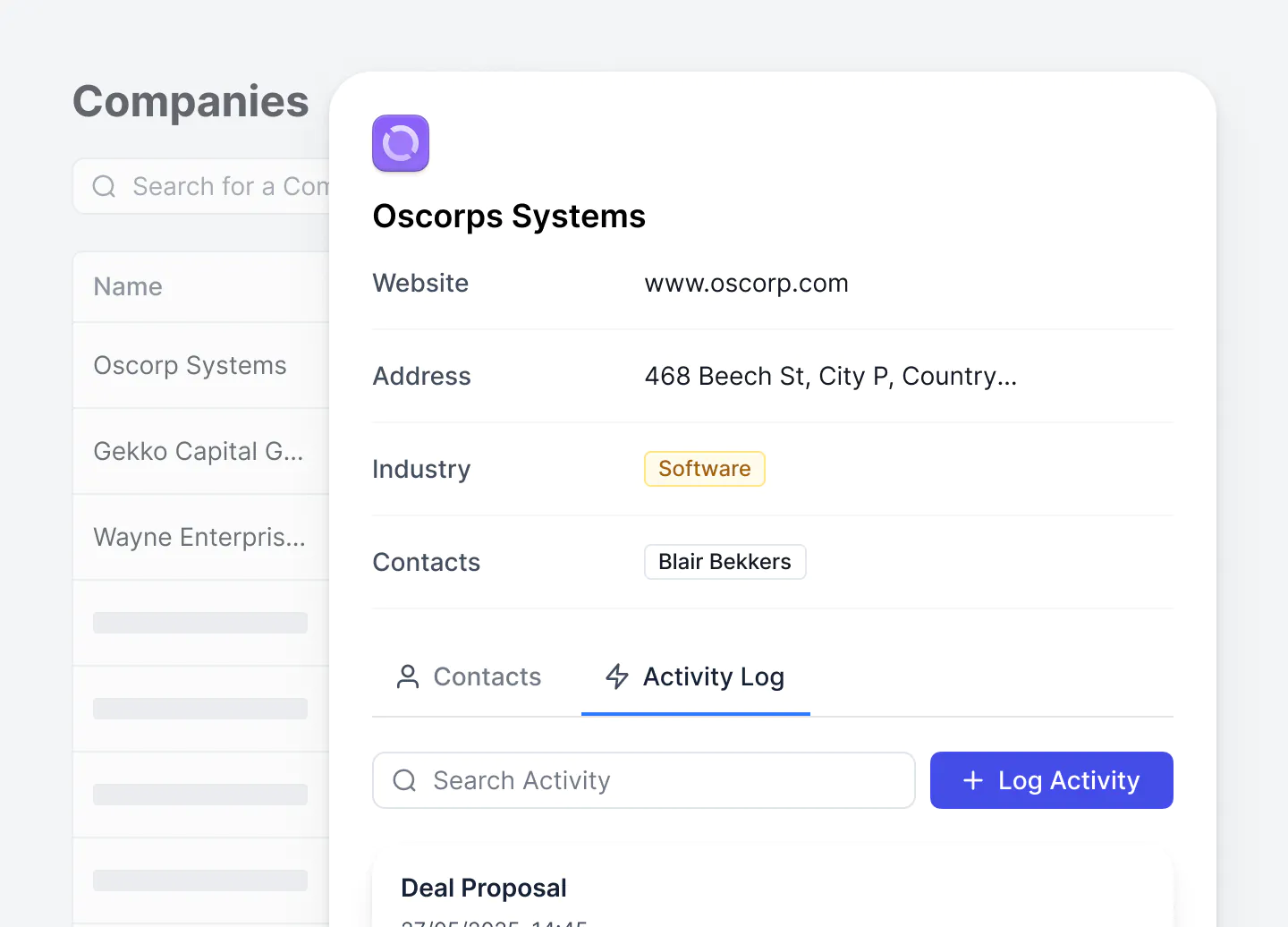
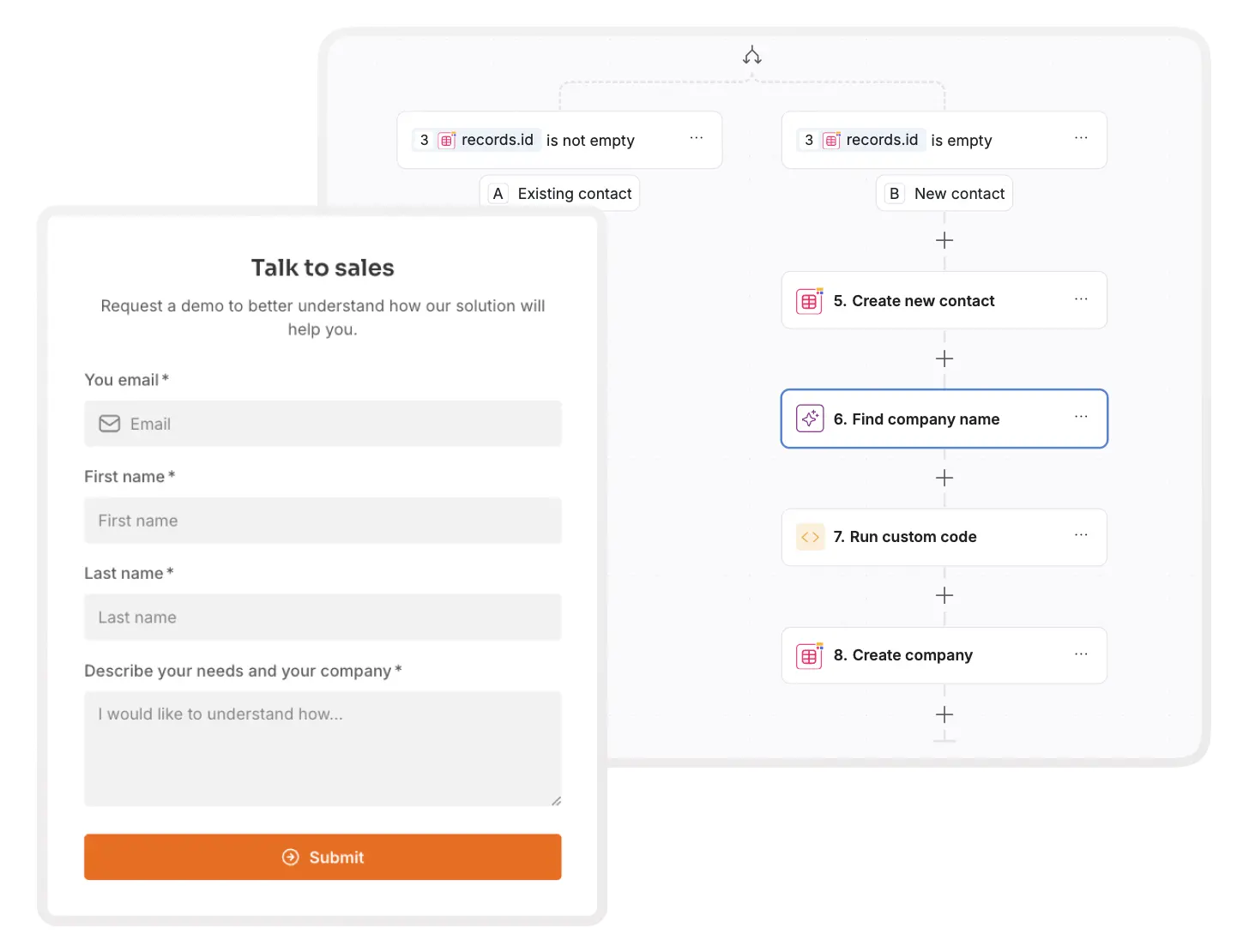
Softr is more than a CRM. It's a no-code platform that lets you build a fully customizable CRM on top of your data, whether that's Softr's own native database or data you already manage in Airtable, Notion, SQL, Google Sheets, Coda, or other sources. Instead of adapting your team's workflow to a rigid CRM structure, Softr lets you design the experience you need with drag-and-drop blocks, modern layouts, and clean views for deals, accounts, contacts, and pipelines.
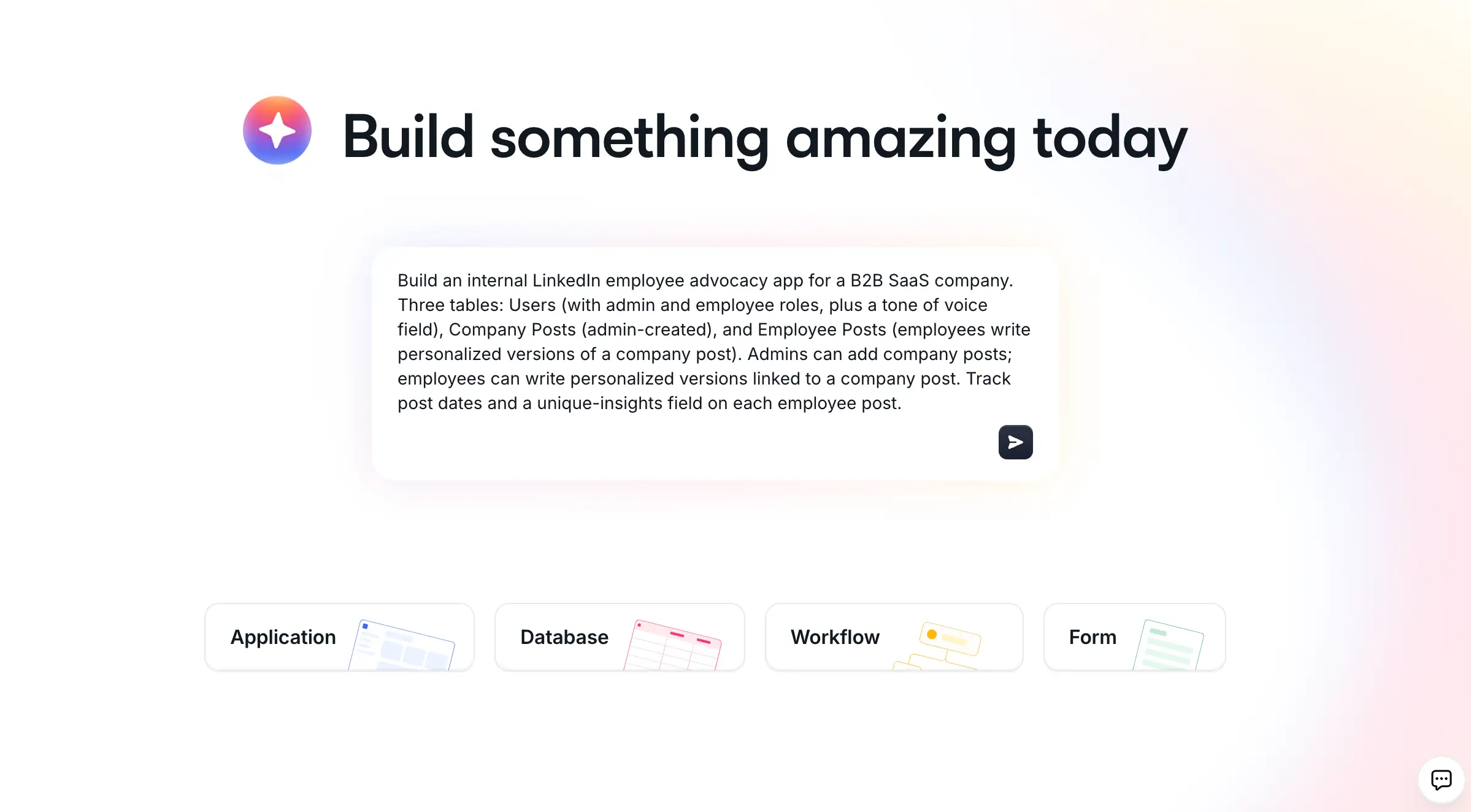
The fastest way to get started is to describe the CRM you want to the AI Co-Builder. It builds the database, pages, and permissions for you in minutes, already connected and ready to use. If you'd rather not start from a blank prompt, you can also launch from a ready-made Sales CRM template or build from scratch with full visual control.
Unlike Pipedrive, Softr doesn't rely on per-seat pricing or rigid plan tiers. And because Softr supports portals, dashboards, admin views, and secure internal and external access, you can manage the full customer lifecycle in one platform.
It's also one of the only platforms where you can extend your CRM into a no-code client portal, onboarding system, project tracker, or ticketing tool without switching apps or paying for multiple systems.
"It was intuitive to figure out. I was able to get a fully functional client portal working in a week with minimal prior coding experience. In roofing, there were not many good CRM options, except for one that cost thousands of dollars a month. Instead, I used Softr to build our own CRM that rivals the expensive ones. I do not pay for features I will not use, and simply build the ones I want, exactly how I want them." - Verified user, Construction (small business), G2 review
Pros and cons of using Softr
Pros:
- AI Co-Builder generates your CRM's database, pages, and permissions from a plain-language prompt
- Modern drag-and-drop builder with 90+ templates for CRMs, portals, dashboards, and workflows, plus a Vibe Coding block for any custom UI the pre-built blocks don't cover
- Build a CRM on top of Softr's native database, or 21+ external sources (Airtable, Sheets, Notion, SQL, Coda, ClickUp, monday.com, and more), combining them as you need
- No per-seat pricing; flat-rate pricing with clear user limits
- Custom user groups and granular permissions for secure internal and client access
- Automate workflows, from sending emails to qualifying leads or enriching data
- Extend your CRM into ops tools like onboarding portal, ticketing, project management, or inventory tracker
- Query CRM data and receive permission-aware answers with Ask AI
Cons:
- Not a traditional out-of-the-box CRM: you build the views and logic you want (templates and the AI Co-Builder help accelerate setup)
- Native marketing automation is limited; connect Mailchimp, Make, or Zapier, or use Softr Workflows to create your own email workflows.
Softr key features
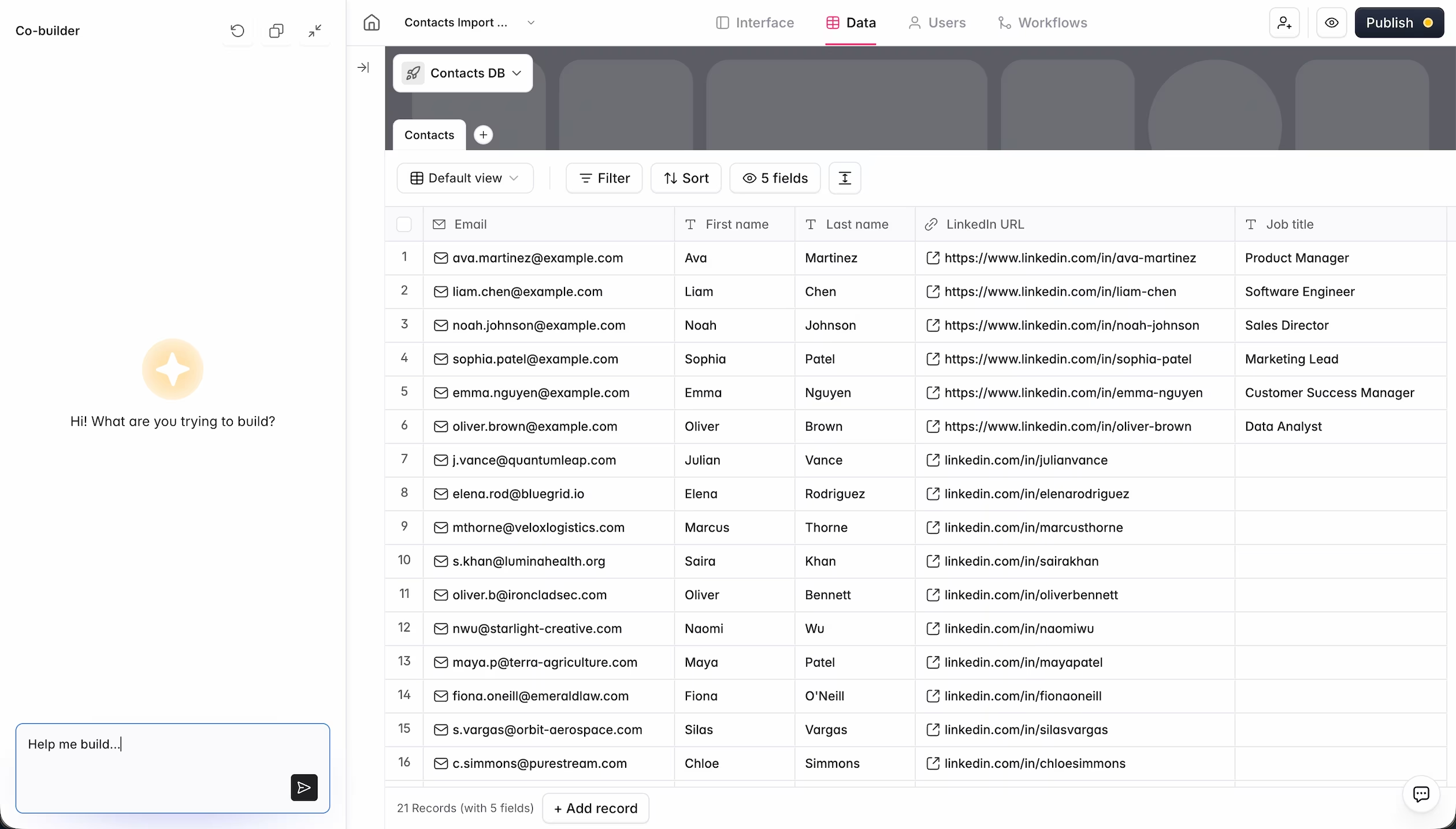
- Data flexibility: Build on Softr's own native database, or connect to Airtable, Google Sheets, HubSpot, Notion, monday.com, BigQuery, SQL databases, and more. Softr supports 21+ data sources, including a REST API connector for almost anything else.
- Database AI Co-Builder: Describe the tables, fields, and relationships you need and the AI Co-Builder generates your schema, or build it manually in the visual database editor. As Softr co-founder Mariam Hakobyan puts it, "If you use the AI Co-Builder to generate the database, you can trust that you are in the top 10% of database design already."
- Role-based permissions: Set granular view and edit access for admins, reps, clients, contractors, or partners
- Lead tracking: Integrate with your existing data sources and marketing tools to bring in captured lead data.
- Account & contact management: Create drag-and-drop pipelines, activity logs, and custom views for customer contact details, interaction details, transaction records, and deal status.
- Dashboards & reporting: Build real-time dashboards for deals, rep activity, pipeline health, and ops.
- Built-in forms: Create advanced lead capture forms with conditional logic and embed them in your website. Or use forms to create a ticketing system for your CRM to ensure customer issues are logged, tracked, and managed quickly.
- Ask AI: Toggle on an AI chat assistant for querying CRM data with secure, permission-aware answers.
- Workflow AI Co-Builder: Describe the automation you need (like enriching a new lead's company profile, or notifying a rep when a deal goes cold) and the AI Co-Builder builds the Softr Workflow logic for you.
Softr pricing
Softr offers flat, predictable pricing plans so you always know what you’ll pay each month.
Pricing:
- Free, $0/month: Unlimited apps and forms for up to 3 builders, with access to Softr Workflows and Softr Databases, 5 app users, 5,000 records, and 5 AI credits.
- Basic, $19/month: Unlimited apps with 42+ integrations, Team: 5 + Client: 5 app users, 50,000 records, and 10 AI credits/month.
- Pro, $99/month: Unlimited apps with 45+ integrations and custom code, Team: 10 + Client: 50 app users, 500,000 records, custom user groups, and 50 AI credits/month.
- Business, $329/month: Unlimited apps with 52+ integrations, Team: 30 + Client: 100 app users, 1M records, custom user groups (up to 10), advanced integrations (HubSpot, SQL databases, REST APIs), and 100 AI credits/month.
- Enterprise (custom pricing): Everything in Business plus custom workflow execution limits & run history, unlimited workflows & steps, SSO (SAML/OpenID), custom billing, a dedicated success manager, and team training.
Why it’s better than Pipedrive pricing
Pipedrive’s per-seat pricing and add-on costs (LeadBooster, Campaigns, Web Visitors, Smart Docs, etc.) can make the total cost unpredictable. Softr uses flat, predictable pricing with clear user limits, making Softr significantly more cost-effective for SMBs that need to collaborate across sales, ops, and client-facing teams.
Who Softr is best for
Teams that want a CRM they can fully customize without code, especially agencies, service companies, B2B teams, professional services, HR/recruitment, and operations-heavy SMBs. It’s ideal if you want to combine a CRM with client-facing portals and other internal tools (project management, inventory tracking, knowledge base) without juggling multiple licenses.
Verdict: Softr vs Pipedrive
Choose Softr if you want a CRM you can tailor to your workflows and build on top of your data, with no per-seat fees and the ability to expand into other tools and functionality. Pipedrive is simpler for basic sales pipelines, but Softr outperforms it on flexibility, customization, and scalability.
2. Salesforce Sales Cloud — best for enterprise-grade scalability and customization

Salesforce Sales Cloud is the most established enterprise CRM on the market, built for teams that need deep customization, advanced automation, and visibility across complex sales operations. It’s powerful, extensible, and capable of supporting high-volume sales processes at scale.
Pros and cons of using Salesforce
Pros:
- Highly customizable data model with custom objects, layouts, flows, and permissions
- Robust automation engine with advanced process builder and workflow rules
- Deep reporting and forecasting tools built for multi-team sales orgs
- Massive integration ecosystem via AppExchange
- Enterprise-level security, compliance, and role-based access
Cons:
- Steep learning curve without a dedicated RevOps or admin resource
- Pricing increases quickly as you add users, automations, and advanced features
- Can feel overly complex for SMBs or simple sales processes
Salesforce key features
- Custom objects & layouts: Model complex sales or post-sale workflows
- Advanced automation: Flows, approvals, and multi-step workflows
- Enterprise reporting: Custom dashboards, forecasting, and revenue analytics
- AppExchange ecosystem: Thousands of integrations and add-ons
- Omnichannel communication: Email, phone, chat, and service tools
- Team collaboration tools: Notes, tasks, shared views, and pipeline visibility
Salesforce pricing
Pricing (billed annually):
- Starter Suite: ~$25/user/month
- Professional: ~$100/user/month
- Enterprise: ~$175/user/month
- Unlimited & Unlimited+: Higher tiers with advanced automation, AI, and support
A 30-day free trial is typically available.
Who Salesforce is best for
Mid-sized to enterprise organizations that need rigorous customization, advanced automation, and end-to-end visibility across sales, service, and operations. Ideal for teams with complex processes and the budget/resources to manage a scalable CRM infrastructure.
Verdict: Salesforce vs Pipedrive
Salesforce is the stronger choice for complex, scaling organizations that need deep customization, multi-team workflows, and enterprise reporting. Pipedrive remains simpler and easier for small sales teams.
3. HubSpot CRM — best for teams wanting an all-in-one sales and marketing ecosystem

HubSpot CRM is one of the most popular Pipedrive alternatives because it brings sales, marketing, and customer service tools into a single, unified platform. You can start free, then layer on automation, email marketing, reporting, and service tools as you need them.
Pros and cons of using HubSpot
Pros:
- Generous free CRM with contacts, deals, tasks, and email tracking
- Intuitive interface with minimal setup and fast onboarding
- Wide ecosystem spanning Sales, Marketing, Service, CMS, and Operations
- Strong automation and sequences on higher tiers
- Large marketplace of integrations third-party apps
Cons:
- Pricing scales quickly when you unlock automation or advanced reporting
- Some key features (custom objects, predictive scoring, advanced permissions) sit behind higher-paid plans
- Can feel overwhelming if you don’t need the full ecosystem
HubSpot key features
- Free CRM: contacts, deals, pipelines, and basic reporting
- Sales automation: sequences, lead scoring, and task automation
- Marketing integration: landing pages, email campaigns, and forms (Marketing Hub)
- Meeting and email tools: templates, scheduling links, and email tracking
- Custom reporting dashboards: deeper analytics available on paid tiers
HubSpot pricing
Pricing (billed annually):
- Free plan: unlimited users, basic CRM
- Sales Hub Starter: ~$20/user/month
- Sales Hub Professional: ~$90/user/month
- Sales Hub Enterprise: ~$150/user/month
Marketing, Service, and CMS Hubs are sold separately, and adding multiple hubs increases total cost.
Who HubSpot is best for
Startups and scaling SMBs that want a free CRM to begin with and a clear path into sales automation, marketing automation, or customer support as they grow. Ideal for teams who prefer an all-in-one platform rather than stitching together multiple tools.
Verdict: HubSpot vs Pipedrive
HubSpot is a stronger choice if you want sales + marketing + service under one roof, or if you plan to scale into automation and multi-channel campaigns. Pipedrive remains more affordable and simpler for pure sales teams, but HubSpot outperforms it in versatility and long-term scalability.
[.blog-callout]
💡 Bring your HubSpot data into Softr with real-time sync.
Build secure portals and tools on top of HubSpot without sharing full CRM access or paying for extra seats.
[.blog-callout]
4. Zoho CRM — best for teams wanting affordable automation in the Zoho ecosystem

Zoho CRM is a flexible, budget-friendly CRM with strong workflow automation, multichannel communication, and built-in AI assistance. It offers far more customization than Pipedrive at a lower entry cost, making it a strong mid-market option.
Pros and cons of using Zoho CRM
Pros:
- Built-in AI assistant (Zia) for predictions, sentiment analysis, and recommendations
- Powerful automation and workflow builder for lead assignment, follow-ups, and scoring
- Highly customizable modules, fields, and layouts
- Multichannel communication (email, phone, chat, social)
- Affordable plans with strong functionality for SMBs
Cons:
- UI can feel dated or cluttered compared to more modern CRMs
- Steeper learning curve for new users or non-technical teams
- Some advanced features (AI, advanced analytics, multi-user portals) live on higher tiers
Zoho CRM key features
- Zia AI: predictive scoring, sentiment analysis, and intelligent suggestions
- Workflow automation: rules, macros, blueprints, and assignment logic
- Customizable data model: custom modules, fields, pipelines, and page layouts
- Multichannel outreach: email, chat, phone, SMS, and social media
- Reporting & forecasting: dashboards, KPIs, and quota management
Zoho CRM pricing
Pricing (billed annually):
- Free plan: up to 3 users
- Standard: ~$14/user/month
- Professional: ~$23/user/month
- Enterprise: ~$40/user/month
- Ultimate: ~$52/user/month
All plans include a free trial.
Who Zoho CRM is best for
Small and mid-sized teams that want strong automation, multichannel communication, and AI insights without enterprise pricing. Great for teams that have outgrown Pipedrive’s simplicity but don’t want the overhead of a tool like Salesforce.
Verdict: Zoho CRM vs Pipedrive
Zoho offers deeper automation, AI assistance, and customization at a lower cost, making it a better fit for teams that want more power and flexibility. Pipedrive still wins on simplicity, UI, and onboarding speed, but Zoho could be a longer-term system for growing organizations.
5. Salesmate — best for small businesses that want built-in calling, texting, and simple automation
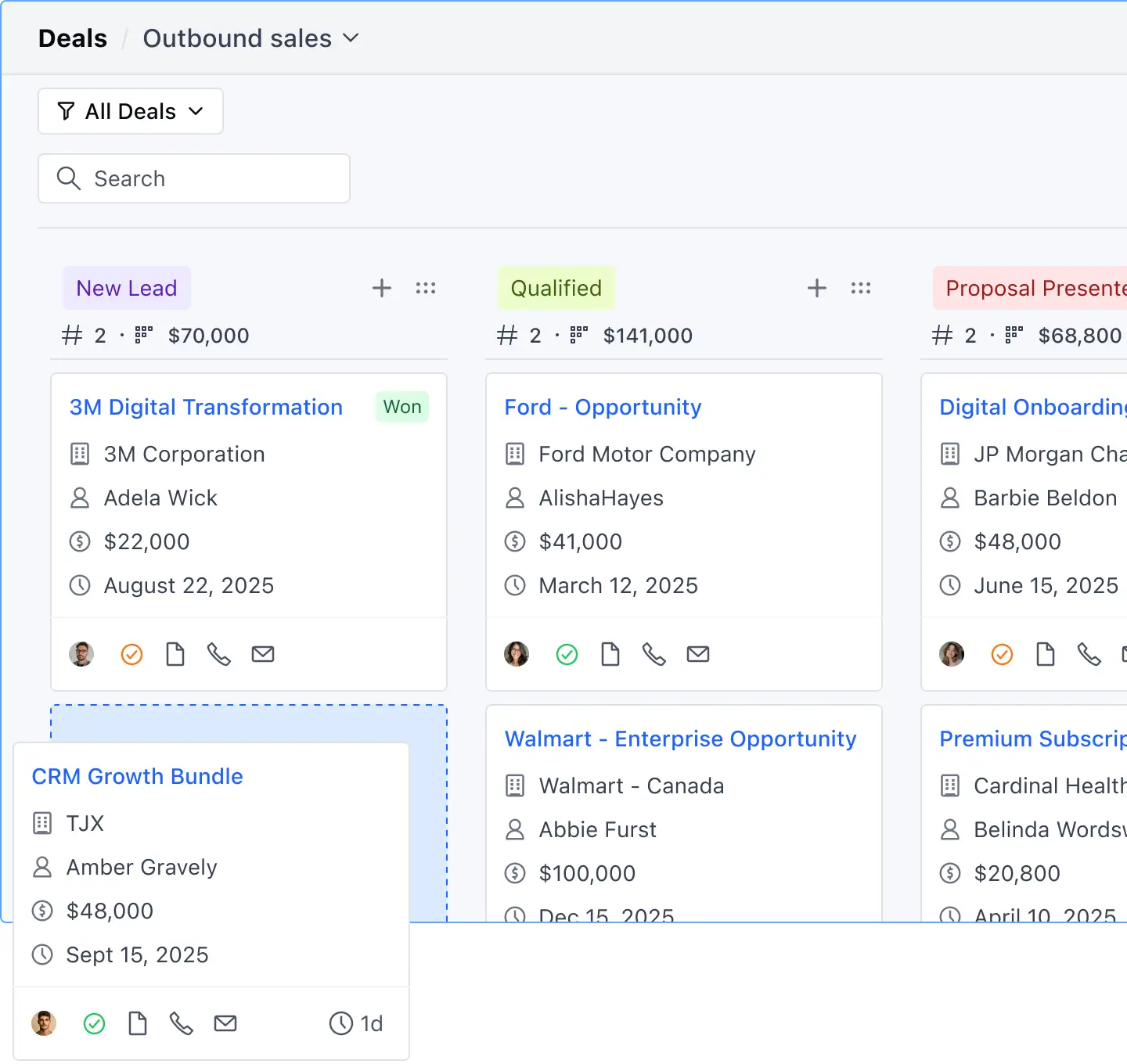
Salesmate is a lightweight, easy-to-use CRM designed for small teams who want built-in communication tools and straightforward automation. It focuses on helping sales reps follow up, engage leads, and move deals forward without needing complex setup or external add-ons.
Pros and cons of using Salesmate
Pros:
- Clean, intuitive interface ideal for small teams and sales reps
- Built-in calling, texting, and email tools—no extra apps needed
- Visual automation journeys for follow-ups and lead nurturing
- Fast setup with minimal configuration required
Cons:
- Reporting depth is limited compared to enterprise-grade CRMs
- Fewer advanced features and customization options than Zoho, HubSpot, or Salesforce
- Not ideal for complex workflows or large, multi-team organizations
Salesmate key features
- Built-in communication: call, text, and email directly from the CRM
- Sales automation journeys: visual workflows for follow-ups and lead actions
- Deal & activity tracking: clean pipelines with reminders and notifications
- Shared inbox: centralizes team communication
Salesmate pricing
Pricing (billed annually):
- Starter: ~$23/user/month
- Pro: ~$39/user/month (adds sequences and team features)
- Business: ~$63/user/month
- Enterprise: custom pricing
A 15-day free trial is available.
Who Salesmate is best for
Small businesses and lean sales teams that want a simple CRM with built-in calling and texting, basic automation, and quick onboarding. Particularly useful for teams without a dedicated operations or RevOps function.
Verdict: Salesmate vs Pipedrive
Salesmate offers stronger built-in communication tools than Pipedrive, while Pipedrive has better marketplace integrations and more mature reporting. Salesmate could be a better choice for small teams that want a unified call/text/email workflow without extra apps.
6. Close CRM — best for outbound sales teams that want built-in calling, SMS, and email sequences

Close is a sales engagement-focused CRM built specifically for inside sales and outbound teams. It replaces the “CRM + calling + email outreach + SMS tool” stack with one unified platform that reps can actually work from without switching tabs.
Pros and cons of using Close
Pros:
- Built-in calling with power dialer, predictive dialer, and voicemail drops
- SMS and email sequences included natively (no add-ons required)
- Automated activity capture from email, phone, and SMS
- Fast UI designed for reps who make a high volume of calls
- Excellent for lead follow-up and outbound workflows
Cons:
- Limited customization compared to broader CRMs
- Not ideal for complex post-sale processes or service teams
- Pricing scales with calling/SMS usage
- No large ecosystem like HubSpot or Salesforce
Close CRM key features
- Power dialer & predictive dialer: automate calls and reach more leads faster
- Built-in SMS: send and automate texts directly in sequences
- Email sequences: nurture leads with automated follow-ups
- Unified inbox: centralize all outreach channels in one interface
- Smart search & lead views: quick access to leads, tasks, and past activity
Close CRM pricing
Pricing (billed annually):
- Startup: ~$49/user/month
- Professional: ~$99/user/month (adds sequences + predictive dialer)
- Enterprise: ~$149/user/month (advanced permissions + custom roles)
A 14-day free trial is available. Calling and SMS have usage-based fees depending on region.
Who Close CRM is best for
Outbound-heavy sales teams—including agencies, SaaS startups, sales reps, and SDR teams—who rely on phone, SMS, and email as their primary activity channels. Ideal if you want sales engagement + CRM in a single tool without needing extra plugins.
Verdict: Close CRM vs Pipedrive
Close is the stronger choice for outbound sales teams that rely on calling and sequences, offering native tools Pipedrive only provides through add-ons. Pipedrive remains better for pipeline management with broad integrations, but Close wins on productivity for reps who need high-volume outreach in one place.
7. Copper CRM — best for teams that run on Google Workspace
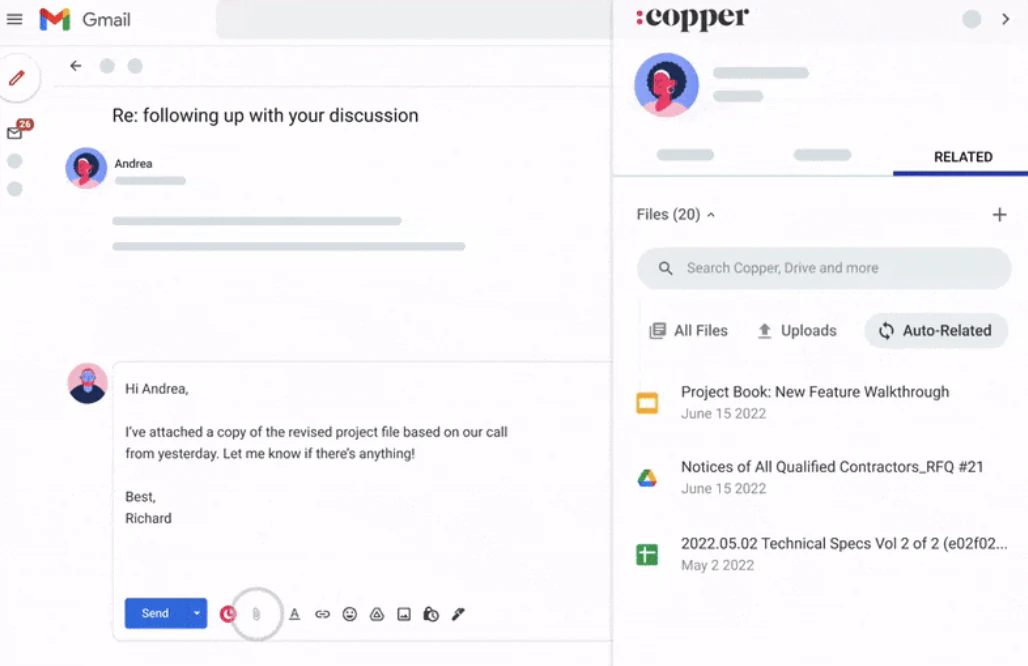
Copper CRM is built specifically for Google Workspace users. Instead of jumping between tabs, Copper lives inside Gmail and Google Calendar, automatically capturing contacts, emails, and meeting activity. It’s one of the most seamless options for teams whose workflows already revolve around Google tools.
Pros and cons of using Copper CRM
Pros:
- Deep, native integration with Gmail, Calendar, and Drive
- Automatic data capture pulls in contacts and communication history
- Visual, drag-and-drop pipelines similar to Pipedrive
- Clean, user-friendly UI that mirrors the simplicity of Google Workspace
Cons:
- Limited integrations outside the Google ecosystem
- Less customizable than larger CRMs like Zoho or Salesforce
- Reporting and automation tools are more basic compared to full-featured CRMs
Copper CRM key features
- Gmail & Calendar integration: work directly inside your inbox
- Automatic contact enrichment: adds emails, meetings, and activity to profiles
- Visual pipelines: simple drag-and-drop stages for deals
- Workflow automations: basic triggers to reduce manual tasks
- Google Drive file management: attach Docs, Sheets, and presentations to records
Copper CRM pricing
Pricing (billed annually):
- Basic: ~$29/user/month
- Professional: ~$69/user/month (adds email sequences + reporting)
- Business: ~$129/user/month (more automation + connected records)
A 14-day free trial is available.
Who Copper CRM is best for
Startups, agencies, and service businesses that live in Gmail and Google Calendar. Ideal for teams that want a simple, low-friction CRM that doesn’t require training or toggling between multiple apps.
Verdict: Copper CRM vs Pipedrive
Choose Copper if your entire workflow already runs through Google Workspace and you want a CRM that feels invisible. Pipedrive offers broader integrations and more advanced automation, but Copper is far more seamless for teams that don’t want to leave Gmail.
8. Freshsales — best for fast setup with built-in phone, email, and AI insights
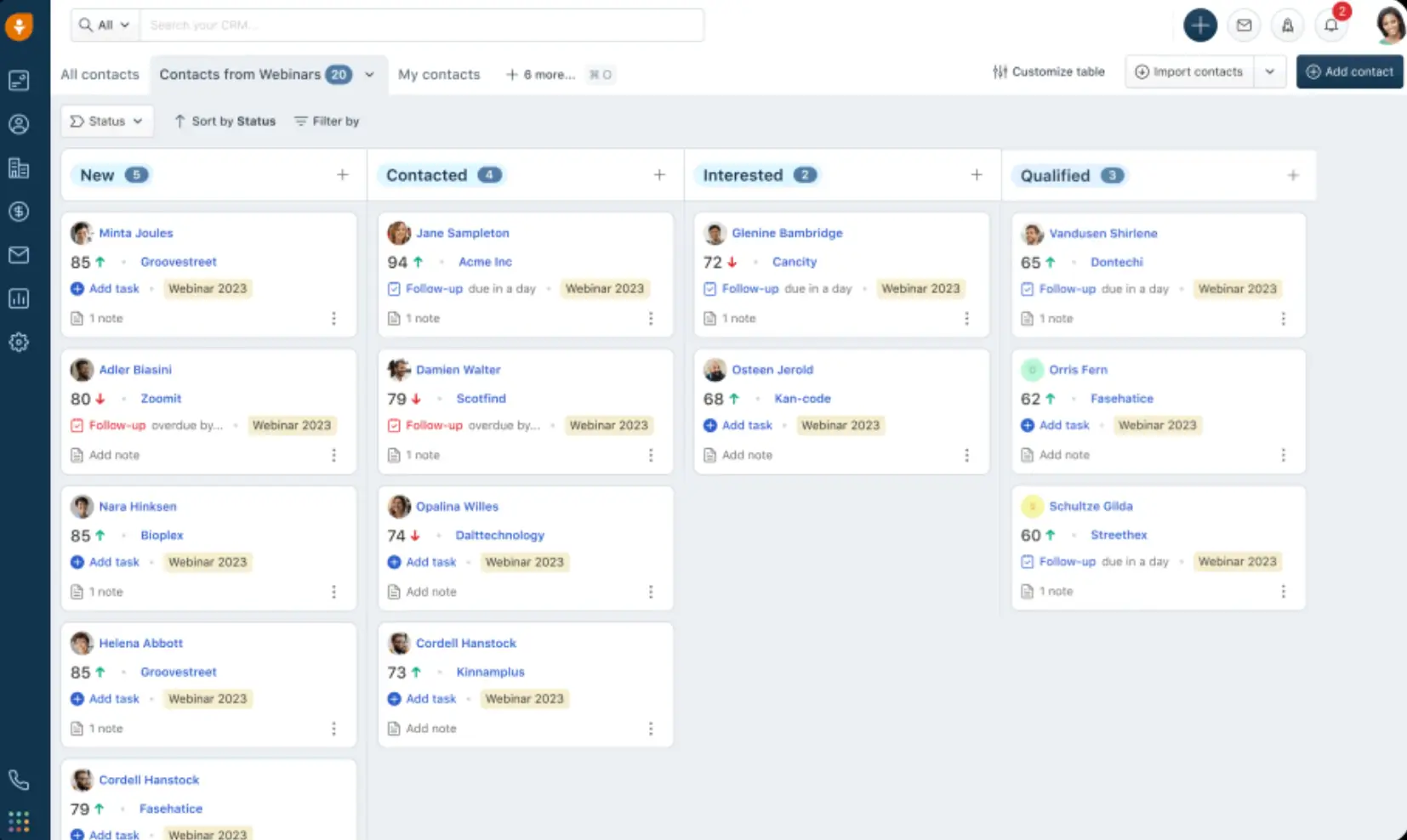
Freshsales is a user-friendly CRM built for teams that want quick onboarding and strong built-in communication tools. With native phone, email, chat, and AI-powered scoring, it’s a compelling option for businesses that need a simple, modern CRM without complex setup or heavy configuration.
Pros and cons of using Freshsales
Pros:
- Easy onboarding with minimal setup required
- Built-in phone, email, and chat tools—no external telephony apps
- Freddy AI for lead scoring, deal insights, and automated follow-ups
- Clean, modern interface suited for first-time CRM users
- Affordable plans for small to mid-sized teams
Cons:
- Customization options are more limited than Salesforce, Zoho, or Softr
- Reporting and analytics depth can feel basic for larger sales orgs
- Some advanced features sit on higher-tier plans
Freshsales key features
- Freddy AI: lead scoring, deal predictions, and automated follow-ups
- Built-in phone & email: call recording, SMS, and email tracking
- Visual deal pipelines: drag-and-drop stages for simple sales workflows
- Easy automation: basic triggers for tasks, reminders, and notifications
- Contact & activity tracking: unified timeline of communication
Freshsales pricing
Pricing (billed annually):
- Free plan available (basic CRM)
- Growth: ~$12/user/month
- Pro: ~$39/user/month
- Enterprise: ~$69/user/month
A 21-day free trial is available.
Who Freshsales is best for
Small teams, startups, and first-time CRM users that want an easy-to-learn CRM with built-in calling and email tools. Ideal if you need quick setup and modern AI assistance without managing a complex system.
Verdict: Freshsales vs Pipedrive
Freshsales is a better fit than Pipedrive if you want built-in telephony, chat, and AI-powered insights without relying on add-ons. Pipedrive remains slightly cleaner for pure sales pipeline management, but Freshsales wins on communication tools, onboarding speed, and all-in-one simplicity.
9. Monday Sales CRM — best for teams that want workflow visibility and cross-functional collaboration
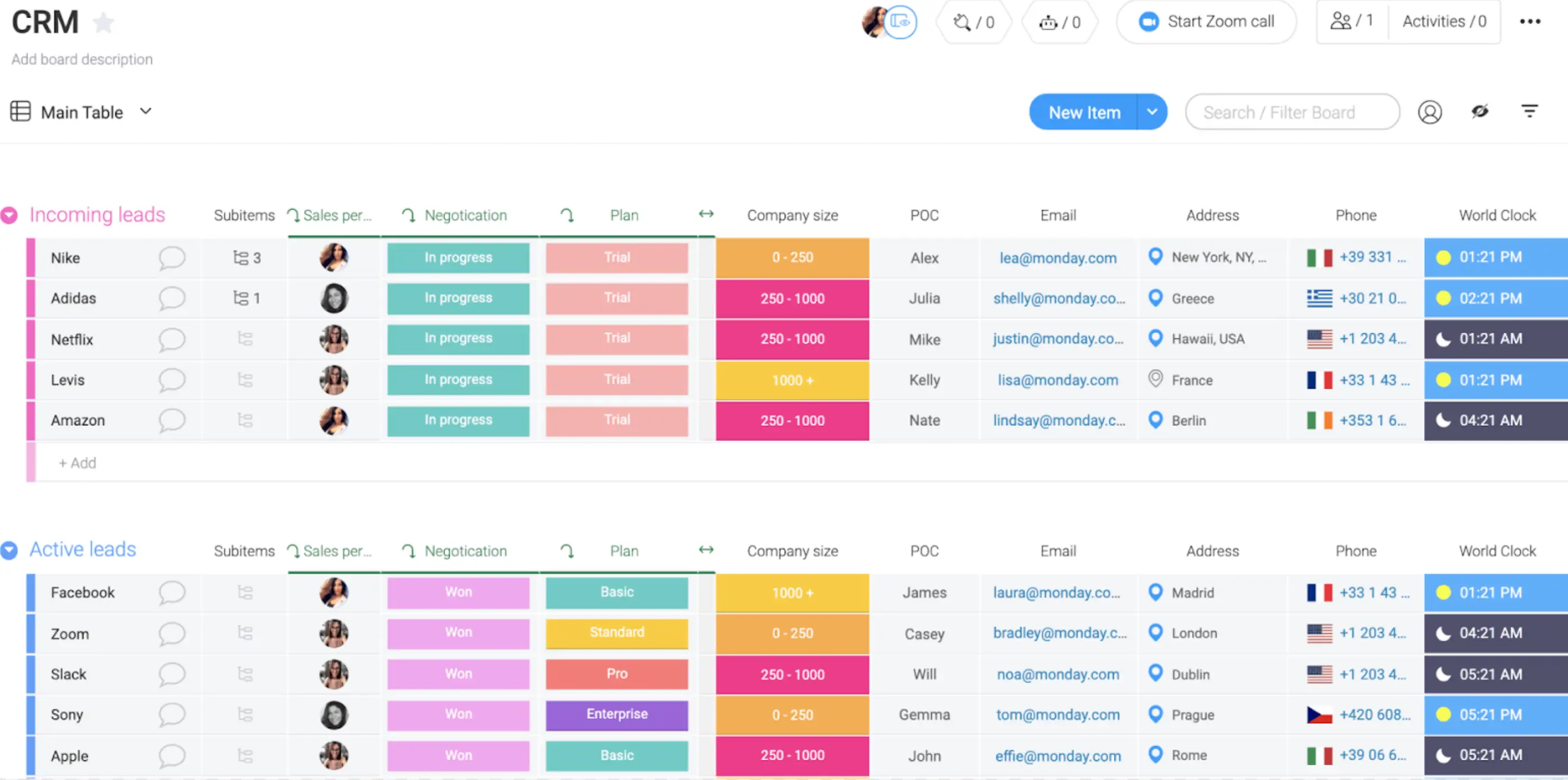
Monday Sales CRM extends the familiar monday.com project management experience into sales workflows. It’s highly visual, flexible, and ideal for teams that want to manage leads, deals, tasks, and projects in one collaborative workspace.
Because it sits on top of monday’s boards, it’s especially strong for organizations where sales needs to stay aligned with ops, marketing, or delivery teams.
Pros and cons of using Monday Sales CRM
Pros:
- Highly visual boards make pipeline and task progress easy to understand
- Simple, no-code automations streamline follow-ups and handoffs
- Strong collaboration tools for cross-functional teams
- Flexible structure that adapts to different workflows (sales + projects + ops)
Cons:
- Reporting and forecasting are more limited than in dedicated CRMs
- Not ideal for complex sales processes or large sales orgs
- Customization depth is capped by Monday’s board-based structure
Monday Sales CRM key features
- Customizable boards: manage leads, deals, accounts, and tasks visually
- Automations: “if this, then that” workflows for reminders and follow-ups
- Collaboration tools: comments, file sharing, updates, and activity logs
- Multiple pipelines: separate workflows for different sales motions
- Integrations: connect Slack, Gmail, Outlook, Zoom, and more
Monday Sales CRM pricing
Pricing (billed annually):
- Basic: ~$12/seat/month
- Standard: ~$17/seat/month
- Pro: ~$28/seat/month
- Enterprise: custom pricing
A free trial is available for all paid plans.
Who Monday Sales CRM is best for
Teams that want a lightweight CRM with strong workflow visibility and collaboration features. It’s especially useful for businesses already using monday.com for project management or operations.
Verdict: Monday Sales CRM vs Pipedrive
Monday is a strong fit if you need collaboration across teams and prefer a visual, flexible workspace. Pipedrive still offers better pipeline-specific reporting and sales automation, but Monday wins when you want sales to operate alongside project delivery and operations in one platform.
[.blog-callout]
If monday.com is where your data lives, Softr helps you turn that data into secure client portals, dashboards, and internal tools without extra seats or workarounds.
[.blog-callout]
10. Vtiger CRM — best for small teams wanting a budget-friendly all-in-one CRM

Vtiger CRM combines sales, marketing, and customer support tools into a single affordable platform. It’s designed for SMBs that want the essentials of an all-in-one CRM—pipelines, email campaigns, ticketing, and reporting—without the high price tag of larger platforms.
Pros and cons of using Vtiger CRM
Pros:
- Affordable entry-level pricing compared to most CRMs
- All-in-one platform with sales, marketing, and support modules
- “One View” record system centralizes customer data in one place
- Solid feature depth for small teams (campaigns, pipelines, help desk)
Cons:
- Interface feels older and less modern than peers like Monday or Freshsales
- Not as customizable as Zoho or Salesforce
- Advanced features (AI, deeper automation) live on higher plans
- Smaller integration ecosystem
Vtiger key features
- One View: unified customer record across sales, marketing, and support
- Sales pipelines: track deals, tasks, and follow-ups
- Marketing tools: email campaigns, lead scoring, landing pages
- Help desk: ticketing and case management built into the CRM
- Automations: basic workflows to streamline repetitive tasks
Vtiger CRM pricing
Pricing (billed annually):
- Standard: ~$12/user/month
- Professional: ~$30/user/month
- Enterprise / One AI: ~$42–$50/user/month depending on features
A 15-day free trial is available.
Who Vtiger CRM is best for
Small businesses that want an affordable CRM with built-in marketing and help desk tools, and care less about interface design. Ideal for teams that want an all-in-one suite without the complexity or cost of larger platforms.
Verdict: Vtiger CRM vs Pipedrive
Vtiger is more affordable and offers broader functionality (marketing + support) than Pipedrive. Pipedrive still wins for ease of use and cleaner sales pipelines and UI, but Vtiger delivers better value if you want a budget-friendly, multi-function CRM in one place.
Choose the best Pipedrive alternative for your team
When comparing Pipedrive alternatives, focus on what matters most to your sales and operations teams: ease of setup, predictable pricing, workflow automation, and reporting you can rely on as your pipeline grows. It also helps to consider how much flexibility you need, especially if your process doesn’t fit neatly into a predefined sales pipeline.
If you want something more adaptable than a traditional CRM, a platform you can shape around your workflow and extend into portals, onboarding tools, or internal operations, then Softr is worth a closer look.
You can describe the CRM you need to the AI Co-Builder and get a working app in minutes, or connect your existing data in Airtable, Google Sheets, Notion, SQL, and more and use Softr's building blocks (Lists, Tables, Charts, Kanbans) to design a CRM that fits the way your team actually works. You can even add built-in automations with Softr Workflows, and an AI chat assistant to query your CRM data and get instant, permission-aware answers.
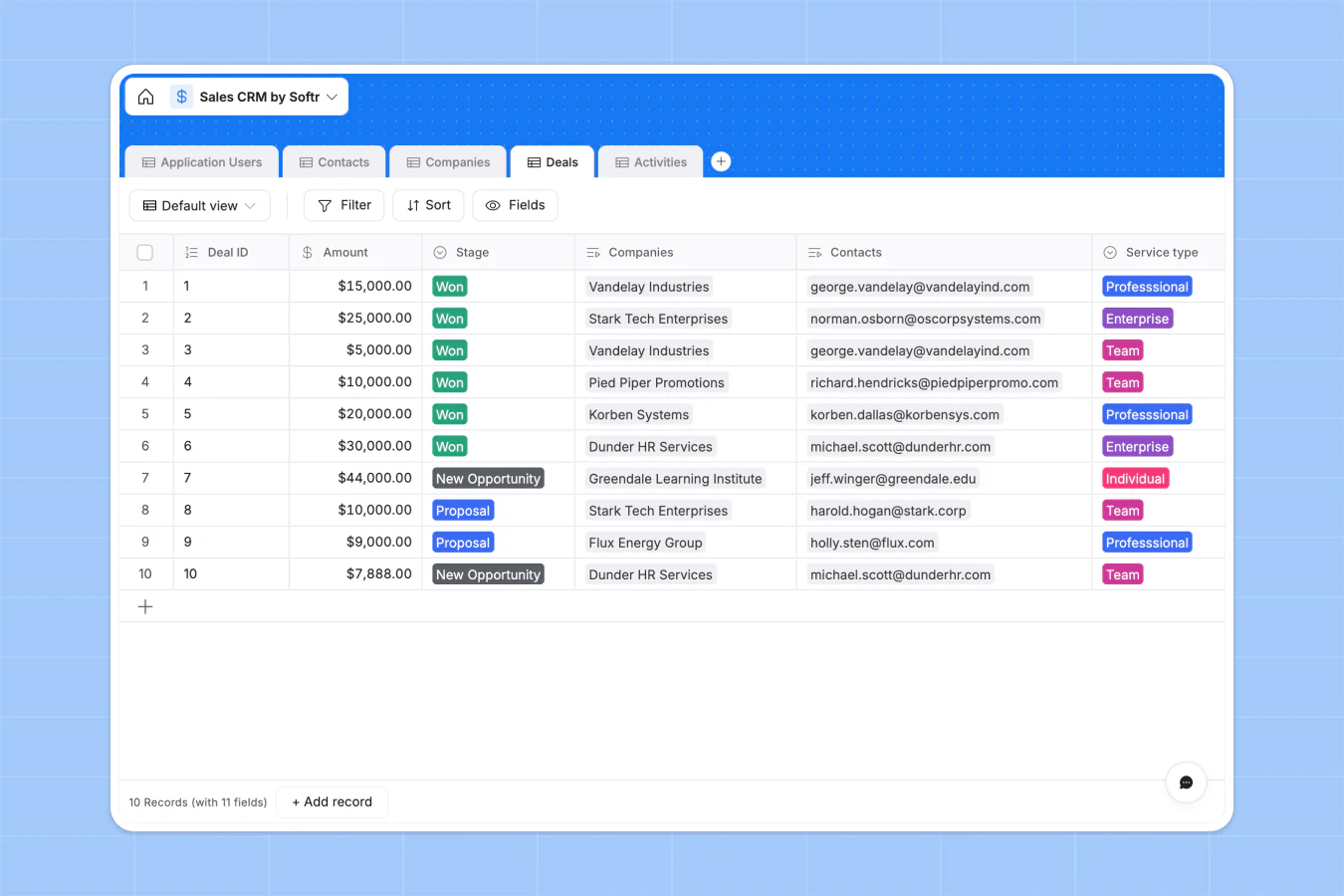
Financial services CRM builder Elite Retirement Alliance switched to Softr after hitting the limits of other no-code tools, and launched custom, branded client portals in hours instead of weeks, now supporting 140+ users across active projects. That's the kind of flexibility a rigid, per-seat CRM can't offer.
Try Softr for free and see how easy it is to build a customizable, branded CRM that grows with your business.
Frequently asked questions
What is the #1 CRM in the world?
Why is Pipedrive so expensive?
Is Zoho CRM better than Pipedrive?
Is there a free version of Pipedrive?
What's the best free alternative to Pipedrive?


