


Top 10 Notion integrations to maximize productivity and streamline workflows

Notion has risen to prominence as a powerful all-in-one productivity platform, favored by freelancers, small businesses, and enterprises alike. Its flexibility allows users to manage projects, take notes, and build databases, all within a single interface. However, Notion’s native features have their limitations, especially for those seeking more specialized tools for automation, project management, or team collaboration.
This is where integrations come in. By connecting Notion with third-party applications, users can create a centralized workspace that eliminates constant app-switching, automates repetitive tasks, and streamlines workflows across their entire tech stack.
Whether you’re a freelancer managing client work or a large organization streamlining processes across departments, there are Notion integrations out there to fit your needs. The right integrations can transform Notion from a powerful documentation tool into the central nervous system of your organization's operations.
Why do you need Notion integrations?
Today's work environment demands juggling multiple tools, platforms, and communication channels, from project management tools to CRMs and more. This fragmentation often leads to decreased productivity, missed information, and workflow inefficiencies. Teams waste precious time switching between applications, copying data manually, and trying to keep information synchronized across platforms.
Notion integrations address these challenges by:
- Creating a single source of truth for all your work
- Reducing manual data entry and potential errors by syncing data across your apps
- Automating routine tasks to save valuable time
- Enabling seamless collaboration and alignment across teams and tools
- Providing flexibility to adapt workflows as your needs evolve
By connecting all your essential tools to Notion, you can create a more cohesive and efficient work environment for everyone on your team.
Top 10 Notion integrations to boost productivity
1. Softr
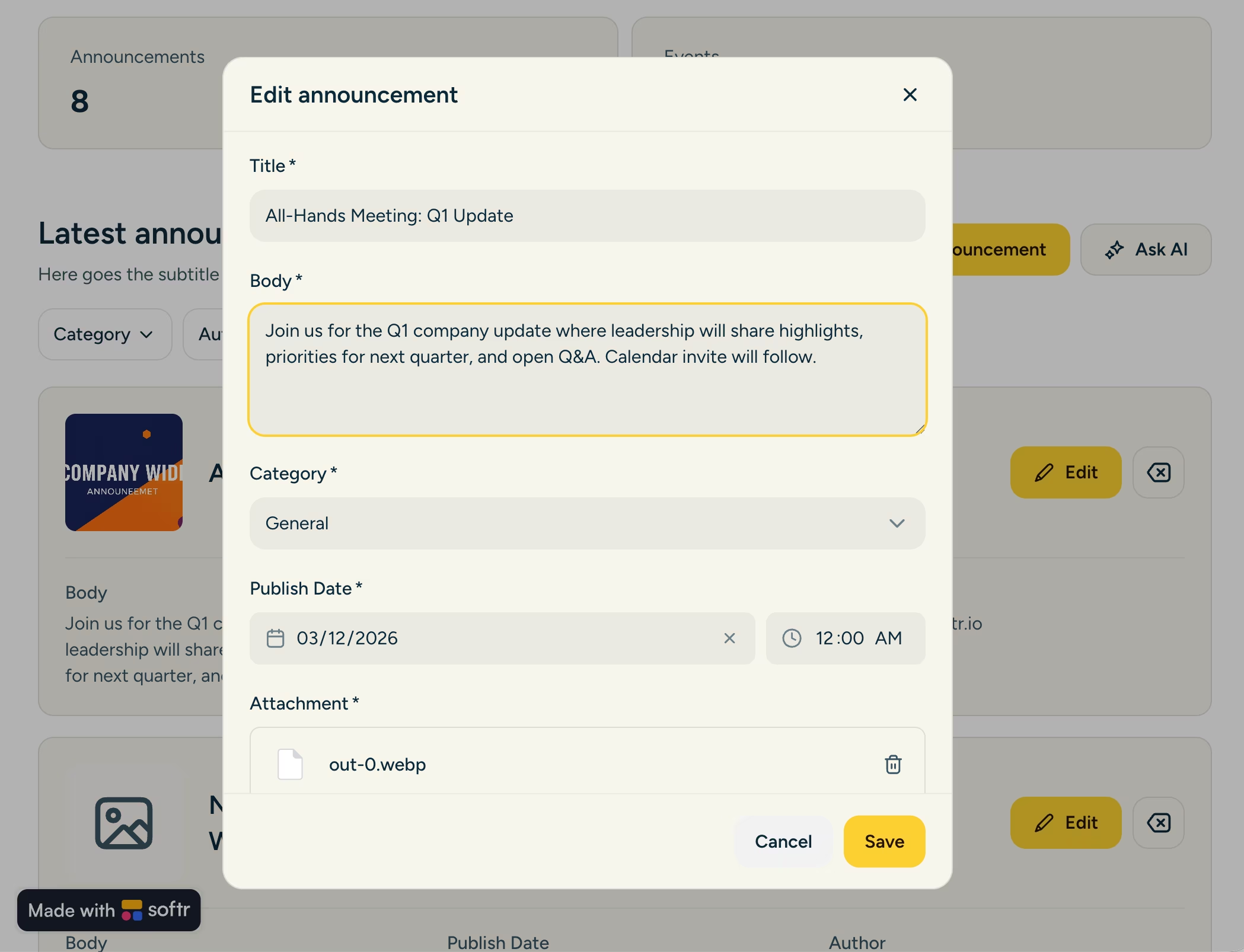
Softr is the first AI-native no-code platform, and it turns your Notion databases into powerful, fully functional web applications, client portals, and internal tools without writing a single line of code. Softr ships with its own native data layer, Softr Databases, and Notion is one of 21+ external sources you can connect, so your team can build a real app directly on top of the Notion data you already maintain.
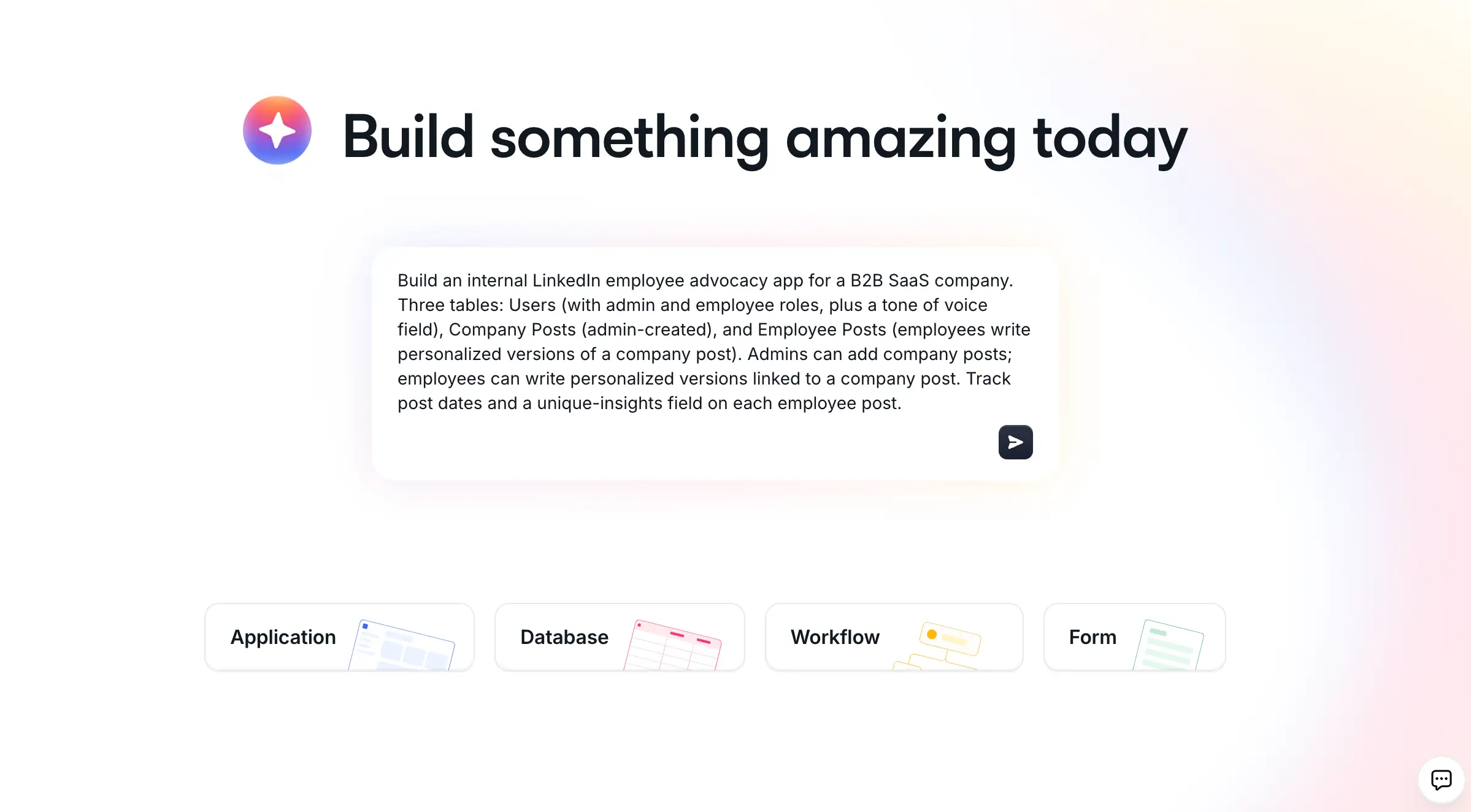
The standout part is the AI Co-Builder. You describe what you need in plain language and it builds a complete app for you, including the data structure, the pages, and role-based permissions. It is AI-first, not AI-only: you can also start from a template or build from scratch. Because the AI assembles proven, pre-built Softr blocks rather than generating raw code, what you ship is production-ready and secure from day one, unlike fragile vibe-coded apps.
"Anything you actually work with AI to generate in Softr is going to be 100% working all the time. It is not going to hallucinate, because it is building on the infrastructure and building blocks that we already have in Softr."
Mariam Hakobyan, CEO and Co-founder of Softr
Key features:
- Connect Notion as a data source, or use native Softr Databases as your backend
- AI Co-Builder that generates a full app (data, pages, permissions) from a prompt
- Dynamic, responsive interfaces built with drag-and-drop ease
- Automatic updates when your Notion data changes
- Flexible access controls and role-based permissions
- Native Softr Workflows to automate actions triggered directly from your app's interface
What sets Softr apart is its exceptional customer support and vibrant user community. Softr’s community not only provides quick solutions and peer learning opportunities, but also influences platform development through active user feedback and suggestions.
Use cases
Teams wanting to create apps, portals or dashboards powered by Notion databases, such as:
- Client portals
- Internal tools
- Project trackers
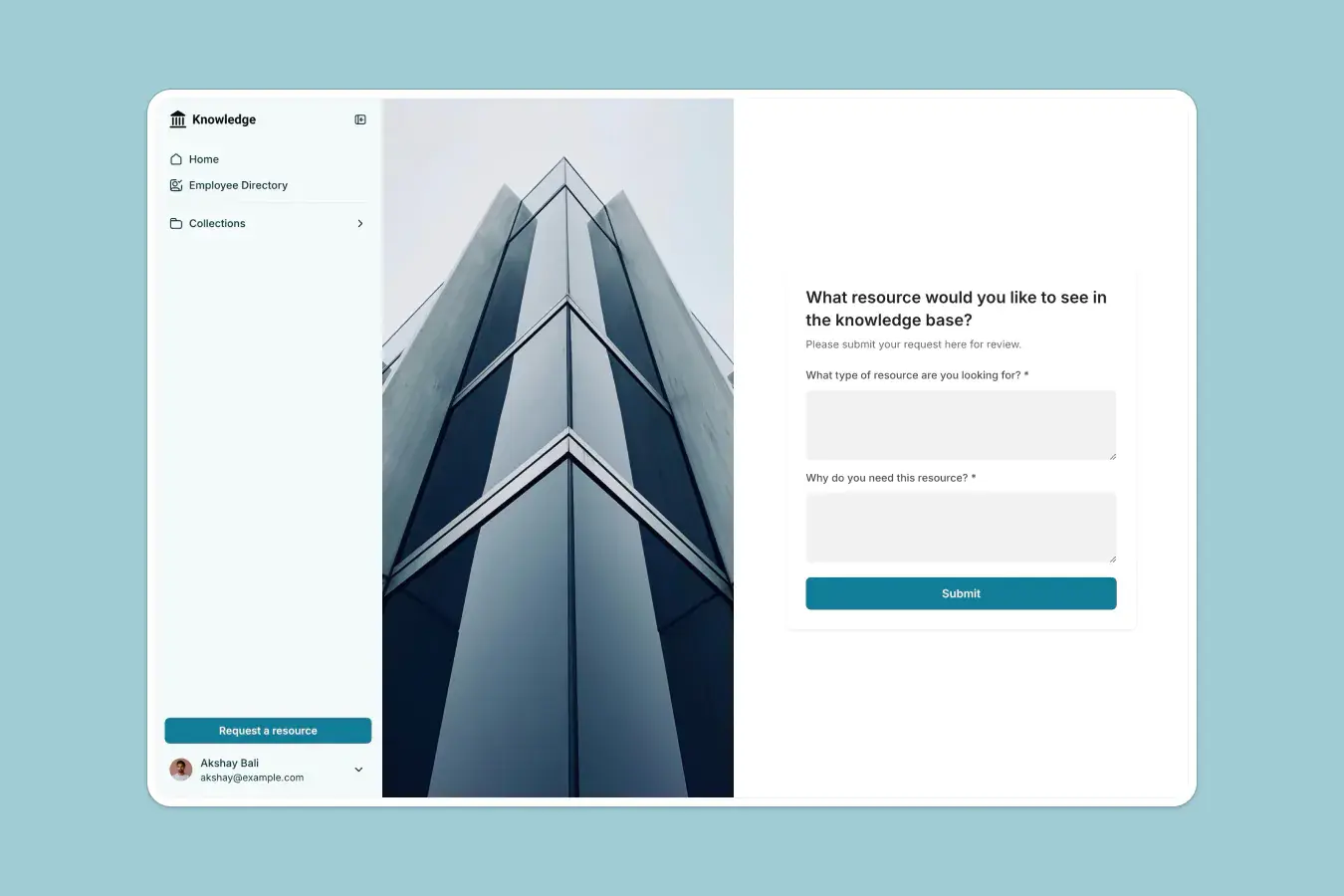
- Knowledge bases
- Inventory management systems, and more.
Example: Software company Virtuous built a partner management portal on top of their Notion data in under five hours, replacing a $30K+ PRM platform. Notion stays the internal system of record while Softr is the partner-facing app for 200+ partners, covering onboarding, referral tracking, and self-serve profile updates.
Ideal for
Softr is well-suited for all team sizes and types, including:
- Freelancers and consultants seeking to create professional client experiences
- Small to medium-sized businesses building internal tools and customer portals
- Enterprises requiring scalable, customized solutions
- Teams looking to create collaborative workspaces that scale with business needs
2. Zapier
Zapier serves as a universal connector, allowing Notion to communicate with over 5,000 other applications through automated workflows called Zaps. Zapier reduces the need for manual work, operating off of pre-defined triggers and actions to make your work life that much more productive.
Key features:
- Vast app integration ecosystem
- Custom automation triggers and actions
- Multi-step workflow creation with conditional logic and advanced filtering
- Data management capabilities
Use cases
With Zapier integrations, the world is your oyster; if you can dream it, you can probably automate it with Zaps.
Here are just a few use cases for Zapier’s Notion integration:
- Automatically create Notion tasks when new emails arrive
- Sync customer data from your CRM to Notion
- Create customer support tickets from Notion pages
- Schedule social media posts from new Notion database entries
Example: A freelance writer can use Zapier to automatically create new tasks in Notion when they receive assignment emails from their clients through Gmail.
Ideal for:
- Small businesses automating routine tasks
- Marketing teams managing content workflows
- Operations teams streamlining manual processes
- Individual users seeking to automate personal workflows
3. Slack
The Slack integration brings your Notion workspace directly into your team's primary communication hub, enabling seamless information sharing and collaboration.
Key features:
- Share Notion pages directly in Slack channels
- Preview Notion content within Slack
- Quick access to important documents
- Real-time notifications for Notion updates
- Sync Notion pages to specific Slack threads to keep discussions organized and within context
Use case
Centralize communication by sharing Notion updates within Slack channels, keeping everyone informed without leaving their primary communication tool.
- Project communication: Share project updates, track milestone completion, and handle urgent issues.
- Knowledge sharing: Distribute documentation, share process updates, provide team resources, and make announcements.
Example: A product manager can sync meeting notes from Notion to their team Slack channel. The team can discuss these notes in Slack, keeping everyone aligned.
Ideal for
Remote and distributed teams that need real-time communication and centralized updates.
4. Google Calendar
Notion’s Google Calendar integration makes sure you never miss a deadline. Sync your Notion tasks and projects with Google Calendar to track meetings and tasks without switching between apps.
Key features:
- Sync Notion Calendar with Google Calendar
- Create calendar events based on Notion entries
Use case
Sync events and deadlines across Notion and Google Calendar to stay organized.
- Manage project timelines
- Coordinate client meetings
- Align team schedules for capacity planning and meetings
Example: A project manager can ensure that deadlines from Notion are reflected in their Google Calendar, ensuring they never miss a milestone.
Ideal for
- Project managers tracking deadlines
- Teams coordinating schedules
- Freelancers managing multiple client projects
- Anyone juggling multiple time-sensitive responsibilities
5. Make
Make provides advanced automation capabilities for complex workflows involving Notion and other tools, offering more sophisticated options than simple integrations.
Key features
- Visual workflow builder with drag-and-drop interface
- Complex conditional logic
- Data transformation tools
- Error handling and monitoring
Use case
Create sophisticated automation scenarios that update Notion databases based on multiple triggers, transform data formats, and execute complex business logic.
Example: A real estate agency can use Make to automate the creation of new property listings in Notion every time it receives a new form submission from potential sellers.
Ideal for
- Technical teams requiring advanced automation
- Businesses with complex workflow needs
- Organizations handling large data volumes
- Teams requiring custom integration solutions
6. GitHub
The GitHub integration connects your development workflow directly to your Notion workspace, bridging the gap between technical and non-technical teams.
Key features:
- Issue tracking synchronization
- Pull request management
- Code repository linking
- Development status updates
Use case:
Track development progress, manage bug reports, and coordinate feature releases using Notion as a central hub while maintaining GitHub as the source of truth for code.
Example: A product team can track GitHub issues alongside project documentation in Notion, keeping technical and non-technical teams aligned.
Ideal for:
- Software development teams working on collaborative coding projects
- Technical project managers
- DevOps organizations
- Open-source project maintainers
7. Figma
Figma's integration with Notion creates a seamless connection between design and implementation teams.
Key features:
- Embed live Figma prototypes directly into Notion pages
- Collaborate on Figma designs within Notion
- Real-time design updates
- Comment synchronization
- Version history tracking
Use case
A design and development team working on a new product feature can embed the Figma prototype within their Notion documentation to gather feedback in one place.
Ideal for:
- Design teams
- Product development groups
- Marketing departments
- Creative agencies
8. Trello
The Trello integration brings kanban-style project management capabilities to your Notion workspace.
Key features:
- Sync Notion databases with Trello boards for visual project managements
- Track progress on projects and move tasks across kanban boards in Trello
- Assign tasks to the right stakeholders
- Manage due date
Use case:
Maintain visual project boards in both tools, syncing information across platforms and allowing team members to work in their preferred environment.
Example: A design team can track their creative process using Trello’s kanban boards while keeping all project documentation in Notion.
Ideal for:
- Agile project teams
- Creative teams and operations managers who prefer visual task management.
9. Asana
Asana's integration with Notion allows teams to maintain comprehensive project tracking across both platforms.
Key features:
- Synchronize tasks between Asana and Notion
- Provide visibility into project status in both tools simultaneously
Use case
A marketing agency using both Asana and Notion can sync campaign tasks across platforms so that their teams maintain visibility over all their to-do deadlines.
Ideal for:
- Project managers needing to coordinate across Asana and Notion
- Cross-functional teams
- Large organizations
- Teams transitioning between tools
10. Todoist
Embedding Todoist within Notion helps bridge personal task management with team project management.
Key features:
- Embed Todoist in Notion
- Manage priorities across personal and professional projects
Use case
A freelancer managing both client deadlines and personal goals can use Todoist within Notion to keep everything organized in one place.
Ideal for:
- Individual professionals or freelancers
- Small teams
How to get started with Notion-Softr integration
It’s easy to build an app on your Notion data with Softr in just a few simple steps:
- Sign up for Softr: Create an account on Softr.
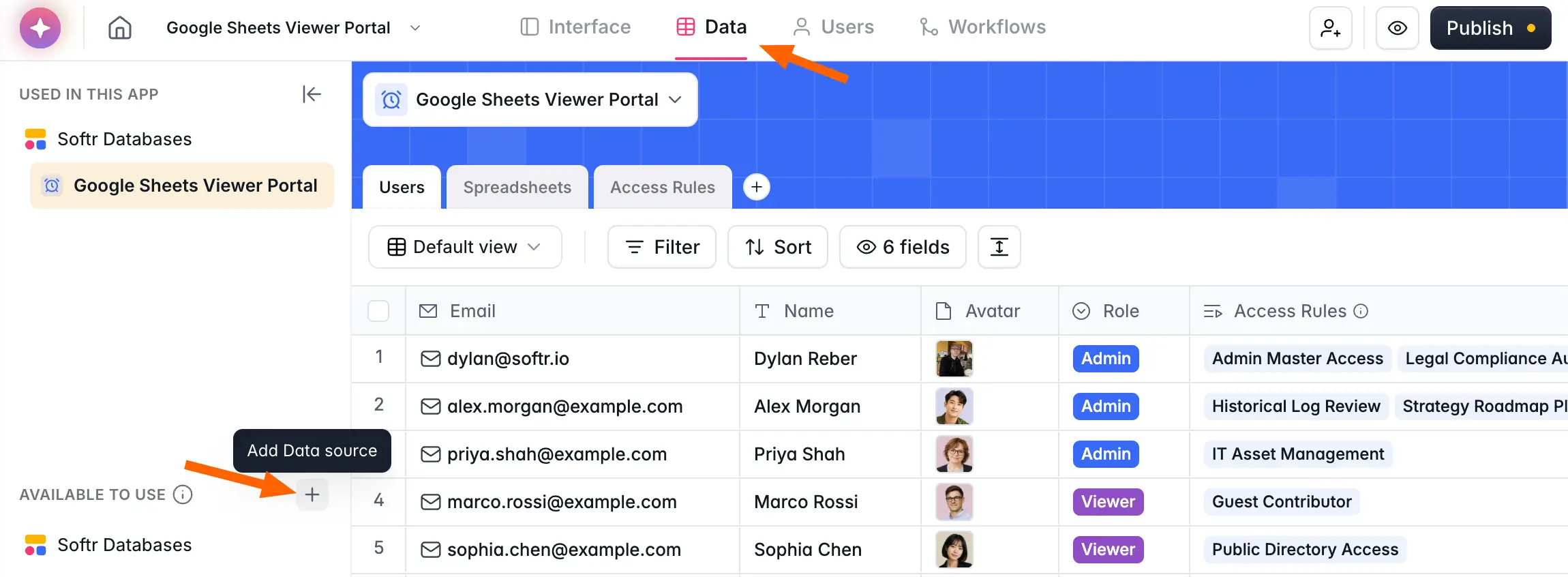
- Connect your Notion account: Link your Notion workspace to Softr, or use Softr Databases as your native backend.
- Generate with the AI Co-Builder: Describe the app or portal you need and the AI Co-Builder builds it for you. You can also start from a template (like a Notion CRM or Notion client portal) or build from scratch.
- Customize the interface: Drag and drop elements to refine your dashboards or portals, or ask the AI Co-Builder to make changes for you.
- Sync data automatically: Set up automated syncs between Softr and Notion, and add native Softr Workflows to automate actions from your app's interface.
- Launch your solution: Use your new tool to manage workflows, client projects, or internal operations seamlessly.
Powering up Notion with Softr
Integrating Notion with the right tools enhances productivity, streamlines workflows, and empowers better collaboration. While tools like Zapier, Google Calendar, and Asana offer valuable functionalities, Softr stands out by letting you build a real app on top of your Notion data, with the AI Co-Builder generating the data structure, pages, and permissions from a single prompt. Whether you're building client portals, internal tools, or dynamic apps, Softr gives you production-ready, secure solutions tailored to your specific needs.
Ready to transform your Notion workspace into a powerful productivity hub? Sign up for Softr today and try it out for yourself.


