Building apps shouldn’t require a full engineering team—but too often, businesses find themselves stuck waiting on scarce dev resources, wrestling with messy spreadsheets, or paying for rigid off-the-shelf software that doesn’t quite fit what they need.
That’s where no-code app builders hit the sweet spot. These platforms let you create custom apps like portals and internal tools—without writing code or relying on IT. But not all no-code tools are the same: Some are great for quick prototypes but lack security or scalability. Others overload you with complexity or high costs that don’t make sense for leaner teams.
Choosing the right builder matters: it can mean the difference between an app that actually runs your business smoothly and one that becomes another abandoned project. In this guide, we’ve picked the best no-code app builders of 2025, so you can compare features and find the platform that works for your team.
What is a no-code app builder?
A no-code app builder is a platform that lets you create custom applications without writing code. Instead of relying on developers, small businesses and teams can use visual editors, templates, and integrations to build internal tools or portals. These platforms make it faster and more affordable to launch apps that fit your exact processes—without the complexity or cost of traditional development.
What to look for in a no-code app builder
Here’s what to evaluate when choosing the right no-code app builder for your team:
- Ease of setup and use: The best platforms let non-technical users design and launch apps quickly with a clean, intuitive interface.
- Templates and starter apps: Pre-built templates save time and give you a strong starting point, whether you're building a client portal, CRM, or internal tool.
- Integrations: Look for seamless connections with the tools you already use—like Airtable, Google Sheets, Notion, or SQL—so your app fits naturally into existing workflows.
- Permissions and user management: Secure logins and role-based permissions are essential if your app will be used by clients, partners, or multiple internal teams.
- Customization and branding: Your app should reflect your brand, not feel like a generic tool. Flexible design and layout options help create a professional experience.
- Scalability: As your app and user base grow, you'll need a platform that can handle more data, users, and complex workflows without slowing down.
- Automation and logic: Native workflows triggered directly from your app's interface—like action buttons and form submissions—are the most powerful way to automate. Look for platforms with built-in workflow engines, plus native integrations with tools like Zapier and Make for additional flexibility.
- Support and resources: Reliable documentation, tutorials, and responsive support make a big difference when you hit a roadblock or need to learn new features.
- Security: Features like data encryption, authentication, and regular updates ensure your app and user data remain protected.
No-code app builders: a quick comparison
1. Softr — best no-code app builder for portals and internal tools
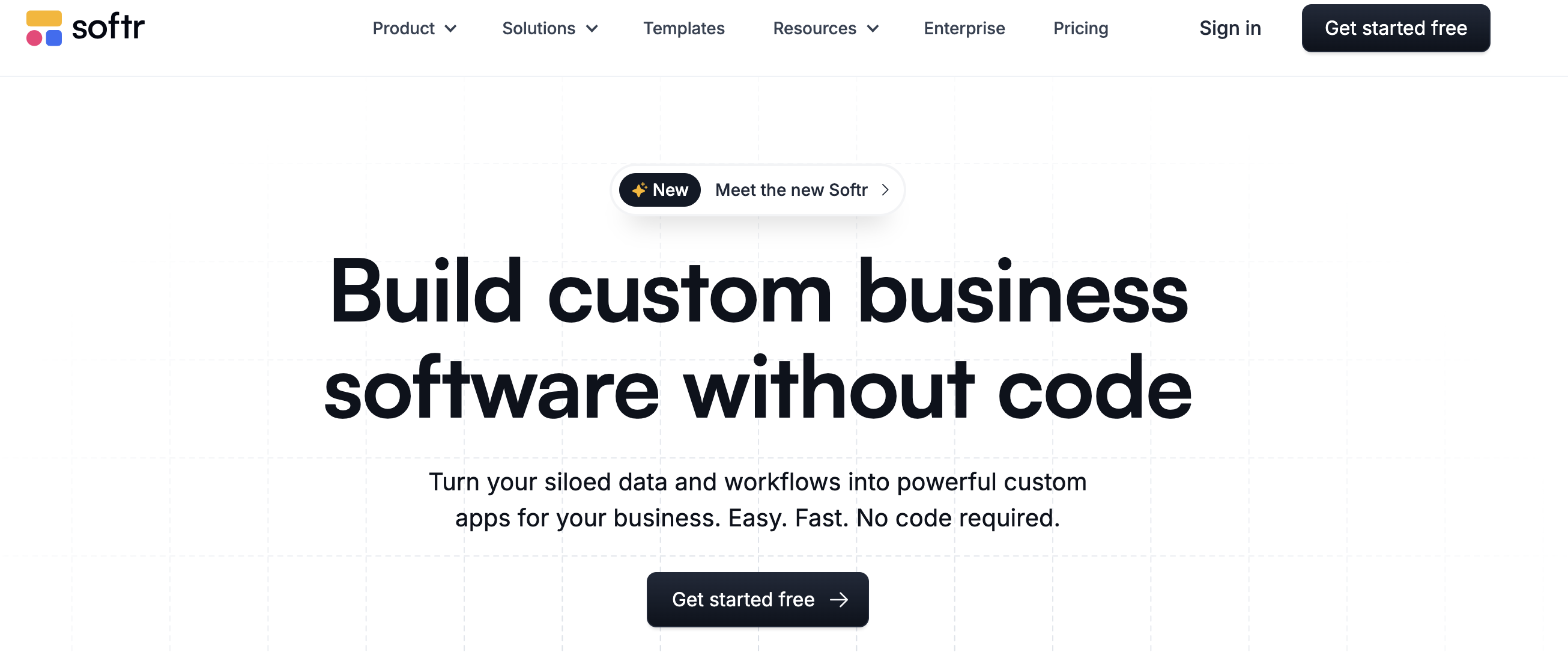
Softr is a no-code platform designed for businesses that need secure, full-stack apps without relying on developers. Describe what you need and the AI Co-Builder generates a fully functional app—database, logic, and UI included—in minutes.
It comes with a native Softr Database for high-performance data storage, and also connects to 17+ external data sources—including Airtable, Google Sheets, Notion, HubSpot, and SQL databases—so you can turn your existing data into powerful client portals, CRMs, project trackers, or internal tools.
With pre-built templates, drag-and-drop blocks, and granular permissions, Softr makes it easy to launch business-ready apps that scale with your team.
Softr features:
- Drag-and-drop building blocks: Choose from Lists, Charts, Forms, Tables, Calendars, and more to display and update your data in a user-friendly interface.
- 90+ app templates: Jumpstart projects with pre-designed templates or generate an app structure instantly with AI.
- Native Softr Databases and 15+ data integrations: Store data natively in Softr Databases, or connect to Airtable, Notion, HubSpot, Google Sheets, SQL, and more, with 2-way real-time sync.
- Role-based permissions: Securely define who can view, edit, or add data—ideal for apps with clients, partners, or multiple teams.
- Custom domains and branding: Match your company identity with logos, colors, and domains.
Pros:
- Fast setup with business app templates and an intuitive drag-and-drop builder.
- Secure, role-based permissions for both internal and external users. Softr also provides enterprise-level data protection through server-side authentication.
- Native Softr Databases for high-performance data storage, plus connections to 15+ external data sources with real-time sync.
- Versatile enough to build client portals, CRMs, or internal workflow tools in one platform.
- Ask AI, a built-in AI chat assistant that queries your live app data
- Vibe Coding block for building custom interfaces, app components, and widgets
Cons:
- Primarily optimized for business operations, internal tools, and client portals rather than consumer-facing SaaS products
Softr Pricing:
Softr’s pricing is flat and predictable. Every plan includes a monthly AI credit allowance, so you can try the AI Co-Builder and Vibe Coding block at no cost.
- Free: 10 users, unlimited apps, 5 AI credits, 5,000 database records, and 500 workflow actions
- Basic: $49/month for 20 users, 10 AI credits, 50K records, 2.5K workflow actions
- Professional: $139/month for 100 users, 50 AI credits, 500K records, and 10K workflow actions
- Business: $269/month for 500 users, 100 AI credits, 1M records, and 25K workflow actions
- Enterprise: Custom pricing
💡 You can read a detailed Softr review on TheBusinessDive, covering its features, pricing, pros and cons, and real-world use cases.
2. Bubble — best no-code app builder for MVPs and SaaS products
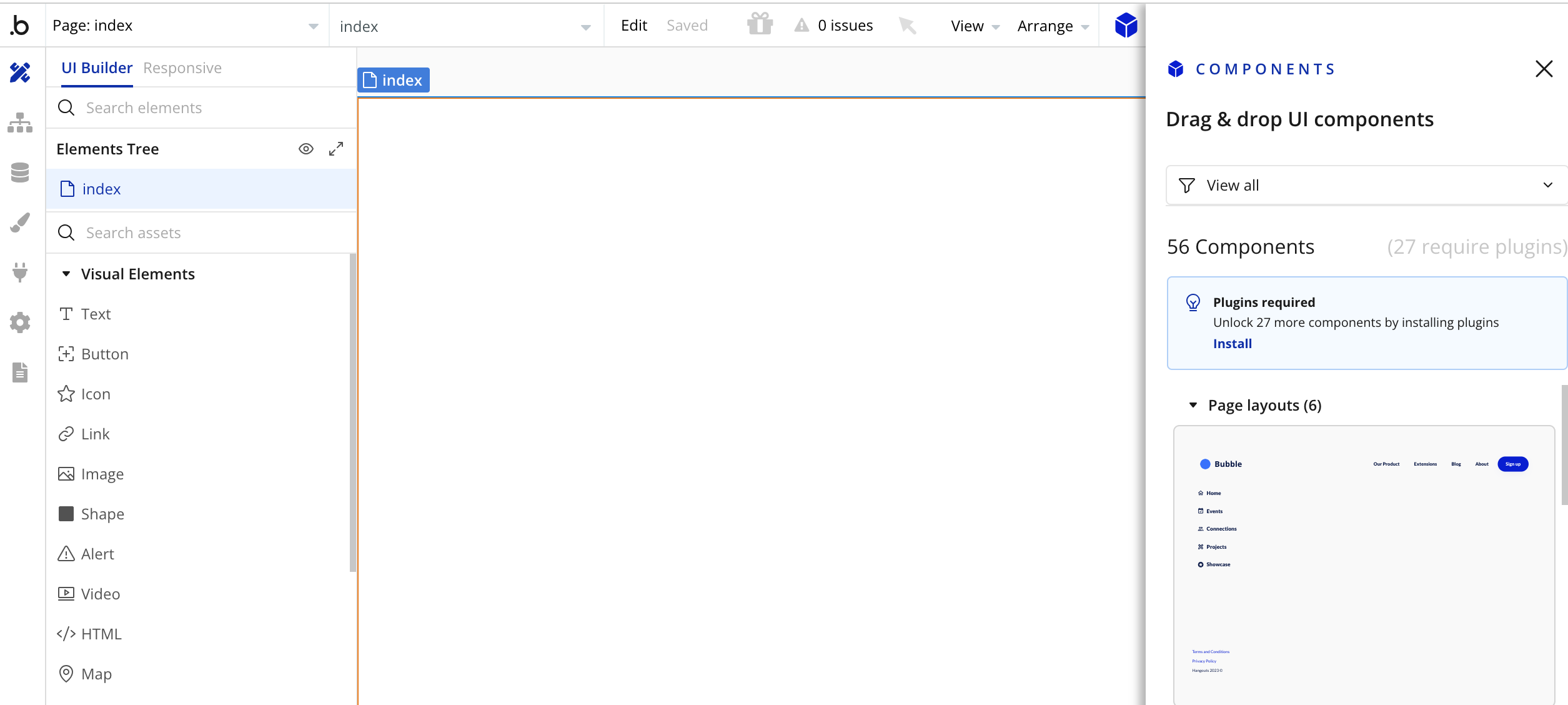
Bubble.io offers no-code tools and a visual designer for building complex apps without code. It offers advanced functionality and customization options, making it ideal for creating custom apps.
Bubble features:
- Advanced workflows: Use thevisual designer to create complex workflows to automate various tasks within your app.
- Wide range of tools for designing user interfaces, managing data structures, and implementing application logic.
- Add interactivity: Incorporate elements such as buttons, forms, and menus, and apply workflows.
- Data management: Create and manage databases directly within the platform.
- Plugin marketplace: Extensive marketplace with plugins to extend the functionality of your app.
Pros:
- Extend your Bubble app using JavaScript plugins or connect to any API.
- Strong database management capabilities.
Cons:
- Steeper learning curve compared to other no-code platforms.
- Bubble's file storage can be expensive, so apps with a lot of content might need other services.
Bubble.io is a popular choice for creating web apps due to its powerful visual programming capabilities. Its advanced features and flexibility make it a powerful tool for serious app developers.
Pricing:
Free plan available; paid plans start at $29/month.
Related resource: See the top Bubble alternatives for building professional web-apps in minutes.
3. Adalo — best no-code app builder for business mobile apps
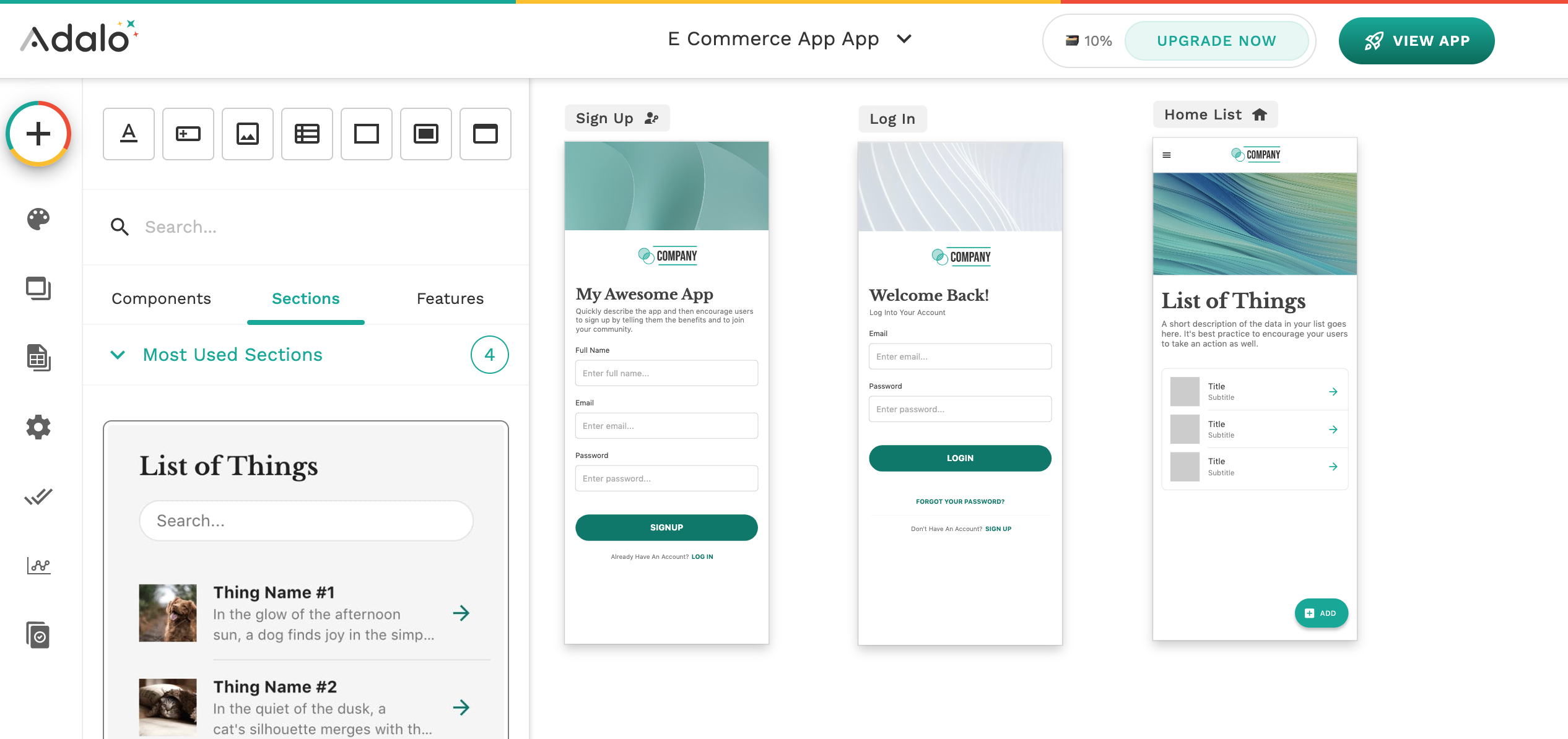
Adalo is a no-code tool designed to create mobile and web applications. Specializing in mobile app development, it’s an excellent option for individuals with limited coding knowledge who want to develop mobile apps.
Adalo features:
- Native mobile app features: Build apps with native mobile functionalities such as push notifications and camera access.
- Database options: Use Adalo's internal database builder or integrate with backends such as Xano or Airtable.
- Component marketplace: Access a variety of pre-built components to speed up development.
- Direct publishing support for the Apple App Store and Google Play Store.
Pros:
- Geolocation features for location-driven apps.
- Supports in-app purchases through integrations with services like Stripe.
- Feature templates to add functionalities like appointment scheduling, payment collection, and social media feeds.
Cons:
- Some users report potential performance issues when dealing with more complex applications or large datasets.
Adalo simplifies mobile app creation with its user-friendly tools, making it a good choice for anyone looking to develop mobile apps quickly and efficiently.
Pricing:
Free plan available; paid plans start at $36/month.
Related resource: Check out our list of the top Adalo alternatives for building mobile and web apps.
4. FlutterFlow — best no-code app builder for MVP mobile apps

FlutterFlow is a no-code platform that leverages Google's Flutter to build high-performance apps. It allows users to create applications for iOS and Android without writing code.
FlutterFlow features:
- Drag and drop components to simplify the app-building process.
- Google Flutter integration: Built on the Flutter framework, you can create natively compiled applications for both iOS and Android from a single codebase.
- Custom animations enhance the user experience.
Pros:
- Customizable widgets: A library of pre-built widgets enhances app functionality and user experience.
- Built-in support for Firebase, Google's mobile development platform, which provides services like authentication, databases, and analytics.
Cons:
- Advanced features may require a learning curve.
- The platform is primarily optimized for mobile app development, though it does support web app creation.
FlutterFlow is ideal for building cross-platform applications quickly and efficiently, making it a popular choice for startups and developers looking to rapidly bring their ideas to market.
Pricing
Free plan available; paid plans start at $30/month.
5. Bravo Studio — best no code app builder for Figma users wanting mobile apps

Bravo Studio's platform stands out by allowing design-led teams to convert their Figma or Adobe XD app designs into fully functional native mobile apps for both iOS and Android.
Bravo Studio features:
- Figma integration: Build apps from your Figma designs.
- Rapid prototyping and testing of app designs: Make changes in real time and test different variations quickly using the Bravo Vision app.
- API integration: Easily connect your app with external services through APIs.
- Publishing support: Publish your app to the Apple App Store and Google Play Store.
Pros:
- Haptic feedback and interactive elements, like audio, camera, and keyboard functionalities, significantly improve app designs by adding realism and enhancing user engagement and experience.
- Another feature that stands out is Bravo Studio's powerful tagging system—simply tag elements within designs to add functionality and connect them with APIs.
Cons:
- While the platform is easy to use, there's a learning curve, especially if you’re new to no-code app development and basic app design principles.
Bravo Studio bridges the gap between design and development. It makes app development accessible and enjoyable, allowing me to focus on design while integrating functionality.
Pricing:
Free plan available; paid plans start at $21/month.
6. Jet Admin — best no-code app builders for more technical users

Jet Admin helps users create internal tools with no code. The platform offers drag-and-drop functionality for creating admin interfaces without coding, reducing development time and costs.
Jet Admin features:
- Out-of-the-box solutions for operational tasks, including admin panels, dashboards, and customer portals.
- Pre-built widgets: Use a variety of widgets to display data and perform actions.
- Custom dashboards to fit your business needs.
- Custom component solution (Flex View): Create custom components for more complex processes.
Pros:
- Security: The Jet Bridge feature secures private data by acting as a bridge between the user's database and the end-user browser.
- The platform is designed from the ground up to be customizable, allowing users to handle even the most complex scenarios.
Cons:
- Learning curve is high if you’re new to the platform.
- Provides documentation and customer support, but the support can sometimes be slow.
Pricing:
Paid plans start at $39/month.
7. Appy Pie — best no-code app builder for simple apps and websites

Appy Pie is a leading no-code app builder offering various tools to help users create great-looking and responsive apps. The platform has an intuitive interface that enables you to create an app without learning to code. Trusted by 10+ million users worldwide, Appy Pie’s app builder provides drag-and-drop functionality, customizable templates, and features to help expand your business reach through a mobile app.
Appy Pie features:
- Drag-and-drop interface- The drag-and-drop interface simplifies the app-building process, allowing users to add features, elements, and customize their app layout without any coding knowledge.
- Customizable templates- A wide variety of customizable templates make it easy for users to create apps that suit their business needs.
- Real-time updates- Users can make changes to their app in real time, allowing for easy updates and improvements even after their app goes live.
- Cross-platform support- Apps created with Appy Pie are compatible with Android, iOS, and web platforms, to help users to reach a wider audience.
- App publishing support- The platform helps users publish their apps on the Google Play Store and Apple App Store. This support simplifies the submission process, ensuring that the apps meet platform guidelines.
Pros:
- Accessible for non-technical users
- Wide range of templates and features
- Quick app development and deployment
Cons:
- Limited customization for advanced users
- Performance may vary for complex apps
If anyone is looking to make an app effortlessly without coding experience, Appy Pie’s no-code app builder is an ideal platform for them. Anyone can build an app in a matter of minutes depending on the design and their customization needs.
Pricing:
It offers a free trial plan. Paid plans start from $36.
Find a no-code app builder that fits your needs
With so many platforms available, the best no-code app builder really comes down to your use case. Ask yourself:
- Do you need an app for internal teams, external clients, or both?
- Are you building an operational tool to run your business, or a client-facing portal to serve your customers?
- Do you already use a tool like Airtable, Notion, Google Sheets, or SQL databases to store your data?
- How important are branding and customization for your end users?
- Will you need advanced permissions, automations, or integrations with other tools?
- Do you expect your app to scale to more users or complex workflows over time?
Once you’ve answered these, match the tool to your needs based on features, ease of use, scalability, and how well it supports your team’s operations. Remember: The best no-code app builder isn’t just a way to launch tools quickly—it can become the foundation for how your business runs and grows.
If you’re looking for a flexible, AI-native platform that connects to your data and helps you build secure, professional business apps in minutes, try Softr for free!
Frequently asked questions
- What is the difference between low-code and no-code platforms?
- Can I build a scalable app using no-code tools?
- How much does it cost to use a no-code platform?
- How do I build an app with no code?