Cursor works well if you’re a developer who wants AI to help you write React components or refactor Python scripts. But if you’re building actual business applications like client portals, CRMs, or internal tools, you’re stuck debugging AI-generated code, wiring up infrastructure, and managing permissions systems that weren’t built for your use case. This guide covers five alternatives to Cursor, each serving different needs.
Best Cursor alternatives at a glance
| Tool | Best for | Key Features | Pricing |
|---|---|---|---|
| Softr | Production business apps with complete infrastructure | Full-stack app builder, built-in database, user authentication & role-based permissions, workflows, AI agents, integrations (Airtable, Google Sheets, HubSpot, etc.) | Free plan; from $19/month |
| Lovable | Quick SaaS MVPs and web app prototypes | Full-stack code generation, Supabase integration, one-click deploy, GitHub sync, iterative chat-based editing | Free plan; from $20/month (100 credits) |
| Replit Agent | Learning code and running experiments | Browser-based IDE, multi-language support, autonomous Agent 4 builds, real-time multiplayer collaboration | Free tier; Core at $18/month ($20 monthly credits, up to 5 collaborators) |
| Bolt.new | AI-assisted prototyping with WebContainers | In-browser Node.js runtime, npm package support, live preview, Netlify deployment | Free tier (1M tokens/month); from $18/month (no daily token limit) |
| Base44 | Internal workflows and light SaaS apps | Conversational builder, built-in database and auth, 20+ integrations, instant deployment | Free plan (25 credits/month); from $20/month (100 message credits) |
Why look for a Cursor alternative?
Cursor has become one of the most talked-about AI coding tools, but it’s not for everyone. Here’s when you might need something different:
You’re building business software, not writing code
Cursor helps developers write better code faster. But if you need a working CRM, client portal, or inventory system, you don’t need a coding assistant. You need a complete application that already handles user management, database connections, permissions, and hosting.
The pricing model feels unpredictable
Cursor switched to usage-based pricing in mid-2025, and developers weren’t happy. What looked like $20/month turned into surprise bills when credits ran out. The Pro plan’s $20 credit pool depletes quickly with complex tasks, and you can’t always tell how much a request will cost before you make it.
You hit limits with the generated code
AI-generated code looks great at first. Then you try to use it in production. You find security holes, performance issues, and half-implemented features. Debugging code you didn’t write takes longer than writing it yourself, especially when the AI makes the same mistake in different ways across your codebase.
You need more than just code completion
Tab completion and multi-file editing are useful for developers. But building a real business app means setting up databases, managing user permissions, connecting to external tools, handling authentication, and deploying infrastructure. Cursor handles none of this. You’re on your own for everything except generating code.
Your team can’t maintain AI-generated codebases
Even if you get Cursor to generate a working prototype, someone needs to maintain it. That means understanding the code structure, fixing bugs, adding features, and keeping dependencies up to date. Small teams without dedicated developers struggle to maintain codebases they didn’t write.
What to look for in a Cursor alternative
Before you commit to an alternative, think about these factors:
- Production-readiness vs prototyping focus: Some tools produce quick prototypes that need significant work before they’re usable. Others give you production-ready applications with security, user management, and infrastructure already handled. Know which one you need before you start building.
- Complete systems vs code generation: Writing code is just one step in building software. The best alternatives provide databases, authentication, permissions, hosting, and integrations so you can build complete business systems, not just experimental code.
- Pricing predictability: Usage-based pricing sounds flexible until your bill triples after a complex build. Look for tools with transparent costs that won’t surprise you when you iterate on features or debug AI mistakes.
- Code ownership and portability: Can you export your work and take it elsewhere? Some platforms lock you into their ecosystem. Others give you full code access so you can migrate if needed.
- Infrastructure and security: Building business apps means handling real user data. Make sure your tool provides proper authentication, role-based permissions, data encryption, and reliable hosting, not just code scaffolding.
- Maintenance burden: AI-generated code often creates technical debt. Consider whether you have the team to debug, refactor, and maintain a custom codebase, or if you need a platform that handles updates for you.
- Learning curve: Some tools require coding knowledge to fix AI mistakes or customize functionality. Others let non-technical teams build and manage apps through visual interfaces and natural language.
- Use case fit: A tool that’s great for building landing pages might fail at complex internal tools. Match the platform to your actual needs, whether that’s rapid prototyping, learning to code, or building business operations software.
1. Softr — best no-code Cursor alternative for building production-ready apps
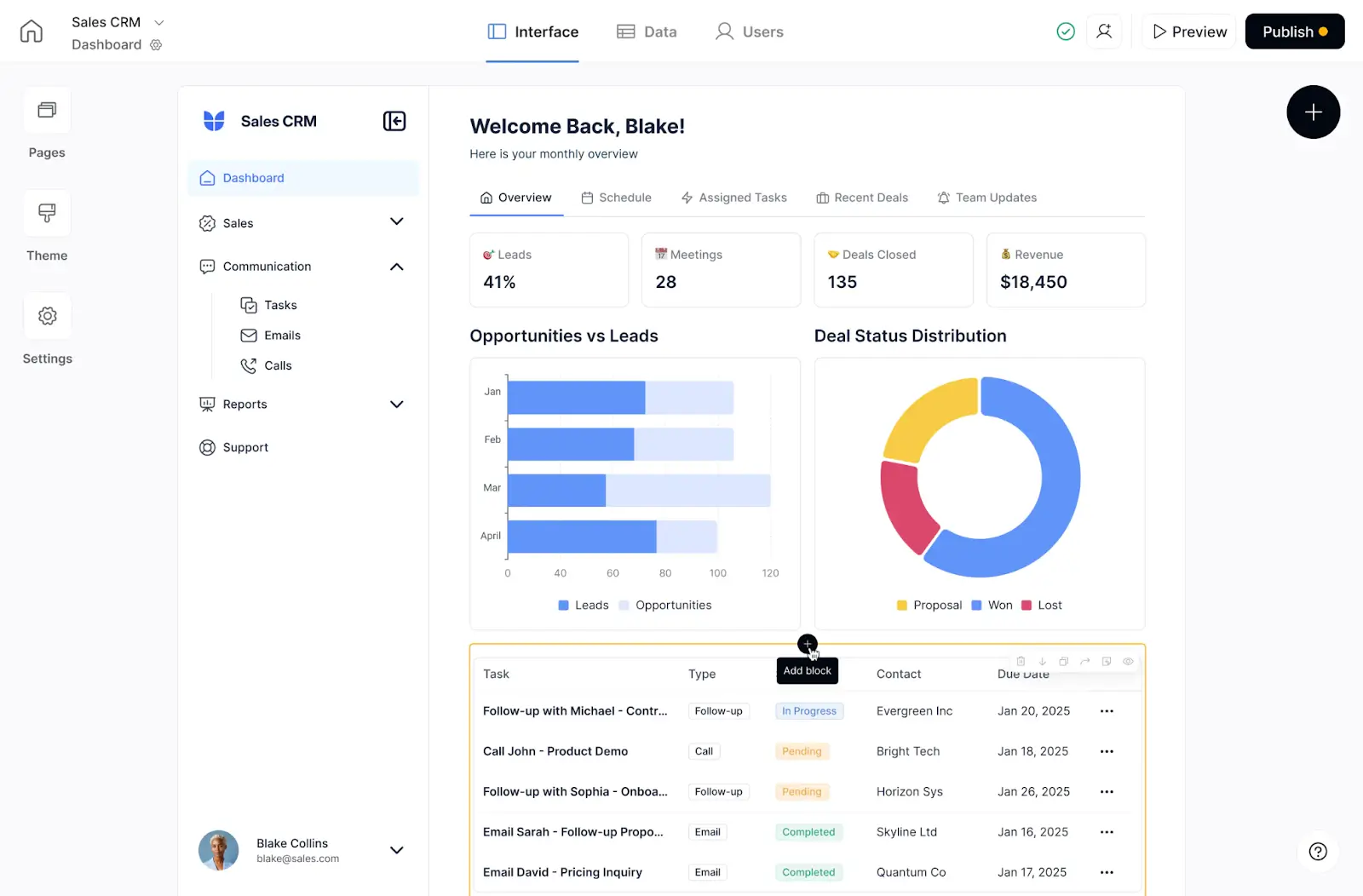
Softr lets you build real business software with AI—with databases, interfaces, workflows, and user management included in one system.
While Cursor helps developers write code faster, Softr eliminates the need to write code entirely. You’re not generating React components or debugging JavaScript. Instead, you’re building actual systems—client portals, CRMs, project management tools, inventory systems—that real users can log into and use immediately.
With Cursor, you generate code that you then need to deploy, secure, and maintain. With Softr, you build complete applications that include hosting, security, user authentication, and database management.
Using Softr means you don’t have to manage any infrastructure, debug code, or configure deployment pipelines.
Describe what you need and the AI Co-Builder generates your app and database already connected. Build whatever app you need, then automate workflows and connect your existing tools, all without leaving the platform. You can also use the Softr MCP to build your business app directly from Cursor or Claude instead of working inside the browser.
You can also use Softr’s Database AI agents to handle tasks like data enrichment, content generation, or decision-making, all without writing a single line of code.
Softr pros and cons
Pros:
- Build end-to-end business systems with apps, databases, and automation in one platform
- Production-ready from day one with hosting, security, user management, and permissions included
- Visual no-code editor designed for business users, not developers
- AI-powered workflows and agents handle complex logic without custom code
- Generous free tier lets you build and test before committing
- Scale from side project to enterprise without technical overhead
- Integrated data sources (Airtable, Google Sheets, databases) connect seamlessly
Cons:
- Not a traditional AI coding assistant if you specifically want to write code
- Smaller app template library compared to coding-focused platforms
Key Softr features
- Complete business applications: Build full-stack apps with user interfaces, data management, and workflows—not just code. Create client portals, internal tools, dashboards, and custom CRMs without writing code or managing infrastructure.
- Built-in database & user management: Store data in Softr Databases with tables, relationships, and custom views. User authentication, role-based permissions, and access control come standard—no custom coding required.
- AI-powered workflows: Automate processes with visual workflow builders. Add conditional logic, loops, and AI agents that make decisions, enrich data, or generate content based on your business rules.
- Production infrastructure: Included are hosting, security (SOC 2, GDPR compliant), custom domains, and SSL certificates, all handled automatically. Your apps are production-ready from the moment you build them.
- No code, visual editor: Drag-and-drop interface builder with pre-built blocks for forms, lists, charts, calendars, and more. Customize everything without touching code—or add custom code when you need it.
- Integrations without code: Connect to Airtable, Google Sheets, HubSpot, Slack, and more. Use APIs and webhooks for custom integrations, all configured through the visual interface.
Softr pricing
Softr offers transparent pricing with a generous free tier:
- Free: Unlimited apps, with access to Softr Workflows and Softr Databases, 5 app users, 5,000 database records
- Basic ($19/month): Unlimited apps with 42+ integrations, Team: 5 + Client: 5 app users, custom domain
- Pro ($99/month): Unlimited apps with 45+ integrations and custom code, Team: 10 + Client: 50 app users, calling external APIs, advanced forms
- Business ($329/month): Unlimited apps with 52+ integrations, Team: 30 + Client: 100 app users, 1M records, 2FA & PWA
- Enterprise (custom pricing, contact sales): Custom pricing with SSO, dedicated support, and tailored onboarding
Verdict: Softr vs. Cursor
Choose Softr if you want to build production-ready business software without becoming a developer. Softr eliminates coding entirely and gives you complete, ready-to-use applications from day one.
Cursor is for developers who want AI assistance while coding. Softr is for business builders who want working software without writing code.
2. Lovable — best for quick SaaS MVPs and prototypes
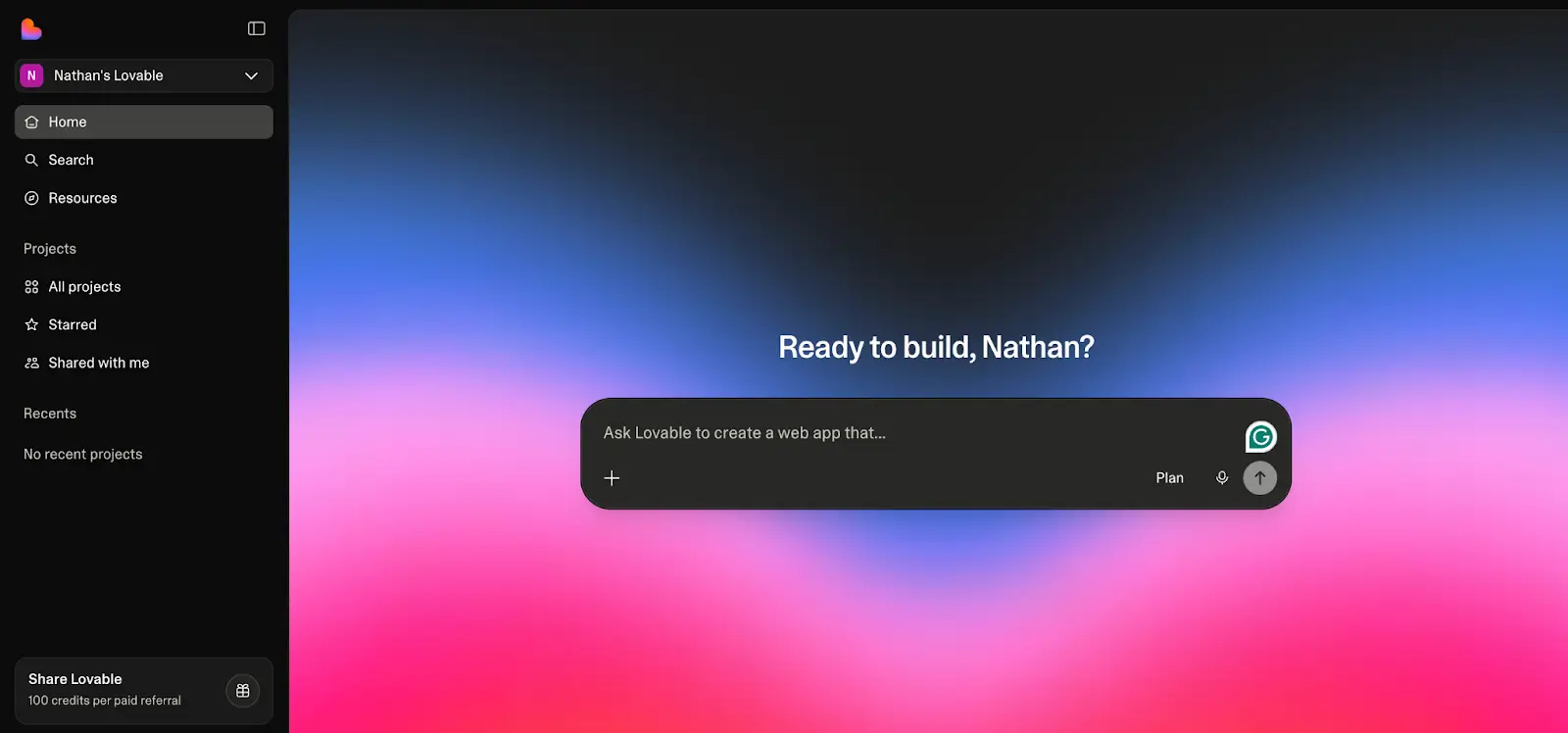
Lovable is an AI-powered full-stack app builder that generates MVPs, app prototypes, landing pages, and mini-apps from natural language prompts. Unlike Cursor, which helps you write code inside an editor, Lovable generates React/TypeScript codebases with frontend, backend, and a Supabase database—all from a conversation.
You describe your app in plain English, and Lovable creates a working prototype with user authentication, database schema, and deployed hosting in minutes. The code is clean, exportable, and syncs with GitHub, but you’ll probably need to hand it off to developers if you want to continue building the way you have been.
Lovable sits between traditional code editors and pure no-code tools. It’s not as production-ready as Softr, but it’s faster than writing everything from scratch in Cursor.
Lovable pros and cons
Pros:
- Generates working applications from natural language descriptions
- Supabase integration for real databases and authentication
- GitHub sync means you own the code and can export anytime to developers
- One-click deployment to live URLs
- Iterative editing through chat makes changes fast
- Good for validating SaaS concepts quickly
Cons:
- Credit-based pricing burns through your budget quickly on complex projects
- AI-generated code quality varies—often needs developer cleanup
- Breaks on complex logic or large codebases, as users report hitting limits around 20+ components
- Security configuration requires prompts: You can’t click to configure security settings—you must prompt the AI to write security policies, which creates a higher risk of data exposure
- Database is complex to manage if you don't understand the schema the AI built
Key Lovable features
- AI-Powered full-stack generation: Describe your app idea, and Lovable builds the React frontend, Node.js backend, Supabase database, and authentication system. Everything from schema design to API endpoints to UI components.
- Uses real code, not visual blocks: Unlike pure no-code platforms, Lovable generates actual TypeScript and React code you can read, modify, and own. Export to GitHub and continue development in VS Code or Cursor if needed.
- Supabase integration: Built-in connection to Supabase for PostgreSQL databases, real-time subscriptions, and authentication. Supports Google, GitHub, and email login out of the box.
- Iterative chat-based editing: Make changes by chatting with the AI. “Add a dark mode toggle” or “Sort comments by date,” and Lovable updates the codebase across multiple files.
- One-click deployment: Deploy to production with one click. Get a live URL to share with users or stakeholders. Custom domains are available on paid plans.
Lovable pricing
- Free: Limited credits for testing
- Pro ($25/month): 100 credits/month + 5 daily credits
- Business ($50/month): All Pro features plus SSO, team workspace, personal projects, etc
- Enterprise: Custom pricing
Note: Credit consumption varies wildly. Simple changes use 1-2 credits; complex features can burn 20+ credits in a single conversation.
Verdict: Lovable vs. Cursor
Choose Lovable if you want to go from idea to deployed MVP in hours instead of weeks—and you’re okay with potentially needing developer help to polish the result.
👉 See a more in-depth comparison on our Lovable vs Cursor page.
3. Replit Agent — best for learning and experiments

Replit Agent is an AI coding assistant built into Replit’s browser-based Integrated Development Environment (IDE). Unlike Cursor, which you install locally and use with your own development environment, Replit Agent runs entirely in the cloud with zero setup.
Replit Agent 4 handles autonomous builds—you describe what you want, and the AI builds, tests, and refines your application. It’s like having an AI developer who can write code, run tests, install packages, and fix bugs without constant supervision.
Replit excels at education and rapid prototyping. The collaborative multiplayer IDE makes it popular for teaching, creating simple tools, pair programming, and experimenting with new technologies. But production deployments and complex enterprise apps aren’t Replit’s strength.
Replit Agent pros and cons
Pros:
- Zero setup, as everything runs in the browser
- Autonomous AI agent that can work for hours without supervision
- Built-in testing and self-correction loops
- Excellent for learning programming concepts
- Collaborative multiplayer coding environment
- Supports most programming languages and frameworks
- Auto-deploys apps instantly
Cons:
- Effort-based pricing is unpredictable. Simple requests cost less while complex builds cost more
- Agent sometimes gets stuck in loops without making progress
- Not ideal for production applications at scale
- Slower performance than local development for complex projects
- Limited control over infrastructure compared to traditional hosting
Key Replit Agent features
- Autonomous AI development: Agent 4 can build applications autonomously. Describe your project, and it scaffolds the structure, writes code, tests functionality, and fixes bugs—all without constant prompting.
- Built-in testing & self-correction: Agent 4 automatically tests its own work in reflection loops until features work correctly.
- Zero setup: Open Replit and start coding. Package managers, terminals, and preview windows all work in the browser. It supports Python, JavaScript, Go, Rust, and dozens more languages.
- Collaborative multiplayer: Real-time collaborative coding with voice chat, cursor sharing, and live edits. Great for teaching, interviewing, or pair programming.
- Instant Deployment: Apps deploy automatically with live URLs. No manual hosting configuration needed.
- Agents & Automations: Build your own AI agents and workflows. Create Slack bots, email responders, or custom automation systems using natural language.
Replit pricing
- Starter (Free): Daily Agent credits and a daily-capped Free Mode
- Core ($18/month): $20 of monthly credits, a Free Mode allowance, up to 5 collaborators, unlimited workspaces, etc.
- Pro ($90/month): Everything in Core plus $100 of monthly credits, up to 15 collaborators, 10 parallel agents, priority support, etc.
- Enterprise: Custom pricing for teams and organizations
Pricing here is billed annually.
Verdict: Replit Agent vs. Cursor
Choose Replit if you want zero-setup AI-assisted coding, especially for learning, prototyping, or collaborative projects. Cursor gives you more control and better performance for serious development, but Replit’s instant-on experience and autonomous AI make it perfect for experiments and education.
4. Bolt.new —best for AI-assisted prototyping
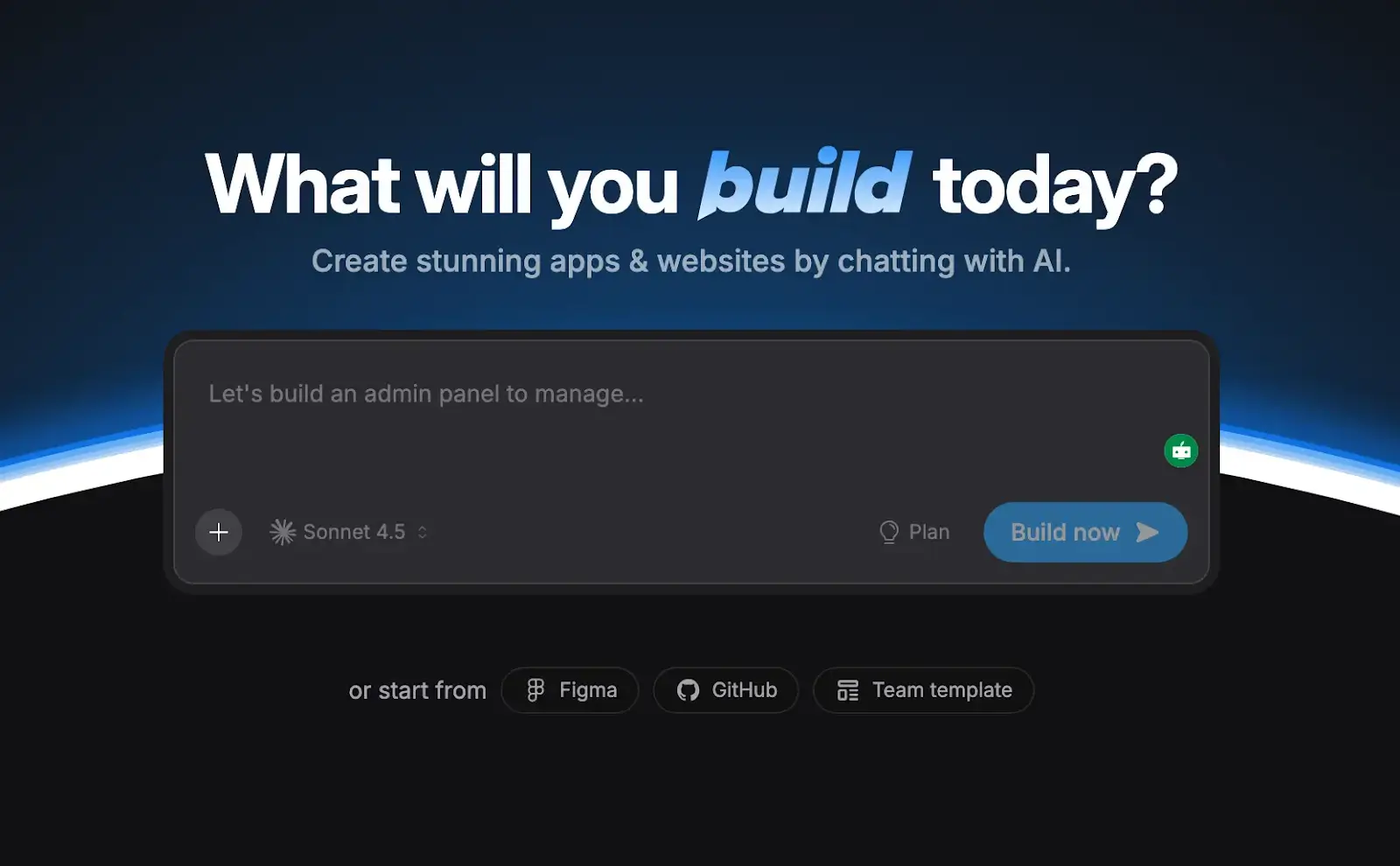
Bolt.new is an AI-powered full-stack app builder from StackBlitz that generates complete applications in your browser. Like Lovable, it creates React/Vite codebases from natural language prompts. Unlike Cursor, where you write code with AI assistance, Bolt.new generates entire projects while you watch.
What makes Bolt unique is WebContainers—StackBlitz’s technology that runs Node.js entirely in your browser. This means you get a full development environment with live previews, package installations, and terminal access without installing anything locally. Everything happens client-side with zero latency.
Bolt.new works well for rapid prototyping and getting from idea to demo quickly. But, like most AI app builders, they often require developer intervention for complex logic and production-scale features.
Bolt.new pros and cons
Pros:
- WebContainers technology runs Node.js in the browser with zero setup
- Instant live previews as code generates
- Clean, standard React/Vite code you can download and modify
- Supports npm packages, APIs, and third-party integrations
- Free tier is generous enough for serious prototyping
- Built-in hosting with .bolt.host domains
- Works entirely in the browser
Cons:
- Primarily frontend-focused; backend logic is limited
- Token-based pricing can get expensive for complex projects
- Generated code still needs developer review for production
- Not designed for team collaboration
- Complex apps hit context limits and generate inconsistent code
Key Bolt.new features
- WebContainers development environment: Complete Node.js environment running in your browser. Install packages, run servers, access terminal commands, and preview apps, all client-side with instant feedback.
- AI-powered full-stack generation: Describe your app, and Bolt generates React components, routing, state management, styling, and API integrations.
- Live preview & iteration: See your app update in real-time as Bolt writes code. Make changes through conversation and watch the preview refresh instantly.
- Code ownership & export: Download complete, standard React/Vite codebases. No vendor lock-in, no proprietary formats. Take the code to GitHub, VS Code, or Cursor for continued development.
- Built-In deployment: Publish apps to .bolt.host domains instantly. Connect custom domains on paid plans. Integrates with Netlify for advanced hosting needs.
- Prompt enhancement: Before submitting prompts, use the enhance feature to let AI refine your request. Helps generate better initial scaffolding.
Bolt.new pricing
Here’s Bolt.new’s annual pricing:
- Free: 300K tokens daily limit, 1M tokens per month, up to 333k web requests, etc
- Pro ($18/month): No daily token limit, website hosting, Increased token limits, etc
- Teams ($27/month): Everything in Pro plus centralized billing, team-level access management, private NPM registries support, etc.
Verdict: Bolt.new vs. Cursor
Choose Bolt.new if you want to generate working prototypes instantly without local setup, especially if you’re a designer or PM who needs to demo ideas quickly.
5. Base44 — best for internal workflows and light SaaS apps
.webp)
Base44 generates full-stack web applications with integrated database, authentication, and hosting, all from natural language prompts.
It sits between pure no-code platforms like Softr and code-generation tools like Lovable, giving you visual editing alongside AI-generated logic.
Base44 excels at internal workflows, back-office tools, and simple SaaS products. The all-in-one approach, with database, auth, and hosting included, removes infrastructure complexity. But, like most AI app builders, it’s better suited to MVPs than to complex production systems.
Base44 pros and cons
Pros:
- All-in-one stack with database, authentication, and hosting built in
- Visual editor for adjusting layouts and styling after generation
- Prompt-first workflow with a helpful idea library for inspiration
- Discuss Mode for brainstorming before committing code
- GitHub export for code ownership
- Lower cost than competitors for small projects (no separate Supabase or hosting bills)
Cons:
- Free tier burns credits quickly
- Integrated database is convenient now, but it may complicate future migration
- Less mature than competitors like Bolt or Lovable
- Still requires prompt literacy for best results
- Limited documentation and a smaller community
Key Base44 features
- AI-powered full-stack generation: Describe your app, and Base44 generates UI, business logic, database schema, user authentication, and hosting configuration. You can watch progress in real-time through build logs.
- Integrated database & authentication: Built-in PostgreSQL database and user management system.
- Visual post-generation editing: After AI generates your app, use the visual editor to adjust colors, layouts, and content without additional prompting. Click-to-tweak interface for non-developers.
- Discuss mode: Brainstorm with AI before building. Ask questions or explore alternative approaches without consuming credits or affecting your live app.
- Idea library & style tokens: Pre-built templates for common use cases. Apply design styles like “claymorphism” or “glassmorphism” with a single word.
- GitHub integration & code export: Own your code. Export to GitHub and continue development in traditional editors if needed. Switch from AI-assisted building to manual coding at any time.
Base44 pricing
- Free: 25 message credits/month, 100 integration credits/month
- Starter ($20/month, billed annually): 100 message credits/month, 2,000 integration credits/month
- Builder ($40/month, billed annually): 250 message credits/month, 10,000 integration credits/month, GitHub integration, etc
- Pro ($80/month, billed annually): 500message credits/month, 20,000 integration credits/month, in-app code edits, early access to beta features
- Elite ($160/month, billed annually): 1,200message credits/month, 50,000 integration credits/month, Everything in Pro plus premium support
- Enterprise: Custom pricing for teams
Verdict: Base44 vs. Cursor
Choose Base44 if you want an all-in-one AI app builder with database, auth, and hosting included, especially for internal tools or simple SaaS MVPs.
Invest in the right Cursor alternative for your team
Cursor is an excellent AI coding assistant for developers who want to write code faster. If you’re comfortable with programming languages, familiar with VS Code, and want intelligent code completion and AI-powered suggestions while you work, Cursor delivers real value.
But vibe coding tools like Cursor, Bolt, Lovable, and Replit Agent are built for generating code—not production-ready business software.
These tools excel at:
- Calculators, landing pages, and side projects
- Quick prototypes that demonstrate concepts
- Learning to code with AI assistance
They often struggle with:
- Production deployments at scale
- Complex business logic and workflows
- User management and permissions systems
- Security, compliance, and data protection
- Infrastructure maintenance and monitoring
If you’re building actual business software—client portals, internal tools, CRMs, dashboards, project management systems—Softr gives you the speed of AI generation with the reliability of proven infrastructure.
Try Softr for free and start building real business software today, no coding required.
Frequently asked questions
What’s the difference between vibe coding assistants and AI-powered app builders?
Can I use these Cursor alternatives if I don't know how to code?
Which Cursor alternative is best for startups?