



.jpeg)
You won’t know how critical data management software is until you’ve tried to use spreadsheets to run a scaling business. Eventually, you start hitting walls: formulas breaking every time you add new rows, data spread out across dozens of sheets, and a total lack of automation options.
Data management software lets you supercharge data integration, storage, maintenance, and intelligence workflows. Instead of wrestling with fragmented files and manual updates, you get centralized databases with relationships between tables, automated data validation and enrichment, role-based access controls. Some platforms even let you build apps on top of your data.
But not all data management tools work for every kind of business. In this guide, we cover some of the top options for data management for 2026, breaking them down by use case and top features so you can make the right choice.
Best data management software at a glance
| Tool | Best for | Standout features | Pricing |
|---|---|---|---|
| Softr | All-in-one data management with workflows and interfaces | - Powerful data management with app building, workflows, and forms - Scales to millions of records - Softr AI for instant database generation | Free plan available; Paid plans from $19/month |
| Airtable | Spreadsheet-style collaboration | - Relational database engine - Interface Designer for custom dashboards | Free plan available; Paid plans from $20/user/month |
| Microsoft Dataverse | Data management in the Microsoft ecosystem | - Native Microsoft software sync - Standardized data logic with built-in business rules | Free plan available; Plans from $20/user/month |
| Notion | Shared workspace with databases | - Connected workspace linking notes, wikis, and databases - Notion AI Agents | Free plan available; Paid plans from $10/user/month |
| Oracle AI Database | SQL data management with built-in AI | - Make data queries with natural language prompts - AI Vector Search | Custom pricing |
| Informatica IDMC | Enterprise data integration and governance | - CLAIRE AI engine for automated data mapping and quality check - Master Data Management (MDM) | Custom pricing |
What is a data management tool?
A data management tool is software designed to help businesses organize, store, and take action on their data in one centralized system. Unlike basic spreadsheet software, data management apps come with advanced capabilities like relational databases, automated validation, role-based access controls, and workflow automation.
While you can use spreadsheets to store data, they struggle when you need to link information across multiple tables, control who can edit specific fields, or build custom interfaces on top of your records. For these use cases, dedicated data management software becomes a must-have.
What to look for in data management tools
The best data management tools tick off these key boxes:
- Ease of setup and use: The right data management platform should be intuitive enough that non-technical teams can start using it without extensive training, support, or a lengthy onboarding period.
- Data integration capabilities: The tool should connect with your existing apps (CRMs, accounting software, employee portal, etc.) to avoid manual data entry and keep information synchronized.
- Full stack functionality: Rather than pay for another software to create apps that run on your data, look for a tool that lets you build back-end data systems and front-end interfaces on the same platform.
- Collaboration features: Multiple team members should be able to view, edit, and work with data simultaneously with proper permission controls.
- Automation and workflows: Automated data validation, scheduled updates, and triggered actions ensure consistent data quality and reduce manual clean up.
- Scalability: A data management tool should grow with your business, handling more records, users, and complexity without performance issues or sudden cost spikes.
- Enterprise-grade security: You’ll want a platform that keeps data secure through built-in role-based access control and GDPR and SOC 2 compliance.
- Reporting and visualization: Your data won’t be worth much if you can’t visualize it. Built-in dashboards and reporting tools let you turn raw data into actionable insights without exporting to a third-party analytics platform.
1. Softr — best for all-in-one data management with workflows and interfaces
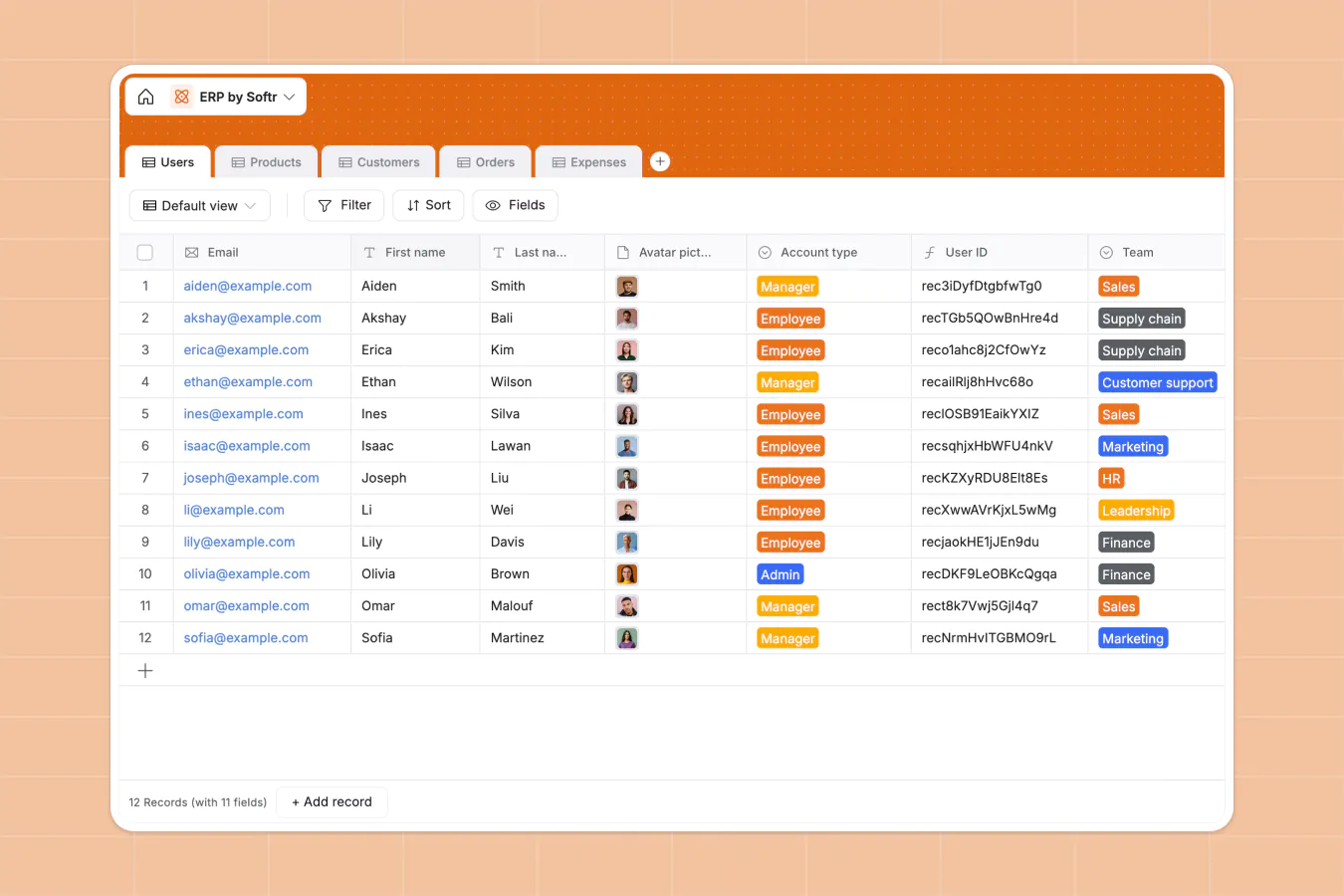
Most data management tools expect you to store your data in one place and then sync it with the other apps in your tech stack through integrations. Softr takes a different approach. It lets you build complete databases directly in Softr and then create custom business apps on top of that data.
This makes Softr a full-stack data management solution, where your back-end data and front-end interfaces are all part of the same platform. You have the option to use it as a powerful standalone data system, or you can build business-critical apps like client portals and CRMs that sync natively with Softr Databases.
Softr is no-code, so you can do things like link records across different data sets, structure data with different field types, and create custom views — all without writing a single line of code. Use its intuitive, spreadsheet-style interface to create a data management platform tailored to your business, or let Softr AI build it for you.
Softr pros and cons
Pros:
- All-in-one data management: Use Softr Databases as a standalone data management tool with powerful workflow automation.
- Fast deployment: Build functional databases within minutes using AI, templates, and a user-friendly spreadsheet interface — no programming expertise or developer resources required.
- AI integration: Ask natural language questions about your data with Ask AI, or have Softr AI build and populate entire databases with the tables and fields you need.
- Strong data management features: Create and customize relational databases with flexible field types, including linked records, formulas, lookups, rollups, and attachments.
- Data source flexibility: Build databases directly in Softr, sync with existing databases like HubSpot and Google Sheets, or do both.
- Predictable pricing: Flat-rate subscription tiers offer cost certainty and avoid the surprise charges that come with infrastructure overages and API calls.
- Complete customization: Build a data management solution that actually works with your business instead of adapting to vendor-imposed limitations.
Cons:
- Not designed for complex developer logic, server-side processing, or custom database queries
Softr best features
- Vibe Coding Block: Generate custom data visualizations, calculators, tracking interfaces, and analytical widgets using AI-powered prompts.
- Ask AI: You can ask Softr AI questions about your data or let it build entire databases for you based on natural language prompts.
- Visual builder: Use Softr AI to get started, then customize your databases and interfaces with the intuitive visual builder.
- Built-in permissions: Configure complex view and edit access for different roles, departments, or external stakeholders.
- Multi-source data integration: Use Softr Databases for unified data and application management or connect to external data sources like Google Sheets and SQL.
- Intelligent forms: Create front-end data collection interfaces with validation rules, automation triggers, and real-time database updates.
- Analytics dashboards: Visualize data trends, KPIs, and other key business metrics with built-in charting and analysis tools.
- Portal creation: Build secure, user-specific portals where clients or team members can access and update relevant data based on their roles.
- End-to-end workflow automation: Configure form submissions, new records, and existing data changes to trigger automated workflows like email sends, Slack notifications, and AI-powered data enrichment.
- Support infrastructure: Access live chat and email support or engage with Softr’s community of builders for additional help and inspiration.
Softr pricing
Softr offers flat, predictable pricing and an extensive free plan to get you started.
- Free: Unlimited apps, with access to Softr Workflows, Softr Databases, Softr MCP, 5 app users, 5,000 records.
- Basic ($19/month): Unlimited apps with 42+ integrations, Team: 5 + Client: 5 app users, and a custom domain.
- Pro ($99/month): Unlimited apps with 45+ integrations and custom code, Team: 10 + Client: 50 app users, removing Softr branding, custom code, and e-signatures.
- Business ($329/month): Unlimited apps with 52+ integrations, Team: 30 + Client: 100 app users, 1M records, and advanced data sources.
- Enterprise (custom pricing, contact sales):, SSO, dedicated success manager, and tailored onboarding
2. Airtable — best for spreadsheet-style collaboration
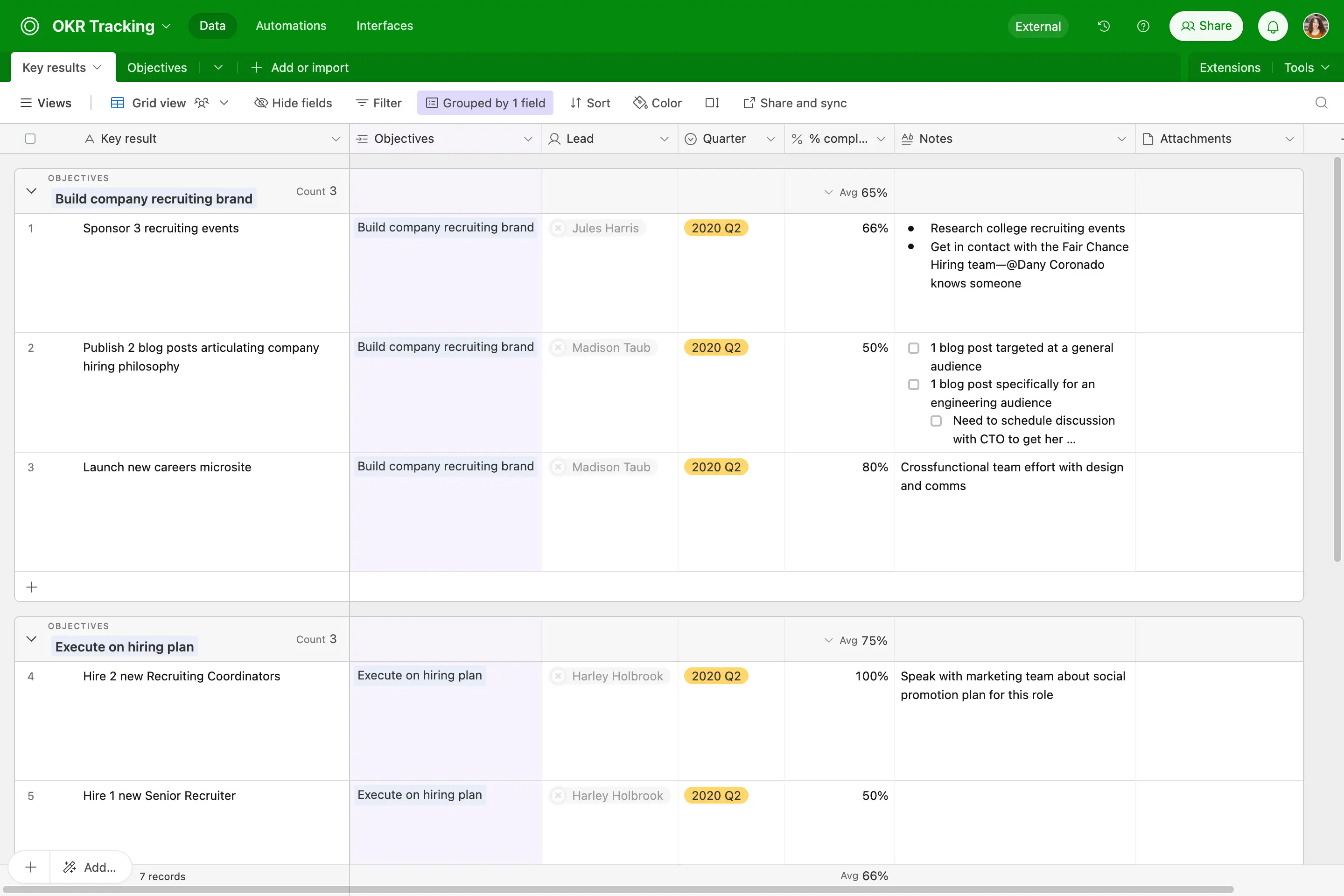
Airtable is a solid choice for teams ready to graduate from Excel or Google Sheets. It offers a familiar spreadsheet interface, but with expanded relational database capabilities like linked records, calculated fields, and multiple synchronized views. Companies across a range of industries use Airtable to manage content calendars, product roadmaps, inventory systems, event planning, and customer databases.
Airtable pros and cons
Pros:
- Spreadsheet-style interface: Teams familiar with Excel or Google Sheets can begin using Airtable immediately with minimal learning curve.
- Database relationships: Create connections between tables, aggregate data with rollups and lookups, and model complex information structures.
- Diverse field types: Airtable supports a larger variety of field types than Excel or Sheets, including file attachments, checkboxes, dropdown selections, dates, formulas, ratings, and more.
- View flexibility: Examine the same dataset through grid, calendar, kanban, gallery, timeline, or form views.
- Built-in automation: Configure automated workflows that trigger actions when data meets certain conditions or new records are added.
Cons:
- Costs can escalate quickly due to per-user pricing
- Databases with extensive linked records or large volumes can experience slowdowns
Airtable best features
- Database architecture: Design custom tables with various field types and establish relational connections.
- Multiple perspectives: View identical data as grids, calendars, galleries, kanban boards, Gantt charts, or timelines.
- Automation engine: Configure email notifications, record updates, or integration triggers based on data changes.
- Data collection: Build customizable forms for gathering information from users like employees and external stakeholders.
- Interface Designer: Spin up specialized dashboards and applications on top of your Airtable databases.
- Team collaboration: Work simultaneously across teams with real-time updates, threaded comments, and activity notifications.
Airtable pricing
- Free: Unlimited bases, 1,000 records per base, 1GB attachment storage
- Team ($20/user/month): 50,000 records per base, 20GB attachments
- Business ($45/user/month): 125,000 records, 100GB attachments, advanced capabilities and administrative controls
- Enterprise Scale: Custom pricing with enhanced security, dedicated support, and governance features
3. Microsoft Dataverse — best for data management in the Microsoft ecosystem
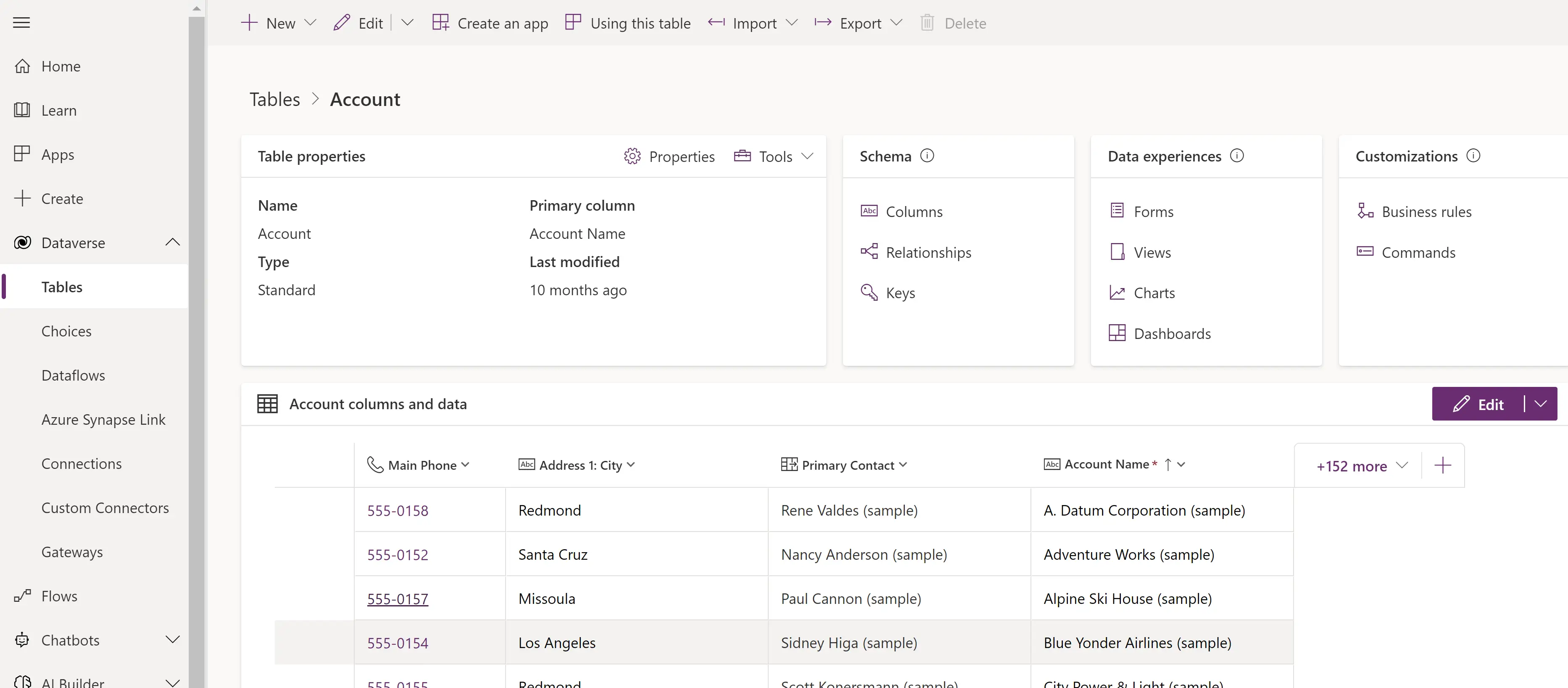
Microsoft Dataverse provides enterprise-grade cloud data infrastructure specifically designed for business applications built on the Microsoft Power Platform. It provides structured data storage combined with business logic, security frameworks, and integration capabilities. If your business lives within the Microsoft software ecosystem, this is a strong choice for managing and automating data across your tech stack.
Microsoft Dataverse pros and cons
Pros:
- Microsoft ecosystem synergy: Dataverse integrates natively with Power Apps, Power Automate, Power BI, and Microsoft 365 services.
- Enterprise security: The platform offers comprehensive role-based security, compliance frameworks, and data governance capabilities.
- Embedded business logic: Use its built-in support for validation rules, workflow automation, and plugin extensibility.
- Enterprise scalability: Dataverse can handle substantial data volumes with enterprise-class performance and reliability.
- Low-code development: Build applications and automations on Dataverse without needing traditional software development resources.
Cons:
- Getting the most value out of Dataverse means committing to Microsoft's ecosystem
- More complex than consumer-oriented tools like Google Sheets or Airtable
Microsoft Dataverse best features
- Business rule engine: Implement validation logic, calculated fields, and automated workflows within the platform.
- Security framework: Configure role-based permissions, field-level security restrictions, and comprehensive audit logging.
- Power Platform integration: Develop applications in Power Apps, automate processes in Power Automate, and visualize data in Power BI.
- Connector library: Connect to other apps using Microsoft’s pre-made integrations with other business services and systems.
- Dual-write synchronization: Maintain real-time data consistency between Dataverse and Dynamics 365 or other systems.
Microsoft Dataverse pricing
Dataverse pricing operates through Power Platform licensing:
- Power Apps Developer Plan (Free): Includes three developer environments and 2GB database
- Power Apps Premium ($20/user/month): Includes Dataverse database capacity and access to Power Apps portfolio
- Power Apps Premium w/ 2,000 seat minimum ($12/user/month): For enterprise teams who purchase a minimum of 2,000 licenses
4. Notion — best for a shared workspace with databases
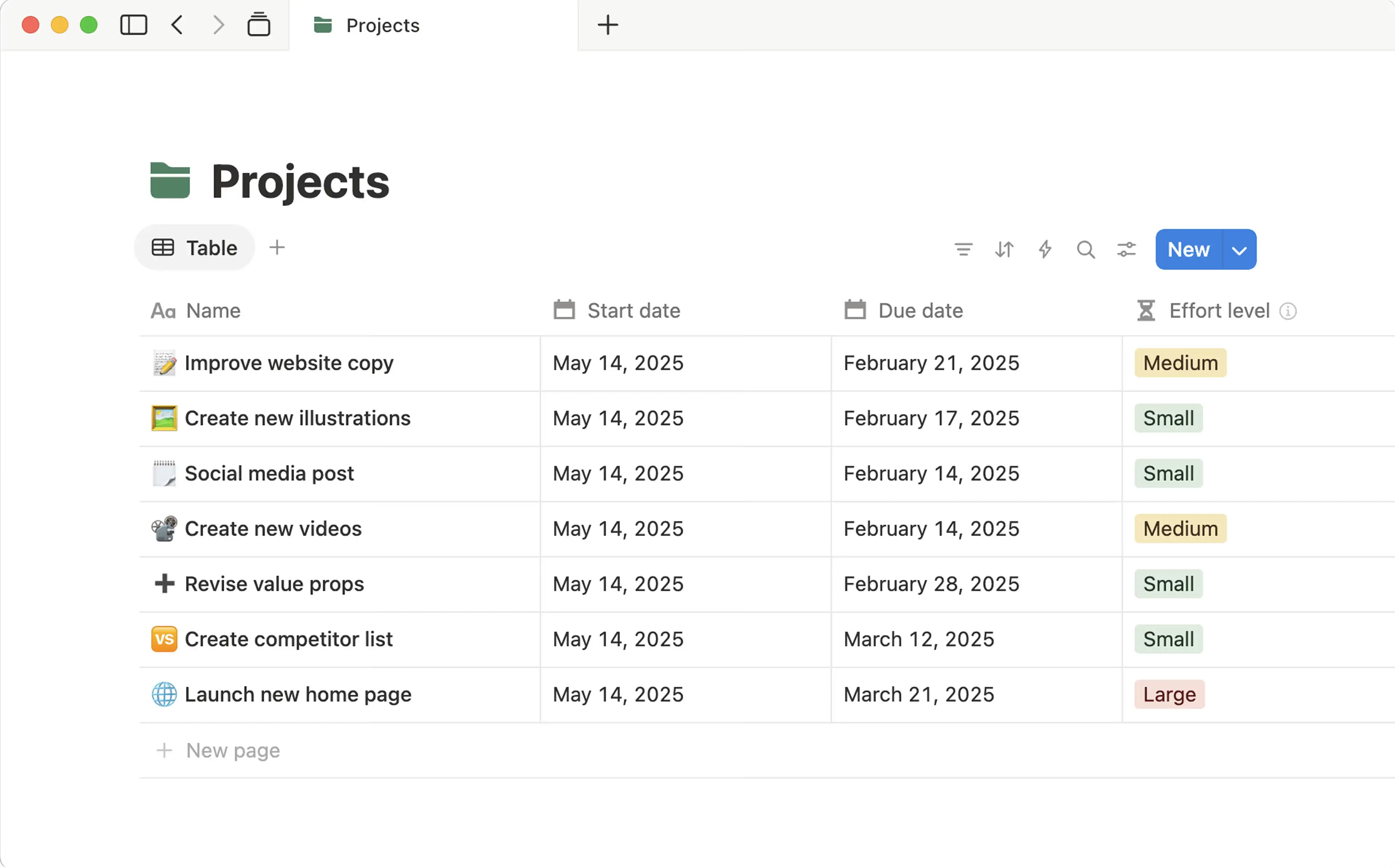
Notion combines note-taking, documentation, wikis, and databases into a unified, collaborative workspace. While Notion isn’t always thought of as a data management tool, it actually has strong relational database capabilities that rival some dedicated platforms—letting you link databases together, create multiple views of the same data, and build custom properties with formulas and rollups. What makes Notion worth considering is how it seamlessly blends structured data with unstructured content, so your product database can live alongside meeting notes, project documentation, and team wikis in one connected system.
Notion Pros and Cons
Pros:
- Unified environment: Combine documentation, project management, and structured data in a single platform.
- View versatility: Transform database content between table, board, timeline, calendar, gallery, and list formats.
- Polished interface: Notion has a clean, intuitive design that facilitates information organization. Databases have a clean, spreadsheet-like style.
- Rich content integration: You can embed media, code blocks, files, and third-party content alongside structured data.
- Collaboration features: Real-time editing, threaded comments, and team mentions keep departments coordinated.
Cons:
- Lacks advanced relational database features and sophisticated query capabilities found in other platforms
- Large databases or complex page hierarchies can impact responsiveness
- Limited workflow automation compared to specialized automation platforms
Notion best features
- Multi-view databases: Create tables, kanban boards, calendars, galleries, and lists that all represent the same underlying data.
- Database relationships: Link databases together and create rollup fields to aggregate related information.
- Template library: Leverage pre-built templates or design custom templates for iterative processes.
- Knowledge management: Build internal wikis, process documentation, and team knowledge bases integrated directly with data.
- Third-party integrations: Connect with Slack, Google Drive, GitHub, Figma, and other business tools.
Notion pricing
- Free: Unlimited basic pages and databases for individual users with limited team features
- Plus ($10/user/month): Unlimited collaborative blocks, file uploads, and data charts
- Business ($20/user/month): Includes granular database permissions, private teamspaces, and other advanced features
- Enterprise: Custom pricing with advanced security, compliance controls, and dedicated support
[.blog-callout]
✨ If Notion is where your data lives, Softr helps you turn that data into secure client portals, dashboards, and internal tools without extra seats or workarounds.
[.blog-callout]
5. Oracle AI Database — best for SQL data management with built-in AI
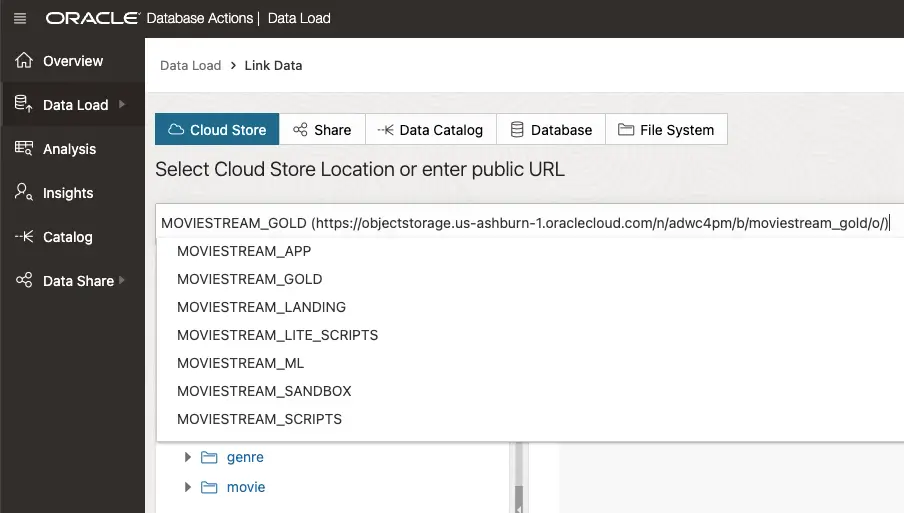
Oracle AI Database is a SQL database management system that now incorporates artificial intelligence capabilities directly into its core engine. You get machine learning and vector search functionality embedded directly within your databases, so you can run AI-powered queries alongside standard SQL operations. Enterprises and large organizations with complex data requirements use this platform to manage transactional systems and data warehouses across on-premises, cloud, and hybrid environments.
Oracle pros and cons
Pros:
- Autonomous operations: The database uses machine learning to tune itself, patch security holes, and back up data without constant manual tweaking.
- AI Vector Search: Unlike other tools that require a separate "vector database" for AI, Oracle lets you run AI search and standard relational queries in the same table.
- Broad scalability: Oracle works across a range of data volumes and environments, from a small startup's records to a bank’s entire transaction history.
- Multicloud flexibility: You can run Oracle databases directly inside Microsoft Azure or Google Cloud consoles through "OCI" partnerships.
Cons:
- Requires more technical knowledge (like a background in SQL) to set up and use than tools like Softr or Airtable
- Costs can grow quickly at enterprise-level data volumes
Oracle best features
- Select AI Agent: Oracle’s natural language interface allows you to "talk" to your data using LLMs.
- JSON Relational Duality: This feature gives developers the flexibility of a document database (like MongoDB) with the power and consistency of a relational database.
- Globally Distributed Database: Automatically shard data across different countries to meet data sovereignty laws (like GDPR) while still appearing as one single database.
- SQL Firewall: Built directly into the database engine to block unauthorized access and SQL injection attacks in real-time.
Oracle AI Database pricing
Some Oracle services are free; total cost is based on utilization and services used.
6. Informatica Intelligent Data Management Cloud — best for enterprise data integration and governance
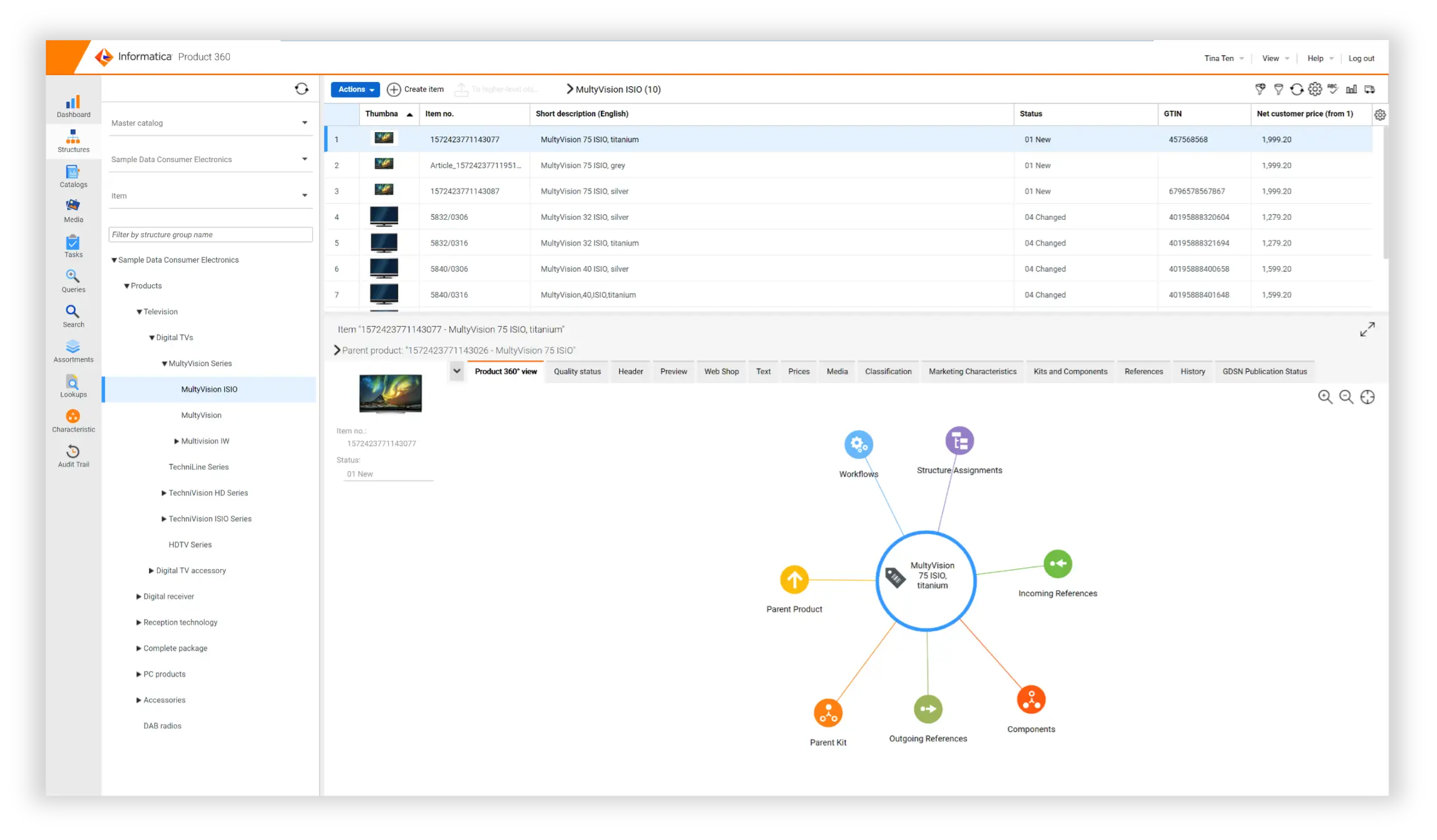
Informatica Intelligent Data Management Cloud (IDMC) is an enterprise data management platform designed for large organizations with complex data integration, quality, governance, and master data management requirements. It works best for connecting massive, disparate data sources across cloud and on-premises environments. And if you’re in a sensitive industry like healthcare or finance, it has seriously strong governance policies for maintaining compliance.
Informatica IDMC pros and cons
Pros:
- Comprehensive platform: IDMC combines data integration, quality management, master data management, governance, and cataloging in one unified environment.
- AI-powered automation: Informatica’s CLAIRE AI engine automates data mapping, quality checks, and metadata management to cut down on manual work.
- Enterprise-grade scalability: Handle massive data volumes across hybrid and multi-cloud environments without sacrificing performance.
- Strong governance capabilities: Get access to built-in data lineage, privacy management, and compliance tools help meet regulatory requirements in sensitive industries.
- Extensive connectivity: Use pre-built connectors to integrate hundreds of data sources including databases, SaaS applications, and data warehouses.
Cons:
- Requires substantial planning, configuration, and often professional services to deploy effectively
- High costs make it unsuitable for small businesses
Informatica IDMC best features
- Cloud data integration: Build and orchestrate data pipelines across cloud and on-premises systems with visual design tools.
- Data quality: Automatically profile, cleanse, standardize, and enrich ingested data to ensure accuracy and consistency.
- Master data management: Create and maintain a single, authoritative source of truth via master records for critical business entities like customers, products, and suppliers.
- Data governance and privacy: Establish policies, track data lineage, manage metadata, and ensure compliance with regulations like GDPR and CCPA
- Data warehouse integration: Informatica integrates natively with Snowflake, Databricks, Amazon Redshift, Google BigQuery, Azure Synapse, and other warehouses.
Informatica IDMC pricing
Informatica uses custom pricing based on data volume and usage. Many users report high annual costs.
Find the data management tool that fits your needs
The right data management tool for you is the one that matches your organization's requirements and goals. Rather than look for the longest feature list, determine whether you need simple spreadsheets, relational databases, custom applications, or a combination of all three. You’ll also want to consider how much costs will increase as your data volume and user base expand.
For small to mid-sized organizations, look for a data management tool with an intuitive interface, transparent pricing, and the ability to build front-end interfaces without paying for another software subscription. You’ll want something significantly more powerful than a spreadsheet, but not so technical that only developers can configure it.
Still not sure where to start? Try Softr Databases for free with up to 1000 records per database and 5000 records total.
Frequently asked questions
What features are essential in a data management tool?
Can I build custom data management apps without coding?
How do I choose between a spreadsheet and a database tool?


