Asset management software brings your tools and equipment into one place, so teams can see what they own, where it is, and what needs attention without chasing updates across departments. Here’s what it actually does, which features make a difference day to day, and how to pick one that fits how your team already works.
Best IT asset management software at a glance
| Tool | Best for | Key features | Pricing |
|---|---|---|---|
| Softr | Building an AI-powered, fully custom asset management system around your workflows | • Custom asset portals, dashboards, and request workflows • Role-based access and secure collaboration • Native workflow automation and AI agents • Reporting and dashboards • Flat pricing with no per-seat fees for external users | Free plan available; paid plans from $19/month |
| MaintainX | Maintenance and facilities teams managing equipment and work orders | • Work order management and preventive maintenance • Mobile-first for field technicians • Asset repair history and inspections • Real-time task tracking and communication | Free plan available; paid plans from $20/user/month |
| Limble CMMS | Small to mid-size teams needing preventive maintenance scheduling | • Preventive maintenance automation • Work order tracking and asset history • Mobile maintenance app • Inventory tracking for spare parts | Free plan available; paid plans from quote |
| Asset Panda | Organizations tracking physical assets across locations | • Customizable asset database • Barcode and QR scanning • Check-in / check-out workflows • Lifecycle tracking and maintenance scheduling | Free trial available; paid plans from $50/user/month |
| UpKeep | Mobile-first maintenance teams coordinating repairs and servicing | • Work order tracking and preventive maintenance • Equipment history and documentation • Inventory tracking for parts • Offline mobile access | Paid plans from $20/user/month |
| Snipe-IT | IT teams tracking devices, licenses, and accessories | • Device lifecycle tracking • Check-in / check-out system • License and accessory management • Self-hosted or cloud options | Free self-hosted; hosted plans from $39.99/month |
| Stockpress | Marketing and creative teams managing digital brand assets | • Centralized media library with tagging • Version control and permissions • Secure sharing and collections • AI tagging and search | Free plan available; paid plans from $79/month |
What is asset management software?
Asset management software, or digital asset management software (DAM), is a system that helps businesses track, manage, and maintain the resources they rely on. It tracks processes involving resources such as equipment and vehicles, laptops, tools, and software licenses in one centralized place. The best ones also show what assets you have, where they are, and who’s using them, as well as what they cost over time. Teams can make decisions based on real data instead of guesswork.
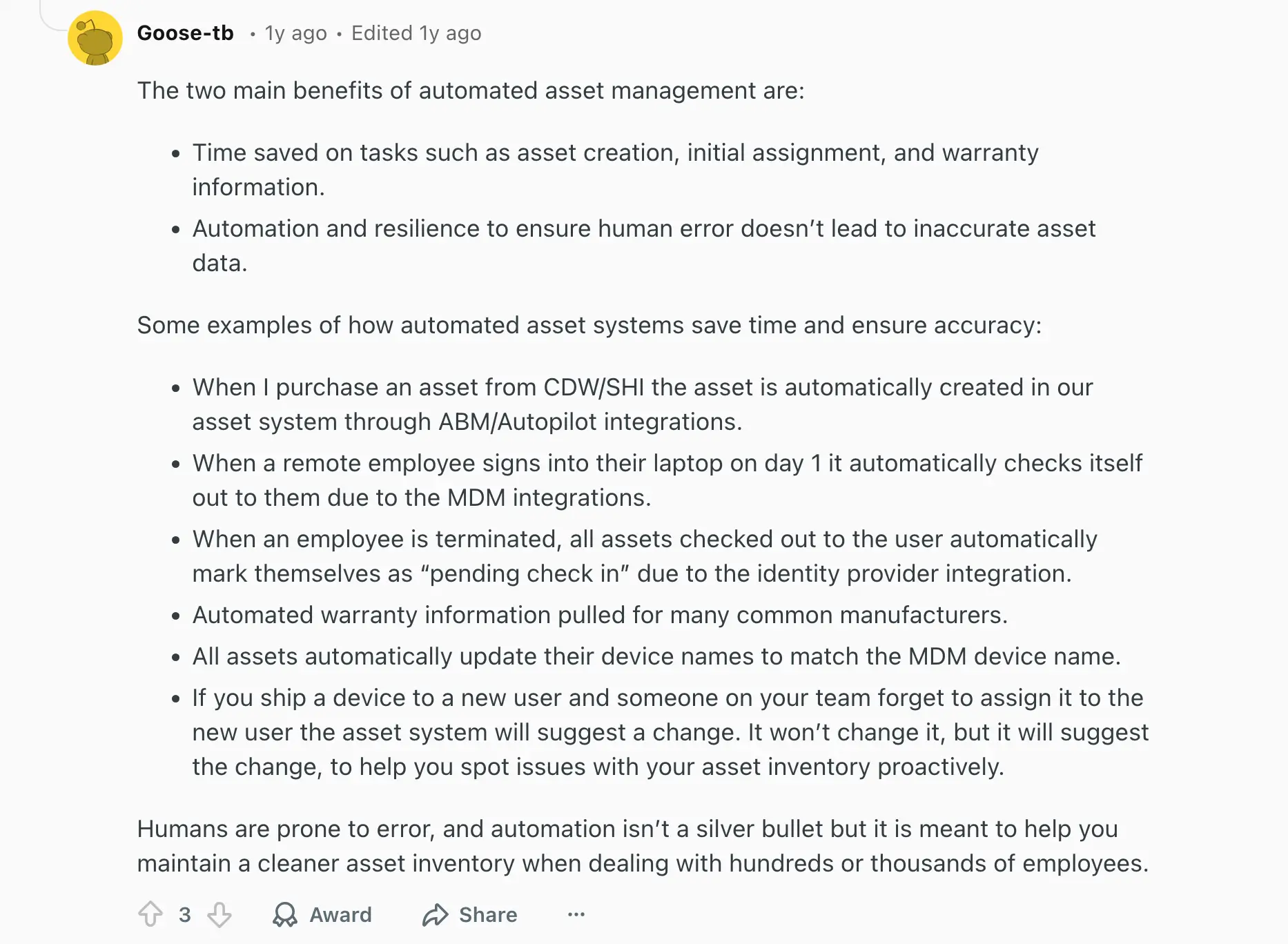
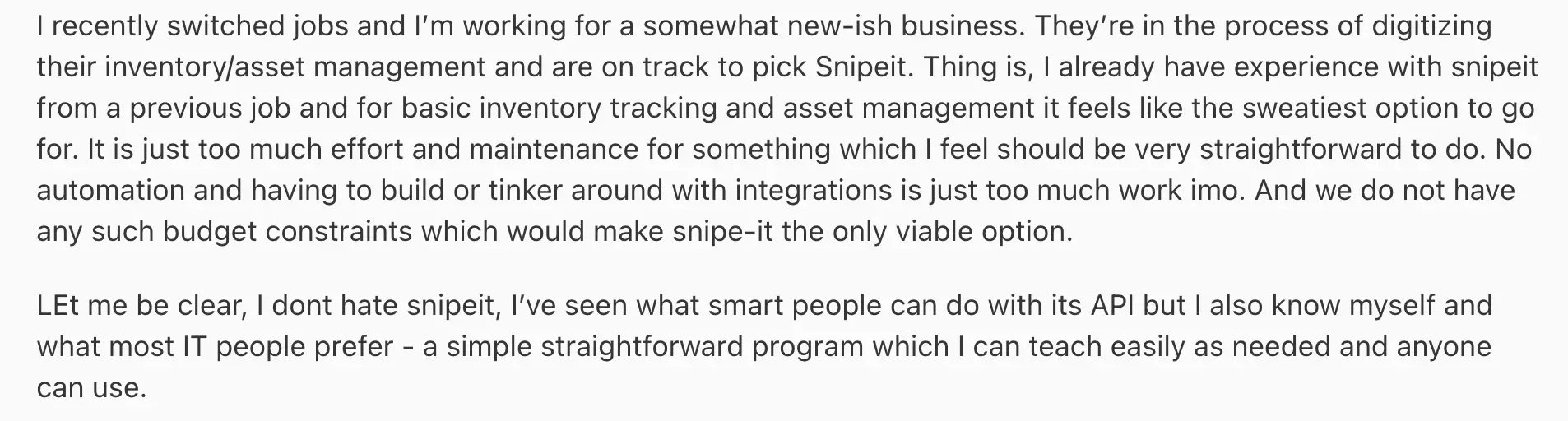
Most tools support the full asset lifecycle, including purchase records, maintenance history, warranties, and replacement planning. This turns scattered information into a single, reliable source of truth for operations, finance, and internal teams alike. The Reddit thread below highlights just how important asset management is:
{{cta-1}}
What to look for in asset management tools
- Centralized asset inventory: A single place to record all assets with key details like location, owner, status, and value, so nothing lives in disconnected spreadsheets.
- Real-time tracking and visibility: Clean access to assets, their current usage status (available, in use, or under maintenance), and who’s using them.
- Maintenance and lifecycle tracking: Tools to schedule servicing, log repairs, track warranties, and plan replacements before failures disrupt operations.
- Custom fields and flexibility: Support for different asset types (equipment, IT devices, inventory, facilities) without forcing a fixed structure.
- Permissions and access control: Role-based access so teams only see and manage what’s relevant to them while keeping sensitive data protected.
- Request and approval workflows: Built-in processes for asset checkouts, purchase requests, or maintenance approvals to reduce manual coordination.
- Integrations with existing tools: Connections to systems like inventory, finance, HR, or project tools to avoid duplicate data entry.
- Reporting and dashboards: Clear insights into asset usage, costs, downtime, and availability to support planning and budgeting.
- Ease of use for non-technical teams: A clean interface that people will actually adopt without long training or IT involvement.
- Scalability as operations grow: The ability to handle more assets, locations, and workflows without needing to rebuild the system later.
1. Softr — best for building AI-powered, custom asset management systems around your workflows

Softr isn’t traditional asset management software. Instead of locking you into a fixed structure, it lets you build an operational hub around your assets. You can automate request flows, approval chains, check-in/check-out processes, maintenance tracking, and vendor coordination—reducing manual back-and-forth and improving record accuracy.
That flexibility is ideal for teams whose workflows don’t fit neatly into maintenance- or inventory-only tools. A construction company might manage equipment, contractors, and service requests in one system, while an ops team could track laptops, software licenses, and onboarding tasks tied to employee records.
You can build your own data structure with Softr Databases or connect to existing tools like Airtable, Google Sheets, Excel, HubSpot, SmartSuite, or SQL databases with real-time sync. Once connected, your data powers secure dashboards, forms, permissions, and automated workflows—giving you centralized visibility without sacrificing control.
Softr pros and cons
Pros:
- Fast to build and easy to maintain: Start quickly with the AI co-builder or from a pre-made template without months of technical setup.
- Granular role-based permissions: You can control access by department, location, or responsibility for secure collaboration—no accidental exposing of sensitive data. For example, technicians can view assigned equipment and tasks, while managers access full dashboards and reporting.
- Mobile accessibility: Because Softr apps are mobile-friendly and accessible from any device, frontline staff, technicians, or remote employees can update asset information from the field (if they have internet access). You can also turn your app into a downloadable mobile app with Softr's PWA feature.
- Search, filtering, and AI-powered insights: Quickly find parts, orders, suppliers, or production issues using advanced filters. Use Ask AI to query your system in plain English (like “Which work orders are delayed?”) and get instant, accurate answers.
- Scales with your operations: Add new processes, locations, products, or teams without re-platforming or sudden per-seat pricing jumps.
- Live chat support + active community: Access live chat support and an active builder community for help, best practices, and inspiration.
Cons:
- Not a specialized CMMS out of the box: Maintenance-heavy industries may still need domain-specific features.
Softr best features
- Data integrations with real-time sync: Use Softr Databases to replace spreadsheets and manage data and apps in one platform or build apps on top of existing data sources (like Airtable, Notion, or HubSpot).
- Native workflow automation: Automate the processes that typically cause delays or errors, such as asset requests, approvals, assignments, check-outs, maintenance scheduling, and replacement planning. Workflows can trigger when records update or when users submit forms, keeping data accurate.
- Dashboards and real-time reporting: Monitor asset availability, utilization, downtime, maintenance costs, and requests across locations. Visual dashboards help teams identify bottlenecks, underused resources, or upcoming replacements before issues escalate.
- Inventory tracking: Maintain a live view of products, equipment, or materials with details like images, stock levels, usage, and movement across locations. Records update automatically as orders are fulfilled or assets are assigned, helping teams avoid stockouts, over-purchasing, and outdated counts.
- Order management: Manage inbound supplies from vendors and outbound deliveries to customers or teams in one system. Track order contents, statuses, payment terms, and delivery progress.
- Call API and integrations: Connect Softr to any external system you already use such as project tools or HR platforms with a REST API. Send or retrieve data instantly to keep your apps and tools in sync.
- Maintenance and work order coordination: Teams can log issues, attach photos, assign tasks, and maintain a full history of work performed on each asset.
- AI-assisted insights and automation support: Use built-in AI assitants, vibe-coding block, and co-builders to analyze data, summarize reports, or assist with workflow actions, reducing manual analysis work.
Softr pricing
Softr has predictable pricing tiers and a generous free plan so you can try before signing up.
- Free: Unlimited apps, with access to Softr Workflows, Softr Databases, Softr MCP, 5 app users, 5,000 records
- Basic ($19/month): Unlimited apps with 42+ integrations, Team: 5 + Client: 5 app users, custom domain, conditional section visibility, and 2 form-logic branches
- Pro ($99/month): Unlimited apps with 45+ integrations and custom code, Team: 10 + Client: 50 app users, advanced forms, calling external APIs, and e-signatures
- Business ($329/month): Unlimited apps with 52+ integrations, Team: 30 + Client: 100 app users, 1M records, and advanced data sources
- Enterprise: Custom pricing, SSO, dedicated success manager, and tailored onboarding
2. Maintainx — best for maintenance and facilities teams managing equipment and work orders
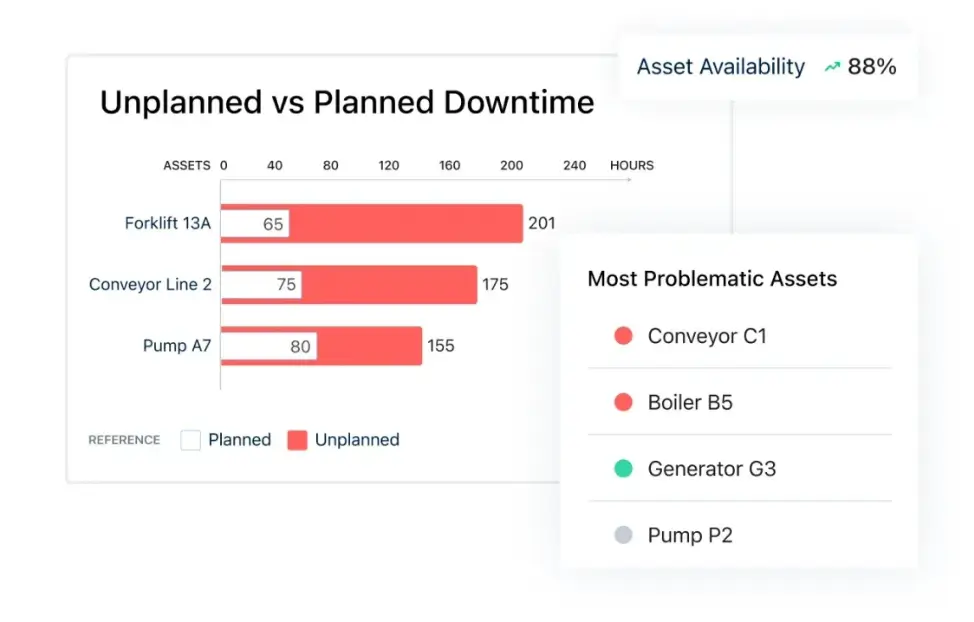
MaintainX is a mobile-first maintenance and operations platform. It helps teams track repairs, schedule preventive maintenance, manage assets, and run inspections in one place. It replaces paper logs, spreadsheets, and scattered messages with a structured system technicians can use from their phones. It’s mainly used in manufacturing, facilities, property operations, and other asset-heavy environments. MaintainX aims to reduce downtime and keep equipment running.
MaintainX pros and cons
Pros:
- Easy adoption: It has a simple interface that technicians can learn quickly with minimal training.
- Mobile first: Full functionality from phones for field and frontline teams is available.
- Work order tracking: You can create, assign, and monitor tasks in real time.
- Preventive scheduling: It allows teams to plan recurring maintenance to reduce breakdowns.
- Asset visibility: MaintainX has a centralized history of equipment repairs and performance.
Cons:
- Limited customization: Advanced workflow and reporting customization can be restrictive for complex operations.
- Higher tier pricing: Many advanced features are only available on more expensive plans.
- Asset search limits: Finding specific assets can become difficult at large scale.
- Workflow rigidity: Highly specialized processes can be harder to configure.
MaintainX best features
- Work order management: MaintainX allows you to create, assign, and track maintenance tasks across teams and locations in real time.
- Inventory management: You can monitor spare parts, stock levels, and receive alerts when supplies run low.
- Digital inspections: Run safety checks, audits, and standard procedures without paper forms.
- Mobile access: Technicians can update tasks, upload photos, and log issues directly from the field.
- Real-time updates: Teams can communicate through comments, notifications, and status changes inside tasks.
- Reporting dashboards: Managers can track downtime, costs, and maintenance performance in one place.
- Role permissions: Admins can control access and actions based on each user’s responsibilities.
MaintainX pricing
Prices reflect annual billing.
- Free plan available (Basic)
- Essential: $20 per user/month
- Premium: $65 per user/month
- Enterprise: Custom pricing for large organizations
3. LIMBLE CMMS — best for smaller maintenance teams needing an easy preventive maintenance system
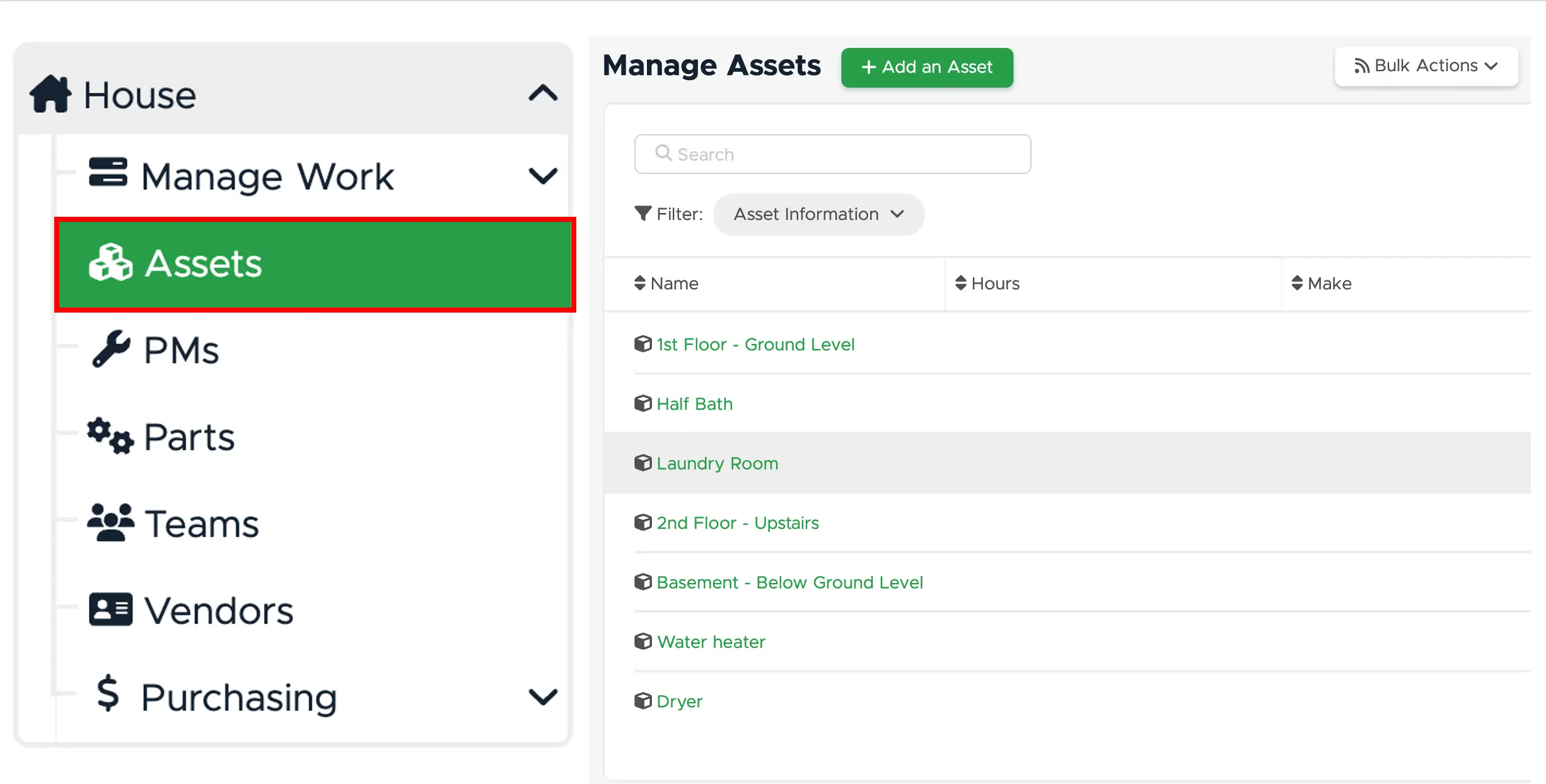
Limble CMMS is a cloud-based maintenance management system that helps teams track equipment, manage work orders, and schedule preventive maintenance. It also centralizes maintenance data and automates recurring tasks, making it easier to move from reactive repairs to planned upkeep. It’s for operations teams that want a simple way to organize repairs, inspections, and asset history—useful when technicians work across facilities or in the field using their phones to update tasks on the spot.
Limble CMMS pros and cons
Pros:
- Easy to use: The interface is intuitive, so technicians can start using it with minimal training.
- Fast setup: Teams can digitize maintenance workflows quickly without heavy IT involvement.
- Strong preventive maintenance tools: Automated scheduling helps reduce unexpected equipment breakdowns.
- Mobile access: Technicians can update tasks, scan assets, and log work directly from the field.
- Clear work order tracking: Managers can see task status, priorities, and history in one place.
- Responsive customer support: Users frequently report helpful onboarding and ongoing assistance.
Cons:
- Limited advanced analytics: Reporting and dashboards may not meet the needs of complex industrial operations.
- Customization constraints: Workflows and dashboards can be harder to tailor compared to enterprise CMMS tools.
- Scaling costs: Pricing can increase as teams grow or require advanced features.
Limble CMMS best features
- Work order management: You can create, assign, and track maintenance tasks from request to completion in one system.
- Preventive maintenance scheduling: Limble allows teams to automate recurring inspections and servicing based on time or usage.
- Asset management: You can maintain a detailed history of equipment repairs, costs, and performance.
- Mobile maintenance app: Allow field technicians to access tasks, upload photos, and update work on site.
- Inventory tracking: Monitor spare parts levels and usage to avoid delays during repairs.
- Reporting dashboards: You can easily track downtime, maintenance costs, and team productivity.
Limble CMMS pricing
Custom pricing based on users, locations, and features (quote required). Free plan is available with limited features.
4. Asset Panda — best for tracking and managing physical business assets
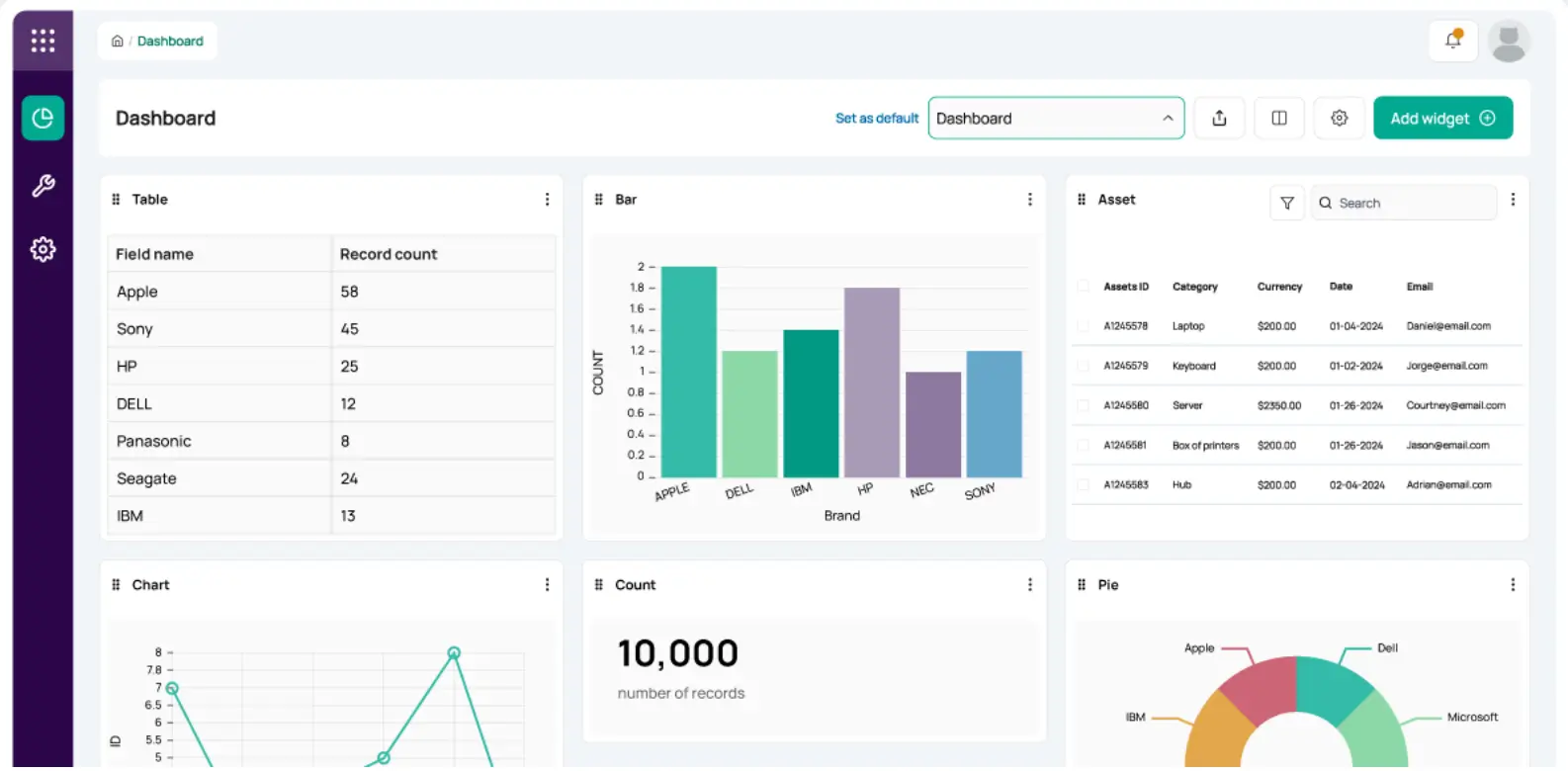
Asset Panda is a cloud-based asset management system that helps teams track equipment, devices, tools, and other physical assets in one place. It replaces spreadsheets with a centralized database where you can see what you own, where it is, who’s using it, and its condition. Companies typically use it to manage IT hardware, field equipment, vehicles, and facilities assets across locations.
Asset Panda pros and cons
Pros:
- Highly customizable: The system can be configured to match different asset types, workflows, and tracking needs without coding.
- Mobile tracking with barcode scanning: Teams can scan assets, update records, and check items in or out directly from the field.
- Centralized asset visibility: All asset data, history, and ownership details live in one searchable system.
- Flexible user access: Pricing allows many users to access the system without per-seat limitations in higher tiers.
- Lifecycle tracking: You can monitor maintenance, warranties, depreciation, and service history over time.
Cons:
- Setup requires planning: Initial configuration can take time, especially for complex organizations.
- Performance can slow at scale: Some users report lag when managing very large asset databases.
- Reporting depth is limited: Advanced analytics and custom reporting may require additional tools.
Asset Panda best features
- Asset tracking database: Tracks ownership, location, condition, and history for each asset in a centralized record.
- Barcode and QR scanning: Enables fast audits and updates using mobile devices instead of manual entry.
- Check-in / check-out workflows: Logs who has an asset and when it was issued or returned.
- Maintenance management: Schedules service, repairs, and preventive maintenance for equipment.
- Custom fields and permissions: Adapts the system to different departments, asset types, and approval flows.
- Reporting and dashboards: Provides visibility into asset usage, status, and lifecycle costs.
Asset Panda pricing
Prices reflect annual billing.
- Free trial: 7 days of full platform access with unlimited users and assets
- Starter: $50 per user/month
- Business+: $60 per user/month
- Enterprise: Custom pricing
- Unlimited collaborator seats: $10 per user/month
5. UpKeep — best for mobile-first maintenance teams
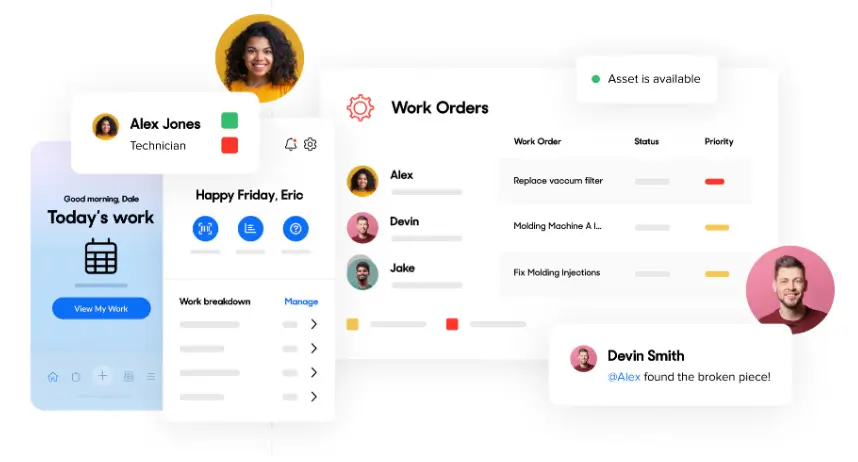
UpKeep is a cloud-based maintenance management system that teams use to organize work orders, track equipment, and schedule routine servicing in one place. It’s commonly used by facilities, property, manufacturing, and field service teams that need technicians to log updates from job sites using a mobile app instead of paper forms. The platform focuses on day-to-day maintenance operations — assigning tasks, recording repairs, keeping asset history, and monitoring what work has been completed or is overdue. It also includes basic inventory tracking for spare parts and reporting to help managers see maintenance activity across locations.
UpKeep pros and cons
Pros:
- Mobile-first design: Technicians can create, update, and close work orders directly from their phones while on site.
- Easy work order management: Teams can assign tasks, track progress, and keep maintenance requests organized in one system.
- Preventive maintenance scheduling: Recurring service tasks can be automated to reduce reactive repairs.
- Asset tracking: Equipment history, service logs, and performance data stay centralized in the system.
- Quick onboarding: Most teams can start using UpKeep without a long implementation process.
Cons:
- Limited customization for complex operations: Workflows and data structures can feel restrictive for advanced use cases.
- Costs increase with team size: Per-user pricing becomes expensive as more technicians are added.
- Advanced features locked to higher tiers: Reporting, automation, and integrations may require premium plans.
UpKeep best features
- Work order tracking: Maintenance requests can be created, prioritized, and monitored from request to completion.
- Preventive maintenance automation: Scheduled servicing in the platform helps prevent breakdowns and downtime.
- Asset management: Equipment details, service history, and documentation are stored in one place.
- Inventory management: Spare parts usage and stock levels can be tracked alongside maintenance tasks.
- Mobile offline mode: Technicians can continue working without internet and sync later.
- Analytics and reporting: Teams can monitor maintenance performance and costs over time.
UpKeep pricing
- Essential: $20 per user/month
- Premium: $55 per user/month
- Professional: Custom pricing
- Enterprise: Custom pricing
6. Snipe-IT — best for IT teams tracking company devices and licenses
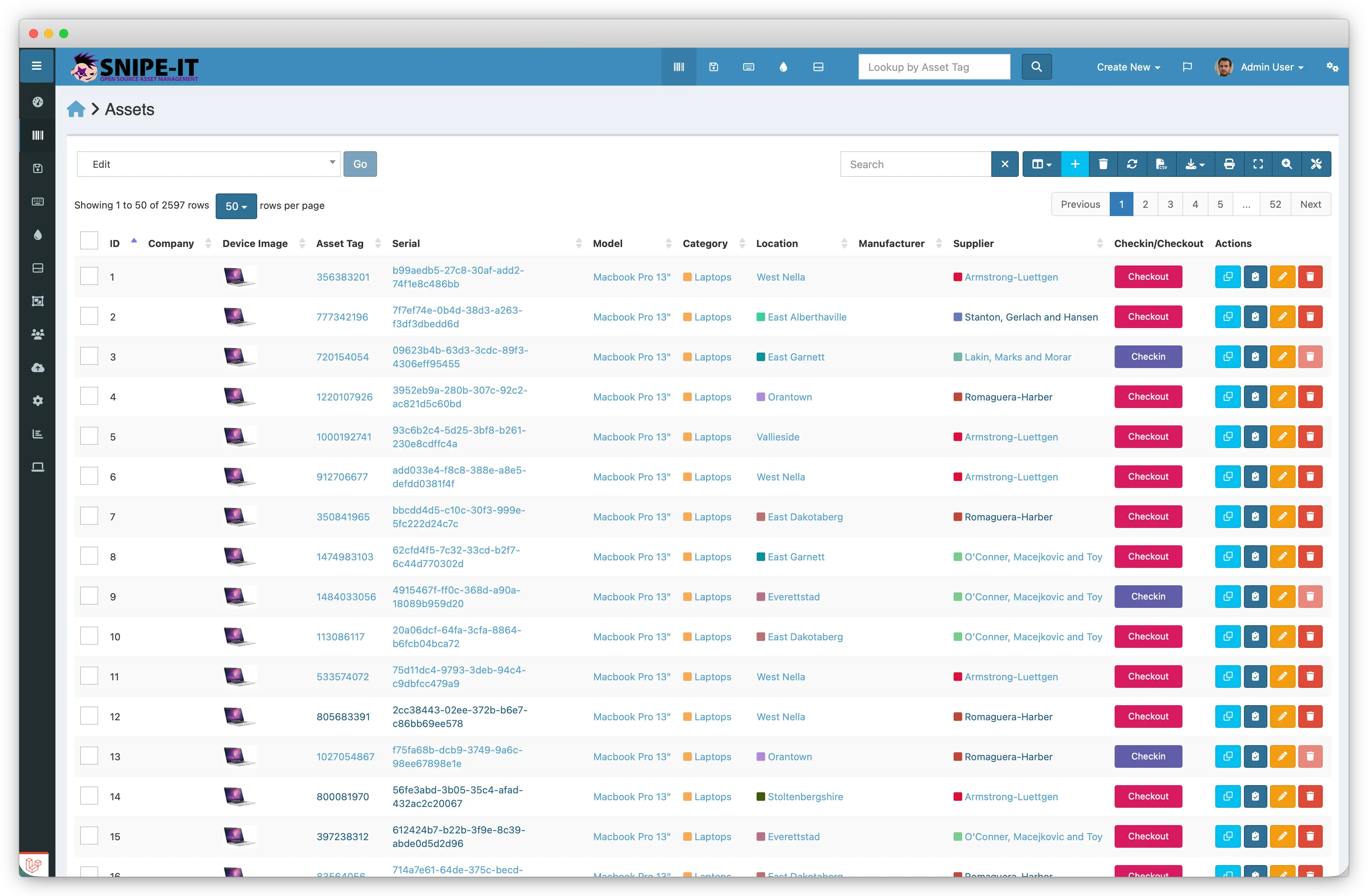
Snipe-IT is an open-source IT asset management system that helps organizations keep track of laptops, equipment, software licenses, and accessories in one place. IT teams use it to know what assets they own, who they’re assigned to, and where they are throughout their lifecycle. It’s especially useful for companies that have outgrown spreadsheets but don’t need a full ERP just to manage devices.
Snipe-IT pros and cons
Pros:
- Free, open-source core: You can self-host the software at no cost and customize it to your needs.
- Built specifically for IT asset tracking: It focuses on devices, licenses, and accessories instead of trying to be a full business system.
- Unlimited users and assets: The system doesn’t restrict how many items or team members you can manage.
- Clear assignment tracking: It makes it easy to see who has each device and maintain accountability.
- Hosted option available: Teams without infrastructure can choose managed hosting instead of self-hosting.
Cons:
- Advanced support and automation are paid: Key conveniences like backups and upgrades come with hosted plans.
- Narrow scope: It handles asset management only, not broader operations like procurement or finance.
- Requires technical setup when self-hosted: Installing and maintaining the system needs IT resources.
Snipe-IT best features
- Asset lifecycle management: It tracks devices from purchase to assignment, maintenance, and retirement.
- License and accessory tracking: It manages software licenses and peripherals alongside hardware.
- Check-in / check-out system: It records when assets are issued or returned to employees.
- Audit and reporting tools: It helps teams verify inventory and spot missing or outdated assets.
- Role-based permissions: It controls who can view or modify asset data.
- API access: It allows integration with other IT systems and workflows.
Snipe-IT pricing
- Self-Hosted: Free (you manage installation, maintenance, and infrastructure)
- Basic Hosting: $39.99/month billed annually ($399.99/year)
- Small Business Hosting: $99.99/month billed annually ($999.99/year)
- Dedicated Hosting (Small): $249.99/month billed annually ($2,499.99/year)
Hosted plans include maintenance, upgrades, backups, and support, while the free version requires you to handle those yourself.
7. Stockpress — best for teams managing large volumes of brand and media assets
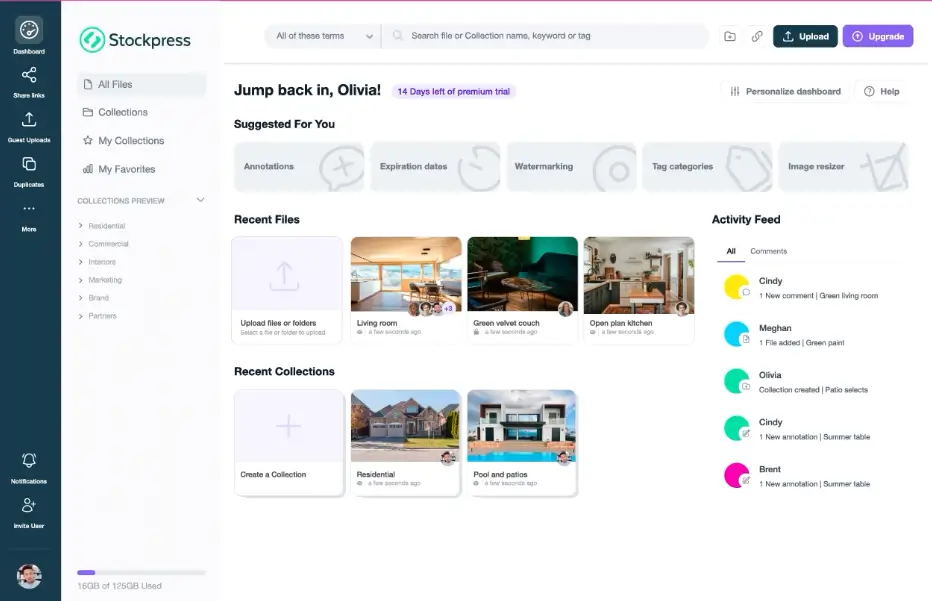
Stockpress is a digital asset management (DAM) tool used to store, organize, and share images, videos, documents, and other brand files from one central library. Teams use it to keep approved assets in one place. It’s most relevant for marketing, creative, and operations teams that regularly reuse the same materials across campaigns, client work, sales content, or partner communications. The platform focuses on structured organization through tags, permissions, and version history, which helps teams track updates and control who can access what. Like most DAM systems, it works best once assets are properly tagged and organized upfront, since search quality depends on that setup.
Stockpress pros and cons
Pros:
- Easy asset organization: Keeps files structured with tags, categories, and collections so teams can find what they need quickly.
- Unlimited user access on paid plans: Allows agencies, partners, and internal teams to collaborate without per-seat costs.
- Strong sharing controls: Lets you share assets securely with links, permissions, and access controls.
- Version control: Tracks file updates so teams don’t accidentally use outdated assets.
- Broad file support: Handles images, videos, documents, and other creative formats in one library.
Cons:
- Setup requires upfront organization: Teams need to tag and structure assets early for the system to work well.
- Search and AI accuracy can vary: Finding files depends heavily on how well assets were tagged.
- Not built for complex enterprise workflows: Lacks advanced automation and governance features found in heavier DAM systems.
Stockpress best features
- AI tagging and facial recognition: Automatically labels assets to make large libraries searchable.
- Custom permissions and roles: Controls who can view, edit, or download specific files.
- Collections without duplication: Organizes assets by project or client without creating copies.
- File versioning: Preserves previous versions so teams can track changes safely.
- Annotations and comments: Enables feedback directly on assets during reviews.
- Cloud integrations: Connects with tools like Google Drive, Dropbox, and Box.
Stockpress pricing
- Free: Free plan for up to 10 users with 3 GB storage
- Essential: $79/month
- Pro: From $145/month
- Premium: From $195/month
Find the best asset management software that fits your needs
Asset management stops being a simple tracking problem once your business grows. It becomes an operations problem — coordinating people, processes, and resources across teams and locations without constant manual effort and resources. Good software gives you visibility, but the right software gives you control.
As you evaluate your options, choose a solution that fits how your team actually works today and can adapt as that work changes tomorrow. If you need something flexible enough to handle both tracking and the workflows behind it, layered with powerful AI features, you can start building your own asset management system with Softr and launch a working solution in hours, not months.
Pick a template to start with and customize as you go.