CRMs are great. Uprooting your entire business process to align with new software isn’t so great. If you’re in the market for a CRM but want something that can align with your existing workflows and scale with you, you’ll want a platform that prioritizes customization.
This doesn’t mean you have to create your own app, as even pre-built CRMs can be customized. It all depends on how flexible their systems, features, databases, and automations are. But testing out a bunch of CRMs eats up time (and possibly money) that would be better spent elsewhere. That’s why we’ve done the groundwork and broken down the 5 best customizable CRMs available today.
Best customizable CRMs at a glance
| Tool | Best for | Key features | Pricing |
|---|---|---|---|
| Softr | Building a customizable CRM with AI and no-code | • AI Co-Builder for instant CRM generation • Native relational database • Built-in workflow automation • Role-based access control • No-code visual editor | Free plan available; paid plans from $19/month |
| Zoho CRM | SMBs and teams working in the Zoho ecosystem | • Zia AI agents for predictive sales • Canvas Design Builder for UI customization • Blueprint process management | Free for 3 users; paid plans from $20/user/month |
| HubSpot | Aligning sales, marketing, and customer support | • Smart CRM with unified contact timeline • Custom objects and properties • Modular "Hub" structure | Free tools available; Smart CRM from $50/user/month |
| Attio | Flexible CRM data structure | • Customizable data models without rigid schemas • Automatic data enrichment from web sources • Real-time team collaboration | Free for 3 users; paid plans from $29/user/month |
| monday CRM | Custom visual pipelines | • Drag-and-drop boards with color-coded stages • No-code automation builder • 360° contact cards | Paid plans from $18/user/month (3-seat minimum) |
What is a customizable CRM?
A customizable CRM is customer relationship management software that lets you tailor the platform to match your specific business processes and use case. Instead of adapting your operations to a rigid system, you align the features, workflows, and customer data structure with the way your business already functions.
The idea is that you aren’t paying for bloated CRM tools you don’t need, or wrestling with software that wasn't built with your industry in mind.
It’s important to note that a customizable CRM isn’t necessarily the same thing as a fully custom CRM. The latter might be software that you (or a developer) code from scratch, and if you're weighing building a custom CRM against a pre-built option, this blog is focused on no-code CRMs with a high level of flexibility.
What to look for in a customizable CRM
When it comes to choosing a good customizable CRM, look for a platform that meets the following criteria:
- Customization, not configuration: Pretty much every CRM allows for some degree of configuration, like toggling certain settings or rearranging fields. True customization, on the other hand, lets you structure a CRM around the way your business runs.
- Reasonably priced: Choose a platform that doesn’t make you pay for features you don’t need or jump to an enterprise plan to unlock customization options.
- Flexible data structures: Look for support for custom fields, objects, and record types so you can track the data that matters to your business, not just what the CRM assumes you care about.
- Workflow automation: Pick a CRM that lets you build automations based on your own logic rather than pre-set templates. Triggers, conditions, and actions should all be configurable.
- Ease of use: Customization shouldn't require a developer. The best platforms make it straightforward for non-technical users to adjust (or even build) their CRM without writing code.
- Scalability: You should be able to add features and team members as your needs grow without having to swap to a different platform.
- Role-based access and views: Different teams need different things from a CRM. Good customization means controlling who sees what, down to the field level if needed.
1. Softr — best for building a customizable CRM with AI and no-code
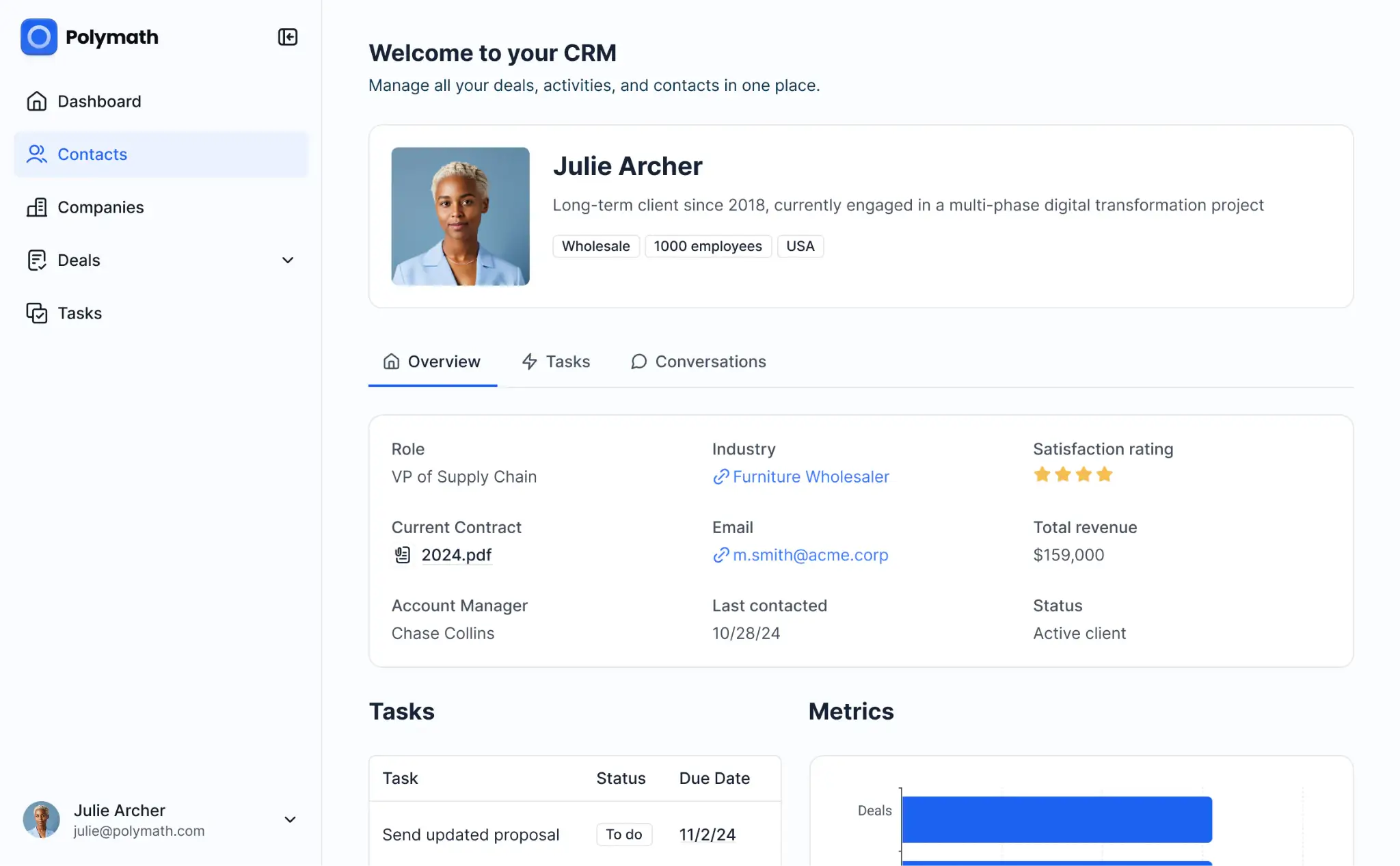
If you really want a CRM that’s tailored to your exact business process and use case, the answer is obvious: build one. But building with Softr doesn’t mean hiring a dev team or writing your own code.
You can generate a secure, fully-functional CRM in minutes with the AI Co-Builder. Just tell it the features you need, the industry you work in, and what you want to track. It’ll output the database, interface, and app logic, all connected and ready for real use. Once your app is generated, you can easily edit, add, or remove pages and blocks with the visual editor — or re-prompt the Co-Builder to refine and iterate.
Every app built in Softr comes with enterprise-grade security, so your customer data is safe by default. And with granular permissions and visibility settings, you control what users see down to the record level.
If you’d rather not leverage AI, you can also build a custom CRM from a template, or create one from scratch. No matter how you build, you get deep control over your CRM’s pages, dashboards, relational data structure, workflows, and user experience. That’s a level of flexibility most out-of-the-box CRMs just can’t offer.
Softr pros and cons
Pros:
- Build for your exact use case: Because you're creating the CRM yourself, it fits your business process from day one. You’re not figuring out workarounds or changing how your team works just to use the software.
- No code required: The AI Co-Builder, Vibe Coding block, and drag-and-drop visual editor make customization accessible to non-technical users.
- Fast to launch: You can go from planning your CRM to actually using it with live data in minutes, not days or weeks.
- Secure by default: Enterprise-grade security and granular permissions are included on every plan, not gated behind higher tiers.
- Native workflow automation: Rather than lean on external tools, workflow automation is built directly into Softr. You can also augment your workflows with AI agents.
- Scales with your business: As your team and processes grow, you can expand your CRM by adding new pages, data sources, user roles, and automations without migrating to a new platform.
- Integration flexibility: Consolidate your tech stack and use Softr for everything, or integrate natively with 17+ tools, including Google Sheets, SQL databases, Airtable, Notion, and BigQuery.
Cons:
- Not designed for developers who want full control over code
Softr best features
- AI Co-Builder: Describe the exact CRM you want, and Softr’s AI instantly generates the app, database, and business logic — all of which are pre-connected and secure by default.
- Native and Vibe Coding blocks: Softr’s native blocks cover your CRM’s foundation. For custom interfaces and visualizations, use the Vibe Coding block and add bespoke elements directly to your app.
- Role-based access control: Control who sees what with global data restrictions, visibility settings, and granular permissions. Marketing, sales, and leadership teams can all see different views tailored to their workflows.
- Built-in relational database: Store, manage, and enrich your customer records in Sofr’s native database,
- Ask AI: Add an AI assistant to your CRM so users can query your live data and get instant answers.
- Multiple views: You decide how you want to present contacts, deals, and pipelines. Choose between performance dashboards, kanban boards, lists and grids, calendars, and other views.
- All-in-one functionality: You can create a lean CRM with just a few core features, or expand your app with task and pipeline management, an integrated client portal, a knowledge base, training hub, and more.
Softr pricing
Softr’s pricing is flat and predictable. Every plan includes a monthly AI credit allowance, so you can try the AI Co-Builder and Vibe Coding block at no cost.
- Free: Unlimited apps, with access to Softr Workflows and Softr Databases, 5 app users, 5 AI credits, and 5,000 database records
- Basic: $19/month for unlimited apps with 42+ integrations, Team: 5 + Client: 5 app users, 10 AI credits, and 50K records
- Pro: $99/month for unlimited apps with 45+ integrations and custom code, Team: 10 + Client: 50 app users, 50 AI credits, and 500K records
- Business: $329/month for unlimited apps with 52+ integrations, Team: 30 + Client: 100 app users, 100 AI credits, and 1M records
- Enterprise: Custom pricing
2. Zoho CRM — best for SMBs and teams working in the Zoho ecosystem
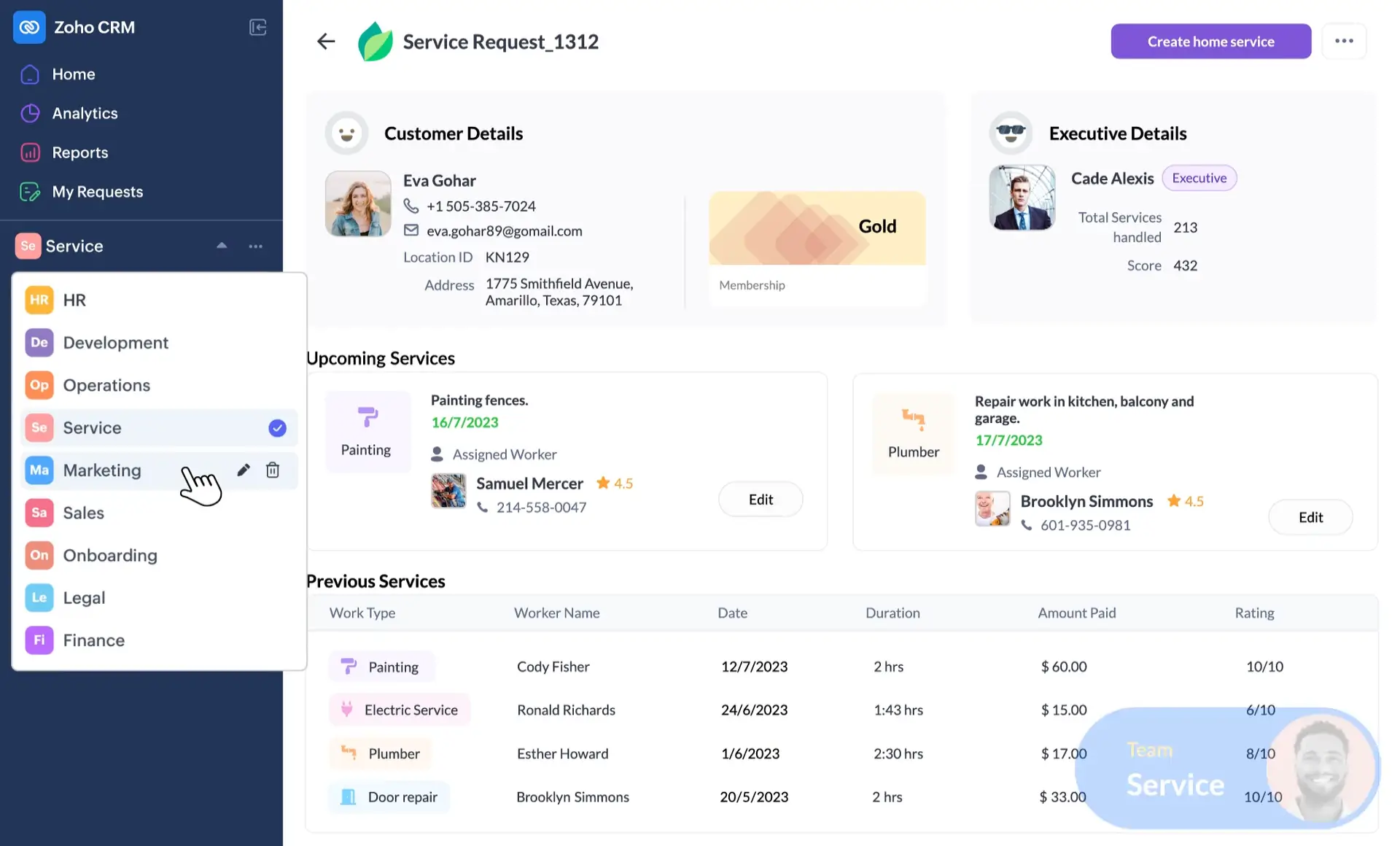
Zoho CRM is a core tool within the 45+ Zoho app suite. If your business already lives within that ecosystem, this is the best CRM for you. It’s also highly customizable, with AI-powered module creation, custom teamspaces, and configurable AI agents built into the platform. And despite offering a wide range of features, it’s relatively well-priced if you don’t need to share access with dozens of users.
However, be aware that scaling Zoho CRM isn’t cheap. Certain features (like automation and custom functions) are locked behind more expensive plans, and you’ll have to pay for every single seat you add.
Zoho CRM pros and cons
Pros:
- Built-in AI: AI agents are built into the platform at a foundational level, plus AI for emails, forecasting, business intelligence, and more. (AI sales assistant requires Enterprise plan or higher.)
- Relatively affordable: Zoho CRM gives you a lot of features even at the Standard tier, and for a lower cost than HubSpot and other big-name competitors.
- Zoho ecosystem connectivity: Zoho CRM integrates seamlessly with every other Zoho app, plus a suite of external integrations.
- Strong multichannel support: Email, phone, live chat, and social media can all be managed from the Zoho CRM platform.
Cons:
- Compared to sleeker options like Attio or Softr, Zoho's UI feels less modern
- The number of features can feel overwhelming for new users, and setting up advanced customizations takes time and patience
- Some core features are locked behind higher-tier plans
Zoho CRM best features
- Blueprint: Zoho's process management tool lets you build step-by-step workflows that guide reps through defined stages, ensuring your sales process is followed consistently across the team.
- Zia AI agents: Zia Agents can analyze your CRM data to predict the likelihood of winning deals, and recommend the optimal time to email or call a prospect based on past engagement patterns.
- Teamspaces: Create custom, dedicated workspaces for each of your teams, with data specific to them.
- Module creation: Add flexible modules to your CRM with simple prompts and just a few clicks.
Zoho CRM pricing
All prices shown billed monthly.
- Free: Basic features for up to 3 users
- Standard: $20/user/month
- Professional: $35/user/month
- Enterprise: $50/user/month
- Ultimate: $65/user/month
3. HubSpot — best for aligning sales, marketing, and customer support teams
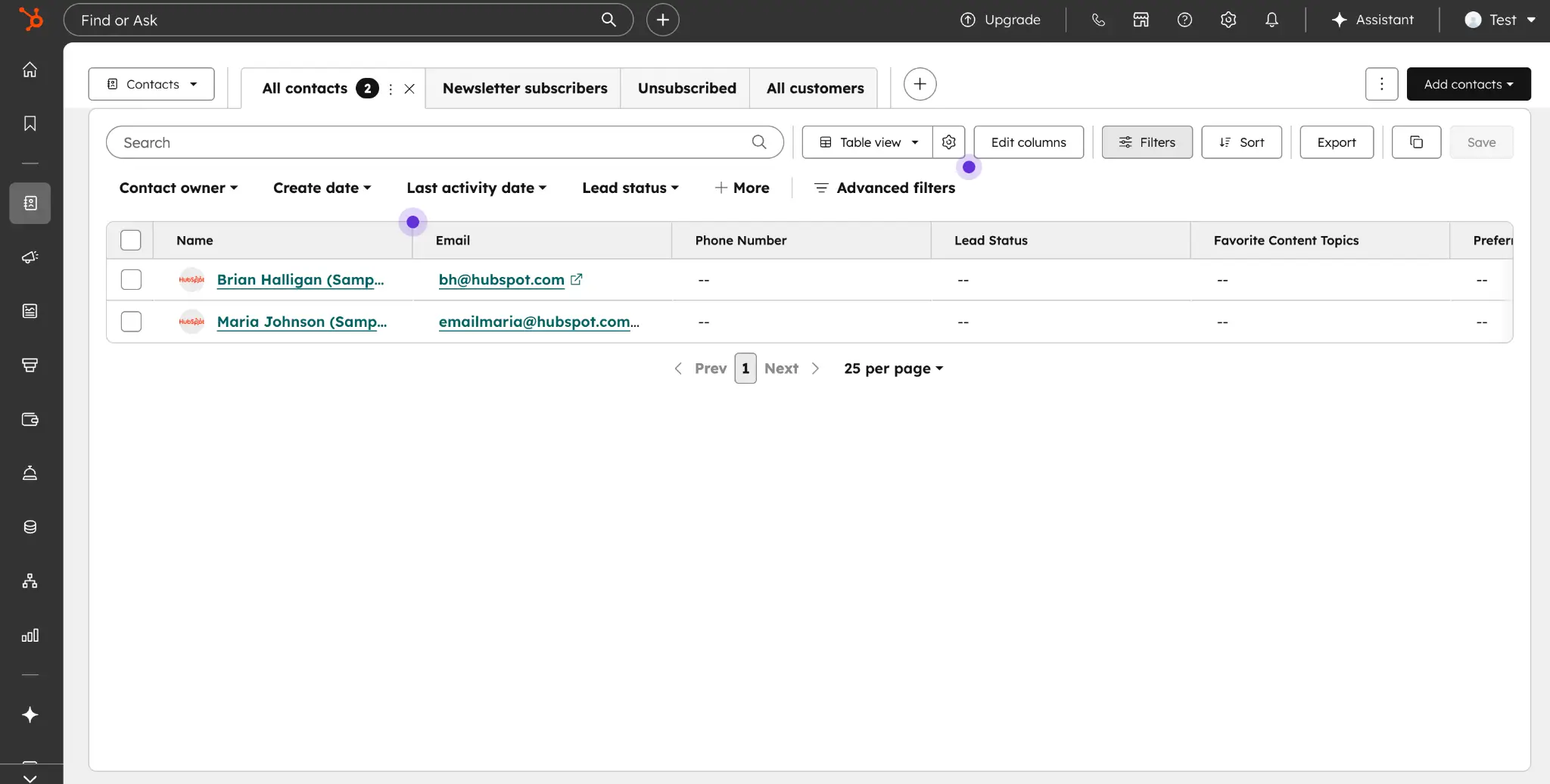
Despite being a behemoth in this space, HubSpot has more customization options than you might expect. It’s a unified platform with tools for sales, marketing, customer service, and content teams, but you have the freedom to choose the “Hubs” you actually need (and ignore the ones you don’t). If you just want a CRM, HubSpot’s is solid; but if you want to expand its features to include campaign management, email marketing, and customer support, you can do that.
In HubSpot’s case, customization really means adding the features you need based on your business structure, so don’t expect to make granular changes to the interface or turn it into a branded portal. It’s also not the most affordable platform, with seats for the Smart CRM starting at $45 per month, billed annually.
HubSpot pros and cons
Pros:
- All-in-one platform: Sales, marketing, customer service, and content tools are all available under one roof, making it easy to align teams and share data across departments.
- Modular structure: You only pay for the Hubs you need, so you can start lean and expand as your needs shift.
- Extensive integrations: HubSpot connects with hundreds of third-party tools, and its marketplace is one of the largest in the CRM space.
- Solid free plan: HubSpot's free CRM is fairly useful, with contact management, deal tracking, and basic reporting included at no cost.
Cons:
- Pricing scales steeply once you move beyond the free plan, especially if you need multiple Hubs and lots of seats
- Interface is cluttered with menus and settings, which can overwhelm smaller teams
- Not as customizable as other platforms on this list
HubSpot best features
- Custom pipelines: Build and manage multiple deal pipelines with configurable stages, properties, and automation triggers tailored to your sales process.
- Unified contact timeline: Every interaction—emails, calls, meetings, and note—is logged automatically and visible from a single contact record.
- Reporting dashboards: Build custom reports and dashboards to track pipeline health, rep performance, campaign ROI, and more across all your Hubs.
HubSpot pricing
All prices shown billed monthly.
- Free: Basic CRM features are included with the free plan.
- Smart CRM Professional: $50/user/month
- Smart CRM Enterprise: $75/user/month
Alternatively, you can get multiple Hubs for one monthly cost with the Customer Platform bundle, which starts at $15/user/month.
4. Attio — best for flexible CRM data structure
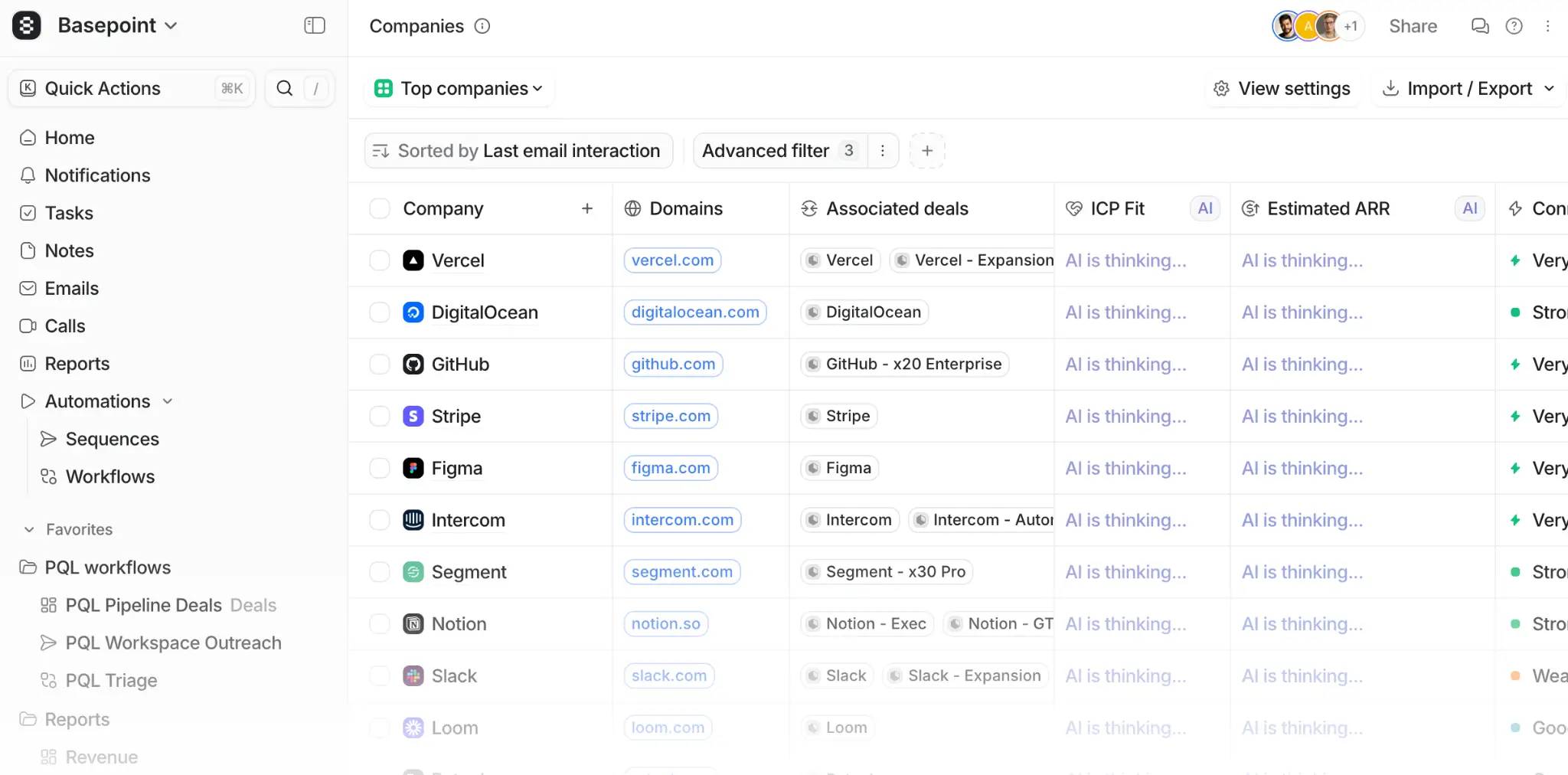
Attio bills itself as the next generation of CRMs. What this really means is that it’s lean, sleek, and more flexible than traditional CRMS. It’s got AI and automation built in, a wide range of integrations, and custom dashboards for reporting. While you’d sort of expect most CRMs to have these features, Attio distinguishes itself with highly customizable data structure. You configure the data model to match your business model, rather than the other way around.
This is an app you can expect to see gaining more and more traction in the CRM space. Just be aware that it can have a bit of learning curve, and that its reporting and integration offerings aren’t as strong as enterprise competitors.
Attio pros and cons
Pros:
- Sleek, lightweight interface: Attio is snappy and visually appealing, with a clean UI and less clutter than platforms like HubSpot or Zoho.
- Custom data models: You can structure your CRM to match your business structure, including only what you need and personalizing with custom objects.
- Automatic data enrichment: Attio enriches contact and company records automatically, so your team can spend less time dealing with dead emails, outdated titles, or missing context.
- Real-time collaboration: The platform supports simultaneous editing and live updates, so teams can take shared notes attached to events or objects.
Cons:
- Can have a steep learning curve for advanced customizations
- Compared to enterprise competitors like HubSpot or Zoho, Attio's reporting capabilities and native integrations are more limited
Attio best features
- Flexible views: Switch between list, board, and table views across any record type, with filters and sorting you configure yourself.
- Ask Attio: Built-in AI assistant let you search your CRM data, update records, recap calls, and more.
- Built-in automation: Configure your own custom automations or start with a template from Attio’s automation library.
- Signal-based enrollment: Trigger sequence enrollment based on real customer signals: an account created, a form filled, an event RSVP, etc.
Attio pricing
All prices shown billed annually; prices for monthly billing are 20% more expensive.
- Free: For up to 3 users
- Plus: $29/user/month
- Pro: $69/user/month
- Enterprise: Custom pricing
5. monday CRM — best for custom visual pipelines
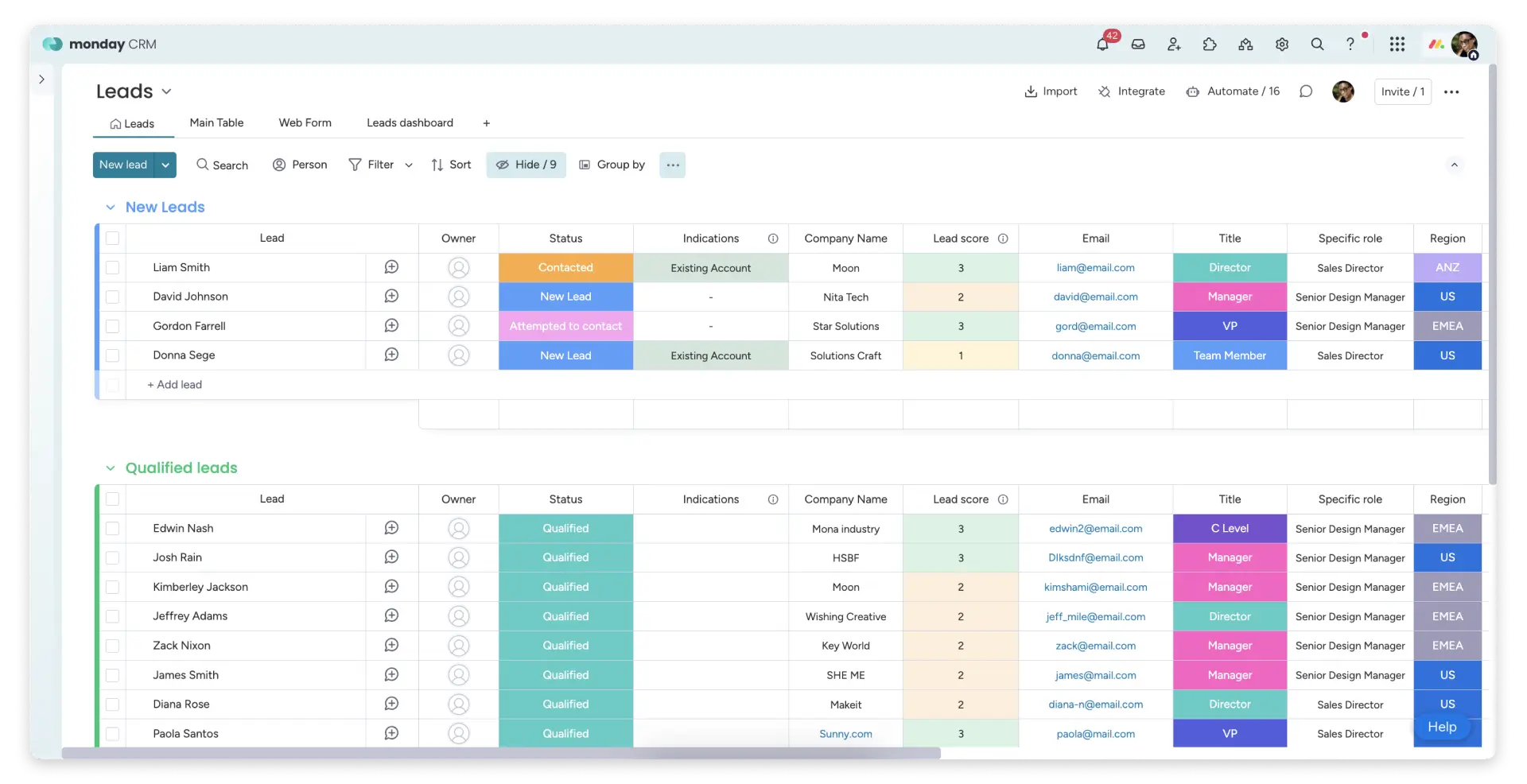
monday takes a project management-style approach to customer relationship management. Everything is laid out visually: dashboards, color-coded stages, and a layout built around visibility rather than data entry. It’s highly intuitive compared to most dedicated CRMs, and the drag-and-drop interface lets you easily customze everything from sales cycles and reporting dashboards to automations and email sequences.
You can use monday CRM as a standalone CRM or as part of their larger system for work management, IT and customer support, email marketing, and development. Just be aware that it has pay-per-seat pricing and a 3-seat minimum even on the Basic plan.
monday CRM pros and cons
Pros:
- Highly visual and intuitive: The board-based layout makes it easy to see pipeline status at a glance, without digging through menus or running reports.
- Part of a larger ecosystem: If your team already uses monday.com for project management, adding the CRM creates a unified workspace across your business.
- Expanding AI toolkit: monday has AI sales agents for qualifying leads, an AI notetaker, AI summaries, deal health analysis, and several other features in early access.
- Solid mobile app: You can use monday CRM on the go to log calls, add activities, and check report statuses.
Cons:
- All plans require you to pay for a minimum of 3 seats
- Advanced security and governance features are locked behind the Enterprise tier
monday CRM best features
- Visual pipeline: Drag-and-drop boards with customizable stages, probability weighting, and multi-pipeline support.
- 360° contact view: Emails, notes, files, and deals all visible from a single contact card without opening a new page.
- No-code automation builder: A logic-based automation builder lets you create custom automations for next steps, notifications, tags, and lead assignments.
- CRM templates: monday CRM is highly customizable, but it also offers a library of quick-start templates built for specific use cases and industries.
monday CRM pricing
All plans have a 3-seat minimum. Prices shown billed monthly.
- Basic: $18/user/month for 1,000 contacts and deals
- Standard: $25/user/month for 10,000 contacts and deals
- Pro: $41/user/month for unlimited contacts and deals
- Ultimate: By request
Find the right customizable CRM for your team
Using a CRM shouldn’t feel like moving into a house where all the furniture is bolted to the floor. The tools on this list give you the freedom to adjust (or build) a CRM system to suit your business, hopefully saving you a lot of time and frustration down the line.
While every app above works well as a CRM, Softr is the only platform that lets you use AI to build a custom, secure CRM with a deep feature set, built-in databases and workflow automation, and reliable business logic. You get more flexibility than any out-of-the-box CRM can offer, but with all the core features you need for customer relationship management — plus the ability to expand with client portals, knowledge bases, project tracking tools, and more.
👉 Try Soft free and create a customizable CRM with AI in minutes.
Frequently asked questions
What’s the difference between a customizable CRM and a custom-built CRM?
Does a customizable CRM require coding skills?