7 best client database software in 2026
.webp)

Once upon a time, client databases were nothing more than simple storage platforms, holding customer data for a customer relationship management (CRM) platform to act on later. But now?
Client databases are the foundation of true client management. In this guide, we're comparing seven of the best client database software options, including pros and cons, pricing, and how to pick the right one for your team.
Best client database software at a glance
| Tool | Best for | Key features | Pricing |
|---|---|---|---|
| Softr | Building custom, secure client portals without code | • AI Co-Builder generates relational databases, workflows, and interfaces from prompts • Granular permissions and role-based access for secure external collaboration • Combines database management, automation, and user management in one platform • Connects to 21+ external data sources, like Airtable and Google Sheets | Free plan available; paid plans from $19/month |
| HubSpot | Tracking pipeline and managing contact and company records | • Breeze Assistant uses AI to research companies, prep for sales calls, and summarize CRM records • Out-of-the-box pipeline analytics and email marketing • Connects marketing, sales, and customer support activity | Free plan available; paid plans from $7/month per seat |
| Salesforce | Customization, automation, and cross-departmental data | • A single, shared view of every client across departments • Agentforce AI works alongside you on tasks like prospecting and support • AgentExchange marketplace for prebuilt apps and workflows | Free plan available; paid plans from $25/month per user |
| Airtable | Organizing complex, relational client records and custom workflows | • Relational database with linked records and multiple views • Portals add-on gives clients branded, permission-controlled access without a full seat • Field Agents think dynamically across records to orchestrate workflows | Free plan available; paid plans from $20/month per seat |
| Notion | Combining flexible databases with docs and wikis in a shared workspace | • Custom Agents automate client workflows using dynamic triggers • Data syncs pull live records from Salesforce or Jira • Granular database permissions control page-level access for people and AI agents | Free plan available; paid plans from $10/month per member |
| ClickUp | Unifying client deliverables and asset management in a single workspace | • Custom Fields track client and account data on any task • Guests give external clients controlled, permission-based access • Super Agents can manage CRM updates and merge contacts automatically | Free plan available; paid plans from $7/month per user |
| Stacker | Building white-labeled customer portals on top of existing data sources | • Stacker's AI generates layouts, data connections, and permissions from prompts • Role-based, granular permissions • Complete white-label capability supporting custom URLs, styling, and logos • Connects to spreadsheets and 60+ data sources | No free plan; paid plans from $50/month |
What is client database software?
Client database software centralizes, stores, and organizes everything you need to know about clients:
- Contact details
- Documents
- Project status
- Communication history
It's structured and searchable, but unlike a raw database, it comes with an interface that lets teams find and update client records without writing code. While it's sometimes used synonymously with a sales CRM, the two tools are indeed different:
- CRM: Records-focused and built around a sales process that's designed to move leads towards a closed deal. It includes pipelines, deal stages, lead scoring, and forecasting.
- Client database: Broader than a CRM and focused on managing existing clients vs. leads. Can handle onboarding, document sharing, service delivery, and project status on top of managing contact records.
How I evaluated client database software
I tested each tool against five core criteria: how flexible and scalable its database is, how granular the permission controls are (particularly for external users), whether you can build custom interfaces or full apps on top of the data, how pricing scales as you add users and records, and how well it integrates with the tools already in your stack.
1. Softr — best for building custom, secure client portals without code
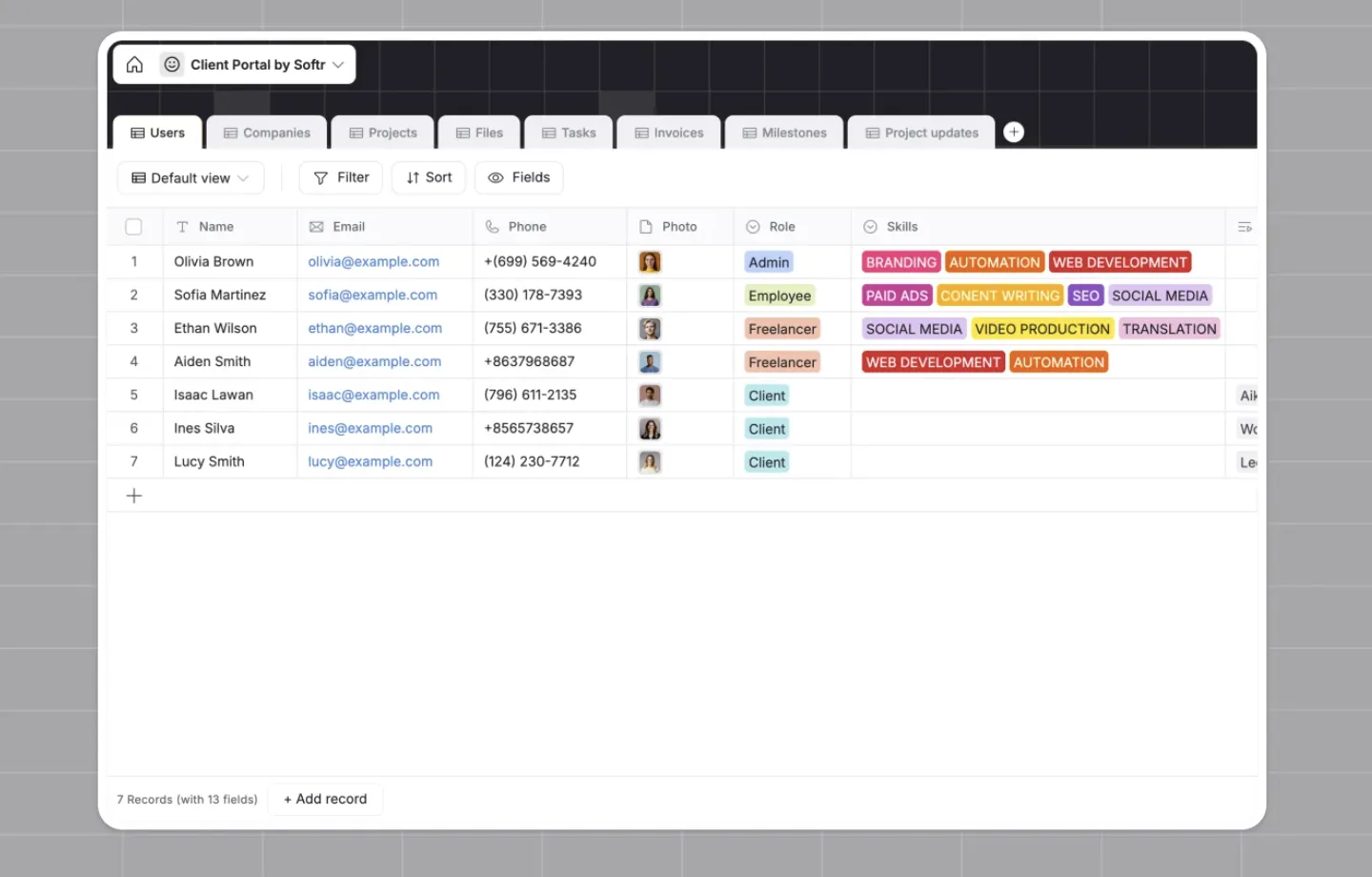
Where most client databases focus on storing client information, Softr operationalizes that data. It stores data and powers a complete client-facing system—from user permissions and a branded client portal to a database ready for use by real users.
Tell Softr's AI Co-Builder what you need, and it automatically generates the database, page structure, permissions, and workflows—all pre-connected and ready to go. From there, you can grant clients secure, self-service access to docs, project updates, and more.
So instead of simply storing client data, Softr's database becomes a system that helps you manage client relationships, collaborate internally and externally, and deliver services more efficiently. And all in a single platform.
Softr pros and cons
Pros:
- Combine databases with the client-facing experience: Softr blends client-facing portals and databases to create a smooth client experience backed by real data and powered by workflows that bring everything together.
- Build with AI, not code: The AI Co-Builder and visual editor let you build instantly without a single line of code. And whatever AI generates, you can still manually edit, making customization effortless.
- Build from your own AI assistant: The Softr MCP lets Claude, ChatGPT, or Cursor manage tables, fields, and records directly in your database.
- Set granular, server-side permissions: Softr's role-based access controls are enforced server-side (vs. only in the interface), so you can decide exactly what each client or teammate can see and do.
- Automate with native workflows: With no third-party requirements, Softr lets you automate everything from approvals and reminders to status updates with multi-step workflows built in. You can even schedule recurring automations.
- Use AI beyond app generation: With Ask AI, clients or teammates can query live app data in plain language, and it'll return answers or take action, all while enforcing existing permissions.
- Choose your data source: Softr connects natively with 21+ external data sources, like Airtable, HubSpot, and SQL databases, so you don't need to migrate everything before moving to Softr.
Cons:
- AI credits and workflow actions are metered by plan. If you intend to use AI or automations heavily, you may need to upgrade your plan.
- Softr isn't designed for developers who want full code-level control.
Softr pricing
Softr has four paid plans, plus a free option, all billed annually, and every plan includes a monthly credit allowance for AI features. The free plan covers 5 app users and 5,000 database records. Paid plans run $19/month on Basic, $99 on Pro, and $329 on Business, each adding AI credits, records, workflow actions, and app users. Enterprise is custom priced with SSO, SOC 2 reporting, and audit logging.
2. HubSpot — for tracking pipeline and managing contact and company records
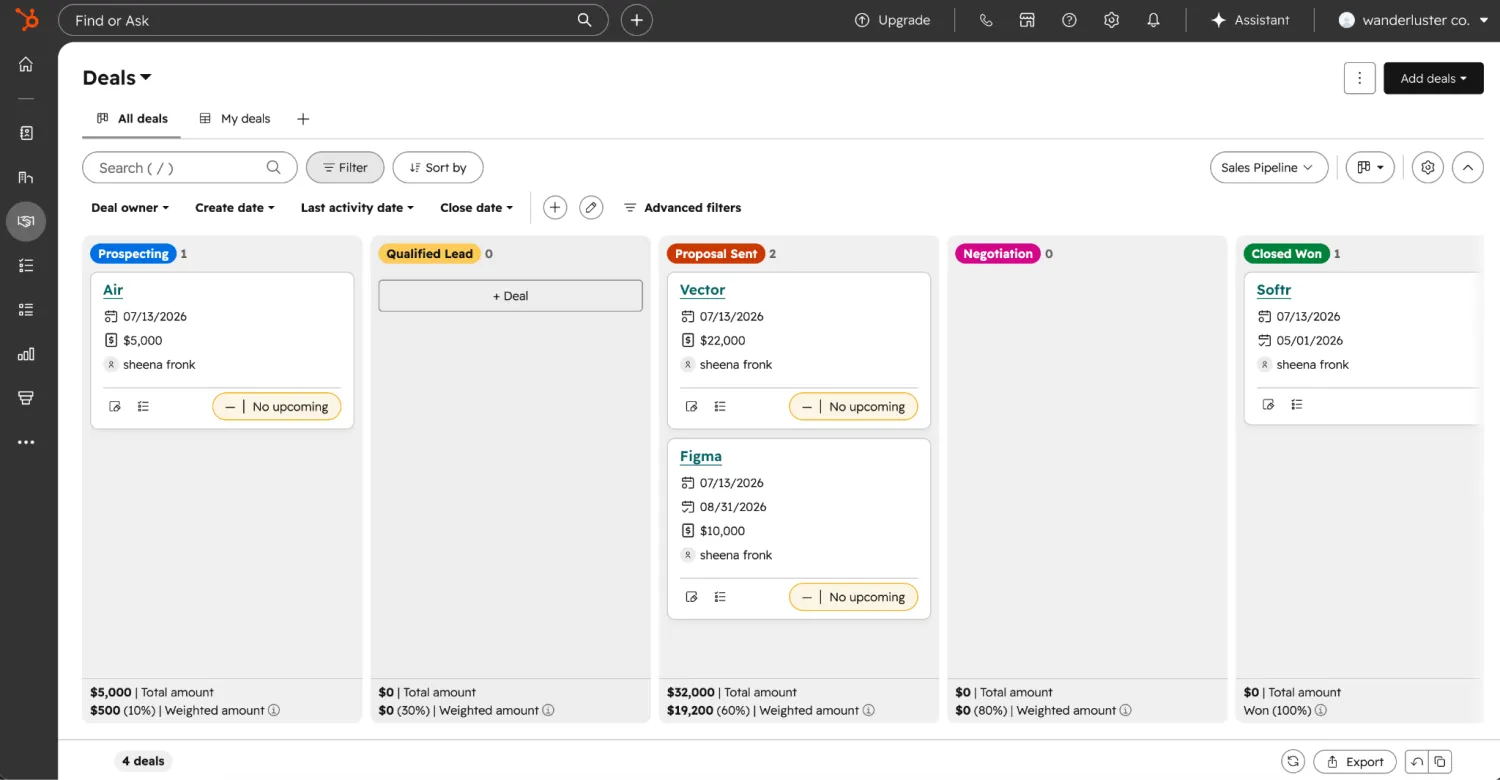
HubSpot's Smart CRM acts as an intelligent data foundation and trusted source of client information. It links contacts, companies, deals, and tickets together, so you get the full story from a single record.
Breeze Assistant, HubSpot's built-in AI, helps you research a company, prep for a call, or get a quick summary of a record without leaving it. It also enriches contact and company details from its own database of over 20 million businesses, flagging duplicates along the way.
With encryption and access controls, you can securely store sensitive data, while workflows let you automate parts of the sales process.
HubSpot meets the client database criteria as a storage platform. It helps teams automate some aspects of client management, but client-facing access and the ability to let a customer log in and see their own data live in a separate product—not the core CRM.
HubSpot pros and cons
Pros:
- Unified contact, company, and ticket records: Get a single view of every interaction, deal, and support request associated with a client. They all link to a single record, not scattered across tools.
- AI-powered data hygiene: Breeze Assistant and built-in enrichment keep records updated and de-duplicated automatically and help teams automate parts of the sales process.
- Deep integration ecosystem: Two-way sync with 2,000+ apps through the HubSpot Marketplace, so client data stays consistent across your existing stack.
- Track to-dos and activities: Keep tasks and activities tied to each client record, so nothing falls through the cracks as deals or projects move forward.
- Client resolution: With ticketing, you can log client issues and then assign, prioritize, and track them in a shared inbox with your internal team, so you keep customers happy.
Cons:
- Client-facing access isn't part of the core CRM, so you can't easily share documents, project status, or other client-facing information.
- Built primarily around a sales pipeline, so onboarding, project tracking, and service delivery workflows require bolting on other HubSpot products or third-party tools.
HubSpot pricing
HubSpot pricing varies by product as well as by tier. On the Sales Hub product with annual billing, the free CRM covers up to 2 users, paid seats start at $7/month on Starter, and the Professional and Enterprise tiers run $90 and $150 per seat with one-time onboarding fees of $1,500 and $3,500.
3. Salesforce — for customization, automation, and cross-departmental data
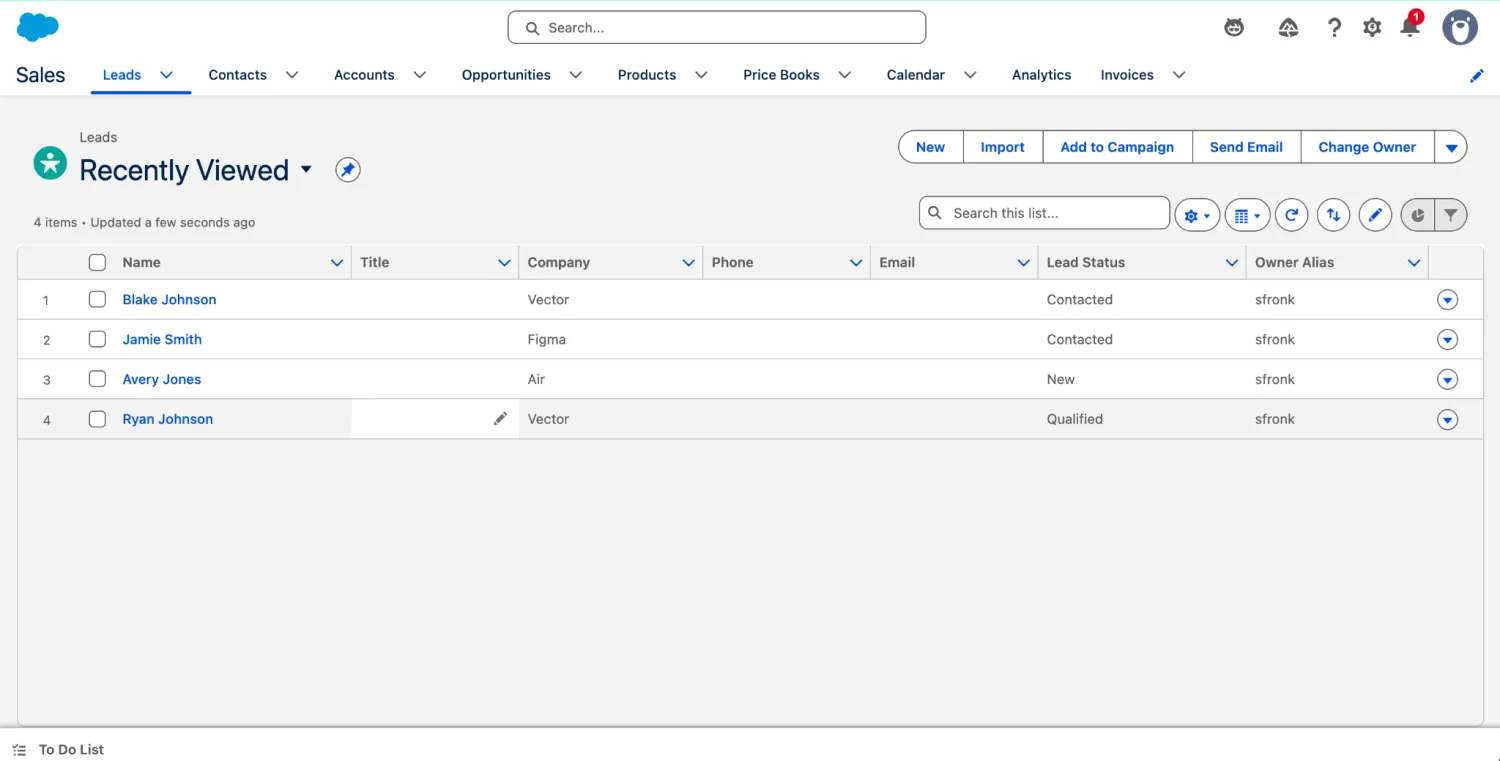
Salesforce's CRM brings together sales, marketing, and service into one platform, so everyone works from a single, shared customer view. That unified view allows you to deliver more personalized client experiences.
The real power of the CRM, though, comes from Agentforce, Salesforce's agentic AI layer. You can deploy and orchestrate agents that work 24/7 and handle everything from customer service and appointment scheduling to prospecting and forecasting.
While the CRM acts as the general client database, storing and unifying data, it's really just the foundation. Salesforce's suite of add-on products, like Experience Cloud for client portals, turns that foundation into a complete client management system.
Without the additional products, clients don't get the branded portal experience or self-service capabilities.
Salesforce pros and cons
Pros:
- No app-switching between tools: Because sales, service, IT, and marketing share one customer record, you don't have to re-enter the same client data in multiple systems or work from conflicting information.
- AI automation across the whole funnel: Agentforce reduces manual work at every stage, not just one part of the process, which compounds as your client base grows.
- Enterprise-grade access control: Granular permissions are strong enough for regulated industries or large enterprises with strict data-access requirements, not just basic role assignment.
- A large ecosystem means fewer custom builds: With 10K+ pre-built apps and agents on AgentExchange, there's likely a plug-and-play option to meet the most common client management needs.
- Built to scale: The same core CRM supports a small team on Starter or a global enterprise on Unlimited, so you're not migrating systems as your client list grows.
- Built-in sales forecasting: Forecast pipeline and automate repetitive steps in the sales process with built-in tools, available starting on the Pro tier.
Cons:
- Client-facing portals require Experience Cloud, a separate product built on top of the CRM. It typically requires an Enterprise or Unlimited plan to access.
- The depth of customization that makes Salesforce powerful also makes it complex. Configuring permissions, objects, and workflows generally requires admin expertise.
Salesforce pricing
Salesforce pricing also varies by product and tier. On the CRM product, the free tier includes 2 user licenses, Starter runs $25/month per user, and Pro runs $100/month per user with annual billing required.
4. Airtable — for organizing complex, relational client records and custom workflows
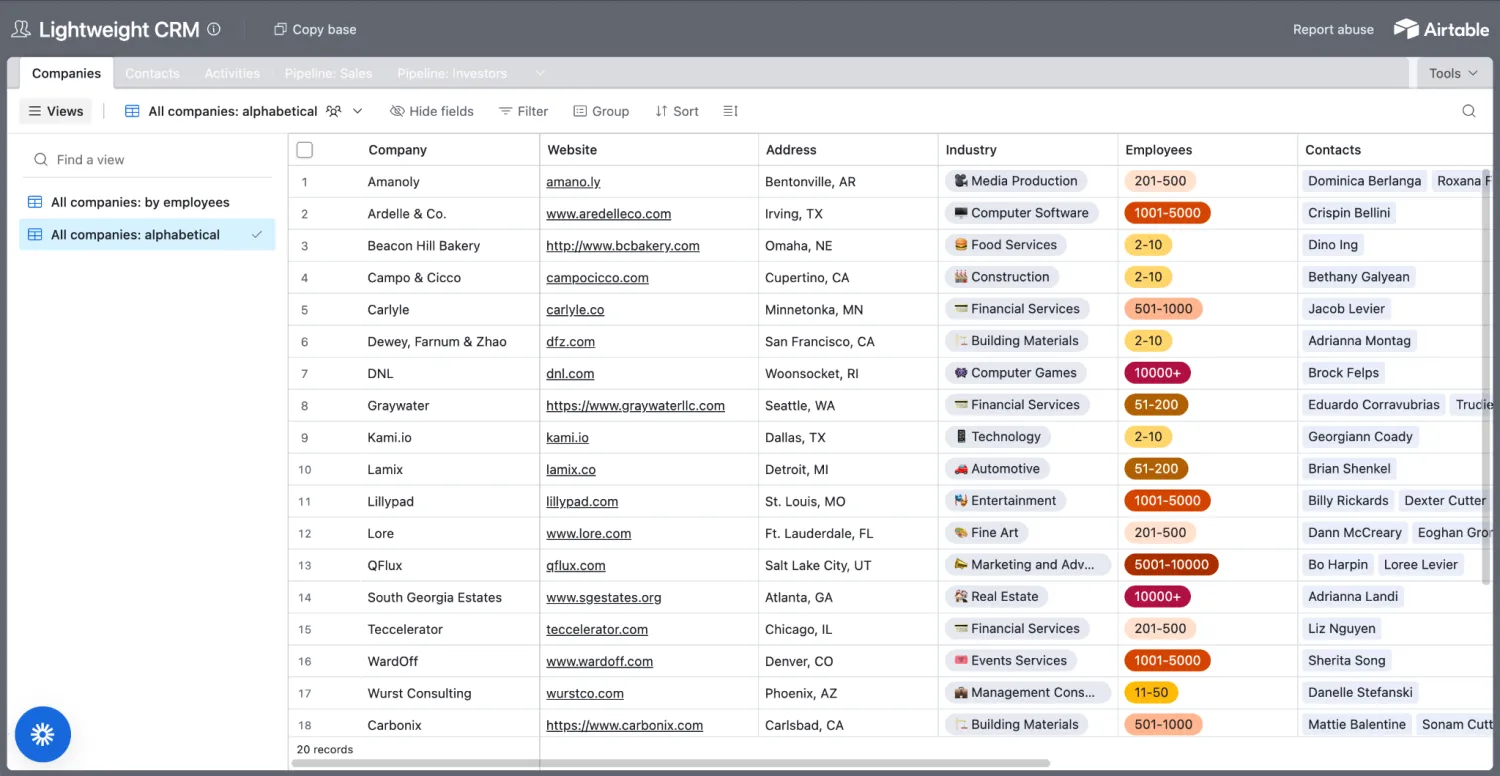
Airtable is an easy-to-use relational database with a spreadsheet-style interface. That means you won't need SQL to link client records to a contact at their company, open projects, and documents.
Real-time collaboration is built in, allowing teammates to simultaneously edit, comment on records, and track version history. But what makes Airtable one of the best client database software options is its flexibility.
Custom fields, multiple views (grid, calendar, Kanban, gallery, form), and linked records let you shape a base around exactly how your team tracks clients. Layer in Omni, Airtable's conversational AI builder, and Field Agents that work inside individual records, and you can generate and maintain that structure without writing a single line of code.
It also offers broad native permissions to make sharing secure, Interface Designer for internal sharing, and the paid Portals add-on for true external guest access.
Airtable pros and cons
Pros:
- A flexible data structure: Build your database your way. With custom fields, linked records, and multiple views, Airtable adapts to your workflow instead of forcing a rigid format.
- No-code AI building and maintenance: Omni, Airtable's AI builder, builds tables, interfaces, and automations from a plain-language description, while Field Agents enrich records and keep them up to date without manual entry.
- Real-time collaboration without version conflicts: Simultaneous editing, comments, and revision history mean no more outdated spreadsheets with conflicting information.
- Interfaces included on every plan: Unlike some client databases that gate custom views behind paid tiers, Interface Designer's core functionality is available even on the Free plan.
- Enterprise-grade governance: For teams with serious compliance requirements, Airtable meets SOC 2, ISO 27001, and GDPR/CCPA compliance and has audit logs and encryption keys on higher tiers.
- Branded portals: Create client-facing Portals, complete with guest sign-in pages, granular permissions, and full branding to deliver a white-label experience.
Cons:
- Native permissions are less granular than other tools—they're set at the workspace or base level, not at the individual record level.
- Giving a client their own external, branded view requires the paid Portals add-on.
- AI features (like Omni and Field Agents) run on a credit system, so heavy usage can drive costs up fast.
Airtable pricing
Airtable's free plan covers up to 5 editors and 1,000 records per base. Paid plans start at $20/month per seat on Team and $45 on Business, with Enterprise Scale priced custom, and portals remain a paid add-on at every tier.
5. Notion — for combining flexible databases with docs and wikis in a shared workspace
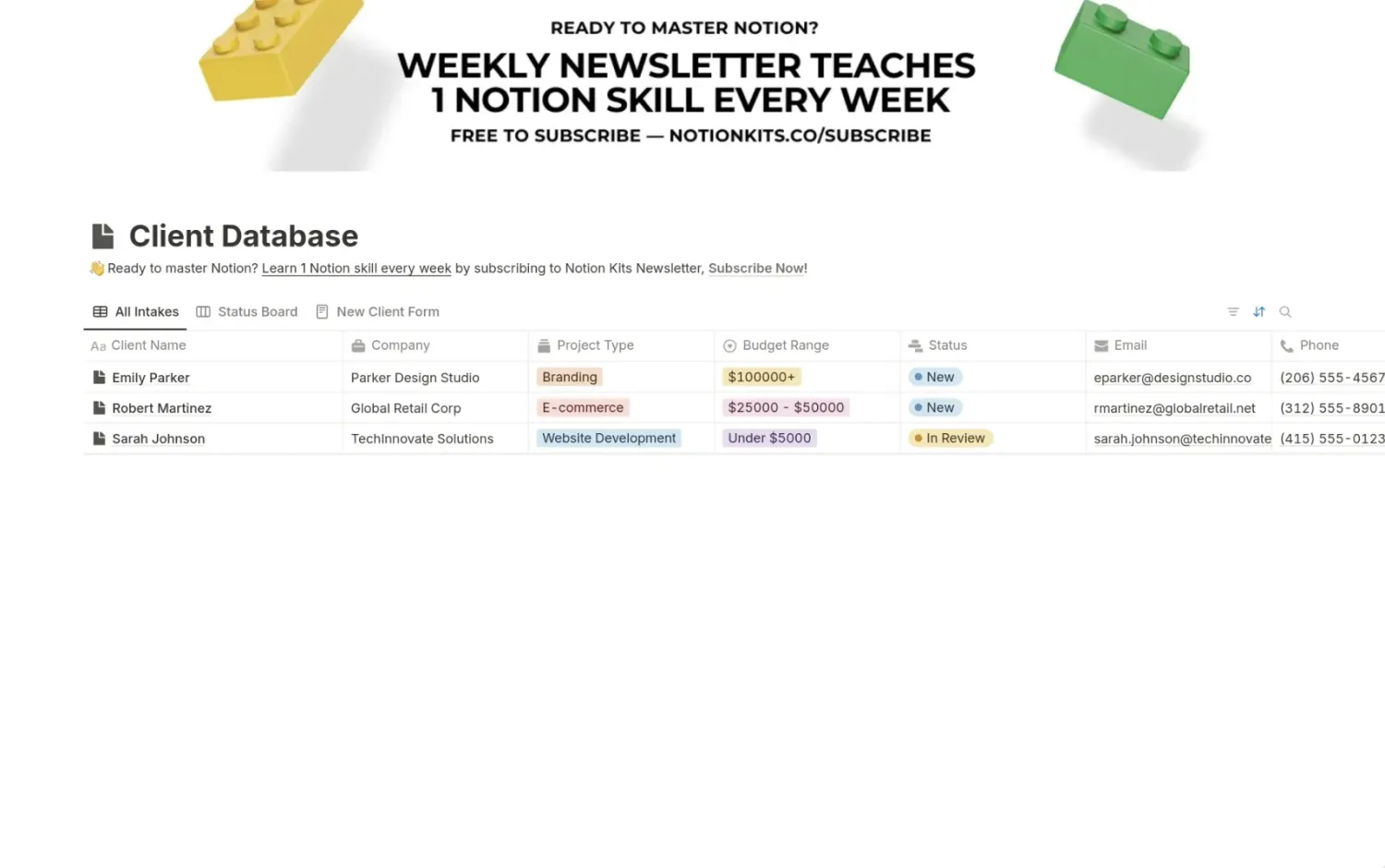
At its core, Notion combines three functionalities to keep teams organized and connected, while automating the tedious: a database for client records, docs for notes and specs, and a wiki for company knowledge. And it's all in a searchable workspace.
With databases that organize pages, data syncs that pull live records directly from Salesforce or Jira, and wikis that keep everything findable, Notion pulls serious weight as a client database.
Plus, its Custom Agents can automate repetitive, client-related workflows, like routing incoming requests or triggering a task the moment a client record changes.
Notion isn't purpose-built as a database or CRM the way some other tools on this list are, but it is a flexible workspace where client records, documentation, and process knowledge all live together. And that's exactly why it appeals to teams that want more than a simple database.
Notion pros and cons
Pros:
- Client records live alongside docs and wikis: A client's database entry, related notes, and internal process documentation all sit in a connected workspace, so you get the full context all in one place.
- Live data syncs: One-way data syncs pull records directly from Salesforce or Jira into your Notion database. No duplicate entries, manual carryover, or outdated client statuses.
- Granular user and agent permissions on every page: Control exactly who (or which agent) can see or edit each page, so sensitive client information stays restricted to the right people and agents.
- Real-time collaboration: With commenting and instant updates, teams can collaborate live. Plus, Notion shows what changed and who changed it, so you're never left guessing.
- Automate client workflows with Custom Agents: Build always-on agents that route requests, trigger tasks, or take action the moment you change a client record.
- Enterprise-grade security: SSO, SCIM, audit logs, governance, and compliance integrations keep sensitive client data secure.
Cons:
- Notion wasn't built to be a dedicated database or CRM, so it lacks the native relational structures and record-level automation that dedicated database tools typically have out of the box.
- With no built-in client-facing portal, sharing with an actual client means sharing a page link vs. creating a branded, permission-scoped experience.
Notion pricing
Notion's free tier is aimed at individuals, with paid plans from $10/month per member. Business at $20/month per member is the tier that unlocks Notion Agent and granular database permissions, and Enterprise is custom priced.
6. ClickUp — for unifying client deliverables and asset management in a single workspace
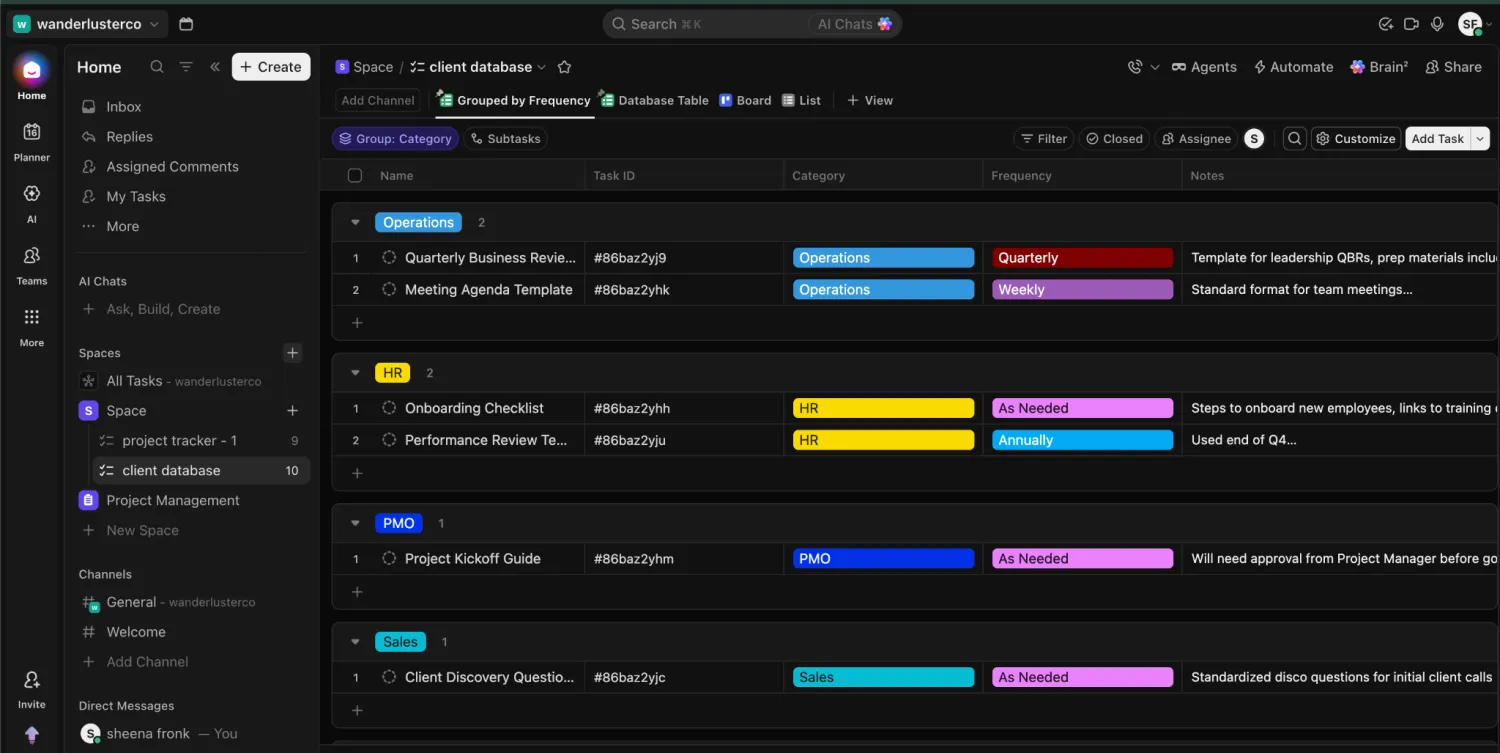
As the self-proclaimed everything app for work, ClickUp is less of a CRM for managing client records and more of a dedicated space for each client—holding every deliverable, deadline, file, and communication connected to the specific client.
But what makes it one of the best client database software options on the list is its sheer depth. Custom Fields attach the data you'd normally store in your CRM, like status, contract value, or renewal date, directly to any task.
Guests make client-facing access simple. You invite external users into specific tasks, Lists, or Folders without giving them visibility into the rest of your workspace. ClickUp also offers AI capabilities, from Super Agents that manage CRM updates and merge contacts automatically to AI Notetaker, which turns client call notes into tasks.
ClickUp pros and cons
Pros:
- Client work and deliverables live in one place: Open a task and get everything you need, all in one place: deadlines, files, account details. No need to jump between apps.
- Controlled external access vs. all-or-nothing: Guests only see the tasks, Lists, or Folders you've shared with them, so you can keep sensitive internal work hidden without needing a separate client portal product.
- AI at every stage: Enterprise Search surfaces answers across ClickUp and connected apps, while AI Fields auto-fill summaries and progress updates on client records without having to manually dig.
- Connects to your tech stack: With 1,000+ native integrations, like Salesforce, Slack, and Zendesk, ClickUp plugs into your existing ecosystem, so you're not re-entering data or losing track of conversations.
Cons:
- ClickUp isn't built around client records the way a CRM or database is, so instead of a typical record, client details live in individual tasks vs. structured, linkable records.
- AI features (like Super Agents and Brain²) are priced and licensed separately from the base workspace plan, so the full AI experience costs more than the entry-level price suggests.
ClickUp pricing
ClickUp's free plan is generous but includes no AI at all. Paid plans run $7/month per user on Unlimited and $12 on Business, with Enterprise custom priced, and Brain² is billed separately, starting at $9/month per user and reaching $28 for the full AI stack.
7. Stacker — for building white-labeled customer portals on top of existing data sources
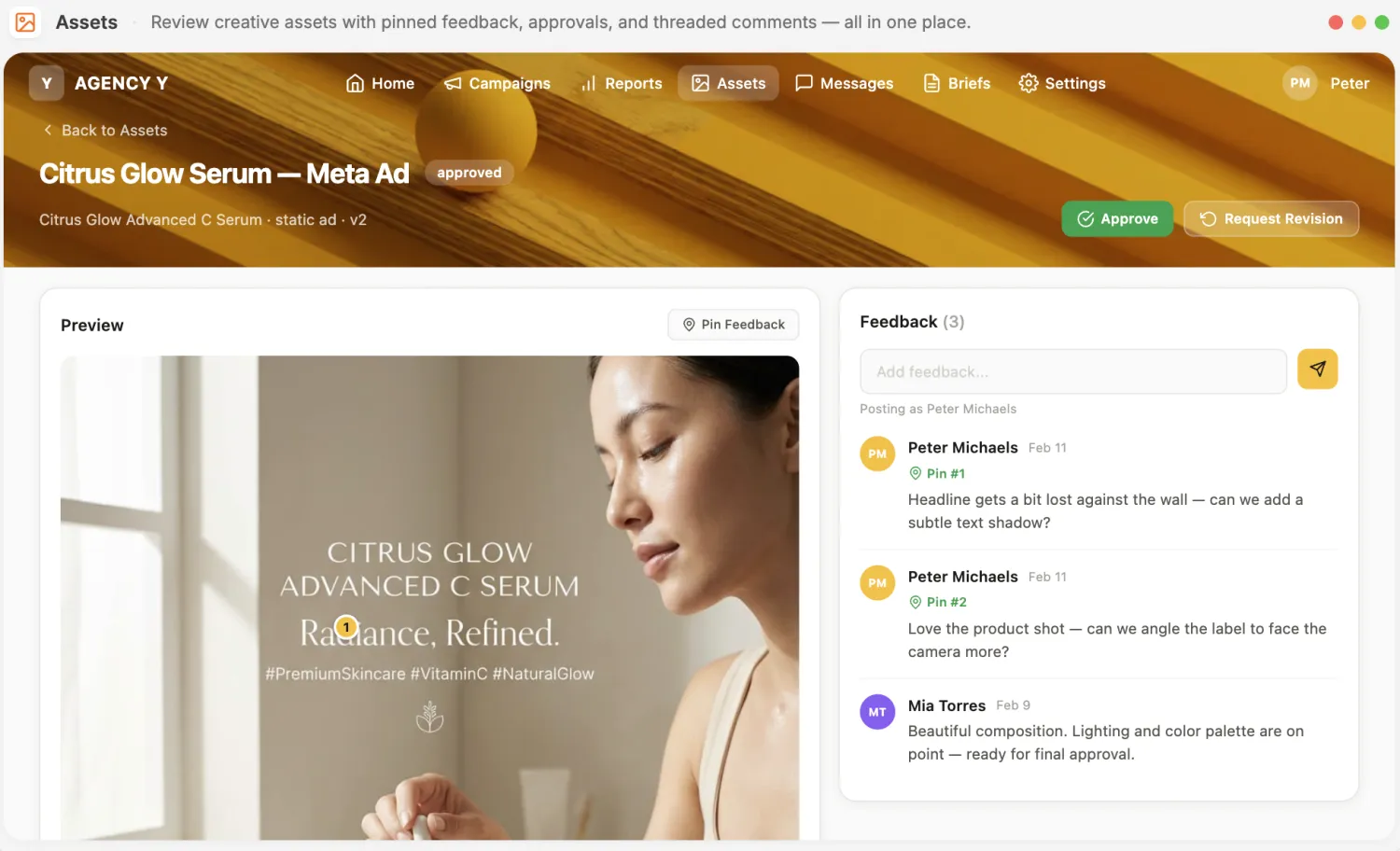
Stacker is an AI-native platform that lets teams build internal tools, CRMs, client portals, and dashboards. And it's all powered by AI agents and chat threads rather than a traditional drag-and-drop builder.
Tell Stacker's AI Builder what you need, and it'll build a working app connected to your existing data in tools like Airtable, Google Sheets, or Salesforce.
Stacker's client-facing portals let you fully customize the brand experience while giving clients secure access, controlled down to which individual records each user can see.
And its autonomous agents take care of most of the day-to-day. For example, its CRM Admin agent logs calls, updates deal stages, and keeps pipeline data clean.
Data Sync connects directly to Salesforce, HubSpot, Airtable, and thousands of other sources, so client records don't need to live exclusively in Stacker to power a portal or an agent.
Stacker pros and cons
Pros:
- Build with AI: Tell Stacker what you need through its AI Builder. It creates a working portal or agent connected to your data. You can then customize with custom interfaces and white-labeled branding.
- Row-level permission control: Decide exactly which records each portal user can see with enterprise-grade encryption and granular access controls for every client.
- Maintain client records automatically with agents: Whether you need to log calls, schedule meetings, build reports, or create custom proposals, Stacker has an agent for it.
- Sync with your data: With broad data source connectivity, Stacker syncs with Salesforce, HubSpot, Airtable, Google Sheets, and thousands of other tools, so you don't have to manually move over data.
- Enterprise-grade security: SOC 2 certified, encrypted at rest, role-based access controls, and full audit trails on every action keep everything secure.
Cons:
- Usage-based pricing: Agents run on a credit system tied to actions vs. a flat monthly price, which can drive up costs fast.
- Narrower compliance than other tools: Stacker has SOC 2 certification, but unlike Airtable, Notion, and ClickUp, it hasn't confirmed HIPAA or ISO 27001 compliance. If these certifications are crucial for your industry, Stacker might not stack up.
Stacker pricing
Stacker has no free plan and only two tiers. Team starts at $50/month for 250 AI credits with no per-seat fees, rising as you add credits, and Enterprise is custom priced based on usage.
How to choose the best client database software for your team
The best client database software isn't the one with the most fields and features or the one that makes managing records easy. It should help you manage internal and external relationships, all in an easy-to-use platform.
But the problem with most client database software is that it typically stops at data storage. It gives you a place to store client information and then leaves the rest—the workflows, the client-facing access, the day-to-day management—for you to manage separately or as a bolted-on addition.
And CRMs are perfect for tracking sales activities and pipeline, managing customer information, and centralizing communication. But they don't typically let you operationalize data or build a complete client management system around it the way Softr does.
Softr combines database management, client-facing experiences, permissions, workflows, user management, and automation all into a single platform. You can build a complete client database with permissions and client access without writing a single line of code.
Try Softr for free and build your own client database with AI in minutes, no coding required.
Frequently asked questions
What is the best software for managing client information?
What's the difference between a client database and a CRM?
Can client database software include a client portal?
What features should client database software include?
Can I build a custom client database without coding?