


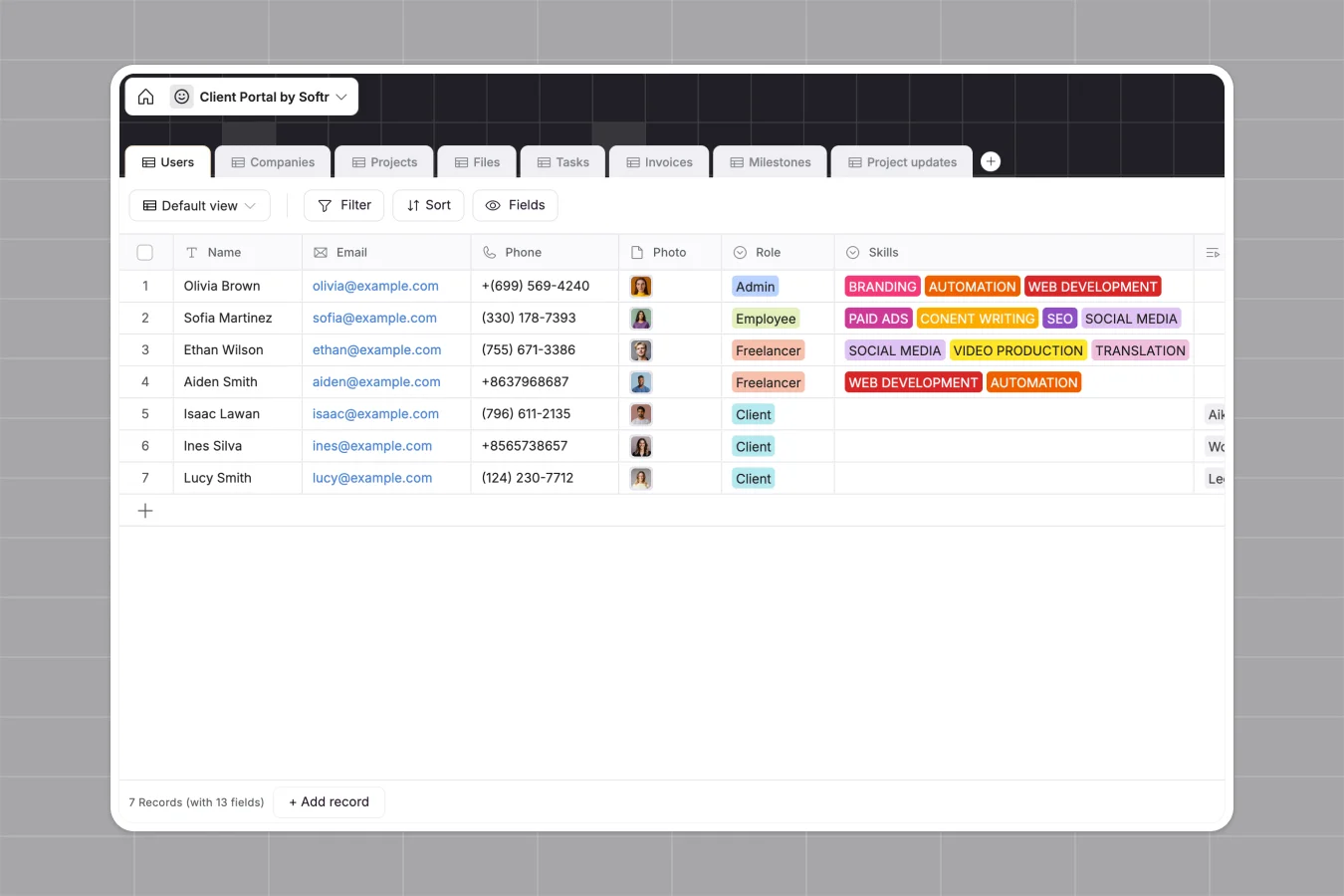
Your Client Portal Database at a glance
This template centralizes every aspect of your client relationships, from project tracking to billing. It eliminates the need to juggle scattered emails, lost files, and manual status updates.
Key tables like Projects, Invoices, and Milestones are pre-connected to Companies and Users. This structure ensures that every task, file, or approval is automatically linked to the right client account without manual data entry.
Why managing client projects in spreadsheets breaks down
Relying on spreadsheets for client work often leads to version control nightmares and privacy risks. Sharing a sheet means exposing all your data, while email attachments get lost in cluttered inboxes.
What a structured database changes
A structured database separates data into distinct objects, ensuring that a client phone number stays a phone number and files remain accessible. Instead of copying data across tabs, you simply link a project to a client record once.
This is exactly what Softr Databases are designed for, keeping your data clean and relational by default. You gain a single source of truth that scales as you add more clients and complex projects.
What you can do with this template
You can instantly track Invoice statuses and Milestone approvals without manual follow-ups. Ensure critical documents like contracts and deliverables are organized and linked directly to their specific project.
With Database AI agents, you could even automate project summaries based on task updates. This keeps everyone aligned and reduces the administrative burden of reporting.
-
Users
Manage team members and client contacts with roles, skills and assignments
-
Companies
Store client organizational data including industry, size and primary contacts
-
Projects
Track project lifecycles with status monitoring, billing rollups and team leads
-
Files
Centralize project deliverables and contracts with specific signature status tracking
-
Tasks
Organize individual work items with deadlines, assignees and overdue alerts
-
Invoices
Handle billing workflows with payment links, due dates and automated status logs
Who is this Client Portal Database for
This template is ideal for service-based businesses that need to maintain transparency and trust with their customers.
- Digital Agencies: Share project progress, deliverables, and designs securely in one place.
- Consultants: Track billable milestones and manage invoice approvals in real time.
- Freelancers: Keep client assets organized and meaningful updates visible without endless emails.
How to take it further
1. Customize the database
Add specific fields to the Users table to track additional client preferences or contract details. You can also modify the Status options in the Projects table to match your specific workflow stages.
2. Import your existing data
Upload your current client list and active projects via CSV to populate the template instantly. This allows you to transition from static files to a dynamic system in minutes.
3. Build a full app around it
Once your data is ready, use the interface builder to create a secure client-facing portal. You can give clients a login to view only their own projects, invoices, and files.
By configuring users and permissions, you ensure strict data privacy between different client accounts. A well-structured database makes building this secure, personalized experience effortless.
-
1
-
2
-
3
-
4
Frequently asked questions
-
What is a client portal database?
-
Why use a no-code database to build a client portal?
-
How can AI help managing data for a client portal?
-
Can I build an app with this client portal database?
-
Is this Client Portal Database template free?
-
How is this database different from managing clients in Excel?
Start building today. It's free!
Build and launch your first app in under 30 minutes.