As your business and customer base grow, so does your need for software that lets you store, organize, and act on customer records. Many teams start with spreadsheets, but these can only get you so far when it comes to functionality and control. To fully centralize and manage customer data at scale, you’ll need a purpose-built customer database.
Whether you’re still juggling spreadsheets or just want a better data management solution than the one you use now, we’ve got you covered. In this guide, we’ve collected five of the strongest customer database tools for a range of business types and use cases — from budget-friendly options to enterprise platforms.
Best customer database software at a glance
| Tool | Best for | Key features | Pricing |
|---|---|---|---|
| Softr | All-around customer database with interfaces and workflows | • Database AI Agents • Relational structure • No-code app building for customer portals and CRM • Deep workflow automation • Role-based access control | Free plan available; paid plans from $19/month |
| Salesforce | Enterprises with massive datasets and complex analytics | • Data 360 for unified records • CRM Analytics for AI insights • Massive app ecosystem | Free plan available; paid plans from $25/user/month |
| HubSpot | Customer database paired with marketing and sales tools | • Modular "Hubs" • Marketing and sales features • Easy-to-use interface | Free plan available; paid plans from $15/user/month |
| Airtable | Spreadsheet-style customer database with relational power | • Linked records • Multiple view types • Interface Designer | Free plan available; paid plans from $20/user/month |
| Zoho CRM | Budget-conscious teams wanting all-in-one functionality | • Zia AI assistant • Integration with 45+ Zoho apps • Multi-channel communication | Free plan available; paid plans from $20/user/month |
What is customer database software?
Customer database software lets businesses store, integrate, and manage key customer records like contact information, purchase history, and associated documents and files. This software type is closely associated with customer relationship management tools (CRMs), but with a specific focus on data and data management. Most CRM platforms come with built-in customer databases, but not every customer database has to be a full-fledged CRM.
While you can use basic spreadsheets (like Microsoft Excel or Google Sheets) to store customer records, they quickly become unwieldy as your customer base expands. If you’re here, you may have reached that point already, in which case you’ll need dedicated customer database software to keep your business running smoothly.
What to look for in customer database tools
The top customer database tools offer the following key advantages over spreadsheets:
- Centralized data storage: You want all your customer information to live in one secure location that’s accessible to team members. This eliminates scattered files and version control issues.
- Relational data mapping: You should be able to connect related information across different tables—like linking a customer's contact details to their order history, communication logs, and account status—so you have a full view of each customer relationship without multiple spreadsheets.
- Search and filtering functionality: Tools should make it easy to find specific customers or segment your database with custom fields like location, purchase history, or engagement level without manual sorting.
- Access control: You should be able to set role-based permissions so team members only see relevant data, protecting sensitive customer information while still maintaining a single core database.
- Automated workflows: The best tools let you automate tasks like data entry, duplicate detection, data enrichment, and triggered updates (like status changes based on customer activity).
- Enterprise-grade compliance: Protecting customer data is critical. Look for a platform that offers enterprise-grade data security—like GDPR and SOC 2 compliance—without an enterprise-level price tag.
1. Softr — best all-around customer database with interfaces and workflows
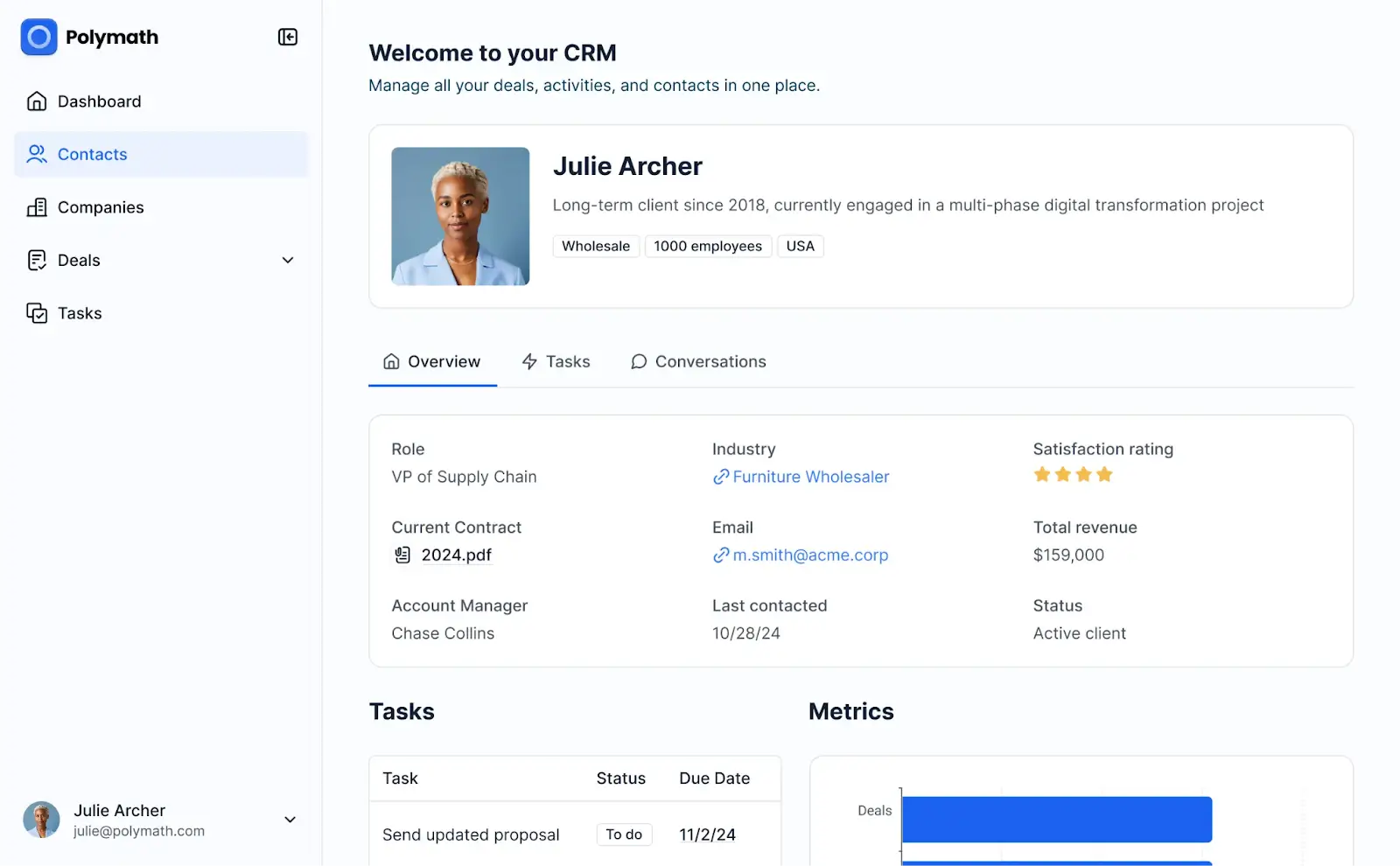
Most CRMs come with a built-in customer database, but they’re often rigid and bloated with features you may not need. Softr gives you the flexibility to build a customer database solution that fits your workflows and process.
Use Softr Databases as a centralized data system for storing, organizing, and acting on customer records. You can configure custom fields specific to your business, build relational links between customer records and their activities (orders, support tickets), and set up automated workflows for tasks like sending post-purchase emails.
And if you want to expand your customer database into a full CRM with dashboards, pipelines, and reporting, Softr’s AI-powered app builder lets you do that. You can even create a customer portal so users can track order shipping, configure subscriptions, and submit support tickets.
Softr is no-code and powered by AI, so you’ll be able to build a customer database (and front-end apps) without relying on developers. Start from a template or tell Softr's AI Co-Builder what you want and let it create your data structure for you. From there, you can customize further using the spreadsheet-style interface and visual editor.
Softr pros and cons
Pros:
- Deep flexibility: Skip the rigid data structures of most CRMs and create a customer database platform that aligns with your exact business processes and customer relationships.
- 360-degree customer views: See everything about a customer in one place—contact details, communication history, purchase records, support tickets, and notes—so your team has full context for every interaction.
- Internal and external interfaces: Softr lets you build apps like CRMs, customer portals, help desks, and reporting dashboards on top of your customer database.
- Rich data management features: Configure your relational customer database with flexible field types: linked records, lookups, rollups, formulas, and attachments.
- No coding required: You can set up, run, and update your database without writing a single line of code. Keep control with your team rather than developers.
- Built-in AI: Database AI Agents and Ask AI are integrated directly into Softr, so you can get answers about customer data and let agents handle enrichment, updates, and other labor-intensive tasks.
- Multi-source integration: Store all your data on Softr’s native database, or sync customer records with spreadsheets and other external tools and databases.
- Role-based access control: Access control features are built into Softr, so team members see only the information they need to see and customer records are kept secure.
Cons:
- Lacks full control over back-end code
- Fewer integrations than some traditional CRMs
Softr best features
- AI Co-Builder: Describe the app you want in plain language and Softr will instantly generate a structured database, user interface, and secure business logic.
- Database AI Agents: These powerful AI agents can automate manual tasks like data entry, updates, enrichment, web research, and analysis.
- Ask AI: Query Softr’s built-in AI to get instant answers about customer data — like “Which customers haven't purchased in 90 days?” or “Which accounts are up for renewal this month?”
- Easy-to-use interface: Generate your database with Softr AI to get started, then customize your tables, fields, and data structure using the intuitive, spreadsheet-style UI.
- Customer portals: Build a customer portal app that syncs with your database in real-time. This way, customers can access and update their information without back-and-forth communication.
- CRM functionality: Expand your customer database into a production-ready CRM in minutes — with a front-end interface, dashboards, sales pipelines, task management, and any other features you need.
- Analytics dashboards: Visualize trends across customer data or track KPIs and other critical metrics with built-in charting and analysis tools.
- End-to-end workflow automation: Trigger conditional actions like email follow-ups and data updates when a customer fills out a form, makes a purchase, or submits a support ticket.
- Enterprise-grade security: Protect customer data with SOC 2 and GDPR compliance, role-based access controls, and granular permissions across your database and apps alike.
Softr pricing
Softr offers predictable pricing tiers and a generous free plan.
- Free: Unlimited apps, with access to Softr Workflows and Softr Databases, 5 app users, 5 AI credits, and 5,000 database records
- Basic: $19/month for unlimited apps with 42+ integrations, Team: 5 + Client: 5 app users, 10 AI credits, and 50K records
- Pro: $99/month for unlimited apps with 45+ integrations and custom code, Team: 10 + Client: 50 app users, 50 AI credits, and 500K records
- Business: $329/month for unlimited apps with 52+ integrations, Team: 30 + Client: 100 app users, 100 AI credits, and 1M records
- Enterprise: Custom pricing
2. Salesforce — best for enterprises with massive customer datasets and complex analytics needs
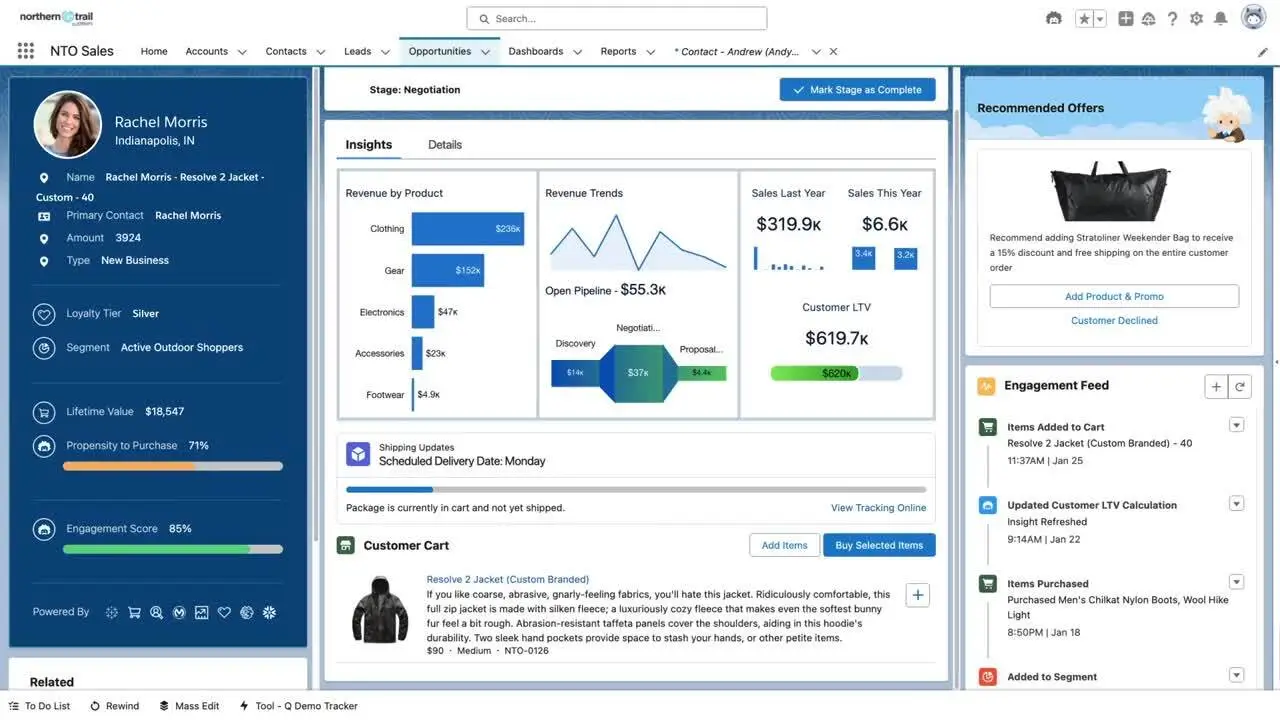
Salesforce is one of the most widely-used CRM platforms, built primarily for enterprise sales teams managing complex customer relationships at scale. It has a fully-integrated customer database through its Data 360 feature, which unifies customer records across the entire Salesforce ecosystem. This is the tool you go for if you want maximum scale (and if you’re willing to pay for it).
Salesforce pros and cons
Pros:
- Powerful automation capabilities: Salesforce Flow and Process Builder enable sophisticated multi-step automations across your customer database.
- Advanced reporting and analytics: Create detailed dashboards and reports with filters, custom formulas, and AI-powered insights through CRM Analytics.
- Massive app ecosystem: Access thousands of pre-built integrations through AppExchange to extend your customer database functionality.
- Built to scale: Salesforce can handle millions of customer records without sacrificing performance, making it a solid choice for large enterprises with massive datasets.
Cons:
- Over-engineered for small, mid-sized, or agile businesses
- Steep learning curve that often requires extensive training and onboarding support
- Pricing scales quickly as you add users, and most top features are gated behind additional fees and subscriptions
Salesforce best features
- Data 360: This enterprise-grade feature unifies customer data and uses it to power segmentation, workflows, agentic actions, and customer journey management.
- CRM analytics: Get tailored, AI-powered insights that help you take action on your data and predict the best moves for sales, marketing, and RevOps use cases.
- Free Suite: Try a free version of the Salesforce CRM with basic customer data management for two users.
- Data security and compliance: Enterprise-grade security features include field-level encryption, audit trails, and compliance with GDPR, SOC 2, and HIPAA.
Salesforce pricing
Pricing for Salesforce is complicated. If you just want to use the Salesforce CRM with a basic customer database, here are the costs:
- Free Suite: CRM access for up to two users
- Starter Suite: $25/user/month
- Pro Suite: $100/user/month
But if you want access to Data 360 or CRM analytics, you’re looking at hundreds of additional dollars in monthly spend.
3. HubSpot — best for a customer database paired with marketing, sales, and service tools
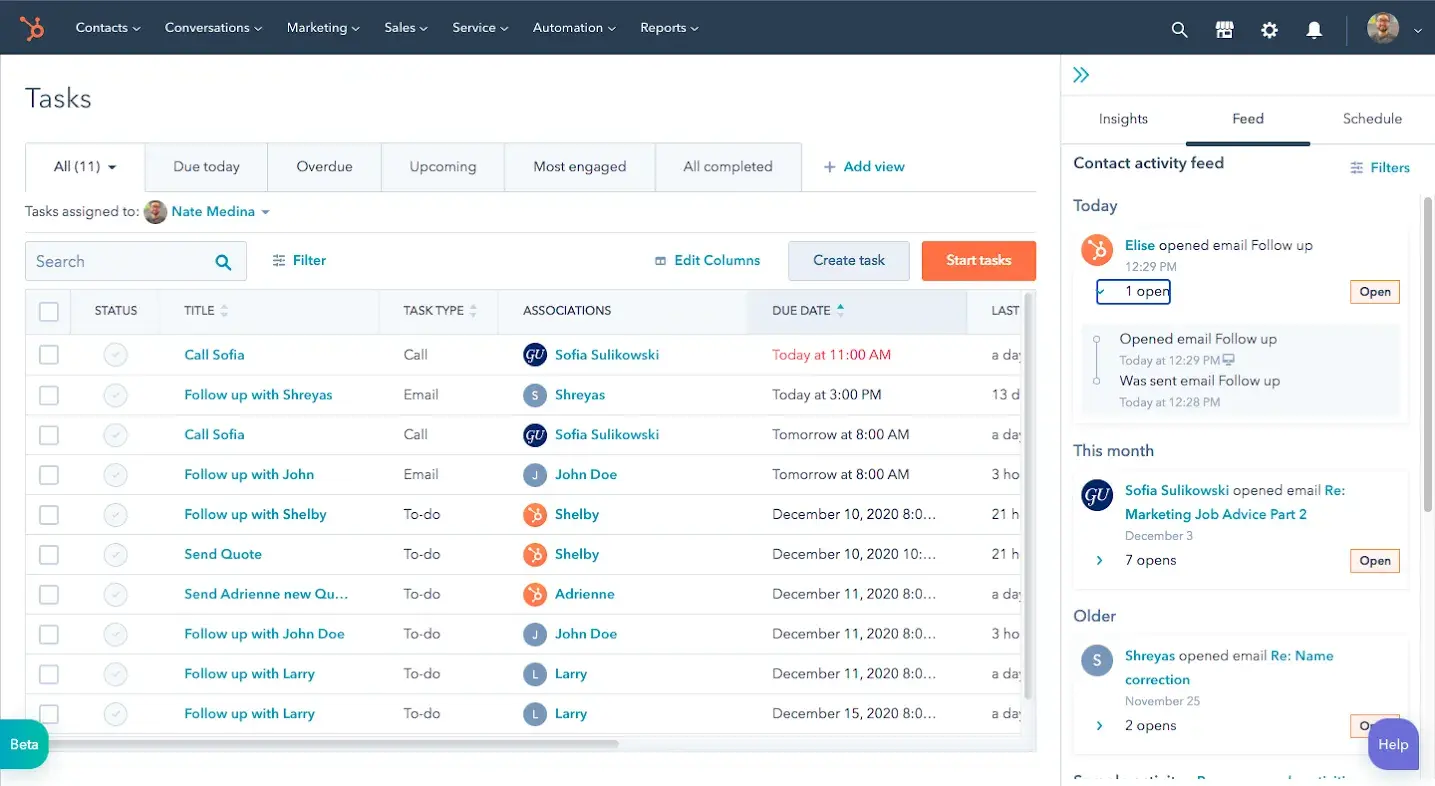
HubSpot is another key player in the CRM space, but with more lightweight customer database options than Salesforce’s enterprise-driven approach. It combines CRM, marketing tools, and data management in one platform — but you can choose to pay for only the products you need. Use the free CRM or Customer Platform to unify and organize records while also getting access to deal tracking, basic pipeline management, and light marketing and customer service features.
HubSpot pros and cons
Pros:
- Modular platform: HubSpot is highly modular. Subscribe to the specific Hubs you need (like Data) or choose a pre-made bundle like the Customer Platform, which pairs a customer database with additional tools.
- Solid free options: HubSpot offers a number of free tiers that let you test out customer data management, a basic CRM, and other features like meeting scheduling, reporting, and sales cycle management.
- Integrated data management: You can combine first and third-party data in one interface and connect to your tech stack with over 100 integrations.
- User-friendly interface: HubSpot’s clean design makes it easier to get started or onboard team members compared to Salesforce.
Cons:
- Many data features—like custom field mappings, automations, and secure data sharing—are locked behind expensive plans
- Multiple Hubs, seat types, and tiers make overall pricing hard to predict
HubSpot best features
- Customer management: Store up to 1,000 customer contacts on the free tier and build profiles that include contact details, and activity history.
- Workflows and automation: Trigger automated actions based on customer behavior and form submissions (only on paid plans).
- Email integration: Automatically log emails and track opens, clicks, and replies directly within customer records.
- Custom properties: Create custom fields to track industry-specific customer data points relevant to your business.
HubSpot pricing
HubSpot offers a free CRM for storing up to 1,000 customer records. To get deeper database functionality, you’ll need to sign up for the Data Hub:
- Free: For up to two users
- Starter: $15/month/user
- Professional: $800/month for one user; additional users start at $50/month
- Enterprise: $2,000/month for one user; additional users start at $75/month
Alternatively, the Customer Platform bundles include the Data Hub.
4. Airtable — best for spreadsheet-style customer database management
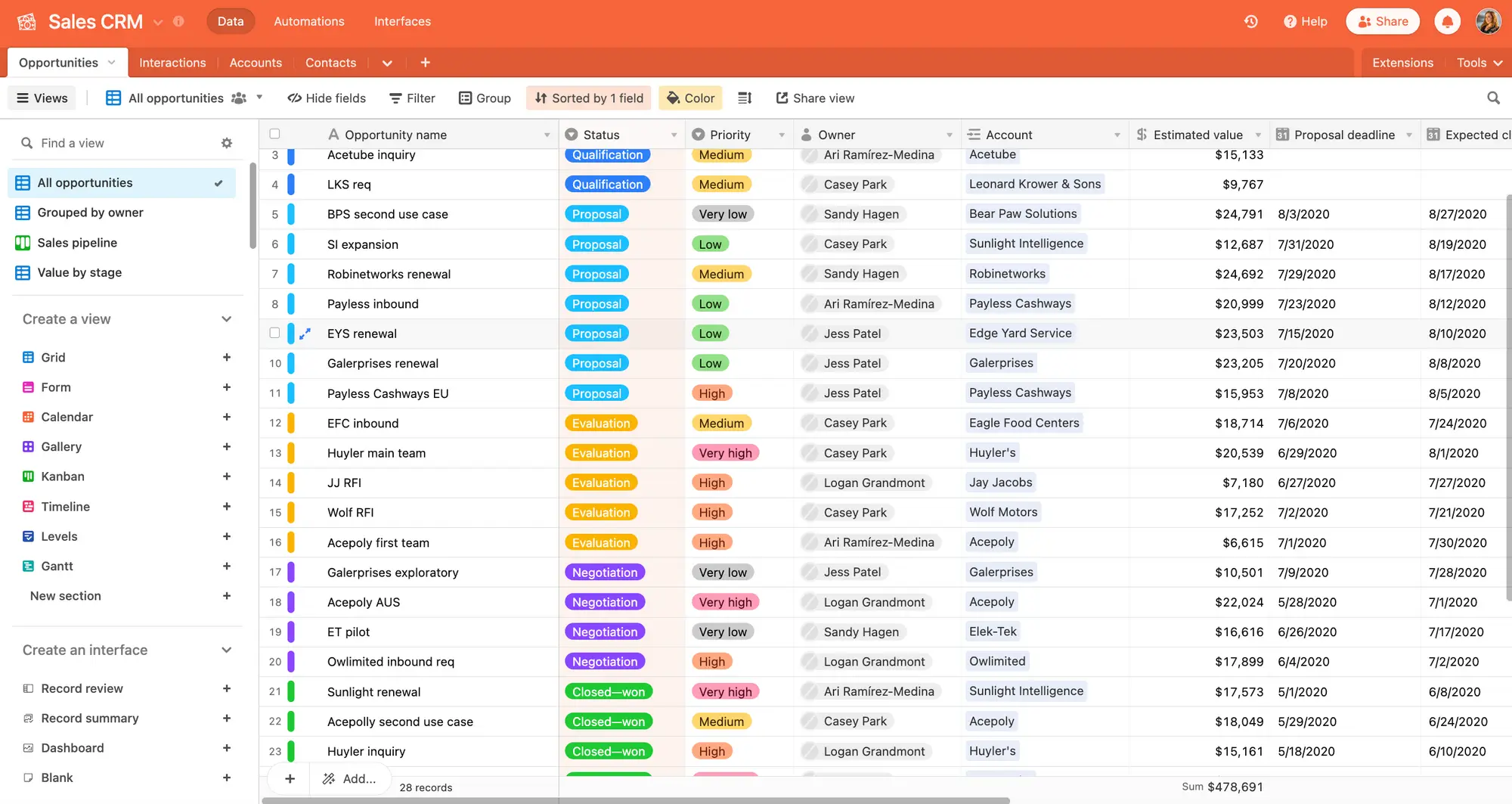
Airtable bridges the gap between spreadsheets and databases, offering a familiar grid interface with relational database capabilities underneath. If you want more structure than Google Sheets but don't need a full CRM's sales-focused features, you can configure Airtable as a customer database and get solid customization, visualization, and automation functionality.
Airtable pros and cons
Pros:
- Familiar, intuitive interface: There’s very little learning curve for teams already comfortable with Excel, Google Sheets, or other spreadsheet software.
- Multiple view types: Choose how to display customer data—as tables, timelines, kanban boards, galleries, or forms—while always pulling from the same core database.
- Rich field types: Store detailed customer data with fields for attachments, links to other records, checkboxes, ratings, and more.
- Template marketplace: Start with a pre-built CRM template and customize it to suit your needs.
Cons:
- Not purpose-built as a customer database or CRM; expect to spend some time on configuration
- Can slow down when bases exceed tens of thousands of records, have complex formulas, or extensive relational links
- Pricing can become highly expensive due to per-user pricing
Airtable best features
- Linked records: Connect customer records to orders, support tickets, or any other table for true relational data management.
- Customer filtering: Create saved views to filter customers by industry, region, revenue tier, or engagement level. Each team member can create their own filtered views of the same database.
- Interface Designer: You can build basic dashboards and portals on top of your customer database without coding.
- Real-time collaboration: Airtable is just as collaboration-friendly as Google Sheets. Share seamless updates, comments, and notifications across teams who handle customer data.
- Native integrations: Connect Airtable to external tools like Slack, Gmail, Salesforce, and hundreds of other apps via native integrations or Zapier.
Airtable pricing
- Free: Unlimited bases, 1,000 records per base, 1GB attachment storage
- Team: $20/user/month
- Business: $45/user/month
- Enterprise Scale: Custom pricing
5. Zoho CRM — best for budget-conscious teams that want all-in-one functionality
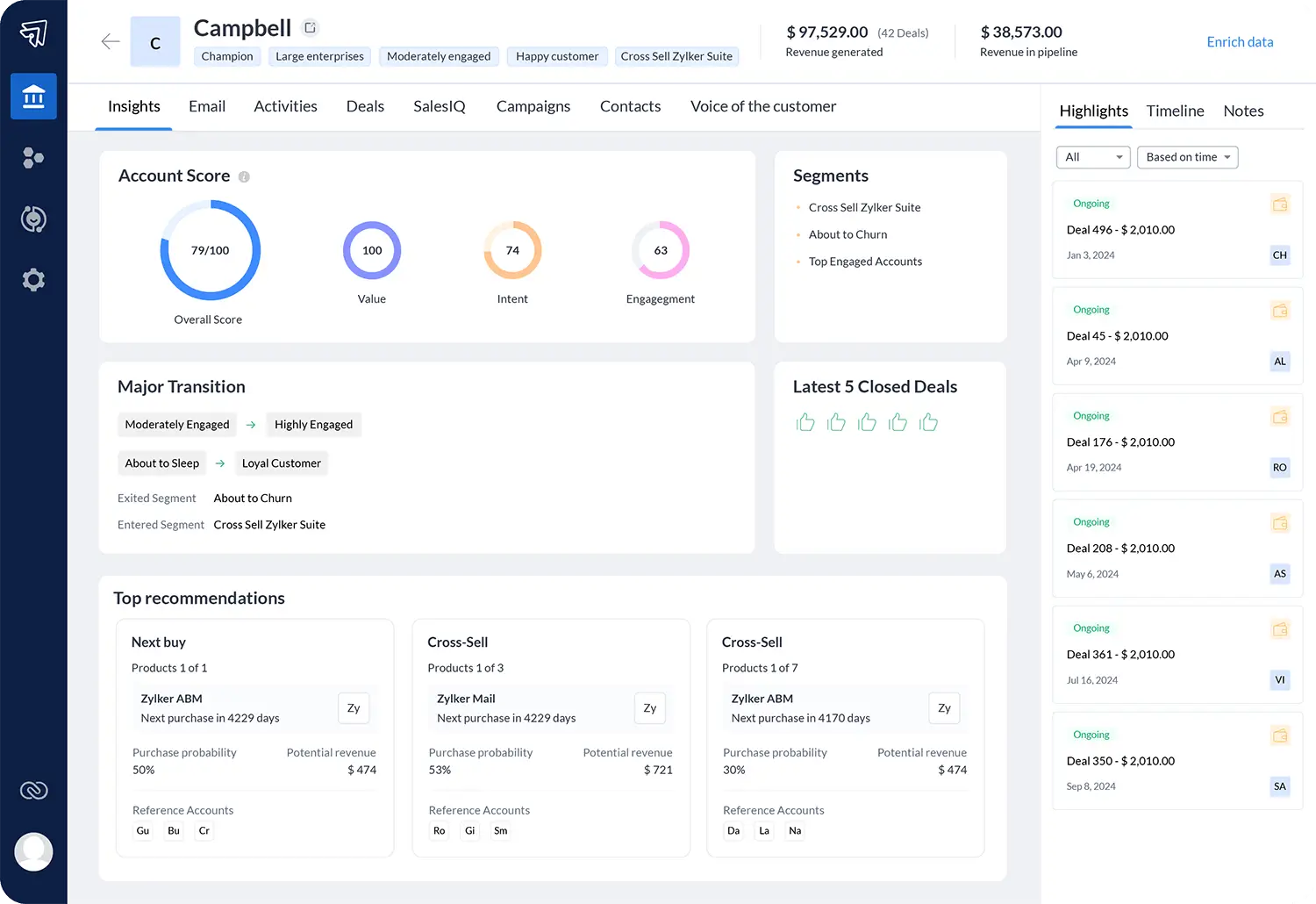
Zoho CRM is a worthy choice for businesses that want an "all-in-one" feel without the enterprise price tag of Salesforce. It’s easy to store, manage, clean, and even enrich customer data on the platform. It’s part of Zoho’s continually growing ecosystem of business software, so to get the most out of this CRM you may need to pair it with Tables, Desk, and other Zoho products.
Zoho CRM pros and cons
Pros:
- Relatively affordable pricing: Zoho offers expansive features at lower per-user costs compared to tools like Salesforce, HubSpot, or other CRMs.
- Zia AI assistant: Its built-in AI can assist with customer data enrichment, lead scoring, and other tasks.
- Zoho ecosystem integration: This CRM connects with more than 45 other Zoho apps for accounting, email marketing, customer support, and a host of other use cases.
- Multi-channel communication: On top of static data, manage customer interactions across email, phone, live chat, and social media from one platform.
Cons:
- Works best when used in conjunction with other Zoho products, which creates vendor lock-in
- Fewer design, layout, and customization options compared to competitors
Zoho CRM best features
- 360-degree customer profiles: See complete customer histories, including contact details, communication timelines, purchase records, and support interactions.
- Custom fields: Add unlimited custom fields to capture customer-specific data points (contract renewal dates, product preferences, NPS scores).
- Customer portals: Give customers access to view their order history, submit support tickets, access documents, and update their contact information through branded self-service portals. (Multi-user portals only available on Enterprise tier or higher.)
- Mass email: Send mass emails to customers and automate follow-up sequences even on lower-tier plans.
Zoho CRM pricing
- Free Edition: For up to three users
- Standard: $20/user/month
- Professional: $35/user/month
- Enterprise: $50/user/month
- Ultimate: $65/user/month
Find the customer database tool that fits your needs
Every tool on this list can be a good customer database solution if you know what you’re looking for. Before committing, clarify what matters most: Are you managing millions of records with complex reporting requirements? Consider Salesforce. Already using HubSpot's marketing tools? Their integrated Data Hub creates a seamless ecosystem. Need something a little simpler? Airtable pairs the familiarity of spreadsheets with relational data structure.
And if you want to stay flexible, Softr is the best choice for aligning with your real business processes as they evolve. Use Softr Databases to manage and act on all your customer records. Then, build a CRM or customer portal on top of that data with AI and the visual editor.
Softr scales with you—from a lightweight database to an end-to-end customer management system—without forcing you into rigid workflows or budget-melting enterprise contracts.
Try Softr free with an AI CRM template that includes a built-in customer database.
Frequently asked questions
What is the difference between a customer database and a CRM?
Is a spreadsheet enough for a customer database?
Can I build my own customer database without code?