[.blog-callout]
TL;DR
- A company intranet is a private, internal network that centralizes news, documents, and tools for employees.
- Intranets usually combine some or all of these elements: a home page, employee directory, document management, collaboration tools, HR resources, IT support, training, calendars, feedback, and search.
- The six most common intranet types are: project management, knowledge management, training, HR, CRM, and custom builds tailored to your company.
- You can build any of these with Softr, without code, by generating one with the AI Co-Builder, starting from a template, or building it from scratch. [.blog-callout]
A company intranet is a private, internal network designed for use within an organization. It's a central hub for communication, collaboration, and information sharing among employees. Unlike the internet, which is accessible to the public, an intranet is restricted to authorized users within the company, providing a secure environment for sharing sensitive information, documents, and resources. Most team intranets include an employee directory, project management tools, internal messaging, and news updates, all aimed at streamlining operations and boosting productivity.
Common elements of company intranets
Intranets vary company by company, depending on size, industry, departments, and other factors. There's no one-size-fits-all layout for intranets, but they typically include some or many of the following elements.
Home page: The first screen an employee sees, typically displaying company news and announcements, messages from the CEO or other executives, and quick links to important resources.
Employee directory: Employees can find contact information for all team members, browse departments and teams, and view organizational charts to visualize the company structure.
Document management: The intranet stores policies and procedures, provides access to templates and forms, and allows for document storage and sharing among employees.
Collaboration tools: Intranets can provide team workspaces, project management, and discussion forums or chat rooms.
HR resources: A self-service HR portal turns your intranet into a valuable resource for both employees and the HR team, housing employee handbooks, benefits information, and integrated systems for time-off requests and tracking.
IT support: IT communication can also run through an intranet, via help desk tickets, troubleshooting guides for common issues, software downloads and updates, and disaster recovery if you've been hacked.
Training and development: Intranets can contain learning management systems (LMS) for training programs, training schedules, and e-learning modules.
Event calendars: A company calendar within your intranet lists events and meetings, highlights holidays and important dates, and lets employees book conference rooms. This often shows up on the home page.
Feedback and surveys: An intranet can capture passive feedback through suggestion boxes, or active feedback through regular surveys. Performance evaluation tools are often integrated too.
Social features: A more advanced intranet can house employee recognition programs, social feeds and blogs to keep employees engaged, and interest groups or clubs for employees to join.
Search functionality: A universal search feature with advanced filters and categories helps employees find information quickly.
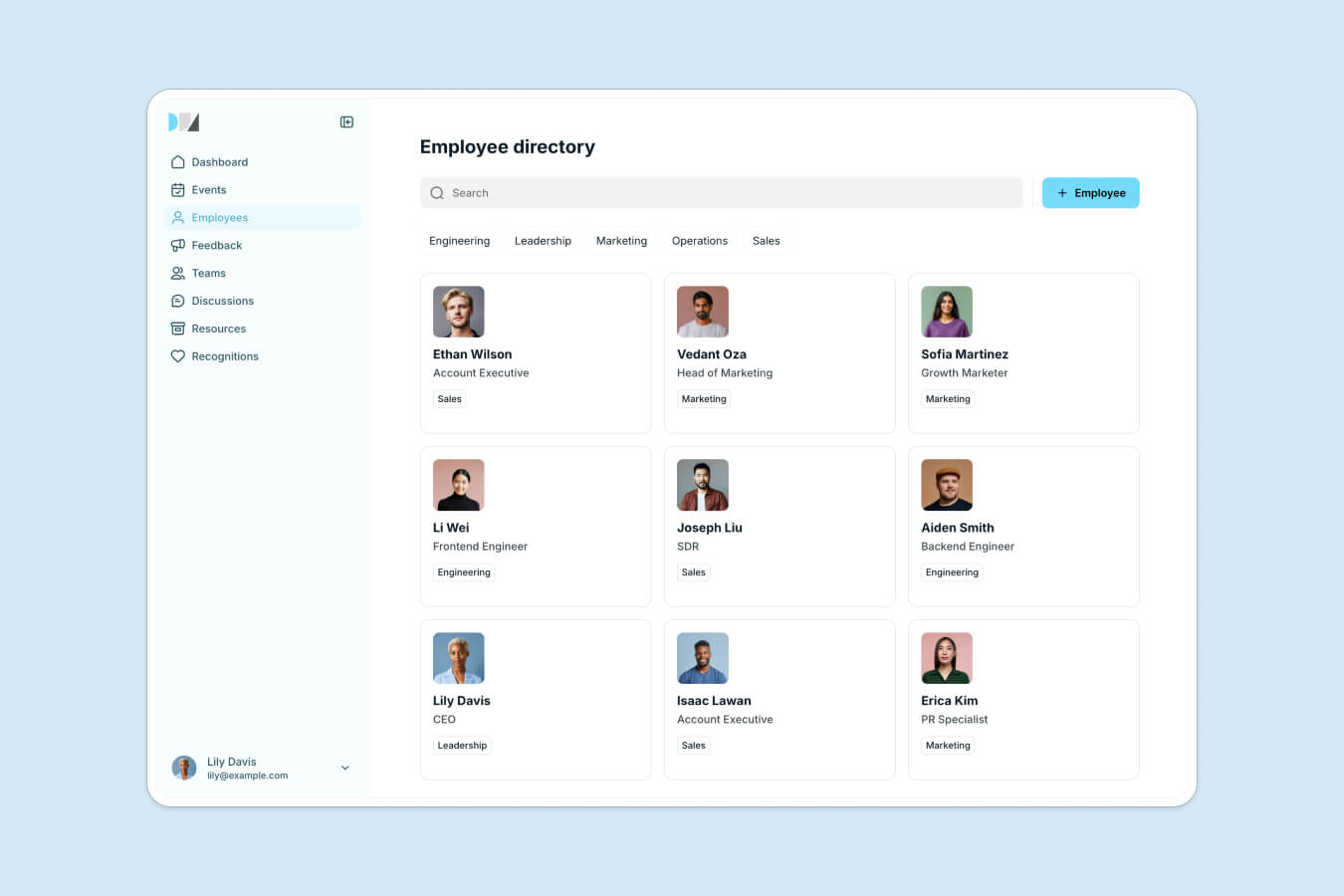
Now that we have a baseline for common elements found within company intranets, let's look at six common types in practice.
Examples of company intranets
Project management intranet
A project management intranet is an internal network designed to streamline the planning, execution, and monitoring of projects within a company. It's a central platform where team members can collaborate, track the progress of their projects and tasks, and manage project-related documents and files.

In this example, the application's homepage shows logged-in users an overview of their projects and tasks. The main screen displays a card for each ongoing project, including the project name, status (Complete, In Progress, To Do), due date, and budget. This layout lets team members quickly assess the status and priorities of multiple projects at a glance.
Below this section sits a Kanban block with a general overview of the user's tasks, categorized by status into stages like To Do, In Progress, Review, and Complete. This visual organization helps team members manage their workload by clearly showing the status of each task, and users can drag and drop cards to update their stage. For example, a "Prepare copy" task under the To Do column can specify the associated project (Product Hunt Launch) and the task description (Create briefs).
From the menu on the left side, you can navigate to other pages like:
- Projects, for a more detailed view of each project, and Calendar, a page that integrates a calendar view to help users track deadlines, milestones, and meetings.
- Team, a directory page listing all team members, along with their roles, contact information, skills, or project assignments.
- Tasks, a page that reflects the Kanban block from the homepage. Each card provides more information for easy assignment, progress tracking, or priority adjustments.
A project management intranet like the one shown here is an essential resource for streamlining project workflows, boosting collaboration, accountability, and efficiency among your team. This example is based on a project management template, but you can also describe your workflow to Softr's AI Co-Builder and it will generate a similar structure, tables, and pages for you as a starting point to customize further.
Knowledge management intranet
A knowledge management intranet is an internal network designed to streamline knowledge management and collaboration within a company. It's a central repository where team members create, organize, and share information, boosting overall productivity and knowledge sharing.

In this knowledge management intranet example, built on Notion, the homepage provides an overview of the most used and popular pages. Each category contains essential details and quick links to frequently accessed documents, letting employees find what they need quickly.
The homepage also features a search bar with advanced functionality, so users can locate specific documents or pages by typing keywords, cutting down the time spent searching for resources. From there, employees can navigate to categories or individual pages that serve as the primary content areas, viewing and editing existing entries or creating new ones so the knowledge base stays current.
Individual pages should be created whenever new information, procedures, best practices, or project documentation needs to be shared. This keeps relevant knowledge systematically captured and accessible to everyone.
Some teams outgrow a standalone wiki once documentation needs to connect to live company data. Celonis, for example, replaced a Google Slides deck full of go-to-market knowledge with a searchable knowledge base built on Softr and Airtable, used daily by 1,500+ team members:
"Our users love it. They think it's the perfect way to connect knowledge we are building up across our customer interactions, structure it, and make it easily accessible." - Celonis, customer case study
A knowledge management intranet, like either example, becomes an important resource for your company's information management, boosting collaboration and efficiency across your team.
Training intranet
A training intranet is an internal tool that manages and facilitates training and development activities within a company. It's a centralized hub where employees can access training materials, track their progress, and register for upcoming training sessions, making the company's training programs more effective by keeping resources easily accessible.
In this training intranet example, based on a training management template, the homepage provides an overview of all available training sessions. Each session displays essential details such as the title, date, time, duration, meeting room, assigned departments, and the employees who have completed it. This layout helps employees find and register for relevant sessions quickly. A key feature of any training intranet is filtering, letting you show or hide sessions based on the user's role and department.
Each card on the homepage leads to a unique page for each course or session. These pages should be created whenever new training programs, workshops, or classes are introduced, and they should cover the training objectives, content, and outcomes so employees understand the benefits before joining. Session content can be text, documents, or video.
By leveraging a training intranet like this one, your company can effectively manage and track training programs, ensuring employees have access to the resources they need for professional development. To further boost engagement, consider connecting the training intranet with your other HR-related tools, so employees don't have to switch context to complete their training.
HR intranet
An HR intranet is a dedicated internal platform for optimizing human resources tasks and boosting employee engagement within a company. It consolidates HR-related data, making it readily available to employees and HR staff. Standard features include employee directories, benefits details, payroll systems, performance evaluation tools, and onboarding resources. A centralized hub for HR activities increases operational efficiency, reduces administrative workload, and lets employees manage their HR needs independently.
In this example, this HR intranet, made with Connecteam, includes chat functionality for both individual and team interactions, supporting seamless communication across the organization. Reward and recognition features let managers acknowledge employee achievements, boosting morale and fostering a positive work environment. You can also browse employee award ideas to recognize achievements in meaningful ways. The intranet also simplifies requesting time off, reducing the administrative burden on HR staff, and an efficient employee directory helps staff quickly find and connect with colleagues.
An HR intranet, similar to the one shown here, is vital for facilitating HR processes: it improves communication, access to HR resources, and employee engagement. Where a dedicated HR platform can fall short is advanced customization and integration with the other systems your company already runs, which is where a more flexible, no-code build tends to close the gap.
CRM intranet
A CRM (Customer Relationship Management) intranet is an internal network designed to optimize how a company manages customer relationships. It consolidates all customer-related information, giving employees quick access to contact details, purchase histories, and communication records. This keeps data consistent and boosts the efficiency of customer service, sales, and marketing teams.
Notable features of a CRM intranet include:
- Real-time data updates.
- Internal messaging for team collaboration.
- Seamless integration with customer support systems.
It enables tracking sales pipelines, managing marketing campaigns, and using analytics to monitor performance and identify trends. These capabilities lead to quicker response times and more personalized customer interactions, giving sales and marketing teams a comprehensive view of customer activity.
In this example, a CRM intranet built with a sales CRM template centralizes all customer data into a single system, combining companies, contacts, and deals. The sales team logs all customer interactions here, enabling real-time updates and seamless access across departments. The system supports customizable dashboards with charts and analysis, workflow automation, and detailed analytics to understand customer behavior and sales performance.
Its intuitive design keeps it accessible to users with varying levels of technical expertise, which shortens the learning curve and improves adoption. An isolated CRM intranet can still hinder communication between sales and post-sales or support teams, creating silos that block the flow of important information. A unified intranet that connects CRM data with your other business processes, rather than treating it as a separate system, solves this more reliably.
Build your own intranet
Creating a custom intranet tailored to your company's needs can significantly improve communication, collaboration, and productivity. With Softr, you can build a full-stack intranet, backed by its own Softr Databases, interface builder, and Softr Workflows, without needing extensive technical skills, and at a fraction of the cost of subscribing to multiple platforms to piece together a comprehensive intranet.
You have three ways to start. The fastest is to describe your intranet to Softr's AI Co-Builder and let it generate a complete app: database tables, pages, navigation, and user groups already connected. If you'd rather have a starting point you can see and tweak right away, pick from customizable templates, including a ready-made company intranet template. And if your requirements are unusual enough that neither fits, you can always build from scratch using Softr's visual editor. Whichever path you choose, you can customize the layout, color scheme, and branding to match your company's identity, and use the Vibe Coding block to generate any custom component a pre-built block doesn't cover, from a niche dashboard widget to a bespoke request form.
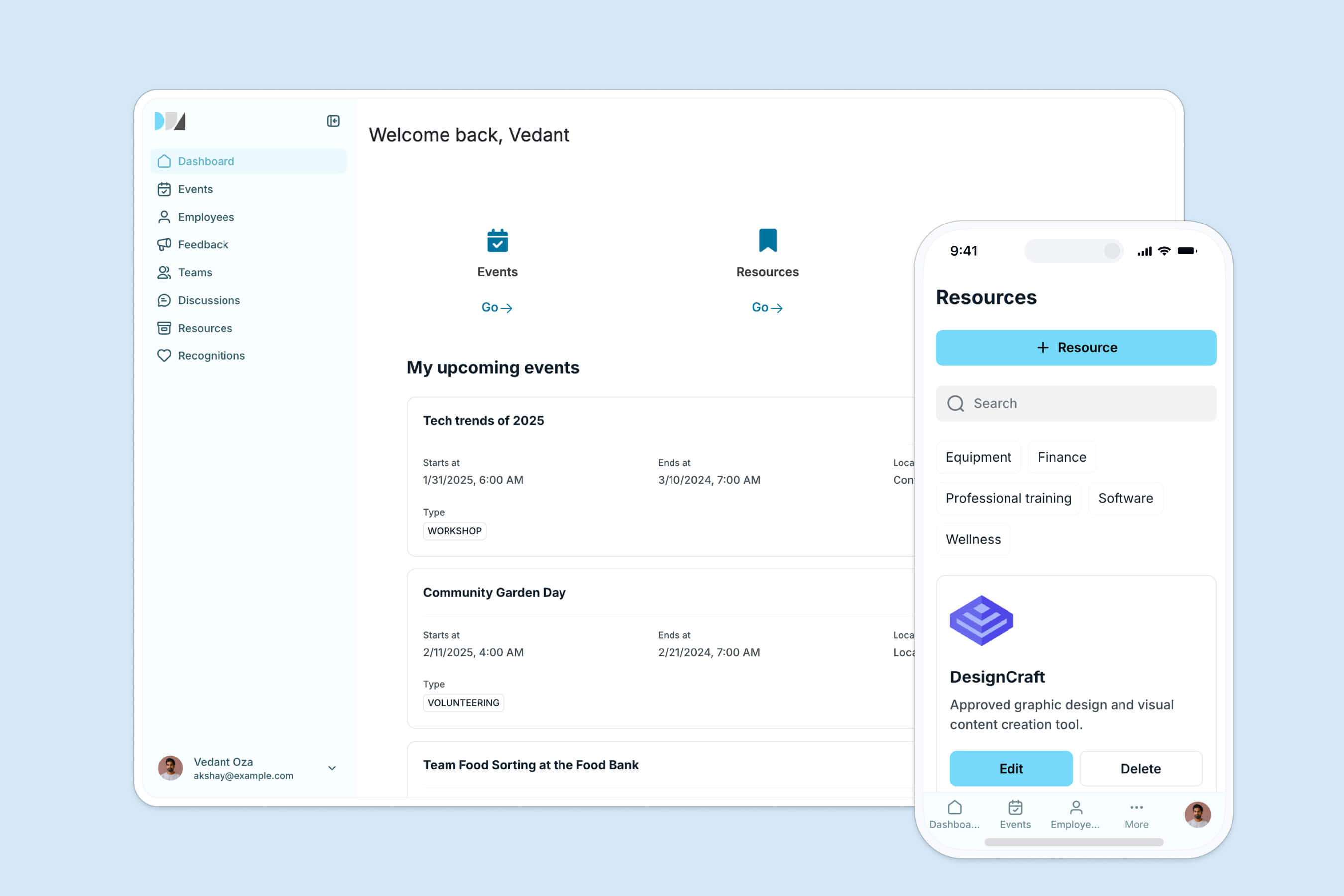
Your intranet doesn't have to live in isolation from the rest of your data, either. Softr Databases give you a fast, native place to store everything, and if you already keep data in Airtable, Google Sheets, HubSpot, or a SQL database, Softr connects to those too, along with 21+ other data sources. DS Automotive, for example, gave their whole team a single employee portal to view Airtable data that used to live in disconnected spreadsheets:
"The ability to pull data from different Airtable bases into different blocks and display them on one page was one of the main reasons I chose Softr. It's also more user-friendly than other no-code tools." - Dan Smith, Director, DS Automotive
Once your data is in place, use Softr's users and permissions features to control who can see each page or block, and make sure your intranet complies with your organization's security policies. Softr also enhances data security through server-side filtering, keeping sensitive information visible only to authorized users. Arizona State University used exactly this combination of standardized data and role-based permissions to roll out a curriculum hub that reached 1,200+ unique users in its first month, a strong sign of how quickly employees adopt an intranet once it's built around how they actually work, not around what a generic tool allows.
Frequently asked questions
What's the difference between an intranet and a general internal tool?
Do I need coding skills to build a company intranet?
What data can power a company intranet?
How much does it cost to build a company intranet with Softr?
Can different departments or roles see different parts of the intranet?