


Customer relationship management (CRM) software provides visibility into how customers interact with your business. This helps you identify the manual, repetitive tasks that cause bottlenecks in customer management operations.
CRM process automation helps your business (irrespective of its size) focus on the revenue-generating tasks that deserve your team's attention.
To achieve this, you can explore CRM software with built-in workflow automation, or use a no-code app builder to build a custom CRM where the data, the interface, and the automations all live in one place.
Here's a curated list of the 5 top CRM tools for workflow automation in 2026, based on pricing, features, pros, cons, and use cases.
5 best CRM software for workflow automation at a glance
| Tool | Best for | Key features | Pricing |
|---|---|---|---|
| Softr | Teams that want a production-ready custom CRM without migration costs | • AI Co-Builder builds database, pages and permissions • Softr Databases as the native data layer • Pre-built CRM and client portal templates | Free plan; paid from $19/month |
| HubSpot CRM | Teams wanting automated marketing campaigns alongside the CRM | • Email marketing and drip campaigns • Visual workflow builder with conditional logic • Customer portals • Advanced reporting | Free plan; paid from $20/month |
| Pipedrive | Sales teams focused on pipeline and lead conversion | • Automated lead nurturing sequences • Pipedrive AI drafts emails and summarizes deals • Scheduled automation triggers • 170+ integrations | From $14/seat/month |
| monday.com | Teams already running work management who want a CRM on top | • Automated task assignment • Custom formulas for reports and dashboards • Visual boards and drag-and-drop workflow builder | From $9/seat/month, billed annually |
| Freshworks CRM | Managing the whole customer lifecycle in one system | • AI sales automation identifies hot leads • Integrates with Freshdesk and Freshchat • Automated marketing campaigns | From $9/month |
What is CRM workflow automation?
CRM workflow automation helps streamline customer management operations by letting automation tools perform repetitive and manual tasks. These tasks range from sending follow-up emails to assigning tasks, updating client data, or even tracking sales pipelines, all without human intervention.
CRM automation tools rely on triggers and actions to automate tasks across data sharing or syncing, notifying updates, looping to share information, and more.
For example, when a lead fills out a contact form on your website (trigger), an automatic marketing email is sent to them (action). Your sales representative saves time sending emails manually, while your customer perceives your business as responsive.
Streamlining CRM workflows with automation means saving time on manual work to speed up service delivery and enhance customer retention.
Checklist: Key features to look for in CRM workflow software
- Customizable CRM workflows allow tailoring automations based on your business processes and how customers interact with your products.
- An intuitive interface makes CRM setup easy and affordable for businesses since they save on training and consultation costs.
- Integrations help expand functionality using existing and third-party software by sharing or syncing data with the CRM. It saves time and costs on data migration.
- Automation templates remove the need to design workflows from scratch, speeding up CRM process automation adoption.
- Automation triggers ensure all repetitive tasks get done on autopilot whenever a pre-defined trigger occurs.
- Scalability across pricing plans, complex workflows, bandwidth, and features ensures continuity and adaptability as your business grows.
- AI automation brings intelligence to the workflow. For example, an AI-enabled CRM can automatically prioritize leads based on customer interactions and behavior, helping you focus efforts on those most likely to convert. It can also enrich records, summarize deal notes, and draft personalized outreach. Understanding the differences between predictive vs generative AI is helpful, as each serves distinct purposes in automation and decision-making.
- Reporting and analytics to track KPIs, identify bottlenecks, and optimize CRM processes accordingly.
- Collaborative tools help teams make decisions by sharing notes, data, files, and comments in real time before making the automation live.
- Enterprise-grade security features ensure compliance with local data regulations. This is crucial for growing businesses in regulated industries or those with a global presence.
5 Best CRM software for workflow automation in 2026
1. Softr
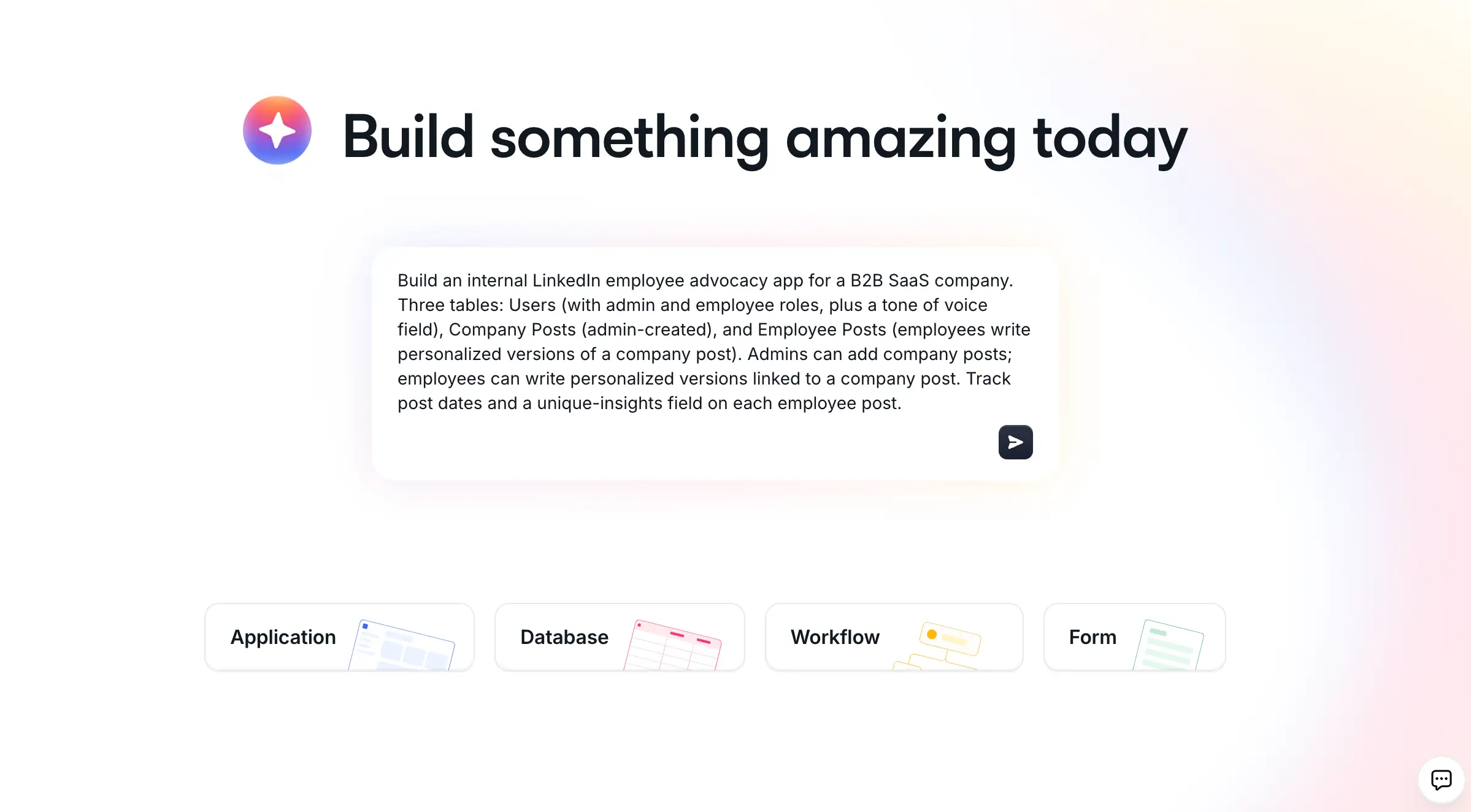
Softr is the first AI-native no-code platform for building production-ready business software. Describe the CRM you need and the AI Co-Builder generates the database, pages, and user permissions for you. You can also start from a template or build from scratch, so it is AI-first, not AI-only. The result is a secure, production-ready app from day one, not a fragile vibe-coded prototype.
Softr brings together the three pillars of a real business app: the data, the workflows, and the interface, all in one platform.
"It really these three pillars of an app: the data, workflows, and interface that Softr brings together in one platform."
Guillaume Duvernay, Builder at Softr
For your data, you can use Softr Databases (the native, fastest option) or connect to 21+ external sources like Google Sheets, Airtable, and HubSpot. Either way, you build a custom CRM interface and automate it natively with Softr Workflows.
Adopting Softr for CRM process automation is highly cost-effective because:
- You don't need to invest in expensive out-of-the-box CRM software or custom development
- You don't need to pay data migration costs
- It seamlessly integrates with existing tools and databases
- It has pre-built custom client portal and CRM templates to get started
- A simple user experience means less investment in training and external consultant help.
- Its generous free plan and friendliness to business operators help you design, test, and launch a custom CRM and automate customer workflows across all business sizes, from solopreneurs and startups to enterprises.
Check out Softr's free custom CRM template to see what's possible.

Softr key features for workflow automation
- Use Softr Databases first, the native data layer that keeps your data, workflows, and interface in one place for the best performance. If your CRM already lives in Airtable, Google Sheets, HubSpot, or one of 21+ external sources, Softr makes it more usable by building intuitive interfaces on top.
- Build with AI or drag-and-drop. Describe what you need to the AI Co-Builder, or assemble pre-built components like forms, tables, and Kanban boards yourself. For the rare custom UI need, the Vibe Coding block generates secure React components from a prompt.
- Automate natively with Softr Workflows. Trigger automations directly from UI interactions (like action buttons), or instantly when a record is created or updated, with AI-in-the-loop steps, loops, and conditional branching. Connect to Zapier, Make, or n8n via native integrations when you need them.
- Enrich records automatically with Database AI agents that summarize notes, classify leads, or research a company from its website, and let your team query records in plain language with Ask AI.
- Implement enterprise-grade security to stay compliant with SOC 2 and GDPR. Use dynamic user groups and global data restrictions to protect access to customer data.
Softr pros
- Softr's community highlights the mature adoption of the platform, where users and Softr's support team actively engage and help each other. You can hire Softr experts, access documentation, get certified, and use its learning resources on demand.
- Softr’s free plan allows the publishing of fully functional custom CRM web apps with a custom domain, making it the perfect tool to test or transition your CRM automation strategy.
- The no-code approach saves investment and time on developers. It gives more flexibility to custom-design CRM workflow automation without writing code.
- The AI Co-Builder designs and launches a complete CRM (database, pages, and permissions) from a written prompt.
- Reviews highlight responsive human customer support and a product team that acts on feedback and feature requests.
"In roofing, there were not many good CRM options, except for one that cost thousands of dollars a month. Instead, I used Softr to build our own CRM that rivals the expensive ones. I do not pay for features I will not use, and simply build the ones I want, exactly how I want them."
Verified User, Construction (Small-Business), G2 review
Softr cons
- Limited pre-built blocks and styling options may require businesses to opt for custom code features within Softr.
- No dedicated mobile app option, but you can launch progressive web apps on Android or iOS mobile devices.
- Limited options to build custom blocks or components.
Softr use cases
Softr's pricing plan is based on features and active users, making it ideal to start with automation and scale as the business grows.
- Small businesses or solopreneurs can transition from clunky Google Sheets or paperwork to digitize customer management without breaking their banks.
- Medium or enterprise organizations can reduce per seat software expenses yet scale their business by developing custom CRM with workflow automation in a single platform. Its enterprise-grade security features further help with data security and compliance.
- Workflow automation for sales teams in service agencies or consulting firms helps improve conversion rates as they can focus more on their pitch and strategy. It also streamlines reporting and project updates to actively engage clients.
Softr pricing
- Free plan: build and publish unlimited apps for up to 5 users total, using core actions and building blocks.
- Paid plan: to add more users and unlock advanced features like conditional forms, e-signatures, PWA, and custom code, explore the paid plans starting at $19/month (paid yearly).
For a concrete look at what you can automate with Softr, see the top CRM automations to build near the end of this guide.
2. HubSpot CRM

HubSpot's marketing SaaS product range includes CRM automation features to build bots and launch automated campaigns. You can design personalized and automated SMS, email, or product marketing campaigns, analyze results, and optimize in a single platform.
Note: Already using HubSpot as your CRM or marketing tool? Learn how to build a custom dashboard with HubSpot as the data source.
HubSpot CRM key features
- Automate email marketing and drip campaigns across marketing, sales, and support to continuously and instantly engage with new and existing customers.
- Visual workflow builder includes features like conditional logic, integrations, and segmentation to design complex flows.
- Manage CRM data and design customer portals to allow edits, deletions, or updates by customers.
HubSpot CRM pros
- A mature ecosystem of products with adequate learning resources
- User-friendly interface
- Advanced reporting, client dashboard, and analytics tools
HubSpot CRM cons
- HubSpot is broad and feature-rich with no specialization. Its many tools across CRM, customer service, marketing, sales, and HR can lead to unused features, especially for small businesses or specific use cases.
- Lacks adequate customization features
- Buggy website builders in CRM platform
- Expensive pricing plans are unsuitable for small or medium businesses
- Non-technical users unfamiliar with CRM workflow automation software will require training.
- Complete customization and mobile access are available on higher plans only. Also, reviews report an unfriendly user experience for HubSpot mobile apps.
HubSpot CRM use cases
HubSpot is suitable for large businesses or enterprises that can afford their high-pricing plans and already use their other ecosystem products. If your CRM focus is on email marketing and sales workflow automation, then HubSpot offers dedicated tools.
HubSpot CRM pricing
- Free plan: HubSpot's forever free plan allows access to 2 users, limited features, and only 1 automation action with 2000 emails/month. They provide discounts or extended trial periods for startups. However, note that it may lead to vendor lock-in since their paid plans get expensive as you scale business.
- Paid plan: to send more emails, automate ads, and access advanced integrations like WhatsApp, their basic plan starts at $20/month/seat.
3. Pipedrive
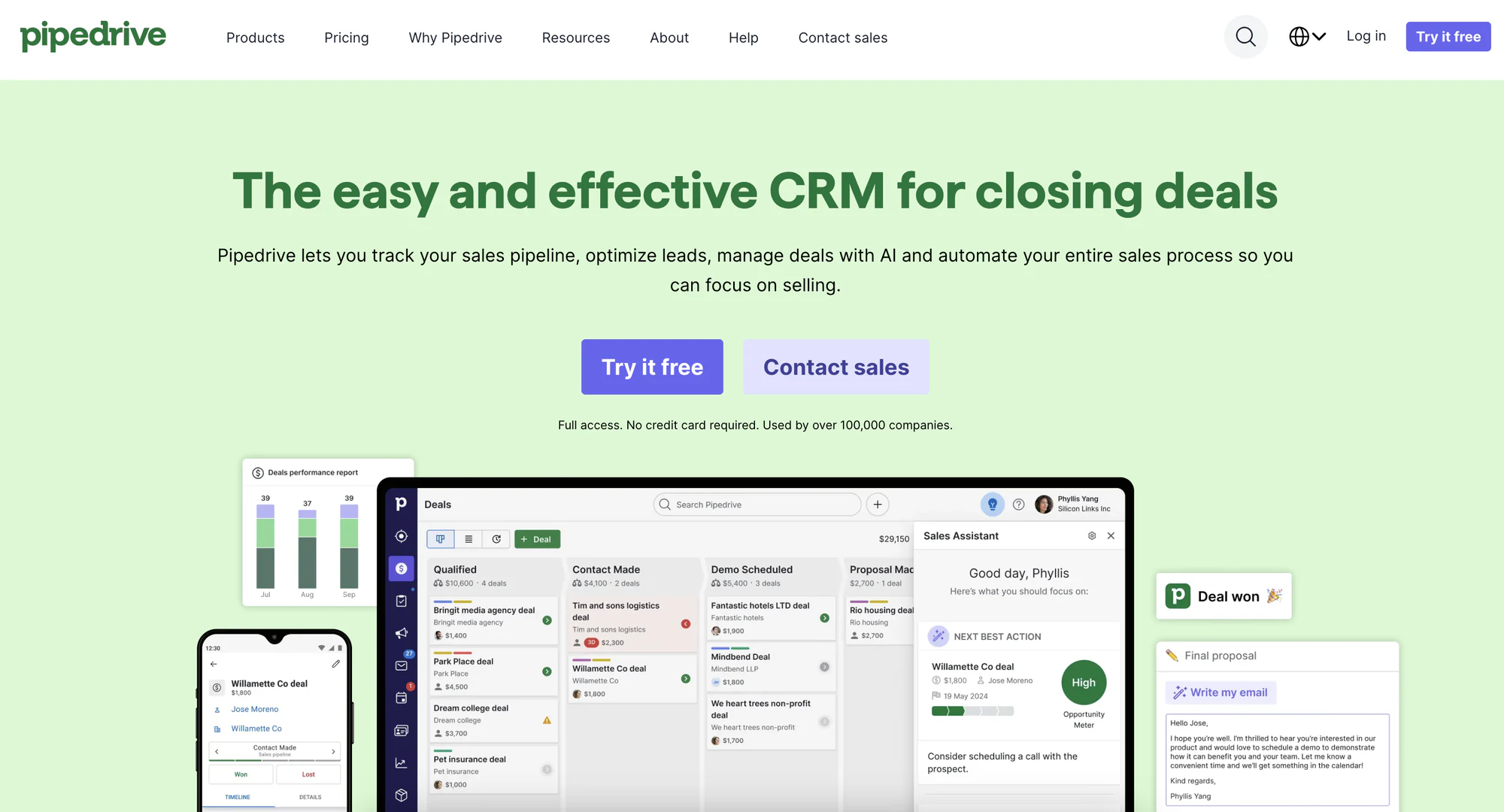
Pipedrive offers an AI-powered CRM platform focused on managing sales pipelines. It includes lead management, CRM workflow automation, and email marketing features to launch custom sales campaigns that help close deals.
Pipedrive key features
- Automate lead nurturing by implementing follow-up sequences and automated conversation flows to engage the leads till conversion.
- Pipedrive AI helps draft emails and responses, summarize deals, suggest potential CRM automation workflows, and more.
- Schedule automation as per your sales strategy. For example, you can trigger a workflow when you move a customer to a new stage of the sales pipeline.
Pipedrive pros
- Comprehensive lead management and AI sales automation features.
- A user-friendly interface makes it intuitive for non-technical teams like sales.
- 170+ integrations across sales and revenue cycle stages.
Pipedrive cons
- Pricing plans and add-ons are expensive for small and medium businesses or solopreneurs.
- Pipedrive’s features are focused on sales automation for conversion rather than customer relationship management.
- Inadequate reporting features like one cannot schedule report generation
- Insufficient features in starter plans
- Lacks campaign management across channels like SMS.
- Lacks customization features as per custom sales processes.
- Unresponsive customer support
Pipedrive use cases
Pipedrive is a good alternative to Salesforce. It is useful for medium to large businesses and enterprises to streamline their CRM, sales, and email marketing operations using automation and Generative AI.
Pipedrive pricing
- Free plan: Pipedrive provides a 14-day free trial wherein you can switch between the Essential, Advanced, and Professional plans as required. You can add your team members.
- Paid plan: The Essential plan starts at $14/seat/month. However, to access CRM workflow automation, you must choose their Advanced plan starting at $29/seat/month allowing 30 automation per user.
4. monday.com

monday.com is primarily a work management tool whose product stack includes a customer relationship management (CRM) platform for both pre-and-post sales processes. It allows you to customize the CRM as per your sales pipeline design and strategy using sales workflow automation.
Note: If you're using monday.com as your work management tool, you can build a custom CRM with monday.com as a data source. Explore the Softr and monday.com integration.
monday.com key features
- Create and assign automated tasks to teams based on meetings with customers, deal strategy, or stage of customer in the sales process.
- Create custom formulas to generate automated reports and dashboards for insights
- Automate repetitive tasks like setting reminders, scheduling appointments, customer interaction alerts, and more.
monday.com pros
- An intuitive and simple user interface makes adoption easy.
- Visual-first boards and drag-and-drop workflow builders help design and build a custom CRM and workflows.
- Adequate team collaboration features
monday.com cons
- A steep learning curve, especially for automation features due to the abundance of tools across the work management stack.
- Lacks financial management features for post-sales processes even after having project management features.
- Doesn’t allow the creation of formulas within automation.
- Reviews report a slow responsiveness of the mobile app.
- Small businesses and solopreneurs may find monday’s pricing plans expensive.
monday.com use cases
monday.com is a useful CRM software for large enterprises who also want in-built project and work management features as a part of their CRM stack. Their team collaboration features make it ideal for medium to large teams to work on their sales strategy and coordinate with project managers for execution or orders/deals closed.
Note: You must choose a minimum of 3 seats for any pricing plan, hence, it is not suitable for solopreneurs or smaller teams.
monday.com pricing
- Free plan: Monday offers a 14-day free trial where you can access its key features.
- Paid plan: The Basic CRM plan starts at $15/seat/month (or a minimum of $45/month for 3 seats) and provides unlimited boards, contacts, and custom pipelines. However, to implement CRM workflow automation, you must purchase at least a Standard CRM plan starting at $20/seat/month (or a minimum of $60/month for 3 seats).
5. Freshworks CRM
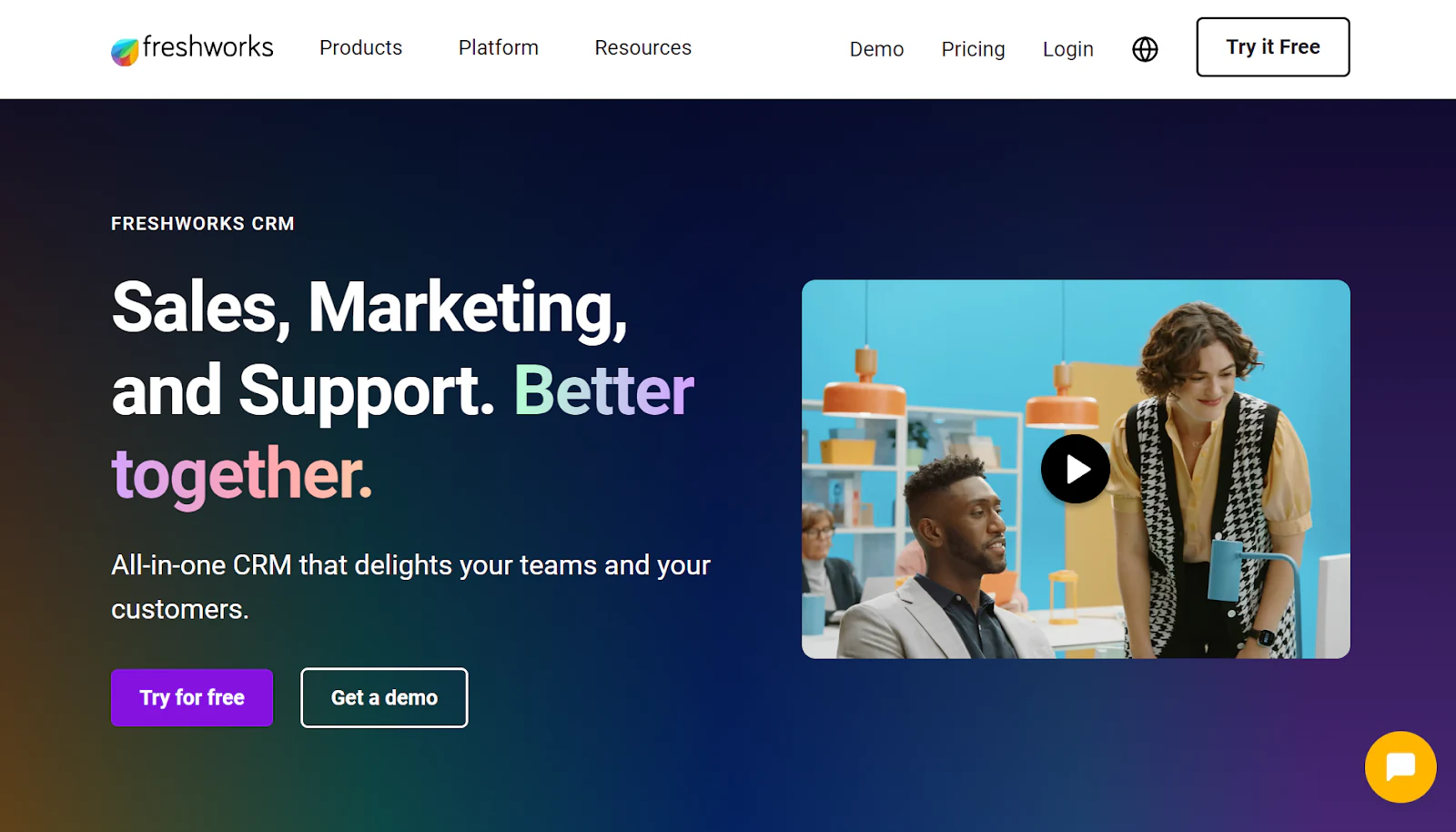
Freshworks CRM is a comprehensive CRM software capable of streamlining complete customer management, from interacting with new customers via bots to making a sale, enabling service delivery, and handling customer care. It provides CRM workflow automation features focused on overall customer engagement across the customer lifecycle.
Note: If you're already using Freshdesk, you can build a custom CRM front-end or client portal with Freshdesk as the data source.
Freshworks key features
- AI sales automation workflows identify hot leads and automate repetitive sales tasks such as lead tracking, follow-ups, and deal management.
- Automate customer support as Freshworks CRM integrates with Freshdesk and Freshchat to manage support tickets, live chats, and customer inquiries from a single platform.
- Launch automated marketing campaigns across emails, social media, and more to engage prospects and nurture leads.
Freshworks pros
- All-rounded CRM software to manage the complete customer lifecycle in a single platform.
- Cost-effective for small and medium businesses.
- Easy setup and configuration of CRM workflow automation
Freshworks cons
- Inadequate analytics and reporting features.
- Reviews suggest Freshdesk adopts a 'product-led sales' approach and is not easy to customize for service-based businesses or B2B sales.
- Customer support is slow to respond.
- Inadequate data migration features
- It is complicated to set up advanced automation rules without the support team’s help.
Freshworks use cases
Freshworks is the best CRM workflow software focused on ITIL for service management requirements and product teams. It is suitable for small to medium businesses focusing on automating customer engagement and sales workflows.
Freshworks pricing
- Free plan: Small teams of up to 3 members can access a 21-day free trial to explore the complete platform
- Paid plan: to manage sales pipelines with basic workflow automation, their paid plans start at $9/month/user.
3 key benefits of CRM workflow automation
Still need to know more about how CRM workflow automation software can help? Here are some key benefits:
- Improved CRM efficiency: allows teams to focus on high-priority tasks rather than get entangled in data entry or emailing work. For example, having workflow automation for sales teams helps automate follow-up emails to get more time to close deals.
- Improved client experience: helps provide timely and personalized attention to customers. For example, AI-enabled CRM automation software curates answers from documentation to frequently asked questions by customers.
- Scale CRM with consistency: reduces human errors and maintains personalized yet consistent branded interactions, which helps your business attend to more customers. For example, for three different customer personas of a SaaS business, the CRM automation software can customize onboarding flows based on their initial interactions.
How to choose the right CRM workflow software for your business
Here are five key criteria to keep in mind when choosing the top CRM software for workflow management:
- Evaluate current CRM requirements: Identify manual and repetitive CRM processes with corresponding features that would help automate them.
- Check integrations: Ensure the CRM automation tool integrates with your current software stack and seamlessly integrates for smooth data sync or migration.
- Check scalability: CRM software with workflow capabilities must provide features and pricing plans that comfortably scale as your business’s requirements grow.
- Intuitive user experience: teams working in or across CRM processes may be non-technical, and hence the CRM automation tools must be easy to learn, adapt, and use.
- Data-driven insights: the best CRM for automation should provide insights into workflow performance, sales metrics, and customer interactions to make informed decisions based on real-time data.
The top CRM automations to build (and how Softr makes them easy)
Most CRMs can store data. The real wins come from the automations you build on top of it. With an AI-native, full-stack platform like Softr, where your database, interface, and workflows all live together, you can build every automation below without code. Good enrichment answers three questions for your reps automatically: who is this lead (public firmographic data), why are they a fit (matching their data to your value proposition), and what has happened so far (the history of your interactions). Here are the automations worth building first.
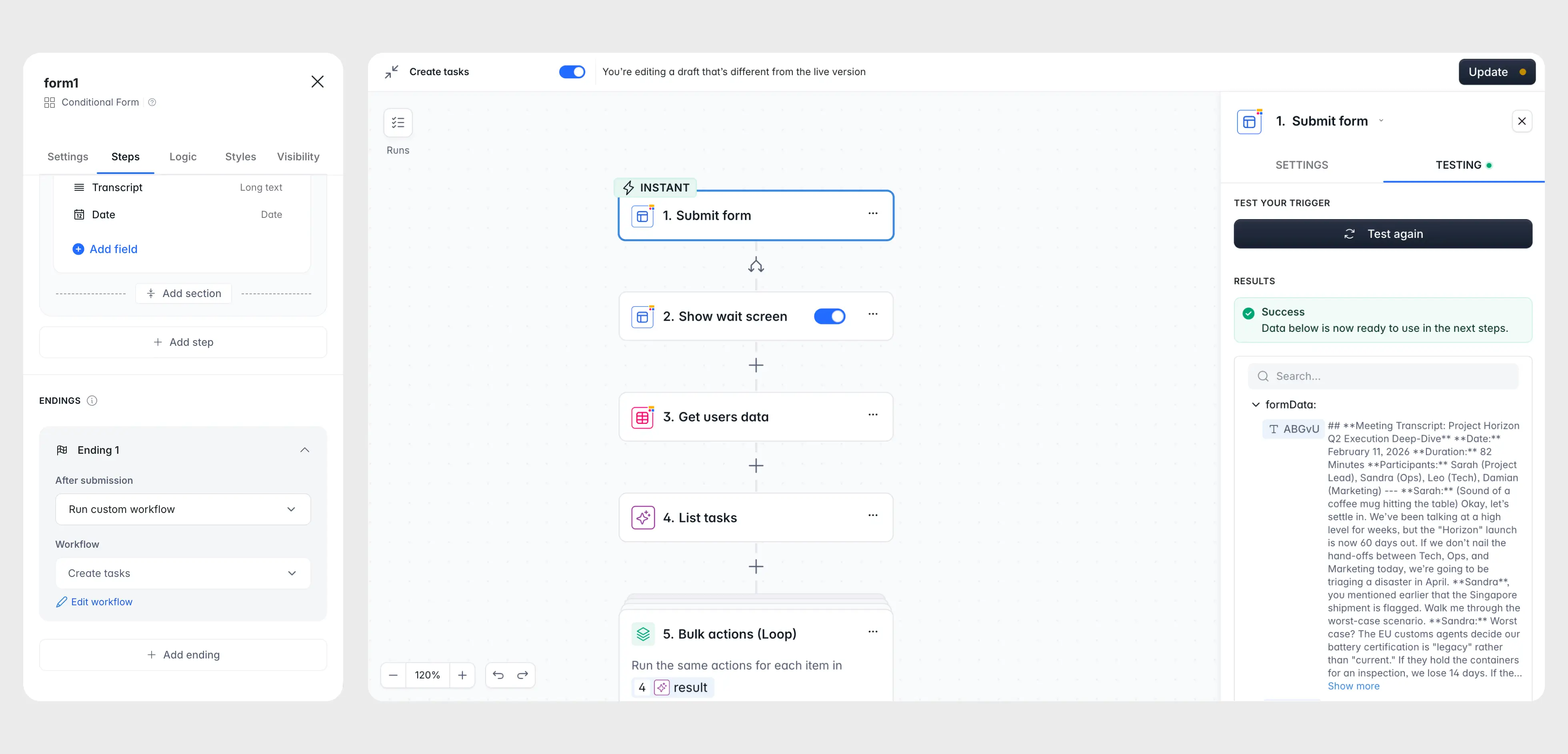
1. Zero-friction lead capture and enrichment
Instead of a long form that kills your conversion rate, ask for just an email. When a prospect submits it, a Softr Workflow extracts the domain, runs an AI web search to identify the company, then checks your Companies table to either link the lead to an existing account or create a new one. Your rep gets a Slack alert like "New demo request from Jane at Acme Corp," and the record is already populated before anyone lifts a finger.
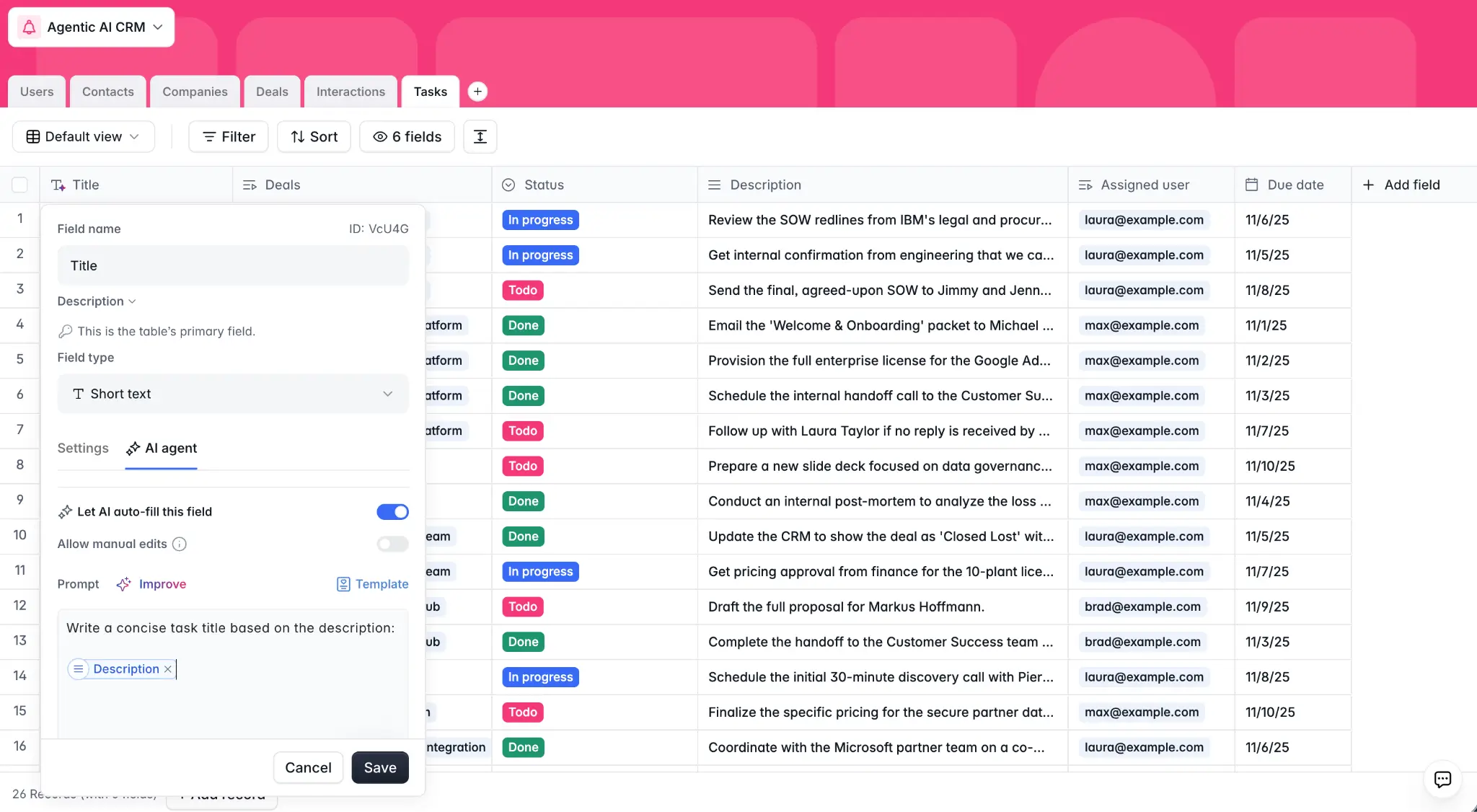
2. A self-filling database
With Database AI agents, your data does its own research. Add an Activity Description field set to an AI agent with web search enabled, and whenever a website is added, the record "wakes up," browses the site, and writes a concise summary. Repeat the pattern for headcount, industry, or tech stack, so reps open a fully enriched profile instead of opening ten browser tabs.
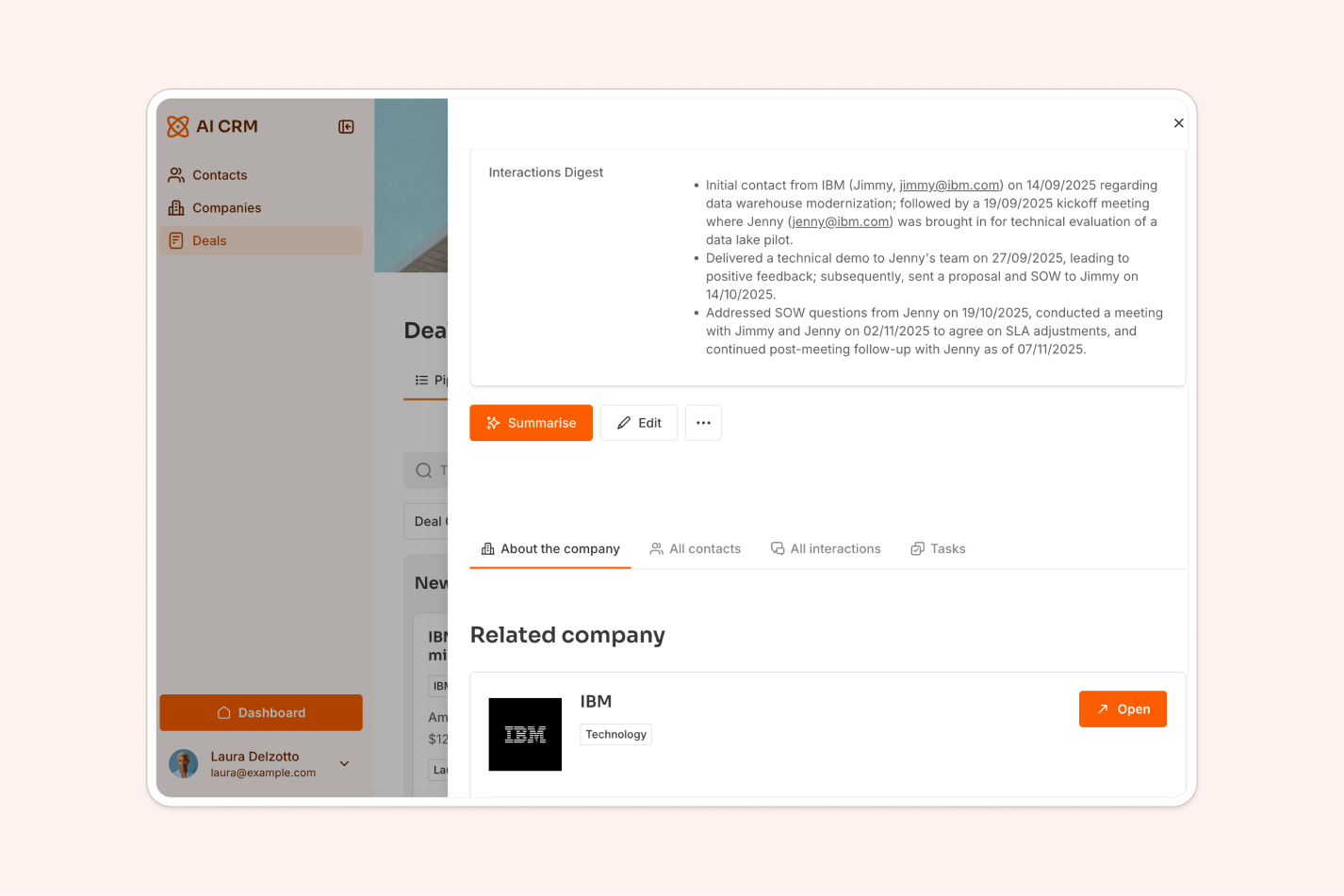
3. Instant deal summaries
Catching up on a three-month-old deal usually means reading dozens of emails. A "Summarize" button on the deal page triggers a workflow that gathers every linked interaction, passes them to an AI step, and writes a three-bullet digest of status, blockers, and next steps back into the record.
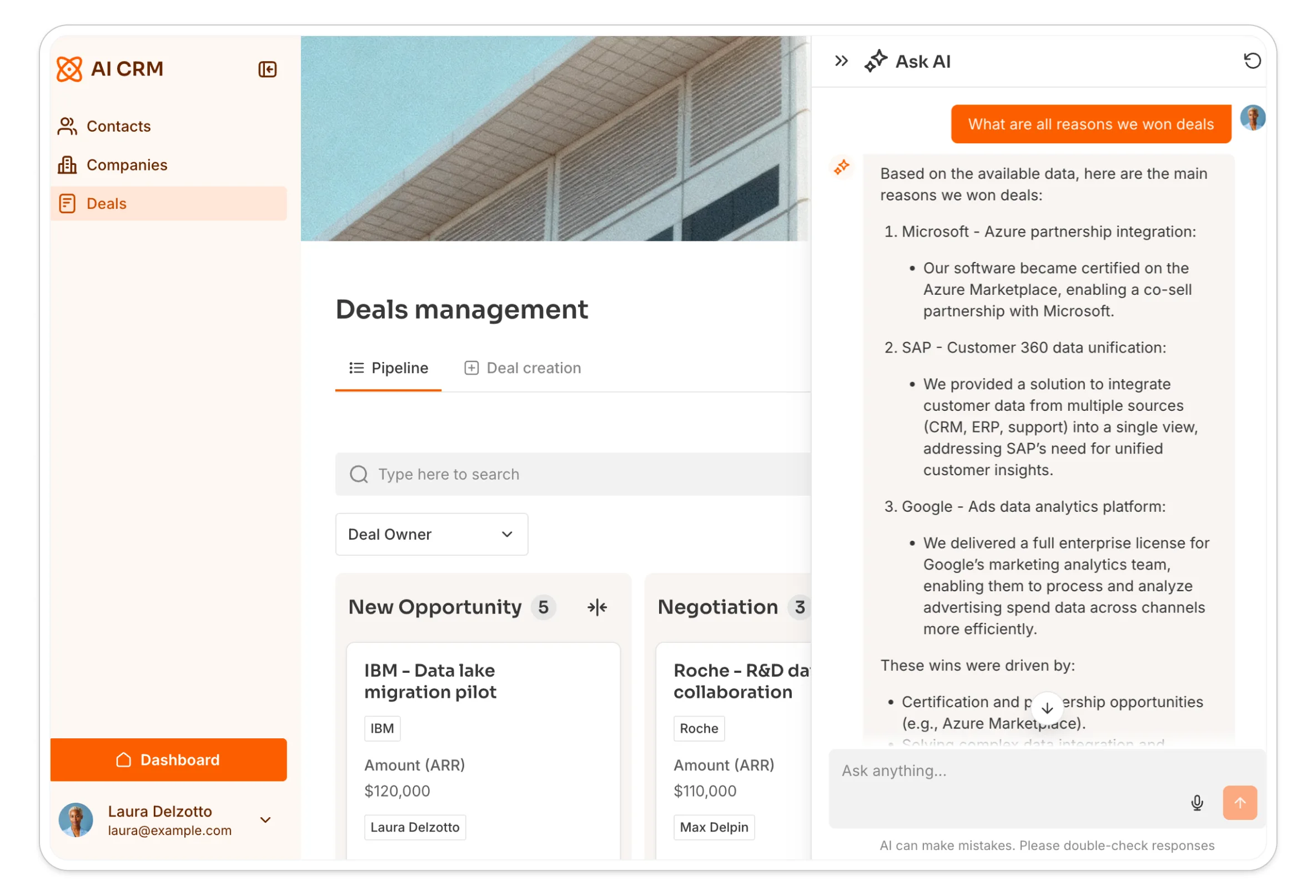
4. Conversational intelligence with Ask AI
Toggle on Ask AI on your interactions list and reps get a chatbot that has read every email and note on a deal. They can ask "What was their objection on pricing?" or "Who is the decision maker?" and get an instant answer grounded in your real data.
5. Human-in-the-loop AI outreach
For sophisticated outbound, use Softr as the cockpit for a backend tool like Clay. Scored, enriched leads land in your Softr CRM, a rep adds a one-line instruction (for example, "mention we are both in Paris"), clicks Generate Draft, and a workflow returns a personalized email. Crucially, nothing sends automatically. The draft appears in Softr for the rep to perfect, then send. You get the speed of automation with the quality control of a human sender.
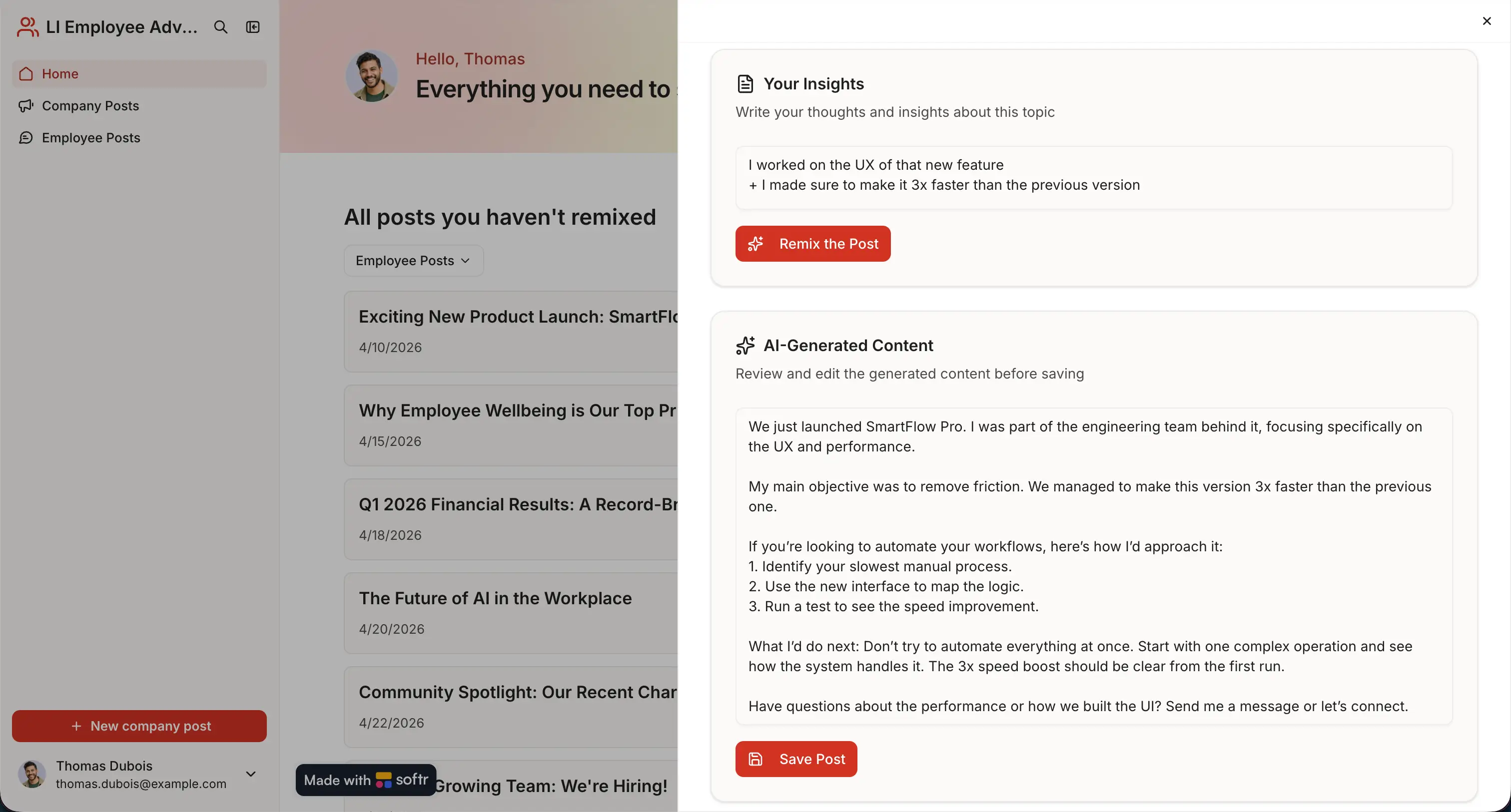
How to build the CRM that runs these automations
You can stand up a working, automated CRM in an afternoon by following this sequence:
- Structure your relational data. Create tables for Contacts, Companies, and Deals in Softr Databases, and connect them with linked record fields so updates propagate automatically.
- Generate the app. Describe your CRM to the AI Co-Builder and let it scaffold the database, pages, and permissions, or start from the CRM template if you prefer.
- Set up user groups and data restrictions. Define dynamic user groups (for example, Admin and Sales Rep) and apply global data restrictions so each user only sees the records they should.
- Build your pages. Add a deal pipeline (a Kanban board), entity pages for contacts and companies, and a homepage dashboard with KPI cards for open deals and revenue.
- Automate with Softr Workflows. Add the automations above for lead enrichment, follow-up reminders, and team notifications. For example, when a deal moves to a new stage, run an AI step to draft a follow-up email, then post a Slack message to the sales channel.
- Publish and invite your team. Test permissions in preview with user impersonation, then publish and invite users straight from the studio or via an automated onboarding email.
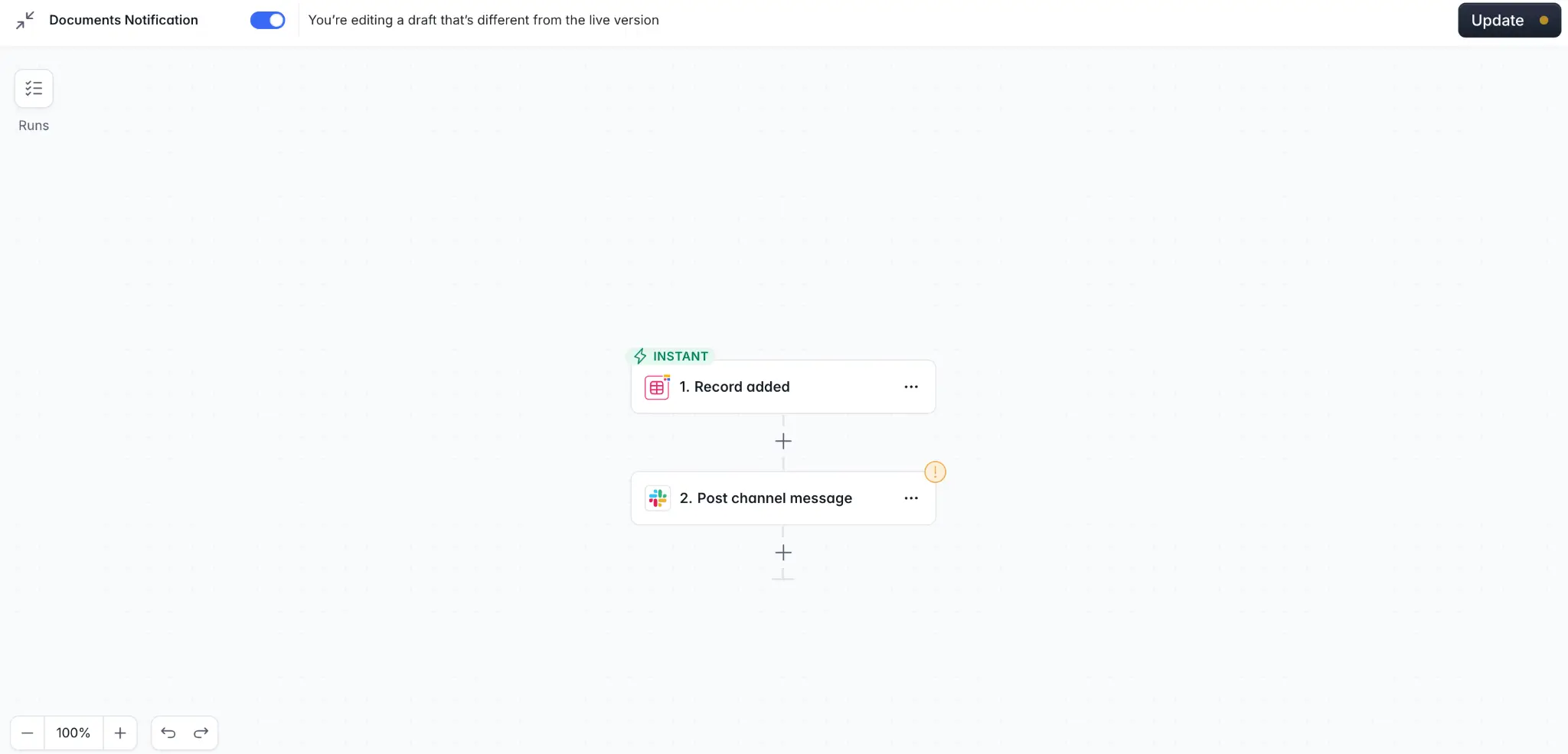
Want the shortcut? Clone the free AI CRM template and this whole foundation comes out of the box.
Seamless workflow automation requires flexible CRM software
Thanks to AI-native no-code platforms like Softr, you do not have to invest in developers or technical resources to build a custom CRM with workflow automation. Store your data in Softr Databases (or connect an existing source), describe the app to the AI Co-Builder, and automate the whole thing with native Softr Workflows. The data, the interface, and the automations all live in one secure, production-ready platform.
Get started with Softr's free plan and the ready-to-use CRM template.


