What is database software? Types, examples & how to choose


I’m physically incapable of doing my job as a writer without database software. It helps me keep track of assignments, deadlines, clients, and what stage every piece of content is at. Without it, I’d probably be digging through emails and half-finished spreadsheets trying to remember what’s due when. And that’s essentially what database software is for.
But what is database software, exactly? It’s a program or tool that stores, organizes, and lets you access data. It replaces scattered spreadsheets, paper records, and other manual systems with structured data that multiple people can access and query.
Database software vs. a spreadsheet
So what makes database software different from a spreadsheet? Here’s the honest breakdown:
The database vs spreadsheet question is about what happens when you outgrow basic information needs. Often, you no longer need a list of records, but a system where those records know how they relate to each other, can enforce their own rules or automations, and be safely used by an entire team at once.
And don’t get me wrong, spreadsheets are great for analysis and one-off calculations. But the moment you need multiple people handling data, different permission levels, or records that reference each other (like leads attached to specific deals), it becomes time to move on.
Types of database software
There are four real categories here, each solving a unique problem once you graduate from spreadsheets.
Relational database
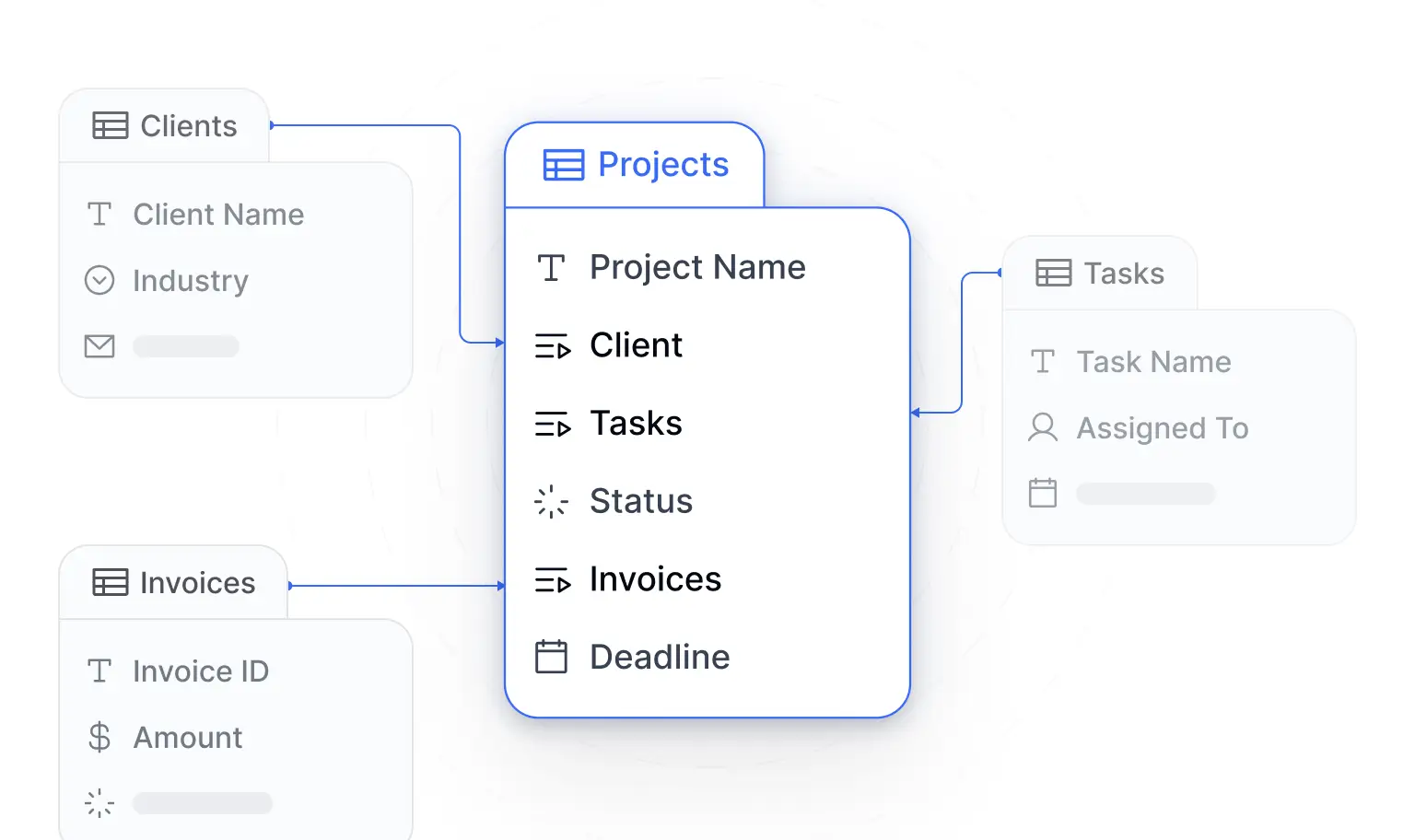
Arguably, the most classic database software. Data lives in tables with rows and columns, and you define relationships between them. For example, a customer table where each customer has a unique ID that links to every order they've ever placed. Or a products table where each item connects to its supplier/vendor, its inventory count, and its pricing history. Then you query with SQL to pull answers.
Most often, it's the established systems, like MySQL, PostgreSQL, Microsoft SQL Server, and Oracle, that are used for this.
Relational databases are best when you're building something with complex reporting requirements, like pulling revenue by region, by product line, and by sales rep in a single query. It’s also great when you need strict data integrity because a misreference or duplicate entry can either fail an audit or turn into a compliance mishap.
Non-relational (NoSQL) database
Sometimes data doesn’t fit neatly into tables because its “shape” is funky. It could be a product catalog in which each category has distinct attributes. Or you’re dealing with content feeds on LinkedIn where posts widely vary in fields and contexts.
That’s when non-relational (NoSQL) databases come in. They store information as documents, key-value pairs (like an online session store mapping a user to their current shopping cart), graphs, or wide columns.
Most users working in these environments know MongoDB as the system that stores JSON-like documents and doesn’t require a fixed schema.
NoSQL databases tend to shine for applications with rapidly changing data structures, real-time feeds, or massive horizontal scale. The trade-off? It usually has weaker consistency guarantees and less mature tooling for complex queries.
Cloud-native database
As the name suggests, these are databases designed from the ground up to run specifically in the cloud. This means they’re built to take advantage of cloud infrastructure by separating storage from compute, so you can scale each independently, and spin resources up or down on demand.
Snowflake and Google BigQuery are the household names here.
In most cases, you choose this route for analytical horsepower because you’re handling and trying to find patterns in massive datasets. It could be decades of transaction history or logs from a streaming service tracking every play, pause, and rewind across millions of users. So they’re built for analytics workloads and large-scale data processing rather than simple, “look up this customer order” transactional operations.
No-code/visual database platform
This is the category that’s changed everything in the last few years. No-code tools like Airtable, Knack, and Softr databases let you build data-backed applications, either through AI prompting or a visual interface. There are no SQL or schema migration requirements, so anyone, founders, sales reps, etc., can set up a working system without waiting on a developer or learning a query language just to get their data organized.
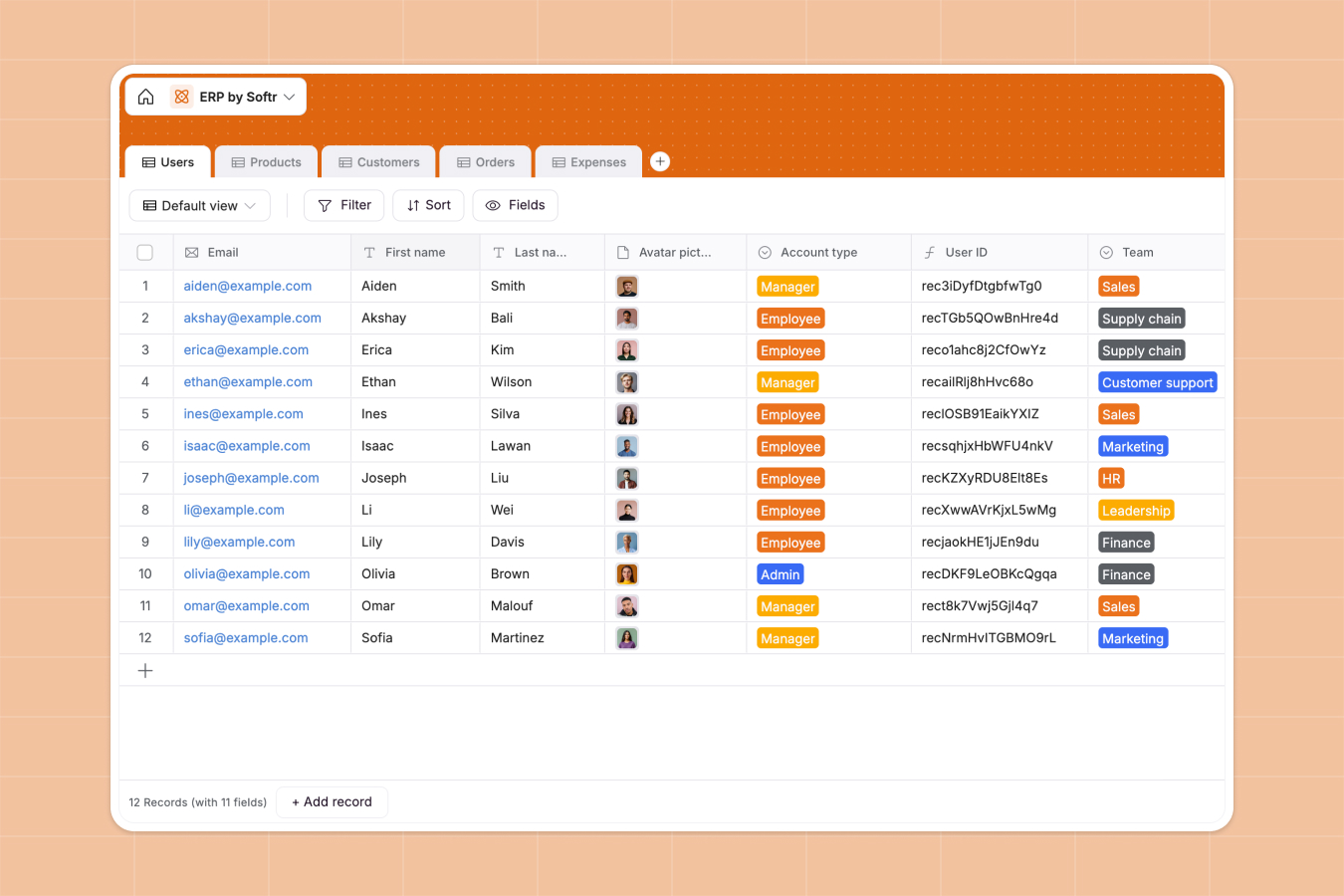
You define your tables, set up relationships, configure permissions, and build the front-end experience all in one place, in your own words.
The main trade-off with no-code database tools is the customization ceiling. You’re working within the platform’s capabilities and restrictions. But for most business applications, like CRMs, inventory trackers, and client portals, that don’t demand too much sophistication, that ceiling is high enough.
Key features to look for in database software
We’ve answered, “What is database software?” But what do you look for in one? Here are the database management features that matter:
- Data relationships & linking: Can records reference each other? Can you see related data without manual lookups? This matters for keeping information accurate, like in a client portal, when a project links to its client, its invoices, and its deliverables, so data doesn’t have to be in four places.
- Permissions and access control: Any settings for who sees what at the record level? Not just can they access the database, but can they see (or not see) this specific data? This ties with the least privileged model. You want to ensure teams can only see data relevant to their job and not promote themselves to an admin.
- Custom views: Can different users see the same data, filtered and sorted to suit their needs?
- Automation/workflows: Can you trigger actions when data changes? How does it handle email sends, record updates, or API calls when a deal moves to "closed won," or a support ticket sits untouched for 48 hours?
- Security and compliance: GDPR, SOC 2, encryption at rest and in transit, record-level audit logs, automated decision-making transparency, and AI training data disclosure. In more recent AI news, regulators now expect evidence of who accessed what, when, and what AI specifically did with it.
- Scalability: Will this still work when you have 10x the data and 5x the users? Either now or next year?
What database software is used for
Database software is used for managing data that supports your business. And in most cases, it's replacing spreadsheets, paper documents, and using an email inbox for tracking information. Some prominent use cases include:
- CRM system: Helps sales teams track leads, monitor deal progress, organize proposal and quote documents, and stay on top of customer interactions.
- Inventory/asset tracking: Helps you know what you have, where it is, who has it, and (when applicable) set maintenance schedules.
- Internal tools: Replaces those fragile spreadsheets ops teams depend on for tracking approvals or onboarding new team members.
- Client/vendor portals: Gives external parties, like customers, clients, and vendors, access to their own slice of your data.
- Project management: Keeps tasks, dependencies, resources, and status updates, all in one place for accountability and to ensure progress.
- ERP system: Brings finance, inventory, purchasing, and operations data into one system, so sales activity updates stock levels, triggers reorders, shows up in the books, etc.
How to choose the right database software
The right database software for your team demands you ask yourself a few questions so you can match the tool with actual constraints:
1. What’s the technical skill on your team?
Be honest with yourself on this one. If you have developers who can own a relational SQL, non-SQL, or even cloud-native database, you have options. But if your team is small and made up of non-technical founders, sales reps, marketing folks, or ops people, you probably need a small business database software that’s more visual and in the no-code category.
2. Volume of data you own and complexity
A few thousand records with simple relationships? Almost anything works. But millions of records with complex reporting requirements? You’re in traditional database territory. And anything with unpredictable, less traditional formats probably means you’re taking a NoSQL route. Be realistic about both where you are today and where you’ll be in two years.
3. Do you need a front-end, forms, or UI?
This is the question most people skip. A database itself is just a storage mechanism. The value comes from what people can do with it. Do you need forms for data entry? Dashboards for reporting? A portal for external users? If yes, you need a platform that handles both the database and the interface, or a budget to build them separately.
4. Permission and portal requirements
Who needs access to what? If everyone can see everything, and that’s okay, then you have options. But if you need granular permissions where clients see only their data, or different roles see different fields, that narrows the field. And if you’re dealing with hefty compliance requirements, it's usually best to bring an expert into the mix.
5. Budget model (per-seat vs. flat)
Per-seat pricing gets expensive fast when you’re adding users. Flat pricing sounds great until you hit usage limits. Think about your growth trajectory and model the costs as you grow users, data records, and integration needs. The other consideration? AI tokens. The number of tokens used in databases can quickly add up whenever you ask an agent to do something for you, depending on the model.
6. Integration needs
What does this need to talk to? Your email system, your accounting software, your payment processor? Native integrations are easier but less flexible. API access is more flexible but requires more work or an outside developer. Know which you need.
Database software and AI
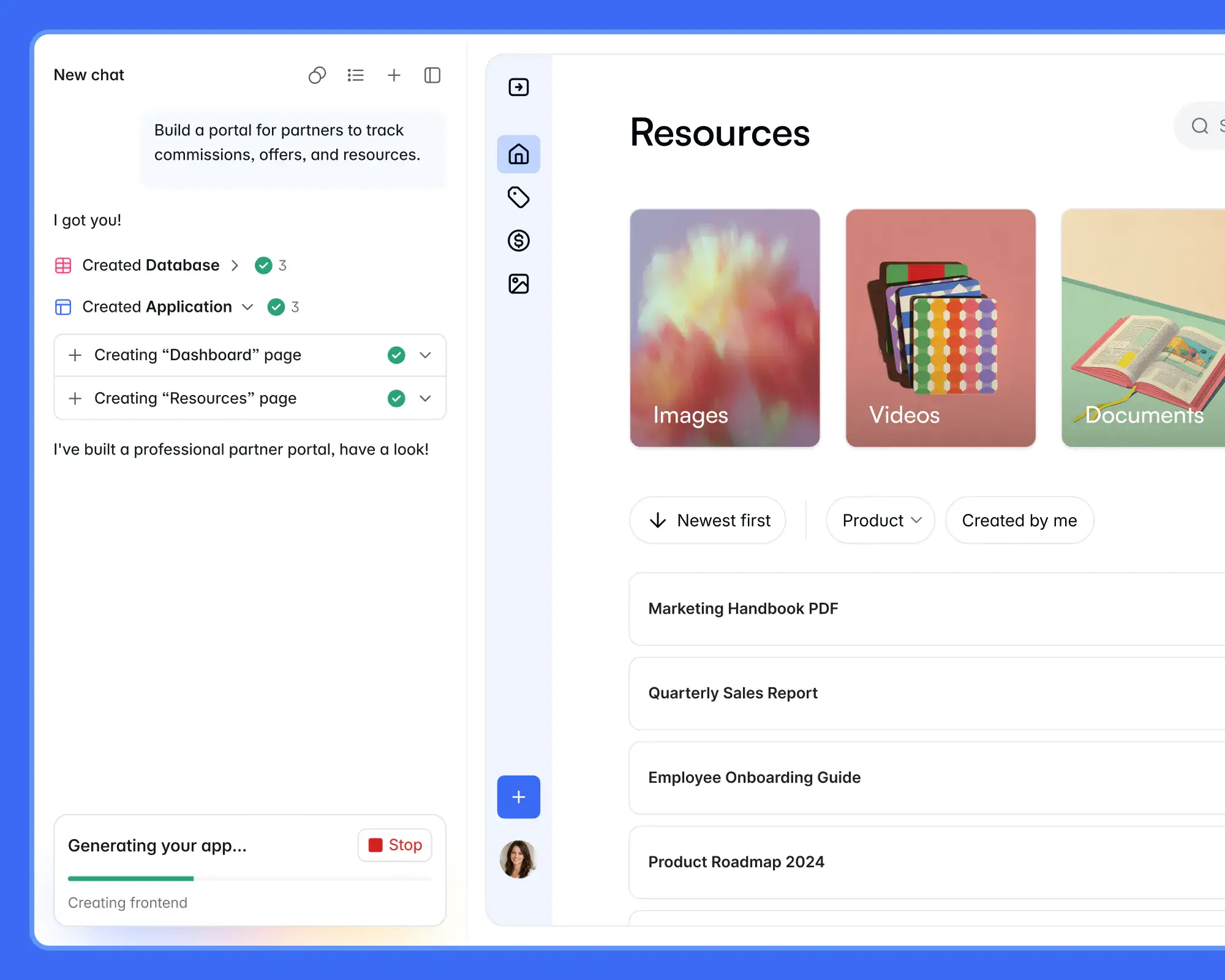
AI-powered databases let you do so much with your records and analysis:
- AI app building: AI builders can turn a prompt into a working database-backed app, generating the initial data structure and interface so teams don’t have to start from scratch.
- Data cleanup: Maybe your CRM has duplicate lead records or inconsistent entries (like “Deal-won” vs “Deal-closed") that are probably the same thing, which AI can spot and remediate for you.
- Enrichment: Sometimes, you need missing record details to get pulled from external sources, like a company name from LinkedIn or a job title from a website. AI can pull that automatically.
- Tagging: Content in a record might imply a specific category of data, like leads or “met at ABC conference.” AI can uncover the gaps without you having to manually dig and sort.
- Data summarization: When you need to turn a one-hour call script or a 3,000-word client brief into a few bullet points, AI can take that burden and complete it in seconds.
Within a no-code, visual database platform like Softr, AI agents can work with your database by reading records, making updates based on conditions, and handling these routine data tasks. The agents are configured to operate within the permissions and data restrictions you've already set, acting within your existing governance rules rather than bypassing them.
These AI database tools reduce the amount of manual data work teams have to do. They can keep records current and usable without someone having to dedicate their entire workweek to data hygiene.
Try Softr for free to build an AI-powered database in minutes, or get started with one of our templates.
Frequently asked questions
Is Excel a database software?
What’s the difference between a database and database software?
Do I need coding skills to use database software?
Can database software replace a spreadsheet?