From database to app: why your database shouldn't be your interface


There's a moment every growing team hits. A spreadsheet or a table that started as a quick way to track something becomes the thing the whole operation runs on. More people need in, the data keeps growing, and everyone works directly inside the grid, editing cells, fighting over filters, hoping nobody deletes the wrong row.
Moving that data into a proper Softr Database is a huge step up: structure, typed fields, real relationships between tables. But teams often make a mistake right after that upgrade: they treat the database itself as the place their team should log in and work every day.
It isn't. As Guillaume put it in a recent session on databases for business operations:
"The database isn't meant to be the primary interface for the data, it's mostly for storing it efficiently. From there you create a nicer app where you log in, see the data you need first, and have pages to interact with it." — Guillaume Duvernay, Softr
This is a separation-of-concerns principle worth taking seriously. The database and the app your team uses are two different layers with two different jobs. This guide explains why, and shows what building an app on top gives you that a raw grid never will.
The database has one job: store data well
A good database is optimized for one thing: holding your data efficiently, correctly, and at scale. It enforces that a date column only holds dates, links a task to the right project, and rolls up how many open tasks a vendor has without anyone recalculating anything.
That structure is genuinely powerful. Engineer Kai Schönberger, who helps build Softr Databases, describes the appeal this way:
"It's more powerful than a sheet, but with much better UX than a traditional database. It gives you the power of something like a MySQL database without the hassle of a complicated interface." — Kai Schönberger, engineer behind Softr Databases
But notice what that job is not. It is not "give every member of your team a comfortable, safe place to do their daily work." A database editor is a builder's tool. It shows you every table, field, and row at once, because that's what you want when shaping the data. It's the wrong environment for the person in the field updating a status, or the client checking on their invoice.
Why the raw grid is the wrong workspace
Ask anyone who has run operations out of a shared grid and you'll hear the same complaints. Not about the data being wrong, but about the experience of working inside it.
Everyone sees everything. A grid is all-or-nothing. Open it and you see every column and every row, including data that has nothing to do with your job, or that you shouldn't see at all. There's no clean way to send an investor, a partner, or a vendor a filtered slice without duplicating the file and manually deleting rows.
Views collide. When one person filters or sorts, they often change it for everyone. Kai points to a workflow every team recognizes, where people end up telling each other, "I'm using the spreadsheet right now, don't change my filters." That's not collaboration, that's taking turns.
Actions are clunky. Creating a record means finding the next empty row and typing across cells, never quite sure which row you're editing. There's no "add a project" button, no form that guides you, no confirmation. Every action means manual navigation through a wall of data.
It falls apart on mobile. Teams in a warehouse or on a job site pinch and scroll across a giant grid on a phone, slow and error-prone. That friction is why field workers so often just text a value to someone at a desk to retype later.
None of these are storage problems. They're interface problems, and you don't fix an interface problem by improving your storage. You fix it by building a real interface on top.
What building an app on top gives you
An app is a layer that sits between your team and your data. It reads from the same clean Softr Database, but presents the data as pages, actions, and views shaped around how people actually work. This is the layer that modern no-code app builders are built to handle. Here's what that layer adds.
Role-based homepages. Instead of dropping everyone into the same grid, each user lands on a page built for them. A manager sees a dashboard; a client is sent straight to their portal. The same app greets an admin and a vendor with entirely different starting points, so nobody hunts for what's relevant.

Entity and detail pages. Your data becomes navigable. A page for all documents, a page for all tasks, and a clean detail page for any single record where you read its fields and see related data alongside it. Click a project and you see its seven tasks; click a task and bump it to high priority, all in an interface that doesn't look like an infinite table.
Forms and action buttons. Creating and editing data becomes a guided action rather than cell-typing. An "add a document" button opens a form; submitting it writes a clean record to the database. Editing or deleting happens through clear buttons on a detail page. This is also where typed, validated inputs pay off: the form only accepts what the field allows.
KPI blocks and dashboards. Because the data is structured and connected, the app can surface counts, totals, and charts at a glance: open tasks per person, invoices by status, tickets by industry over time. These read from rollups and formulas calculated on the backend, so the numbers stay current and the page loads instantly.
Mobile-friendly layouts. The interface builder renders your app natively on tablet and mobile, with layouts that adapt instead of forcing people to scroll a grid sideways. The person in the warehouse gets a simple form on their phone, not a spreadsheet they can barely read.
Real permissions. This is the big one, so it gets its own section.
{{cta-1}}
Permissions belong in the app, and the backend enforces them
One of the sharpest limits of working in a raw grid is access. As Kai puts it, "In a traditional spreadsheet, it's very hard to restrict who can edit which table and who can see what data. This is exactly where databases excel." An app on top turns that capability into something your team can configure and trust.
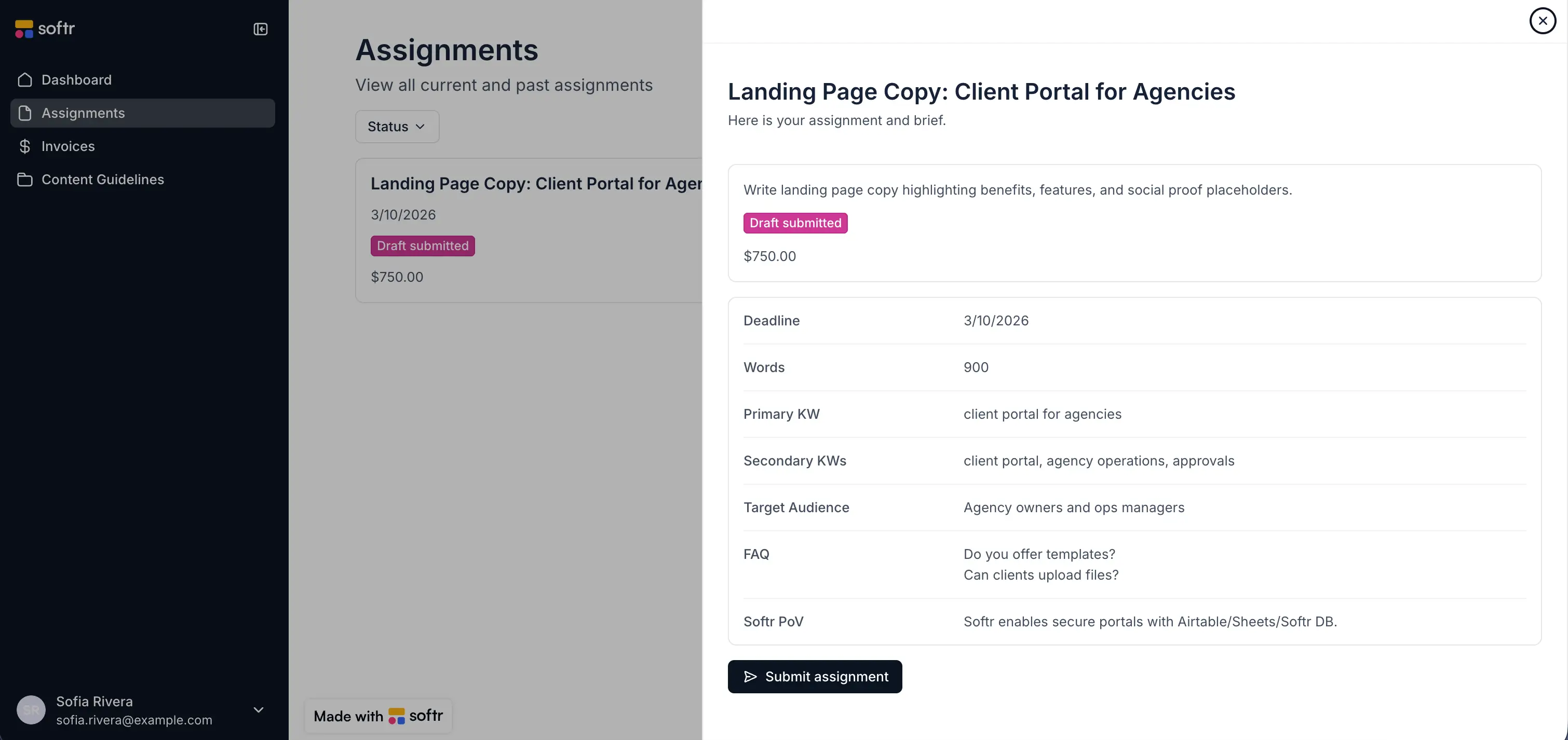
You define user groups such as Admin, Employee, and Client, usually mapped to a Role field in your users table. From there you control visibility at several levels: which pages a group can load, which blocks render, and which action buttons appear. An employee logging in simply won't see the "add customer" button that admins use.
The strongest control is a global data restriction, a record-level rule. You might say employees only see documents they created, matching the logged-in user's email against a "created by" field. From then on, an employee only ever sees their own records, no matter which page or block they open.
Here's the part that matters most, where an app on top differs from tools that just hide things visually:
"It's not just the button that's gone, the backend enforces the restriction. Not like other tools where you can hack around a missing UI button. This is enforced." — Kai Schönberger, engineer behind Softr Databases
That distinction is the whole point. A hidden button a user can restore by editing the page, or a filtered view they can bypass by calling an API, isn't security. When the restriction lives on the backend, the unauthorized data is never sent in the first place. That's what lets you safely invite clients, vendors, and partners into the same app without risking that Vendor A sees Vendor B's records.
"Managing external partners through emails and spreadsheets is a nightmare. A portal allows you to only surface the information that is relevant to them and make approvals on the fly." — Shiran Brodie, Head of Marketing at Softr
A simple framework: the four page types
When you sit down to build the app, you don't need to invent a structure from nothing. Almost every operational app is made of the same four kinds of pages, and thinking in these types keeps the build focused.
- Homepage. A role-based dashboard. Lead with the two or three actions or filtered views that role needs most, plus a row of KPI cards. Use page rules so each user group lands on its own homepage.
- Entity pages. One page per object, like
/tasksor/documents. A list or table of the records, with KPI cards on top and tabs to switch between a personal view and a global one instead of stacking tall blocks. - Record detail pages. A single template per object, mapped once, that shows one record's fields plus its related child data (a project's tasks, a client's invoices). Open these in a modal so people keep their place, and add Ask AI on list blocks so users can query the data in plain language, within their permissions.

- Utility pages. Login, sign-up, reset password, and error pages. With Softr these come out of the box, so you don't have to build or secure sensitive auth flows yourself.
Build navigation and footers last, once the pages exist. That order keeps you from designing menus for pages you haven't decided on yet.
Get the order right: data first, then the app
This separation is worth internalizing because it dictates your build order. Success with an operational app is mostly about data structure. Map your objects into separate tables before you think about a single page. Most operational apps land between three and five tables. Connect them with linked records rather than copy-pasted text, and use typed fields so a start-date column can only hold a date.
Once that foundation is clean, the app on top becomes straightforward, because every page, form, and permission rule is just a view onto well-structured data. This is also where the AI Co-Builder shortens the work: describe what you want to track, and it scaffolds the database schema, relationships, and sample data, then a first version of the app on top. From there you refine visually and layer in Softr Workflows for automation. If you already work in Claude, ChatGPT, or Cursor, use the Softr MCP to create tables, add fields, and update records directly from your AI assistant.
So the next time you migrate a messy sheet into a real database, resist the urge to hand your team the grid and call it done. Structure the data first, then build the app they'll actually enjoy working in. Open Softr, describe your use case or import the data you already have, and let the AI Co-Builder give you both the database and a working app to shape from there.
Frequently asked questions
Can't my team just work directly in the database or spreadsheet?
What is the difference between a database and an interface?
Do I need to build the database before the app?
How do permissions work once I build an app on top of my data?
Can I still access the database directly if my team works in the app?