


8 best small business database software in 2026


The best small business database software helps you store and organize information in one place, so your business runs more smoothly.
For most small businesses, a no-code relational database is the right tool. Softr Databases and Baserow both give you linked tables, custom views, and role-based access without a developer. Choose a SQL database like PostgreSQL or MySQL only when you have engineers to run it.
In this guide, we’ll compare the top small business database software tools of 2026, covering features, pricing, and use cases to help you find the best fit for your needs.
The 8 best small business database software at a glance
| Tool | Best for | Pricing |
|---|---|---|
| Softr Databases | Managing structured data and building full-stack business apps in one place | Available on all Softr plans with some record limits. |
| ClickUp | Task and project data with structured fields | Free plan, paid from $7/user/mo |
| Pipedrive | CRM and visual sales pipeline management | Paid plans from $14/user/mo |
| Notion | Documentation-first workflows with lightweight databases | Free for individuals, paid from $10/user/mo |
| Baserow | Open-source, self-hosted alternative to Airtable | Free self-hosted, cloud from $10/user/mo |
| Supabase | Developer-friendly PostgreSQL with a full backend | Free tier, paid from $25/mo |
| MySQL + GUI | Reliable, scalable open-source databases with visual tools | Free (Community Edition) |
| PostgreSQL | Advanced SQL features and enterprise scalability | Free and open-source |
How I evaluated small business database software
Not every database tool is built with small businesses in mind. Some are too technical, while others feel limited once the dataset grows. Here are five core criteria to consider:
- Setup you can do yourself: If you have no developers, you need a tool that is useful on day one without training or a services engagement.
- Linked records: A relational structure lets you connect clients to projects or orders, so you update information in one place instead of five.
- Role-based access: Team members, clients, and contractors should each see only the data that concerns them.
- Pricing that survives your headcount: Per-editor pricing punishes you for involving more of the team. Check whether you pay per seat or per plan.
- A path to a front end: If you want an app rather than a table, pick a platform with a database and an interface builder in one place.
1. Softr Databases — best for managing data and building complete business apps in one place
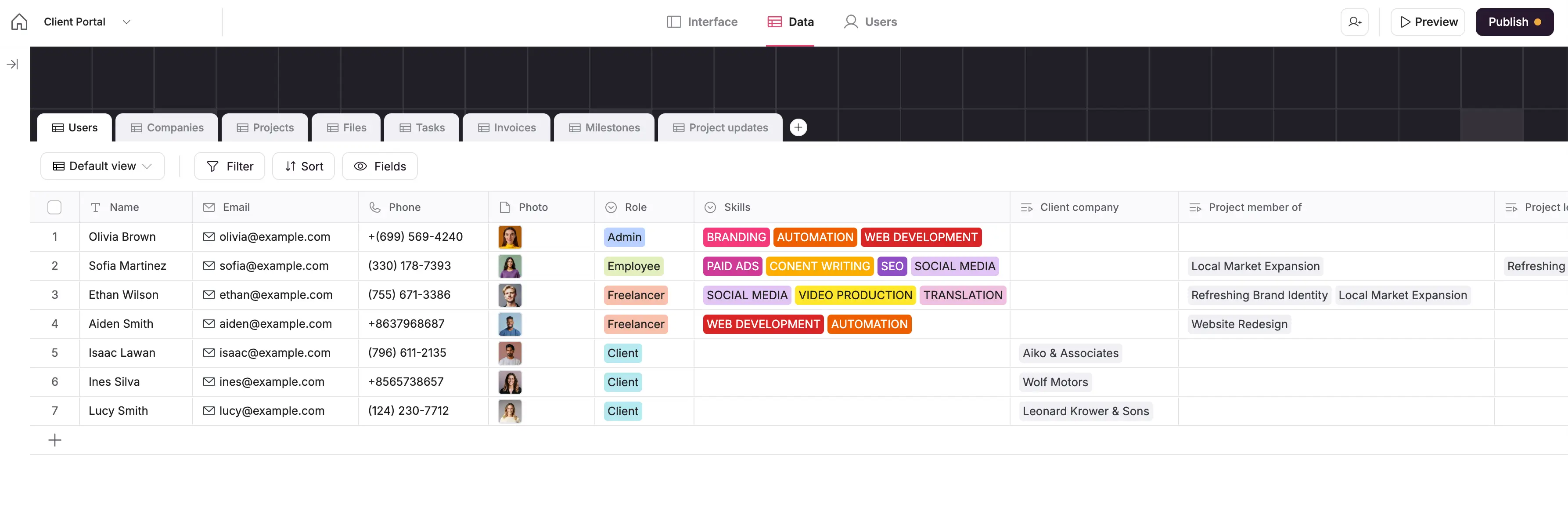
Bottom line: Softr pairs a native relational database with an app builder, so the same data can stay a table or become a portal your team and clients log into.
What it does well:
- Field types built for business logic: linked records, rollups, lookups, formulas, and attachments
- Data, apps, and workflows in one platform, so there are no third-party API limits or sync delays
- Role-based user groups and row-level restrictions
- AI App Builder generates a working database and interface from a prompt
Where it falls short:
- Not built for server-side scripting or custom backend logic
Best for: Teams that have outgrown spreadsheets and want apps built on their data without hiring a developer.
Getting your data in: Start from scratch, use a pre-built template, import a CSV, or bring an Airtable base across with its linked records intact.
Pricing: Included on every Softr plan, with record limits by tier.
- Free: 5 users, 5,000 records per workspace
- Basic: $19/month, 5 team and 5 client app users, 50K records
- Pro: $99/month, 10 team and 50 client app users, 500K records
- Business: $329/month, 30 team and 100 client app users, 1M records
Verdict: Choose Softr Databases if you want one platform for the data and the business apps built on it.
2. ClickUp — for task and project management with relational database features
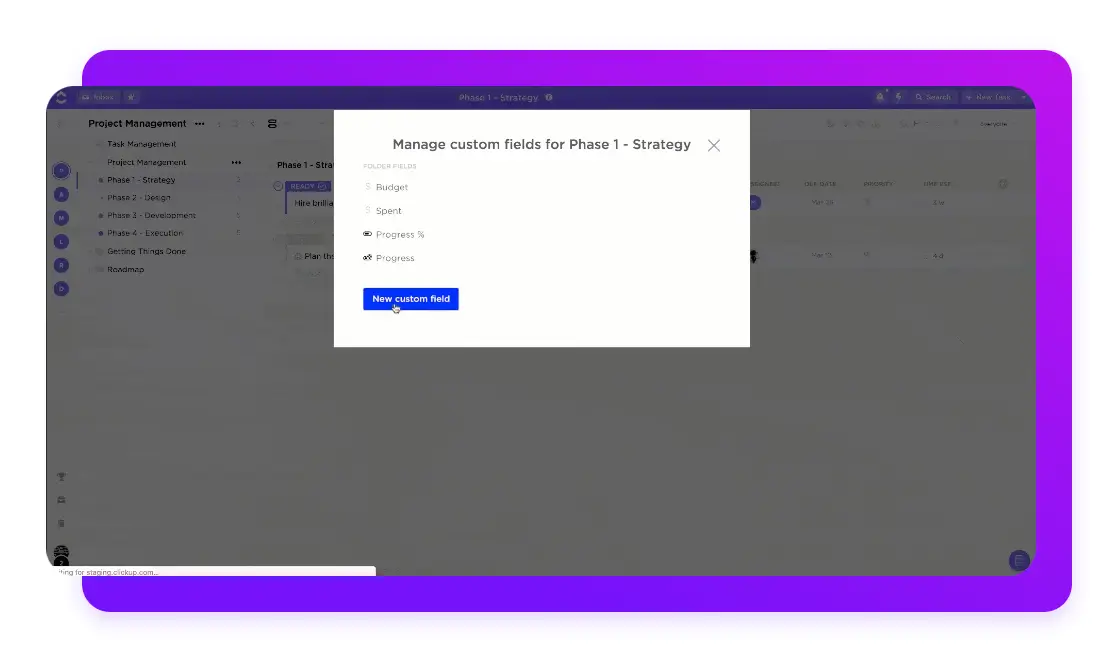
Bottom line: ClickUp is a project management platform whose custom fields and task hierarchies double as a lightweight database, which suits teams that want data and work in one tool.
What it does well:
- Task management and structured data tracking in the same place
- Nested hierarchies, custom fields, and relationships between tasks
- Built-in automations, dashboards, and docs
Where it falls short:
- Not a true relational database, so complex data modeling is limited
- Gets slow and hard to navigate as the workspace grows
Getting your data in: CSV import, plus importers from Asana, Trello, Monday, and others.
Pricing: Free for unlimited users with 100 MB storage. Unlimited $7/user/month, Business $12/user/month, Enterprise custom.
Verdict: Choose ClickUp if the database is really a by-product of managing work.
Managing projects and data in ClickUp? Softr helps you turn your data into branded client portals, dashboards, or internal tools, without duplicating views or manually managing permissions. It connects directly to your ClickUp tasks and lets you build clean, secure front-ends where each user sees only what they need.
3. Pipedrive — for visual CRM workflows and sales data
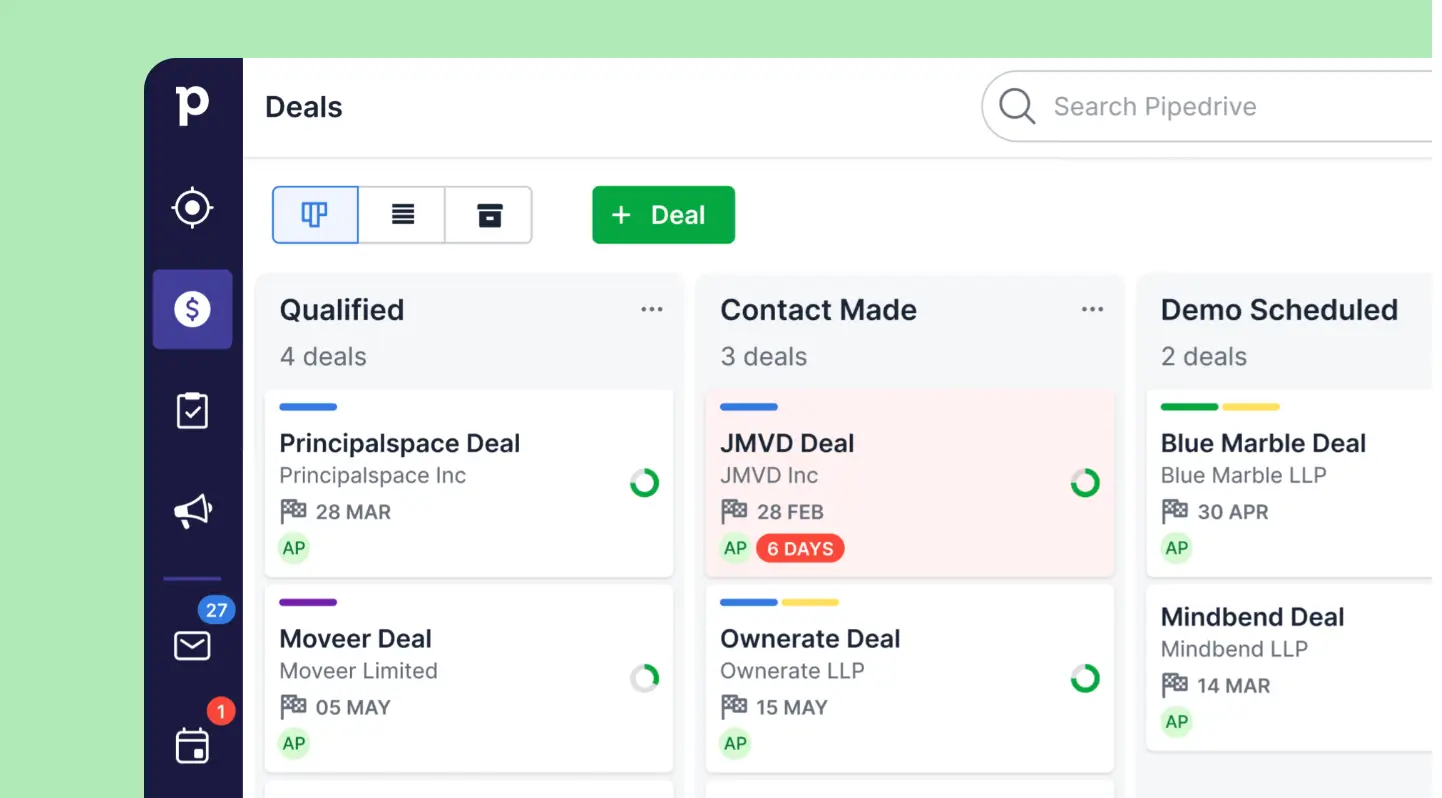
Bottom line: Pipedrive is a sales-first CRM built around a visual pipeline, so it stores contact and deal data well and other kinds of data poorly.
What it does well:
- Visual pipeline makes deal stages and next actions obvious
- Custom fields and filters shaped around a sales process
- Built-in email tracking, contact history, and follow-up automation
Where it falls short:
- Useful only for CRM and sales workflows, not general business data
- Per-user pricing, and several capabilities sit behind paid add-ons
Getting your data in: CSV and spreadsheet import, plus importers from other CRMs.
Pricing: Billed per user, annually, with a 14-day free trial. Lite $14, Growth $24, Premium $49, Ultimate $69 per user per month. Add-ons like LeadBooster and Campaigns are billed separately.
Verdict: Choose Pipedrive if your only database is a pipeline.
4. Notion — for lightweight documentation-first workflows with basic databases
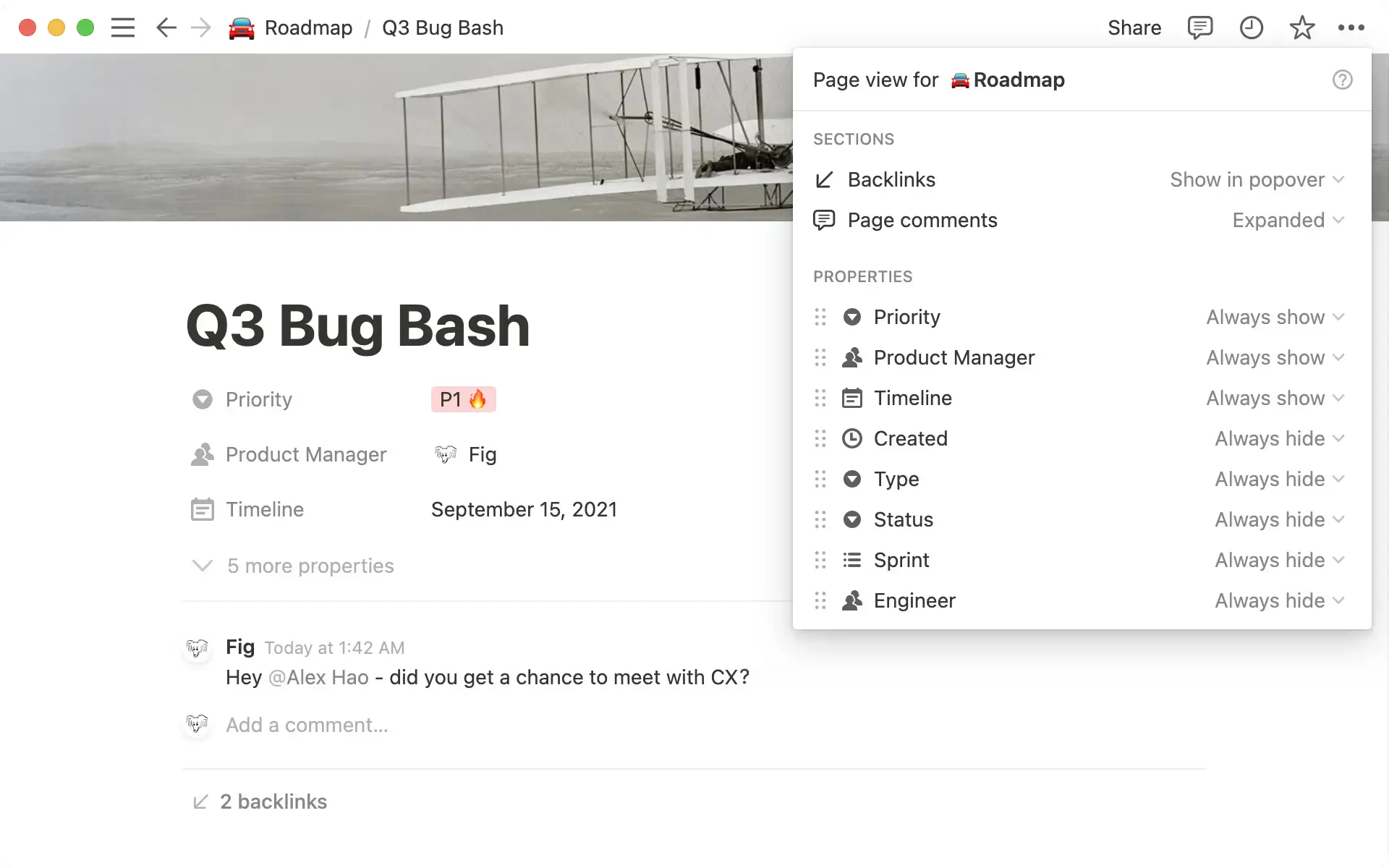
Bottom line: Notion is a workspace where every database row is also a page, which makes it strong for documentation and weak for volume.
What it does well:
- Pages, documents, and databases in one flexible workspace
- Table, board, calendar, gallery, timeline, and list views
- Easy to link content across pages and databases
Where it falls short:
- Page-level sharing only, so controlling what each person sees is hard
- Slows noticeably on large databases, and the free plan caps rows at 100
Getting your data in: CSV import, plus importers from Evernote, Trello, Asana, and Word.
Pricing: Free for individuals, with databases capped at 100 rows each. Plus $10/user/month, Business $20/user/month, Enterprise custom.
Verdict: Choose Notion if the writing around the data matters more than the data.
Managing data in Notion and need more structure, role-based visibility, or a client-friendly interface? Softr helps you turn your Notion data into secure, branded apps, without duplicating work or oversharing.
5. Baserow — open-source alternative to Airtable
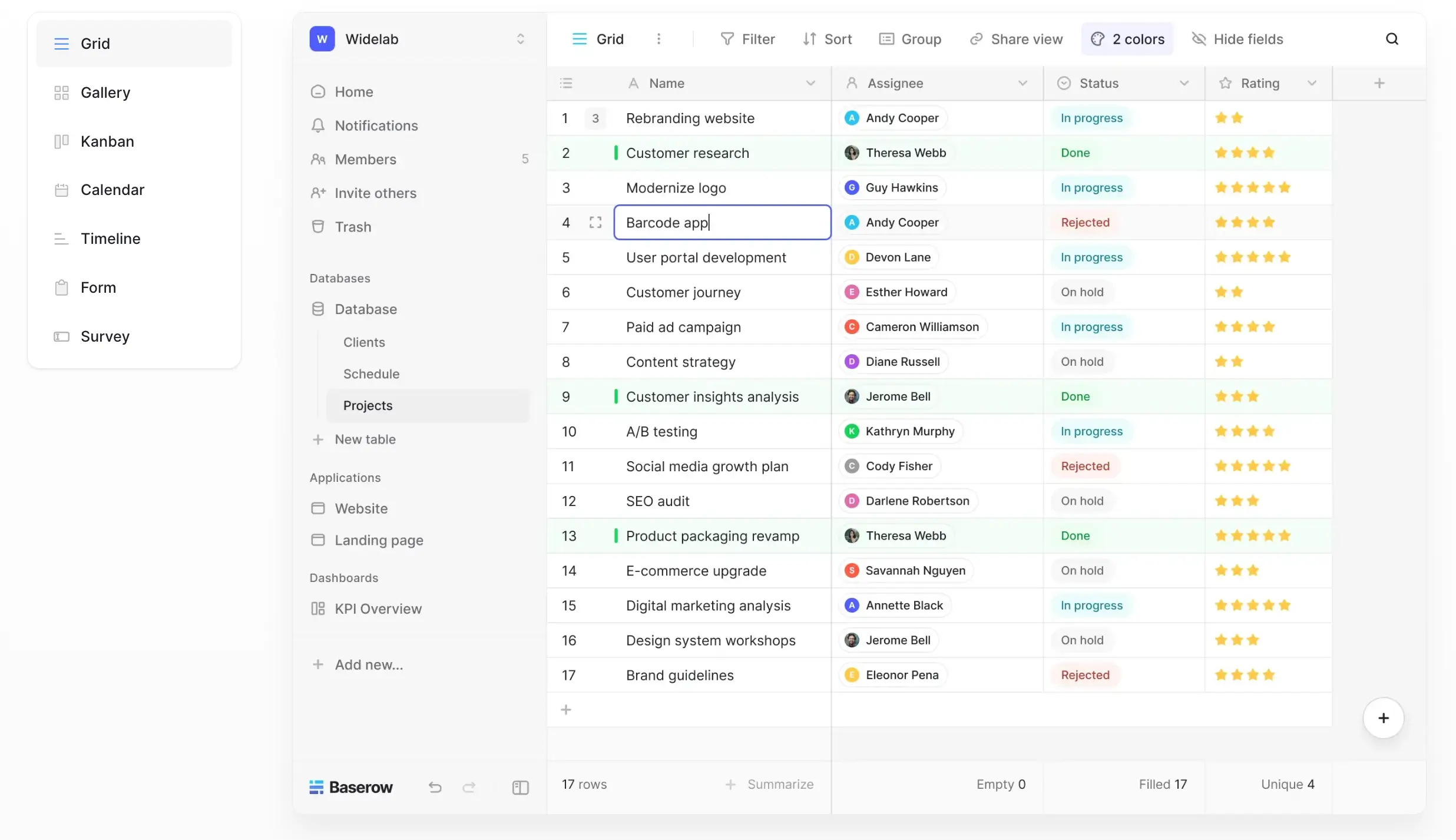
Bottom line: Baserow is a no-code database you can host yourself, which is the answer when data residency or vendor lock-in is the deciding factor.
What it does well:
- Open source, with self-hosting for full control of your data
- No user limits on the free plan
- Spreadsheet-style interface with real-time collaboration
Where it falls short:
- Fewer prebuilt integrations than the hosted alternatives
- Functional interface, but less polished than the hosted alternatives
Getting your data in: CSV, XML, and JSON import, plus an API for everything else.
Pricing: Free self-hosted with no limits on users, rows, or storage. Cloud Free covers 3,000 rows, Premium $10/user/month covers 50,000, Advanced $18/user/month covers 250,000 and adds role-based permissions.
Verdict: Choose Baserow if owning the server matters more than convenience.
6. Supabase — developer-friendly PostgreSQL with a GUI

Bottom line: Supabase is a full Postgres database with authentication, storage, and auto-generated APIs on top, aimed at teams who can write code.
What it does well:
- A real PostgreSQL database per project, with SQL and real-time updates
- REST and GraphQL APIs, Edge Functions, auth, and storage included
- Open source, with a self-hosting option
Where it falls short:
- Needs developer skills to get value from it
- Usage-based cost, so storage, bandwidth, and active users all push the bill up
Getting your data in: SQL import, CSV upload in the dashboard, or migration from any Postgres database.
Pricing: Free for 2 projects and a 500 MB database. Pro $25/month per project, Team $599/month, Enterprise custom, with extra usage billed as you go.
Verdict: Choose Supabase if you have engineers and want Postgres without the ops work.
Need a frontend for your Supabase backend? Softr lets you create secure apps on top of your database, such as dashboards, portals, or CRMs, using real-time data and role-based access, no coding needed.
7. MySQL + GUI — for long-term data reliability with a visual interface
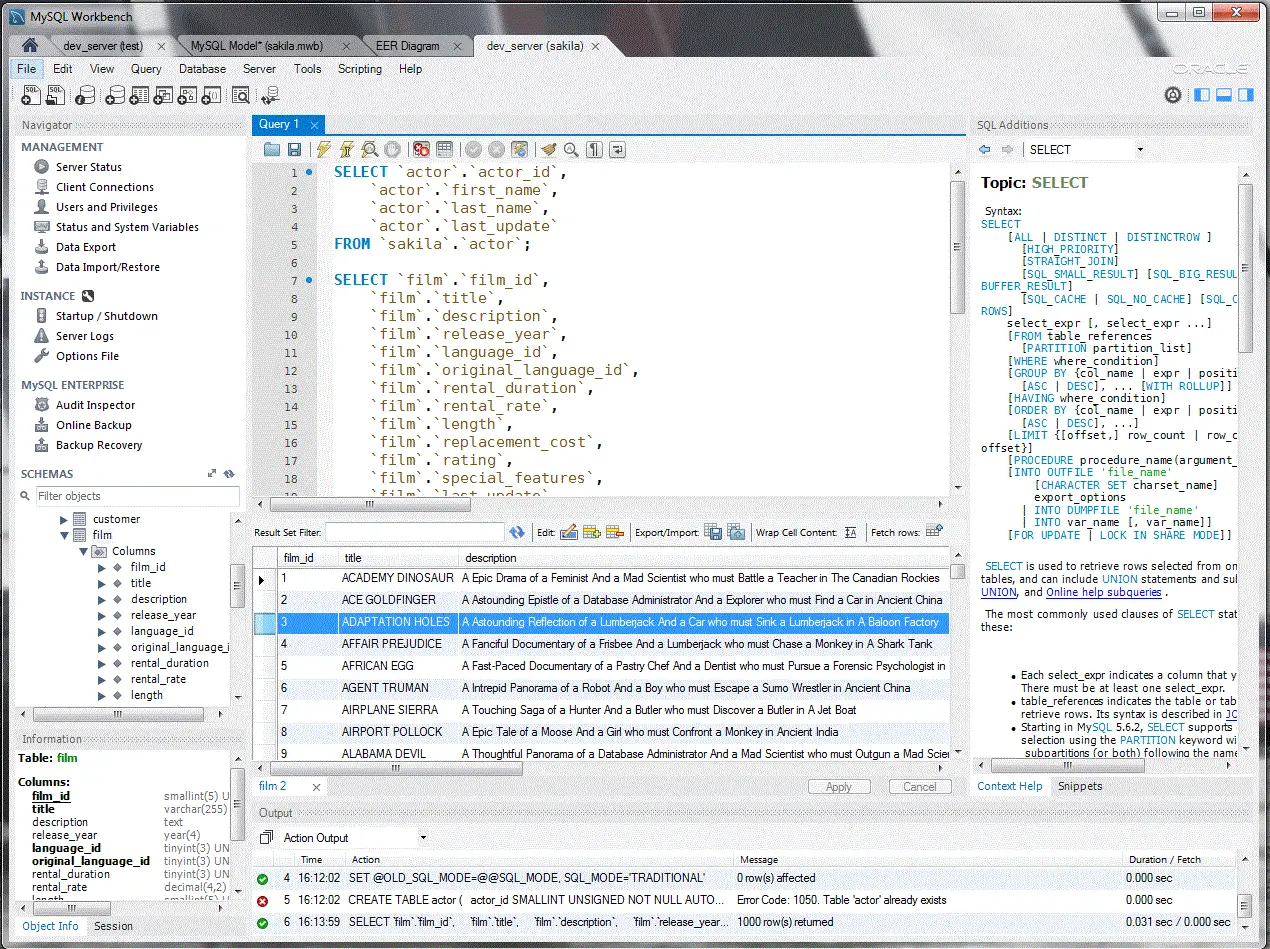
Bottom line: MySQL is one of the most widely deployed open-source relational databases, and a GUI like MySQL Workbench makes it manageable without living in the command line.
What it does well:
- Time-tested and reliable, with a large community and ecosystem
- Free to start and free to scale, with no vendor lock-in
- Broad compatibility across platforms and third-party tools
Where it falls short:
- Needs technical expertise or developer support to maintain
- No user-facing interface, so you pay for a front-end tool or build one
Getting your data in: SQL dump import, CSV through Workbench, or migration tools from other SQL engines.
Pricing: Community Edition is free under an open-source license. Enterprise Edition is a paid subscription priced per server socket, and you pay for hosting either way.
Verdict: Choose MySQL if you have the skills in-house and want no license cost.
If you already store your data in MySQL, you can build secure and branded business apps like portals, intranets, and other internal tools on top of your data with Softr.
8. PostgreSQL — for teams needing advanced SQL features and scalability
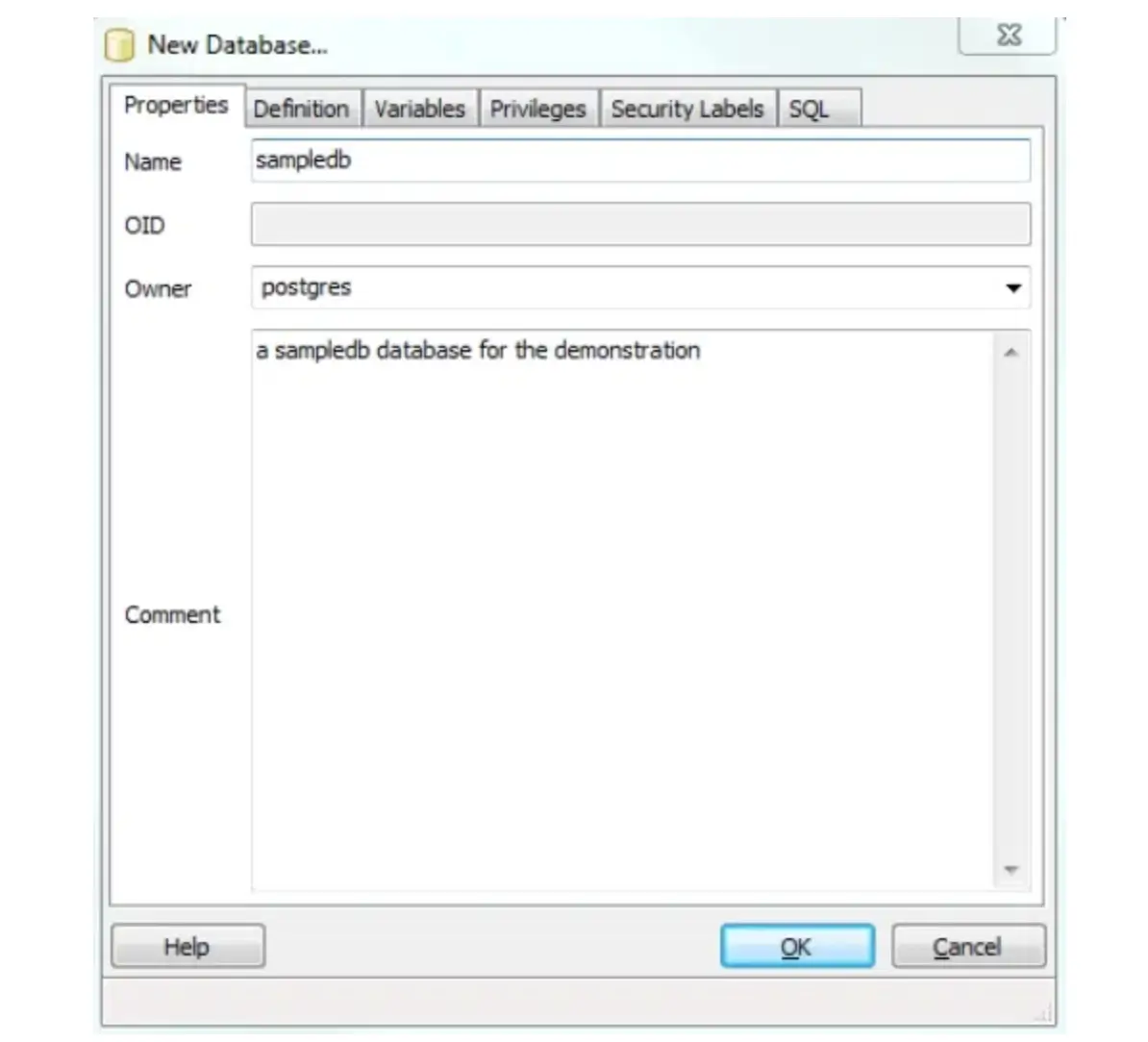
Bottom line: PostgreSQL is the most capable open-source relational database, and the right answer when your data outgrows what a hosted no-code tool will hold.
What it does well:
- Advanced SQL, JSON support, full-text search, and custom data types
- Row-level security and detailed role hierarchies
- Free, open source, with mature GUIs like pgAdmin and DBeaver
Where it falls short:
- Requires real database expertise to run safely
- No interface for end users, so a front end is a separate build
Getting your data in: SQL dump import, CSV through psql or a GUI, and migration tooling from most engines.
Pricing: Free and open source, with no user, row, or storage limits. You pay for hosting, and the common GUI tools are free too.
Verdict: Choose PostgreSQL if you need a high ceiling and have someone to maintain it.
Using PostgreSQL to manage your data? Softr helps you turn that data into secure, easy-to-use tools and portals, so your team or clients can access what they need without touching SQL.
Side-by-side feature comparison
| Tool | Cost model | Permissions | Automations | Integrations | Scaling |
|---|---|---|---|---|---|
| Softr Databases | Flat plans from $19/month, priced by plan not per editor | Role-based user groups plus row-level restrictions | Native Softr Workflows, plus Zapier and Make | 20+ external data sources plus a REST API | 50K to 1M records per workspace by plan |
| ClickUp | From $7/user/month | Space and role permissions on paid plans | No-code automation rules | 1,000+ integrations | Built for task volume, not large record sets |
| Pipedrive | From $14/user/month | Visibility rules and admin roles | Workflow automation on most plans | Marketplace apps and API | Built for contact and deal volume |
| Notion | From $10/user/month | Page-level sharing, no row-level control | Basic database automations | Growing integration list and API | Slows noticeably on large databases |
| Baserow | Free self-hosted, cloud from $10/user/month | Role-based, full control when self-hosted | Webhooks and API, fewer native automations | API-first, fewer prebuilt connectors | Depends on the server you run it on |
| Supabase | Usage-based, from $25/month | Postgres row-level security | Database functions and triggers, written in code | Client libraries, REST and GraphQL | Postgres scaling, effectively unlimited |
| MySQL + GUI | Free license, you pay for hosting | SQL grants and user privileges | Triggers and scheduled events, written in SQL | Broad driver and tool support | Millions of rows with the right hardware |
| PostgreSQL | Free license, you pay for hosting | Row-level security and role hierarchies | Triggers, functions, and extensions | Broad ecosystem and extensions | Millions of rows with the right hardware |
How to choose small business database software
- Want the easiest move off spreadsheets? Softr Databases.
- Need to build a portal or internal tool on the data? Softr.
- Need a free option? Baserow self-hosted, PostgreSQL, or MySQL Community Edition.
- Need open source or self-hosting? Baserow, Supabase, PostgreSQL, or MySQL.
- Have engineers and need scale? PostgreSQL or Supabase.
- Only tracking deals? Pipedrive. Only tracking work? ClickUp. Mostly writing docs? Notion.
Spreadsheets vs databases
If you've landed on this article, chances are good that you're here because you've outgrown spreadsheets. But spreadsheets are familiar, and familiar means comfortable, so it's worth drilling down on how exactly they compare with a true relational database. Spoiler alert: databases win handily.
| Spreadsheet | Database | |
|---|---|---|
| Data integrity | One typo or a dragged cell changes a number and nothing flags it. | Field types and validation reject values that don't belong. |
| Relationships | Linking a client to their projects means VLOOKUP, or retyping the name in multiple places. | Linked records connect tables once, so you update a client in only one place. |
| Concurrent editing | Two people work on two copies, and someone's changes get overwritten. | Everyone works on the same records, with an edit history behind them. |
| Access control | The whole file is shared. Hiding a column hides nothing. | Permissions run per user group, per table, and even per row. |
| Performance | Formulas and filters slow down badly once you pass a few thousand rows. | Hundreds of thousands of records stay responsive, depending on the platform. |
Find a small business database software that fits your needs
As you evaluate the best small business database software for your team, consider: How structured is your data? Who needs to access or update it? Do you have technical resources to help with implementation? And do you want to simply organize your data, or build something powerful on top of it?
Whether you're managing projects, clients, or day-to-day operations, remember: relational databases > spreadsheets because they eliminate duplicate data, reduce manual errors, and keep everything connected as your business grows.
Want a tool that’s both easy to use and powerful enough to scale? Softr Databases gives you the flexibility to structure and manage all of your data in one place, and build custom apps and workflows on top of it. Try Softr for free today.
Frequently asked questions
Which type of database is best suited for small business?
How much does small business database software cost?
How do I set up a database for a small business?
Should a small business use a no-code database or a SQL database?
Which database is easiest for a non-technical team to maintain?


