When your business runs on spreadsheets, things get messy fast. Someone edits the wrong cell, a formula breaks, or a client’s data disappears into version-control chaos. That’s where no-code databases step in to clean things up.
They give teams a structured, reliable way to organize and link data without needing to write a single line of code.
But not all of them scale the same way. Some may cap your records or slow down once your data grows. Others lock you into fixed structures or charge steeply as you expand.
In this guide, we’ve rounded up the best no-code database platforms in 2026, so you can compare features, pricing, and flexibility to find the right one for your team.
Best no-code database software at a glance
| Tool | Best for | Standout Features | Pricing |
|---|---|---|---|
| Softr | AI-powered no-code database for managing data and building full-stack business apps | - Native database with linked records, formulas, lookups, rollups, and attachments - Generate filters and formulas with AI, plus use AI agents for manual data entry tasks - Fast Airtable and CSV import - Custom views - Public API and native integrations with Zapier/Make/n8n - Build full-stack apps on top of your data: CRMs, portals & more | Free: 5 users, 5,000 records/db Basic: $19/month (Team 5 + Client 5 app users, 50K records/workspace) |
| Airtable | Spreadsheet-style collaboration with linked records | - Spreadsheet-like UI with relational linking - Custom views (Kanban, Calendar, Gallery) - Interface Designer for dashboards - Automations and robust integration ecosystem | Free: Up to 5 editors, 1,000 records/base Starter: $20/user/month |
| Stackby | Marketing and campaign tracking for small teams | - Spreadsheet-style interface with structured fields - API connectors for YouTube, Google Analytics, and Mailchimp - Multiple views: grid, Kanban, gallery - Affordable automation tiers | Free: 1,500 rows/stack, 5 editors Starter: $10/user/month |
| Caspio | Building secure, database apps with enterprise compliance | - Built-in cloud database and app builder - Visual workflow automation and DataPages - Role-based permissions and audit-ready infrastructure - API access and integrations | Free: No Starter: Around $100/month |
| Blaze | Building AI-assisted internal tools | - Visual builder with AI-assisted logic setup - Data modeling, workflows, and UI in one place - Real-time preview and API/webhook support - Secure infrastructure with enterprise roadmap | Free: No Starter: Custom pricing |
| Baserow | Open-source alternative for teams needing full data control | - Self-hosting or managed cloud setup - REST API-first design for automation - Real-time collaboration and relational tables - Plugin support for custom workflows | Free: Unlimited users, 3,000 rows Starter: $10/user/month |
| Coda | Doc-style databases and internal tracking | - Combines documents, tables, and logic - Buttons and automations for workflows - Linked data across pages with formulas - Large template library for common use cases | Free: 100 rows, 100 automations/month Starter: $10/user/month |
What is a no-code database?
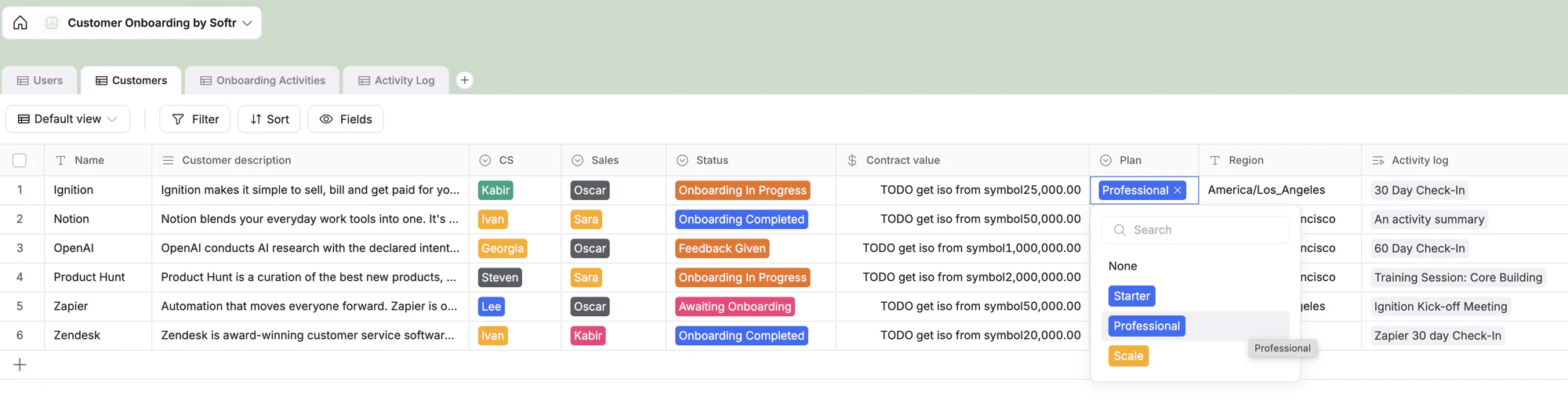
A no-code database is a platform that lets you create, manage, and connect structured data visually without writing SQL or backend code. By combining linked tables, forms, and automations, no-code databases bring all your data (e.g. clients, deals, projects, invoices), into one connected system.
Unlike spreadsheets, the best no-code database software gives you a clearer, more reliable structure because it lets you:
- Create and update individual records, like one entry per task, client, or order
- Link related data across tables, such as connecting a client to their orders using relational fields (also called “linked records”), so you only have to update information in one place and it updates across tables
- Control view/edit access by setting rules for who can view or edit specific data
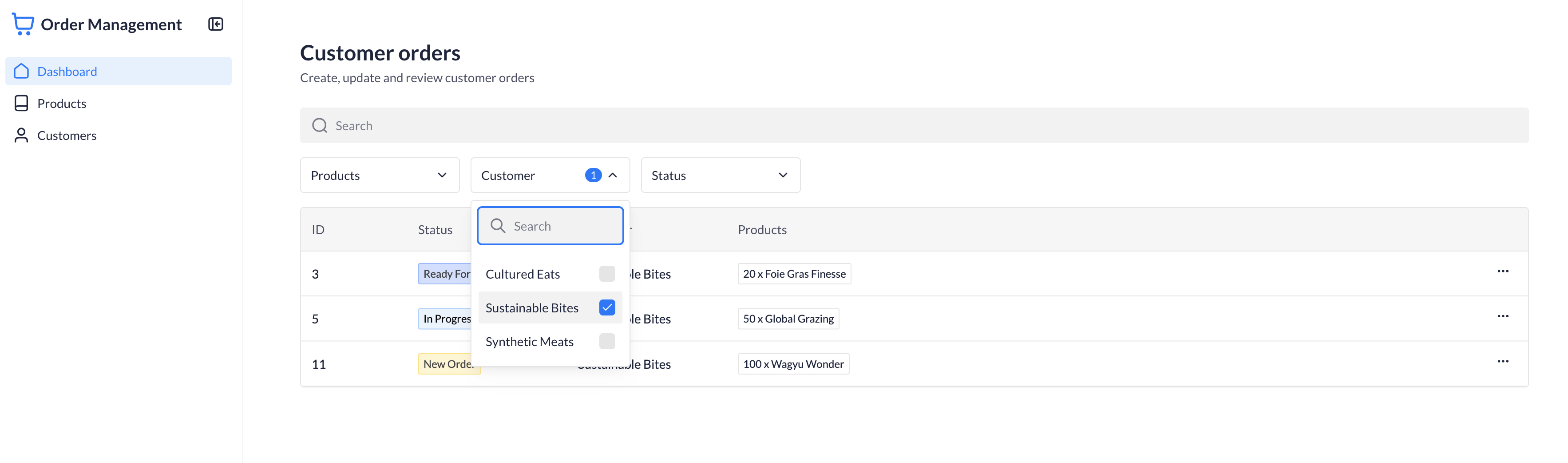
- Search, sort, and filter data quickly, and display it in different views
| Type | What it is | Who it’s for | Example tools |
|---|---|---|---|
| Relational databases | Connect related data across tables without using SQL. Great for structuring records and ensuring consistency across teams. | Ops, product, or marketing teams that need to organize projects, clients, or assets with connected data. | Softr, Airtable, Baserow, SmartSuite |
| Spreadsheet-style databases | Look and feel like Google Sheets, but add field types, filters, and automations for better control and collaboration. | Small teams and startups managing fast-moving data—like campaigns, content, or inventory. | Airtable, Stackby, Baserow |
| Document-based databases | Combine text and tables in one workspace so teams can plan, track, and document in context. | Content, product, and internal ops teams who prefer working in doc-style tools. | Coda |
| App-building databases | Manage your data and build front-end tools (like CRMs, dashboards, or portals) on top—no code required. | Businesses creating internal tools or client-facing apps with custom access and automations. | Softr, Blaze, Caspio |
| Open-source/self-hosted databases | Let teams self-host or control their data fully for security or compliance needs. | Companies prioritizing data sovereignty or working with GDPR-sensitive information. | Baserow, NocoDB |
What to look for in no-code database tools
Here’s what matters most when evaluating no-code databases for your team:
- Quick setup: Should feel familiar if you’re used to spreadsheets — but structured enough to handle relationships, automations, and permissions without extensive onboarding or training.
- Relational data support: Link records across tables, define one-to-many relationships, and roll up metrics (like total spend per client or open tasks per project) without complex SQL.
- Automation support: Look for built-in workflows or native integrations with tools like Zapier, Make, or n8n to connect your data to other tools and processes.
- User permissions and access control: Easy ways to manage who can vie or edit data. Role-based access is key when you’re collaborating across teams or clients.
- Integrations and APIs: Native connectors or API access for syncing with apps like Google Sheets, HubSpot, or Slack.
- Fast performance, even as data grows: Many database tools lag with size. Choose one that stays fast and responsive, even with tens of thousands of rows.
- Collaboration features: Real-time editing and commenting, so multiple users can safely build together.
- Predictable pricing and limits: Transparent seat counts, record limits, and automation caps. No surprise price jumps when your data or team grows.
- Data control and portability: Ability to export, migrate, or back up your data without losing structure.
- Optional frontend support: If you’re looking to build apps with your data, you’ll want a full-stack platform with both a database and an interface builder.
1. Softr — best no-code database for managing data and building full-stack business apps with AI

Softr Databases offers a spreadsheet-style interface with the structure and control ops teams need — link records across tables, create custom views for each workflow, and manage permissions for who can see or edit what. You can use it as a standalone data hub or as the backend for full-stack business apps like CRMs, client portals, or internal tools.
The built-in AI features make it especially powerful: generate filters and formulas with AI, add Database AI Agents directly in your fields to handle repetitive tasks like cleaning, enriching, categorizing, or summarizing data, and use the AI Co-Builder to describe the database you need and get a fully functional system back — with the schema, logic, and UI already ready to go. You can also connect Claude or ChatGPT through the Softr MCP to design tables, manage fields, and update records.
To get started, you can import a CSV, use a template, or migrate data directly from Airtable with linked records intact. And because your database is built in Softr, you can instantly layer on app pages and built-in Softr Workflows. The result is a true full-stack platform for managing and acting on your data.
Softr Databases pros and cons
Pros
- Relational database with flexible field types, including linked records, formulas, lookups, rollups, and attachments.
- Manage data and build apps in one place, with no API limits, sync delays, or third-party dependencies.
- Fast, real-time performance even as your datasets grow.
- Built-in compliance with GDPR and SOC 2 for secure data management.
- Transparent pricing with no per-seat limits.
- Built-in AI features to help you build and maintain your database.
Cons
- Not built for advanced developer logic or server-side scripting.
- Automation and workflow features are still expanding (native Workflows are in active development).
Softr Databases best features
- AI Co-Builder: Describe the data structure you need and get a fully functional database back with tables, fields, and relationships already configured, ready to use or turn into a full app.
- Powerful field types: From short text and currency to linked records, rollups, formulas, and lookups, this tool is designed for managing structured data at scale.
- Custom views: Create custom views using built-in filters, sorting, and field visibility customized for different teams and workflows.
- AI formulas and filters: Skip the tedious parts of your database setup by generating filters and formulas with AI. Describe what you want, and the AI will build it for you.
- Database AI Agents: Automatically enrich records, update data, or pull live insights from the web in your database.
- Ability to create full-stack business apps: Turn your data into secure client portals, project management systems, inventory trackers, and more: all in one place.
- Airtable import: Easily migrate data from Airtable into Softr Databases in a few clicks (relational fields included!).
- Native Zapier, Make, and n8n integrations: Set custom triggers and actions with Softr Databases + Zapier, Make or n8n, and keep all your tools in sync (native automations coming really soon).
- Public API: Push data from any tool with a REST API into Softr Databases. Migrate from legacy systems, sync live CRM data, and centralize messy information.
- Database templates: Get started quickly with ready-made database templates for CRMs, inventory, client portals, etc.

Softr Databases pricing
Softr offers flexible pricing, including a generous free plan. Softr Databases are available on all Softr plans with some record limits.
- Free for up to 5 users per month and 5,000 records per database
- Basic: Starts at $19/month for Team 5 + Client 5 app users and 50K records per workspace (when billed annually)
- Pro: Starts at $99/month for Team 10 + Client 50 app users and 500K records per workspace (when billed annually)
- Business: Starting at $329/month for Team 30 + Client 100 app users and 1M records per workspace (when billed annually)
- Enterprise (custom pricing, contact sales)
Check this useful video for more insights into Softr Databases!
2. Airtable — best for spreadsheet-style collaboration with linked records

Airtable is designed for teams that are used to managing tasks, projects, or customer info in Excel or Google Sheets, but need more structure, scalability, and collaboration features.
You can create tables for different types of data, link them together, apply filters and formulas, and use built-in layouts like Kanban or Calendar. For more custom dashboards and user-facing views, you’ll need to use Airtable Interfaces.
While it’s beginner-friendly, the tool’s full potential often requires technical setup or scripting. Costs also scale quickly with per-seat pricing.
Airtable pros and cons
Pros:
- Easy to adopt thanks to spreadsheet-style UI
- Supports linked records, flexible field types, and custom views and filters
- Offers strong third-party integrations and automations
- Multiple layouts for visualizing data (e.g. Kanban, calendar)
Cons:
- Sharing data with teammates or clients often requires adding paid seats due to limited permission flexibility.
- Advanced features often need scripting or dev support
- Can feel cluttered for less technical users
[.blog-callout]
💡If you manage your data in Airtable, Softr helps you turn it into a full-stack business app like a client portal or knowledge base, with more control over what each user can see and do.
[.blog-callout]
Airtable best features
- Relational structure with spreadsheet feel: Build connected tables with linked records while keeping the simplicity of rows and columns. Great for teams transitioning from Excel or Sheets.
- Custom views and field types: Filter, group, and sort data using flexible field types like single/multi-select, checkboxes, attachments, and formulas.
- Flexible views and interfaces: Use built-in layouts like calendar, Kanban, and gallery to organize your data, or create simple internal-facing dashboards with Airtable Interfaces.
- Built-in automations: Trigger notifications, updates, and actions across tools like Slack, Gmail, or webhooks without leaving the platform.
- Interface Designer: Create tailored front-ends for your team on top of your Airtable data.
- Large integration ecosystem: Connect with thousands of tools via Zapier, Make, native integrations, or Airtable’s own API.
Airtable pricing
- Free: Up to 5 editors, 1,000 records per base
- Team: $20/user/month, up to 50,000 records per base
- Business: $45/user/month, up to 125,000 records per base
- Enterprise: Custom pricing available for larger teams
👉 Take a look at Softr vs. Airtable for a more detailed comparison.
3. Stackby — best for marketing teams and campaign tracking
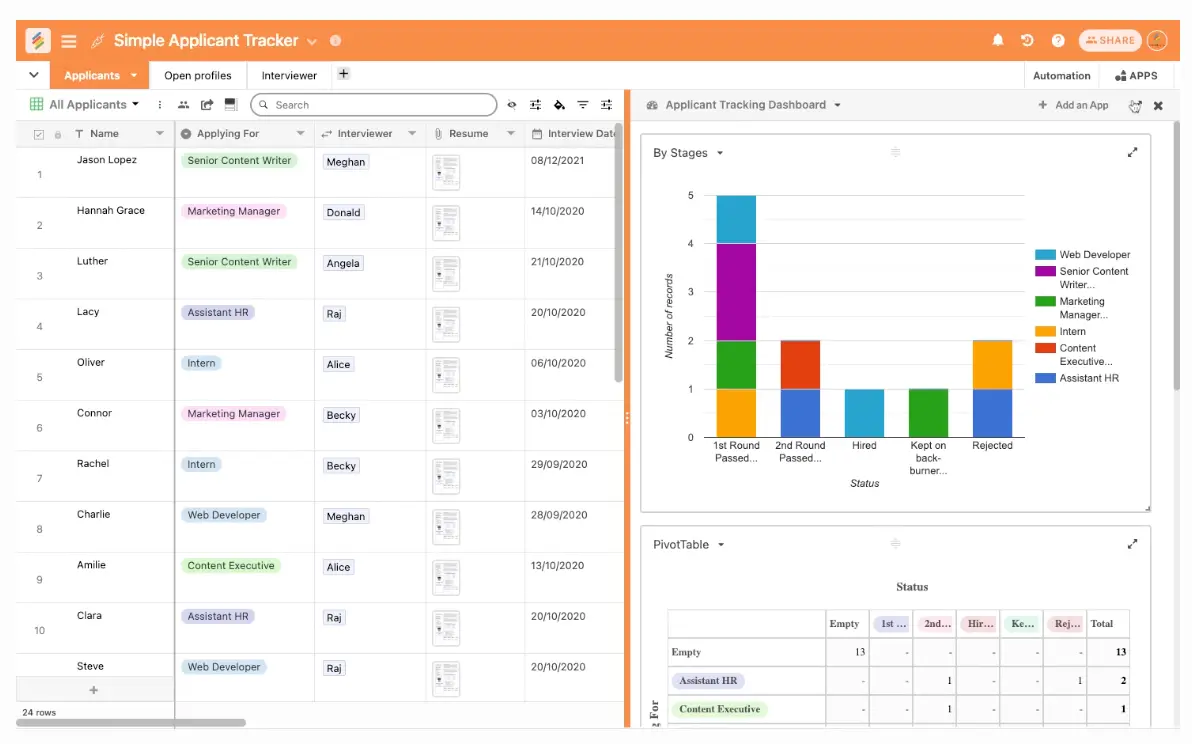
Stackby is a spreadsheet-style no-code database tool built for marketers, agencies, and operations teams that want structure without complexity. It feels like a spreadsheet but adds field types, column-level automations, and integrations with tools like YouTube, Google Analytics, and MailChimp.
You can create “stacks” (databases) for campaigns, clients, leads, or any structured data, then automate updates from connected APIs: ideal for tracking fast-moving marketing or reporting workflows.
Stackby pros and cons
Pros:
- Familiar spreadsheet UI with structured field types
- Column-level API connectors for live data updates
- Affordable pricing, especially for small teams
Cons:
- Limited permissions and roles compared to more advanced platforms
- UX feels a bit clunky on large datasets or complex stacks
Stackby best features
- Spreadsheet-style interface: Build relational databases in a grid format—no SQL or formulas required
- Column-level automations: Pull in data automatically from tools like YouTube, Google Analytics, and Clearbit
- Multiple views: Switch between grid, Kanban, calendar, and gallery views
- Pre-built templates: Launch faster with stacks for CRM, social media planning, project tracking, and more
- Slack & webhook integration: Push updates to Slack or connect with other tools via webhooks
Stackby pricing
- Free: $0/month, 1,500 rows/stack, 2 GB attachments, 5 editors
- Economy: $10/user/month, 7,000 rows/stack, 6 GB storage, 1,000 automations
- Business: $18/user/month, 50,000 rows/stack, 20 GB storage, 25,000 automations
- Pro: $30/user/month, 100,000 rows/stack, 50 GB storage, 100,000 automations
- Enterprise: Contact sales, 250,000 rows/stack, 1 TB storage, 250,000 automations
4. Caspio — best for building no-code database apps at enterprise scale
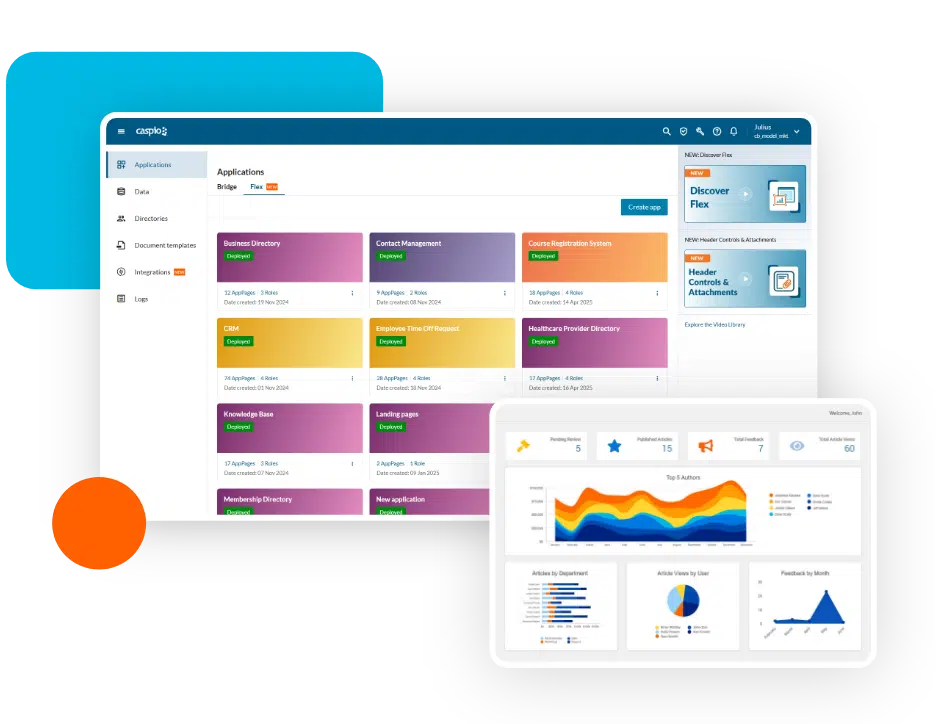
Caspio is a no-code platform built around a cloud database and visual app builder, letting you turn data into custom online applications like forms, dashboards, and portals without writing backend code. It’s great for teams managing regulated data or complex workflows that need more control than spreadsheet-based tools can offer.
Getting started is simple through pre-built templates or visual wizards. You can import data, configure “DataPages” (interfaces that display or edit data), and manage app security through role-based permissions.
Caspio pros and cons
Pros
- Built for scale and compliance: enterprise-grade security, governance, and infrastructure.
- Unlimited users: pricing is based on data usage, not per-seat fees.
- Robust workflows: add rules, triggers, and automations easily.
- Separation of data and UI: control what’s visible using customizable DataPages.
Cons
- Steeper learning curve than spreadsheet-style tools.
- Limited design flexibility for highly custom UIs.
- Custom code options are limited for advanced use cases.
Caspio best features
- Visual app builder: Drag-and-drop interface for building forms, dashboards, and reports.
- Database + app integration: Manage your data and interfaces from one workspace.
- Automations and triggers: Configure rules and data logic visually.
- APIs and integrations: Connect Caspio apps with external systems or custom workflows.
- Role-based permissions: Secure access and control over user visibility.
- Enterprise-ready hosting: Scalable, compliant cloud infrastructure.
Caspio pricing
Caspio offers tiered plans starting around $100/month for basic database apps. Higher plans (Plus, Business, and Enterprise) include more storage, automation capacity, and API access. Pricing is based on data and usage—not per user—making it scalable for larger organizations.
5. Blaze — best for quickly building AI-assisted internal tools
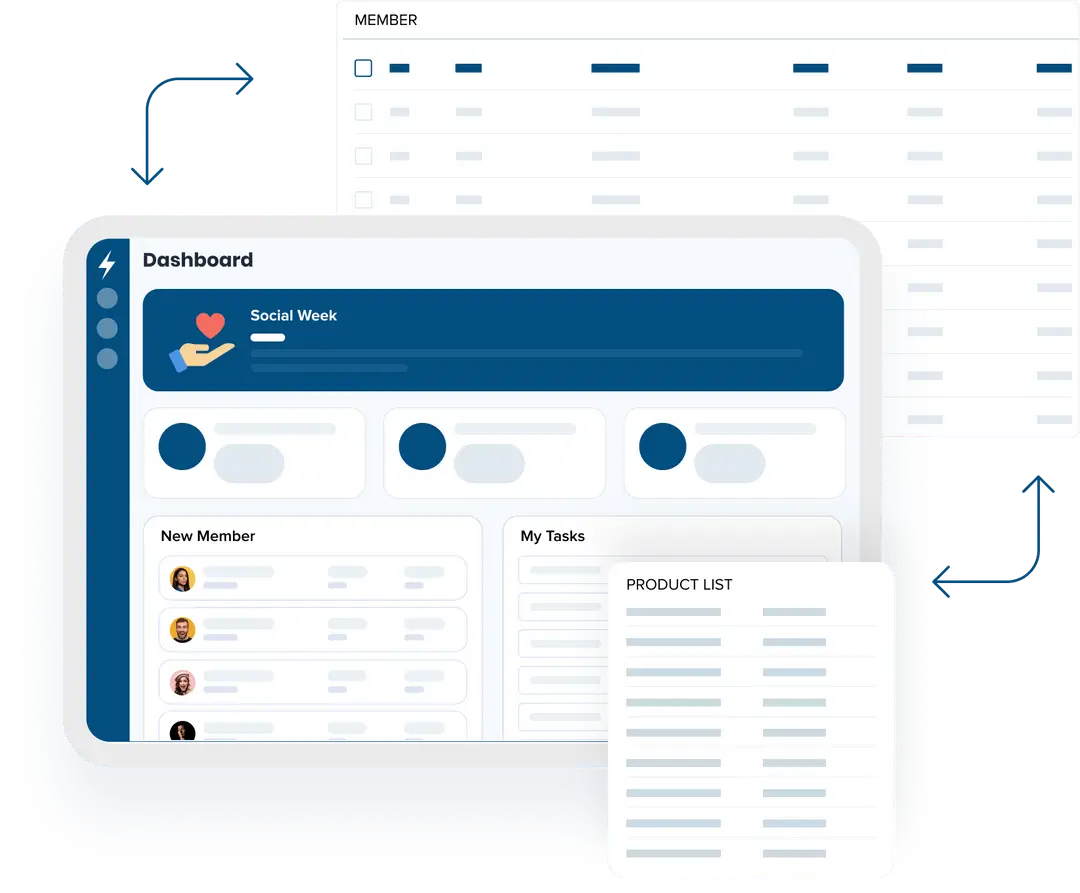
Blaze is a modern no-code platform focused on speed and simplicity. It combines a visual app builder with AI-powered logic, so you can build internal tools, workflows, or client portals without writing code. Its AI assistant helps you set up logic, filters, and automations just by describing what you need in plain language.
Blaze supports API integrations and webhooks, allowing teams to connect to existing systems or external data sources. While it’s still a younger platform compared to some competitors, Blaze is steadily adding enterprise-ready features and scalability options that make it a practical choice for fast-moving teams.
Blaze pros and cons
Pros
- AI-assisted app building: define logic or rules through natural-language prompts.
- Fast iteration: prototype and deploy tools quickly with drag-and-drop components.
- Unified platform: handle data modeling, logic, and UI in one place.
- Enterprise features: built for scalability and secure environments.
- Integration-ready: connect with external systems via APIs or webhooks.
Cons
- Relatively new platform: some advanced features are still evolving.
- Smaller community and template library compared to older tools.
- AI logic may need review for complex workflows.
- Limited design freedom for fully custom UIs.
Blaze best features
- AI workflow builder: Use natural-language inputs to create automations and logic.
- Visual app designer: Build pages and data structures with drag-and-drop blocks.
- Real-time preview: See app changes instantly while you build.
- APIs and integrations: Connect data sources, webhooks, or third-party tools.
- Security and governance: Designed to meet enterprise standards for compliance and scalability.
Blaze pricing
Blaze doesn’t list public pricing, as it primarily offers custom quotes based on project size and needs. The company positions itself as a scalable, cost-effective solution for teams building internal or customer-facing apps.
6. Baserow — best open-source alternative to Airtable
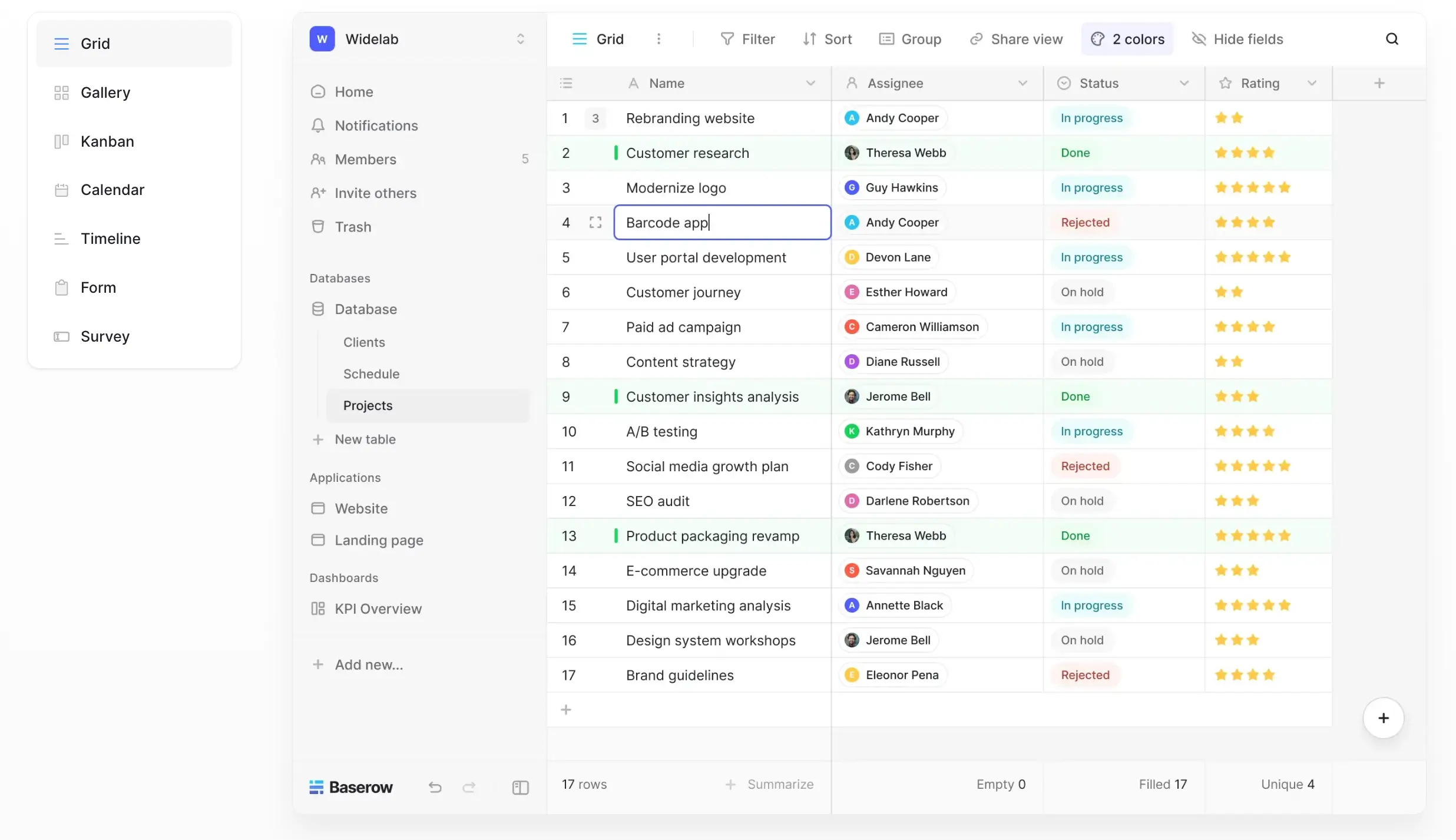
Baserow is a no-code database you can host yourself. It’s great for GDPR-sensitive data or teams that want data control without vendor lock-in.
It has a simple, spreadsheet-style interface that makes it easy to use: you can create tables, connect data between them, and build custom views without writing code. This helps teams organize and manage their information quickly.
You can run Baserow on your own server for full control, or use the Baserow Cloud version if you prefer a setup that’s already managed for you.
Baserow pros and cons
Pros:
- Open-source with self-hosting support for full data control
- No user limits on the free plan
- Real-time collaboration with a relational database structure
Cons:
- Limited third-party integrations compared to other platforms
- The interface is functional but less polished and user-friendly than Airtable, Notion, or Softr Databases
Baserow best features
- Self-hosting option: Deploy on your own infrastructure (Docker, Helm, AWS, etc.) for full governance and data sovereignty
- API-first architecture: Every table exposes a REST API, making automation and integrations seamless
- Application builder & plugin support: Build simple apps, dashboards, or custom workflows with plugins or low-code customization
- Relational data and real-time editing: Connect records across tables and collaborate live with teammates
- Multiple views (paid plans only): While the free tier includes grid, form, and gallery views, features like Kanban, calendar, and timeline are unlocked only on premium plans or self‑hosted setups, and availability depends on your workspace (app) configuration.
- Security and compliance-ready: Supports GDPR, audit logs, encryption; enterprise plan adds SSO and role-based permissions
Baserow pricing
Cloud-hosted (billed yearly):
- Free plan: Includes unlimited users, 3,000 rows, 2 GB storage, and basic views (grid, form, gallery)
- Premium plan: $10 per user/month — Up to 50,000 rows, 20 GB storage, and extra views like Kanban, calendar, and survey
- Advanced plan: $18 per user/month — Up to 250,000 rows, 100 GB storage, plus role-based permissions, audit logs, and read-only users
Self-hosted:
- Free version: Host it yourself with no limits on users, rows, or storage
- Paid self-hosted plans: Start at $10 per user/month to unlock advanced features
- Enterprise: Custom pricing for features like SSO, admin panel, audit logs, and priority support
7. Coda — best for doc-style databases and internal tracking
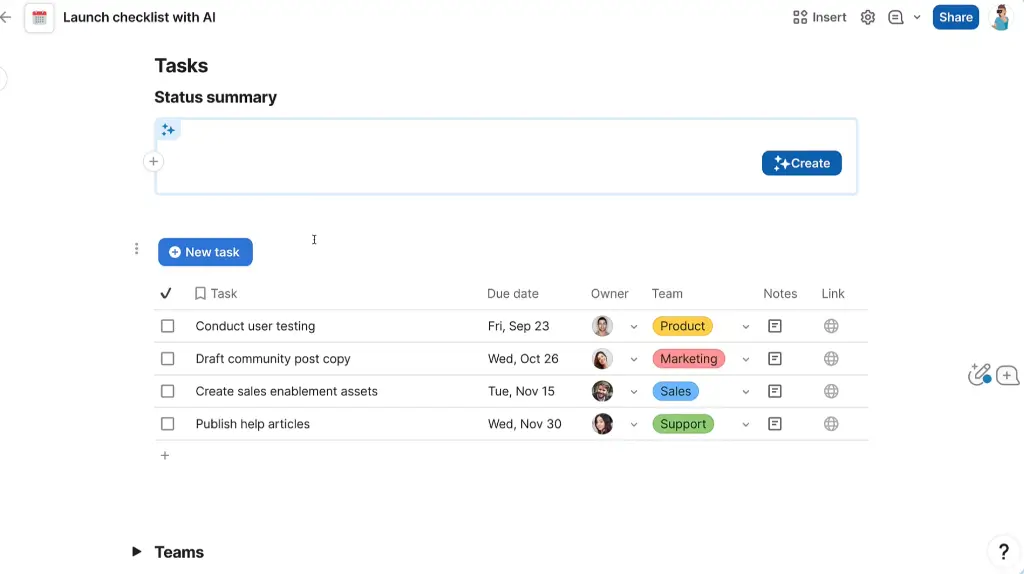
Coda is an all-in-one doc and database tool that blends the flexibility of documents with the structure of a relational database. It's ideal for small teams that want to turn everyday documents into powerful apps with buttons, automations, and data connections — all in one interface.
Each “doc” in Coda acts as its own workspace, where you can add interactive tables, create filters, connect data across pages, and set up logic with formulas.
Coda pros and cons
Pros:
- Combines documents, tables, and logic in one interface
- Powerful formula language to build interactive workflows
- Packs structure into a familiar, doc-style format
[.blog-callout]
💡 Connect your Coda tables to Softr for real-time, two-way sync—letting you build branded portals, dashboards, or internal tools with granular user permissions, no code required.
[.blog-callout]
Cons:
- Tables aren’t separate entities—data reuse across docs can get messy
- Learning curve for formulas and advanced automations
Coda best features
- Live, interactive tables: Turn any doc section into a filterable, sortable table—great for tracking content, projects, or clients
- Buttons & automations: Create buttons that trigger emails, Slack messages, or status updates
- Connected pages: Link data across sections of the same doc using relational formulas
- Template gallery: Use or customize pre-built templates for CRMs, task managers, meeting notes, and more
- Mobile-friendly docs: Docs work seamlessly on phones—good for teams on the go
Coda pricing
- Free: $0/month, up to 100 rows and 100 automations/month
- Pro: $10/user/month, 5,000 rows, unlimited docs, version history
- Team: $30/user/month, 10,000 rows/doc, 60-day version history, admin tools
- Enterprise: Custom pricing, advanced governance, SSO, and support
8. SmartSuite — best for structured document tracking with workflow automation
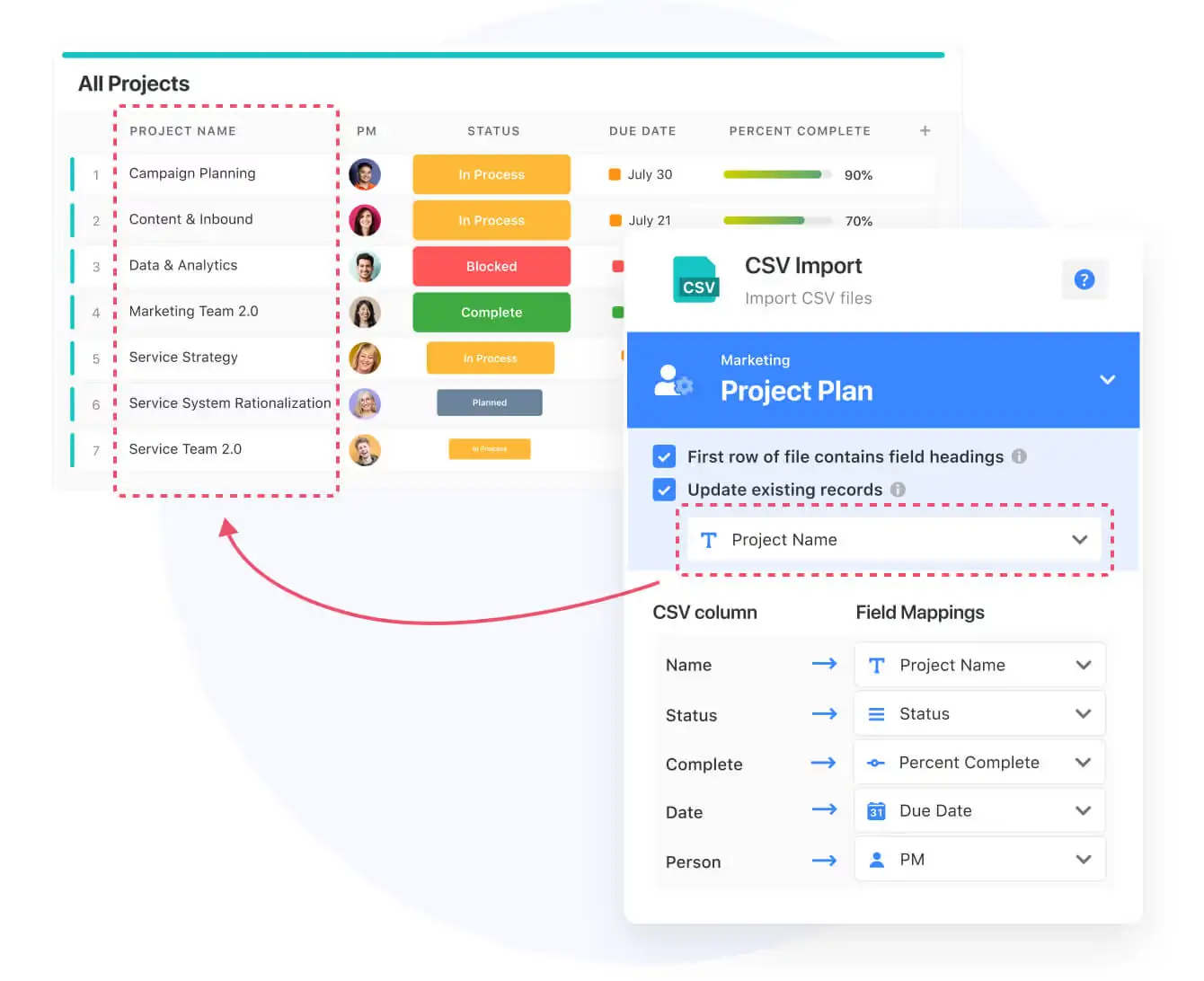
SmartSuite is a no-code platform that bridges relational databases with work management. It lets teams manage structured data alongside everyday projects and workflows: all in one workspace.
You can create tables with 40+ field types, link related records, automate updates, and visualize everything through dashboards or Kanban boards. It’s a solid option for teams that want to track projects, clients, or operations with more flexibility than spreadsheets but without diving into backend logic or code.
SmartSuite pros and cons
Pros:
- Combines data, tasks, and workflows under one platform
- Offers relational field types, dashboards, and automations
- Intuitive, modern UI that’s easy to adapt for various teams
Cons:
- Leans more toward project management than pure data modeling
- Limited backend or developer-level customization
SmartSuite best features
- Relational data structure: Link related tables or records to connect clients, projects, or tasks.
- Customizable views: Choose from grid, Kanban, calendar, timeline, and card views to visualize data differently.
- Automation builder: Create workflows that trigger actions or updates when data changes — no code required.
- Dashboard builder: Combine charts, metrics, and visual blocks to track performance or project progress.
- Role-based permissions: Define user access at the record or workspace level for secure collaboration.
- Integration support: Connect SmartSuite with external tools via native integrations or webhooks.
SmartSuite pricing
- Free plan: Includes core features for up to 2 users.
- Team plan: Starts at $10/user/month (billed annually) with advanced fields, automations, and dashboards.
- Professional and Enterprise plans: Unlock more records, permissions, and automation runs.
[.blog-callout]
💡With Softr, you can pull in your SmartSuite tables directly and keep everything in sync in real time. This lets you build branded client portals, dashboards, or internal tools powered by SmartSuite data, while still controlling exactly who can see or edit what, and doing it all without writing a line of code.
[.blog-callout]
Find the best no-code database for your team
When your business outgrows spreadsheets, a no-code database helps you bring structure back to chaos. You get connected tables, consistent data, and real-time visibility—without ever touching code. The right platform depends on your goals: if you need more control over data relationships, permissions, and automation, look for a tool that brings them together in one place.
For teams that want to centralize their data and build tools on top of it, Softr Databases offers the most complete balance of flexibility and speed. You can structure your data, automate updates with AI, and turn it all into apps (CRMs, client portals, dashboards) without leaving the platform.
Try Softr for free to import your data, explore templates, and see how quickly you can go from database to live tool.
Frequently asked questions
What's the best NoSQL database?
Which no-code platform is best?
Why is "no-code" becoming popular?