5 best client portals for agencies in 2026


There are a lot of so-called client portals out there. But do they actually get the job done? If you can’t automate multi-step deliverables across existing tools or trigger the next step the moment a client hits “Approve”, are you really providing the best possible experience?
And what if your book of business was building up fast? Just how scalable is your system for managing this growing client base?
Here, I tested and compared the best client portals for agencies in 2026 based on branding, customization, functionality, vertical-specific features, price, and usability.
Best client portals at a glance
| Tool | Best For | Key Features | Pricing Model |
|---|---|---|---|
| Softr | Agencies needing portals connected to live operational data | AI Co-Builder, native database, granular user roles, workflow automations, branded dashboards | Monthly fee for set users with freemium option |
| Airtable | Spreadsheet-native teams | Interface Designer, portal add-on, real-time record sync, guest permissions | Add-on required for Portal on Team plan ($20/month per user + $120 per month |
| Basecamp | Simple project transparency for small creative teams | To-do lists, message boards, client collaborators, process tracking | Flat monthly fee ($299) w. free option for one project |
| Clinked | Enterprise agencies requiring white-label and compliance | Full white-label, ISO 27001, audit trails, branded mobile apps | Flat monthly fee ($239) then $479 for white-label option |
| SuperOkay | Freelancers and solo creators | Embedded apps, project tracking, client communications | Free option, then $9 per month |
What is client portal software?
Client portal software lets you control the customer experience and how you deliver services. It centralizes communications, file sharing, approvals, progress reports, and other tasks in one place.
For marketing agencies, this means clients can review the campaign dashboard, approve creative designs, or access performance reports on demand. For staffing firms, it might be tracking onboarding paperwork or approving candidate placements. And for consultants, it's about delivering a professional experience where clients can see project milestones and quickly approve next steps.
While you could create a branded portal from scratch, the purpose of client portal software is to get a hub without coding or complex development.
Once it's up and running, however, every stage of client engagement is improved. You don’t have to hunt through emails to find approval for that reimbursable expense. Or reply to that “what’s the status of this project milestone” message, because all the info lives in one place.
What to look for in a client portal
The best client portals for agencies and freelancers in 2026 are highly need-dependent. For starters, it should be custom to your brand and integrate with existing tools so you don’t have to manually copy-paste data for each update. These features should be easy to understand and require minimal (ideally zero) technical effort.
You should also be able to control client access and user permissions for security.
Top-tier portals can take the experience to the next level. For instance, some can reflect real-time data updates from a CRM, project tool, billing system, or other database. Some can also automate approvals, empowering clients to say “yes” to that reimbursable or delivered milestone in one click (while triggering next steps).
Also, look at pricing and scalability. Will your portal (or bank account) break as you climb from 5 to 50 clients?
1. Softr — best for building complete client operational systems with AI
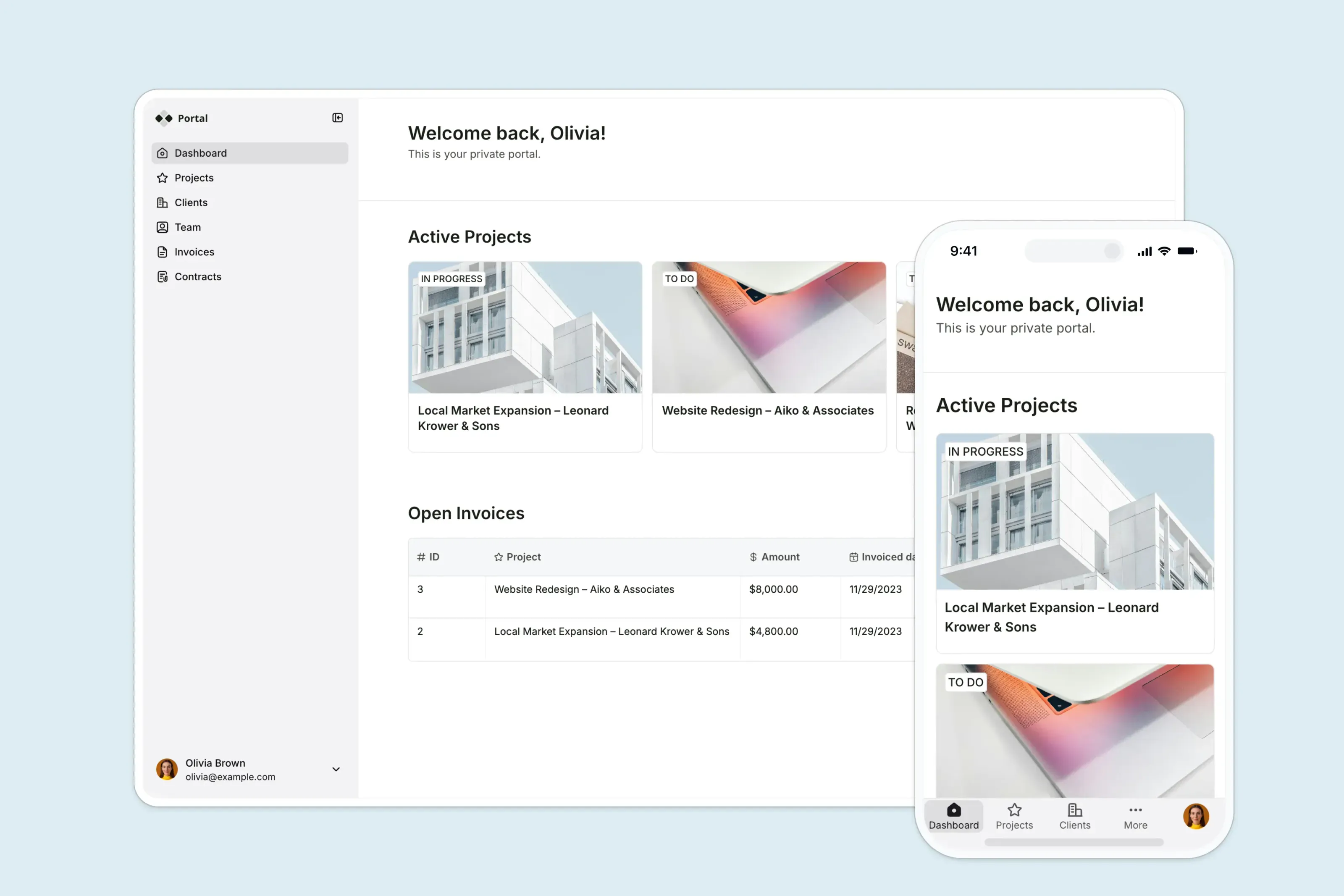
Most client portal tools give you pretty login screens and file upload capabilities. Softr builds you secure, fully-functional business software.
It's an AI-native platform for agencies, operations teams, and consultants who need professional client portals without developers. And unlike standalone messaging or file-sharing hubs, Softr connects every tool in your stack: live business data, CRM, project management system, and workflows.
Everything is powered by Softr’s AI Co-Builder. Just tell it what you need. For example, you could ask for a “client portal with my logo where a client can see project status, approve design mockups, and download final assets” or “a client intake portal where new clients submit onboarding forms, sign contracts, and access their first project brief.” It generates the database, interface, permissions, and business logic based on your specific request. You'll get security guardrails, SSO, and user groups, too.
Softr is ideal for agencies because you can manage permissions, shared data, and automations within a single portal without stitching together separate tools. And sharing with external users is as easy as hitting publish and sending an invite link.
Softr pros and cons
Pros:
- Advanced permissions and user groups: Set granular rules for who sees what, so clients see only their own projects while users get access they need (like finance for billing or solution architects for planning).
- Live data sync with your existing stack: Connects directly to external tools and internal databases, CRMs, project systems, and whatever else you store client data.
- Automations created in plain English: Trigger emails, notifications, or task updates the moment a client clicks approve by telling AI Co-Builder exactly how you want workflows to run.
- Fully branded: Create your portal your way so clients log into something that feels like your agency.
Cons:
- Limited native integrations: It's a mature product, but still has fewer native data source integrations than other established companies.
Softr best features
- AI Co-Builder: Tell AI how you want your client portal and where it needs to connect, then click around to fix whatever the AI got wrong.
- Granular permission settings: Ensure clients see only their projects and files, account managers see everything across their book of business, and freelancers or vendors see only the tasks assigned to them. You control it at the role and record level.
- Live data and operational dashboards: Connect to Airtable, Google Sheets, or Softr's native database and build client-facing dashboards that update in real time.
- Client experience automation: Set up automations that trigger on client actions. They approve a file? Send a thank you email and notify your design team. They submit an intake form? Create a new project record and assign it to the right person.
Softr pricing
Prices shown are billed annually.
- Free: Unlimited apps, with access to Softr Workflows and Softr Databases, 5 app users, 5 AI credits, 5,000 database records.
- Basic: $19/month for unlimited apps with 42+ integrations, Team: 5 + Client: 5 app users, 10 AI credits, 50K records.
- Pro: $99/month for unlimited apps with 45+ integrations and custom code, Team: 10 + Client: 50 app users, 50 AI credits, 500K records, and 3 custom user groups.
- Business: $329/month for unlimited apps with 52+ integrations, Team: 30 + Client: 100 app users, 100 AI credits, 1M records, and custom user groups (up to 10).
- Enterprise: Custom pricing with priority support, a dedicated success manager, and advanced security.
2. Airtable — best for agencies that already use spreadsheets
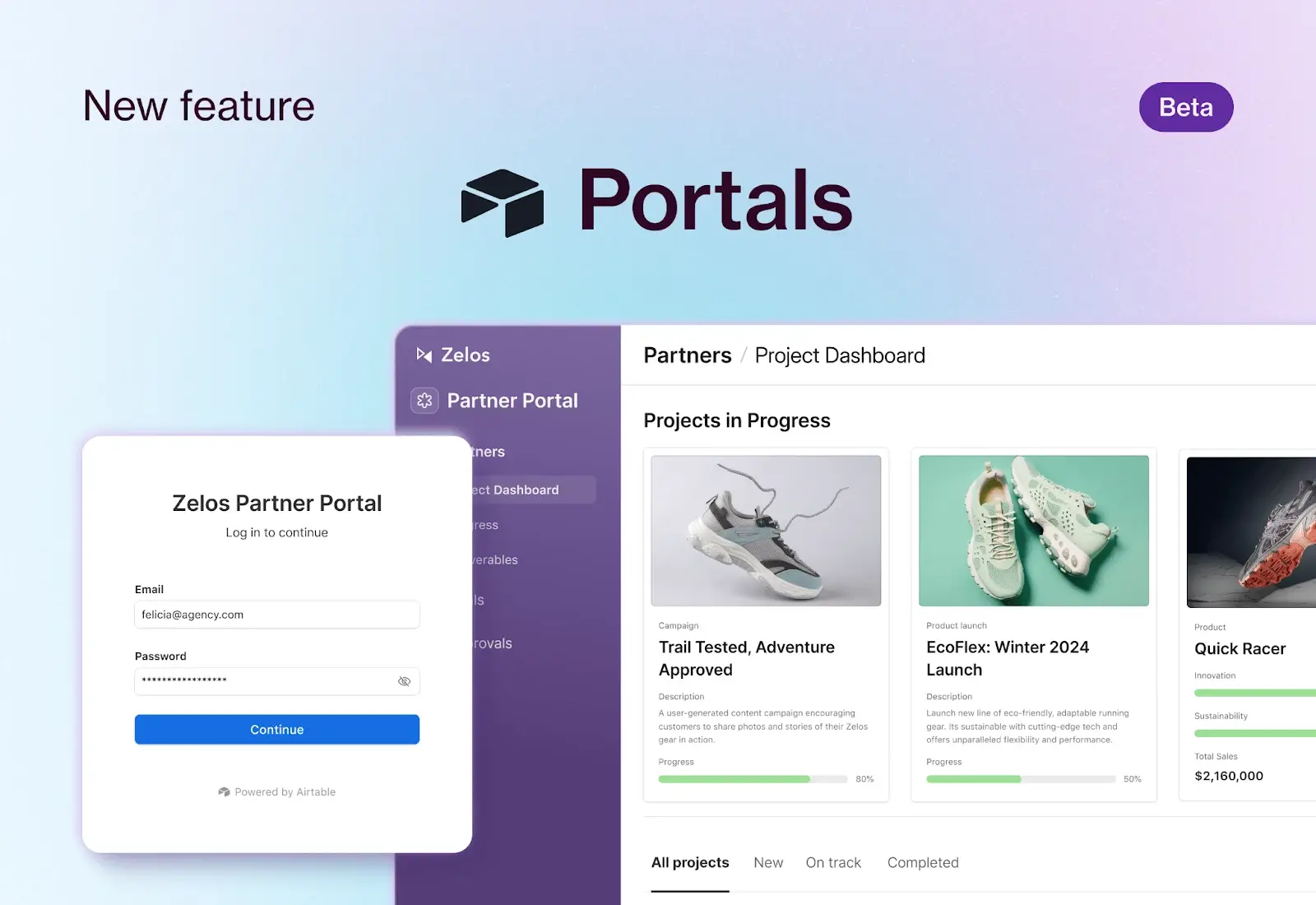
Airtable is the database platform that feels like you’re using spreadsheets, but really you're using a relational database.
Anything from project status to client tracking to calendars to payment monitoring can run inside Airtable. Then, you can subscribe to the Portals add-on to provide external users (like clients or customers) with a branded interface experience without giving them access to the messy backend tables. The downside? At $120 per month for 15 guest users, costs can increase quickly for agencies managing larger client bases or external collaborators.
If you do take the plunge, it works like this: You design the interface or dashboard view, share it with the client, and they log in. From there, they can see only the records you’ve explicitly shared: their projects, invoices, tasks, etc. And if you update the spreadsheet on your side, the client sees the change instantly.
Airtable pros and cons
Pros:
- Real-time sync: Updates made to your spreadsheet base are reflected instantly in the client portal. It makes collaboration and visibility really easy.
- Highly customizable with robust functionality: Users can build custom views for nearly anything imaginable for their clients to access, and it comes with 1,000s of native integration options.
- Strong platform security with flexible permissions: Airtable scores well in security and governance. There’s field-level editing for permissions, IP range restrictions, and record-level sharing that make it appealing for agencies handling sensitive data.
Cons:
- Steep learning curve for new users: Could be a pro or con depending on how your team works in spreadsheets. If they have no experience, Airtable is a problem for learning.
- Requires add-ons: You don’t automatically get the Portals tool. It requires the Team plan or higher and costs an additional $120 per month, and the price increases as you upgrade.
- More of a general tool: Airtable is a database tool. So aside from the Portal add-on, it won’t include relevant portal features like native client messaging or built-in automations.
Airtable best features
- Interface Designer: Drag and drop fields, buttons, and charts into a clean client-facing dashboard connected to various databases and branded for you.
- Record-level permissions: Share specific records with specific clients so Client A never sees Client B’s data, and the Freelance Writer never sees the Client’s invoices.
- Portal add-on: Dedicated guest access for clients without having to subscribe to AirTable to get a dashboard and resource viewing for updates.
- Real-time sync: Update a task status internally, and the client sees it immediately in their personal portal.
Airtable pricing
While Airtable offers a freemium option, you can only access the Portals add-on via a paid subscription. Here are the annual costs:
- Team: $20/seat/month. Portal add-on: $120/month for 15 guest seats.
- Business: $45/seat/month. Portal add-on $150/month for 15 guest seats.
- Enterprise Scale: Custom pricing. Portal add-on is also customized to the package.
3. Basecamp — best for simple project transparency
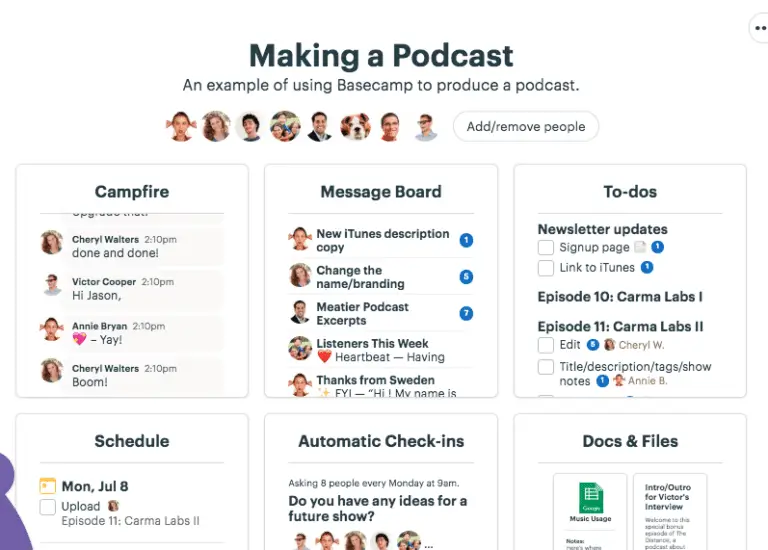
Basecamp takes a simple approach to the client experience. Most features center around project transparency. So if you’re building websites, designing branded materials or logos, writing content, creating software, or providing tech integration-as-a-service, Basecamp provides an easy way to keep clients in the loop.
You can show to-dos, post messages, upload files, and chat using the Campfires tool. It's particularly one of the best client portals for marketing agencies and small tech shops (think 5-15 people) because of its capabilities and flat-fee pricing.
Basecamp pros and cons
Pros:
- Clean interface and easy to use: Users praise its simple, uncluttered design. Both teams delivering projects and clients tracking them can use it without much training.
- Flat-rate pricing that scales well: While it offers free plans and a low-cost freelancer option, Basecamp’s Pro Unlimited plan is $299 per month and includes everything, unlimited clients, and projects. So it doesn't get pricey as you grow.
- Centralized system to replace external tools: Basecamp offers all the fundamentals to replace popular tools in your tech stack. Message boards can replace email, to-dos can replace Asana or other PM tools, Card Tables can replace Trello, Campfires can replace Slack and Teams, and so on.
Cons:
- Missing advanced project management features: There are no native Gantt charts, task dependencies, or sub-task support, making it not ideal for delivering super complex projects to clients.
- No built-in AI or automation: Most of these client portals for agencies have some kind of AI or built-in automation. Basecamp does not.
- Notifications can become overwhelming: Because Basecamp brings internal announcements (through Message Boards), Campfires, and Pings into one place, users can expect a lot of noise when logged in.
Basecamp best features
- Docs & Files: Drop in and let clients add files and keep a full revision history so you always know which version is the right one.
- Scheduling: For events, deadlines, or milestones, schedule in one click and notify clients.
- Automatic check-ins: Schedule recurring questions for clients, such as “What do you need from us this week?” or “Any feedback on this logo?”
- Campfires & Pings: Use group chat and private messaging between teammates and clients, even deciphering between projects.
Basecamp pricing
Basecamp offers three packages depending on whether you need a free one-time project, you’re a solo, or a team:
- Basecamp Business: $299/month flat for unlimited users, unlimited projects, and full feature set.
- Basecamp Plus: $15/user/month. Invite guests and clients for free.
- Basecamp Free: $0 for one project and up to 20 users.
4. Clinked — best for enterprise white-label and compliance
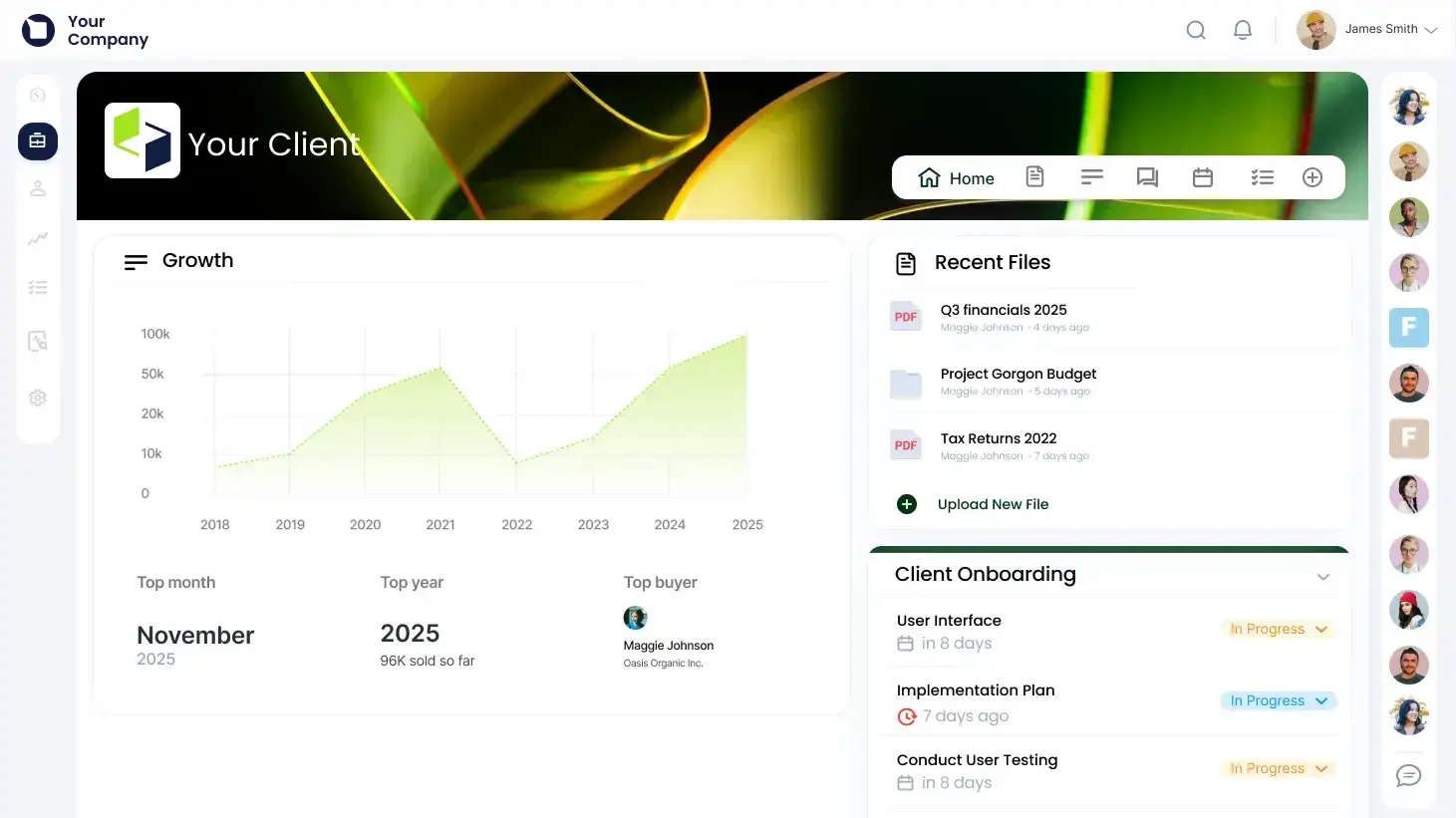
Clinked is built for larger agencies that need a secure, fully branded client portal and complete customization.
Because it holds ISO 27001 certifications, provides in-depth audit trails, enterprise security controls, and granular permission settings, it's especially handy for regulated industries (think finance or healthcare) and for organizations that handle sensitive data (IT, legal, etc.).
Clinked lets you brand and white-label for mobile apps (iOS and Android) if your clients need on-the-go access.
That all sounds great. But the trade-off? You pay enterprise prices.
Clinked pros and cons
Pros:
- Full white-labeling and branded portals: Use your custom logo, colors, scheme, and domain via a white-label option both as a web app and mobile portal.
- ISO 27001 certified with bank-grade security: Known for heavy compliance certifications and security controls for highly sensitive client data.
- Advanced task management tools: Access built-in task assignment, automated approval workflows, meeting scheduling, and event calendar within your portal.
Cons:
- Expensive pricing: Plans start at $239 per month, with white-labeling available for $479 per month.
- Not built for simple needs: This is enterprise-level software. If you're a solo consultant or small agency just wanting to share files and collect approvals, Clinked is overkill.
- Learning curve required: There are a lot of features to learn and customization requirements. It’s not as easy as telling AI what you need and having the portal ready in minutes.
Clinked best features
- Branded mobile apps: You can white-label your client portal for iOS and Android apps with their own icon, splash screen, and app store listing.
- Vast integrations: Over 7,000+ popular apps can integrate with your custom client portal, opening endless possibilities in the client experience and how you deliver.
- Security and audit logs: Track every single client action, including who viewed what file, when they downloaded it, and when they logged in. Generate reports and keep a solid audit trail.
- File request portal: Clients can upload files without seeing any other part of the portal (great for intake forms).
Clinked pricing
Clinked uses enterprise-level pricing, but at least it is pretty transparent about it. It offers monthly, yearly, and even bi-yearly commitments for discounts. Here’s what one-year pricing looks like:
- Standard: $239/month. 100 members included. Basic tasks, shared calendar, and discussions are available.
- Premium: $479/month. 250 members included. Offers white-label options and expanded security.
- VDR: $599/month. 250+ members included. Features focused on NDAs, data archiving, and role-based permissions.
- Enterprise: Custom pricing. 1,000+ members included. White-labeled mobile app available.
5. SuperOkay — best for freelancers and solo creators
.webp)
SuperOkay is great for freelancers. Specifically for designers, editors, writers, coaches, and consultants who need intake forms, document portals, and a single place to collaborate with clients.
Established solos and ones just getting started can get value from SuperOkay because of its cost-friendly package options.
One of the coolest features is that you can create “Packaged Services” that clients can purchase directly from the portal. For example, maybe you create a logo for $500 or write a white paper for $1,500. There are also Reusable Blocks that let you save snippets of proposals, briefs, or intake forms to reuse across multiple clients.
SuperOkay pros and cons
Pros:
- Packed Service with Reusable Blocks: Build a service once (brief, proposal, pricing, intake form, etc.) and save it as a reusable block for any client.
- Embedded apps: Integrate with over 100 apps (Notion, Canva, Airtable, Figma, Google Docs) within the portal and let clients interact with them without extra logins, links, or tab-hopping.
- Cheap and easy to use: Free plan for one client and paid plans start at $9/month for three. The interface is clean, intuitive, and doesn't require much to figure out.
Cons:
- No native mobile app: You can use SuperOkay on mobile, but only in a browser, not in an app.
- Not ideal for teams: Collaboration tools and permission settings aren’t available until the top-tier plan for $112 per month.
- Limited customization with hard-coded elements: Customization options are just enough, but not ideal if you need super-tailored branding or workflows.
SuperOkay best features
- Packaged Services: Define a service (price, deliverables, intake form), and clients can purchase it directly; then the portal automatically creates the project and client workspace.
- Reusable Blocks: Save proposals, brief templates, or feedback forms and reuse them across clients. Massive time saver for solo operators.
- Embedded apps: Clients can approve Figma designs or review Google Docs without leaving the portal.
- Smart Document Builder: Get pre-formatted pages that combine text, images, tables, and other elements with an approval button in the portal.
SuperOkay pricing
Most of SuperOkay’s pricing is for solos. Here’s where each subscription stands for annual billing:
- Free: 1 active client, 1 project, and 1 packaged service.
- Solo: $9/month for 3 active clients, unlimited projects, and 1 packaged service.
- Solo+: $29/month for 5 active clients, unlimited projects, 3 packaged services, and white-label options.
- Business: $112/month for unlimited clients, unlimited projects, unlimited packaged services, and more advanced permission settings.
Find the right client portal for your agency
The best client portals for agencies address industry needs and fit with your tech stack. If you already live in spreadsheets, Airtable works great because of its familiar feel to Excel or Sheets. For small creative teams, Basecamp makes sense for project transparency with clients. Enterprise agencies that need compliance, white-labeling, and advanced customization can look to Clinked. And for freelancers on a budget, SuperOkay gets the job done.
But if your agency needs client portal software with branded dashboards, granular permissions, live data from your other tools (like a CRM, billing system, project management software, etc.), then Softr is your best bet. Tell the AI Co-Builder what you want and watch it build the database, app, and business logic in minutes. It's ready for clients on day one and includes the infrastructure (logins, permissions, compliance) you need to work securely within your existing stack.
Try Softr for free and start using the AI-powered client portal builder to create your first agency portal in minutes.
Frequently asked questions
What is the best client portal software for agencies?
Can I build a client portal without coding?
What features should a good client portal include?