Building before planning is the reason most internal tools get abandoned. Sometimes, getting an app up and running is less important than stopping to ask the right questions: What does this tool actually need to do? Who's using it? What workflow does it have to support? If you don’t have these conversations, you'll spend three weeks building something that doesn't fit how your team actually works.
The most productive builders we know at Softr all follow the same pattern: they spend some time thinking before they create anything. This guide breaks down the planning framework they use. It's the same process Shiran Brodie, Head of Marketing at Softr, followed to plan and build a full content management portal in about 90 minutes.
We aren’t talking tools or templates here — just a clear mental model.
Your team can build their own tools
Before we get into the framework, let's address something fundamental. When someone on your team says "I wish we had a tool for this," the traditional response is one of three things: submit a ticket to IT and wait three months, or create yet another spreadsheet. Both options are broken.
The IT bottleneck means the people who understand the process best (your team) have to explain it to someone who doesn't (an engineer or an external developer), then wait weeks or months for something that may not even match what they needed. By the time the tool ships, the process has already changed.
The spreadsheet trap is a faster “fix,” but creates its own problems:
- No real interface: Everyone sees all the data instead of only what's relevant to them. There's no way to show a different experience to different users.
- No accountability: Someone deletes a row and nobody knows who did it or when.
- No security: It's all-or-nothing access. You can't restrict someone to access only their own records.
- Scaling pain: As a spreadsheet grows, formulas break down, version conflicts multiply, and onboarding new users becomes a liability.
With a platform like Softr, this dynamic changes entirely. The teams themselves can build the apps they need. Not by learning to code, and not by becoming prompt engineers, but by using a platform that turns their process knowledge into working software. Whether it's an internal tool for project tracking or an external portal where you invite clients or vendors, Softr empower the people who know the process best to build the solution.
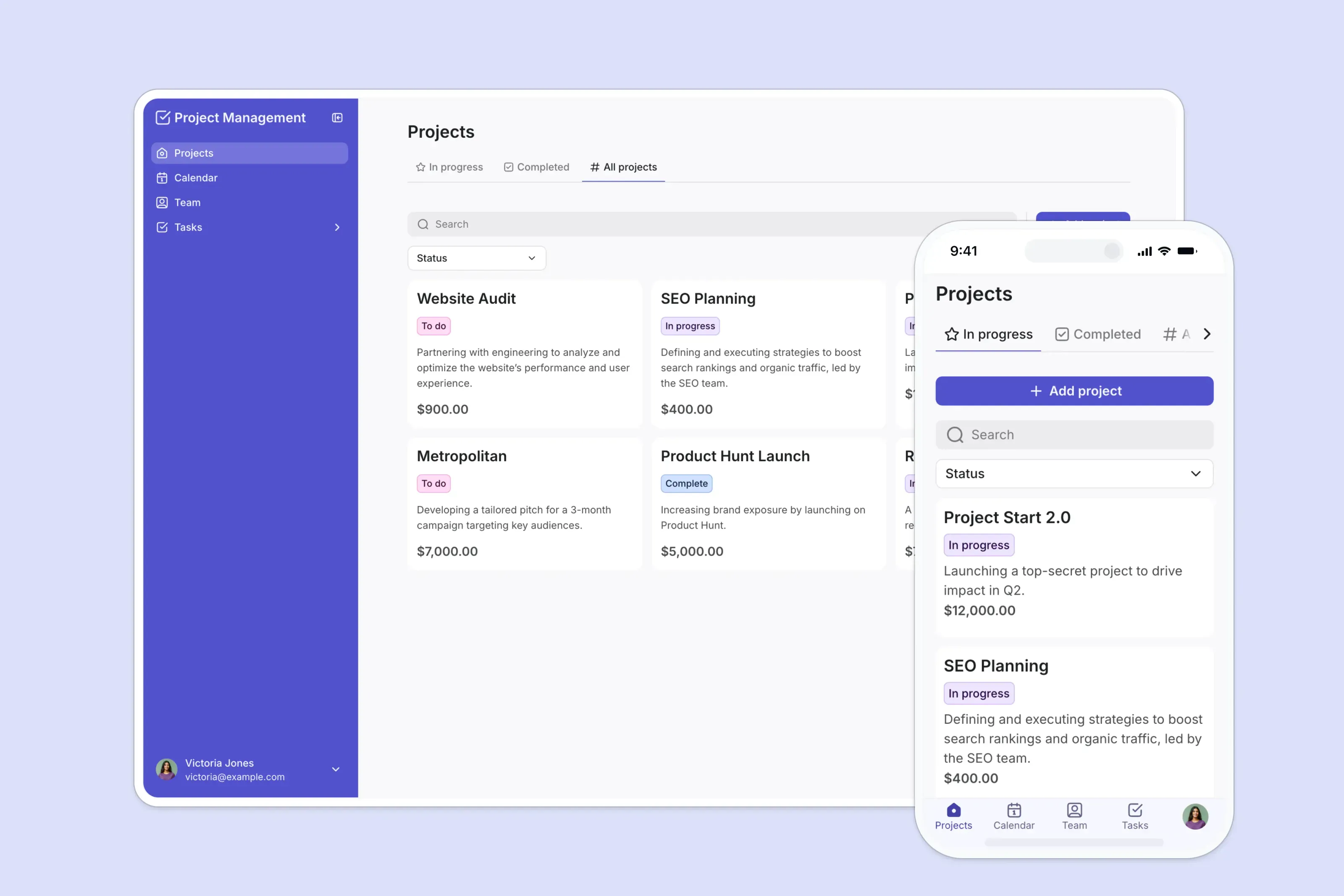
That’s why planning matters so much. Your team has the domain knowledge, and this framework helps them turn it into a clear blueprint before they start building.
Start with the process, not the product
The single most valuable thing you can do before building an internal tool is to map your current process on paper.
Don't think about software yet. Think about how work actually flows at your business today:
- Where does the process start? (e.g., a new client signs up, a request comes in by email, a deal closes)
- Where does it end? (e.g., an invoice is paid, a project is delivered, a report is generated)
- What tools do people currently use? Map the different places where your team inputs, stores, or looks up data. You might find the same information lives in a spreadsheet, an email thread, a shared drive, and someone's head.
- Where are the pain points? What's slow? What creates errors? Where do things fall through the cracks?
Write all this down. Map it visually on a whiteboard or a piece of paper. The act of putting it down in writing forces you to see gaps and redundancies you don't notice when you're just living inside the process day to day.
This map will become your foundation. It tells you exactly where your app starts and stops, what it needs to handle, and what it can leave out.
Define the users and their roles
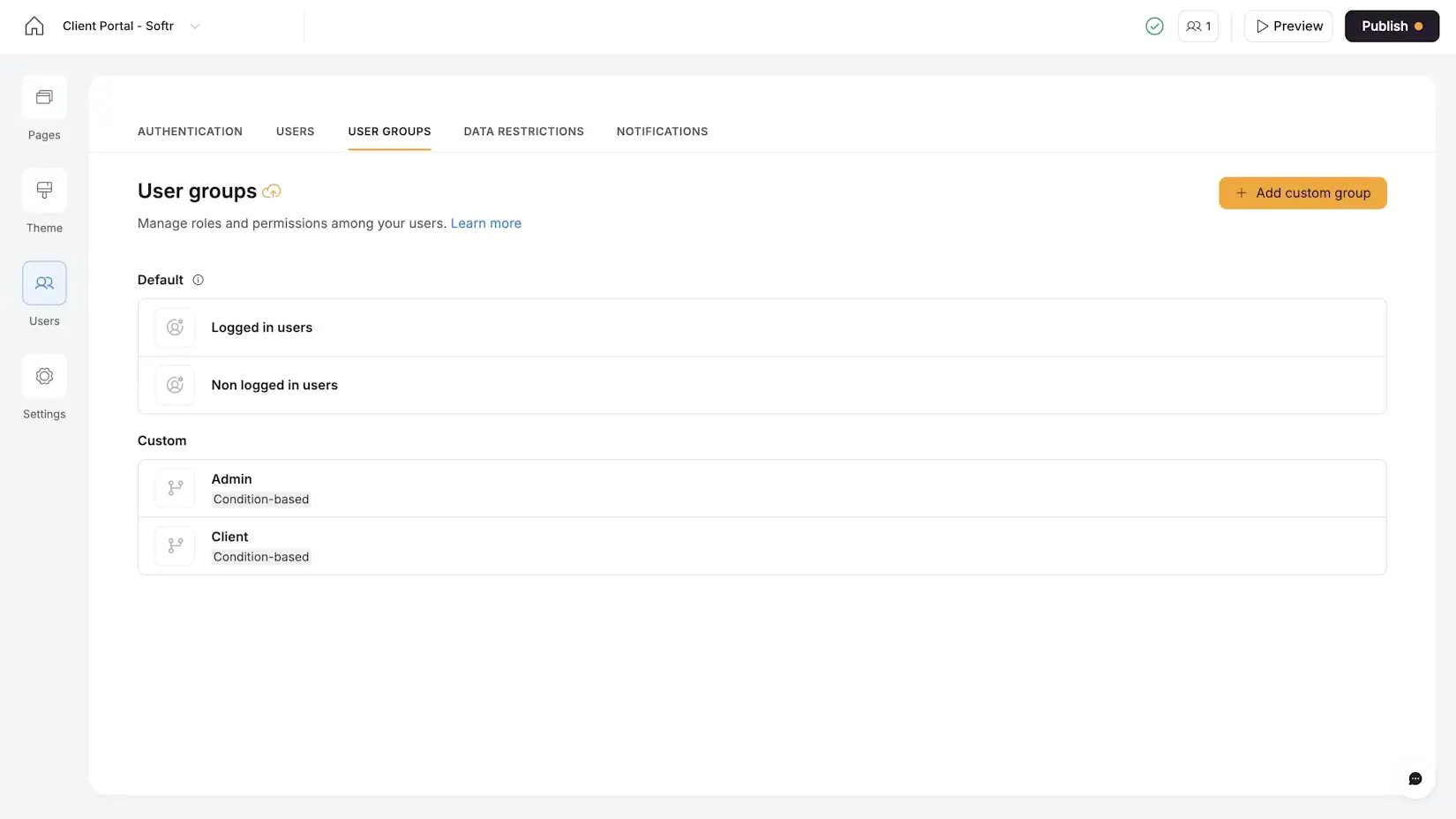
Once you know the process you’re building around, identify every type of person who will interact with the app — not just "who uses it," but what each person specifically needs to do.
Write it down as a simple list. Different roles should see different things and have different permissions. For example, here's what the role planning looked like for a content portal:
Admin (Content Manager)
- Assign articles to writers with structured briefs
- Track deadlines and submission status across all writers
- Review submitted articles
- Process invoices
Writer (Freelancer)
- View assigned articles and briefs
- Check editorial guidelines
- Submit completed drafts
- Upload invoices at end of month
Some users are reviewing and approving things. Some are tracking projects or submitting data. These distinctions directly translate into User Groups in Softr, where each group sees a completely different experience within the same app.
💡 Pro tip: Use ChatGPT, Claude, or any AI assistant to organize your initial brain dump. Describe your workflow in stream-of-consciousness, then ask the AI to sort it into user groups and jobs to be done.
List your must-haves and nice-to-haves
Before you start sketching features, separate your day-one essential for day one from stuff that can come later.
Must-haves are the features the app has to have to solve the core problem. Usually, these are the one or two things that would immediately replace your messiest spreadsheet or your most manually taxing process.
Nice-to-haves are improvements that make the app better but aren't critical for functionality. Automations, dashboards, AI-powered features — these can all come in a V2.
Plan your database: objects, properties, and relationships
This is where most people rush and where the biggest mistakes happen. A good database is the foundation of a good app. You can think of it in three layers.
Layer 1: Identify your objects (tables)
An "object" is any distinct thing your app manages. Each object becomes a table. Don't combine different concepts into one table just because they share some fields. The rule is one object = one table.
Here's what this looks like for a CRM:
| Object (Table) | What it represents |
|---|---|
| Users | The people who use the CRM app (sales reps, managers) |
| Contacts | Individual people your team interacts with |
| Companies | Organizations that contacts belong to |
| Deals | Sales opportunities with stages and values |
| Interactions | Calls, emails, and meetings logged against contacts |
👉 Core principle: If two concepts have different lifecycles (e.g., a contact exists independently of any deal they're involved in), they should be separate tables. If you find yourself adding a "Notes" column to explain exceptions, you probably need another table.
Layer 2: List the properties (fields) for each object
For each table, write down every data point you need to track. These become your fields. Let’s take the Companies table as an example:
- Company Name (short text)
- Website (URL)
- Industry (single select)
- Company Size (single select or number)
- Account Manager (linked to the Users table)
- Status (single select: Prospect, Active, Churned)
Notice how Account Manager isn't just a text field with someone's name typed in, but a relational link to the Users table. This is how you connect data across tables, and it's one of the most important decisions you make during planning.
Layer 3: Map the relationships between tables
Now draw the connections. This doesn't require a formal diagram; you can just write sentences:
- One company can have many contacts.
- One contact can be involved in many deals.
- One deal belongs to one company.
- Interactions are linked to contacts and also accessible at the company level.
These sentences directly translate to Linked Record fields in your Softr Database. They also tell you what Rollup calculations you might want (e.g., "total deal value per company" or "number of interactions per contact this month").

If you do want to go further, sketch a simple diagram on paper or a whiteboard: boxes for tables, lines for relationships. This takes five minutes and can save hours of restructuring later.
💡 Pro tip: Once your plan is clear, you can describe your tables, fields, and relationships in plain English to the AI Co-Builder in Softr. It will generate the complete schema for you, including field types and linked records. Planning gives the AI the right instructions, and AI does the structural work.
Design the app experience
With your users defined and your database planned, it’s time to think about what the app should look like for each user.
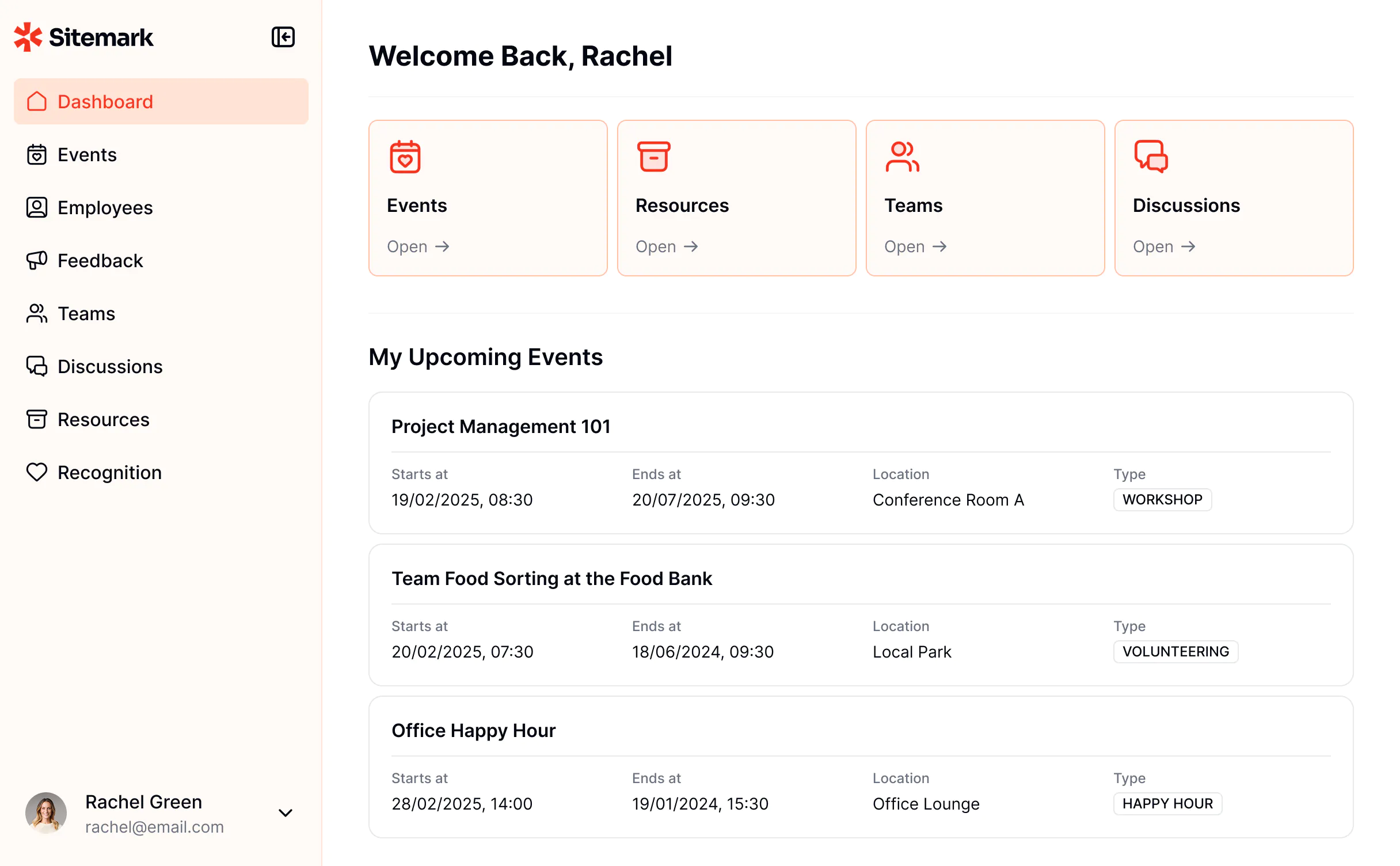
Pick the homepage entry points
Select the two or three most important things a user needs to access when they open the app. These become your homepage elements — quick-access points that save people from digging through menus.
For a CRM, a sales rep's homepage might show:
- Their deals in a Kanban view (organized by stage)
- A list of today's scheduled follow-ups
- A quick-add button for new contacts
A manager's homepage might show:
- A dashboard with pipeline metrics
- A table of all deals filtered by rep
- Alerts for deals that haven't been updated in 7 days
Different users see different homepages. This is where the User Groups planning from earlier pays off directly.
Think about the key pages
For each user type, sketch which pages they need:
- A list view to browse and filter records
- A detail view to see everything about a single record
- A form or input flow to create new records
- A dashboard for high-level metrics (if relevant)
Don't overthink the layout. Once you start building in Softr, the interface builder makes it easy to rearrange and adjust as you go. The goal here is to know what each page should accomplish, not to design pixel-perfect wireframes.
Map your automations and data flows
This is where you think about everything that happens to and around your data: where it comes from, how it moves, and what should happen automatically.
Where does the data come from?
For each data point in your database, consider how it will enter your database:
| Data origin | Example |
|---|---|
| Manual input in the app | A sales rep logs a new interaction after a call. |
| Fetched from an external API | Company information pulled from an enrichment service. |
| Automatically generated | A deal's "days since last update" calculated by a formula field. |
| Created by a workflow | A follow-up task auto-created when a deal moves to a new stage. |
| Interactions | Calls, emails, and meetings logged against contacts |
Knowing this upfront helps you identify which fields need manual input forms, which need API integrations, and which can be fully automated with formulas or AI.
What should happen automatically?
Write out your desired automations as simple "When X happens → do Y" statements:
- When a deal status changes to Won → set all related tasks to Done.
- When a new contact is created → send a welcome email.
- When an invoice is submitted → notify the finance team on Slack.
- When a project has been idle for 5 days → send a reminder to the owner.
Each one can be turned into a workflow in Softr Workflows. Most internal automations are 2 to 4 steps. "Record changes → do something" handles the majority of real operational needs.
👉 Core principle: Start with the 2 to 3 automations that will eliminate the most manual, repetitive work. You can always add more later.
Where AI can help
At this stage, it's also worth thinking about where artificial intelligence can add value to your internal tool. You don't need to implement every feature on day one, but having a plan for AI integration means you can build it in at the right moments.
AI in your workflows
Add AI steps to your automations to process data before it reaches users. Here are some examples:
- Categorize incoming requests automatically by adding a label, so they can be routed to the right person.
- Summarize long inputs. If your app receives detailed requests or support tickets, an AI step can generate a concise 3-bullet summary so users get the gist without reading the full text.
- Draft responses. Generate a first version of an email reply or a project brief based on the incoming data.
AI directly in your database with Database AI Agents
Database AI Agents are AI-powered fields that run directly at the database level. They can:
- Auto-fill fields when a record is created or updated (e.g., extract industry from a company URL).
- Classify and tag records into predefined categories (like sentiment analysis on feedback).
- Enrich records by searching the web for additional context (e.g., finding a company's headcount from their website).
These run autonomously in the background, so your data is always enriched without anyone having to do manual research.
AI in the app interface with Ask AI
The Ask AI feature adds a conversational chatbot on top of any data block. Instead of manually filtering and searching through a long list of records, users can ask natural-language questions like:
- "Show me the high-priority tasks about onboarding that are due this week."
- "Which deals have the highest value and haven't been updated in 10 days?"
- "Summarize the interactions with Acme Corp from last month."
The chatbot answers based on the actual data in the block, fully respecting permissions. It's a fast way for users to get insights without building complex filters or dashboards.
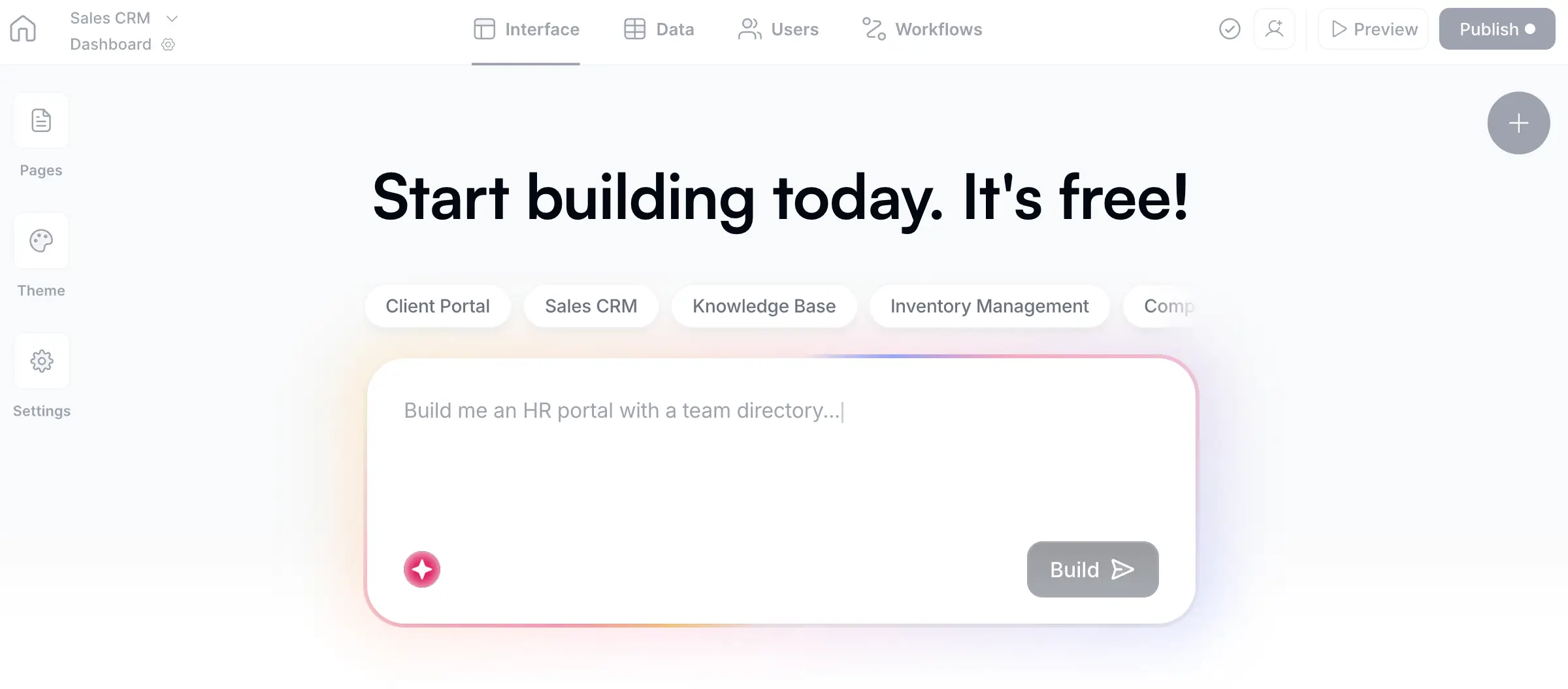
And on top of these individual features, there's Softr's AI Co-Builder, which lets you instantly create an app, database, and business logic from a plain language prompt. Any tool it generates is already connected, secure, and ready for real users, so you can go from planning to production in less than a day.
Don't over-plan: the two-week rule
Here's where many teams get stuck. They plan for months, creating detailed specifications, debating edge cases, and trying to anticipate every future need. Then, by the time they start building, the requirements have already changed.
Try not to spend more than two weeks on planning before you start building. And for most internal tools, a few days is plenty.
With Softr, building, testing, and iterating is so fast that it's often more productive to go forward with a V1 and adjust based on real usage. Use the following process as a guideline:
- Build a working version in a couple of hours based on your plan.
- Preview the app as a logged-in user using Softr's preview feature. You can see the exact experience each user group would have, catch issues early, and adjust your plan with real context.
- Add tables, fields, and pages in minutes. Changing the database structure, adding a new user group, or rearranging pages is fast and non-destructive.
This planning framework gives you a strong starting point, and the builder lets you refine it based on actual feedback instead of assumptions.
Plan in versions: V1 first, then iterate
Like I said above, don't try to build everything at once. Instead, plan a V1 that focuses on one or two core functionalities.
V1 typically includes:
- The core database structure
- Basic pages for creating, viewing, and editing records
- User groups with the right permissions
- 1 or 2 key automations
V2 and beyond adds:
- Dashboards and reporting
- AI-powered fields and automations
- Advanced workflows (multi-step, conditional logic)
- External integrations (APIs, notifications)
- Ask AI chatbot for quick data queries
This staged approach keeps momentum high. You get something working and useful quickly, then build on top of it as your team uses the tool and provides feedback. It's faster, cheaper, and more accurate than trying to specify everything upfront.
Your planning checklist
Before you open your builder, make sure you can answer the following questions:
This entire exercise can take anywhere from a few hours to a few days (depending on the complexity of your build) and fits on a single page.
From plan to working app
Once your plan is clear, building is pretty much mechanical (and incredibly fast if you leverage Softr AI). The sequence looks like this:
- Database first: Create your tables, fields, and relationships in Softr Databases. Use the AI Co-Builder to generate the schema from your plan, an interface on top of it, secure utility pages, and logic for things like onboarding flows and user actions.
- Users and permissions second: Sync users, create groups, and set up data restrictions so each person sees only what they should.
- Interface third: Custome pages and blocks that serve each user group. Set up the homepage quick-access points you identified. (The AI Co-Builder can also handle this step for you.)
- Workflows last: Automate the repetitive parts once the core app functions.
This sequence mirrors how every Softr tutorial on our blog is structured because it consistently produces the most reliable results. Data drives the interface, not the other way around.
To reiterate: the goal is not to plan for months, but to think clearly, build, and then iterate. Your app won't look the same in two weeks as it does today, and that's the point. Start with the core tool, validate it with real users, and add complexity only when you need it.
Start building your app in Softr today.
Frequently asked questions
Do I need to plan if I'm using an AI app builder?
How long should the planning phase take?
Should I use a specific tool for planning?
What if I realize my plan is wrong after I start building?
Can I involve my whole team in the planning process?