


15 top Airtable use cases (with templates) for 2026



[.blog-callout]
TL;DR
- Airtable is most commonly used for CRM, project tracking, marketing campaigns, inventory management, and product operations, with ready-made templates for each.
- We've grouped 15 of the best use cases into five categories: sales, marketing, project management, e-commerce and SMB, and product management.
- Airtable is great at holding structured data, but a base on its own is not an app. To turn that data into a real CRM, portal, or internal tool your team can actually use, you need an interface, permissions, and automations on top.
- That is where Softr comes in. Connect your Airtable base (one of 21+ data sources, alongside the native Softr Databases) and turn each use case below into a secure, branded app, or describe what you need and let the AI Co-Builder generate it for you.
[.blog-callout]
Airtable is most commonly used for CRM, project tracking, marketing campaigns, inventory management, and product operations. Its no-code relational database lets teams replace messy spreadsheets and expensive tool stacks with structured, connected workflows.
Airtable has dozens of templates to help you get started, but scrolling through all of them can lead to choice paralysis. This guide covers the best Airtable use cases across sales, marketing, project management, e-commerce, and product management, with a pre-made template for each. For every category, we also show how to take the underlying data one step further and turn it into a working app with Softr.
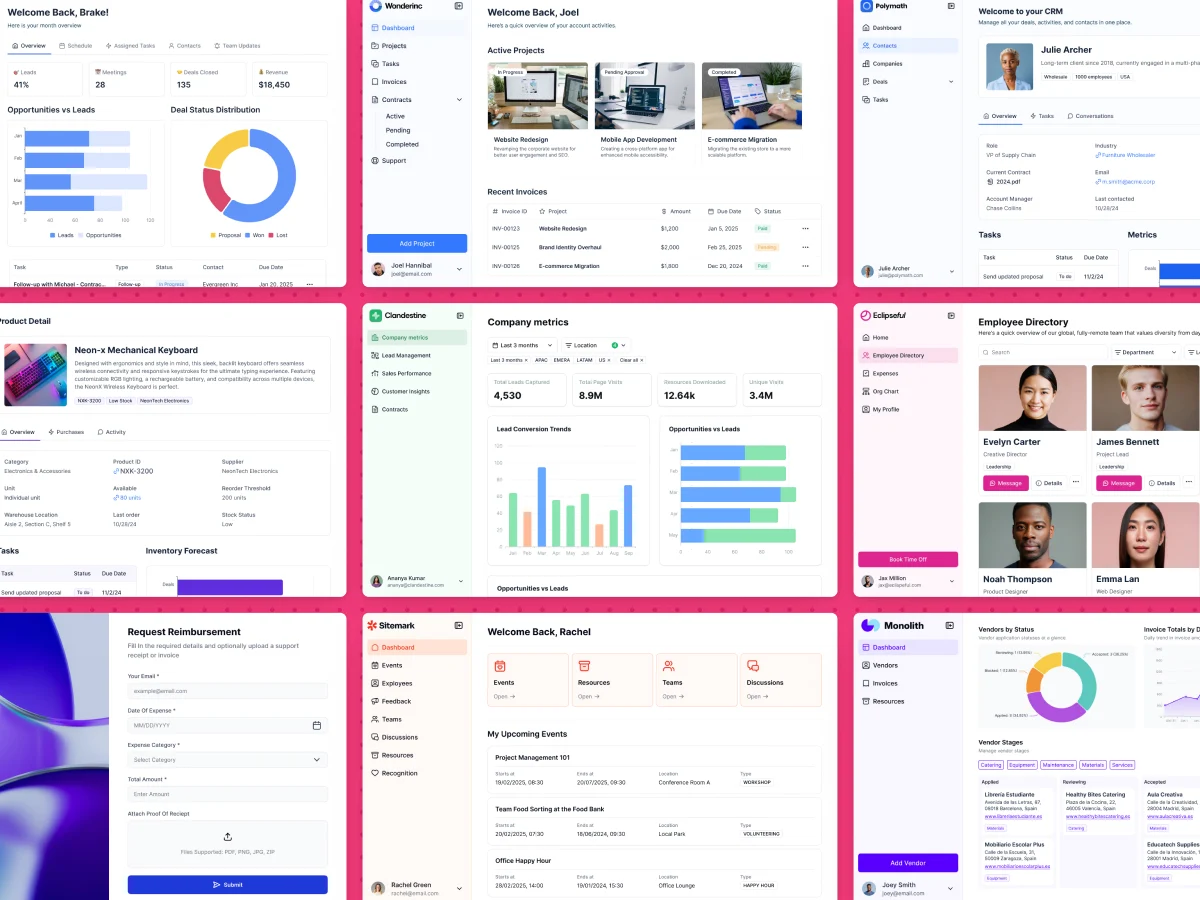
The 15 Airtable use cases at a glance
We've broken the list into five categories. Each one targets a specific area of business and includes three Airtable templates, plus the kind of app you can build on top of that data with Softr.
| Category | Airtable templates | Turn it into a Softr app |
|---|---|---|
| Sales | CRM, business roadmap, sales asset management | Gated CRM and client portals |
| Marketing | Email marketing, editorial calendar, social ad campaigns | Role-specific apps for external collaborators |
| Project management | Project tracker, Gantt planning, OKR tracking | Internal directories, dashboards, public roadmaps |
| E-commerce and SMB | Inventory management, product catalog, accounting | Inventory tools and customer-facing storefronts |
| Product management | User story mapping, market research, issue tracking | Internal metrics and progress dashboards |
Sales use cases for Airtable
Sales is one of Airtable's most popular use cases, especially as a flexible alternative to off-the-shelf CRMs. According to Salesforce's 7th edition State of Sales report, reps spend only 40% of their time actually selling. The other 60% goes to tasks like manual data entry, lead research, and managing tool sprawl. A well-structured Airtable base can reduce that overhead by centralizing pipeline data, deal tracking, and sales assets in one place.
From sending emails to attending meetings or entering data in their CRM, salespeople have to juggle a lot of responsibilities, which is why they need a solid system in place. Airtable can help with that.
Here are 3 of our favorite use cases for sales with Airtable.
{{cta-1}}
1. Customer relationship management (CRM)
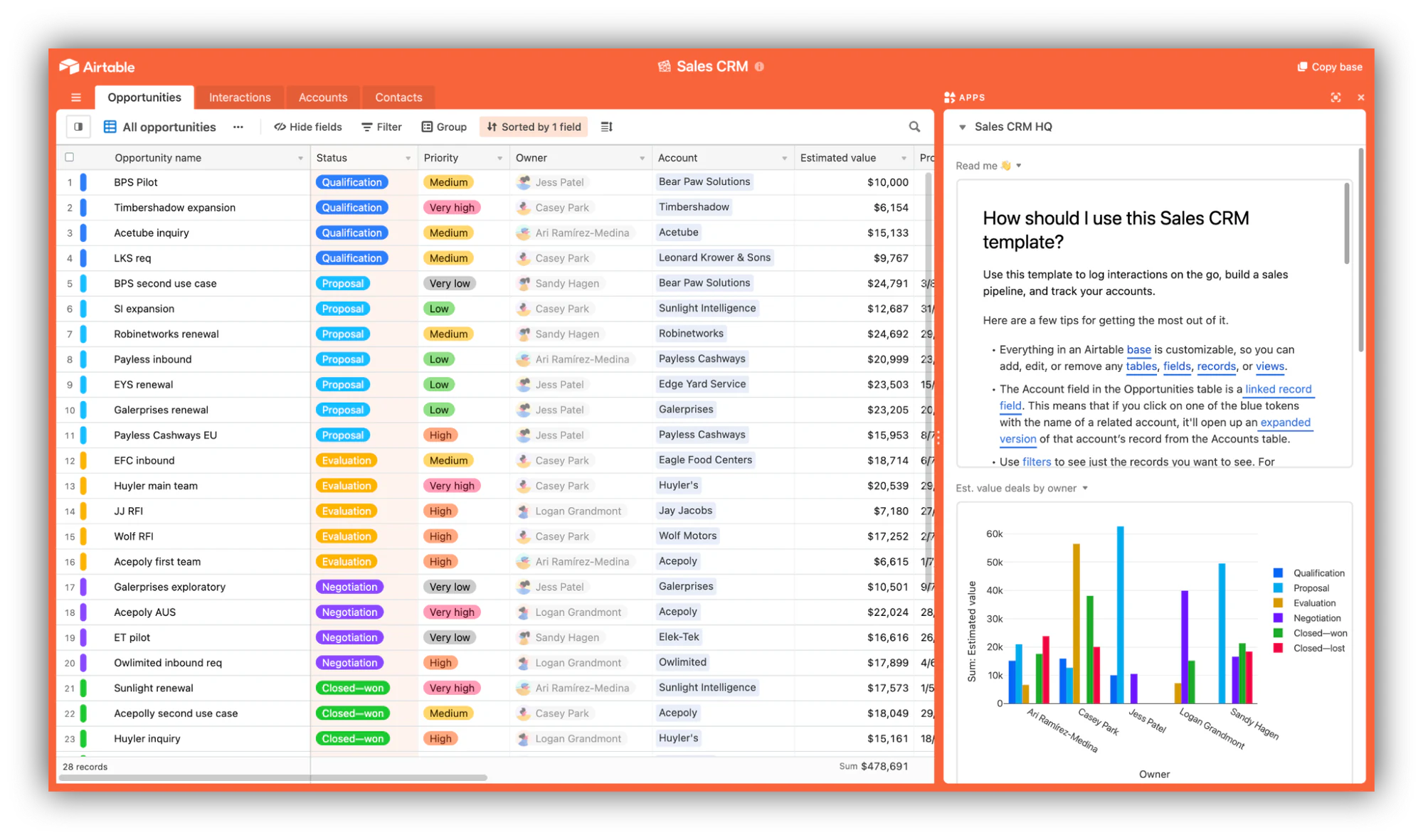
A CRM lets sales teams organize prospects, track deals, and oversee sales operations at a glance. Building a custom Airtable CRM is a strong option for teams that want to avoid the costs of Salesforce and HubSpot or build a tailored solution that fits a specific sales process.
2. Business roadmap
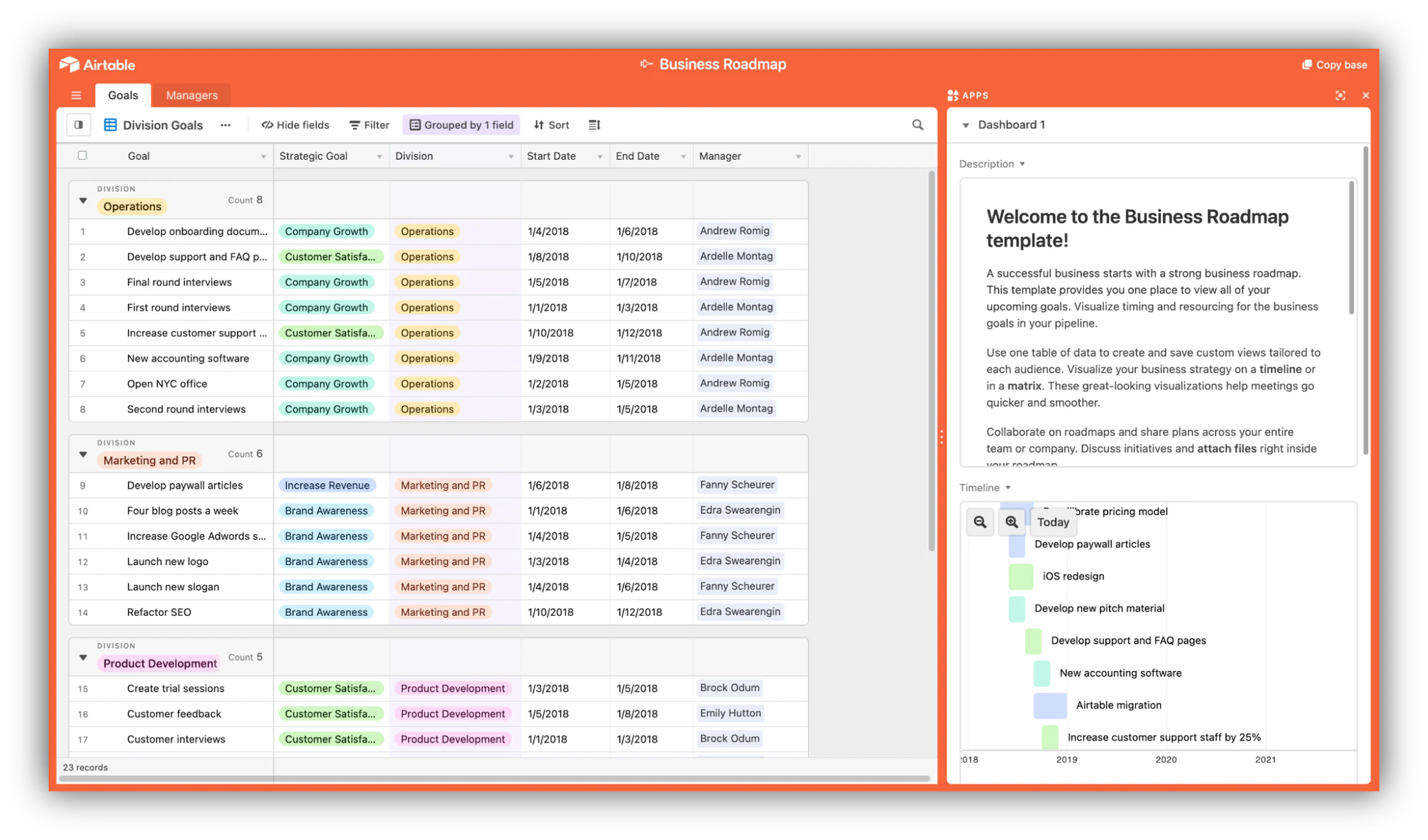
A business roadmap helps sales teams align on priorities, track quarterly goals, and visualize growth plans. Roadmaps work well in Airtable as a shared, living document that the entire team can reference and update from one place.
3. Sales assets management
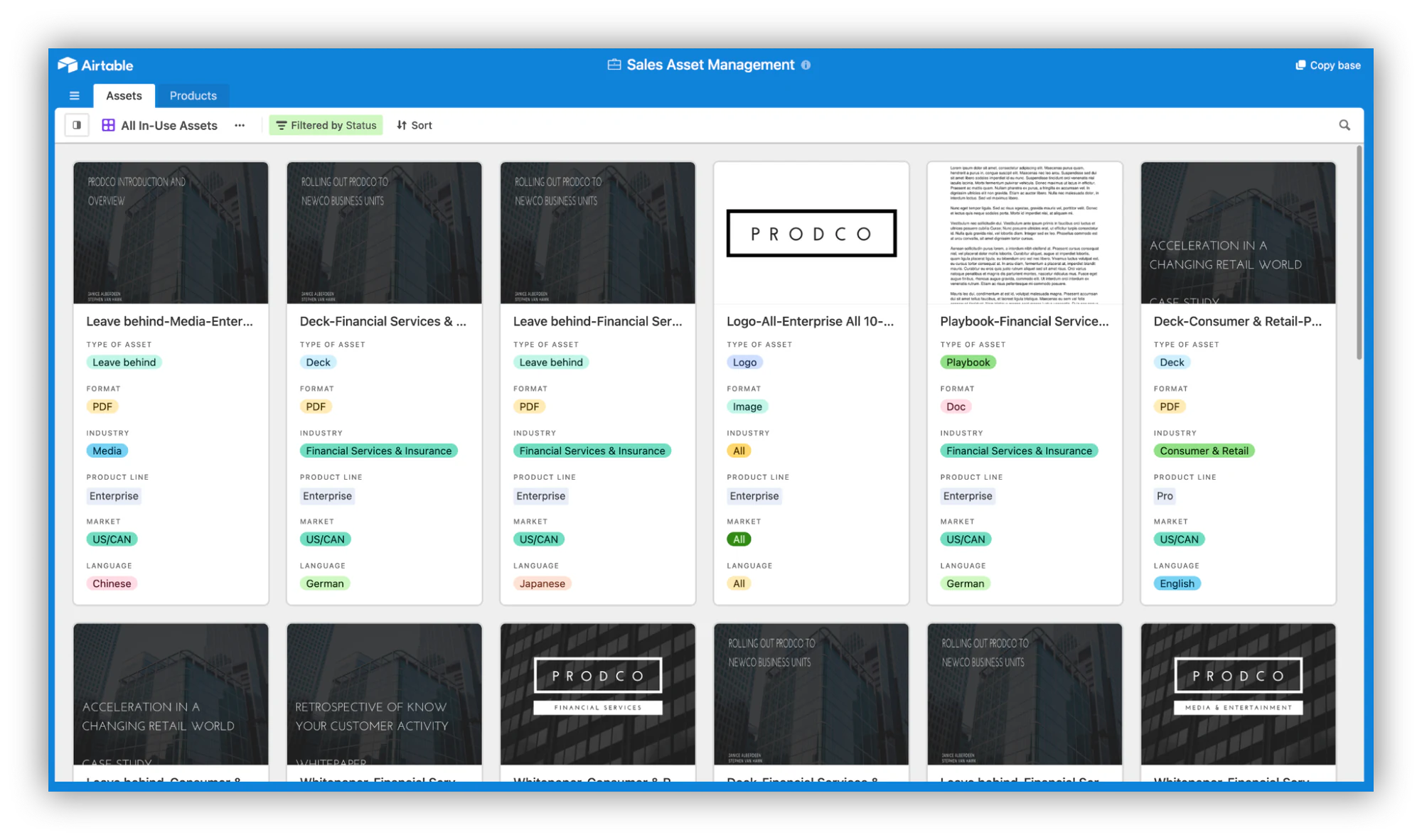
Salespeople constantly share decks, whitepapers, ebooks, and case studies with prospects. A central Airtable base of sales assets, kept updated in real time, ensures everyone shares the latest versions and nothing outdated slips through.
Supercharge your sales table with Softr
An Airtable base holds your pipeline data, but a base on its own is not an app your reps and clients can log into. By pairing Airtable with Softr, you add a secure interface, users and permissions, and Softr Workflows on top of that same data. Display specific records to specific people based on role, region, or account ownership, and build client portals you can share externally.
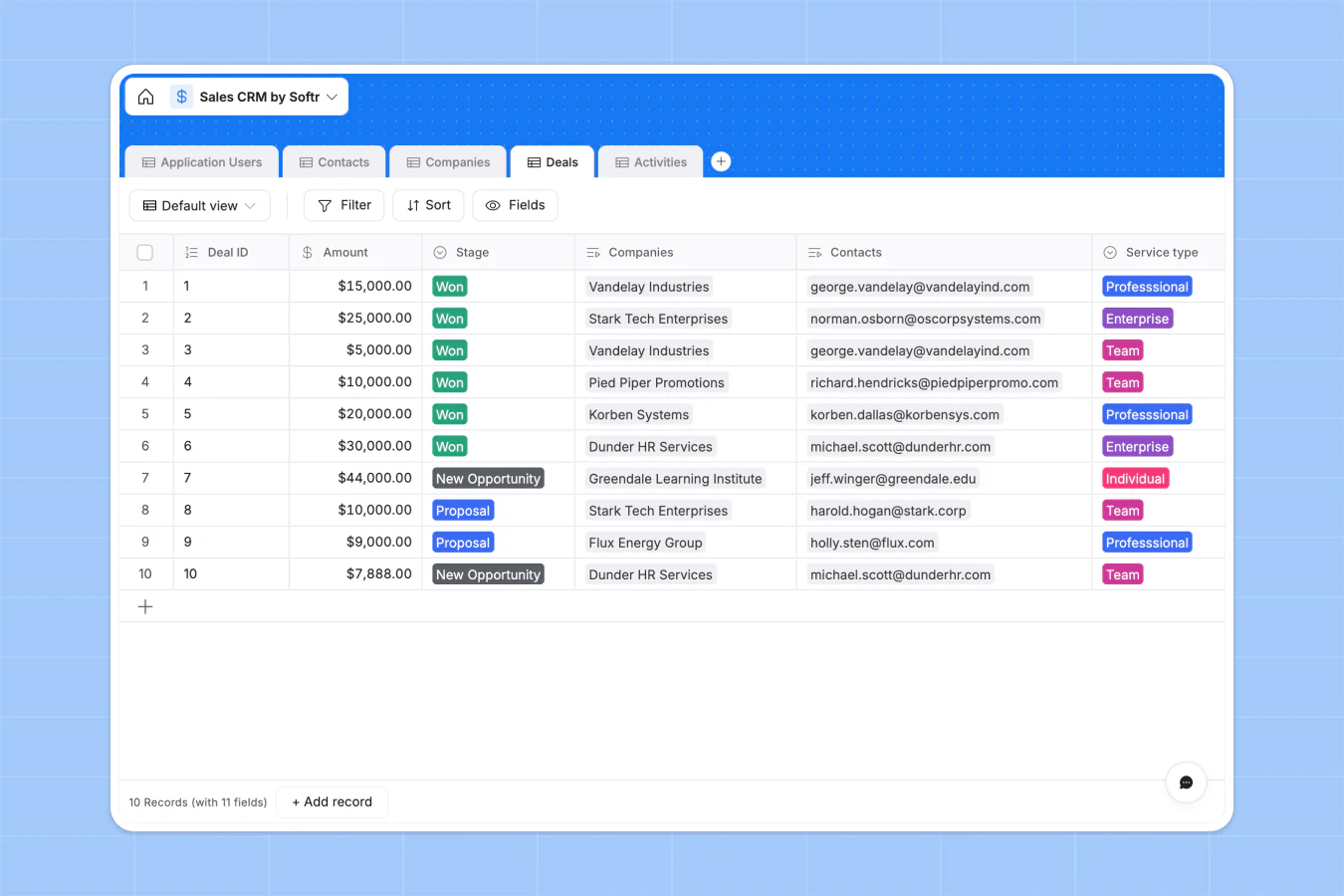
Building a custom CRM this way is faster and cheaper than you might expect. One team replaced thousands of dollars a month in industry software with their own build:
"In roofing, there were not many good CRM options, except for one that cost thousands of dollars a month. Instead, I used Softr to build our own CRM that rivals the expensive ones. I do not pay for features I will not use, and simply build the ones I want, exactly how I want them." - Verified User, Construction, G2 review
Marketing use cases for Airtable
Marketing teams use Airtable to consolidate their tool stacks, replacing several specialized SaaS tools with one connected base. From email campaigns to editorial calendars and paid ads, marketing involves a lot of moving parts; Airtable's linked records, automations, and views keep them organized.
1. Email marketing
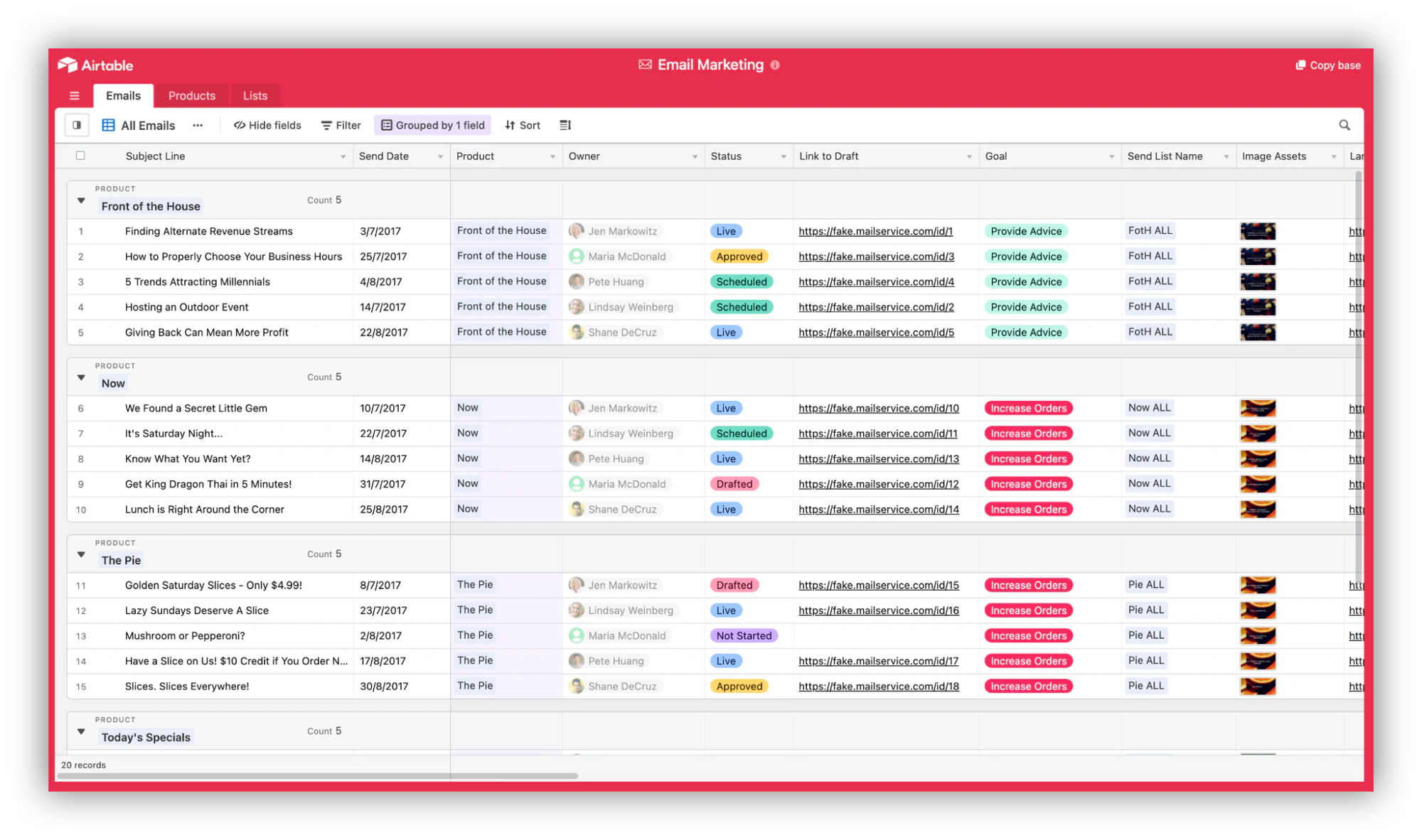
Email reaches billion of users worldwide every year, making it one of the most enduring marketing channels. Airtable bases work well for planning, scheduling, and analyzing email campaigns, especially for teams that want to track performance without paying for a full email platform's analytics tier.
2. Content and editorial calendars
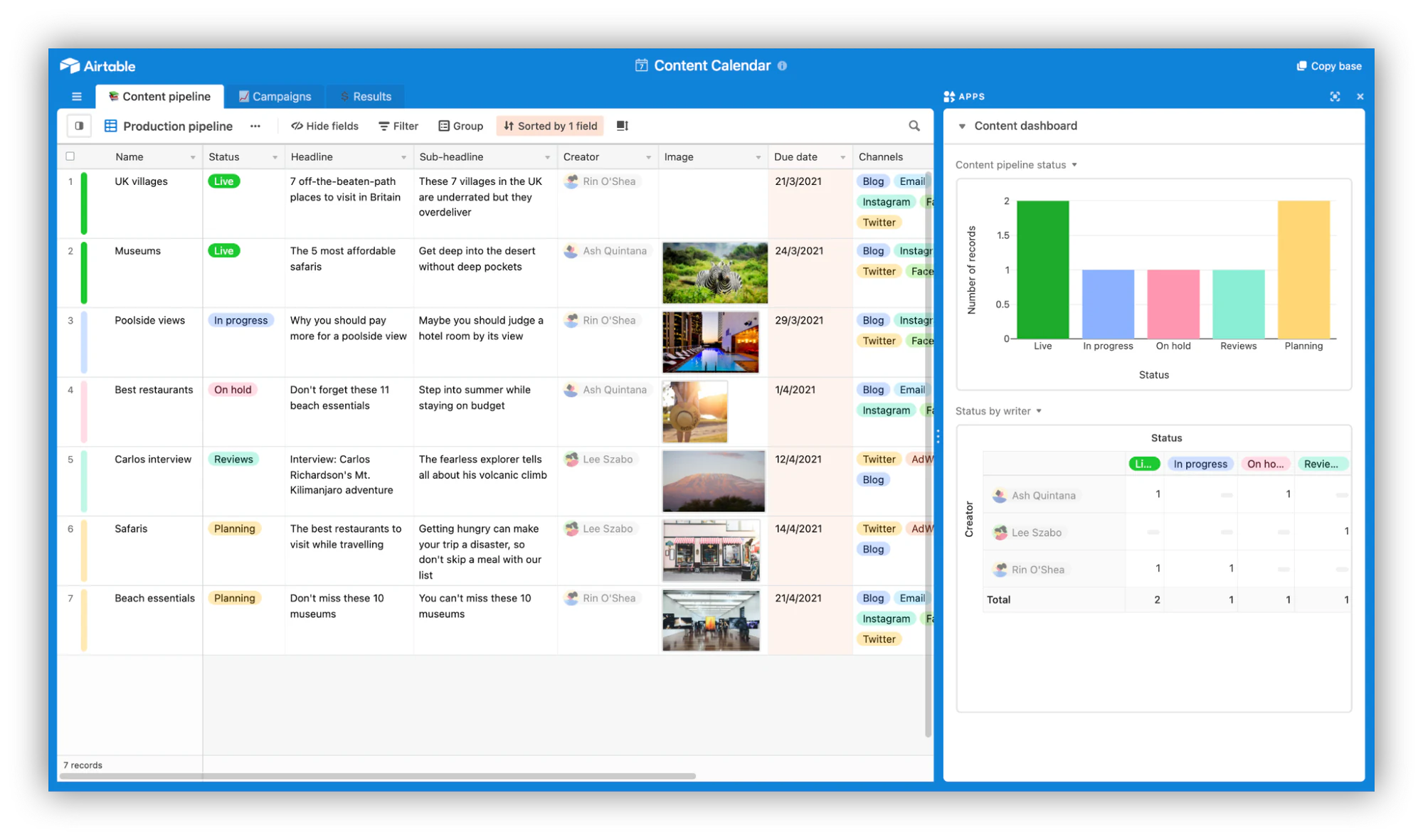
Editorial calendars are one of Airtable's most popular templates. Teams use them to assign content tasks, schedule posts across channels, manage approvals, and track publishing, all in one connected base.
3. Social ad campaigns
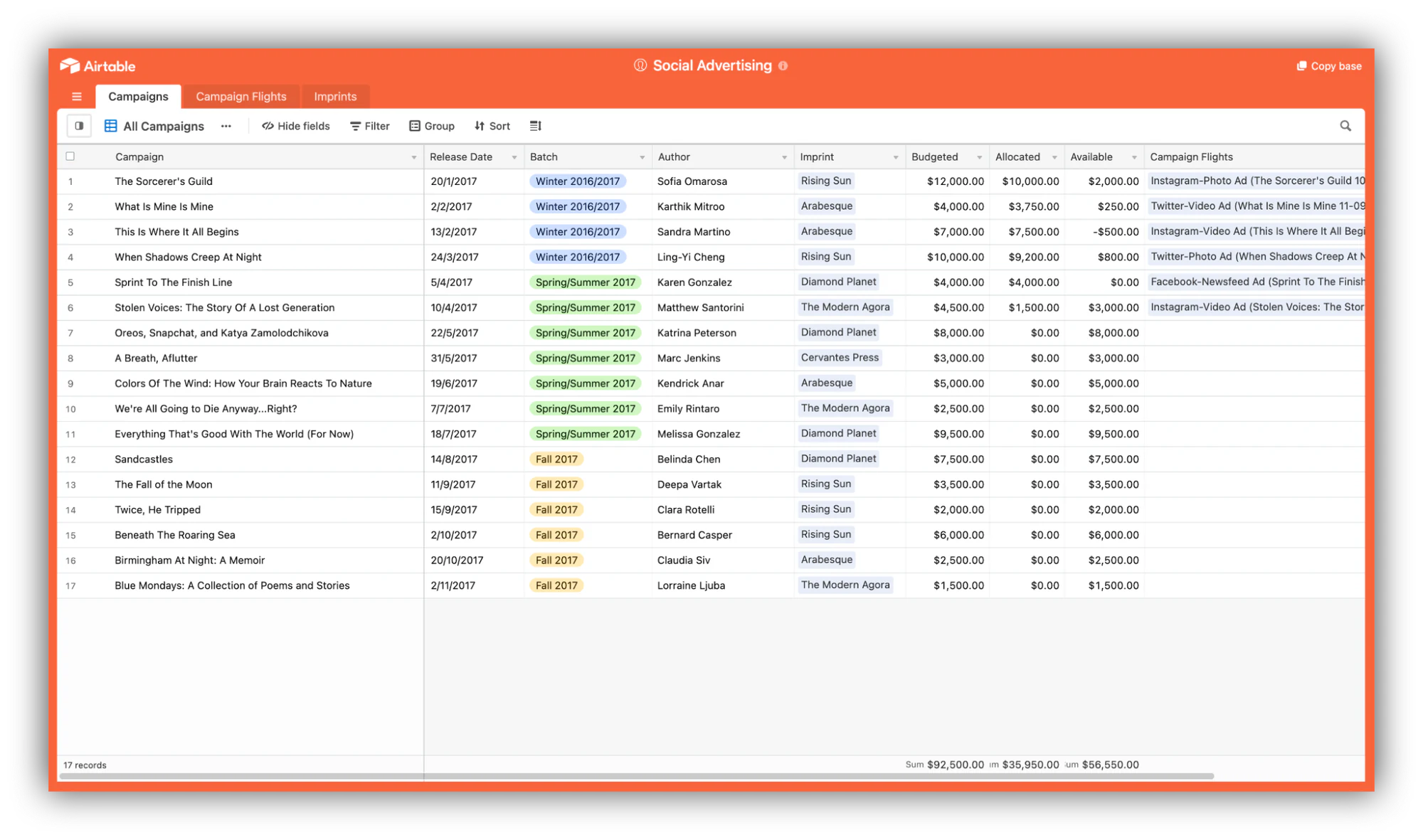
Tracking ad spend and performance across Meta, LinkedIn, TikTok, and Google can get chaotic fast. An Airtable base lets stakeholders see ad spend, creative variations, and campaign results in one view, making budget decisions easier.
Documenting everything in one place will allow you (and every other stakeholder) to have access to a quick overview of ad spend and campaign success as a whole.
Supercharge your marketing table with Softr
Marketing teams tend to collaborate with many external stakeholders, like agencies, freelancers, and translators. If you’re a marketer, gathering everything in one place is very useful, but chances are you don’t want to share your entire database with everyone.
Softr lets you build role-specific apps that expose only the data each external collaborator needs, all powered by your existing Airtable base.
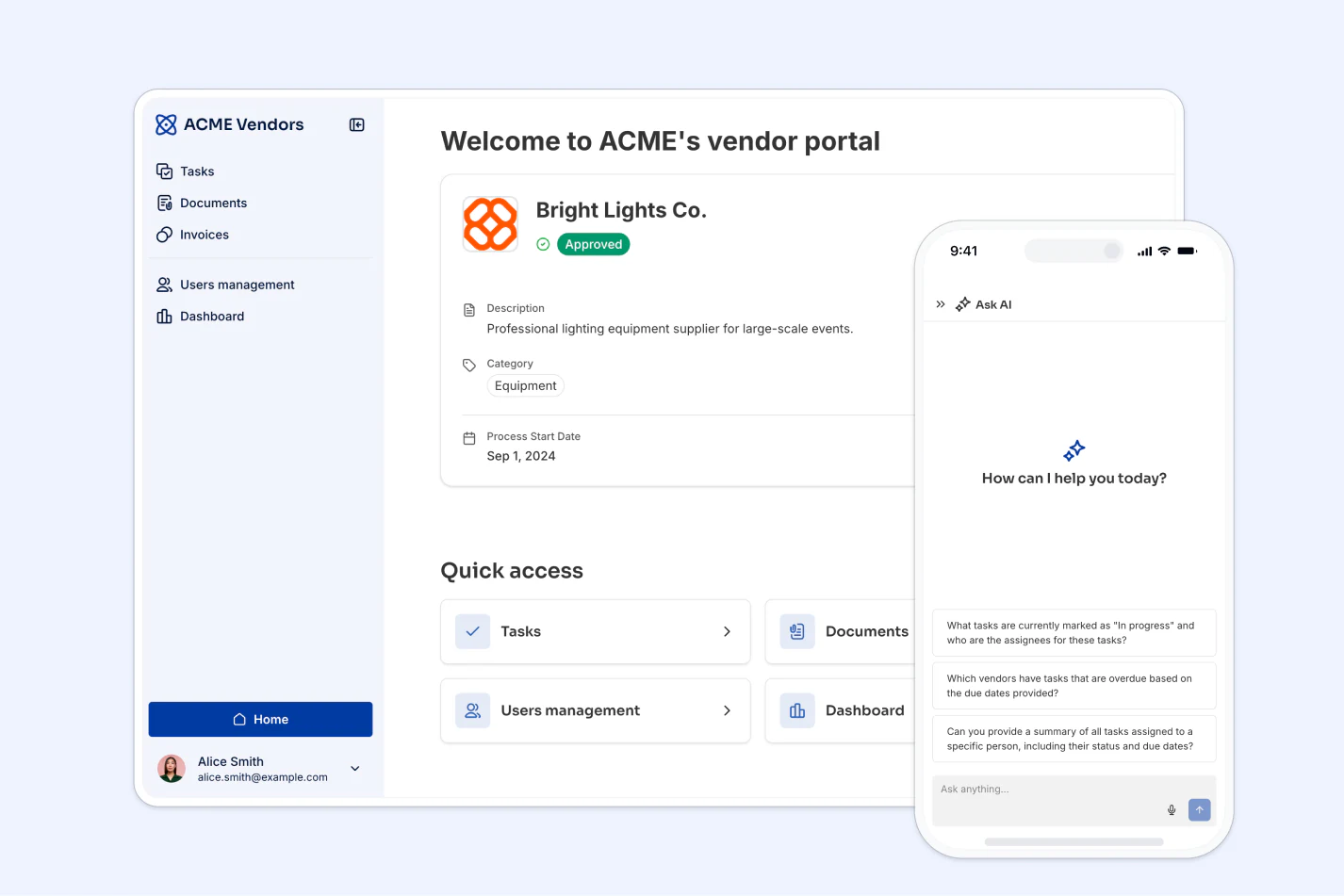
"Managing external partners through emails and spreadsheets is a nightmare. A portal allows you to only surface the information that is relevant to them and make approvals on the fly." - Shiran Brodie, Head of Marketing at Softr
Project management use cases for Airtable
Airtable’s collaborative features are among the most popular for users, allowing all stakeholders and team members to take part in a shared document, in real-time.
Project management professionals typically have to handle a lot of things at the same time and can benefit from gathering everything in one place. Let’s take a look at three Airtable use cases that leverage these collaborative elements specifically for project management purposes.
1. Project tracker
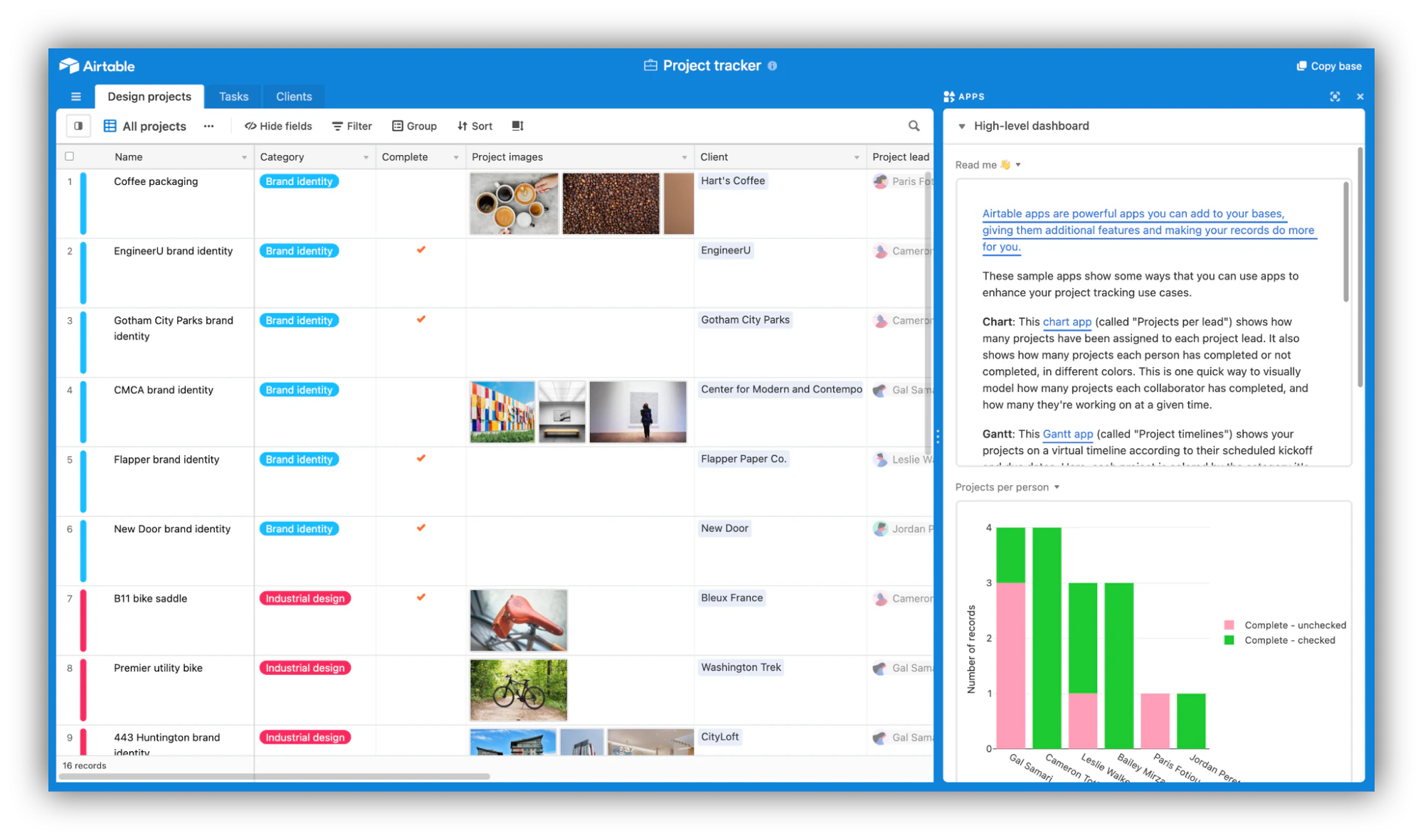
From deadlines to shared documents and notifications, Airtable can be a project manager’s best friend.
The ability to create different views and workflows in Airtable allows you to keep team members updated with their progress while having a clear view of the overall view of the entire project and timeline. A place to manage it all.
2. Product planning with Gantt chart
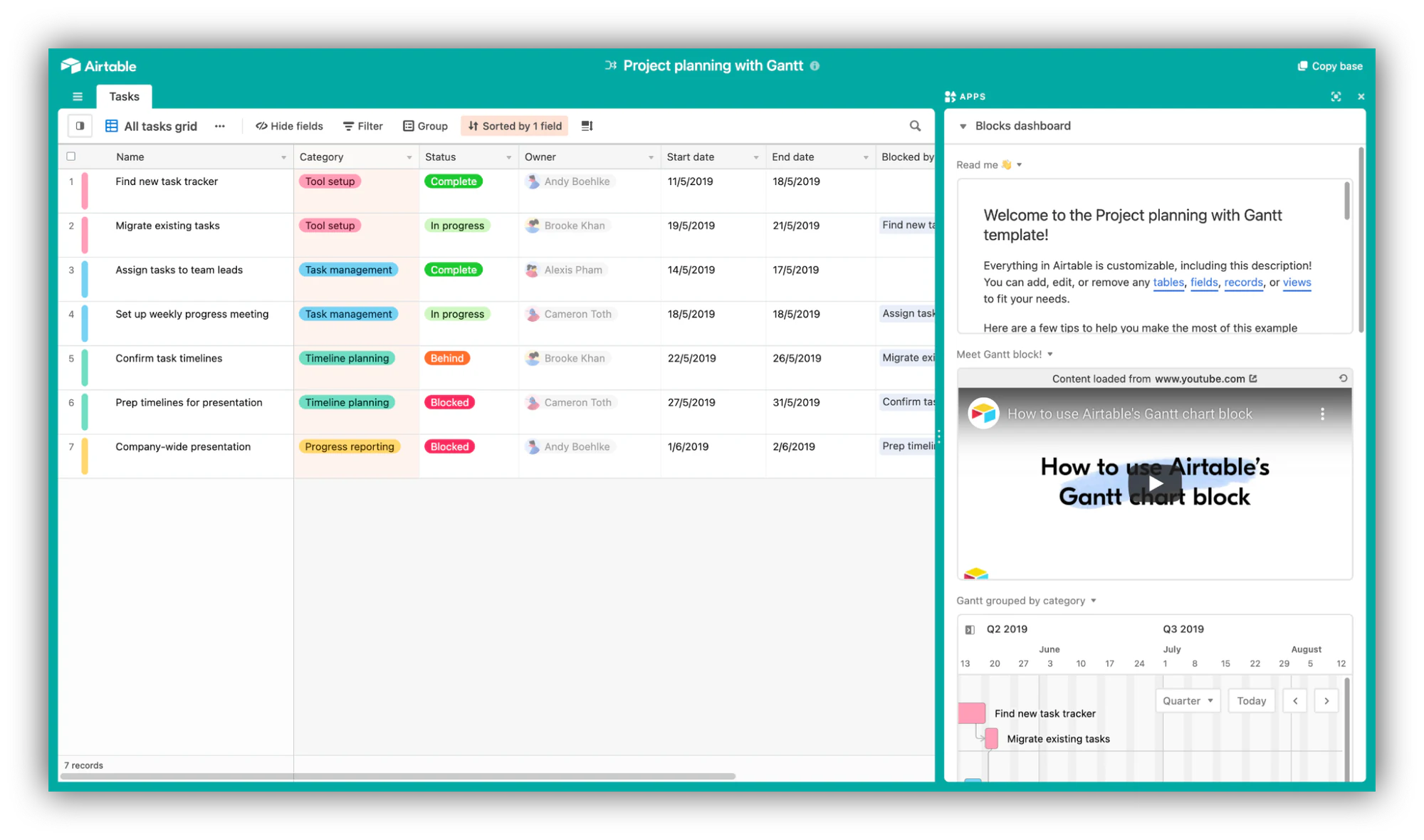
Are you familiar with Gantt charts? If your answer is no and you’re a project manager, you should probably look it up!
The ability to create Gantt blocks in Airtable can help you manage dependencies in your project, keeping everything in order and updating related tasks automatically based on changes.
3. OKR tracking
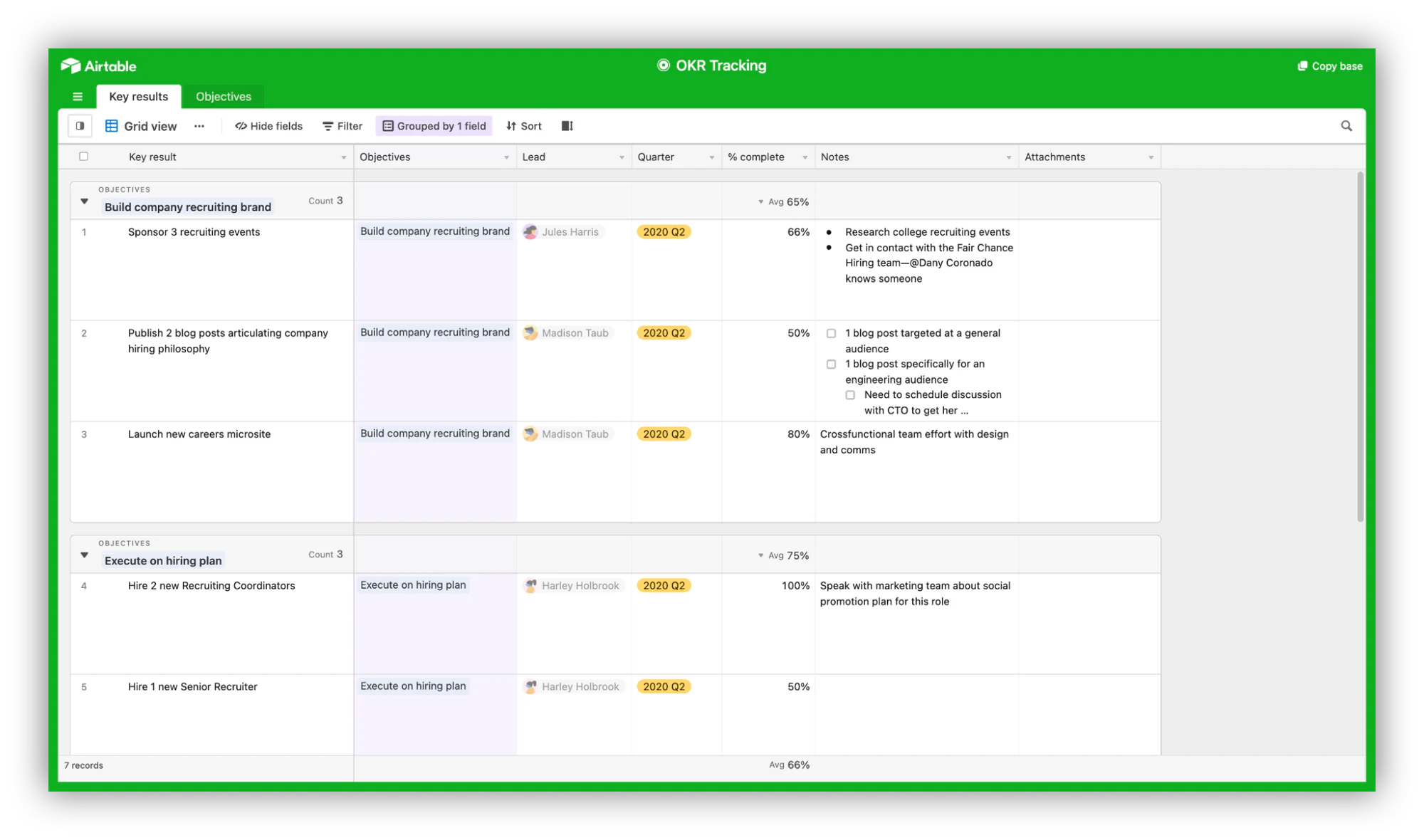
While this use case is applicable for business operations in general, it’s a valuable application to all teams including project management.
Objective and Key Results (OKR) is a framework for teams to live by. It consists in setting monthly, quarterly or annual goals and assigning subsequent key results you’re hoping to see. At the end of the set period, teams can compare their objectives with their achievement, and iterate accordingly.
Airtable can turn the exercise into a transparent, collaborative practice for the entire team or company, with minimal effort.
Supercharge your project management table with Softr
Project managers often become the go-to person regarding a specific project. They are generally very well-organized (hopefully) and good at documentation, which are great qualities to put together internal directories for employees to refer to.
Softr offers an array of tools for project managers to organize and visualize key data, ranging from kanban lists to timeline blocks, the ability to create a public roadmap, send out an upvote page, or even create a feature request page using forms. If building all of that by hand sounds like a lot, you can describe the tool you need and let the AI Co-Builder generate the pages, blocks, and structure for you.
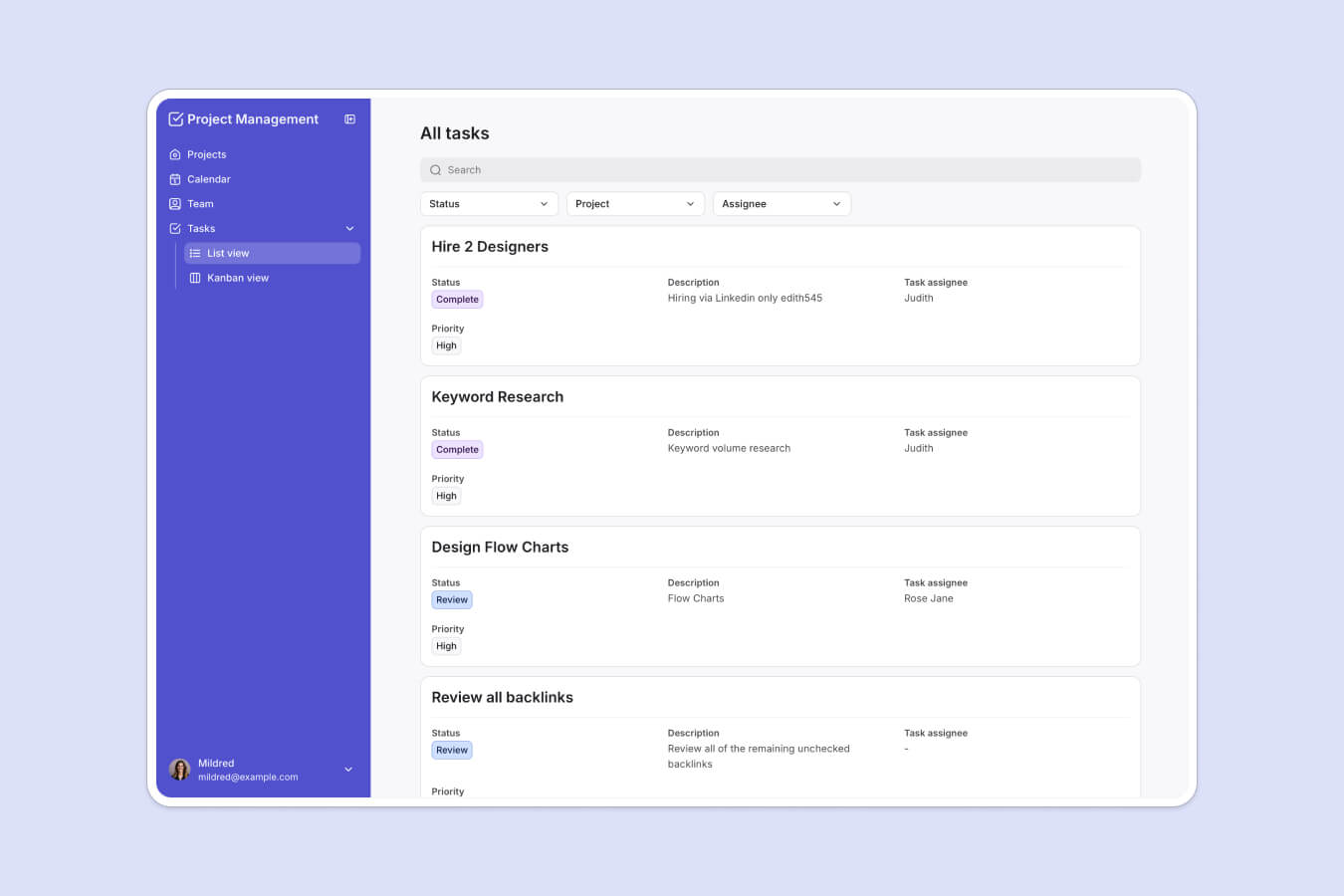
Check out this example of a directory created with Airtable and Softr.
eCommerce and SMB use cases for Airtable
You probably already know that e-commerce has been booming for the past decade, a trend that has been accentuated by COVID-19, with 67% of consumers reporting they shop differently now due to the pandemic.
While getting into e-commerce can seem intimidating with giants like Amazon or eBay in place, it’s now easier than ever thanks to no-code, user-friendly platforms such as Shopify or BigCommerce.
Airtable and Softr can help further. Let’s take a look at some examples.
1. Inventory management
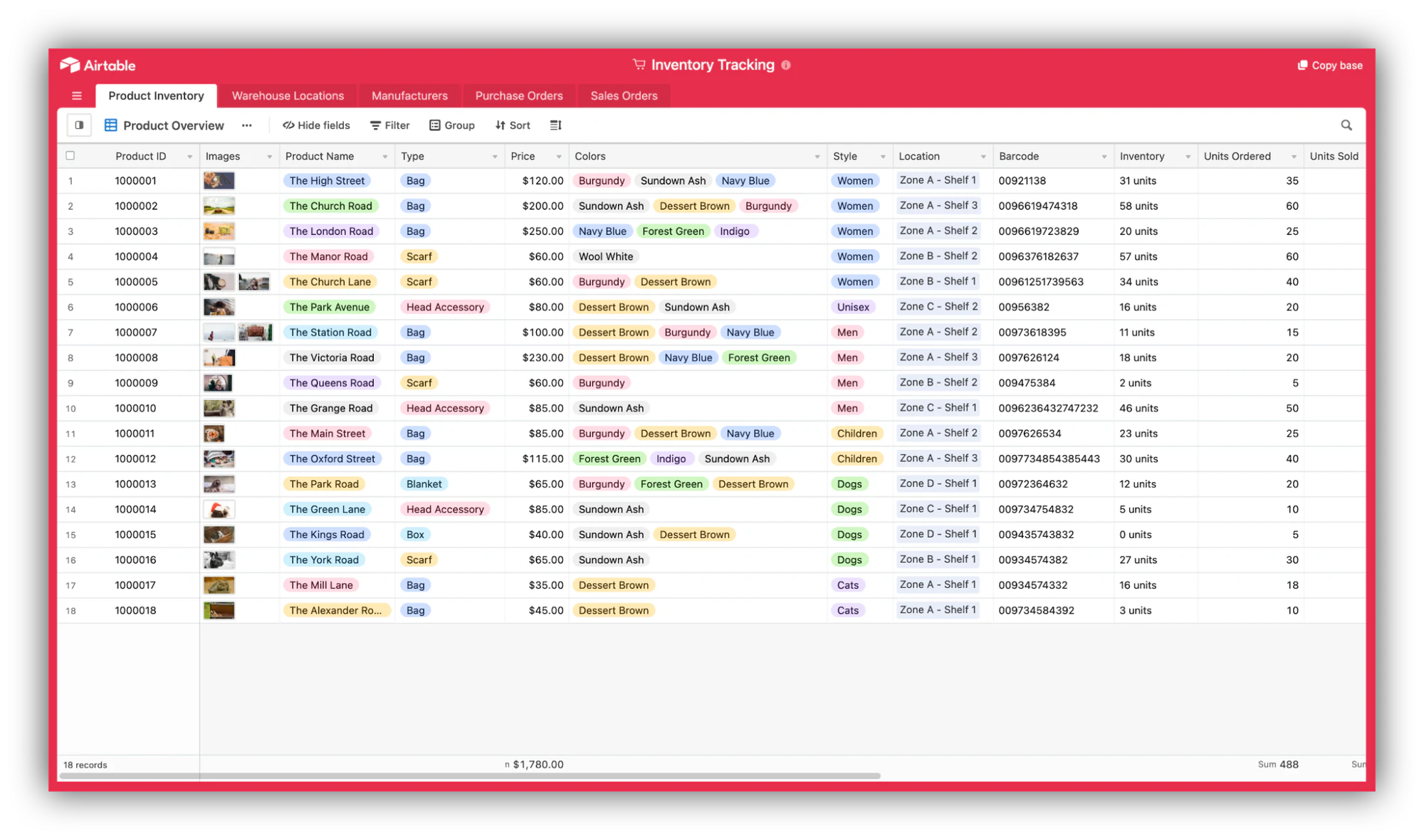
Not every e-commerce store carries inventory, but for those that do, staying on top of their logistics is a massive priority. No one likes to shop for a product online only to be informed that the product is out of stock on the payment page.
Using an Inventory Management template that gathers all your sales and inventory data, synced with other external sources if necessary is a great way to build your own custom inventory management solution to keep track of everything coming and going in and out of your store.
2. Product catalog
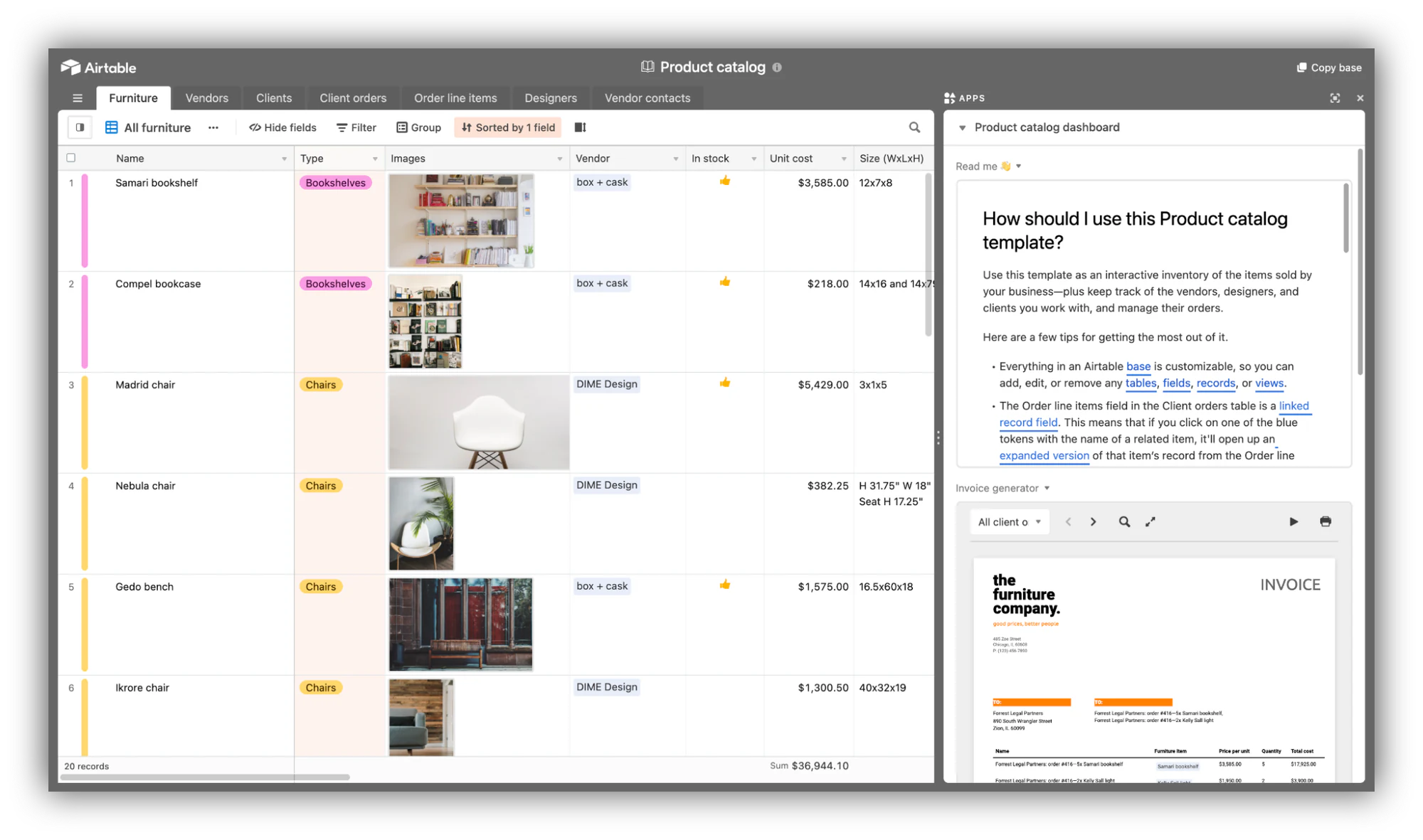
A logical follow-up with the previous template, having a product catalog is a critical addition to an e-commerce Airtable stack. As your store grows, keeping this data in one place will be a great way to stay on top of orders and vendor relationships as they (hopefully) increase.
3. SMB accounting
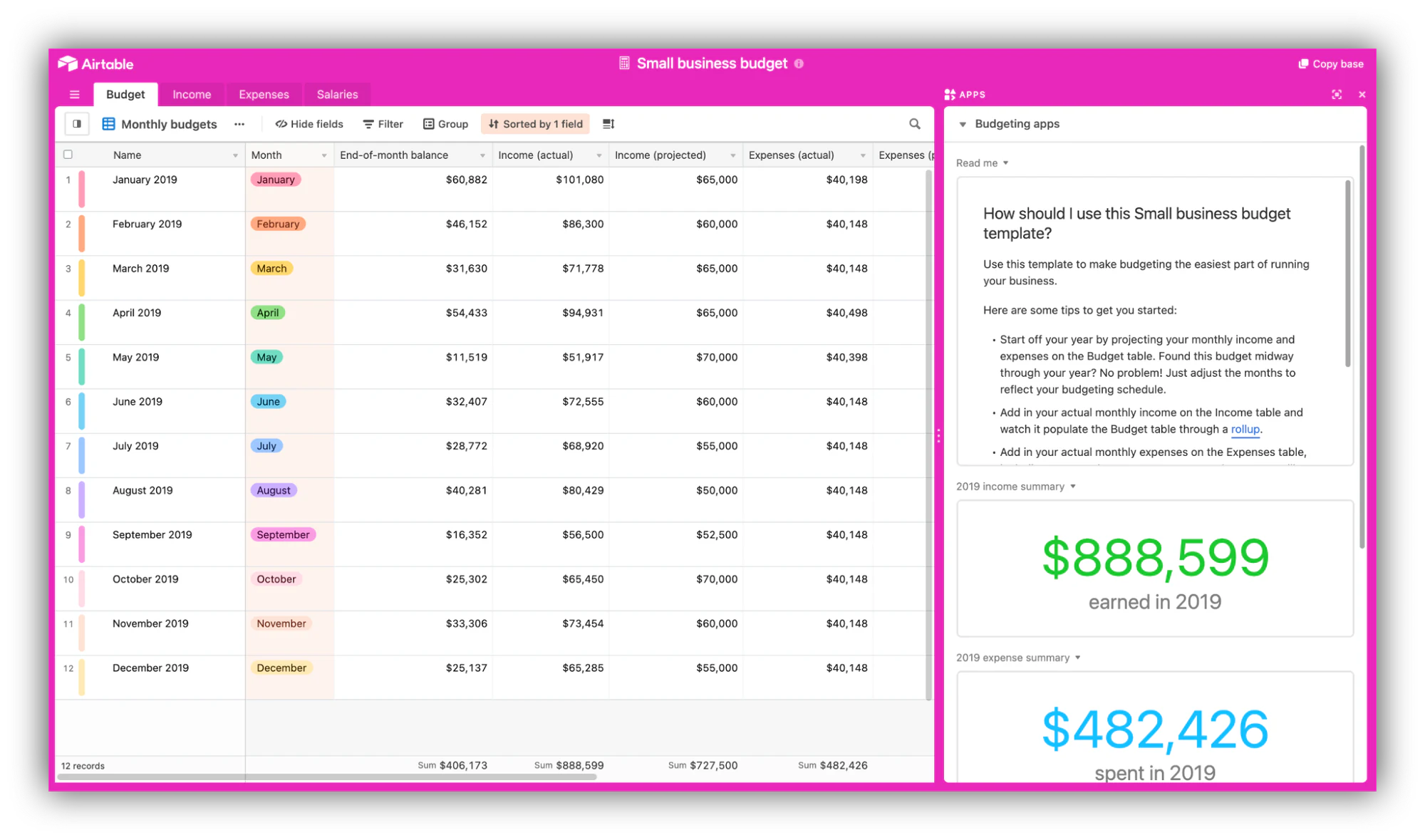
Accounting issues such as cash flow, reporting and payroll management are among the biggest financial challenges for small businesses.
For small businesses that don’t want to adopt a dedicated tool quite yet, an Airtable base will help manage budgets, income, expenses, and salaries in one place.
Supercharge your SMB operations table with Softr
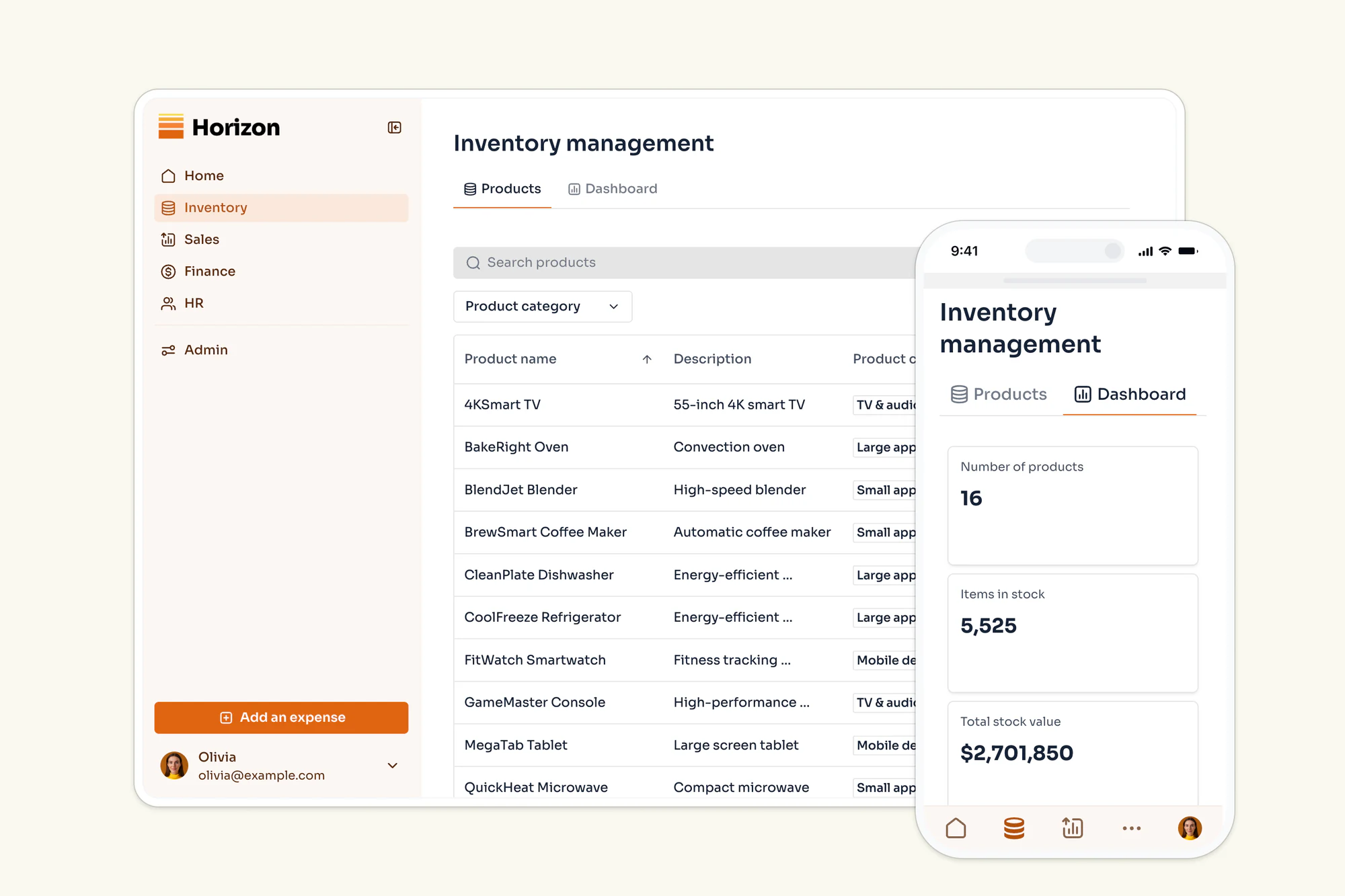
Once your inventory and product data lives in Airtable, Softr turns it into an inventory management tool your team can actually operate: stock levels, supplier records, and reorder alerts in a clean interface, with Softr Workflows to automate the repetitive parts. You can also expose a customer-facing storefront on the same data, like in this example built with Softr.
Product management use cases for Airtable
Product teams cover a wide array of tasks and responsibilities, including but not limited to:
- Conducting customer interviews
- Running design and development sprints
- Prioritize features and allocate resources
- Research market
- Model pricing and revenue
As a critical link between the business and technical side, product managers must be experts at documenting. Let’s take a look at three examples of Airtable applications for product management.
1. User story mapping
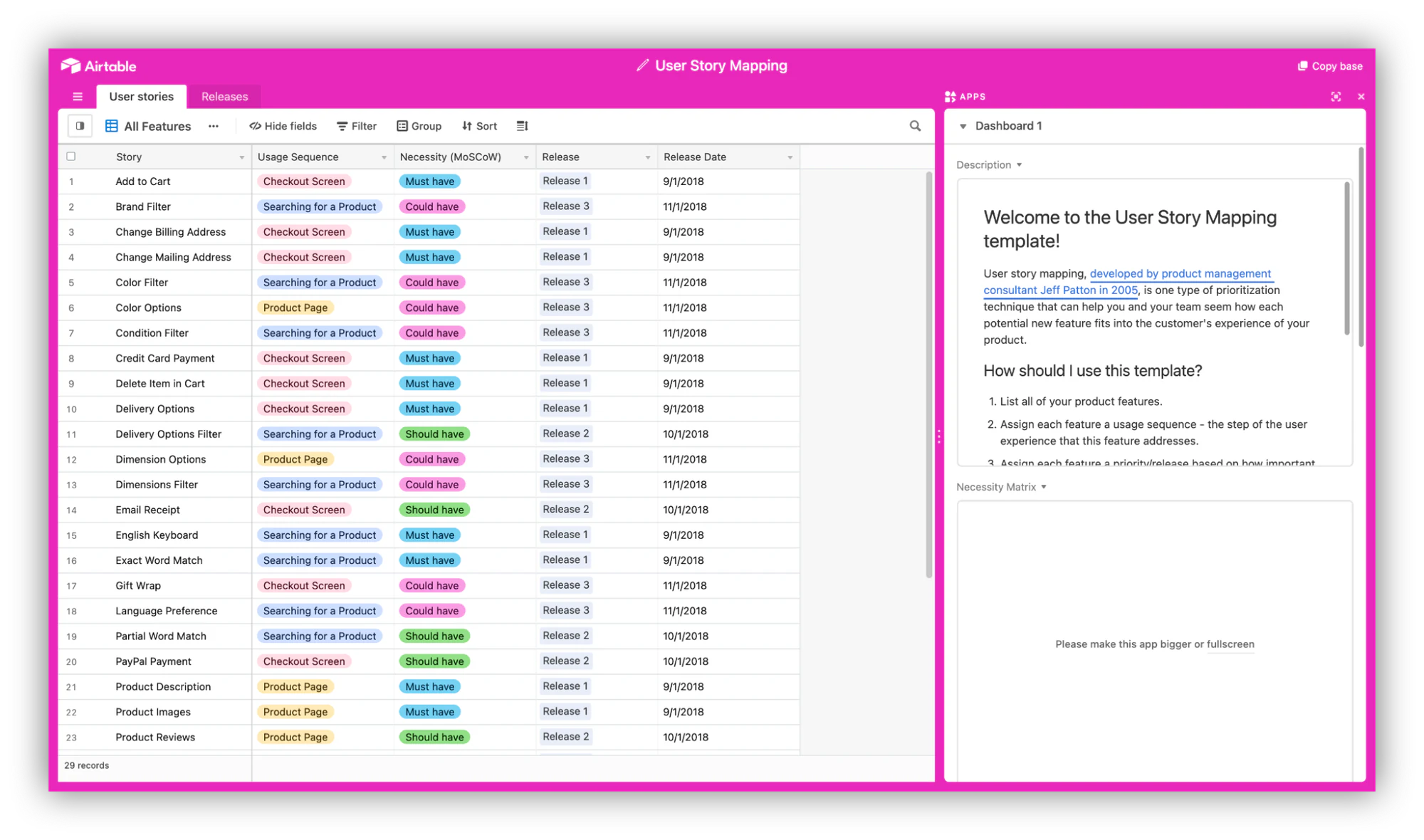
User story mapping is a popular prioritization technique helping agile teams to streamline their product backlog and plan releases more effectively.
Using a specific Airtable base allows product managers to document their efforts and refer to previous research for thorough strategizing.
2. Market research and competitor analysis
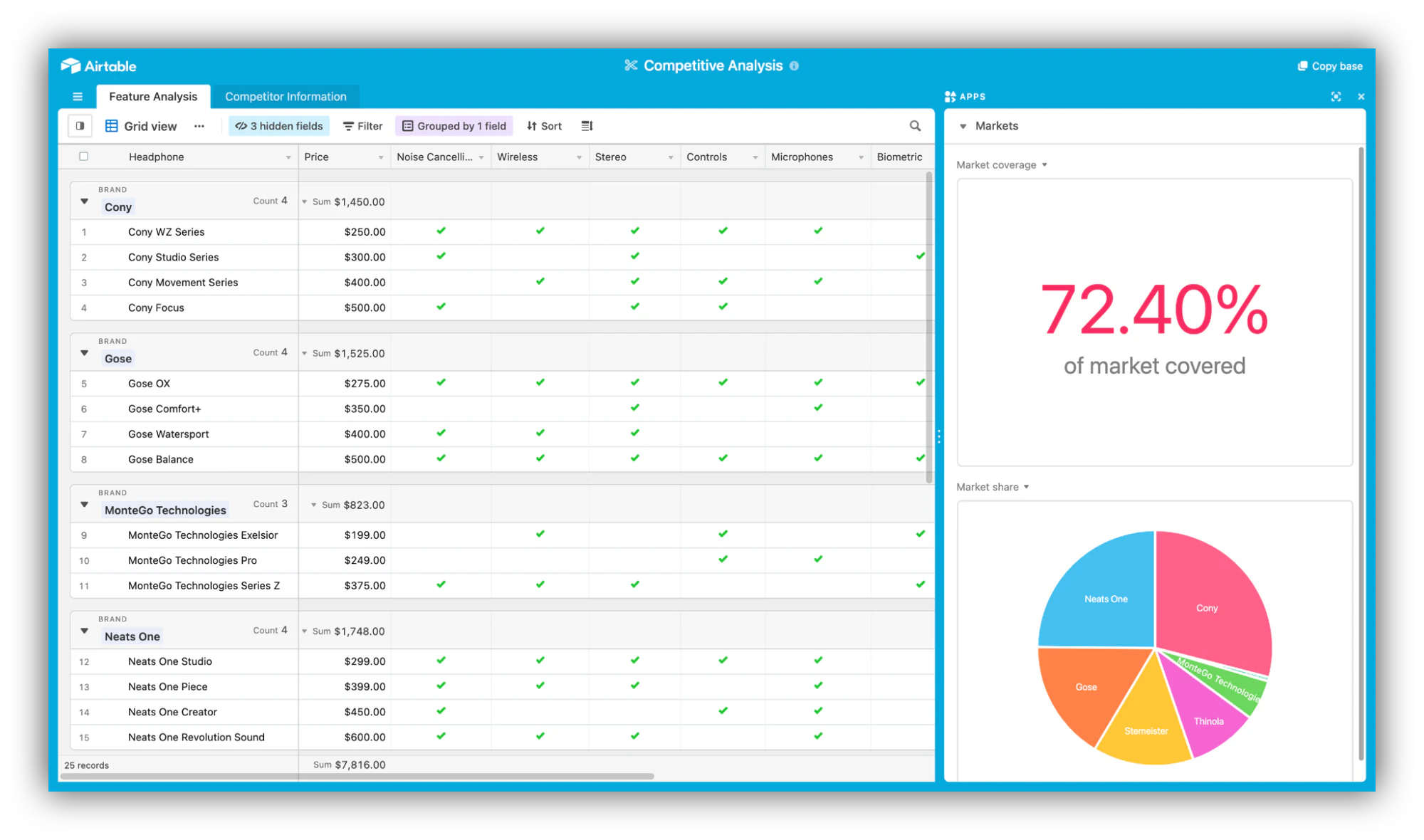
Market research and competitor analysis is critical area of product management, in order to understand other products in the market but also to prioritize features and releases. Sometimes treated as a one-and-done, it should on the contrary be an ongoing effort shared across the organization.
Leveraging Airtable collaborative features, product teams can regularly update a dedicated base, gathering information and analysis about their market.
3. Issue tracking
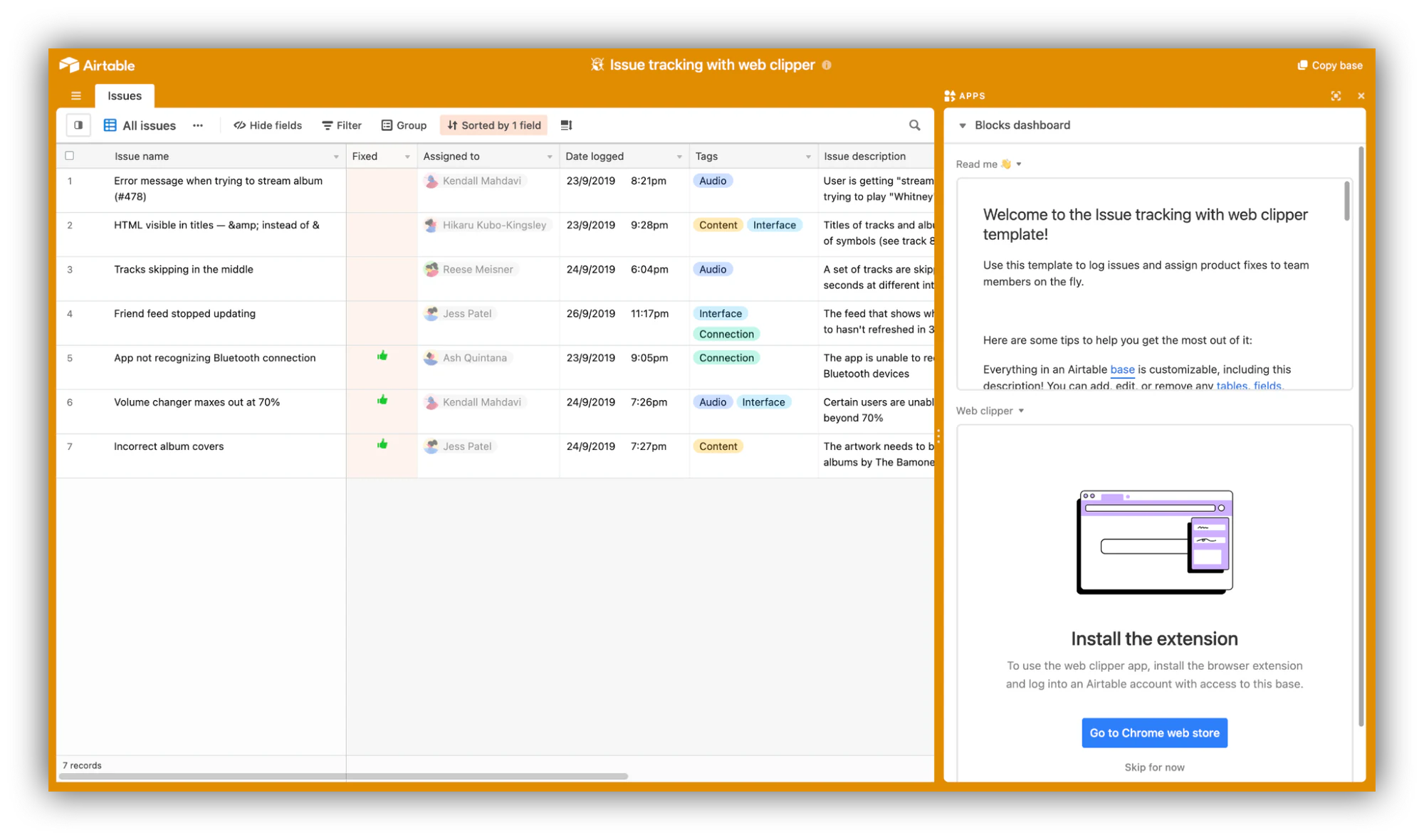
Part of a product manager’s job is to stay on top of bugs and issues, which can become a chore, and a difficult task to track. Using this Airtable base along with a web clipper block will allow for a streamlined process to log issues and assign them easily, directly from your browser.
Supercharge your product management table with Softr
Product managers often serve as a link between the business and technical teams. As a result, product managers are often in charge of communicating progress and expectations back and forth.
Creating an internal tool with Softr, gathering metrics and development progress in one place, is a great way to bring transparency to the organization. Check out this example of a dashboard dedicated to business metrics, built with Softr.
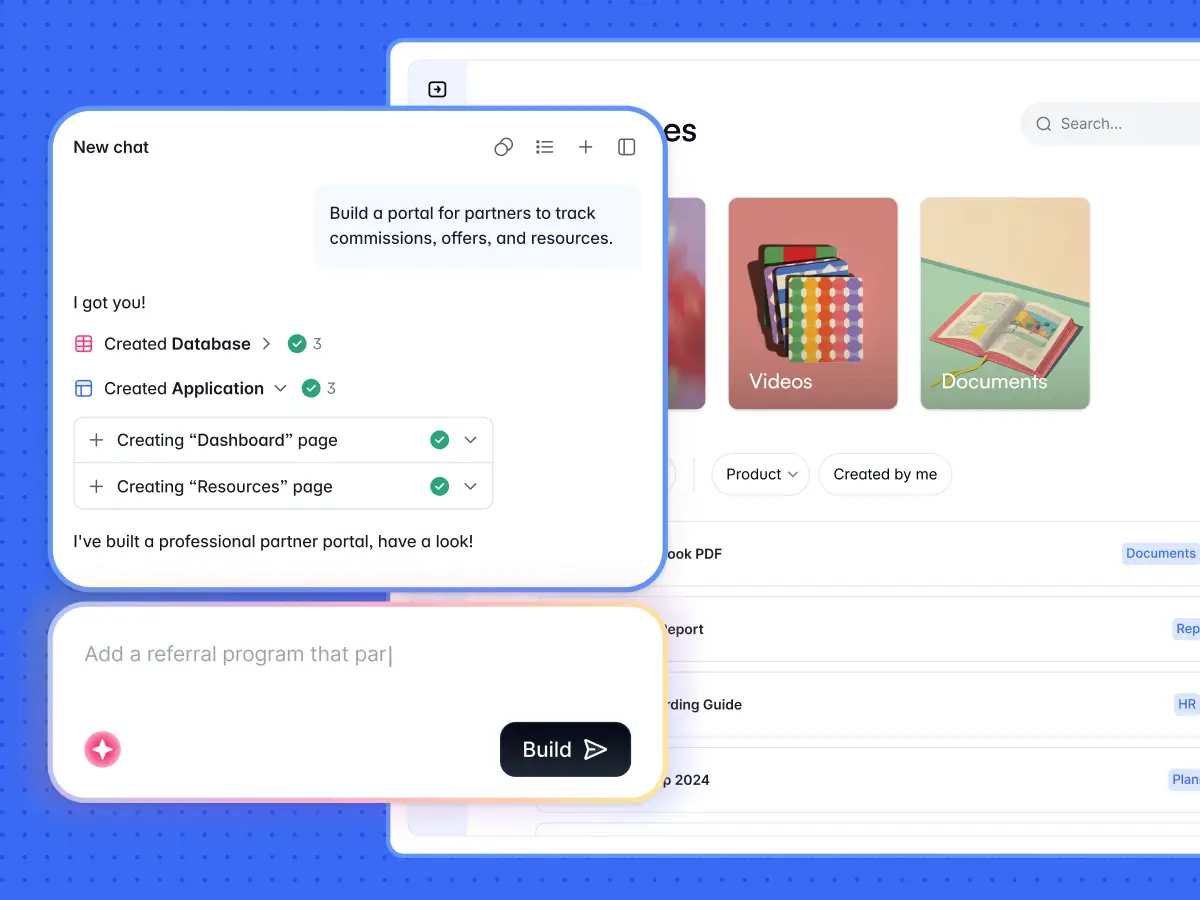
"Softr allows me to deliver business apps in a few days where a custom stack would take weeks. The integration side is solid: Airtable, Google Sheets, Stripe, and more recently the native Softr Databases, which really simplify the architecture." - Verified User, Computer Software, G2 review
Turn your Airtable data into a real app
As we've seen, there's a lot you can do with Airtable, but a base on its own is still just structured data. The moment two or more people rely on it as their weekly operational backbone, it's worth turning into a proper app with an interface, permissions, and automations.
That's the full-stack idea behind Softr. You get the interface builder, native Softr Databases, and Softr Workflows in one place. Airtable is one of 21+ data sources you can plug into, so the data you've structured in the use cases above stays exactly where it is while Softr gives it a usable front end. The kinds of apps teams build this way include:
- Client portals, for customers or partners to securely access content on a self-service platform.
- Internal tools like employee directories, CRMs, and company wikis.
- Operational dashboards that surface live metrics to the right teams.
- Resource directories that let users search, filter, and explore curated data.
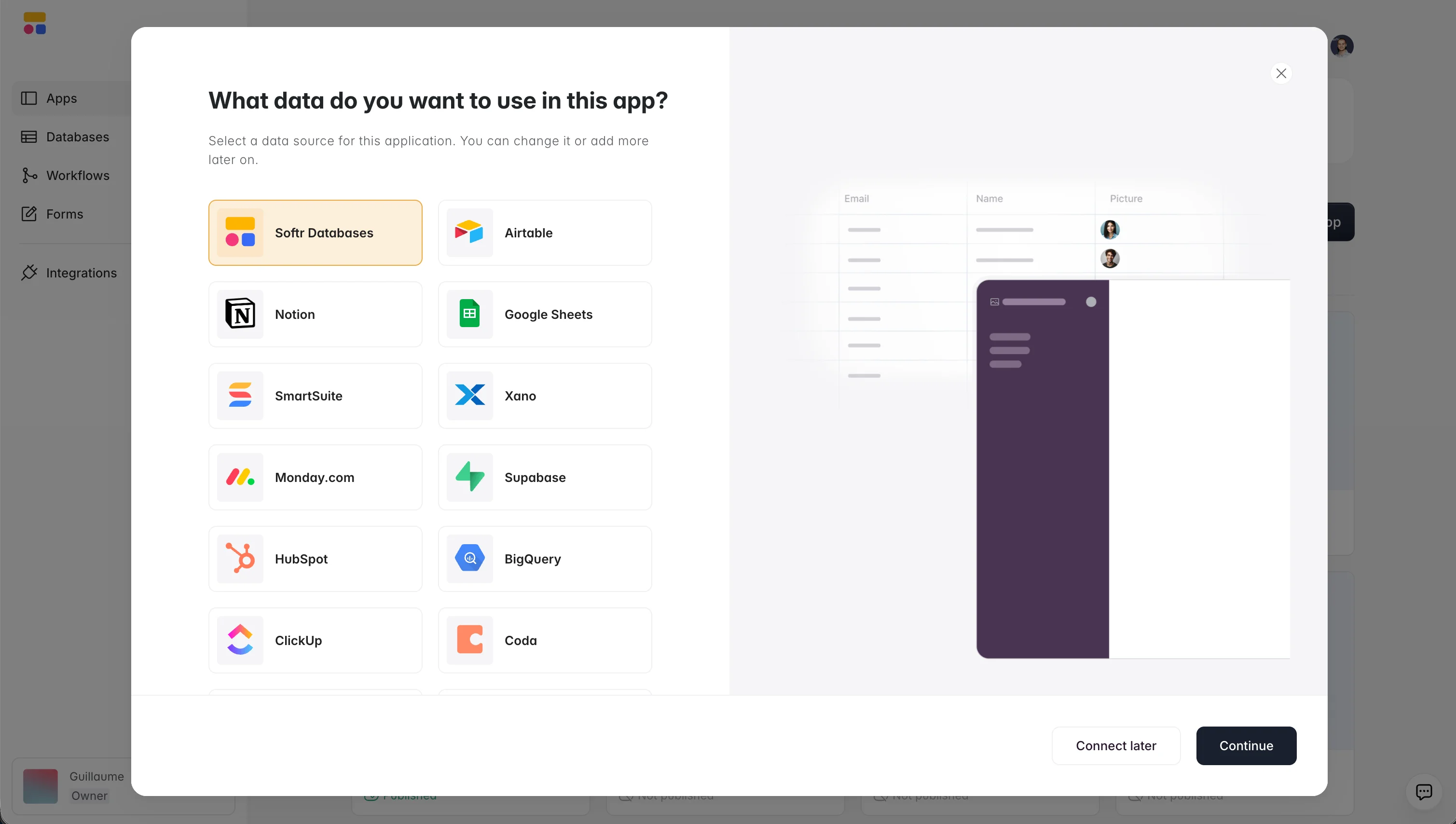
Pick the use case closest to your team, connect your Airtable base, and build the app on top of it. Or skip the setup entirely: describe what you need and let the AI Co-Builder generate the database, pages, and permissions for you. Start building for free today.
Frequently asked questions
What is Airtable most commonly used for?
Can Airtable replace a full CRM or project management tool?
How do I turn an Airtable base into an app?
Is Airtable better than a spreadsheet?
Do I need to use Airtable to build an app with Softr?


