[.blog-callout]
💡TL;DR:
- Airtable is the fast starter: Easy spreadsheet-style setup for teams, but runs into ceilings with records, performance, and per-seat pricing.
- Supabase is the technical heavyweight: A Postgres backend with APIs and security, but it demands SQL knowledge, developer time, and ongoing maintenance.
- Both fall short for SMB operators: Storing data isn’t enough: you also need secure apps, permissions, and interfaces the whole team can actually use.
- That’s where Softr Databases fits: A full relational database with built-in authentication, permissions, and templates so you can launch CRMs, portals, or dashboards fast without per-seat surprises or backend upkeep.
[.blog-callout]
Operators often compare Airtable vs Supabase when their business hits a turning point: Airtable starts fast but runs into ceilings on records, performance, and security. Supabase scales further but demands technical setup and ongoing maintenance that many lean teams can’t afford.
The challenge with both is that databases on their own don’t solve day-to-day business needs. Teams need secure apps with secure logins, user roles, and permissions to keep data safe and easy to use. This way, everyone in the team can access only what they need and keep operations running smoothly as the business grows.
In this guide, we’ll unpack the trade-offs of both database tools, show where each of them works well, and highlight what to consider if you need a database you can launch quickly, share across the team, and rely on as your processes get more complex.
Supabase vs Airtable at a glance
| Airtable | Supabase | |
|---|---|---|
| Best for | Teams that need a collaborative, spreadsheet-style database with built-in UI and quick setup. | Developer-leaning teams wanting production-grade Postgres backend with auth, RLS, and scale. |
| Ease of use | Fast to start with tables, forms, and Interfaces; ideal for light apps and workflows but hits ceilings as data grows. | Geared toward developers or teams with some technical skills. Requires setup and often a separate front end for a usable interface, though the built-in AI assistant makes things easier by helping write queries or create bases. |
| Performance & scale | Works smoothly for small to medium datasets but slows down with large or complex setups. Hard limits on rows (50k–125k depending on plan) and a cap on how many requests apps can make. | Scales with your plan/resources; no hard record caps. Some report hosted Supabase performance issues, but self-hosting solves them (with added complexity). |
| Security & permissions | Limited — Interfaces and share links fine for simple access, but lacks row-level security and multi-tenant guardrails. | Strong built-in security. Includes row-level permissions, user authentication, and the ability to lock down sensitive data. |
| Hosting & maintenance | 100% managed: nothing to install or maintain. You just log in and use it. | Offers a hosted service but can also be self-hosted if you need more control. Self-hosting fixes performance issues but requires technical setup and maintenance. |
| Integrations | Strong with Zapier, Slack, email, and ops tools; but automations can break under heavy workloads. | SQL-native; integrates with app frameworks. Wrappers allow Airtable connections; Whalesync helps migrate/sync between Airtable and Supabase. |
| Production readiness | Great for collaboration, quick prototypes, and team workflows but limited for secure, large-scale apps. | Strong for production apps with auth, permissions, and durability. Overkill for simple or short-term projects. |
| Pricing model | Clear and predictable at the lower tiers, but costs jump quickly if you need more records, automation runs, or advanced features. | Usage-based. More cost-effective as you scale, but can feel like overkill for small, simple apps. |
{{cta-2}}
What is Supabase?
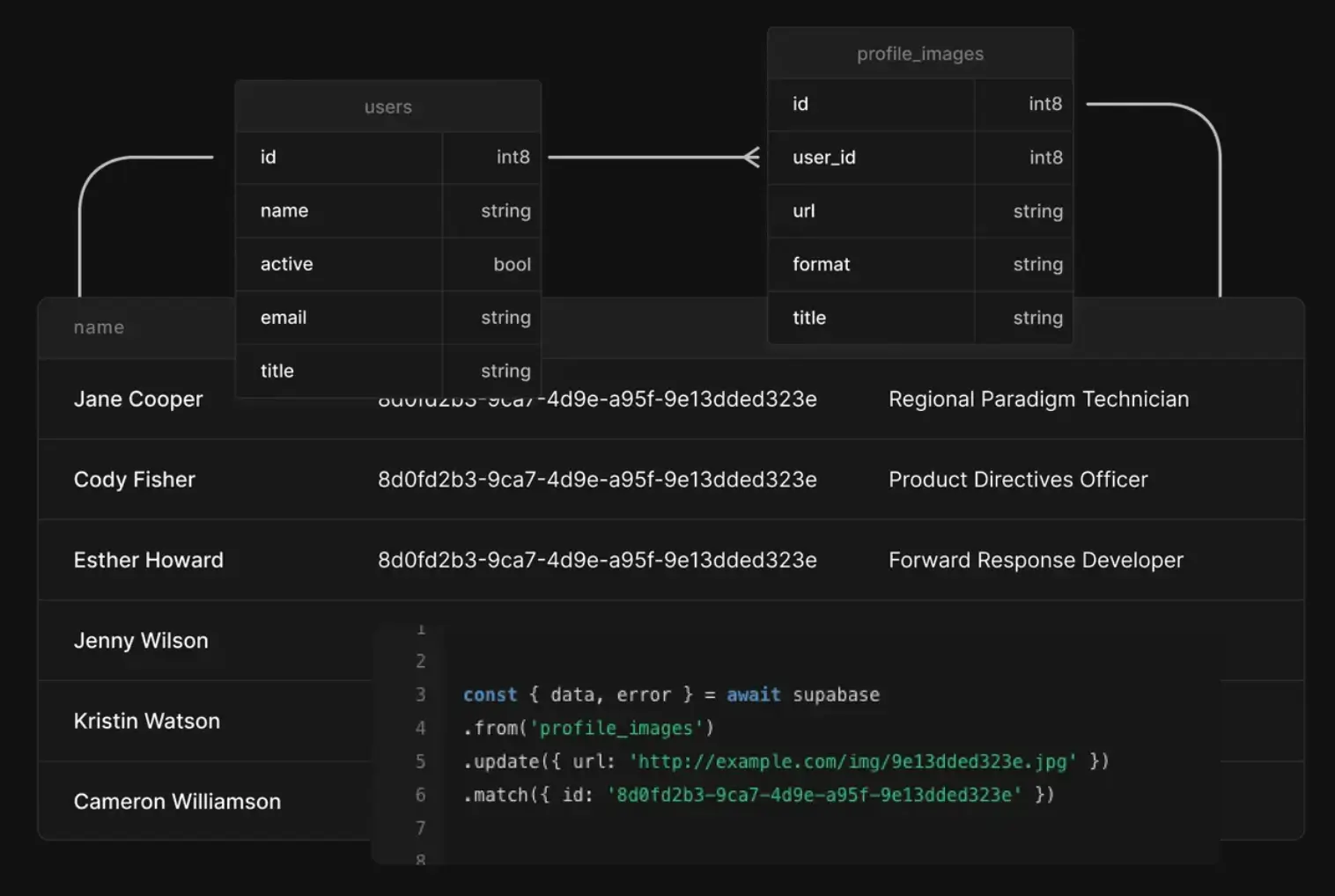
Supabase is an open-source backend-as-a-service built on PostgreSQL. It gives developers a production-ready database with authentication, APIs, file storage, and real-time subscriptions out of the box. Often described as a “Firebase alternative,” it’s popular with technical teams who want the power of Postgres without starting from scratch.
Supabase stand-out features
- Postgres database: A managed PostgreSQL database with JSON support, relational tables, triggers, and functions.
- Auth & permissions: Built-in user authentication and row-level security policies.
- Auto-generated APIs: REST and GraphQL APIs created instantly from your database schema.
- Real-time updates: Subscriptions to table changes, useful for dashboards, chat apps, or collaborative tools.
- File storage: Object storage with CDN support for media files.
- Developer-friendly: Works with SQL you already know, CLI, SDKs, and GitHub integration.
- Vector database: Store and search vector data (embeddings) directly in Postgres with pgvector. This makes it easy to power AI features like semantic search or retrieval-augmented generation (RAG) without needing a separate database.
What Supabase is best for
- Developer teams who want to launch production apps on Postgres quickly without managing servers.
- Startups building SaaS, marketplaces, or mobile apps that need authentication, permissions, and APIs out of the box.
- Real-time apps like dashboards, chat, or collaborative tools where subscriptions matter.
- Technical founders who want Firebase-like speed but prefer open standards and SQL.
Supabase limitations
- Maintenance overhead: Hosting can be sluggish at scale; some users migrate to self-hosting to improve performance.
- Learning curve: SQL, schema design, and RLS policies require technical skills.
- UI gap: Supabase has no built-in interface layer, so teams often add tools like NocoDB or Grist. This adds setup and maintenance, making it less accessible for everyday business users.
- Costs creep up: While entry is cheap, scaling storage, active users, or compute can get pricey compared to flat-priced tools.
Supabase pricing
- Free: $0/ month, unlimited API requests, 50k monthly active users, 500 MB database, 1 GB storage.
- Pro: From $25/month, 100k monthly active users, 8 GB database, 100 GB storage, daily backups. Extra compute from $10/month.
- Team: From $599/month, SOC2, SSO, HIPAA add-on, longer log retention.
- Enterprise: Custom, uptime SLAs, private Slack, dedicated support.
How much does Supabase actually cost?
In practice, the $25 Pro plan is fine for early-stage tools or internal experiments, but heavier production workloads often trigger add-ons:
- Compute add-ons ($10–$3,700/month depending on cores & RAM).
- Extra storage ($0.021/GB) and egress charges.
- Per-MAU billing beyond 100k users.
That means an app that starts at $25/month can quickly reach hundreds of dollars as traffic, queries, and file storage grow. SMB operators often say Supabase is best when they have a developer on hand — but not the cheapest choice for non-technical teams.
What is Airtable?
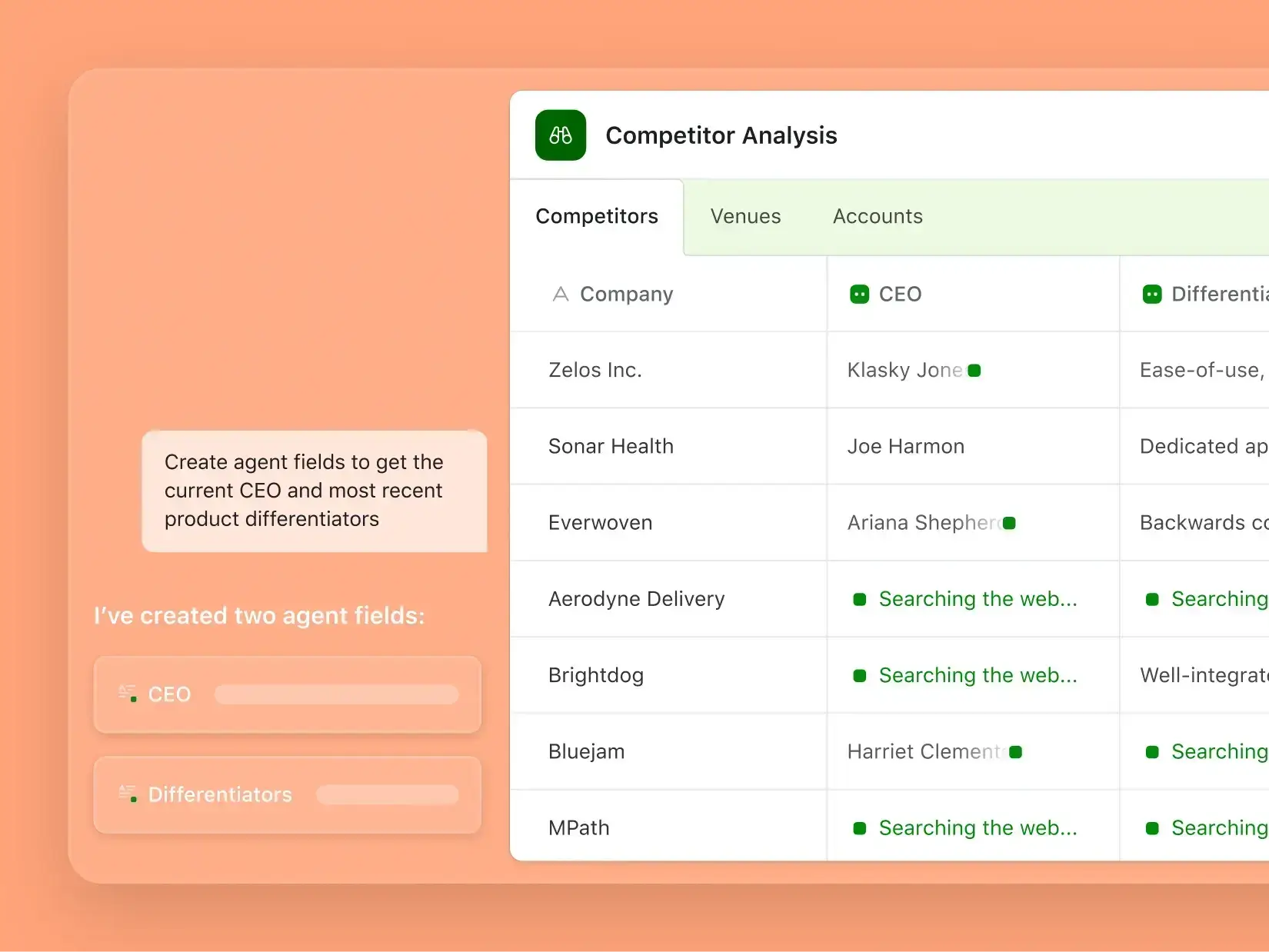
Airtable is a hybrid between a spreadsheet and a lightweight database. Its spreadsheet-style interface makes it easy for teams to start organizing projects, clients, or workflows without coding. You get tables, forms, views, and dashboards on top of your data, plus automations and app-like extensions. However, the workflows side of the product has remained fairly static over the past couple of years.
For many small businesses, Airtable feels familiar and approachable as it lowers the barrier to collaboration and centralizes siloed spreadsheets. But as teams scale, they often hit ceilings around record limits, API restrictions, and performance. Costs also scale per seat (e.g., ~100 users at ~$30/seat is ~$36k/year).
Airtable stand-out features
- Spreadsheet-style interface: Easy for teams to edit, filter, and sort.
- Linked records & rollups: Create simple relational connections between tables.
- Interfaces & forms: Build dashboards and data-entry forms without code.
- Automation & integrations: Connect to Slack, Gmail, or external apps.
- AI features: Text summarization, classification, and formula generation.
What Airtable is best for
- Non-technical teams that need collaboration and visibility.
- Project tracking, marketing campaigns, content calendars, and lightweight CRMs.
- Situations where ease of use is more important than scale or relational depth.
Airtable limitations
- Per-seat pricing adds up: You pay for each editor or commenter seat (viewer-only seats are free). Costs rise quickly with team size (e.g., 50 people at ~$25/seat equals $1,250/month or $15k/year).
- Pricing jumps at data thresholds: Hitting base limits (e.g., 50k–125k records) can force an upgrade to a higher tier, which can nearly double the bill for the same team size.
- Performance slows at scale: Large bases with many linked records or automations can feel sluggish.
- API & sync limits: 5 requests/second per base and capped syncs unless on higher tiers.
- Security gaps: No true row-level security or constraints for multi-tenant apps.
- Integration fragility: Zaps/automations can break when Airtable acts as a backend.
Airtable pricing
- Free: $0 — unlimited bases, 1,000 records/base, 1 GB attachments, up to 5 editors.
- Team: $20/seat/month billed annually — 50k records/base, 20 GB attachments, 25k automations.
- Business: $45/seat/month billed annually — 125k records/base, 100 GB attachments, 100k automations, advanced sync, SSO.
- Enterprise Scale: Custom — up to 500k records/base, 1,000 GB attachments, enterprise integrations, and controls.
How much does Airtable actually cost?
While Airtable feels approachable, costs rise quickly because it’s per-seat pricing.
Example: A 50-person team on the Team plan at 20 dollars per seat pays about 1,000 dollars per month, or roughly 12,000 dollars per year.
- If that same team hits record limits and needs to upgrade to the Business plan at 45 dollars per seat, the cost increases to about 2,250 dollars per month, or roughly 27,000 dollars per year, which is nearly double the bill for the same headcount.
- For larger teams, costs multiply quickly. A 100-person team at around 30 dollars per seat ends up paying about 3,000 dollars per month, or 36,000 dollars per year.
- Viewer-only roles are free, but as soon as a user needs commenter access (or higher) on any base in a workspace, that seat becomes paid.
- Add-ons, such as Portals at 120 dollars per month for 15 guests, add more overhead on top of the base pricing.
Operators often report that Airtable works great for collaboration, but once it becomes the “backend” for an app, record caps, API limits, and seat-based costs make scaling expensive.
Supabase vs Airtable: Pricing comparison
Supabase charges by usage, while Airtable charges by seat — making their cost structures very different.
Key differences
- Free plans: Supabase includes unlimited API requests and up to 50,000 monthly users (500 MB storage cap). Airtable allows unlimited bases but limits each to 1,000 records and 5 editors.
- Pricing model: Supabase starts at 25 dollars per month, with costs rising based on compute, storage, and active users. Airtable starts at 20 dollars per seat per month, scaling directly with team size.
- Scaling costs: Supabase avoids per-seat fees, but bills vary with usage. Airtable feels predictable per seat, but record limits (50,000–125,000) trigger plan upgrades that can nearly double costs. A 50-person team, for example, jumps from about 12,000 dollars per year on Team to 27,000 dollars per year on Business. Viewer seats are free, but any commenter or editor counts as paid.
- Enterprise focus: Supabase offers SOC2, HIPAA, SSO, and premium support. Airtable’s Enterprise Scale supports up to 500,000 records per base, with advanced governance and security — both at custom pricing.
In short, Supabase is often cheaper upfront for technical teams but harder to predict at scale. Airtable feels straightforward to budget, but per-seat billing and record caps make costs climb quickly as teams and datasets grow.
Supabase vs Airtable Reddit discussions
Discussions on Supabase vs Airtable are based on each platform’s specific use cases. Some Redditers have shared about going from Airtable to Supabase and the challenges in the process:

Another Redditor highlighted the following:

Supabase vs Airtable summary
Both Supabase and Airtable are powerful in different ways, but the trade-offs become clear once you try to scale.
- Airtable feels like a spreadsheet with extra power. It’s great for small teams that need quick collaboration, forms, and lightweight dashboards. The downside is performance and scale: bases slow down as records grow, API and sync limits block heavy usage, and costs climb steeply once you pass 50k–125k records or rely on advanced automations. For many SMBs, Airtable is a great starting point for organizing operations data. But a collaborative database alone isn’t enough as teams grow. Once you need secure apps, deeper relational logic, and reliable interfaces your whole company can use, Airtable’s ceilings around scale and security become clear.
- Supabase gives you a full Postgres backend with authentication, row-level security, and APIs out of the box. It’s better suited for production apps that need multi-tenant access and guardrails. The trade-off is complexity: non-technical teams face a learning curve with SQL and schema design, the UI is minimal compared to Airtable, and hosted performance can lag unless you self-host (which requires developer setup).
In short, Airtable is the faster path to get started, while Supabase is the sturdier path once your needs get more technical. But neither is a perfect fit for SMB operators who want both accessibility and long-term reliability.
That's where Softr Databases stands out, offering Airtable's ease with Supabase-level structure, plus the ability to turn your data into full business apps — with a native interface builder and built-in Workflows — all in one place.
Put simply, Airtable is the faster way to get started, while Supabase is the sturdier option once your needs get more technical. But both stop short for SMB operators who need more than a database: they also need secure apps and usable interfaces built on top of their data.
Softr Databases — the best Supabase vs Airtable alternative for teams needing scalable business apps without complex setups
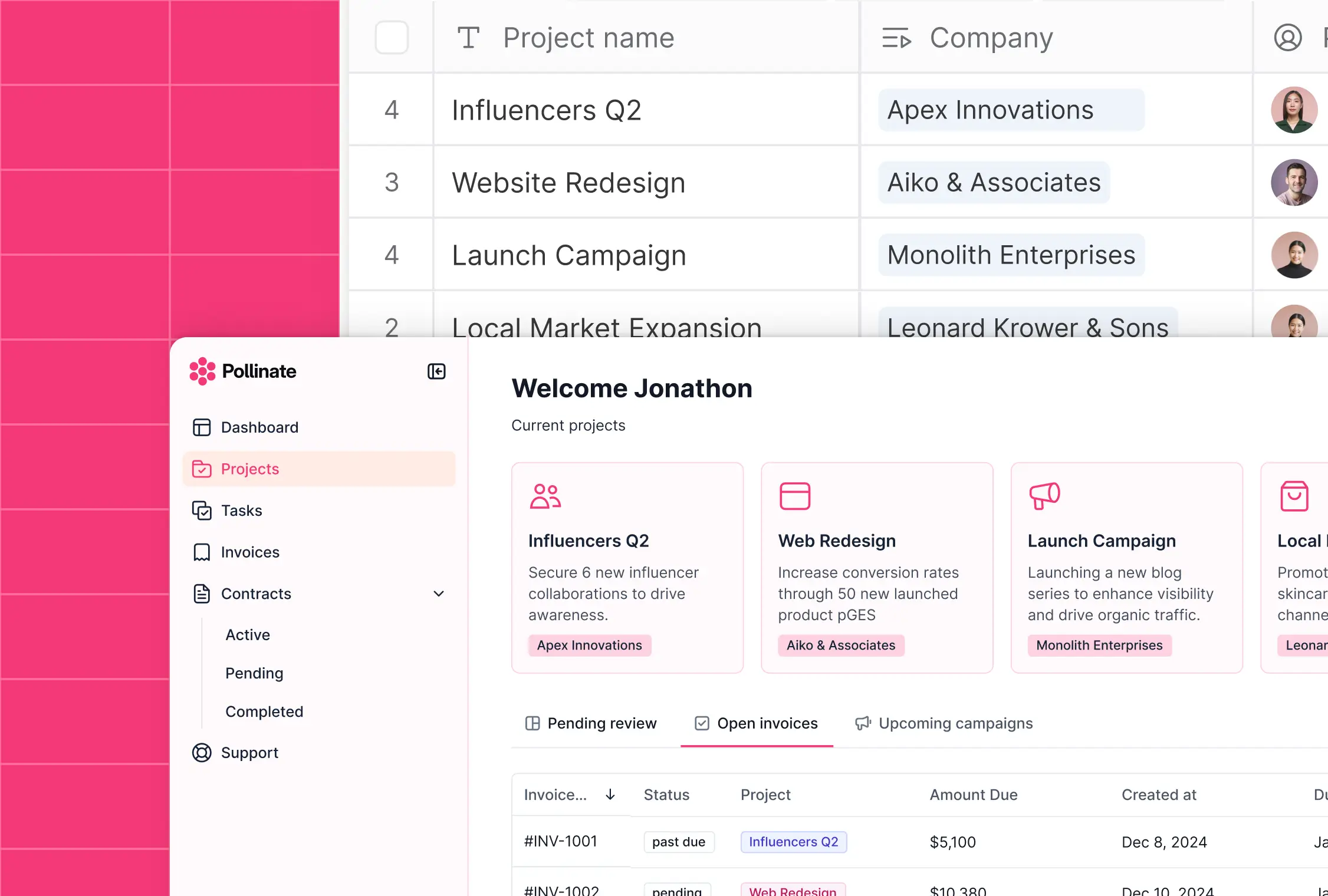
Supabase and Airtable both have their strengths: Airtable makes it easy to start with a familiar spreadsheet-like UI, while Supabase provides a powerful Postgres backend with authentication and permissions.
But as teams scale, these tools expose their trade-offs. Airtable struggles with performance ceilings and API limits, while Supabase demands technical setup, ongoing maintenance, and a separate UI layer for everyday users.
Softr Databases closes this gap with a built-in relational database that's easy for business operators and ops teams to manage, along with the guardrails businesses expect: native authentication, granular permissions, secure hosting, and compliance-level controls. Teams get reliable, full-stack business apps they can launch fast without code or development overhead.
Unlike Airtable, it's built to handle relational logic, security, and scale all at once. Unlike Supabase, it gives business operators and department heads a clean, accessible interface and templates to launch portals, CRMs, dashboards, or internal tools in days, not months.
When it comes to getting started, you have several options. You can build your database from scratch, use a pre-built template, or import data from a CSV file, Airtable, Google Sheets, or Excel to get up and running fast. When agents or workflows handle your data, they can also read and write it through the Softr API or the Softr MCP.

{{cta-1}}
Structured fields at scale
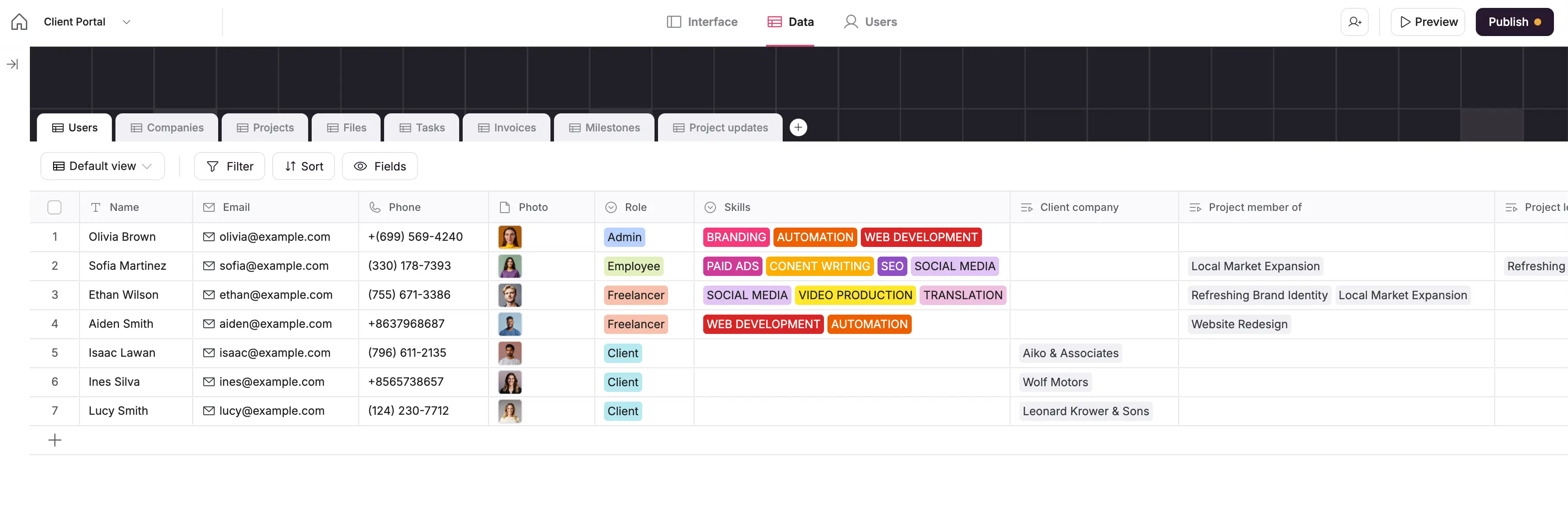
With Softr Databases, you can structure your data to match real business needs: go beyond plain text and numbers with attachments, formulas, rollups, and linked records. This way, you can manage processes like inventory, client details, or project tracking in one place.
Build internal tools or client portals on top of your data
Instead of just storing information, you can turn it into usable tools. You can build secure portals, CRMs, dashboards, or internal trackers right on top of your database without relying on APIs or external services.
Seamless Airtable import
Already using Airtable? You can bring over your bases, linked records, and formulas in a few clicks and without delays. It feels familiar but gives you more scalability and fewer limits on records or performance.
Ask AI: AI for end-users
Skip the filters and formulas—just ask your data questions in plain English. For example: “Show me all open invoices over $5,000”. The system finds and displays the answer instantly.
Template library
Don’t want to start from scratch? Choose from 90+ pre-built templates for CRMs, project trackers, client portals, and more. Each comes with a sample database so you can launch fast, then customize as needed.
Pricing that scales with you
Softr Databases comes with a generous free plan for up to 5 users and 5,000 records. Paid plans start at 19 dollars per month for Team: 5 + Client: 5 app users and 50,000 records, scaling up to millions of records and thousands of users on higher tiers. Unlike Airtable’s steep per-seat costs or Supabase’s unpredictable usage fees, Softr pricing stays straightforward and predictable as your team and data grow.
Softr Databases pricing
Softr offers flexible pricing, including a generous free plan. Softr Databases are available on all Softr plans with some record limits.
- Free: Unlimited apps, with access to Softr Workflows and Softr Databases, 5 app users and 5,000 records
- Basic ($19/month): Unlimited apps with 42+ integrations, Team: 5 + Client: 5 app users and 50K records per workspace
- Pro ($99/month): Unlimited apps with 45+ integrations and custom code, Team: 10 + Client: 50 app users and 500K records per workspace
- Business ($329/month): Unlimited apps with 52+ integrations, Team: 30 + Client: 100 app users and 1M records per workspace
- Enterprise (custom pricing, contact sales) plans for enterprise customers
More on Softr Databases 👇
Supabase, Airtable, or Softr Databases
Supabase vs Airtable is a fair comparison: each brings something valuable to the table.
Airtable is quick to pick up, and Supabase gives you the power of Postgres. But both leave a gap. Storing data is one thing — building secure, usable apps on top of it is another.
Softr Databases closes that gap. You get a full relational database with built-in authentication, granular permissions, native Workflows to automate operations, and a ready-to-use interface builder (+ AI features that eliminate manual tasks like looking for specific data in your database, made possible with Ask AI).
Airtable and Supabase each solve part of the problem, but not the whole. If what you need are secure, business-ready apps your team can actually use, Softr Databases brings it all together in one place.
Try Softr Databases for free today and turn your business data into apps your team can actually use — fast, reliable, and no code required.
Frequently asked questions
Is Supabase better than Airtable?
What are the disadvantages of Supabase?
Why is everyone using Supabase?
Is there anything better than Supabase?