OutSystems pricing 2026: How it works and what it costs

Say you want to build and run an employee directory for around 1,000 people on OutSystems. How much would it cost, and would it be worth the investment?
This guide breaks down OutSystems pricing in 2026, the costs to consider beyond the subscription and when a simpler alternative makes more sense.
OutSystems pricing at a glance
How OutSystems pricing works
OutSystems bases your quote on three things.
- App size and complexity, measured in Application Objects
- Number of people using the app, including internal and external users
- Additional capabilities you need, such as extra runtimes, upgraded support, and security or compliance options
Your total quote depends on these, as well as your hosting needs and the computing power required to run your apps.
What are Application Objects (AOs)? AOs are how OutSystems measures your apps’ size and complexity. Three things make up most of your count.
- Screens, which are the pages people see and use
- Database tables, which store information
- API methods, which connect your app to other systems
Each generally counts as one AO. For example, five screens, three tables and two API methods would add up to 10 AOs. OutSystems puts a typical medium-sized app at around 150 AOs, but your total depends on how it’s built.
Only live apps count toward your AO allowance, not apps being built or tested. Splitting one big app into smaller ones doesn’t automatically lower your total. But if two apps in the same runtime share a table or API method, it counts as one AO, not two.
What are runtimes? A runtime is a separate space where your apps run and store their data. The paid platform includes one for building, one for testing and one for your live apps. Each holds its own version of an app, so you can test changes without affecting what people are using.
If you need more, such as a second testing space or another space for live apps, these are available as paid add-ons.
What counts as a user? OutSystems counts the people who use your apps. People who only build them don’t count, but developers who also use them do.
You pay for two groups separately:
- Internal users, who are your employees and contractors
- External users, who are customers, partners and others outside your organization
Visitors don’t count toward your user limit if they neither log in nor share personal details, such as their name or email address.
On ODC, a person counts once their account is active and they’ve logged in to one or more live apps. If you deactivate their account, they stop counting.
OutSystems 11 vs OutSystems Developer Cloud
OutSystems has two platforms, and you’ll see both names come up when you research pricing.
OutSystems 11 (O11) is the original platform. It runs on OutSystems’ cloud, on your own servers or a mix of both. It suits organizations that have strict rules about where data lives or that rely heavily on older business systems.
OutSystems Developer Cloud (ODC) is the newer, cloud-native part of OutSystems’ Agentic Systems Platform, with AI tools like Mentor and Agent Workbench built in.
If you’re a new buyer, check whether your quote covers O11, ODC or both. Both base pricing on app size, users and extras, but some counting rules differ.
ODC counts custom-defined events as AOs, while O11 doesn’t. Unused code libraries don’t count in ODC, but published libraries count in O11 even when no app uses them. ODC also excludes users who have never logged in.
If you’re already on O11, you don’t have to move everything to ODC. OutSystems announced in October 2025 that it was bringing the platforms together, so you can keep running O11 and add ODC for new apps.
If a new ODC app uses business rules already built in O11, the connection between them doesn’t add AOs when configured under OutSystems’ sharing rules. Your existing O11 apps still count toward your allowance.
OutSystems editions pricing breakdown
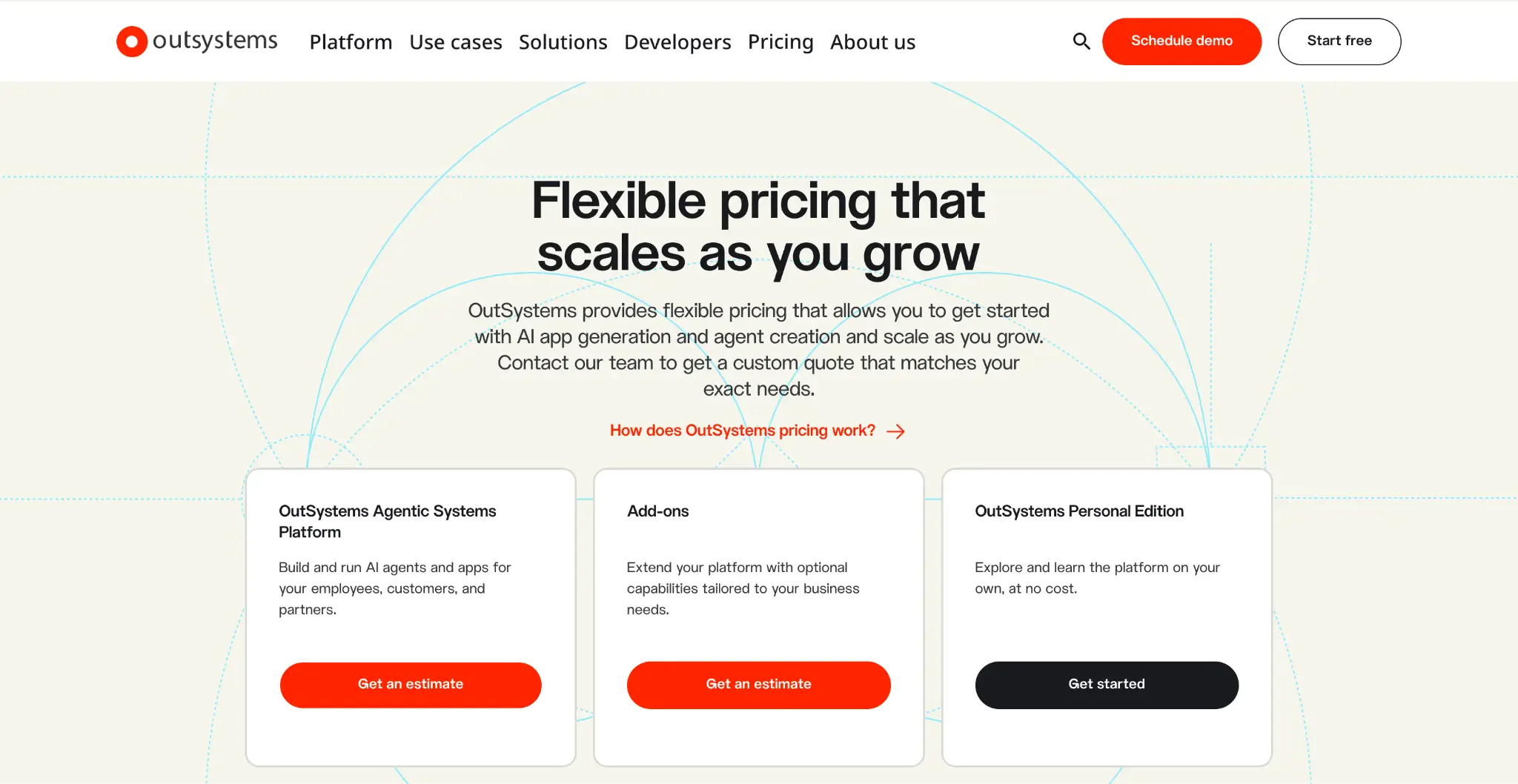
OutSystems Personal Edition: Free
Personal Edition is OutSystems’ free way to explore the platform. You can build apps, test ideas and learn the tools, but it doesn’t include a production environment for launching apps people use every day.
What you get
- Up to 100 internal users
- A development runtime hosted on OutSystems Cloud
- Connections to external databases and services through Private Gateway
- Development tools, including Mentor for AI-assisted app building and Agent Workbench for creating AI agents
- Trial AI models with a nonrenewable allowance of 1,000 requests, plus token and rate limits
- Up to eight apps, workflows, AI agents and timers running at once, counted together
- 1GB of database storage
- The option to invite teammates
- Support tickets handled on a best-effort basis, plus documentation, training and community forums
Pros
- Build prototypes and test connections to your existing systems
- Try the AI tools before deciding whether they meet your needs
- Invite teammates to learn and evaluate the platform together
Cons
- No separate testing or production environment for launching live apps
- Goes to sleep after 72 hours of inactivity and may be deleted after a longer period without use
- Apps can slow down with more than a few dozen users, despite the 100-user limit
- Doesn’t provide a self-hosting option
Best for: Developers who want to learn OutSystems or evaluate it before requesting a quote. Storage and usage limits make it best for small projects.
My verdict: Personal Edition is a free way to try building apps, including with AI tools. But you’ll need a quote to know what running a live app will cost.
If you don’t use your environment for 72 hours, OutSystems pauses it but keeps your work. Stay away too long, though, and your environment will be deleted. You’ll get an email three days before that happens, but export your apps before a long break in case you miss it.
OutSystems Agentic Systems Platform: Custom quote
This is OutSystems’ paid offering for building and running apps and AI agents. There’s no public subscription price; you’ll need to reach out to sales for a quote based on what you want to build, who will use it, and how you plan to run it.
What you get
- Separate spaces for building, testing and running live apps
- A starting allowance of 100 internal users
- Several hosting options, including OutSystems Cloud, your own infrastructure and private or regulated cloud environments
- A 99.5% uptime guarantee
- ISO 27001 as the listed compliance option
- Support during business hours (8×5)
- Mentor for building apps from prompts or documents, plus tools for creating AI agents and getting them to work together
- Pre-built connections to 400+ systems, plus other ways to connect your apps and AI tools
- Development tools for building, checking and releasing app updates at no extra cost
Confirm what’s included in your quote, especially AI features and usage limits.
Pros
- Add developers without using your app-user allowance, unless they also use the apps
- Connect apps to your existing systems using pre-built connectors
- Choose AI models from different providers
- Choose where your apps run and your data is stored
- Test updates without affecting the apps people are using
Cons
- No public prices to help you budget or compare platforms
- You’ll pay more once over 100 employees and contractors need access
- Customer and partner access requires additional user capacity
- No round-the-clock support unless you pay for an upgrade
- Only certain plans let you host apps on your own infrastructure
Best for: Organizations building complex apps or AI agents that need to work with existing business systems and meet strict security requirements.
My verdict: OutSystems is worth considering when you need to build complex apps with strong security controls. It’s especially useful if those apps connect several business systems or coordinate AI agents.
For an employee directory, for example, compare the full quote with simpler tools to see whether those extra capabilities justify the cost.
OutSystems add-ons: Custom quote
Add-ons let you expand the paid platform with more users, extra environments and additional support or security options. What you need depends on how you plan to run your apps.
Available options
- Additional internal and external users
- Extra environments for testing and running live apps
- 24×7 support
- A 99.95% uptime guarantee
- High Availability, which helps keep live apps running if part of the system fails
- Sentry for additional security and compliance, including SOC 2 Type II, HIPAA and PCI DSS
- AppShield to help protect native Android and iOS apps against tampering
Pros
- Add capacity as more employees, customers or partners start using your apps
- Add testing or live environments as your needs grow
- Get round-the-clock support and higher availability for apps your organization depends on
Cons
- No public add-on prices to help you budget
- The 99.95% uptime guarantee requires High Availability and a 24×7 support upgrade
- Premium 24×7 support also requires a separate Success Plan purchase
Best for: Organizations needing more users, environments, support or security and compliance options than their starting subscription includes.
My verdict: Ask sales to include every required add-on in your quote and explain which upgrades must be purchased together. Then compare that full subscription cost with other platforms on your list.
What OutSystems has cost, based on public data
OutSystems doesn’t publish prices on its main pricing page, but public listings give you some reference points.
Its AWS Marketplace listing offers a 12-month OutSystems Developer Cloud contract for $36,300, covering 100 internal users, 150 AOs, three environments and business-hours support. Additional AWS infrastructure charges may apply.
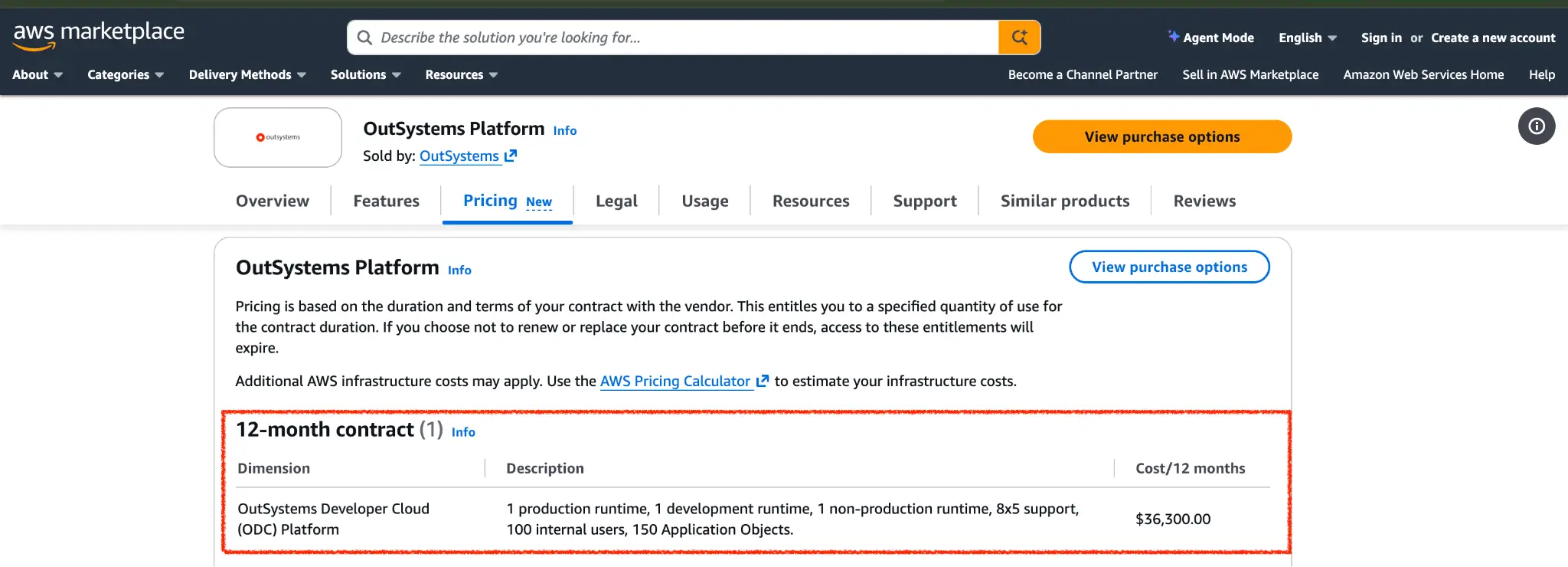
If your team has 100 people or fewer, the listed package covers you as long as its AO allowance and other conditions meet your needs. For a 500 or 1,000-person directory, you’d need pricing for another 400 or 900 internal users, which the listing doesn’t publish. Ask sales how extra users are priced and whether an unlimited-user option is available for your setup.
What happens if you exceed your AOs or users
OutSystems licensing documents don’t explain exactly what happens to your apps the moment you cross a limit. But they confirm you’ll need to increase your subscription capacity.
For AOs, the allowance applies to your live apps. Development and testing don’t count toward it. If a planned update would exceed your allowance, ask sales about increasing it before releasing the changes.
For users, exceeding either your internal or external allowance requires a subscription upgrade to stay within your license terms.
More people may use your app than you planned, and new features can increase your AO count. Before signing, ask what happens if you exceed either limit and how upgrades are priced during your contract.
OutSystems hidden costs to watch for
Your subscription quote is only part of the budget. You’ll also need to account for the work and services required to build, launch and maintain your apps.
- Building the app. Budget for your developers’ time or an implementation partner. Connecting business systems, setting up permissions and testing the app all take work.
- Moving existing data. If you’re replacing another tool, include the cost of cleaning, transferring and checking its data.
- Training. Free learning resources are available, but your team still needs time to learn the platform. Paid training or certification may add to the cost.
- Ongoing maintenance. Someone will need to fix issues, update connections and adapt the app as your needs change.
- AOs that add up quietly. In ODC, a database connection used by an app counts every table selected in that connection, even if the app uses only one.
- Users you didn’t plan for. On OutSystems 11, every user counts as internal until you set up your company’s email domains, so customers and partners can end up counted against your internal allowance. Newer ODC subscriptions set this up automatically, but check it’s correct.
- AI usage. Ask which AI allowances your quote includes and whether your chosen model providers charge separately.
- Hosting and infrastructure. If you host apps on your own infrastructure, budget for running and managing it. The AWS Marketplace listing also notes that additional AWS infrastructure charges may apply.
- Additional capacity and upgrades. More users, AOs, environments, 24×7 support and advanced security options can increase your subscription cost. Check which are already included in your quote.
How to avoid overpaying for OutSystems
These steps can help you avoid paying for capacity or features you don’t need.
- Test it free first. Use Personal Edition to check whether the platform suits your team.
- Check user counts and settings. Give sales separate internal and external user counts. Also, check your company’s email domains are set correctly so users fall into the right group.
- Remove unused access. Deactivate people who no longer need the apps so they stop counting toward your allowance.
- Keep AOs under control. Delete unused apps, since disabling them doesn’t stop them counting. In ODC, select only the database tables you need and check AO counts before adding Forge components.
- Reuse shared components. Tables and API methods shared by apps in the same runtime count only once.
- Compare user-pricing options. Ask whether unlimited users would cost less than adding user packs.
- Check add-on requirements. The 99.95% uptime guarantee requires High Availability and a 24×7 support upgrade. Confirm you need the combination before buying.
- Get future pricing in writing. Ask what extra users, AOs and environments will cost, and how prices can change at renewal.
What users say about OutSystems pricing
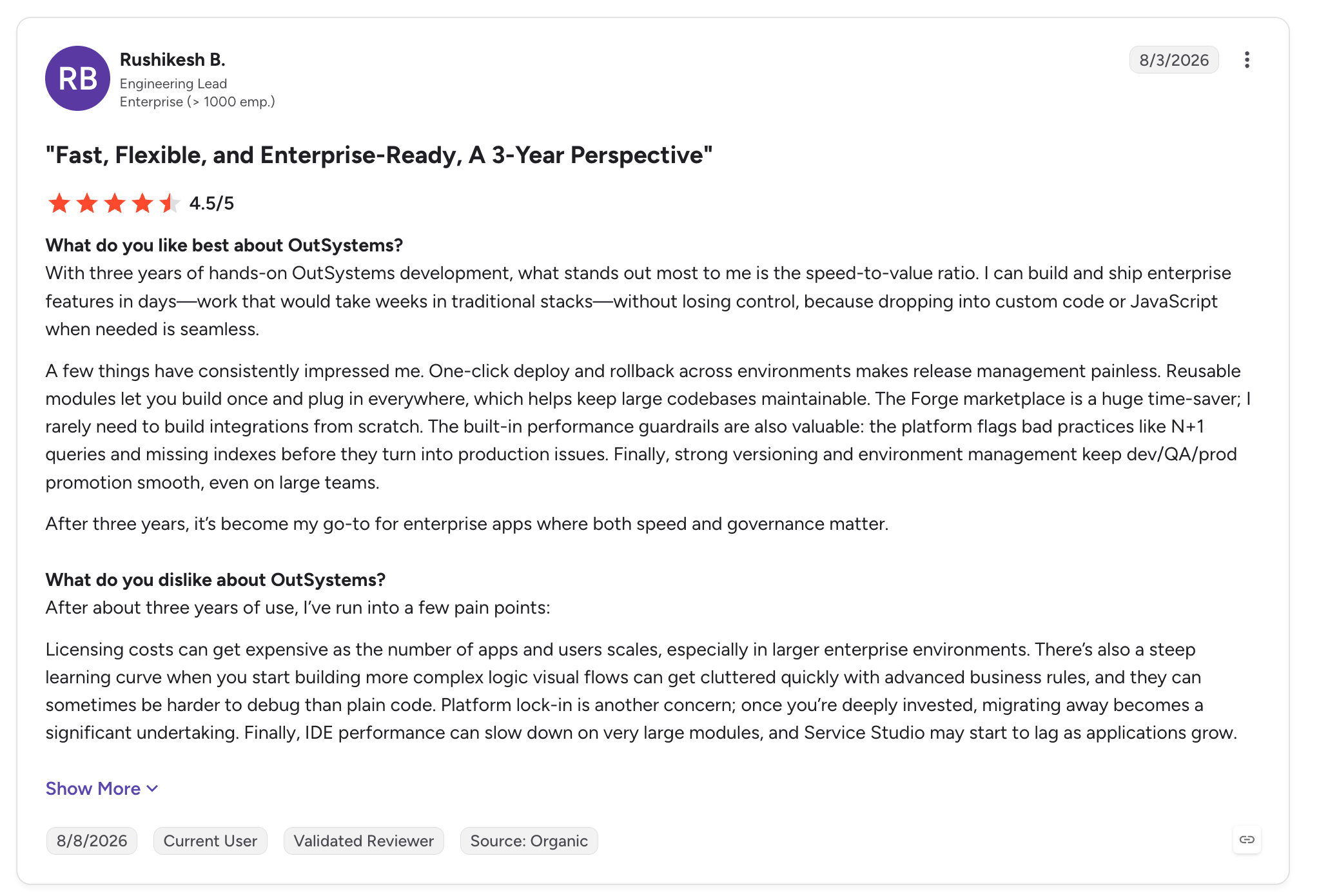
OutSystems holds a 4.5 rating on G2 and 4.6 on Capterra, but even positive reviews raise concerns about cost.
One G2 reviewer with three years of experience said he could deliver enterprise features in days rather than weeks. He also said licensing gets expensive as apps and user numbers grow.
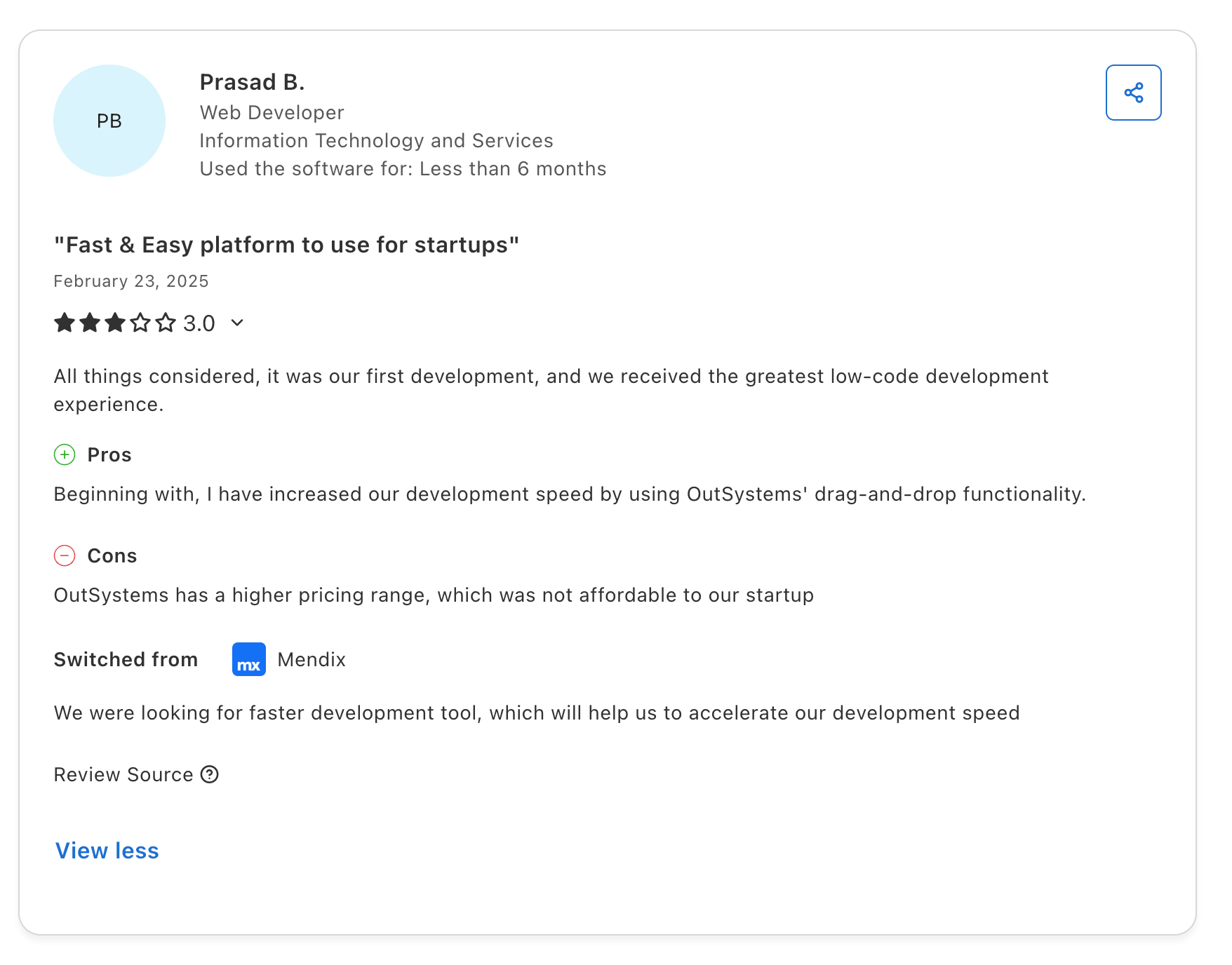
A Capterra reviewer praised the faster development experience but said the price wasn’t affordable for his startup.
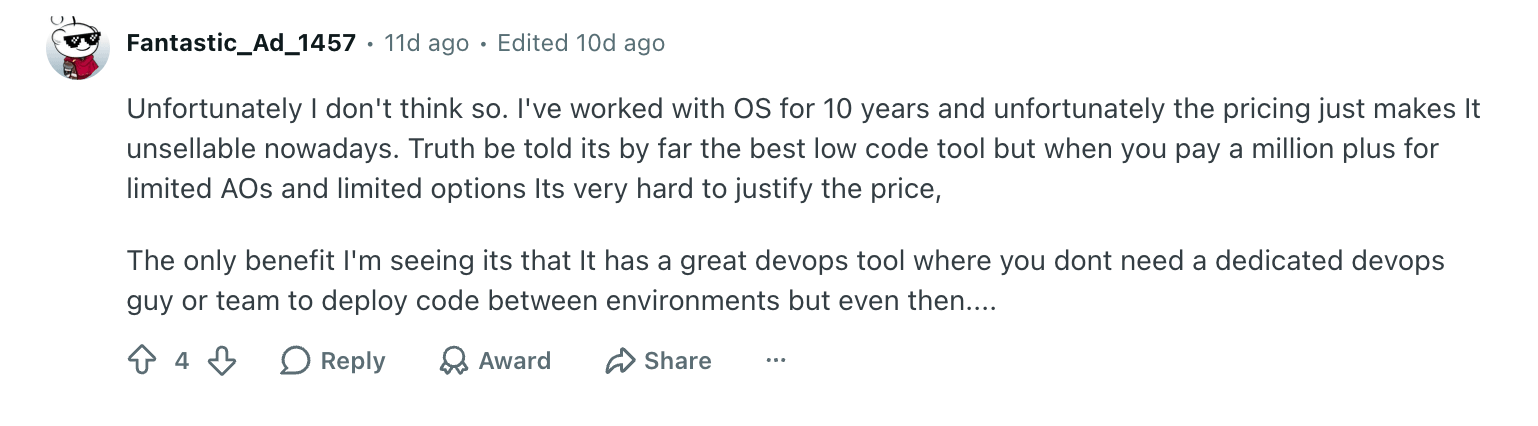
On r/lowcode, a developer with 10 years of OutSystems experience called it the best low-code tool, but felt its pricing was becoming hard to justify.
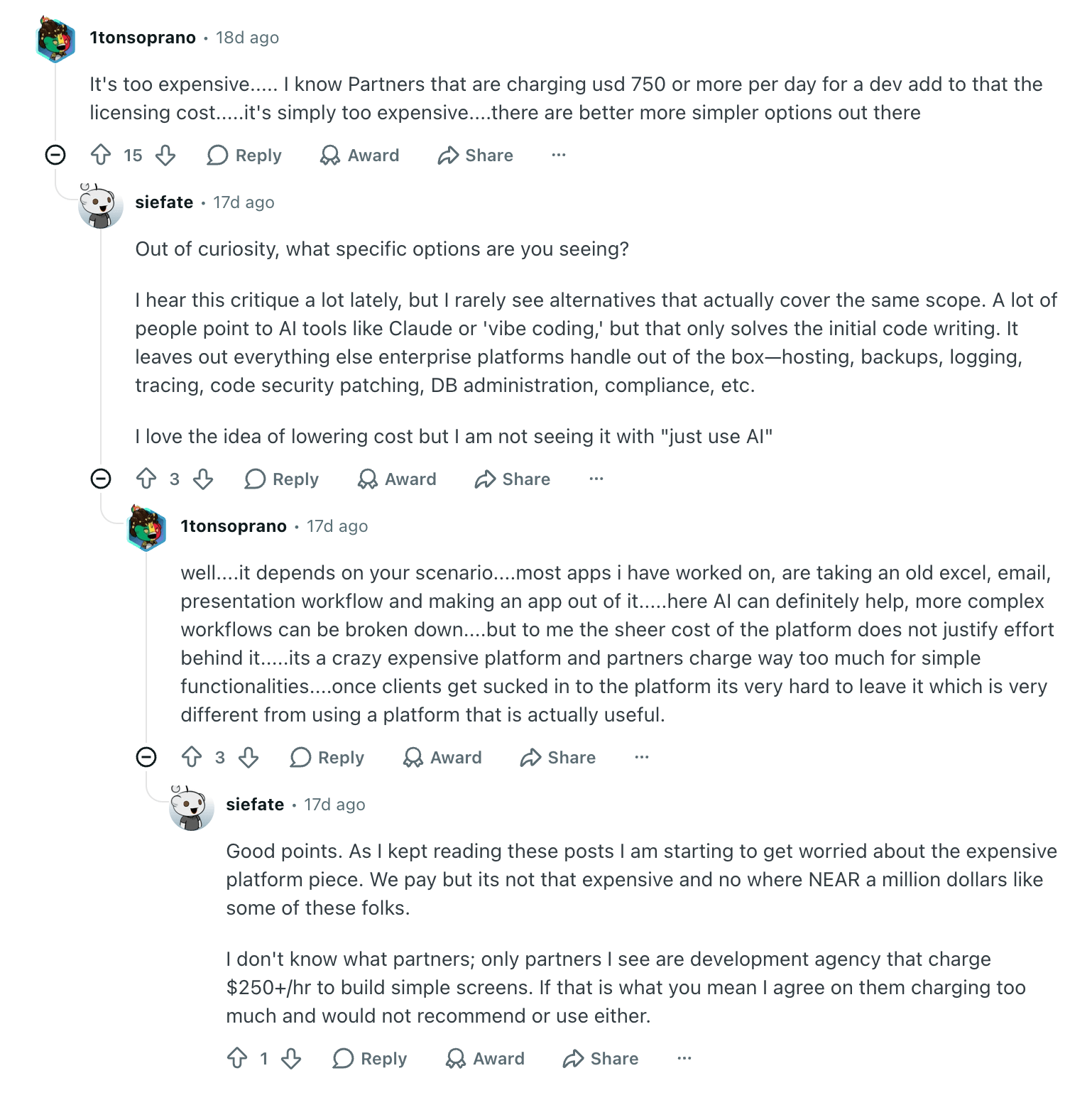
The subscription isn’t the only concern. In an r/OutSystems discussion, one commenter reported partner rates of $750 or more per developer per day, on top of licensing. That’s one person’s report, but it shows why development costs belong in your budget too.
Another user in the same thread said their own costs were reasonable, but the high prices others reported were making them worried. They also pointed out that cheaper AI coding tools leave out things OutSystems handles out of the box, such as hosting, backups, code security updates, and compliance.
Is OutSystems worth it?
OutSystems is worth considering when your apps need complex features, connections to business systems and strong security controls. For a basic tool, compare the full cost with simpler AI app builders.
OutSystems may be worth it if you need to:
- Connect apps to core systems, such as your CRM or older databases
- Meet strict hosting, security or compliance requirements
- Build and manage AI agents with clear controls over what they can do
- Add ODC’s AI features to existing O11 apps without moving everything
OutSystems may not be worth it if:
- You need an employee directory, client portal or approval app with straightforward features
- Your data already lives in spreadsheets or a database, and you mainly need an easy way for people to view and update it
- You want business teams to build and manage the app without relying on developers
- You need published plans and user limits to check the likely cost before contacting sales
- You’d rather start with a smaller subscription and upgrade as your needs grow
OutSystems vs Softr
OutSystems sits at the enterprise end of low-code tools, built for complex software and development teams. Mendix and Power Apps are the usual alternatives for enterprise teams. But if your goal is to get a simple, secure business app live quickly, consider Softr.
Take the employee directory from the start of this guide.
On OutSystems, you’d need a sales quote just to learn what 1,000 users would cost, plus developers or a partner to build it. You’d also be paying for capacity built for far more complex software than a directory needs.
Softr is built for this kind of app. HR, operations, IT and other teams can use AI or a visual editor to create a secure directory without writing code. Build it on its own or as part of an employee portal with company news, documents and requests. You can also create client portals, CRMs and other internal tools.
Start by describing the app you want, and Softr’s AI Co-Builder generates the structure, database, pages, workflows and permissions. Authentication, user roles, data security and hosting are already built in.
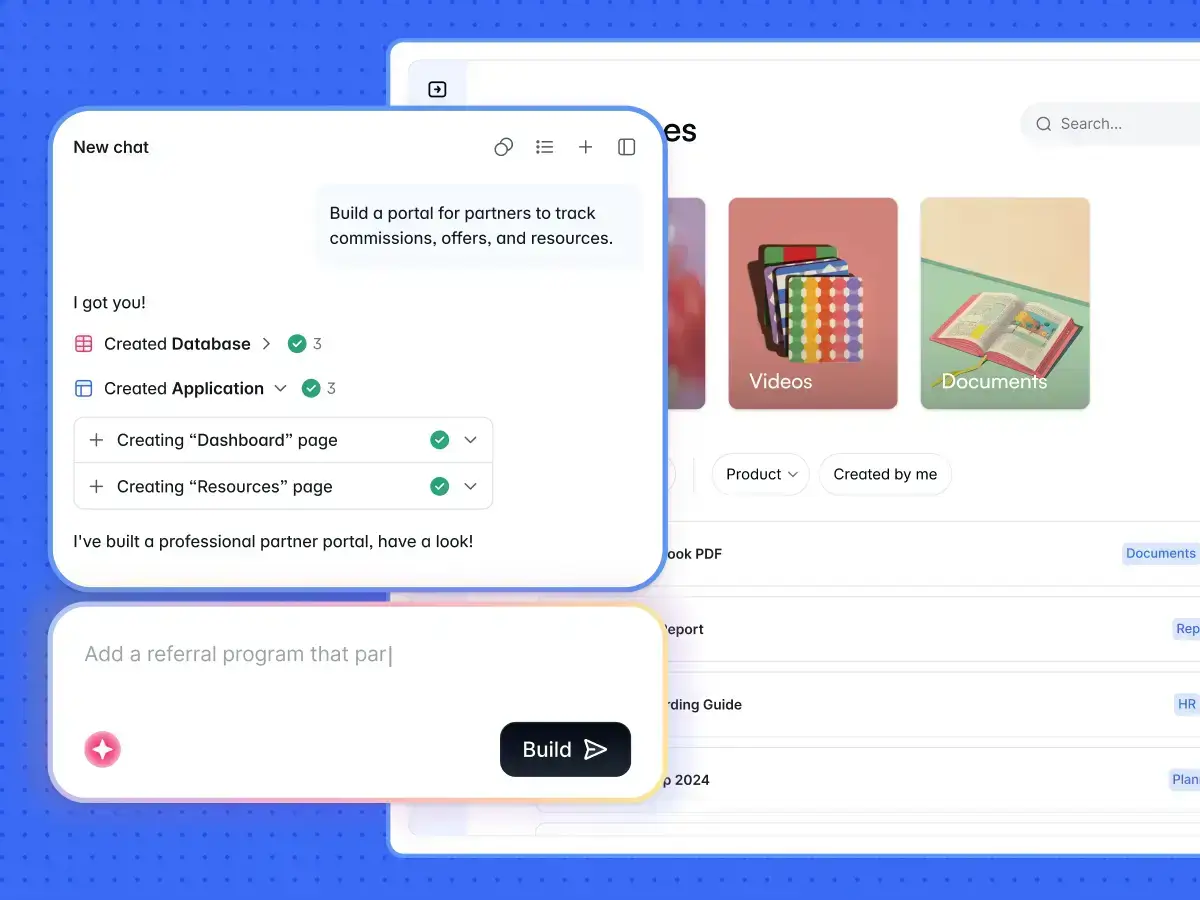
From there, you or your team can update pages, forms and workflows with AI or through the visual editor, without needing a developer for every change. Visual editing doesn’t use AI credits.
Prefer working in Claude, Cursor, or Codex? Softr MCP connects them directly to your workspace on every plan, including Free. It doesn’t use Softr AI credits, though your assistant’s own usage charges still apply.
With Softr, you get
- Pricing you can see upfront. Plans are published, with clear limits on builders, app users, records, workflow actions and AI credits, so you know what will make your bill go up.
- Separate pricing for employees and external users. Softr splits team users from client users, so adding a client portal doesn’t cost the same as adding staff.
- Room to grow. Extra app users are billed automatically after a seven-day grace period, so your app keeps running while you decide what you need.
- Security and permissions from day one. Authentication and user groups are built into every app, with granular permissions from the Pro plan up.
- Enterprise controls when you need them. The Enterprise plan adds SSO, SCIM, audit logs, SOC 2 access, custom agreements and SLAs.
- Connections to the systems you already use. Build on Softr’s native database or connect Airtable, Google Sheets, HubSpot, Salesforce, SQL databases, Supabase, REST APIs and more.
- AI inside the finished app. Once your app is live, Softr Agents can work across the whole app and the services connected to it, answering your users’ questions and running recurring tasks on a schedule.
- Built-in workflows. Automate processes inside your app on every plan, including Free, without paying for a separate automation tool. Each plan includes a set number of workflow actions a month, so you can see how much automation you’re paying for.
- Custom components when you need them. The Vibe Coding block lets you build calculators, dashboards, uploaders or chatbot-style widgets inside your app.
Softr pricing at a glance
OutSystems vs Softr: Which should you choose?
Both platforms let you build secure business apps, but they’re built for different teams and budgets. Here’s how they compare:
Choose OutSystems if you’re building complex, business-critical software. It suits apps that need to integrate deeply with core systems, run on-premises or meet strict regulatory requirements. You’ll also need the development team and budget to match.
Choose Softr if you need secure business apps like directories, portals and internal tools, and you need them live quickly. You can see what you’ll pay before you commit, and your operations team can build and maintain the apps without waiting on developers.
Sign up free to try Softr MCP on your own app.
Frequently asked questions
Is OutSystems free to use?
Why is OutSystems so expensive?
Who are OutSystems' main competitors?
What are the disadvantages of OutSystems?
Is OutSystems hard to learn?