


10 best low code tools for 2026 (+1 no-code alternative)
Managing your business often means switching between tools that don’t quite fit. Off-the-shelf software can be too rigid, while custom development takes time, budget, and technical help.
That’s where low code tools come in. They offer a faster way to build and customize internal tools or customer-facing apps without starting from scratch. You get flexibility, structure, and control, all while reducing your reliance on developer overhead.
In this guide, we’ve rounded up 10 leading lowcode development platforms, plus one no-code alternative that gives you the same level of power with even less complexity.
What are low code tools?
A low code platform provides a visual development environment that accelerates the creation of business apps, with minimal manual coding. Rather than writing every line from scratch, you work with drag-and-drop components, conditional logic, and configuration. In cases that demand deeper control, you can extend functionality with custom code.
These platforms let you build internal tools, workflows, dashboards, form systems, client-facing portals, and more, often by customizing templates or assembling modular blocks. You gain speed without fully sacrificing flexibility.
Common use cases include:
- Internal dashboards and operations tools
- Workflow automations and approval systems
- Data collection forms and reporting
- Secure client portals or partner interfaces
- Resource directories, membership platforms, and small marketplaces
Modern low-code platforms aim for fast iterations, scalability, and integration with existing systems. Their strength lies in bridging the gap between pure visual tools and traditional engineering.
No-code vs. low-code
Low-code and no-code share a goal: making app-building faster and more accessible. But the difference lies in how much control, extensibility, and technical involvement they allow.
| Type | Description |
|---|---|
| Low-code | Targets users who need to go beyond visual builders—those ready to use code for integrations, advanced logic, or custom UI. |
| No-code | Built for non-technical users. Focuses on simplicity through visual building blocks, pre-built templates, and predefined logic, with little to no coding required. |
That said, the line is increasingly blurred. Many no-code platforms now include extension or API layers (making them “low-code-capable”), and many low code tools are built to be approachable by operators as well as engineers.
In 2025, it’s more accurate to think of this as a spectrum, rather than a strict either/or.
Who can build with a low-code platform?
Low code development tools are designed for both technical and non-technical builders.
Developers can use them to ship apps faster without starting from scratch. They can extend logic with code when needed, but rely on visual blocks and templates for most of the work.
At the same time, non-developers can use low code tools to build simple apps or automate workflows with minimal technical knowledge. The learning curve is far gentler than traditional development, and most platforms include guided tutorials, active communities, and templates to help teams get started.
Benefits and challenges of low-code development
| Benefits | Challenges |
|---|---|
| Faster development: Visual, drag-and-drop interfaces let teams build apps quickly without starting from scratch. | Limited control for developers: Some platforms restrict custom logic or advanced UI flexibility. |
| Higher productivity: Enables both developers and non-technical teams to create tools faster and reduce IT bottlenecks. | Learning curve for non-technical users: Complex apps still require understanding logic and data relationships. |
| Lower costs: Cuts reliance on engineering resources and eliminates expensive per-seat enterprise pricing. | Risk of tool sprawl: Without governance, multiple teams can create duplicate apps and add technical debt. |
| Greater flexibility: Customize templates or start from scratch to build CRMs, portals, or internal tools that fit your workflow. | Update dependencies: Platform updates may affect custom code, requiring maintenance or QA checks. |
| Agility and scalability: Makes it easier to iterate, scale, and adapt apps as business needs change. | Integration complexity: While integrations are easier, connecting multiple systems can still introduce performance or data-sync issues. |
| Data connectivity: Connects directly to Airtable, Google Sheets, SQL, or HubSpot for real-time sync and reporting. | Governance requirements: Organizations need shared standards to maintain consistency, security, and data integrity. |
| Cross-team collaboration: Bridges technical and non-technical roles, helping teams experiment and ship faster together. | Security oversight: Some low-code tools offer limited admin control, which can raise compliance or permission concerns if unmanaged. |
What to look for in low-code development tools
When choosing the best low-code tools, focus on tools that make it easy to build, connect, and scale applications without heavy technical effort.
Here’s what to evaluate before you decide:
- Ease of use: The platform should offer an intuitive, drag-and-drop interface with ready-made components so your team can build apps quickly, without much setup.
- Integration flexibility: Choose a platform that connects seamlessly with your existing systems and data sources through native or API-based integrations.
- Security and compliance: Ensure SOC2, GDPR, or ISO certifications, plus granular permissions to control user access and protect sensitive data.
- Customization and extensibility: Even visual builders should allow custom logic, workflows, and code snippets when needed, so your apps can grow in complexity over time.
- Collaboration features: Multi-user editing, version control, and user roles help teams build together without stepping on each other’s changes.
- Responsive design: Choose tools that automatically adapt apps for desktop, tablet, and mobile—or let you publish them as Progressive Web Apps (PWAs).
- Automation capabilities: Built-in workflow automation (or easy Make/Zapier connections) saves time and reduces manual tasks.
- Scalability: As your team or user base grows, your platform should handle larger datasets, more users, and complex permissions without a full rebuild.
- Built-in templates and components: Templates for common use cases (like CRMs, client portals, or dashboards) speed up development and reduce repetitive setup.
- Community and support: Look for platforms with active forums, tutorials, and responsive support so you’re not blocked when experimenting or scaling.
Best low code tools at a glance
| Tool | Best for | Standout Features | Pricing |
|---|---|---|---|
| Softr (no-code alternative) | Operators and SMB teams that want the flexibility of low-code tools without technical setup. | • Turn Airtable, Google Sheets, HubSpot, Notion, or SQL data into full-stack apps • Built-in relational database with formulas and linked records • Drag-and-drop builder & templates • Advanced permissions, role-based access, and mobile-ready • Embed custom code in your app when needed | Free plan for up to 5 total users Basic plan from $19/mo (Team: 5 + Client: 5 app users) |
| Appian | Large enterprises automating complex business processes and case management. | • Process mining and workflow automation • Real-time analytics and rules engine • Enterprise-grade governance and compliance | Free plan available Paid plans from ~$75/user/month |
| Quickbase | Teams building internal tools and dashboards with workflow orchestration. | • Drag-and-drop builder and pre-built templates • Data integrations with Google Drive, Dropbox, Salesforce • Cross-department workflow automation | From $600/mo (team edition) |
| OutSystems | Medium-to-large enterprises developing mission-critical web or mobile apps. | • Full-stack low-code development • Visual logic and backend API support • Integrations with any database or system | From $1500/mo (standard) Custom enterprise pricing |
| Microsoft Power Apps | Microsoft 365 users needing internal automation and quick app creation. | • Drag-and-drop builder with Power Automate • Deep integration with Teams, SharePoint, Excel • AI-assisted logic suggestions | $10/app/month or $20/user/month |
| Kissflow | SMBs and enterprises automating workflows across teams. | • 50+ ready-to-use process templates • Google Workspace integration • Workflow builder with progress tracking | From $9/user/month (small biz) |
| Retool | Technical teams building admin panels and dashboards fast. | • Drag-and-drop frontend builder • Works with most databases and APIs • Ideal for data-driven internal tools | Free plan available Paid from $10/user/month |
| Budibase | Developers creating self-hosted low-code tools with backend logic. | • Open-source and self-hosted • Webhooks and workflow automation • Connects to SQL, MongoDB, REST APIs | Free (open-source)Cloud hosting available |
| UI Bakery | Teams building internal dashboards with modern UI flexibility. | • Multi-page web app builder • REST, SQL, GraphQL integrations • On-premise option for enterprise | Free plan available Paid from $10/user/month |
| Mendix | Large organizations developing enterprise-grade apps collaboratively. | • Low-code + no-code hybrid platform • Built-in governance and testing • Supports native mobile and PWAs | Free plan for personal use Business from $950/month |
From Appian to Mendix: 10 of the best low-code application platforms
We’ve put together a list of industry-leading low-code platforms to help you get started.
1. Appian
Appian is a low-code platform enabling digital transformation for any type of enterprise. It offers management and automation for business processes.

Image Source: *Appian
Features
- Case management
- 3-step quick app development, with no technical knowledge required
- Business process management
- Integration with other platforms
- FAQs, forum, documentation, and customer support
Drawbacks
- You can’t customize some set features on the platform
- It doesn’t handle bulk data well
- The graphic user interface is difficult to use, compared to some competitors
Pricing
- From 75 $/user/month for application edition
- 150 $/user/month for enterprise edition
- Free 30-day trial
2. Quick Base
Quick Base is a cloud-based low-code development tool for IT teams within medium to large enterprises. The Quick Base goal is to help businesses achieve operational agility.
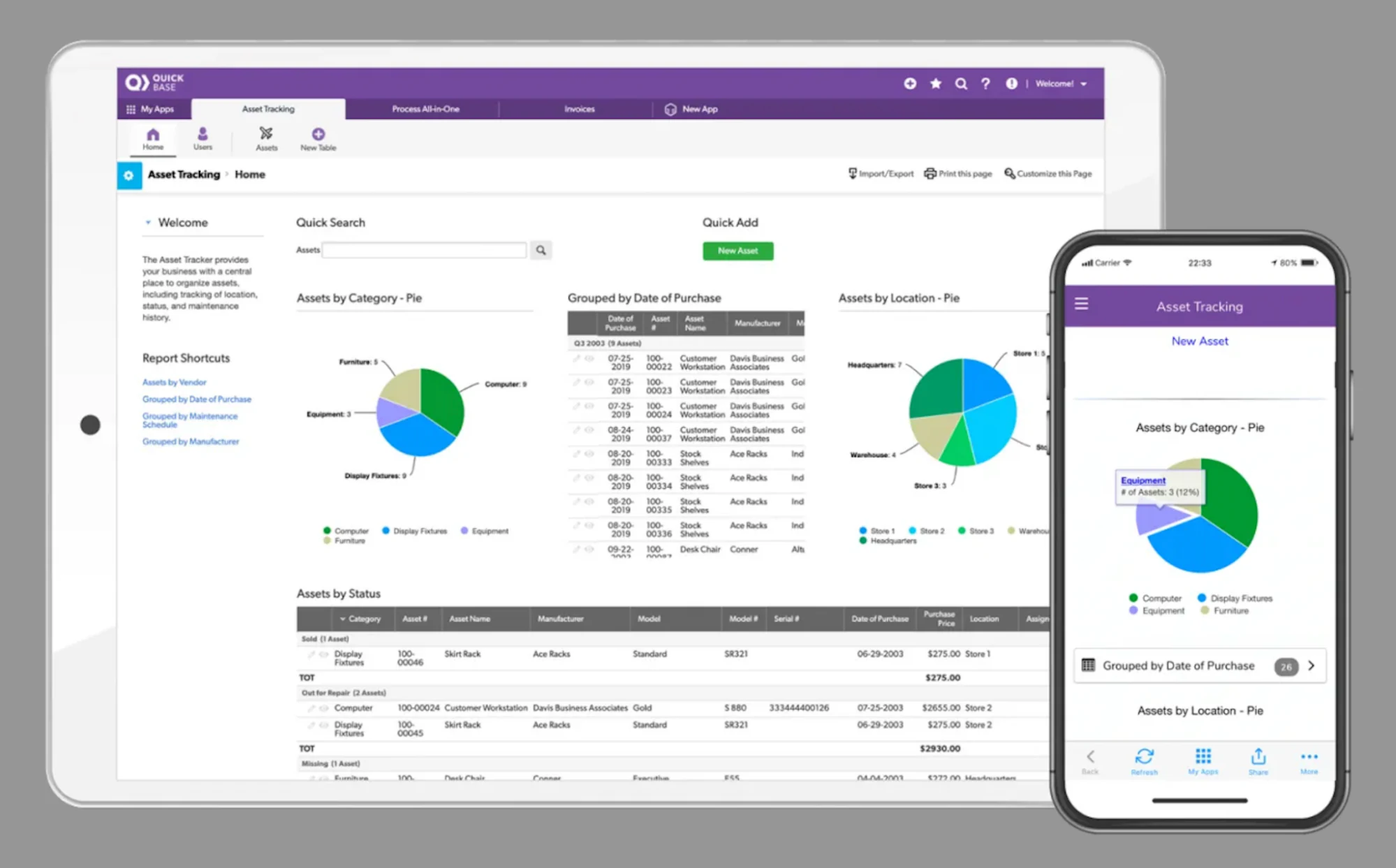
Image Source: *Quick Base
Features
- Drag-and-drop visual interface
- Pre-built templates
- Integration and workflow orchestration across your apps and third-party tools
- Can import data from other apps such as SalesForce, DropBox, and Google Drive
- Continuous deployment with real-time changes without taking the app offline
Drawbacks
- Complexity of some processes
- Limited dashboard customization options
- Formatting reports on the platform can be challenging
Pricing
- from 600 $/month for team edition, for up to 50 custom business apps
- 2000 $/month for the enterprise edition, for up to 100 custom business apps
- Free 30-day trial
3. OutSystems
OutSystems provides a visual development environment to create and modify mobile and web applications quickly. It allows you to develop and deploy your applications in the cloud, on-premises, or hybrid models. Develop once for all devices, while integrating all existing systems and applications.
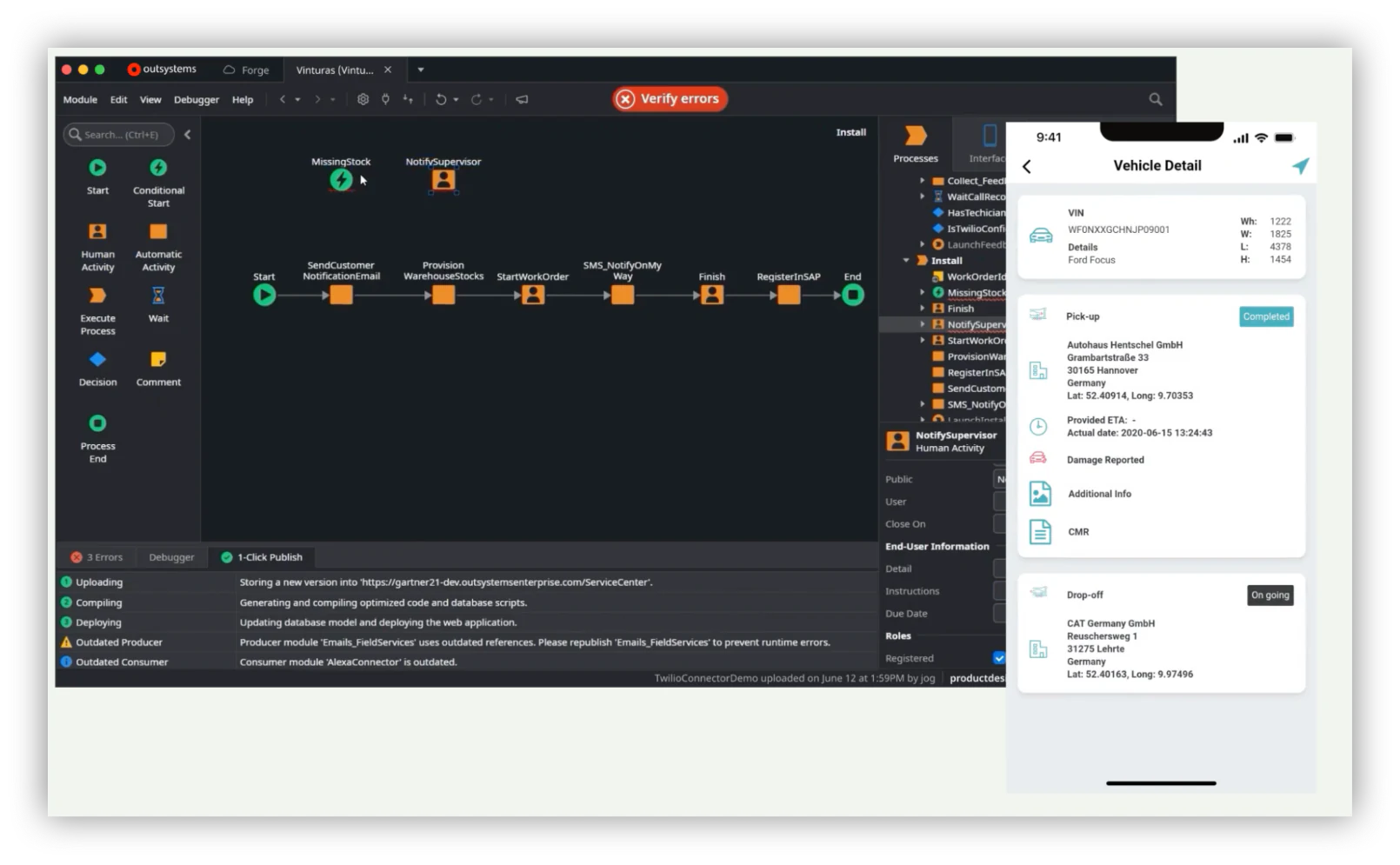
Image Source: *OutSystems
Features
- Deployment to any device
- Analytics dashboards that updates in real-time
- Visual development, easily integrated with custom code
Drawbacks
- No reliable content management to develop websites with CMS capabilities
- High price
- Need for better interaction with databases and their elements
- Vendor lock-in
Pricing
- From 1500 $/month for standard edition
- Custom price for enterprise edition
- Free plan with limited features, and apps with up to 100 end users
4. Microsoft Power Apps
PowerApps is a low-code tool that allows quick application development. Microsoft released this product to help users in designing and deploying apps with built-in templates.
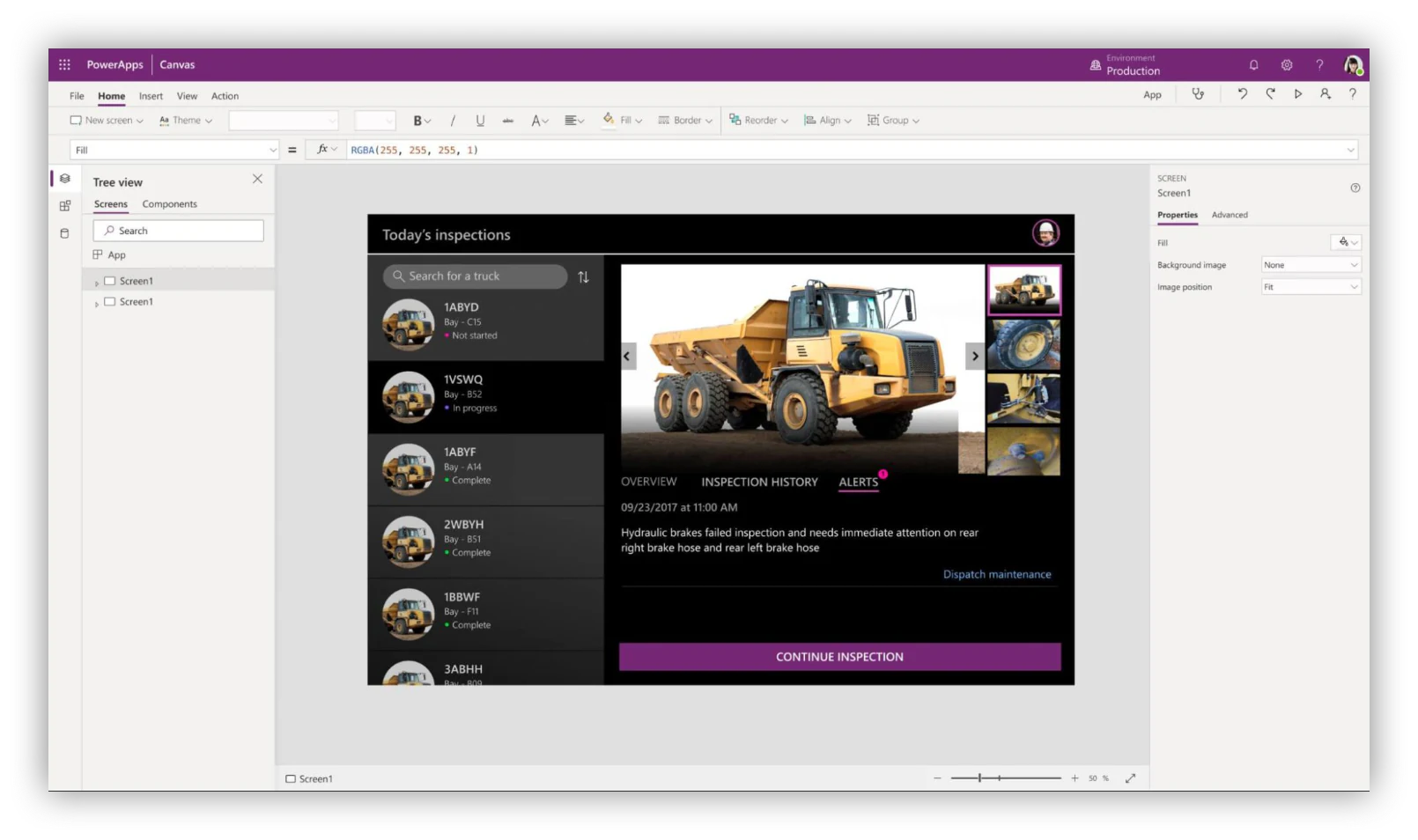
Image Source: *PowerApps
Features
- Creative flexibility
- Pre-built formats that don’t require any coding
- Helpful online learning resources and tutorials
Drawbacks
- Some situational formulas are more complex than expected
- Slow maximum upload
- Limited customizability with current formats
Pricing
- Pay-as-you-go plan for 10 $/user/app/month
- Subscription plans: 5 $/user/app/month and 20 $/user/month.
5. Kissflow
Kissflow is a low-code enterprise development platform designed for freelancers. The user can easily build, test and deploy applications within the platform. It offers a wide range of options, such as workflows, forms, and dashboards.

Image Source: *Kissflow
Features
- 50+ ready-to-use applications
- Integrates with Google apps
- Workflow progress tracking
- Fine-grained access control
- Drag-and-drop workflow builder
Drawbacks
- Difficulty exporting reports to personal email
- Slow response to technical issues
- Limited flexibility within the platform
Pricing
- From 9,90 $/user/month for small business edition
- 20 $/user/month for corporate edition
6. Retool
Retool is a low-code internal tool builder catered to developers building custom apps, dashboards, and admin panels. The platform comes with templates to enable technical teams to build powerful tools in less time.
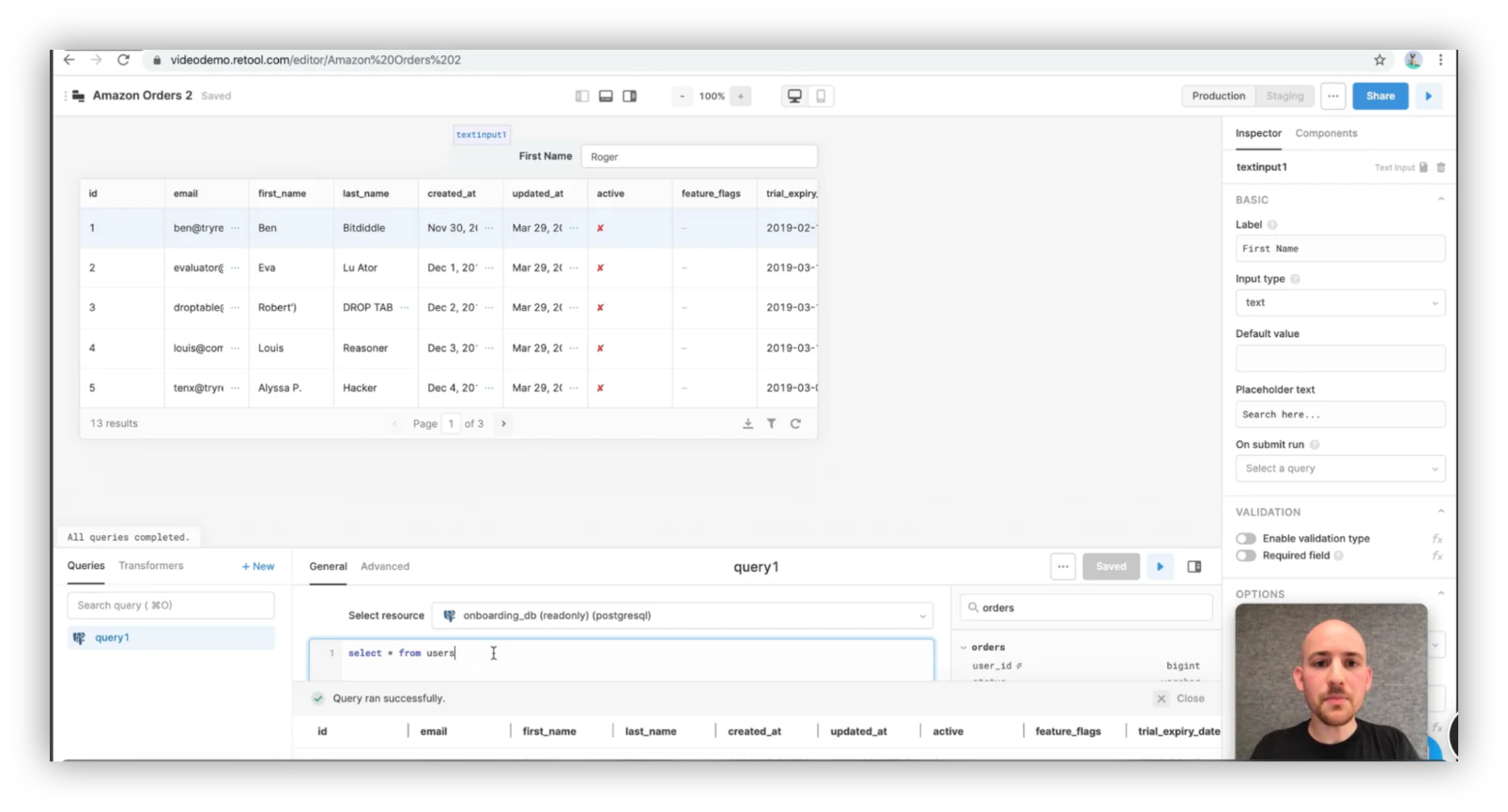
Image Source: *Retool
Features
- Drag-and-drop interface components to build frontends
- A lot of templates and integrations at disposal
- You can connect it to most databases
Drawbacks
- It requires some coding and technical knowledge, it targets developers
- Steep learning curve for teams with limited technical knowledge
- Some important features, like white labeling, are only included in the most expensive plans
If any of these drawbacks sound like a deal-breaker to you, check out some of the Retool alternatives we've selected.
Pricing
- Free plan
- From $10/month per user
7. Budibase
Budibase is an open-source low-code platform and an internal tool builder, helping technical teams to create apps for their workplace in minutes. It caters primarily to developers.
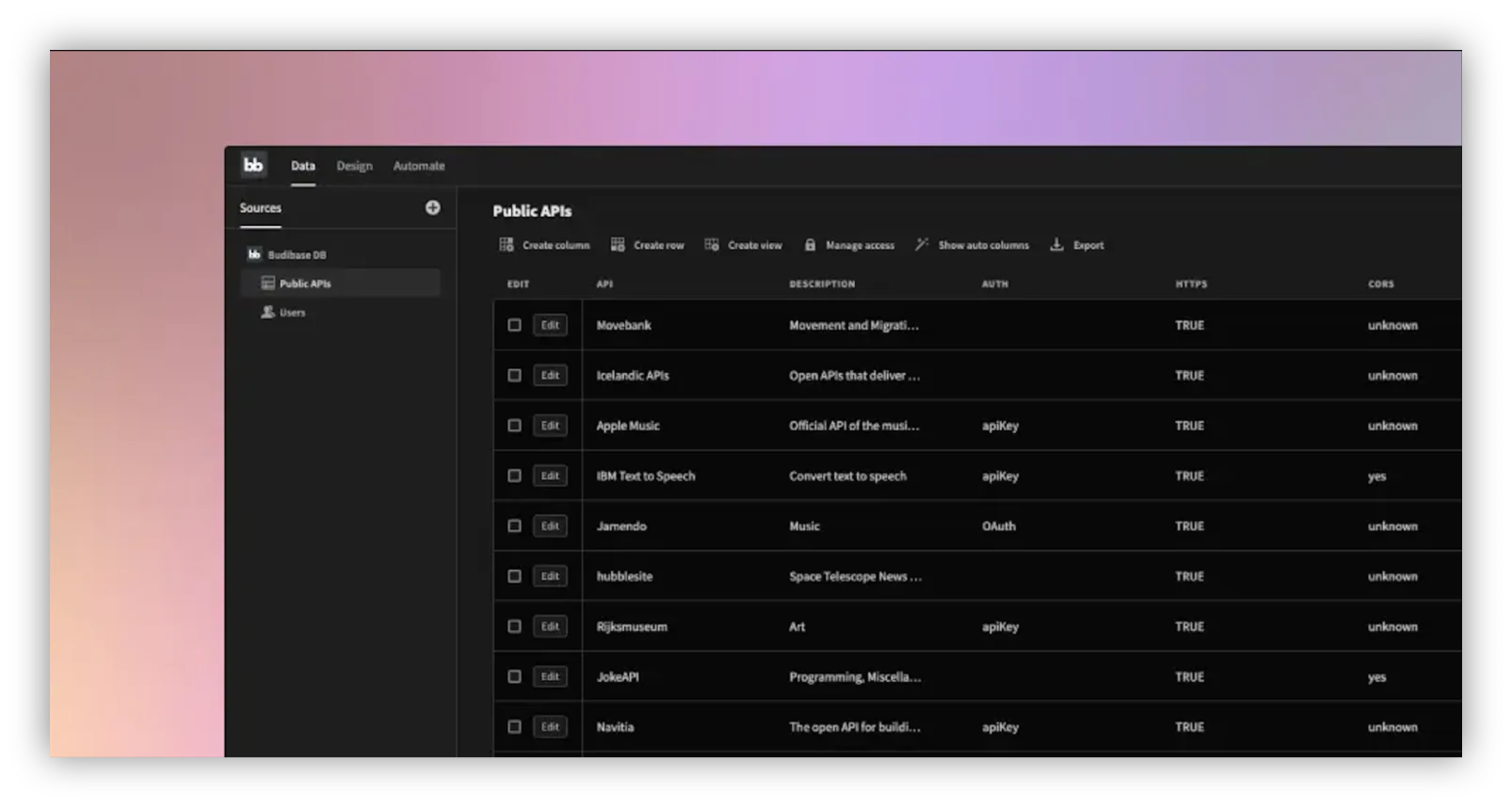
Image Source: *Budibase
Features
- No subscription cost
- You can import data from external databases, and you can operate data within Budibase GUI
- You can automate processes and implement backend logic to your project (automatic email notifications)
- Webhooks & integrations
- You can choose to build apps with or without writing code
Drawbacks
- Additional costs, such as web hosting outside Budibases and additional workflows
- Low-code platform, but it requires a technical background.
Pricing
- Open-source (Free)
8. UI Bakery
UI Bakery is a low-code visual internal tool builder tailored to save hours of development. With an evolving feature set, you can cover even non-standard cases of internal tools development, while the configuration convention means you won’t spend ages getting set up.
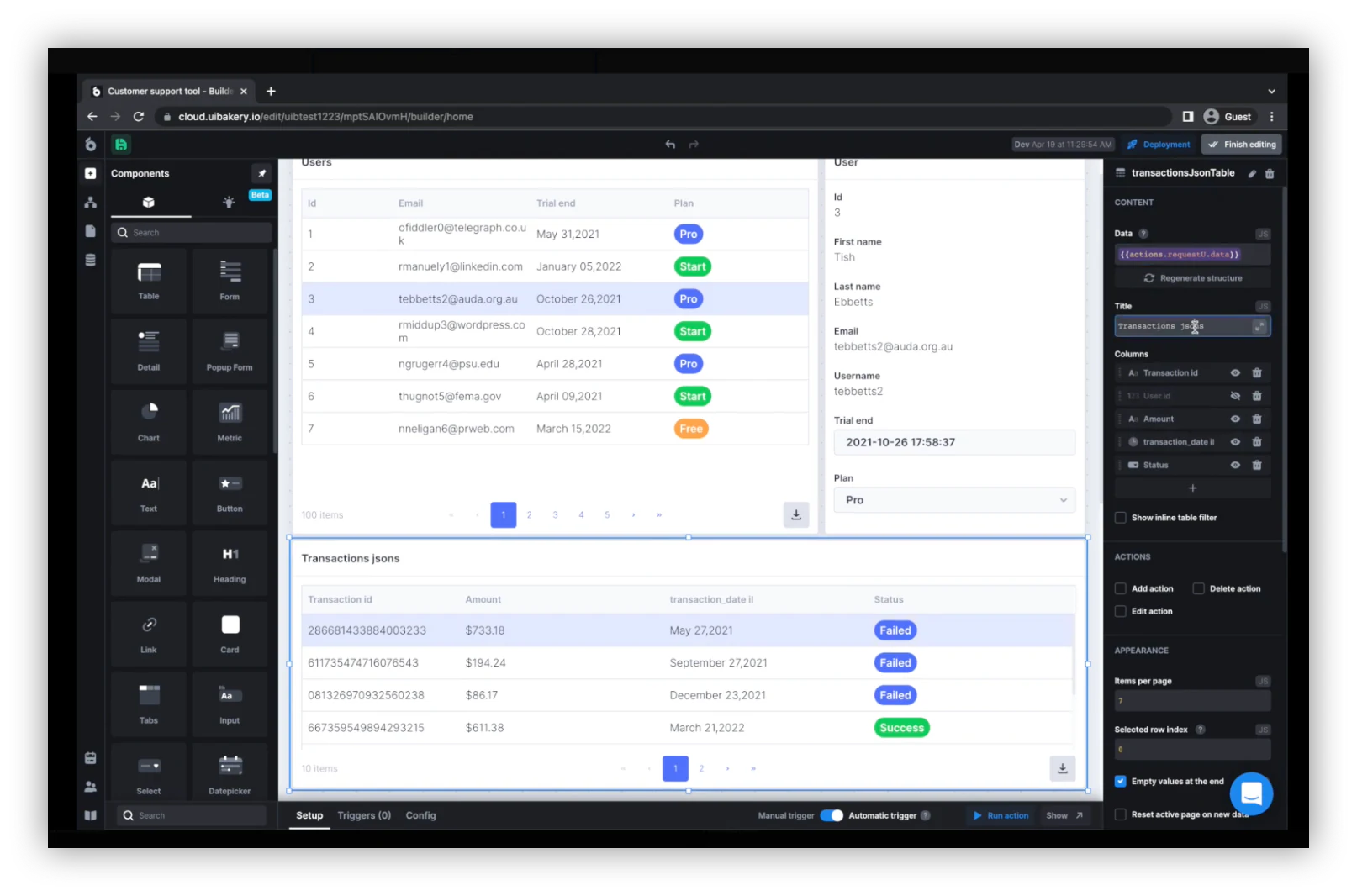
*Image Source: UI Bakery
Features
- Multi-page applications
- Advanced workflow builder
- Fixed-price on-premise offering
Drawbacks
- Development background required (JS/database knowledge)
- Limited end-user mode on a free plan
Pricing
- Free plan
- From $10/month/user
9. Mendix
Mendix is a low-code platform catering to large enterprises. With a wide range of tools covering the entire application development process, it enables bigger teams to work together despite technical disparities.
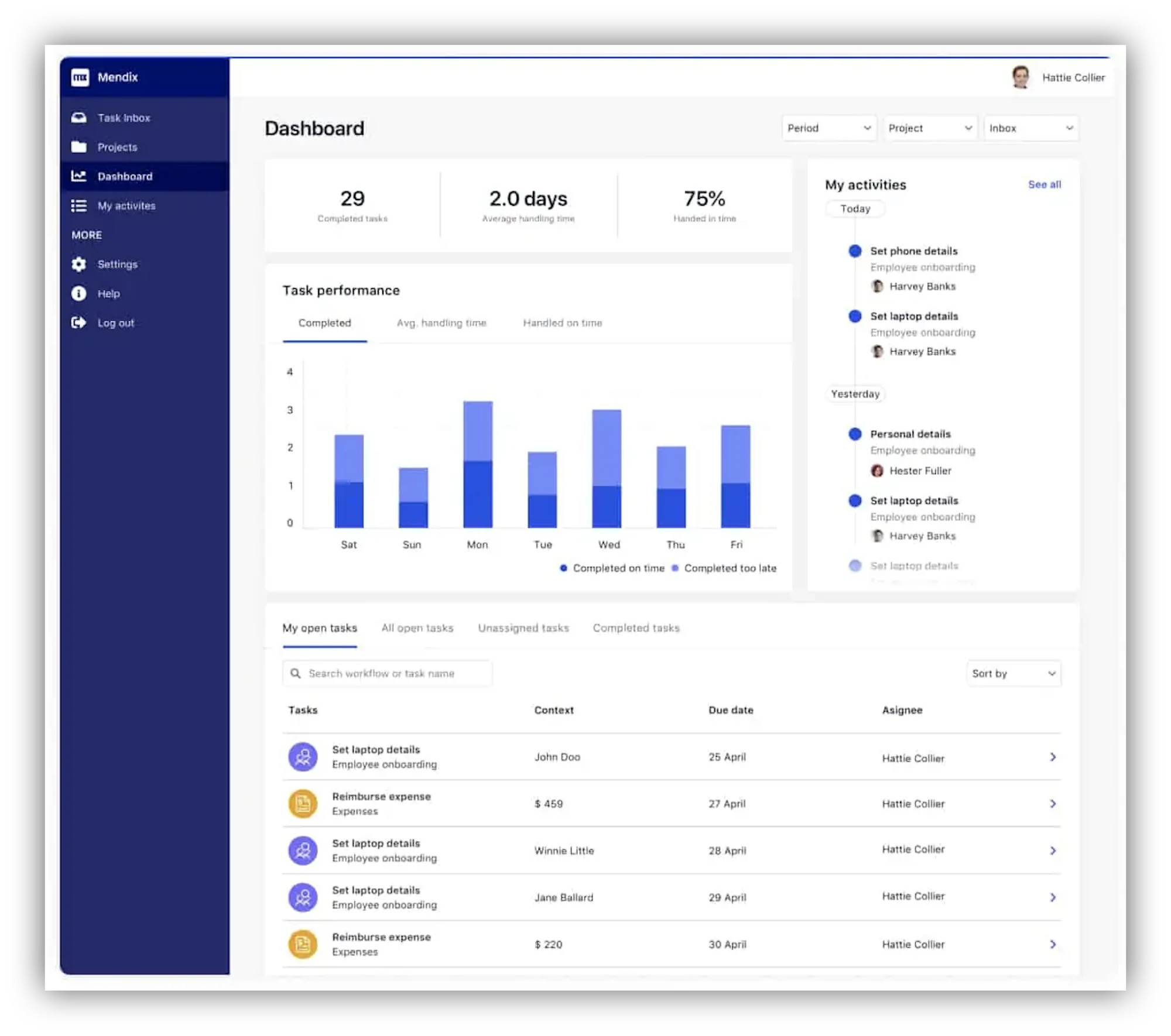
Image Source: *Mendix
Features
- Packed with enterprise-grade features (collaboration, security, integrations)
- Two different development environments can communicate bi-directionally: a no-code option for business users and a low-code one for developers.
- You can build native mobile apps from a single integrated visual development environment
Drawbacks
- Pricing: the standard plan to build department-wide business applications starts at $950/month
- Some reviews recommend improvements to the user interface
Pricing
- Free plan for personal use
- From $60/month for 5 users
10. Launchpad
Best for building and scaling B2B SaaS apps with low-code development
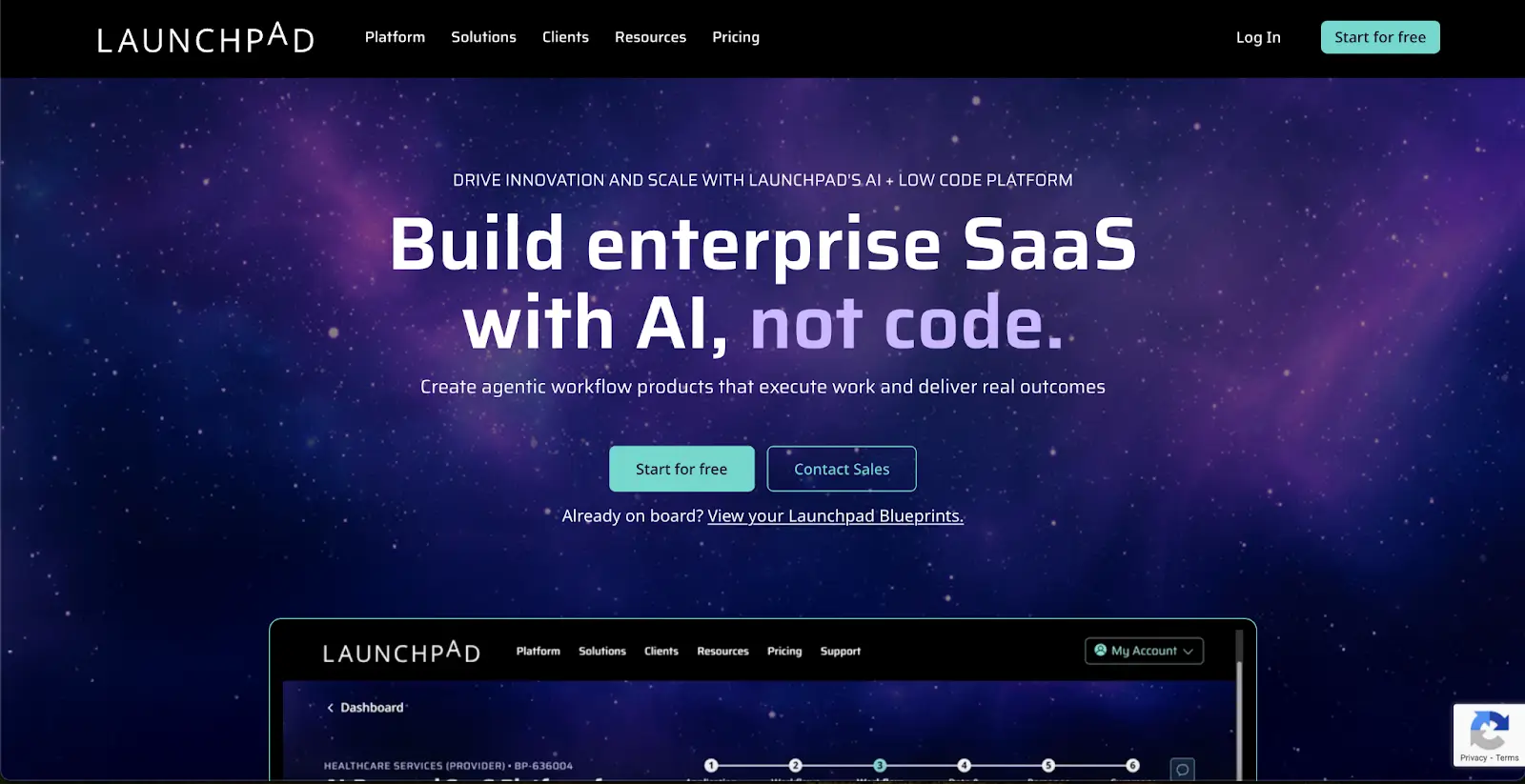
Launchpad is a low-code / no-code platform for creating, launching, and operating production-ready B2B SaaS applications quickly without managing infrastructure, deep backend systems, or custom cloud ops yourself. It combines AI assistance, reusable components, multitenant architecture, subscriber management, workflow automation, and built-in scalability so software teams and startups can focus on delivering features and customer value.
Launchpad pros and cons
Pros:
• Accelerates time to market with AI-assisted low-code app design and reusable components (UI, auth, workflows)
• Includes managed infrastructure, multitenancy, security, and subscriber management, reducing backend complexity
Cons:
• Low-code abstraction can limit customization or advanced developer control compared with hand-coded solutions
• Risk of vendor lock-in — migrating off the platform later can be complex once deeply built in
Launchpad best features
• AI-powered blueprint and visual editor for rapid app design and logic creation
• Multitenant architecture with secure subscriber and user management built in
• Usage-based pricing model tied to Launchpad Units, aligning cost with real workload and growth
Launchpad pricing
Launchpad’s pricing scales based on usage (Launchpad Units) rather than fixed per-seat tiers, making it suitable for different SaaS growth stages.
• Free/Explore: Access to design tools and prototyping (start for free)
• Ignite: ~$900/month — full development and production capabilities with up to ~5M Launchpad Units, unlimited apps, developers & users, plus support
• Accelerate & Enterprise: Custom/usage tier pricing for higher capacity and additional support (contact sales)
Note: Pricing can vary with enterprise needs and Launchpad for Startups options — contact the provider for detailed quotes.
11. Softr — best no-code alternative to low code tools
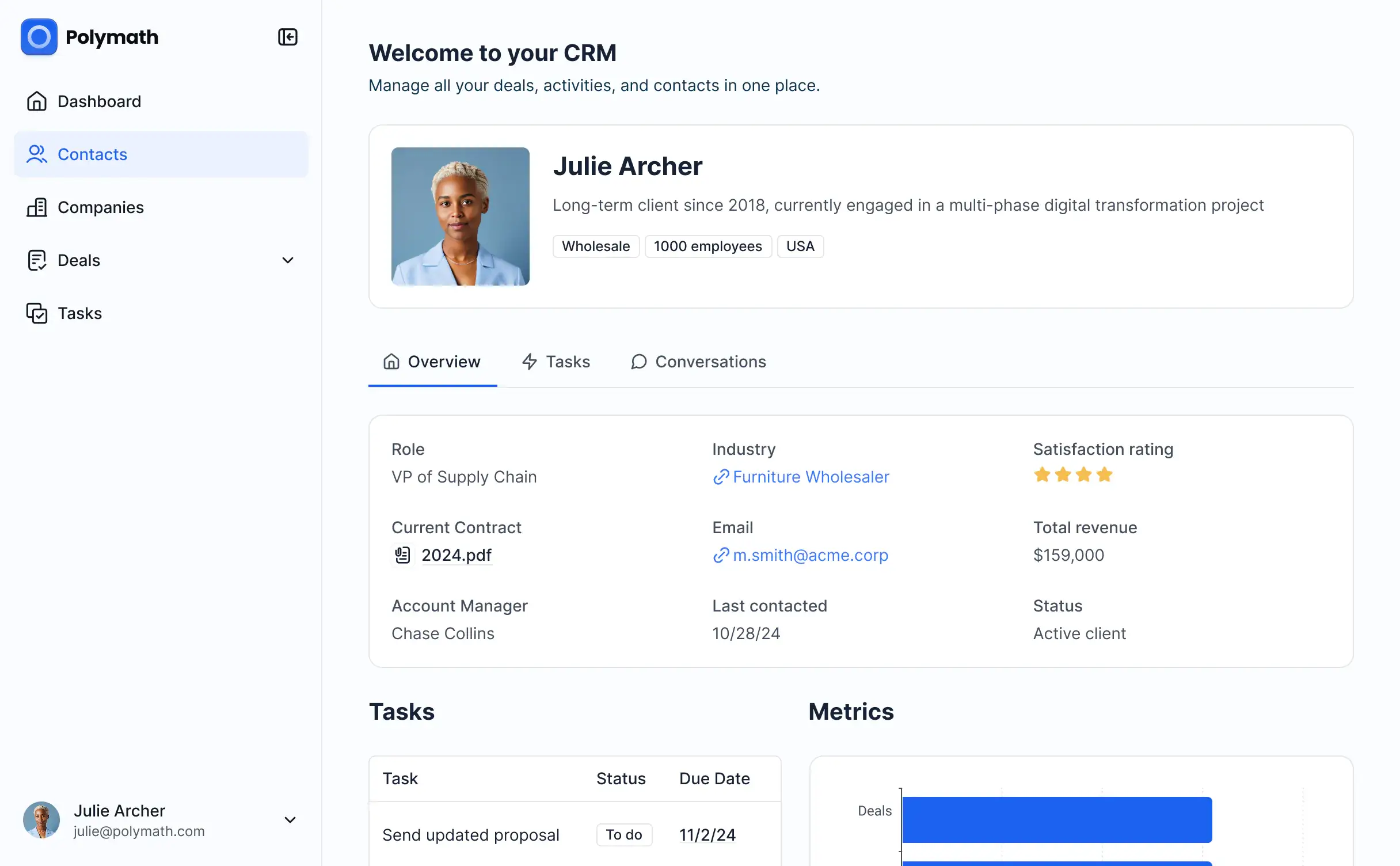
Low-code platforms speed up development but still require technical setup and developer oversight. For non-technical operators and teams that want the same level of power and customization without the steep learning curve, Softr is the best no-code alternative.
With Softr, you can build full-stack business apps on top of your existing data from Airtable, Google Sheets, HubSpot, Notion, SQL, and more—no coding or design skills required. Create secure client portals, CRMs, internal tools, dashboards, or directories that scale with your workflows and data.
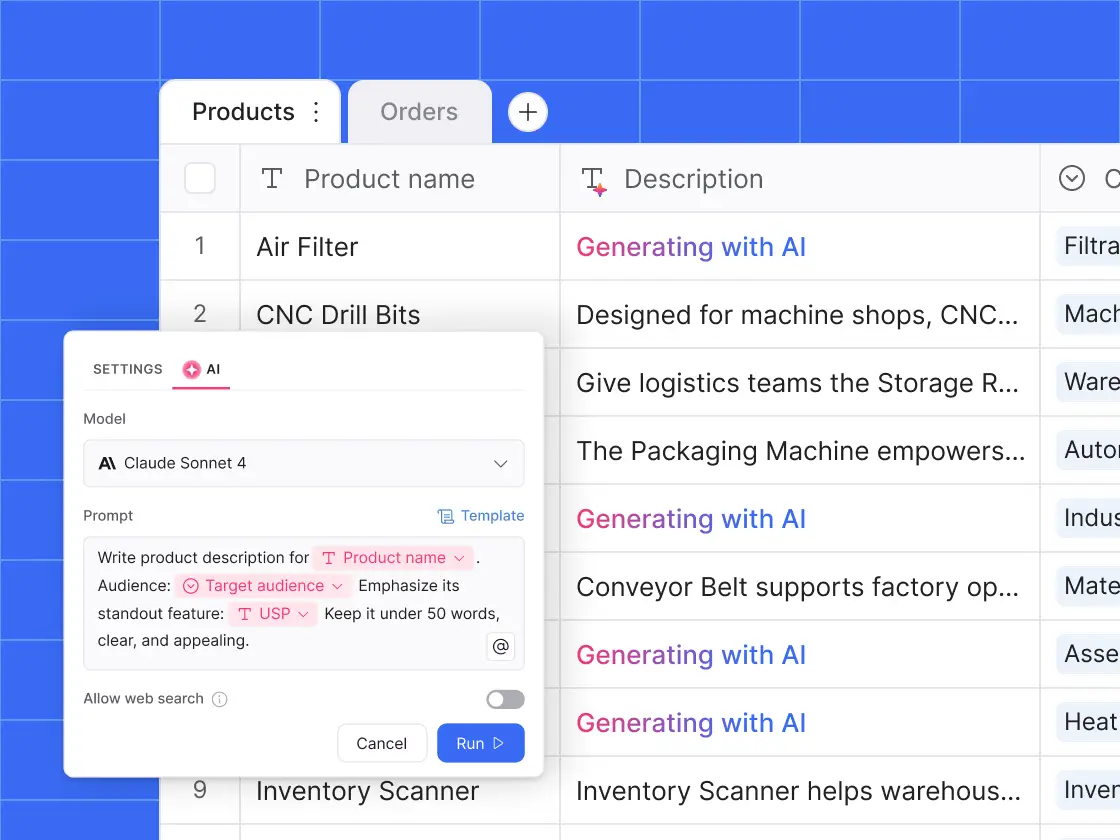
Softr brings databases, app building, and workflows together in one platform, so you can build business apps that truly fit how you work. You can also build and edit those apps from Claude or ChatGPT through the Softr MCP. And with AI features like Ask AI (a built-in chat assistant for app users) and Database AI Agents (which can automatically enrich records, update data, or pull live insights from the web), you can build intelligent, automated tools—without adding more complexity or cost.
Why choose Softr over low code tools
| Feature | How Softr stands out |
|---|---|
| Truly no-code setup | Build secure, data-driven apps with ready-made templates and a visual builder and launch in hours, not weeks. |
| Built-in relational database | Softr Databases lets you organize and manage structured data with formulas, rollups, lookups, and linked records—no API limits or sync delays. |
| Deep integrations | 15+ native data connections, including Airtable, Google Sheets, HubSpot, monday.com, Notion, SQL, and BigQuery with two-way, real-time sync. |
| Granular permissions | Define exactly who can view or edit content with user groups, role-based access, and conditional visibility: ideal for portals and internal tools. |
| Workflow automation | Use in-app actions native Softr Workflows, conditional forms, and integrations with Make/Zapier/n8n to automate approvals, notifications, and updates. |
| Security & compliance | SOC2 and GDPR compliant, hosted on Amazon AWS. Built-in SSO for enterprise-grade authentication. |
| Mobile-ready & SEO-optimized | Publish your app as a downloadable PWA (Progressive Web App) on iOS or Android. |
| Pre-built templates | Start fast with ready-to-use templates for CRMs, client portals, knowledge bases, and more, and customize to match your brand. |
| Custom code support | Use the custom code block to extend layouts, embed charts or widgets from external tools, and add advanced customization. |
Drawbacks
- Limited deep backend customization compared to traditional low code tools.
- Advanced workflow automations are still rolling out (Workflows Beta expanding in 2025).
Who Softr is for
Softr is built for operators and small to mid-sized teams that want the flexibility of low code tools without the technical setup. It’s ideal for service-based businesses, agencies, and operations teams that manage client work, data, or projects across multiple tools. If you know your workflows but not code, Softr helps you turn them into secure, scalable apps in hours, not weeks.
Softr Pricing
Softr offers flexible pricing plans, so you can build at any tier:
- Free for up to 5 total users per month
- Paid plans start at $19/month for Team: 5 + Client: 5 app users (when billed annually)
- Pro: Starts at $99/month for Team: 10 + Client: 50 app users (when billed annually)
- Business: Starting at $329/month for Team: 30 + Client: 100 app users (when billed annually)
- Enterprise (custom pricing, contact sales): Custom SSO (SAML/OpenID), dedicated success manager, and advanced governance.
Find the best way to build what your team needs
Low code tools have made building business software faster than ever, but they still assume some level of technical setup, maintenance, and developer input. For many teams, that’s a barrier, not a shortcut.
With the no-code counterparts, such as Softr, you can go one step further, by completely removing any coding barrier. When you go no-code, anyone in your team is empowered to support app development and create the tools you need to help your business thrive.
Instead of writing code, you connect your data, set permissions, and design workflows that actually reflect how your business runs. No long dev cycles. No dependencies. Just the freedom to create tools that grow with you.
In the end, the best platform isn’t the one with the most features—it’s the one your team can use confidently to move faster, work smarter, and stay focused on what matters most: building your business, not your tech stack.
Try it for free and see how easy it is to turn your data into powerful business tools.
Frequently asked questions
What is the best low-code app for internal tools?
What are the best no-code or low-code ETL tools?
Which is the best no-code tool?
What is low-code application development?


