Glide vs Bubble: Which no-code app builder is right for you in 2026?



[.blog-callout]
✨ TL;DR
- Glide makes it fast to turn spreadsheets into working internal apps: Glide’s predesigned templates and components, built-in automation, and a spreadsheet-style interface mean most operations teams can build what they need quickly. However, its data sources are limited and it’s not ideal if your app serves external users.
- Bubble gives founders full-stack control to build production software: With native mobile publishing, a visual full-stack editor, and thousands of plugins, Bubble is a no-code tool that’s powerful enough to design and launch SaaS products and marketplaces. But the learning curve is steep, and there’s no way to export your code away from Bubble’s infrastructure.
- Softr is the better fit for most business teams: Softr’s AI can generate a complete working app from a single prompt, including your database, logic, authentication, and user permissions. Softr also connects natively to 21+ data sources, so you can build your app without migrating your data.
[.blog-callout]
Next time you exhaust your Netflix queue, consider scrolling through the stories of no-code app founders for a similar narrative thrill. There’s Emily, who built an AI-powered dog adoption platform; Johan, who built an app for his neurodivergent daughter; and Nick, who built a platform that helps matchmakers find love for their clients. Any of them could be the protagonist of a romantic comedy or a heartwarming family drama.
No-code tools like Bubble and Glide are the reason we have stories like this. Without them, people with great ideas but no technical skills would either hire a developer or just never build anything. And that would make for a far less interesting Netflix plot.
The catch is that neither platform makes sense in every situation, and if you pick the wrong one, you can end up building an app for weeks with nothing to show for it. Bubble is for technically-oriented builders designing production apps for external users. Glide is more accessible and is primarily for internal business apps.
We tested both platforms and compared them against Softr, a better alternative for business teams, so you can get a better sense of which no-code app builder makes sense for you.
Glide vs Bubble at a glance
| Glide | Bubble | Softr | |
|---|---|---|---|
| Best for | Ops teams who need internal business tools built on spreadsheet data | Founders building SaaS products, marketplaces, or apps for external users | Business teams who need portals, CRMs, and internal tools with a database and permissions already set up |
| Ease of use | If your team already uses Google Sheets, there’s barely any learning curve | No-code but has a steep learning curve; most builders need several weeks before they can ship anything | Easy for non-technical teams, especially given Softr’s AI Co-Builder and 90+ templates |
| Key strengths | Quickly get polished, mobile-ready apps from spreadsheet data; built-in automation | Full control over database, UI, and logic; native iOS and Android publishing; SOC 2 compliance | Database, auth, and permissions connected from the start; 17+ native data sources including HubSpot and Notion |
| Pricing | Starts at $49/month for individuals or $199/month for business users | Starts at $29/month for web-only or $59/month for web + mobile (billed annually) | Paid plans from $19/month for Team: 5 + Client: 5 app users (billed annually) |
| Free plan | Develop apps for free; no way to publish to end users | Develop apps for free; no way to publish to end users | Publish apps for free; up to 5 total users and 5,000 records |
What is Glide?
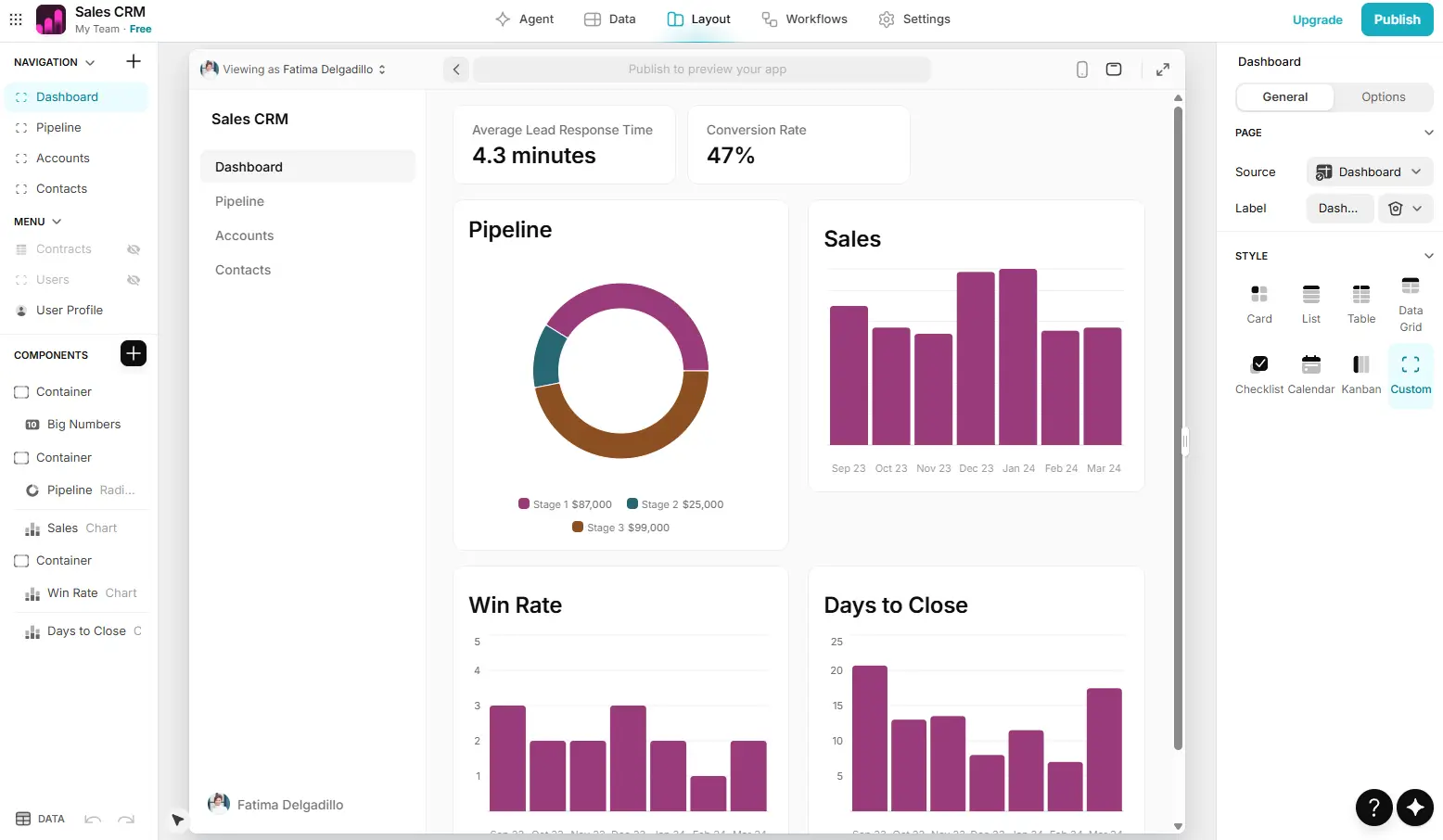
Glide is a no-code platform that turns spreadsheets into custom apps. You can create internal business apps like operations dashboards, vendor directories, and project management tools, and any changes to your data in Glide also sync back to the original source. With Glide’s professionally-designed themes and components, apps look polished out of the box.
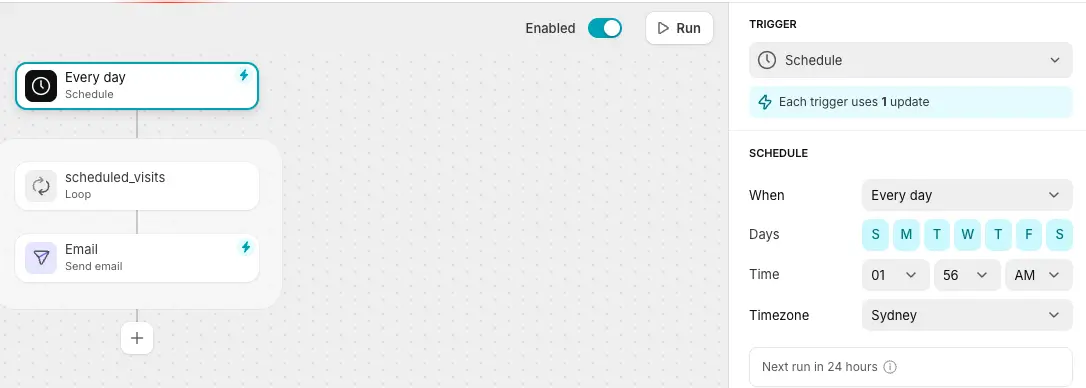
Building an app starts with connecting an existing data source like Google Sheets, Airtable, or Excel (you can also add data locally using Glide Tables). With Glide Agent, an AI assistant, you can create an app based on that data by describing what you need. Automation is built in, so you can add scheduled triggers, webhooks, email triggers, conditional routing, and AI steps (like data extraction) without relying on a separate automation platform.
Glide recently launched GlideOS, a new AI-first version of the platform that can also create apps from non-spreadsheet assets like prompts, PDFs, and screenshots. It’s currently in early beta, and requires a separate subscription starting at $25/month. (The Glide team now refers to the current no-code platform as “Glide Classic.”)
Glide's key features
- Spreadsheet-style data editor: Glide stores and manages your app's data in an interface that works like a spreadsheet. If your team already uses Google Sheets or Excel, there's nothing new to learn.
- Pre-designed templates and components: Glide's templates and components are professionally designed and automatically responsive, so apps look good on any device without any design work on your end.
- Glide Tables: Glide Tables is a native database for teams who want to start from scratch rather than connect an existing spreadsheet. You can link tables across projects and sync data between them natively.
- Built-in automation: You can set up triggers, webhooks, email notifications, and conditional logic directly in Glide rather than relying on external automation tools.
- Glide AI: Glide's AI tools let you build UI components from a text description and add AI-powered steps to your automations, like pulling structured data out of uploaded documents or drafting email responses automatically.
Glide cons
- Usage limits: Glide charges based on the number of data updates your app performs each month, which means every form submission, record edit, and workflow trigger counts against your usage. On the Business plan the limit is 5,000 updates. If your team actively uses the app day-to-day, you may hit the limit faster than you think, especially if you rely on multi-step automations.
- Limited support for complex apps: Glide is well-suited to apps where most users need to see roughly the same data. If you need different user types to see completely different records, or you're working with data spread across several related tables, you might struggle to get the outcomes you need.
- Data source compatibility: Glide connects natively to Google Sheets, Excel, Airtable, and SQL databases. If you want to build apps based on data hosted in tools like Notion, HubSpot, monday.com, or ClickUp, you'll need to export it first, find a workaround, or choose another platform.
Glide pricing
Glide has two pricing tracks: individuals and businesses. With individual plans, you can only invite users with a non-business email address (like personal Gmail accounts, nonprofits, or schools). To add users with a business email address, you’ll need to upgrade to a Business plan. All prices shown are billed annually.
Individuals:
- Free: 1 editor, unlimited draft apps, no users, up to 25k rows, manually imported data
- Explorer ($19/month): 1 published app, 100 personal users, up to 25k rows, 250 updates
- Maker ($49/month): 3 published apps, unlimited personal users, up to 50k rows, 500 updates, custom branding and domains
Businesses:
- Business ($199/month): Unlimited apps, 30 users included, up to 100k rows, $6/user/month for additional users, 5,000 updates
- Enterprise: Custom pricing, SSO, data backups, enterprise integrations
Glide charges per “update,” which refers to any time you sync data from another source like Google Sheets, Airtable, or the Glide API. Whether Glide’s update limits are a constraint for you depends on the design of your app: lots of users, automated webhook triggers, and heavy reliance on external services can push you to the limit faster. If you use Glide Tables to store your data, no syncing is required. You can also enable unlimited usage, which means you’ll be billed $0.02 for each update that exceeds your monthly quota.
GlideOS, Glide’s new AI-powered experience, is currently billed separately starting at $25/month for 100 credits and 5 projects. Team plans start at $125/month for 5 members.
✨ Softr's plans don't charge per update or per business-email user, so you can scale without worrying about how often you sync data or what email domain your users sign up.
What is Bubble?
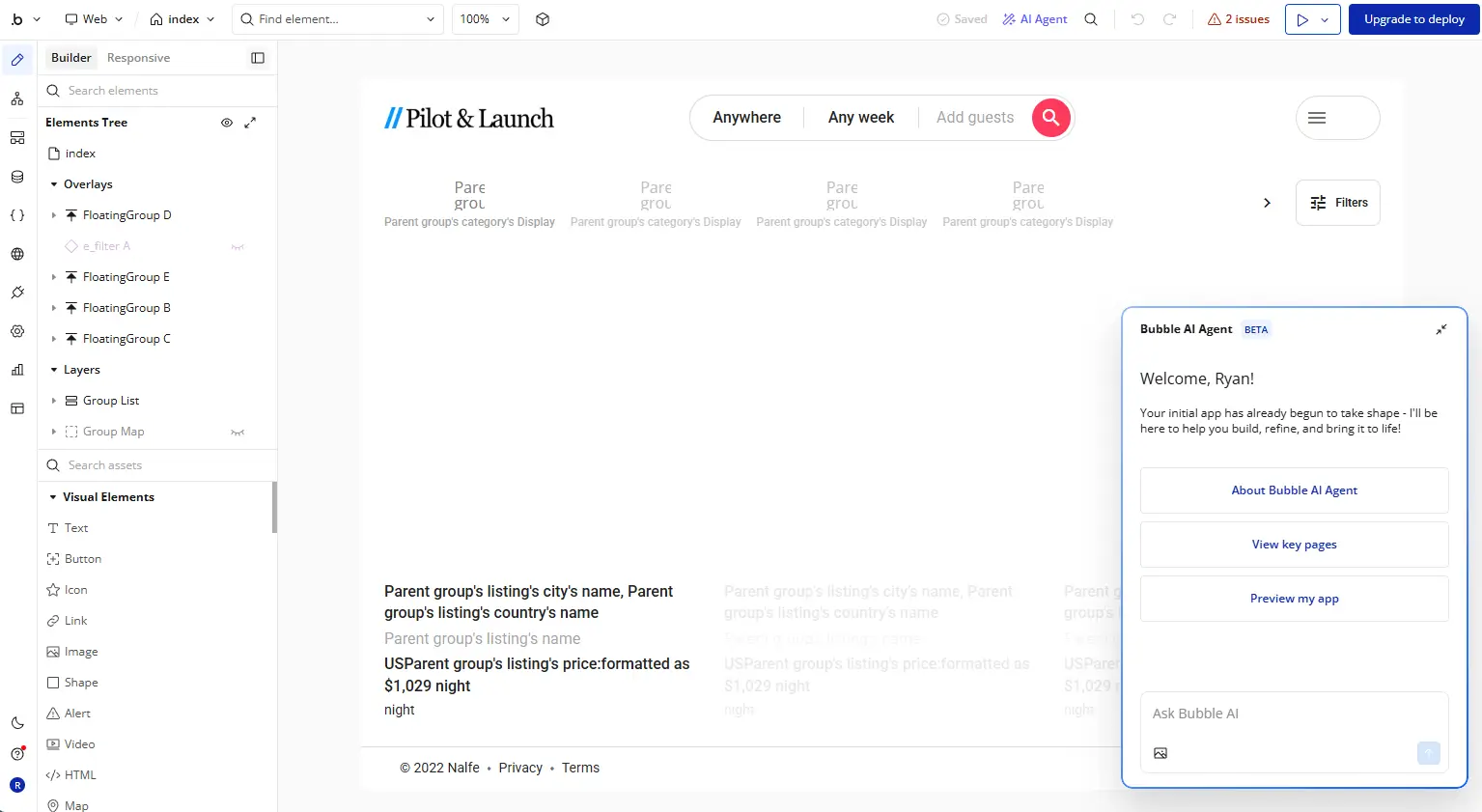
Bubble is a full-stack no-code platform for building web and mobile apps from scratch. Unlike Glide, which is optimized for internal business tools, Bubble is designed for founders who want to build production-grade apps for hundreds or thousands of external users, without managing code, servers, or infrastructure.
Bubble gives you a significant amount of technical control over your layout, database structure, and workflows. Version control and branching are available on Growth plans and above, so you can develop features in isolation without touching the live app. Technically-minded builders will adapt to Bubble immediately, but for beginners it takes time to learn concepts like containers, child groups, expressions, backend workflows, states, and endpoints.
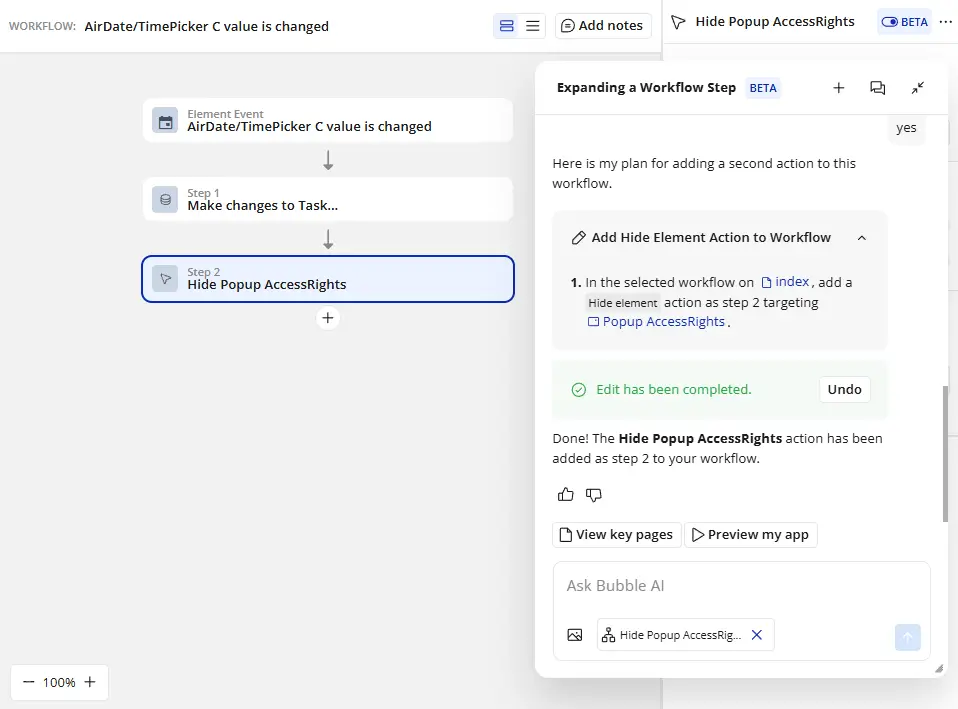
The Bubble Marketplace offers thousands of prebuilt templates and plugins that can speed up this learning curve. And the Bubble AI Agent, which is present throughout the platform, makes everything more navigable since it can see what you’re working on and make changes on your behalf.
Bubble also supports native iOS and Android publishing through a separate mobile builder. Unlike a responsive web app, native Bubble mobile apps can access your phone’s push notifications, location services, and camera. One thing to know upfront: the mobile build is separate from the web build. Only the backend is shared, so web and mobile are effectively two parallel projects.
Bubble's key features
- Visual full-stack editor: Bubble gives you a single place to build your database, UI, and workflow logic. You can define data types, set up relationships between records, add conditional rules, and create automated workflows without writing code.
- Native mobile app builder: Publish iOS and Android apps directly to the App Store and Google Play that include push notifications, location services, and camera features.
- AI app generator and AI Agent: Describe what you want to build and Bubble generates a working starting point, including database structure, basic UI, and initial workflows. The AI Agent lets you keep editing in the chat dialogue from there.
- Security and compliance: Bubble is SOC 2 Type II certified, GDPR-ready, and runs built-in vulnerability scanning, which means you don’t have to manage security and compliance yourself.
- API connector: Bubble connects to external services via REST API, GraphQL, or its plugin marketplace.
Bubble cons
- There's a real learning curve: Getting comfortable takes time, even if you use Bubble’s AI tools to get started faster. Repeating groups, backend workflows, conditional expressions, states, and API endpoints are all concepts you'll need to understand before you can deploy your first production app.
- Web and mobile are two separate builds: Web apps and mobile apps share the same backend data but have entirely separate frontends. That means when you build a mobile app, you’re starting from scratch even if the web version of your app is already complete.
- Pricing gets complicated at scale: Bubble’s plans include a certain amount of infrastructure usage, which it measures with a metric called workload units (WUs). But it’s hard to estimate how much server activity you’ll have before you’ve built anything, and if you overshoot the WUs your plan allocates, you’ll end up paying overages.
- No option to export your code: Bubble uses its own proprietary infrastructure, so you can’t export your codebase. If you want to move platforms or hand the project to a development team, you’d need to export your app’s data and start over.
Bubble pricing
Bubble offers flexible pricing options depending on whether you need web apps, native mobile apps, or both. If you’re building multiple apps, you’ll need to subscribe to multiple Bubble plans. All prices shown are billed annually.
Bubble’s Web + Mobile plan:
- Free: Development version with 1 app editor, 50k workload units/month, and an API connector
- Starter ($59/month): Recurring workflows, basic version control, 175k workload units/month, branding
- Growth ($209/month): 2 app editors, 10 custom branches, 250k workload units/month, premium version control, 2FA
- Team ($549/month): 5 app editors, 25 custom branches, 500k workload units/month, sub apps
- Enterprise: Custom pricing, choice of hosting location, customizable server
Web-only pricing starts at $29/month, and mobile-only pricing starts at $42/month. Bubble’s “workload units” is a consolidated metric that reflects the server resources needed to host, run, and scale apps.
Glide vs Bubble: pricing
Glide and Bubble both use consumption-based pricing, which means your monthly bill can go up due to increased activity even if your user count stays the same. As a result, it's hard to know what you'll ultimately pay to host your app until you build it and see the activity it generates. You can build and test apps for free on either platform, but you'll need a paid plan before you share anything with users.
- Glide charges for every data update your app makes: Form submissions, record edits, and workflow triggers all count against your monthly limit. On the Business plan, the limit is 5,000 updates. A busy ops team with lots of automations can burn through usage quickly. When that happens, additional updates cost $0.02 each.
- Bubble's server usage is hard to budget in advance: Bubble measures infrastructure usage in workload units, which cover database queries, workflow runs, and API calls. Plans include a monthly allowance, with a separate fee for overages. Most people don't have a reliable sense of how many workload units their app will consume until it's been live for a while.
- Adding business users to Glide is expensive: Glide's individual plans only support personal email accounts. If your users have company email addresses, which is likely for most internal business tools and client-facing apps, you’ll need to upgrade to the Business plan at $199/month instead of the Maker plan at $49/month.
- Bubble's web and mobile plans are priced separately: The web-only Starter plan starts at $29/month, and adding native mobile publishing doubles the cost to $59/month. There’s a similarly large jump at each pricing tier, so it's worth confirming you actually need app store distribution before paying the higher price.
The verdict: Glide offers the best value if you’re building an internal tool that doesn’t require much data syncing. Bubble makes more sense if you're building for external users, as long as you can accept that your infrastructure costs might change from month to month.
✨ Softr's pricing doesn't change based on how often your app syncs data or how much server activity it generates. And with Softr’s free plan, you can publish apps with up to 5 total users.
Glide vs Bubble: on Reddit
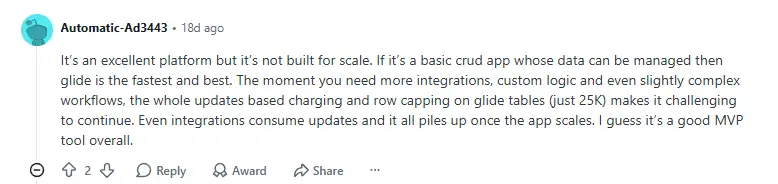
Users say Glide is a good choice for MVPs and internal tools, but it gets expensive to add integrations, sync data frequently, and add more rows and users.
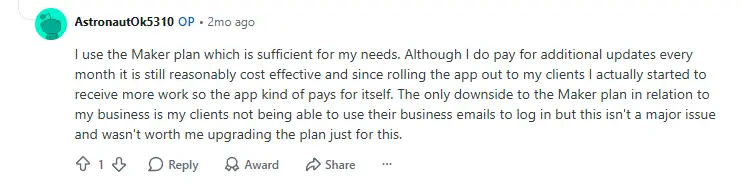
Some Glide users keep costs down by asking their customers to use personal email addresses so they can stay on the Maker plan, which offers unlimited users.
Users say Glide is more intuitive than Bubble in general, though figuring out user permissions is complex.

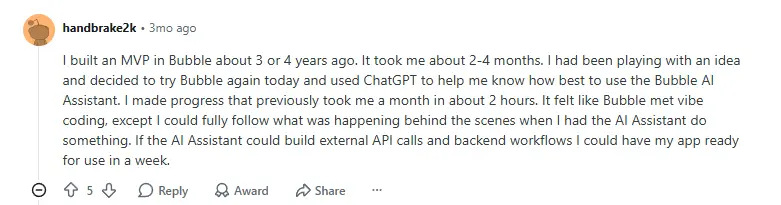
Bubble is known for being on the technical side of the no-code spectrum. Users on Reddit say it’s gotten quicker to build apps over time, particularly when using Bubble’s AI tools to spin up apps more quickly.
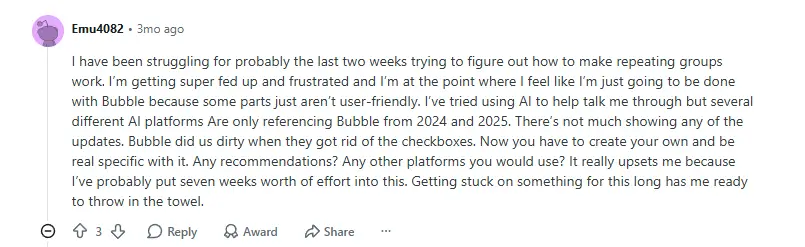
Still, Bubble has enough complexities that it can easily frustrate non-technical builders. One user spent seven weeks building an app, only to get stuck trying to design repeating groups (which are used to display structured database records).
And Bubble’s workload unit pricing is a frequent point of contention with users, who say it feels arbitrary and gets expensive at scale.


Glide vs Bubble: Summary
Bubble would be overkill for most internal apps, and Glide isn’t usually the best option to design and host production software for external users. As a result, the right fit becomes clear pretty quickly once you know which audience you’re building for.
- Glide uses your existing data to create internal business apps. If your team’s data is already in a spreadsheet, you can quickly build the business tools you need without dealing with technical details. And because automation is built in, you can make your apps more useful with intricate workflows that include conditional logic and AI-powered steps. However, Glide isn’t well-suited to most external-facing use cases or to apps that require custom views for each user role.
- Bubble is for founders who want to ship production apps to external users. If you’re creating web or mobile apps for hundreds or thousands of users, Bubble offers the technical control and infrastructure necessary to make it happen. You can also publish native iOS and Android apps directly to the app store. While Bubble is a no-code tool and offers an AI assistant, the learning curve for beginners is steep because there’s a lot of technical configuration to get right before anything works.
Softr — the best Glide and Bubble alternative for teams building real business apps
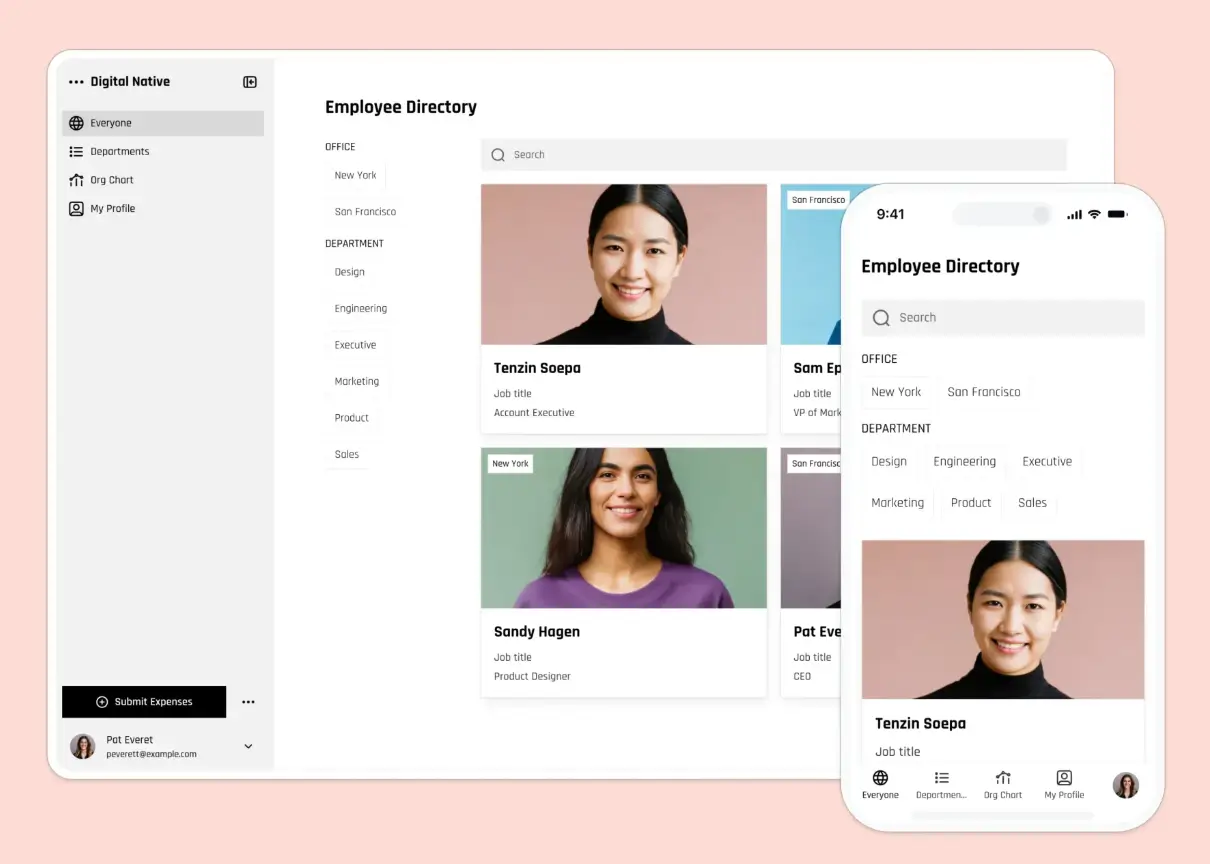
Glide makes it fast to build business apps from spreadsheets, but it offers a fairly small selection of data sources and its permission model isn’t ideal for apps where each user needs to securely access different sets of data. Bubble is powerful, but it requires significant configuration, and it’s really for founders building products rather than teams building internal business apps.
Softr is a no-code platform where the database, interface, user management, and business logic are already connected before you start customizing. Describe what you need to Softr's AI Co-Builder—or choose from one of Softr’s 90+ templates—and you’ll get a working app, complete with authentication and permissions. Softr also connects natively to 21+ data sources including Airtable, HubSpot, Notion, and Google Sheets, so your app can run on data your business already uses rather than requiring you to consolidate everything into a new system. Once it's built, anyone on your team can make changes visually without technical overhead.
Best for: Operations teams, business owners, and department leads who need real software like client portals, internal tools, CRMs, and dashboards, and want to build and maintain it without a developer in the loop.
Why teams choose Softr
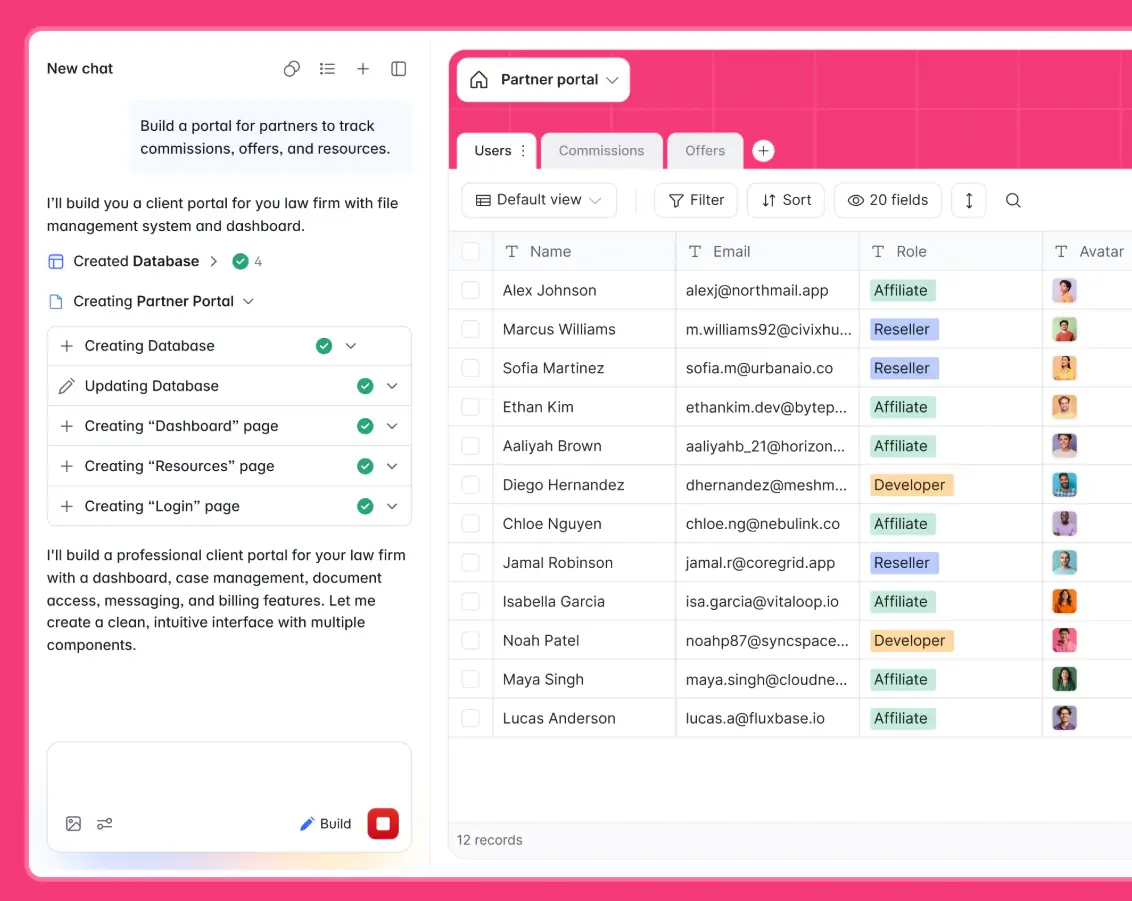
- A wider selection of data sources: Softr connects natively to 21+ data sources including Airtable, HubSpot, Notion, Google Sheets, SQL, Supabase, and more, all with two-way sync. Glide’s native integrations are limited, and Bubble relies on plugins or API integrations to connect anything external.
- Secure apps with easily configurable permissions: Softr enforces access controls at the server level, which means restricted data never reaches a user's device in the first place. With Glide, permissions are less secure because they’re enforced at the UI level. Bubble's Privacy Rules are server-side but have to be configured manually, and it’s easy for non-technical builders to accidentally misconfigure them.
- Authentication and user management included: Login, signup, password reset, and onboarding flows are built into Softr. Bubble requires you to build all of this yourself before users can log in. Glide handles basic authentication, but you’ll pay significantly more if your users have business email addresses.
- Softr AI generates everything, not just your design: Softr AI handles your database and workflow generation, in addition to your app’s design. You can also use Softr AI for ongoing app edits, or add vibe coding blocks with unique design and logic.
- A free plan that lets you build working apps for users: Softr's free plan includes 5 app users, 5,000 database records per app, unlimited forms and submissions, workflows, and unlimited collaborators. Glide and Bubble both offer free plans for building and testing, but you can’t share a live version of your app with users unless you pay.
Glide vs Bubble vs Softr?
If your team's data is already in Google Sheets or Excel and you need a working internal tool fast, Glide is a good starting point. Bubble makes sense if you're building a production app for external users and are willing to invest significant time into learning the platform. Most business teams fall between those two scenarios: they need something more capable than Glide, but they don’t need the infrastructure and complexity that comes with Bubble’s focus on creating production SaaS apps.
But Softr lets anyone on your team build and maintain business apps. With Softr’s AI app builder, templates, and a visual editor, non-technical users can go from idea to working business app without writing code, and with authentication, user permissions, databases, and workflow automation included from the start.
Try Softr for free and start building today.
📖 Related reading:
Frequently asked questions
Is Glide easier to use than Bubble?
Can you build a mobile app with Bubble?
Which is better for building a client portal, Glide or Bubble?