The 4 best Devin Desktop alternatives in 2026
.webp)

Devin Desktop (formerly Windsurf) is an AI-native code editor, so it speeds up teams that already write, review, and ship code. If nobody on your team does, it's the wrong shape of tool. These four Devin Desktop alternatives cover both cases: faster coding for developers, and working business apps for non-technical users.
4 best Devin Desktop alternatives at a glance
| Tool | Best for | Key features | Pricing |
|---|---|---|---|
| Softr | Non-technical teams needing no-code, production-ready business apps | • AI Co-Builder generates databases, apps, and business logic from natural-language prompts • Built-in authentication and user permissions • Native relational databases and workflow automation • 20+ external data sources, including Airtable and Google Sheets | Free plan available; paid plans from $19/month |
| Cursor | Devs wanting to write, review, and ship code faster | • Autonomous cloud agents that run in parallel • Advanced tab-style inline completions • Full codebase indexing • MCP support for tools like Figma, Stripe, and GitHub | Free plan available; paid plans from $16/month |
| GitHub Copilot | Teams already in GitHub looking to add AI to workflows | • Native GitHub integration for managing agent work end-to-end • Supports third-party agents (Claude Code, Codex) alongside its own • Unlimited inline completions on paid plans • Works in GitHub, CLI, chat apps, your IDE, and custom MCP servers | Free plan available; paid plans from $10/month |
| Bolt | Non-dev teams building websites, apps, and prototypes through prompts | • Built-in databases, hosting, and custom domains • Design system integration for on-brand builds • Supports imports from Figma and GitHub • Includes user authentication and enterprise-grade infrastructure | Free plan available; paid plans from $18/month |
What is Devin Desktop?
Devin Desktop is an AI-native integrated development environment (IDE) with built-in agent management. It lets developers plan, delegate, and review coding work from local agents (Devin Local, formerly Cascade) and cloud agents (Devin Cloud), all in one place.
Formerly Windsurf, Devin Desktop rebranded in June 2026 and is the local, in-editor experience. It's part of the Devin suite of products, including:
- Devin Cloud
- Devin CLI
- Devin Review
- Devin Windows VM
Devin Cloud is its own product, but Desktop's paid plans include some built-in Devin Cloud access.
Why look for Devin Desktop alternatives?
Devin Desktop is less of an AI app builder and more of an AI-native code editor that helps developers ship code faster, and it's not a fit for every team.
Know your way around a codebase and need an editor to accelerate how you write and review code? Devin Desktop could work. But if you want production-ready software, like a client portal or CRM, you'll still need to write code, set up infrastructure, and build permissions from zero.
Here are a few things to consider when evaluating Devin Desktop alternatives:
- The technical skills required: Does it require engineering skills, or can a non-technical team without dev experience use it without a steep learning curve?
- The output: Do you get a prototype or production-ready app complete with built-in databases, permissions, and hosting?
- Customization and extensibility: Once the editor generates the first version of code, can you still iterate and customize it without breaking the core code?
- Collaboration: Can teams work together, or is it built for solo developers?
- Usage-based pricing: What does billing look like? Are you billed by seat or charged based on token and agent usage?
- Integration with your stack: Does it connect to the tools you already use, like Slack, GitHub, or your CRM?
1. Softr — best for non-technical teams needing no-code, production-ready business apps
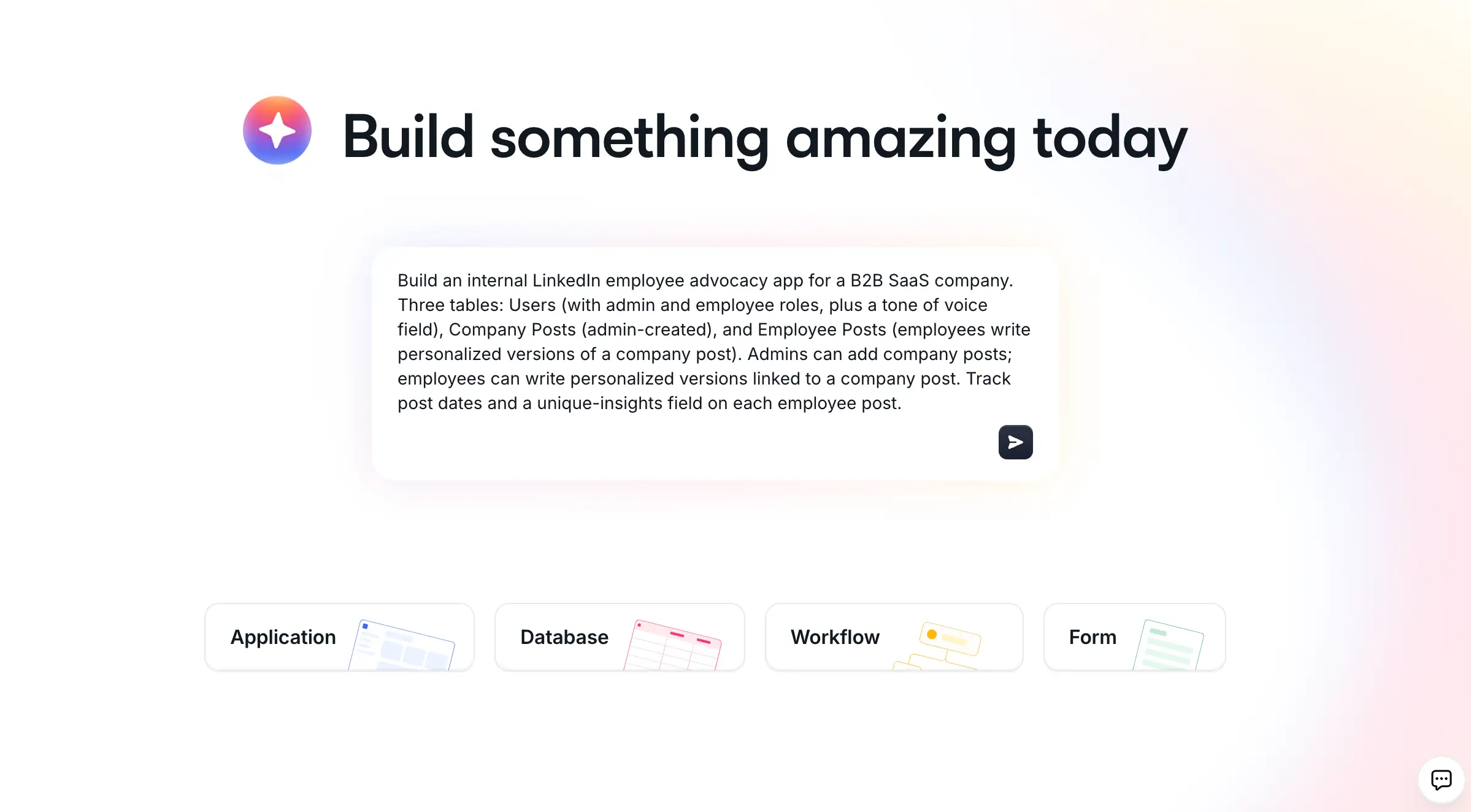
With Softr, anyone, including non-technical teams, can build real business software by chatting with AI. Complete with databases, interfaces, workflows, and user management, Softr brings everything together in a single platform.
While tools like Devin Desktop help developers write and ship code faster, Softr lets you skip writing code altogether. Instead of managing repos or reviewing pull requests, you tell Softr's AI Co-Builder what you want, and it generates the database, interface, and business logic, connected and ready for real users.
Softr also takes care of the hosting, authentication, and user permissions, so you don't have to manage infrastructure or configure deployment pipelines.
Plus, once the AI Co-Builder builds your app, you can keep refining with AI. If you want precision, switch to the visual editor, or put the Vibe Coding Block to use for fully custom components. You can also connect Claude or Cursor through the Softr MCP and create components or edit pages from your AI assistant.
Softr Workflows automate the tasks and processes within your app, running natively alongside your data. You can also build AI agent workflows that reason through steps and take action on their own, without needing a third-party connector.
Softr pros and cons
Pros:
- No coding required to build a fully functional, connected business app, so non-technical users can build without a steep learning curve.
- Switching between building methods at any time gives teams the flexibility to build visually, with the AI Co-Builder, or through vibe coding.
- Enterprise-grade security is built in from the start, including SOC 2 Type II compliance, GDPR compliance, and audit logging.
- Generate a connected system, interface, database, and business logic, not just a prototype UI.
- Granular permissions span action, page, block, and record-level access.
- 20+ native integrations, including Airtable, Salesforce, Notion, Stripe, and Google Sheets.
Cons:
- Not built for teams wanting full custom code control, or planning to build a SaaS product or marketplace.
- Enterprise-level security features (like SSO and detailed audit logging) require the Enterprise plan.
- The Free plan only includes 5 AI credits per month, so teams with heavy AI use may burn through them quickly.
Softr best features
- The AI Co-Builder generates the app interface, database, and business logic from a single prompt and lets you iterate with follow-up chat.
- Native relational databases have two-way sync and connect to over 20 external sources, so you can bring everything under one roof in Softr.
- Softr Workflows automate multi-step processes, including triggers, conditions, branches, and AI agent steps, all inside Softr.
- Multiple authentication options, like email/password, magic link, Google, and SSO, keep your business software secure.
- Choose from 80+ pre-built templates for everything from portals and CRMs to project trackers.
- Get answers from live data in plain language, respecting existing permission rules automatically with Ask AI, a built-in assistant.
Softr pricing
Softr's Free plan is perfect for solo operators wanting to try it out, but it also includes four paid plans for larger teams. Every Softr pricing plan includes an AI credit allowance with the option to purchase more. All prices are when billed annually.
- Free: 5 app users, 5 AI credits, and unlimited apps, databases, workflows, and forms
- Basic: $19/month. Everything in Free, plus 10 AI credits, 5 team and 5 client seats, a custom domain, and conditional form logic
- Pro: $99/month. Everything in Basic and 50 AI credits, 10 team and 50 client seats, no Softr branding, OTP and Google sign-in for app users, and granular permissions
- Business: $329/month. Everything in Pro, plus 100 AI credits, 30 team and 100 client seats, filtered user sync, and two-factor authentication
- Enterprise: Custom pricing. Everything in Business. Includes SSO, SOC 2 reporting, audit logging, custom usage limits, and advanced app security
👉 Want to build an app that fits how your team actually works? Try Softr's AI Co-Builder for free.
2. Cursor — best for devs wanting to write, review, and ship code faster
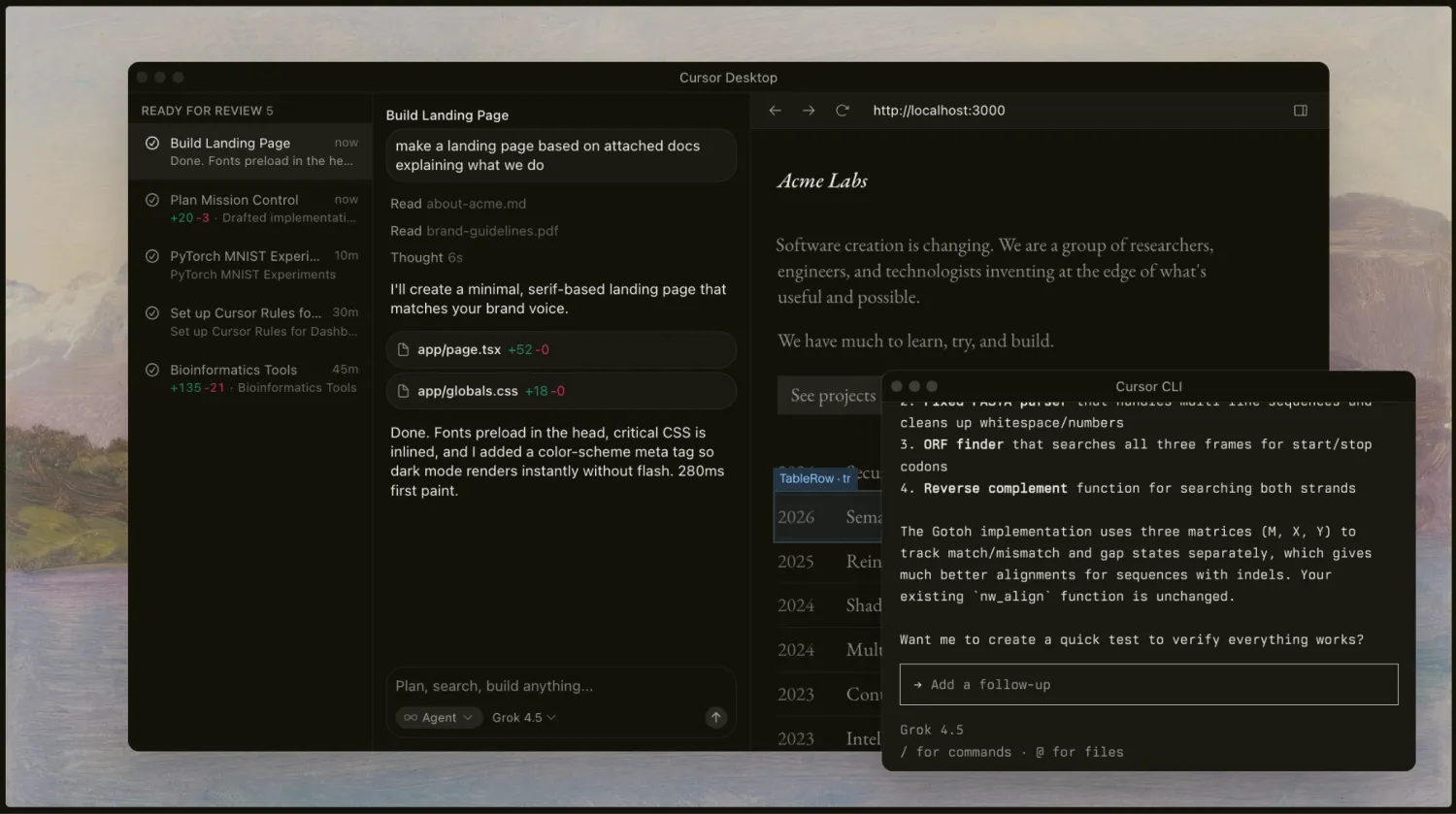
Unlike AI app builders like Softr, Cursor is an AI-native code editor designed to make developers faster and more efficient. Like Devin Desktop, it's built for engineers still writing and reviewing code, but an AI agent handles more of the implementation.
Cursor spans the full development lifecycle:
- Plan mode asks clarifying questions to build a plan before execution
- Debug mode uses real execution data to pinpoint needed fixes
- Design mode lets you visually edit pages by selecting elements
Its subagents run in parallel across your codebase, using the best model for the task. It's backed by codebase indexing that gives agents reliable recall even in large repos.
Cursor's Bugbot reviews every pull request automatically and catches logic bugs and security issues before merge. And the marketplace connects dozens of tools directly into your workflow, from Slack and Figma to Forge and Ramp.
But like Devin Desktop, Cursor is still a tool for people writing code, not one for building a connected business app.
Cursor pros and cons
Pros:
- Plan, Debug, and Design modes cover the full development lifecycle, so you can do everything in one environment.
- Tab completions predict your next edit quickly and accurately on top of full agentic coding.
- Subagents run in parallel across a codebase and use the best model for the task.
- Bugbot catches bugs and security issues before merge and automatically reviews every pull request.
- Enterprise-grade security, including SOC 2 Type II certification and zero data retention with all model providers.
- Works everywhere developers do: desktop, CLI, web, mobile, and inside tools like Slack and GitHub.
Cons:
- Still requires coding knowledge, so you can't build an app without writing and reviewing code.
- No native database, hosting, or user permissions, so you still need to build business logic separately.
- An over-reliance on AI-generated code can create technical debt if not closely monitored.
Cursor best features
- Automations maintain and improve your codebase on their own, running on schedules or triggers to fix CI failures, remediate vulnerabilities, and clean up stale code.
- Cloud agents test, verify, and validate their own work.
- Git checkpoints let you see how code evolved and roll back to any previous snapshot.
- Composer, Cursor's own coding model, lets you run agentic work at a fraction of frontier model cost.
- Terminal access is sandboxed by default so agents can run builds, tests, and installs directly.
Cursor pricing
Cursor's pricing is based on individual seats or team plans. Each has a set usage amount included before overage billing kicks in. It also includes the Free plan, which you can sign up for without a credit card. All prices are when billed annually.
- Hobby: Free. Includes limited Agent requests and access to Composer
- Individual Pro: $16/month. Everything in Hobby, plus extended limits on Agent, access to frontier models, MCPs, skills, and hooks, cloud agents, and Bugbot on usage-based billing
- Individual Pro+: $48/month. Everything in Pro and 3x Pro limits on Agent
- Individual Ultra: $160/month. Everything in Pro, plus 20x Pro limits on Agent and priority access to new features
- Teams Standard: $32/month per user. Everything in Individual. Also includes centralized billing, a team marketplace for rules, skills, and plugins, agentic code review with Bugbot, usage analytics, and SAML/OIDC SSO
- Teams Premium: $96/month per user. Everything in Individual, plus 5x Standard limits on Agent
- Enterprise: Custom pricing. Everything in Teams and pooled usage, SCIM seat management, audit logs, AI code tracking API, and repository, model, and MCP access controls
3. GitHub Copilot — best for teams already in GitHub looking to add AI to workflows
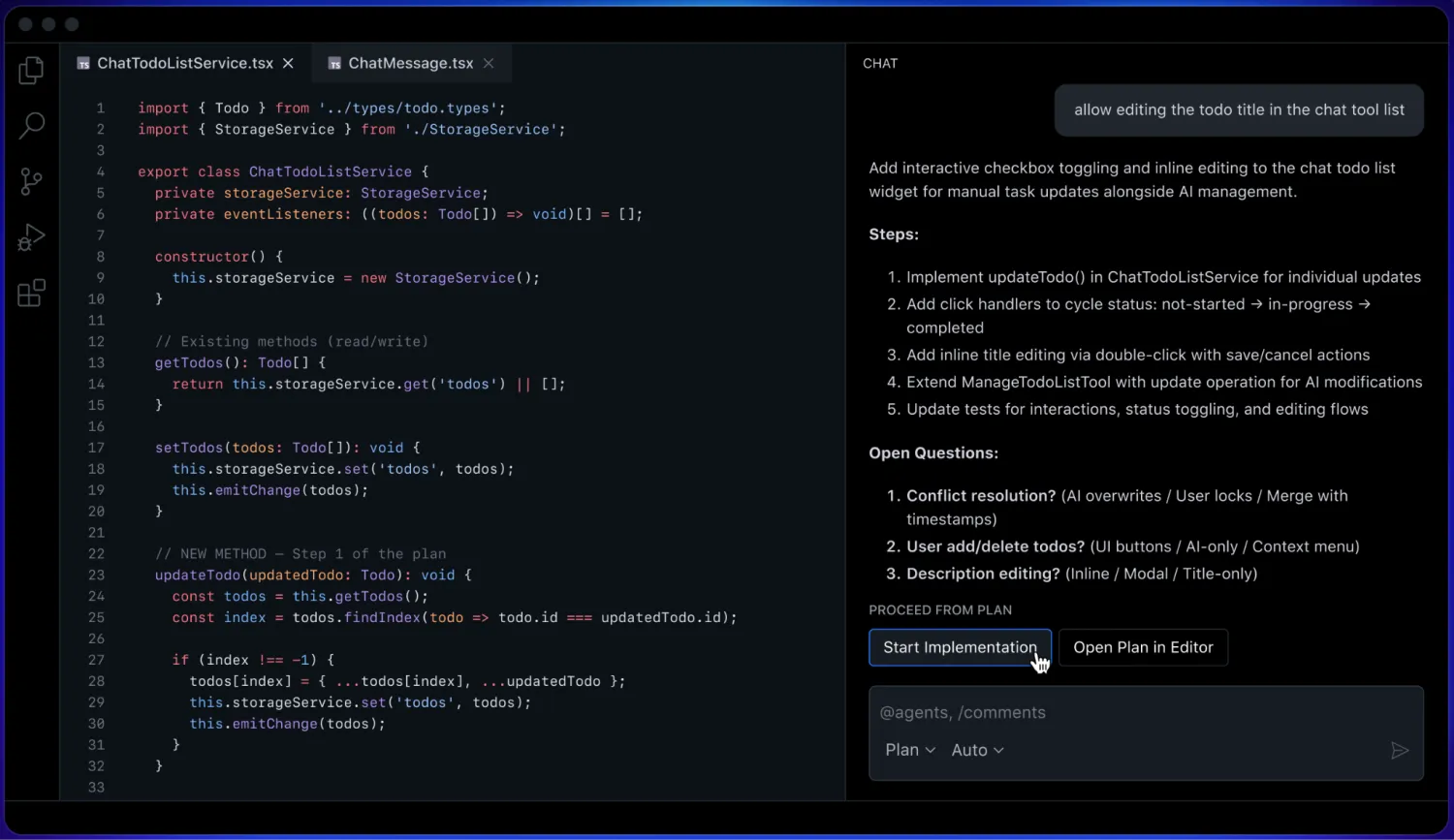
GitHub Copilot is one of the best Devin Desktop alternatives for teams already using GitHub because it's built directly into the platform.
While it works everywhere developers do—your IDE, CLI, chat apps, and custom MCP servers—the biggest advantage is how deeply Copilot is integrated into GitHub's existing workflows, policies, and governance.
GitHub Copilot's Plan mode lets you review and approve the blueprint before its agent starts coding, and Agent mode analyzes code, suggests edits, runs tests, and validates results across files, making change scalable.
Plus, you're not locked into a single model or agent. Choose from Copilot's own agent, your own, or third-party agents like Claude or Codex, all managed from one desktop workspace built natively on GitHub. You get centralized governance (audit logs, MCP access controls) enforced from one control plane.
Like the other Devin Desktop alternatives on this list, Copilot is still built for those writing and reviewing code vs. a no-code AI app builder.
GitHub Copilot pros and cons
Pros:
- Has a deep native integration with GitHub itself, including issues, pull requests, and existing governance policies, like branch protections.
- Access to Copilot's own agent, your own custom agents, or third-party agents, all from one workspace.
- Copilot CLI is included across all tiers, including the Free plan.
- Centralized governance for organizations, including audit logs and MCP access controls from a single control plane.
- Works across a range of IDEs, like VS Code, Visual Studio, JetBrains, Xcode, and Neovim.
- Every autonomous action, including file changes and command execution, requires explicit approval before it's applied.
Cons:
- Still requires coding, so if you want to build something without code, you'll need another tool.
- If your workflow lives outside of GitHub, Copilot might not be as valuable since it's deeply embedded in the GitHub ecosystem.
- There's no native database, hosting, or user-permission generation, so you still have to build business logic separately.
GitHub Copilot best features
- Review and approve the blueprint before Copilot writes any code with Plan mode, and use Agent mode to make changes at scale, analyze code, and run tests.
- Copilot Spaces organizes relevant content, creating a shared source of truth from your docs and repositories, so it has the right context to execute tasks.
- Auto model selection picks the best model for your task automatically, or you can choose the Bring Your Own Key (BYOK) for custom models.
- AGENTS.md lets you share project-specific instructions, keeping every agent aligned to your team's coding conventions.
- Copilot CLI's /fleet command runs the same task across multiple subagents (in parallel) and converges on one decision-ready result.
GitHub Copilot pricing
Pricing for GitHub Copilot is segmented for individuals and businesses, but there's no Free option for business users. All Individual plans include CLI use, and all paid plans include code completions and next edit suggestions.
- Free Individual: Includes 2,000 completions, Copilot CLI, community support, and access to Haiku 4.5 and GPT-5 mini
- Pro Individual: $10/month per user. Everything in Free, plus unlimited code completion and next edit suggestions, model selection, $15 in monthly credits, and access to both Cloud agent and code review
- Pro+ Individual: $39/month per user. Everything in Pro and access to premium models, $70 in monthly credits, audit logs, and 4x+ included usage over Pro
- Max Individual: $100/month per user. Everything in Pro+, plus $200 in monthly credits, priority access to new models and features, and 2.9x+ included usage over Pro+
- Business: $19/month per user. Includes unlimited code completion and next edit suggestions, access to a broad model catalog, Cloud agent and code review, and access and budget control and governance
- Enterprise: $39/month per user. Everything in Business, plus 2x included usage over Business, premium support add-on, and priority access to new models and features
4. Bolt — best for non-dev teams building websites, apps, and prototypes through prompts
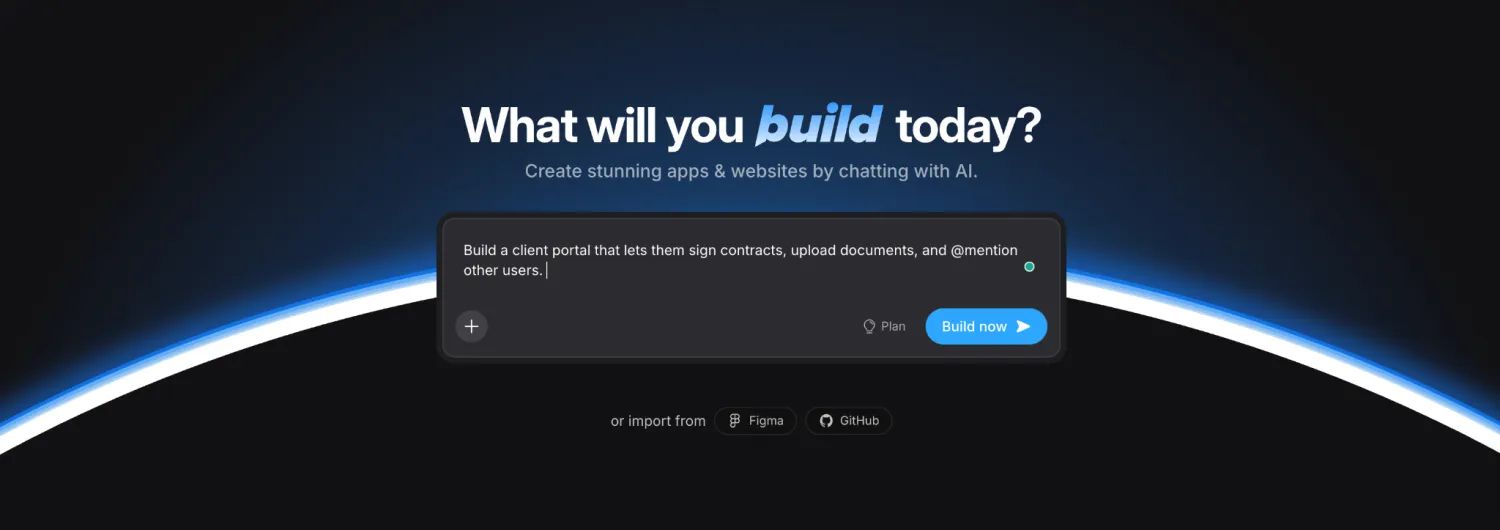
Like Softr, Bolt was built less for engineers writing and reviewing code and more for non-technical teams that want to talk to AI in plain language and have it build their app without touching a line of code.
Bolt automatically routes every request to the best coding agent so you don't have to guess which model can get the job done. And once you've got your app, Bolt Cloud takes care of the infrastructure. You get unlimited databases, user authentication, hosting, and custom domains, all in Bolt.
And with Bolt, you don't have to start from zero. It lets you import existing projects from Figma, GitHub, Google Stitch, and Lovable. Plus, it connects natively to tools like Stripe, Supabase, and Expo, so you can add payments, a backend, or a mobile build without leaving the platform.
It's one of the better Devin Desktop alternatives for teams wanting a production-ready app without having to learn code.
Bolt pros and cons
Pros:
- Built-in context management means you can build bigger, more complex projects without hiccups.
- Bolt automatically tests, refactors, and iterates to reduce errors as you work.
- Plan Mode lets you talk through a build (brainstorming, mapping steps, debugging) before generating any code, which saves you tokens and cost.
- Restore any previous version of your project at any time with version history and backups.
- Real-time collaboration means multiple people can work on the same project with integrations shared across your full team.
Cons:
- You need the Pro plan or higher to get custom domains and your own branding.
- Token caps on some plans can interrupt long building sessions.
- Complex, highly custom business logic may still need developer review before launch.
Bolt best features
- MCP server connections give Bolt context from your existing tools and data, so it can build with needed context.
- Prompt Library lets you save prompts for reuse later; plus, you can apply Bolt's built-in prompts for common tasks.
- Skills let you define reusable instructions and rules that Bolt applies automatically while planning or building.
- With Code View, you can explore and edit project files directly when you want more control.
- SEO Boost improves how your project shows up in search by sharing a pre-rendered HTML version of your pages to web crawlers.
Bolt pricing
Bolt pricing scales with your token allowance and access to different features, and includes a free option, two paid plans, and a custom enterprise option. All prices are when billed annually.
- Free: Includes both public and private projects, 300K tokens (daily limit), website hosting, unlimited databases, and up to 333K web requests
- Pro: $18/month. No Bolt branding or daily token limit, and includes 10M tokens per month, website hosting, custom domain support, SEO boosting, and unlimited databases
- Teams: $27/month per member. Everything in Pro, plus team-level access management, granular admin controls and user provisioning, and Design System knowledge with per-package prompts
- Enterprise: Custom pricing. Everything in Pro and advanced security, compliance, 24/7 support, custom workflows, integrations, and SLAs, plus data governance and retention policies
Find the right Devin Desktop alternative for your team
Do you want a better developer tool to speed up writing and reviewing code? Or do you want to ditch the code-writing altogether? The answer tells you which Devin Desktop alternative will best suit your needs.
If you have a team of developers who want to move faster within a codebase, Cursor, GitHub Copilot, or Devin Desktop itself will get you there.
But if you're looking for a complete production-ready app—client portals, CRMs, internal tools—the code is just a starting point. Someone still needs to set up the database, permissions, hosting, and everything else that turns code into usable software.
That requires a tool like Softr. Instead of generating code you then have to deploy and maintain, Softr's AI Co-Builder spins up everything for you. Try Softr for free and build your own business tools with AI in minutes.
Frequently asked questions
What are the best Devin Desktop alternatives for non-technical teams?
Is Devin Desktop the same as Windsurf?
What's the difference between an AI code editor and a no-code AI app builder?
Do you need to know how to code to use Softr?
Can Softr connect to the data my team already uses?