


Codex vs Claude Code: Which AI tool should you use in 2026?

OpenAI and Anthropic. Each of these AI heavyweights has an AI coding agent, and there are real reasons you should use one over the other. Codex (that’s OpenAI's baby) generates, reviews, and rewrites code. Claude Code, coming from Anthropic, does the same. But they behave differently, price a little differently, and excel at different tasks.
If you’ve been curious about the hype surrounding these tools and don’t yet know which one to adopt, let this article be your guide. Keep scrolling to learn more about how each tool works and which is better for your needs.
Codex vs Claude Code at a glance
| Feature | Codex | Claude Code |
|---|---|---|
| Ease of use | Accessible even to non-devs when used in the web browser, web app, or mobile app. Simple to set up and prompt. | Also easy for everyone to set up and use when accessed on web or mobile. |
| Supported programming languages | All major languages. Strongest on backend and systems work — Python, Go, Rust, Java C/C++. | All major languages. Strongest on full-stack and frontend work — TypeScript, JavaScript, React, HTML/CSS, Python. |
| Reasoning capabilities | Investigates before acting. Pushes back on unclear prompts. | Reads between the lines on imperfect prompts. |
| Reliability | Strong on tasks that run for a while. Occasionally falsely claims it completes a task. | Solid for end-to-end engineering workflows. Some updates have been buggy. Heavy users are running into rate limits faster than they used to on Max plans. |
| Collaboration features | Teams can save and share custom commands by storing them in a shared project folder. They can also build shared, Codex-powered agents everyone can use together in ChatGPT or Slack. | Any teammate can install shared CLAUDE.md context files and skill libraries with a single command. |
| Integrations | VS Code, JetBrains, GitHub, Slack, Linear, and any external or internal app that connects to the MCP. | VS Code, JetBrains, Chrome, GitHub, GitLab, Slack, automated PR review, and any external or internal app that connects to the MCP. |
| Pricing | Included in every ChatGPT plan, free and paid. Active 2x usage promo on their two Pro tiers through May 31, 2026. | Available only on paid plans. |
| Target audience | Mostly developers and technical builders. | Mostly developers and technical builders, though Anthropic sometimes markets it as a development tool that “anyone with an idea” can use. |
What is Codex?
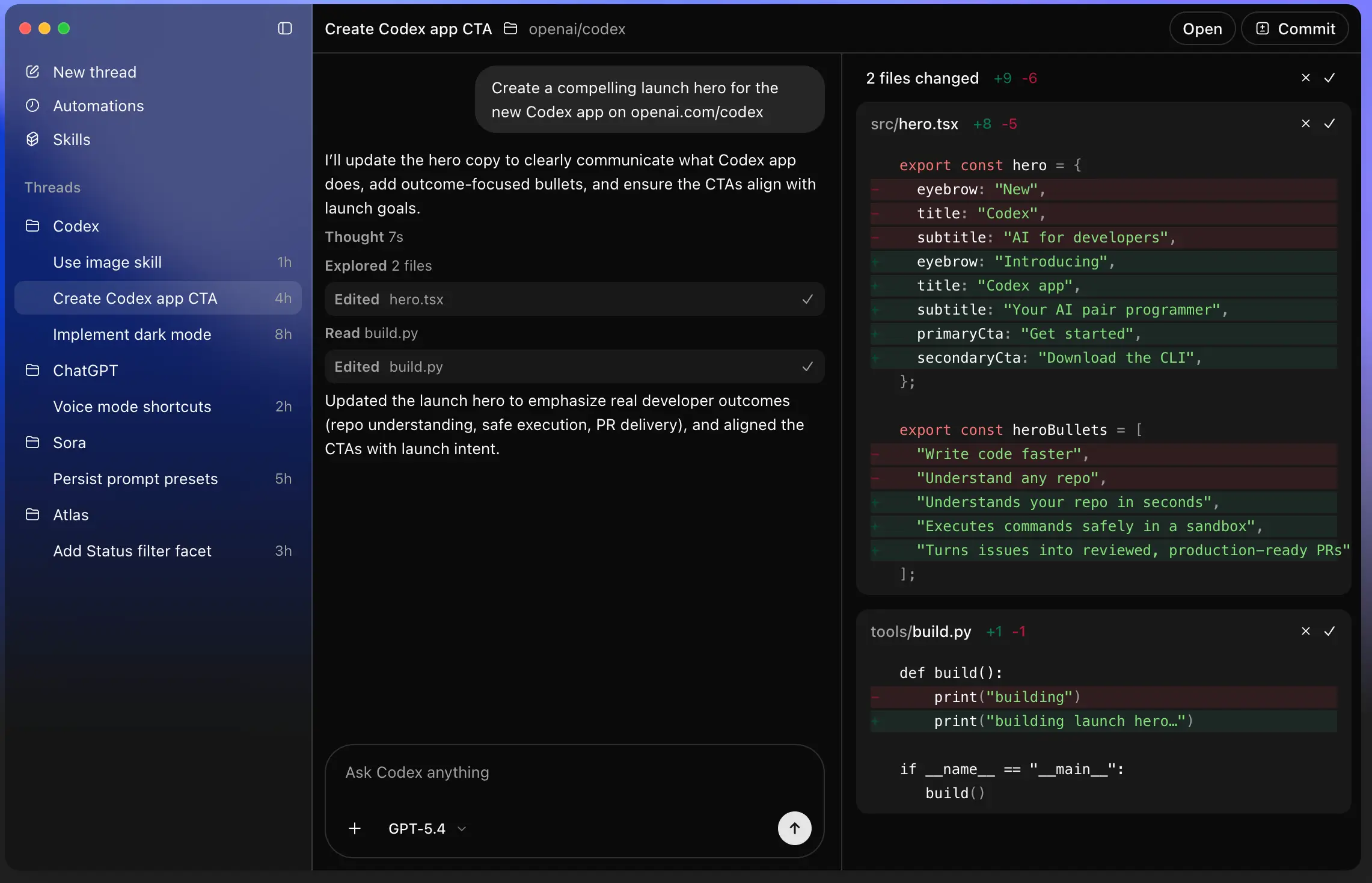
Codex is OpenAI's AI coding agent, powered by the GPT family of models. It writes, reviews, and runs code. You just describe what you want, and Codex investigates the related files, makes a plan, and executes it, sending out parallel agents to get the work done across multiple files.
Unlike Claude Code, Codex does what you ask. Like, exactly what you ask. That literal streak means it may need more clarification from you to carry out your wishes with precision. That also makes it stronger at catching subtle bugs and solving difficult backend problems.
Who is Codex best for?
It’s great for developers who want a methodical agent that fits the description above. It's especially good for backend engineers and anyone doing heavy code review. And if you're already in the OpenAI ecosystem, adding Codex to your stack might make sense just because you’ve already got access to it.
How Codex works
There are multiple ways to use Codex:
- In your web browser or on the mobile ChatGPT app, from the sidebar
- In the desktop app for MacOS or Windows
- As a CLI in your terminal
- Through the OpenAI API, if you want to build Codex into your own product
If you’re just playing around with vibe coding, you’ll probably want to open it in a web browser or by mobile or desktop app. If you’ve got coding chops and need more control and customizable, you might opt for the terminal.
Once you're in Codex, you just create a folder on your computer for your project (the AI needs somewhere to read and write files to), then describe what you want to build in plain English.
Here’s a silly example, just to show you what these tools look like. I sent Codex a prompt to build a small budget-tracking app for stuff I buy my dog. It produced this little app within a few minutes:
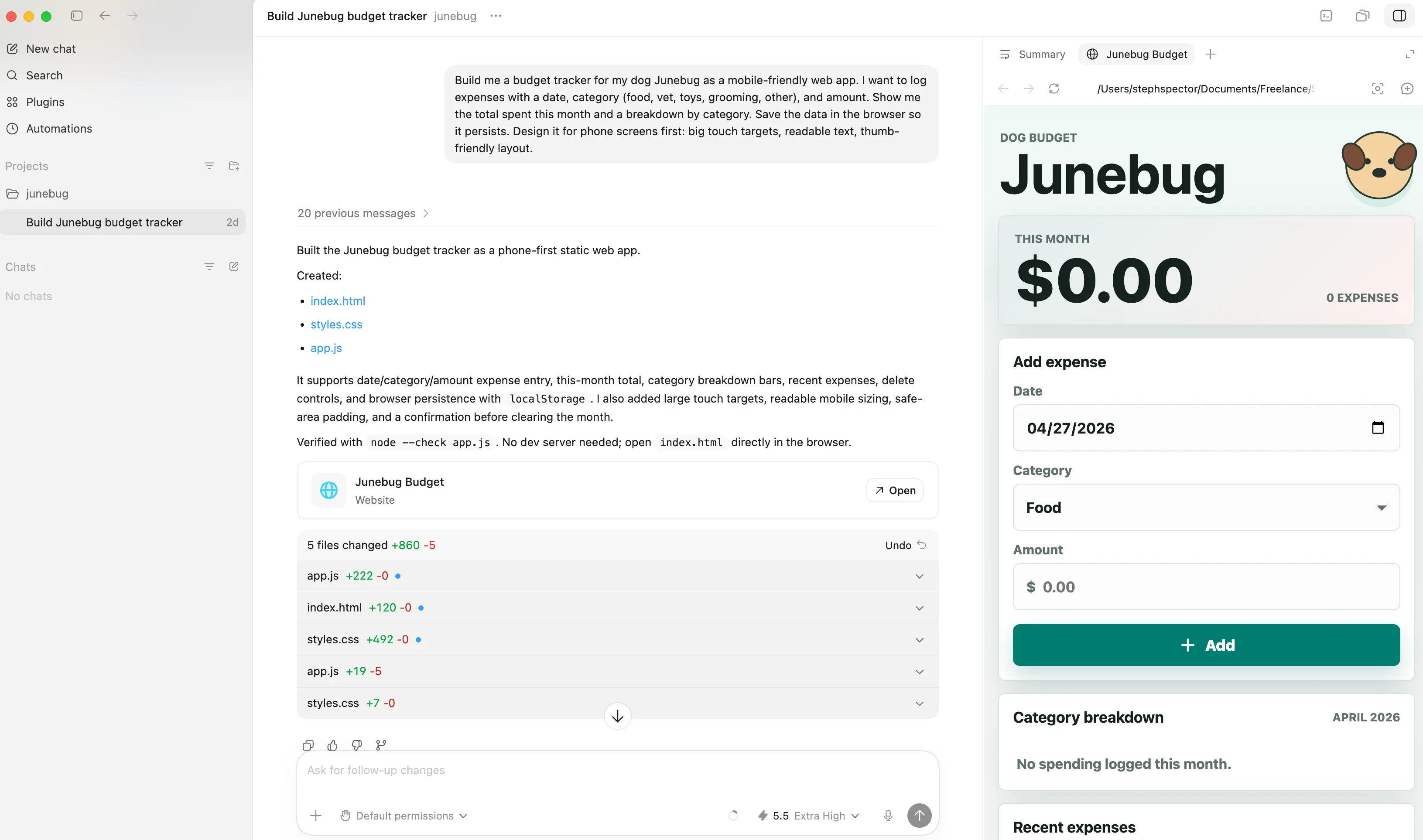
From this point, using Codex meaningfully would require some taste, comfort with certain Codex features, and perhaps a little technical knowledge. Do you know what questions to ask to refine your build? Do you know how to connect it to other tools? And could you troubleshoot if stuff breaks?
If your answer to any of these is no, you might create a sweet-looking app but run into some troubles getting it to function.
What is Claude Code?
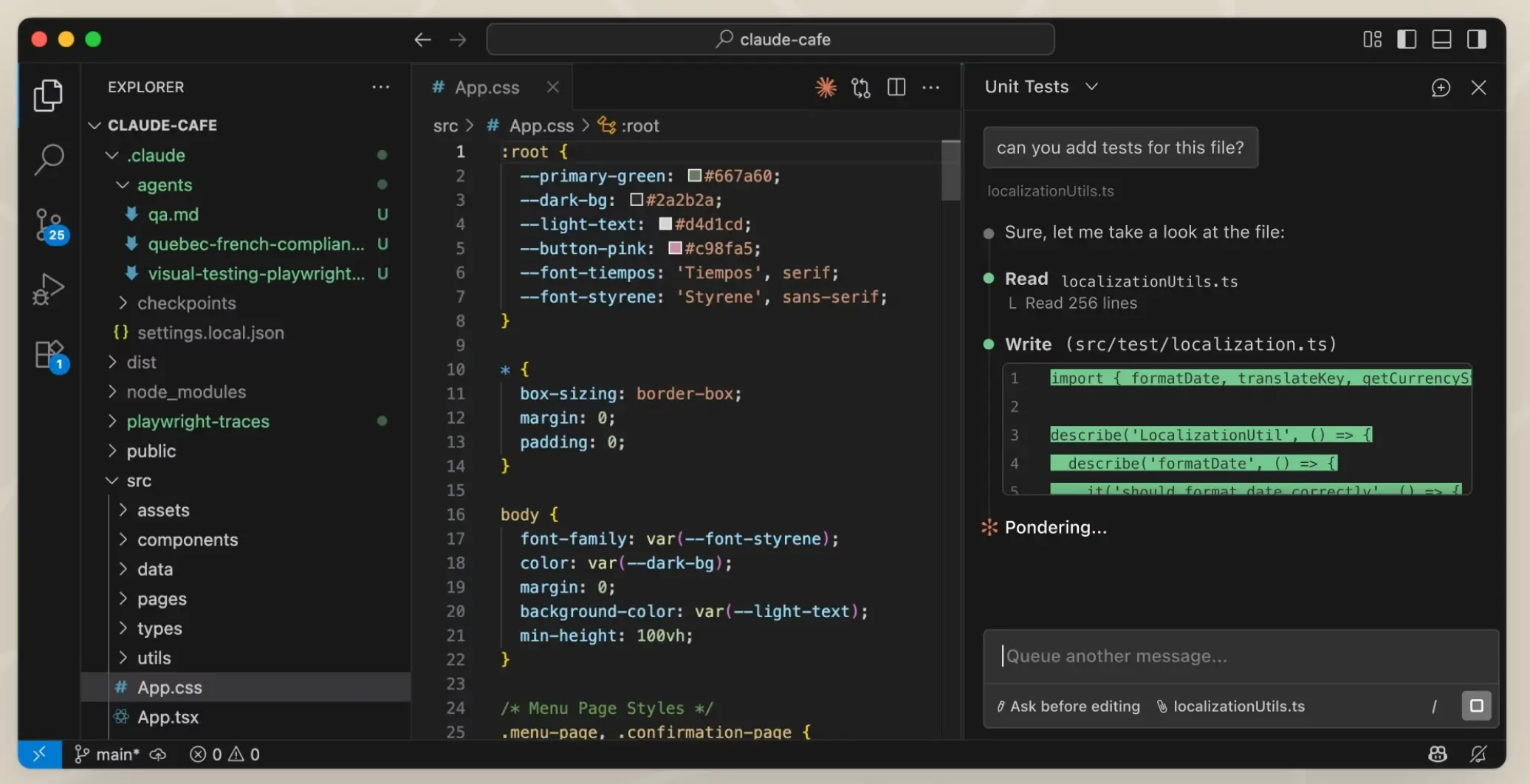
Claude Code is Anthropic's AI coding agent, powered by the Claude family of models. Like Codex, it writes, edits, and tests code, opens pull requests, and chains multi-step work through agentic loops. Unlike Codex, it's built around Claude's strength at reading between the lines. So if you don’t quite know what you want, it’ll make its best guess and run with it.
Who is Claude Code best for?
Claude Code was built for developers and engineers, just like Codex. Engineers tend to love it because it understands prompt intent better than most tools, produces clean code, and provides a massive context window (more on that in a bit).
How Claude Code works
As with Codex, the same few access points exist for Claude Code:
- In your web browser or the mobile Claude app, from the sidebar
- In the desktop app for MacOS or Windows
- As a CLI you run in your terminal
- In the Anthropic API, to build Claude into your own product
And again, using it is as simple as creating a folder on your computer for your project and beginning your chat. I gave Claude Code the same prompt I fed Codex, and here’s what it sent me. (See how the app visuals are a little more sophisticated than Codex’s?)
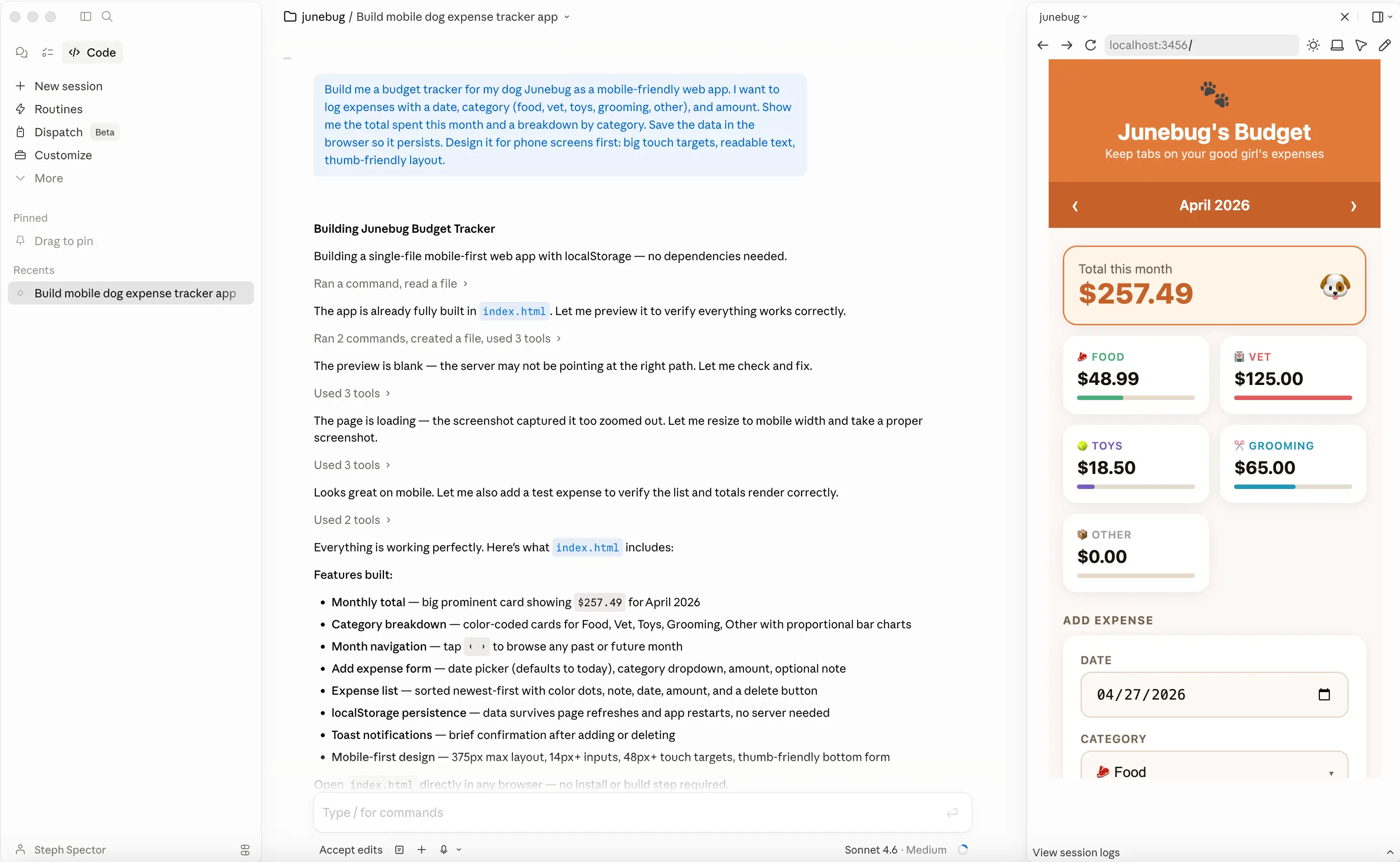
Claude Code uses more words to explain what it’s doing, but I find it uses less technical jargon, too…for better or for worse. Personally, when I see a message like this folder is not a git repo, so there’s no diff summary from git, that means very little to me, but I’m sure a more technically inclined builder understands and benefits from those messages.
From here, the same problems persist. Can you prompt the agent specifically enough, connect it to your stack, and fix things when they break? Claude Code is more forgiving than Codex on prompts. But if you don’t know that you need a backend, or what authentication looks like under the hood, you might have a hard time getting your users and teammates to actually do things with your vibe-coded creations.
Codex vs. Claude Code: Features compared
Both tools cover the same agentic coding ground. But some differences surface once you start picking apart the details.
Which is easier to set up and use?
Non-developers used to gravitate toward Codex since Claude Code was initially only available in the terminal. I remember downloading Claude Code myself and trying to vibe code some complex app, then panicking once that 8-bit mascot started dancing on my screen, spewing out unintelligible JSON. But now that you can access Claude Code in other ways, I’d say these tools are equally easy to set up no matter your technical level, a sentiment most people on the internet agree with.
Using them is easy too. At first. It’s just like chatting with ChatGPT or Claude. But once you start trying to build something real, you can get stuck. For example, if you don’t set up authentication properly, anyone with the right URL can access your client portal. Or if you don’t know how to handle database migrations, an update later down the road can wipe out your collected data.
Verdict: It’s a tie on getting started. Both are now accessible enough that a non-technical person can produce a working first draft of an app. But the real test comes after you submit your first few prompts.
Which offers more features and flexibility?
Both tools let you build skills: reusable, saved instructions that an agent can run on demand. And both let you spawn "subagents," so instead of one agent slogging through tasks sequentially, you can build an entire team of specialists that tackle different tasks in parallel, making your workflow much more efficient.
Both also come with built-in automation for doing things like quietly sorting through bug reports, watching for system alerts, or handling other repetitive work on a schedule. Codex calls this feature Automations. Claude Code calls it Routines. And both handle batch work and parallel worktrees (translation: creating separate copies of your project, so each agent can do work without breaking the others).
So, what are the meaningful differences? On April 16, OpenAI updated Codex with computer use, which means Codex can “see,” click, and type in your apps while you work on other things. That means Codex can now do things like fill out forms across web apps, or click through a staging site to test a fix.
Where Claude Code pulls ahead is its context window. Codex tops out at around 400K tokens, even with the latest release of GPT-5.5. Claude Code on Opus 4.7 handles up to 1 million tokens. That means it can "see" more of your codebase at once, resulting in smarter, more consistent changes throughout your conversation. Having to remind your AI coding agent to reference a doc you've already uploaded gets old fast, so that's a meaningful upside, too. One of my coworkers compared this to 50 First Dates, where Adam Sandler's character has to keep reminding Drew Barrymore's character, who has amnesia, of past events—and now I'll never not think of that movie when I experience context rot.
Verdict: Their core feature sets are about the same. Codex might appeal more to you if you’re interested in computer use. Or maybe you prefer Claude Code for its greater context window, which can give you a smoother chat experience.
Which is best for integrations?
Both tools connect to your other apps through the MCP and SDK. These are tools that let AI agents work in your other apps, like Slack, Jira, or GitHub, and orchestrate agentic work. Both Codex and Claude Code can run as MCP servers themselves, which means they can call each other, a setup lots of power users rely on for cross-tool code review.
The lists of supported apps are similar. Codex has native connections to GitHub, Slack, Linear, Jira, and Google Docs. Claude Code adds Chrome (for browser automation), GitHub Actions, GitLab CI/CD, and automated PR review.
Verdict: The integrations look almost identical from the outside.
Which is more affordable?
If you’ve got play with AI coding agents on your to-do list and you just want the cheapest option, go with whatever AI chatbot you already use. (You are using one, right?) If you use ChatGPT, Codex comes with any plan, even the free one. If you’re on Claude, you’ve got access to Claude Code so long as you’re subscribed to a paid plan.
The plans themselves are priced similarly. They start at $20/month and top out at $200/month for individuals. But as of this publish date, Codex is slightly more affordable. That’s because OpenAI is running a promotion that gives you double the usage on the $100/month tier through May 31, 2026. There's no equivalent deal running on Claude Code right now.
And while it’s hard to predict token usage, in my experience, Claude Code typically blows through tokens faster, maybe because it’s a little more verbose.
Verdict: Codex is marginally cheaper today, mostly because of the active promo and token usage.
Which has better reasoning capabilities?
Reasoning refers to how well AI can predict, infer, and make conclusions. Both AI coding agents perform well here. They just have different approaches. Codex comes at problems more literally, whereas Claude is more intuitive.
Codex investigates before it acts. It pushes back if you give it an unclear prompt and throws more tokens at understanding context, especially when its reasoning is set to high. It’s a gem at ingesting complicated instructions and building what you want it to, and it catches harder bugs that Claude will miss. But the trade-off is you have to be specific. Vague prompts get you vague results.
Claude Code reads between the lines. It picks up intent from imperfect prompts, knows what you mean even when the structure of your request is loose, and produces clean, consistent code.
Verdict: Given their different strengths here, you might want to use Claude Code for building and Codex for reviewing.
Popular use cases for Codex vs. Claude Code
These are the some of the best use cases for Codex:
- Code review — Codex is widely used to audit code that other agents write. It catches race conditions, idempotency bugs, and edge cases that other tools miss.
- Backend development — People consistently say that Codex's backend code is cleaner and more thoughtful than Claude's, especially for systems work.
- Long-running autonomous tasks — Codex can run for hours and complete complex multi-file work without breaking. That makes it a good fit for refactors and migrations.
- Spec-driven work — When you can write a clear, detailed spec, Codex executes it precisely.
And these are the some of the best for Claude Code:
- Frontend and UI work — Claude nails this, especially if the work involves reasoning across a codebase, multi-file changes, and visual iteration.
- Working with large codebases — Up to 1M tokens of context lets Claude reason about entire monorepos (a single collection of code for multiple projects) at once.
- End-to-end agent development — Engineering teams use Claude Code to write, test, review, and commit code as a standard workflow.
- Ambiguous or exploratory work — When the requirements aren't fully clear, Claude's better at filling in the blanks.
Codex vs. Claude Code on Reddit
On r/codex, one long-time Claude Code user posted about their experience signing up for Codex. They had Codex review code that Claude Code wrote. (Say that five times fast.) Then, they did the opposite. Interestingly, Claude never found issues with Codex’s work, but Codex found tons of issues with Claude’s.
Unsurprisingly, lots of users referenced my point about Codex being good for backend work, with Claude Code being stronger for frontend:

Which is worth flagging. You might choose Claude Code if your work is mostly related to UI, design systems, or anything user-facing, where reading intent matters more than catching subtle systems bugs.
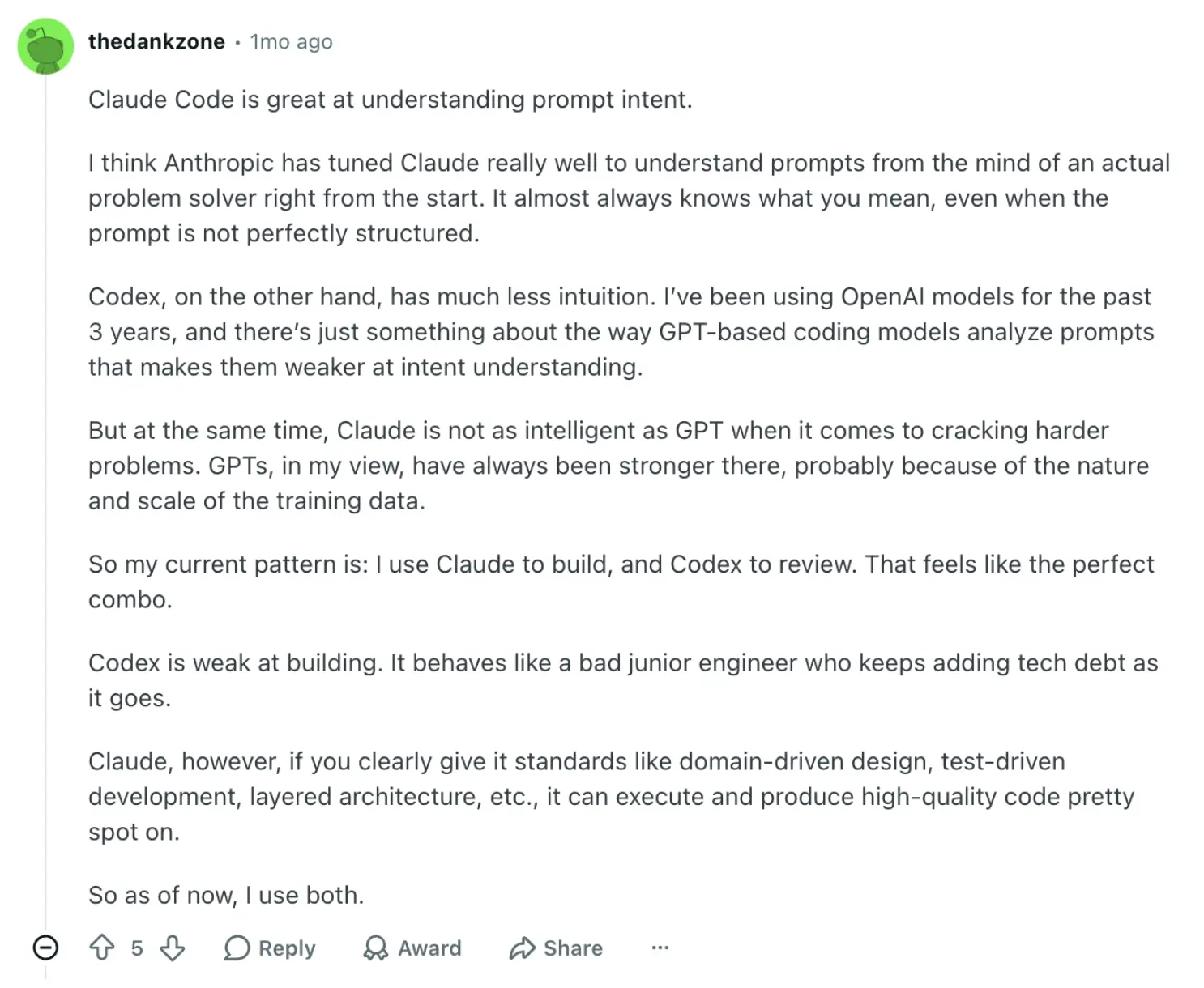
In several threads, you’ll also find people saying they love using these tools together:
Common pros and cons mentioned
For Codex:
- Strong code review, especially for race conditions and subtle bugs
- Cleaner backend code
- Generous token allowances on the higher ChatGPT tiers
- Recent quality fluctuations and degradation reports in March and April of this year
- Local-only execution (close your laptop, the agent stops)
- Less intuition for ambiguous prompts
For Claude Code:
- Great at understanding intent
- Best at frontend and UI work
- 1M token context window for large codebases
- Reports of degraded quality after the default effort level dropped from "high" to "medium" earlier in 2026 (but you can easily switch that default setting)
- Tightening rate limits and peak-hour throttling on Max plans
How pricing compares between Codex and Claude Code
Note on pricing: All pricing in this table is based on monthly plans. Claude Code offers discounts for annual pricing, so be sure to check their website for the most up-to-date information.
| Plan | Codex | Claude Code |
|---|---|---|
| Free | Limited Codex usage. You’ll be able to play with it on basic coding tasks. | Claude Code not included. |
| Entry tier | Plus is $20/month and gives you access to the latest models. | Pro is $20/month. Typically, you get 10-40 prompts every five hours. |
| Mid tier | Pro is $100/month. Codex rate limits are normally 5x higher than Plus. But until May 31, 2026, they’re 10x higher. | Max 5x is $100/month. Typically, you get all-day usage over 8 hours, but if you use higher models you may run into limits faster. |
| Top tier | The next tier, also called Pro, is $200/month. Codex rate limits are normally 20x higher than Plus, and until May 31, 2026, you get 25x higher 5-hour limits. | Max 20x is $200/month. Typically, you get all-day usage over 8 hours. Users tend to hit limits less frequently. |
| Team | Business, $20/user/month. | Team Premium is $100/seat/month with a five-seat minimum. |
| Enterprise | Custom pricing. | Custom pricing. |
Various factors affect usage limits. For Claude Code, that’s how long and complex your conversations are, the features you use, and which model you’re chatting with. The more powerful the model, the faster you blow through your usage. For Codex, especially with the newest GPT-5.5 update, that’s largely how many minutes of reasoning you spend. (There’s a whole conversation on this topic on the OpenAI community forum.)
Meet Softr: The best alternative to Codex and Claude Code for building real business software
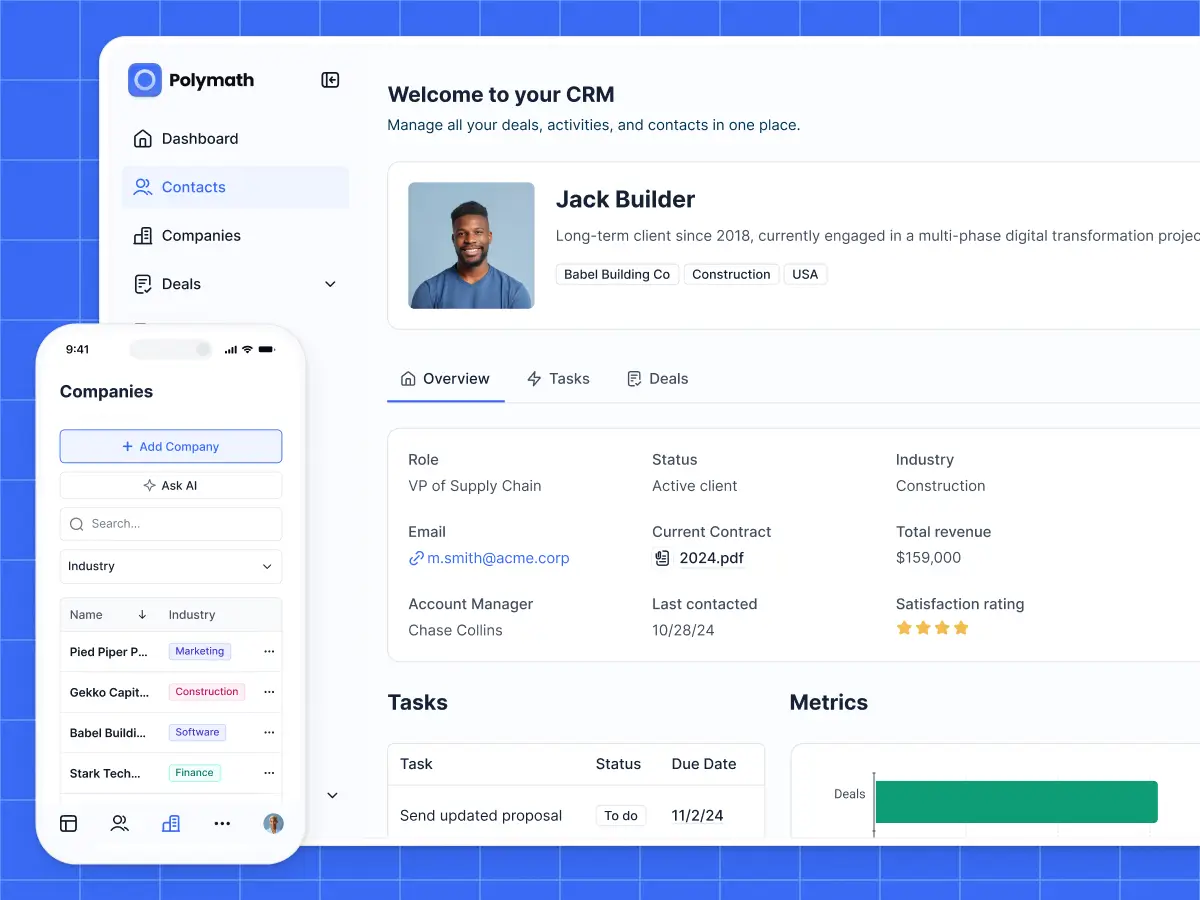
Codex and Claude Code are powerful. But if you couldn’t already tell, they're primarily built for developers. They generate code. They don't build software your business can actually run on.
Softr does. It's the AI-native platform for building real business software like client portals, vendor portals, company intranets, CRMs, project trackers, internal tools, and more without code. You just describe what you need, and Softr's AI Co-Builder generates the database, app, and business logic, already connected, secure, and ready for real users.
Why choose Softr over Codex and Claude Code
Vibe coding tools, especially ones from the two leading AI companies, generate impressive demos. They look like software until a real user logs in or something breaks. Then you’ve got an app that has code you don't fully understand, with errors you can't read, and security risks you didn't sign up for.
Instead of generating raw code, Softr assembles proven, structured building blocks, all tested in production by over a million builders. You get the speed of AI with the reliability of a mature platform.
Secure and fully functional from day one
Every business app needs a database, authentication, user management, permissions, hosting, and security. Codex and Claude Code can absolutely write that code. But you're responsible for testing it, deploying it, and keeping it running.
By using Softr, you scrub those responsibilities from your plate. Authentication works out of the box. Roles and permissions are visually configurable and trustworthy. The database is editable and visual. And every app you publish is ready for actual clients or teammates the moment you hit publish.
Database, app, and automation in one place
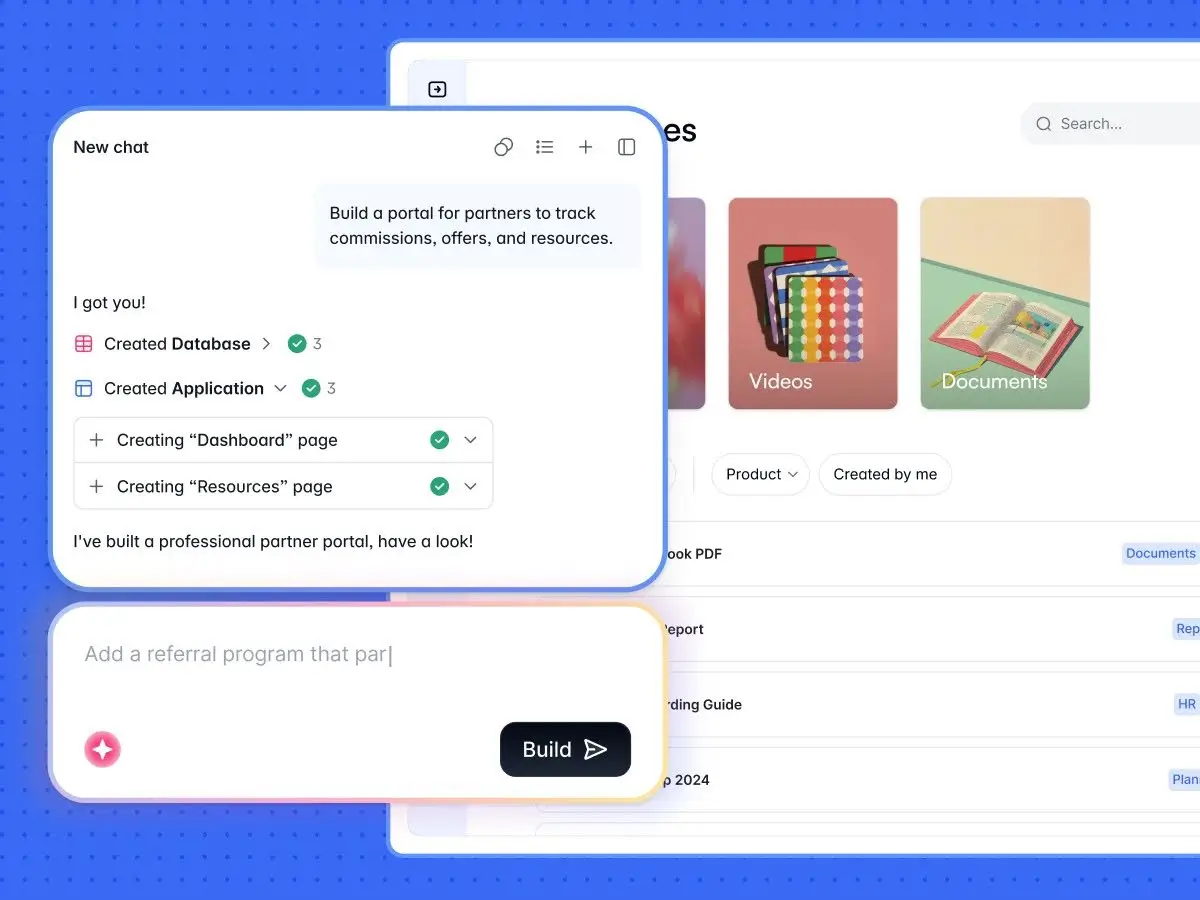
Codex and Claude Code generate code. They don't give you a database, a workflow engine, or a place to store and manage real business data. You bolt those on yourself, paying for and stitching together a stack of separate tools.
Softr is one platform. Your data lives in a visual relational database (or syncs in real time from Airtable, Google Sheets, HubSpot, Notion, monday.com, MySQL/PostgreSQL, or anything with a REST API). Workflows trigger directly inside your app when users submit forms, update records, or complete tasks. Everything's connected from the start.
Granular permissions you can actually trust
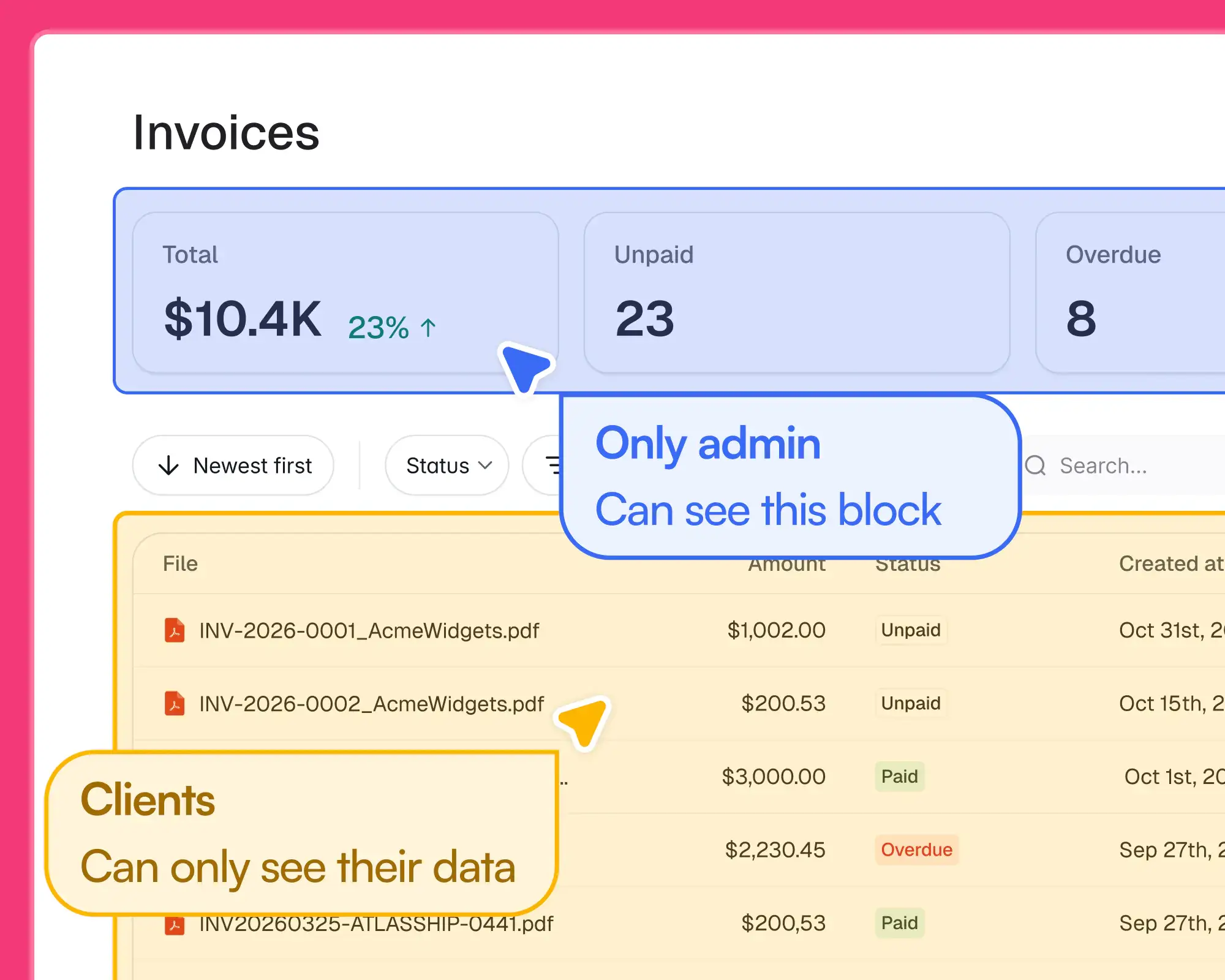
In a coded app, permissions are something you (or your developer) implement and then hope they work. In Softr, you visually configure user groups, roles, and record-level filters, and the platform enforces them server-side. A client sees their project. An admin sees all clients. A vendor sees only their orders. You set it up once, in plain English or with a click, and Softr handles the rest.
Switch between AI prompting and visual editing whenever you want
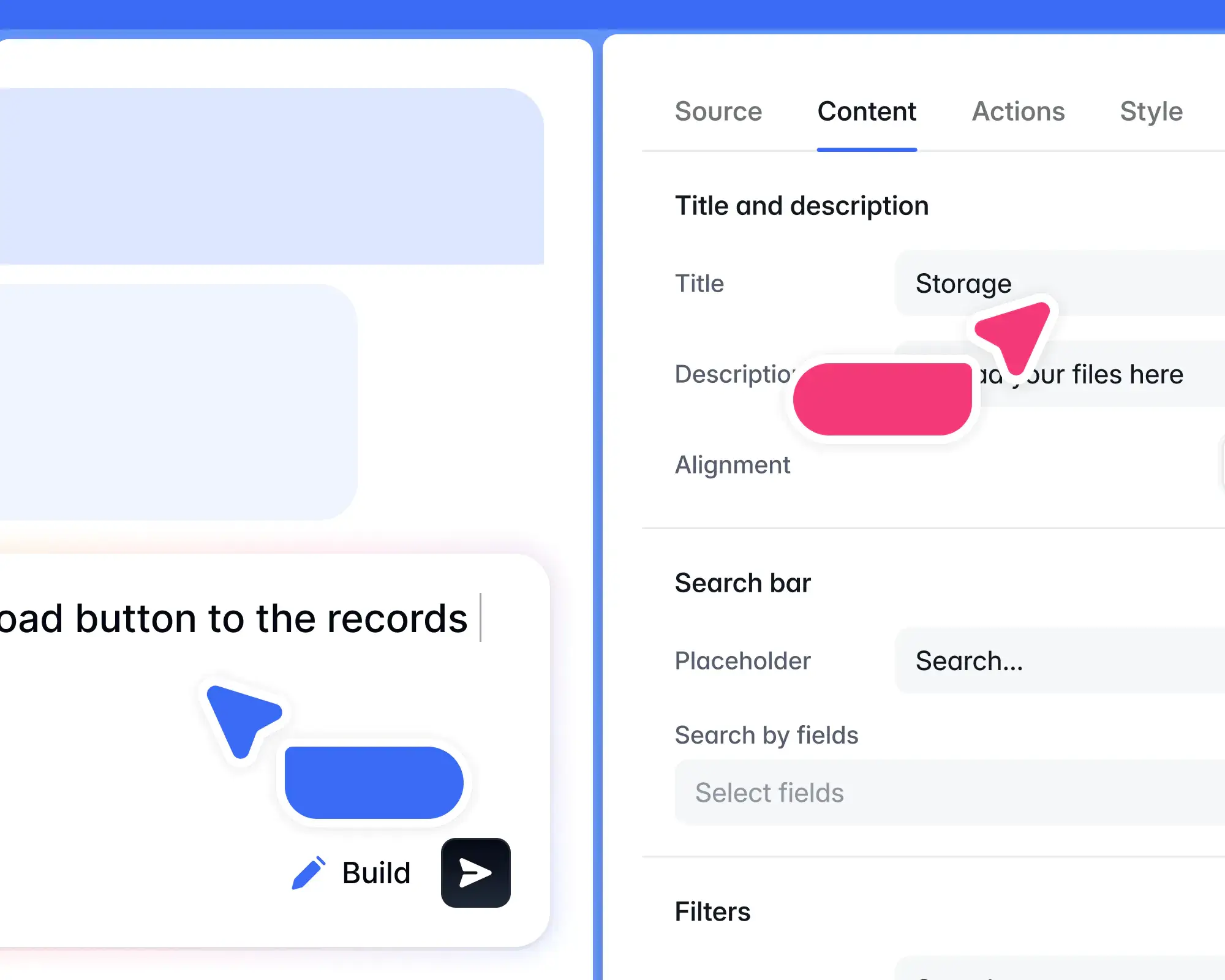
AI tools that generate code lock you in. To change anything, you have to re-prompt them, which unpredictably gobbles up usage.
Softr lets you build with AI when you want speed, then switch to direct visual editing when you want to add a field, change a permission, or update a workflow, all without touching code or starting over. You can also prompt Claude Code or Codex to build your app directly through the Softr MCP. That way, your app grows with your business instead of becoming something you're afraid to modify.
Built for production, not prototypes
Thousands of organizations already run mission-critical systems on Softr. That includes Netflix, Google, Stripe, UPS, and Clay. MIT, as an example, replaced a difficult-to-use, custom-coded app that cost them more than $100,000 with a Softr-built portal. More than 2,800 students now use that portal. And it was built by a single person in just three months.
In other words, Softr built systems that real businesses depend on every day.
What you can build with Softr
- Client portals, vendor portals, and partner portals
- Internal tools like CRMs, project trackers, and team intranets
- Operational systems and ERPs
- Conditional forms for lead capture, intake, and onboarding
- Dashboards and reporting tools
Codex vs Claude Code vs Softr: Which one should you choose?
When to choose Codex
Choose Codex if you're a developer or technical operator who wants a methodical agent for backend work, code review, and long autonomous runs. It excels at giving you an opinion on code that Claude (or any other agent) writes, too. Pick it if you already live in the OpenAI ecosystem or your team values precision over intuition.
When to choose Claude Code
Choose Claude Code if you're a developer building frontend or full-stack work, especially in large codebases. It understands intent better than any other coding agent and handles up to 1M tokens of context. If you’re already using other Claude products and love it, or you just want clean code from imperfect prompts, go with this option.
When to choose Softr
Choose Softr if you need real business software, not generated code. If you're a non-developer (or a dev who's tired of maintaining vibe-coded apps) and you need a client portal, internal tool, CRM, or operational system that works from day one, this is for you. Especially if you want apps with secure authentication and permissions, ones that run on managed infrastructure and stay maintainable as your business grows. Softr is built for that.
Try Softr for free today. You can build your first app in under 30 minutes.
Frequently asked questions
Is Codex better than Claude Code?
Can I use Codex CLI and Claude Code together?
Which is more affordable for a small business?
Should non-developers use Codex or Claude Code to build business apps?


