


Asana vs monday.com: Which is right for your team in 2026?

[.blog-callout]
✨ TL;DR:
- Asana is best for managing cross-functional projects with clear dependencies in a structured way. But important features like tracking team workload and setting up approvals are only available on higher plans.
- monday.com is best for teams that want to manage projects and build custom workflows or internal tools without coding. Some AI features, like vibe app building, require a paid account and use AI credits. Plus, paid plans require a 3-seat minimum, so costs add up fast as your team grows.
- Softr is best for teams that want to build custom, fully functional project management tools, client portals, and CRMs with AI. Describe what you need, and Softr’s AI Co-Builder generates a secure, functional app with the pages, database, user permissions, and workflow logic already connected. Softr doesn’t use traditional per-seat pricing for every user, but rather tiered plans with included app user limits—making it more flexible and cost-effective as your software scales.
[.blog-callout]
We’re all project managers to some extent, whether it’s in your job description or not. You’ve got your own tasks to track and document for transparency’s sake—and it helps to keep up with work playing out in real time across other members of your team.
The tool you use depends on a great many factors (your boss, your budget, your diehard love of spreadsheets), but ultimately comes down to how your business operates. And if you’re evaluating project management software, chances are you’ve come across the Asana vs monday.com debate.
Both are popular project management tools, but both get the job done in very different ways. To help you decide, we’re comparing what each one does well, where they fall short, and when an AI app builder like Softr might be your best bet. That way, picking the right tool won’t become a whole project in itself.
Asana vs monday.com at a glance
What is Asana?
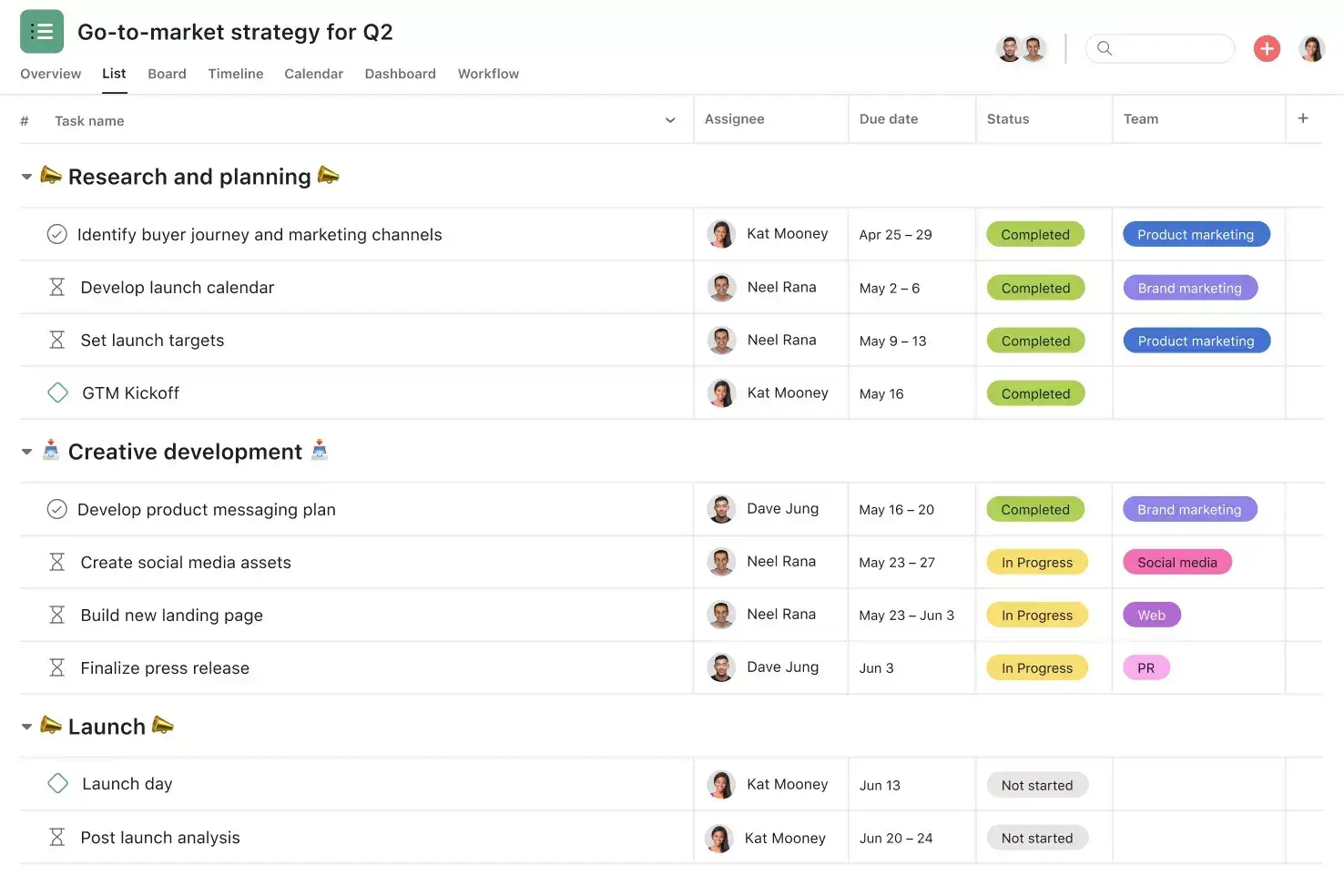
Asana is a project management system that lets you organize work into projects, break them down into tasks, drill into subtasks with owners and deadlines, track progress, and tie each initiative back to its broader strategic umbrella.
Any solid project management tool aims to do this. Period.
But one thing that makes Asana stand out is how it helps teams coordinate work across departments. You can view the same project as a list, board, timeline, calendar, or Gantt chart, so each team member can choose the view that works best for them. Tasks can belong to multiple projects at once, so updates appear everywhere automatically.
Asana also includes automation features designed to reduce project admin and keep work moving. Teams can create automations that trigger when someone does something specific, like dragging a task card from one status to another.
Its AI features are also a lot more robust than monday.com’s. For example, Asana Intelligence can generate entire project plans from a simple prompt—building out task structures, milestones, dependencies, and timelines automatically. Beyond project setup, AI features extend across the platform to support goal-setting, reporting, field population, project summaries, and workflow recommendations.
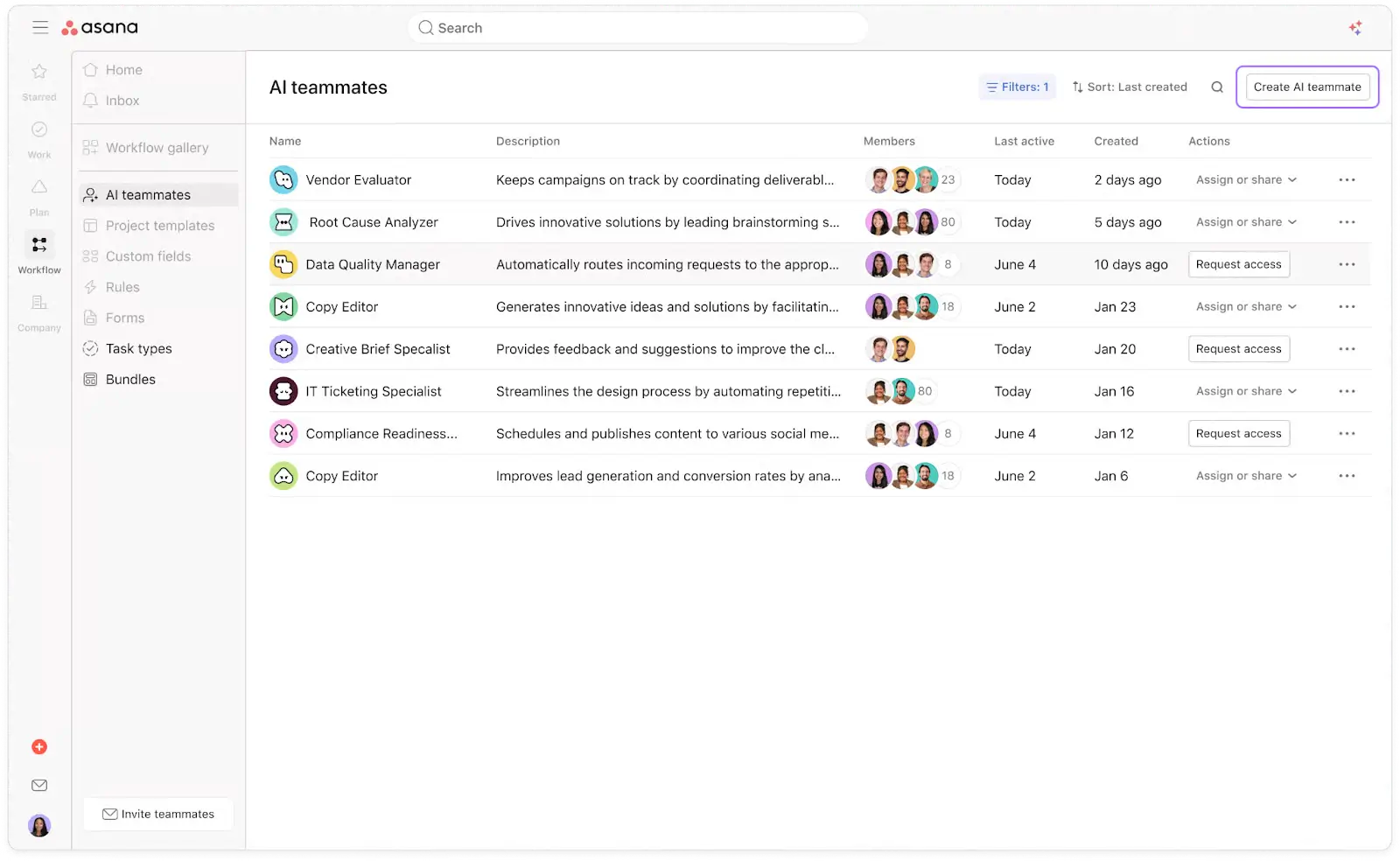
That said, Asana works best when your workflows fit a fairly structured project/task/subtask model. Teams managing more complex, non-linear, or operational workflows may find that hierarchy restrictive as processes become harder to map cleanly into traditional project structures.
Asana key features
- Multiple project views: See the same project as a list, board, timeline, calendar, or Gantt chart, so each person can use the view they prefer.
- Task dependencies: Show which tasks need to happen before others so teams can manage timelines and avoid blockers.
- Cross-project tracking: Add the same task to multiple projects so updates stay in sync across teams like marketing, product, and ops.
- Goals and portfolios: Set team or company goals, then group related projects into portfolios to track progress, timelines, and workloads.
- Workload and capacity planning: See how work is distributed across team members to avoid overloading anyone and balance resources.
- Workflow automation: Automate routine actions like assigning tasks, sending notifications, or moving tasks between stages.
- Asana AI: Includes AI Teammates for briefs and research, AI Studio for building workflows without code, and Smart Assists for summaries, drafts, and answers about your work.
- Integrations: Connect with tools like Slack, Salesforce, and 200+ other apps to keep work in sync across your stack.
- Enterprise security: SAML, SCIM, audit logs, and compliance with SOC 2, GDPR, HIPAA, and ISO/IEC 27001.
Asana cons
- The learning curve grows with project complexity: New users need time to understand Asana’s views and planning tools, and the system can feel harder to manage as projects, teams, and dependencies grow.
- Advanced features are paid: Goals, portfolios, workload views, approvals, proofing, and native time tracking are only available on higher plans.
- No single-seat paid subscriptions: Solo users must pay for at least two licenses. And costs increase as your team grows because Asana charges per user.
- Each task can only have one owner: Asana follows the Direct Responsible Individual (DRI) model, which can create friction when multiple people share responsibility for the same work.
Asana pricing
Asana uses per-user pricing with a 2-seat minimum on paid plans, and seats are sold in bundles once your team passes 5 users.
- Personal ($0/month): Free for up to 2 users. Includes unlimited tasks and projects, list/board/calendar views, and 100+ integrations.
- Starter ($10.99/user/month): Adds timeline and Gantt views, workflow builder, reporting, AI Studio, and Asana AI.
- Advanced ($24.99/user/month): Adds goals, workload management, portfolios, and more advanced reporting and planning features.
- Enterprise (custom pricing): Advanced security, admin controls, custom branding, and 24/7 support for larger organizations.
- Enterprise+ (custom pricing): Adds audit log API, SIEM/DLP integrations, data residency, Enterprise Key Management, and HIPAA.
Note: Asana AI Studio is available on paid plans with monthly AI credit limits, and AI Teammates are available as an add-on on paid plans.
What is monday.com?
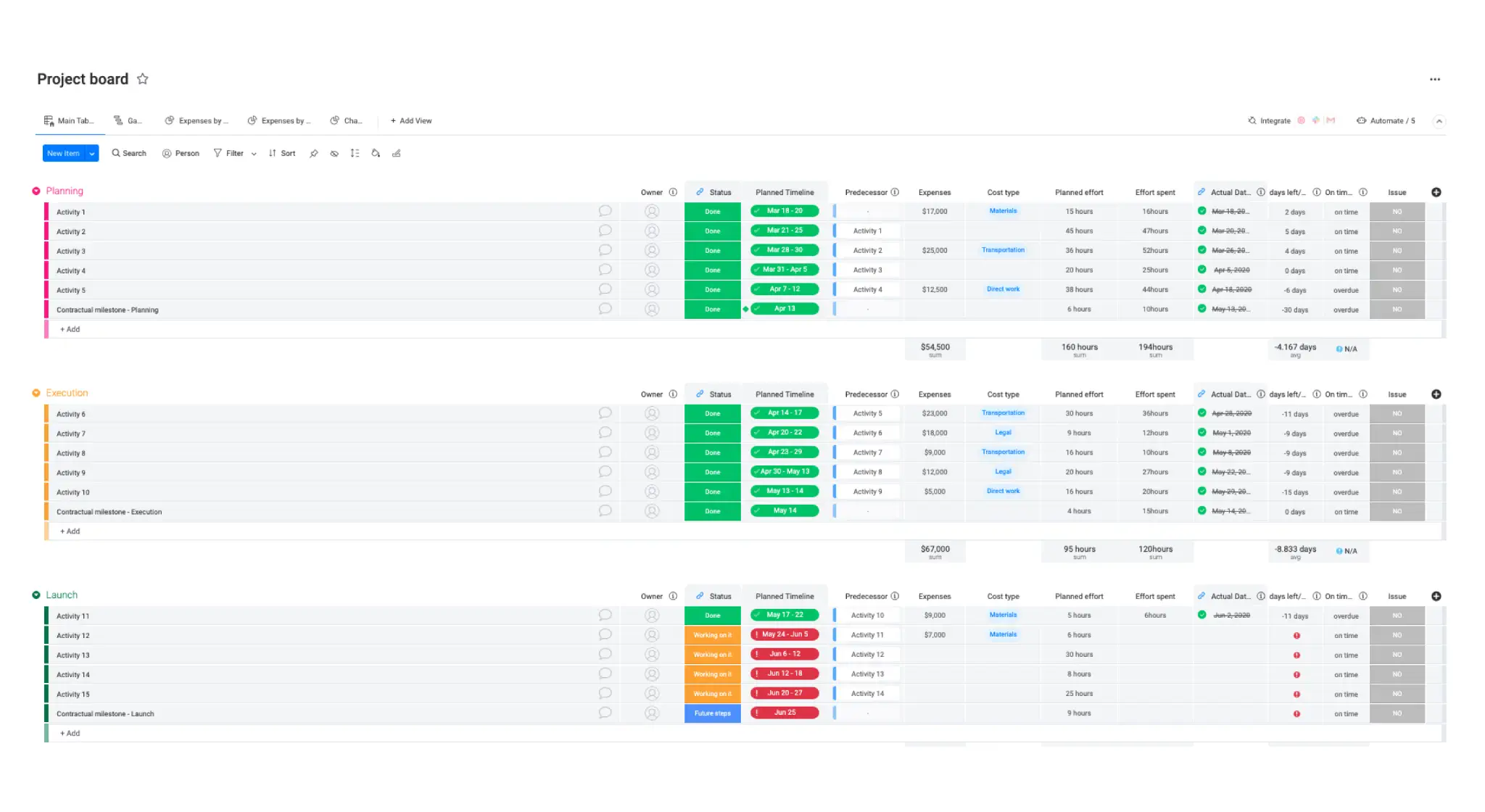
monday.com is a flexible work platform that helps teams manage projects, workflows, and business processes in one place. You organize work on customizable boards made up of items, groups, and columns, then shape those boards around how your team actually works, whether you’re tracking tasks, sales deals, bug reports, or client requests.
monday.com’s key differentiator from Asana is what you can build on top of it. Beyond project management, it includes standalone products for CRM, IT, and software development services, all running on the same platform. You can connect them as your team’s needs grow.
monday.com’s AI products include: monday’s sidekick, the built-in AI assistant that summarizes updates, drafts content, and triggers workflows; Agent Factory, which lets you build AI agents for specific jobs like lead scoring, ticket triage, or meeting prep; and its vibe tool, which turns plain-English prompts into custom apps and interfaces.
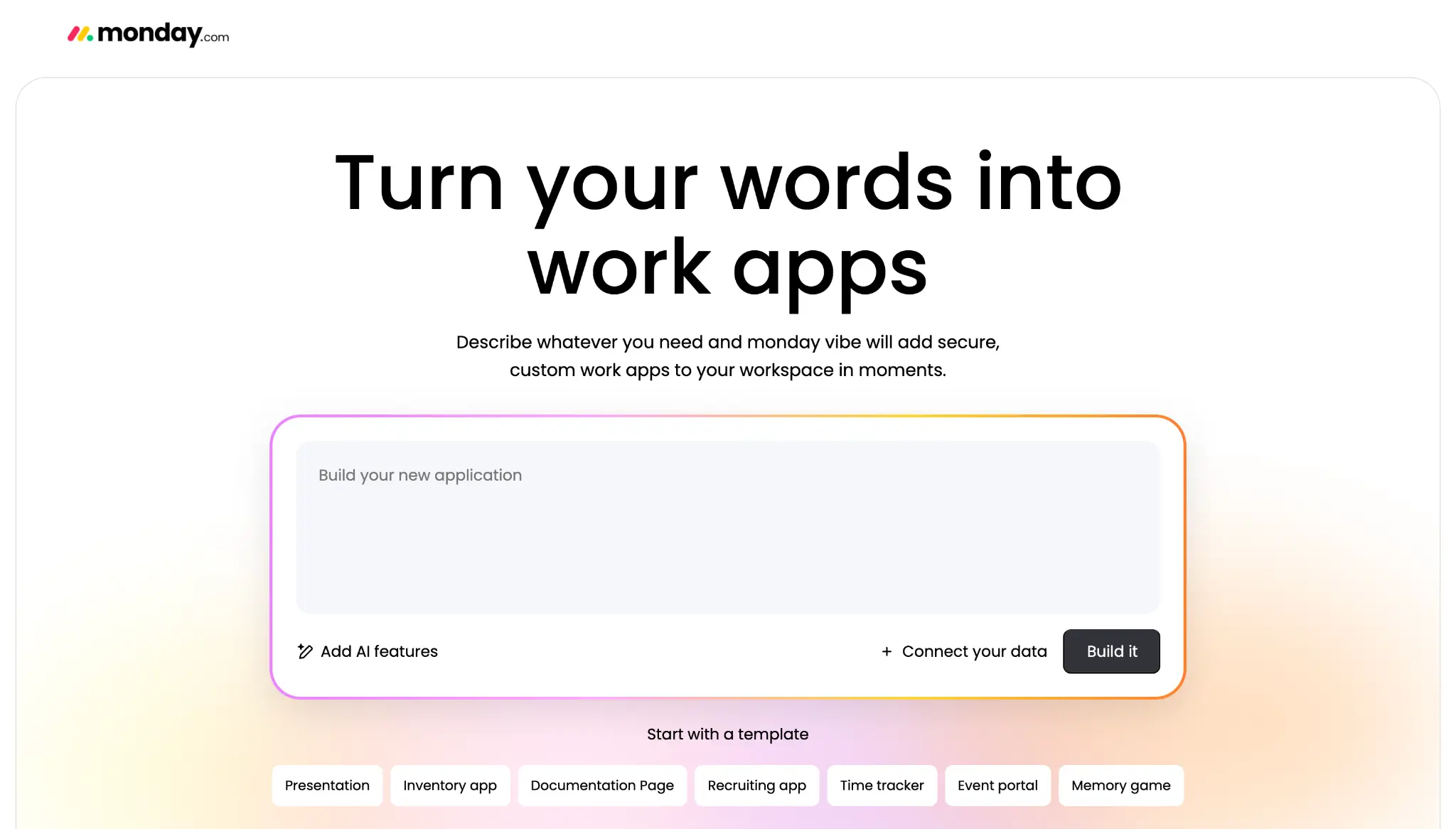
However, monday.com’s AI features can feel somewhat fragmented across the broader platform ecosystem. Some of its more advanced AI products live outside the core work management experience, carry separate pricing, or focus on use cases beyond project management entirely. As a result, while monday.com offers an ambitious range of AI tools, they don’t always feel as cohesively integrated into the day-to-day workflow experience—and adopting the full suite can become expensive quickly.
monday.com key features
- Customizable boards and views: Manage work on boards and view the same data as a table, Kanban board, timeline, calendar, Gantt, chart, or map.
- Workflow automation: Use no-code automations to assign tasks, update statuses, send notifications, and trigger actions across boards.
- Dashboards: Combine data from multiple boards into real-time dashboards to track project progress, team activity, and key metrics.
- Multiple products on one platform: Add monday CRM for sales, monday service for support, monday dev for product teams, and monday vibe for building internal tools.
- monday AI tools: Use monday sidekick to summarize updates and draft content, Agent Factory to build AI agents, monday vibe to create apps on top of your projects, and monday magic to generate workflows from prompts.
- WorkForms: Collect requests, feedback, or internal tasks through forms that feed directly into boards and trigger workflows.
- 850+ integrations: Connect with tools like Slack, Gmail, HubSpot, Zoom, Salesforce, and AI tools like ChatGPT, Claude, and Copilot.
- Enterprise security: SSO, SCIM, audit logs, detailed permissions, and compliance with SOC 2, ISO 27001, GDPR, and HIPAA on higher plans.
monday.com cons
- Vibe apps rely on monday.com data. You need to sync data into monday.com boards first if it lives in tools like Airtable or Google Sheets.
- Lower-tier plans cap how many automated actions you can run each month, so you may need to upgrade as your usage grows.
- Paid plans start at three seats. Even if you only have one or two users, you’ll still pay for three.
- Can feel restrictive for projects that need many levels of subtasks, advanced dependencies, or multi-phase planning.
monday.com pricing
monday.com uses per-seat pricing with a 3-seat minimum on paid plans.
- Free ($0/month): Up to 2 seats. Includes 3 boards, 200+ templates, and iOS and Android apps.
- Basic ($9/seat/month): Unlimited boards and items, 5GB storage, unlimited free viewers, and a dashboard based on 1 board.
- Standard ($12/seat/month): Adds guest access, a dashboard combining up to 5 boards, and 250 automation and integration actions.
- Pro ($19/seat/month): Adds time tracking, a dashboard combining up to 20 boards, and 25,000 automation and integration actions.
- Enterprise (custom pricing): Adds portfolio and resource management, multi-level permissions, and advanced reporting.
Note: monday AI, monday CRM, monday dev, and monday service are available as separate products or bundles, each with their own pricing tiers.
Asana vs monday.com: Pricing
Asana charges per user with a 2-seat minimum on paid plans. monday.com charges per seat with a 3-seat minimum and limits how many automated actions you can run each month, depending on your plan.
Key differences:
- Free plans: Asana's free plan supports up to 2 users with unlimited tasks, projects, and basic views. monday.com's free plan also supports 2 seats but caps you at 3 boards.
- How costs scale: Both tools sell seats in bundles, but monday.com's 3-seat minimum and 5-seat increments hit small teams harder than Asana's 2-seat minimum.
- Feature access: Asana locks goals, portfolios, workload, and approvals to higher-tier plans. monday.com limits automations and integrations by plan, so teams with heavy usage often need to upgrade as they grow.
- External users: Both tools allow free guest access. monday.com starts on the Standard plan and is limited to 2 guests per paid user. If external users need full editing access, you'll pay per seat on both platforms.
The verdict: Asana is a better fit for teams that want predictable pricing with strong project planning features. monday.com works well for teams that want more flexibility to build workflows your way, but don't mind growing costs.
Asana vs monday.com on Reddit
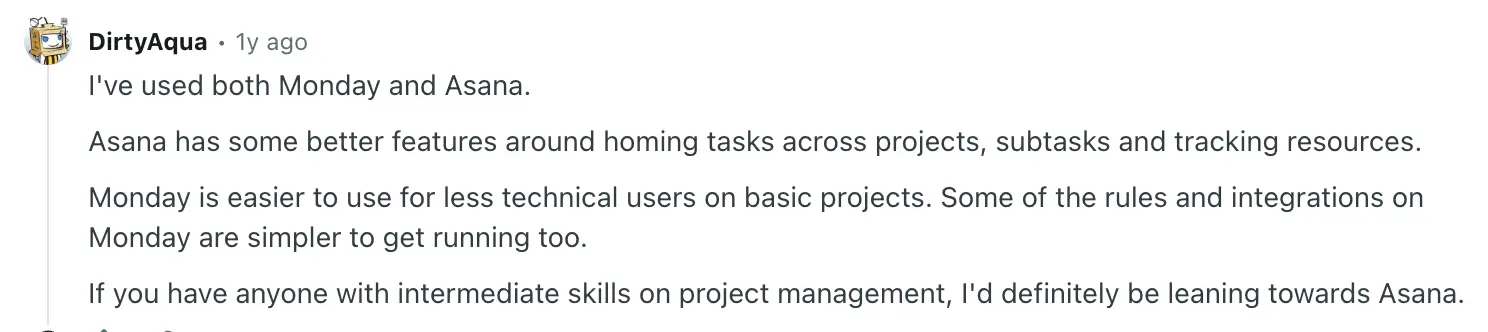
On Reddit, many users say Asana is easier to use than monday.com, especially for teams that follow a clear project structure. They like features like cross-project tracking and goal tracking because they help keep work organized. Here’s one example:
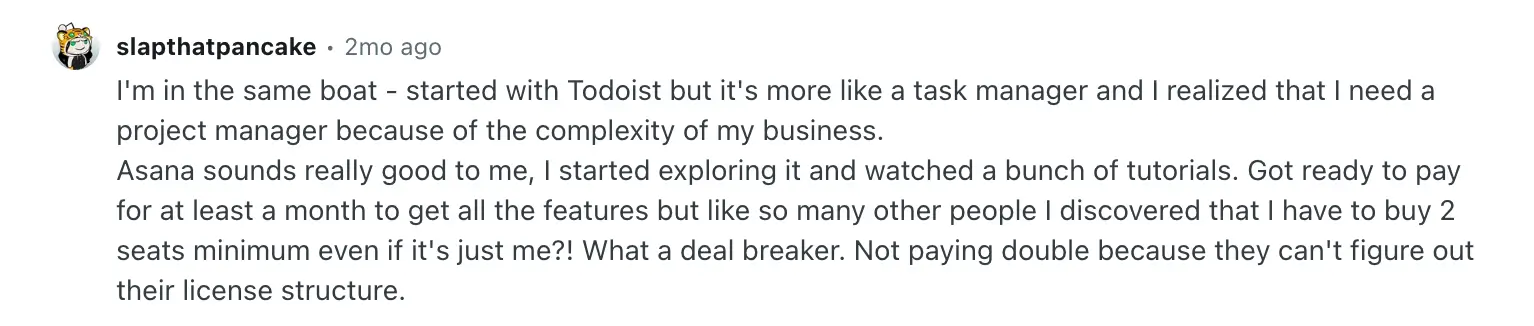
However, as work grows, some users say Asana becomes harder to manage. When there are many projects, dependencies, and team members, it can take more effort to keep everything clear and up to date. Solo users also mention the 2-seat minimum on paid plans as a drawback, like in this example:
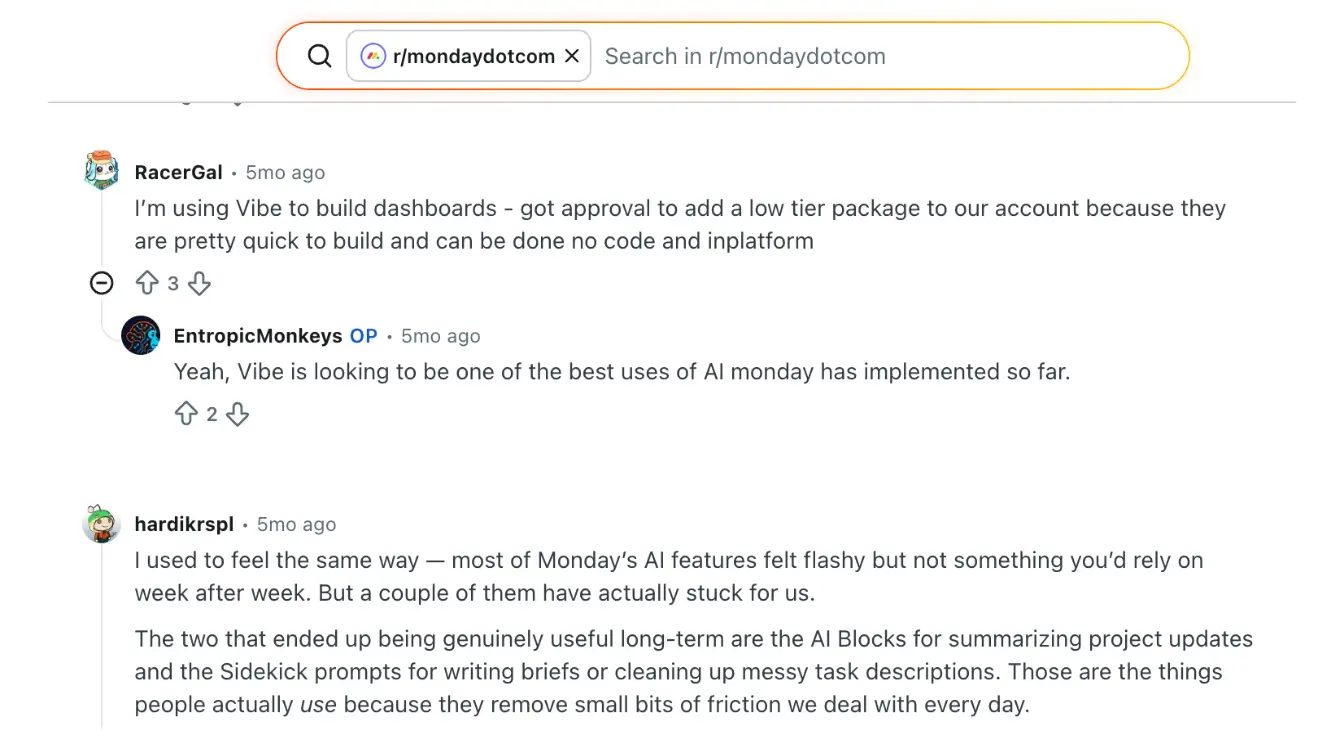
For monday.com, some users prefer it because it feels more visual and flexible, especially for teams like marketing and design. Its AI tools also come up often, with users saying they are useful for things like building workflows.
At the same time, some users say monday.com takes time to set up properly. Without a clear structure, boards can become messy as work grows. Another recurring complaint is that some features are only available through third-party tools from monday.com’s app marketplace, which requires you to pay.
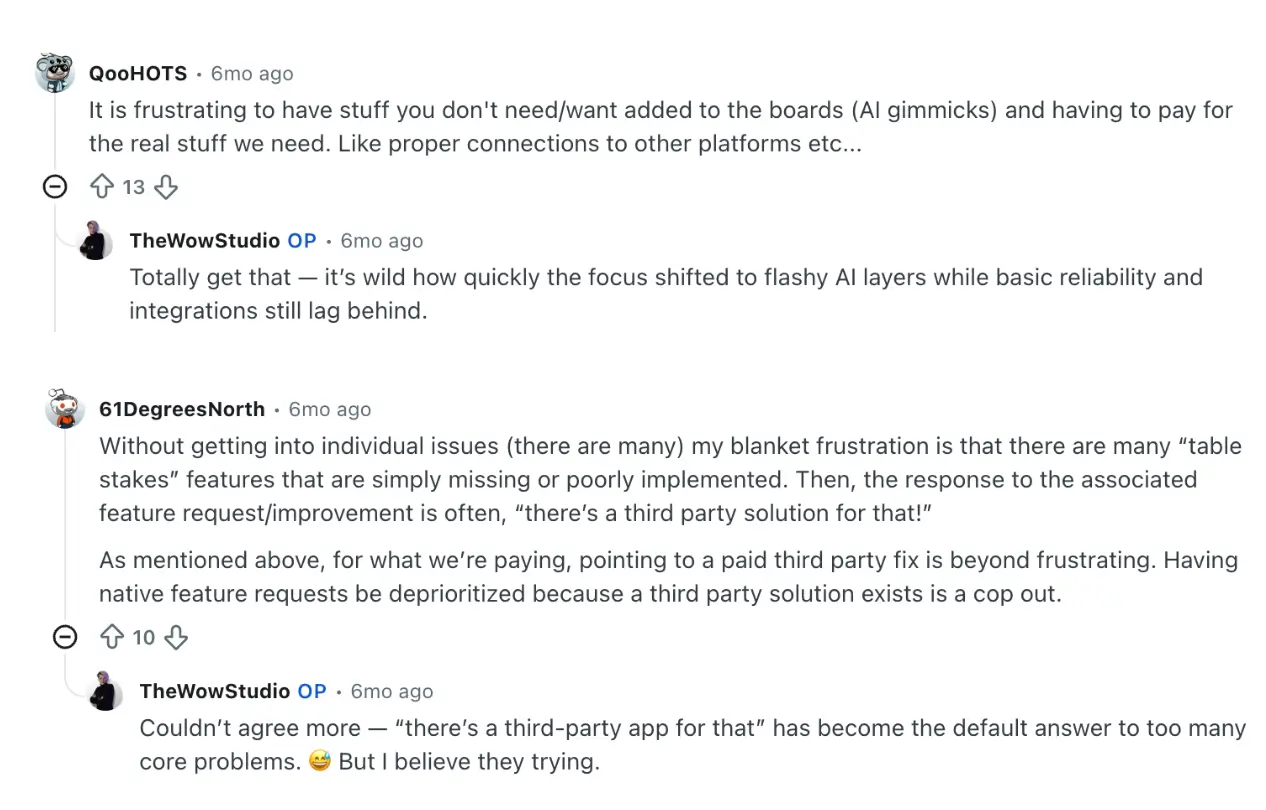
Some users have noted that monday.com’s AI still feels somewhat surface-level in practice, particularly when it comes to more advanced project planning and prioritization.
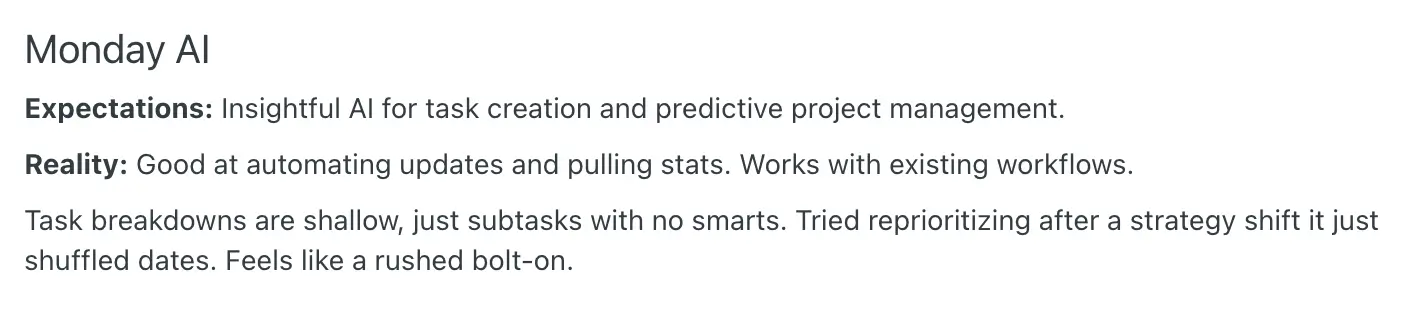
Overall, Reddit users say Asana works best for teams that need a clear and structured way to manage projects. monday.com works better for teams that want more flexibility in how they organize and display their work, as long as they are ready to spend time on setup and manage costs as their team grows.
Asana vs monday.com: Summary
- Asana is best for teams that want a structured PM system. But it can feel more complex as projects and dependencies grow, and key features like workload and approvals are only available on higher-tier plans.
- monday.com is best for teams that want flexible project management plus the ability to build custom workflows and apps. But it takes more setup to get right and costs can grow as your team adds more seats or paid marketplace apps.
Softr — the best alternative for teams building custom project management apps and processes with AI
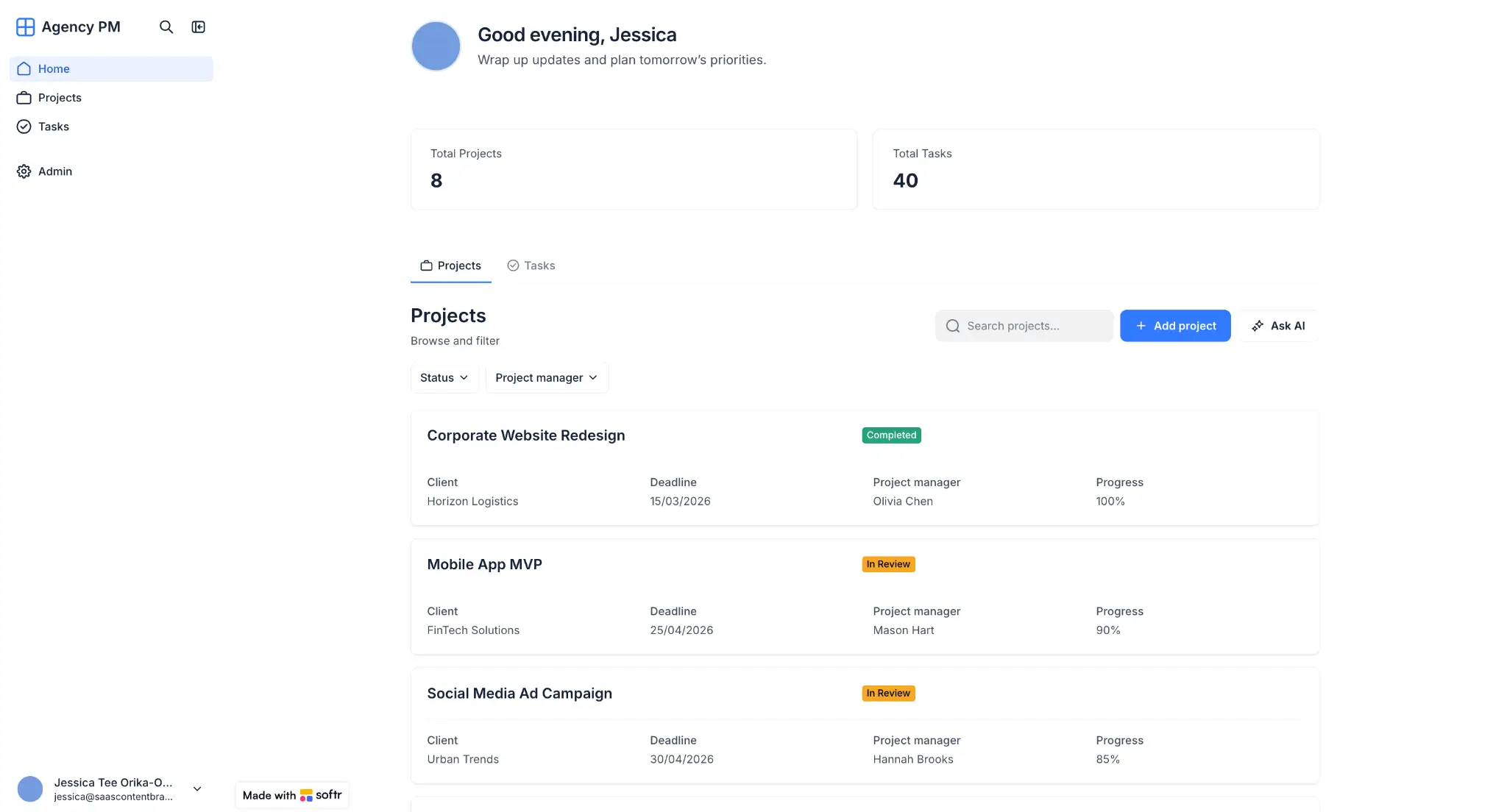
If you're looking at Asana alternatives or monday.com alternatives because neither fully fits your workflow, Softr is worth considering.
The AI-native platform lets you build custom project management systems, CRMs, and internal tools that live on your domain and connect to your own data from multiple sources. You only add the views and features your team needs.
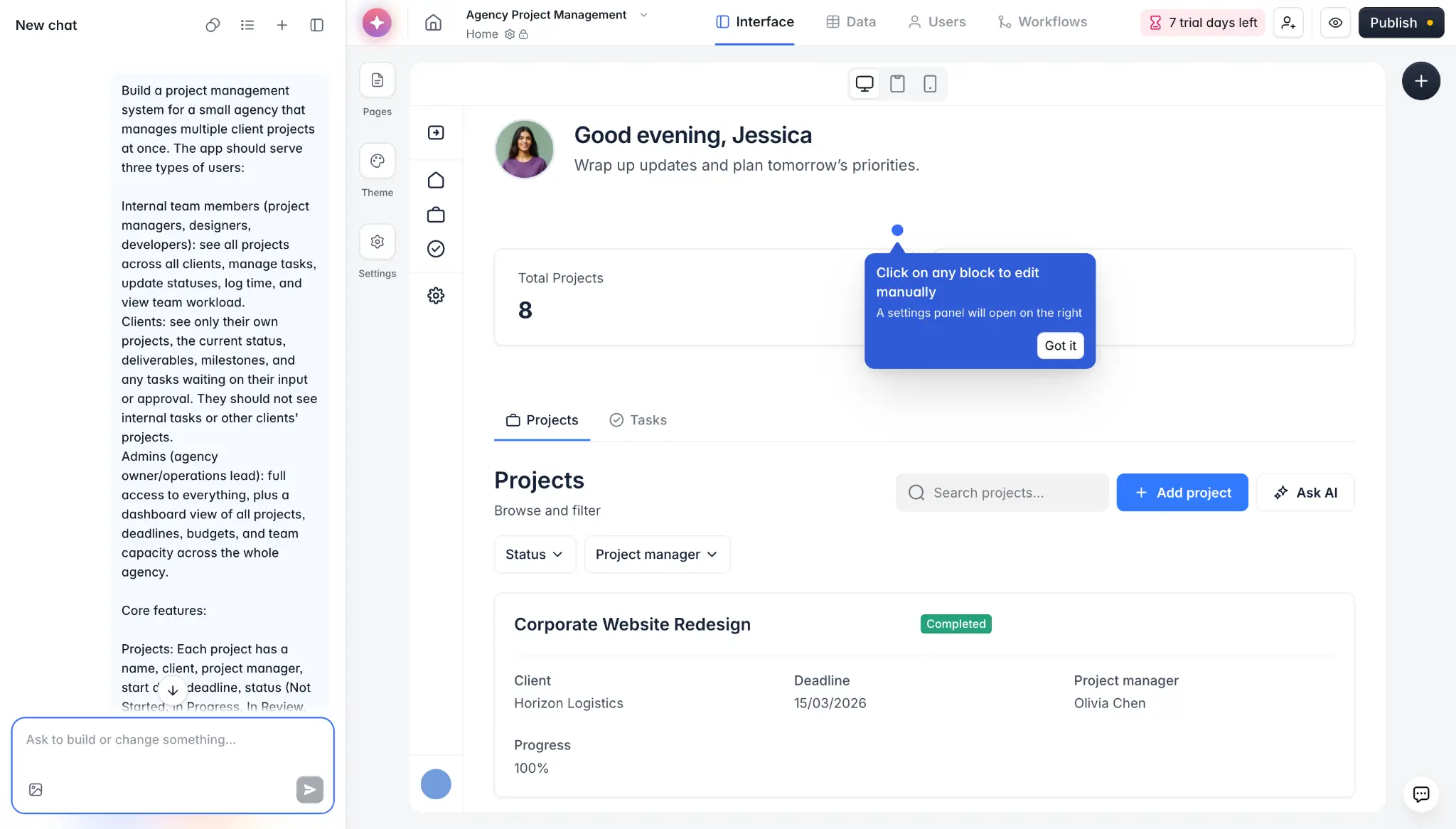
Just describe what you need in Softr's AI Co-Builder, and it'll generate a functional project management app in minutes, with the pages, built-in database, user permissions, and business logic already connected. The backend — including hosting, authentication, and security — is set up automatically, so you don't have to build or manage any of it.
From there, adjust the layout or change how the app works using the drag-and-drop visual builder (without spending AI credits). Or use the Vibe Coding Block to add custom components.
Then, automate routine tasks with Softr Workflows, which connect your app, your database, and any other tools in your tech stack.
You can also add conditions, branches, and wait steps for more complex automations.
For example, you can create an interactive workflow to approve projects or tasks directly in Slack that:
→ sends a Slack message when a new record is created
→ waits for a team member to respond directly in Slack
→ branches automatically based on their selection
→ routes urgent and non-urgent requests through different follow-up actions

For your data, use Softr's built-in relational database to organize everything from projects and tasks to clients and invoices. Or connect to external data sources you already use to store or combine project data from Google Sheets, Airtable, HubSpot, Notion, monday.com, ClickUp, and SQL databases.
Updates between Softr and your source tool happen in real time, so your data stays in sync without any manual work. Softr also includes a built-in AI assistant that allows your team or clients to ask questions about live project data and get instant answers pulled from your data, based on their permissions.
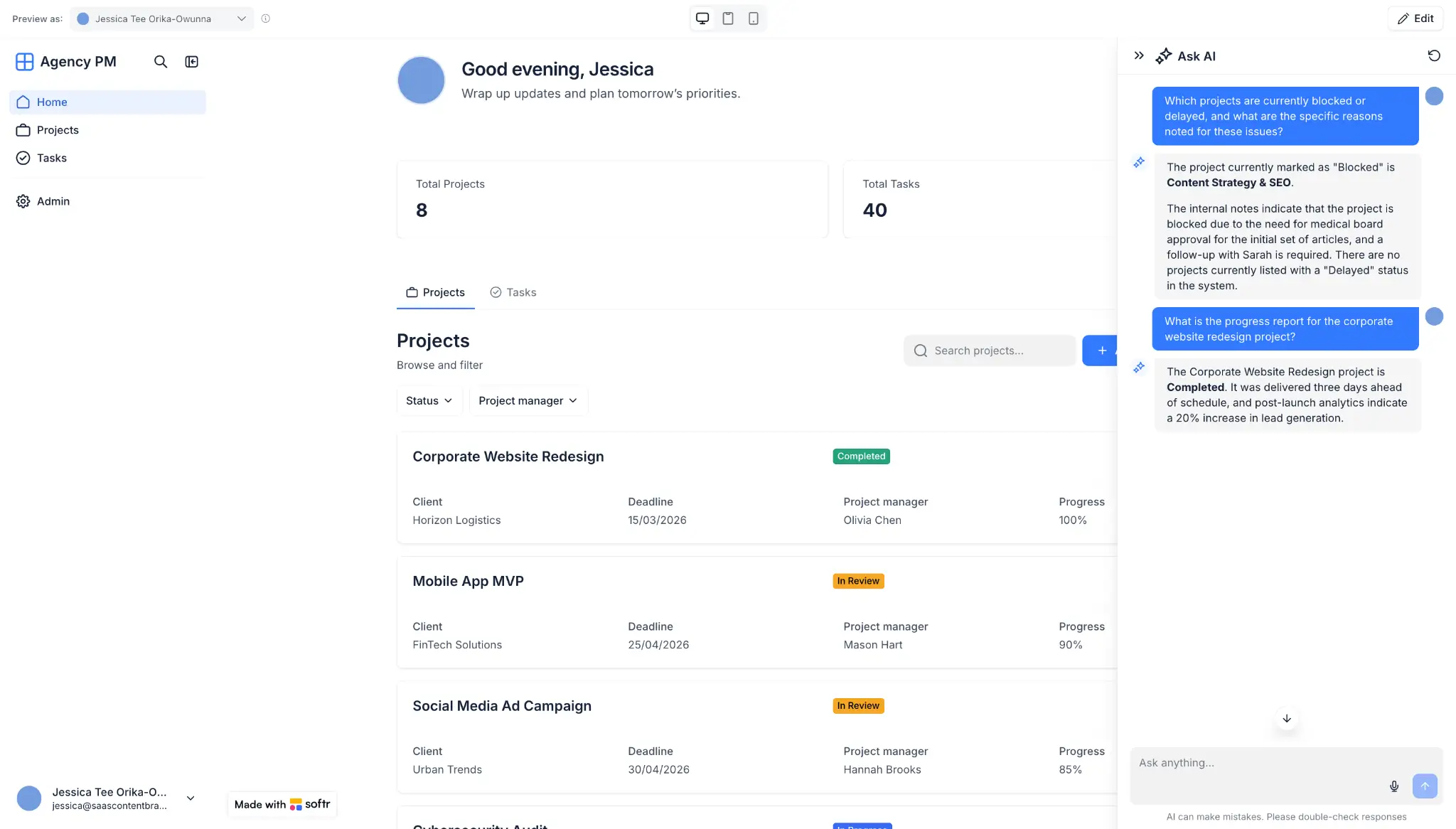
You can also add AI agents to your workflows to summarize project updates, tag records, generate reports, or enrich client data automatically.
Your apps are SOC 2 and GDPR compliant by default, with role-based permissions, data encryption, and a built-in security dashboard to help protect project information. You can also turn the app into a PWA in one click, so your team or clients can use it on their phones without building a separate mobile app.
Best for: Teams that want a secure project management system that matches their workflow, with real-time data from existing tools and built-in AI features.
Why teams choose Softr over Asana and monday.com
- Bring in clients without traditional per-seat pricing: Asana and monday.com both support guest access for external collaborators. However, both platforms use seat-based pricing models for core team members, and guest access comes with platform-specific limitations and rules. With Softr, you can build a branded project management system on your own domain and control exactly what each user sees through role-based permissions—without traditional per-seat pricing for every internal user.
- More flexible data setup: To use external data in apps built on monday.com, you may need to sync or import that data into monday.com first depending on your setup. Softr gives you more flexibility to build apps using Softr’s native database or connect directly to 17+ external data sources, including monday.com.
- A generous free plan: Softr’s free plan lets you build and publish working apps for up to 10 app users, with 500 workflow actions and 5 AI credits included, so you can test your app before going live or upgrade as your needs grow.
- Build and run connected business apps on one platform: monday.com offers separate products like monday CRM and monday Service, each with its own packaging and pricing structure. Softr lets you build a project management system alongside other apps like a CRM, vendor portal, or executive dashboard—all using the same data and within one platform.
- Predictable pricing as you scale: Asana and monday.com primarily use seat-based pricing, often with plan minimums, so costs can rise as more users need access. Softr uses a different pricing model than traditional per-seat PM tools, making it a strong option for teams that need to provide access to many internal or external stakeholders.
[.blog-callout]
Animalz, a content marketing agency, needed to manage 30+ freelancers in their content pipeline but their Airtable seat costs had reached $1,000+/month. Instead of paying for more seats or hiring developers, the team built a custom freelancer portal on Softr connected to their existing Airtable data. This helped the team save $700+ per month and 3-4 hours per week on manual project updates.
[.blog-callout]
Asana vs monday.com vs Softr: Which one should you choose?
The choice between Asana, monday.com, and Softr depends on how your team works and what you need from a project management system.
Pick Asana if you want clear structure. It works best for teams running projects across departments, where every task has a clear owner, deadline, and link to a bigger goal. Its AI features help automate routine planning work and status updates, so you spend more time moving work forward.
Pick monday.com if you want flexibility. It works best for designing how your work looks and runs, from boards to dashboards to AI-built apps. Just be ready for setup time and rising costs as more people need access.
Pick Softr if you want to build custom, fully working project management systems with AI from day one. You can give clients and team members their own login and view, pull data from tools you already use, automate routine tasks, and add AI features that help your team and clients get answers from live data fast — all in one place.
Try Softr for free and start building today.
Frequently asked questions
What's the difference between Asana and monday.com?
What's better than Asana?
What's the best project management software for small teams?


