Budibase is a beginner-friendly low-code app builder with a good reputation among small businesses and mid-market companies. It's relatively easy to learn and quick to set up, but it gets pretty pricey as your team grows. As prices have climbed, many teams have started looking for a better return on their budget. Here are the options.
Best Budibase alternatives at a glance
| Best for | Free plan | Paid plans | |
|---|---|---|---|
| Softr | Internal portals, public-facing apps, and PWAs for businesses of all sizes | Unlimited apps, up to 3 builders & 5 app users. | Starting at $19/month, 1 builder and Team: 5 + Client: 5 app users included |
| Appsmith | Code-first app development | Unlimited users, unlimited apps, and up to 3 repositories for version control with Git | Usage-based pricing, max. $20/user/month |
| Retool | Enterprise-grade developer-friendly solutions | Up to 5 users & 500 workflow runs/month | Starting at $10 /month/standard user & $5/month/end user |
| Flatlogic | MVP and CRUD apps | No | Starting at $33/app/month |
| Baserow | Open-source database & app building | Forever-free for self-hosting | Starting at $10/user/month |
What are some limitations of Budibase?
If you've been using Budibase for a while, you know these well. But if you’re just choosing a low-code platform for your next project, and Budibase is on your list, these are the factors that may become deal-breakers:
Costs
Costs with Budibase add up fast. You’re not just paying for the platform itself; you’re also getting hit with fees for each collaborator and each user.
Budibase offers a free tier for up to 5 users or collaborators when hosting on Budibase Cloud. If you opt for self-hosting or a paid plan, you can support up to 20 users or collaborators for free. Beyond that, the costs are $50 per collaborator per month and $5 per user per month.

If you’ve got a growing team or a large user base, the expenses can quickly spiral out of control, making Budibase one of the pricier options out there.
Not suitable for building mobile apps
With Budibase, you can build a web app that’s responsive on mobile devices, but you can’t actually create a native mobile app.
If you want your web app to feel like a mobile app, you'd have to use a workaround, like creating the web app in mobile view and embedding it into a mobile app using something like WebView for Android. But why go through all that hassle when there are tools out there that let you turn your apps into mobile apps with just one click?
Limited support for enterprises
When it comes to support, Budibase relies heavily on its community. So, getting timely assistance or resolving more complex issues can be hit or miss, which is a major concern for those dealing with critical uptime responsibilities.
Note: Budibase does offer enterprise support, but only on its Enterprise package. If you're on the premium plan, you won't have a dedicated support team.

Focus on internal portals
Budibase shines when it comes to building internal apps, but it’s not really designed for public-facing applications.
The platform’s structure doesn’t easily support scenarios where users need restricted access to their own data.

If you specifically need internal tooling rather than public-facing apps, our roundup of the best no-code and low-code internal tool builders covers more options worth comparing.
Limited customization
Budibase, like many no-code and low-code tools, can be a bit restrictive with customization options. If you need custom solutions, you’ll often find yourself needing to come up with workarounds.
Although it does let you add custom CSS and JavaScript, you’re only able to do so in specific areas of the app.
On top of that, JavaScript in Budibase is server-side and synchronous only, so features that rely on asynchronous interactions, like API calls or await, aren't supported.
What makes the best Budibase alternative?
When researching Budibase alternatives, we considered the following criteria:
- Cost. The selected tools offer the best value for their price. We factored in not just the base cost but also any additional fees for users, collaborators, or extra customization capabilities.
- Ease of use. Budibase is one of the easiest app builders to use, but you don't have to give up on simplicity to find something that fits your budget better. All low-code platforms on our list are user-friendly and won't require a steep learning curve.
- Flexibility. We prioritized app builders that offer more room for customization than Budibase does.
- Integrations. It's important for us that each platform offers the same or more integrations with tools and databases as Budibase.
- Community & customer support: we evaluated the strength of the community and the quality of customer support for each tool. Every platform either has an active community on GitHub or maintains its own dedicated forum.
5 Best Budibase competitors to choose from in 2026
Alternative 1: Softr

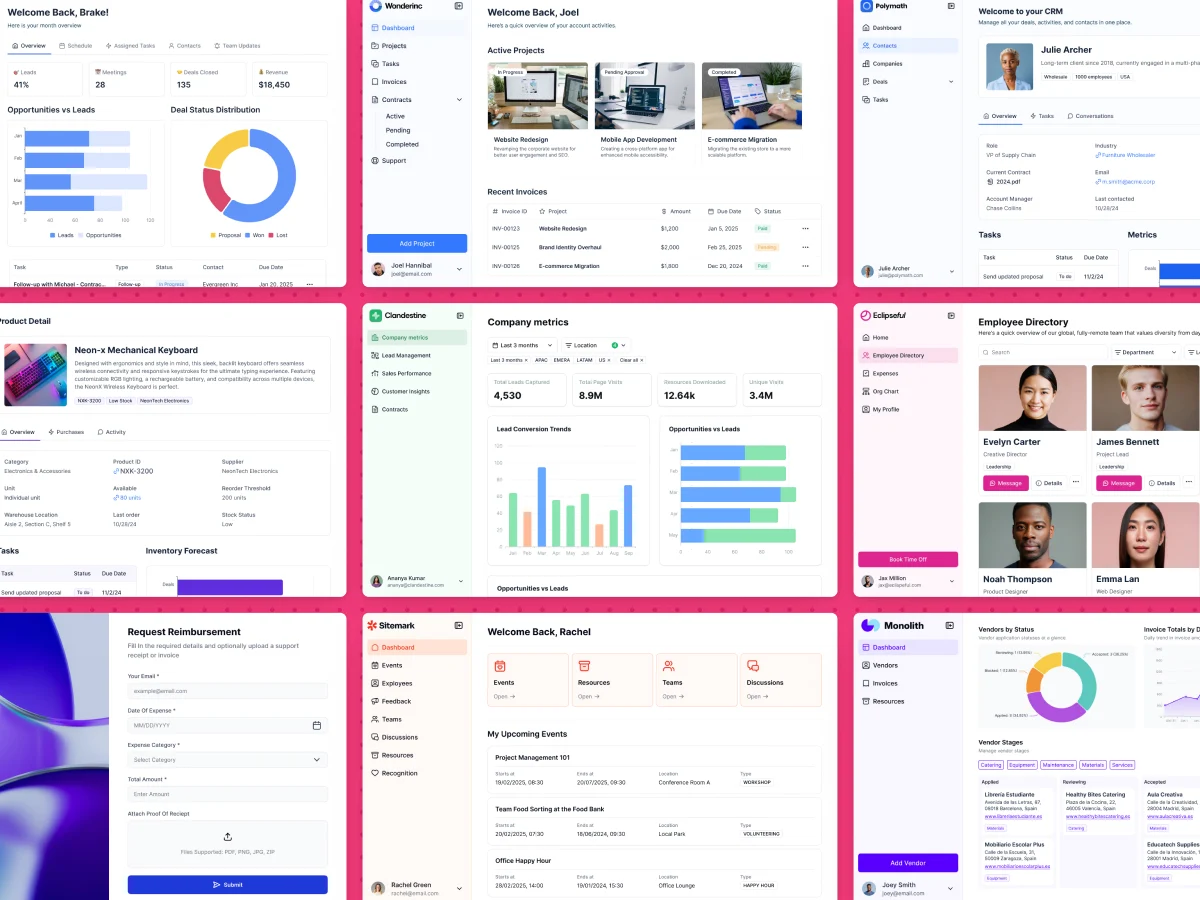
While Budibase is a low-code, open-source tool aimed at IT professionals first, Softr offers a fully no-code experience that's accessible to non-technical builders too.
You can describe your app to Softr's AI Co-Builder and get a working database, pages, and user permissions in minutes, start from a pre-built template, or build from scratch manually. Softr runs on Softr Databases, its native, AI-ready database, or you can connect your existing data from Airtable, Google Sheets, HubSpot, and 21+ other sources.
The drag-and-drop editor comes with pre-built building blocks, which makes it simple to create an admin panel, project management system, company intranet, client portal, or any other type of business app.
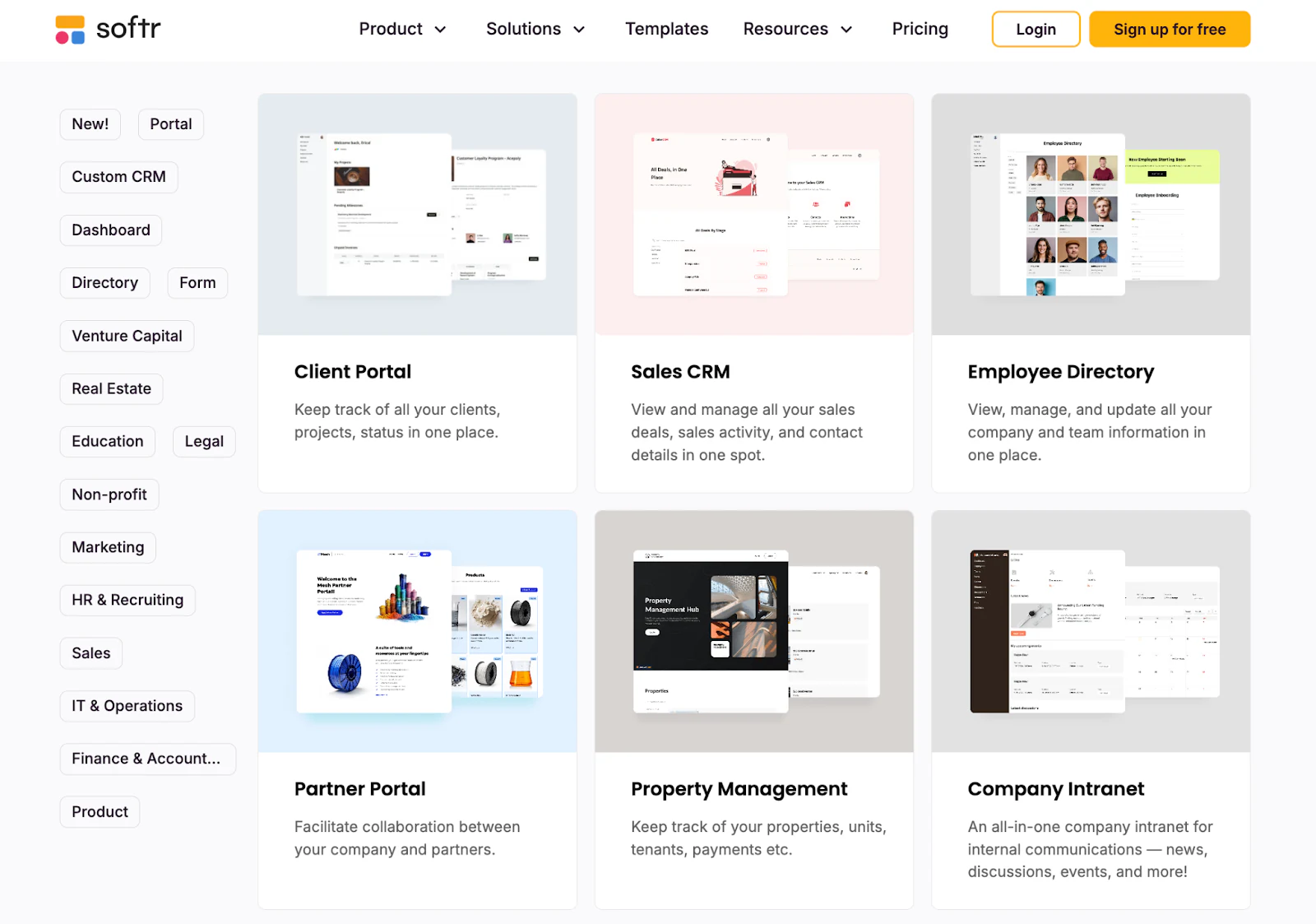
At the same time, Softr offers the flexibility teams with more complex needs are looking for. Beyond custom HTML, CSS, and JavaScript anywhere in your app, the Vibe Coding block lets you generate fully custom UI components with AI that connect securely to your data and respect your permission rules, no code required. So while Softr is easy to pick up, it also gives you room to go as deep as you need.
Key features
- AI Co-Builder for app creation and in-editor changes
- Drag-and-drop app builder
- Softr Databases, Softr's native, AI-ready database, plus 21+ data sources, including Airtable, Google Sheets, HubSpot, and SQL databases
- Vibe Coding block for AI-generated custom UI components
- Pre-built templates for portals, dashboards, CRM, and other use cases
- Custom domains
- Payment processing with Stripe
- Granular visibility & permission settings
- Single sign-on (SSO)
- Progressive Web Apps (PWA)
- Live chat and email support
- Community forum
Why choose Softr over Budibase
- Additional collaborators. Softr's free plan includes 5 app users and up to 3 builders, and paid tiers add builder seats from $5/month.
- Great for public and business apps. Softr isn't limited to internal apps: the platform works just as well for customer portals, vendor apps, and other business software.
- Web to mobile app conversion. With Softr, you can turn your web app into a PWA with a single click. No workarounds needed.
- More room for customization. Beyond embedding custom code anywhere in your app, the Vibe Coding block lets you generate custom components with AI when pre-built blocks don't cover a specific need.
- AI Co-Builder at every layer. You can describe changes in plain language to add blocks, build pages, or configure permissions, then switch to manual editing whenever you want precision.
- Live chat and email support. Softr offers live chat and email support on every plan, answers questions promptly, and factors community feedback into product decisions.
- Integrations. Softr integrates with Airtable, HubSpot, and other data sources and tools that Budibase doesn't, giving you more flexibility in how you connect and manage your data.
Softr pricing
Softr has five pricing plans:
- Free with unlimited apps for up to 3 builders, access to Softr Workflows and Softr Databases, 5 app users, 5,000 database records, and 5 AI credits per month.
- Basic at $19/month with unlimited apps and 42+ integrations, Team: 5 + Client: 5 app users, 50,000 database records, and 10 AI credits per month.
- Pro at $99/month with unlimited apps and 45+ integrations and custom code, Team: 10 + Client: 50 app users, 500,000 database records, 50 AI credits per month, and additional integrations like monday.com and Supabase.
- Business at $329/month with unlimited apps and 52+ integrations, Team: 30 + Client: 100 app users, 1 million database records, 100 AI credits per month, and advanced integrations like HubSpot and SQL databases.
- Enterprise (custom pricing, contact sales) with tailored limits, SSO, advanced security, and dedicated support.
Softr includes up to 3 builders on the free plan and charges from $5/month per extra builder on paid plans, so the main cost driver is app users.
What users love about Softr
- "I love how you can create your own software without knowing how to code. I also love that I am not charged per-user fees like a lot of other software packages," Laurie K., Business Owner.
- "In roofing, there were not many good CRM options, except for one that cost thousands of dollars a month. Instead, I used Softr to build our own CRM that rivals the expensive ones. I do not pay for features I will not use, and simply build the ones I want, exactly how I want them," Verified User, Construction.
- "The initial setup was very easy for me since I used the AI assistant, which I thought was very in tune with what I was looking for," Joe L., Sales and Strategic Partnerships.
Alternative 2: Appsmith
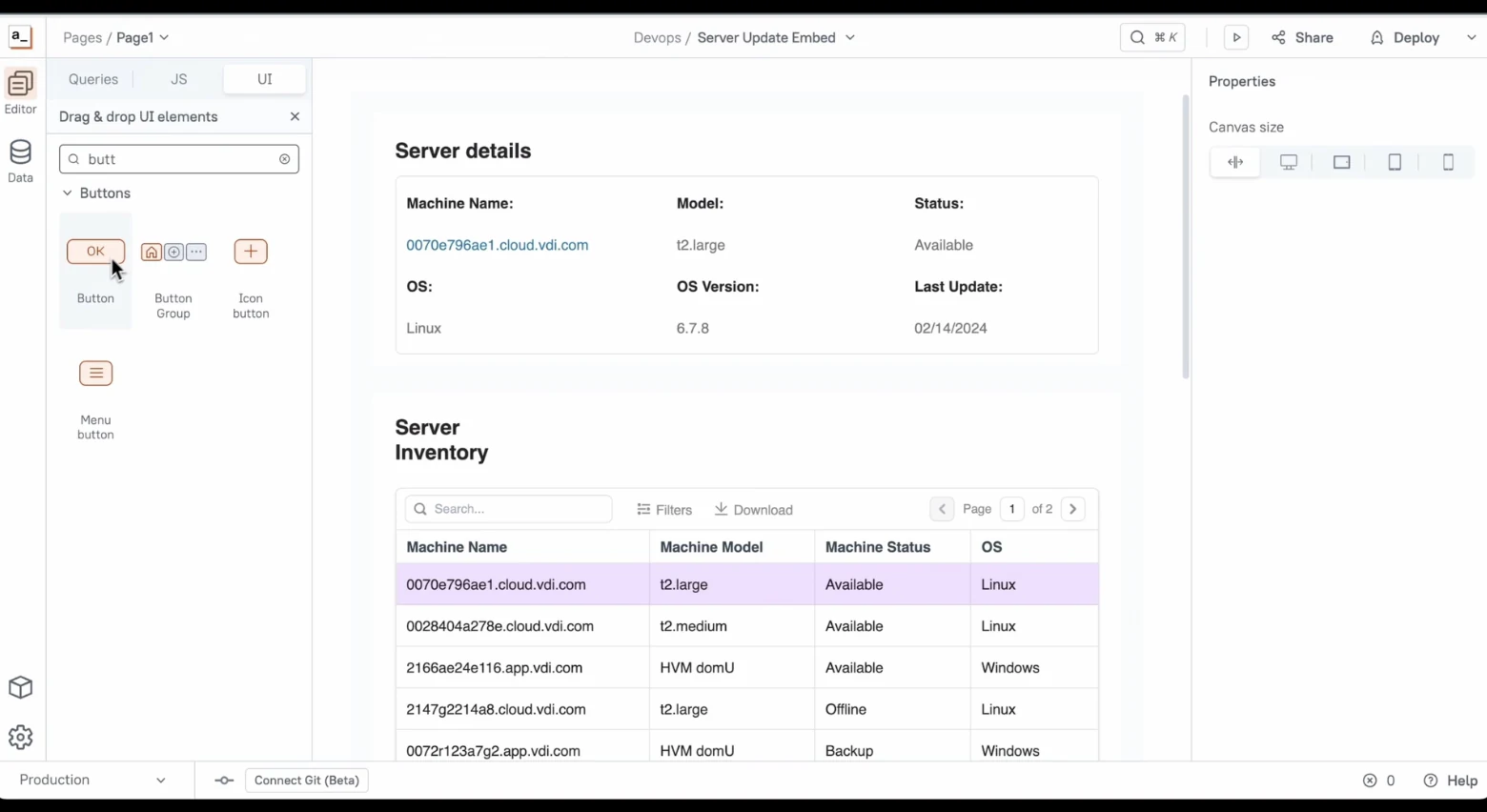
Appsmith is a popular alternative to Budibase for developers and technical teams looking for more control and flexibility.
It's an open-source, low-code platform that combines a visual drag-and-drop editor for designing static elements like styles with the ability to add custom logic and behavior through code.
Unlike Budibase, Appsmith stays true to its generous free plan for self-hosted apps, at least for now.
One thing to note is that Appsmith doesn't come with its own database like Budibase does. Instead, it focuses on integrating with external databases, Google Sheets, S3, and REST APIs.
Key features
- Drag-and-drop interface
- Templates
- Open-source
- Git integration
- Workflow automation with code-first logic control
- Custom domains
- Access controls
- SSO
Why choose Appsmith over Budibase
- Reactive and code-first nature of Appsmith. You can write full-fledged JavaScript almost anywhere on the platform.
- More developer-focused. Appsmith is built with developers in mind.
- Unlimited users and apps. You get unlimited users and apps on free and paid plans.
- Usage-based pricing. Appsmith’s pricing model is based on usage, so you only pay for the time you and other users spend on apps.
Appsmith pricing
Appsmith’s usage-based pricing makes it tricky to predict exact costs. However, they cap the monthly cost at $20 per user even if your apps are used for more than that amount of time.
The software also offers a generous free plan: unlimited users, unlimited apps, and up to 3 repositories for version control with Git. Paid plans unlock unlimited repositories, granular access controls, custom branding, and other advanced features.
What users love about Appsmith
- "Appsmith is a strong technical platform that allows for a lot of flexibility when it comes to creating platforms," Adam M.
- "It requires a bit of imagination and creativity to get things done, often involving some workarounds, much like programming in general. However, it's much simpler and a lot about experimenting," Carlos S.
- "Even with limited coding experience, I was up and running in no time, thanks to the drag-and-drop interface," Paige M.
Alternative 3: Retool
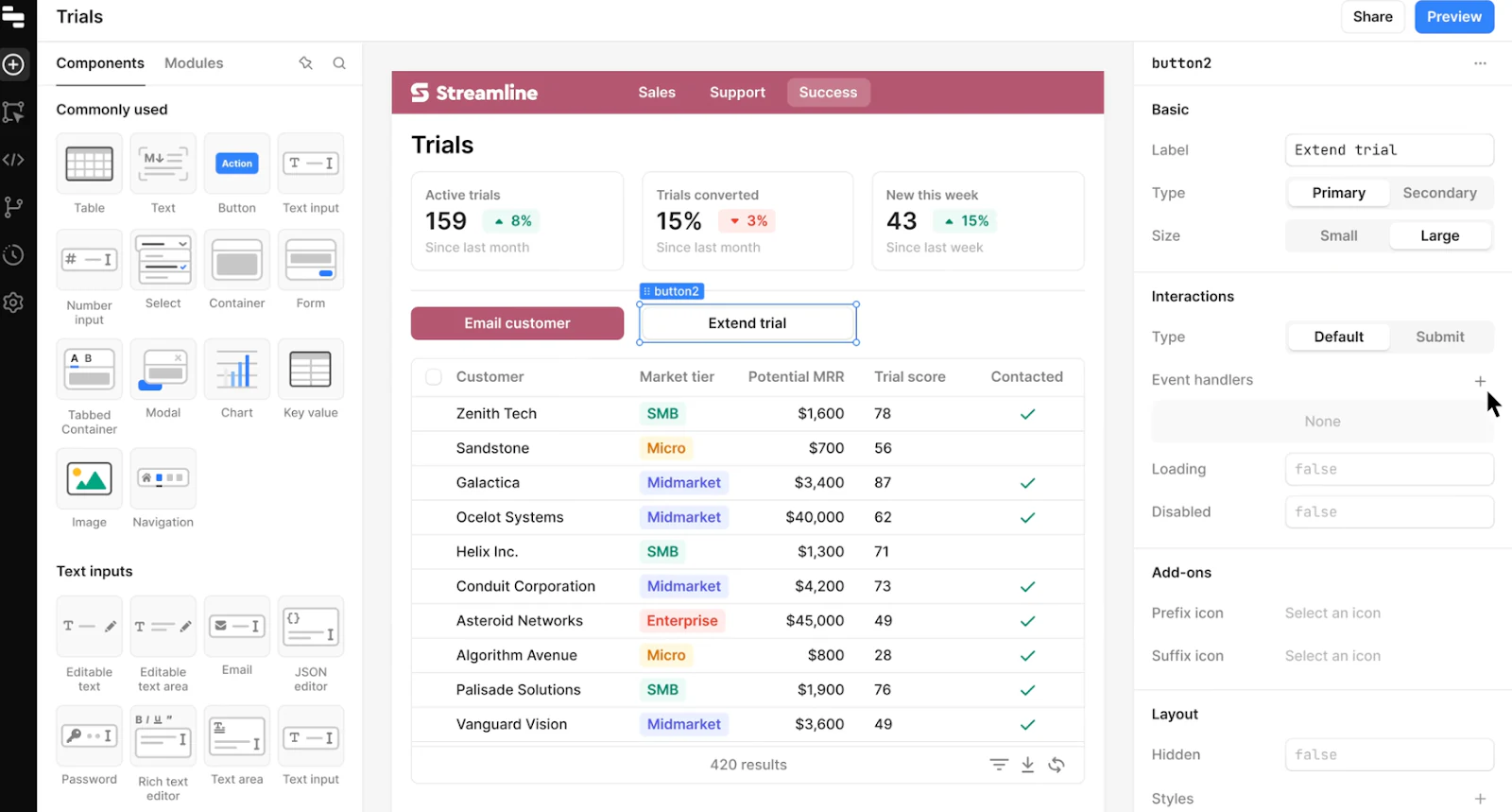
Retool is a closed-source low-code builder for internal software.
Like Budibase, it's not really designed for public-facing apps. External users are only supported on the Business plan, and they come with an extra cost. While it's suitable for creating white-label solutions for client reporting, it's not the best fit for large-scale customer portals.
What sets Retool apart is its ability to build native mobile apps that you can deploy on Android, iOS, or as Progressive Web Apps (PWAs).
Key features
- Drag-and-drop builder
- Automated workflows
- Custom code (CSS, Javascript, Python)
- Self-hosting
- Mobile app development
- Custom SSO
- Integrations
- AI apps
Why choose Retool over Budibase
- Developer-friendly. Retool is perfect for full-stack engineers who are at ease with databases, APIs, and JavaScript but want a quicker way to whip up basic UIs.
- Native mobile apps. Unlike Budibase, which focuses on responsive web apps, Retool gives you many features for building and deploying native mobile apps.
- Python scripts. It's a rare app builder that supports Python in workflows.
- Top-notch integrations and flexibility. Retool comes with a wide range of built-in components and native integrations, so you can often build what you need right out of the box.
- For companies with more complex needs. Retool is geared towards enterprise organizations, and its pricing reflects this. It supports many enterprise-level features like source control and SAML-based SSO in custom-priced plans.
Retool pricing
Retool provides a free plan for up to 5 users and 500 workflow runs/month. In paid plans, pricing is somewhat complicated:
- Team plan at $10 per month per standard user (involved in app building) and $5 per month per end user.
- Business plan at $50 per month per standard user and $15 per month per end user. This plan also allows for external users, but there's an extra fee for them.
- Enterprise plan with custom pricing.
What users love about Retool
- "My favorite part about using Retool is how seamlessly it allows us to consume services from different APIs and tools," Sebastian D.
- "It is accessible for individuals with basic knowledge of data structures and no programming skills, yet it is remarkably flexible for experienced developers to quickly generate low-code solutions using SQL and JavaScript," Nandico A.
- "It is quite well integrated with most of the industry's preferred platforms," Ankit T.
Alternative 4: Flatlogic
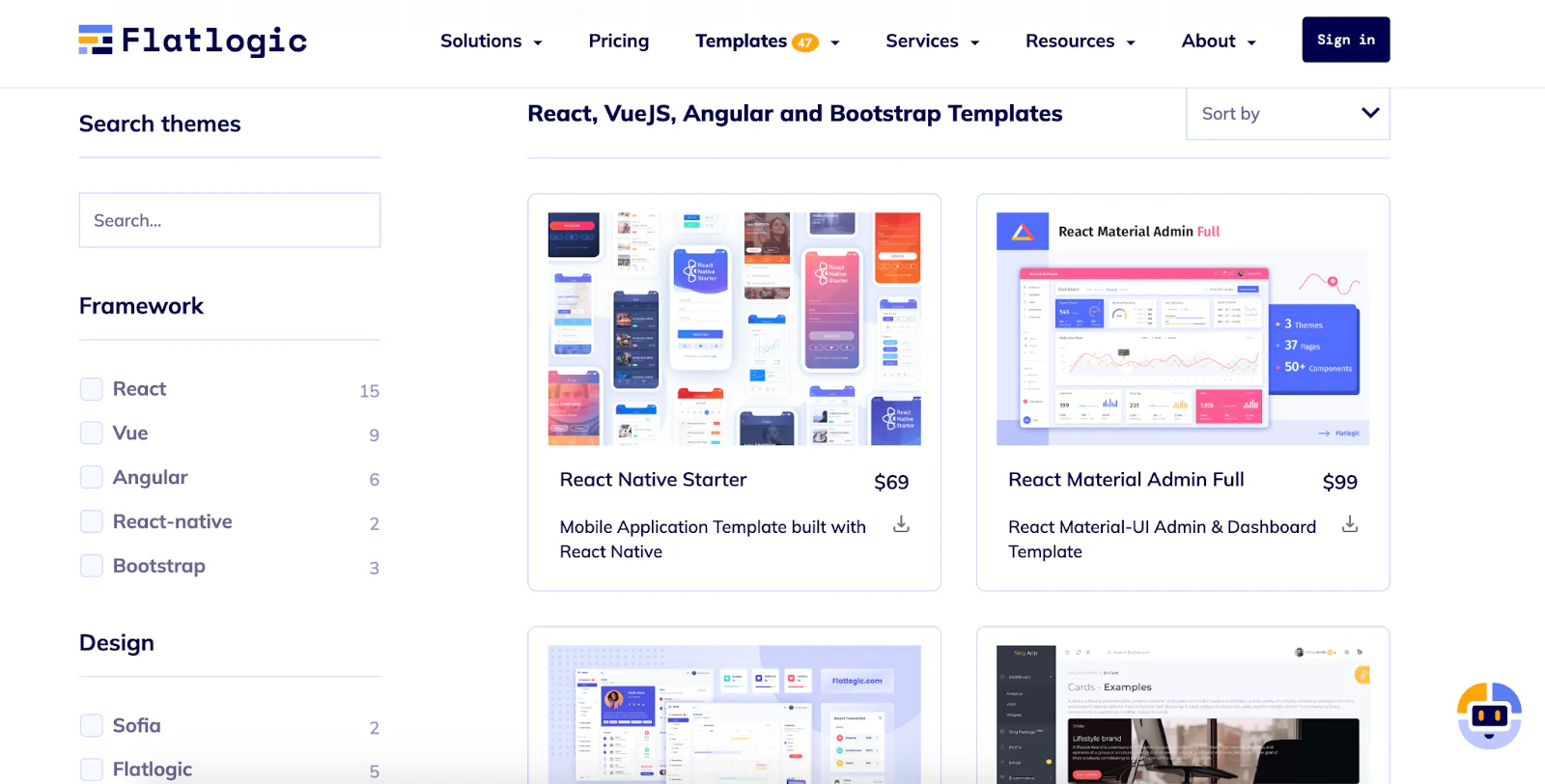
If you're looking for a quick way to build simple full-stack web apps, Flatlogic might be just what you need.
While Retool is the most developer-focused option on this list, Flatlogic is the most beginner-friendly. Like Budibase, it stands out for its ease of use.
Flatlogic is great for getting MVPs (Minimum Viable Products) and basic CRUD (Create, Read, Update, Delete) apps up and running fast. Though Flatlogic isn’t fully open-source, paid users still get full ownership of the generated code and can use it however they want.
Key features
- Drag-and-drop app builder
- AI app generator
- Templates
- Git integration
- Code ownership
- Custom code
- Custom domain
- All front-end and back-end options
Why choose Flatlogic over Budibase
- Suitable for web and mobile app development alike. Flatlogic offers React Native mobile application templates with dozens of ready-to-use components.
- AI-powered text-to-app generator. The platform can generate basic apps from plain-English instructions.
- Affordable pricing for large teams and user bases. Flatlogic doesn't charge per collaborator or user.
- Full code ownership. If you're building a full-scale custom app, Flatlogic gives you the generated code to take elsewhere if you outgrow the platform.
Flatlogic pricing
Flatlogic doesn't offer a free plan. Its paid plans start at $33 per app per month. With this plan, you get access to the text-to-app generator, custom JavaScript code capabilities, a commercial license, and more.
What users love about Flatlogic
- "I wanted to create an eCommerce store but was worried about how I'm gonna do that. Then I found Flatlogic," Pratik S.
- "Very good code structure and very elegant UI," Roy C.
- "It's less complicated than other competitors," Jordan M.
Alternative 5: Baserow
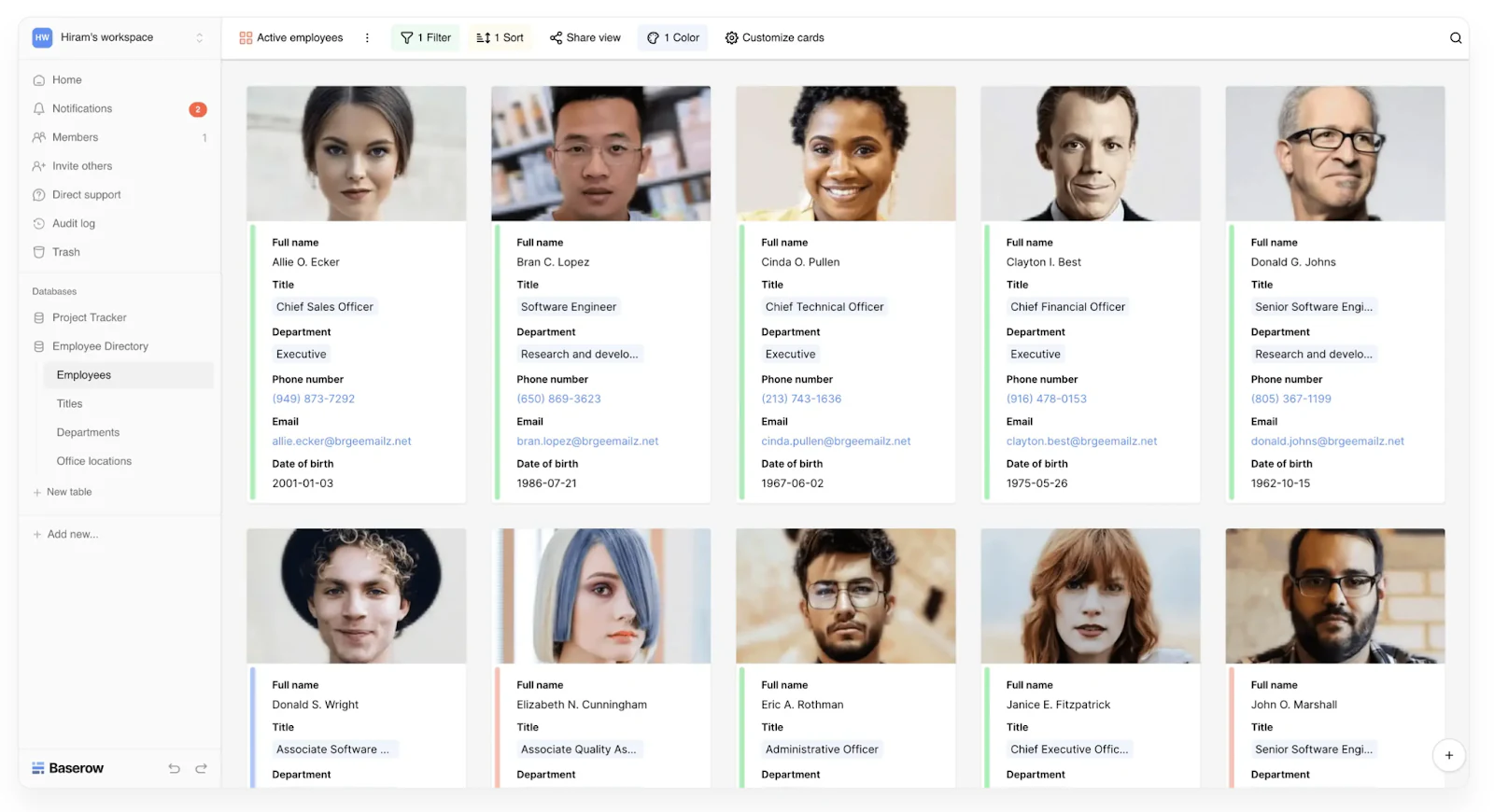
Lastly, if you're not focused on mobile app development or public-facing apps but need a sleek, cost-effective database solution, Baserow is worth considering.
Baserow often comes up in conversations about Budibase because, like Budibase, it provides its own database.
Initially focused on database management, Baserow has expanded its capabilities to include no-code app development. Now, you can quickly create custom applications using your Baserow data with just a few clicks.
Key features
- Intuitive database interface
- Application builder
- Open-source
- Integration with other tools and services through a REST API
- No-code building blocks
- Self-hosting option
- SSO
- Active community
Why choose Baserow over Budibase
- No user limits on a free self-hosted plan. Baserow's free self-hosted plan doesn't impose any limits on the number of users.
- More affordable in general. Baserow's paid plans tend to be more budget-friendly overall.
- Easy as a spreadsheet, powerful as a database. If you need advanced database management capabilities, Baserow provides these while keeping an intuitive, spreadsheet-like experience.
Baserow pricing
The self-hosted open-source version of Baserow is forever free. Paid plans start at $10 per user per month billed annually.
What users love about Baserow
- "Baserow implementation was fast and cost-effective as it took us barely 30 minutes to transition from our retro database, Airtable, to Baserow," Ashuman M.
- "I enjoy using Baserow and am happy to be part of the community," Mana K.
- "The huge amount of field types, which allows the creation of very complete and complex information systems easily," João J.
Find the low-code builder that fits your budget
Each of these Budibase alternatives has its own strengths, from Appsmith and Retool's developer-first flexibility to Baserow's free self-hosted database. If you want a single platform that covers both internal tools and customer-facing apps without per-collaborator fees, Softr is worth a close look.
Softr supports internal tools, public-facing portals, and PWAs of any complexity, whether you build with the AI Co-Builder, a template, or from scratch. Every plan includes builder seats (up to 3 on Free), and extra builders start at $5/month.
For a broader look at the market, check out our roundups of the best low-code platforms and best AI app builders for 2026.
Build your app for free with Softr.
Frequently asked questions
Is Budibase good for building client-facing apps or portals?
What is the cheapest Budibase alternative for growing teams?
Can Budibase build native mobile apps?
Is Softr cheaper than Budibase for larger teams?
Does Budibase have a free plan?